Hosted IVR: What it Is, How it Works, Benefits & 6 Best Tools in 2026
SUMMARY
Hosted IVR is an automated phone system that lets you handle common customer queries instantly and reduce call wait times—by up to 40%—without investing in hardware, servers, or headcount.
We reviewed and tested 20+ hosted IVR platforms and chose the 6 best hosted IVR solutions for sales, support, and CX teams in 2026, based on visual call flow builders, skills-based and caller-based routing, AI capabilities, pricing transparency, and scalability.
6 best hosted IVR solutions by use case:
- 01CloudTalk – best hosted IVR for SMB sales and support teams scaling global customer service with AI-powered call flows and deep CRM integration
- 02RingCentralEX – best for distributed teams unifying voice, video, messaging, and IVR in one app
- 03Nextiva – best for customer experience teams adopting AI-assisted, advanced IVR
- 04Zendesk – best for support teams pairing hosted IVR with omnichannel ticketing
- 05MightyCall – best for small teams needing simple, budget-friendly IVR call flows
- 06Aircall – best for sales-led teams wanting a visual call flow editor with custom call reasons


What Is Hosted IVR?
Interactive Voice Response (IVR) is an automated phone system that routes callers based on keypad or voice input—without needing a live agent.
When a customer calls, the IVR system answers, presents them with options, and directs them to the right destination. It can handle common questions, guide them to self-service tools, or connect them to the right team if human support is needed.
With the right setup and call flows, IVR improves routing accuracy, reduces wait times, and frees agents to focus on more complex issues.
Hosted IVR takes this a step further. Instead of running the system on your own servers, a third-party provider (like CloudTalk) hosts it in the cloud. You access the system through a SaaS platform, with no need for on-premise infrastructure. Because a hosted IVR operates entirely in the cloud, your service provider handles all server maintenance, security, and upgrades—allowing your team to focus strictly on building better customer experiences.
Hosted IVR vs. On-Premise IVR
The main difference between on-premise IVR and hosted IVR is where the technology lives and who maintains it. On-premise IVR requires you to purchase, store, and maintain physical servers and hardware in your own office. Hosted IVR runs in the cloud, meaning your software provider handles all hosting, maintenance, and security, allowing you to scale your call capacity instantly without capital expenses.
How Does Hosted IVR Work?
IVR provides callers with a series of automated menus, offering the chance to select options from a list of common issues or questions.
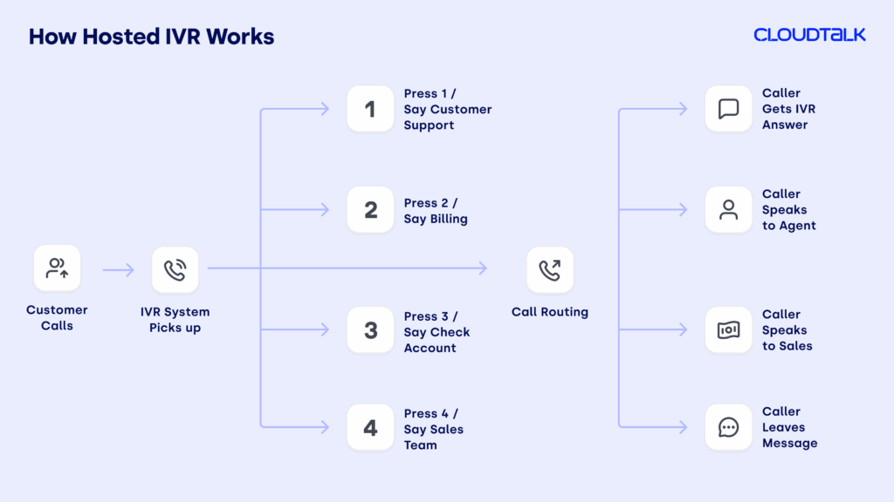
The flow works like this (see the call flow diagram below, too):
- The customer calls.
- The IVR software picks up and offers a series of common options.
- The caller selects the option they want from the IVR menu by speaking into the phone or selecting a number on their keypad/phone. For example, “To check your account balance, press 1, or “say ‘check balance’”.
- The system then routes them through to the answer, or to the next relevant menu, to give them even more personalized help.
At that point, the system can respond in one of two ways—both designed to get the customer what they need.
- Option 1: The caller gets the answer they need via the IVR system without having to speak to an agent.
- Option 2: The caller still needs more help, and they use the system to ask to speak to a human agent, such as someone on the sales team, or in customer support.
6 Benefits of Hosted IVR
Customers want fast answers, fewer transfers, and the ability to resolve simple tasks without speaking to someone. In fact, two in five US customers (39%) prefer a self-service phone option when resolving an issue rather than speaking to a live agent. And 37% say unreturned messages and calls make them feel negatively about a brand.
Meanwhile, your ops team needs to scale, stay compliant, and keep costs down.
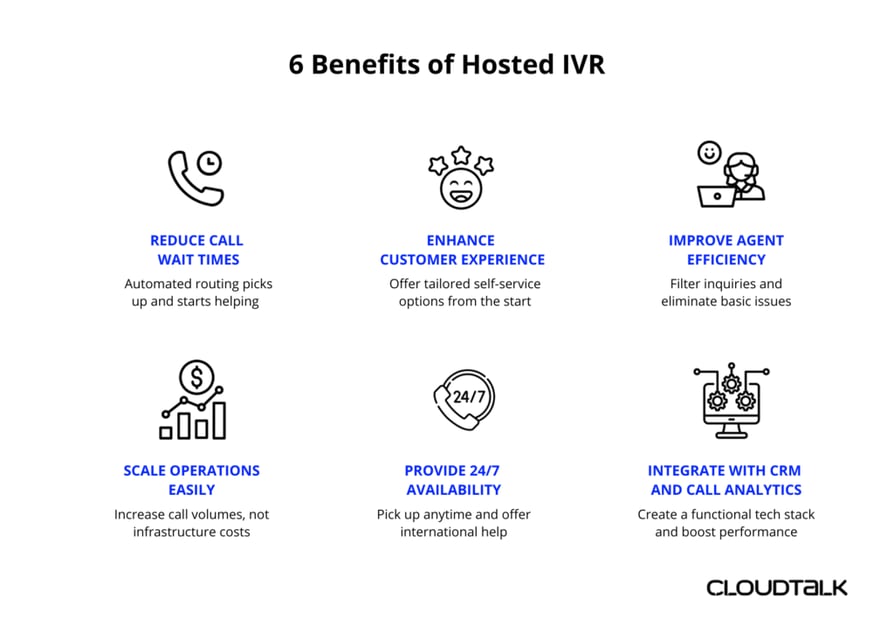
Hosted IVR helps you meet all of those demands. Here are six key benefits of using it in your call center setup:
1. Reduce Call Wait Times With Automated Routing
With hosted IVR, callers aren’t stuck waiting for an agent to pick up. They’re routed immediately based on their input, reducing wait times and frustration.
It also helps your human team focus on higher-value conversations since they already know what the call is about and the customer has gone through basic steps.
2. Enhance Customer Experience With Self-Service Options
Hosted IVR empowers callers with more control—less waiting, less repetition, and faster access to answers.
It also gives you more flexibility. Menu options can be customized and rolled out quickly across departments, avoiding delays and outdated routing logic that frustrate customers.
3. Improve Agent Efficiency by Filtering Inquiries
Hosted IVR systems cut down on repetitive, low-value calls that take up agent time.
Instead of fielding basic questions such as “What are your hours?” or “How do I reset my password?”, agents will only speak to callers who have a more complex issue that requires specialist help.
This improves caller experience as they get basic answers fast, and can spend more time with agents to deal with more complex issues. In turn, agent job satisfaction and expertise increases as they focus on more specialist questions.
4. Scale Easily Without Extra Infrastructure Costs
If your company is growing, but you don’t want (or can’t) hire more agents at the same pace, hosted IVR’s self-service ability enables you to handle growing call volumes without added expense or overheads.
A substantial proportion of callers will receive the answer they want from the IVR system, so fewer callers will need to speak to an agent. This allows your company to scale without having to increase your call infrastructure by the same proportion.
5. Provide 24/7 Availability for Global Customer Support
Even if a customer calls outside of business hours, IVR can take their call.
This not only provides round-the-clock customer service—for a better caller experience and responses even to callers in different time zones—but also means companies aren’t required to have agents working 24/7, saving money and offering a better employee experience.
With a hosted solution, there's no need to maintain on-premise infrastructure or staff late shifts to keep things running—your IVR stays functional across regions, without the overheads.
6. Integrate With CRM and Call Analytics for Better Insights
With extensive CRM integrations, your hosted IVR system can find customer details instantly, route calls based on account data, and log interactions automatically.
And if you ever switch CRMs, you won’t need to rebuild your entire system—CloudTalk’s open API and plug-and-play integrations keep your IVR running smoothly. That kind of flexibility means fewer disruptions, faster onboarding, and tech decisions that don’t get bottlenecked by your phone system.
This enables agents to provide better customer service, because:
- They can get right to the heart of the caller’s issue, and the caller does not have to repeat themselves each time they call
- They can analyze calls for trends and insights, and use these to improve their processes.
Pro Tip
How Businesses Use Hosted IVR: Real-World Use Cases
Whether you're dealing with high support volumes, coordinating global teams, or looking for a more scalable way to handle routine calls, hosted IVR gives you the flexibility to adapt without adding headcount or infrastructure.
Below are real-world examples of how businesses across industries use hosted IVR to make their operations more efficient and their customer experience more responsive. Use them to spot gaps in your own setup—or new opportunities to improve how your call flows work.
1. Managing High Call Volumes in Customer Support
Canadian sleep technology company Polysleep is an example of a growing business that used CloudTalk’s tools, including IVR, to handle thousands of calls a week, while still streamlining daily operations, improving team efficiency, and enhancing customer service.
Hosted IVR systems can manage a high number of callers because they pick up automatically even if no agents are available at that time (whether because they are busy or not online).
2. Automating Appointment Scheduling for Service-Based Businesses
IVR systems make routine tasks such as appointment scheduling much easier. For example, global business coach company CoachHub was able to use CloudTalk’s IVR system to connect thousands of clients with its 2,500+ business coaches across 60 countries and multiple time zones.
IVR enables callers to select from the menu options, such as “To book an appointment, press 2”, and arrange a slot via the same system. This is easier and faster for them, and saves agents’ time on these everyday tasks too.
3. Enhancing Order Tracking and Status Updates in E-Commerce
Companies that frequently receive calls about order tracking or delivery status can use conversational IVR—which uses voice and keypad inputs—to automate those updates and reduce agent workload.
One example of this is the on-demand courier service Glovo, which picks up, and delivers products ordered through its mobile app.
By using CloudTalk’s tools, it enhanced their team’s productivity and effectiveness, meaning they were able to receive 82% more calls while reducing the number of missed calls by 24%. Their clients were able to call Glovo using local numbers, and receive great customer service every time.
4. Streamlining Billing and Payments for Utilities and Telecoms
IVR can work for telecoms and utilities companies too.
For example, telecoms business Nokia switched to CloudTalk’s hosted IVR system to create a centralized dashboard and menu to answer common billing and account queries. This way, they could offer customers the right answer quickly, reduce the number of missed calls (while handling 38% more calls per month, equating to 18,288 calls). It also decreased caller waiting time by 47%.
Customers can use IVR to choose from a menu (e.g. “To check your latest bill, press 3”) and can receive answers and updates on these important concerns. This offers peace of mind and an enhanced customer experience 24/7.
5. Providing Secure Account Access and Authentication for Financial Services
If you’re in financial services, IVR systems are a reliable way to offer customers secure account access and authentication, for a crucial extra layer of security.
For example, financial services provider Revolut chose CloudTalk as it needed a secure solution provider that could also help it expand its inbound and outbound calling operations. CloudTalk tools allow agents to see caller information at a glance, while personalized IVR greetings have helped boost customer satisfaction, and IVR routing directs them to the best operator for their needs.
Hosted IVR does more than just speed up call handling—it builds security into the flow itself. Systems can ask callers to verify their identity or answer security questions before they reach an agent. That means customers don’t need to repeat themselves, and agents can get straight to solving the issue.
Pro Tip
Quick Comparison Table of the Best Hosted IVR Software
| Platform | Key Features | Best For | G2 Rating | IVR Starting Price |
|---|---|---|---|---|
| CloudTalk | Visual Call Flow Designer, caller- and skills-based routing, VIP queues, AI voice agents, 100+ native CRM/helpdesk integrations | SMB sales and support teams scaling hosted IVR globally | 4.4/5 | $29/user/month |
| RingCentral EX | Drag-and-drop IVR builder, call routing by hours and availability, custom greetings, unified voice/video/SMS | Distributed teams unifying business communications | 4.0/5 | $20/user/month |
| Nextiva | Basic + advanced IVR, AI-assisted speech recognition, call flow designer, AI appointment scheduling | CX teams adopting AI-driven hosted IVR | 4.5/5 | Add-on or $75/user/month |
| Zendesk | AI answer bot, triage routing, VIP prioritization, advanced ticket views, performance analytics | Support teams running hosted IVR + omnichannel tickets | 4.3/5 | $115/user/month |
| MightyCall | Drag-and-drop voice menu, VIP routing, custom greetings, call queue management | Small teams needing simple, affordable hosted IVR | 4.5/5 | $20/user/month |
| Aircall | Visual call flow editor, call routing, custom "call reasons," business hour controls | Sales-led teams wanting fast, visual call flow setup | 4.3/5 | $30/license/month (3 min) |
6 Best Hosted IVR Solutions for
When evaluating cloud-based IVR call center platforms with self-service options, prioritize solutions that pair intelligent routing with an intuitive, visual flow builder.
The best hosted IVR platforms help businesses route calls intelligently, improve agent efficiency, and deliver faster customer support—without the need for on-premise infrastructure.
All the tools listed below include key features like visual call flow builders, skills-based routing, CRM and analytics integrations, and flexible pricing plans to support different business needs.
1. CloudTalk: Best Hosted IVR for Growing SMB Sales and Support Teams
What is CloudTalk?
CloudTalk is AI-powered business calling software that includes IVR as just one of its tools alongside it’s AI voice agents. It has a wide range of features designed to enhance agent productivity, maximize customer satisfaction, and improve customer service while saving money.
What Are CloudTalk’s Key Features?
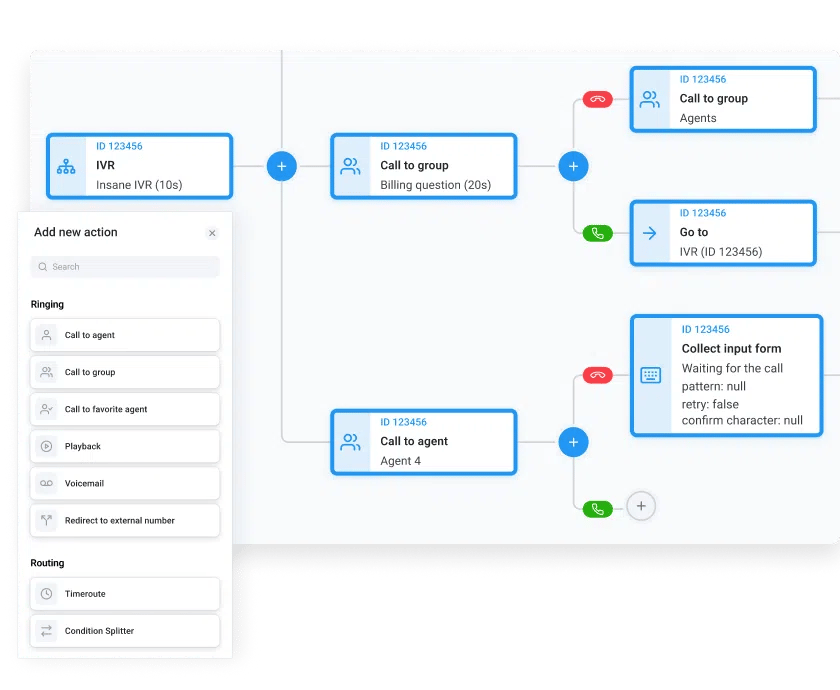
- Call Flow Designer: Easily offer callers the answers they need, reduce waiting times, and improve customer satisfaction.
- Caller-Based Routing: Connect customers with the best agent to solve their issue (e.g. the same agent they spoke to last time they called), to avoid repetition and frustration.
- Skills-Based Routing: enhances this further, and directs customers to the agent with the best skills to help, decreasing call handling time, and improving agents’ responses to callers.
- Tools Integration: Connects with other key tools that enhance productivity and customer service, including leading CRMs and data analytics, so user companies can spot areas for improvement and continually tweak for better results.
- VIP Queues: Prioritizes the most important clients and continues to offer them stellar customer service.
- Personalizable: The IVR can also collect and use customer information to tailor calls, speak to them by name, and offer the most relevant call flow options.
- Analytics: Enables you to monitor the effectiveness of your IVR system, and continually improve it to better meet business goals and customer needs.
CloudTalk’s Hosted IVR Pricing
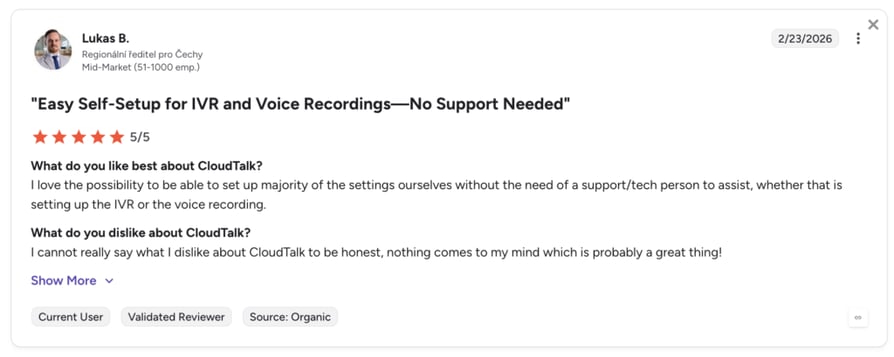
IVR (as well as Call Flow Designer and real-time Analytics) is included in the CloudTalk Essential plan and up.
- Essential: From $29 per user per month.
- Expert: From $49 per user per month.
- Custom: Price on application.
CloudTalk also offers its suite of AI-powered tools for $9 per agent per month. These include helpful extras such as AI-assisted CRM integration and automatic summaries and sentiment analysis of calls.
What Are CloudTalk's Pros & Cons?
| Pros | Cons |
|---|---|
| Transparent pricing—no hidden costs | Voice-first focus—no native website chatbot (integrates with chat tools instead) |
| Setting up IVR trees or adding new phone numbers takes minutes | No native video meetings (integrates with Microsoft Teams) |
2. RingCentralEX: Best Hosted IVR for Unified Business Communications
What is RingCentralEX?
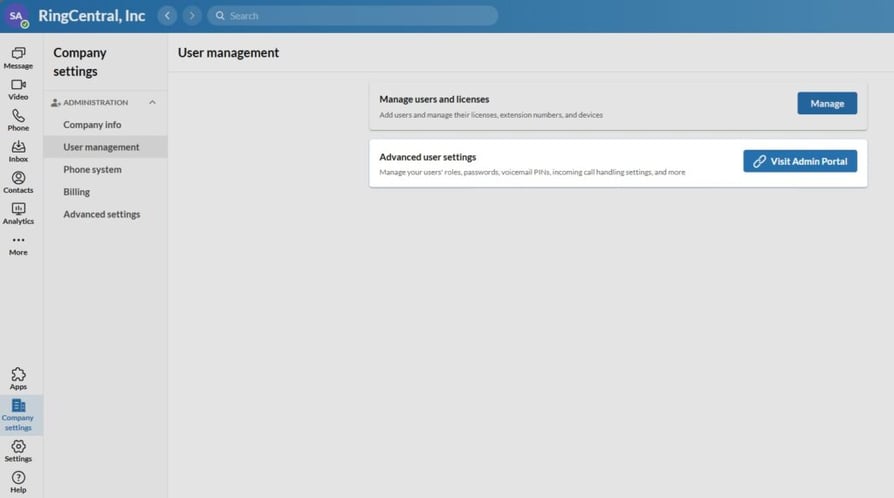
RingCentralEX (formerly RingCentral MVP) specializes in business communications, with a particular focus on unifying all types of messaging, calls, texts, and video chats into a single app to make management easier. Its AI-enhanced business phone system includes IVR as a key feature.
What Are RingCentralEX’s Key Features?
- IVR that uses a drag-and-drop menu to create a personalized, simple call flow
- Works with call routing, to direct customers based on hours or agent availability
- Enables users to set custom greetings and voicemail messages
- Call queue management to manage high call volumes
RingCentralEX Hosted IVR Pricing
RingCentralEX offers IVR in its Standard plan upwards.
- Standard: From $20 per user per month.
- Advanced: From $25 per user per month.
- Ultra: From $35 per user per month.
- Customer Engagement Bundle: Quote-based.
What Are RingCentral's Pros & Cons?
| Pros | Cons |
|---|---|
| Mature UCaaS platform across voice, video, SMS, and fax | Users report inconsistent call quality |
| Global PSTN coverage with strong reliability | Limited flexibility in reporting, customization |
Recommended Reads
3. Nextiva: Best Hosted IVR for AI-Enhanced Customer Experience
What is Nextiva?
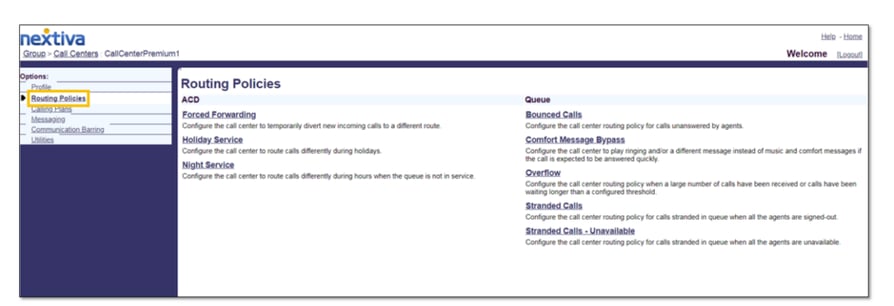
Nextiva is a customer experience management company intended for firms that are looking to acquire and retain more customers, while improving efficiency. It includes skills-based routing and call workflow creation as major features in its AI-enhanced platform.
What Are Nextiva’s Key Features?
- Basic IVR and advanced IVR options available, depending on business needs
- AI-assisted system to improve IVR understanding of callers’ real-time speech
- Call flow designer that enables tailored direction of calls to agents
- Queue management and automatic call back based on customer responses
- Appointment scheduling powered by AI-assisted IVR
Nextiva Hosted IVR Pricing
Simple IVR is available on plans from Engage (as an add-on) upwards.
- Engage: From $25 per user per month.
- Scale: From $75 per user per month.
What Are RingCentral's Pros & Cons?
| Pros | Cons |
|---|---|
| Unified CX across 8+ channels (voice, video, SMS, chat, social, fax) | Skill-based IVR routing only at the highest tier |
| 99.999% uptime SLA | Users say the setup takes longer than expected and feels complex |
4. Zendesk: Best Hosted IVR Paired With Omnichannel Ticketing
What is Zendesk?
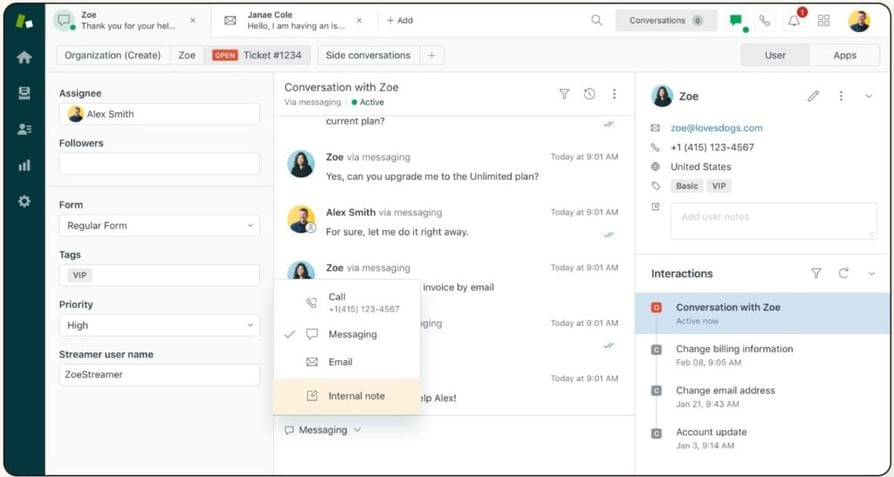
Zendesk is a customer service platform that aims to help companies of all sizes to improve customer conversations, maximize agent efficiency, and enhance analytics and monitoring.
What Are Zendesk’s Key Features?
- IVR that works with pre-recorded responses and automations to common questions
- Works with call routing and ‘triage’ systems to prioritize VIP callers and direct callers to specific agents or departments
- Advanced ticket views so agents can see customer problems before picking up
- Voicemail option for callers during high-volume call times
- AI-enhanced call center performance analytics
Zendesk Hosted IVR Pricing
Zendesk offers IVR from its Suite Professional Team plan and upwards:
- Suite Professional: From $115 per user per month.
- Suite Enterprise: From $169 per user per month.
What Are Zendesk's Pros & Cons?
| Pros | Cons |
|---|---|
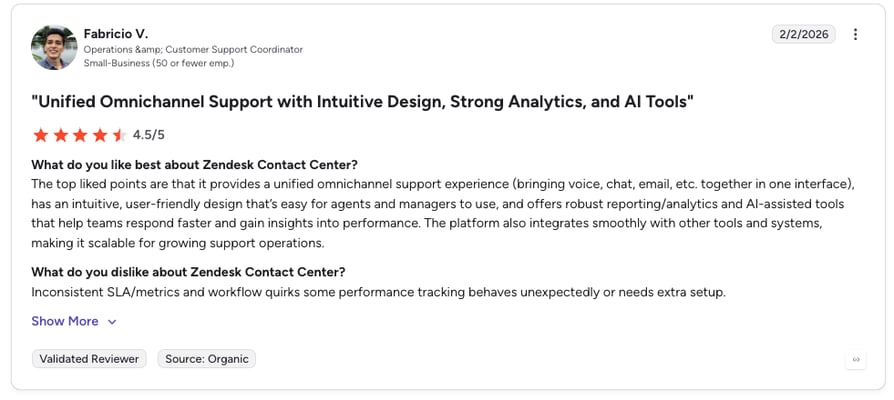
| Easy to use and set up | Workflow disruptions due to inconsistent SLA metrics |
| Omnichannel experience | Notifications could be improved |
Recommended Reads
5. MightyCall: Best Hosted IVR for Small Businesses on a Budget
What is MightyCall?
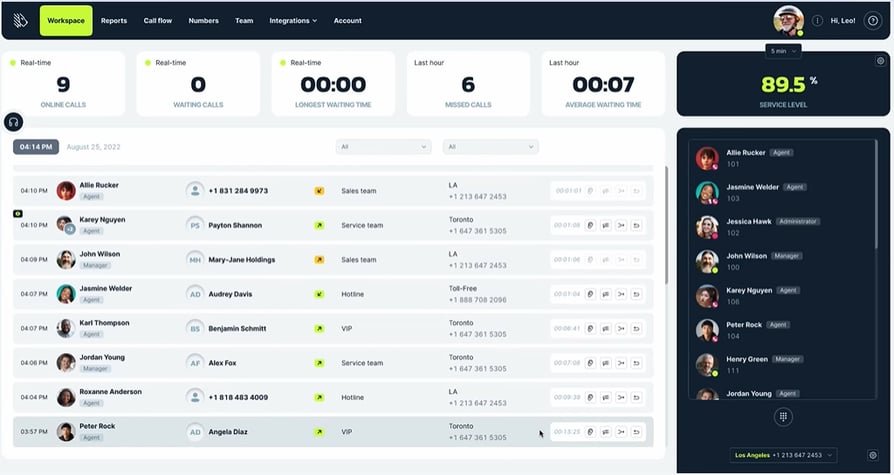
MightyCall is a specialist cloud-based call center platform that includes simple hosted IVR as part of its call flow features—built to streamline incoming calls for small and growing teams without a heavy price tag.
What Are MightyCall’s Key Features?
- Drag and drop voice menu to make setting up incoming call flows easier
- Options from 0 to 9 and/or voice recognition to direct customers to the best department or agent
- VIP customer options to prioritize important or regular callers
- Custom greetings and business hours
- Call queue management during peak times
MightyCall Hosted IVR Pricing
MightyCall offers IVR at all its pricing levels.
- Core: From $20 per user per month.
- Pro: From $38 per user per month.
- Power: Custom pricing.
- Enterprise: Custom pricing.
What Are MightyCall's Pros & Cons?
| Pros | Cons |
|---|---|
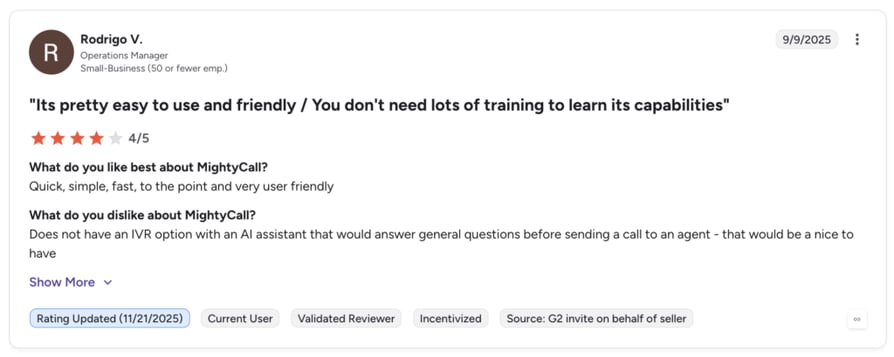
| Easy to use and user-friendly interface | Occasional app disconnections |
| Helpful customer support | Limited features compared to competitors |
Recommended Reads
6. Aircall: Best Hosted IVR for Sales-Led Teams With Visual Call Flows
What is Aircall?
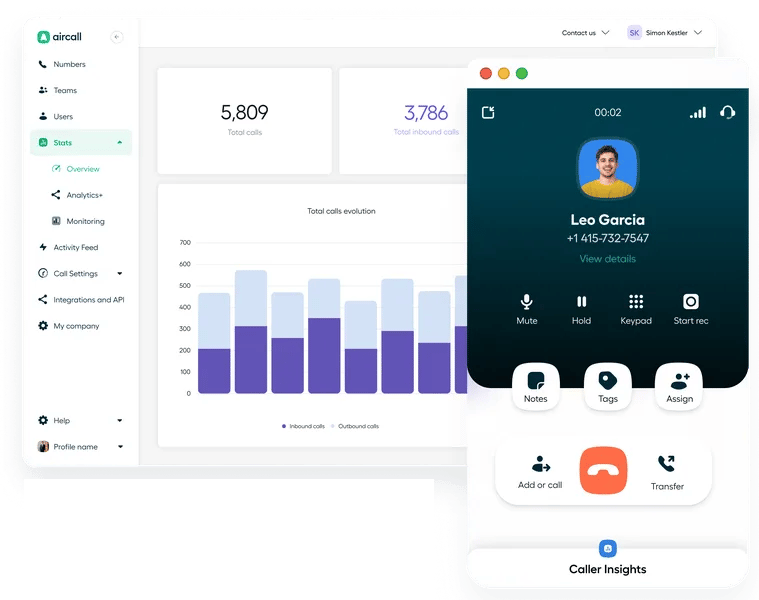
Aircall offers IVR as part of its aim to help companies reduce call center and communication friction, improve customer support, streamline sales, and boost performance through data analytics.
What Are Aircall’s Key Features?
- Call routing to direct the caller to the best agent or department for them
- Customized “call reasons” to help agents identify exactly why a customer is calling
- Visual editor for call flows
- Custom answering message, holding music, and business hours
Aircall Hosted IVR Pricing
Aircall offers IVR features at all levels of its pricing.
- Essentials: From $30 per license per month, with three minimum.
- Professional: From $50 per license per month, with three minimum.
- Custom: Tailored pricing.
What Are Aircall's Pros & Cons?
| Pros | Cons |
|---|---|
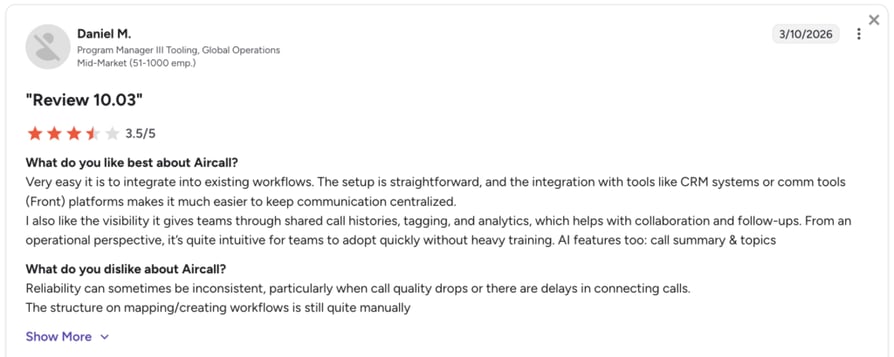
| Easy and straightforward setup | Costs climb fast with add-ons (analytics, AI, and transcription each priced separately) |
| Seamless integration with CRMs like HubSpot and Salesforce | Users report sync and voice-quality issues during high-volume periods |
Recommended Reads
CloudTalk Hosted IVR: “We Finally Have a Tool That Works”
Call centers without hosted IVR systems face challenges like long call wait times and inefficient agent performance, all of which lower customer satisfaction and waste time, increasing costs.
Hosted IVR solves these issues with automated call routing and self-service options. It helps you to:
- Scale without extra infrastructure costs
- Provide 24/7 support
- Gain real-time insights into CX and call flows via built-in analytics and CRM integrations
For example, Alura—the largest technology education ecosystem in Brazil—used CloudTalk’s hosted IVR to streamline call handling and improve overall efficiency. The impact on customer service quality was immediate.
Sources