
SMS For Business
Reach your leads where they are with SMS for business. Send and receive text messages from any device, anywhere—keeping conversations easy, professional, and effective.
Our Price: $29/user/month
 SOC2 CompliantISO 27001
Trusted by 30,000+ sales & support professionals to power more & better conversations
















Benefits of SMS Texting for Business
Automate Your Follow-Ups
Set up workflows to automatically follow up with an SMS after you miss or finish a call.
Speed Up Responses Using Templates
Use pre-existing text message templates to save your agents’ time and stay on-brand.
Go Beyond Text with MMS
Is SMS not enough to convey your message? Send multimedia messages too!
Intelligent Messaging
Why Use SMS for Business
Unlock new possibilities with smarter messaging. Localize, automate, and convert with ease.
Local Business SMS Messaging
International numbers make your messages look like they’re coming from a local number, matching the area code of the person you’re texting. This makes people more likely to answer because the number feels familiar and trustworthy.
Local business SMS software also helps you avoid steep international calling fees, significantly cutting costs. With VoIP services, you can manage unlimited international numbers, enabling seamless global expansion.
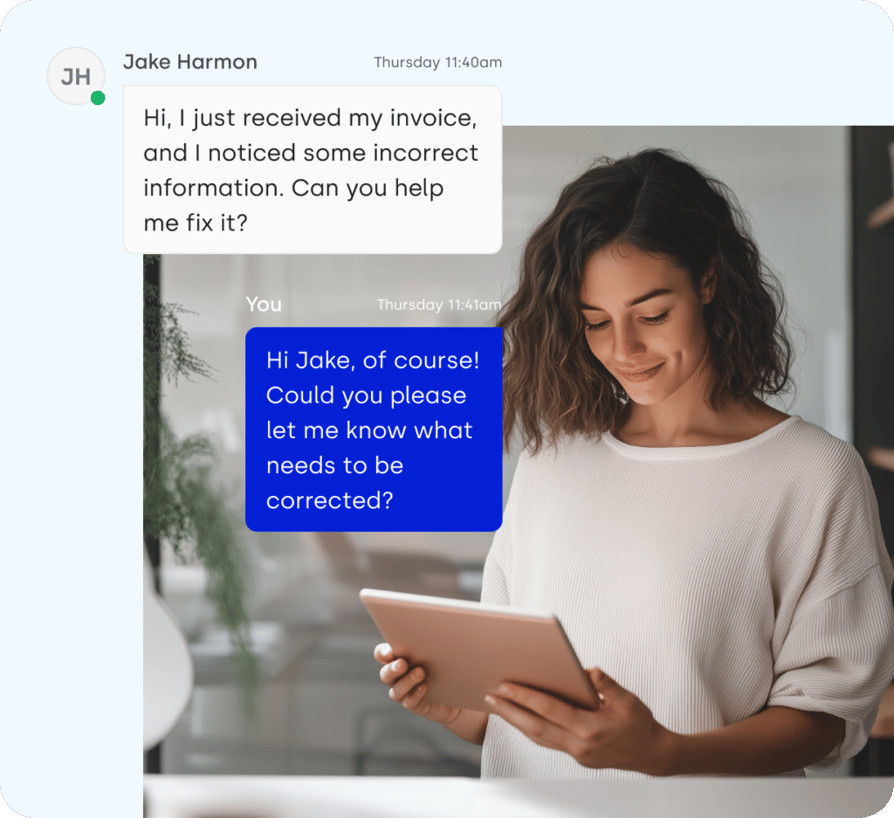
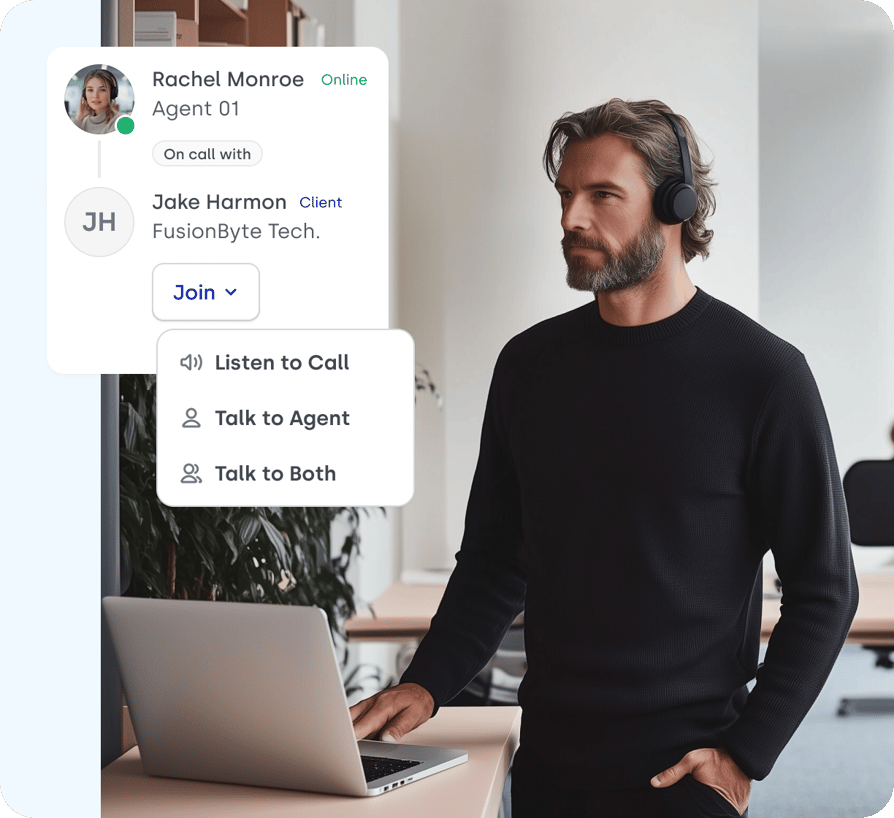
Automate Business SMS Messaging
Engage leads at the perfect moment with CloudTalk’s Workflow Automation. Set up activity-based SMS workflows that trigger messages based on user actions—seamlessly turning curiosity into conversions.
Plus, automate event invites and meeting reminders to eliminate scheduling hassles and keep communication effortless.
Create Smart Cloud SMS Service Campaigns
Drive more conversions with targeted text promotions—send personalized offers that resonate with prospects and increase engagement. With local numbers, you ensure high delivery rates and seamless communication.
Keep the conversation going with automated pre-saved replies, providing lightning-fast resolutions—all through SMS.
Benefits of Business SMS
Transform Your Business
with Every Message
Resolve Queries Faster
Provide efficient customer support and quick responses to inquiries. With features like saved replies and automated workflows, you can handle common queries instantly, keeping your support team free for more complex issues.
Save Money
Business SMS is a cost-effective solution for engaging customers. With reliable message delivery and no extra costs for read receipts, SMS keeps your communication budget in check while ensuring your messages reach the right audience.
Scale Easily
Scale effortlessly by automating messages based on customer actions. Set up workflows for appointment reminders, follow-ups, or promotional campaigns, ensuring every lead and customer receives timely and relevant information.
Offer 24/7 Service
Customers expect support at all hours, and with business SMS, you can deliver just that. Automated responses ensure that inquiries are handled even outside business hours, keeping customers informed and engaged.
Features
Other features you might like

International Numbers
Expand your business to new markets and reach customers all around the world with international numbers available in 160+ countries.
Learn more about International Numbers
Toll-Free Numbers
Boost inbound calls by making it easy for international customers to reach you—free of charge or at local rates, no matter where they are.
Learn more about Toll-Free Numbers
WhatsApp Inbound Messages
Instantly send and receive customer WhatsApp messages directly in CloudTalk’s Phone App.
Learn more about WhatsApp Inbound Messages
Number Porting
Transfer old business numbers from more than 50 countries easily and maintain your connections and corporate identity.
Learn more about Number PortingWe’ve helped thousands of global companies
Case studies featuring customers who are building faster.

Global Sales Engine Powered by Connected Conversations
“CloudTalk’s AI transcripts and analytics make it easier to track talk ratios, discovery depth, and regional performance—all without requiring formal training to get started.”

Revolutionizing Revolut’s Efficiency and Saving 40+ Hours
"Thanks to CloudTalk’s reliability, we could improve sales teams’ performance and close more deals than we could have ever imagined."

Increasing productivity for 200 customer support agents
"With CloudTalk's Analytics I now get to see every step of the way. We can find discrepancies and gain a much better understanding of our teams."

Delivering success for Glovo’s customer support team
"CloudTalk improved our team's cost and efficiency. The script feature allows us to lead the calls in a much more systematic way."
Business SMS Software: Everything You Need to Know
From how business texting differs from personal messaging to VoIP integration, automated follow-ups, MMS, TCPA and GDPR compliance, and which numbers can actually send: here are the questions businesses ask most before choosing business SMS software.
Business SMS is text messaging sent and received from a company's registered business phone number through a business SMS platform, rather than from an individual's personal handset. The message a customer receives looks the same. Everything behind it is different: the number is registered for commercial messaging, traffic routes over A2P (application-to-person) carrier networks built for business volume, and every message is logged against a contact record the whole team can see.
Personal texting is P2P (person-to-person). One person, one device, one thread, no audit trail, no consent record, and nothing anyone else can pick up when that person is on holiday. That gap is the entire reason business SMS software exists as a category.
What Actually Changes
The practical differences that matter when you are evaluating a business texting service:
- Shared ownership: conversations live in a team inbox tied to the contact, not on one rep's phone, so anyone can pick up the thread mid-conversation.
- Consent and opt-out handling: business SMS messaging carries legal obligations around consent, opt-out keywords, and sending windows that personal texting does not.
- Automation: messages fire from a trigger (call ended, deal stage changed, appointment booked) instead of being typed by a human every time.
- CRM and phone system sync: texts land on the same timeline as calls, notes, and recordings, so the next agent sees the full history.
- Templates and reporting: pre-approved copy keeps messaging on brand, and delivery and reply data shows what is actually working.
- Scale: a business SMS platform sends to segments and lists; a phone sends to one person at a time.
In short: personal texting is a conversation. Business SMS is a conversation plus a record, a permission trail, and a workflow attached to it.
Business SMS integrates with VoIP by running on the same phone numbers, the same contact records, and the same interface as your calls, so texting becomes another step in a call workflow rather than a separate tool your team has to remember to open. When SMS and voice share one platform, the number a customer calls is the number they can reply to, and the reply appears on the same timeline as the call that preceded it.
Where the Integration Shows Up
- Shared numbering: the same local or toll-free number handles inbound calls and inbound texts, so customers are never guessing which channel is live.
- One contact timeline: calls, recordings, tags, notes, and texts sit together in the contact record, so an agent picking up a reply three days later can see exactly what was said on the call.
- CRM sync: because a cloud phone system already pushes call activity into your CRM, SMS rides the same connection. Every text logs as an activity in HubSpot, Salesforce, Pipedrive, or your helpdesk without anyone copying and pasting.
- Routing and ownership: inbound replies route to the agent who owned the call, to a queue, or to a Slack channel, using the same skill-based routing logic that handles voice.
The workflow that sells the integration best is the humble missed call. A caller does not get through; the system fires a text from the same number saying the team will call back and offering a time; the customer replies; the reply lands with the right agent, on the right record, with the missed call sitting right above it. None of that is possible when SMS lives in a separate tool with a separate number. This is why a cloud SMS service bundled into a business phone system tends to outperform a standalone texting app: the context comes free.
Yes. Automated SMS follow-ups are triggered by call events, so a text can send the moment a call ends, when a call is missed, when an agent applies a specific tag, or when a call outcome is logged, with no manual step from the rep. This is the single most used automation in business SMS software, because the window right after a conversation is when a follow-up actually gets read.
The mechanics are trigger, condition, action. Workflow Automation watches for an event (call ended), checks a condition (call was outbound, contact is tagged "demo booked", call lasted over 60 seconds), then performs an action (send this SMS template to this contact). Because the condition layer exists, you are not blasting every caller; you are messaging a defined slice of them.
Follow-Ups Teams Automate Most Often
- Missed-call auto-text: fires within seconds of an unanswered call, acknowledging the attempt and offering a callback window.
- Post-demo recap: sends the proposal link, pricing page, or recording immediately after the call ends, while the conversation is still fresh.
- Appointment confirmation and reminder: one text when the slot is booked, one the day before, with a reply-to-reschedule option.
- Voicemail follow-up: turns a one-way voicemail into a two-way thread the prospect can answer with one thumb.
- No-show recovery: triggers when a scheduled call is not connected, offering a new time instead of leaving the lead to go cold.
- Post-resolution CSAT or review request: sends after a support call is tagged resolved, which is when goodwill is highest.
Personalization tokens pull the contact name, agent name, appointment time, or deal detail into the template, so an automated message from a business texting service still reads like it came from the person the customer just spoke to. Add a delay if you want it to feel less instantaneous, and always include an opt-out instruction: automated follow-ups are still marketing traffic in the eyes of the regulator when their purpose is commercial.
SMS carries plain text only, with a 160-character limit per message segment. MMS carries media, which means images, screenshots, PDFs, short video, and audio, plus a much longer text body. Both send to the same handset from the same business number; they differ in payload, cost, and country support.
On length: SMS uses GSM-7 encoding, which fits 160 characters in one segment. Go over, and the message splits into concatenated segments of about 153 characters each, billed per segment. Add an emoji or a non-Latin character and the whole message switches to UCS-2 encoding, dropping the limit to 70 characters per segment. That single emoji can quietly triple the cost of a campaign, which is the sort of thing worth knowing before you send 40,000 of them.
When to Use Each Format
- Use SMS for confirmations, reminders, one-time passcodes, delivery updates, short follow-ups, and anything time-critical. It is cheaper, faster, and supported on effectively every handset and in more countries.
- Use MMS for product photos, damage or fault images in support threads, signed documents, event tickets and QR codes, menus or price lists, and short demonstration clips.
Three constraints to plan around. First, coverage: MMS support is far more limited internationally than SMS, and many carriers outside North America handle it inconsistently or not at all. Second, cost: an MMS typically costs several times an SMS segment, so it has to earn the difference in reply rate. Third, size: carriers cap attachment size, and oversized files are compressed or rejected outright, so compress before you send rather than after a customer tells you the photo arrived unreadable.
A sensible default for SMS software for business is SMS as the workhorse with a hosted link for anything visual, and MMS reserved for cases where the image itself is the message. When you do need media, check destination-country support first: CloudTalk supports both SMS and MMS, and its text messaging feature documents which numbers and countries are messaging-capable.
SMS improves response rates because it is a native, notification-first channel that requires no app, no login, and no inbox triage: the message appears on the lock screen and replying takes one thumb. Email competes with hundreds of other messages and a promotions tab. A text competes with almost nothing, which is precisely why it has to be used with restraint.
Plays That Consistently Lift Replies
- Speed to lead: text a new inbound lead within minutes of the form submission, before they have opened a competitor tab. Automating the trigger is what makes minutes achievable instead of aspirational.
- Missed-call recovery: convert an abandoned call into an open thread instead of a lost contact.
- Appointment reminders with a reply option: "Reply C to confirm or R to reschedule" reduces no-shows and generates a response by design.
- Two-way support triage: let customers answer a question over text rather than sitting in a queue, and reserve the call for cases that need one.
- Order, shipping, and payment updates: transactional messages people genuinely want, which keeps your number trusted for the messages that ask for something.
- Review and CSAT requests: sent immediately after a resolved interaction, when the customer still remembers it fondly.
- Dormant-lead re-engagement: a short, specific text to a stalled opportunity outperforms the fourth email in a sequence nobody opened.
Execution details do most of the work. Keep it under one segment. Lead with who you are, because an unrecognized number gets deleted. Ask exactly one question, since a text with two questions gets one answer at best. Send inside local business hours. Give a genuine opt-out. And make replies land somewhere staffed: nothing damages a channel faster than a customer answering a text nobody reads.
Frequency is the discipline that protects everything else. SMS marketing for business works because the channel is uncrowded, and the fastest way to crowd it is to over-send. Route transactional and conversational messages liberally, promotional ones sparingly, and use automated workflows to make the timing consistent rather than the volume higher.
Compliance is shared: a business SMS platform supplies the technical controls, but lawful sending depends on how you collect consent, what you send, when you send it, and how quickly you honor an opt-out. No provider can make a non-compliant messaging program compliant, and any vendor claiming otherwise is selling you a problem.
What the TCPA Requires (United States)
Marketing texts sent with an automated system need prior express written consent from the recipient, obtained through a clear disclosure rather than buried in terms. Consent must be specific to text messaging, not inferred from a phone number given for another purpose. Every message needs a working opt-out, opt-outs must be actioned promptly, and sending is restricted to 8am to 9pm in the recipient's local time zone. Federal and state Do-Not-Call lists apply, and several states run stricter rules than the federal baseline. Purely transactional or informational texts sit under different requirements than marketing, but the line between them is narrower than most senders assume.
What the GDPR Requires (EU and UK)
You need a lawful basis for processing the number and for the message itself, which for direct marketing generally means freely given, specific, informed, and unambiguous consent, recorded in a way you can evidence later. On top of that: purpose limitation (a number given for delivery updates cannot be repurposed for promotions), a withdrawal mechanism as easy as the opt-in, data minimisation and defined retention periods, transparency about who is processing the data and why, and a data processing agreement with your provider covering transfers and sub-processors.
What to Look For in a Business SMS Platform
- Timestamped consent capture and an auditable opt-in record you can produce on request
- Automatic opt-out keyword handling that suppresses the contact across every workflow, not just the one that sent the message
- Quiet-hours and time-zone-aware scheduling controls
- Suppression list management and segment-level exclusions
- A signed DPA, documented sub-processors, and clarity on where message data is stored
- Role-based access so not everyone in the account can message everyone in the database
- Retention settings you control, rather than indefinite storage by default
The pragmatic summary: treat the cloud SMS service as the tool and your consent process as the compliance boundary. Get explicit, logged, channel-specific consent; keep transactional and promotional traffic separated; honor opt-outs instantly and globally; document your retention policy. If you are messaging into multiple jurisdictions, check the rules per country, because local number requirements and local messaging law frequently travel together. This is general guidance rather than legal advice, so run your program past counsel before you scale it.
Yes, though not every number can send SMS and not every route reaches every country: messaging capability depends on the number type, the country it belongs to, and whether that country's A2P network permits international traffic. A number that takes calls perfectly well may not be messaging-enabled, which is the detail most teams discover on their first send rather than during evaluation.
Business SMS runs over A2P (application-to-person) networks, which are built for commercial messaging and behave differently from the P2P networks personal handsets use. The consequence: in some countries the A2P network cannot send or receive international messages at all, so a local number there works domestically but not across borders. This is a carrier and regulatory constraint, not a platform limitation, and it varies country by country.
Number Options and What Each Is Good For
- Local numbers: match the recipient's country and area code, so the message arrives from a number that looks familiar. Best answer and reply rates, and the same number can carry your voice traffic.
- Mobile numbers: often the most reliable for two-way SMS in markets where landline numbers are not messaging-enabled.
- Toll-free numbers: common for North American support and notification traffic, and generally require registration before they will send at volume.
- Short codes: high-throughput, high-trust, expensive, and country specific. Justified for large-volume campaigns, overkill for a sales team.
- Alphanumeric sender IDs: your brand name in place of a number, supported in parts of Europe, APAC, and LATAM. One-way only, so recipients cannot reply.
Three things to check before committing. First, registration: many countries and carriers require pre-registration of the sender, the use case, and sample message content, and some require a local address or business documentation for the number. Second, capability: confirm the specific number is SMS-enabled for the destinations you care about, since messaging coverage differs from voice coverage. Third, MMS: media support is narrower again, so verify it separately.
CloudTalk offers numbers in 160+ countries, with a documented list of which of those are SMS-capable and any local address requirements attached to them. For a walkthrough of sending across borders and the delivery quirks that come with it, see our guide to texting international numbers. If your business SMS service spans several markets, plan on a mix: local two-way numbers in your core countries, and sender IDs or regional numbers for one-way notification traffic elsewhere.

Ready to get started?
Join over 5,500+ modern companies that already trust CloudTalk to have MORE and BETTER calls.
Frequently asked questions
Business SMS allows for instant, direct communication with customers, leading to higher open and response rates compared to emails. It enables personalized, two-way conversations that build stronger relationships.
Absolutely! With tools like CloudTalk’s Workflow Automation, you can set up SMS workflows that trigger based on customer actions, ensuring timely follow-ups, appointment reminders, and promotional offers.
By using SMS automation and saved replies, businesses can instantly respond to common inquiries, handle after-hours queries, and provide round-the-clock support.
It depends on the provider. You should choose business SMS platforms like CloudTalk that comply with local regulations, including TCPA, GDPR, and carrier rules.


Hello 👋 My name is Emma. Still have questions?
Can’t find the answer you’re looking for? Please chat to our friendly team.