


Inbound Call Center Software That Keeps Every Customer Call Answered
CloudTalk is inbound call center software built for support teams that can't afford missed calls or misrouted queues. Multi-carrier cloud infrastructure, AI-powered conversation analytics, and native CRM integrations — running across 160+ countries without hardware, maintenance, or IT dependency.
- Cut missed calls by up to 80% and reduce wait times by 47%
- Connect every caller to the right agent on the first attempt
- Automatic sync with 100+ CRMs and helpdesks
Trusted by 30,000+ sales & support professionals to power more & better conversations
















The Basics
What Is Inbound Call Center Software?
Inbound call center software is a cloud-based platform that receives, routes, and manages incoming customer calls. You'll also see it called inbound contact center software or inbound call management software; the job is the same. Instead of a receptionist and a tangle of desk phones, an IVR menu greets callers, skill-based routing sends each one to the right agent, and queues, callbacks, and voicemail catch everything your team can't answer live, while every call logs itself to your CRM or helpdesk.
Because the whole inbound call management stack runs in the cloud, agents answer from a browser or app anywhere, managers watch queues and service levels in real time from one dashboard, and setup takes under an hour, with local numbers available in 160+ countries. CloudTalk's platform is built for teams that need consistent quality at high volume: not just the ability to answer calls, but the data and routing intelligence to answer them right.
CloudTalk's Platform
Get a Taste of CloudTalk
Explore the inbound call center hands-on — routing, queues, and the live dashboard.
No sign-up required + 14 days for free.
Compare
Inbound Call Center vs. Contact Center: What's the Difference?
The terms get used interchangeably, but there's a real distinction based on what you need.
HOW WE HELP
Get a Full-Featured Inbound Call Center Solution
Show Up Fast To Every Inbound Call
- Intelligent Call Routing: Directs every call to the right agent based on skills, availability, and caller history. No blind round-robins, no unnecessary transfers.
- Call Flow Designer: Build custom call routes with drag-and-drop logic. Time-of-day rules, overflow routing, callbacks, voicemail flows. No code, live instantly.
- Workflow Automation: Triggers CRM updates, follow-up tasks, and ticket creation based on call outcomes. No agent input required.

Resolve More, Review Less
- Call Monitoring: Listen in, whisper to agents, or barge into live calls. Real-time quality control without disrupting the customer.
- Sentiment Analysis: Flags negative interaction patterns across your team before at-risk conversations compound into escalations.
- AI Call Summary & Tagging: Structured recaps and smart labels generated after every call. Zero post-call admin; records pushed straight to your CRM.
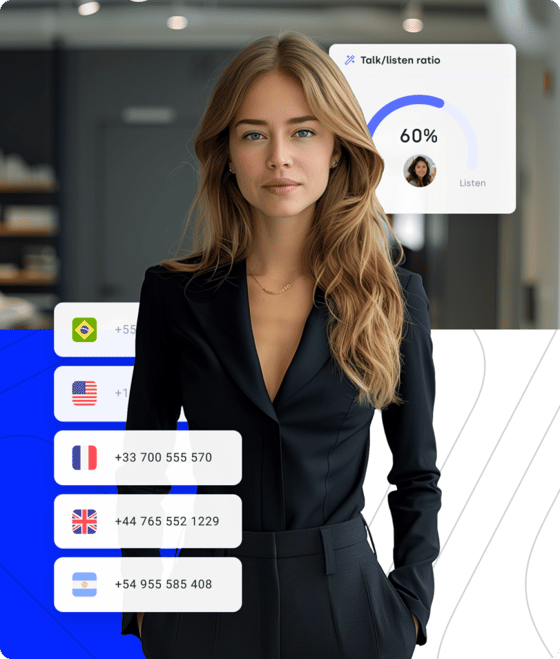
Monitor Every Metric That Matters
- Real-Time Dashboard: Live view of queue depth, agent availability, and SLA status. Catch bottlenecks before customers feel them.
- Analytics & Reporting: Call volume, wait times, FCR, and team KPIs in customizable, exportable dashboards.
- 100+ app integrations: Native two-way sync with Salesforce, HubSpot, Pipedrive, Zendesk, Intercom, Gong, Freshdesk, and more.
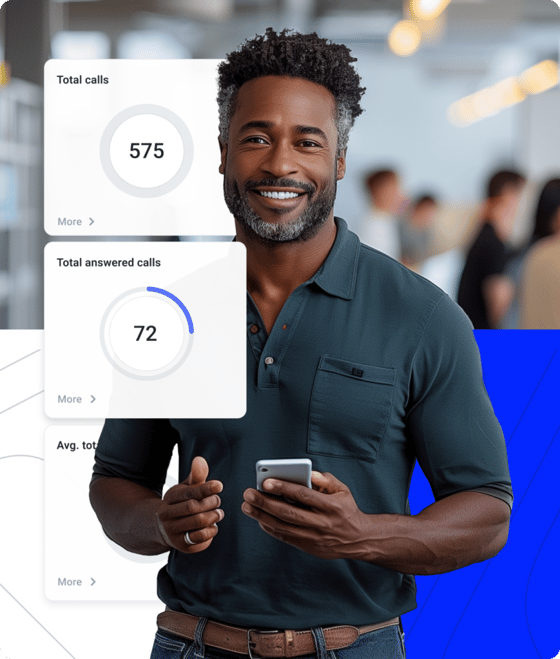
Benefits of Inbound Call Center Solution
Smart Routing, Zero Wasted Transfers
Most support failures are routing failures. Skill-based routing, IVR menus, and time-of-day rules send every caller to the right agent the first time — no blind round-robins, no repeat transfers.
Your CRM, Fully in Sync
Every call automatically updates the customer record in your CRM system with no manual entry. Agents pick up with full history on screen: first-contact resolution up, admin time down.
Built to Scale Without Friction
Add agents, numbers, and markets from a browser tab. Small businesses run an inbound call center from day one; Midsize teams absorb high call volumes without extra infrastructure.
Inbound Call Center Software Built for Support Teams
CloudTalk gives your support team the foundation to answer every call — rock-solid call quality, scaling in clicks, native integrations with your stack, and setup measured in hours, not quarters.
A Connection That Won't Break
CloudTalk's call quality infrastructure is decentralized and multi-carrier. When one carrier experiences degradation, calls reroute automatically — no dropped calls, no customer-facing disruption, no manual IT intervention.
Nokia increased calls handled by 38% and cut wait time by 47% after switching to CloudTalk.
"Customers used to wait over 20 minutes just to speak to an agent. Now, they get through in 3 to 4 minutes. We also went from missing 80% of calls to just 16%."



Scale in Clicks, Not Quarters
Built on a flexible, cloud-based infrastructure, CloudTalk lets you scale your inbound call management system instantly as demand grows. Add new users and teams in just a few clicks — with local numbers in 160+ countries available instantly, no hardware, IT bottlenecks, or hiring delays required.
"The ease of integration with our existing tools is another standout feature, allowing us to seamlessly incorporate it into our daily operations. Its day-to-day practicality, combined with its integration capabilities, has made it an indispensable tool for our team."
Your Entire Support Stack, Connected
With Zendesk, Microsoft Teams, and the full range of CRM and helpdesk tools your support team already uses — all connected natively. Every inbound call logs itself. Every customer record updates automatically. Agents focus on the conversation, not the admin.
"CloudTalk has been a game-changer for our business. As a growing company, we needed a phone system that could scale with us and provide reliable communication across teams and with our customers. CloudTalk has exceeded our expectations in every way."

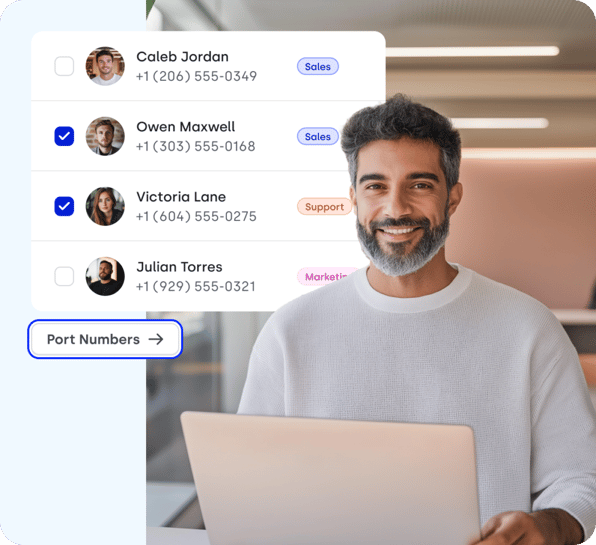
Live in Under an Hour — No IT Required
Number Porting moves your existing numbers to CloudTalk without changing anything visible to customers. New agents are added from a browser tab — no hardware, no IT ticket, no configuration marathons. Most teams are taking live calls within the same business day they sign up.
"It's very easy to work with, the overview of the program is given. Basically once it is set, it's hard to do anything wrong. I liked that when it is integrated with Pipedrive you can record and call right away with not much fuzz around it. So I would call it efficient in my workflow, and it does allow me to streamline the whole process."
Ready to Get Started?
Start Making Calls in 4 Simple Steps:
- Book a quick demo
- Get your numbers
- Integrate your tools
- Watch your teams succeed

More CloudTalk Features
AI-Powered Inbound
Call Center Technology
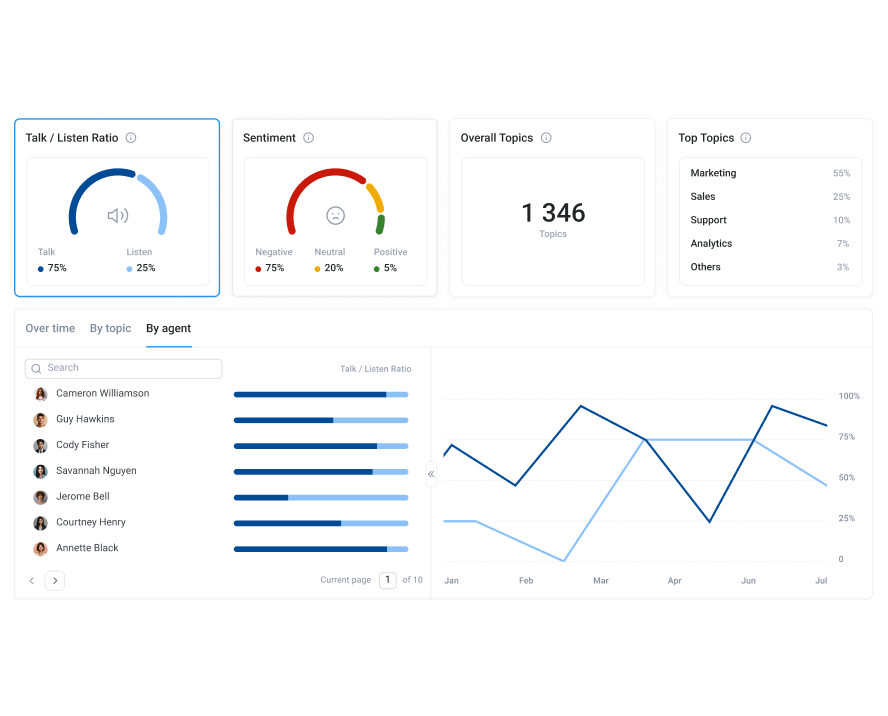
CloudTalk's AI works in every conversation — before, during, and after the call — so your agents stay focused on customers instead of admin.
- AI Notes after every callA structured summary lands in your CRM the moment a conversation ends — zero post-call admin for agents.
- Topic Extraction across the queueSee what customers are actually calling about before it piles up in ticket queues — spot emerging issues while they're small.
- AI Voice Agents for high-volume queuesScheduling, FAQ resolution, and after-hours triage handled end-to-end — escalating to a human only when needed.
Signature Capability
See CloudTalk’s AI Voice Agent in Action!
CeTe is an AI that talks like a human: no breaks, no training, no time off. It makes and answers calls, updates CRMs, books meetings, and loops in a human only when needed.
Press play to hear it. Want a wow moment? Get a free test call and try it live.

CloudTalk's Pricing
How Much Does CloudTalk Cost?
Our pricing is transparent, so you always know what you're paying for.
No hidden fees, no additional costs.
Inbound Call Center Software—Everything You Need to Know
- Call Routing & IVR (Interactive Voice Response)
Automatically direct callers to the right department or agent based on their input or account details, reducing wait times and misrouted calls. - Omnichannel Support
Handle customer queries from multiple channels—phone, email, chat, and social media—in a single interface. - Real-Time Analytics & Reporting
Track call volume, agent performance, and resolution rates to identify bottlenecks and optimize operations. - CRM & Helpdesk Integrations
Sync caller data with your existing tools so agents have customer history at their fingertips. - Call Recording & Monitoring
Record and review calls for quality assurance, training, and compliance purposes.
- Improved Customer Experience
By routing calls quickly and providing agents with full context, customers spend less time waiting and repeating themselves. - Higher Agent Productivity
Automations like IVR and call queuing help agents focus on problem-solving instead of manual admin tasks. - Data-Driven Decision Making
Access to real-time performance metrics means you can identify trends and address issues proactively. - Scalability
Easily scale your support team to handle seasonal spikes without sacrificing quality. - Cost Savings
Reduce operational costs by streamlining workflows and minimizing repeat calls.
- Ease of Use
Look for a platform with an intuitive interface so your team can get up to speed quickly. - Integration Capabilities
Ensure it connects seamlessly with your CRM, ticketing system, or other core business tools. - Scalability & Flexibility
Choose software that can grow with your business and adapt to changing needs. - Reporting Depth
Check if it offers the level of analytics and reporting your business requires. - Security & Compliance
Make sure it meets industry standards like GDPR, HIPAA, or PCI DSS, depending on your sector.
Inbound call center software receives and processes incoming calls through VoIP or traditional phone lines.
- Step 1: A call comes in and is routed through an IVR system.
- Step 2: Based on the caller's input, the software directs the call to the appropriate queue or agent.
- Step 3: The agent sees caller data and interaction history on their dashboard.
- Step 4: Calls can be recorded, transcribed, or monitored for training and compliance.
- Step 5: Reporting tools compile data for future optimization.
- Sign Up & Choose Your Number: Create a CloudTalk account and select a local, toll-free, or international number.
- Integrate with Your Tools: Connect CloudTalk to your CRM, helpdesk, or other platforms for automatic data sync.
- Configure Call Routing & IVR: Set up call flows to route callers based on language, department, or priority.
- Add Agents & Assign Roles: Invite team members, define permissions, and create user profiles.
- Test & Go Live: Run test calls to ensure routing, integrations, and recordings work smoothly before launching step-by-step to get it done.
Integrations
Plug into everything you use
CRMs, helpdesks, applicant tracking systems and more. Get started instantly with 100+ built-in integrations, or expand further with Zapier, Make or CloudTalk's own workflow automation builder.





CloudTalk is built to streamline your business.
Schedule a demo today, and we'll show you how CloudTalk can elevate your support center's work.
Frequently asked questions
Yes. CloudTalk operates as a unified platform for both inbound support and outbound sales — with separate tooling optimized for each mode in a single interface. Inbound teams get IVR, intelligent routing, call queuing, and real-time monitoring. Outbound teams get AI dialers, power dialing, voicemail drop, and answering machine detection. Both modes share the same call recording, analytics, and CRM integration layer — giving management a complete picture of call performance across the business, not two siloed dashboards.
CloudTalk scales on a transparent per-user model — no per-call charges, no hardware upgrade costs, no IT dependency. Adding an agent takes minutes: assign a number, configure routing permissions, and the agent is live. Micro businesses starting with a small inbound team get the same intelligent routing, IVR, and analytics as enterprise deployments — at a cost that scales linearly with headcount, not exponentially with infrastructure. Call volume spikes are absorbed by the queue system, not by emergency hiring.
High-volume inbound call handling is automated through a combination of IVR menus, intelligent routing rules, AI Voice Agents, and workflow triggers. IVR filters routine queries and self-service calls before they reach an agent. Routing rules send remaining calls to the right agent automatically based on skills and availability. CloudTalk's AI Receptionist handles appointment scheduling, FAQ resolution, and after-hours coverage end-to-end — with no human agent required, and seamless escalation when the conversation needs one.
The 80/20 rule is the standard service-level target for inbound call centers: answer 80% of incoming calls within 20 seconds. Treat it as a starting benchmark rather than a law; the right threshold depends on your call volume, staffing, and what your callers expect. CloudTalk tracks service level live on the real-time dashboard, so managers see the moment a queue starts slipping below target.
An inbound call center handles incoming voice calls; an inbound contact center adds other channels such as email, chat, SMS, and social media on top of calling. In practice the terms are often used interchangeably. CloudTalk is a calls-first inbound contact center platform: deep routing and AI on every call, with SMS and WhatsApp built in and 100+ app integrations connecting the rest of your support stack.
The best inbound call center software for small and medium businesses deploys in under an hour, integrates with existing CRM tools, scales per user without infrastructure changes, and provides AI analytics out of the box. CloudTalk covers all four requirements and ranks consistently among the top-rated options on G2 and Capterra. For a side-by-side breakdown against Aircall, RingCentral, and others, see the comparison overview.
Yes. CloudTalk's mobile app is available for iOS and Android, giving remote agents full access to their inbound call queue, call history, CRM data, and internal directory from any location. All calls route through the same cloud infrastructure — same call quality, same routing rules, same recording and analytics coverage — regardless of whether the agent is in an office or working remotely. Remote team members appear in the same real-time dashboard visible to managers.
Most teams complete initial setup — number configuration, IVR build, CRM integration, and agent onboarding — within one business day. CloudTalk's onboarding portal provides step-by-step guidance for each configuration stage. No IT team is required. Existing phone numbers transfer via Number Porting without any change visible to customers. Complex IVR trees and multi-queue routing configurations typically take 2–3 business days for larger teams with more advanced routing requirements.


Hello 👋 My name is Emma. Still have questions?
Can’t find the answer you’re looking for? Please chat to our friendly team.