
Call Monitoring Software That Keeps You in Sync With Every Call
With CloudTalk’s call monitoring software, you can instantly listen to live calls, offer discreet coaching, or jump in when it matters most. Easy setup takes minutes.
Our Price: Essential Call Monitoring starts at $25/user/month on the Starter Plan
 SOC2 CompliantISO 27001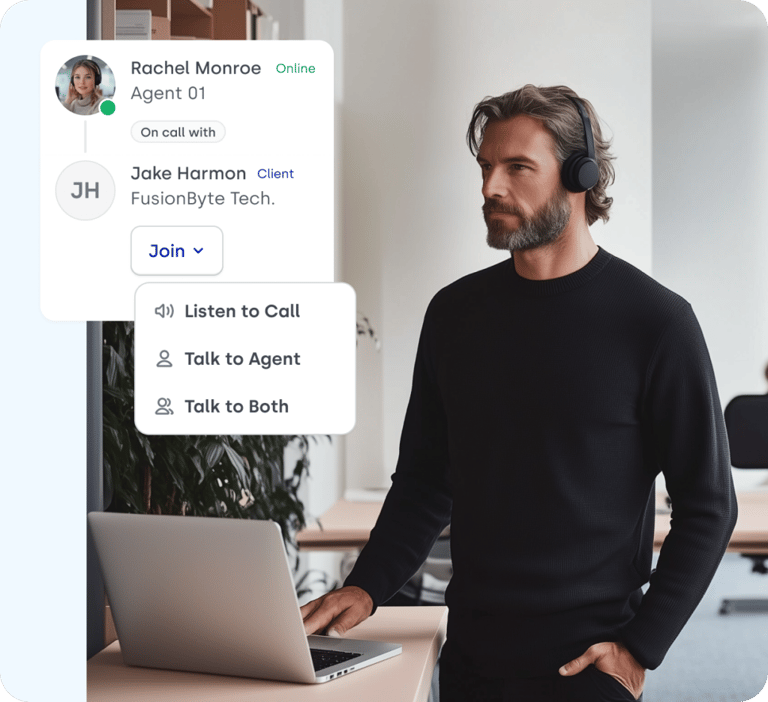
Trusted by 30,000+ sales & support professionals to power more & better conversations
















Call Monitoring Software That Helps Your Agents Perform at Their Best
49% More Deals
Organizations with coaching strategies achieve higher win rates on forecasted deals.
Listen, Whisper, Barge
Coach live with the complete call monitoring trio.
+12 Real-Time Stats
Track agent performance, customer interactions, and call efficiency with instant data.
Call Monitoring
What Is Call Monitoring Software?
Call monitoring software is a tool that allows managers and team leads to listen in on live calls, evaluate agent performance, and guide conversations in real time.
It ensures your agents stay sharp, consistent, and confident. By blending data tracking with live supervision tools, call monitoring empowers supervisors to maintain high service standards, deliver on-the-spot coaching, and turn every call into a learning moment. CloudTalk's call monitoring software solutions make this effortless across sales and support teams.
The result? Better-prepared agents and happier customers.
How Does Call Monitoring Software Work?
Call monitoring software works by giving supervisors real-time access to live calls—enabling them to observe, coach, and even participate when necessary, without disrupting the customer experience.
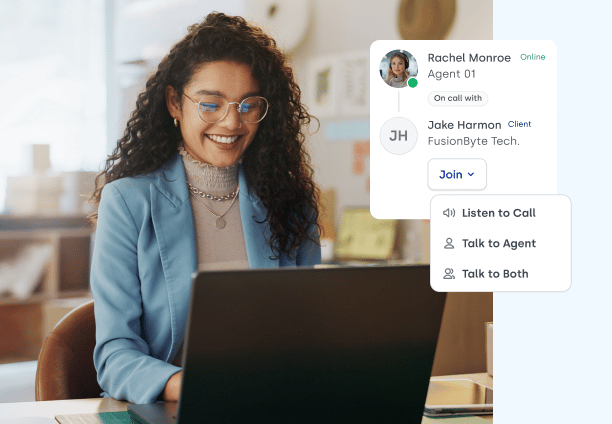
With three powerful coaching tools, supervisors can evaluate and intervene in real time:
- 01Listen: Monitor a live call silently to evaluate performance and spot coaching moments. The customer hears nothing, and the agent is notified that you have joined.
- 02Whisper: Enables real-time, private coaching for agents during live calls, offering guidance without the customer being aware.
- 03Barge: Allows supervisors to join the conversation as an active third participant, stepping in to assist the agent and customer when needed.
How Do You Catch Call Quality Problems as They Happen?
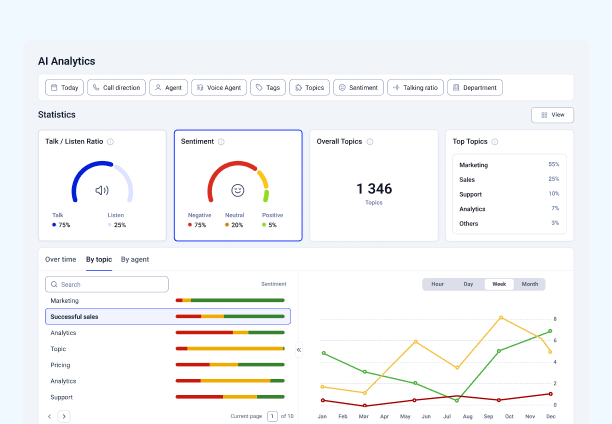
You catch them by watching the live dashboard for the signals that show up during a call: long hold times, growing queues, and repeated transfers. When one of those spikes, a supervisor opens the call and listens rather than waiting for a complaint to arrive.
It’s quality assurance that’s proactive, not reactive.
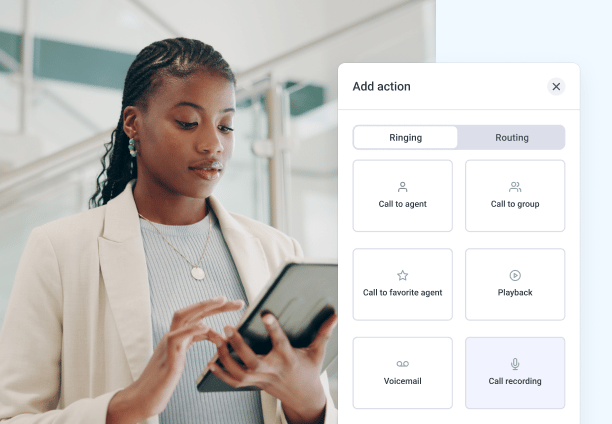
What are the Types of Call Monitoring?
There are two types of call monitoring: real-time monitoring, where a supervisor listens to a call while it is happening, and recorded review, where calls are evaluated after they end.
Most teams run both. Real-time monitoring for live coaching and escalations, call recording for QA and compliance. They answer different questions, and neither substitutes for the other.
What Can Supervisors See While a Call is Happening?
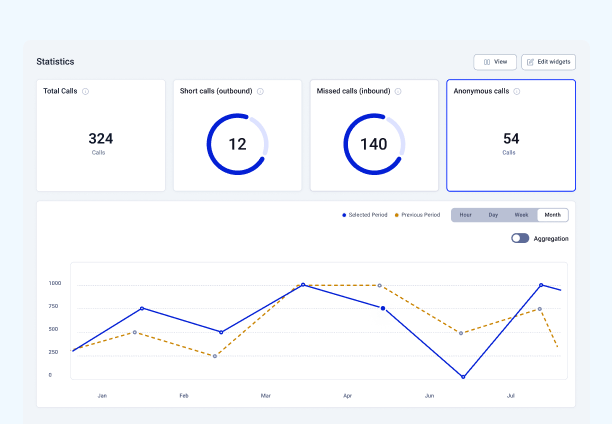
Supervisors see live call activity on the real-time dashboard: who is on a call, who is waiting, how long queues are running, and which agents are available.
From there they can open any live call and listen, whisper, or barge without the customer noticing a change.
It’s quality assurance that’s proactive, not reactive.
That is the live layer, and it is deliberately human. A supervisor hears the call and decides what to do about it, in the moment/
- Live agent and queue status so you know where the pressure is before anyone escalates
- Open call list so any conversation in progress can be joined in one click
- Listen, Whisper, Barge so the response matches the situation: observe, coach quietly, or take over
Why Choose CloudTalk for Call Monitoring
Features no one else has
GROUP 1
Benefits of Call Monitoring
How Sales Call Monitoring Software Drives Performance and Growth
How does call monitoring improve agent performance?
Call monitoring offers critical insights into agent performance, helping supervisors pinpoint strengths and areas that need improvement. This enables focused coaching and training, allowing agents to enhance their skills and improve productivity.
How does call monitoring affect customer satisfaction?
Quality monitoring in call centers helps ensure agents deliver consistent, high-quality service by evaluating their interactions. This improves customer satisfaction and strengthens loyalty, which enhances the overall customer experience and supports business growth.
What can you learn from monitoring call data?
By analyzing call data and customer interactions, call centers can gain valuable insights into customer preferences, behavior patterns, and emerging trends. This information can drive strategic decision-making, product development, and marketing initiatives.
Features
Key Features of Call Center Quality Monitoring Software

Group Reporting
Give your managers full visibility over their team’s performance, and the tools to identify what, when and how to improve.
Learn more about Group Reporting
Wallboard
Showcase real-time performance and call center metrics to your entire team — live and in a variety of different formats.
Learn more about Wallboard
User Management
Upload users, assign permissions, and manage call queues and ringing strategies in bulk without any extra effort.
Learn more about User Management
Analytics
Access centralized data on your team’s performance, and use it to optimize operations, cut costs, and close more deals.
Learn more about AnalyticsIntegrations
Plug into everything you use
CRMs, helpdesks, applicant tracking systems and more. Get started instantly with 100+ built-in integrations, or expand further with Zapier, Make or CloudTalk’s own workflow automation builder.


Call Monitoring Software: Everything You Need to Know
The best call monitoring software gives supervisors three live modes (listen, whisper, and barge), a real-time view of every call in progress, and CRM integration so what happens on a call reaches the record afterwards. No single tool wins for every team, because what you are coaching toward changes the answer.
Sales teams get the most from whisper. A manager who can feed a rep the right number mid-objection changes the outcome of that specific call, which post-call review never does.
Support teams get the most from queue visibility and barge. You are watching for the call that is going wrong and stepping in before it becomes a complaint.
Regulated industries should choose on consent handling, retention controls, and role-based access before comparing coaching features.
Distributed teams need monitoring that runs in the browser or desktop app, since there is no floor to walk.
CloudTalk includes all three live modes, the live call list, and the real-time dashboard in its Expert plan at $49 per user per month on annual billing, with a three seat minimum. Sentiment analysis and transcription are part of the Conversation Intelligence add-on rather than the base plan.
Choose on four things: whether the tool scores every call or a sample, whether supervisors can act during a call or only review it afterwards, how it handles consent and retention, and whether results reach your CRM without manual work.
Sampled or complete scoring. Manual QA typically covers 1 to 2 percent of calls. Automated scoring covers everything, which matters most when the problem you are hunting is rare.
Live intervention or post-call review. These solve different problems. Review builds training. Live intervention saves the call you are currently losing. Most teams need both.
Consent and retention. Check who can start a recording, how long recordings are kept, and whether retention is configurable per region.
Role-based access. Monitoring should be restricted by role. In CloudTalk, only Admins and Supervisors can join a live call. Agents cannot monitor others.
CRM writeback. If coaching notes and call outcomes do not reach the CRM automatically, they stop being written within a month. Automated call scoring and real-time dashboards are the two features that most often separate a monitoring tool a team keeps using from one it abandons after the first quarter.
Compliance monitoring software needs three things: recording with documented consent, storage with role-based access and a defined retention period, and a clear record of who listened to what. Coaching features are secondary here. What an auditor asks about is control.
Consent at the start of the call. Requirements vary by jurisdiction, and a monitoring tool should let you configure disclosure rather than assume one rule everywhere.
Restricted access. Monitoring should be limited to named roles, not available to anyone with a login.
Clean recordings. In CloudTalk, a supervisor's audio is never captured in the recording, in any of the three modes. A whispered coaching line does not end up in a compliance export or a customer data request.
Configurable retention. Different regions and industries require different retention windows. CloudTalk is SOC 2, GDPR, and HIPAA-ready for compliant call center monitoring.
For outbound teams, the mode that matters most is whisper: a manager speaks to the rep during a live call without the prospect hearing anything. Inbound monitoring is mostly about protecting service quality. Outbound monitoring is about rescuing a specific conversation while it is still open.
Whisper coaching mid-objection. A rep who has just been asked something they cannot answer can be fed the answer without the prospect noticing a pause.
Agent-initiated help. In CloudTalk, a rep can raise their hand from the call screen to request a supervisor, so the rep decides which call needs backup rather than waiting to be checked on.
Connection and outcome analytics. Outbound coaching needs data on which reps connect and which conversations convert, not just call counts.
Live queue visibility. Seeing who is on a call right now is what makes coaching opportunistic instead of scheduled.
Yes. Call monitoring works the same way for UK teams as anywhere else, with one difference worth planning for: UK and EU rules expect staff to be told that monitoring happens and why.
Tell your team first. UK guidance expects monitoring to be disclosed to employees rather than run covertly. In CloudTalk this is built in: an agent always sees when a supervisor has joined their call and which mode they are in.
Local numbers. CloudTalk supports local numbers in 160+ countries, so a UK team can run UK numbers and monitor the same way a US team does.
Distributed teams. Monitoring runs from the desktop app, so a supervisor in London can join a call taken by an agent anywhere.
Most established call center platforms offer listen, whisper, and barge. Where they differ is which plan unlocks monitoring, what the minimum seat count is, and whether transcription and AI analysis are included or sold separately. Those three variables change the real cost of monitoring far more than the headline price does.
Which plan includes monitoring. Live coaching is rarely in an entry tier. CloudTalk includes it in the Expert plan.
Minimum seats. Several platforms set a floor of three licences or more, which changes the cost for a small team considerably.
Transcription and AI analysis. Often an add-on rather than included. CloudTalk sells these as Conversation Intelligence.
Whether agents can request help. Most tools only let supervisors initiate monitoring. CloudTalk lets an agent raise their hand mid-call.
We’ve helped thousands of global companies
Case studies featuring customers who are building faster.

Global Sales Engine Powered by Connected Conversations
“CloudTalk’s AI transcripts and analytics make it easier to track talk ratios, discovery depth, and regional performance—all without requiring formal training to get started.”

Revolutionizing Revolut’s Efficiency and Saving 40+ Hours
"Thanks to CloudTalk’s reliability, we could improve sales teams’ performance and close more deals than we could have ever imagined."

Increasing productivity for 200 customer support agents
"With CloudTalk's Analytics I now get to see every step of the way. We can find discrepancies and gain a much better understanding of our teams."

Delivering success for Glovo’s customer support team
"CloudTalk improved our team's cost and efficiency. The script feature allows us to lead the calls in a much more systematic way."

Ready to get started?
Stop guessing. Start hearing what’s really happening on your calls.
Call Monitoring FAQs
Everything else you need to know about monitoring live calls
Call monitoring is when a supervisor listens to a live call to evaluate service quality and improve agent performance. Call monitoring software adds the live call list, the three join modes, and the analytics that turn what you heard into coaching you can act on. Looking for more information? Check out our blog page.
Call monitoring software works by giving supervisors a live list of every call in progress and a way to join any of them. You join in listen, whisper, or barge mode, switch between modes mid-call, and drop out without the customer noticing a change.
The difference between call listening, whisper, and barge is who can hear you. With call listening, nobody. With whisper, the agent only. With barge, the agent and the customer. A supervisor can move between all three without hanging up, so the response escalates as the call does.
The difference between call recording and call monitoring is timing. Call recording captures a call so you can review it later. Call monitoring lets you hear it while it is happening and change what happens next. Recording is what you use for QA sampling and compliance, monitoring is what you use while the call still has an outcome you can move. Call recording and monitoring software that does both saves you running two systems.
The main benefit of call monitoring for sales teams is that whisper coaching changes the outcome of the call in progress, not the next one. Sales call monitoring software also shortens ramp time for new reps and gives managers real examples for sales coaching instead of secondhand accounts of how a call went.
AI improves call monitoring by scoring every call instead of the 1 to 2 percent a manual QA process samples, and by flagging sentiment shifts and recurring topics a supervisor would otherwise miss. In CloudTalk, AI call monitoring features are part of the Conversation Intelligence add-on rather than the base plan.
Yes, a call can be monitored legally with consent, and call monitoring software is legal to use in a business. Requirements vary: some regions expect every party on the call to consent, others only one, and UK and EU guidance expects employees to be told that monitoring happens. Check the rules for the countries you call from and to.
No, and CloudTalk is not built for it. Agents are always notified when a supervisor joins their call, and they can see the supervisor's name and which mode is active. There is no hidden mode. Business call monitoring is a coaching tool for teams who know it is running, and in the UK and EU, telling staff is what keeps it lawful. If you are looking for a way to listen in on someone's personal phone, this is not that product.
If you are the agent, you can tell straight away: CloudTalk shows the supervisor's name and whether they are listening, talking to you, or talking to both. Customers are not notified, though many businesses disclose monitoring at the start of the call.
Yes, you can monitor calls remotely. Monitoring runs from the CloudTalk desktop app, so a supervisor in one country can join a call taken by an agent in another. Remote call monitoring is what replaces walking the floor once the team is distributed, which is the point at which most managers lose their read on how calls are actually going.
You need inbound call monitoring tools if you handle support or sales by phone and cannot say why one agent resolves faster than another. A call monitoring system turns that guesswork into specific coaching, which shows up in resolution times rather than in a report nobody reads.
Call center quality monitoring software costs roughly $20 to $150 per user per month, and call monitoring software is almost always bundled into a call center platform rather than sold on its own. CloudTalk includes call monitoring in the Expert plan at per user per month billed annually, with a three seat minimum. See full pricing.
Look for real-time access to live calls, all three join modes, analytics, and integrations that write coaching outcomes back to your CRM. The integration part is what decides whether a monitoring habit survives past the first quarter, because notes that live outside the CRM stop getting written.
Call monitoring is important because most of what happens on a call leaves no trace. It catches service problems before they turn into complaints, supports compliance, and gives managers real examples to coach from, which is what moves CSAT rather than just measuring it.
Manual call center call monitoring typically covers at least 1 to 2 percent of all inbound and outbound agent interactions. Automated scoring raises that ceiling, which matters when the behaviour you are hunting is rare enough that a 2 percent sample will never catch it.
Call center agent monitoring software is used by sales, support, QA, and compliance teams to oversee agent performance. It shows up wherever someone is accountable for how conversations go, not just whether they happened.
No. With role-based access in call center monitoring systems, only Admins and Supervisors can join a live call. Agents can request help with Raise Hand and can be invited into a call by a colleague, but they cannot monitor other people's calls, which keeps monitoring restricted to the people accountable for it.
To monitor call center agents, open the live call list, pick a call in progress, and join it in listen, whisper, or barge mode. Pair that with call listening software and analytics so live coaching and after-the-fact review reinforce each other instead of competing for the same hour.


Hello 👋 My name is Emma. Still have questions?
Can’t find the answer you’re looking for? Please chat to our friendly team.