The 14 Best Zoho CRM Integrations to Boost Sales & Service in 2026
Best Zoho CRM Integrations: TL;DR
We've reviewed and tested the most impactful Zoho CRM integrations to help sales and support teams eliminate manual data entry, automate workflows, and deliver better customer experiences.
Here are the 14 best Zoho CRM integrations that made our list:
- 01CloudTalk — Best Zoho CRM phone integration for AI-powered calling, auto-logging, and real-time caller context.
- 02Salesforce — Best for syncing accounts, leads, and pipelines across platforms.
- 03Pipedrive — Best for mapping deal stages and sales activity into Zoho CRM.
- 04Front — Best shared inbox integration for syncing customer conversations with Zoho CRM.
- 05Shopify — Best ecommerce integration for capturing purchase activity in Zoho CRM.
- 06HubSpot — Best for syncing marketing campaigns and lead data for full-funnel visibility.
- 07Google Sheets — Best for exporting CRM data into live dashboards and stakeholder reports.
- 08LiveAgent — Best helpdesk integration for logging ticket data into Zoho CRM timelines.
- 09Zendesk — Best for triggering CRM workflows from ticket changes and support actions.
- 10Gorgias — Best ecommerce helpdesk integration for feeding order support data into Zoho CRM.
- 11Microsoft Teams — Best for pushing Zoho CRM updates into team chats and shared workspaces.
- 12BigCommerce — Best for integrating order history and customer details with Zoho CRM.
- 13ActiveCampaign — Best marketing automation integration for syncing contact activity and triggering Zoho CRM actions.
- 14Appy Pie Automate — Best no-code automation platform for connecting Zoho CRM with hundreds of apps.
Read on for the full list, feature breakdowns, pricing details, and expert buying advice.


What Is a Zoho CRM Integration?
A Zoho CRM integration connects your CRM with other tools—like phone systems, email platforms, ecommerce apps, or helpdesks—to streamline sales and support workflows and reduce manual effort.
Instead of flipping between tools or duplicating data entry, integrations let information flow automatically between systems. That means faster follow-ups, better personalization, and fewer dropped balls across your customer lifecycle.
Here’s what Zoho CRM integrations help you do:
- Automate workflows: trigger emails, assign tasks, or update records when someone takes action
- Sync data: make sure contact info, deal status, and activity history stay up to date everywhere
- Trigger actions: set off alerts, create follow-ups, or move pipeline stages based on what happens in other tools
One standout example is CloudTalk’s integration with Zoho CRM. It lets you:
- Instantly identify callers and pull up CRM records mid-call
- Auto-log call notes, recordings, and tags into Zoho
- Trigger ticket creation or follow-ups based on call outcomes
Most Zoho CRM integrations are powered by APIs, middleware tools like Zapier, or native apps from the Zoho Marketplace.
Zoho CRM Integrations Comparison Table: Top 14 Platforms at a Glance
Your Zoho CRM is only as powerful as the tools it connects with.
We’ve curated 14 high-impact Zoho CRM integrations for 2026—based on real use cases like sales alignment, marketing automation, ticket syncing, and voice communications. For each tool, we’ll show what it does, how it connects to Zoho CRM, and what it helps you improve.
Comparison Table: Best Zoho CRM Integrations
| Platform | Best For | Starting Price | G2 Rating |
|---|---|---|---|
| CloudTalk | VoIP / AI calling with full Zoho CRM sync | From $19/user/month | 4.4/5 |
| Salesforce | CRM-to-CRM pipeline and account sync | From $25/user/month | 4.4/5 |
| Pipedrive | Visual pipeline and deal stage mapping | From $14.90/user/month | 4.2/5 |
| Front | Shared inbox with CRM conversation sync | From $19/user/month | 4.7/5 |
| Shopify | Ecommerce order and customer data sync | From $39/month | 4.4/5 |
| HubSpot | Marketing campaign and lead data alignment | Free plan available | 4.4/5 |
| Google Sheets | CRM data export and live reporting | Free | 4.6/5 |
| LiveAgent | Helpdesk ticket sync with CRM timelines | From $9/agent/month | 4.5/5 |
| Zendesk | Support ticket and workflow trigger sync | From $19/agent/month | 4.3/5 |
| Gorgias | Ecommerce helpdesk data into CRM | From $10/month | 4.6/5 |
| Microsoft Teams | CRM alerts and updates into collaboration channels | Free plan available | 4.3/5 |
| BigCommerce | Order history and ecommerce lifecycle sync | From $39/month | 4.2/5 |
| ActiveCampaign | Marketing automation triggered by CRM events | From $49/month | 4.5/5 |
| Appy Pie Automate | No-code automation across 300+ apps | From $9/month | 4.5/5 |
How We Chose the Best Zoho CRM Integrations
To build this guide, we evaluated 30+ Zoho CRM integrations, drawing on verified user feedback from G2, Capterra, and TrustRadius, alongside firsthand testing of core integration workflows across sales, support, and marketing use cases.
The 14 best Zoho CRM integrations were selected based on their real-world impact — covering pipeline automation, call logging, helpdesk syncing, ecommerce data enrichment, and marketing alignment. We also weighted ease of setup, depth of the Zoho CRM API connection, bidirectional sync reliability, and total cost of ownership.
What you'll find here: Only integrations that deliver measurable, real-world value — with clear guidance on which best Zoho CRM integration fits your team size, budget, and use case.
Why Trust Our Software Reviews?
For nearly a decade, we've helped over 30,000 professionals choose and implement better communication and CRM tools. We've reviewed 200+ products, analyzed 5,500+ verified reviews from G2 and Capterra, and incorporated insights from sales directors, RevOps leaders, and customer support managers.
Learn how we maintain our content integrity and our software review methodology.
Top 14 Best Zoho CRM Integrations in 2026
1. CloudTalk — Best Zoho CRM Phone Integration for AI-Powered Calling and Contact Sync















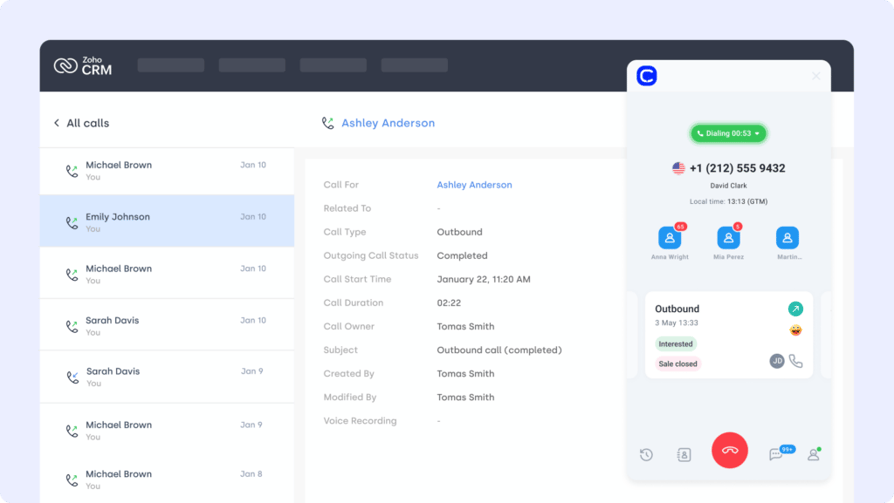
CloudTalk's Zoho CRM integration is the best choice for sales and support teams that rely on voice. It brings native calling, AI conversation intelligence, and full contact sync directly into Zoho CRM — so agents always have the full customer story before the call even starts.
Unlike generic CTI connectors, CloudTalk's Zoho CRM integration goes beyond click-to-call. It auto-logs every call with notes, recordings, and AI-generated summaries directly into the contact record. Sentiment analysis, talk-to-listen ratio, and call scoring surface coaching insights automatically — no manual QA required. With 100+ integrations and local numbers in 160+ countries, CloudTalk is purpose-built for growing teams that need both live coaching and post-call analytics without enterprise-level complexity.
Key Features of CloudTalk's Zoho CRM Integration
- Auto-Log Calls to Zoho CRM: Every call, recording, and AI-generated summary is automatically pushed to the contact's record in Zoho — zero manual entry.
- Real-Time Caller Context: Agents see full CRM contact details, deal stage, and history the moment a call connects via the live dashboard.
- AI Conversation Intelligence: Auto-generates Smart Notes, call summaries, and sentiment analysis across 100% of interactions — synced back to Zoho.
- Click-to-Call from Zoho CRM: Dial any contact directly from Zoho CRM with a single click — no copy-pasting numbers.
- Bidirectional Contact Sync: New contacts and updates in Zoho CRM automatically appear in CloudTalk and vice versa — always in sync.
- Workflow Automation: Trigger Zoho CRM tasks, deals, or follow-ups based on call outcomes, tags, or workflow automation rules.
What Is CloudTalk's Zoho CRM Integration Missing?
CloudTalk is purpose-built for voice-first call center teams. Organizations that need deep native video conferencing or internal team messaging within the same platform may want to pair CloudTalk with a UCaaS tool. For Zoho CRM phone integration and quality assurance specifically, however, CloudTalk covers every critical use case.
What Type of Business Is CloudTalk + Zoho CRM Best For?
CloudTalk is the ideal Zoho CRM integration for SMBs and mid-market teams (10–500 agents) in sales, customer support, and financial services. It excels for teams that need both live coaching and AI-driven post-call analytics that flow automatically into their CRM without enterprise-level implementation complexity.
What Is the Pricing of CloudTalk's Zoho CRM Integration?
CloudTalk pricing starts at $19/user/month (Lite). The Zoho CRM integration is available across plans. AI Conversation Intelligence (call summaries, scoring, sentiment analysis) is available as an add-on for $9/user/month.
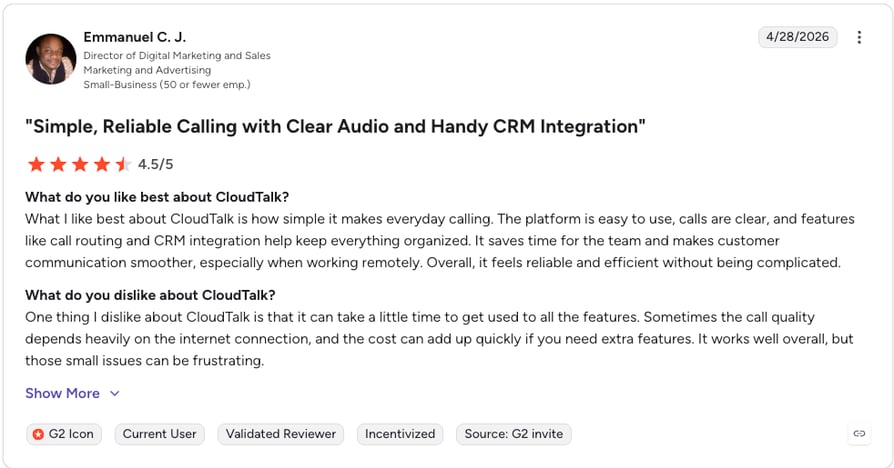
CloudTalk Zoho CRM Integration Reviews
CloudTalk + Zoho CRM: Pros and Cons
| Pros | Cons |
|---|---|
| Auto-logs calls, recordings, and AI summaries into Zoho CRM | Video conferencing not natively included |
| Click-to-call directly from Zoho CRM contact records | AI features require an add-on ($9/user/month) |
| Real-time caller context pulled from Zoho before the call connects | Best suited for voice-first teams, not full UCaaS |
| Bidirectional contact sync keeps both systems current | |
| Trigger Zoho CRM workflows from call outcomes and tags |
Connect CloudTalk to Zoho CRM in Minutes
2. Salesforce (CRM)
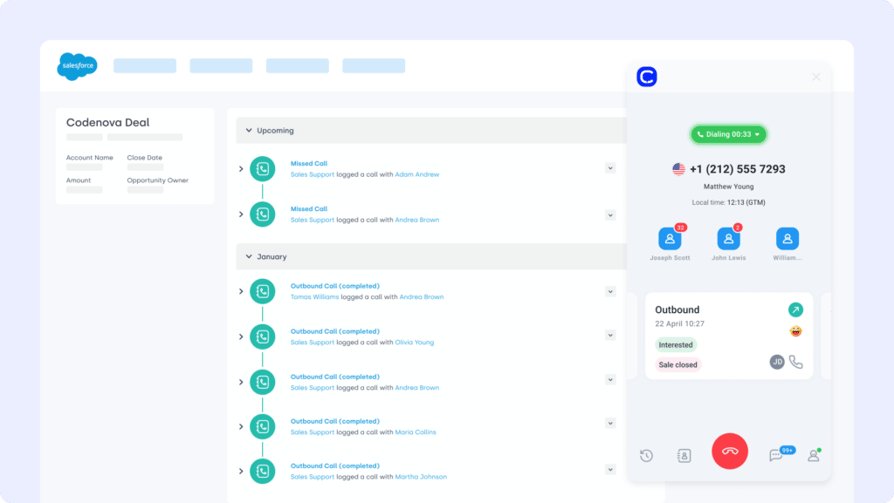
Salesforce is one of the most powerful CRMs on the market, built for complex B2B sales, service, and account workflows. The Zoho CRM Salesforce integration ensures customer and deal data flows between both platforms without duplication — giving enterprise teams a unified view across two major CRM ecosystems.
This Zoho integration is ideal for organizations that run Salesforce as their enterprise record system while using Zoho CRM for specific teams or regions. Automatic two-way sync keeps leads, contacts, accounts, and deal stages consistent without requiring manual reconciliation.
Key Features of the Salesforce Zoho CRM Integration
- Two-Way CRM Sync: Automatically sync leads, contacts, accounts, and opportunities between Salesforce and Zoho CRM in real time.
- Custom Field Mapping: Map and translate custom fields, tags, and ownership assignments between the two platforms.
- Pipeline Stage Alignment: Keep deal stages consistent across both CRMs so sales leaders always have accurate forecasting data.
- Activity History Sync: Push call logs, meeting notes, and email interactions from Salesforce into Zoho CRM timelines.
- Enterprise CRM Integrations: Deep native connectors for multi-cloud environments including Salesforce Service Cloud and Sales Cloud.
What Is the Salesforce Zoho CRM Integration Missing?
The Salesforce integration works best for larger organizations that already operate both CRMs in parallel. For SMBs that only need one CRM, running both platforms simultaneously adds unnecessary cost and complexity. Setup often requires Salesforce-certified administrators, increasing implementation timelines.
What Type of Business Is Salesforce + Zoho CRM Best For?
Best for mid-to-large enterprises that use Salesforce as a system of record and Zoho CRM for specific teams, regions, or departments — and need to keep both in sync without manual reconciliation.
What Is the Pricing of Salesforce for Zoho CRM Integration?
Salesforce pricing starts at $25/user/month for Sales Cloud Essentials, rising to $75/user/month for Professional and $150/user/month for Enterprise.
Salesforce + Zoho CRM Integration Reviews
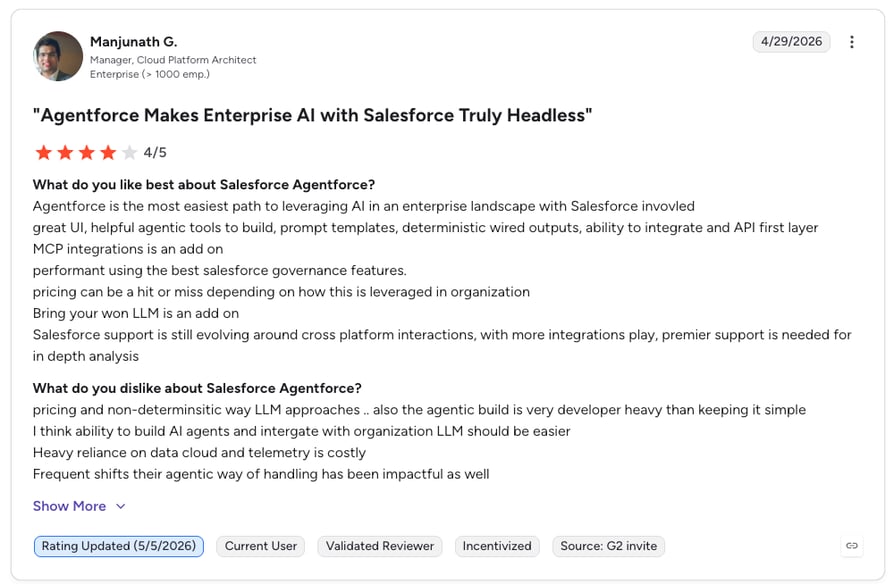
G2 reviewers give Salesforce Sales Cloud 4.4/5.
Salesforce: Pros and Cons
| Pros | Cons |
|---|---|
| Two-way sync keeps both CRMs aligned without manual entry | Requires Salesforce admin expertise to set up and maintain |
| Custom field mapping supports complex enterprise data models | High per-user cost makes it impractical for SMBs |
| Deep pipeline and activity history sync across platforms | Running two CRMs simultaneously adds overhead |
| Supports multi-cloud Salesforce environments | No free trial for enterprise tiers |
Salesforce dialer pricing guide
3. Pipedrive — Best Zoho CRM Integration for Visual Sales Pipeline Management
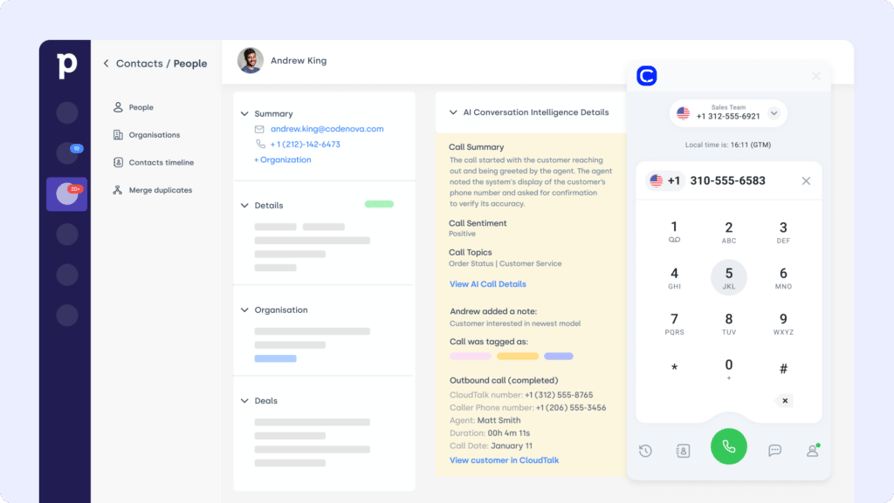
Pipedrive is a sales-focused CRM known for its visual pipeline interface. The Zoho CRM Pipedrive integration bridges deal activity, contact records, and support data — keeping sales teams aligned without requiring them to manually reconcile two systems.
For organizations running Pipedrive for their sales team and Zoho CRM for support or marketing, this integration ensures pipeline stages, contact updates, and follow-up tasks stay consistent. Bi-directional sync removes duplication and keeps lead records fresh with zero manual effort.
Key Features of the Pipedrive Zoho CRM Integration
- Bidirectional Lead and Contact Sync: Keep leads, contacts, and deal data consistent across both Pipedrive and Zoho CRM automatically.
- Deal Stage Mapping: Map Pipedrive pipeline stages to Zoho CRM deal stages so both systems reflect the same sales reality.
- Automated Follow-Up Triggers: Launch follow-up tasks or sequences in either platform based on deal events or field changes.
- Activity History Alignment: Sync calls, meetings, notes, and emails between platforms so every interaction is captured.
- Custom Field Mapping: Align Pipedrive custom fields with Zoho CRM properties for accurate data translation across tools.
What Is the Pipedrive Zoho CRM Integration Missing?
The Pipedrive integration is most valuable for teams running both CRMs in parallel. For businesses using only one CRM, migrating fully to Zoho CRM rather than maintaining two systems will typically deliver better ROI. Native integration depth can vary depending on whether you use a direct connector or a middleware tool like Zapier.
What Type of Business Is Pipedrive + Zoho CRM Best For?
Best for sales-led SMBs and agencies that use Pipedrive for outbound pipeline management and need to sync deal and contact data into Zoho CRM for support, marketing, or reporting teams.
What Is the Pricing of Pipedrive for Zoho CRM Integration?
Pipedrive pricing starts at $14.90/user/month (Essential), rising to $27.90 (Advanced) and $49.90/user/month (Professional).
Pipedrive + Zoho CRM Integration Reviews
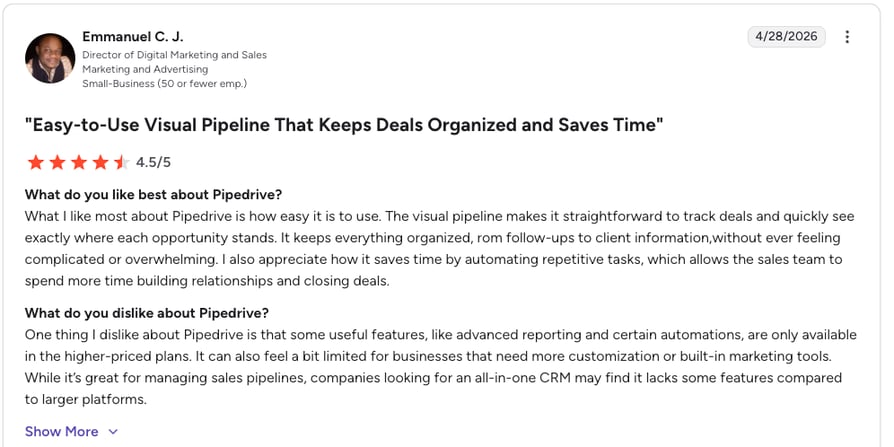
G2 reviewers give Pipedrive 4.2/5.
Pipedrive: Pros and Cons
| Pros | Cons |
|---|---|
| Intuitive visual pipeline syncs naturally with Zoho CRM | Requires middleware for deeper custom integrations |
| Bidirectional contact and deal sync reduces manual entry | Best value when both CRMs are actively used in parallel |
| Affordable entry price for SMBs | Advanced automation only available on higher-tier plans |
| Custom field mapping supports complex data structures | Running two CRMs increases total cost of ownership |
4. Front — Best Zoho CRM Integration for Shared Inbox and Customer Conversation Sync
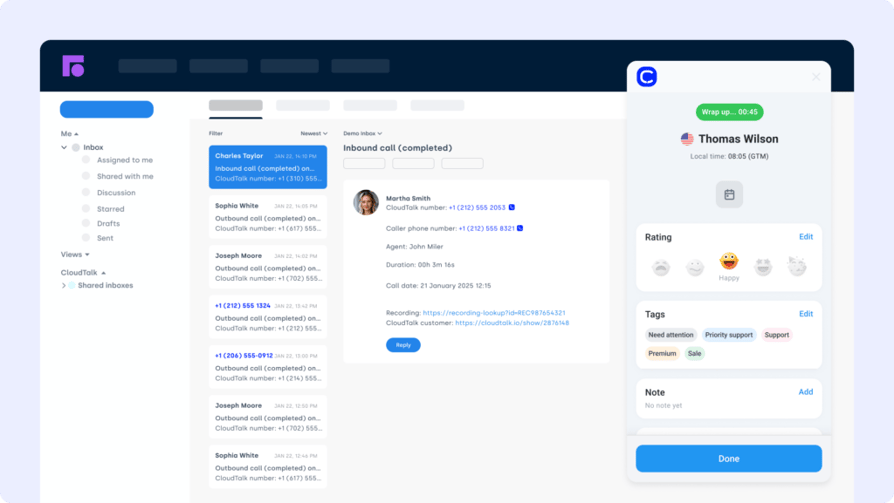
Front is a shared inbox platform that combines email, chat, and SMS into a collaborative workspace. The Zoho CRM Front integration connects customer conversations directly to CRM records — so sales reps and support agents always have full context without switching tabs.
For teams managing high-volume email and customer communications alongside a CRM pipeline, Front's integration with Zoho CRM eliminates the manual work of logging conversation history. Thread updates, tags, and internal notes can automatically update contact records or trigger CRM workflows.
Key Features of the Front Zoho CRM Integration
- Conversation-to-CRM Logging: Attach Front email and SMS threads directly to Zoho CRM contact profiles automatically.
- Auto-Create CRM Tasks: Generate Zoho CRM tasks or follow-ups from Front conversation actions or tags.
- Field Update Triggers: Push CRM field updates when a message status changes, a tag is applied, or a reply is sent.
- Full Conversation History in CRM: View the complete thread history alongside deal records inside Zoho CRM.
- Assignment and Escalation Rules: Route conversations in Front based on Zoho CRM record data such as deal stage or account tier.
What Is the Front Zoho CRM Integration Missing?
Front is primarily an inbox management tool rather than a full CRM or call center platform. Teams that rely heavily on voice will need a separate phone integration like CloudTalk alongside Front. Its higher-tier plans are priced for growing teams, which can make it expensive for smaller businesses.
What Type of Business Is Front + Zoho CRM Best For?
Best for customer-facing teams (20–200 people) that manage high-volume email and messaging workflows and want conversation history automatically synced into Zoho CRM without manual copy-pasting.
What Is the Pricing of Front for Zoho CRM Integration?
Front pricing starts at $19/user/month (Starter), rising to $59/user/month (Growth) and $99/user/month (Scale).
Front + Zoho CRM Integration Reviews
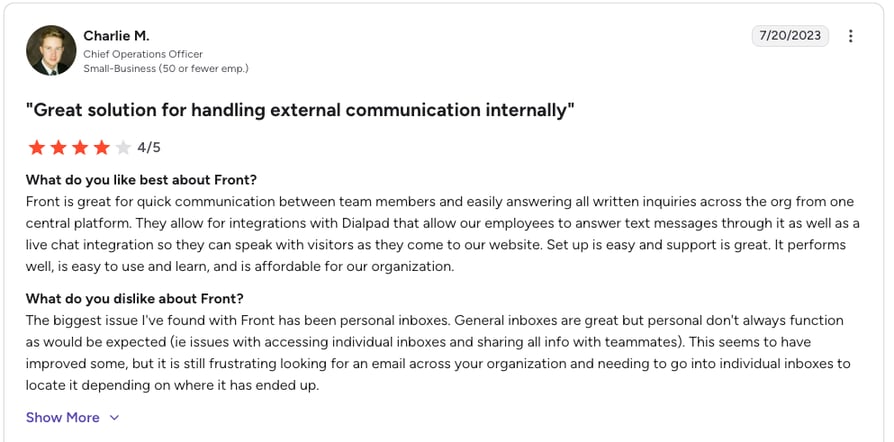
G2 reviewers give Front 4.7/5.
Front: Pros and Cons
| Pros | Cons |
|---|---|
| Highest G2 rating on this list — consistently praised for usability | Not a voice platform — requires separate phone integration |
| Auto-logs conversation threads to Zoho CRM contact records | Growth and Scale plans priced above SMB budgets |
| Powerful tagging and routing based on CRM data | Primarily an inbox tool — no native CRM pipeline features |
| Collaborative shared inbox improves team response times | Integration depth varies by plan tier |
5. Shopify — Best Zoho CRM Integration for Ecommerce Customer and Order Data Sync
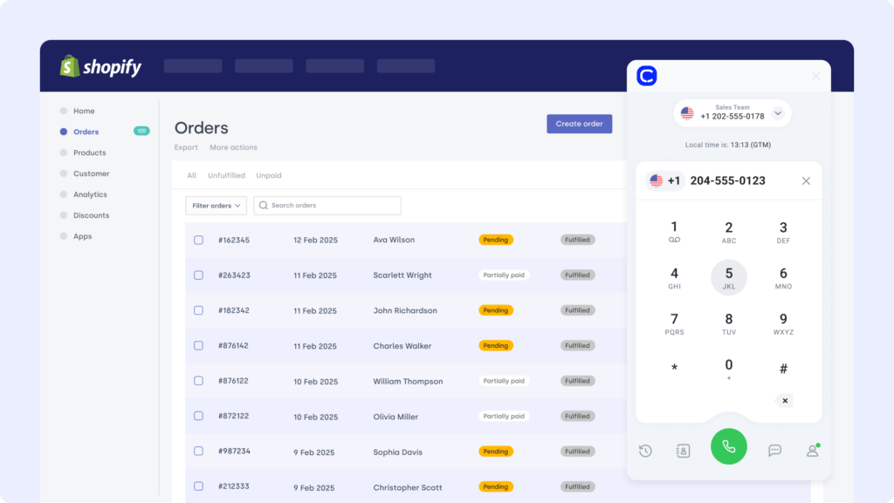
Shopify powers ecommerce for millions of merchants worldwide. The Zoho CRM Shopify integration connects your store's customer, order, and product data directly into your CRM — so sales, support, and marketing teams always operate with the full customer picture.
Without this integration, ecommerce teams often have customer conversations in Zoho CRM that lack purchase context — leading to generic outreach and missed upsell opportunities. Connecting Shopify ensures every contact record in Zoho reflects real buying behavior, enabling smarter segmentation and more personalized follow-ups.
Key Features of the Shopify Zoho CRM Integration
- Auto-Sync Contacts and Orders: Every new Shopify customer and order is automatically created or updated as a contact record in Zoho CRM.
- Purchase Behavior Triggers: Trigger Zoho CRM workflows, tasks, or deal stages based on Shopify purchase events or cart abandonment.
- Product and Cart Segmentation: Segment leads in Zoho CRM by products purchased, cart value, or order frequency for targeted campaigns.
- Post-Purchase Automation: Automatically launch loyalty sequences, review requests, or upsell workflows from Zoho CRM after a purchase is completed.
- Order Timeline in CRM: View full purchase history directly on the Zoho CRM contact timeline for context during support or sales calls.
What Is the Shopify Zoho CRM Integration Missing?
The Shopify integration focuses on customer and order data — it does not natively sync inventory management or advanced fulfillment workflows into Zoho CRM. For complex B2B commerce use cases, additional middleware or custom API work may be required to cover all data types.
What Type of Business Is Shopify + Zoho CRM Best For?
Best for DTC and B2C ecommerce businesses that want to enrich Zoho CRM contact records with real purchase data and trigger automated sales or support workflows based on shopping behavior.
What Is the Pricing of Shopify for Zoho CRM Integration?
Shopify pricing starts at $39/month (Basic), rising to $105/month (Shopify) and $399/month (Advanced).
Shopify + Zoho CRM Integration Reviews
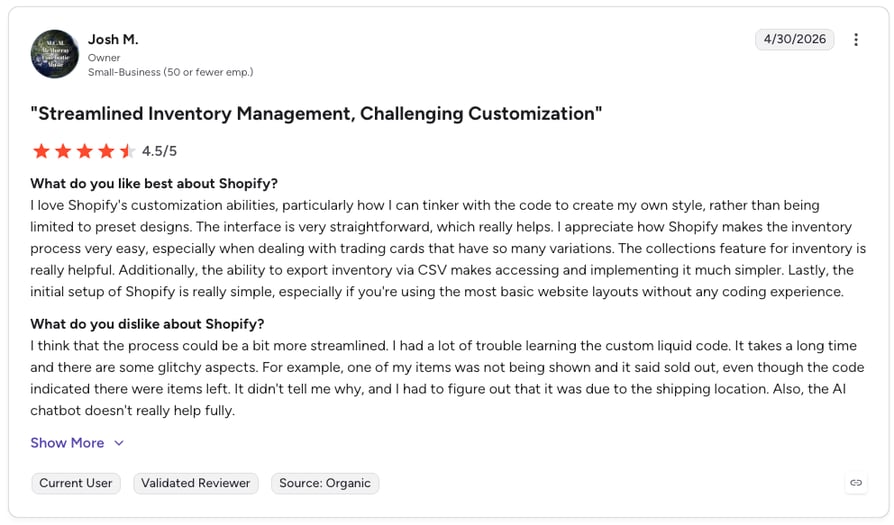
G2 reviewers give Shopify 4.4/5.
Shopify: Pros and Cons
| Pros | Cons |
|---|---|
| Auto-syncs customer and order data into Zoho CRM in real time | Inventory and fulfillment data not natively synced to CRM |
| Purchase behavior triggers enable personalized CRM workflows | Complex B2B commerce use cases may require custom API work |
| Full order history visible on Zoho CRM contact timelines | Advanced Shopify plans are expensive for small stores |
| Strong G2 rating and large user base | Integration depth depends on Shopify plan tier |
6. HubSpot — Best Zoho CRM Integration for Marketing Campaign and Lead Data Alignment
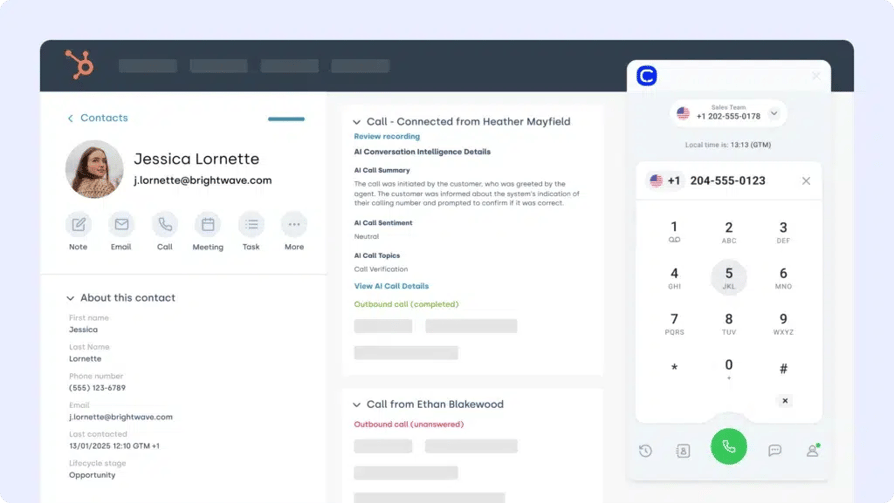
HubSpot is a leading platform for inbound marketing and sales. The Zoho CRM HubSpot integration connects your lead data, marketing campaigns, and customer interactions — ensuring marketing-qualified leads flow into Zoho CRM sales pipelines with full campaign context attached.
For companies running HubSpot for marketing and Zoho CRM for sales, this integration closes the gap between lead generation and pipeline management. Email engagement, form fills, and page views in HubSpot automatically update lead scores and contact records in Zoho — giving reps the behavioral context they need to prioritize and personalize outreach.
Key Features of the HubSpot Zoho CRM Integration
- Marketing-to-Sales Lead Sync: Push HubSpot marketing-qualified leads directly into Zoho CRM sales pipelines with full campaign attribution.
- Property Field Mapping: Map HubSpot contact properties to Zoho CRM fields for accurate data translation between platforms.
- Behavior-Based CRM Updates: Trigger lead score updates or CRM workflow actions from HubSpot email opens, clicks, and form submissions.
- Retargeting List Sync: Push Zoho CRM contact updates back to HubSpot to keep ad audiences and nurture lists current.
- Full-Funnel Visibility: Connect top-of-funnel marketing performance data with bottom-of-funnel deal outcomes in one view.
What Is the HubSpot Zoho CRM Integration Missing?
HubSpot's Professional and Enterprise tiers are significantly more expensive than Zoho CRM — for teams already on Zoho, adopting HubSpot primarily to use its marketing tools adds substantial cost. The integration is most valuable when both platforms serve distinct, well-defined functions for separate teams.
What Type of Business Is HubSpot + Zoho CRM Best For?
Best for companies with a dedicated marketing team using HubSpot for demand generation and a sales team using Zoho CRM for pipeline management — where aligning both systems is a revenue-critical priority.
What Is the Pricing of HubSpot for Zoho CRM Integration?
HubSpot pricing offers a free CRM plan. The Marketing Hub Starter begins at $15/user/month, with Professional at $800/month base (3 users) and Enterprise at $3,600/month base.
HubSpot + Zoho CRM Integration Reviews
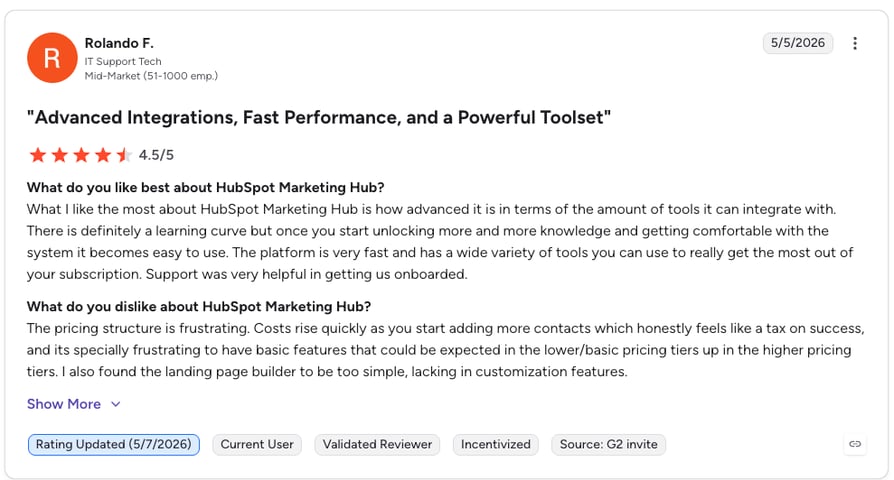
G2 reviewers give HubSpot Marketing Hub 4.4/5.
HubSpot: Pros and Cons
| Pros | Cons |
|---|---|
| Behavior-based lead sync keeps Zoho CRM records fresh | Professional and Enterprise tiers are expensive |
| Full-funnel visibility connecting marketing to sales outcomes | Running both HubSpot and Zoho CRM increases total cost |
| Free CRM plan available for small teams | Best value when both platforms serve distinct team functions |
| Retargeting list sync keeps ad audiences current | Complex setup for full bidirectional field mapping |
7. Google Sheets — Best Zoho CRM Integration for Live Data Export and Stakeholder Reporting
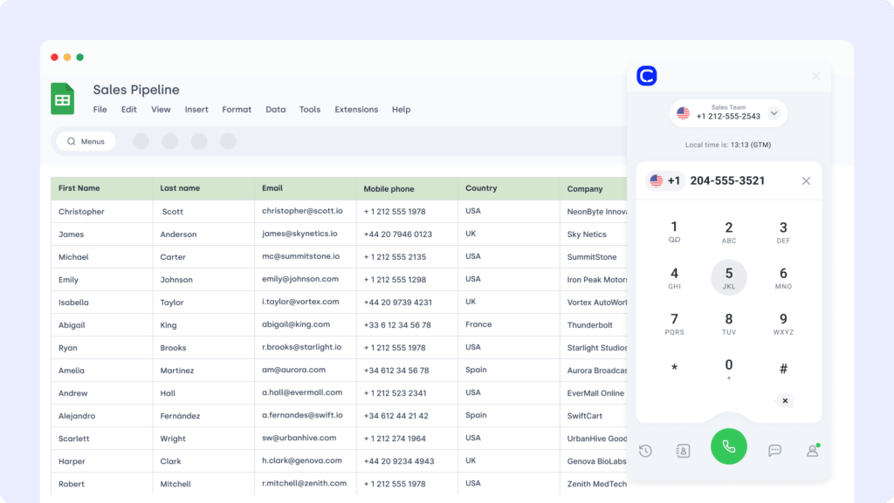
Google Sheets is the most widely used lightweight tool for custom reporting and data collaboration. The Zoho CRM Google Sheets integration enables teams to export CRM records, pipeline data, and sales KPIs into live spreadsheets — making CRM insights shareable with stakeholders who don't have Zoho access.
This integration is particularly powerful for operations, finance, and executive teams that need regular CRM data snapshots without building custom reports inside Zoho. Scheduled automated exports eliminate manual downloads and keep dashboards current without IT involvement.
Key Features of the Google Sheets Zoho CRM Integration
- Scheduled Automated Exports: Push Zoho CRM deal data, contact lists, or KPIs into Google Sheets on a set schedule without manual intervention.
- Filtered Data Views: Export only the data you need — filtered by owner, deal stage, date range, or custom tags.
- Real-Time Dashboard Building: Create live sales or support dashboards in Google Sheets that update automatically from Zoho CRM data.
- Stakeholder Access Without CRM Licenses: Share CRM insights with finance, operations, or leadership teams who don't have Zoho access.
- No-Code Setup: Connect using Zoho's native export tools or automation platforms like Zapier with no developer involvement required.
What Is the Google Sheets Zoho CRM Integration Missing?
Google Sheets is primarily a read-and-report tool, not a bidirectional data sync solution. Changes made in a Google Sheet will not automatically update records back in Zoho CRM unless additional automation is configured. For teams needing true bidirectional sync, a dedicated integration platform is more appropriate.
What Type of Business Is Google Sheets + Zoho CRM Best For?
Best for operations, RevOps, and finance teams that need accessible CRM data exports for reporting, forecasting, or board-level dashboards — without building custom BI tooling.
What Is the Pricing of Google Sheets for Zoho CRM Integration?
Google Sheets is free with a Google account. Advanced automation connections via Zapier or Make may incur additional costs depending on task volume.
Google Sheets + Zoho CRM Integration Reviews
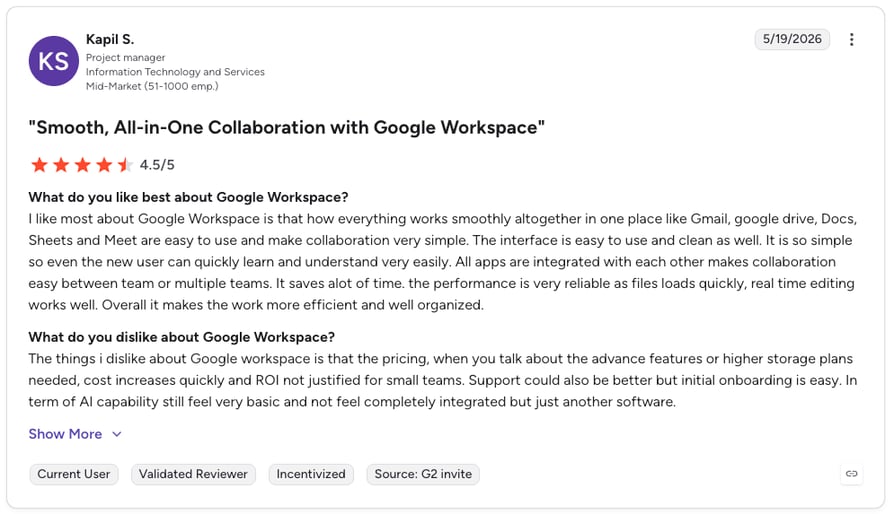
G2 reviewers give Google Sheets 4.6/5.
Google Sheets: Pros and Cons
| Pros | Cons |
|---|---|
| Free to use — lowest cost option on this list | Changes in Sheets do not automatically update Zoho CRM records |
| Shareable CRM data for stakeholders without Zoho access | Not a bidirectional sync — reporting only by default |
| Scheduled automated exports remove manual download steps | Complex dashboards require additional setup or add-ons |
| Highest G2 rating among productivity tools on this list | Dependent on automation tools for live sync |
8. LiveAgent — Best Zoho CRM Integration for Helpdesk Ticket and Support Timeline Sync
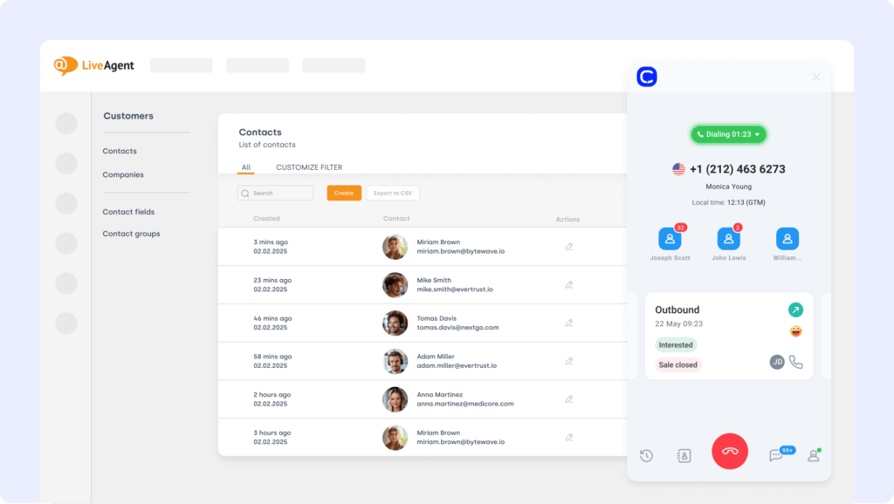
LiveAgent is a multi-channel helpdesk built for speed and SLA precision. The Zoho CRM LiveAgent integration ensures support and sales stay in sync — so agents know the full customer story and sales reps understand which accounts are experiencing service friction.
For teams running LiveAgent for inbound support and Zoho CRM for sales pipeline management, this integration bridges the traditional gap between service and revenue teams. Ticket outcomes, customer sentiment tags, and resolution events can automatically create or update CRM records and trigger follow-up workflows.
Key Features of the LiveAgent Zoho CRM Integration
- Auto-Create CRM Contacts from Tickets: New support requesters in LiveAgent are automatically created as contacts or leads in Zoho CRM.
- Ticket-to-CRM Timeline Sync: Log ticket status, resolution notes, and agent actions directly onto Zoho CRM contact activity timelines.
- Tag-Based Sales Triggers: Apply LiveAgent tags to ticket events that automatically trigger Zoho CRM workflows like deal creation or task assignment.
- CSAT and Sentiment Sync: Push customer satisfaction ratings and sentiment data from LiveAgent into Zoho CRM contact records.
- Account Visibility for Sales: Give sales reps a real-time view of open support tickets for their accounts — directly within Zoho CRM.
What Is the LiveAgent Zoho CRM Integration Missing?
LiveAgent is a strong helpdesk tool but lacks the AI-powered conversation intelligence and call coaching capabilities that dedicated phone platforms like CloudTalk provide. Teams that handle significant call volume alongside tickets will want to pair LiveAgent with a voice integration for complete coverage.
What Type of Business Is LiveAgent + Zoho CRM Best For?
Best for support-led SMBs and mid-market teams that use LiveAgent for multi-channel ticket management and want support activity automatically reflected in Zoho CRM to inform sales follow-ups.
What Is the Pricing of LiveAgent for Zoho CRM Integration?
LiveAgent pricing starts at $9/agent/month (Small Business), rising to $29 (Medium Business), $49 (Large Business), and $69/agent/month (Enterprise).
LiveAgent + Zoho CRM Integration Reviews
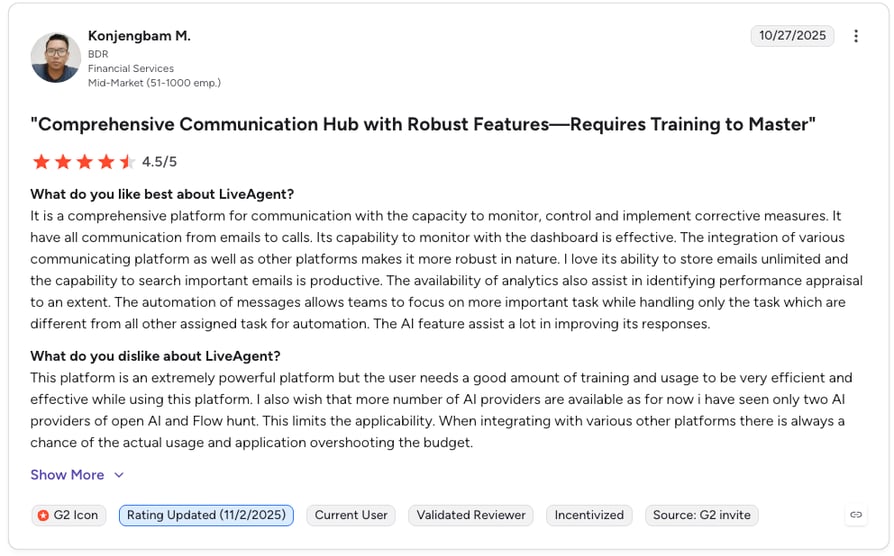
G2 reviewers give LiveAgent 4.5/5.
LiveAgent: Pros and Cons
| Pros | Cons |
|---|---|
| Auto-creates Zoho CRM contacts from LiveAgent ticket requesters | No native AI conversation intelligence or call coaching |
| CSAT and sentiment sync enriches CRM contact records | Voice-heavy teams will need a separate phone integration |
| Affordable entry price — from $9/agent/month | Advanced SLA and reporting features gated to higher plans |
| Tag-based Zoho CRM workflow triggers close service-to-sales loop | Interface less modern than some newer helpdesk alternatives |
Recommended Reads
9. Zendesk — Best Zoho CRM Integration for Enterprise Support Ticket and CRM Workflow Sync
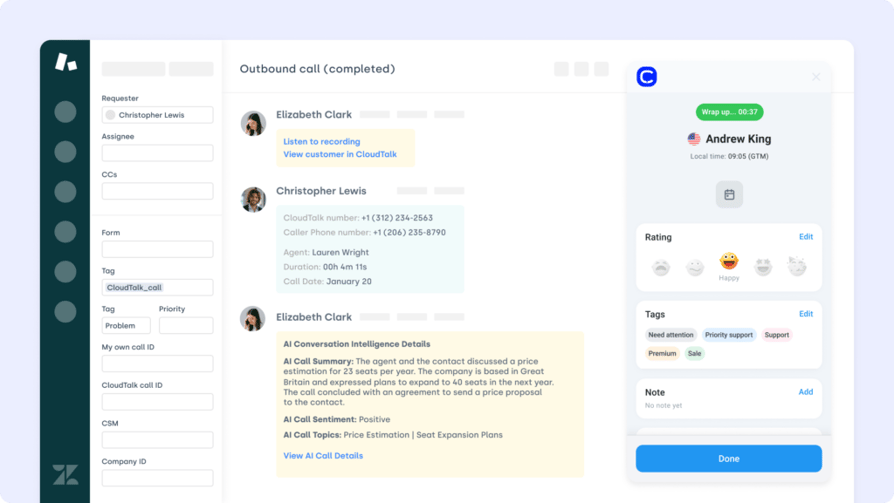
Zendesk powers customer support for thousands of global businesses. The Zoho CRM Zendesk integration brings together sales and service by syncing tickets, notes, and customer data between platforms — giving reps the service context they need to have better conversations and prioritize at-risk accounts.
For enterprise teams running Zendesk for support and Zoho CRM for sales, this integration reduces the friction of handoffs between teams. Ticket status changes, satisfaction scores, and escalation flags can automatically trigger Zoho CRM actions — keeping account managers informed without relying on manual updates from support teams.
Key Features of the Zendesk Zoho CRM Integration
- Ticket Status Sync: Push Zendesk ticket updates — open, pending, resolved — directly to Zoho CRM contact activity timelines.
- CRM Workflow Triggers from Tickets: Trigger Zoho CRM tasks, deal stage changes, or alerts based on Zendesk ticket events or satisfaction scores.
- Field Mapping Between Platforms: Map Zendesk ticket fields to Zoho CRM properties for accurate, structured data translation.
- Account Health Visibility: Give account executives a real-time view of open Zendesk tickets for their accounts inside Zoho CRM.
- Escalation Alert Routing: Route high-priority ticket escalations as tasks or alerts to the appropriate sales owner in Zoho CRM.
What Is the Zendesk Zoho CRM Integration Missing?
Zendesk's enterprise pricing makes it inaccessible for smaller teams. For SMBs that need helpdesk-to-CRM sync at a lower cost, LiveAgent or Freshdesk offer similar functionality at a more accessible price point. Full integration depth between Zendesk and Zoho may also require middleware configuration for custom workflows.
What Type of Business Is Zendesk + Zoho CRM Best For?
Best for mid-to-large enterprises that use Zendesk for customer support at scale and need service activity — tickets, satisfaction scores, escalations — automatically reflected in Zoho CRM for account management teams.
What Is the Pricing of Zendesk for Zoho CRM Integration?
Zendesk pricing starts at $19/agent/month (Support Team), rising to $55/agent/month (Professional) and $115/agent/month (Enterprise).
Zendesk + Zoho CRM Integration Reviews
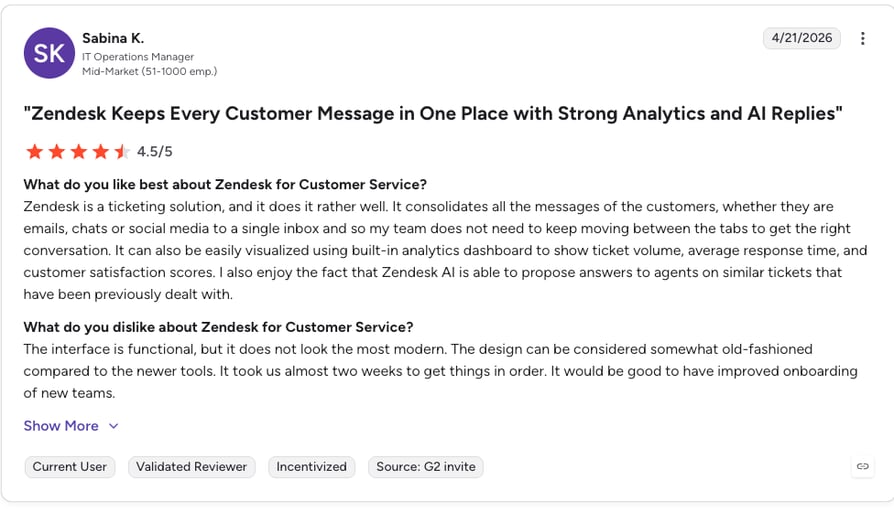
G2 reviewers give Zendesk Support Suite 4.3/5.
Zendesk: Pros and Cons
| Pros | Cons |
|---|---|
| Enterprise-grade ticket sync with full Zoho CRM workflow triggers | Enterprise pricing puts it out of reach for small teams |
| Account health visibility helps sales prioritize at-risk accounts | Complex custom workflows may need middleware configuration |
| Widely adopted — strong documentation and integration support | Overkill for teams with under 20 support agents |
| Escalation routing closes the loop between support and sales | Less cost-effective than LiveAgent for SMB use cases |
Recommended Reads
10. Gorgias — Best Zoho CRM Integration for Ecommerce Helpdesk and Order Support Data
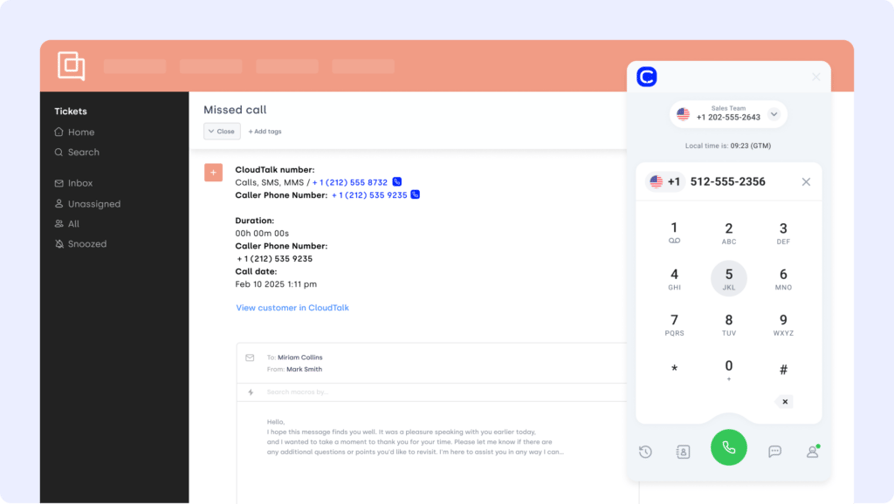
Gorgias is a helpdesk platform built specifically for ecommerce brands. The Zoho CRM Gorgias integration connects order support data, refund conversations, and customer satisfaction signals directly into your CRM — enabling personalized follow-ups and retention workflows triggered by real service outcomes.
For DTC brands using Gorgias to handle post-purchase support and Zoho CRM to manage customer relationships and repeat purchase campaigns, this integration ensures that service friction, VIP customer tags, and churn risk signals automatically surface in CRM records.
Key Features of the Gorgias Zoho CRM Integration
- Order Support-to-CRM Sync: Auto-create or update Zoho CRM records from Gorgias tickets, including refund and return conversations.
- Tag and CSAT Sync: Push Gorgias tags, satisfaction scores, and resolution notes into Zoho CRM contact records.
- VIP and Churn Risk Triggers: Trigger Zoho CRM retention workflows or alerts when high-value customers raise issues in Gorgias.
- Post-Resolution Follow-Up Automation: Launch CRM drip campaigns or loyalty sequences automatically after ticket resolution events.
- Ecommerce Context in CRM: Feed order history, product tags, and purchase frequency data from Gorgias into Zoho CRM for richer contact profiles.
What Is the Gorgias Zoho CRM Integration Missing?
Gorgias is purpose-built for ecommerce — it is not a general-purpose helpdesk and lacks the depth of Zendesk or LiveAgent for non-ecommerce support scenarios. Its pricing model (usage-based on top of base plans) can become expensive for high-volume support teams as ticket counts grow.
What Type of Business Is Gorgias + Zoho CRM Best For?
Best for DTC and ecommerce brands using Shopify, BigCommerce, or Magento for their store and Zoho CRM for customer lifecycle management — where post-purchase support data should directly inform sales and retention decisions.
What Is the Pricing of Gorgias for Zoho CRM Integration?
Gorgias pricing starts at $10/month (Basic, usage-based), rising to $60/month (Pro) and $900/month (Advanced).
Gorgias + Zoho CRM Integration Reviews
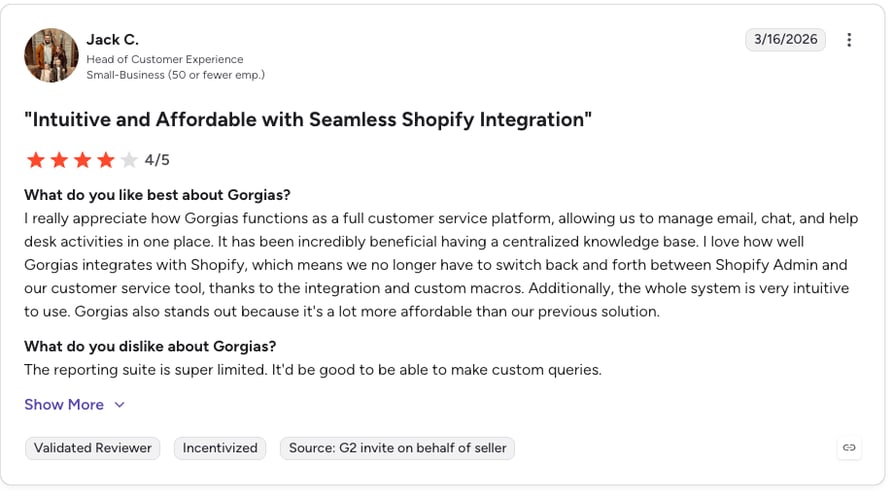
G2 reviewers give Gorgias 4.6/5.
Gorgias: Pros and Cons
| Pros | Cons |
|---|---|
| Ecommerce-specific helpdesk with native Shopify and BigCommerce sync | Usage-based pricing can become expensive at scale |
| VIP and churn risk triggers close the service-to-retention loop | Not suited for non-ecommerce support use cases |
| High G2 rating — strong user satisfaction among DTC brands | Less depth than Zendesk for enterprise support workflows |
| CSAT and tag sync enriches Zoho CRM contact profiles automatically | Advanced plan significantly more expensive than entry tier |
11. Microsoft Teams — Best Zoho CRM Integration for Real-Time CRM Alerts in Collaboration Channels
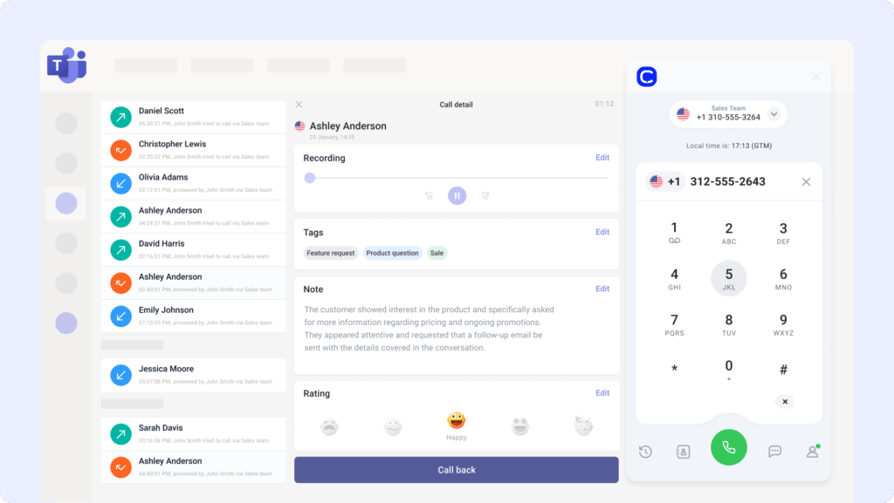
Microsoft Teams is the most widely deployed enterprise collaboration platform. The Zoho CRM Microsoft Teams integration keeps revenue teams aligned — pushing deal progress, task reminders, and contact activity updates directly into the channels and chats where people are already working.
For organizations already running Microsoft 365, this integration eliminates the need to check Zoho CRM constantly. Key pipeline events — stage changes, new leads, approaching deadlines — are automatically surfaced in relevant Teams channels, reducing lag between updates and action.
Key Features of the Microsoft Teams Zoho CRM Integration
- CRM Activity Alerts in Teams: Push Zoho CRM pipeline changes, task due dates, and deal updates to Teams channels automatically.
- New Lead Notifications: Alert sales reps in Teams the moment a new lead is created or assigned in Zoho CRM.
- Deal Stage Change Alerts: Notify account managers or managers when a deal advances or stalls in the Zoho CRM pipeline.
- CRM Record Links in Threads: Share direct links to Zoho CRM contact or deal records inside Teams conversations for quick context.
- Microsoft 365 Ecosystem Sync: Connect Zoho CRM data with calendar events, OneDrive files, and Teams meetings in a unified workflow.
What Is the Microsoft Teams Zoho CRM Integration Missing?
The Teams integration is primarily a notification and alert layer — it does not provide deep bidirectional data sync or CRM record editing from within Teams. For more complex automation between Teams and Zoho CRM, middleware tools like Power Automate or Zapier are typically required.
What Type of Business Is Microsoft Teams + Zoho CRM Best For?
Best for organizations already running Microsoft 365 that want to surface Zoho CRM updates in the communication channels where their teams spend their time — reducing context switching and improving deal velocity.
What Is the Pricing of Microsoft Teams for Zoho CRM Integration?
Microsoft Teams pricing: free plan available. Microsoft 365 Business Basic starts at $6/user/month, Business Standard at $12.50/user/month.
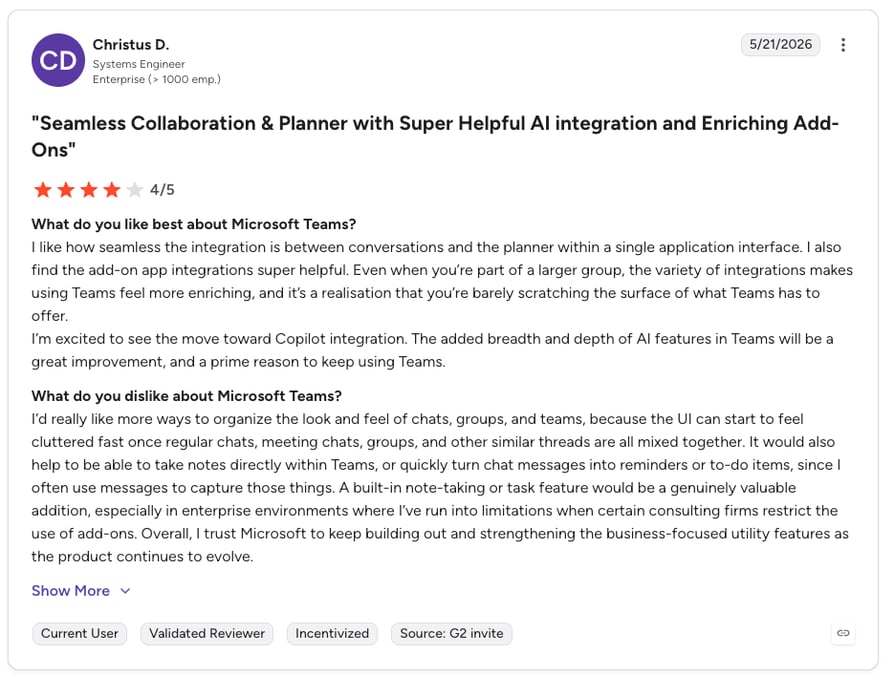
Microsoft Teams + Zoho CRM Integration Reviews
G2 reviewers give Microsoft Teams 4.3/5.
Microsoft Teams: Pros and Cons
| Pros | Cons |
|---|---|
| Widely adopted — most enterprise teams already use it | Primarily a notification layer — limited bidirectional sync |
| Free plan available for smaller teams | Complex automation requires Power Automate or Zapier |
| Real-time deal and lead alerts reduce context switching | CRM records cannot be edited directly from Teams |
| Microsoft 365 ecosystem integration adds calendar and file context | Less suitable for non-Microsoft 365 environments |
12. BigCommerce — Best Zoho CRM Integration for B2B and Enterprise Ecommerce Data Sync
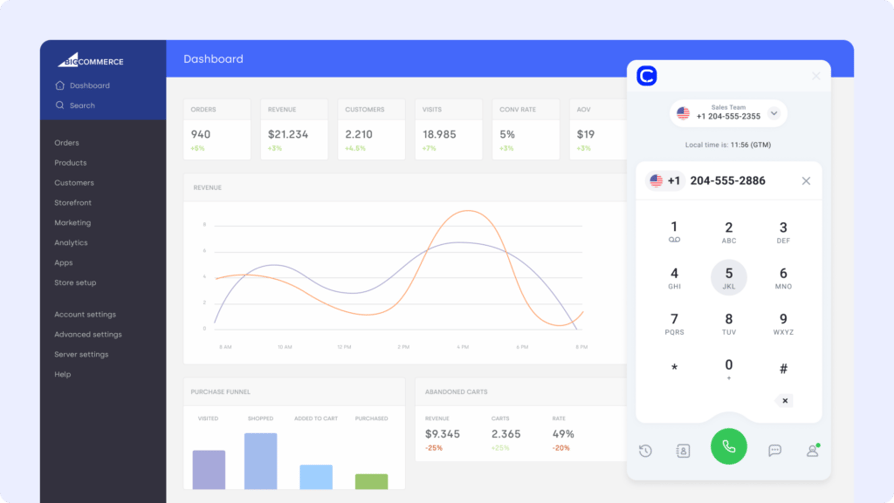
BigCommerce is a leading platform for online retail, particularly strong for B2B and mid-market merchants. The Zoho CRM BigCommerce integration connects your storefront's order history, customer details, and purchasing patterns directly into your sales pipeline — creating a complete lifecycle view from first purchase to long-term account management.
For B2B ecommerce companies where customer accounts represent significant revenue, syncing BigCommerce order data into Zoho CRM enables sales teams to track contract renewals, upsell opportunities, and churn risk signals — all within their existing CRM workflow.
Key Features of the BigCommerce Zoho CRM Integration
- Auto-Create Contacts from Checkouts: Every new BigCommerce customer is automatically created as a contact or lead in Zoho CRM with purchase details attached.
- Order Event Timeline Sync: Track order placements, cancellations, and refunds directly on Zoho CRM contact activity timelines.
- VIP and Churn Risk Tagging: Trigger Zoho CRM workflows when high-value customers reach thresholds or show at-risk purchase behavior.
- B2B Account Mapping: Map BigCommerce company accounts to Zoho CRM account records for enterprise-level relationship management.
- Lifecycle Automation: Launch post-purchase sequences, renewal reminders, or upsell campaigns from Zoho CRM triggered by BigCommerce events.
What Is the BigCommerce Zoho CRM Integration Missing?
BigCommerce's integration with Zoho CRM typically requires a connector app or middleware platform — native one-click integration is not always available, which adds setup complexity. For pure DTC use cases, Shopify's broader ecosystem may offer simpler integration options.
What Type of Business Is BigCommerce + Zoho CRM Best For?
Best for mid-market and enterprise B2B ecommerce companies that need to connect store order data with Zoho CRM for account management, contract renewal tracking, and lifecycle-based sales automation.
What Is the Pricing of BigCommerce for Zoho CRM Integration?
BigCommerce pricing starts at $39/month (Standard), rising to $105/month (Plus) and $399/month (Pro).
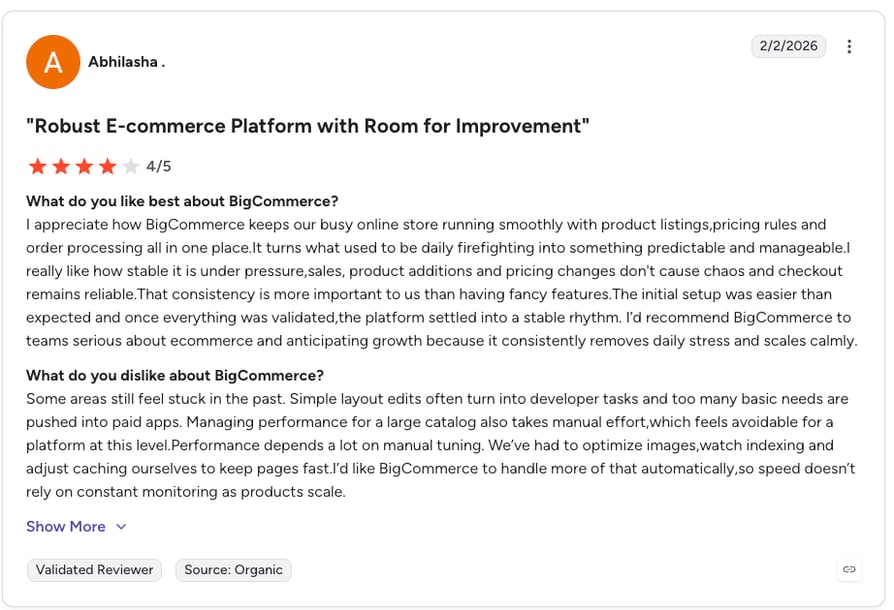
BigCommerce + Zoho CRM Integration Reviews
G2 reviewers give BigCommerce 4.2/5.
BigCommerce: Pros and Cons
| Pros | Cons |
|---|---|
| Strong B2B ecommerce features with account-level CRM mapping | Native Zoho CRM connector not always available — may need middleware |
| Order lifecycle events sync to Zoho CRM timelines automatically | More complex setup than Shopify for simple DTC use cases |
| VIP and churn risk tagging enables proactive CRM workflows | Pro plan pricing is high for smaller merchants |
| Enterprise account mapping supports complex B2B relationships | Best suited for B2B commerce — less ideal for pure B2C |
13. ActiveCampaign — Best Zoho CRM Integration for Behavior-Based Marketing Automation
ActiveCampaign is a powerhouse for lifecycle email and behavior-based marketing automation. The Zoho CRM ActiveCampaign integration bridges CRM pipeline data and marketing campaigns — so every outreach hits with context and every contact record reflects real engagement signals.
For companies where marketing and sales share the same contact database, this integration ensures that email opens, click activity, and campaign engagement in ActiveCampaign automatically update lead scores and trigger workflows in Zoho CRM — creating a truly connected revenue funnel.
Key Features of the ActiveCampaign Zoho CRM Integration
- Bidirectional Contact Sync: Auto-sync Zoho CRM contacts to ActiveCampaign lists and push engagement data back to CRM activity feeds.
- CRM-Triggered Campaign Launches: Trigger ActiveCampaign email sequences from Zoho CRM deal stage changes, field updates, or tags.
- Lead Score Sync: Push ActiveCampaign engagement scores into Zoho CRM to help sales prioritize the highest-intent leads.
- Open and Click Data in CRM: Surface email engagement data from ActiveCampaign directly on Zoho CRM contact timelines.
- List Segmentation from CRM Fields: Use Zoho CRM properties — deal stage, industry, account tier — to dynamically segment ActiveCampaign audiences.
What Is the ActiveCampaign Zoho CRM Integration Missing?
ActiveCampaign's integration is best suited for email-driven marketing workflows. Teams that need native social media advertising, SMS automation, or deep CRM capabilities may find that ActiveCampaign requires additional tools to cover all use cases. The platform's pricing increases significantly with contact list size.
What Type of Business Is ActiveCampaign + Zoho CRM Best For?
Best for B2B and B2C companies that run email-led nurturing campaigns in ActiveCampaign and need behavioral engagement data flowing back into Zoho CRM to inform sales team prioritization.
What Is the Pricing of ActiveCampaign for Zoho CRM Integration?
ActiveCampaign pricing starts at $49/month (Plus), rising to $149/month (Professional) and custom pricing for Enterprise.
ActiveCampaign + Zoho CRM Integration Reviews
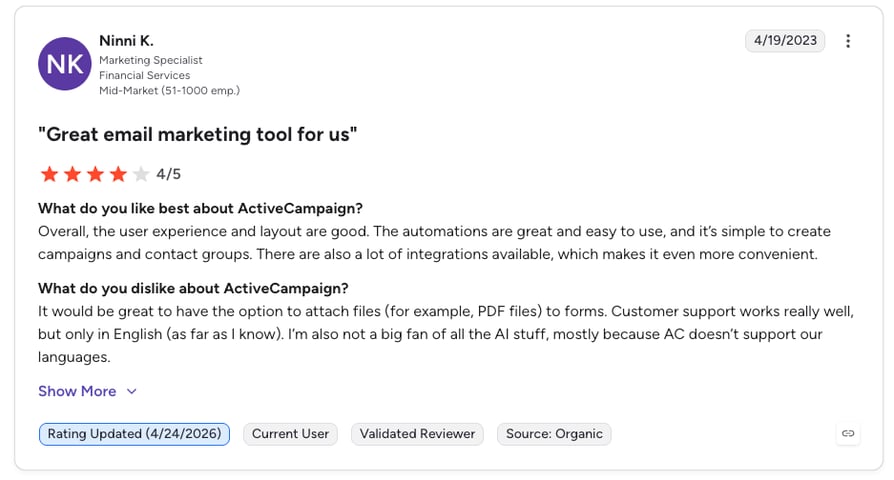
G2 reviewers give ActiveCampaign 4.5/5.
ActiveCampaign: Pros and Cons
| Pros | Cons |
|---|---|
| CRM-triggered campaign launches close the marketing-to-sales loop | Pricing scales with contact list size — can get expensive |
| Lead score sync helps sales prioritize highest-intent contacts | Not a native CRM — requires Zoho CRM for pipeline management |
| Email engagement data surfaces directly on CRM timelines | Social and SMS automation require additional tools |
| Dynamic list segmentation from Zoho CRM field data | Full integration depth may require middleware for some workflows |
14. Appy Pie Automate — Best Zoho CRM Integration for No-Code Workflow Automation Across 300+ Apps
Appy Pie Automate is a no-code automation platform that helps businesses connect apps and automate workflows without writing code. The Zoho CRM Appy Pie integration enables teams to connect Zoho CRM with hundreds of applications — from communication tools to project management platforms — through simple drag-and-drop workflow builders.
For teams that need flexible Zoho CRM automation beyond what native integrations offer — without the complexity of the Zoho CRM API — Appy Pie Automate provides a practical no-code middleware layer. Sync leads from forms, push contacts to email tools, or trigger alerts across any connected app based on CRM events.
Key Features of the Appy Pie Automate Zoho CRM Integration
- 300+ App Connections: Connect Zoho CRM to hundreds of apps — from Gmail to Slack to Shopify — through a no-code visual workflow builder.
- No-Code Trigger-Action Workflows: Build custom automations using Zoho CRM events (new lead, deal stage change, field update) as triggers for actions in other tools.
- Conditional Automation Logic: Add filters and conditions to workflows so automations only fire when specific criteria are met in Zoho CRM.
- Multi-Step Workflow Chains: Create complex multi-step automations that touch Zoho CRM and multiple downstream apps in a single sequence.
- Zoho CRM Automation Without Developers: Enable operations or RevOps teams to build and manage integrations independently — no engineering resources required.
What Is the Appy Pie Automate Zoho CRM Integration Missing?
As a middleware platform, Appy Pie Automate is dependent on the quality and depth of each connected app's API. For highly complex, enterprise-grade integrations with custom data models, a purpose-built native integration or direct Zoho CRM API implementation may provide more reliability and control than a no-code middleware approach.
What Type of Business Is Appy Pie Automate + Zoho CRM Best For?
Best for SMBs and operations teams that need flexible, low-cost Zoho CRM automation across many tools — without the development resources to build direct API integrations or the budget for enterprise integration platforms.
What Is the Pricing of Appy Pie Automate for Zoho CRM Integration?
Appy Pie Automate pricing starts at $9/month (Basic), rising to $19/month (Connect), $49/month (Team), and $79/month (Business).
Appy Pie Automate + Zoho CRM Integration Reviews
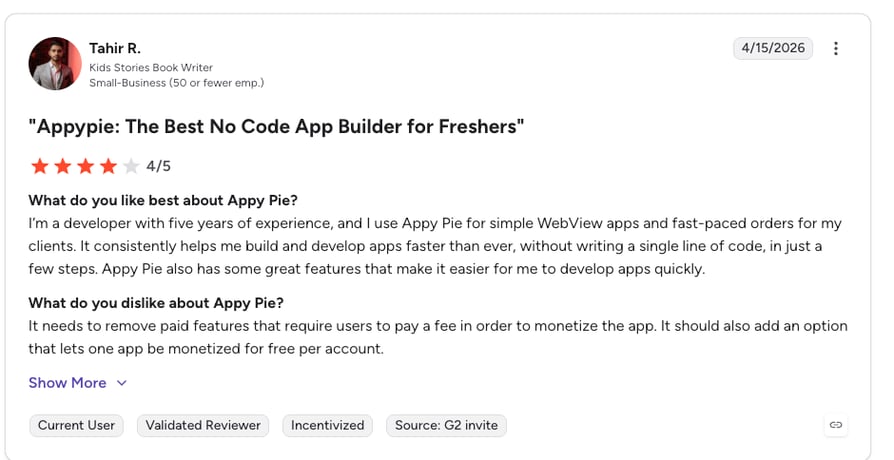
G2 reviewers give Appy Pie Connect 4.5/5.
Appy Pie Automate: Pros and Cons
| Pros | Cons |
|---|---|
| 300+ app connections with no-code setup — no developers needed | Complex enterprise integrations may require native API work |
| Most affordable middleware option on this list — from $9/month | Dependent on connected app API quality for reliability |
| Conditional logic and multi-step workflows for advanced automation | Less control than direct Zoho CRM API implementations |
| Enables non-technical teams to own CRM automation workflows | High task volumes may require upgraded plans |
14 Integrations Reviewed. 1 Makes the Biggest Difference for Calling Teams.
What to Look for When Choosing the Best Zoho CRM Integration
Not all Zoho CRM integrations deliver the same value in practice. The features that matter most depend heavily on your team size, primary use case (sales vs. support vs. marketing), and how deeply you need data to flow between systems. Here are the key criteria to evaluate:
1. Bidirectional Sync (Not Just One-Way Data Push)
One-way exports are table stakes. The best Zoho integrations sync data in both directions — so changes in either platform automatically update the other. Prioritize tools that offer genuine bidirectional sync with field-level control, not just scheduled imports from one side.
2. Workflow Automation Triggers
The most powerful Zoho CRM automation setups use integration events as workflow triggers. Look for integrations where actions in connected tools — a ticket resolved, a purchase made, a call completed — automatically fire Zoho CRM workflows, update deal stages, or create tasks.
3. Ease of Setup and Ongoing Administration
Enterprise platforms like Salesforce and Zendesk deliver powerful Zoho integrations but require significant implementation effort. If you need integrations running this week — not this quarter — choose platforms with native connectors or no-code middleware options that non-technical teams can manage independently.
4. Data Security and Compliance
Customer data flowing between systems must remain protected. Verify that your chosen Zoho CRM integration supports encryption in transit, role-based access controls, audit logs, and regional compliance requirements including HIPAA and GDPR.
5. Depth of the Zoho CRM API Connection
Native integrations built on the Zoho CRM API typically provide more reliable, feature-rich connections than generic middleware. For critical workflows — like call logging or deal pipeline sync — a purpose-built native integration will outperform a generic Zapier connector in both depth and reliability.
6. Total Cost of Ownership
The advertised price is rarely the full cost. Factor in per-user fees, add-on costs for advanced features, and implementation time. Use an ROI calculator to model the true return on your integration investment before committing.
Why CloudTalk Is the Best Zoho CRM Integration for Sales and Support Teams
Most Zoho CRM integrations solve one problem at a time: a helpdesk sync here, a marketing platform there. CloudTalk is different — it brings your entire voice communication layer into Zoho CRM, with bidirectional contact sync, auto-logged call records, AI-generated summaries, and real-time caller context all flowing directly into the CRM your team already uses.
Sales teams stop switching tabs. Support agents see the full customer picture before picking up. Managers get AI-powered coaching insights from 100% of calls — not a 5% sample. And everything syncs back to Zoho CRM automatically, turning voice interactions into structured data that drives better decisions.
With plans starting at $19/user/month, local numbers in 160+ countries, and a setup time measured in minutes rather than months, CloudTalk's Zoho CRM integration delivers enterprise-grade voice intelligence at a price and speed that teams of 10 to 500 can realistically adopt today.
Zoho CRM Integrations: Frequently Asked Questions
Zoho CRM integrates with 500+ tools across calling, helpdesk, ecommerce, marketing automation, collaboration, and productivity categories. Leading Zoho CRM integrations include CloudTalk (VoIP and AI calling), Salesforce, HubSpot, Pipedrive, Zendesk, Shopify, Google Sheets, Microsoft Teams, and ActiveCampaign. The Zoho CRM API also enables custom integrations for more specialized use cases. See the full CloudTalk integrations library for the complete list.
Yes. The Zoho CRM Salesforce integration enables bidirectional sync of contacts, leads, accounts, and deal opportunities between both CRM platforms. This is most valuable for organizations running both CRMs in parallel — for example, Salesforce for enterprise accounts and Zoho CRM for specific teams or regions. Field mapping, pipeline stage alignment, and activity history sync are all supported.
For sales teams, the best Zoho CRM integration depends on your primary workflow. If your team relies on phone calls, CloudTalk is the top choice — it auto-logs calls, syncs contact records, and delivers AI conversation intelligence directly into Zoho. For pipeline alignment with another CRM, Salesforce or Pipedrive integrations are the strongest options. For marketing-led sales teams, HubSpot's Zoho integration provides the best lead and campaign data alignment.
Some Zoho CRM integrations are free — Google Sheets and Microsoft Teams (free tier) integrate with Zoho CRM at no additional cost. HubSpot offers a free CRM that can connect with Zoho. However, most advanced integrations — including CloudTalk's calling integration, Salesforce, Zendesk, and ActiveCampaign — require paid subscriptions to the connected platform. The Zoho CRM API itself is accessible on all paid Zoho plans.
Setup time varies significantly by integration type. Native integrations like CloudTalk's Zoho CRM integration take minutes to connect with no coding required. No-code middleware platforms like Appy Pie Automate allow non-technical teams to build custom workflows in under an hour. Enterprise integrations like Salesforce-to-Zoho sync or Zendesk at scale may require dedicated administrator time ranging from several hours to multiple days depending on custom field mapping complexity.
Yes — Zoho CRM supports multiple simultaneous integrations, and most teams run several in parallel. A typical high-performing stack might combine CloudTalk (for voice), HubSpot (for marketing), Zendesk (for support), and Google Sheets (for reporting) — all connected to Zoho CRM at the same time. The key is ensuring clear data ownership between systems to avoid conflicts or duplicate records. Zoho's built-in workflow automation tools help manage the logic between integrations.
The Zoho CRM API is a REST API that allows developers to build custom integrations between Zoho CRM and any external system. It gives you full programmatic control over contacts, deals, leads, activities, and custom modules. You need the Zoho CRM API when native marketplace integrations don't fully meet your requirements — for example, building a custom sync with an internal database, creating a bespoke automation workflow, or integrating with a proprietary platform not covered by standard connectors. The API is available on all paid Zoho CRM plans.
The best Zoho CRM phone integration for most sales and support teams is CloudTalk. It provides native click-to-call from Zoho CRM, auto-logging of call recordings and AI summaries to contact records, real-time caller context pulled from CRM before the call connects, and bidirectional contact sync. Unlike generic CTI connectors, CloudTalk's integration is purpose-built for call center workflows — making it the most complete phone integration available for Zoho CRM users.