
AI voice agents just got easier to build

What we covered
A live build first, then your questions. Click a time to jump straight to that moment on YouTube.
01:04 · What's new since August
Templates, AI Composer, tools from your integrations and the new CloudTalk menu.
04:07 · How teams use voice agents
Taking repeat questions off a support line and calling back a long list of past customers.
09:16 · Build from a template
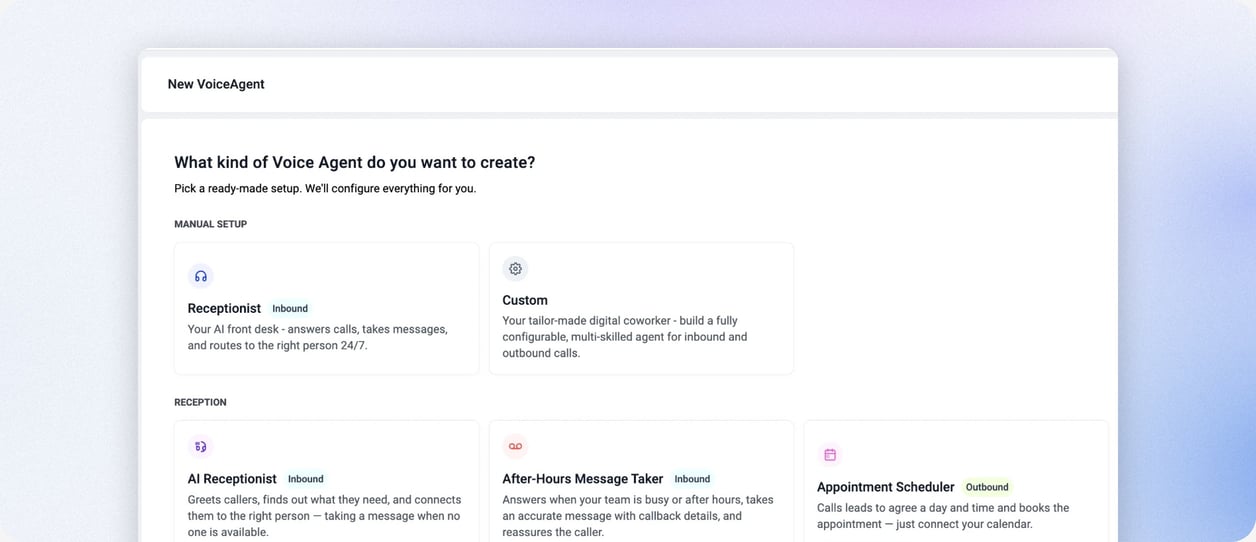
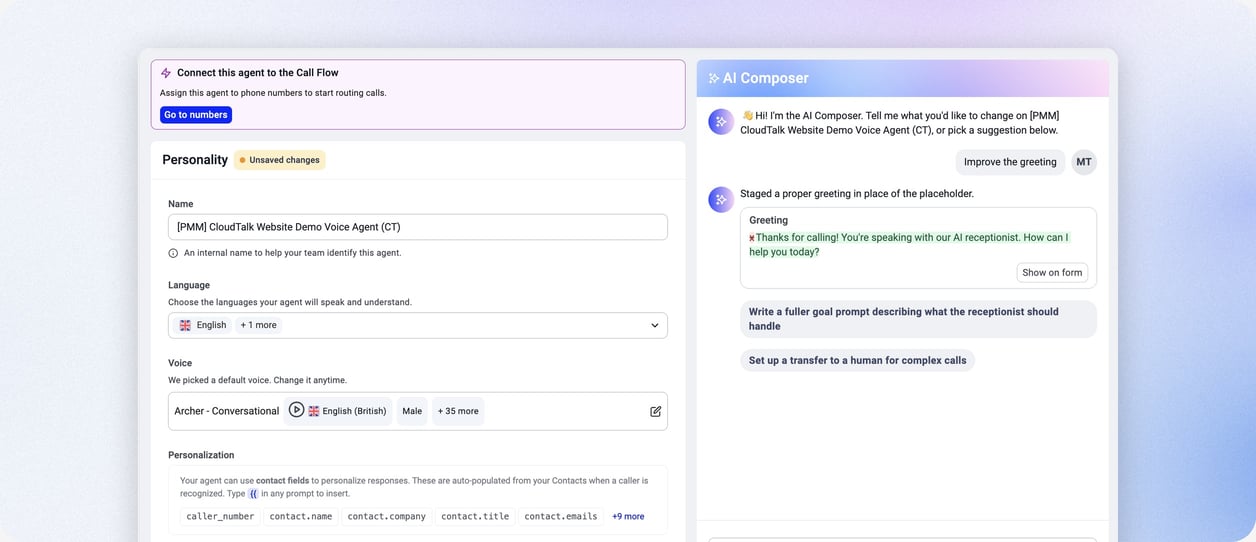
A barbershop AI receptionist, shaped in plain words with AI Composer.
13:01 · Live test call
The agent answers, books a haircut and hands the call to a person with a summary.
23:01 · Verifying callers and tools
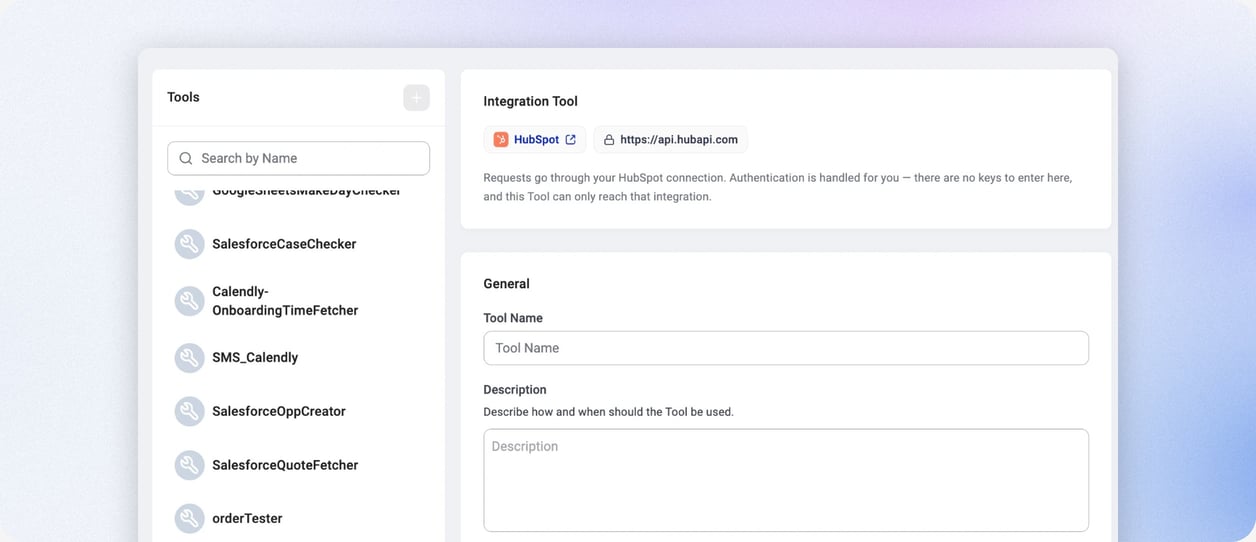
How to confirm who is calling, from a simple check to a tool on your own system.
27:11 · Webhooks and your CRM
Pull out the details you need from every call and send them to your CRM.
30:02 · Analytics and Spotlight
Voice agent reports today, and an early look at suggestions drawn from your calls.
37:19 · Outbound voice agents
How outbound calling works now, and a preview of voice agent campaigns.
What you'll see built
Three updates that make an AI voice agent faster to set up. Each one is shown live in the recording.
Also new
Build voice agents from Claude
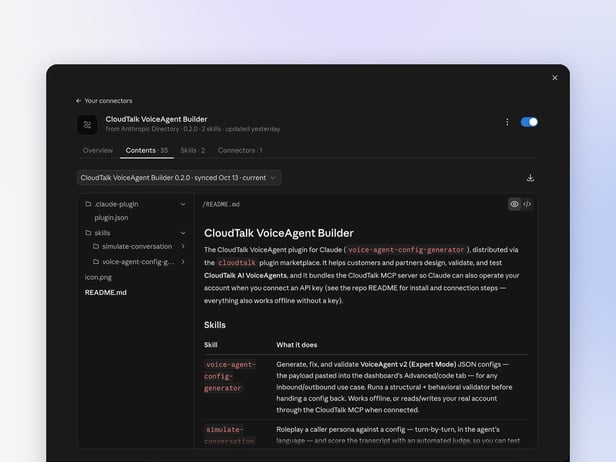
The CloudTalk VoiceAgent Builder plugin brings voice agent setup into Claude. Describe what you need, and Claude drafts, checks and tests the agent with you. It runs on the CloudTalk MCP server.
Create, edit and clone agents
Connect your CloudTalk account with an API key and Claude can work on your real voice agents.
Checked before you save
Claude validates every setup and fixes what is broken before it goes anywhere near your callers.
Test calls in chat
Claude plays a caller against your agent, in the agent's language, and scores how the conversation went.
Coming next
What we are building next
We showed early prototypes of these. Follow them on our customer roadmap and we will email you when they go live.
Outbound campaigns for voice agents
Create a campaign, add your CloudTalk contacts and pick the voice agents that call, with pacing, retries and call outcomes in one place, the way the Power Dialer already works for your team.
Spotlight
A tab on every voice agent that turns its calls into suggestions: questions it could not answer, topics where callers sound unhappy, and why callers ask for a person.
Questions from the session
Answered live by our product team. Each one links to its moment in the recording.
It depends how strict the check needs to be. For a light check, the agent can confirm details it already has from the contact record, like an email address. For a stronger check, such as an order ID or a code sent by SMS, set up a tool and call it from a scenario. We are working on making this simpler, and our tech consulting team can help with advanced setups. Watch this answer (23:01)
Yes. Choose what the agent should pull out of every call, then see it in CloudTalk analytics or send it to your CRM or your own webhook as soon as the call ends. Contacts synced from your CRM also tell the agent who it is talking to before the call starts. Watch this answer (27:11)
Today you start outbound calls through our API, usually from Make, a HubSpot workflow or another automation tool, using a list, your CRM or a trigger you choose. Voice agent campaigns, where you pick contacts in CloudTalk and choose the agent that calls them, are in progress. Follow them on our customer roadmap. Watch this answer (37:28)
Yes. Every account starts with one call at a time. If your calls start to queue, get in touch and we raise the number of calls your agents can make at once. Watch this answer (44:00)
We choose and tune the models behind the scenes, so you don't have to. When we release better settings, the Advanced tab of your agent shows a notice that optimized settings are available. Watch this answer (45:01)


Want to try a voice agent yourself?
If you haven't used any voice agent minutes yet, you have 50 free minutes to build and test one. New to CloudTalk? Start a free trial.

More sessions like this
Every CloudTalk Labs replay, in one place.