


Bring Your Own Carrier (BYOC) & Upgrade Calls
Already have a telecom provider you trust? With CloudTalk BYOC, you can connect your SIP carrier in a guided, plug-and-play setup. CloudTalk stays your control layer for routing, agents, analytics, and automation, whether you run calls through your carrier or CloudTalk’s global calling network.
- Keep your carrier contracts, rates, and numbers (no porting)
- Connect your SIP carrier to CloudTalk with a quick, guided setup
- Get full CloudTalk experience (routing, AI, analytics, integrations)
Trusted by 30,000+ sales & support professionals to power more & better conversations
















How BYOC Benefits Teams with Existing Carriers
No Setup Disruptions
Modernize your calling without rebuilding your telecom stack. BYOC lets you keep your current carrier while upgrading how your call center operates. Enjoy smarter calls without changing contracts, numbers, or the basic carrier setup.
Easier Way to Compliance
When local rules affect how you must handle calls, BYOC gives you flexibility. You can use the carrier that meets all requirements and run an AI-powered call center on top of it. The result? Consistent international workflows and lower compliance risk.
Same Carrier, New Calls
BYOC lets you keep the call quality you already trust, while CloudTalk improves the day-to-day call center experience. Reps follow clearer call flows, managers spot issues faster, and customers get a smoother experience on every call.
HOW CLOUDTALK BYOC HELPS
When Should Your Team Use BYOC with CloudTalk
Keep Your Existing Carrier Setup
If you have long-term contracts, negotiated rates, and a large pool of phone numbers, BYOC lets you use CloudTalk without changing carriers. Calls continue through your provider, while our AI business phone system connects and streamlines your workflows. Choose BYOC if you have:
- Active carrier contracts you don’t want to renegotiate
- Large phone number inventory you don’t want to port
- Need for integrated workflows (e.g., Salesforce sync) that save time

Use a Specific Carrier Where Required
In some countries or industries, using a specific local or licensed carrier is required. Rules around emergency calling, lawful intercept, or local regulation can dictate who you must use. BYOC lets you meet those requirements while still running your call center in CloudTalk. Bring-your-own-carrier is often used when local rules apply:
- Operations in regulated markets
- Countries requiring local carrier presence
- Industry-specific compliance requirements
Combine BYOC with CloudTalk’s Network
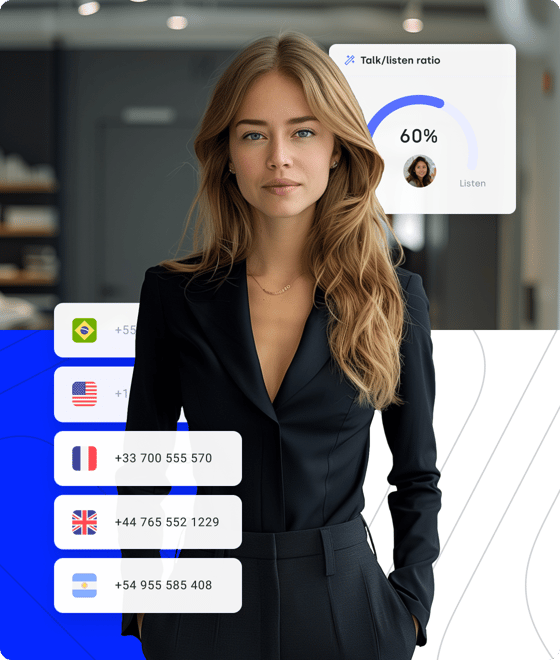
Not ready to move everything at once? BYOC supports a hybrid setup, so you can use your existing carrier for certain numbers or countries and CloudTalk’s calling network elsewhere. You decide where BYOC applies today and can adjust over time. BYOC works best for hybrid setups, like:
- Phased migrations to the cloud
- Different carriers for different regions
- Flexibility to simplify the setup later
Signature Capability
See CloudTalk’s AI Voice Agent in Action!
CeTe is an AI that talks like a human: no breaks, no training, no time off. It makes and answers calls, updates CRMs, books meetings, and loops in a human only when needed.
Press play to hear it. Want a wow moment? Get a free test call and try it live.

Why Businesses Bring Their Own Carrier to CloudTalk
Do you need to keep your current carrier, but calling is still critical to your business, and flexibility + control matter? That’s when bringing your own carrier to CloudTalk makes sense.
Why CloudTalk + BYOC Works
With BYOC, your carrier handles the calls, and CloudTalk is where your team works. You keep your carrier and rates, while our platform powers your call management. That means fewer tools to juggle, clearer visibility for your team, and a true call center experience. What CloudTalk + BYOC offers:
- One place to manage calls and teams
- Consistent workflows, regardless of carrier
- A clear split between your carrier and call center


How BYOC Works with CloudTalk
BYOC is designed to be simple, even if your telecom setup isn’t. CloudTalk connects to your SIP carrier, checks compatibility, and guides the setup from start to finish. Once connected, your team works in CloudTalk as usual. Calls follow the right path automatically. How BYOC setup works:
- Connect your SIP carrier in a guided setup
- Choose where BYOC applies (numbers or countries)
- Test everything before going live
How Flexible BYOC Is with CloudTalk
BYOC isn’t all or nothing. You choose where to use your carrier and where to use CloudTalk’s calling network. This gives you flexibility today, without locking you into one setup long term. With CloudTalk BYOC, you can:
- Use your carrier for inbound and outbound calls
- Apply BYOC only to selected traffic
- Combine BYOC with CloudTalk’s global network


Launch BYOC Without Guesswork
BYOC can get complicated fast if you’re left to figure it out alone. With CloudTalk, you’re not. We guide the setup, confirm your carrier works with BYOC upfront, and make sure everything is tested before you go live. What CloudTalk handles with you:
- Dedicated BYOC setup for your CloudTalk account
- Secure, authenticated call routing
- Carrier compatibility checks before launch

Get Full Visibility Into Calls, No Matter the Carrier
When calls span carriers, regions, or teams, it’s hard to know what’s really happening. CloudTalk’s Conversation Intelligence gives you clarity without manual reviews.
AI summarizes calls, highlights key topics, tracks sentiment, and shows who spoke most, so managers get the full picture fast.
AI call scoring helps you spot issues early, coach faster, and keep quality consistent as you scale.
Make Your Carrier Part of Your Daily Workflow
Bringing your own carrier is only part of the setup. CloudTalk turns it into a working call center. Connect it seamlessly to HubSpot, Salesforce, or Pipedrive to log calls automatically, keep follow-ups on track, and work from one place instead of tabs and spreadsheets.


FAQs about Bring Your Own Carrier to CloudTalk Solution
Everything you need to know about CloudTalk’s BYOC solution
Bring Your Own Carrier (BYOC) lets you use your existing telecom carrier with CloudTalk instead of CloudTalk’s bundled calling providers. Your carrier continues to handle call delivery, while CloudTalk runs the call center layer (routing, agents, analytics, AI, integrations, and much more).
With CloudTalk BYOC:
- Your SIP carrier connects through a guided setup
- Calls are routed automatically in the background
- Your team works in CloudTalk as usual
In short, the bring your own phone carrier setup is designed for teams that want flexibility without rebuilding their entire telecom setup.
BYOC is a good fit if you already work with a carrier you want or need to keep. This often applies to growing SMBs, mid-market, and enterprise teams with existing contracts, regional requirements, or complex setups.
BYOC may be right for your business if you:
- Have negotiated carrier rates you want to keep
- Operate in regulated or country-specific markets
- Want to avoid large-scale number porting
- Need CloudTalk’s call center features on top of your carrier
If you don’t have a carrier yet, BYOC isn’t your best choice. Instead, you should choose CloudTalk’s bundled calling network. The platform works with trusted carrier partners and supports calling in 160+ countries, so teams can get coverage and call quality without managing telco carriers.
Businesses use BYOC to gain flexibility through a bring-your-own-carrier cloud model, without disrupting their telecom foundation. It allows teams to modernize their call center while keeping existing carrier relationships intact.
Common business reasons for BYOC include:
- Keeping long-term contracts and pricing
- Meeting regulatory or local carrier requirements
- Avoiding the risk and downtime of number porting
- Preserving reliable call quality
- Supporting multi-country or hybrid setups
SIP trunking is the technical method of connecting voice traffic over the Internet. BYOC is the business model that lets you bring your own SIP-based carrier into a virtual call center platform like CloudTalk.
In simple terms:
- SIP trunking is the technology
- BYOC is how you use that technology with a call center provider
Hosted PBX replaces your entire phone system and carrier with a single provider. BYOC keeps your carrier but upgrades how calls are managed.
Choose BYOC if:
- You already have a carrier you want to keep
- You need virtual call center features on top
Choose a hosted PBX-style setup if:
- You’re starting from scratch
- You want everything bundled into one provider, including virtual numbers
CloudTalk supports both approaches, depending on your needs.
In 2026, more and more teams are operating across regions, regulations, and time zones. BYOC gives them the flexibility to adapt without rebuilding their telecom stack.
Businesses are switching to BYOC because:
- Compliance requirements are increasing
- Carrier contracts are more complex
- Their call centers need better, more modern tools, not new carriers
- Hybrid and gradual migrations are more common
With BYOC, call rates stay with your carrier. CloudTalk pricing covers the call center platform, features, and call handling.
In practice, CloudTalk BYOC pricing works like this:
- Your carrier bills call usage (minutes, destinations, rates)
- CloudTalk bills your call center subscription and any selected add-ons (like AI agents or Conversation Intelligence, shall you opt for them)
This keeps billing clear as your telecom costs stay with your carrier, while CloudTalk covers the software layer your team works in.
Note: outbound calls routed via BYOC may also include a CloudTalk usage fee, which is confirmed before go-live (or contact CloudTalk beforehand for more info).
Yes. That’s one of the main reasons teams choose BYOC. You keep your existing carrier contracts, call rates, and phone numbers without forced porting. A BYOC solution like CloudTalk connects to your carrier so you can upgrade your call center without changing what already works.
Yes. BYOC does not limit CloudTalk functionality. You get the same call routing, analytics, AI features, CRM integrations, and workflows as with CloudTalk’s bundled calling network.
In other words, your carrier handles call delivery. CloudTalk handles everything around it.
Most BYOC setups take days, not months. The exact timeline depends on your carrier and setup complexity.
Here’s how setup usually works:
- Share carrier details with CloudTalk
- Compatibility is validated
- The connection is configured and tested
- You go live once everything is confirmed
CloudTalk guides the process to ensure a smooth launch.
CloudTalk BYOC works with most SIP-based carriers. If your carrier supports SIP trunking, there’s a good chance it can be connected.
To keep things smooth, we confirm compatibility during onboarding and help you set it up the right way before you go live.
If your carrier has an outage, calls routed through that carrier can be impacted. CloudTalk still runs as your call center platform, so your call flows, users, and setup stay in place.
If you’re using this hybrid BYOC setup, you can also reduce risk by:
- Routing some calls through CloudTalk’s global calling network
- Adjusting call flows to keep teams reachable


Hello 👋 My name is Emma. Still have questions?
Can’t find the answer you’re looking for? Please chat to our friendly team.