Cal.ai Pricing & Plans: Full Guide for 2026
Cal.ai Pricing at a Glance
| Plan | Price (annual billing) | Included AI Credits | Best For |
|---|---|---|---|
| Free (Individuals) | $0 | None — credits purchased separately | Solo users testing AI scheduling calls |
| Teams | $12/user/mo | 750 credits/member/mo (~26 AI minutes) | Small teams with light AI call volume |
| Organizations | $28/user/mo | 1,000 credits/member/mo (~34 AI minutes) | Larger teams needing routing, SSO, and control |
| Enterprise | Custom quote | Custom / unlimited badge options | Compliance-heavy enterprises |
| Cal.ai usage | $0.29/min (29 credits/min) | Deducted from plan credits, then billed | All AI phone calls, on every plan |
Below, we break down every plan, the hidden costs (phone numbers, Twilio SIP trunking, SMS credits), real monthly scenarios with the math shown, and when a bundled AI voice agent platform works out cheaper.
Want AI calls without per-minute math?
How Does Cal.ai Pricing Work? Plans, Credits, and the Usage Model Explained
What is Cal.ai pricing in practice? It's a two-layer system. Cal.ai is not a standalone product — it's the AI voice agent feature inside Cal.com, the open-source scheduling platform. That means your total bill combines:
- A Cal.com subscription: Free for individuals, Teams at $12/user/month, Organizations at $28/user/month (annual billing, roughly 25% cheaper than monthly), or custom Enterprise.
- The Cal.ai pricing model: credit-based usage where every AI phone call consumes 29 credits per minute, equal to $0.29/minute. Paid plans bundle some credits; once they're gone, extra usage is billed.
- Connectivity costs: a dedicated US number runs $5/month, and international calling requires bringing your own Twilio SIP trunk.
Cal.ai's agents are workflow-triggered: they call leads who haven't booked, confirm appointments, chase no-shows, and send reminders — all tied to Cal.com Workflows rather than general-purpose calling. If you're evaluating the broader category first, start with our guide to the best AI voice agents.
What Do Real Users Say About Cal.ai Pricing on Reddit, G2, and Trustpilot?
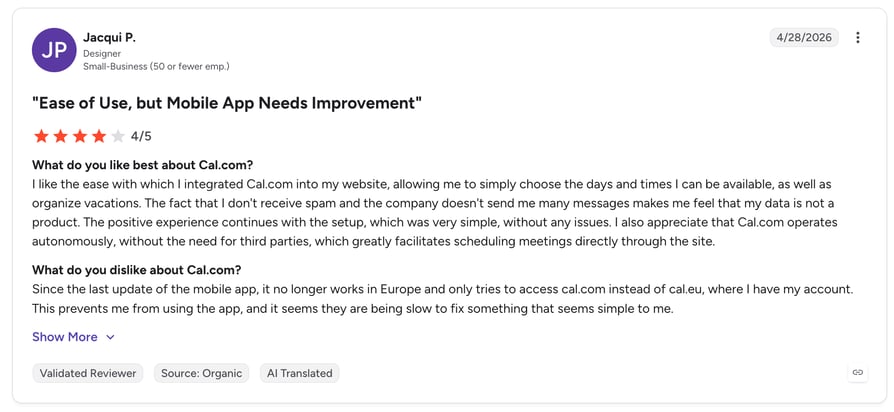
Scanning Cal.ai pricing Reddit threads and review platforms, three themes recur. First, users like that basic scheduling stays unlimited and free — credits only burn on AI features. Second, the $0.29/minute rate draws criticism at volume: automated reminder campaigns eat credits far faster than teams expect, since the bundled 750–1,000 credits per member cover only about 26–34 AI minutes. Third, the bring-your-own-carrier setup for anything beyond US numbers frustrates non-technical teams who assumed telephony was included.
What Is Cal.com's Free Plan (and How Does Cal.ai Work on It)?
The Free plan is Cal.com's individual tier — one of the most generous free scheduling plans on the market, with unlimited bookings and event types. But for Cal.ai, it's a pay-as-you-go on-ramp: individuals receive zero bundled credits and must purchase them separately before the AI agent can make a single call.
What's Included in Cal.com's Free Plan for Cal.ai Users?
- Unlimited standard scheduling: bookings, event types, and calendar connections at no cost.
- Cal.ai access: the AI phone agent is available on all plans, including Free.
- No bundled credits: every AI minute is bought at $0.29/minute via prepaid credit purchases.
- Add-ons: a dedicated US phone number at $5/month, required for the agent to call from.
Value for money: ideal for solo consultants testing whether AI scheduling calls reduce no-shows, before any subscription commitment.
What Is Cal.com's Teams Plan?
Teams is the entry paid tier at $12/user/month billed annually (around $15 monthly), built for small teams that need collaborative scheduling — round-robin, collective events, and routing forms. It's also the first tier where Cal.ai pricing per month becomes partially bundled.
What's Included in Cal.com's Teams Plan?
- 750 credits per member per month: roughly 26 minutes of Cal.ai calling per user before overage billing kicks in.
- Team scheduling features: round-robin distribution, collective events, and routing forms.
- Workflows: the automation triggers (booking created, no-show, cancellation) that drive Cal.ai calls.
- Credit top-ups: extra credits purchasable from Team Settings at the standard rate.
Value for money: solid for teams making a handful of confirmation calls per member per week. Anything resembling a reminder campaign will blow past the bundled credits quickly.
What Is Cal.com's Organizations Plan?
Organizations costs $28/user/month billed annually (around $37 monthly) and is the governance tier: attribute-based routing, SAML SSO, SCIM provisioning, restriction schedules, and a dedicated database. It's where most scaling companies land once compliance and advanced routing matter.
What's Included in Cal.com's Organizations Plan?
- 1,000 credits per member per month: roughly 34 minutes of Cal.ai calling per user.
- Enterprise-grade controls: SAML SSO, SCIM, member attributes, and attribute-based routing.
- Dedicated database and stronger privacy separation.
- Centralized billing: organization-level credit purchasing and SMS/WhatsApp funding.
Value for money: the routing and SSO justify the jump for 10+ person teams — but note the AI credit bundle only grows by ~8 minutes per user versus Teams, so heavy Cal.ai users see little pricing relief here.
What Other Cal.com Plans Affect Your Cal.ai Cost?
Two more tiers matter for budgeting:
- Enterprise: custom, quote-based pricing with no public number — budgeting requires a sales call. Larger credit arrangements and "Unlimited" badge options are negotiated per contract.
- Platform API plans: for developers embedding Cal.com scheduling, Cal.ai API pricing rides on Platform tiers starting at $299/month (Starter), with per-booking overages of $0.99 that drop to $0.60 (Essentials) and $0.50 (Scale). AI agent interactions through the platform API consume credits as a separate usage type, at the same 29 credits/minute rate.
Compare that to one flat AI bundle.
What Are Cal.ai's Additional Costs and Hidden Fees?
The subscription table is honest — the surprises live outside it. Here's every extra line item that lands on real invoices:
| Cost Item | Price | What to Watch |
|---|---|---|
| AI call overage | $0.29/min (29 credits/min) | Applies the moment bundled credits run out; Free-plan users pay from minute one |
| Dedicated US phone number | $5/mo | Required for the agent to call from; existing numbers can be imported |
| International calling | Twilio SIP trunk fees (varies) | No native global carrier — you manage and pay a second telecom vendor |
| SMS/WhatsApp reminders | Twilio rate + 80% processing fee, per segment | A $0.05 Twilio SMS costs you $0.09 effective; long messages bill per 70–160-char segment |
| Monthly vs annual billing | ~25% premium on monthly | Teams jumps from $12 to ~$15/user, Organizations from $28 to ~$37/user |
| Self-hosting (open source) | $0 license + infrastructure | Servers, maintenance, and security updates typically exceed hosted pricing |
Tired of counting credits?
What Will Cal.ai Actually Cost? 4 Realistic Scenarios
Wondering how much does Cal.ai cost once real usage hits? Here's the math for four common setups. (1 credit = $0.01; AI calls burn 29 credits/minute.)
Scenario 1: Solo Consultant on the Free Plan (~300 AI Minutes/Month)
- Cal.com Free plan: $0
- US phone number: $5
- 300 AI minutes × $0.29 (no bundled credits): $87
- Total: ~$92/month
Scenario 2: 5-Person Sales Team on Teams (~500 AI Minutes/Month)
- 5 seats × $12: $60
- Included credits: 5 × 750 = 3,750 (~129 AI minutes covered)
- Overage: ~371 minutes × 29 credits = ~10,750 extra credits = ~$107.50
- Phone number: $5
- Total: ~$172.50/month
Scenario 3: 10-Person Org on Organizations (~1,500 AI Minutes/Month)
- 10 seats × $28: $280
- Included credits: 10 × 1,000 = 10,000 (~344 AI minutes covered)
- Overage: ~1,156 minutes × $0.29 ≈ $335
- Phone number: $5
- Total: ~$620/month
Scenario 4: High-Volume Reminder Campaigns (~3,000 AI Minutes/Month, 5-Person Teams)
- 5 seats × $12: $60
- 3,000 minutes = 87,000 credits; minus 3,750 included = 83,250 billed = ~$832.50
- Phone number: $5
- Total: ~$897.50/month — before any Twilio SMS or international SIP fees
Where costs bite:
Cal.ai's per-minute model is cheap to try and expensive to scale. Past roughly 500 AI minutes per month, the usage line dwarfs the subscription — and bundled plans like CloudTalk's AI voice agent pricing ($349/mo with 1,000 minutes included, plus a full phone system) start winning on total cost of ownership.
Run the numbers on a bundled alternative.
Which Alternatives Are Better and Cheaper Than Cal.ai?
If your Cal.ai cost projections show usage fees eclipsing the subscription, or you need AI calling beyond scheduling reminders, these four alternatives deliver more value per dollar for different team profiles.
CloudTalk: Best for SMB Sales & Support Teams That Need AI + a Real Phone System
What Is CloudTalk?
CloudTalk is an AI-powered business calling platform used by 5,500+ companies. It pairs AI voice agents — which answer, qualify, book, and follow up — with a complete cloud phone system: local numbers in 160+ countries, smart routing, dialers, and 100+ native CRM integrations.
Why CloudTalk Is Better Than Cal.ai
- Proactive, not just reactive: Cal.ai waits for calendar triggers; CloudTalk's agents also handle inbound reception, lead qualification, and outbound sales calls.
- Carrier included: no Twilio SIP trunks to manage — CloudTalk is the carrier, with numbers in 160+ countries and 99.999% uptime.
- Predictable bundles: AI voice agents from $349/month with 1,000 minutes included, instead of an open-ended $0.29/min meter.
- Built for the whole call operation: human reps get dialers, routing, and coaching in the same platform — including a native AI voice agent for appointment scheduling.
What Is CloudTalk's Pricing?
- Starter - $25/user/month
- Essential - $29/user/month
- Expert - $49/user/month
- AI Voice Agents - from $349/month (1,000 AI minutes included)
What Are G2 Users Rating Cloudtalk?
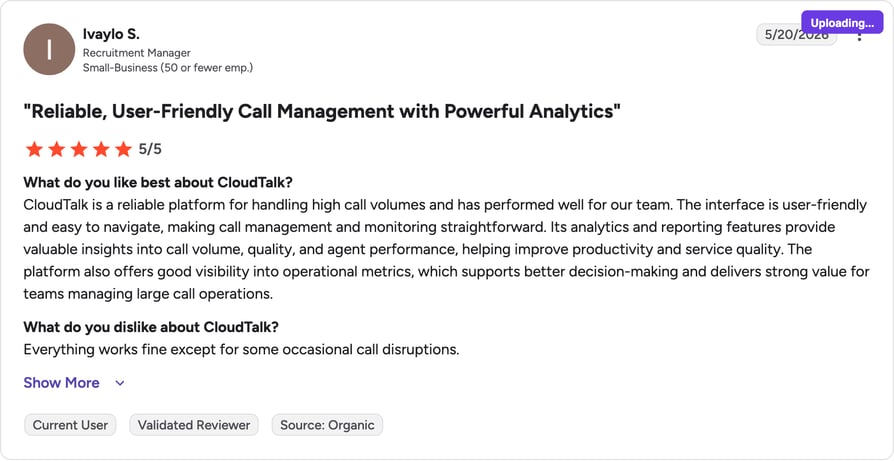
CloudTalk holds a 4.4/5 G2 rating across 1,702+ verified reviews.
Bottom line: If AI calls are part of a broader sales or support operation — not just scheduling reminders — CloudTalk's flat bundles beat Cal.ai's meter on total cost past ~500 minutes/month, while adding the phone system Cal.ai never provides.
See the difference in one call.
Goodcall: Best for Micro-Businesses That Want Flat-Rate AI Answering
What Is Goodcall?
Goodcall is a simple AI receptionist for local businesses: it answers calls, captures leads, and routes callers using forms and logic flows, billed by unique monthly callers instead of minutes.
Why Goodcall Is Better Than Cal.ai
- Unlimited minutes: flat per-agent pricing means long calls never inflate the bill, unlike a $0.29/min meter.
- Handles inbound reception: answers real customer calls, not just workflow-triggered scheduling outreach.
- 10-minute setup: no credit systems, workflows, or carrier configuration to learn.
What Is Goodcall's Pricing?
- Starter - $59/agent/month (100 unique customers)
- Growth - $99/agent/month (250 unique customers)
- Scale - $199/agent/month; 30% off annual, $0.50 per extra unique caller
Bottom line: for a local business fielding steady inbound calls, Goodcall's flat rate is easier to budget than Cal.ai's credit meter — though it won't match Cal.com's scheduling depth.
What Are G2 Users Rating Goodcall?
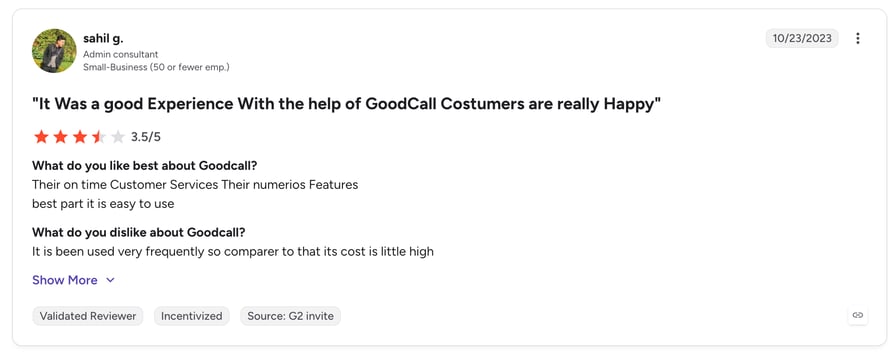
Goodcall is rated 3.5/5 on G2.
Lindy: Best for Automating Scheduling Plus the Workflow Around It
What Is Lindy?
Lindy is a no-code AI agent platform that handles phone calls alongside email, scheduling, and task automation, connecting to 1,500+ apps so one flow can call a lead, update the CRM, and book the meeting.
Why Lindy Is Better Than Cal.ai
- Beyond the call: automates email follow-ups, CRM updates, and tasks that Cal.ai leaves to other tools.
- Flat monthly pricing: predictable plans instead of pure per-minute billing.
- Free plan: 400 credits/month to test before paying anything.
What Is Lindy's Pricing?
- Free - $0 (400 credits/month)
- Plus - $49.99/month
- Pro - $59.99/month; custom Enterprise tiers with SSO
What Are G2 Users Rating Lindy?
Lindy is rated 4.9/5 by users on G2.
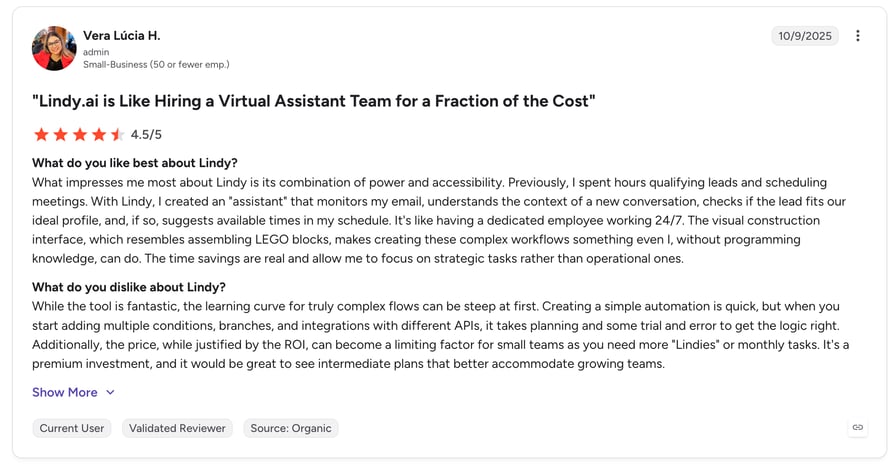
Bottom line: if scheduling calls are one piece of a larger admin-automation puzzle, Lindy covers more ground per dollar than a Cal.com subscription plus metered Cal.ai usage.
JustCall: Best for Sales Teams That Want AI Agents in Their Dialer
What Is JustCall?
JustCall is a sales-focused phone and SMS platform with AI voice agents bundled into the same system reps use for daily calling, texting, and CRM logging.
Why JustCall Is Better Than Cal.ai
- Full sales stack: dialers, SMS automation, and AI agents in one platform — not a scheduling plugin.
- Native telephony: no separate carrier or SIP trunk to configure and pay for.
- Deep CRM sync: calls and texts log automatically to HubSpot and Pipedrive.
What Is JustCall's Pricing?
- Team - $29/user/month (annual, 2-user minimum)
- Pro - $49/user/month
- Pro Plus - $89/user/month; AI voice agent capacity purchased on top
What Are G2 Users Rating JustCall?
JustCall is rated 4.3/5 on G2.
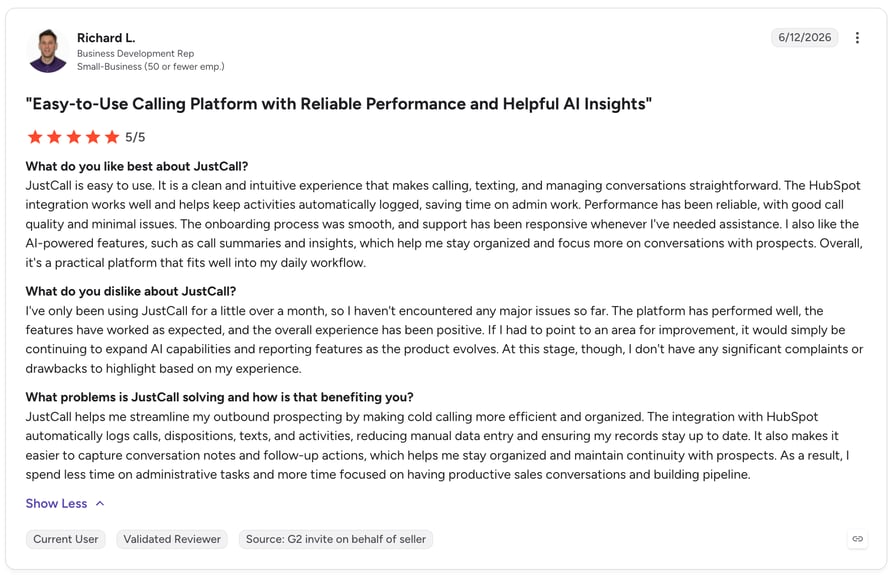
Bottom line: JustCall (4.3/5 on G2, 2,300+ reviews) suits SMS-heavy sales teams; Cal.ai suits teams whose only AI need is scheduling calls.
Shortlisting alternatives?
What Are Cal.ai's Best Features for AI Calling?
Setting the Cal.ai subscription price question aside for a moment — the product itself does its narrow job well. Here's where it earns its keep:
Workflow-Triggered AI Calls
- Calls fire automatically on booking events: form submission, no-show, cancellation, or pre-meeting reminders.
- Value check: genuinely reduces no-shows with zero manual dialing — but every retry and voicemail burns metered minutes.
Customizable Prompts, Tone, and Voice
- Write your own scripts, set the agent's personality, and define per-call goals so conversations match your brand.
- Value check: strong control for a scheduling bot; still limited to scheduling-shaped conversations. See the broader capabilities and use cases of AI voice for what's possible elsewhere.
Native Cal.com Workflow Integration
- No third-party glue: the agent reads availability and books directly into Cal.com calendars.
- Value check: the tightest scheduling integration on the market — and also the walls of the garden. Data lives in a calendar silo rather than a CRM.
Missed-Call Fallbacks
- Unanswered calls trigger voicemails, follow-up messages, or automatic retries per your workflow rules.
- Value check: smart persistence — just budget for it, since retries consume credits like any other minute.
What Are the Pros and Cons of Cal.ai?
| Pros | Cons |
|---|---|
| Available on every plan: even Free users can run AI calls via prepaid credits. | Metered at $0.29/min: costs scale linearly and become the dominant line item at volume. |
| No monthly minimum for calling: pay only for minutes used. | Scheduling-only scope: no general inbound reception, IVR navigation, or outbound sales dialing. |
| Deep Cal.com Workflows integration: triggers, retries, and booking logic work natively. | BYO carrier for global reach: international calls require your own Twilio SIP trunk and vendor management. |
| Custom prompts and voice control: scripts, tone, and goals are fully editable. | Thin bundled credits: 750–1,000 credits/member ≈ only 26–34 AI minutes before overage. |
| Open-source foundation: Cal.com can be self-hosted for data control. | Calendar-silo data: call outcomes don't flow into a CRM or contact center analytics natively. |
Want the pros without the meters?
Final Verdict: Is Cal.ai Worth the Price in 2026?
Looking at Cal.ai pricing 2026 as a whole: it's worth it for teams already living in Cal.com whose AI needs stop at scheduling — reminder calls, no-show recovery, and booking confirmations at modest volume. Under ~200 AI minutes a month, the credit model keeps costs trivial, and the workflow integration is best-in-class for its niche.
The math turns against it as usage grows. The $0.29/minute meter, thin bundled credits, $5/month numbers, Twilio SIP fees for international reach, and SMS processing markups mean total cost of ownership climbs steeply and unpredictably. And because Cal.ai is a scheduling plugin rather than a phone system, you'll still need separate tooling for inbound reception, outbound sales, and CRM-connected analytics — a build-out our guide on how to implement an AI voice agent in your business walks through step by step.
Our recommendation: stay on Cal.ai if you're a Cal.com-native team under ~500 AI minutes/month. Past that — or if AI calls are part of a real sales or support operation — a bundled platform like CloudTalk delivers Cal.ai voice agent pricing relief: 1,000+ AI minutes, carrier-grade telephony in 160+ countries, and a full phone system from one predictable invoice.
Ready to compare for yourself?
Frequently Asked Questions
About Cal.ai Pricing
Find answers to the most common questions about Cal.ai costs, plans, and capabilities.
Cal.ai is the AI-powered phone calling feature built into Cal.com, the open-source scheduling platform. It uses lifelike voice agents to make scheduling-related calls — booking meetings, sending reminders, confirming appointments, and following up with no-shows — triggered by Cal.com Workflows. (Note: it's unrelated to the calorie-tracking mobile app also marketed as "Cal AI.")
Cal.ai costs $0.29 per minute (29 credits/minute) of AI calling, on top of your Cal.com subscription: Free for individuals (credits bought separately), Teams at $12/user/month, or Organizations at $28/user/month billed annually. Add $5/month per dedicated US phone number. A team running 500 AI minutes monthly typically lands around $170–$250 all-in.
For scheduling-only automation inside Cal.com, yes — no alternative integrates as tightly with booking workflows. For anything broader, alternatives win: CloudTalk for AI agents plus a complete phone system, Goodcall for flat-rate inbound reception, Lindy for scheduling plus workflow automation, and JustCall for sales teams. The right pick depends on whether scheduling calls are your entire AI use case or just one piece.
Not exactly — Cal.ai is a feature of Cal.com, not a separate product. You need a Cal.com account to use it, and its usage costs bill through Cal.com's credit system. Cal.com handles the scheduling infrastructure; Cal.ai adds the AI voice layer on top.
Cal.ai calls the contacts in your scheduling workflows — leads, invitees, and attendees — from a dedicated number ($5/month for US numbers, or an imported number). It's not a general-purpose calling assistant: it won't research vendors, navigate phone trees, or run cold outbound campaigns. International destinations typically require connecting your own Twilio SIP trunk.
No. Cal.ai is purpose-built for scheduling conversations with humans; it doesn't navigate IVR menus, wait on hold, or negotiate with service providers. If a call goes unanswered, it can leave a voicemail, send a follow-up message, or retry based on your workflow rules — but multi-step phone-tree navigation is outside its scope.
Usage is metered in credits (1 credit = $0.01). AI phone calls consume 29 credits per minute of call time; AI agent interactions through the Cal.com platform API are tracked as a separate credit usage type at the same rate; and SMS/WhatsApp messages consume credits per segment based on Twilio's rate plus an 80% processing fee. Seats are billed separately through your Cal.com plan, and bundled credits (750/member on Teams, 1,000 on Organizations) offset usage before overage billing begins.