TL;DR: The 6 best AI virtual receptionists with appointment scheduling
- 01CloudTalk: Best overall for businesses wanting booking plus a complete phone systemFrom €0 (first 50 minutes), then €99/mo for 200 minutes
- 02Smith.ai: Best hybrid AI and human receptionist for professional servicesAI free for 25 calls, then $150/mo; human from $285/mo
- 03Luma Health: Best patient scheduling for clinics and health systems on major EHRsQuote only · G2 4.8 from 84 reviews — the strongest review base here
- 04Vocca: Best AI voice agent for dental, imaging and specialty clinicsQuote only
- 05Arini: Best dental AI receptionist for multi-location practices and DSOsQuote only; tiered for 1-20, 20-100 and 100+ locations
Most tools in this category do not book appointments. They text the caller a booking link and count that as a win.
That distinction is the whole point of this article, and it is buried in the pricing fine print almost everywhere. Rosie's $49 plan, for example, only sends appointment links by text — writing to your calendar starts at $149. Smith.ai treats appointment booking as a per-call add-on on its human plans. Six of the tools we looked at name no calendar system at all in their own documentation.
So we tested 20+ AI virtual receptionists against one question first: does it write a confirmed appointment into a real calendar during the call? Then we checked pricing against official pages, integrations against vendor documentation, and every rating against its review count. Twelve made the list, split by what you actually schedule — general business, patients, or field service jobs.
Skip the reading. Hear it book an appointment.
AI Virtual Receptionists for Appointment Scheduling: Comparison Table
Read the "Books to calendar" column first. It is the only one that determines whether the tool does the job you are buying it for.
5 Best AI Virtual Receptionists for Appointment Scheduling at a Glance
| # | Tool | Best for | Price for real booking | Books to calendar | Named scheduling integrations | Review base |
|---|---|---|---|---|---|---|
| 1 | CloudTalk | General business, plus a full phone system | €0 (50 min free), then €99/mo | Yes, during the call | Google Calendar, Outlook (others via Zapier / Make / API) | G2 4.4/5 (1,851) |
| 2 | Smith.ai | Professional services, AI + human | $0 (25 calls), then $150/mo | Yes — but a paid add-on on human plans | Clio, Calendly, Housecall Pro, Zapier | G2 4.9 (73) |
| 3 | Luma Health | Patient scheduling, clinics and health systems | Not published | Yes — into the EHR | Epic, Oracle Health/Cerner, MEDITECH, eClinicalWorks, athenahealth, NextGen, Greenway, Nextech | G2 4.8 (84) |
| 4 | Vocca | Dental, imaging and specialty clinics | Not published | Claimed, unverified | None named | G2 listed, 0 reviews |
| 5 | Arini | Multi-location dental and DSOs | Not published | Claimed, unverified | None named | G2 listed, 0 reviews |
How We Tested AI Virtual Receptionists for Appointment Scheduling
Every price below came off the vendor's own pricing page. Every integration was checked against vendor documentation rather than marketing copy. Every rating carries its review count, because a 5.0 from two reviewers and a 4.8 from 84 are not the same evidence.
Our six criteria, in the order that decides purchases
- Does it actually write to a calendar? Reading availability, offering real times and creating the event during the call. Texting a booking link is a different, much weaker product, and we say which tools do which.
- Which calendar or scheduling system, by name? Google Calendar, Outlook, Calendly, Acuity, Cal.com for general business. Epic, Cerner, athenahealth for patients. ServiceTitan, Housecall Pro, Jobber for field service. "Integrates with your calendar" with nothing named is not an integration.
- Reminders and reschedules. Booking is the easy half. A Cochrane review of eight randomised trials found text reminders lifted appointment attendance from 67.8% to 78.6%, so whether the tool can send a reminder — and reschedule inbound — matters more than voice quality.
- What booking actually costs. Published prices, published overage rates, and whether booking is gated behind a higher tier or billed as a per-call add-on. It often is.
- Human handoff. Not every caller will finish a booking with a bot. A tool with no escalation path loses you those appointments.
- Verified review base. G2 or Capterra with the count attached, or an honest "not published."
What Is an AI Virtual Receptionist for Appointment Scheduling?
An AI virtual receptionist for appointment scheduling is software that answers your phone 24/7, holds a natural conversation with the caller, checks live availability in your calendar or booking system, and creates a confirmed appointment before the call ends.
The capability that separates a real scheduling agent from a glorified voicemail is bi-directional calendar sync — the same mechanism that lets AI receptionists automate appointment booking without human involvement at any step.. The agent has to read your availability to avoid offering a slot you cannot honour, and write the booking back so nobody double-books over it. Tools that only send an SMS booking link are shifting the work back to the caller, and most callers do not complete it.
How Does an AI Receptionist Book an Appointment on the Call?
- Answers and identifies intent. New booking, reschedule, cancellation, or a question. Routing everything else away from the booking flow is what keeps the flow reliable.
- Reads live availability from the connected calendar, respecting working hours, blocked time and existing events.
- Offers real times and confirms one. "Thursday at 2 or Friday at 10" converts far better than "we'll text you a link."
- Writes the event with the caller's name, number and reason, then sends a confirmation by SMS or email.
- Handles the reschedule inbound — the highest-volume, lowest-value call your front desk takes.
- Escalates anything it cannot complete to a human rather than dead-ending the caller.
Quick Answers: AI Virtual Receptionists for Appointment Booking
What is the best AI virtual receptionist for appointment scheduling?
CloudTalk is the best AI receptionist for appointment scheduling for most businesses, because it books into Google Calendar or Outlook during the call and includes a full phone system. Luma Health for patient scheduling on major EHRs, Sameday for field service jobs on ServiceTitan, and Upfirst if you want the widest calendar support at the lowest price.
How much does an AI virtual receptionist cost?
$20 to $450 a month depending on minutes and vertical. Upfirst starts at $20/month annual, CloudTalk is €99/month for 200 minutes, and vertical field service tools like Sameday start at $449/month. Compare that with human answering services at $250 to $395 a month for 50 to 100 minutes.
Which ones actually write to my calendar rather than texting a link?
CloudTalk (Google Calendar, Outlook), Upfirst (Google, Outlook, Calendly, Acuity, Cal.com, Clio), Luma Health (Epic, Cerner, athenahealth and five more), Sameday and Avoca (ServiceTitan, Housecall Pro), and ServiceAgent (Jobber). Rosie only texts links on its $49 tier. Smith.ai bills booking as a per-call add-on on human plans.
Does my scheduling software already have one?
Increasingly yes, and it is usually the cheapest option. Jobber ships Receptionist at $29/month including 30 conversations. Housecall Pro has CSR AI. ServiceTitan has AI Virtual Agents. Check this before you buy anything else.
Do AI reminders actually reduce no-shows?
Yes, and this is the best-evidenced claim in the category. A Cochrane review of eight randomised trials with 6,615 participants found text reminders raised attendance from 67.8% to 78.6% — and were statistically indistinguishable from a human phoning to remind. Automating that call costs you nothing in effectiveness.
The 12 Best AI Virtual Receptionists for Appointment Scheduling, Reviewed
1. CloudTalk: Best Overall AI Virtual Receptionist for Appointment Scheduling
Signature Capability
See CloudTalk’s AI Voice Agent in Action!
CeTe is an AI that talks like a human: no breaks, no training, no time off. It makes and answers calls, updates CRMs, books meetings, and loops in a human only when needed.
Press play to hear it. Want a wow moment? Get a free test call and try it live.

What it is
CloudTalk is a business phone system with an AI voice agent on the front of it, and that combination is why it leads here. You get the agent answering and booking around the clock, and you also get routing, IVR, recording, transcription, SMS and CRM logging — the things you need once booking is solved and you notice the rest of your phone setup is held together with call forwarding.
On the scheduling job specifically: the agent checks your connected calendar for open slots, proposes available times, confirms the caller's choice, and creates the event during the call. It then texts the caller their appointment details automatically.
Key features for appointment scheduling
- 24/7 AI voice agent with real-time appointment booking into Google Calendar or Microsoft Outlook
- Automatic SMS confirmation with appointment details sent immediately after the booking call
- Configurable appointment length (15, 30, 60 minutes or custom) and custom fields captured into the event description
- Smart call routing and IVR so booking calls reach the agent and everything else reaches a person
- Multiple languages on the same line, auto-detected and switched mid-call
- Conversation intelligence with transcripts, AI summaries, Smart Notes and automatic call summary tags
- Workflow automation with SMS, Slack and REST API actions, plus voicemail transcription
Integrations
100+ business tools including Salesforce, HubSpot, Pipedrive, Zoho CRM, Zendesk and Microsoft Teams. For booking specifically it writes natively into Google Calendar and Outlook. Industry scheduling systems — ServiceTitan, Jobber, Epic, Dentrix, Vagaro — are reachable through Zapier, Make or the REST API, not a one-click connector.
Pricing
First 50 minutes free on every account, then minute bundles: €99/month for 200 minutes, €199 (500), €299 (1,000), €699 (2,500), with overage at €0.50/minute falling to €0.35 on the largest bundle. AI Specialist with guided setup is €349/month for 1,000 minutes. The full phone system starts at $25/user/month billed annually. Conversation intelligence is a $9 per user/month add-on requiring call recording.
Flexible Pricing Plans to Scale with You
Compare our plans
CloudTalk: Pros for Appointment Scheduling
- Books on the call, not after itReads the connected calendar, offers real open times and creates the event live, then texts the caller the details. No booking link, no drop-off.
- A whole phone system underneathRouting, IVR, recording, transcription, SMS and local numbers in 160+ countries. One platform for a solo operator and a multi-site group.
- Cheap per minute, transparent overage€99 for 200 minutes is roughly €0.50/minute against $1.65-$2.30 for human answering-service overage. Every rate is published.
- Writes booking data anywhere via APIWorkflow automation includes a REST API action, so appointment details can post into an industry scheduling system as the call ends.
- Test it today14-day trial, no credit card, plus 50 free AI minutes on every account including trials.
Where CloudTalk Is the Wrong Choice
- No native timed appointment remindersIt texts a confirmation straight after the booking call, but a "24 hours before" reminder runs through Zapier, Make or the API. Since reminders are the single best-evidenced way to cut no-shows, this matters — and most vertical tools on this list do it natively.
- One calendar per agent, one appointment lengthNot multi-provider or multi-resource scheduling. If you need to book across six stylists, four technicians or three dentists with different service durations, that logic has to live in your scheduling software.
- No native industry scheduling connectorsGoogle Calendar and Outlook only. ServiceTitan, Jobber, Epic and Dentrix all go through Zapier, Make or the API. Luma Health, Sameday and Avoca beat us on this specific point.
- Calendar settings live in the calendarWorking hours, buffers and blocked time are controlled in Google or Outlook, not in CloudTalk, and Google or Microsoft work accounts are needed for working-hours support.
- AI Receptionist tiers are self-serveNo 1:1 support on the minute bundles by design. Guided setup is the €349/month AI Specialist tier.
Best for scaling SMBs and multi-site businesses that book into Google Calendar or Outlook and want their phone system and booking agent in one place. Not ideal for clinics needing native EHR scheduling or trades needing native ServiceTitan booking.
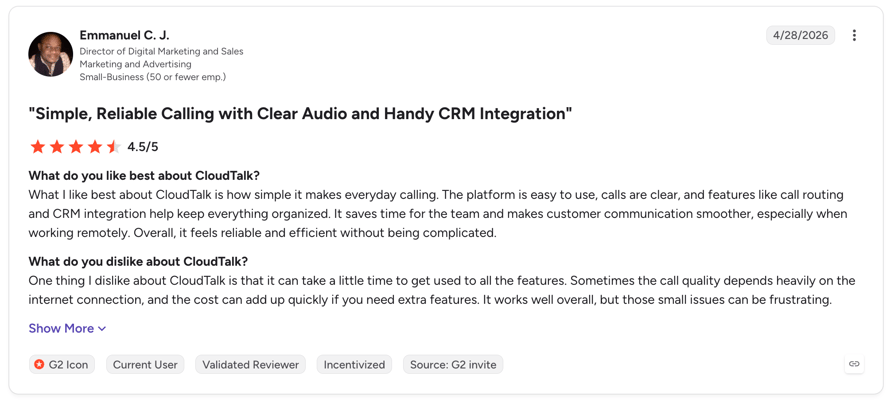
What Are G2 Users Rating CloudTalk?
CloudTalk is rated 4.4/5 by 1,800+ verified users on the platform.
Stop Sending Booking Links Nobody Clicks
2. Smith.ai: Best Hybrid AI and Human Receptionist for Professional Services
What it is
Smith.ai is the only provider here selling an AI receptionist and North America-based human receptionists on one account. For a consultancy, agency or law firm where the appointment is worth hundreds of dollars, being able to escalate a hesitant caller to a person is worth more than the per-call saving.
Pricing
AI Receptionist: Free $0/month for 25 calls ($3.00/call after), Pro $150/month, Enterprise $500/month. Human: Starter $285/month for 30 calls ($10.50 per conversation over), Basic $765 for 90 ($9.50 over), Pro $1,950 for 300 ($7.50 over).
Smith.ai: Pros & Cons
- Pro: AI and humans on one accountEscalate a high-value caller to a trained person rather than a voicemail box.
- Pro: best rating of any tool hereG2 4.9/5 from 73 reviews — a real review base, not a handful.
- Pro: named integrationsClio, Calendly, Housecall Pro and Zapier are documented.
- Con: booking costs extra on human plansA per-call add-on rather than an included capability, which is unusual in this category.
- Con: per-call pricing punishes volumeAt $2.00-$3.00 an AI call, 400 calls a month costs far more than a minute bundle.
- Con: no vertical scheduling integrationsNo EHR, no ServiceTitan, no Jobber.
Best for professional services with high-value appointments. Not ideal for high-volume booking or anyone comparing purely on cost per appointment. G2: 4.9/5 (73 reviews)
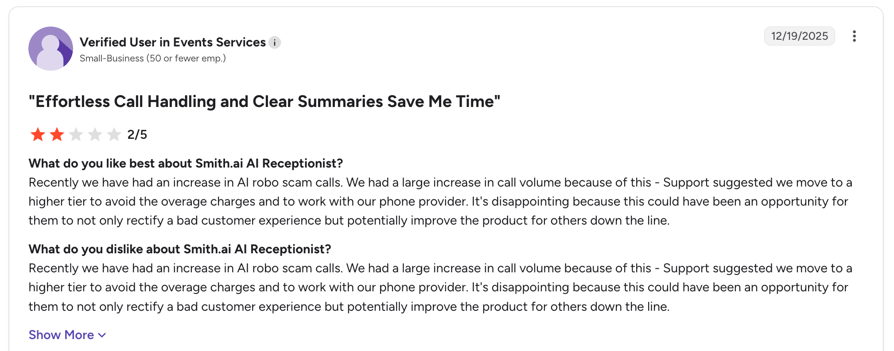
What Are G2 Users Rating Smith AI?
Smith AI is rated 4.7/5 by verified users on the platform.
3. Luma Health: Best Patient Appointment Scheduling for Clinics and Health Systems
What it is
Luma Health is a patient-success platform covering scheduling, waitlists, reminders, recalls, intake and payments — and it has by far the deepest verified review base on this list. Crucially for scheduling, it names its EHR integrations rather than gesturing at them: Epic, Oracle Health (Cerner), MEDITECH, eClinicalWorks, athenahealth, NextGen, Greenway and Nextech.
If you are a clinic, that list is the whole decision. An AI receptionist with appointment booking that cannot see your EHR schedule cannot book a patient, no matter how good it sounds.
Luma Health: Pros & Cons
- Pro: eight named EHR integrationsEpic, Oracle Health/Cerner, MEDITECH, eClinicalWorks, athenahealth, NextGen, Greenway and Nextech. Nothing else here comes close on healthcare scheduling.
- Pro: strongest review base on this listG2 4.8/5 from 84 reviews.
- Pro: reminders and recalls built inWaitlist management and automated reminders are native, which is where the measurable no-show reduction comes from.
- Con: no published pricingEnterprise quote process; the pricing page does not exist.
- Con: healthcare onlyNot an option for any non-clinical business.
- Con: platform, not a quick add-onExpect an implementation, not a same-day switch-on.
Best for clinics, specialty practices and health systems on a major EHR. Not ideal for small practices wanting a self-serve price.
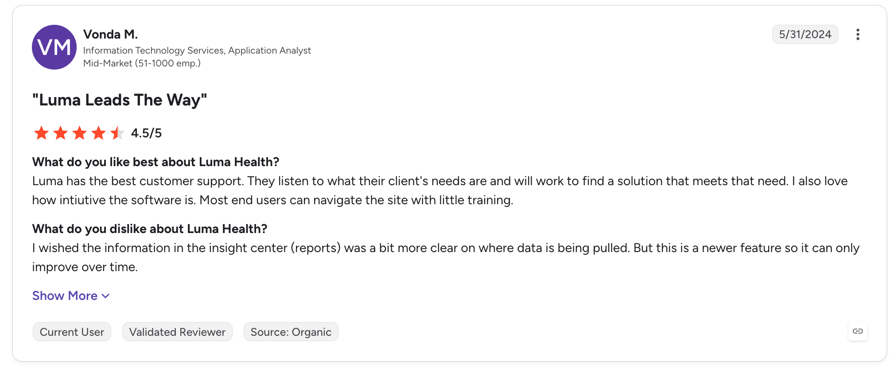
What Are G2 Users Rating Luma Health?
Luma Health is rated 4.8/5 by 80+ verified users on the platform.
4. Vocca: Best AI Voice Agent for Dental, Imaging and Specialty Clinics
What it is
Vocca is an AI voice and text agent aimed at dental practices, imaging centres, cardiology, ophthalmology and hospitals, with HIPAA, GDPR and SOC 2 Type II compliance claimed. It is the most clinically focused voice-first option here.
Pricing: Quote only.
Vocca: Pros & Cons
- Pro: genuinely clinical positioningDental, imaging, cardiology and ophthalmology are named verticals, not a generic product with a healthcare page.
- Pro: compliance posture claimedHIPAA, GDPR and SOC 2 Type II.
- Pro: voice and text in one agentCovers the patients who will not talk and the ones who will not text.
- Con: no named integrations at allNo Epic, Dentrix, Open Dental or anything else named publicly. For a scheduling tool this is the critical unknown.
- Con: zero reviews on G2Listed, but no independent evidence to check the marketing against.
- Con: no published pricingQuote only.
Best for dental and specialty clinics willing to run a proper evaluation. Not ideal for anyone who needs verified integration or pricing before a sales call.
5. Arini: Best Dental AI Receptionist for Appointment Booking for Multi-Location Practices and DSOs
What it is
Arini is dental-only, and it is the one tool here that structures itself explicitly around scale: separate tiers for 1–20 locations, 20–100 locations (DSOs) and 100+. If you searched for a multi-location AI receptionist for appointment booking and found nothing that understood the problem, this is the closest fit.
Pricing: Quote only. The site offers an ROI calculator rather than prices.
Arini: Pros & Cons
- Pro: built for multi-location from the ground upExplicit tiering for 1-20, 20-100 and 100+ locations. Almost nothing else in this category acknowledges DSO scale.
- Pro: dental-only focusPatient engagement flows designed for dental scheduling rather than adapted from a horizontal product.
- Pro: ROI modelling before you commitA calculator is a poor substitute for a price, but it does let you sanity-check the business case.
- Con: no named PMS integrationsNo Dentrix, Open Dental or Eaglesoft named publicly. Verify against your own system before anything else.
- Con: zero reviewsListed on G2 with no reviews yet.
- Con: no published pricingQuote only.
Best for dental groups and DSOs. Not ideal for single-location practices wanting self-serve pricing.
6. Sameday: Best Field Service Booking With Certified ServiceTitan Integration
What it is
Sameday is an AI-plus-human phone system for the trades, and it is the only vertical field service tool here that publishes its prices. More importantly it names the integrations that matter: ServiceTitan (certified), Housecall Pro, FieldRoutes, AccuLynx, JobNimbus, MaidCentral and Service Fusion, plus lead sources like Thumbtack, Google Local Services and Angi.
Pricing: Launch $449/month (500 minutes, 3 locations), Scale $789/month (1,000 minutes, unlimited locations, voice cloning), Enterprise custom.
Sameday: Pros & Cons
- Pro: certified ServiceTitan integrationPlus Housecall Pro, FieldRoutes, AccuLynx, JobNimbus, MaidCentral and Service Fusion. This is real field service booking, not calendar sync.
- Pro: publishes its pricingThe only vertical field service option here that does, which makes it the benchmark for the others.
- Pro: lead source integrationsThumbtack, Google Local Services and Angi, so marketplace leads land in the same flow.
- Con: expensive entry point$449/month for 500 minutes is roughly $0.90/minute, nearly double a general-purpose AI bundle. You are paying for the vertical integration.
- Con: no G2 or Capterra listingNo independent review base we could find.
- Con: trades onlyNot relevant outside home and field services.
Best for established HVAC, plumbing, roofing and pest control businesses on ServiceTitan or Housecall Pro. Not ideal for a two-van operation — the entry price is too high.
7. Avoca: Best AI Agents for HVAC, Plumbing and Multi-Location Trades
What it is
Avoca builds AI agents for HVAC, plumbing, pest control, roofing, garage door and auto services, for both single- and multi-location operators, and claims 1,000+ service leaders on the platform. Like Sameday it holds a certified ServiceTitan integration with deep CRM sync, plus Housecall Pro and FieldRoutes.
Pricing: Not published. Use Sameday's published $449/month as your reference point when you get a quote.
Avoca: Pros & Cons
- Pro: certified ServiceTitan integration with deep CRM syncPlus Housecall Pro and FieldRoutes. Jobber is not mentioned, so check if that is your system.
- Pro: broad trades coverageHVAC, plumbing, pest, roofing, garage door and auto, single and multi-location.
- Pro: real customer base claimed1,000+ service leaders, which suggests operational maturity rather than a launch product.
- Con: no published pricingQuote only, with no reference point on the site.
- Con: zero reviewsListed on G2 with no reviews yet.
- Con: no Jobber integration namedIf you run Jobber, look at ServiceAgent or Jobber's own Receptionist instead.
Best for multi-location trades on ServiceTitan. Not ideal for Jobber users or anyone needing a price before a call.
8. ServiceAgent: Cheapest Entry Point for Small Home Service Businesses
What it is
ServiceAgent is the budget end of home services AI answering — a free pay-as-you-go tier and a $49/month plan, with a Jobber integration and a booking widget with calendar sync. For a small operator who currently misses calls while up a ladder, it is the cheapest credible way to stop.
Pricing: Launch $0 (pay as you go), Core $49/month ($39 annual, 2,000 credits, voice at 15 credits/minute — about 133 minutes), Growth $119 ($95 annual), Franchise $349 ($279 annual).
ServiceAgent: Pros & Cons
- Pro: free tier and a $39 annual planBy far the cheapest home services option, and a franchise tier if you grow.
- Pro: Jobber integrationThe one field service platform Sameday and Avoca do not both cover.
- Pro: booking widget with calendar syncCovers web bookings as well as phone.
- Con: credit-based pricing obscures the real cost2,000 credits at 15 credits/minute is roughly 133 voice minutes on the $49 plan. Convert to minutes before comparing.
- Con: only one named integrationJobber. No ServiceTitan, no Housecall Pro, no FieldRoutes.
- Con: no review base at allNo G2 or Capterra profile. Note that a G2 page for a similarly-named product belongs to a different vendor entirely — do not be misled by it.
Best for small home service operators on Jobber or nothing. Not ideal for ServiceTitan shops or anyone wanting independent reviews.
9. Upfirst: Best Value All-Rounder With the Widest Calendar Support
What it is
Upfirst is the surprise of this roundup. At $20/month annual it supports more named calendar and scheduling systems than tools costing ten times as much — Google Calendar, Outlook, Cal.com, Calendly, Acuity and Clio — and it carries a G2 rating of 4.9 from 26 reviews, which is a real if modest review base.
Pricing: Starter $24.95/month ($20 annual) for 30 calls, $1.50 per extra call. Premium $59.95 ($48 annual), Pro $159.95 ($128), Scale $299 ($240).
Upfirst: Pros & Cons
- Pro: six named scheduling integrationsGoogle Calendar, Outlook, Cal.com, Calendly, Acuity and Clio - the widest general-purpose calendar support at any price here.
- Pro: cheapest real booking on this list$20/month annual, with booking included rather than gated behind a higher tier.
- Pro: verified reviews at a low priceG2 4.9/5 from 26 reviews and Capterra 5.0 from 5 — modest, but more than most tools at this price point have.
- Con: 30 calls a month on StarterThen $1.50 per extra call. Any real call volume pushes you to Premium at $48-$59.95.
- Con: call-based, not minute-basedLong booking conversations cost the same as short ones, which is good — but a high call count gets expensive fast.
- Con: no phone system underneathNo routing, no IVR, no outbound. It answers and books, and that is the whole product.
Best for solo professionals and small businesses booking through Calendly, Acuity or Cal.com. Not ideal for high call volumes or anyone needing routing and outbound.
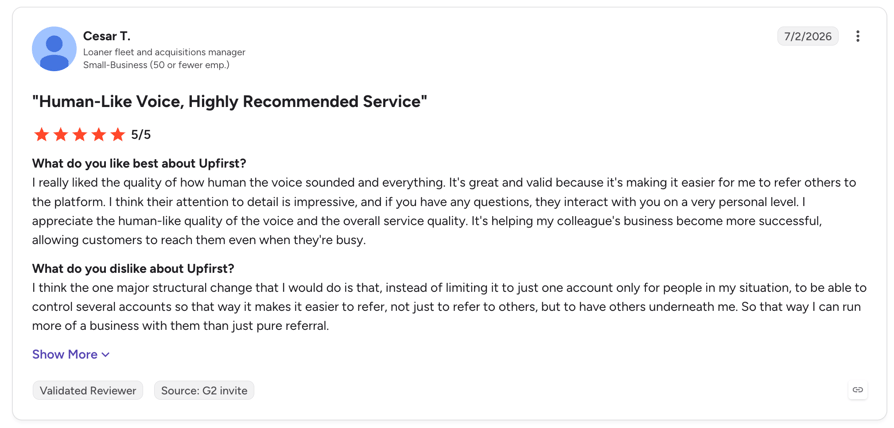
What are G2 Users Rating Upfirst?
Upfirst is rated 4.9/5 by 25+ verified users on the platform.
10. Frontdesk (formerly My AI Front Desk): Best Front-Office Bundle for Solo Operators
What it is
Now rebranded as Frontdesk, this bundles voice answering, a website chatbot and SMS into one subscription — useful if you want your whole front office in one place rather than three tools.
Pricing: Basic $20/month ($16 annual, no voice), Business-in-a-Box $99/month ($79 annual, 200 voice minutes), Partner and Enterprise custom with voice from 7 credits/minute. 7-day free trial.
Frontdesk: Pros & Cons
- Pro: voice, chat and SMS in one bundleOne subscription instead of three tools for a solo operator.
- Pro: live in minutesNo technical setup or flow builder, plus a 7-day trial.
- Pro: Zapier opens 9,000+ appsThe practical route to most scheduling systems without a native connector.
- Con: the $20 tier cannot answer callsZero voice minutes on Basic. The real entry price for voice is $99/month.
- Con: no named third-party calendarsAn internal "AI Calendar" plus Zapier. No Google Calendar, Outlook, Calendly or Acuity named in its own documentation.
- Con: thin review baseG2 4.8/5 from only 10 reviews.
Best for solo operators wanting one bill for voice, chat and SMS. Not ideal for anyone who needs a named calendar integration.
11. Rosie: Good Call Answering — But Booking Starts at the Second Tier
What it is
Rosie is a clean, simple AI answering service with transparent pricing. We are including it with a caveat rather than a recommendation, because of one detail that matters enormously in a scheduling comparison.
Pricing: Professional $49/month (250 minutes, booking links only), Scale $149/month (1,000 minutes, real calendar booking), Growth $299/month (2,000 minutes). 7-day free trial.
Rosie: Pros & Cons
- Pro: clean published pricingThree named tiers with minute allocations and a 7-day trial.
- Pro: generous minutes at the top tiers1,000 minutes at $149 and 2,000 at $299 is competitive per minute.
- Pro: simple to runStraightforward answering with Zapier and Shopify connections.
- Con: no calendar booking on the entry plan$49 texts links only. In a scheduling comparison that is close to disqualifying at that price.
- Con: no named calendar vendors"Book appointments directly on your calendar" without naming which calendars.
- Con: no review base and no published overage rateNo G2 profile, a Capterra listing with zero reviews, and its FAQ raises the overage question without answering it.
Best for businesses that mainly need calls answered, at the $149 tier if booking matters. Not ideal for anyone buying the $49 plan expecting it to schedule.
12. Vapi: Best Build-It-Yourself Option for Teams With Developers
What it is
Vapi is developer infrastructure, not a product you configure. It is the cheapest raw per-minute option here and the right choice only if you have engineering resource — you build the booking logic, the calendar integration and the escalation rules yourself.
Pricing: $0.05/minute platform fee, 10 concurrent lines included then $10/line/month, model costs passed through at cost (free with your own API key), $0.005 per message. Scale is an annual contract. Note the compliance add-ons: HIPAA $2,000/month and Zero Data Retention $1,000/month — material if you are booking patients.
Vapi: Pros & Cons
- Pro: cheapest raw per-minute cost by far$0.05/minute against roughly €0.50 on a managed bundle and $0.90 on a vertical field service tool.
- Pro: total control of the booking flowAny calendar, any scheduling system, any logic - if you build it.
- Pro: bring your own model keysModel costs at cost, or zero with your own key.
- Con: no calendar integrations at allWebhooks and your own code. Nothing works out of the box.
- Con: compliance costs $1,000-$3,000/month extraHIPAA at $2,000/month and Zero Data Retention at $1,000/month. The cheap option stops being cheap for healthcare.
- Con: the G2 rating rests on 2 reviews4.5/5 from two reviewers is not evidence. Ignore it.
Best for teams with developers, at volume. Not ideal for anyone without engineering resource.
The Appointment Scheduling Cost Trap
Four traps in this category, and every one of them is in the fine print rather than the headline.
- Booking gated behind a higher tier. Rosie's $49 becomes $149 the moment you need real calendar booking. That is a 3x increase on the feature you came for.
- Voice minutes sold separately from the plan. Frontdesk's $20 tier includes zero voice minutes. The working price is $99.
- Booking billed per call as an add-on. Smith.ai's human plans charge roughly $0.25–$1.50 per call for appointment booking on top of the subscription.
- Credits instead of minutes. ServiceAgent's $49 plan gives 2,000 credits at 15 credits per voice minute — about 133 minutes, not the 200-plus you might assume. Always convert to minutes before comparing.
Run one calculation before you buy anything using call scheduling software that publishes its pricing clearly. Take your monthly booking calls, multiply by average call length, and price that volume on each model. A business taking 300 booking calls a month at two and a half minutes each needs 750 minutes: that is the €299 CloudTalk tier, roughly $600 on Upfirst's call-based pricing, $789 on Sameday, and $37.50 of raw usage on Vapi plus a developer. Same demand, wildly different bills.
And if you are booking patients, add the compliance line: Vapi's HIPAA add-on alone is $2,000 a month. Explore CloudTalk plans and add-ons.

Check This First: Your Scheduling Software May Already Have an AI Receptionist
Before you buy anything on this list, check the platform you already pay for. Three of the biggest field service systems shipped AI receptionists in the last year, and because they own the schedule, they book more reliably than anything bolted on from outside. One of them is also the cheapest option in this entire article.
Native AI Receptionists Inside Scheduling Platforms
| Platform | Product | What it does | Published price |
|---|---|---|---|
| Jobber | Receptionist, powered by Jobber AI | Answers calls and texts 24/7, books into the calendar via the online booking form, reschedules and cancels. US, Canada and UK. | $29/mo add-on including 30 conversations, then $0.79 per conversation. Unlimited on the Plus plan. |
| Housecall Pro | CSR AI | Answers calls, summarises them, notifies your team and checks technician availability. Direct job booking is flagged as coming soon rather than shipped. | Not published |
| ServiceTitan | AI Virtual Agents / AI Voice Agents | Books jobs, confirms and reschedules, escalates to a CSR. Requires Contact Center Pro, Phones Pro, or a third-party phone system. | Per-call usage fee, no figure published |
The honest read: if you run Jobber, its $29/month Receptionist is almost certainly your answer — it costs less than everything else here and books into the system that already holds your schedule. ServiceTitan reports a 90% booking rate for its AI Virtual Agents, and one adopter booking 500+ jobs in 30 days, which is 23% of their total jobs — vendor-reported figures, so treat them as directional rather than independent. Housecall Pro's CSR AI does not yet book jobs directly, so a third-party tool still has a role there.
Where the third-party tools win is when you need a real phone system around the booking — routing, IVR, outbound, transcription, multiple locations on one number plan — or when your scheduling lives somewhere with no native agent at all.
AI vs Human Virtual Receptionist: What Appointment Booking Costs
Most people shopping for a virtual receptionist are also weighing a human answering service. Here is the cost comparison with every figure taken from a published pricing page.
Human Virtual Receptionist Services: Published Pricing
| Provider | Entry plan | ~100 minutes costs | Overage per minute | Rating |
|---|---|---|---|---|
| Davinci Virtual | $129 (50 min) | $239 (Business 100) | Not published | Not checked |
| Posh | $65 (0 min) | $215 (Elegant) | $2.30 → $1.90 | G2 2.0 (2 reviews) |
| Abby Connect (human) | $329 (100 min) | $329 | Not published | G2 4.5 (12 reviews) |
| Abby Connect (AI) | $99 (100 min) | $165 | Not published | Same provider |
| Ruby | $250 (50 min) | $395 (Professional) | Not published | G2 3.8 (12 reviews) |
| AnswerConnect | $325 (200 min) | $325 (200 min minimum) | $1.95 → $1.50 | G2 4.5 (23 reviews) |
| Nexa | Quote only | Not published | Not published | Capterra 0 reviews |
The cleanest evidence comes from Abby Connect, because it publishes both ladders. At the same 100-minute tier, its human service is $329 and its AI service is $165 — a 2x gap from one provider, with no vendor spin required. Scale that out: 100 minutes of human reception costs $239 to $395 across the market, human overage runs $1.50 to $2.30 a minute, and CloudTalk's AI Receptionist is €99 for 200 minutes at roughly €0.50 a minute.
Hiring in-house is a third option worth pricing properly. The US Bureau of Labor Statistics puts the median receptionist wage at $17.90 an hour, or $37,230 a year (May 2024). Benefits add another 31.6% of total compensation, which grosses that to roughly $54,400 fully loaded — before you account for the fact that one person cannot cover 24/7.
Where humans still win: a distressed caller, a complaint, an unusual request, or an appointment worth thousands where the relationship starts on that call. That is a real advantage and worth paying for selectively. It is not an argument for routing every scheduling call through a person at $2 a minute.
Best AI Virtual Receptionist by Industry
Best AI Virtual Medical Receptionist for Patient Scheduling
Luma Health, on the strength of eight named EHR integrations — Epic, Oracle Health/Cerner, MEDITECH, eClinicalWorks, athenahealth, NextGen, Greenway and Nextech — plus the deepest review base here (G2 4.8 from 84). An AI receptionist that cannot see your EHR schedule cannot book a patient, and everything else is secondary to that. Vocca is the voice-first alternative for imaging and specialty clinics, but insist on a live booking demo into your own system before signing, because it names no integrations publicly.
Best AI Receptionist for Dental Practices and DSOs
Arini for anything multi-location — it is the only tool here that tiers explicitly for 1–20, 20–100 and 100+ locations, which is the actual shape of the DSO problem. Vocca for single practices wanting voice and text in one agent. Verify Dentrix, Open Dental or Eaglesoft support directly with either vendor; neither names a dental PMS publicly.
Best AI Receptionist for Home Services and Field Service Scheduling
Start with your FSM platform: Jobber's own Receptionist at $29/month is the cheapest real booking on this page. If you are on ServiceTitan and need more, Sameday ($449/month, published) and Avoca (quote) both hold certified integrations. ServiceAgent is the budget option for small Jobber shops at $39–$49/month. Note that Housecall Pro's CSR AI does not yet book jobs directly, so third-party tools still earn their place there.
Best AI Receptionist for Multi-Location Businesses
This is the weakest-served need in the category, which is why so few tools address it. Sameday's Scale tier at $789/month covers unlimited locations. Arini tiers for DSO scale. ServiceAgent's Franchise plan is $349/month ($279 annual). CloudTalk handles the phone side across sites with local numbers in 160+ countries and per-site routing, though each booking agent works against a single calendar, so the multi-resource logic has to sit in your scheduling system.
Best Affordable Virtual Receptionist for Solo Operators
Upfirst is one of the most affordable 24/7 AI virtual receptionists, starting at at $20/month annually, with booking included and six named calendar integrations — the best value on this list by a clear margin. Smith.ai's free tier (25 calls at $0) if you want to test the concept before spending anything. Skip Rosie's $49 plan unless you genuinely only need calls answered.
Booking Is Half the Job: What the Evidence Says About No-Shows
Filling a slot is worth nothing if the person does not turn up. This is the part of appointment scheduling with genuinely good research behind it, and the findings are more useful than any vendor statistic.
A Cochrane systematic review of eight randomised controlled trials covering 6,615 participants found that text message reminders raised appointment attendance from 67.8% to 78.6% — a relative risk of 1.14 (95% CI 1.03–1.26). The more interesting finding is the head-to-head: compared with a human phoning to remind, text reminders came out at RR 0.99 (95% CI 0.95–1.02). Statistically indistinguishable, at a fraction of the cost.
That is the strongest single argument for automating this work, and it is peer-reviewed rather than vendor-published. Automating your reminders costs you nothing in effectiveness.
Practitioners report the same. An MGMA Stat poll of 265 medical practices (August 2025) found 73% saw no-show rates stay flat or improve during the year, and the practices that improved credited frequent digital reminders, automated calls, shorter appointment lead times and two-way texting. A 2024 systematic review in Health Science Reports examining open-access scheduling found that 62.5% of the 16 included studies showed significant no-show reductions from shortening the gap between booking and appointment — which is exactly what booking on the call achieves versus texting a link the caller opens next week.
How Many Booking Calls Actually Go Unanswered?
You will see "62% of calls to small businesses go unanswered" repeated everywhere without qualification. The underlying study is real but small: a 2024 mystery-shopper study by 411 Locals covering 85 US small businesses across 58 industries found 37.8% of calls answered by a person, 37.8% sent to voicemail, and 24.3% neither answered nor offered voicemail. Useful, but it is a marketing agency's own research with a sample of 85 — cite it with the sample size or not at all.
On response speed there is better data. A 2026 Workato study mystery-shopped 114 B2B companies through their own demo forms and found average email response of 11 hours 54 minutes and average phone response of 14 hours 29 minutes. 69% never called back at all. Exactly one of 114 emailed within five minutes, and none called within five minutes. Companies using lead-routing tooling averaged 3 hours 32 minutes against roughly 13 hours without.
Tools We Considered and Left Out
- Botphonic AI — cheap at $22/month ($20 yearly), but only 50 minutes, no named calendar integrations, and a G2 score of 5.0 built on two reviews. It also appears on a third-party directory at a stale $29. Too thin to recommend for scheduling.
- Nexa — publishes tier names (Nexa 100 / 300 / 500) with no prices, names no scheduling integrations, and has a Capterra listing with zero reviews. Included in the human comparison table for completeness only.
- Weave — a real dental and optometry front-office platform starting from $199/month with a strong review base (G2 4.6 from roughly 433 reviews), but its AI product is Call Intelligence — analysis on calls, not an autonomous booking receptionist. Worth knowing about if you are already a Weave customer.
- Rilla — excellent product, wrong category. It coaches outside sales reps on recorded conversations; it does not answer your phone or book appointments.
- Dental Intelligence, Trady, Zappy — we could not verify an AI voice receptionist product or published pricing from official sources. Not enough to review honestly.
How to Choose an AI Virtual Receptionist for Appointment Scheduling
1. Does My Existing Software Already Do This?
Ask this before anything else. Jobber ships Receptionist at $29/month, ServiceTitan has AI Virtual Agents, Housecall Pro has CSR AI, and Luma Health covers this natively for clinics on major EHRs. A native agent owns your schedule, which makes it more reliable than anything integrated from outside. See the native options.
2. Does It Book, or Does It Text a Link?
Read the plan you are actually buying, not the marketing page. Rosie's $49 tier texts links; booking starts at $149. Smith.ai bills booking per call on human plans. Frontdesk's $20 tier has no voice minutes at all. Make every vendor demo a live booking into your own calendar — the conversion difference is the whole reason to buy this category.
3. Which Calendar or Scheduling System, By Name?
"Integrates with your calendar" with nothing named is a warning sign — five tools on this list do exactly that. Upfirst names six systems at $20/month. Luma Health names eight EHRs. Sameday names seven field service platforms. If your system is not on a named list, you are buying a Zapier project.
4. Does It Send Timed Reminders?
The reminder is where the measurable no-show reduction lives — a 67.8% to 78.6% attendance lift in Cochrane's review. Check whether the tool sends reminders 24 or 48 hours ahead natively, or only a confirmation after the booking call. If it is the latter, budget for a Zapier or Make automation on top.
5. What Is the Real Monthly Cost at My Volume?
Count booking calls and average length, then price that on each model — minutes, calls, or credits. Convert credits to minutes before comparing anything. Then add overage rates, compliance add-ons and per-call booking fees. See the cost trap.
How to Set Up AI Appointment Scheduling, Step by Step
Step 1: Fix Your Calendar Before You Connect It
This is the step everyone skips and then blames the AI for. With Google Calendar or Outlook, the agent reads availability from the calendar itself — so working hours, buffers between appointments and blocked time all have to be correct there first, not in the AI tool. Any existing event counts as busy. Google and Microsoft work accounts are needed for working-hours support.
Then forward your number, set your appointment length, and decide which custom fields the agent must capture into the event.
Step 2: Test the Four Booking Calls That Break Things
Ring your own number and run these: book a new appointment, reschedule an existing one, cancel one, and ask for a time you know is already busy. The fourth call is the one that matters — if the agent offers a slot you cannot honour, your calendar setup is wrong, not the AI.
Then test the escalation: ask for something outside its scope and confirm it transfers cleanly rather than looping. Check the confirmation SMS actually arrived with the right time and time zone.
Step 3: Launch After Hours, Then Add Reminders
Go live on evenings and weekends first. Those calls currently go to voicemail, so there is no downside and you get a week of real transcripts before the agent touches a business-hours call. Then extend to overflow during opening hours.
Once booking is stable, set up the reminders. That is the second half of the value and the part with actual research behind it. Track four numbers weekly: calls answered, appointments booked by the agent, no-show rate, and escalations to staff.
The Bottom Line
Most tools in this category text a booking link and call it scheduling — the same gap that makes well-crafted appointment-setting scripts valuable in outbound sales, where leaving the next step open kills conversion. The ones worth paying for read your calendar, offer real times, and create the appointment while the caller is still on the phone — the difference Circle Gym measured as 5% follow-through on links versus double-digit conversion on conversational booking.
So: check whether Jobber, ServiceTitan or your EHR already does this. If you are a clinic, buy Luma Health. If you are a trade on ServiceTitan, buy Sameday or Avoca. If you want the cheapest real booking, buy Upfirst at $20 a month.
And if your problem is bigger than booking — calls going unanswered, unrouted and unlogged across one or several locations — CloudTalk is built for exactly that: 24/7 answering, real-time booking into Google Calendar or Outlook, transcripts on every call and 100+ integrations, starting with 50 free minutes and a trial that needs no card.

Sources
- Cochrane systematic review — Mobile phone messaging reminders for attendance at healthcare appointments (Gurol-Urganci et al.; 8 RCTs, 6,615 participants; attendance 67.8% → 78.6%, RR 1.14; vs phone reminders RR 0.99)
- MGMA Stat — Patient no-shows in 2025 (poll of 265 medical practices, 12 August 2025)
- Mazaheri Habibi et al., "Open-access scheduling and patient no-shows: a systematic review," Health Science Reports 7(7), July 2024 — DOI 10.1002/hsr2.2160
- Workato lead response time study (114 B2B companies, 24 March 2026)
- US Bureau of Labor Statistics — Receptionists (median $17.90/hour, $37,230/year, May 2024) and Employer Costs for Employee Compensation (benefits 31.6% of total compensation, March 2026)
- Jobber — Receptionist, powered by Jobber AI · Housecall Pro — CSR AI overview · ServiceTitan — AI Voice Agents
- Vendor pricing pages, verified at time of writing: Upfirst, Rosie, Frontdesk, ServiceAgent, Smith.ai, Vapi, Ruby, Posh, Abby Connect
AI Virtual Receptionists for Appointment Scheduling — FAQs
CloudTalk is the best overall for general business scheduling — it books into Google Calendar or Outlook during the call and includes a full phone system, starting free for the first 50 minutes. For patients, Luma Health (eight named EHR integrations, G2 4.8 from 84 reviews). For field service jobs, Sameday or Avoca on ServiceTitan. For the lowest price with real booking, Upfirst at $20/month annual.
$20 to $450 a month depending on volume and vertical. Upfirst is $24.95/month ($20 annual), CloudTalk is €99/month for 200 minutes after 50 free, Jobber's built-in Receptionist is $29/month, and vertical field service tools like Sameday start at $449/month. Human answering services cost $239–$395 for around 100 minutes. Abby Connect publishes both ladders: $329 human versus $165 AI at the same 100-minute tier.
It varies enormously, and the difference is buried in the pricing fine print. CloudTalk, Upfirst, Luma Health, Sameday, Avoca and ServiceAgent write confirmed appointments into a real calendar or scheduling system. Rosie's $49 tier only texts booking links — real calendar booking starts at $149. Smith.ai treats booking as a per-call add-on on human plans. Always ask for a live booking demo into your own calendar.
Upfirst has the widest named support at this price — Google Calendar, Outlook, Cal.com, Calendly, Acuity and Clio, from $20/month annual. CloudTalk books natively into Google Calendar and Outlook, with other systems reachable through Zapier, Make or its REST API. Smith.ai names Clio, Calendly and Housecall Pro. Rosie, Vocca, Arini, Frontdesk and Vapi name no third-party calendar systems in their own documentation.
Possibly, and it is usually cheaper than a third-party tool. Jobber ships Receptionist at $29/month including 30 conversations, then $0.79 per conversation, and unlimited on its Plus plan. ServiceTitan has AI Virtual Agents billed as a per-call usage fee. Housecall Pro has CSR AI, though direct job booking is still listed as coming soon. Check your platform before buying anything else.
Luma Health is the only tool here with EHR integrations named publicly: Epic, Oracle Health (Cerner), MEDITECH, eClinicalWorks, athenahealth, NextGen, Greenway and Nextech. Vocca and Arini both claim clinical integrations but name none, so ask for a live booking demo into your own system. If you go the developer route with Vapi, note that its HIPAA add-on is $2,000 a month on top of usage.
Yes, and this is the best-evidenced claim in the category. A Cochrane systematic review of eight randomised trials with 6,615 participants found text reminders raised attendance from 67.8% to 78.6% (RR 1.14, 95% CI 1.03–1.26). Compared with a human phoning to remind, texts came out at RR 0.99 — statistically indistinguishable, at a fraction of the cost. An MGMA poll of 265 practices in August 2025 found improving practices credited digital reminders, automated calls and two-way texting.
Substantially, on cost per covered hour. The US Bureau of Labor Statistics puts the median receptionist wage at $17.90 an hour, or $37,230 a year (May 2024); benefits add roughly 31.6% of total compensation, grossing that to about $54,400 fully loaded — and one person still cannot cover 24/7. An AI receptionist runs $20 to $450 a month. Where a human still wins is distressed callers, complaints and very high-value appointments.
That is almost always a calendar configuration problem rather than an AI failure. With Google Calendar or Outlook, the agent reads availability from the calendar itself, so working hours, buffers and blocked time must be set correctly there before you connect it. Any existing event counts as busy. Test this deliberately during setup by asking for a slot you know is occupied.
This is the weakest-served need in the category. Sameday's Scale tier at $789/month covers unlimited locations, Arini tiers explicitly for 20-100 and 100+ locations, and ServiceAgent has a Franchise plan at $349/month. CloudTalk handles the phone side across sites with per-site routing and local numbers in 160+ countries, but each booking agent works against a single calendar — multi-provider resource logic still has to live in your scheduling system.
Hours for most of the self-serve tools. Smith.ai's free tier, Upfirst, Frontdesk (7-day trial), Rosie (7-day trial), ServiceAgent (free tier) and CloudTalk (14-day trial, no card, 50 free AI minutes) all start the same day. Luma Health, Vocca, Arini, Sameday and Avoca run sales processes measured in days to weeks. Budget an extra day either way for calendar cleanup and test calls.
Five questions. Can you demo a live booking into my actual calendar? Which scheduling systems do you support by name? Is booking included in this plan or gated behind a higher tier or per-call fee? Do you send timed reminders natively, or only a post-call confirmation? And what is the overage rate in writing? Vendors who cannot answer the fifth question are the ones customers complain about most.