Best Dental AI Receptionist: 10 Tools Compared for 2026
30 to 38% of dental calls go unanswered during business hours, usually while your team is chairside, at lunch or on another line. That's the moment most practices start looking at an AI receptionist for the dental office.
But choosing one isn't just about answering calls. The questions practices and clinics ask us are almost always the same: does it write into our scheduling software, how does it handle consent and HIPAA, can it speak our patients' languages, and what will it really cost each month?
To find out, I spent one week reviewing 30+ dental AI receptionists, comparing vendor pricing pages, integration docs, and G2 and Capterra feedback.
This list breaks down 10 tools across those four key questions, so you can find the right fit for your practice, answer every call, book into the right system, and stay compliant.
TL;DR: What Are the Best Dental AI Receptionists?
- 01CloudTalk is best for dental practices and groups that need a full phone system, multilingual calls and CRM logging: its AI Receptionist answers 24/7, books into your Google or Outlook calendar and hands calls to staff.Free for the first 50 minutes, then $99/month for 200 minutes
- 02Arini AI is the best dental-specific voice AI for DSOs and private practices: it reads and writes appointments in Dentrix, Open Dental, Eaglesoft and Denticon.Quote-only; Arini estimates $3,600 to $7,200 a year for a solo practice
- 03Weave is the best all-in-one dental communication platform, and now includes the former TrueLark AI: phones, texting, payments and an AI Receptionist on one account.From $199/month for the base plan; AI Receptionist priced on request
- 04Voicify is best for voice-first scheduling with outbound appointment reminders: it books, reschedules and cancels by phone and reminds patients by voice and text.Quote-only
- 05Resonate AI is best for missed-call recovery: it texts patients who didn't get through and books them in the thread.Quote-only
Best Dental AI Receptionists: Comparison Table
| Tool | Best for | PMS write-back | HIPAA BAA | Entry price | Ratings (reviews) |
|---|---|---|---|---|---|
| CloudTalk | Practices and groups needing a phone system, many languages and CRM logging | No native write-back; books into a Google or Outlook calendar; API for custom builds | BAA on request | Free 50 minutes, then $99 for 200 minutes | G2: 4.4/5 (1,950+) |
| Arini AI | Dental DSOs and private practices | Dentrix, Open Dental, Eaglesoft, Denticon | HIPAA-compliant; BAA | Quote; Arini estimates $300 to $600/month for a solo practice | Not listed on G2 |
| Weave | Replacing the whole phone and messaging stack | Integrates with major dental PMS; depth varies | Provides and signs a BAA | From $199/month; AI Receptionist on request | G2: 4.6/5 (524) |
| Voicify | Voice scheduling plus outbound reminders | Integrates with PMS; systems not named in text | HHIPAA-compliant (vendor claim); BAA | Quote | G2: 4.7/5 (3) |
| Resonate AI | Missed-call recovery by text | Denticon, Open Dental, Dentrix, Eaglesoft, Curve | HIPAA-compliant; BAA | Quote | Not listed on G2 |
| Dentina AI | Rule-based scheduling, inbound and outbound | Dentrix, Dentrix Ascend, Open Dental, Eaglesoft, Curve, Denticon and more | HIPAA-compliant (vendor claim); BAA | $299/month per location, billed annually | Not listed on G2 |
| Smith.ai | AI plus human hybrid | No direct PMS write-back; calendar tools and Zapier | Not included | Free for 25 calls; $150 for 75 calls | G2: 4.8/5 (33) |
| Rondah AI | Multi-location dental groups | Dentrix, Open Dental, Denticon, Eaglesoft | HIPAA-compliant; BAA | Quote | Not listed on G2 |
| Orbit | Small practices booking through Calendly or Google Calendar | No PMS write-back named; Calendly, Google Calendar, Outlook | HIPAA-ready AI receptionist | $89/month for 400 minutes | Not listed on G2 |
| Adit | All-in-one practice platform | Dentrix, Dentrix Ascend, Eaglesoft, Easy Dental, Open Dental, Denticon, PracticeWorks, Curve | HIPAA-compliant; BAA | Quote | G2: 4.8/5 (104) |
What Is a Dental AI Receptionist?
A dental AI receptionist is an automated software that answers patient calls 24/7 in natural language, answers common questions, books or reschedules appointments when it's connected to your scheduling software, flags urgent calls and hands them to your staff.
The difference from voicemail or a basic phone menu is that the caller gets an answer or an appointment during the call, not a promise that someone will call back. The difference from a human answering service is that it picks up every call at once, at any hour, at a predictable price.
How Does a Dental AI Receptionist Work?
Every AI dental receptionist follows roughly the same steps. Which ones it can complete depends on what it's connected to:
- Answer: It picks up on the first ring, including after hours and when every line is busy. No connection needed beyond call forwarding.
- Understand the request: It works out whether the caller wants a new appointment, a reschedule, an answer about insurance or opening hours, or urgent help.
- Check availability: To offer real slots, it needs a live connection to your practice management software (PMS) or a calendar. Without one, it can only take a request.
- Book or take a message: With PMS write-back, the appointment lands in Dentrix, Open Dental or Eaglesoft. With a calendar bridge, it lands in Google or Outlook. Otherwise your team gets a message to re-enter.
- Log the call: A summary, transcript or CRM note gives your team context before they follow up.
- Escalate: Urgent or sensitive calls go to a person, based on transfer rules you set and test.
How I Chose the Best Dental AI Receptionists
I analyzed 30+ dental AI receptionists over one week, checking each against the vendor's pricing page, its integration docs, G2 and Capterra reviews and the questions dental practices and clinics ask our sales team. I scored every tool against six criteria:
- Real write-back: Does it book into a named PMS or calendar, or only take a message?
- HIPAA readiness: Will it sign a BAA, and does that BAA cover the AI?
- After-hours and overflow coverage: Does it answer at lunch, evenings and weekends, and several calls at once?
- Handoff and emergencies: Can urgent calls reach a person, and can you test it?
- Languages and consent: Which languages does it speak, and how does it ask for recording consent?
- Real price: Is pricing published, and are setup fees and overage disclosed?
10 Best Dental AI Receptionists in 2026
I reviewed every AI receptionist for dentists on the same points: what it books into, its HIPAA and BAA position, what it costs and what's missing.
1. CloudTalk: Best for Dental Practices and Groups That Need a Full Phone System, Multilingual Calls and CRM Logging
What Is CloudTalk?
CloudTalk is a business phone system with an AI Receptionist on the front line. It answers calls 24/7, takes messages, writes a call summary, answers questions from your FAQ, transfers callers to your team and can book calendar events.
You also get routing, IVR, voicemail, SMS and numbers in 160+ countries, so it can run as your whole dental phone system across locations.
What Are the Key Features of CloudTalk's Dental AI Receptionist?
- 24/7/365 Coverage: Answers every inbound patient call instantly, including lunch breaks, evenings, weekends, and holidays, so no appointment opportunity is ever lost.
- HIPAA-Compliant: Real-time call encryption, role-based access controls, automated consent prompts, and secure transcript storage to support patient data protection.
- Emergency Triage Logic: Smart call flow logic identifies dental emergencies, flags urgent cases, and routes them to live staff immediately, separating routine scheduling from urgent care.
- No-Code Designer: Build and customize your entire virtual receptionist for dentists workflow (scripts, routing logic, and escalation rules) with a drag-and-drop builder. No developers needed.
- Multilingual Support: Speaks 70+ languages with natural-sounding local accents, helping practices reach diverse patient populations confidently.
- CRM Sync & Smart Notes: Every call is transcribed and automatically logged in your CRM with AI-generated Smart Notes, so your team always has full context before following up.
What Is CloudTalk Missing?
- No native PMS write-back: CloudTalk doesn't write into Dentrix, Eaglesoft or Open Dental. Booking goes into a calendar; booking straight into your PMS needs a custom build with API calls.
- Not a dedicated dental tool: CloudTalk is a general-purpose calling platform—your AI receptionist answers calls, books appointments into your calendar, and routes callers to your team, but you configure the dental-specific details yourself.
- Limited support on entry plans: Every AI Receptionist tier is self-serve, so you set up and fine-tune your AI voice agent on your own. If you want hands-on help from a solutions consultant, you need an AI Specialist plan.
What Is CloudTalk Best For?
Dental practices and groups that want a phone system, routing, an AI receptionist for overflow and after-hours calls, and CRM logging. It fits international and multilingual clinics on Zoho, HubSpot or Bitrix best, and practices whose scheduling software has no open API.
Dentakay, a dental tourism company, runs a sales floor that grew from 120 to nearly 165 agents on CloudTalk, with monthly call volume up 2.5X in 8 months and 90% of agents on the Power Dialer with Zoho.
How Much Does CloudTalk's AI Receptionist Cost?
CloudTalk's AI Receptionist starts free with 50 minutes, then $99 a month for 200 minutes. Plans are billed monthly with a 1-month minimum, extra minutes cost $0.50, and self-serve plans don't include 1:1 support. See the full breakdown on CloudTalk's AI voice agent pricing.
| Plan | Price | What's included | Setup fee or overage |
|---|---|---|---|
| Free | $0 | First 50 minutes | N/A |
| AI Receptionist 200 | $99/month | 200 minutes | $0.50/minute |
| AI Receptionist 500 | $199/month | 500 minutes | $0.50/minute |
| AI Receptionist 1,000 | $299/month | 1,000 minutes | $0.50/minute |
| AI Receptionist 2,500 | $699/month | 2,500 minutes | $0.35/minute |
| AI Specialist Build | From $349/month | 1,000 minutes, built with our team | $0.50/minute |
Phone plans are a separate product: Starter $25, Essential $29 and Expert $49 per user per month, billed annually.
What Do Customers Say About CloudTalk?
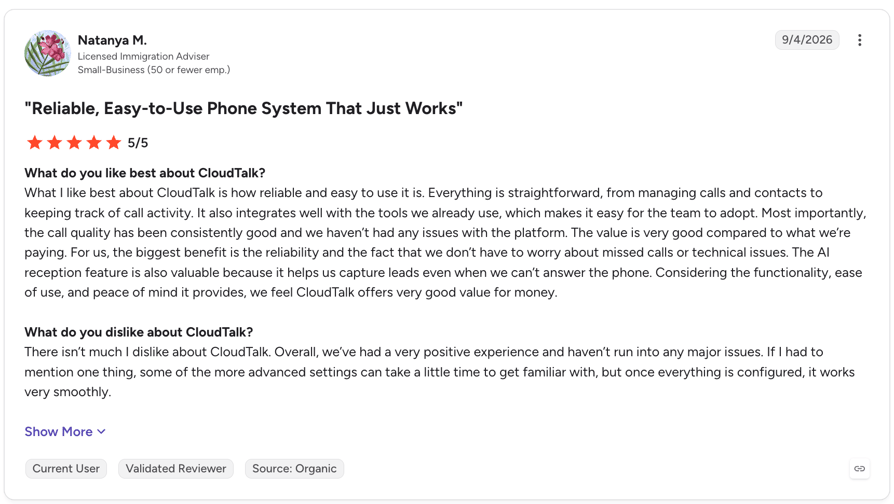
Customers highlight reliability, ease of use, and call quality, as well as the value of having integrations and telephony built into the same platform. AI users particularly praise its fast, natural-sounding conversations, multilingual capabilities, and ability to capture leads when teams can’t answer.
G2 Rating: 4.4/5 (1961+ reviews)
Pros and Cons of CloudTalk Based on G2 Reviews
| Pros | Cons |
|---|---|
| AI features save time: Call summaries and transcriptions help teams review conversations and reduce manual work. | Advanced settings take time to learn: Getting familiar with advanced options and configuring integrations may require extra time. |
| Easy to set up and use: Reviewers praise the intuitive interface, making it easier for small teams to adopt AI answering and manage calls. | Reporting options could be more flexible: Filtering data and customizing reports may be less flexible for teams with specific reporting needs. |
| Keeps calls and customer data connected: CRM integrations, call notes, and call history help teams manage customer interactions in one place. | Custom integrations need extra setup: Tailoring integrations to more specific workflows may require additional configuration. |
2. Arini AI: Best Dental-Specific Voice AI for DSOs and Private Practices
What Is Arini AI?
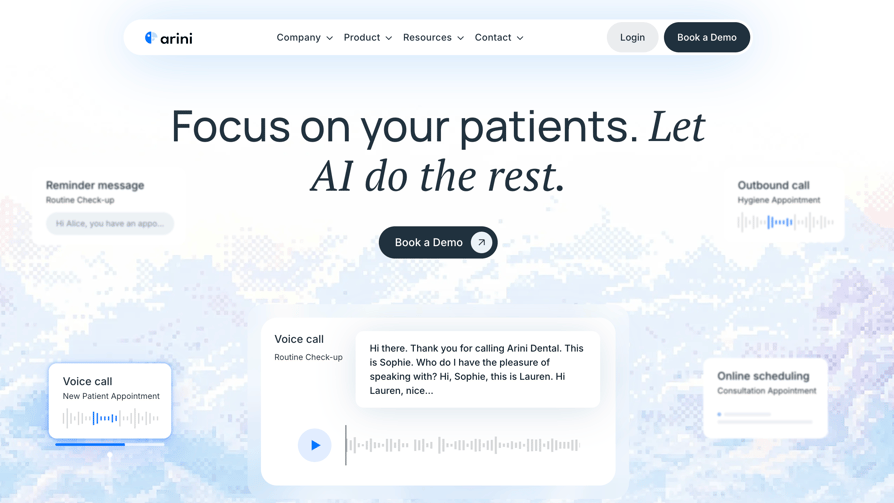
Arini AI is a dental-only AI patient engagement platform that answers inbound calls, books into your PMS and runs recall and reactivation outreach. It suits practices and DSOs that want booking to happen inside their scheduling system, not in a message to staff.
What Are the Key Features of Arini AI's Dental AI Receptionist?
- Native PMS Integration: Books appointments directly into Dentrix, Eaglesoft, Open Dental, Denticon, and Curve: real-time write-back, not message-taking.
- 300ms Response Time: Among the fastest answer latency in the dental AI category, ensuring callers never feel they're waiting.
- Dental Scheduling Intelligence: Understands appointment types, provider preferences, block scheduling, and operatory requirements automatically.
- Insurance Intake & Verification: Collects insurance details from callers and initiates verification for supported payers during the initial call.
- Outbound Recall Campaigns: Proactively contacts patients due for cleanings or treatment follow-ups without staff involvement.
- 100% HIPAA Compliant: Full encryption, role-based access, and a signed BAA, compliant with the updated 2026 HIPAA Security Rule requirements.
What Is Arini AI Missing?
- No published pricing: You only get a number after a demo, which makes side-by-side comparison harder.
- General-purpose CRM integrations: No native integrations with platforms like HubSpot or Salesforce.
- International availability: Its US-centric focus may not suit practices operating in other markets.
What Is Arini AI Best For?
US and Canadian private practices and DSOs on Dentrix, Open Dental, Eaglesoft or Denticon that want an AI receptionist to book straight into the schedule and run recall, and that are comfortable with a demo-led buying process.
How Much Does Arini AI Cost?
Arini AI pricing is quote-only. Its own guide estimates $3,600 to $7,200 a year for a solo practice taking 200 calls a month (about $300 to $600 a month), with implementation, training and support included. Treat these as vendor estimates, not a rate card.
| Plan | Price | What's included | Setup fee or overage |
|---|---|---|---|
| Solo practice (200 calls/month) | $3,600 to $7,200/year (Arini estimate) | Flat rate, 24/7 answering, PMS integration | Not published |
| DSO (5 locations, 1,000 calls/month) | $12,000 to $24,000/year (Arini estimate) | Volume discounts available | Not published |
What Do Customers Say About Arini AI?
Arini AI has no customer reviews on G2, Capterra, or Trustpilot, so the pros and cons below come from Arini's own documentation.
Pros and Cons of Arini AI Based on Its Documentation
| Pros | Cons |
|---|---|
| Connects with major dental PMS platforms: Reads and writes appointments across leading dental practice management systems. | Pricing isn’t public: Practices need to request a quote, and available estimates come from the vendor. |
| Supports complex dental scheduling: Handles block scheduling and waitlist management to help fill open appointments. | Some details are unclear: The documentation doesn’t specify the supported languages. |
| Fast call answering: Arini claims a 300ms answer time, which it describes as the fastest in the dental AI category. | Limited to phone interactions: Doesn’t support omnichannel SMS or web chat campaigns. |
3. Weave: Best All-in-One Dental Communication Platform (Includes the Former TrueLark AI)
What Is Weave?
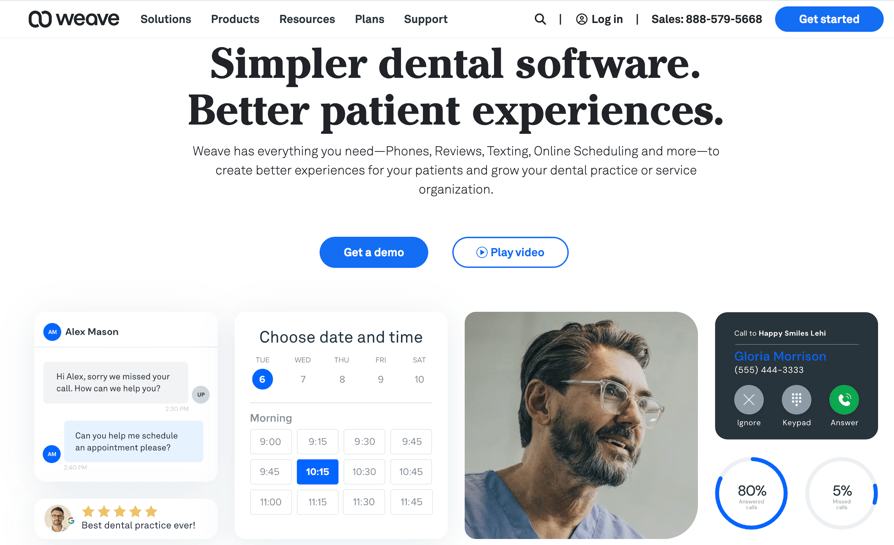
Weave is a patient communication platform for healthcare practices that bundles phones, two-way texting, payments, reviews and an AI Receptionist. Weave completed its acquisition of TrueLark on May 2025, so TrueLark's AI for calls, texts and web chat now sits inside Weave.
What Are the Key Features of Weave's Dental AI Receptionist?
- Caller ID Pop-Up: When a patient calls, their name, upcoming appointments, outstanding balance, and family members appear on screen before you pick up.
- Missed Call Text-Back: Automatically texts any caller who doesn't get through, re-engaging them before they call a competitor.
- AI Receptionist & Call Intelligence: Analyzes call transcripts to identify missed opportunities, coach staff, and improve scheduling outcomes.
- Review Management: Drives Google and Facebook reviews automatically post-appointment, with an ADA-endorsed workflow.
- Weave Payments: Integrated payment processing via Stripe, with contactless options for in-office and remote patients.
- HIPAA Compliant: BAA published at getweave.com/legal/baa/ and available on all plans at no extra charge.
What Is Weave Missing?
- AI pricing isn't public: The AI Receptionist is in early access and its price only shows after you submit your details.
- It's a platform swap: Weave makes most sense when you replace your phone system; there's no free trial of the full platform.
- Limited language support: Supports only English and Spanish, which may not suit practices serving multilingual patient populations.
What Is Weave Best For?
Independent practices of roughly that are replacing their phone system anyway and want phones, texting, payments, reviews and AI reception on one account and one bill.
How Much Does Weave Cost?
Weave pricing starts at $199 a month for the base plan, with or without two phones. Bundles add $149 a month each, and the AI Receptionist is priced on request.
| Plan | Price | What's included | Setup fee or overage |
|---|---|---|---|
| Base Plan | $199/month | Call Pop, texting, Missed Call Text, Text to Pay, app, team chat, analytics, fax, 2 phones | Not published |
| Coordinate Bundle | $149/month | Online scheduling, forms, reminders, confirmations, recall | Not published |
| Attract Bundle | $149/month | Reviews, Text Connect, 10,000 emails, 5,000 bulk texts | Not published |
| AI Receptionist | On request (early access) | Messaging, or voice plus messaging | Not published |
What Do Customers Say About Weave?
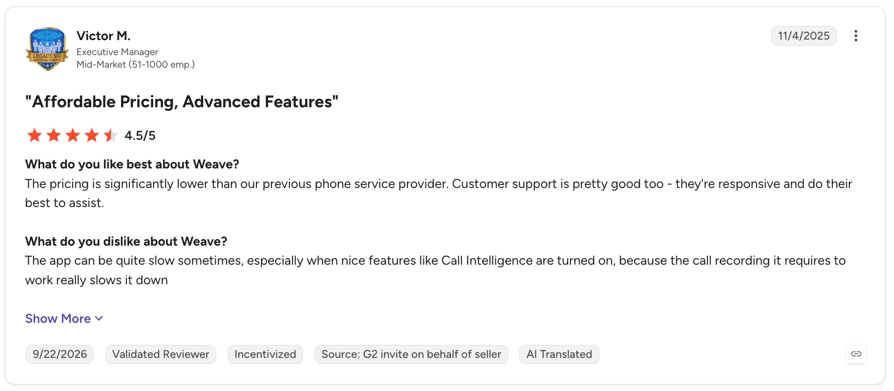
Customers mainly praise its patient texting capabilities, ease of use, and ability to bring calls, messages, appointment reminders, and other front-office tasks into one platform. However, some users report phone connectivity issues, software glitches, and outages that disrupt communication.
G2 rating: 4.6/5 on G2 based on 524 reviews.
Pros and Cons of Weave Based on G2 Reviews
| Pros | Cons |
|---|---|
| Easy to learn and use: Reviewers find the interface intuitive, making everyday communication and front-desk tasks easier to manage. | Occasional connectivity issues: Some users report dropped connections, phone system outages, and having to restart or reconnect the app. |
| Centralized patient communication: Calls, texts, voicemails, reminders, and other interactions are accessible in one platform. | Technical glitches: Bugs, slow performance, and inconsistent notifications can disrupt workflows. |
| Practice management integrations: Connecting Weave with existing systems helps streamline scheduling, reminders, and patient communication. | Integration gaps: Some reviewers report incomplete integrations with their existing practice management or EHR systems. |
4. Voicify: Best for Voice-First Scheduling With Outbound Appointment Reminders
What Is Voicify?
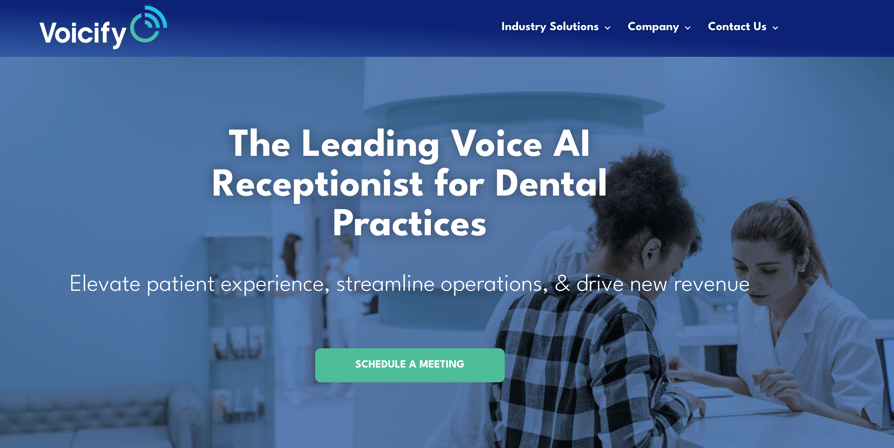
Voicify is a voice AI company that builds AI receptionists for restaurants, hotels, automotive and healthcare. Its dental page describes a voice AI receptionist that answers every patient call and books, reschedules and cancels appointments, for single or multi-office practices.
What Are the Key Features of Voicify's Dental AI Receptionist?
- 24/7 answering and scheduling: Answers patient calls around the clock and handles scheduling, rescheduling and cancellations, including changes mid-call.
- Outbound reminders: Sends automated appointment reminders by voice and text to cut no-shows.
- Returning callers: Recognizes return callers and recalls their appointment details.
- Handoff: Transfers to a human when needed.
- PMS and phones: Voicify says it integrates with your existing PMS and telephony without changing phone numbers or replacing your core office software.
What Is Voicify Missing?
- No published pricing: No pricing page exists; you need to schedule a meeting.
- Slower setup: Getting started can take days, rather than minutes, which may be less convenient than self-serve alternatives that advertise near-instant setup.
- Not dental-only: Dental is one of several industries, so ask for a demo with your appointment types.
What Is Voicify Best For?
Single and multi-office practices that want voice scheduling plus outbound reminders from one vendor, and that are happy to confirm integrations, BAA and pricing in a sales meeting.
How Much Does Voicify Cost?
Voicify pricing is quote-only: there's no public pricing page.
What Do Customers Say About Voicify?
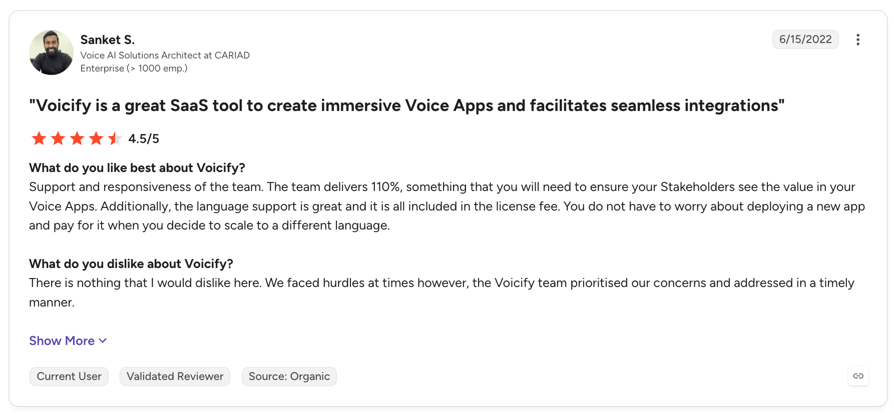
Customers praise Voicify for its intuitive, CMS-like interface, responsive support team, and strong language support included in the license fee. They also value the team’s strategic guidance when developing voice apps.
G2 rating: 4.7/5 based on 3 reviews, all from 2022, so there isn’t enough feedback to draw firm conclusions about customer satisfaction or recurring issues.
Pros and Cons of Voicify Based on G2 Reviews
| Pros | Cons |
|---|---|
| Intuitive interface: Users describe the backend as easy to navigate, with a CMS-like structure that simplifies voice app development. | Limited feedback available: Only three G2 reviews are available, making it difficult to identify recurring drawbacks. |
| Responsive customer support: Reviewers praise the team for addressing issues promptly and prioritizing customer concerns. | Some implementation hurdles: One reviewer mentions encountering challenges during implementation, although the team resolved them quickly. |
| Multilingual support included: One reviewer highlights broad language support without additional licensing fees when expanding to new languages. | Pricing transparency: G2 does not list public pricing details, so prospective customers need to contact the vendor for more information. |
5. Resonate AI: Best for Missed-Call Recovery
What Is Resonate AI?
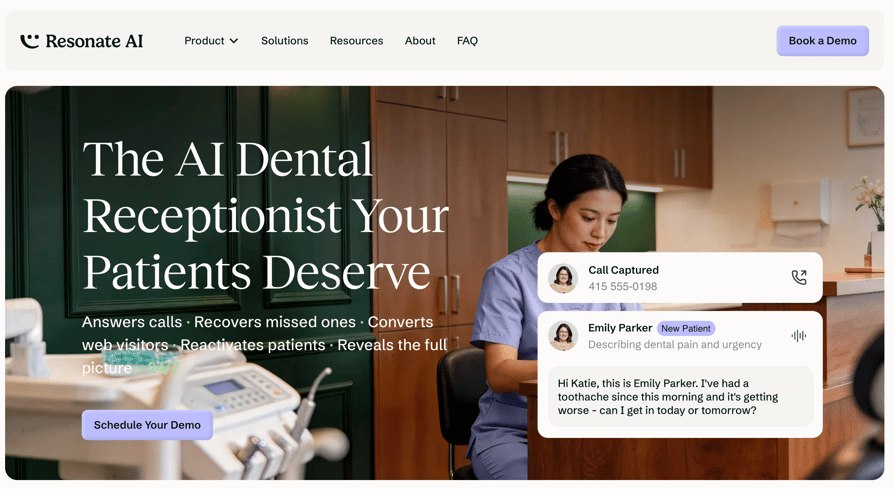
Resonate AI is a dental-focused tool that doesn't compete on answering the first ring. When a call is missed, it texts the patient from your practice number, holds an AI conversation and books the appointment before the patient calls someone else.
What Are the Key Features of Resonate AI's Dental AI Receptionist?
- Instant Missed-Call Text Engagement: Within seconds of a missed call, Resonate sends a personalized text from your practice's name and number, re-opening the patient conversation before they hang up.
- Natural Conversational AI: AI conducts empathetic, contextual conversations, understanding dental emergency urgency, insurance questions, and appointment type needs without rigid scripts.
- 24/7/365 Availability: Captures evenings, weekends, and holidays, the exact times when most dental practices have zero coverage.
- Bilingual Support (EN/ES): Automatically detects and switches to Spanish for Spanish-speaking patients.
- Revenue Attribution Dashboard: Tracks every missed call recovery and associated booking, giving practices full ROI visibility and marketing attribution data.
- HIPAA Compliant: Secure data handling with strict access controls, built for dental and medical environments.
What Is Resonate AI Missing?
- Two languages: English and Spanish only.
- No published pricing: You'll need to book a demo to get your quote.
- Limited geographic availability: Currently available only to dental practices in the United States and Canada, making it unsuitable for practices in other markets.
What Is Resonate AI Best For?
Practices with heavy peak-hour and after-hours call volume that already answer most calls in person and want to recover the ones that slip through, without adding headcount.
How Much Does Resonate AI Cost?
Resonate AI pricing is quote-only; it isn't published on its website.
What Do Customers Say About Resonate AI?
Resonate AI has no public reviews to draw on, so the pros and cons below come from its documentation.
Pros and Cons of Resonate AI Based on Its Documentation
| Pros | Cons |
|---|---|
| Built for dental workflows: Trained to handle procedure questions, insurance inquiries, and urgent care protocols. | Modular pricing: Adding more features increases the total cost of the platform. |
| Escalates complex requests: Flags emergencies and requests requiring human assistance, then alerts the team. | Not an all-in-one phone system: Complements existing communication tools rather than replacing them. |
| Broad PMS compatibility: Works with Denticon, Dentrix, Open Dental, and many other platforms. | Limited language support: Only English and Spanish are currently available. |
6. Dentina AI: Best for Scheduling Intelligence
What Is Dentina AI?
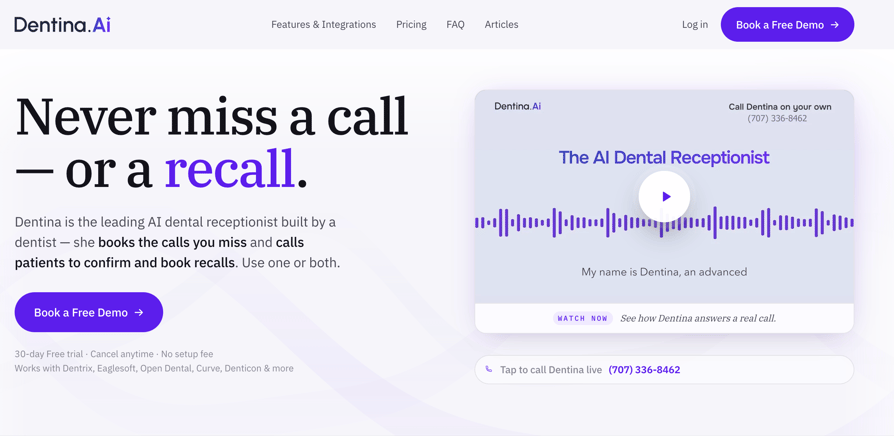
Dentina AI is a dental-only AI receptionist built by a dentist. It answers inbound calls 24/7, books into your PMS and can also call patients to confirm appointments and book recalls, for solo practices and DSOs in the US and Canada.
What Are the Key Features of Dentina AI's Dental AI Receptionist?
- Real-Time PMS Write-Back: Books appointments directly into your scheduling software in real time, with no message-relay or staff follow-up required.
- Clinical Triage Awareness: AI understands the difference between a routine cleaning and a dental emergency, routing calls appropriately.
- Voice + SMS Omnichannel: Handles both inbound phone calls and patient text inquiries in one system.
- Real-Time Staff Notifications: Instantly alerts your team to new bookings and patient updates as they happen.
- 30-Day Free Trial: One of the most generous trial periods in the dental AI receptionist category, no credit card required.
What Is Dentina AI Missing?
- Handoff costs more: Warm transfer and routing to a live person are Premium-only features.
- Outbound is extra: Recall, reactivation and confirmation campaigns are priced separately, and some are marked as coming soon or limited release.
- Not a phone system: It keeps your existing phone system and works through a call-forwarding rule, so the practice still pays a separate phone provider.
What Is Dentina AI Best For?
Independent dental practices and small groups in the US and Canada that miss calls after hours or during busy periods, and want an AI receptionist that books straight into their practice management system (PMS) at a flat, predictable price.
How Much Does Dentina AI Cost?
Dentina AI pricing starts at $299 per month per location, billed annually, for up to 3 providers. There is a 30-day free trial and no setup fee.
| Plan | Price | What's included | Setup fee or overage |
|---|---|---|---|
| Standard (inbound) | From $299/month per location, billed annually | Unlimited calls, PMS booking, English and Spanish, up to 6 appointment types | No setup fee; no overage |
| Premium (inbound) | From $399/month per location, billed annually | Standard plus warm transfer, web chat, two-way SMS, up to 57 languages, up to 10 appointment types | No setup fee; no overage |
| Outbound campaigns | Custom | Recalls, confirmations, reactivations, treatment follow-up | Quoted in the demo |
| DSO (10+ locations) | Custom | Multi-location dashboard, RBAC, audit logs, API and webhooks | Quoted in the demo |
What Do Customers Say About Dentina AI?
Dentina AI has no reviews on G2, Capterra, or Trustpilot, so the pros and cons below come from its own site. For a closer look, see our Dentina AI review.
Pros and Cons of Dentina AI Based on Its Documentation
| Pros | Cons |
|---|---|
| Writes appointments directly to the PMS: Books, reschedules, and cancels appointments in real time. | Limited industry and geographic coverage: Designed for dental practices in the US and Canada. |
| Handles inbound and outbound calls: Answers missed calls and makes calls for appointment confirmations and patient recalls. | Requires an existing phone provider: Works through call forwarding rather than replacing the practice's phone system. |
| Unlimited calls and minutes: Uses flat per-location pricing without call overage fees. | Outbound calling costs extra: Pricing for outbound features is available by custom quote only. |
7. Smith.ai: Best AI and Human Hybrid Dental Answering Service
What Is Smith.ai?
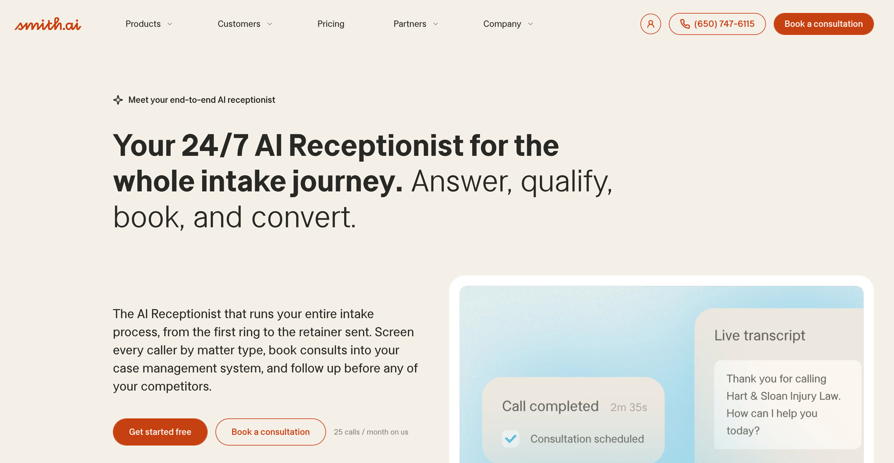
Smith.ai is a general answering service, not a dental tool. Its AI Receptionist answers every call first and can transfer callers to live North America-based receptionists at any hour, which suits practices that want a human backstop for anxious or upset patients.
What Are the Key Features of Smith.ai's Dental AI Receptionist?
- AI + Live Agent Hybrid: AI handles routine calls; North American live agents step in for escalations, complex intake, and high-emotion calls.
- HIPAA-Compliant: Fully compliant with healthcare data security standards, with BAA available.
- Outbound Follow-Up: Live agents can make outbound calls to web form leads for instant follow-up, a key differentiator from pure-AI tools.
- 7,000+ Integrations: Connects with Clio, HubSpot, Salesforce, Calendly, HouseCall Pro, ServiceTitan, and thousands more via Zapier.
- Bilingual Answering: English and Spanish support available on all plans.
What Is Smith.ai Missing?
These are some of the reasons practices might consider Smith.ai alternatives:
- Per-call billing: Every answered call counts, including short ones.
- No dental PMS write-back: Bookings go through calendar tools or Zapier, not Dentrix or Open Dental.
- Extra transfer costs: Calls transferred to live agents incur additional fees.
What Is Smith.ai Best For?
Practices with low to moderate call volume that want AI answering with a person on standby, and that already book through a calendar tool Smith.ai supports.
How Much Does Smith.ai Cost?
Smith.ai's pricing for its AI receptionist starts free for 25 calls a month, then $150 a month for 75 calls on Pro.
| Plan | Price | What's included | Overage |
|---|---|---|---|
| AI Free | $0/month | 25 calls | $3.00/call |
| AI Pro | $150- $500/month | 75-300 calls, onboarding, live support | $2.50/call |
| AI Enterprise | $500-$800/month or custom | 300-1,000+ calls, custom setup and integrations | $2.17/call |
What Do Customers Say About Smith.ai?
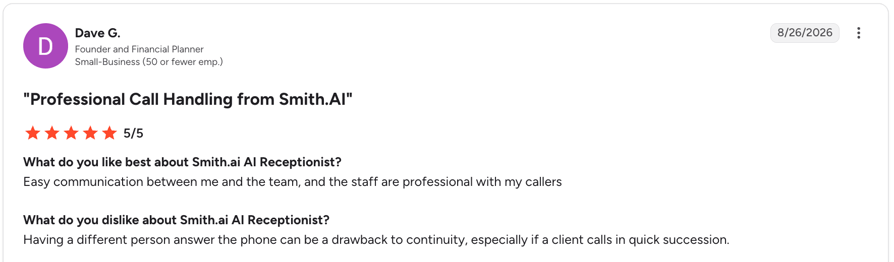
Customers praise its professional, reliable call handling, accurate lead intake, and ability to screen callers, book appointments, and follow custom workflows around the clock. Common drawbacks include occasional errors, inconsistent experiences between receptionists, and some setup challenges with scheduling across time zones.
G2 rating: 4.9/5 for its human answering service (82 reviews); 4.8/5 for its AI Receptionist (32 reviews).
Pros and Cons of Smith.ai Based on G2 Reviews
| Pros | Cons |
|---|---|
| Human safety net: live receptionists take over when the AI reaches its limit | Higher per-call costs: May be more expensive than other options, especially for businesses handling a high volume of calls |
| Responsive support: Users praise the support team's responsiveness and willingness to refine call scripts | Occasional call handling issues: Some users report missed transfers or calls handled differently than expected |
| CRM and scheduling integrations: Connects with tools such as Clio | Spam filtering can be too strict: Legitimate callers may occasionally be blocked |
8. Rondah AI: Best Dental-Specific AI Receptionist for Multi-Location Groups
What Is Rondah AI?
Rondah AI is a dental-only AI receptionist built around front-desk workflows. It answers calls 24/7, books and reschedules directly in your PMS and gives growing groups a central view across locations.
What Are the Key Features of Rondah AI's Dental AI Receptionist?
- Dental-Specific AI: Built specifically for dental practices and trained around real front-desk workflows.
- Direct PMS Booking: Bi-directional integrations with Dentrix, Open Dental, Denticon, and Eaglesoft let Rondah book directly into your PMS.
- 24/7 Call Handling: Answers after-hours and overflow calls, books appointments, and handles rescheduling without putting patients on hold.
- Patient Context: Recognizes patients and uses their history, preferences, and previous calls to provide more personalized service.
- Smart Scheduling: Checks provider and operatory availability and can optimize schedules to create additional booking capacity.
- Emergency Routing: Identifies urgent calls and routes them to the appropriate provider or team member.
- Multi-Location Management: Its Operations Command Center gives growing practices and DSOs visibility across locations and schedules.
What Is Rondah AI Missing?
- Quote-only pricing: You need a demo for a number.
- Dental-only scope: It isn't a general phone system, so you keep a separate telephony vendor.
- Thin public evidence: No public reviews on G2, Trustpilot or Capterra.
What Is Rondah AI Best For?
Dental groups and DSOs with several locations that want PMS-native booking and central visibility, and that already have a phone system they're happy with.
How Much Does Rondah AI Cost?
Rondah AI pricing is quote-only; it isn't published on its website.
What Do Customers Say About Rondah AI?
Rondah AI has no public reviews to draw on, so the pros and cons below come from its documentation.
Pros and Cons of Rondah AI Based on Its Documentation
| Pros | Cons |
|---|---|
| Designed for dental practices: Focuses on front-desk tasks and patient communication. | No public pricing: Practices need to contact the vendor for pricing details. |
| Books directly into dental PMS platforms: Integrates with major practice management systems to schedule appointments. | Not a complete phone system: Works alongside an existing phone setup rather than replacing it. |
| Centralized multi-location management: Gives practices a shared view across locations. | Limited customer feedback: No public reviews are available to assess user experience. |
9. Orbit: Best for Small Practices That Book Through Calendly or Google Calendar
What Is Orbit?
Orbit is a general AI receptionist for small businesses, with pre-configured agents for dentists, medical offices, law firms and other industries. It answers calls 24/7, books appointments through Calendly, Google Calendar or Outlook and emails you a summary after every call.
What Are the Key Features of Orbit's Dental AI Receptionist?
- 24/7 answering and transfers: Answers every call around the clock, with call transfers, forwarding and, on Growth and Pro, more complex call routing.
- Calendar booking: Checks availability and books during the call through a native Calendly integration, Google Calendar or Outlook.
- Call summaries: Email summaries and transcripts after every call, with action items and next steps; sentiment analysis starts on Growth.
- Plain-English setup: You set the greeting, FAQs and call handling in plain English, and Orbit says most businesses go live in about 5 minutes.
- Integrations: Webhooks on Growth and an API on Pro, plus connections to CRM systems.
What Is Orbit Missing?
- No dental PMS write-back: Orbit books into Calendly, Google Calendar or Outlook; it doesn't name Dentrix, Eaglesoft, Open Dental or any other dental PMS.
- Costs can increase with call volume: Every plan has a minute cap, soractices with fluctuating call volumes may need to upgrade or pay overage fees, but the overage rates aren’t publicly listed.
- Advanced features require higher-tier plans: Calendar automation, webhook integrations, premium AI voices, and priority calendar sync aren’t included in Starter. The 99.9% uptime SLA is also limited to Pro plans.
What Is Orbit Best For?
Solo and small practices that already book through Calendly, Google Calendar or Outlook, want an AI receptionist live the same day at a predictable monthly price, and don't need PMS write-back.
How Much Does Orbit Cost?
Orbit's self-serve AI Receptionist starts at $89 a month for 400 minutes, with a 7-day free trial and no credit card required.
| Plan | Price | What's included | Setup fee or overage |
|---|---|---|---|
| Starter | $89/month | 400 minutes, summaries and transcripts, calendar booking, transfers, custom greeting and FAQs | No setup fee; no overage fees |
| Growth | $199/month | 1,200 minutes, advanced calendar automation, sentiment analysis, complex routing, webhooks | No setup fee; no overage fees |
| Pro | $399/month | 5,000 minutes, 8+ premium voices, analytics dashboard, API, dedicated phone support, 99.9% uptime SLA | No setup fee; no overage fees |
| Custom AI Solutions | Custom | Built and managed by Orbit | Scoped per project |
What Do Customers Say About Orbit?
Orbit has no reviews on G2, Capterra or Trustpilot, so the table below shows the pros and cons from its public documentation.
Pros and Cons of Orbit Based on Its Documentation
| Pros | Cons |
|---|---|
| Supports 40+ languages: Can communicate with callers in multiple languages. | No dental PMS integrations documented: Supports Calendly, Google Calendar, and Outlook, but not dental systems such as Dentrix, Eaglesoft, or Open Dental. |
| Includes call analysis tools: Offers real-time sentiment analysis, lead qualification, and scoring. | Advanced features require higher-tier plans: Calendar automation, webhook integrations, premium AI voices, and priority calendar sync aren’t included in Starter. |
| Offers affordable entry-level plans: Self-serve pricing starts at $89/month. | Uptime SLA is limited to Pro: The documented 99.9% uptime guarantee applies only to Pro plans. |
10. Adit: Best All-in-One AI Dental Practice Management Platform
What Is Adit?
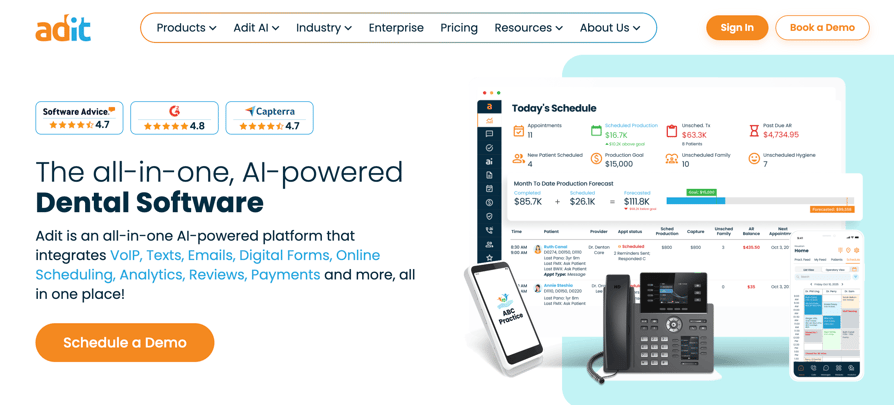
Adit is an all-in-one practice platform for dental, optometry, chiropractic and orthodontic practices. Its AI Front Desk handles after-hours and missed calls inside a system that also covers VoIP, texting, forms, scheduling, payments, insurance verification and analytics, according to Adit's site.
What Are the Key Features of Adit's Dental AI Receptionist?
- AI Front Desk Agent: Launched February 2026, it captures missed and after-hours calls, handles scheduling, routes calls intelligently, and syncs summaries to your EHR automatically.
- AI Call Intelligence: Monitors every call to identify missed booking opportunities, flag frustrated patients, automate follow-up, and track front-desk performance, all without manual review.
- VoIP + PMS Caller ID Pop-Up: When a patient calls, their full record (name, upcoming appointments, balance, treatment notes) appears on screen before you pick up.
- Deep PMS Integration: Native bidirectional sync with Dentrix, Dentrix Ascend, Eaglesoft, Easy Dental, OpenDental, Denticon, PracticeWorks, Curve, and more.
- Automated Insurance Verification: Eligibility checks integrated into the workflow, saving front-desk staff hours of manual phone time with insurance companies each week.
- Full Practice Communication Suite: Two-way SMS, email campaigns, appointment reminders, recall, digital forms, payments, online scheduling, and team chat, all in one platform.
What Is Adit Missing?
- No published pricing: Plans are quoted after a demo, and extra email and text usage can add fees.
- Broad by design: The AI works best when you move phones and patient communication to Adit, which is more than some practices need.
- “No contracts” comes with a catch: The pricing page advertises "No Contracts," but the FAQ adds that canceling anytime is backed by the Performance Marketing Program (PMP)—a structured 1-year commitment.
What Is Adit Best For?
Small and mid-sized practices that pay for several separate tools (phones, texting, forms, payments, reminders) and want to move them into one platform with an AI Front Desk included.
How Much Does Adit Cost?
Adit pricing is quote-only.
What Do Customers Say About Adit?
Customers generally praise Adit for its ease of use, patient communication tools, and responsive customer support. The main complaints concern occasional technical issues, including phone outages, call quality problems, app loading delays, and messaging glitches.
G2 rating: 4.8/5 on based on 104 reviews.
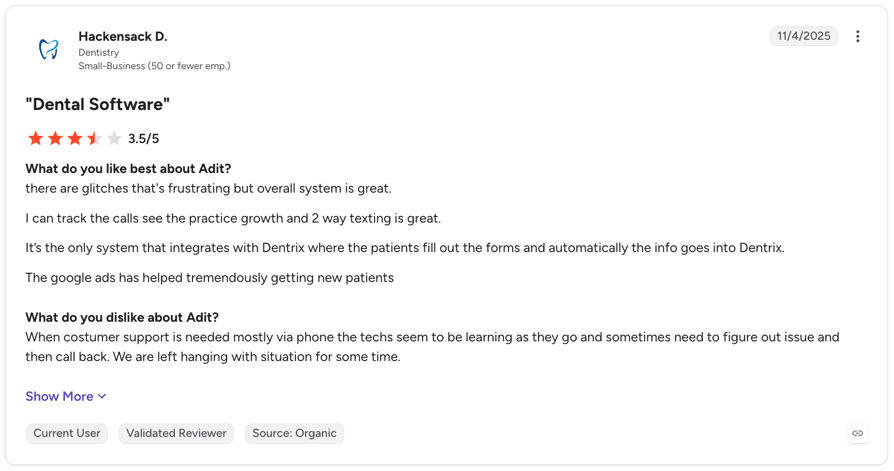
Pros and Cons of Adit Based on G2 Reviews
| Pros | Cons |
|---|---|
| Easy to use: Reviewers appreciate the intuitive interface and the convenience of managing multiple practice operations in one platform. | Occasional technical issues: Some users report phone outages, call quality problems, app loading delays, and messaging glitches. |
| Streamlined patient communication: Texting, appointment scheduling, and missed-call follow-ups help practices stay connected with patients. | Messaging limitations: Some users want more flexible messaging features, including better bulk texting and appointment reminder controls. |
| Integrates with dental PMS platforms: Reviewers praise integrations with systems such as Dentrix and Eaglesoft, which help simplify daily workflows. | Learning curve for some users: The range of features can feel overwhelming at first, requiring time and training to master. |
Dental AI Receptionist vs. Traditional Dental Answering Service: Which Do You Need?
A traditional dental answering service uses human operators to take messages and promise callbacks. A dental AI receptionist answers every call at once and, when it's connected to your PMS or calendar, books the appointment during the call. A hybrid, such as Smith.ai, does both.
If you're comparing a call answering virtual receptionist with an AI dental answering service, these are the differences that matter:
| Factor | Traditional answering service | Dental AI receptionist | Hybrid (AI plus human) |
|---|---|---|---|
| Cost | Usually per minute or per call, with overage; after-hours rates vary by provider | From $99/month for 200 minutes (CloudTalk) or $299/month per location (Dentina) | From $150/month for 75 calls (Smith.ai), plus per-call overage |
| Speed | One call per operator; callers may wait | Answers every call at once, on the first ring | AI answers at once; humans join on transfer |
| What it can do | Take messages, follow scripts, some booking | Answer FAQs, book or reschedule, log calls, transfer | Everything the AI does, plus human judgment |
| Human touch | Always a person | None unless it transfers | A person when the AI hands off |
| Best for | Sensitive or emotional calls at low volume | Routine calls, overflow and after hours | Practices that want AI with a human safety net |
How to Choose the Best Dental AI Receptionist for Your Practice
The best AI receptionist for your dental practice books appointments in your existing system, protects patient data, and handles real calls the way your team needs it to. Use these five checks to compare vendors before you commit.
1. Verify Practice Management Software Integrations
Check whether the AI receptionist reads your practice management software (PMS) availability and books appointments directly into it during the call. If it only takes messages or uses a separate calendar, your team may still need to enter appointments manually.
- Check supported PMS platforms: Does the vendor explicitly list Dentrix, Eaglesoft, Open Dental, Denticon, Curve, or CareStack in its documentation?
- Confirm real-time booking: Does the integration update appointments immediately, or does it sync later? How does it prevent double bookings?
- Test appointment details: For Open Dental, does the AI save the correct appointment type and provider in real time?
- Clarify integration maintenance: If the vendor uses Zapier or a calendar bridge, who fixes the connection when it breaks?
2. Confirm HIPAA Compliance and BAA Coverage
Ask the vendor to explain how it protects patient information and whether it will sign a Business Associate Agreement (BAA). HIPAA compliance depends on the safeguards each party implements, so don't rely on a general compliance claim alone. Our guides to HIPAA-compliant call centers and HIPAA-compliant virtual receptionists explain what to look for.
Before you go live, check:
- BAA coverage: Will the vendor sign a BAA, and does it cover the full AI pipeline, including speech recognition and language model providers?
- Data encryption: Does the platform encrypt patient data both at rest and in transit?
- Access controls: Can you restrict access by role and review audit trails?
- Risk assessment: Has the vendor completed a HIPAA risk assessment for the platform?
3. Test After-Hours and Overflow Call Handling
Check how the AI handles calls during lunch breaks, evenings, weekends, and busy periods when your team can't pick up. If it sends callers to voicemail when several calls arrive at once, you may not get the coverage you expect.
- Test simultaneous calls: Ask how many calls the system can handle at once, then test it during a busy period.
- Check overflow routing: Does the AI answer calls when every staff member is busy, or does it send callers to voicemail?
- Compare billing rules: Does the vendor charge different rates for after-hours calls, overflow calls, or usage above your plan's minute allowance?
- Test missed-call recovery: Can the AI follow up with callers who hang up or fail to reach your team?
4. Test Emergency Escalation and Call Transfers
An AI receptionist can't replace clinical judgment, but it can recognize urgent situations based on your instructions and route callers to the right person. Test how it handles emergencies before you trust it with patient calls.
- Define escalation rules: Can you configure which symptoms, requests, or keywords trigger an urgent transfer?
- Check transfer types: Does the AI brief your staff on the caller's needs before connecting them (a warm transfer), or does it simply forward the call?
- Set a fallback: What happens when nobody answers? Can the AI follow a defined fallback process without leaving the caller stranded?
- Run realistic tests: Simulate an urgent call, such as a patient reporting a severe toothache at 9 p.m., and check whether the AI follows your instructions.
5. Review Scripts, Consent, Reporting, and Total Cost
Check how much control you have over the AI's behavior, how it handles call recording consent, and whether its reports help you measure results. Then calculate the full cost using your actual call volume.
- Customize scripts: Can you edit greetings, FAQ answers, and escalation rules yourself, or must you contact support?
- Verify recording consent: Does the call flow include the appropriate consent prompt? Can callers respond by pressing a key, speaking, or both?
- Measure performance: Can you track missed calls, recovered callers, and bookings by day and call type?
- Calculate the full price: Add setup fees, per-location charges, minute limits, overage fees, and paid add-ons to the advertised price.
- Request a live demo: Ask the vendor to demonstrate the integration and call flows using your own systems and realistic scenarios, rather than relying on a scripted walkthrough.
How Do You Set Up a Dental AI Receptionist?
A simple dental AI receptionist can go live in a day, while one that integrates with your practice management system (PMS) can take days to weeks. Follow these five steps to get started.
Step 1: Identify Your Most Common Call Reasons
Track patient calls for a week and group them by reason: new appointments, rescheduling, insurance questions, post-treatment questions, or requests for hours and directions. Start by automating the most common routine calls.
Step 2: Define What AI Handles and When to Escalate
Set clear rules for which calls the AI can resolve and which need your team:
- Handle with AI: Routine bookings, rescheduling, office hours, insurance FAQs, and confirmations.
- Escalate immediately: Emergencies, concerns requiring clinical judgment, complaints, and complex insurance disputes.
- Transfer with context: New patients asking about treatment options or financing.
Step 3: Set Performance Targets
Track three metrics to measure results:
- Answer rate: The percentage of incoming calls answered.
- Booking rate: The percentage of answered calls that result in an appointment.
- After-hours capture: The number of calls handled outside opening hours that would otherwise go to voicemail.
Step 4: Plan for Missed Calls and Protect Patient Data
AI won't catch every call, so prepare a backup process:
- Text-back: Send missed callers an automatic text with a booking link or callback option.
- Callback queue: Give your team a list of missed calls to follow up on.
- Voicemail: Keep a clear backup message. See our medical office voicemail greetings for examples.
Step 5: Review Performance Weekly for 30 Days
Use the first month to identify and fix problems:
- Review a sample of transcripts and correct inaccurate answers in the knowledge base.
- Check whether calls reach the right team member quickly.
- Compare your weekly metrics against your targets.
- Ask front-desk staff for feedback and adjust the AI's instructions accordingly.
Which Dental AI Receptionist Fits Your Practice?
The best dental AI receptionist depends on your practice size, specialty, existing systems, and language needs. Here's how to narrow down your options.
For Small and Solo Practices
- Choose CloudTalk if you want to test AI call handling with 50 free minutes before paying. It's a good fit if you also need call routing, CRM integrations, and support for multiple languages.
- Consider Orbit or Dentina AI if you want dental-focused automation and prefer to test the software before committing.
- Look at Smith.ai if you want a free entry-level plan with the option to involve live receptionists.
For DSOs and Multi-Location Dental Groups
- Choose CloudTalk if you need centralized call routing across locations and languages, especially if calendar-based booking meets your needs without direct PMS write-back.
- Consider Arini AI, Dentina AI, Rondah AI, Weave, or Adit for dental-specific workflows and multi-location management. Compare their reporting, audit trails, and PMS integrations.
For Orthodontic and Oral Surgery Practices
- Consider Dentina AI if you use Cloud9, Dolphin, or OrthoTrac, which it lists among its PMS integrations. Verify compatibility with your specific setup.
- Shortlist vendors that support your specialty's appointment types and workflows. Ask them to demonstrate orthodontic adjustments, retainer checks, pre- and post-operative questions, and urgent-call escalation.
For International and Multilingual Dental Clinics
- Choose CloudTalk if you need local numbers across countries, multilingual call handling, and CRM integration. It offers phone numbers in 160+ countries and EU hosting for recordings and transcripts.
- For UK and European clinics, verify data residency, GDPR requirements, and local number availability before committing to any vendor. Also confirm support for your existing PMS and CRM.


FAQs About Dental AI Receptionists
For a phone system with many languages and CRM logging, CloudTalk. For native PMS write-back, Arini AI, Rondah AI and Dentina AI are the specialists. For an all-in-one platform, Weave or Adit.
CloudTalk is a strong choice for dental practices that need multilingual AI call handling, appointment booking through connected calendars, and call routing to the right team member.
Arini AI, Dentina AI and Rondah AI name Open Dental among their integrations, and Resonate AI and Adit list it too. Before you sign, ask the vendor to show an appointment written back into Open Dental in real time, with the right appointment type and provider, not a message for staff.
Only if the vendor signs a Business Associate Agreement (BAA) that covers the whole AI pipeline, including speech providers. For example, CloudTalk signs a BAA on request.
Published prices range from free tiers to about $300 to $400 a month per location: CloudTalk starts free for 50 minutes, then $99 for 200 minutes; Smith.ai is free for 25 calls, then $150 for 75; Orbit starts at $89 for 400 minutes; Dentina AI starts at $299 per location, billed annually. The rest quote after a demo.
For routine and after-hours calls, usually yes: it answers every call at once, books during the call and costs less per call. For sensitive or emotional calls, a person still does better.
Some can. Dentina AI, Arini AI and Rondah AI name these systems in their own documentation. Others, including Smith.ai, book through calendar tools or Zapier. CloudTalk books into Google or Outlook calendars, and direct PMS booking needs a custom build.
It can recognize urgent calls you describe in its setup, such as severe pain or swelling, and transfer them to staff or an on-call dentist. However, it doesn't replace clinical judgment. Test the handoff after hours before you rely on it.
Yes. Arini AI, Rondah AI and Dentina AI (on its DSO plan) offer multi-location views and PMS booking across sites, while Weave and Adit centralize communication for groups. CloudTalk routes calls across locations and languages from one shared phone system.
Yes, but specialty logic varies. Dentina AI lists ortho systems such as Cloud9, Dolphin and OrthoTrac among its integrations. Whichever vendor you shortlist, ask for a demo with your own appointment types (adjustments, retainer checks, consults) and your emergency routing.
Most can handle Spanish. CloudTalk supports 70+ languages; Resonate AI supports English and Spanish, and Dentina AI offers up to 57 languages on Premium. Test each language on real calls first. For UK and Ireland practices, also check local numbers and UK or EU data hosting.
A calendar-based setup can go live in a day; PMS write-back usually takes a few days to a few weeks. CloudTalk gives you 50 free minutes, Dentina offers a 30-day free trial and Smith.ai has a free plan for 25 calls a month.