Dental Answering Service: Complete Guide + Best Services for 2026
It's 12:30 pm. Your front desk is at lunch, and a patient with a throbbing tooth calls. The phone rings four times, rolls to voicemail, and they hang up. Ten minutes later, they're booked with the next practice that answered.
A dental answering service exists so that call never gets lost. This guide shows you how live, AI and hybrid services work, what they should and shouldn't do, what to check on HIPAA, and which providers are worth a look.
TL;DR:
A dental answering service answers your practice's calls when the front desk can't: at lunch, during busy hours, after hours and on weekends. There are three types: live (human receptionists), AI (an AI voice agent) and hybrid (both). A good one answers every call, books or requests appointments, routes dental emergencies and protects patient data.
8 best dental answering services in 2026 by use case:
- 01CloudTalk: best overall dental answering service for practices that want AI on the same phone system as their front desk, covering lunch, overflow and after hours
- 02Weave: best for practices that want phones, texting and an AI receptionist in one dental platform
- 03Dentina: best dental-specific AI for single practices that want real-time booking in their practice software
- 04Arini: best dental AI receptionist for multi-location groups and DSOs
- 05Abby Connect: best hybrid service for practices that want a human option with AI backup
- 06Ruby: best live receptionist service for practices that want a person on every call
- 07AnswerConnect: best for 24/7 live coverage with no after-hours upcharge
- 08PatientCalls: best live medical answering service for after-hours triage to an on-call dentist
If you want AI to pick up those calls on the same phone system as your front desk, start with our dental AI answering service. If you are still weighing your options, read on.

Stop losing patient calls at lunch and after hours. Test AI answering free on your own number.

Quick Comparison of the Best Dental Answering Services
| Service | Type | Best for | G2 Rating |
|---|---|---|---|
| CloudTalk | AI on your own phone system | Practices that want AI and the front desk on one system | 4.4/5 |
| Weave | Dental phone platform + AI receptionist | Practices that want phones, texting and AI in one dental tool | 4.6/5 |
| Dentina | AI (dental-specific) | Single practices wanting real-time booking in their PMS | No reviews yet |
| Arini | AI (dental-specific) | Multi-location groups and DSOs | No reviews yet |
| Abby Connect | Hybrid (live + AI) | Practices wanting a human option with AI backup | 4.5/5 |
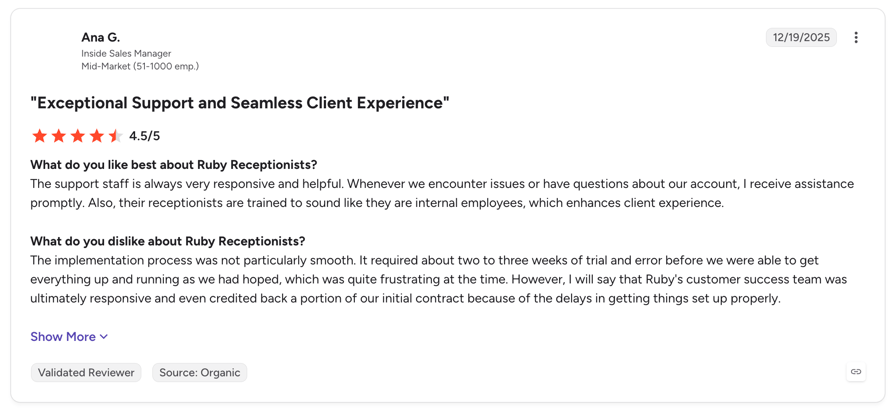
| Ruby | Live receptionists | Practices that want a human on every call | 3.8/5 |
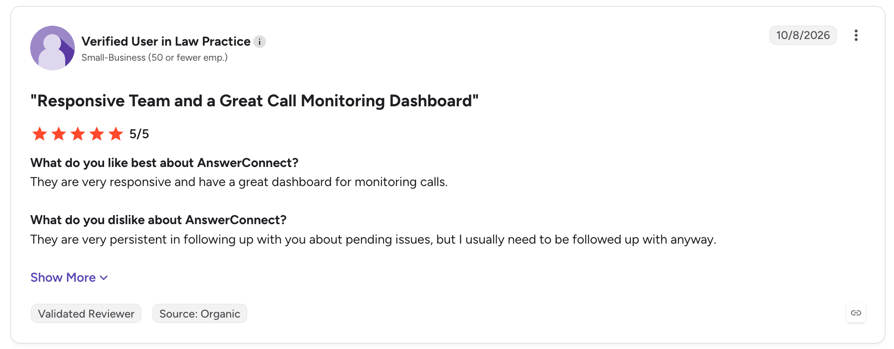
| AnswerConnect | Live receptionists | 24/7 human coverage at a flat rate for nights and weekends | 4.5/5 |
| PatientCalls | Live medical answering | Practices that need after-hours triage to an on-call dentist | NA |
What Is a Dental Answering Service?
A dental answering service answers your practice's phone when your team can't. It books or requests appointments, captures patient details, answers common questions and routes urgent calls to the right person. Think of it as a second front desk that only steps in when the first one is busy, at lunch or closed.
You'll see it called a dental call answering service, a dental phone answering service or simply an answering service dental practices use for overflow. The job is the same: no patient call ends in voicemail.
Live vs. AI vs. Hybrid Dental Answering Services
Dental answering services come in three types. Each one fits a different practice.
- Live services use human receptionists, some trained for dental offices. They usually charge per minute or per call. A real voice can calm an anxious patient, and humans handle complex billing questions well.
- AI services use an AI answering service that picks up instantly, handles many calls at once and asks the same intake questions every time. They usually charge per minute on a monthly plan.
- Hybrid services mix both: AI answers first, and a human receptionist takes over when a call needs it.
| Live | AI | Hybrid | |
|---|---|---|---|
| Availability | 24/7 if staffed; depends on the provider's team | 24/7 | 24/7 |
| Simultaneous calls | Limited by agents on shift | Many at once | Many at once (AI layer) |
| Consistency | Varies by receptionist | Same questions every call | AI consistent; human varies |
| Booking | Often via a shared scheduler or messages | Real-time where the practice software has an API; otherwise booking requests | Mixed |
| Emergency routing | Human judgment, per your rules | Rules you set (keywords, intent, hours) | AI rules + human escalation |
| Cost model | Per minute or per call | Per minute, monthly plans | Pooled minutes or per call |
| HIPAA / BAA | Ask the vendor | Ask the vendor; confirm the AI setup is covered | Ask the vendor |
Be honest about your patient mix. If many callers are anxious or older, a human option matters. If most calls are routine booking and questions, AI covers them faster and at lower cost.
Answering Service vs. Front Desk, Voicemail and Phone Menus
A dental office answering service doesn't replace your team. It covers the gaps your current setup leaves open:
- Front desk: your team can't pick up while checking in a patient, verifying insurance or answering a message. Calls are the first thing to slip.
- Voicemail: new patients rarely leave a message. They call the next practice on the list.
- Phone menus: a long "press 1, press 2" menu frustrates a patient in pain. The menu itself isn't the enemy, the maze is.
A phone answering service dental office teams use well sits behind the front desk. One multi-office group we spoke with runs a live call center that closes at 7 pm, while patient calls keep coming until 10 pm. Others send overflow to voicemail after a few rings. An answering layer catches both.
Why Dental Offices Use an Answering Service
Practices rarely look for an answering service for dental office coverage because things are calm. They look because calls are slipping through. Here is where it usually happens.
Every Missed Call Is a Missed Appointment
A new patient searching for a dentist calls two or three practices. The first one that answers usually gets the booking. A call that goes to voicemail is often a patient you never hear from.
Existing patients matter too. A patient who can't reach you to reschedule doesn't always call back. They just don't show up, and that chair sits empty.
Lunch, Busy Hours and a Front Desk Doing Three Jobs
In most practices, the same two or three people handle phones, check-ins, insurance verification and patient messages. When the waiting room fills up, the phone loses.
Practices told us their small front desk teams juggle all of this at once, and overflow calls go to voicemail after a few rings. Hiring more front desk staff is hard, and a phone answering service for dental office overflow fills that gap without a new hire.
Evenings, Weekends and After-Hours Calls
Patients call when they have time: before work, at lunch, in the evening and on weekends. A dental after hours answering service should do more than take a message. When you compare after-hours answering service options, check that it covers:
- Booking requests, captured with the patient's name, reason for visit and preferred times
- Emergency routing to the on-call dentist or an immediate callback, based on your rules
- Answers to common questions like hours, location, insurance accepted and new-patient forms
If you're searching for an after hours answering service dentist offices trust, ask the vendor to show you exactly what happens to a 9 pm toothache call, step by step.
Multiple Locations, One Phone Team
Multi-location groups and DSOs face a different problem. Each office needs its own name, hours and providers on every call. A central phone team can't keep up at peak times, and a caller who hears the wrong clinic name loses trust fast.
Look for an answering service for dental groups that supports one setup per location, on each location's own number, with the right greeting and hours.
What a Dental Answering Service Should (and Shouldn't) Do
A good service handles the routine work and knows exactly where to stop. If you are comparing AI options for broader clinical settings, see our guide to the best AI voice agent for healthcare. Here is the scope that matters for a dental practice.
Book, Reschedule and Confirm Appointments
Booking is the job practices care about most, and it is where vendors overpromise most. Real-time booking only works when your practice software has an API the service can connect to. Without it, the service captures a booking request (patient, reason, preferred times) as a task your team confirms.
Both approaches work. One group we spoke with couldn't connect its practice software calendar, so the AI sent bookings to staff as tickets to confirm. Another practice wanted real-time booking because its current AI only texted patients a booking link. For a deeper comparison, see the best AI voice agents for appointment scheduling.
Confirmation calls before appointments also help cut no-shows. Ask whether the service can make them, not just take inbound calls.
Capture New-Patient and Family Details
A new-patient call should end with everything your team needs to follow up:
- Name, phone number and email
- Reason for the visit, repeated back to the caller to confirm it's right
- Insurance carrier
- Preferred days and times
- Family bookings, such as a parent booking for one or more children
Route Dental Emergencies
A dental emergency answering service doesn't treat emergencies. It routes them. You set the rules, and the service follows them every time:
- Urgent dental issues such as severe pain, swelling, a knocked-out or broken tooth, or bleeding go to the on-call dentist or trigger an immediate callback.
- Life-threatening symptoms such as swelling with trouble breathing or swallowing, uncontrolled bleeding or major facial trauma mean the caller is told to call 911.
Base your rules on public guidance, like the American Dental Association's advice on dental emergencies, and have your dentists sign off on them before going live.
Answer Common Questions
Most calls are routine. The service should answer them from your own practice documents, not from guesswork:
- Hours and locations
- Services offered
- Insurance plans accepted
- New-patient forms and what to bring
- Parking and directions
- Published price ranges, if you share them
Languages matter too. If many of your patients speak Spanish, check that the service can switch languages on the same call. A bilingual AI receptionist handles this without a separate line.
Where It Must Stop: No Clinical Advice
An answering service never diagnoses, never recommends treatment and never advises on medication. If a caller asks "Can I take ibuprofen for this?", the call goes to your staff or the on-call dentist.
Test this before you go live. Call the service yourself, ask clinical questions and confirm it hands them off every time.
HIPAA and Patient Privacy: What to Check
Call recordings, transcripts and messages that include patient information are protected health information (PHI). Under HIPAA, your practice needs a written agreement with every vendor that handles them. HHS guidance on business associates explains what that agreement must include.
There is no such thing as a "HIPAA certified" answering service. What you're looking for is a vendor that signs a BAA and can show you how it protects patient data.
Ask for a Business Associate Agreement
Get a signed BAA before any patient calls go live. Then confirm exactly which parts of the service it covers:
- Phone calls
- Call recordings
- Transcripts and call summaries
- The AI agent, if you use one
- Text messages
Coverage isn't always uniform. Some vendors cover calls but not every add-on or AI feature, so ask for it in writing.
Questions to Ask Every Vendor
- Will you sign a BAA, and what does it cover?
- Where are recordings and transcripts stored, who can access them, and can we delete them?
- Is your texting HIPAA compliant? If not, what can and can't go in a text?
- How does the agent verify a caller before discussing appointments?
- Do you keep audit logs?
- Which security certifications and audits do you hold?
One dental organization we spoke with called SOC 2 and a signed BAA "a big one" and wanted every caller verified before the agent shared any record details. That's a sensible bar for any practice.
Common Concerns About AI Answering for Dental Practices
These are the objections we hear most on calls with dental practices. If you are already comparing AI tools, our roundup of the best AI receptionist for dental offices goes deeper on features.
"Will Older Patients Accept AI?"
Some won't, and that's fine. Practices told us some older patients aren't open to AI, so they wanted an easy way to reach a person.
Three things help: give callers a clear way to reach the front desk during open hours, use a natural voice with a polite AI disclosure in the greeting, and keep AI for lunch, overflow and after hours. Most patients just want their call answered.
"Will It Work With Dentrix, Eaglesoft or Open Dental?"
It depends. Integration depth varies by practice software and by vendor. Some dental-specific tools connect directly. Many others connect through an API, webhooks or Zapier, and some can only capture requests for staff to confirm.
Multi-location groups should check carefully. Some run a separate practice software database per office, and one group told us integration across all of them was a deal breaker. Buyers also asked who maintains the connection after setup, because vendors had overpromised before.
Ask for a demo on your own system, and ask who builds and maintains the connection.
"Is It Cheaper Than Hiring Another Front Desk Person?"
Usually, for overflow and after-hours calls. The median receptionist wage in the US was $18.27 per hour in May 2025, before taxes, benefits and training. That person also only covers one shift.
An AI plan priced per minute only charges for the calls it actually handles. Run the math on your own volume, and watch for:
- Per-minute costs at high volume. One group told us per-minute pricing felt "astronomical" at their scale.
- Minimum billed minutes or rounding up every call
- Setup fees and contract length
If you are a smaller practice comparing general options, our guide to the best answering service for small business covers more pricing models.
How to Choose a Dental Answering Service
Use this checklist to score every provider, live or AI. If you are leaning toward AI, our list of the best AI virtual receptionist tools is a good next read.
- Coverage: lunch, overflow, after hours, weekends or full 24/7
- BAA: a signed agreement, and which parts of the service it covers
- Practice software: real-time booking or booking requests, and a direct connection or API/Zapier
- Emergency routing: to your on-call dentist or an immediate callback, on your rules
- Per-location setup: each office's name, hours and providers
- Transfer and disclosure: a way to reach your front desk, and a clear AI disclosure
- Languages: the ones your patients actually speak
- Control: can you change greetings, hours and routing yourself?
- Reporting: missed calls, outcomes and transcripts you can review
- Pricing: cost at your call volume, minimums, contract length and a pilot with setup help
Best Dental Answering Services in 2026
We compared each provider against the checklist above: coverage, BAA, practice software, emergency routing, per-location setup, languages and pricing. The list covers live, hybrid and AI services, plus phone platforms that run the best AI voice agents next to your front desk. Every competitor fact below comes from the vendor's own site, checked October 9, 2026.
| Service | Type | Best for | BAA | Practice software | After hours | Starting price |
|---|---|---|---|---|---|---|
| CloudTalk | AI on your own phone system | Practices wanting AI and the front desk on one system | Signs BAAs (confirm AI agent coverage) | Via API, webhooks, Zapier or Make | 24/7, or lunch, overflow and after hours only | Free to start (50 min); from $99/mo |
| Weave | Dental phone platform + AI receptionist | Practices wanting phones, texting and AI in one dental tool | Publishes a BAA | Dentrix, Eaglesoft, Open Dental and others | 24/7 AI answering | From $199/mo (platform); AI price not published |
| Dentina | AI (dental-specific) | Single practices wanting real-time PMS booking | Not stated publicly; ask | Open Dental, Dentrix, Eaglesoft, Curve, Denticon and more | 24/7; emergency forwarding on Premium | From $299/mo per location (annual) |
| Arini | AI (dental-specific) | Multi-location groups and DSOs | Mentioned in blog content; ask | Dentrix, Eaglesoft, Open Dental and more (per its blog) | 24/7 overflow and after hours | Not published |
| Abby Connect | Hybrid (live + AI) | Practices wanting a human option with AI backup | Not stated publicly; ask | Calendar and scheduling tools; dental PMS not named | 24/7/365, no upcharge | $165/mo (50 min) |
| Ruby | Live receptionists | A human on every call | Signs BAAs | No dental PMS named | 24/7 live | $250/mo (50 min) |
| AnswerConnect | Live receptionists | 24/7 human coverage | HIPAA option (paid add-on); BAA not stated | Calendar and CRM only | 24/7, same price | $325/mo (200 min) |
| PatientCalls | Live medical answering | After-hours triage to an on-call dentist | Signs BAAs | Medical EMRs via API; dental PMS not named | 24/7 triage | Not published |
1. CloudTalk: Best Overall Dental Answering Service for AI on Your Own Phone System
What Is CloudTalk?
Best for: practices that want AI and their front desk on the same phone system, covering lunch, overflow and after hours.
CloudTalk is a cloud phone system with an AI voice agent built in. Its AI receptionist answers your practice's calls, handles routine questions and books or requests appointments, then hands patients to your own front desk when they need a person.
Because the AI runs inside CloudTalk's Call Flow Designer, you decide exactly which calls it takes: only lunch, only overflow, only after hours, or all of them. Your routing and hours change in one place.
Key Features for Dental Practices
- Answers every call, 24/7: unlimited simultaneous calls, so no patient hits a busy signal at peak times.
- FAQs from your own documents: upload hours, insurance accepted and new-patient instructions, and patients get the same answer every time.
- Routing by intent: emergencies go to your on-call dentist, and other calls transfer to the front desk with the caller's details and reason attached.
- Booking: calendar booking on the AI Receptionist; on the AI Specialist plan, API-connected workflows (availability checks, booking requests) where your practice software has an API.
- 70+ languages: the AI detects the caller's language and can switch on the same call, which helps with Spanish-speaking patients.
- One agent per location: each office gets its own agent on its own number, with the right clinic name and hours.
HIPAA and BAA
"Our security controls and policies comply with the Health Insurance Portability and Accountability Act (HIPAA), ensuring the security and confidentiality of patient-related information shared during calls. This means we can sign the Business Associate Agreements with our clients and fully support their HIPAA compliance."
CloudTalk is certified against ISO/IEC 27001:2022 and is SOC 2 Type 2 audited. If your practice handles patient information, confirm your AI setup is covered under the BAA before going live. Text messages are not HIPAA compliant, so keep clinical details out of texts.
Practice Software Integrations
CloudTalk syncs natively with HubSpot, Salesforce, Pipedrive and Zoho. Dental practice software such as Dentrix, Eaglesoft, Open Dental, Dentally or Curve connects through API, webhooks, Zapier or Make. Real-time booking depends on your practice software's API and a custom setup, scoped with a solutions consultant on the AI Specialist plan.
Pricing
- Free: 50 free minutes of AI call answering to test on your own number
- AI Receptionist: from $99/month for 200 minutes, set up in minutes
- AI Specialist: from $349/month for 1,000 minutes, with a 1 to 2 week setup alongside a solutions consultant
- Phone system: from $25/user/month
See full CloudTalk pricing.
G2 Rating
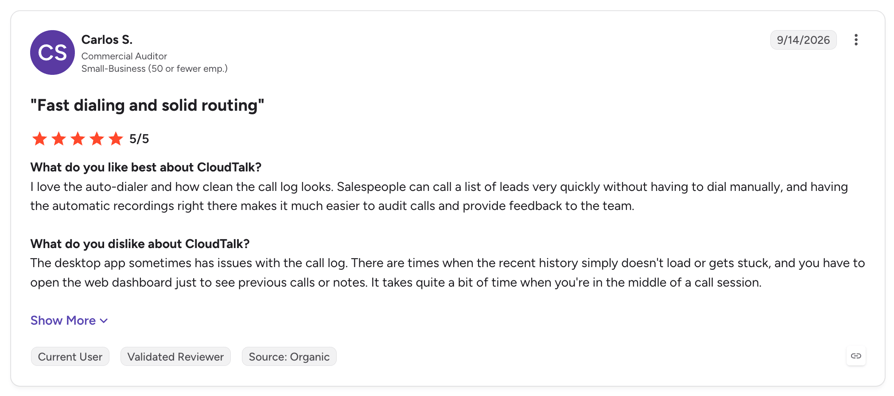
CloudTalk holds a 4.4/5 rating on G2 from 1938+ verified reviews. Dental organizations already run their phones on CloudTalk; read the Dentakay customer story to see how one uses it for outbound patient calls.
Pros and Considerations
| Pros | Cons |
|---|---|
| AI and your front desk on one phone system, with transfer to your own team | AI only: CloudTalk doesn't supply live human receptionists |
| Run AI only where you need it: lunch, overflow or after hours | Practice software connects via API or Zapier, not natively; confirm AI agent coverage under your BAA |
2. Weave: Best for an All-in-One Dental Phone and Messaging Platform
What Is Weave?
Best for: practices that want phones, two-way texting, reviews and an AI receptionist in one dental-focused platform.
Weave is a patient communication platform built for dental and healthcare practices. Its AI Receptionist is a phone system with AI added on, and it is currently offered as early access.
Key Features for Dental Practices
- 24/7 AI call answering that hands calls to staff with a summary when needed
- Books and reschedules automatically for qualified dental practice software; for others, it captures requests for staff to schedule
- After-hours call screening and emergency dispatch, per its dental call answering page
- AI text and website chat conversations alongside voice
HIPAA and BAA
Weave publishes a Business Associate Addendum. Ask which features, including the AI Receptionist, it covers.
Practice Software Integrations
Weave integrates with Dentrix, Eaglesoft and Open Dental, among others. Automatic AI booking works only with "qualified" practice software, so confirm yours is on the list.
Pricing
Weave plans (Pro, Elite, Ultimate) start from $199/month, with exact prices behind a sales call. AI Receptionist pricing is not published (Weave pricing, checked October 9, 2026).
G2 Rating
Weave held a 4.6/5 rating on G2. Unfortunately, it's no longer valid.
Pros and Considerations
| Pros | Cons |
|---|---|
| Deep, long-standing dental practice software integrations | AI Receptionist is early access; multilingual support is listed as coming soon |
| Phones, texting and AI in one dental-specific tool | Plan prices and AI pricing are not published |
CloudTalk vs Weave
| CloudTalk | Weave | |
|---|---|---|
| Focus | Phone system with AI built in, any industry | Dental patient communication platform |
| Languages | 70+, switches mid-call | Multilingual listed as coming soon |
| Pricing | Published, from 50 free minutes | From $199/mo; AI price not published |
3. Dentina: Best Dental-Specific AI for Real-Time Booking
What Is Dentina?
Best for: single practices that want an AI receptionist writing bookings straight back to their practice software.
Dentina is an AI-only dental receptionist built by a dentist. It answers calls around the clock and books, reschedules and confirms appointments, with warm transfer to staff on its Premium plan.
Key Features for Dental Practices
- 24/7/365 answering with unlimited calls and minutes
- Real-time schedule sync that writes bookings back to your practice software
- Emergency and after-hours forwarding with an AI briefing on Premium
- English and Spanish on Standard; up to 57 languages on Premium
HIPAA and BAA
Dentina describes itself as "HIPAA-compliant by design" but doesn't state publicly that it signs a BAA. Ask for one in writing.
Practice Software Integrations
Dentina lists direct connections to Open Dental, Dentrix, Dentrix Ascend, Eaglesoft, Curve, Denticon, Cloud9 and others, with real-time booking.
Pricing
Standard starts at $299/month and Premium at $399/month, per location, billed annually, with a 30-day free trial (Dentina pricing, checked October 9, 2026).
G2 Rating
Dentina has a G2 listing with no reviews yet.
Pros and Considerations
| Pros | Cons |
|---|---|
| Wide list of dental practice software connections | Newer vendor with no public reviews yet |
| Flat pricing with unlimited minutes | Emergency forwarding and warm transfer are Premium-only; BAA not stated publicly |
CloudTalk vs Dentina
| CloudTalk | Dentina | |
|---|---|---|
| Phone system | Full phone system for your front desk too | AI receptionist layer |
| Practice software | Via API, webhooks or Zapier | Direct PMS connections |
| Pricing | Monthly, minute-based, free to start | Annual, per location |
4. Arini: Best Dental AI Receptionist for Groups and DSOs
What Is Arini?
Best for: multi-location groups and DSOs that want AI handling overflow, after hours and outbound recall.
Arini is an AI-only dental receptionist that escalates to your team when needed. It leans toward larger groups and DSOs.
Key Features for Dental Practices
- Booking with custom scheduling logic by provider, appointment type and emergency slots
- Overflow and after-hours coverage around the clock
- Mid-call language switching, shown with English and Spanish
- Transfers to clinical staff when a caller asks for medical advice
HIPAA and BAA
Arini's main product pages don't mention a BAA. Its Dentrix integration guide states that a signed BAA is provided before integration. Confirm it in writing.
Practice Software Integrations
According to its blog guides, Arini connects to Dentrix through the Henry Schein One API Exchange, and to Eaglesoft, Open Dental, Denticon, CareStack, Cloud9 and Curve, with real-time booking.
Pricing
Pricing is not published. Arini offers demos and an ROI calculator (checked October 9, 2026).
G2 Rating
Arini has a G2 listing with no reviews yet.
Pros and Considerations
| Pros | Cons |
|---|---|
| Built for multi-location dental groups | No public pricing |
| Inbound answering plus outbound recall and confirmations | BAA and integration details are documented in blog posts, not product pages |
CloudTalk vs Arini
| CloudTalk | Arini | |
|---|---|---|
| Who runs your phones | CloudTalk runs your lines, routing and front desk calls | AI layer on top of your existing phones |
| Pricing | Published, free to start | Not published |
| Best fit | Practices of any size wanting one phone system | Groups and DSOs |
5. Abby Connect: Best Hybrid Dental Answering Service
What Is Abby Connect?
Best for: practices that want the option of a human receptionist, with AI available on the same call.
Abby Connect is a hybrid service: you choose human receptionists, AI, or both, with a handoff on the same call. Its human receptionists are US-based and in-house.
Key Features for Dental Practices
- Scheduling, rescheduling and confirmations, plus new-patient intake
- Emergency escalation to the on-call dentist, based on your rules
- 24/7/365 coverage with no after-hours or weekend upcharge
- English and Spanish on every plan
HIPAA and BAA
Abby Connect states its dental answering service is HIPAA compliant. Its dental page doesn't mention a BAA, so ask for one.
Practice Software Integrations
Abby lists Calendly, Google Calendar and other scheduling tools, plus dental marketing tools like Dentistry Dashboard. Dentrix, Eaglesoft and Open Dental are not named.
Pricing
Plans start at $165/month for 50 Abby Minutes and go up to $1,380/month for 500. One human minute uses 1 Abby Minute; one AI minute uses 0.5. Month-to-month, no setup fee (Abby pricing, checked October 9, 2026).
G2 Rating
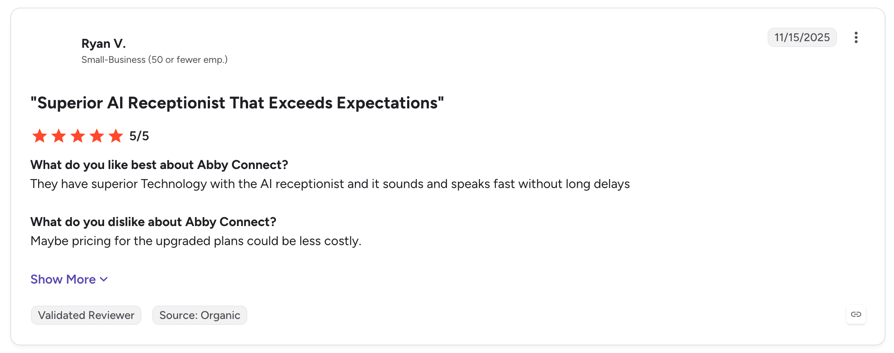
Abby Connect holds a 4.5/5 rating from 12 reviews on G2.
Pros and Considerations
| Pros | Cons |
|---|---|
| Human, AI or both on the same call | Cost per human minute is high on lower plans |
| Spanish and 24/7 coverage on every plan | No named dental practice software integration |
CloudTalk vs Abby Connect
| CloudTalk | Abby Connect | |
|---|---|---|
| Human backup | Your own front desk | Abby's receptionists |
| Cost driver | AI minutes | Pooled human and AI minutes |
| Best fit | Routine calls at scale | Practices wanting a third-party human option |
6. Ruby: Best Live Receptionist Service for Dental Offices
What Is Ruby?
Best for: practices that want a real person on every call, including nights and weekends.
Ruby provides live, US-based virtual receptionists. It offers optional AI enhancements on all plans, but its core service is human answering.
Key Features for Dental Practices
- 24/7 live answering, including after hours, weekends and holidays
- Spanish and bilingual call handling
- Intake and messages, with priority for callers who need immediate attention
- Booking through a HIPAA-compliant scheduling tool your receptionists can access without a login
HIPAA and BAA
Ruby signs a BAA with healthcare customers at no extra charge.
Practice Software Integrations
No dental practice software is named. Ruby's help center notes some integrations, including Zapier, are not available to HIPAA customers, so dental workflows lean on messages or a login-free scheduler.
Pricing
Receptionist plans start at $250/month for 50 minutes and go up to $1,725/month for 500 minutes (Ruby pricing, checked October 9, 2026).
G2 Rating
Ruby holds a 3.8/5 rating from 12 reviews on G2.
Pros and Considerations
| Pros | Cons |
|---|---|
| A human voice on every call | Per-minute pricing adds up on busy dental lines |
| BAA included at no extra cost | No dental practice software connection; booking needs a login-free scheduler |
CloudTalk vs Ruby
| CloudTalk | Ruby | |
|---|---|---|
| Who answers | AI, then your front desk | Ruby's live receptionists |
| Simultaneous calls | Unlimited | Depends on staffing |
| Cost per minute | Lower, AI-based | Higher, human-based |
7. AnswerConnect: Best for 24/7 Live Coverage With No After-Hours Upcharge
What Is AnswerConnect?
Best for: practices that want human receptionists around the clock at one rate.
AnswerConnect is a live answering service that pledges to keep every customer interaction human. It answers 24/7, including weekends and holidays, at the same price as business hours.
Key Features for Dental Practices
- 24/7/365 live answering at one rate
- Appointment booking through calendar integrations
- Spanish routing as a paid add-on
HIPAA and BAA
AnswerConnect offers a HIPAA option you activate in its portal for a monthly fee. Its public pages don't mention a BAA, so ask for one.
Practice Software Integrations
AnswerConnect lists calendar and CRM integrations. No dental practice software is named.
Pricing
Its public pricing sheet lists plans from $325/month for 200 minutes, with calls rounded up to the next minute. HIPAA and Spanish are paid add-ons (AnswerConnect pricing, checked October 9, 2026).
G2 Rating
AnswerConnect holds a 4.5/5 rating from 23 reviews on G2.
Pros and Considerations
| Pros | Cons |
|---|---|
| Human answering 24/7 with no after-hours upcharge | HIPAA and Spanish cost extra |
| Large minute tiers for high volume | Every call rounds up to a full minute |
CloudTalk vs AnswerConnect
| CloudTalk | AnswerConnect | |
|---|---|---|
| Who answers | AI, then your front desk | Live receptionists |
| Languages | 70+ included | Spanish as an add-on |
| Practice software | Via API, webhooks or Zapier | Calendar and CRM only |
8. PatientCalls: Best Live Medical Answering Service for After-Hours Triage
What Is PatientCalls?
Best for: practices that need after-hours triage and alerts to an on-call dentist.
PatientCalls is a live, medical-first answering service with a dental offering. It focuses on teletriage and getting urgent calls to the dentist on call.
Key Features for Dental Practices
- 24/7 teletriage and emergency alerts to on-call dentists
- Overflow, after-hours and weekend service options
- Spanish and English
- Secure messaging through its app
HIPAA and BAA
PatientCalls requires a signed business associate agreement before medical answering starts.
Practice Software Integrations
PatientCalls connects to EMR systems via API, but names medical systems only. Dental practice software is not listed.
Pricing
Pricing is not published. PatientCalls offers per-minute and per-call options, a one-time $75 setup fee and month-to-month terms (PatientCalls pricing, checked October 9, 2026).
G2 Rating
PatientCalls has no G2 profile.
Pros and Considerations
| Pros | Cons |
|---|---|
| Medical triage experience for urgent calls | No dental practice software integration |
| Signed BAA and month-to-month terms | Pricing only by quote |
CloudTalk vs PatientCalls
| CloudTalk | PatientCalls | |
|---|---|---|
| Who answers | AI, then your front desk or on-call dentist | Live triage team |
| Pricing | Published, free to start | By quote |
| Best fit | Every call, every hour | After-hours triage |
How to Roll Out an Answering Service in Your Practice
Start small, prove it works, then expand. This plan keeps the risk low:
- Map your calls. Sort them into new patients, existing patients, emergencies and insurance. Note how many come in at lunch, during overflow and after hours, per location.
- Sign the BAA and confirm what it covers before any patient calls go live.
- Start with lunch, overflow and after-hours calls only. Keep your front desk answering during open hours.
- Load your content. Add FAQs per location, your emergency routing rules and a clear no-clinical-advice script.
- Test real scenarios. Try a toothache at 9 pm, a parent booking for two children, a Spanish-speaking caller, an insurance question and "Can I take ibuprofen?"
- Pilot at one or two of your busiest locations. Review transcripts every week and adjust.
- Add more once the basics run well. Turn on confirmation calls and practice software booking.
With CloudTalk, the AI Receptionist sets up in minutes, and the AI Specialist takes 1 to 2 weeks with a solutions consultant. Practices we spoke with wanted exactly this: a pilot at a few high-volume clinics with hands-on help, and one agent per clinic so every caller hears the right name and hours.
Frequently Asked Questions
Start With the Calls You Miss at Lunch and After Hours
Missed calls become missed appointments, and most of them happen at lunch, during busy hours and after you close. A dental answering service catches every one of those calls, so your front desk can focus on the patients standing in front of them.
Start where coverage breaks first. Put our dental AI answering service on your lunch and after-hours calls, test it with 50 free minutes on your own number, and expand once you see the results.
Frequently asked questions
A dental answering service answers your practice's calls when the front desk can't. It books or requests appointments, captures patient details, answers common questions like hours and insurance, and routes emergencies to your on-call dentist. There are three types: live services with human receptionists, AI services with a voice agent, and hybrid services that combine both. Most practices use one for lunch, overflow and after-hours calls.
It depends on the vendor and the agreement you sign. There is no "HIPAA certified" answering service. Get a signed Business Associate Agreement (BAA) and confirm what it covers: calls, recordings, transcripts, the AI agent and texting. CloudTalk's security controls and policies comply with HIPAA, so it can sign BAAs with its clients and fully support their HIPAA compliance. Confirm your AI setup is covered before going live.
A dental emergency answering service routes emergencies; it doesn't treat them. Your practice sets the rules. Urgent calls like severe pain, swelling or a knocked-out tooth go to the on-call dentist or trigger an immediate callback. Life-threatening symptoms, such as swelling with trouble breathing or uncontrolled bleeding, mean the caller is told to call 911. The service never gives clinical advice.
It depends on your practice software's API and the vendor. Some dental-specific AI tools connect directly and book in real time. Many others capture booking requests for your staff to confirm, or connect through an API, webhooks or Zapier. Before you sign, ask for a demo on your own system and ask who builds and maintains the connection.
Live services usually charge per minute or per call bundle, often from about $165 to $325 a month for 50 to 200 minutes. AI services usually charge per minute on monthly plans. To estimate, count your lunch, overflow and after-hours calls and multiply by average call length. Watch for minimum billed minutes, rounding, setup fees and contract length. See CloudTalk pricing for AI plans.
Live receptionists suit anxious patients and complex billing calls. AI answers instantly, handles many calls at once and asks the same questions every time, at a lower cost per call. Many practices combine them: AI covers lunch, overflow and after hours, and transfers to the front desk during open hours. That gives patients a person when they need one, without missed calls.
Yes, if you set it up that way. A good dental phone answering service transfers callers to your front desk during open hours and to your on-call dentist for emergencies. Use a clear AI disclosure in the greeting so patients know who they're talking to, and give them an easy way to ask for a person.
Yes, most modern AI services handle Spanish, and many live services offer it, sometimes as an add-on. CloudTalk supports 70+ languages, detects the caller's language and can switch on the same call. That means a Spanish-speaking patient calling your dental after hours answering service gets the same answers and booking help as everyone else.