10 Best HubSpot Calling Apps in 2026 (Ranked by Reviews)
HubSpot has built-in calling, but teams that dial at volume, call abroad, or run support on the phone usually add one of the HubSpot calling apps from the App Marketplace. These are the 10 worth shortlisting:
We ranked them on HubSpot Marketplace ratings and review volume, then checked what each app does inside HubSpot, what the HubSpot-capable plan costs, and which teams it suits.
HubSpot Calling Apps Comparison Table
| Provider | Key Features | Best For | Starting Price | G2 Rating | HubSpot Marketplace Rating |
|---|---|---|---|---|---|
| CloudTalk | HubSpot lists into Power and Parallel Dialer (both add-ons on Essential), outcome-triggered workflows, AI summaries into notes (add-on) | Outbound and multi-country sales teams | $29/user/month (Essential) | 4.4/5 | 4.4/5 (148 reviews) |
| Kixie PowerCall & SMS | Multi-line PowerDialer, auto-logged dispositions, shared SMS inbox | Outbound sales velocity | Not publicly listed | 4.8/5 | 4.6/5 (142 reviews) |
| KrispCall | Calling inside HubSpot, auto-logged recordings and notes | Budget international calling | $32/user/month (Advance) | 4.5/5 | 4.6/5 (236 reviews) |
| Salesmsg | Two-way SMS in HubSpot workflows, list broadcasts | SMS-first follow-up | $21/month (Basic, 1 seat) | 4.7/5 | 4.5/5 (231 reviews) |
| Aloware | Calls and texts from any HubSpot object, AI routing | HubSpot-native SMB contact center | $30/user/month (iPro, 10-user minimum) | 4.1/5 | 4.4/5 (22 reviews) |
| Aircall | Real-time sync of calls, SMS, and WhatsApp to Contacts, Deals, Tickets | Fast setup, largest install base | $30/license/month (3-license minimum) | 4.4/5 | 4.3/5 (326 reviews) |
| CallRail | Campaign and keyword attribution on HubSpot contacts | Inbound call attribution | $55/month per account | 4.5/5 | 4.2/5 (98 reviews) |
| Ringover | Screen-pop, WhatsApp sync into HubSpot | European multichannel teams | $47/user/month (BUSINESS, 3-user minimum) | 4.6/5 | 3.9/5 (40 reviews) |
| JustCall | Auto-created Service Hub tickets from calls and texts | Voice, SMS, and ticketing | $29/user/month (Team, 2-license minimum) | 4.3/5 | 3.7/5 (34 reviews) |
| Dialpad | HubSpot tickets triggered by call and SMS activity | Existing Dialpad phone estates | $25/user/month (Pro) | 4.4/5 | 3.6/5 (224 reviews) |
According to Salesforce's Seventh Edition State of Sales report1, sales reps spend 60% of their time on non-selling tasks, and Salesforce names manually entering customer notes into the CRM as one of them. For phone-heavy teams, HubSpot calling apps exist to take that work off the rep's plate.
On a phone-heavy team, every call a rep logs by hand is a minute they aren't dialing, and every call they forget to log is a deal your manager can't coach and a contact your marketing team can't segment. Over a quarter, those gaps turn into forecasts built on half the story.
Most teams try to fix this by adding another tool, and that often makes it worse. Salesforce's research also found that 42% of sales reps feel overwhelmed by too many tools, so a dialer that lives outside HubSpot moves the copy-paste somewhere else.
A good calling app works inside HubSpot as a true VoIP CRM integration: reps dial from the record, and the call, recording, outcome, and notes land on the timeline without anyone typing them. In this guide, we reviewed the 10 best HubSpot calling apps on the Marketplace. You'll learn how to match one to your call volume, your markets, and the HubSpot plan you already pay for.
See CloudTalk work a HubSpot list end to end
How We Ranked These HubSpot Calling Apps
We started from the HubSpot App Marketplace's Calling category, which lists more than 170 apps, and narrowed it down with four rules:
- Listed on the HubSpot Marketplace in the Calling category, so the integration is published and reviewable
- Enough Marketplace feedback to analyze, which we set at 20 or more reviews
- Relevant to HubSpot calling users, meaning it logs calls to HubSpot records rather than only syncing contacts
- A distinct use case, so the list covers outbound dialing, SMS, inbound attribution, support, and international teams rather than ten versions of the same tool
CloudTalk sits first because it's our product and we know it best; we tell you exactly where it isn't the right fit. The other nine are ordered by Marketplace rating, with review volume as the tiebreaker. For each app, we read the Marketplace listing and its reviews, checked the vendor's own pricing page for the cheapest plan that includes HubSpot, and added each app's G2 rating for a second opinion.
Why Trust Our Software Reviews?
For nearly a decade, we've helped over 30,000 professionals find and implement smarter business communication tools. We've reviewed 200+ software tools across industries, analyzed 5,500+ verified customer reviews from platforms like G2, Capterra, Trustpilot, and TrustRadius, and drawn insights from real user discussions on Reddit and Quora.
In the past year alone, we published 1,000+ articles, each one written by humans for humans. Learn how we keep our content integrity and our software review methodology.
Which Calling Apps Did We Evaluate but Leave Out?
Some of the biggest phone brands scored poorly with HubSpot users on the Marketplace, so they didn't make the list:
- RingEX by RingCentral: 2.6/5 from 103 reviews, with recent reviews describing connection failures (we cover RingCentral's HubSpot integration separately)
- Zoom Phone for HubSpot: 2.1/5 from 86 reviews; reviewers say it writes a summary and a link back to Zoom rather than the full call data
- Quo (formerly OpenPhone): 3.3/5 from 77 reviews, with complaints about call-outcome mapping
- 8x8 for HubSpot: 1.6/5 from 25 reviews
- Orum: 4.5/5 and well suited to parallel dialing, but only 11 reviews, too few to rank
Keep that pattern in mind when you build your own shortlist: a familiar brand name tells you little about how well the HubSpot side works.
What Is HubSpot Calling?
HubSpot calling is the built-in calling tool in HubSpot's Sales Hub and Service Hub. Reps call a contact straight from the CRM record, and the call is logged to that contact's timeline with its outcome and notes. It's available on the Starter, Professional, and Enterprise editions of both hubs.
According to HubSpot's VoIP product page, the calling minutes are shared per account: 500 minutes a month on Starter, 3,000 on Professional, and 12,000 on Enterprise. You can call through HubSpot's own numbers or connect a third-party provider, the same way you'd add any of the other HubSpot CRM integrations from the Marketplace.
HubSpot's Knowledge Base article on calling apps says calling apps are available with all products and plans, and that when you use an integrated calling app, "you'll no longer be using calling minutes from your HubSpot account." HubSpot also points teams to a calling app if they need to call countries that aren't on its supported countries list.
A calling app shows up inside HubSpot in one of three ways, per HubSpot's documentation:
- Calling remote and window: a small remote in HubSpot plus a separate pop-out window for the call
- Calling remote only: everything runs from the remote inside the record
- Calling widget: the provider's own widget embedded in HubSpot
Two limits are worth knowing before you buy. HubSpot notes that you can't make a call from a custom object record using a calling app, and that what happens during and after the call "can vary based on provider." That second point is the reason the ten apps below behave so differently.
The 10 Best HubSpot Calling Apps in 2026
Each app below opens with its HubSpot Marketplace rating, review count, and install band, followed by the starting price for a plan that includes the HubSpot integration.
1. CloudTalk
HubSpot Marketplace: 4.4/5 (148 reviews, 3K installs) · Starting price for HubSpot use: $29/user/month (Essential) · G2: 4.4/5
What Is CloudTalk?
CloudTalk is a cloud phone system for sales and support teams, and a HubSpot Certified app. Its Marketplace listing describes it as a "native cloud phone system with AI Voice Agents, SMS automation, and multi-line Power Dialer" that logs calls, texts, and recordings directly into HubSpot properties. Teams get virtual numbers in 160+ countries and more than 5,500 companies use it.
CloudTalk is built for HubSpot teams that dial lists at volume, often across several countries, and want call outcomes to drive HubSpot automatically. Skip it if you make a handful of calls a week and HubSpot's own minutes already cover you, or if you want to stay on the Starter plan, because the HubSpot integration starts on Essential.
What Are CloudTalk's Key HubSpot Calling Features?
- Work HubSpot lists without exporting them: HubSpot lists feed CloudTalk's Power Dialer and Parallel Dialer campaigns. The parallel dialer for HubSpot calls up to 10 numbers at once and connects the rep to the first person who answers.
- Let call outcomes run your workflows: with Export Campaign Results, dialer and Power Dialer calls auto-update HubSpot activity outcomes based on call dispositions, including talk time, wrap time, and the linked contact, user, and deal. That means a HubSpot workflow can fire the moment a rep marks a call "interested."
- Stop logging calls by hand: reps click to call from contact, deal, and company records, and calls, notes, recordings, and tags log to the HubSpot timeline automatically.
- Put AI output where reps already look: with the AI Conversation Intelligence add-on, AI call summaries, sentiment, and topics land in HubSpot engagement notes. With the AI Voice Agents add-on, calls handled by an AI agent export to HubSpot too.
What Are CloudTalk's Pros and Cons?
| Pros | Cons |
|---|---|
| HubSpot reviewers call it easy to set up and quick to learn | Some advanced features take time to configure |
| Call recording and a clean call history inside the CRM | Occasional connection issues reported in reviews |
| 90% of Marketplace ratings are four or five stars | HubSpot integration isn't on the Starter plan |
What Is the Pricing of CloudTalk?
All CloudTalk pricing is per user per month, billed annually:
CloudTalk Plans and Pricing
| Plan | Price and what you get |
|---|---|
| Starter | $25/user/month, with IVR, call routing, click-to-call, and call recording; no HubSpot integration |
| Essential | $29/user/month, the first plan with the HubSpot integration, the wider integrations catalog, API access, and Smart Dialer |
| Expert | $49/user/month, adds Power Dialer (included) and the Salesforce integration |
| Custom | contact sales |
| Add-ons | Power Dialer $15/user/month on Starter and Essential; Parallel Dialer $39/user/month on any plan; AI Conversation Intelligence $9/user/month; AI Voice Agents from $99/month for 200 minutes |
There's a 14-day free trial. For a HubSpot team that wants power dialing, the choice is Essential plus the Power Dialer add-on, or Expert, where it's included.
What Do Customers Say About CloudTalk?
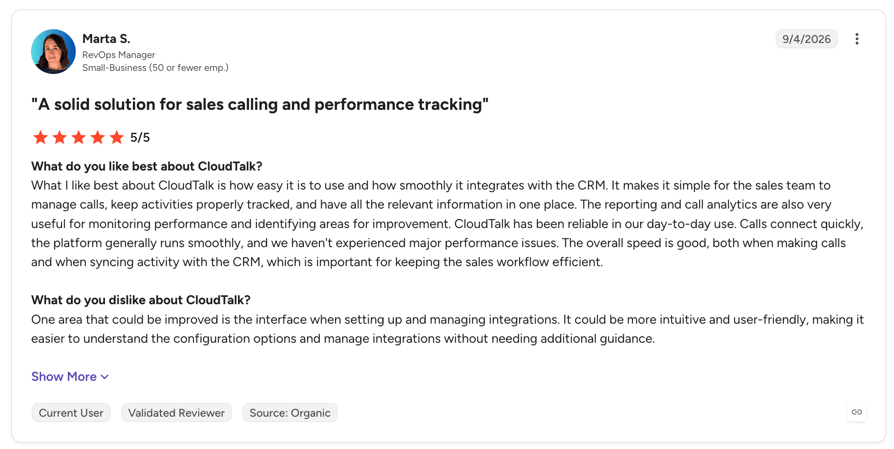
HubSpot users praise how fast CloudTalk is to set up and how quickly a team picks up the interface; one reviewer on CloudTalk's HubSpot Marketplace listing calls it "easy to set up, understand, and start working with it." Another reviewer singles out call recording and a tidy call history inside HubSpot, and a third calls the support team "very helpful." On the critical side, one reviewer says some features take a little time to configure, and a few report occasional connection issues, with at least one noting it may have been their own network.
G2 rating: 4.4/5 (1930+ reviews) · Read CloudTalk reviews on G2
2. Kixie PowerCall & SMS
HubSpot Marketplace: 4.6/5 (142 reviews, 3K installs) · Starting price for HubSpot use: not publicly listed · G2: 4.8/5
What Is Kixie PowerCall & SMS?
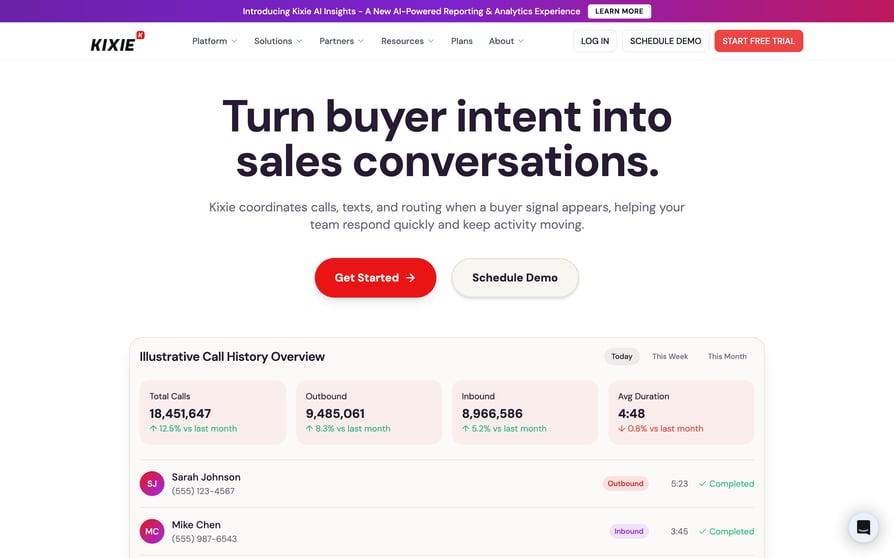
Kixie PowerCall & SMS is an outbound calling and texting platform that pitches itself on the Marketplace as "ultra-reliable, easily automated calling & texting for HubSpot." It's aimed at sales teams that live in a dialer and want every call, text, and disposition logged without touching the CRM.
Kixie suits sales development (SDR) and business development (BDR) teams whose day is one long call block. Look elsewhere if you need published, predictable pricing, or if inbound routing and support matter more than outbound volume.
What Are Kixie's Key HubSpot Calling Features?
- Dial from anywhere: a click-to-call button appears next to phone numbers on any web page, HubSpot records included.
- Talk to more people per hour: the multi-line PowerDialer uses AI human-voice detection to skip voicemails and phone menus.
- Skip the admin: calls, texts, dispositions, and activities log automatically to the HubSpot contact.
- Get answered more often: local presence dialing, a shared team SMS inbox, SMS templates, and voicemail drop.
What Are Kixie's Pros and Cons?
| Pros | Cons |
|---|---|
| 86% of Marketplace ratings are five stars, the highest share in this list | A 6% one-star tail makes sentiment polarized |
| Multi-line dialing that skips voicemail and phone menus | The most recent one-star review is about HubSpot sync reliability |
| Local presence plus a shared SMS inbox | No published pricing |
What Is the Pricing of Kixie?
Kixie doesn't publish prices on its pricing page or its Marketplace listing. It sells three plans:
Kixie Plans and Pricing
| Plan | Price and what you get |
|---|---|
| Professional | contact sales |
| Single-Line PowerDialer | contact sales |
| Multi-Line PowerDialer | contact sales |
For what's known about each tier, see our breakdown of Kixie pricing.
What Do Customers Say About Kixie?
HubSpot users give Kixie the highest concentration of five-star ratings in this list, and they rate it well for automating dialing and texting at volume. The weak spot is sync: the most recent one-star review on Kixie's HubSpot Marketplace listing says: "Sync is QUESTIONABLE and seems to be on and off... sometimes you have to refresh 10 times before it'll load." With 6% one-star ratings against 4% four-star, opinion splits more sharply than the average score suggests.
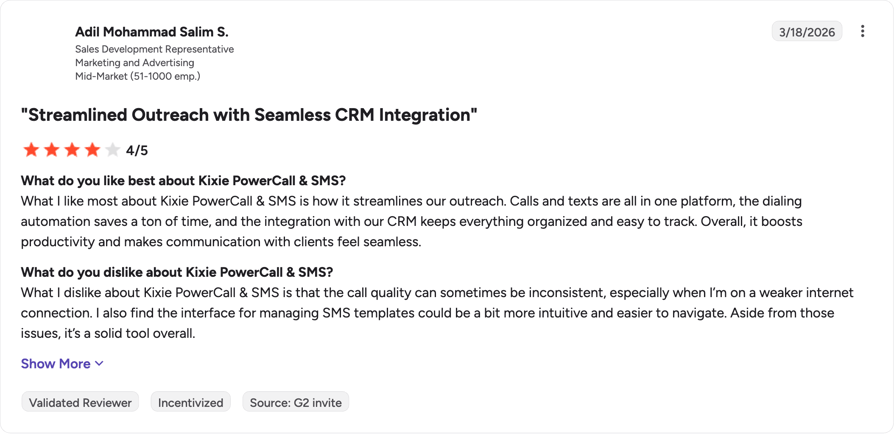
G2 rating: 4.8/5 (866+ reviews) · Read Kixie reviews on G2
3. KrispCall
HubSpot Marketplace: 4.6/5 (236 reviews, 200+ installs) · Starting price for HubSpot use: $32/user/month (Advance) · G2: 4.5/5
What Is KrispCall?
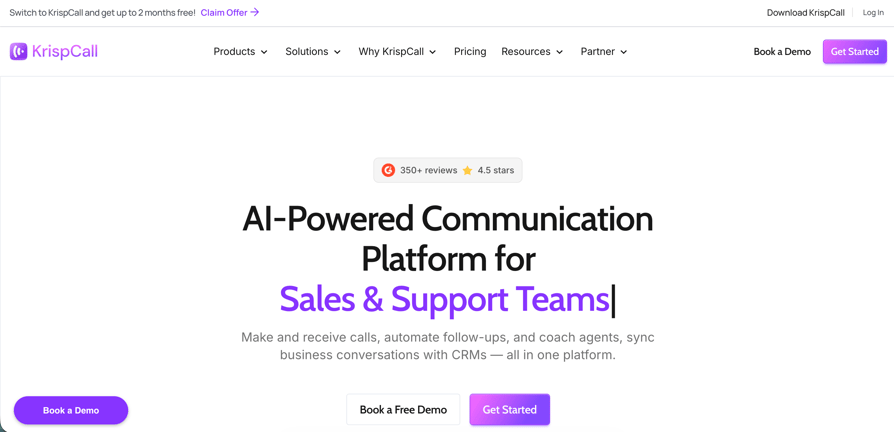
KrispCall is a cloud calling and SMS tool whose Marketplace listing promises "calling & SMS right inside HubSpot." It's built for small and mid-size teams that want international numbers and HubSpot-logged calls at a low published price. (HubSpot shows installs in rounded bands, which is why the review count can sit above the "200+" install figure.)
KrispCall fits desktop-first teams on a budget. It's a weaker pick if your reps work mainly from their phones or you need a high-volume parallel dialer.
What Are KrispCall's Key HubSpot Calling Features?
- Stay in one tab: make and receive calls inside HubSpot.
- Keep the record complete: calls log automatically with recordings, notes, and analytics on the contact.
- Sell across borders: global numbers, number porting, and multilevel IVR.
- Coach from real calls: call monitoring, coaching tools, and analytics.
What Are KrispCall's Pros and Cons?
| Pros | Cons |
|---|---|
| 96% of Marketplace ratings are four or five stars, with 1% one-star | One reviewer says the mobile app lags the web app |
| One reviewer calls it good value for the features their team uses | Smallest install band in this list (200+) |
| A reviewer calls running KrispCall with HubSpot "extremely convenient" | HubSpot integration needs the Advance plan, not Starter |
What Is the Pricing of KrispCall?
KrispCall Plans and Pricing
| Plan | Price and what you get |
|---|---|
| Starter | $12/user/month billed annually, for teams of up to 5 users; no HubSpot integration |
| Advance | $32/user/month billed annually, for teams of up to 50 users; adds the HubSpot integration, Power Dialer, call recording, and bulk SMS, with AI call transcripts and summaries as an add-on |
| Max | $48/user/month billed annually, with no member limit and unlimited calling |
What Do Customers Say About KrispCall?
KrispCall has the cleanest rating spread of the ten, and the reviews point to value: one reviewer on KrispCall's HubSpot Marketplace listing writes that "the calling, HubSpot integration, and general workflow cover what our team needs without making things unnecessarily complicated." Another calls having KrispCall and HubSpot work together "extremely convenient." The main criticism is mobile: one reviewer wants the mobile app to have "more of the flexibility available in the main platform." Our full KrispCall review looks at the product beyond HubSpot.
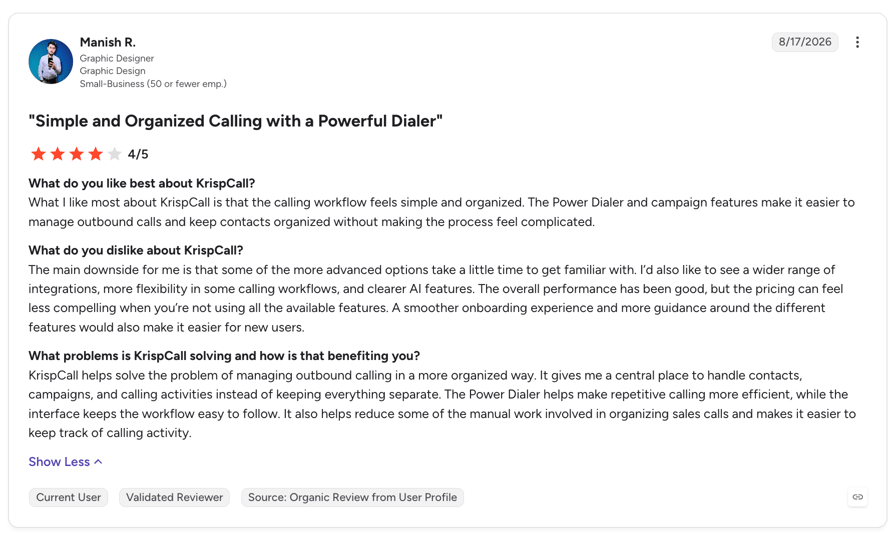
G2 rating: 4.5/5 (383+ reviews) · Read KrispCall reviews on G2
4. Salesmsg
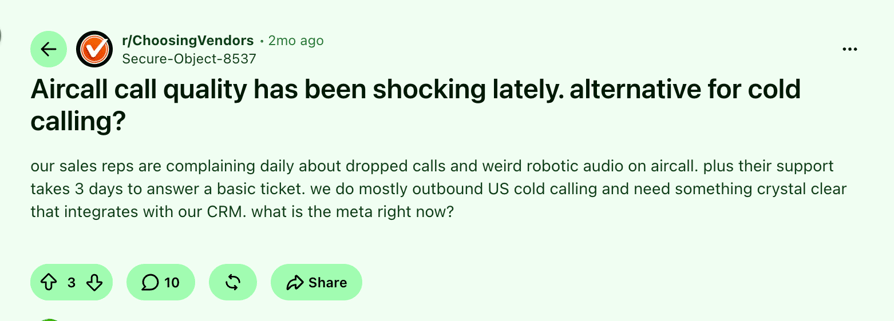
HubSpot Marketplace: 4.5/5 (231 reviews, 3K installs) · Starting price: $21/month (Basic, 1 seat) · G2: 4.7/5
What Is Salesmsg?
Salesmsg SMS Texting & Calling, from SalesMessage, Inc., is a texting-first platform that describes itself on the Marketplace as offering "best-in-class SMS, 2-way texting & calling for your HubSpot contacts." It's for HubSpot teams whose follow-up happens by text, with calling as the secondary channel.
Choose Salesmsg if your pipeline moves on SMS and you'd rather pay by credits than by seats. If voice is your main channel or you need a power dialer, one of the other apps fits better.
What Are Salesmsg's Key HubSpot Calling Features?
- Keep texts on the record: two-way SMS and MMS with HubSpot contacts, with replies logged back.
- Text a whole list: SMS broadcasts to HubSpot lists and SMS automation steps inside HubSpot workflows.
- Call from the same place: calling runs in the same workspace as texting.
- Reach contacts abroad: international SMS, plus video and audio texting and reporting.
What Are Salesmsg's Pros and Cons?
| Pros | Cons |
|---|---|
| 88% of Marketplace ratings are four or five stars on a large sample | One reviewer says it still feels like a separate product inside HubSpot |
| Onboarding gets praise, even in a critical review | US carrier (10DLC) registration can delay first use |
| Texts drop into existing HubSpot workflows | No power or parallel dialer |
What Is the Pricing of Salesmsg?
Salesmsg prices by credits: an SMS costs 1 credit, an MMS 2 credits, and calling 1 credit per minute. Every plan, Basic included, works with the HubSpot integration.
Salesmsg Plans and Pricing
| Plan | Price and what you get |
|---|---|
| Basic | $21/month billed annually ($25 monthly), with 500 credits a month, 1 seat and 1 number included; additional seats $10/month |
| Pro | $277/month |
| Enterprise | contact sales |
| Annual billing | two months free |
What Do Customers Say About Salesmsg?
Salesmsg's onboarding gets praise even from a critical reviewer ("onboard process is great, integrations pretty solid"), and texts slot into existing HubSpot workflows. The main complaint is depth: one reviewer on Salesmsg's HubSpot Marketplace listing writes, "You still feel like you're using a different messaging service inside HubSpot." Another reviewer flags the wait for 10DLC carrier registration before sending; Salesmsg replied that 10DLC is an industry-wide US carrier requirement, and it applies to every SMS app.
G2 rating: 4.7/5 (430+ reviews) · Read Salesmsg reviews on G2
5. Aloware

HubSpot Marketplace: 4.4/5 (22 reviews, 800+ installs) · Starting price for HubSpot use: $30/user/month (iPro, 10-user minimum) · G2: 4.1/5
What Is Aloware?
Aloware Cloud Contact Center is a calling, texting, and routing platform that calls itself the "top native HubSpot integration for calling, SMS/MMS, and automation." It's designed for small and mid-size teams that want contact-center routing and compliance handling wired into HubSpot objects.
Aloware is a good match if you want calling and texting across tickets and deals with spam and 10DLC compliance handled for you. Keep in mind the sample is thin at 22 Marketplace reviews, and the entry plan needs 10 users.
What Are Aloware's Key HubSpot Calling Features?
- Call from wherever the work is: calls and texts from any HubSpot object, including contacts, companies, deals, and tickets.
- Keep both systems in sync: call outcomes, types, and direction sync both ways.
- Dial the lists you already built: HubSpot dialing lists import into Aloware's power dialer (uPro and above).
- Stay off spam lists: AI routing on HubSpot data, plus anti-spam and A2P 10DLC registration handling.
What Are Aloware's Pros and Cons?
| Pros | Cons |
|---|---|
| Deep routing options, praised by a reviewer | A reviewer reports bugs and features that don't work as expected |
| No one-star Marketplace reviews | Only 22 reviews, with a 9% two-star share |
| Works across contacts, companies, deals, and tickets | 10-user minimum on the entry plan |
What Is the Pricing of Aloware?
Aloware Plans and Pricing
| Plan | Price and what you get |
|---|---|
| iPro + AI | $30/user/month billed annually ($40 monthly), minimum 10 users; includes the native HubSpot integration but not HubSpot workflows |
| uPro + AI | $60/user/month billed annually ($70 monthly), minimum 5 users; adds the AI-powered dialer and HubSpot workflows |
| xPro + AI | $85/user/month billed annually ($100 monthly), minimum 5 users; adds Salesforce |
| Free trial | 7 days |
The real entry cost on iPro is $300/month for 10 users, billed annually. Our Aloware pricing guide breaks down each tier.
What Do Customers Say About Aloware?
Aloware's small set of Marketplace reviews leans positive (86% four or five stars), and one reviewer singles out the "lots of settings and routing configurations." The criticism is about execution: the same reviewer on Aloware's HubSpot Marketplace listing writes that "all the features don't quite work as expected" and asks for a stronger technical support team. With only 22 reviews, give that average less weight than you'd give Aircall's 326.
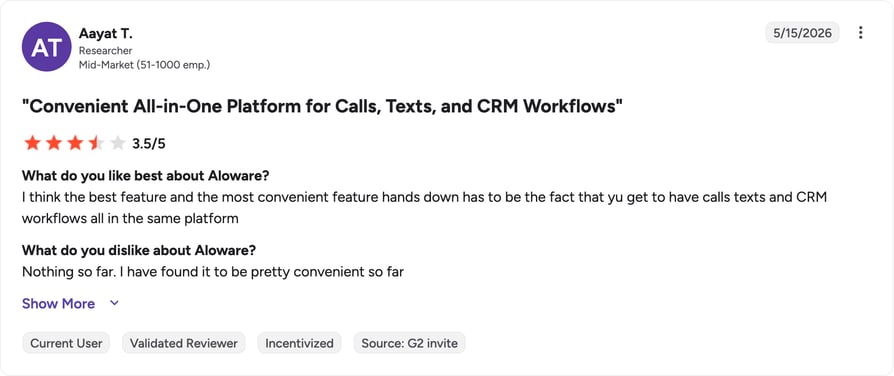
G2 rating: 4.1/5 (828+ reviews) · Read Aloware reviews on G2
6. Aircall
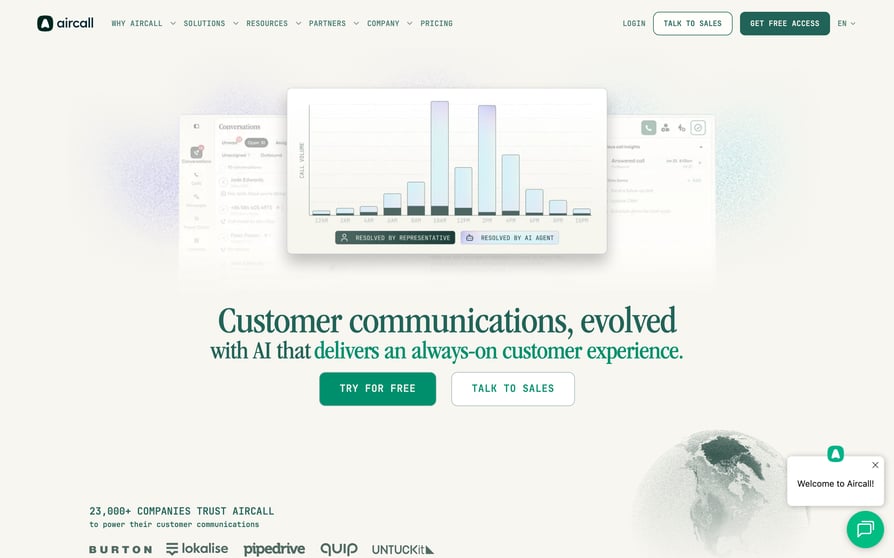
HubSpot Marketplace: 4.3/5 (326 reviews, 16K installs) · Starting price for HubSpot use: $30/license/month (3-license minimum) · G2: 4.4/5
What Is Aircall?
Aircall is a cloud phone system whose Marketplace listing reads "Customer Communications, Evolved. Where intelligent automation meets human connection." It's the most-installed app in HubSpot's Calling category, and its listing says it was HubSpot's 2025 Co-selling Partner of the Year.
Aircall suits support or blended teams that value setup speed and a large peer base over dialing horsepower. It's a weaker fit for pure outbound teams chasing connect rates, or for teams of fewer than three.
What Are Aircall's Key HubSpot Calling Features?
- One view of every conversation: calls, SMS, and WhatsApp sync in real time to HubSpot Contacts, Deals, and Tickets.
- Less typing after calls: click-to-call and automatic activity logging.
- AI help during the call: AI Actions (in beta) put an Aircall virtual agent to work inside HubSpot during live calls.
- Outbound and shared work: a power dialer on the Professional plan, plus a shared inbox.
What Are Aircall's Pros and Cons?
| Pros | Cons |
|---|---|
| Largest review sample in the category, with 82% four or five stars | 6% one-star, including a recent review panning outbound calling |
| Real-time sync across Contacts, Deals, and Tickets | 3-license minimum on every plan |
| Most-installed HubSpot calling app | Power Dialer only on Professional |
What Is the Pricing of Aircall?
Aircall Plans and Pricing
| Plan | Price and what you get |
|---|---|
| Essentials | $30/license/month billed annually; includes AI Voice Agents (50 minutes a month), unlimited calls within the US and Canada, and 250+ integrations |
| Professional | $50/license/month billed annually; adds advanced analytics, smart routing, Power Dialer, and AI conversation intelligence |
| Custom | for 25+ licenses |
| AI Assist Pro add-on | $49/seat/month |
Both paid plans require at least 3 licenses, so the entry cost is $90/month billed annually. Annual billing saves 25% compared with monthly. Our Aircall pricing guide covers the add-ons in more detail.
What Do Customers Say About Aircall?
Across the largest set of HubSpot reviews in the category, users keep coming back to real-time sync across Contacts, Deals, and Tickets. The criticism mostly comes from outbound teams: a recent one-star review on Aircall's HubSpot Marketplace listing calls it "not good for outbound calling," naming recording, pick-up rates, and note-taking as problems.
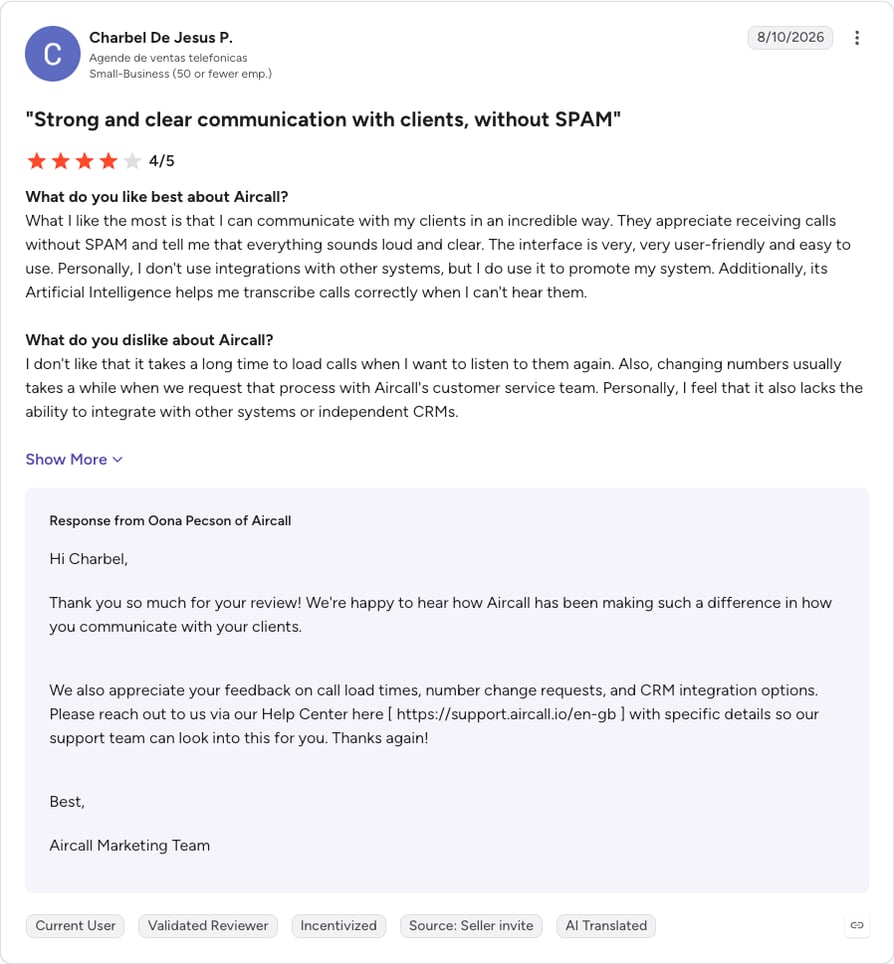
G2 rating: 4.4/5 (1664+ reviews) · Read Aircall reviews on G2
7. CallRail
HubSpot Marketplace: 4.2/5 (98 reviews, 5K installs) · Starting price: $55/month per account (Lead Tracking) · G2: 4.5/5
What Is CallRail?
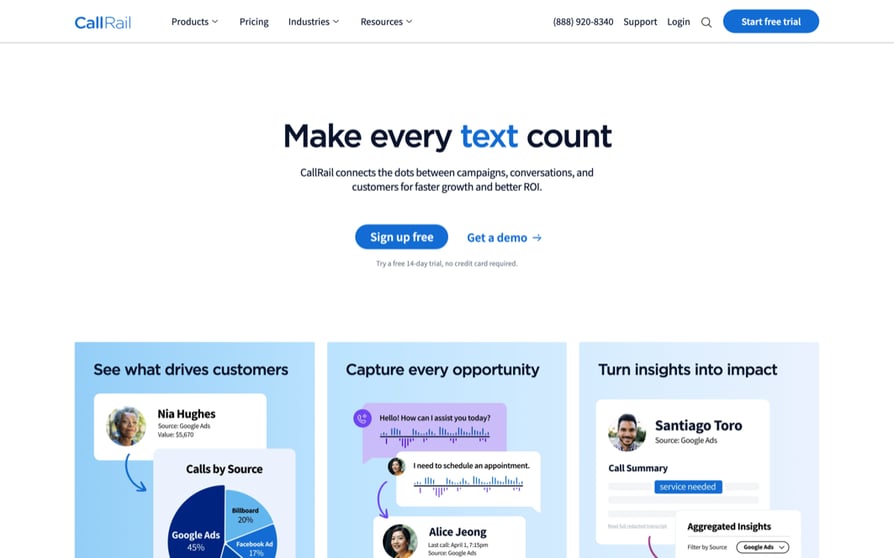
CallRail is "an analytics platform for those who rely on calls and inbound leads," in the words of its Marketplace listing. It isn't a phone system for reps: it tracks which campaign, keyword, or landing page made the phone ring, and writes that onto the HubSpot contact. HubSpot's own VoIP page names it as an example third-party integration.
CallRail belongs on this list because it has 5K installs in the Calling category and solves a problem none of the others do. If you need a dialer or a phone system, you'll still need one of the other nine.
What Are CallRail's Key HubSpot Calling Features?
- See which campaigns drive calls: tracked calls, texts, and form submissions appear on the HubSpot contact timeline.
- Tie calls to ad spend: PPC keywords, landing pages, and sources map onto HubSpot contacts.
- Score and route call leads: call data is available for HubSpot segments, lead scoring, and workflows.
- Learn from what callers say: AI conversation insights, with Premium Conversation Intelligence on higher tiers.
What Are CallRail's Pros and Cons?
| Pros | Cons |
|---|---|
| Connects inbound calls to the campaigns that generated them | A reviewer asks for live chat and phone support |
| One reviewer calls it "highly technical and reliable," which matters when HubSpot data feeds Google Ads | One of the highest three-star shares in this list (13%) |
| Priced per account, not per user | Not a phone system, so most teams pay for a calling app as well |
What Is the Pricing of CallRail?
CallRail Plans and Pricing
| Plan | Price and what you get |
|---|---|
| Lead Tracking | $55/month per account, as listed on CallRail's HubSpot Marketplace listing |
| Higher tiers | add features such as Premium Conversation Intelligence |
Our CallRail pricing guide covers the higher tiers.
What Do Customers Say About CallRail?
Marketing teams praise the attribution: one reviewer on CallRail's HubSpot Marketplace listing says the integration gives them "a more complete picture of lead performance beyond form submissions," and another says accuracy matters because their HubSpot data feeds their Google Ads campaigns. The main criticism is support access: one reviewer wishes CallRail offered live chat and phone support.
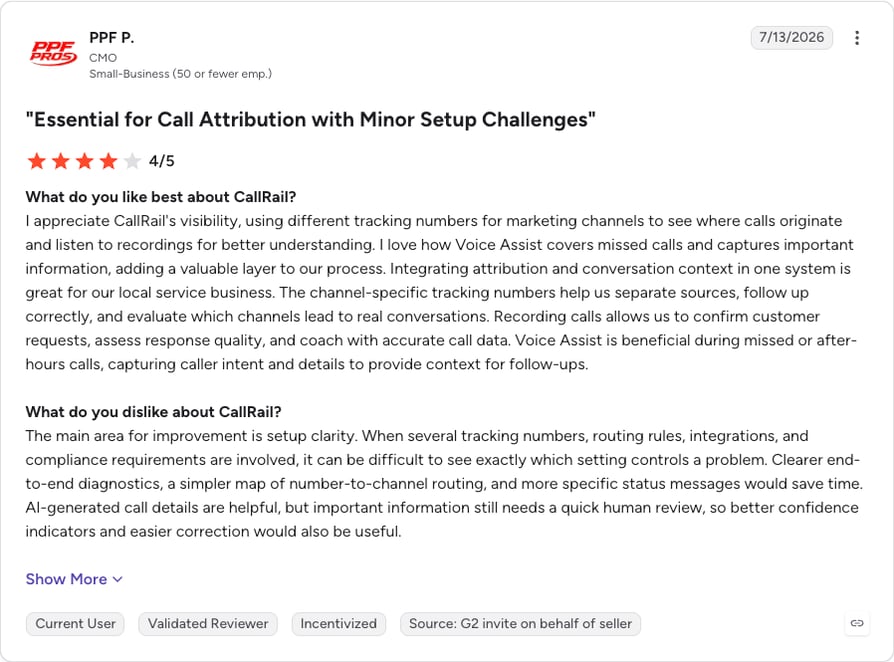
G2 rating: 4.5/5 (1835+ reviews) · Read CallRail reviews on G2
8. Ringover
HubSpot Marketplace: 3.9/5 (40 reviews, 2K installs) · Starting price for HubSpot use: $47/user/month (BUSINESS, 3-user minimum) · G2: 4.6/5
What Is Ringover?
Ringover is a cloud phone system whose Marketplace listing covers "calls, video, SMS, WhatsApp and conversation analysis in HubSpot." It's aimed at European and multi-country teams that want messaging channels and call coaching synced into HubSpot.
Ringover is a strong fit if you sell across European markets and coach reps on live calls. For a US-only team with no multichannel needs, the $47 HubSpot-capable tier is hard to justify.
What Are Ringover's Key HubSpot Calling Features?
- Know who's calling before you pick up: reps can open the caller's HubSpot record before they pick up, with optional auto-creation of records for unknown numbers.
- Log calls in real time: click-to-call and screen-pop with live logging in HubSpot.
- Skip the note-taking: call summaries, transcripts, and sentiment write into HubSpot.
- Coach and message from one place: double-listening and whisper, and WhatsApp conversations sync back to HubSpot.
What Are Ringover's Pros and Cons?
| Pros | Cons |
|---|---|
| Call history on the contact record cuts double entry | 15% two-star share, the highest in this list |
| A reviewer calls the audio quality excellent | Small sample of 40 reviews |
| Responsive support team | 3-user minimum and 12-month commitment |
What Is the Pricing of Ringover?
Ringover Plans and Pricing
| Plan | Price and what you get |
|---|---|
| TALK | $15/user/month billed annually ($24 monthly), web only; no CRM integrations |
| BUSINESS | $47/user/month billed annually ($57 monthly); adds 100+ integrations including HubSpot, advanced IVR, a power dialer, and local numbers in 65 countries |
| ADVANCED | custom; adds call campaigns, voicemail drop, local presence dialing, and SSO |
| Add-ons | Empower conversational AI $39/license/month; omnichannel messaging $29/license/month |
TALK and BUSINESS both require 3 users and a 12-month commitment. For the full plan-by-plan picture, see our guide to Ringover pricing.
What Do Customers Say About Ringover?
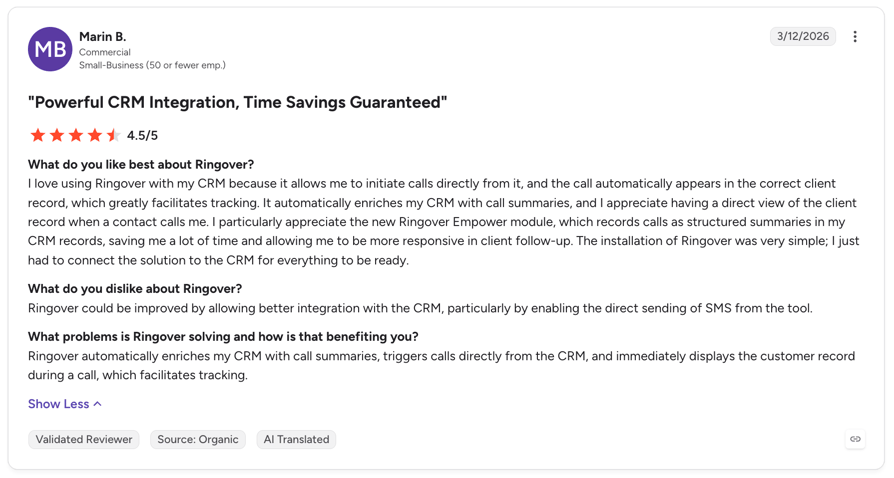
Reviewers value having calls and call history inside the HubSpot contact; one reviewer on Ringover's HubSpot Marketplace listing says it lets their team "be much more efficient and avoid double entry." Reviews on the listing also include praise for "excellent" audio quality and a "highly responsive support team." The concern is consistency: 15% of ratings are two stars, and the sample is small at 40 reviews.
G2 rating: 4.6/5 (498+ reviews) · Read Ringover reviews on G2
9. JustCall
HubSpot Marketplace: 3.7/5 (34 reviews, 3K installs) · Starting price for HubSpot use: $29/user/month (Team, 2-license minimum) · G2: 4.3/5
What Is JustCall?
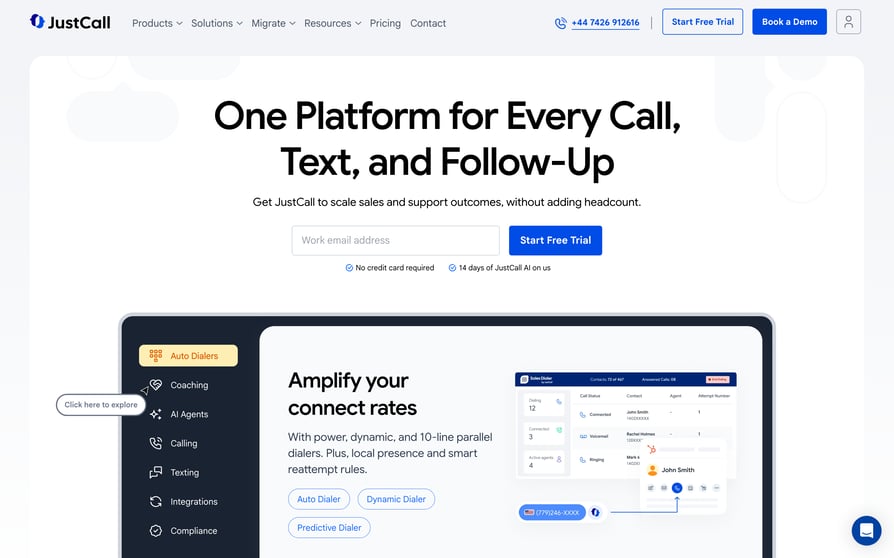
JustCall, from SaaS Labs, is a communication platform its Marketplace listing calls an "AI-powered communication suite to turn conversations into conversions." It's for teams that want voice, SMS, WhatsApp, and Service Hub ticketing from one app.
JustCall makes sense if sales and support both run in HubSpot and you want a single vendor. If call reliability is your top criterion, its split HubSpot reviews are worth a close read first.
What Are JustCall's Key HubSpot Calling Features?
- Reach contacts in one click: one-click calls and texts to HubSpot contacts.
- Get the summary without writing it: AI call summaries and action items log to the contact.
- Run text campaigns from HubSpot: automated SMS and MMS campaigns.
- Turn calls into tickets: Service Hub tickets are created automatically for inbound calls and texts.
What Are JustCall's Pros and Cons?
| Pros | Cons |
|---|---|
| One reviewer credits recording, dashboards, and the HubSpot integration with better visibility | Widest split in this list: 18% one-star vs. 47% five-star |
| Vendor replies publicly to negative reviews | One reviewer describes it as slow and sometimes not working |
| Voice, SMS, WhatsApp, and ticketing in one app | 2-license minimum on every plan |
What Is the Pricing of JustCall?
JustCall Plans and Pricing
| Plan | Price and what you get |
|---|---|
| Team | $29/user/month billed annually; includes 100+ CRM and data integrations, local numbers in 70+ countries, and unlimited AI transcription minutes |
| Pro | $49/user/month billed annually |
| Pro Plus | $89/user/month billed annually |
| Business | custom |
| AI Voice Agent | usage-based, with volume discounts down to $0.15/minute |
Every plan has a 2-license minimum. Our JustCall pricing guide breaks down what each tier adds.
What Do Customers Say About JustCall?
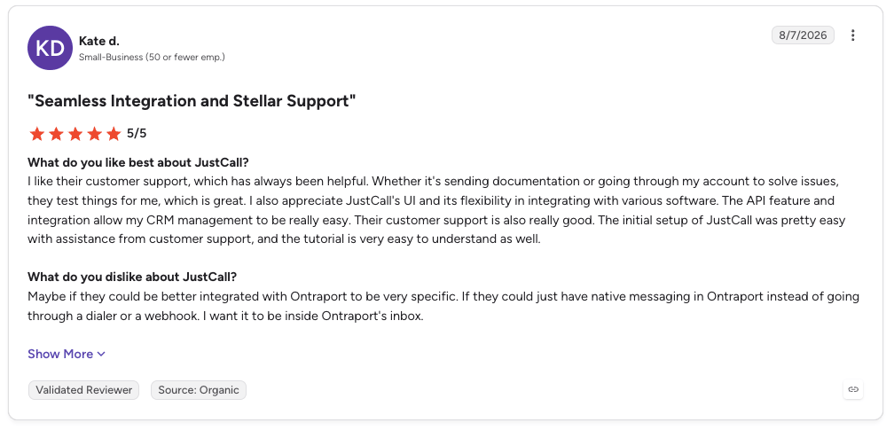
One positive reviewer says call recording, real-time dashboards, and the HubSpot integration improved their workflow and their view of team performance. One negative review on JustCall's HubSpot Marketplace listing says it's "working very slow and sometimes it dont even work." JustCall's G2 score is far stronger than its 3.7/5 rating as a HubSpot app, which suggests the HubSpot integration is where users run into trouble.
G2 rating: 4.3/5 (2380+ reviews) · Read JustCall reviews on G2
10. Dialpad
HubSpot Marketplace: 3.6/5 (224 reviews, 5K installs) · Starting price for HubSpot use: $25/user/month (Pro) · G2: 4.4/5
What Is Dialpad?
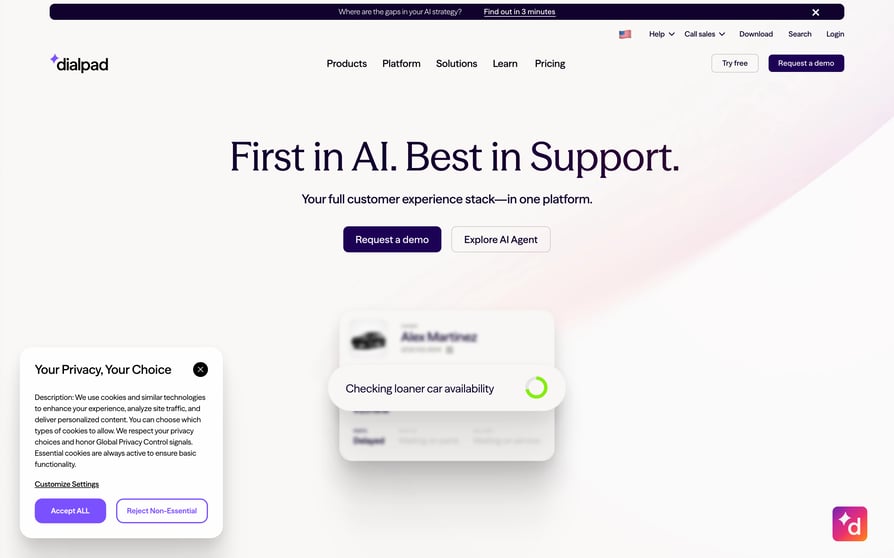
Dialpad is a business phone system with built-in AI, and its Marketplace listing pitches the integration as a way to "connect your business phone system with HubSpot and automate activity." It's best for companies already standardized on Dialpad that want its transcription and SMS reflected in HubSpot.
If Dialpad is already your company phone system, the integration is the obvious add. If you're choosing a HubSpot calling app from scratch, note that HubSpot users rate this integration lowest of the ten.
What Are Dialpad's Key HubSpot Calling Features?
- Keep calls and texts in step: calls and SMS log to HubSpot and match to existing contacts.
- Never lose a missed call: HubSpot tickets are created from inbound, outbound, SMS, and missed calls.
- See the contact during the call: contact matching and profile surfacing, plus AI call and SMS logging.
What Are Dialpad's Pros and Cons?
| Pros | Cons |
|---|---|
| Large review sample (224), with 66% four or five stars | 18% one-star, the weakest sentiment of the ten |
| Ticket automation from call activity | One reviewer reports calls failing to connect inside HubSpot |
| Low starting price for the HubSpot-capable plan | One reviewer says the desktop app slows their computer |
What Is the Pricing of Dialpad?
Dialpad Plans and Pricing
| Plan | Price and what you get |
|---|---|
| Standard | $15/user/month billed annually ($27 monthly); no HubSpot integration |
| Pro | $25/user/month billed annually ($35 monthly); includes HubSpot |
| Enterprise | custom |
| Free trial | 14 days |
Dialpad's HubSpot Marketplace listing requires the Pro or Enterprise plan. Our Dialpad pricing guide compares the tiers in more detail.
What Do Customers Say About Dialpad?
Dialpad's listing leads with ticket creation from call activity, but reviewers are less sold: one says tickets don't auto-generate when a call starts. The louder complaints are about reliability: one reviewer on Dialpad's HubSpot Marketplace listing says they "cannot connect calls within HubSpot" and have had a support ticket open for two months, and another says the desktop app "slows my entire computer to a crawl." Nearly one in five ratings is one star.
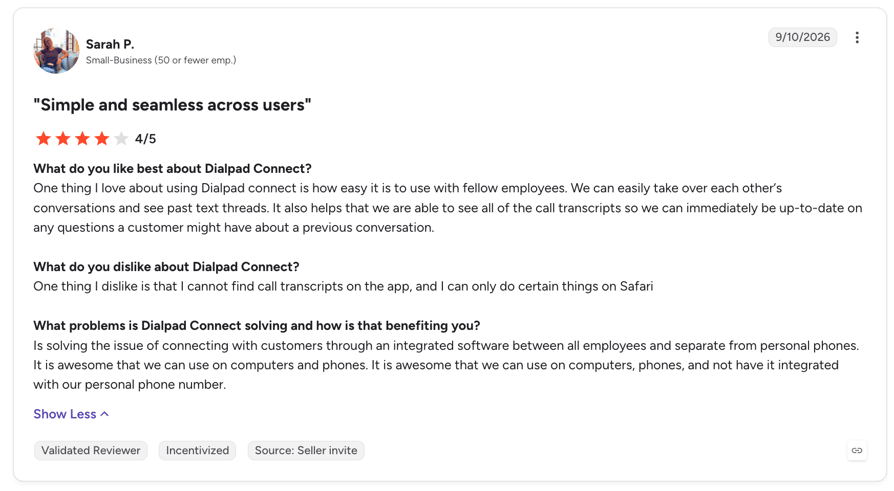
G2 rating: 4.4/5 (3951+ reviews) · Read Dialpad reviews on G2
Put the top-ranked app on your own HubSpot records
How to Choose the Best HubSpot Calling App for Your Use Case
Salesforce's State of Sales research found that sellers use an average of eight tools to close a deal. A calling app that works inside HubSpot keeps that stack from growing. Use these six questions to separate the apps.
How Deeply Does the App Connect to HubSpot?
HubSpot integration depth is how much call data an app writes back, and to which records. Every app on this list logs calls; the differences are in what else syncs and where. Check whether the app works only on contacts, or also on companies, deals, and tickets (Aloware covers all four). Check whether call outcomes sync back as HubSpot activity outcomes you can build workflows on, and which of HubSpot's three calling experiences it uses, because a pop-out window feels very different from a widget inside the record. Those checks apply to any CRM integration, but they matter most for calling, because your reporting and workflows are built on what the app writes back.
Which Dialer Mode Matches Your Call Volume?
Dialer modes scale with volume:
- Click-to-call: one click from a record; fine for a few dozen calls a day
- Power dialing: the system dials the next number as soon as a call ends
- Parallel dialing: the system dials several numbers at once and connects the first person who answers
- AI-assisted dialing: voicemail and phone-menu detection skip the calls that won't connect
If your reps work HubSpot lists for hours a day, you want at least a power dialer or auto dialer that reads those lists directly. CloudTalk, Kixie, and Aloware all pull HubSpot lists into their dialers; CloudTalk's Parallel Dialer runs up to 10 lines per rep.
Does It Handle Inbound as Well as Outbound?
Support and blended teams need interactive voice response (IVR), inbound call routing, and a screen-pop that opens the caller's HubSpot record before pickup. Ringover and CloudTalk do the screen-pop, while JustCall and Dialpad create Service Hub tickets from inbound calls. On CloudTalk, IVR and call routing are already on the Starter plan, though you'll need Essential for the HubSpot integration itself.
How Much AI Does Your HubSpot Team Need?
According to HubSpot's AI sales research2, 64% of sales professionals save one to five hours a week by using AI to automate manual tasks, and in 2025 only 8% of sellers used no AI at all. Check where the AI output ends up. A call summary that lands in HubSpot engagement notes gets read; one that lives in a separate dashboard usually doesn't. Also check what's included and what's extra: CloudTalk's AI Conversation Intelligence and AI Voice Agents are paid add-ons, while Aircall bundles AI Voice Agents into Essentials. The same test works if you're shortlisting AI cold calling software outside HubSpot.
Will Your Caller ID Be Trusted?
If your calls show up as "Spam Likely", dialer speed doesn't matter. HubSpot's calling FAQ says that if best practices haven't resolved caller ID issues, "it is recommended to use one of HubSpot's calling partner integrations." Look for local presence dialing, branded caller ID, and spam remediation. CloudTalk offers Branded Caller ID from $0.07 per call and Spam Remediation on custom pricing, both as add-ons.
What Is the Real Cost for HubSpot Use?
Headline prices hide three things: the plan where HubSpot unlocks, seat minimums, and add-ons. KrispCall's HubSpot integration is on Advance, not Starter. Ringover's starts on BUSINESS, and Dialpad's on Pro. Aircall needs 3 licenses, JustCall 2, and Aloware's iPro plan 10. Price the plan your team will run on, with the seats you'll buy. For wider benchmarks, see our guide to how much call center software costs.
Not sure which dialer mode your HubSpot team needs?
HubSpot Calling vs. Third-Party Calling Apps: What's the Difference?
HubSpot's native calling covers the basics well: reps call from the record and the call is logged. A third-party app replaces the phone line underneath with its own cloud phone system, which changes what's possible.
| HubSpot native calling | Third-party calling app | |
|---|---|---|
| Minutes | Shared per account: 500 (Starter), 3,000 (Professional), 12,000 (Enterprise) | Set by the provider; doesn't use HubSpot minutes |
| Countries | HubSpot's supported countries list | Depends on the provider's number coverage |
| Dialer modes | Calling from records | Power, parallel, and AI-assisted dialing on many apps |
| Inbound | Basic | IVR, routing, queues, and screen-pops on phone-system apps |
| Messaging | Calls | SMS, and WhatsApp on some apps |
| Plans | Sales Hub and Service Hub Starter and above | Available with all HubSpot products and plans |
The trade-off is another vendor and another bill. For a team making a few calls a day in a supported country, native calling may be all you need. The case for a calling app grows with call volume, the number of countries you call, and how much you rely on the phone for support.
When a Dedicated HubSpot Calling App Makes More Sense
HubSpot's 2025 State of Cold Calling Report2 found that 68% of sales professionals work for an org that uses cold calling in some capacity (our roundup of cold calling statistics has more on how teams use the phone). If the phone is part of how you sell, one of these situations probably sounds familiar.
You're Running Outbound at Volume
A shared pool of account minutes runs out fast when several reps dial all day. Power and parallel dialers for cold calling that read HubSpot lists turn a morning of clicking into a steady stream of live conversations.
See how CloudTalk handles a full day of HubSpot list dialing. Start free.
You Need Numbers Outside Your Home Country
HubSpot itself suggests a calling app when you need to call countries outside its supported list. Local numbers also tend to get answered more often than an unfamiliar international one. CloudTalk provides international numbers in 160+ countries; Ringover's BUSINESS plan offers local numbers in 65, and JustCall's Team plan in 70+.
Your Calls Are Getting Flagged as Spam
When connect rates drop for no obvious reason, caller ID reputation is often the cause. HubSpot's own advice for unresolved caller ID issues is to use a calling partner integration, which gives you access to branded caller ID and spam protection tools.
Sales and Support Share the Same Phone Line
Once customers call the same number your reps use for prospecting, you need skill-based routing, queues, and business hours. Apps built as phone systems handle this; apps built as dialers usually don't.
Text Belongs on the Same Record as the Call
HubSpot's 2025 State of Cold Calling Report found that 54% of sales pros who cold call daily pair their calls with SMS. If texts live on reps' personal phones, half the conversation never reaches HubSpot. Salesmsg, Kixie, and Aircall all put SMS on the contact record, and CloudTalk logs SMS and text messages to HubSpot alongside calls.
You Want Less Manual CRM Work
In the same HubSpot report, only 48% of daily cold callers track their results primarily in a CRM, and 22% still rely on spreadsheets. Automatic logging and outcome sync close that gap without asking reps to change their habits.
You'd Rather Consolidate Than Add
Salesforce found that 84% of sales teams without an all-in-one platform plan to consolidate their technology. A calling app built on a full VoIP phone system, covering SMS, AI summaries, and inbound routing inside HubSpot, can replace several point tools instead of becoming one more.
Quick Answers About HubSpot Calling
Does HubSpot Have a Dialer?
HubSpot has built-in calling in Sales Hub and Service Hub, so reps can call a contact directly from the record and log the call automatically. Native calling is built around calling from records rather than multi-line dialing, which is why outbound teams that need power or parallel dialing add a calling app with a HubSpot power dialer from the Marketplace.
Can HubSpot Track Phone Calls?
Yes. HubSpot logs calls made through its native calling tool or a connected calling app to the contact's timeline, along with the outcome and notes. For inbound calls from marketing campaigns, a call tracking app such as CallRail adds attribution, mapping the keyword, source, or landing page that produced the call onto the HubSpot contact.
Does HubSpot Record Calls?
HubSpot's calling tool can record calls, and most third-party calling apps record calls and attach the recording to the HubSpot timeline. Whether you should record depends on the call recording consent laws where you and the person you're calling are located, so check your settings and your legal requirements before switching recording on.
Does HubSpot Have a Phone System?
HubSpot offers VoIP calling inside the CRM, but it isn't a full business phone system with IVR menus, call queues, and routing rules for a support team. Teams that need those features connect a phone system from the Calling category of the HubSpot App Marketplace, which then logs its calls into HubSpot.
How Much Does HubSpot Calling Cost?
Calling is part of HubSpot's Sales Hub and Service Hub Starter, Professional, and Enterprise editions rather than a separate product, and our HubSpot calling pricing guide breaks down each tier. According to HubSpot, each account gets 500 calling minutes a month on Starter, 3,000 on Professional, and 12,000 on Enterprise. Calls made through a connected calling app don't use those minutes.
What HubSpot Users Say About Calling Apps on HubSpot Marketplace
Reading across the Marketplace reviews for these apps, a few patterns repeat regardless of vendor.
What Do HubSpot Users Praise Most?
Setup speed and ease of use come up most for CloudTalk and Ringover. Getting rid of double entry, with the full call history on the contact, is the main theme for Ringover and KrispCall. CloudTalk reviewers mention HubSpot call recording and searchable history in the CRM, CallRail reviewers value inbound attribution, and responsive support earns praise for both CloudTalk and Ringover.
What Do HubSpot Users Complain About Most?
Sync reliability is the most damaging complaint, as in Kixie's most recent one-star review. Connection failures inside HubSpot show up for Dialpad and RingEX, and slowness for JustCall and Dialpad's desktop app. One Salesmsg reviewer says it can feel like a separate product, a KrispCall reviewer wants a better mobile app, and a CallRail reviewer wants more support channels. US SMS apps all share the 10DLC registration wait. Some of these are common VoIP problems with known fixes; broken HubSpot sync isn't, because it depends on how the app was built.
What Do HubSpot Buyers Care About Most?
Ranked by how often they come up in reviews, HubSpot users care about:
- Logging and sync reliability
- Ease of setup
- Call quality and connection stability
- Support
- Dialer usability
- Automation and workflows
- Price
Price sits at the bottom of that list. Reviewers write far more about dropped calls and missing logs than about what they pay.
Why Do Some Big Brands Score So Low?
The lowest-rated apps in the category tend to be general-purpose phone suites that add HubSpot on top. RingEX, Zoom Phone, 8x8, and Quo average about 2.6/5 across 291 Marketplace reviews, while the best-rated apps were built around the CRM from the start. One HubSpot Community member said in 2021 that "lack of integration/deep integration with HubSpot" pushed their team off Jive/GoToConnect (see the thread). Our 8x8 review looks at one of them beyond its HubSpot app.
Judge the HubSpot sync yourself
Related articles
- Aircall's HubSpot integration vs. CloudTalk
- JustCall's HubSpot integration vs. CloudTalk
- Dialpad's HubSpot integration vs. CloudTalk
- 12 best Pipedrive phone integrations, dialers, and calling apps
Conclusion: Which HubSpot Calling App Is Best for Your Team?
The right app depends less on its average rating and more on how your team uses the phone. In short:
- Choose CloudTalk if you want a sales dialer that works HubSpot lists at volume, you call across several countries, and you want call outcomes (plus AI summaries, with the AI Conversation Intelligence add-on) to drive HubSpot workflows, starting on the Essential plan at $29/user/month.
- Choose Kixie if your SDRs live in a multi-line dialer and you're happy to get pricing from sales.
- Choose KrispCall if you want international numbers at a low price and your reps work at a desk.
- Choose Salesmsg if your follow-up happens by text.
- Choose Aloware if you want contact-center routing across every HubSpot object and have 10 or more users.
- Choose Aircall if setup speed and a large base of HubSpot users matter most.
- Choose CallRail if you need to know which campaigns make the phone ring.
- Choose Ringover if you sell across Europe and want WhatsApp in HubSpot.
- Choose JustCall if you want voice, SMS, and Service Hub tickets from one vendor.
- Choose Dialpad if it's already your company phone system.
Whichever you pick, test it on real HubSpot records before you commit: make calls, check what lands on the timeline, and build one workflow off a call outcome. You'll learn more from a week of that than from any average score.
Put CloudTalk on your HubSpot shortlist
Sources:
- Salesforce
- HubSpot
Frequently Asked Questions About HubSpot Calling Apps
Yes, you can make calls directly from HubSpot. Reps click a phone number on a contact record and the call logs to the timeline, through HubSpot's own calling or a connected app's web dialer running inside the CRM.
Yes, you can receive calls in HubSpot through a connected calling app. Incoming calls ring in the app's softphone and log to the caller's record. Screen-pops, IVR, and routing depend on which app you pick.
Yes, CloudTalk is a HubSpot Certified calling app in the Marketplace's Calling category. Its HubSpot integration logs calls, texts, and recordings to HubSpot, and it starts on the Essential plan, not Starter.
A HubSpot phone setup with a calling app costs your HubSpot plan plus the app's own business phone system pricing. Most HubSpot-capable plans here run $25 to $47 per user a month before seat minimums, and app calls don't use HubSpot minutes.
To connect your phone system to HubSpot, install its calling app from the HubSpot App Marketplace, authorize it, and choose it as your calling provider. Starting from scratch? Set up a VoIP system with numbers first.
Many phone systems integrate with HubSpot through its App Marketplace, including CloudTalk, Aircall, Dialpad, JustCall, Ringover, and RingCentral. Most are VoIP providers; check each app's Marketplace rating, as some big brands score below 3/5.