Rising software prices and increasing demand for top-tier support tools make balancing the right budget and tech challenging. Your team depends on you to select a solution they'll actually use—without breaking the bank.
Done right, your call center tech stack can be a source of profit rather than an expense. For example, you can use integrated AI calling tools to create personalized interactions—which 71% of consumers* prefer.
Most pricing pages don't show the real number. Add-on fees, usage-based charges, and enterprise-only features stay buried until you're already in a sales call. This guide breaks down what each platform actually costs, what drives the price up, and which solution fits your team size and budget.
How Much Does Call Center Software Cost?
Cloud call center software typically runs between $10 and $250 per user, per month. The price shifts depending on your team size, whether you need AI tools, and how many channels—like WhatsApp or SMS—you want to manage in one place.
Here's every platform covered in this guide at a glance:
- CloudTalk ($25/user/mo) — best for scaling SMBs and global sales teams
- Zoom Contact Center ($69/user/mo) — best for large enterprises and healthcare
- GoTo Contact Center (quote-based) — best for multi-location companies
- Talkdesk ($85/user/mo) — best for regulated industries (finance, healthcare, retail)
- Dialpad ($15/user/mo) — best for tech-first startups and small teams
- 8×8 (quote-based) — best for global enterprises requiring 99.999% uptime


Call Center Software Cost: Comparison Table
Before setting a budget for call center software, here's how the top platforms compare on the factors that drive buying decisions:
| Provider | Key Features | Best For | Starting Price | G2 Rating |
|---|---|---|---|---|
| CloudTalk | AI-powered features, AI Sales Dialer, 160+ global numbers | Scaling SMBs & Sales Teams | $25 per user/mo | 4.4/5 |
| Zoom Contact Center | 24/7 AI-powered support, smart routing, and real-time analytics | Large Enterprises & Healthcare | $69 per user/mo | 4.3/5 |
| Talkdesk | AI chatbots, 70+ pre-built integrations, and industry-specific automated workflow | Regulated Industries (Finance, Banking, and Global Retail) | $85 per user/mo | 4.4/5 |
| Dialpad | Smart knowledge base, automated quality scoring, and AI-driven CSAT analysis | Tech-First Teams | $15 per user/mo | 4.4/5 |
| GoTo | Omnichannel flexibility, drag-and-drop call flow builder, and built-in training tools | Multi-location Companies | Quote-based | 4.4/5 |
| 8x8 | 99.999% uptime reliability, AI assistant, and integrated coaching tools | Global Enterprises | Quote-based | 4.2/5 |
Why Trust Our Reviews
For nearly a decade, we've helped over 30,000+ professionals find and implement smarter business communication tools. We've reviewed 200+ software tools across industries, analyzed 5,500+ verified customer reviews from platforms like G2, Capterra, Trustpilot, and TrustRadius, and drawn insights from real user discussions on Reddit and Quora.
In the past year alone, we published 1,000+ articles — each one written by humans for humans. Learn how we keep our content integrity and our software review methodology.
Call Center Software Pricing Models
Per-user pricing charges a flat monthly fee for each agent license, making it the most cost-effective model for teams with consistently high call volumes. In contrast, per-minute (or pay-as-you-go) pricing charges your business solely based on actual talk time. This usage-based model is ideal for seasonal businesses or support teams with unpredictable, fluctuating inbound call rates.
The call center software market offers multiple pricing models including:
- Fixed pricing: Ideal for businesses with stable operations and predictable growth; offers transparency and predictability.
- Pay-as-you-go models: For organizations with variable call volumes or seasonal fluctuations; offers flexibility and cost control.
- Quote-based pricing: A dynamic cloud contact center pricing model where the final pricing is customized based on needs and requirements rather than fixed rates.
- Custom enterprise plans: Cost-effective for large-scale operations since it includes additional features, support levels, and potential volume discounts.
Apart from immediate costs, you also need to look at the total cost of ownership over time. This will help you balance the demand for robust, customer-focused tools against practical budget limitations.
Core Factors That Impact Call Center Software Cost
To accurately calculate your total call center software pricing, you must look beyond the base subscription and factor in potential hidden expenses like implementation fees, premium CRM integrations, and per-minute usage rates.
- User capacity is a primary factor, with costs rising as agent numbers grow. Some solutions scale based on team size, which can help manage expenses, though larger teams inevitably face higher licensing fees.
- Feature scope and sophistication also heavily influence costs. Essential capabilities like Click-to-call and basic routing may be included in standard plans. However, advanced tools—such as intelligent call routing, Interactive Voice Response systems, and analytics—tend to command premium cloud call center pricing.
- Security and compliance requirements, especially for businesses handling sensitive information. Meeting strict regulatory standards may increase costs, but these investments are crucial for protecting customer data and maintaining trust.
- Billing structures, such as monthly versus annual commitments, and usage-based charges for features like outbound calls and SMS, further impact costs. Annual commitments can lead to savings but may limit flexibility. Exchange rate fluctuations can also impact long-term costs for international operations.
- Integrating virtual call center software with other platforms like CRM tools can help businesses streamline operations, improve data accuracy, and enhance the customer experience. However, the ability of call center software to integrate with third-party systems can influence call center pricing options.
The 6 Best Call Center Software Options in 2026
Now, let's dive into each tool based on its features-to-price ratio:
1. CloudTalk
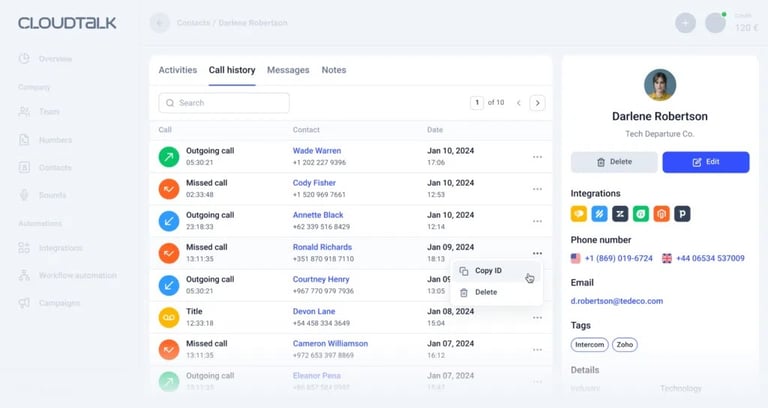
What Is CloudTalk?
CloudTalk is a data-driven, AI-powered call center solution built for customer service and sales teams. It offers real-time insights, global reach, and seamless integrations to help increase your outbound success rate by 2.5%. CloudTalk enables organizations to establish a truly global presence across 160+ countries while maintaining crystal-clear call quality for businesses of all sizes.
What Are CloudTalk's Key Features?
- Access to numbers in 160+ countries so you can establish a local presence globally.
- Crystal-clear call quality with guaranteed low latency (<20ms) and minimal jitter (<1ms) for unlimited internal and external calls, through a network of global telco partners.
- Interactive Voice Response allows you to route calls to the right professionals based on criteria like language preference or location.
- Cross-platform accessibility ensures agents can handle calls from any device, 24/7.
- AI-powered features including Sentiment Analysis, Topic Extraction, Call Summaries, and Call Transcription in five languages.
- AI Voice Agents that handle routine inquiries, authenticate callers, and schedule appointments 24/7.
- Automated outbound sales functionalities like AI Sales Dialer, saving up to 3 minutes per call.
- Analytics for in-depth call center performance visualization via a Real-Time Dashboard.
- End-to-end encryption and compliance with industry regulations including SSO and Stir/Spam Protection.
What Is the Pricing of CloudTalk?
See the full CloudTalk pricing page for the latest rates. Plans billed annually:
- Starter ($25/user/month): Comprehensive basic package
- Essential ($29/user/month): Enhanced analytics and support
- Expert ($49/user/month): Advanced features and integrations
- Custom: Enterprise-grade solutions
Note: AI Conversation Intelligence and AI Voice Agents are always paid add-ons and not included in any subscription plan. Power Dialer is included in the Expert tier; Starter and Essential customers can purchase it separately.
CloudTalk
| Pros | Cons |
|---|---|
| Transparent per-tier pricing from $25/user/mo | AI Conversation Intelligence & Voice Agents are always paid add-ons |
| 160+ country number coverage on every plan | Power Dialer only included on Expert ($49+) |
| Strong routing, analytics, and CRM integration across all tiers | Advanced sales automation requires Expert tier or above |
What Do Customers Say About CloudTalk?
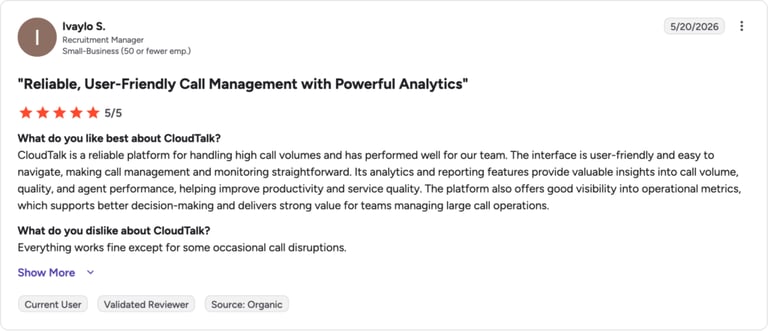
Customers on G2 and Capterra consistently highlight CloudTalk's reliability, clean interface, and the depth of its analytics dashboard. Sales teams frequently note how the AI Sales Dialer reduces manual work per call. Some SMBs flag that enabling AI Conversation Intelligence or AI Voice Agents increases the monthly cost through add-on fees.
G2 Rating: 4.4/5 (1853 reviews)
Read CloudTalk reviews on G2 ↗
Best For:
- Small-medium businesses prioritizing international presence (160+ countries from Starter)
- Growing call centers requiring advanced analytics (Essential tier)
- Sales-focused organizations benefiting from automation (Expert tier)
- Enterprise clients requiring custom solutions and unlimited scaling
Finally, a phone system that's easy on your budget and your agents.
2. Zoom Contact Center
What Is Zoom Contact Center?
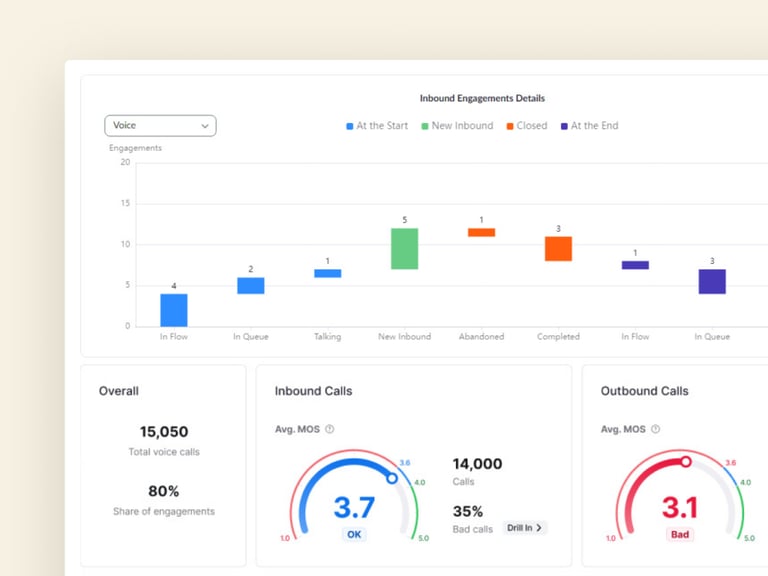
Zoom Contact Center is an enterprise CCaaS platform that extends Zoom's video-first collaboration stack into full contact center functionality. It combines conversational AI, intelligent routing, and comprehensive workforce management tools in a single interface. Organizations already invested in the Zoom ecosystem use it to add scalable voice and digital support channels without switching platforms.
What Are Zoom Contact Center's Key Features?
- 24/7 AI-powered support with instant responses across all channels
- Smart routing to best-matched agents based on inquiry type and history
- Automated documentation including call summaries and customer interaction records
- Real-time analytics for performance tracking and issue identification
- AI-driven workforce management with predictive staffing and self-service scheduling
What Is the Pricing of Zoom Contact Center?
See our overview of Zoom phone pricing for additional context on Zoom's telephony costs. Zoom Contact Center plans (billed annually):
- Essentials ($69/user/month)
- Premium ($99/user/month)
- Elite ($149/user/month)
Zoom Contact Center
| Pros | Cons |
|---|---|
| Deep integration with existing Zoom licenses and workflows | High entry price ($69/user/mo) vs. SMB-focused alternatives |
| Strong AI features and workforce management tools across all tiers | Designed for large enterprises—complexity can overwhelm small teams |
| Comprehensive omnichannel routing across voice and digital channels | No transparent entry-level option for teams under 20 seats |
What Do Customers Say About Zoom Contact Center?
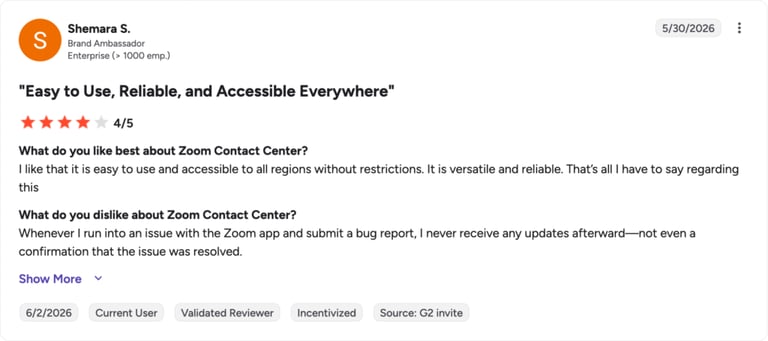
Enterprise customers praise Zoom Contact Center for seamless integration with existing Zoom licenses and the quality of its AI features. IT administrators value the centralized management console. Common criticisms center on the high entry price for smaller teams and the learning curve for setting up advanced routing logic.
G2 Rating: 4.3/5 (70 reviews)
Read Zoom Contact Center reviews on G2 ↗
Best For:
- Traditional phone-based teams transitioning to a cloud contact center
- Operations requiring AI companion features and comprehensive channel management
- Managed IT services companies supporting hundreds of client organizations
3. GoTo Contact Center
What Is GoTo Contact Center?
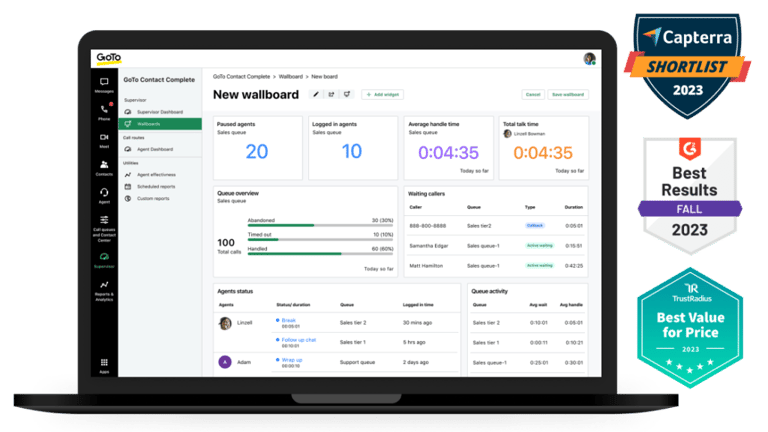
GoTo Contact Center is a cloud-based communication platform that combines business telephony, omnichannel support, and AI-assisted call management. It sits within the broader GoTo ecosystem—which also includes GoTo Meeting and GoTo Resolve—giving teams a modular set of tools they can license independently. The platform is especially popular with multi-location businesses that need flexible deployment options without replacing their existing phone infrastructure.
What Are GoTo Contact Center's Key Features?
- Omnichannel flexibility with seamless agent switching across voice, video, chat, SMS, and WhatsApp
- Smart routing with callback options during peak times
- User-friendly call flow builder with drag-and-drop interface
- Built-in training tools with call monitoring and coaching features
- CRM integration for unified customer data and interactions
What Is the Pricing of GoTo Contact Center?
GoTo Contact Center requires contacting their sales team for a custom quote. Three distinct solutions are available:
- Phone System: Basic cloud telephony
- Customer Experience (CX): Enhanced customer experience suite
- Contact Center: Full AI-powered solution
GoTo Contact Center
| Pros | Cons |
|---|---|
| Modular licensing—buy only the capabilities you need | No public pricing; contact required for all plans |
| Intuitive drag-and-drop call flow builder | Fewer native AI features than competitors at similar spend |
| Built-in coaching and call monitoring across all tiers | Quote process can slow down evaluation for fast-moving buyers |
What Do Customers Say About GoTo Contact Center?
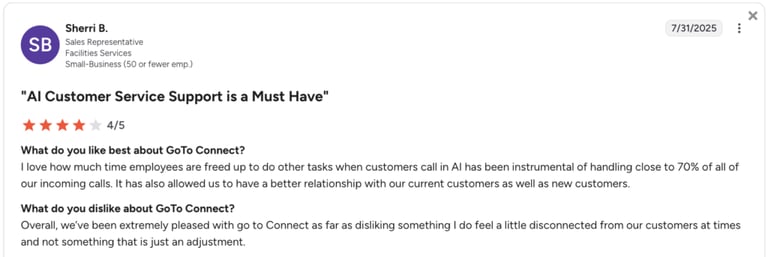
Multi-location businesses on G2 frequently highlight GoTo's drag-and-drop call flow builder and built-in coaching tools as standout features. Reviewers value the modular licensing structure. The absence of transparent pricing is regularly noted as a friction point, with buyers needing multiple touchpoints with sales before getting comparable figures.
G2 Rating: 4.4/5 (1404 reviews)
Read GoTo Connect reviews on G2 ↗
Best For:
- Small businesses needing basic phone features (Phone System)
- Mid-sized companies requiring omnichannel support (Connect CX)
- Large organizations needing advanced AI capabilities (Contact Center)
- Businesses wanting flexible feature selection
4. Talkdesk
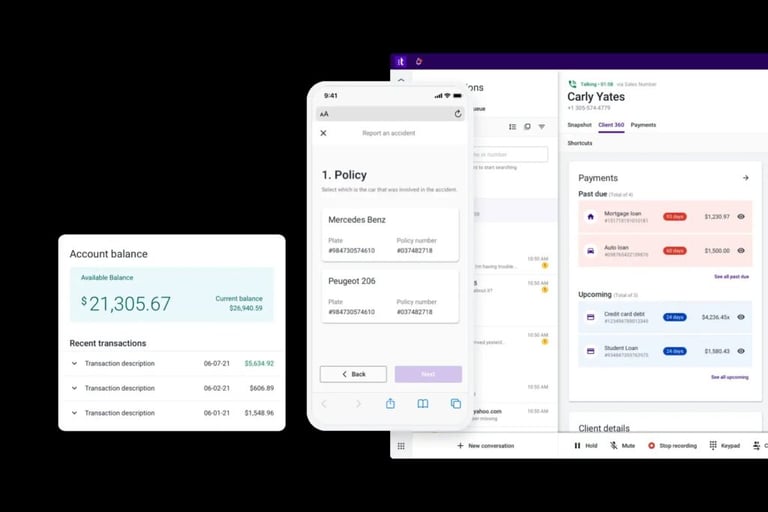
What Is Talkdesk?
Talkdesk is a cloud contact center platform built around industry-specific AI workflows for healthcare, retail, and financial services. It combines generative AI automation with over 70 pre-built integrations and enterprise-grade compliance coverage across 30+ certifications. Large organizations with strict regulatory requirements use it to run complex, high-volume contact center operations.
What Are Talkdesk's Key Features?
- AI chatbots for automated inquiry handling
- Unified omnichannel platform with smart routing
- AI-powered agent assistance and call center automation
- Real-time analytics for data-driven insights
- Industry-specific workflows with custom AI integration
What Is the Pricing of Talkdesk?
See our detailed Talkdesk pricing breakdown for a plan-by-plan analysis. Plans billed annually:
- Digital Essentials ($85/user/month): Digital-first contact center capabilities
- Voice Essentials ($105/user/month): Traditional voice-heavy operations
- Elite ($165/user/month): Advanced quality management and analytics
- Industry Experience Clouds ($225/user/month): Vertical-specific AI workflows for healthcare, retail, and financial services
Talkdesk
| Pros | Cons |
|---|---|
| Industry-specific AI workflows for healthcare, retail, and finance | Highest entry price on this list ($85/user/mo) |
| 70+ pre-built integrations and 30+ compliance certifications | Complex setup—not ideal for SMBs without dedicated IT resources |
| Parallel digital and voice plan options at the base tier | Advanced AI features can push total cost significantly higher |
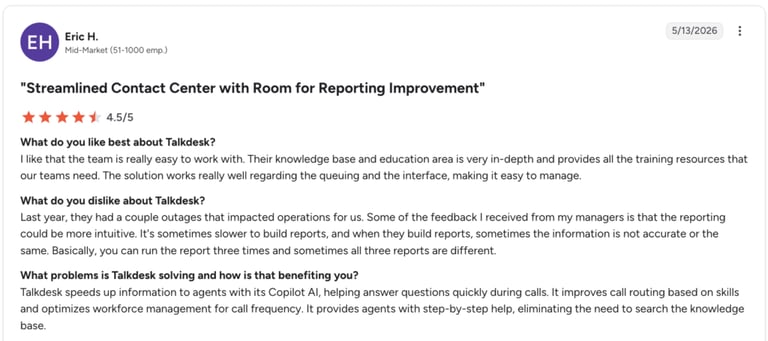
What Do Customers Say About Talkdesk?
Enterprise buyers in healthcare and retail highlight Talkdesk's industry-specific AI workflows and compliance certification coverage as key purchase drivers. Capterra reviewers praise the pre-built integration library. Common feedback includes concerns about implementation complexity and the additional cost of enabling more advanced AI features beyond the base plan.
G2 Rating: 4.4/5 (2,502 reviews)
Best For:
- Digital-first companies needing omnichannel capabilities (Digital Essentials)
- Traditional contact centers requiring robust voice capabilities (Voice Essentials)
- Large enterprises requiring advanced quality management (Elite)
- Organizations needing vertical AI and compliance automation (Industry Experience Clouds)
5. Dialpad
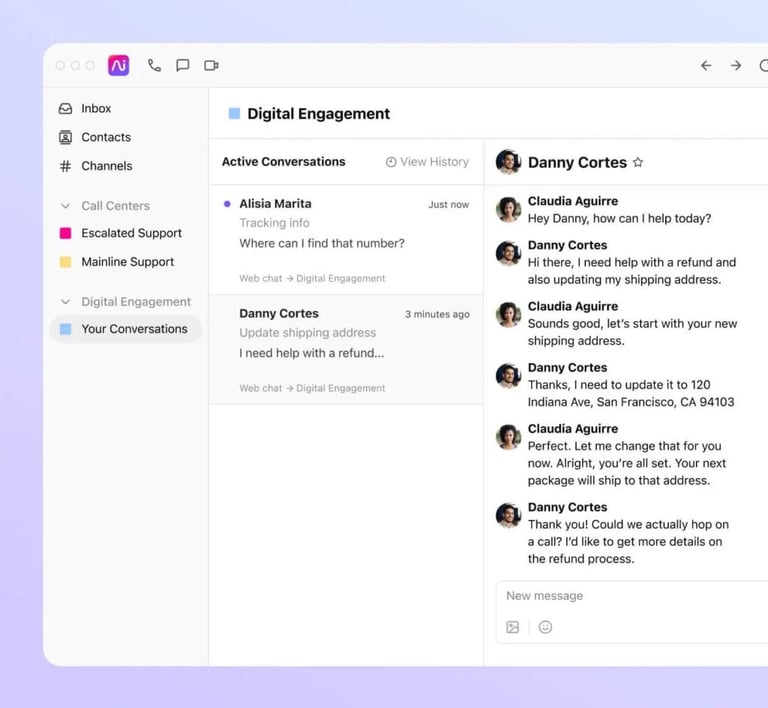
What Is Dialpad?
Dialpad is an AI-first business communications platform that combines contact center software with unified communications tools. It uses built-in AI to handle real-time transcription, quality scoring, and customer satisfaction analysis without requiring add-ons at the Standard tier. Teams looking for strong AI features at a low entry cost frequently shortlist it alongside more expensive enterprise options.
What Are Dialpad's Key Features?
- Smart knowledge base with instant agent suggestions
- Automated quality scoring for all interactions
- AI-driven customer satisfaction analysis
- Automated call summaries and action items
- 24/7 conversational AI chatbot support
What Is the Pricing of Dialpad?
See our Dialpad pricing breakdown for a full plan comparison. Plans:
- Standard ($15/user/month): Core features including AI transcription and Microsoft 365 integration
- Pro ($25/user/month): 24/7 support and advanced CRM integrations
- Enterprise: Custom pricing for large deployments
Dialpad
| Pros | Cons |
|---|---|
| Lowest entry price at $15/user/mo with AI transcription included | 24/7 support and advanced CRM integrations require Pro ($25+) |
| Fast adoption curve—clean interface designed for quick onboarding | Enterprise plan pricing is not transparent |
| AI-powered transcription and quality scoring at all paid tiers | Less suited for large-scale international deployments |
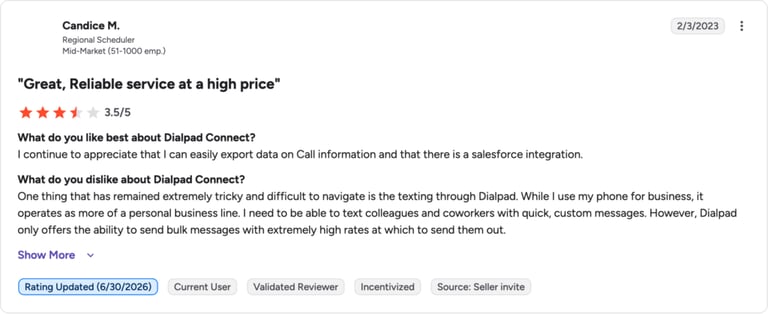
What Do Customers Say About Dialpad?
Users across G2 and Capterra consistently highlight Dialpad's competitive pricing, fast onboarding, and AI transcription accuracy. Small teams appreciate getting strong AI features at the Standard tier without paying enterprise rates. Larger deployments occasionally surface feedback about feature gaps compared to platforms like Talkdesk for high-complexity contact center environments.
G2 Rating: 4.4/5 (4,690 reviews)
Best For:
- Early-stage startup teams needing core contact center functionality
- Small support teams using basic ticketing workflows
- Teams handling sensitive customer data requiring advanced security
6. 8×8
What Is 8×8?
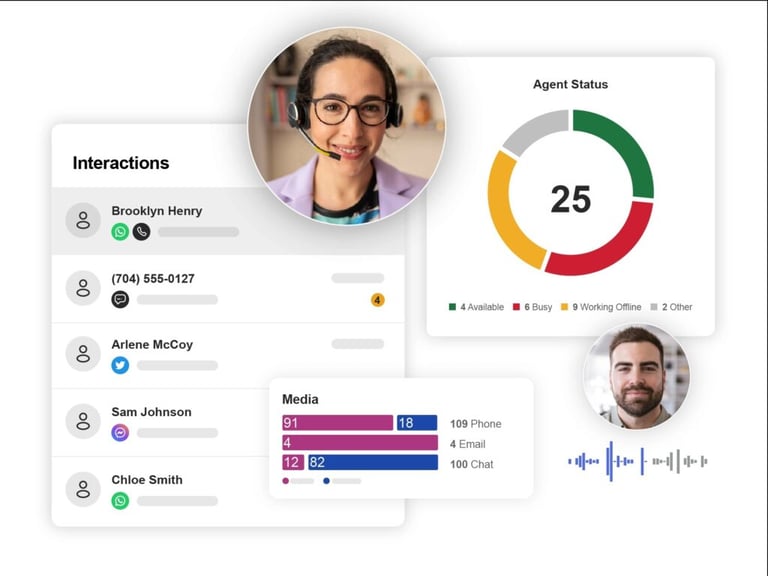
8×8 is a cloud contact center platform that prioritizes enterprise-grade reliability, offering a 99.999% uptime SLA backed by globally distributed infrastructure. It brings together voice, video, chat, and digital channels in a single unified workspace with built-in workforce engagement tools. Large service-oriented organizations that cannot afford any downtime use it as their primary customer communications platform.
What Are 8×8's Key Features?
- Unified workspace with all tools in one interface
- AI assistant for automated customer resolutions
- Proactive service management system
- Automated reporting with smart alerts
- Integrated coaching and feedback tools
What Is the Pricing of 8×8?
8×8 uses a contact-for-pricing model across all plans. Four solution categories are available:
- Contact Center
- CX Beyond the Contact Center
- Communications APIs
- Unified Communications
8×8
| Pros | Cons |
|---|---|
| Industry-leading 99.999% uptime SLA | No public pricing on any plan |
| Unified workspace with all channels in a single interface | Complexity and total cost can be prohibitive for SMBs |
| Proactive service management and smart automated alerts | AI features less advanced than newer-generation competitors |
What Do Customers Say About 8×8?
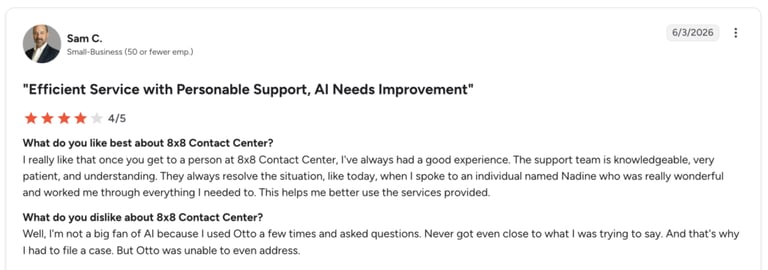
Enterprise customers on G2 emphasize 8×8's reliability and the peace of mind that comes with its uptime SLA. The unified workspace and integrated analytics tools receive strong marks for agent usability. Some reviewers note that the absence of public pricing makes budget planning difficult at the evaluation stage, requiring multiple sales conversations before getting a working number.
G2 Rating: 4.2/5 (900 reviews)
Best For:
Large, service-focused organizations that cannot afford a second of downtime.
Call Center Software Pricing Analysis
Understanding the true value proposition of each solution requires looking beyond just the price tag. Our analysis reveals clear leaders across different pricing tiers:
Small Business Solutions (1–50 seats)
- CloudTalk — $25/user-Rich feature sets typically found in higher tiers
-Excellent for SMB teams requiring advanced capabilities
-Strong customer support for growing businesses - Dialpad — $15/user-Most comprehensive entry-level feature set
-Ideal for teams planning rapid growth - Zoom — $69/user-Enterprise features with deep Zoom ecosystem integration
-Better suited to teams already inside the Zoom platform
Medium Business Solutions (51–200 seats)
- CloudTalk Essential — $29/user-Optimal feature-to-price value ratio
-Advanced Call Routing and Analytics
-Ideal for growing teams with sophisticated needs - Talkdesk — $85/user-Comprehensive feature coverage
-Robust scalability options
-Advanced reporting and analytics - GoTo — Quote-based-Flexible deployment options
-Scalable pricing structure
-Strong integration capabilities
Enterprise Solutions (201+ seats)
- 8×8 — Quote-based-Industry-leading integration ecosystem
-Comprehensive enterprise features
-Best for complex technical requirements - Talkdesk-Cutting-edge feature set
-Advanced AI capabilities
-Robust security and compliance - GoTo Connect-Highly customizable platform
-Flexible scaling options
-Ideal for complex deployments
Recommended articles
No articles added yet.
Save Money and Time By Leveraging the Right Call Center Software
Selecting the right call center software isn't just about finding the lowest price point.
It's also about finding a solution that delivers the best value for your specific business needs. Whether you're a growing sales team or a service-oriented support team, the right tool should enhance efficiency, improve customer interactions, and provide scalability as your business grows.
Entry-level solutions like Dialpad offer attractive pricing for startup operations. However, SMBs and growing businesses often find more value in the comprehensive feature sets of platforms like CloudTalk.
Just take a look at Fintech company Revolut which improved inbound and outbound call control via monitoring and agent performance tracking. As a result, Revolut cut 40 hours from sales operations monthly. CloudTalk's efficiency and cost-reduction features streamline processes, enabling teams of all sizes to perform at their best.
Want to save 40 hours a month? See how we did it for Revolut.
Sources
The value of getting personalization right—or wrong—is multiplying, McKinsey, 2021
Frequently asked questions
The cheapest call center software on this list is Dialpad, which starts at $15 per user/month. CloudTalk offers the next lowest entry point at $25/user/month with a broader feature set, global number coverage, and a free trial. Neither platform offers a permanent free tier—only time-limited trials.
Key factors include the number of users, feature tier, channel requirements (voice-only vs. omnichannel), AI capabilities, CRM integrations, and whether support and analytics are included at base price or sold as add-ons. CloudTalk stands out for transparent per-tier pricing that includes core features without hidden usage fees.
No platform on this list offers a permanent free plan. CloudTalk offers a 14-day free trial with full feature access, making it the best option for teams who want to evaluate a complete feature set before committing. Dialpad also offers a free trial on select plans.
Most modern teams use cloud-based VoIP platforms like CloudTalk, which integrate directly with CRMs to automate workflows and data logging.
It's a service level goal: aiming to answer 80% of incoming calls within 20 seconds to minimize wait times and reduce customer churn.
Pricing for advanced calling tools typically starts around $15–$50 per user. High-tier plans with AI and power dialers often reach $100+.
Setting up a cloud call center typically costs between $15 and $250 per user per month, depending on the software tier and AI capabilities required. Unlike traditional on-premise PBX systems, cloud-based software requires zero hardware or installation costs. However, businesses should budget for potential one-time fees related to premium onboarding, custom CRM integrations, or dedicated number porting.
Yes, cloud call center software is significantly cheaper than traditional PBX systems. Because cloud solutions are hosted entirely over the internet, they eliminate the need for expensive physical hardware, routine maintenance contracts, and dedicated IT staff. This reduces the total cost of ownership while giving your team immediate access to advanced features like AI routing and automatic CRM logging. To quantify exactly how much AI-powered call handling could save your operation specifically, use our AI voice agent ROI calculator and get a projection based on your team size and call volume.