10 Best Answering Services for Small Businesses for 2026: Reviewed & Ranked
TL;DR: Best Answering Services for Small Business
To find the best small business answering service, I spent one week reviewing 30+ providers of phone answering services for small businesses, alongside what small businesses ask before they switch, G2 and Trustpilot reviews, and Reddit threads.
Here are the 5 best answering services for small businesses to consider in 2026:
- 01CloudTalk is the best AI answering service for small businesses that also need a phone system — it answers calls 24/7, handles routine inquiries, books appointments, and integrates with 100+ business tools without requiring a separate answering service.Free for the first 50 minutes, then $99/month for 200 minutes
- 02AnswerConnect is the best live answering service for small businesses that want a human to answer every call — its receptionists provide 24/7 coverage, follow custom scripts, qualify leads, and schedule appointments.Quote-only pricing
- 03Abby Connect is best for small professional firms that want personalized service with a dedicated team of receptionists — its hybrid offering combines live answering and AI, with call insights and CRM integrations for managing client interactions.From $164/month for 50 Abby Minutes, with human and AI answering included
- 04Moneypenny is the best bilingual answering service for small businesses that want both AI and live receptionists without a long-term contract — it supports English and Spanish, offers 24/7 coverage, and lets AI escalate complex calls to a person.From $69/month for AI answering or $165/month for 50 live answering minutes
- 05Posh is best for small law firms, real estate businesses, and boutique practices that want live answering tailored to their clients — it offers 24/7 coverage and a range of plans, including an entry-level option for businesses that want to start small.From $65/month, with no minutes included
Most small businesses start looking for an answering service after missing a call they couldn't afford to lose. Maybe they were helping a customer, driving between jobs, or taking a break when the phone rang. And with 85% of callers who don't get through never calling back, a missed call can mean a missed opportunity.
When evaluating AI answering services, you may wonder: Does the voice sound natural? How does pricing work? Can calls be transferred to a person? Does the service require custom setup?
To help you answer these questions and find the right fit, we've reviewed the 10 best answering services for small businesses in 2026, comparing AI-powered tools, live receptionists, and hybrid options by features, pricing, and use case.


Small Business Answering Service Reviews: Ratings and Prices Compared
Here is how all 10 services compare on type, entry price, hours, languages and G2 and Trustpilot ratings, with review counts so you can judge how much weight each score carries.
| Tool | Type | Best for | Entry price | Hours | Languages | Ratings (reviews) |
|---|---|---|---|---|---|---|
| CloudTalk | AI plus phone system | Small teams wanting AI answering plus a phone system | Free 50 minutes, then $99 for 200 | 24/7 | 70+ | G2: 4.4/5 (1960+) Trustpilot: 4.2 (860+) |
| AnswerConnect | Live | A human on every call | Quote only | 24/7 | English, Spanish | G2: 4.5 (20+) Trustpilot: 4.9 (1,540+) |
| Abby Connect | Live plus AI | Small professional firms | $164/mo (50 live min or 100 AI min) | 24/7 or on demand | English, Spanish | G2: 4.5 (10+) TrustPilot: 4.4 (30+) |
| Moneypenny | Live plus AI | Bilingual, no contract | AI from $69/mo; live from $165/mo | 24/7 | English, Spanish | G2: 4.4 (50+) TrustPilot: 4.5 (470+) |
| Posh | Live | Law, real estate, boutique practices | $65/mo + $2.30/minute | 24/7 | English, Spanish | G2: 2/5 (2) TrustPilot: 4.7 (190+) |
| Smith.ai | Live plus AI | CRM-driven small businesses | Free 25 AI calls; AI $150; live $300 | 24/7 | English, Spanish | G2: 4.9 (80+) Trustpilot: 4.3 (370+) |
| PATLive | Live | Out-of-hours calls, all-US agents | $49 pay-as-you-go; $99 for 50 minutes | 24/7 | English, Spanish | G2: 2.5 (1) Trustpilot: 4.7 (190+) |
| Davinci Virtual | Live (weekdays) | Weekday cover plus numbers and address | $129 for 50 minutes | Weekdays+ 24/7 automated attendant | English, Spanish | G2: N/A Trustpilot: 4.5 (3,270+) |
| MAP Communications | Live | Small medical practices, HIPAA | $49 pay-as-you-go | 24/7 | English, Spanish | G2: N/A Trustpilot: 4.4 (90+) |
| RingCentral | Phone system with AI add-on | Teams replacing a phone system | $49 standalone; AI add-on $39+ $30 | 24/7 | 10+ | G2: 4.3 (35+) Trustpilot: 1.7 (2,000+) |
How I Evaluated the Best Answering Services for Small Business
I analyzed 30+ answering services over one week, checking each against the vendor's own pricing page, G2 and Trustpilot reviews with their counts, Reddit threads and the questions businesses evaluating AI receptionists ask our sales team. I scored every service against six criteria:
- 24/7 coverage: Does it really answer nights, weekends and holidays, or advertise 24/7 while pricing weekday hours?
- Live agents: Are trained human receptionists available, and where are they based?
- AI and automation: Can it handle routine calls without a human, and escalate when it can't?
- Small business fit and predictable cost: Does it work for a team under 50 without IT support, and can you forecast the monthly bill?
- Multilingual support: Can it serve non-English callers, and at what extra cost?
- Pricing clarity: Is the rate card published, and are overages, setup fees and cancellation terms disclosed?
What Is an Answering Service for Small Business?
An answering service for small businesses answers your calls when you can't, using live receptionists, an AI receptionist, or both. It handles calls, takes messages, routes them to the right person, books appointments, and even qualifies leads when you're unavailable.
Virtual answering services work around the clock, and unlike voicemail, which only records messages, a call answering service for small business engages callers and resolves their needs in real time. For example, if a customer calls after hours to schedule a service, the answering service can confirm availability, book the slot and send you the details.
For a small team, this means staying reachable during vacations, school runs or site visits, and capturing leads without hiring extra staff. Small businesses typically add one at the point where missed calls start costing real revenue but a full-time hire still can't be justified.
AI, Live or Hybrid Answering Service: What’s the Difference?
An AI answering service uses automated voice technology to handle calls, a live answering service relies on human agents, and a hybrid service combines both. The best option depends on your budget, call volume, and how often callers need human support.
| Factor | AI Answering Service | Live Answering Service | Hybrid Answering Service |
|---|---|---|---|
| Cost | Typically $50 to $200/month | Typically $100 to $500/month | Varies with the mix of AI and human support |
| Availability | 24/7, without staffing gaps | Depends on staffing and coverage | 24/7 AI coverage with human support when needed |
| Best for | FAQs, booking, call routing, and message taking | Complex requests, sensitive calls, and nuanced conversations | Businesses that need to handle routine calls efficiently while keeping human support available |
| Languages | Multiple languages, depending on the provider | Varies by provider and available agents | Depends on the AI and human teams |
| Setup | Often hours, depending on configuration | Usually days to weeks for scripting and training | Depends on the tools and handoff process |
AI works well for high call volumes and routine requests. Live answering is a better fit when conversations require human judgment or a personal touch. Hybrid services offer a middle ground, letting AI handle routine calls while human agents take over complex or urgent requests.
Phone Answering System vs. Phone Answering Service: What Changes?
- A phone answering system is software. A platform or app that routes and manages calls using automation, IVR or AI; you configure it and it runs on your numbers. CloudTalk and RingCentral are phone answering systems for small business.
- A phone answering service is managed. A third party, with human agents, AI or both, answers calls on your behalf. AnswerConnect, Abby Connect and MAP Communications are answering services.
- Most small businesses end up with both. A small business telephone answering system runs your day-to-day calls, with an answering service layered on for overflow or after-hours cover.
Recommended Article
10 Best Answering Services for Small Business in 2026
We compare each provider’s answering features, pricing, limitations, and customer reviews to help you find the right fit for your business. The list includes managed answering services, as well as phone systems like CloudTalk and RingCentral that offer built-in AI answering.
1. CloudTalk: Best AI Answering Service for Small Business That Also Needs a Phone System
Why I Picked It
I chose CloudTalk for small businesses that want AI answering built into their phone system rather than a separate answering service. Its no-code AI Receptionist answers calls 24/7 using a natural-sounding voice, handles common questions using your knowledge base, takes messages, transfers callers to a person, and books appointments through a connected calendar. You also get call routing, voicemail, 100+ CRM integrations, and phone numbers in 160+ countries. However, keep in mind that CloudTalk doesn't supply human receptionists.
What Are the Key Answering Features of CloudTalk's AI Receptionist?
- 24/7 AI answering: Handles unlimited simultaneous calls, so callers never hit a busy signal during a rush.
- Take a Message and call summary by default: Captures the caller's name, number and request, then writes a summary and extracts the custom fields you set after the call.
- Optional skills: Transfer to a human, answer questions from your knowledge base, and book appointments in Google Calendar or Outlook.
- Routing: A no-code call routing designer for greetings, FAQ handling and routing, plus caller-based routing to send repeat callers to the right person.
- CRM: AI notes push to HubSpot, Pipedrive and Zoho, with 100+ integrations in total. Transcripts, sentiment and scoring come with the Conversation Intelligence.
- 70+ languages and accents: Communicates with callers in their preferred language using natural-sounding AI voices.
What Is CloudTalk Missing?
- No human receptionists: Best for businesses that want to automate routine calls and bring in a team member when human support is needed.
- Quality depends on setup: A well-structured knowledge base and a clear greeting make the difference. Callers hang up on a weak after-hours agent, so test for a week before you move away from a human service.
- Limited support on entry plans: Self-serve AI Receptionist plans don’t include 1:1 support, which is available only with the AI Specialist plan.
What Is CloudTalk Best For?
Growing SMBs with around 3 to 50 employees that handle 10+ inbound calls a day and want to automate routine calls as they scale, without managing a separate answering service and phone system. The setup is designed for business owners and operations leads to manage without needing dedicated IT support.
How Much Does CloudTalk's AI Receptionist Cost?
CloudTalk's pricing for its AI Receptionist starts free with 50 minutes, then $99 a month for 200 minutes.
| Plan | Price | Minutes or calls included | Overage |
|---|---|---|---|
| AI Receptionist 200 | $99/month | 200 minutes | $0.50/minute |
| AI Receptionist 500 | $199/month | 500 minutes | $0.50/minute |
| AI Receptionist 1,000 | $299/month | 1,000 minutes | $0.50/minute |
| AI Receptionist 2,500 | $699/month | 2,500 minutes | $0.35/minute |
| AI Specialist Build | $349/month (3-month minimum) | 1,000 minutes | $0.50/minute |
Phone plans are a separate product: Starter $25, Essential $29 and Expert $49 per user per month, billed annually.
What Do Customers Say About CloudTalk?
Customers highlight reliability, ease of use, and call quality, as well as the value of having integrations and telephony built into the same platform. AI users particularly praise its fast, natural-sounding conversations, multilingual capabilities, and ability to capture leads when teams can’t answer.
G2 Rating: 4.4/5 (1960+ reviews)
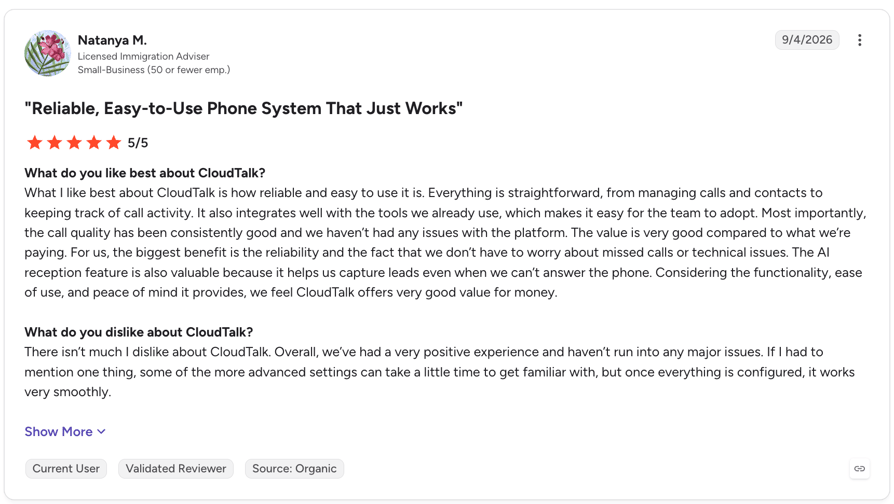
Pros and Cons of CloudTalk Based on G2 Reviews
| Pros | Cons |
|---|---|
| AI features save time: Call summaries and transcriptions help teams review conversations and reduce manual work. | Advanced settings take time to learn: Getting familiar with advanced options and configuring integrations may require extra time. |
| Easy to set up and use: Reviewers praise the intuitive interface, making it easier for small teams to adopt AI answering and manage calls. | Reporting options could be more flexible: Filtering data and customizing reports may be less flexible for teams with specific reporting needs. |
| Keeps calls and customer data connected: CRM integrations, call notes, and call history help teams manage customer interactions in one place. | Custom integrations need extra setup: Tailoring integrations to more specific workflows may require additional configuration. |
2. AnswerConnect: Best 24/7 Live Answering Service for Small Business
Why I Picked It
I selected AnswerConnect for small businesses that want a real person to answer every call, rather than AI. Its agents provide 24/7 coverage across the US, UK, and Canada and follow custom scripts to handle calls in line with each business’s needs.
What Are the Key Answering Features of AnswerConnect?
- 24/7 live agents: Answer calls, relay messages and act as your receptionist across US, UK and Canadian time zones.
- Bilingual scripts: English and Spanish answering with custom scripting for a consistent brand voice.
- Booking: Appointment scheduling and calendar management.
- Lead capture: Agents qualify callers during the call, so you get a usable message rather than a callback list.
- CRM: Integrations sync call data, leads and appointments. Pricing is quoted, so confirm which features your plan includes.
What Is AnswerConnect Missing?
- Quote-only pricing: You can't see a number before a sales call, which stalls owners who want to compare first.
- No AI tier: Routine calls cost the same human rate as high-value ones.
- Two languages: Coverage stops at English and Spanish.
What Is AnswerConnect Best For?
Small businesses of any size whose callers expect a person, such as trades, clinics and firms where automation would lose the call. It suits owners who are comfortable getting a quote before they compare.
How Much Does AnswerConnect Cost?
AnswerConnect pricing is quote-only: you submit your details and receive a monthly plan.
What Do Customers Say About AnswerConnect?
Customers often praise its reliable 24/7 service, easy-to-use platform, and responsive support, while some mention inconsistent call quality and differences between agents.
G2 Rating: 4.5/5 (23+ reviews)
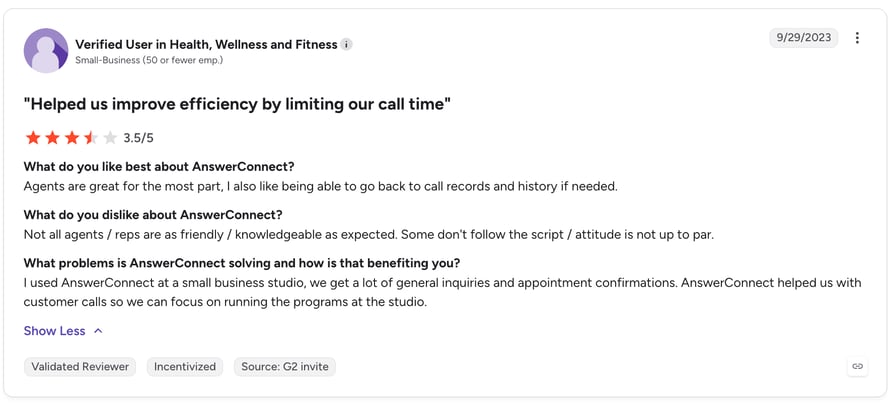
Pros and Cons of AnswerConnect Based on G2 Reviews
| Pros | Cons |
|---|---|
| Reliable 24/7 coverage: Helps businesses stay connected with clients after hours and during busy periods. | Call quality can vary: Some users report that certain agents are difficult to hear. |
| Friendly, responsive support: Reviewers praise the team’s professionalism, helpfulness, and quick responses. | Agent consistency: Some agents may be less knowledgeable or friendly than expected, or may not follow scripts consistently. |
| Easy-to-use platform: Users appreciate the intuitive dashboard, call monitoring, and access to call history. | Occasional service issues: One reviewer reported problems with the service’s system reliability. |
3. Abby Connect: Best Human and AI Hybrid for Small Professional Firms
Why I Picked It
I picked Abby Connect for small businesses that want a more personal answering service. Each business gets a dedicated team of 10-20 trained receptionists who learn its needs, rather than calls being handled by a shared pool of agents. They answer calls, qualify clients, and book appointments 24/7 or on demand, with an optional AI tier for more affordable coverage.
What Are the Key Answering Features of Abby Connect?
- 24/7 human and AI answering: Choose live receptionists, conversational AI, or both, and change how calls are handled as your needs evolve.
- Dedicated receptionist team: Get a team of 10–20 US-based, in-house receptionists who learn your business and provide consistent, personalized call handling.
- Custom call handling: Set up tailored scripts, answering hours, call transfers, message taking, and appointment scheduling to fit your workflows.
- Call insights: Review recordings, transcripts, summaries, and AI-generated caller sentiment scores through the desktop portal and AbbyGO app.
- CRM and workflow integrations: Connect Abby with tools like HubSpot, Salesforce, Clio, and Zapier to sync call data with your existing workflows.
What Is Abby Connect Missing?
- Limited included minutes: Plans start at $164/month for 50 Abby Minutes, so costs can add up for businesses with high call volumes.
- Human answering uses minutes faster: One minute of human answering uses one Abby Minute, while AI uses half a minute, meaning human-only plans cover fewer calls.
- Custom integrations may cost extra: Tailored integrations, automations, and workflows are scoped and built as custom solutions, with pricing not specified on the page.
What Is Abby Connect Best For?
Small professional-services firms of roughly 5 to 30 people, such as law, accounting, consulting and healthcare, where callers are prospective clients and the first impression carries real revenue weight.
How Much Does Abby Connect Cost?
Abby Connect's pricing starts at $164/month for 50 Abby Minutes, with plans ranging up to $1,380/month for 500 minutes. Each plan includes human and AI answering, and AI uses half an Abby Minute per minute, so your plan stretches twice as far with AI.
| Plan | Price | Minutes included | Overage |
|---|---|---|---|
| Starter | $164/month | 50 Abby Minutes | Plan-specific rate |
| Essential | $329/month | 100 Abby Minutes | Plan-specific rate |
| Professional | $599/month | 200 Abby Minutes | Plan-specific rate |
| Growth | $1,380/month | 500 Abby Minutes | Plan-specific rate |
| Enterprise | Custom pricing | Custom | Plan-specific rate |
Every plan includes a free trial, with no setup fee or long-term contract. Overage is billed at your plan’s Abby Minute rate, but exact rates aren’t listed on the pricing page. You can upgrade to a higher plan as your call volume grows.
What Do Customers Say About Abby Connect?
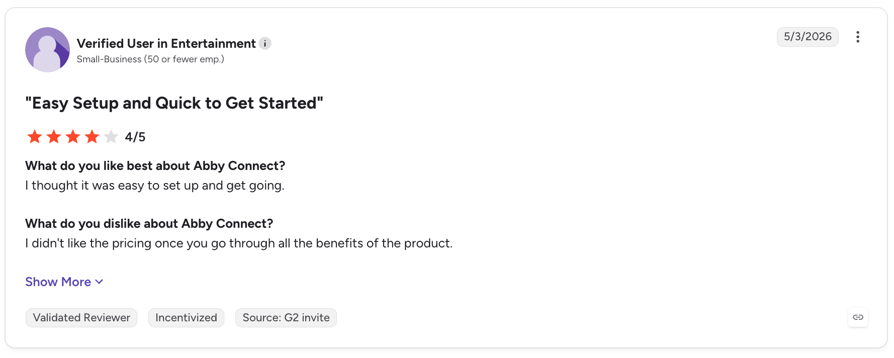
Customers frequently praise its responsive support team, easy setup, and personalized call handling. Some reviewers, however, find the service expensive, particularly when adding calendars or upgrading plans.
G2 rating: 4.5/5 based on 12 reviews.
Pros and Cons of Abby Connect Based on G2 Reviews
| Pros | Cons |
|---|---|
| Responsive, personalized support: Customers praise their dedicated service managers for being helpful, communicative, and quick to respond. | Premium pricing: Some reviewers find plans expensive, especially when upgrading or adding calendars for appointment scheduling. |
| Professional call handling: Receptionists answer questions, capture caller details, schedule appointments, and represent businesses professionally. | Occasional call-handling issues: Some callers are placed on hold for longer than expected, and appointment scheduling can require closer oversight. |
| Easy setup and use: Reviewers appreciate the straightforward onboarding process and user-friendly service. | Transcription errors: AI-generated transcripts can misidentify client names, according to one reviewer. |
4. Moneypenny: Best Bilingual Answering Service With No Contract
What Is Moneypenny?
I chose Moneypenny as a bilingual virtual receptionist option for small businesses that want the flexibility to combine human and AI answering. You can choose its live answering service, AI Receptionist, or both. A small team of named receptionists handles live calls 24/7 in English and Spanish, while the AI Receptionist can escalate complex calls to your team or a Moneypenny receptionist. Both services are available month to month, with no contract.
What Are the Key Answering Features of Moneypenny?
- Named receptionist pod: A small group learns your business and how you want callers greeted, so repeat callers aren't starting over.
- AI Receptionist with human escalation: Answers 24/7, handles simple queries, captures contact details and books appointments, then hands complex or frustrated callers to a person. It takes multiple calls at once.
- Custom AI voice: Pre-built personas, or clone your own voice, with customizable greetings.
- Bilingual and 24/7 on every live plan: English and Spanish, nights, weekends and holidays included at no surcharge.
- App, dashboard and CRM: Messages and call logs in one place; CRM integrations are available but mostly custom.
What Is Moneypenny Missing?
- Steep overage on small live plans: $2.28 a minute on the 50-minute plan. Ask whether voicemail and hold time are billable.
- Thin AI evidence: Most reviews describe the live receptionists, not the newer AI product.
- Limited included minutes: Plans start at $165/month for 50 minutes, so businesses with higher call volumes may need to upgrade quickly.
What Is Moneypenny Best For?
Small businesses of roughly 3 to 40 people that want AI and human answering on one account, such as clinics, trades and professional services with a bilingual caller base and no appetite for a contract.
How Much Does Moneypenny Cost?
Moneypenny's AI Receptionist starts at $69/month for 25 calls, with plans up to $775/month for 500 calls. Its human answering service starts at $165/month for 50 minutes, with additional minutes billed separately. Both services offer 24/7 coverage with no long-term contract.
AI Receptionist pricing
| Plan | Price | Calls included | Overage |
|---|---|---|---|
| 25 calls | $69/month | 25 calls | $2.49/call |
| 50 calls | $99/month | 50 calls | $2.39/call |
| 100 calls | $199/month | 100 calls | $2.19/call |
| 250 calls | $435/month | 250 calls | $1.89/call |
| 500 calls | $775/month | 500 calls | $1.69/call |
Human answering service pricing
| Plan | Price | Minutes included | Overage |
|---|---|---|---|
| 50 minutes | $165/month | 50 minutes | $2.28/minute |
| 100 minutes | $265/month | 100 minutes | $2.12/minute |
| 200 minutes | $422/month | 200 minutes | $1.91/minute |
| 500 minutes | $985/month | 500 minutes | $1.67/minute |
Both services include 24/7 answering and month-to-month billing. The AI plans include human escalation, while the human answering plans include bilingual answering, CRM integrations, and a mobile app and dashboard.
What Do Customers Say About Moneypenny?
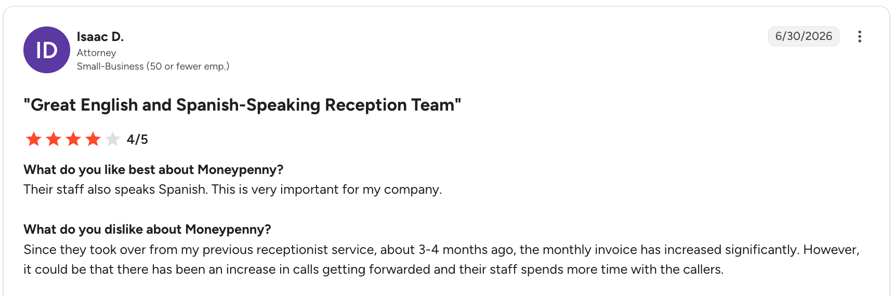
Customers praise its professional, reliable call handling, 24/7 coverage, and bilingual English-Spanish support. On the downside, some find the service expensive, particularly when spam calls count toward usage, and mention room for improvement in phone system integrations and consistency in agent performance.
G2 rating: 4.4/5 on G2 from 52 reviews.
Pros and Cons of Moneypenny Based on G2
| Pros | Cons |
|---|---|
| Reliable 24/7 answering: Customers appreciate knowing calls are handled professionally, even outside business hours. | High costs: Some reviewers find pricing expensive, especially when spam calls count toward usage. |
| Professional bilingual support: English- and Spanish-speaking receptionists help businesses serve a wider range of callers. | Limited integrations: Some customers want easier connections with their existing phone systems. |
| Responsive customer service: Reviewers praise helpful account managers and quick support when changes are needed. | Occasional inconsistencies: Some mention agents mispronouncing business names or slow responses during onboarding. |
5. Posh: Best for Small Law Firms, Real Estate and Boutique Practices
Why I Picked It
I selected Posh for small professional practices that rely on every client call, such as law firms, real estate agencies, and boutique firms. Its 24/7 live receptionists help ensure potential clients reach a real person, while the mobile app lets you switch between live answering, voicemail, and call forwarding in a few taps.
What Are the Key Answering Features of Posh?
- 24/7 live answering: US-based receptionists answer calls around the clock, helping businesses avoid missed calls and stay available to clients after hours.
- Bilingual answering: Support callers in English and Spanish to make your service accessible to a wider range of clients.
- Custom call handling: Tailor call handling, voicemail, message management, and call forwarding to your business needs.
- Mobile app and online portal: Manage calls, messages, contacts, and settings on the go, with texting and calling available through the app.
- Business tool integrations: Sync contacts and connect Posh with compatible tools to streamline communication and keep caller information organized.
What Is Posh Missing?
- AI minutes still cost extra: AI minutes are more affordable than live receptionist minutes, but overage charges still apply once you exceed your plan’s allowance.
- Limited pricing transparency: The website lists plan prices and overage rates, but doesn’t clearly detail potential additional fees.
- Limited native CRM integrations: Compared with some competitors, Posh offers fewer documented native CRM integrations, which may require businesses to rely on workarounds to connect their existing tools.
What Is Posh Best For?
Solo practitioners and small firms of roughly 1 to 15 people who bill by the hour and take a modest number of high-value calls. If you field dozens of routine calls a day, the per-minute model works against you.
How Much Does Posh Cost?
Posh's pricing starts at $65/month for live answering, with no minutes included. Plans with included minutes start at $130/month for 50 minutes and go up to $1,900/month for 1,000 minutes.
| Plan | Price | Minutes included | Overage |
|---|---|---|---|
| Chïc | $65/month | 0 | $2.30/minute |
| Vogue | $130/month | 50 | $2.20/minute |
| Elegant | $215/month | 100 | $2.15/minute |
| Luxurious | $420/month | 200 | $2.10/minute |
| Prestigious | $700/month | 350 | $2.00/minute |
| Lavish | $975/month | 500 | $1.95/minute |
| Exclusive | $1,900/month | 1,000 | $1.90/minute |
Posh also offers AI-enabled versions of its Vogue, Elegant, Luxurious, Prestigious, and Lavish plans at the same monthly prices and with the same included minutes. These plans combine AI and live receptionists, with additional usage charged at different rates: AI minutes cost around half as much as live receptionist minutes. All plans include 24/7 answering, access to the mobile app and online portal, and a free trial.
What Do Customers Say About Posh?
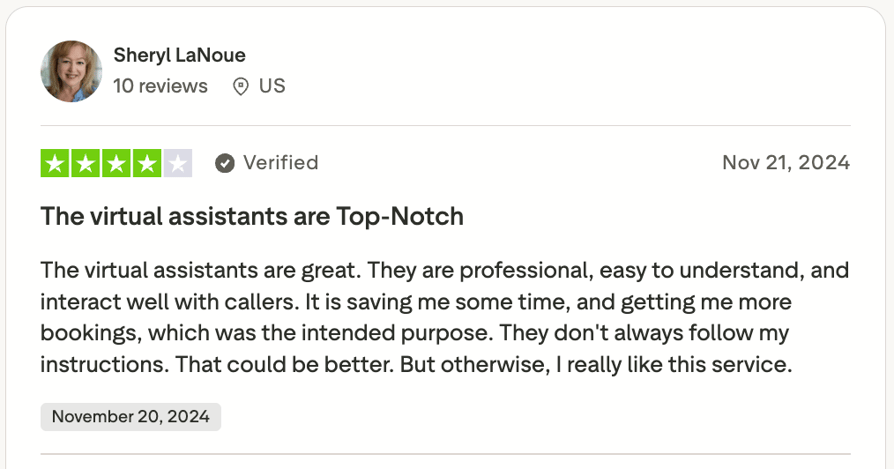
Posh has too few G2 reviews to draw meaningful conclusions, with just two reviews on the platform. Most customer feedback is on Trustpilot, where it scores 4.7/5 across 199 reviews. Customers praise the professional receptionists, responsive support, and time saved handling calls. Common complaints include agents occasionally missing instructions, missed calls, and spam calls eating into paid minutes.
Pros and Cons of Posh Based on Trustpilot Reviews
| Pros | Cons |
|---|---|
| Professional, friendly receptionists: Customers appreciate how agents handle calls and represent their businesses. | Inconsistent call handling: Some reviewers say agents don't always follow their instructions or custom scripts. |
| Responsive customer support: Reviewers praise the team for resolving issues and helping customize the service. | Occasional missed calls and delays: Some customers report missed calls or callers waiting while agents work out how to respond. |
| Saves time and captures leads: Customers say Posh reduces admin work and helps them focus on clients while capturing potential business. | Spam calls use up minutes: Unwanted calls can consume included minutes and increase costs. |
6. Smith.ai: Best AI and Live Hybrid for Small Business CRM Workflows
Why I Picked It
I picked Smith.ai because it gives small businesses the flexibility to use AI receptionists, North America-based human receptionists, or both. It also connects call details and summaries to the tools they already use, making it easier to manage follow-ups. Our full Smith.ai review takes a closer look at call quality.
What Are the Key Answering Features of Smith.ai?
- AI and human on one account: Start on the AI receptionist and add live agents for the calls that need a person.
- CRM and intake sync: Native Clio, Lawmatics, HubSpot and Salesforce support, plus 7,000+ apps via Zapier.
- Lead qualification: Custom intake questions screen callers before they reach you.
- Booking and follow-up: Receptionists book into your calendar and can call new leads back.
- Hours and languages: 24/7 on every plan, in English and Spanish, with no setup fees and month-to-month terms.
What Is Smith.ai Missing?
These are some of the reasons teams might consider Smith.ai alternatives:
- Per-call billing: A wave of short calls costs the same as a wave of long ones.
- Extra transfer costs: Calls transferred to live agents incur additional fees.
- Pricey live tier: $300 for 30 calls, then $11.50 a call.
What Is Smith.ai Best For?
Small businesses of 2 to 50 people that run on a CRM, such as law firms, agencies, home services and clinics, and take fewer but higher-value calls.
How Much Does Smith.ai Cost?
Smith.ai pricing starts free: the AI Receptionist covers 25 calls a month at no cost, while paid plans start at $150/month. The live Starter plan is $300 for 30 calls. See our Smith.ai pricing breakdown.
| Plan | Price | Minutes or calls included | Overage |
|---|---|---|---|
| AI Free | $0/month | 25 calls | $3.00/call |
| AI Pro | $150- $500/month | 75-300 calls | $2.50/call |
| AI Enterprise | $500-$800/month or custom | 300-1,000+ calls | $2.17/call |
| Live Starter | $300/month | 30 calls | $11.50/call |
| Live Basic | $810/month | 90 calls | $10.50/call |
| Live Pro | $2,100/month | 300 calls | $8.50/call |
| Live Enterprise | Custom | Custom | Custom |
What Do Customers Say About Smith.ai?
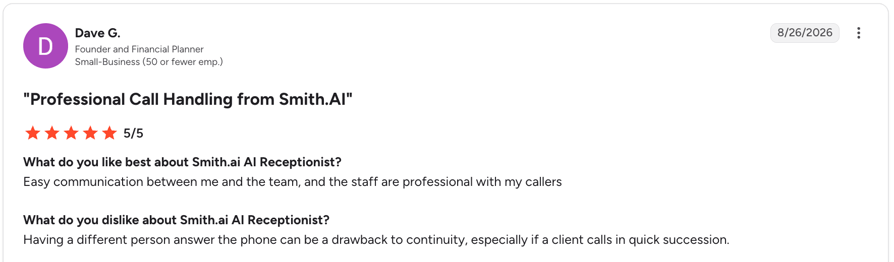
Customers praise its professional, reliable call handling, accurate lead intake, and ability to screen callers, book appointments, and follow custom workflows around the clock. Common drawbacks include occasional errors, inconsistent experiences between receptionists, and some setup challenges with scheduling across time zones.
G2 rating: 4.9/5 for its human answering service (82 reviews); 4.8/5 for its AI Receptionist (32 reviews).
Pros and Cons of Smith.ai Based on G2 Reviews
| Pros | Cons |
|---|---|
| Human safety net: live receptionists take over when the AI reaches its limit | Higher per-call costs: May be more expensive than other options, especially for businesses handling a high volume of calls |
| Responsive support: Users praise the support team's responsiveness and willingness to refine call scripts | Occasional call handling issues: Some users report missed transfers or calls handled differently than expected |
| CRM and scheduling integrations: Connects with tools such as Clio | Spam filtering can be too strict: Legitimate callers may occasionally be blocked |
7. PATLive: Best All-US Live Agents With True 24/7/365 Cover
Why I Picked It
I chose PATLive for its decades of experience in live call answering and its round-the-clock coverage. Its US-based receptionists answer calls 24/7, including nights, weekends, and holidays, without extra charges for after-hours coverage.
What Are the Key Answering Features of PATLive?
- 24/7/365 at one rate: No night, weekend or holiday surcharge on any plan.
- All-US receptionists: Agents based in the United States.
- Bilingual included: English and Spanish on every plan at no extra cost.
- Recording on every call: Recordings and call detail in the web and mobile apps.
- Booking and lead capture: Agents follow your script to qualify callers, take orders and book into your calendar.
What Is PATLive Missing?
- No AI tier: Every routine call bills at live-agent minute rates.
- Weekday-only outbound: Outbound calls run 8am to 6pm ET, Monday to Friday; inbound stays 24/7.
- Entry fee on pay-as-you-go: Even the pay-as-you-go plan costs $49/month before any call minutes, plus $2.99/min.
What Is PATLive Best For?
Small businesses whose calls really arrive out of hours, such as trades, home services, property management and emergency callouts, and teams of 1 to 30 who want a US voice on the line at 2am without a premium rate.
How Much Does PATLive Cost?
PATLive pricing starts at $49 per month pay-as-you-go, with no minutes included and $2.99 per minute. At 40 minutes a month that's about $169, so the $99 plan with 50 minutes is cheaper at that volume. Every tier includes the same 24/7/365 cover and a 14-day free trial, with no contract.
| Plan | Price | Minutes or calls included | Overage |
|---|---|---|---|
| Pay as you go | $49/month | 0 minutes | $2.99/minute |
| 50 minutes | $99/month | 50 minutes (about 20 calls) | $2.29/minute |
| 100 minutes | $189/month | 100 minutes (about 40 calls) | $2.09/minute |
| 200 minutes | $349/month | 200 minutes (about 80 calls) | $1.99/minute |
| 300 minutes | $479/month | 300 minutes (about 120 calls) | $1.89/minute |
| 500 minutes | $759/month | 500 minutes (about 200 calls) | $1.79/minute |
| 1,000 minutes | $1,499/month | 1,000 minutes (about 400 calls) | $1.69/minute |
What Do Customers Say About PATLive?
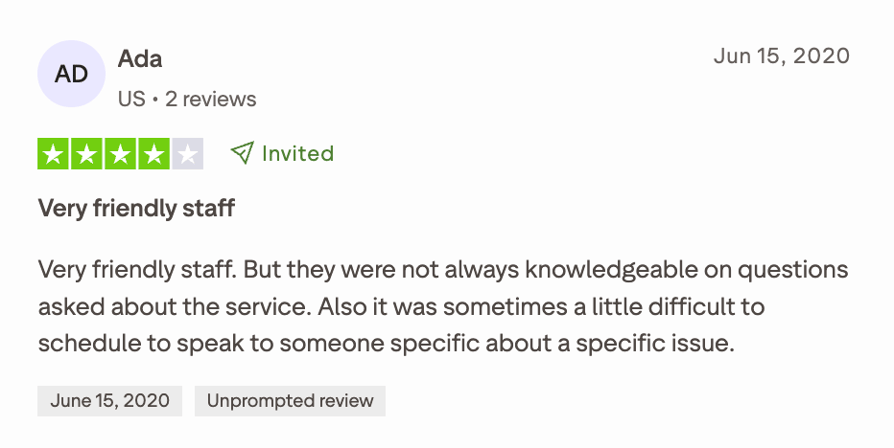
PATLive has just one G2 review and holds 4.7/5 on Trustpilot across 198 reviews. Small business reviewers mention professional, friendly receptionists, responsive support, and smooth onboarding. However, some customers report long hold times, difficulty handling specific requests, billing errors, unexpected costs, and slow issue resolution.
Pros and Cons of PATLive Based on Trustpilot Reviews
| Pros | Cons |
|---|---|
| Professional, friendly receptionists: Customers praise agents for their courtesy, helpfulness, and professionalism. | Inconsistent call handling: Some agents fail to follow scripts or provide accurate, complete messages. |
| Reliable coverage: Businesses value having calls answered and messages collected when they’re unavailable. | Variable service quality: Some callers experience long hold times, unprofessional interactions, or difficulty getting specific requests handled. |
| Helpful onboarding and support: Reviewers appreciate smooth setup and staff who help resolve issues. | Billing concerns: Some customers report billing errors, unexpectedly high costs, and repeated contact with support to resolve issues. |
8. Davinci Virtual: Best for Toll-Free and Local Numbers With Business-Hours Cover
Why I Picked It
Davinci Virtual combines live receptionist services with virtual office essentials, including business addresses, local and toll-free numbers, and meeting-room access. Its receptionists are available Monday to Friday, 8 a.m. to 8 p.m. ET, making it a better fit for businesses that don't need 24/7 call answering.
What Are the Key Answering Features of Davinci Virtual?
- Toll-free and local numbers: A national or local presence without provisioning lines yourself.
- Weekday live receptionists: US-based agents answer in your business name, screen callers and take messages.
- Transfers: Receptionists announce and transfer calls to your team, or take a message.
- Virtual office bundle: Business address, mail handling and meeting rooms alongside answering.
- Languages: English and Spanish call handling.
What Is Davinci Virtual Missing?
- No after-hours receptionists: Nights, weekends and holidays aren't covered by a receptionist.
- Fees off the pricing page: A $95 setup fee for its live receptionists and a 30-day written cancellation notice.
- No CRM depth: Integration is limited, since it's focused on a traditional live receptionist model.
What Is Davinci Virtual Best For?
Small businesses of 1 to 20 people on a weekday schedule that want a phone number, an address and live answering from one supplier, such as consultancies, remote-first startups and small professional practices.
How Much Does Davinci Virtual Cost?
Davinci Virtual pricing starts at $129 per month for 50 live answer minutes. At 40 minutes a month, that plan covers you, but your first month costs $224 once the $95 setup fee lands. Davinci doesn't publish overage rates or contract length, so get both in writing.
| Plan | Price | Minutes or calls included | Overage |
|---|---|---|---|
| Business 50 | $129/month | 50 live answer minutes | Not published |
| Business 100 | $239/month | 100 live answer minutes | Not published |
| Premium 50 | $249/month | 50 minutes plus added services | Not published |
| Premium 100 | $319/month | 100 minutes plus added services | Not published |
What Do Customers Say About Davinci Virtual?
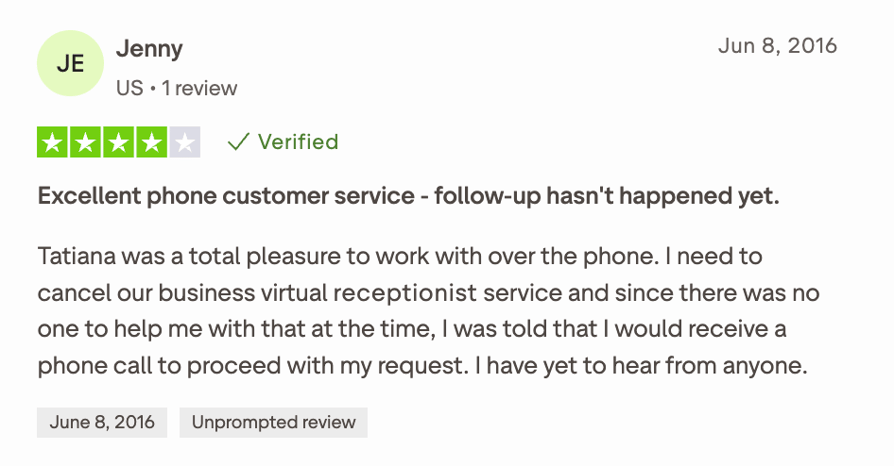
Davinci Virtual has no G2 reviews, and its Trustpilot score is 4.5/5 across 3,270 reviews, many of which focus on virtual addresses and mailboxes rather than live answering. Customers generally praise Davinci Virtual’s helpful, professional customer support, but some report unclear pricing, unexpected extra charges, and a disorganized onboarding process.
Pros and Cons of Davinci Virtual Based on Trustpilot Reviews
| Pros | Cons |
|---|---|
| Helpful customer support: Customers praise staff for being professional, responsive, and helpful during setup and when resolving issues. | Unclear pricing: Some customers were surprised to learn that live receptionist services cost extra on top of virtual office services. |
| Useful virtual office services: Customers value the business address, mail handling, and meeting-room access for supporting remote operations. | Complicated onboarding: Some report excessive paperwork, delays activating services, and lengthy phone number transfers |
| Flexible business solutions: The combination of virtual office services and live answering appeals to businesses looking for a professional presence. | Administrative and follow-up issues: Some reviewers mention booking errors, missed callbacks, and inconsistent receptionist experiences. |
9. MAP Communications: Best HIPAA-Compliant Answering Service for Small Medical Practices
Why I Picked It
MAP Communications offers an employee-owned, US-based team, built-in HIPAA compliance, and bilingual answering across all plans. These features make it a strong option for small medical and dental practices that need reliable patient call handling.
What Are the Key Answering Features of MAP Communications?
- HIPAA on every plan: MAP includes HIPAA compliance as standard; ask for a BAA that covers your setup.
- 24/7 coverage: Included on every plan.
- Bilingual answering: English and Spanish on every tier, with no surcharge.
- Toll-free number included: Bundled rather than billed separately.
- Secure client portal: Messages, call logs and delivery records in one place. CRM connects through an integration layer.
What Is MAP Communications Missing?
- Human only: No AI tier to absorb routine calls.
- Pricing details: The Pay As You Go plan starts at $49/month but includes no minutes.
- Limited integrations: MAP offers fewer integrations than some competitors.
What Is MAP Communications Best For?
Small medical, dental and allied health practices of 2 to 40 people, and any small business with steady call volume, because MAP's overage rates are the lowest of the live services here.
How Much Does MAP Communications Cost?
MAP Communications pricing starts at $49 per month pay-as-you-go, with no minutes included and $1.37 per minute. At 40 minutes a month that's about $104. There's no contract and no card needed to start the 7 day-free-trial.
| Plan | Price | Minutes or calls included | Overage |
|---|---|---|---|
| Pay As You Go | $49/month | 0 minutes | $1.37/minute |
| Business | $179/month | 125 minutes | $1.30/minute |
| Enterprise | $339/month | 250 minutes | $1.28/minute |
| Premium | $649/month | 500 minutes | $1.28/minute |
What Do Customers Say About MAP Communications?
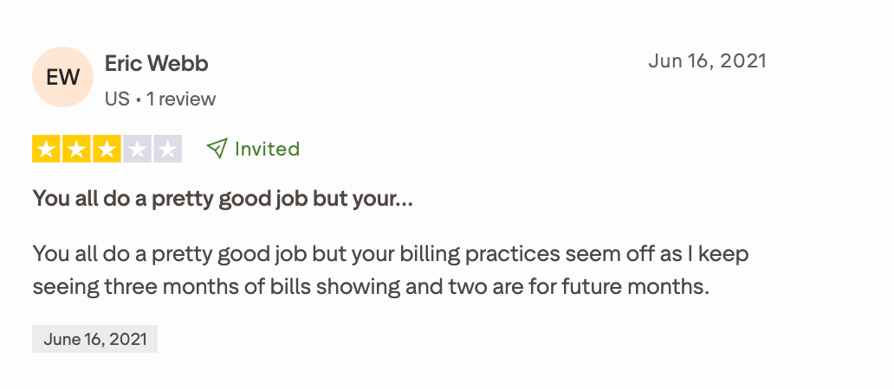
MAP Communications has no G2 reviews and holds 4.3/5 on Trustpilot across 92 reviews. Customers generally praise MAP Communications for its professional receptionists, responsive customer support, and easy onboarding. However, some reviewers report inconsistent call handling, billing concerns, and high costs, particularly when charged for unwanted or spam calls.
Pros and Cons of MAP Communications Based on Trustpilot Reviews
| Pros | Cons |
|---|---|
| HIPAA compliance standard on every plan | No AI tier: routine calls cost live-agent minutes |
| Lowest overage rates on this list: $1.28 to $1.37 per extra minute | Entry plan includes zero minutes: $49 is access, not talk time |
| Employee-owned, no contract, no card to start | Small review base and no G2 listing |
10. RingCentral: Best for Small Teams That Want AI Call Routing Inside a Phone System
Why I Picked It
RingCentral combines business phone, messaging, and video tools with call management features. Its RingEX plans include an auto-attendant and call queues, while the optional AI Receptionist add-on lets small businesses automate call answering within the same platform. See how it performs in our RingCentral AI Receptionist review.
What Are the Key Answering Features of RingCentral?
- AI Receptionist add-on: Answers, screens and routes inbound calls; $39/month with 100 minutes, then $0.50 per minute, or $49 standalone.
- Auto-attendant and queues: Multi-level menus on every tier; advanced routing through the $35 Call Queues Booster.
- Full phone system: Calling, SMS, video and voicemail transcription in one app.
- CRM: Native Salesforce, HubSpot and Zendesk connections.
- Reach: Numbers and coverage across 100+ countries, with a 14-day trial for up to 20 lines.
What Is RingCentral Missing?
- No front desk: It routes and automates, but doesn't staff receptionists.
- Usage-based pricing: The base plan includes limited minutes, and extra usage is billed separately. Businesses with high call volume may end up paying much more than the starting price.
- Limited language support: AIR supports major European languages, but businesses serving multilingual markets may notice the lack of support for many Asian or Middle Eastern languages.
What Is RingCentral Best For?
Small businesses of 10 to 50 people that are replacing a phone system anyway, want automated answering built in, and have someone willing to configure call flows.
How Much Does RingCentral Cost?
RingCentral's AI receptionist pricing starts at $39 per month + $30/user/month if you’re already a RingCentral user or at $49 per month if you want to buy it as a standalone service. Its phone plans start at $20 per user per month, billed annually. Our RingCentral pricing guide breaks down each tier.
| Plan | Price | Minutes or calls included | Overage |
|---|---|---|---|
| RingEX Core | $20/user/month annually ($30 monthly) | Phone system seat | n/a |
| RingEX Advanced | $25/user/month annually ($35 monthly) | Phone system seat | n/a |
| RingEX Ultra | $35/user/month annually ($45 monthly) | Phone system seat | n/a |
| AI Receptionist with RingEX | $39 + $30/month | 100 minutes | $0.50/minute |
| AI Receptionist standalone | $49/month | 100 minutes | $0.50/minute |
What Do Customers Say About RingCentral?
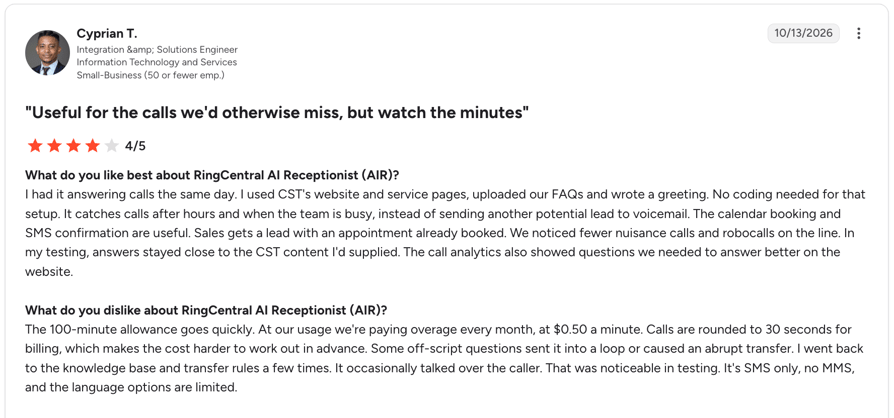
Customers praise RingCentral AI Receptionist for its ease of use, quick setup, and 24/7 call handling. However, some report extra costs and minute allowances that run out quickly, along with difficulties handling complex questions, accents, and transfers to human agents.
G2 rating: 4.3/5 (42 reviews).
Pros and Cons of RingCentral AIR Based on G2 Reviews
| Pros | Cons |
|---|---|
| Easy setup and use: Customers praise the intuitive interface and quick implementation, with some getting the service running in a single day | Additional costs: Some reviewers find pricing expensive or unclear, especially when usage exceeds included minutes. |
| Reliable 24/7 call handling: The AI answers routine calls after hours and during busy periods, helping businesses reduce missed calls and free up staff time. | Difficulty with complex queries: The AI can struggle with unexpected questions, technical requests, and some accents. |
| Smart routing and appointment booking: Reviewers value intent-based call routing, appointment scheduling, and customized greetings and call flows. | Limited customization and reporting: Some users want more flexible routing, deeper analytics, and easier integrations with CRM and knowledge management tools. |
How Much Does an Answering Service for Small Business Cost?
An answering service for small business costs from $0 on free AI tiers to about $49 to $99 a month at entry level, $99 to $150 for a mid-tier AI plan, $300 to $650 for live reception and $2,000+ for high-volume live service.
| Service Tier | Monthly Cost | What You Get | Examples From This List |
|---|---|---|---|
| Free AI tiers | $0 | A small allowance to test AI answering | Smith.ai (25 AI calls), CloudTalk (first 50 minutes) |
| Entry and pay as you go | $49 to $99 | An access fee with 0 minutes, or a small AI or live bundle | PATLive ($49 + $2.99/min), MAP ($49 + $1.37/min), Posh ($65 + $2.30/min) |
| Mid-tier AI | xf99 to $150 | AI answering with a call or minute allowance | CloudTalk ($99 for 200 min), Moneypenny AI ($69 for 25 calls), Smith.ai AI ($150 for 75 calls) |
| Live reception | $300 to $650 | 30 calls to 500 minutes with human receptionists | Smith.ai ($300 for 30 calls), Abby Connect ($164 for 50 min), PATLive ($99 for 50 minutes) |
| Full live service | Up to $2,000+ | High-volume live answering | Abby Connect Growth ($1,380), Posh Exclusive ($1,900), Smith.ai Live Pro ($2,100) |
What Hidden Costs Should You Check Before You Sign?
Before signing, ask about five potential extra costs:
- Overages: What does each extra minute or call cost once the allowance runs out? Across the live services on this list, overage runs from $1.28 a minute (MAP Communications) to $2.99 (PATLive pay as you go).
- Night, weekend and holiday surcharges: Some providers advertise 24/7 but price only core weekday hours. Ask whether 24/7/365 is included in the quoted price.
- Setup fees: One-time onboarding charges often don't appear on the pricing page. For example, Davinci Virtual's is $95.
- Contract minimums and cancellation terms: Check whether you're month-to-month, how much written notice you need, and whether a cancellation fee applies.
- Minute rounding: Is talk time billed per second, in 6-second increments or rounded up to the whole minute? On short calls, rounding can double your effective rate. Ask whether hold and transfer time is billed.
Live, After-Hours or Virtual: Which Type Does Your Small Business Need?
The right answering service depends on who should answer your calls, when you need coverage and how complex your callers' needs are. Use this comparison to find the best fit.
| Type | Best for | What you get | Providers to consider |
|---|---|---|---|
| Live answering | Businesses where personal attention and judgment matter, such as law firms, medical practices and real estate agencies | Trained human receptionists who answer in your company name and follow your script | AnswerConnect, Abby Connect, PATLive, MAP Communications |
| After-hours answering | Businesses that receive evening, weekend or emergency calls | Call coverage outside regular business hours, through AI or human receptionists | CloudTalk, AnswerConnect, PATLive |
| Virtual answering | Small businesses that need call handling without an on-site receptionist | Remote answering by AI, human agents or a combination of both | AI: CloudTalk, Smith.ai. Human: AnswerConnect, Abby Connect, Smith.ai |
| Hybrid answering | Businesses that want to automate routine calls without losing the human touch | AI handles common inquiries and overflow, while complex or high-value calls go to a human | CloudTalk (handoff to your team), Abby Connect, Moneypenny, Smith.ai |
Whichever option you choose, test the call flow before relying on it, especially for after-hours AI. Make sure it can answer common questions, handle unexpected requests and transfer urgent calls to the right person.
Why Do Small Businesses Use an Answering Service?
A small business answering service rarely starts as a growth plan. It starts with one of these problems:
- The team is busy or away. Calls ring out during jobs, site visits, client meetings and school runs. An answering service picks up the calls you physically can't.
- After hours still matters. Evening and weekend callers don't leave a voicemail and wait for Monday; they call the next business that picks up.
- Hiring a receptionist is out of reach. A full-time employee comes with salary, benefits and holiday cover. An answering service gives you a more flexible way to handle calls without adding another person to your payroll.
- They want messages they can use. A "call back" note doesn't help. They need key details, a call summary and CRM records that help the team follow up without listening to the call again and create the type of professional service that earns positive reviews from satisfied customers.
How to Choose the Best Answering Service for Your Small Business
Choosing an answering service feels like picking your first hire: the wrong one is expensive in both directions. Work through these checks before you sign.
- Assess your needs: Count your inbound calls for two weeks and note when they land. Volume and timing decide whether you need AI, humans or both.
- List your must-have features: Appointment booking, bilingual coverage, HIPAA compliance, call recording, warm transfers. Separate what you need from what sounds good in a demo.
- Check integrations: If caller details don't reach your CRM automatically, someone is retyping them. Confirm the integration is native, not a Zapier workaround you have to build.
- Watch for hidden fees: Overage rates, setup charges, holiday surcharges, cancellation fees and minute rounding. Four of the ten providers here have costs that don't appear on their pricing page.
- Check scalability: A plan that fits this month should still work at triple the volume. Look at the next tier up before you commit to the entry one.
- Run the trial on your real number: Most providers here offer a 7 to 30 day trial or a money-back window. A scripted demo tells you nothing about how your callers will be handled.
- Test the voice and the handoff yourself: Call in as a customer, ask something awkward and check whether an urgent call reaches a person.
- Ask what's billable: Find out whether voicemail, hold time and transfers count toward your minutes.
- Ask who builds the first AI agent: Some providers set it up for you; others hand you the tools. Know which before you sign.
What Do Small Business Owners Say About Answering Services on Reddit?
Reddit discussions suggest that answering services can help small businesses capture leads and avoid missed calls, but only when they do more than take a message. The biggest differences come down to call quality, the information collected, how calls are routed, and whether customers can get help immediately.
These are the main key takeaways:
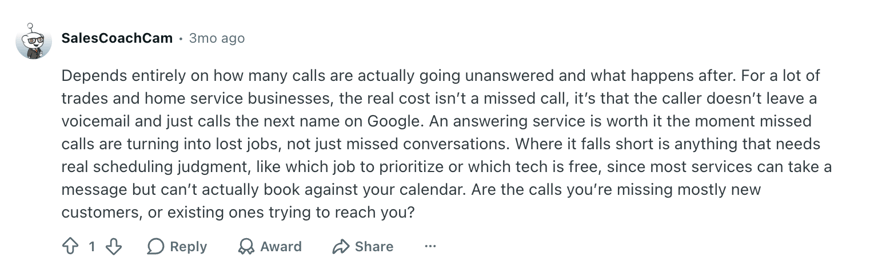
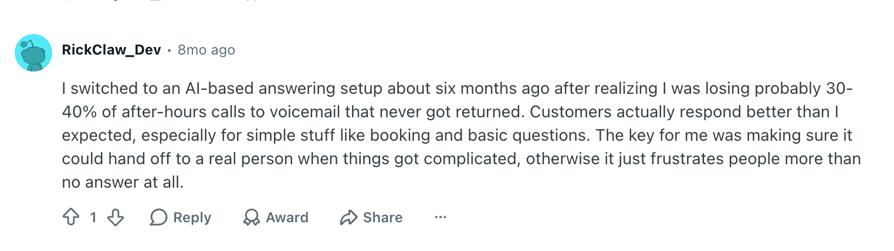
- Missed calls can mean lost business. Contractors and service businesses say potential customers often move on to the next provider if nobody answers. After-hours coverage can be especially useful for businesses that rely on incoming calls or handle urgent requests.
- Taking a message isn't always enough. Business owners want services to collect the right details, qualify the request when relevant, and send the information to the right person or system. Incomplete messages and manual follow-ups can defeat the purpose of outsourcing calls.
- AI works best for routine, well-defined tasks. Users reported positive experiences with AI handling FAQs, appointment booking, call routing, and customer intake. Natural-sounding conversations and simple call flows help, while confusing interactions can frustrate callers.
- Human support still matters for complex calls. Some businesses need a person to handle unusual requests, make scheduling decisions, or dispatch urgent calls. A clear handoff from AI to a human can help balance efficiency with service quality.
That Missed Call? Your Small Business Just Lost It to a Competitor
For small businesses, the best phone answering service pays for itself the moment it captures the first call you would have missed. In business, you do not get many second chances; a Zendesk UX study reports that over 50% of customers will switch to a competitor after just one bad experience, and for a small business, missing a call is often all it takes.
The good news is that you do not need a full-time receptionist, or a time machine, to stay on top of every call. Whether your small business goes human, AI, or the best of both, an answering service can win back hours, close more deals, and turn chaos into calm. Start by counting the calls you are missing this week — then pick the option on this list that covers exactly those hours.
FAQs About Answering Services for Small Business
It depends on who needs to answer the call. For AI answering plus a phone system, CloudTalk. For a live person on every call, AnswerConnect, PATLive or MAP Communications. For a hybrid of both, Abby Connect, Moneypenny or Smith.ai. The comparison table near the top of this page shows price, hours and ratings side by side.
An AI answering service picks up every call automatically, answers routine questions, takes messages and books or transfers calls. CloudTalk's AI Receptionist starts with 50 free minutes, Smith.ai's AI tier is free for 25 calls, and Moneypenny and Abby Connect offer AI from $99 a month. Test the voice and the handoff on your own number first.
AnswerConnect for 24/7 agents across the US, UK and Canada; PATLive for all-US agents with no night or weekend surcharge; MAP Communications for the lowest overage at $1.28 to $1.37 a minute; and Abby Connect for a dedicated receptionist team. Price each one against your monthly talk time, not the headline rate.
Based on the 10 services here, expect about $49 to $99 a month at entry level, $99 to $150 for a mid-tier AI plan and $300 to $650 for full live reception. Watch overage rates, setup fees, cancellation fees and minute rounding: three entry plans on this list include zero minutes.
Yes. PATLive and MAP Communications start at $49 a month pay as you go, and Posh at $65, but all three include zero minutes. At 40 minutes a month, MAP costs about $104 and PATLive about $169. For AI, Smith.ai is free for 25 calls and CloudTalk includes 50 free minutes.
AI suits routine, high-volume calls such as opening hours, booking and routing, and covers nights at a lower cost. A live receptionist handles high-value, complex or emotional calls better. Most small businesses end up using both: AI for routine and after-hours calls, a person for the calls that win or lose a client.
Yes, if you pick the right one. CloudTalk's AI answers at any hour, AnswerConnect staffs live agents around the clock, and PATLive covers nights, weekends and holidays at its weekday rate. Test any AI after-hours agent for a week before you rely on it.
Most live services here, including PATLive, MAP Communications, Moneypenny and Smith.ai, offer bilingual virtual receptionists in English and Spanish, usually at no extra cost. AI language coverage varies more: CloudTalk's AI Receptionist supports multiple languages.
Many can, but ask whether the sync is native or built on Zapier. CloudTalk's AI call notes push to HubSpot, Pipedrive and Zoho, with 100+ integrations in total. Smith.ai connects natively to Clio, Lawmatics, HubSpot and Salesforce, plus 7,000+ apps through Zapier.
A cell phone answering service picks up calls forwarded from your mobile when you can't answer. A business answering service usually comes with its own local or toll-free number and receptionists, so callers never see your personal phone. Check caller ID, recordings and transfers back to your mobile before you choose.
Only if the whole setup is covered. Ask for a Business Associate Agreement (BAA) and confirm it covers every tool that touches patient data. MAP Communications and Smith.ai market HIPAA compliance, so verify it for your plan. CloudTalk offers a BAA for US healthcare.
A phone answering system is software you configure, such as CloudTalk or RingCentral, that routes and answers calls on your numbers. A phone answering service is managed: a third party answers calls for you with people, AI or both. Many small businesses run a system day to day and add a service for overflow.
Pay-as-you-go can be more affordable for very low call volumes, but monthly bundles often offer better value as usage increases. For example, PATLive's pay-as-you-go plan costs $49 plus $2.99 per minute. At 40 minutes per month, that comes to about $169, compared with $99 for a plan that includes 50 minutes.