Law Firm Answering Service: Live vs. AI vs. Hybrid + 3 Best Picks (2026)
TL;DR: Law Firm Answering Services in 2026
| Question | Quick Answer |
|---|---|
| What is a law firm answering service? | A service that answers your calls when staff can't, through live receptionists, AI or a hybrid of both. |
| Why do law firms use one? | Missed calls lose matters. Only 40% of firms answered the phone in Clio's 2024 secret shopper study. |
| What should legal intake cover? | Your screening questions on every call, urgent routing and consultation booking, with no legal advice. |
| Is it safe for client data? | It can be, if the vendor shows its security audits and you check ABA Rules 1.6 and 5.3 plus your state bar. |
| Will AI sound cold or clash with Clio? | Not if it transfers distressed callers fast, and most legal tools connect through an API or Zapier. |
| Is AI cheaper than a live service? | Usually, but compare per-minute, per-call and AI minute bundles against your own call volume. |
| How do you choose one? | Score every option on coverage, intake depth, routing, security, integrations and pricing. |
| What are the best law firm answering services? | CloudTalk for AI with your own staff in charge, Smith.ai for hybrid coverage and Ruby for live-only answering. |
| How do you roll one out? | Start with after-hours and overflow calls, test hard, and expand after a pilot. |
According to Clio’s 2024 Legal Trends Report, which sent secret shoppers to call law firms, only 40% of firms answered the phone, and 48% were essentially unreachable by phone.¹ That’s exactly the gap a law firm answering service closes.
For most law firms, that gap opens at the worst possible time, like 6:40 p.m. You’re prepping for court, your paralegal is on another line, and someone who was rear-ended this afternoon gets your voicemail. They don’t leave a message. They call the next firm on their list, and whoever picks up gets the consultation.
A longer voicemail greeting won’t bring that caller back either, and one more hire won’t cover every evening. A phone menu only asks a stressed caller to guess which button means “I was just arrested.” So the real decision is who picks up instead: a person, software, or both. Get it right, and that 6:40 p.m. caller books with you. Get it wrong, and you’re still losing them, just at a higher price.
Only 40% of Firms Picked Up. Make Yours One of Them.
What Is a Law Firm Answering Service?
A law firm answering service handles your calls when nobody in the office can, runs intake or takes a structured message, and gets urgent matters to the right attorney. The better ones also book the consultation while the caller's still on the line.
You'll see it sold as a legal answering service, a lawyer answering service or a virtual receptionist for lawyers. The labels overlap. What really differs is who answers: a live receptionist, an AI voice agent, or a mix of both.
Live, AI or Hybrid: Which Model Fits Your Firm?
The model that fits your firm depends on how many calls you get and how many of them need human judgment. The video you've just watched sizes up AI against a human receptionist, and the table below adds the hybrid option to that picture:
Live vs. AI vs. Hybrid Legal Answering Services at a Glance
| Factor | Live | AI | Hybrid |
|---|---|---|---|
| Availability | 24/7 on most plans, depending on staffing | 24/7 | 24/7 |
| Simultaneous calls | Limited by receptionists on shift | Many at once | AI absorbs volume, people take the hard calls |
| Consistency | Varies by receptionist | Same questions every time | Consistent on the AI side |
| Empathy | Strongest | Configurable voice and tone | A person is there for hard calls |
| Cost model | Per minute or per call | Minute bundles or per call | Mix of both |
| Languages | Depends on who's on shift | Often many, varies by vendor | Varies by vendor |
| Best for | Low volume, emotional calls | Volume, after hours and routine calls, with hand-offs to your own team | Firms that want the vendor’s receptionists behind the AI |
| Top service | Ruby | CloudTalk | Smith.ai |
A live answering service for lawyers brings warmth to hard calls, but you pay for every minute and depend on who’s on shift.
An AI answering service picks up on the first ring, takes any number of calls and asks the same questions every time, so it needs a fast route to a person for anything sensitive.
A hybrid service builds that route in. The AI answers first and passes harder calls to the vendor’s live receptionists, so you get human backup without staffing it yourself.
The catch is whose person picks up. With hybrid, it’s a receptionist from outside your firm, who follows your script but doesn’t know your clients or their cases. With AI running on your own phone system, the route leads to your own team, with the caller’s details already collected, which is how a law firm AI answering service keeps your people in charge.
Is an Answering Service Better Than a Receptionist or Voicemail?
An answering service beats voicemail and works best next to a receptionist. Your in-house receptionist knows your clients, but works business hours and takes one call at a time. Voicemail loses anyone who won’t wait, and new callers with an urgent matter usually won’t.
So an answering service shouldn’t replace your receptionist, but rather work alongside them. The desk rings first, and only overflow and after-hours calls roll over to the service. How easily you can set that up depends on your law firm phone system. If you put a phone menu in front of it, keep it short, because a five-level tree loses callers before anyone hears their story.
Let the Desk Ring First. Let AI Catch the Rest.
Why Do Law Firms Use a Lawyer Answering Service?
It's actually quite simple. Law firms use a lawyer answering service because the phone is still where many new matters start, and a caller who reaches voicemail usually tries the next firm. Most firms add an answering service for law firms to close one of four gaps.
What Does a Missed Call Cost a Law Firm?
A missed call often costs a law firm the whole matter. Someone hurt in a crash has several firms open in their browser, and whoever picks up first usually books the consultation. Small firms feel it first: one person covers the phones, the attorneys are in court, and the call during a deposition goes to voicemail.
Bigger firms with heavy marketing spend hit the same wall from the other side. Calls and web leads arrive faster than the intake team can return them, and the ones nobody reaches go cold in the CRM.
Circle Gym isn’t a law firm, but its leads act a lot like yours: they compare a few options and go with whoever gets back to them first. The fitness studio has its AI voice agents (from CloudTalk) call every new lead within seconds and book the trial slot on that same call instead of texting a link, which took conversion from about 5% to double digits.
A free trial and a first consultation have the same weak spot. Both are easy to put off until someone pins down a time. On your inbound line, the same move means the caller hangs up with a consultation booked, not a promise of a callback.
"We went from 5% conversion with links to double-digit bookings just by letting the AI ask, 'What time works for you?'"
Owner of Circle Gym

What Should 24/7 Coverage Actually Include?
Real 24/7 coverage includes your full intake at 11 p.m., not just someone taking a name, because arrests and car accidents don't keep office hours. Before you sign a 24/7 legal answering service, check that it can:
- Answer every call, weekends and holidays included
- Run your intake questions instead of just logging a message
- Transfer urgent calls to an on-call attorney
- Tell callers when someone will get back to them
Then ask for a walk-through of a 3 a.m. call. The best after-hours answering service for lawyers can tell you who picks up, what they ask and which attorney gets woken up. Firms with clients abroad need that answer most.
Why Do Existing Client Calls Crowd Out New Intake?
Existing client calls crowd out new intake for a simple reason: "any update on my file?" takes as long as a new inquiry, and your staff will put the paying client first. An answering layer can send those calls to the right paralegal or take a detailed message, so the intake line stays free for new matters.
How Do You Serve Spanish-Speaking and International Clients?
Spanish-speaking and international clients need their language covered on every shift, not just when your bilingual paralegal is in. Immigration, personal injury and family practices often need Spanish around the clock, and some firms need three or four languages. Live services usually cover English and Spanish only, sometimes for an extra fee, while a bilingual AI receptionist detects the caller's language and answers in it.
Oxford Royale Academy, a summer-course provider with students in 176 countries, uses that same language detection on outbound calls. One CloudTalk voice agent calls every new lead within minutes, switches to the lead's language and qualifies interest, a job that used to take four seasonal hires. Put the same skill on your inbound line, and a Spanish-speaking caller at 9 p.m. gets intake in Spanish instead of an English voicemail.
"It listens to how they answer. If they answer with a particular phrase, it talks in that language."
Head of Systems and Processes, Oxford Royale Academy

Good to know:
CloudTalk’s AI Receptionist for law firms speaks 70+ languages and can switch between them on the same call. A caller who starts in English and moves to Spanish partway through still gets intake they understand. For your firm, one setup covers every language your clients call in, at any hour, without lining up a bilingual hire for each shift.
What Should an Answering Service With Legal Intake Do?
An answering service with legal intake should screen, route and book the same way on every call, then hand your team clean notes before anyone calls back. A good legal intake answering service handles four jobs well and stays out of a fifth.
How Should New Matters Get Screened?
New matters should get screened with the questions your best intake person already asks: practice area, key dates, location, the opposing party's name for your conflict check, and how the caller found you. An answering service for legal intake asks them in the same order every time and politely turns away the cases you don't take, ideally with a referral.
It collects the conflict-check details, and your firm runs the check. Our roundup of AI voice agents for lead qualification shows how that screening sounds in practice.
How Do Existing Clients Skip the Intake Script?
Existing clients don't need the intake script at all, because the service knows them by their number. So, it basically matches the caller to your CRM, sends the call straight to their attorney or paralegal and logs it to the right record, so nobody gets interviewed twice.
What Happens When a Call Can't Wait?
A call that can't wait should jump the queue. Routing by practice area, office and urgency gets an arrest tonight or a hearing tomorrow to an attorney, while next month's will review waits for a callback. The attorney should pick up already knowing the caller's name and why it's urgent.
Can the Consultation Get Booked on the First Call?
The consultation definitely can, and even should, get booked on the first call. A good service puts it on your calendar, or captures preferred times for your staff to confirm, so the caller doesn't drift off during the back-and-forth. Our ranking of AI voice agents for appointment booking compares how each one schedules.
Where's the Line on Legal Advice?
The line on legal advice is simple: an answering service doesn't give any. Whether a person or AI answers, it doesn't evaluate cases, quote fees or answer "Do I have a case?". Those calls go to an attorney. With AI, keep the knowledge base to safe facts like hours, locations and what to bring, then test it with the questions a nervous caller would ask.
Load Your Intake Questions. Hear Them Asked on Every Call.
Is an Attorney Answering Service Safe for Client Data?
An attorney answering service can be safe for client data, but only if you check. Intake recordings, transcripts and messages are client information, and legal teams know the risk: 8am's 2026 Legal Industry Report found their top AI concerns are data security (46%), ethics (42%) and privilege (39%).2
Two American Bar Association (ABA) Model Rules set the bar. Rule 1.6(c) asks lawyers to make "reasonable efforts to prevent the inadvertent or unauthorized disclosure of, or unauthorized access to," client information. Rule 5.3 asks those with managerial or supervisory authority to make reasonable efforts to ensure that outside help, an answering service included, fits their professional obligations.3
For AI tools, ABA Formal Opinion 512 draws on earlier opinions to point lawyers toward vendor diligence: credentials, security policies and confidentiality agreements. It also notes that Rule 1.18 protects prospective clients, which is who most intake callers are.3 However, as calling and legal rules differ by area, check your own country or state bar's guidance before you choose.
Should Callers Know They're Talking to AI?
Yes, callers should know they're talking to AI. No blanket ABA rule requires it, but Florida Bar Ethics Opinion 24-1, a non-binding advisory opinion, says client-facing AI chatbots "must include a disclaimer indicating that the chatbot is an AI program and not a lawyer or employee of the law firm."4 It's written about chatbots, but the logic carries over to voice.
Callers expect it too. Salesforce's State of the AI Connected Customer report found that 72% of customers say it's important to know when they're communicating with an AI agent.5 One line in the greeting covers it.
A greeting that discloses AI and still sounds human:
Open every AI-answered call with something like: “Hi, you’ve reached [Firm Name]’s virtual assistant. I can take your details and get you to the right person.” In two short sentences, the caller knows they’re talking to AI, what happens next and that a person is part of the plan, all before the first intake question.
What Should You Ask Every Vendor?
Every vendor, live or AI, should answer the same eight questions, because a "legal specialist" badge tells you little on its own. Get the answers in writing:
Eight Questions to Ask Every Answering Service Vendor
| Question to Ask | What a Good Answer Sounds Like |
|---|---|
| Which security certifications and audits do you hold? | Named certifications, plus reports you can request and read |
| Where are recordings and transcripts stored, and who can access them? | A clear storage location and role-based access you control |
| Can we control what the AI or receptionist may and may not say? | Yes, through scripts, a knowledge base and instructions you edit |
| Can we limit or delete recordings? | Yes, with settings you manage yourself |
| What happens when a caller asks for legal advice? | A polite refusal, then a transfer or a booked consultation |
| Can our staff review every call and transcript? | Yes, from one dashboard, without asking support |
| Is our call data used to train AI models? | A written no, or a clear opt-out |
| Will you sign a confidentiality agreement? | Yes, before any client call reaches them |
What Do Law Firms Worry About With AI Answering?
Law firms mostly worry about four things with AI answering: sounding cold, fitting the case management system, paying off for a small firm, and cost.
Will AI Sound Cold to Clients in Crisis?
AI won't sound cold to clients in crisis if distressed callers reach a person fast. Your callers may be crime victims or halfway through a divorce, and they want that option: Clio's 2024 report found 51% of clients find chatbots useful for exploring legal options, yet 67% still want to be able to speak with a human.1
Voice, tone and pace are adjustable, but the transfer rule matters more. A distressed caller should get a person, not ten intake questions, so before you buy, call in as one and time how fast you reach a human.
Signature Capability
See CloudTalk’s AI Voice Agent in Action!
CeTe is an AI that talks like a human: no breaks, no training, no time off. It makes and answers calls, updates CRMs, books meetings, and loops in a human only when needed.
Press play to hear it. Want a wow moment? Get a free test call and try it live.

Will It Work With Clio or Your Case Management System?
Most AI answering services work with Clio and other case management systems, though usually through an API, webhooks or Zapier rather than a native integration. Either works, so judge the result: ask for a demo on your exact system and check that the transcript and summary land on the right matter without anyone copying them over.
Is an Answering Service Worth It for a Small Firm?
An answering service is worth it for a small firm if you start small. Point it at the calls nobody gets to, evenings and the lunch rush included, with an entry-level bundle, and it covers the gaps while your own people keep business hours. Price a legal office answering service against a part-time receptionist, and use our ranking of the best answering service for small business options as a benchmark.
The upside isn't just coverage. Clio's 2025 Legal Trends Report found that firms with wide AI adoption are nearly 3x more likely to report revenue growth than firms that haven't adopted AI.1
Is AI Cheaper Than a Live Legal Answering Service?
AI is usually cheaper than a live legal answering service, but it depends on your volume and how each vendor bills. Legal answering service cost comes down to calls per month times minutes per call, plus the line items that surprise people:
Legal Answering Service Pricing Models Compared
| Pricing Model | How It's Billed | What to Watch For |
|---|---|---|
| Per minute (common for live services) | A monthly bundle of receptionist minutes | Rounding (some round every call up to a full minute), overage rates, minimum billed time per call |
| Per call (some live and hybrid services) | A flat fee per call within a monthly bundle | What counts as a billable call (spam, wrong numbers, hang-ups), extra fees for booking or longer intake |
| AI minute bundle (AI voice agents) | A monthly bundle of AI minutes, with overage once it's used up | Whether voicemail and transfers count as minutes, and whether the AI is an add-on to a phone plan |
The rule here is that, before you sign, ask what counts toward the bill, how calls are rounded, what's an add-on and how long the contract runs.
Per Minute, Per Call or Per Bundle? Run the Numbers on Your Own Calls.
How Do You Choose the Best Law Firm Answering Service?
The best law firm answering service for you is whichever one scores highest on the same checklist, live or AI. The best legal answering service for a solo practice can look nothing like the right one for a multi-office firm, so weight each item by how much you rely on it:
- Coverage24/7, after hours only, or overflow, across every time zone your clients call from.
- Intake depthYour own questions, asked the same way every time, with no legal advice given.
- RoutingBy practice area, office and urgency, and new client versus existing client.
- Live transferStraight to your own attorneys and staff, with the caller's details attached.
- Security evidenceCertifications, audit reports and control over recordings.
- IntegrationsCalendar, CRM and case management, and whether each one is native or runs through an API.
- LanguagesThe ones your clients actually speak, on every shift.
- ReportingAnswered, missed and called-back calls, plus the lead source for each new matter.
- ControlWhether you can change greetings and routing yourself the day a court closes.
- CommercialsPricing model, contract length, a free trial or pilot, and help during setup.
If AI makes your shortlist, our ranking of AI virtual receptionist voices helps you hear the difference before you book a demo.
What Are the Best Law Firm Answering Services in 2026?
The best law firm answering services are CloudTalk, Smith.ai and Ruby, one for each model. Which is the best attorney answering service for your firm comes down to whose voice you want on the line:
- CloudTalk for AI on your own phone system. Its AI voice agents answer and run intake, and your own attorneys take the transfers.
- Smith.ai for hybrid coverage. Its AI answers first, with Smith.ai’s live receptionists behind it.
- Ruby for live-only answering, with a receptionist on every call.
The table below compares them on the points that usually decide it: who takes your transferred calls, how intake and Clio work, which languages they cover, and what you’ll pay to start. The breakdowns after it go deeper on each one, from pros and cons to pricing and what reviewers say.
Law Firm Answering Services Compared: CloudTalk vs. Smith.ai vs. Ruby
| What You're Comparing | CloudTalk | Smith.ai | Ruby |
|---|---|---|---|
| Type | AI on your own phone system | Hybrid, AI-first or human-first | Live receptionists |
| Best for | AI plus your own staff on one system | AI speed with outside human backup | A human voice on every call |
| Legal intake | Your questions, structured notes, booking | Practice-specific intake, conflict-check questions | Custom intake questions, scheduling |
| Who takes transferred calls | Your own attorneys and staff | Smith.ai receptionists or your team | Your team |
| Clio integration | Via API or Zapier | Native | Native |
| Languages | 70+, switches mid-call if need be | English and Spanish (+$1/call on human plans) | English and Spanish, 24/7 |
| Starting price | 50 free AI min, then $99/mo for 200 min | AI: free for 25 calls. Human: $300/mo for 30 calls | $250/mo for 50 min |
| G2 rating | 4.4/5 (1,900+ reviews) | 4.9/5 (80+ reviews) | 3.8/5 (12 reviews) |
1. CloudTalk: Best for an AI Front Desk With Your Own Team in Charge
CloudTalk is a cloud phone system with AI voice agents built into the call flow, which makes it an AI receptionist for law firms that answers every call, runs your intake and books consultations (all of that 24/7 and in 70+ languages). Anything that needs a lawyer goes to your own attorneys, with the caller's details attached. Its AI answering service for law firms shows the legal setup in detail.
What Are the Pros & Cons of CloudTalk?
CloudTalk's biggest strength is that every transfer stays with your own team on one system. The trade-off is that it doesn't supply live receptionists:
| Pros | Cons |
|---|---|
| Your team takes the transfers: AI and attorneys share one system, so every handoff and call sits in one dashboard. | No live receptionists: CloudTalk doesn't supply people, so every escalation goes to your own staff. |
| Any volume, any hour: Unlimited calls at once, 24/7, in 70+ languages with mid-call switching. | Case management via API: Clio, MyCase and Filevine connect through the API or Zapier rather than natively. |
| Audited security: Certified against ISO/IEC 27001:2022 and audited under SOC 2 Type 2. | AI is an add-on: The AI Receptionist is billed on top of a phone plan. |
| Low-risk start: Self-serve setup in minutes, 50 free AI minutes and month-to-month terms. | CRM sync from Essential: Native HubSpot, Pipedrive and Zoho sync starts on Essential, Salesforce on Expert. |
How Much Does CloudTalk Cost?
CloudTalk's pricing starts at $25/user/month for the phone system, with AI priced per account on top.
CloudTalk Plans and AI Answering Pricing
| Plan | Price | What You Get |
|---|---|---|
| Starter | $25/user/mo | The phone system: numbers, calling, click-to-call and call recording kept for a month |
| Essential | $29/user/mo | Everything in Starter, plus CRM integrations and recordings kept for good |
| Expert | $49/user/mo | Everything in Essential, plus Salesforce and phone support (3-seat minimum) |
| AI Receptionist (add-on) | From $99/mo | 200 AI minutes to answer calls, clear FAQs, route by intent and book consultations, month to month. Bigger bundles of 500, 1,000 and 2,500 minutes are available |
| AI Specialist (add-on) | From $349/mo | 1,000 AI minutes for multi-step intake that writes back into your systems, set up with a solutions consultant. Bundles of 2,500 and 5,000 minutes, plus custom plans above 10,000 |
| AI Conversation Intelligence (add-on) | $9/user/mo | Transcripts, summaries, call scoring and sentiment for your team's calls, so partners can review intake without listening to every recording. Works on any plan |
What Do Reviewers Say About CloudTalk?
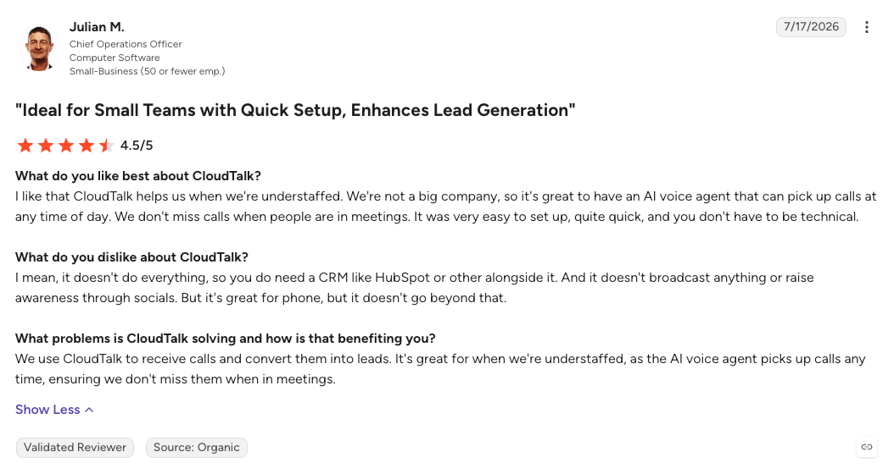
Reviewers mostly say CloudTalk is quick to set up and easy to use day to day. It holds a 4.4/5 rating on G2 across 1,900+ reviews, and the complaints tend to be smaller ones, like slow call-history search and the odd desktop app glitch. This one comes from a small team using the AI voice agents:
Autenti, an e-signature company, faced the squeeze many intake teams know: more contacts every month and no wish to hire people just to answer phones. It chose CloudTalk because other AI tools couldn't also supply the numbers and phone menu, and nine voice agents now take the first layer of calls in Polish and English.
"That's also why we are implementing Voice Agent, because we don't want to invest to hire more people just to be on the phone calls."
Customer Support Lead, Autenti

Cover the Phones Without Hiring for Them
2. Smith.ai: Best for Hybrid AI and Live Coverage
Smith.ai is a hybrid answering service. On its AI plans, the AI answers and can pass complex calls to a live North America-based receptionist, and on its human plans, receptionists take your calls 24/7.
What Are the Pros & Cons of Smith.ai?
Smith.ai's main plus is live human backup at any hour. The catch is that the backup is Smith.ai's staff, not yours:
| Pros | Cons |
|---|---|
| Human backup any hour: Complex calls can go to a live receptionist without you staffing it. | Outside staff on escalations: When the AI escalates, a Smith.ai receptionist speaks to your caller, not your team. |
| Legal-ready intake: Practice-specific questions and conflict-check details are built in. | Per-call costs add up: Human plans start at $300/month for 30 calls. |
| Free way in: The AI Receptionist is free for 25 calls a month. | Intake depth costs extra: Human plans cover five short questions, then charge for extended intake. |
| Native Clio: Clio connects natively, and Zapier links 7,000+ other apps. | No listed certifications: Smith.ai describes encryption and staff training but lists no SOC 2 or ISO on its site. |
How Much Does Smith.ai Cost?
Smith.ai starts for free, but only for the first 25 AI receptionist calls a month (any human call is always billed). After that, every plan bills per call, month to month.
Smith.ai Plans and Pricing
| Plan | Price | What You Get |
|---|---|---|
| AI Receptionist Free | $0/mo | 25 AI-answered calls a month with 24/7 answering and spam screening, then $3 per call |
| AI Receptionist Pro | From $150/mo | About 75 calls at $2 each, plus transfers, call recordings, transcripts and CRM and calendar integrations. Bundles of 150 and 300 calls are available |
| AI Receptionist Enterprise | From $500/mo | 300 calls at about $1.67 each for higher volume, with bundles of 500 and 1,000+ calls |
| Human Receptionists | From $300/mo | 30 calls answered by live North America-based receptionists 24/7, with five short intake questions. Basic covers 90 calls for $810/mo, Pro 300 calls for $2,100/mo |
What Do Reviewers Say About Smith.ai?
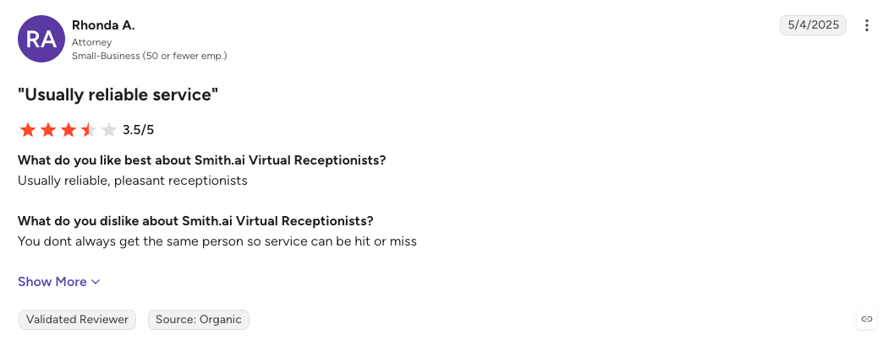
Smith.ai's reviewers keep coming back to how reliable and thorough its receptionists are. It holds 4.9/5 on G2 across 80+ reviews, some from attorneys and small practices, and they like that receptionists screen potential clients before passing them on, answer and book around the clock, and follow call-handling instructions closely. The few complaints are call blocks that don't match real volume and not always getting the same receptionist. By the way, our full Smith.ai review covers each plan in more depth.
3. Ruby: Best for Live-Only Answering
Ruby is a live answering service where a receptionist answers every call in your firm's name, with screening, intake, scheduling and Spanish bilingual answering on every plan. Its AI only works behind the scenes, helping receptionists with call details and robocall filtering.
What Are the Pros & Cons of Ruby?
Ruby's big draw is a real person on every call, and the downside is that you pay for each one by the rounded-up minute:
| Pros | Cons |
|---|---|
| A person on every call: Every caller hears a live receptionist answering in your firm's name. | Rounded-up minutes: Calls are billed in 60-second increments, so short calls cost a full minute. |
| Same features on every plan: No setup fees and no long-term contract. | No AI layer: Routine calls use receptionist minutes, since there's no AI to absorb them. |
| Trained for legal calls: Ruby says its receptionists are trained to handle confidential legal inquiries. | Thin review base: Only 12 G2 reviews, so there's little third-party feedback to go on. |
| HIPAA and PCI options: Opt-in services cover sensitive details and taking payments. | No listed certifications: Ruby's site doesn't state SOC 2 or ISO certifications. |
How Much Does Ruby Cost?
Ruby's entry plan costs $250/month for 50 receptionist minutes.
Ruby Plans and Pricing
| Plan | Price | What You Get |
|---|---|---|
| 50 minutes | $250/mo | Live 24/7 answering in your firm's name, call screening and routing, intake, scheduling and Spanish bilingual answering, at about $5.00 a minute |
| 100 to 500 minutes | From $395/mo | The same features with more minutes: $395 for 100, $720 for 200 and $1,725 for 500, down to about $3.45 a minute. Larger plans on request |
What Do Reviewers Say About Ruby?
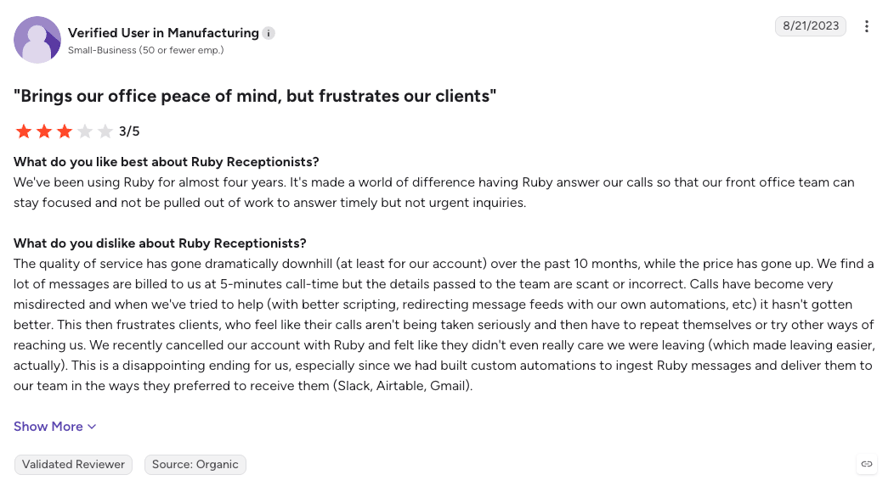
Ruby's reviewers mostly praise its people and question its price, giving it 3.8/5 on G2 across just 12 reviews. They like the friendly receptionists, responsive support and how well it screens out solicitors. The complaints are about price, plan tiers that push you into overage minutes and, for some accounts, service that's slipped, like names taken down wrong.
Want a Longer Shortlist?
These three cover one example of each model. Our ranking of the best virtual receptionist for law firms compares more live and AI services side by side, and our list of the top AI voice agents for law firms goes deeper on AI-only intake.
How Do You Roll Out an Answering Service Without Disrupting Your Firm?
Rolling out an answering service without disrupting your firm comes down to phases: start where the risk is lowest and widen from there. The same seven steps work for live and AI services, and our AI voice agent implementation guide covers the AI setup in more detail:
- Map your calls. Pull a month of data: new matters versus existing clients, peak times, the after-hours share, missed calls and the lead source for each new matter.
- Write the intake script. List the questions, the disqualifiers and what always goes to an attorney, plus the case terms your team uses so summaries come out right.
- Start after hours. Send only after-hours and overflow calls to the service, and leave business hours alone.
- Set the greeting. Disclose the AI up front and load safe facts only. Ask about guided onboarding if nobody on the team is technical.
- Test like opposing counsel. Ask for legal advice, play a distressed caller, spell a hard name and call in Spanish.
- Let the partners listen. Real recordings settle more debates than any demo.
- Pilot, then expand. Review transcripts weekly and stay on monthly terms until the setup proves itself.
Ask for a realistic setup timeline too, since slow setups are where pilots stall. CloudTalk's AI Receptionist sets up in minutes, and you change routing and schedules yourself in the Call Flow Designer.
Step 3 Says Start After Hours. Run That Pilot Free.
Final Words: Start With the Calls You're Missing After Hours
Every call that hits voicemail, like that one at 6:40 p.m., is a potential client deciding whether to try the next firm. An answering service takes the routine and late-night calls off your desk, so your attorneys keep the conversations that need their judgment.
Whether you add an AI layer or build out a full legal call center, the order is the same: start where the gap is widest, measure a month, then expand. For most firms, that means evenings and weekends. Your call log already shows how many of those calls go unanswered, so you’ll know what you’re fixing before you pick a service.
If you start with AI, CloudTalk’s AI Receptionist for law firms runs on the same phone system as your team. It answers in the caller’s language, runs your intake, and sends anything it can’t finish to your own attorneys with the details already collected. You can try it on your after-hours line without changing anything your desk does during the day.
Bring Last Month's Missed Calls. Leave With an Intake Plan.
Sources:
- Clio, Legal Trends Report (2024 and 2025 editions)
- 8am, 2026 Legal Industry Report
- American Bar Association, Model Rules of Professional Conduct 1.6 and 5.3, and Formal Opinion 512
- The Florida Bar, Ethics Opinion 24-1
- Salesforce, State of the AI Connected Customer
Frequently Asked Questions About Law Firm Answering Services
Short answers to the questions managing partners and office managers ask most.
A law firm answering service handles your calls when your human staff can't, runs intake or takes a structured message, and gets urgent matters to the right attorney. Like any virtual receptionist, it can be a live person, an AI voice agent or a hybrid, and it stops at intake, so case questions still go to a lawyer.
An AI answering service is safe for confidential client calls when the vendor can prove it: audit reports, clear access rules and a promise your calls don't train its models. Recordings are client information, so also check which call recording laws apply where your callers are. CloudTalk is ISO/IEC 27001:2022 certified and SOC 2 Type 2 audited.
An answering service can't give legal advice, whether a person or AI picks up. When a caller asks "Do I have a case?", it should say it can't advise and offer to transfer the call or book time with an attorney. Put that rule in the AI's instructions and test it before go-live.
Yes, you should tell callers they're speaking with AI. One line in the greeting does it, and a well-built conversational virtual receptionist still sounds natural afterward. No blanket ABA rule requires it, but Florida Bar Ethics Opinion 24-1 says client-facing AI chatbots should identify themselves as AI. Your own state bar's guidance has the final word.
A legal answering service costs anything from a free AI tier to over $2,000 a month, depending on volume and billing model. Live services sell minute or call bundles, AI voice agents sell minute bundles, and our breakdown of what voice AI costs compares them in detail. CloudTalk's AI Receptionist starts at $99/month for 200 minutes.
An answering service can handle Spanish-speaking callers, but coverage depends on the model. AI voice agents speak Spanish on every shift, while live services usually stop at English and Spanish and may charge extra for it, so confirm what's included before you sign. CloudTalk's AI Receptionist handles multilingual customer support in 70+ languages and can switch on the same call.
An AI answering service works with Clio when the vendor offers a native integration or a route through an API, webhooks or Zapier, as CloudTalk does. Either can work, so judge the result: the transcript and summary should land on the right Clio matter without anyone copying them over.
For most after-hours calls, AI is the better choice, with a live person kept for the most emotional ones. Good out-of-hours call handling often mixes both: AI answers every call and runs intake, while urgent ones go to your on-call attorney. An attorney live answering service adds warmth to a midnight custody emergency, at a cost that grows by the minute.