Best AI Voice Agents for Law Firms: 10 Tools Tested for Client Intake in 2026
TL;DR:
The best AI voice agent for most law firms is the one that answers every intake call 24/7, captures structured matter details, books consultations into Google Calendar or Outlook and logs the whole call automatically — starting free for your first 50 minutes.
- 01CloudTalk: Best overall AI voice agent for law firms that want intake plus a full phone systemFrom €0 (first 50 minutes), then €99/mo for 200 minutes
- 02Smith.ai: Best legal-specific option with both AI and human receptionists on one accountAI free for 25 calls, then $150/mo; human from $300/mo
- 03Answering Legal: Best legal practice-management integration coverage of any provider we testedNot published; 400 free trial minutes
- 04CallRail: Best for firms that need call tracking and marketing attribution alongside AI answeringFrom $50/mo; Voice Assist add-on from $95/mo
- 05Ruby: Best human virtual receptionist for firms that will not put a bot on an intake callFrom $250/mo for 50 minutes
- 06Alert Communications: Best bilingual legal intake with retainer e-signature dispatchFrom $240/mo for 100 minutes
- 07LEX Reception: Best legal-only answering service for firms wanting industry-trained staffNot published; third-party listings report from $425/mo
- 08Litify: Best enterprise platform with intake voice agents built into case managementCustom pricing
- 09Lawmatics: Best destination for the intake data your voice agent capturesCustom pricing; AI lead qualification included
- 10Vapi: Best build-it-yourself option for firms with developer resourcesFrom $0.05/min plus $10/line/mo; HIPAA add-on $2,000/mo
Someone gets arrested on a Friday night. By Saturday morning they're calling law firms, and they're calling in order. The first one to put a human — or something that sounds like one — on the line gets the retainer. The rest get nothing, and never know they were in the running.
Clio's secret-shopper study makes the scale of this brutally clear. Researchers called 500 US firms. Only 40% answered the phone, down from 56% in 2019. Of the firms that missed a call, only 20% called back. And 48% were essentially unreachable by phone — they neither answered nor returned the call.
We tested and verified 20+ AI voice agents, AI receptionists and legal answering services against official pricing pages, documented practice-management integrations and third-party review counts. Ten made the list. We also did the thing no other roundup in this category does: we checked what the ABA and state bars actually say about letting an AI talk to a prospective client, because that determines whether you can use half of these tools at all.
Skip the reading. Hear it run an intake call.
How We Tested the Best AI Voice Agents for Law Firms
We started with 20+ platforms and cut anything we could not verify. Every price below was read off the vendor's own pricing page. Every integration claim was checked against the vendor's own documentation. Every rating carries its review count, because a 4.5 from two reviews and a 4.5 from 1,835 are not the same fact.
That filter removed several tools that rank well for legal searches. A general-purpose voice agent with a "legal" landing page cannot run conflicts checks, cannot write to Clio, and has no answer to ABA Formal Opinion 512. Law firm intake is not "book a meeting" with different words on it.
Our six evaluation criteria:
- Real intake, not message-taking: does it capture structured matter details, qualify the lead against your criteria and book the consult, or just take a name?
- Legal practice-management integration, documented: does the vendor name Clio, MyCase, Filevine, Litify, Smokeball, PracticePanther, Lawmatics, Actionstep or CASEpeer in its own docs? We accepted Zapier and API paths but labelled them as such.
- Confidentiality and data handling: retention period, whether a BAA or DPA is available, and whether your inputs train the model. Formal Opinion 512 says your vendor agreement has to address retention, so we treated it as a buying criterion, not a footnote.
- Human handoff: three out of five prospective clients told Clio they would only use an automated intake channel if they could switch to a human. A tool with no escalation path loses you those matters.
- Pricing transparency: published prices and published overage rates. Billing opacity is the single most common complaint lawyers make about answering services, so unpublished pricing is a data point we report rather than hide.
- Verified review base: G2 or Capterra rating with the review count attached.
What Is an AI Voice Agent for Law Firms?
An AI voice agent for law firms is software that answers your phone 24/7, holds a natural conversation with a prospective client, collects the facts of their matter, screens them against your intake criteria, and books a consultation or routes an urgent caller to an attorney.
It is not the same thing as a legal answering service, where human operators take a message and email it to you. And it is emphatically not a tool that gives legal advice — the moment an automated system assesses the merits of a claim or names a limitations period, you are in unauthorized-practice territory. A properly scoped agent collects facts and schedules time. Nothing more.
What a Legal AI Receptionist Actually Does on an Intake Call
- Answers on the first ring, at any hour. Only 40% of firms answer the phone at all (Clio), and 79% of prospective clients expect a response inside 24 hours.
- Discloses that it is an AI. Florida's ethics opinion requires it, and it is good practice everywhere. See the compliance section.
- Captures structured matter details — incident date, jurisdiction, opposing party, injury type, court dates — and writes them somewhere a human can run a conflicts check.
- Screens against your criteria. Case type, venue, statute window, minimum matter value. It should surface a recommendation with reasons, not a black-box score.
- Books the consultation into a live calendar during the call, rather than promising a callback nobody makes.
- Escalates immediately when the caller asks for advice, is in custody, or has a filing deadline this week.
Quick Answers: AI Voice Agents and Answering Services for Law Firms
What is the best AI voice agent for law firms?
CloudTalk is the best overall for firms that want 24/7 intake answering, consultation booking and a complete business phone system in one platform. Smith.ai is the strongest legal-specific choice because it offers AI and human receptionists on one account with fully published pricing.
How much does an AI receptionist cost for a law firm?
AI answering runs $0 to $500 a month. Human legal answering services run $240 to $2,100 a month. For scale: Ruby charges $250/month for 50 minutes — $5.00 a minute of human reception — while CloudTalk's AI Receptionist is €99/month for 200 minutes, roughly €0.50 a minute.
Can an AI voice agent integrate with Clio, MyCase or Filevine?
Some can, natively. Answering Legal documents Clio Grow, MyCase, PracticePanther, Smokeball, Litify, Lawmatics and Lead Docket. CallRail documents Clio, Filevine, Lawmatics and MyCase. Smith.ai documents MyCase, Actionstep and Assembly Neos. Most other tools, CloudTalk included, connect through Zapier, Make or a REST API rather than a native legal connector.
Is it ethical for an AI to answer a law firm's phone?
Yes, with conditions. ABA Formal Opinion 512 (July 2024) requires you to protect confidentiality, supervise the tool as you would a nonlawyer assistant, and address retention in your vendor agreement. Florida Ethics Opinion 24-1 additionally requires that you tell prospective clients they are talking to an AI. Full detail below.
Will AI intake replace my receptionist?
Not on the calls that matter most. The realistic model is AI taking volume — after-hours, overflow, scheduling, status questions — with a human on complex or distressed callers. Only 7% of firms currently use any automated intake channel, so the competitive gap is still wide open.
The 10 Best AI Voice Agents and Answering Services for Law Firms, Reviewed
1. CloudTalk: The Best Overall AI Voice Agent for Law Firms
Signature Capability
See CloudTalk’s AI Voice Agent in Action!
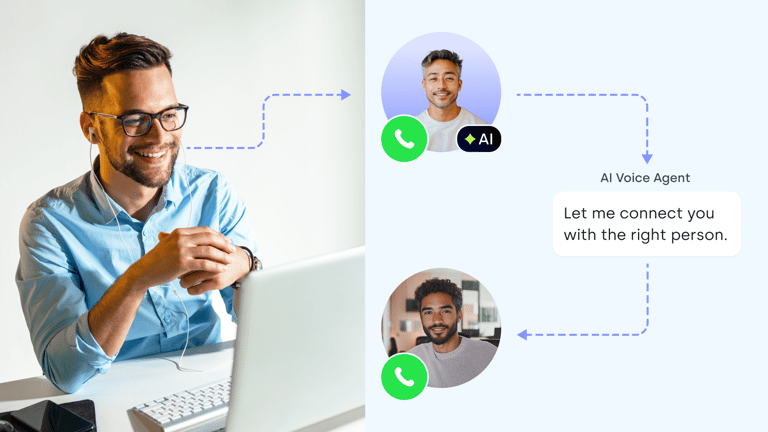
CeTe is an AI that talks like a human: no breaks, no training, no time off. It makes and answers calls, updates CRMs, books meetings, and loops in a human only when needed.
Press play to hear it. Want a wow moment? Get a free test call and try it live.

What it is
CloudTalk is a business phone system with an AI voice agent on the front of it. That is the reason it leads this list: you get the AI answering intake calls around the clock, and you also get the routing, IVR, call recording, transcription and CRM logging that a firm needs once it has more than two attorneys and a paralegal.
The agent answers instantly, works through your intake script, captures the caller's details and matter facts, books the consultation into a connected calendar during the call, and logs a full transcript and summary. For a firm currently sending Friday-night callers to voicemail, that is the difference between 40% of calls answered and all of them.
Key features for law firms
- 24/7 AI voice agent for inbound intake, with consultation scheduling into Google Calendar or Microsoft Outlook during the call
- Custom intake scripts, so the agent asks your qualifying questions and can be scripted to disclose it is an AI at the top of the call
- Skills-based routing and IVR so a caller in custody reaches an attorney and a billing question does not
- Workflow automation with a REST API action, which is how you push structured intake answers into a case management system in real time
- Conversation intelligence with transcription, AI summaries, Smart Notes and automatic call summary tags
- Multiple languages on the same line, auto-detected and switched mid-call
- Voicemail transcription and local numbers in 160+ countries
Integrations
CloudTalk connects with 100+ business tools including Salesforce, HubSpot, Pipedrive, Zoho CRM, Zendesk and Microsoft Teams. To be direct about the gap: there is no native connector for Clio, MyCase, Filevine, Smokeball or Lawmatics. Firms wire those up through Zapier, Make or the REST API. If a one-click legal practice-management integration is your deal-breaker, Answering Legal and CallRail beat us on that specific point and we would rather say so here than in onboarding.
Pricing
The AI Receptionist starts with your first 50 minutes free, then runs on minute bundles from €99/month for 200 minutes, scaling to €199 (500 min), €299 (1,000 min) and €699 (2,500 min), with overage at €0.50/minute falling to €0.35 on the largest bundle. AI Specialist is €349/month for 1,000 minutes with guided setup. Custom volume above 10,000 minutes goes as low as €0.15/minute. The full phone system starts at $25/user/month billed annually.
Conversation intelligence is a $9 per user/month add-on with a 30-day trial, and it requires call recording to be enabled.
Flexible Pricing Plans to Scale with You
Compare our plans
CloudTalk: Pros for Law Firms
- A whole phone system, not just an answering botRouting, IVR, recording, transcription, voicemail and local numbers in 160+ countries sit underneath the AI. A solo and a 40-attorney firm run on the same platform.
- Cheapest per-minute intake coverage we verified€99/month for 200 minutes is roughly €0.50 a minute, against $5.00 a minute for Ruby's entry human plan. Same 200 minutes: €99 versus $720.
- Structured intake data into any system via APIWorkflow automation includes a REST API action, so intake answers can post into a custom or legacy case management system as the call ends.
- Recording and transcription on every intake callUseful for supervising the agent under Model Rule 5.3, and for proving what a prospective client was actually told.
- You can test it this week14-day trial, no credit card, plus 50 free AI minutes on every account including trials.
Where CloudTalk Is the Wrong Choice
- No native legal practice-management connectorNo one-click Clio, MyCase, Filevine, Smokeball or Lawmatics integration. Those run through Zapier, Make or the API. Earlier versions of this article claimed native Clio and Lawmatics support — that was wrong and has been corrected.
- No legal-specific intake templatesYou build your intake script rather than starting from a personal injury or family law template. Litify and Lawmatics ship legal-native intake logic.
- One calendar per agentThe booking skill handles a single calendar and a single appointment length, so multi-attorney consult scheduling still needs your calendar or PMS to do the resource logic.
- No conflicts-checking featureNo tool on this list runs a conflicts check. CloudTalk can push captured details into your system fast enough for a human to run one, which is the realistic answer today.
- AI Receptionist tiers are self-serveThe minute bundles do not include 1:1 support by design. Guided setup is the €349/month AI Specialist tier.
Best for
Solo and small-to-mid firms losing after-hours and overflow intake calls, firms that also make outbound calls, and any practice that wants call recording and transcripts on every intake conversation. Not ideal for firms whose single requirement is a native Clio or Filevine connector out of the box.
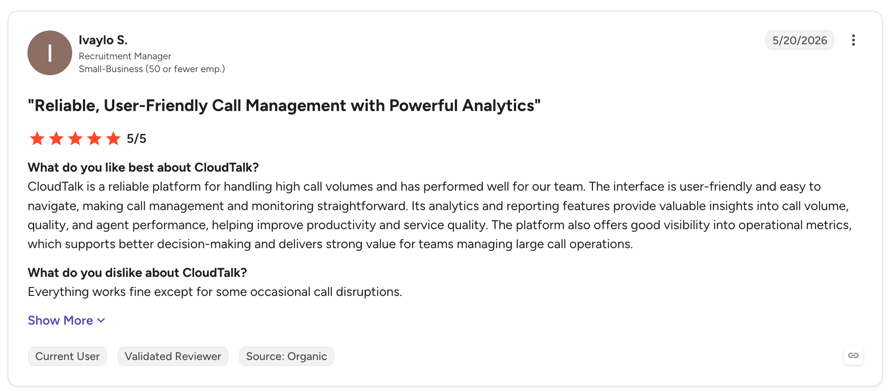
What Are G2 Users Rating CloudTalk?
CloudTalk is rated 4.4/5 by 1800+ verified users on the platform.
Be the Firm That Answers First
2. Smith.ai: Best Legal-Specific AI and Human Receptionist Combination
What it is
Smith.ai runs a dedicated law firm answering service and is the only provider here that will sell you an AI receptionist and a team of North America-based human receptionists on the same account. For intake specifically that matters, because you can route straightforward scheduling to the AI and put a person on the distressed caller who just got served.
Why it's a strong alternative
- The most complete published pricing in the category — every AI and human tier, plus every overage rate
- Genuine free tier: 25 AI-handled calls a month at $0, which is the cheapest way to find out how your callers react
- Documented legal integrations with MyCase, Actionstep and Assembly Neos, plus custom qualification scripts
Pricing
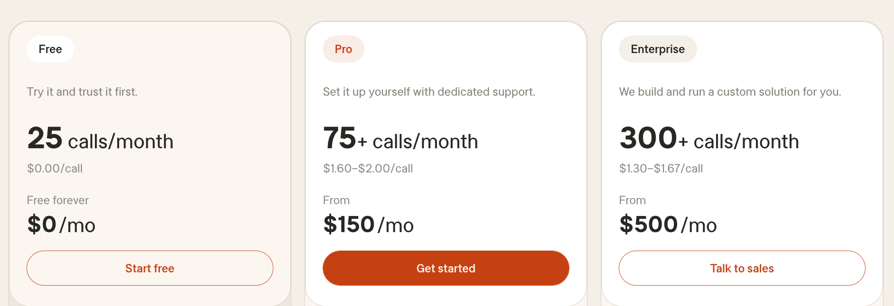
AI Receptionist: Free at $0/month for 25 calls ($3.00/call after), Pro $150/month for 75–300 calls (~$2.00/call), Enterprise $500/month for 300–1,000+ calls (~$1.67/call). Human receptionists: Starter $300/month for 30 calls ($11.50/call over), Basic $810 for 90 ($10.50 over), Pro $2,100 for 300 ($8.50 over), Enterprise custom.
Smith.ai: Pros & Cons
- Pro: AI and humans on one accountThe only provider here with both, so you can escalate a distressed intake caller to a trained person rather than a voicemail box.
- Pro: dedicated legal verticalA purpose-built law firm answering service page and custom intake qualification scripts, not a generic product with legal wording.
- Pro: best rating-to-transparency ratio hereG2 4.9/5 from 73 reviews, and every price and overage rate published.
- Con: per-call billing punishes volumeAt $2.00–$3.00 a call, a firm taking 400 intake calls a month pays far more than a minute bundle would cost. Model your real volume first.
- Con: no Clio integration documentedIts integrations page names MyCase, Actionstep and Assembly Neos. Clio and Lawmatics are not listed, despite being widely claimed elsewhere.
- Con: human plans escalate quickly$300/month for 30 calls, and $2,100 for 300. Fine for a plaintiff firm with high matter values, painful for a volume practice.
Best for firms with high matter values that want a human as the fallback on every intake call. Not ideal for high-volume practices where per-call pricing compounds.
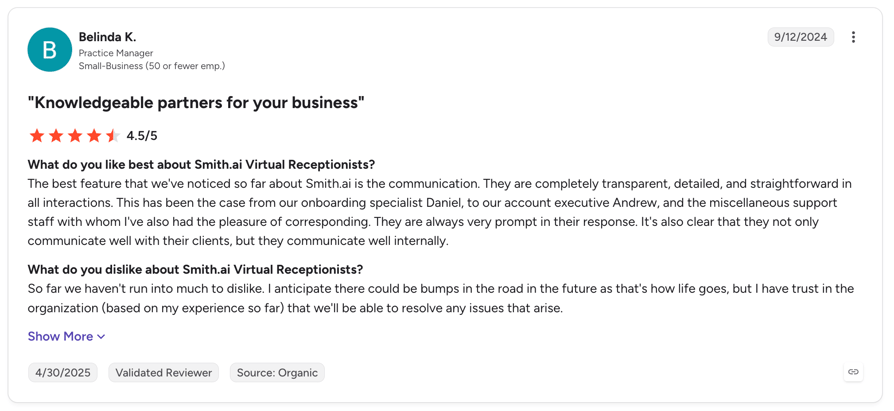
What Are G2 Users Rating Smith AI?
Smith AI is rated 4.9/5 by 70+ verified users on the platform.
3. Answering Legal: Best Legal Practice-Management Integration Coverage
What it is
Answering Legal is a purpose-built legal answering service, and on the criterion most likely to decide your purchase it beats every AI tool in this article: it documents native integrations with Clio Grow, MyCase, PracticePanther, Smokeball, Litify, Lawmatics, Lead Docket, Smart Advocate, Salesforce and Zapier. If you want a new intake to appear in Clio without you building anything, this is the shortest path.
Why it's a strong alternative
- The broadest documented legal PMS coverage of any provider we tested, by a wide margin
- Legal-only receptionists, trained on legal intake rather than generic call handling
- 400 free trial minutes, which is a genuinely substantial pilot
Pricing
Not published. The only published commercial term is the 400-minute free trial. Given that billing opacity is the most common complaint lawyers raise about answering services, ask for the per-minute rate and the overage rate in writing before you sign.
Answering Legal: Pros & Cons
- Pro: unmatched legal integration breadthClio Grow, MyCase, PracticePanther, Smokeball, Litify, Lawmatics, Lead Docket and Smart Advocate all documented on its own site.
- Pro: legal-only staffReceptionists trained specifically on legal intake, which shows up on the calls that are not simple.
- Pro: 400 free trial minutesEnough volume to judge it properly rather than a token trial.
- Con: no published pricing at allYou cannot budget without a sales conversation, and no per-minute or overage rate is public.
- Con: no verified independent ratingWe could not retrieve a G2 or Capterra score with a review count.
- Con: human service, human cost structureExpect answering-service economics rather than AI economics, and no unlimited-volume option.
Best for firms whose intake must land natively in Clio, MyCase, Smokeball or Litify with zero engineering. Not ideal for firms that need a published price before they will take a sales call.
4. CallRail: Best for Firms That Need Call Tracking With AI Answering
What it is
CallRail is call tracking and marketing attribution first, with an AI answering layer called Voice Assist bolted on. For a firm spending real money on Google Ads or LSAs, that combination is genuinely useful: you find out which campaign produced the intake call, and the AI answers it when nobody's there.
Why it's a strong alternative
- Documented legal integrations with Clio (Manage and Grow), Filevine, Lawmatics and MyCase — the best of any AI-first tool here
- Marketing attribution on every intake call, so you can calculate real cost per signed matter
- Deep review base: G2 4.5/5 from 1,835 reviews
Pricing
Lead Tracking $50/month, Lead Tracking Complete $95, Lead Conversion $150, Lead Conversion Complete $195 — all including 5 numbers, 250 minutes and 25 SMS. Overages: $3 per extra local number, $0.05/minute, $0.03/SMS, $0.025–$0.04 for transcription and analysis. Voice Assist starts at $95/month (an extra $55/month on the Lead Tracking base), then $1 per call after 50 Voice Assist calls over 15 seconds.
CallRail: Pros & Cons
- Pro: best legal integrations of any AI-first toolClio Manage, Clio Grow, Filevine, Lawmatics and MyCase all have documented integrations.
- Pro: attribution plus answering in one billYou learn which ad produced the call and the AI answers it. For an ad-driven practice that is a real efficiency.
- Pro: 1,835 G2 reviewsOne of only two tools here with a review base deep enough to trust the score.
- Con: AI answering is an add-on, not the productVoice Assist sits on top of a tracking platform. Expect less conversational depth than a purpose-built voice agent.
- Con: stacked costsBase plan plus Voice Assist plus per-call fees plus minute, SMS and transcription overages. The real monthly number is well above the headline $50.
- Con: no legal-specific intake logicAttribution is the specialism, not case qualification.
Best for firms spending meaningfully on paid search who want attribution and AI answering together. Not ideal for firms that just want the phone answered, where the stacked pricing is poor value.
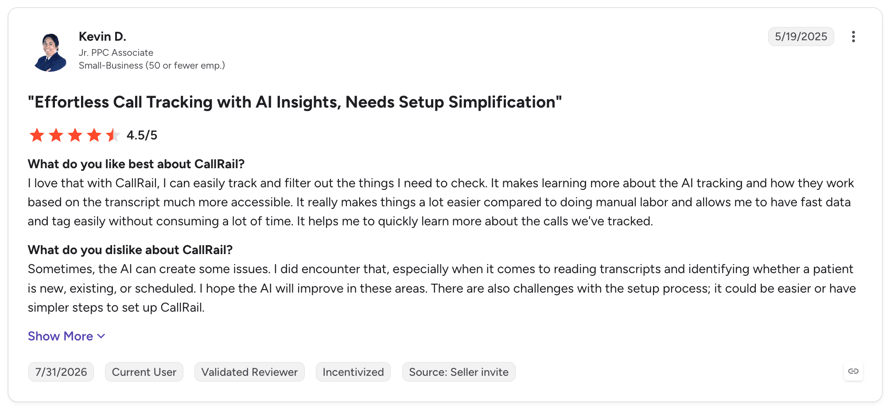
What Are G2 Users Rating CallRail?
CallRail is rated 4.5/5 by 1800+ verified users on the platform.
5. Ruby: Best Human Virtual Receptionist for Law Firms
What it is
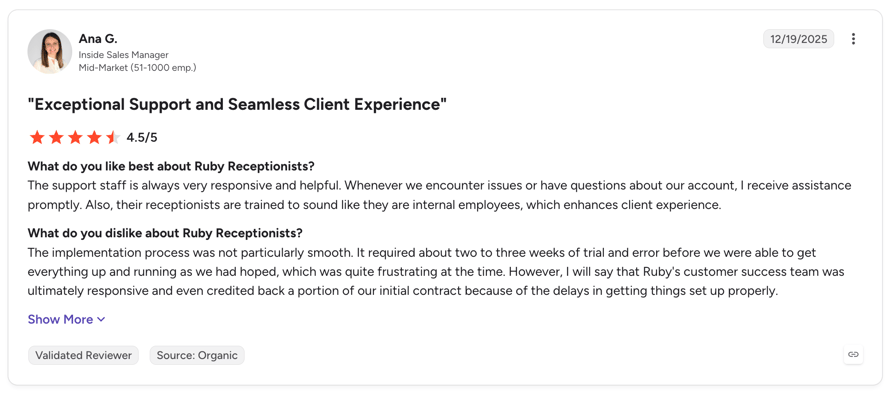
Ruby is the incumbent every lawyer compares against — human receptionists, a long-standing legal vertical, and no AI on the call unless you ask for it. It is on this list because it is the honest benchmark: if you will not put an automated voice in front of a prospective client, this is the category standard, and its published prices let you calculate exactly what that conviction costs.
Pricing
Starter $250/month for 50 minutes, Standard $395 for 100, Popular $720 for 200, Professional $1,725 for 500. Live chat from $143/month, bundles from $115/month. Ruby states there are no activation, onboarding, setup or customisation fees. Overage rates are not published.
Ruby: Pros & Cons
- Pro: a real person, every timeNo disclosure question, no UPL question, no risk of a distressed caller hanging up on a bot.
- Pro: published tier pricing and no setup feesRare in the human answering-service category, and it makes cost comparison possible.
- Pro: established legal verticalDecades of law firm experience and the reference point most lawyers already know.
- Con: $5.00 per minute at entry$250 for 50 minutes. The same 200 minutes costs $720 with Ruby and €99 with CloudTalk's AI Receptionist.
- Con: thin review base and mixed sentimentG2 3.8/5 from 12 reviews and Capterra 3.9/5 from 11 — the lowest scores in this article. Reviewers repeatedly raise billing discrepancies and per-minute charges that exceeded expectations.
- Con: overage rates not publishedGiven the billing complaints, get your overage rate in writing before signing.
Best for small firms with high matter values who want a human voice on every intake call and can absorb the per-minute cost. Not ideal for any firm with meaningful call volume.
What Are G2 Users Rating Ruby?
Ruby is rated 3.8/5 by 12 reviews on G2.
6. Alert Communications: Best Bilingual Legal Intake With Retainer E-Signature
What it is
Alert Communications is a 24/7 legal intake call centre built for plaintiff work, mass tort and class action. It has two things nothing else here offers: bilingual intake as a core service, and retainer agreement dispatch with e-signature during or immediately after the intake call. For a personal injury firm, signing the retainer while the caller is still engaged is the entire ballgame.
Pricing
Basic $240/month for 100 minutes, Advanced $590/month for 250 minutes, Premier $550/month plus $75 per retainer for 250 minutes, and Alert Go at $2.50/minute with a $100 retainer fee. Publishing this much detail is unusual for the category.
Alert Communications: Pros & Cons
- Pro: retainer e-signature at intakeDispatches the retainer agreement for signature while the caller is still warm. No other provider here does this.
- Pro: bilingual intake as standardA structural advantage for immigration, PI and any firm with significant Spanish-speaking intake.
- Pro: published pricingFour named tiers with minute allocations and per-retainer fees, which almost no human legal intake provider publishes.
- Con: only two legal integrations namedClio and Filevine. If you run MyCase, Smokeball or PracticePanther, check before you buy.
- Con: no verified independent ratingWe could not retrieve a G2 or Capterra score with a review count.
- Con: built around plaintiff volumeMass tort and class action are the sweet spot. A transactional or business practice is not the target buyer.
Best for personal injury, mass tort and immigration firms needing bilingual intake and fast retainer signature. Not ideal for firms on a practice-management system it does not integrate with.
7. LEX Reception: Best Legal-Only Answering Service
What it is
LEX Reception serves law firms exclusively, with receptionists trained on legal intake rather than shared across industries. It ranks twice on the main "law firm answering service" results page, which tells you it is a real presence in the buying conversation.
Pricing
Not published on LEX Reception's own site. Third-party software directories report a usage-based starting price of around $425/month — treat that as reported rather than official, and get a quote.
LEX Reception: Pros & Cons
- Pro: law firms onlyNo generic call-centre staff rotating between industries. Receptionists know what a tolling agreement is.
- Pro: strong SERP and referral presenceIt appears twice in the top results for law firm answering services, so expect it on any shortlist you are compared against.
- Pro: perfect satisfaction score, as far as it goesCapterra 5.0 — see the con below.
- Con: that 5.0 rests on 3 reviewsStatistically meaningless. Ask for references in your practice area instead.
- Con: no published pricingIts own pricing page is unavailable. The $425/month figure comes from a third-party directory, not LEX.
- Con: no legal PMS integrations verifiedWe could not confirm any documented practice-management integration.
Best for firms that want legal-trained human receptionists and will run a procurement process. Not ideal for firms that need transparent published pricing or a documented Clio integration.
8. Litify: Best Enterprise Platform With Built-In Intake Voice Agents
What it is
Litify is an AI-native legal platform built on Salesforce and AWS, and it is one of very few case management systems that documents voice agents as part of intake — dynamic questionnaires plus voice agents that convert consults into signed clients. If you are replacing your whole stack rather than bolting AI onto a phone line, it belongs on the shortlist.
Pricing
Not published. Enterprise sales process, Salesforce-based licensing. Expect an implementation project rather than a subscription you switch on.
Litify: Pros & Cons
- Pro: intake voice agents inside case managementNo integration layer between the agent and the matter record, because they are the same system.
- Pro: built on Salesforce and AWSEnterprise-grade platform, reporting and security posture that a large firm's IT function will accept.
- Pro: solid review baseG2 4.2/5 from 229 reviews — deeper evidence than most legal-native vendors here.
- Con: wrong scale for most readersThis is a platform migration, not an answering service. Solos and small firms should not start here.
- Con: no published pricingEnterprise quote only, on top of Salesforce licensing.
- Con: implementation timeMonths, not the same afternoon. If you are losing intake calls this week, this does not solve that.
Best for large plaintiff firms and legal enterprises replacing their case management platform. Not ideal for firms that need the phone answered this month.
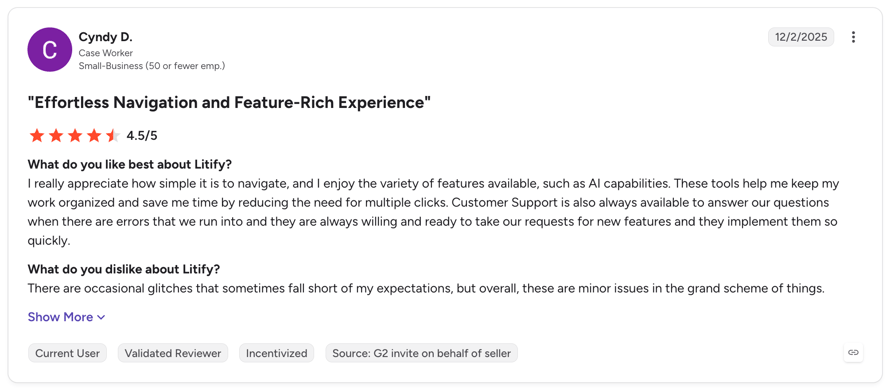
What Are G2 Users Rating Litify?
Litify is rated 4.2/5 by 229 verified users on the platform.
9. Lawmatics: Best Destination for the Intake Data Your Voice Agent Captures
What it is
Lawmatics is a legal CRM and intake platform with an agentic AI layer — AI lead qualification, AI lead engagement and a copilot that evaluates every new lead and surfaces your best cases. To be clear about what it is not: Lawmatics does not answer your phone. It is on this list because it is where the intake your voice agent captures should land, and because it does the qualification job better than any voice tool here.
One design decision worth borrowing when you evaluate any AI qualification tool: Lawmatics deliberately refuses to output a bare lead score. Instead it gives a recommendation, a confidence level, and the reasons behind it. Lawyers do not trust black boxes, and a system that shows its reasoning is one you can actually supervise under Model Rule 5.3.
Pricing
Not published. Essential, Premium and Enterprise tiers, all quote-based, described as tailor-made by firm size.
Lawmatics: Pros & Cons
- Pro: best rating and review depth of any legal-native tool hereG2 4.6/5 from 243 reviews.
- Pro: broad legal integration coverageClio, MyCase, Filevine, Smokeball, CARET Legal, PracticePanther and CallRail all documented.
- Pro: explainable AI qualificationRecommendations with confidence levels and stated reasons rather than an opaque score — which is what makes it supervisable.
- Con: it does not answer callsNo voice or phone intake capability. You still need a voice agent or answering service in front of it.
- Con: no published pricingThree tiers, all quote-only.
- Con: another system to runIf you already have a practice-management system with intake, this may overlap with it.
Best for firms that have solved call answering and now have a lead-qualification and follow-up problem. Not ideal for firms looking for something to pick up the phone.
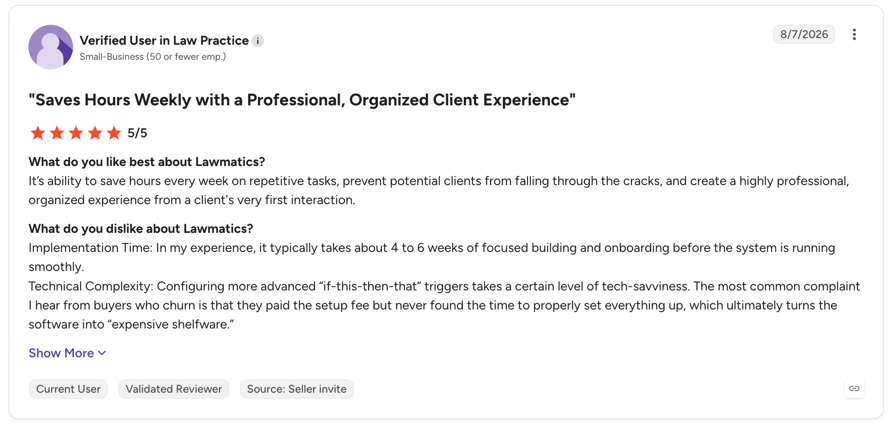
What Are G2 Users Rating Lawmatics?
Lawmatics is rated 4.6/5 by 240+ verifed users on the platform.
10. Vapi: Best Build-It-Yourself Option for Firms With Developers
What it is
Vapi is developer infrastructure for building voice agents, not a product you configure and switch on. It is the cheapest per-minute option here by a wide margin, and the right choice only if your firm has engineering resource or an agency building on your behalf.
Pricing
Build plan: usage-based at $0.05/minute, $0.005 per message, 10 concurrent lines included then $10/line/month. Model provider costs are passed through at cost, or free if you bring your own API key. Scale plan is an annual contract with a fixed platform fee and committed volume. Critically for a law firm: HIPAA is a $2,000/month add-on, Zero Data Retention is $1,000/month, and the Build plan retains call history for 14 days by default.
Vapi: Pros & Cons
- Pro: cheapest raw per-minute cost here$0.05/minute against roughly €0.50 on a managed 200-minute bundle.
- Pro: total control of the intake flowYou build exactly the script, the disclosure, the escalation logic and the data handling you want.
- Pro: bring your own model keysModel costs at cost, or zero if you supply the key — useful at volume.
- Con: the G2 rating rests on 2 reviews4.5/5 from two reviewers is not evidence. Ignore the score entirely.
- Con: data retention is a paid upgrade14-day default call-history retention on Build, with Zero Data Retention at $1,000/month and HIPAA at $2,000/month. Formal Opinion 512 says your vendor agreement must address retention, so this is a real cost, not an optional one.
- Con: no product, no support model, no legal templatesYou are buying infrastructure. Budget developer time and ongoing maintenance.
Best for firms with in-house developers or an agency partner, at volume. Not ideal for any firm without engineering resource, or any firm that needs a supported product with an accountable vendor.
AI Voice Agents for Law Firms Compared: Pricing, Legal Integrations and Data Handling
Two columns decide most purchases here. Legal PMS integration separates the providers that write into Clio, MyCase or Filevine from the ones that need Zapier or an API. Data handling is the column no other roundup includes, and the one your ethics obligations actually turn on.
10 Best AI Voice Agents and Answering Services for Law Firms
| # | Provider | Type | Best for | Entry price | Legal PMS integrations | Human fallback | Review base |
|---|---|---|---|---|---|---|---|
| 1 | CloudTalk | AI + phone system | Firms wanting intake plus full telephony | €0 (50 min free), then €99/mo | Via Zapier / Make / API | Yes — routing to attorney | G2 4.4/5 (1,851) |
| 2 | Smith.ai | AI + human | High-value matters needing a human backstop | $0 (25 calls), then $150/mo | MyCase, Actionstep, Assembly Neos | Yes — live receptionists | G2 4.9 (73) |
| 3 | Answering Legal | Human, legal-only | Native Clio / MyCase / Smokeball intake | Not published (400 free trial min) | Clio Grow, MyCase, PracticePanther, Smokeball, Litify, Lawmatics, Lead Docket, Smart Advocate | Yes — legal-trained staff | Not verified |
| 4 | CallRail | Call tracking + AI | Firms spending on paid search | $50/mo; Voice Assist from $95/mo | Clio Manage, Clio Grow, Filevine, Lawmatics, MyCase | Routing only | G2 4.5 (1,835) |
| 5 | Ruby | Human only | Firms that won't use a bot at intake | $250/mo (50 min) | Not verified | Yes — always human | G2 3.8 (12) · Capterra 3.9 (11) |
| 6 | Alert Communications | Human, legal intake | Plaintiff firms needing bilingual + retainer e-sign | $240/mo (100 min) | Clio, Filevine | Yes — bilingual | Not verified |
| 7 | LEX Reception | Human, legal-only | Legal-trained receptionists | Not published (third-party: from $425/mo) | Not verified | Yes — always human | Capterra 5.0 (3) |
| 8 | Litify | Case management + voice | Enterprise plaintiff firms | Not published | Native — it is the case management system | Yes | G2 4.2 (229) |
| 9 | Lawmatics | Legal CRM + AI qualification | Where captured intake should land | Not published | Clio, MyCase, Filevine, Smokeball, CARET Legal, PracticePanther, CallRail | N/A — no phone capability | G2 4.6 (243) |
| 10 | Vapi | Developer infrastructure | Firms with engineering resource | $0.05/min + $10/line/mo | Build it yourself | Whatever you build | G2 4.5 — only 2 reviews |
The Legal Intake Cost Trap: Per Minute vs Per Call vs Per Seat
Every headline number above describes a quiet month. Run your own volume, because the models diverge violently.
Take a firm handling 200 intake calls a month at three minutes each — 600 minutes. On human per-minute economics at Ruby's rates, 600 minutes lands you on the $1,725 plan. On per-call AI at $2.00, those 200 calls cost $400. On an AI minute bundle, 600 minutes is the €299 tier. On raw infrastructure at $0.05 a minute, it's $30 of usage — plus a developer, plus $1,000 a month if you want zero data retention.
Same firm, same calls: $30 to $1,725. What moves that number is your call length and whether you need a human, not the price on the pricing page.
The hidden line items to budget for: retainer fees (Alert charges $75–$100 per retainer dispatched), compliance add-ons (Vapi's Zero Data Retention at $1,000/month, HIPAA at $2,000/month), per-call fees layered on subscriptions (CallRail's $1 per Voice Assist call past 50), and conversation intelligence (CloudTalk's $9 per user/month). Explore CloudTalk plans and add-ons.

Before You Let AI Answer Your Phone: Six Compliance Questions
This is the section other roundups skip, and it is the one that can cost you a bar complaint. None of what follows is legal advice — you know that better than we do — but these are the questions the published guidance actually raises, with the rule numbers so you can read the source yourself.
The anchor document is ABA Formal Opinion 512, "Generative Artificial Intelligence Tools," issued 29 July 2024. It addresses Model Rules 1.1, 1.4, 1.5, 1.6, 3.1, 3.3, 5.1, 5.3 and 8.4(c). Three passages matter most for intake.
On confidentiality, the opinion states that "a client's informed consent is required prior to inputting information relating to the representation into such a GAI tool." On self-learning systems specifically — which is what most AI voice agents are — it warns that they "by their very nature, raise the risk that information relating to one client's representation may be disclosed improperly," and notes this risk exists even when the tool is used only by lawyers within the same firm. On supervision, managerial lawyers must set GAI policies and train staff on the tools' capabilities and limits, and vendor agreements should address security protocols, breach notification and information retention.
That last clause is why "data handling" is a column in our comparison table rather than a footnote.
1. Does the Agent Disclose That It Is an AI?
Florida Bar Ethics Opinion 24-1 (19 January 2024) is explicit: "a lawyer must inform prospective clients that they are communicating with an AI program and not with a lawyer or law firm employee." Florida is currently the clearest jurisdiction on this point, but the underlying logic — Model Rule 7.1's prohibition on misleading communications — travels.
What to ask a vendor: can I script an AI disclosure into the opening line, and is that disclosure captured in the call recording or transcript so I can prove it was made?
2. How Long Does the Vendor Retain Call Data, and Can You Turn It Off?
Opinion 512 says your vendor agreement should address retention. Very few firms ask. Vapi's Build plan, for example, retains call history for 14 days by default and charges $1,000 a month for Zero Data Retention. That is not a criticism of Vapi — it publishes the terms, which is more than most — but it is a real cost of compliance that belongs in your comparison.
What to ask: what is the default retention period for recordings, transcripts and structured intake data, can I set it to zero, and what does that cost?
3. Do Your Inputs Train the Model?
This is the sharp end of Opinion 512's warning about self-learning tools. If matter details from one caller can surface in a response to another, you have a Rule 1.6 problem that no amount of encryption fixes.
One design pattern worth demanding: data minimisation at the qualification step. Lawmatics' CEO has described deliberately not needing a caller's name to qualify a lead — only the data points about the matter. An agent that never ingests identifying information cannot leak it.
What to ask: is my data excluded from model training by contract, is a DPA or BAA available, and what is the minimum data set the agent needs to do its job?
4. Can the Agent Be Stopped From Giving Legal Advice?
Whether an AI tool can commit unauthorized practice of law under Model Rule 5.5 is genuinely unsettled. The ABA's own Law Practice Magazine has framed it as an open question — "Can software 'practice law?'" — and noted that activities like drafting documents or giving procedural guidance sit in a grey area where UPL statutes are applied inconsistently. In Upsolve, a court found that prohibiting AI-driven legal tools under New York's UPL laws would raise First Amendment problems.
We are not going to pretend that is resolved. The defensible practical posture is narrow scope: the agent collects facts and schedules time. It never assesses the merits of a claim, never names a limitations period, never estimates case value, and never tells a caller whether they have a case.
What to ask: can I hard-constrain the agent's scope, and what does it say when a caller asks "do I have a case?"
5. How Will You Supervise It?
Model Rule 5.3 governs responsibilities regarding nonlawyer assistance, and Florida 24-1 draws the analogy directly: "a lawyer must review the work product of a generative AI in situations similar to those requiring review of the work of nonlawyer assistants." Opinion 512 puts the obligation on managerial lawyers to establish policies and train staff.
In practice that means recordings and transcripts on every intake call, and somebody actually reviewing a sample each week. It also means preferring tools that explain their reasoning over tools that emit an opaque score — you cannot supervise a number.
What to ask: do I get a recording and transcript of every call, and does the qualification output include its reasons?
6. When Does the Conflicts Check Happen?
Here is an uncomfortable gap: we could not find a single bar opinion addressing AI intake and conflicts checking specifically, and none of the ten tools in this article runs a conflicts check. Meanwhile Model Rule 1.18 attaches duties to prospective clients even where no representation follows. An agent that takes matter details from 200 callers a month is creating 200 prospective-client relationships.
Nobody has ruled on what technical control that requires, and we are not going to invent one. The practical question is timing: can the agent write captured details into your system fast enough for a human or your PMS to run the check before you take the matter further, and can it be scripted to stop collecting detail if a flag fires?
AI Voice Agent vs Legal Answering Service vs Virtual Receptionist
These three terms get used interchangeably in vendor marketing and they describe genuinely different purchases.
Three Ways to Answer a Law Firm's Phone
| AI voice agent | Legal answering service | Virtual receptionist | |
|---|---|---|---|
| Typical cost | $0–$500/mo | $240–$2,100/mo | $250–$1,725/mo |
| Answers at 2am | Yes, instantly | Yes, if you buy 24/7 | Usually business hours |
| Books the consult | Yes, during the call | Often yes | Often takes a message |
| Simultaneous calls | Many at once, no queue | Limited by staffing | Limited by staffing |
| Handles a distressed caller | No — must escalate | Yes — this is its edge | Yes |
| AI disclosure needed | Yes (see Florida 24-1) | No | No |
| Time to go live | Hours to days | Days to weeks | Days to weeks |
For most firms the answer is layered. Let AI take the volume — after-hours intake, overflow at lunchtime, scheduling, status questions — and route the rest to a person. Clio's research supports exactly that design: three out of five prospective clients said they would only use an automated intake channel if they could switch to a human when needed. Buy the escalation path, not just the automation.
Best AI Voice Agent by Firm Type and Practice Area
Best AI Receptionist for a Solo Practitioner
You are in court, in a deposition, or with a client, which means you are the receptionist and you cannot answer. Smith.ai's free tier (25 calls at $0) is the cheapest way to test, and CloudTalk's 50 free minutes plus €99 bundle is the cheapest way to run it properly with recording and transcripts.
Best AI Intake for Personal Injury and Plaintiff Firms
Speed to retainer is everything, and matter values justify spending on intake. Alert Communications is the standout for retainer e-signature dispatch during the intake call, plus bilingual coverage. Litify if you are rebuilding the whole stack. Answering Legal if your intake must appear in Litify or Smart Advocate without engineering.
Best AI Voice Agent for Family and Criminal Defence
Your callers are frequently in crisis, and an AI that cannot escalate will cost you the matter. Prioritise the handoff above everything else: Smith.ai for human fallback on the same account, or CloudTalk with skills-based routing so an in-custody caller reaches an attorney's mobile rather than a script.
Best Bilingual AI Receptionist for Immigration Firms
Alert Communications treats bilingual intake as a core service rather than a feature flag. CloudTalk auto-detects and switches language mid-call, which handles mixed-language households on a single line. Test the non-English experience yourself before you commit — see our guide to bilingual virtual receptionists.
Best Option for Firms Running Google Ads or LSAs
CallRail, straightforwardly. If you are paying for clicks you need to know which campaign produced the intake call, and Voice Assist answers it when nobody is at the desk. Pair it with Lawmatics for qualification and follow-up.
Why Law Firms Miss So Many Intake Calls
Clio's secret-shopper research is the most useful data in this whole category, because it measured behaviour rather than asking firms to self-report. Researchers contacted 500 US firms by phone across family, criminal, bankruptcy, employment and business practice areas.
- Only 40% of firms answered the phone — down from 56% in 2019.
- 48% were essentially unreachable by phone, neither answering nor returning the call.
- Of the firms that missed a call, only 20% called back.
- 64% of prospective clients received no follow-up at all, by phone or email.
- Email is no better: just 33% of firms responded, down from 40% in 2019.
And the caller notices. Across all channels only 12% of the people who contacted these firms said they were likely to recommend them. Callers who reached an actual human were more than three times likelier to recommend than the average, and nearly eight times likelier than those who hit voicemail. Meanwhile 79% of prospective clients expect a response within 24 hours.
What Human Intake Coverage Actually Costs
The US Bureau of Labor Statistics puts the median receptionist wage at $17.90 an hour, or $37,230 a year (May 2024) — before payroll taxes, benefits, holiday cover or turnover. Legal intake specialists command more; industry salary surveys put the role at roughly $40,000 to $50,000 depending on market.
Outsourcing does not necessarily beat that. Ruby's entry plan is $250 a month for 50 minutes, which works out at $5.00 per minute of human reception. CloudTalk's AI Receptionist is €99 a month for 200 minutes, roughly €0.50 a minute. Both figures come from published pricing pages, and the ten-fold gap is the actual argument — no invented statistics required.
What Lawyers Actually Say About AI Intake
"Lawyers Are a Little Nervous About AI"
That is Matt Spiegel, CEO of Lawmatics, on the Lawyerist podcast in February 2026 — and his diagnosis of why is more useful than the objection itself. Shallow AI implementations leave firms asking "what does that product do? Is it scary to me?" Opacity, not capability, is what generates the resistance.
Olga V. Mack, writing in Above the Law, found the same pattern in user research: "Users were willing to tolerate difficulty, ambiguity, and even uncertainty. What they did not tolerate was repetition, generic responses, and overstructured interactions that made the system feel inattentive to context." Her conclusion — "trust in legal AI is less about assurances and more about interaction design" — is worth holding onto when a vendor sends you a security whitepaper instead of a demo call.
The Loudest Complaint Isn't About AI. It's About Billing.
Read the reviews of the human answering services lawyers already use and a pattern emerges fast. On Capterra: "Charged 200 minutes for $650 per month. Most companies we researched came in around 350 minutes for $250-$400." And: "I had used 147 minutes and just received a $660 invoice for the poor quality service." On G2: "we felt Ruby had dishonest billing practices... there were discrepancies between the calls made and the time billed."
There is a related complaint about service quality that is harder to fix than any software problem. One Capterra reviewer: "The receptionists are tired and sad, and they convey this energy to your potential customers."
Both point at the same buying criterion. Get the overage rate in writing. Ruby, Answering Legal and LEX Reception all decline to publish theirs; CallRail, Smith.ai and CloudTalk publish every rate.
What Prospective Clients Think
Clio's consumer research is the most actionable data here. 51% of prospective clients agree an automated intake channel can be a helpful starting point, but three out of five say they would only use one if they could switch to a human when needed. Only 7% of firms currently use any automated intake channel on their website — which means the gap between what clients will accept and what firms offer is still wide open.
Clio's 2025 report adds the operational case: firms with wide AI adoption are nearly three times more likely to report revenue growth, 77% of firms that grew revenue with AI attributed it to improved operations including client communication, and the same research measured emotional strain during client intake falling by 16%.
Tools We Considered and Left Out
Several tools rank for law firm searches, and three appeared in earlier versions of this article. Here is why they are gone, so you can disagree if you want to.
- Lindy — capable no-code agent builder, but no legal vertical, no verifiable legal integration, and we could not confirm the G2 rating this article previously quoted. Its pricing is also higher than we stated: Plus $29.99, Pro $99.99 and Max $199.99, all per user per month, not $49.99 flat.
- Voiceflow — a build-your-own conversational platform with quote-only pricing and no documented legal practice-management integrations. Its G2 score is 4.6 from 111 reviews, not the 4.5 we previously listed. It ranks for legal queries with a blog post, not a legal product.
- Synthflow — now publishes that enterprise contracts start at $30,000 annually, with no self-serve tier. Solid product, wrong reader. Leaving it in a listicle aimed at solos and small firms without that disclosure would be misleading.
- Case Status — excellent legal integration coverage (Clio, Litify, MyCase, Filevine, CASEpeer, Smokeball, Assembly Neos) and G2 4.6 from 54 reviews, but it handles client communication after signup, not inbound intake. No voice capability.
- Clio Duo — we could not verify any voice or inbound call-answering capability, so we are not going to imply Clio answers your phone. Clio is where intake should land, and its Legal Trends Report is the backbone of the data in this article.
- Intaker, Gideon, Hona, Filevine's AI product pages — either unreachable, undocumented, or not inbound voice. Recommending a possibly-dormant vendor to a law firm is a risk we are not taking.
How to Choose the Right AI Voice Agent for Your Firm
1. Which One Writes Into My Practice-Management System?
Answering Legal has the broadest documented coverage (Clio Grow, MyCase, PracticePanther, Smokeball, Litify, Lawmatics, Lead Docket, Smart Advocate). CallRail covers Clio, Filevine, Lawmatics and MyCase. Smith.ai covers MyCase, Actionstep and Assembly Neos. Everyone else, CloudTalk included, goes through Zapier, Make or an API. Make any vendor demo a live write into your system before you sign.
2. Do I Need a Human on the Call, or Just Behind It?
If your callers are routinely in crisis, buy human-first (Ruby, LEX Reception, Alert Communications) or hybrid (Smith.ai). If most calls are scheduling, status and straightforward qualification, AI-first with a routing escape hatch costs a fraction and answers at 2am. Whatever you pick, the escalation path is the feature — three in five clients said they would only use automation if they could reach a person.
3. What Is the Real Monthly Cost at My Volume?
Count intake calls and average call length. Long calls kill per-minute human plans. High call counts kill per-call AI plans. Steady moderate volume suits minute bundles. Then add the line items nobody quotes: overage rates, retainer fees, compliance add-ons and per-call surcharges. See the cost trap.
4. Can the Vendor Answer the Six Compliance Questions?
Retention period, DPA or BAA availability, whether inputs train the model, scriptable AI disclosure, hard scope limits, and how fast captured data reaches your conflicts check. If a salesperson cannot answer these, that is your answer. Details in the compliance section.
5. How Fast Can It Be Live?
Smith.ai's free tier and CloudTalk's 14-day trial with 50 free AI minutes both start today, no card. CallRail is self-serve. Answering Legal, LEX Reception and Alert Communications require a sales process. Litify is a platform implementation measured in months.
How to Set Up AI Intake at Your Firm, Step by Step
Step 1: Write the Intake Script and the Scope Limits
Before you touch a platform, write down the qualifying questions you actually need, the AI disclosure line the agent opens with, and — most importantly — the list of things it must never do. No merits assessment, no limitations periods, no case-value estimates, no "you probably have a claim." Then write the escalation triggers: caller in custody, deadline this week, asking for advice, distressed.
Get the vendor's DPA or BAA and retention terms at this stage too, not after you have gone live. Formal Opinion 512 expects your vendor agreement to address retention, so review it before the first call, not after the first complaint.
Step 2: Connect the Phone, Calendar and Case System
Forward your intake number, connect the calendar the agent books into, and wire the intake output to wherever a human can see it — natively if your provider supports your PMS, otherwise via Zapier, Make or a REST API call fired as the call ends. Set working hours and blocked time in the calendar itself, since that is where the agent reads availability from.
Step 3: Test the Five Calls That Matter, Then Go Live After Hours
Ring your own number and run these five: a clean new matter, a caller outside your practice area, a caller asking "do I have a case?", a caller with a hearing on Monday, and a caller who asks to speak to a person. Listen to every recording. The third and fifth calls are the ones that matter — that is your UPL boundary and your escalation path.
Then launch on evenings and weekends only. Those calls currently go to voicemail, so the downside is zero and you get a week of real transcripts before the AI touches a business-hours call. Track three numbers weekly: calls answered, consults booked, and escalations. Review a sample of transcripts yourself — that is the Rule 5.3 supervision obligation, and it is not delegable to a dashboard.
The Bottom Line for Your Firm
Only 40% of law firms answer the phone. Of those that miss a call, 80% never ring back. Your next client is dialling firms in order, and the ordering is decided by who picks up — not by who has the better website.
Pick on two things. If intake must land natively in Clio, MyCase, Smokeball or Filevine with no engineering, buy Answering Legal, CallRail or Smith.ai. If your problem is that intake calls go unanswered, unrecorded and untracked, CloudTalk is built for exactly that — 24/7 AI answering, consultation booking, transcripts on every call and a REST API to push structured intake anywhere, starting with 50 free minutes and a trial that needs no card.
Whichever you choose, work through the six compliance questions first. The tool is the easy part.

Sources:
- ABA Formal Opinion 512 — Generative Artificial Intelligence Tools (29 July 2024)
- Florida Bar Ethics Opinion 24-1 (19 January 2024) — AI disclosure to prospective clients
- ABA Model Rule 1.6 · Rule 5.3 · Rule 7.1
- ABA Law Practice Magazine — Re-Regulating UPL in the Age of AI (March/April 2025)
- Clio Legal Trends Report secret-shopper data, via the Oklahoma Bar Association and 2Civility (40% answered, 48% unreachable, 20% called back, 12% would recommend, chatbot receptivity)
- Clio 2025 Legal Trends Report (AI adoption and revenue growth) · Clio 2019 baseline
- US Bureau of Labor Statistics — Receptionists (median $17.90/hour, $37,230/year, May 2024)
- Vendor pricing pages, verified at time of writing: Smith.ai AI and human, CallRail, Ruby, Alert Communications, Vapi, Lawmatics, Answering Legal
- Lawyerist podcast — Agentic AI in Law Firm Intake (February 2026) · Above the Law — Why "Helpful" Legal AI Is Often The Least Trustworthy
- State AI ethics guidance trackers: Justia 50-state survey · Clio AI ethics opinion tracker
AI Voice Agents for Law Firms — FAQs
CloudTalk is the best overall for firms that want 24/7 intake answering, consultation booking, call recording and a full phone system in one platform, starting free for the first 50 minutes. Smith.ai is the strongest legal-specific alternative, offering AI and human receptionists on one account with fully published pricing.
AI answering runs $0 to $500 a month; human legal answering services run $240 to $2,100. Ruby charges $250/month for 50 minutes, which is $5.00 per minute of human reception, while CloudTalk's AI Receptionist is €99/month for 200 minutes, roughly €0.50 a minute. For comparison, the BLS median receptionist wage is $37,230 a year. See our breakdown of virtual receptionist costs.
Yes, with conditions. ABA Formal Opinion 512 (29 July 2024) requires you to protect client confidentiality under Rule 1.6, supervise the tool as you would nonlawyer assistance under Rule 5.3, and ensure your vendor agreement addresses security, breach notification and data retention. Florida Ethics Opinion 24-1 additionally requires that you tell prospective clients they are communicating with an AI. Check your own state's guidance — more than a dozen jurisdictions have now published opinions.
In Florida, yes — Ethics Opinion 24-1 states that a lawyer must inform prospective clients they are communicating with an AI program and not a lawyer or firm employee. Elsewhere the requirement is less explicit, but Model Rule 7.1's prohibition on misleading communications points the same way. Practically: script the disclosure into the opening line and make sure it is captured in the call recording so you can prove it was made.
Some do, natively. Answering Legal documents Clio Grow, MyCase, PracticePanther, Smokeball, Litify, Lawmatics, Lead Docket and Smart Advocate. CallRail documents Clio Manage, Clio Grow, Filevine, Lawmatics and MyCase. Smith.ai documents MyCase, Actionstep and Assembly Neos. CloudTalk has no native legal practice-management connector and reaches these systems through Zapier, Make or its REST API.
No. None of the ten tools reviewed here runs a conflicts check, and we found no bar opinion addressing AI intake and conflicts specifically. Since Model Rule 1.18 attaches duties to prospective clients even where no representation follows, the practical approach is to make sure captured intake details reach your case management system fast enough for a human or your PMS to run the check before the matter progresses.
This is unresolved. The ABA's own Law Practice Magazine treats it as an open question, noting that drafting documents and giving procedural guidance sit in a grey area where UPL statutes are applied inconsistently, and that a court in the Upsolve matter found First Amendment problems with prohibiting AI-driven legal tools under New York's UPL laws. The defensible posture is narrow scope: the agent collects facts and books time, and never assesses merits, names a limitations period or estimates case value.
Clio's secret-shopper study contacted 500 US firms and found only 40% answered the phone, down from 56% in 2019. Of the firms that missed a call, only 20% called back, and 48% were essentially unreachable by phone — neither answering nor returning the call. 64% of prospective clients received no follow-up at all.
Conditionally. Clio found 51% of prospective clients agree an automated intake channel can be a helpful starting point, but three out of five said they would only use one if they could switch to a human when needed. Only 7% of firms currently offer any automated intake channel. The takeaway is to buy the escalation path, not just the automation.
An AI voice agent is software that holds the conversation, captures matter details and books the consultation itself, for $0–$500 a month, answering several calls at once. A legal answering service uses trained human operators, for $240–$2,100 a month, and handles distressed or complex callers far better. Most firms get the best result layering both: AI for volume and after-hours, a human for escalations.
Hours to days for the AI options. Smith.ai's free tier and CloudTalk's 14-day trial both start the same day with no credit card, and CallRail is self-serve. Human services (Answering Legal, LEX Reception, Alert Communications) require a sales and onboarding process measured in days to weeks. Litify is a platform implementation measured in months. Budget an extra day for script writing and test calls whichever you pick.
Clio's 2025 Legal Trends Report found firms with wide AI adoption are nearly three times more likely to report revenue growth, and that 77% of firms which grew revenue with AI attributed it to improved operations including client communication. Be sceptical of specific dollar-per-missed-call figures circulating online — we could not find a primary source for any of them. Build your own case from Clio's 40%-answered figure and your average matter value.