14 Best AI Receptionist Software for SMBs in 2026
TL;DR:
We reviewed the best AI virtual receptionist software for business in 2026, comparing voice quality, call handling, integrations, pricing, and real-world fit. This guide helps you quickly see which AI receptionist tools make sense based on how your team handles inbound calls.
Here’s a quick overview of the top AI virtual receptionist software covered:
- 01CloudTalk: best automated receptionist for SMB sales and support teams that need smart routing, CRM context, and live call transfer.
- 02Allo: best for small and mobile-first sales teams that want a natural AI receptionist included in every plan — not billed as a separate per-minute add-on.
- 03Aircall: best for sales and support teams that want lightweight AI call handling with CRM sync.
- 04VirtualReception.ai: best for local service businesses that need simple, round-the-clock call answering.
- 05RingCentral: best for companies that want AI reception built into an existing RingCentral UCaaS setup.
- 06Dialzara: best for small teams that want a plug-and-play AI receptionist with minimal setup.
- 07Nextiva: best for teams that prioritize uptime with conversational IVR.
- 08Callin: best for local businesses focused on appointment booking.
- 098x8: best for enterprises that need scalable, voice-enabled automation across a contact center.
- 10My AI Front Desk: best for solo professionals and service providers who want automated call coverage.
- 11Emitrr: best for healthcare practices and other multi-location teams that need HIPAA-compliant call and text automation.
- 12Calldesk: best for large organizations that want pre-trained voicebots for enterprise contact centers.
- 13Vonage: best for teams with developer resources that want programmable, API-based voice workflows.
- 14Dialpad: best for teams already running Dialpad’s unified communications platform who want built-in AI call summaries.
90% of customers expect an immediate response, and 60% define “immediate” as under 10 minutes.
An AI virtual receptionist voice closes that specific gap: it answers every call, understands what the caller actually wants, and either resolves the request or hands it to a human with full context already in hand.
We tested and ranked the 14 best AI voice receptionist platforms for 2026, scoring each one on voice quality, live transfer capability, and CRM integration depth. Those are the criteria that decide whether an AI receptionist actually saves calls or just answers them. By the end of this guide, you’ll know exactly which platform fits how your team handles inbound calls today.
Put a Smart Voice on the Front Lines
What Is an AI Virtual Receptionist Software and Why It Matters
An AI virtual receptionist is an intelligent voice assistant that answers incoming business calls, understands natural language, and takes action: booking an appointment or routing to the right team—all without anyone picking up the phone. It works as a full AI phone answering service that covers every incoming call instead of just the ones a receptionist has time for.
Unlike a traditional IVR, which forces callers to punch through a menu of numbered options before reaching anything useful, an AI virtual receptionist listens to plain speech and decides the next step itself. There’s no “press 3 for billing.” The caller just talks, and the system figures out where that conversation needs to go. That’s the core difference between a modern call answering virtual receptionist and an old-school auto-attendant: the caller drives the conversation, not the menu.
The results show what this can look like in practice. In a CloudTalk field experiment, an AI Voice Agent answered 100% of inbound calls and completed 96% of conversations without human intervention, turning contacts a sales team had already given up on into 70+ qualified leads.
How We Chose the Best AI Receptionist Software
We reviewed 30+ AI virtual receptionist platforms, combining hands-on testing with verified user reviews from G2 and Capterra and real-world use-case analysis, then narrowed the field to the 14 tools below.
Every platform on this list had to hold up against six criteria: how natural the voice sounds, how accurately it routes calls, how smoothly it hands off to a human, how deep its system integrations run, how transparent its pricing is, and how easy it is to set up and scale. Only tools that performed consistently across all six made the final cut.
Voice Quality
If the voice sounds stiff or robotic, callers hang up before anything else about the platform matters. We tested each tool on how natural its pacing, pronunciation, and tone sound in a real conversation, not just a demo script. Platforms that let you preview and adjust the voice before going live scored higher, since a receptionist that sounds off-brand undoes the rest of the setup.
Intent-Based Call Routing
Modern AI receptionists should understand what a caller says and route accordingly instead of forcing them through a numbered menu. We checked whether each platform detects intent from natural speech, handles a follow-up question without restarting the flow, and routes based on context rather than keywords alone.
Live Transfer Capability
Even the best AI voice can’t handle everything, and it shouldn’t try to. We scored each platform on how cleanly it hands a call to a human: does it pass along caller context and intent, or does the caller have to repeat themselves from scratch once a person picks up?
CRM and System Integrations
An AI receptionist is only as useful as the systems it connects to. We looked at how many native CRM, helpdesk, and calendar integrations each platform ships, and whether call data, caller identity, and booking actions sync automatically or require manual cleanup afterward.
Pricing Transparency
Usage-based AI pricing gets confusing fast. We checked whether each vendor publishes clear per-seat or per-minute pricing, or whether you have to talk to sales before you know what you’ll actually pay each month.
Ease of Setup and Scalability
A receptionist that takes weeks to configure, or needs a full rebuild once call volume grows, isn’t a fair trade for the time it saves. We tested how quickly a non-technical user could get a working AI receptionist live, and whether the platform holds up as call volume scales.
Why Trust Our Software Reviews?
For nearly a decade, we’ve helped over 30,000+ professionals find and implement smarter business communication tools. We’ve reviewed 200+ software tools across industries, analyzed 5,500+ verified customer reviews from platforms like G2, Capterra, and Trustpilot, and drawn on real user discussions from Reddit and Quora.
AI Phone Receptionist Scoring Overview
Before the full reviews, here’s how all 14 tools stack up on the six criteria above, scored out of 5 each for a total out of 30.
A note on these scores: this table is a reference framework built from publicly available feature information, not a fully independent, review-sentiment-derived score for every tool. Several of the smaller AI-receptionist vendors below don’t yet have enough verified G2 or Trustpilot data to support a fully audited score. Treat this table as a starting point for comparison, and read the individual reviews below, plus the G2 ratings table further down, for the verified detail behind each number.
| Tool | Voice Quality | Call Routing | Live Transfer | CRM Integration | Ease of Setup | Pricing Clarity | Total Score |
|---|---|---|---|---|---|---|---|
| CloudTalk | 5 | 5 | 5 | 5 | 5 | 5 | 30/30 |
| Allo | 5 | 4 | 4 | 5 | 5 | 5 | 28/30 |
| Aircall | 4 | 4 | 3 | 4 | 5 | 4 | 24/30 |
| VirtualReception.ai | 4 | 4 | 3 | 3 | 5 | 5 | 24/30 |
| RingCentral | 4 | 4 | 3 | 4 | 4 | 4 | 23/30 |
| Dialzara | 3 | 4 | 4 | 3 | 5 | 4 | 23/30 |
| Nextiva | 4 | 4 | 3 | 3 | 4 | 4 | 22/30 |
| Callin | 3 | 4 | 2 | 3 | 5 | 4 | 22/30 |
| 8x8 | 4 | 4 | 4 | 4 | 3 | 2 | 21/30 |
| My AI Front Desk | 4 | 3 | 2 | 4 | 5 | 4 | 21/30 |
| Emitrr | 3 | 3 | 3 | 4 | 4 | 3 | 20/30 |
| Calldesk | 4 | 4 | 3 | 4 | 2 | 2 | 19/30 |
| Vonage | 4 | 3 | 3 | 4 | 2 | 2 | 18/30 |
What People Ask About the Best AI Receptionist Software
What is the best AI virtual receptionist software in 2026?
CloudTalk is the best overall pick for most SMB sales and support teams, thanks to its natural multilingual voice, CRM-aware routing, and live call transfer built into one platform. Dialpad and Aircall work well if your priority is fast setup with CRM sync. VirtualReception.ai and Dialzara suit solo operators and local businesses that just need simple, affordable 24/7 answering without a full sales stack behind it.
Which AI virtual receptionist offers the best live call transfer?
CloudTalk offers the strongest live transfer among the tools we tested, passing full caller context and CRM data to the receiving agent so callers never repeat themselves. 8x8 handles complex enterprise escalation rules well, and RingCentral’s handoff works fine inside its own UC setup but carries less context than CloudTalk’s. If calls often turn into sales or urgent support, transfer quality matters as much as the voice itself.
What is the most reliable AI voice platform for handling reception tasks?
Reliability comes down to more than uptime. CloudTalk combines a 99.999% uptime SLA with consistent intent recognition and routing accuracy, which is why it ranks highest here. Nextiva is a solid choice if uptime and conversational IVR are your main concern, and RingCentral holds up well at scale for teams already committed to its UCaaS platform.
What is the best AI virtual receptionist software for booking appointments and routing calls?
CloudTalk is the strongest fit when appointment bookings need to sync directly with your CRM, sales pipeline, or support workflow. VirtualReception.ai and Callin both handle straightforward calendar-based scheduling well for local businesses that don’t need that deeper integration. The tighter the connection between booking and your existing systems, the more a scheduling mistake costs you, so match the tool to how much context each booking actually needs.
Are AI virtual receptionists HIPAA-compliant?
Some are, but not by default. HIPAA compliance depends on the vendor and setup, including a signed BAA, encryption, role-based access, and compliant handling of calls and transcripts. Emitrr is built for HIPAA-compliant healthcare workflows, while CloudTalk offers HIPAA-aligned controls and BAA support for teams routing calls into a CRM. If patient data touches every call, choose a virtual receptionist for healthcare built for that compliance level.
What is the best virtual receptionist for small business owners in 2026?
The best virtual receptionist for small businesses should fit your budget today and scale with you. CloudTalk suits growing teams that need CRM-connected routing, live transfers, and 60+ languages, starting at $99/month for 200 minutes. For simple 24/7 answering and appointment booking, VirtualReception.ai and Dialzara are good options. If your calls will eventually need to connect to a CRM or sales pipeline, choose a solution that can grow with you.
Can an AI virtual receptionist recover missed calls?
Yes, and it’s one of the clearest ROI opportunities in the category. Every missed call can mean a lost lead, but AI virtual receptionists close that gap in two ways: they answer calls 24/7 and follow up by text when one still goes unanswered.
Emitrr focuses on missed-call text-back, automatically sending an SMS when a call is missed. CloudTalk tackles the problem upstream with intent-based routing and live transfers, helping calls reach the right person before they’re missed. As a rule of thumb, prioritize text-back recovery if most missed calls happen after hours; if calls are getting lost because they reach the wrong person, look for smart routing and transfer.
Curious how CloudTalk’s live transfer would handle your own call volume?
The 14 Best AI Calling Receptionist Software Solutions in 2026
Not every AI virtual receptionist platform solves the same problem. Some focus on simple call answering. Others are built for sales routing, live transfer, or deep CRM context. A few try to do all of it at once, which we’ll get to.
Here's a quick overview of the top AI virtual receptionist solutions:
| Provider | Key Features | Best For | Starting Price | Free Trial | G2 Rating |
|---|---|---|---|---|---|
| CloudTalk | AI voice agent, CRM-aware routing, live transfer | SMB sales & support teams needing smart routing and live transfer | $25/user/mo (platform); AI Receptionist from $99/mo for 200 min | Yes (14 days) | 4.4/5/5 |
| Allo | AI receptionist (included), native CRM sync, appointment booking | Small & mobile-first sales teams wanting AI reception bundled in every plan | $18/user/mo (Solo, billed yearly); AI Receptionist included in all plans | Yes (7 days) | 4.7/5 (209+ reviews) |
| Aircall | Scripted AI voice agent, FAQ handling, CRM-linked flows | Sales & support teams needing quick AI call handling | $30/user/mo | Yes | 4.4/5 |
| VirtualReception.ai | Appointment scheduling, FAQ responses, live transfer fallback | Small businesses needing simple 24/7 answering | $41/mo | Yes | NA |
| RingCentral | Conversational routing, FAQ handling, UCaaS admin console | Companies already using RingCentral’s UCaaS platform | $20/user/mo | Yes | 4.1/5 |
| Dialzara | Call screening, appointment booking, business-hours logic | Small teams wanting plug-and-play AI reception | $29/mo | Yes | No listing found |
| Nextiva | Conversational IVR, multi-department routing | Teams prioritizing uptime and conversational IVR | $15/user/mo | Yes | 4.5/5 (3,441+ reviews) |
| Callin | AI voice answering, calendar booking, inquiry handling | Local businesses focused on appointment booking | $0.16/min | Yes | NA |
| 8x8 | Conversational IVR, NLU-based routing, contact center integration | Enterprises with complex contact center needs | Custom enterprise pricing | Yes | 4.2/5 |
| My AI Front Desk | 24/7 answering, appointment setting, custom greetings | Solo professionals and service providers | $20/mo | Yes | 4.8/5 |
| Emitrr | HIPAA-compliant messaging, appointment automation, missed-call text-back | Healthcare practices and high-volume communication | Free; $42/mo | No (free demo) | 4.8/5 |
| Calldesk | Pre-trained voicebots, call deflection, ticketing integration | Large organizations using pre-trained voicebots | Custom (call volume + bot complexity) | No | NA |
| Vonage | API-based AI assistant, programmable voice flows | Teams with dev resources needing programmable voice | Custom (API usage-based) | No | 4.3/5 |
| Dialpad | AI call summaries, real-time transcription, voicemail automation | UC-focused teams wanting AI summaries and basic reception | $15/user/mo | Yes | 4.4/5 |
Which AI Virtual Receptionist Is Best for Small Businesses?
For small businesses, picking the right AI receptionist for small businesses usually comes down to whichever platform matches your actual call volume and budget, not the one with the longest feature list. Three tools on this list stand out for different reasons.
CloudTalk is the strongest pick if you’re a growing small business that expects to need CRM-connected routing, live transfer, or multilingual support as you scale. VirtualReception.ai is built specifically for local service businesses—think contractors, salons, small clinics—that need round-the-clock coverage without hiring extra staff. Dialzara fits a similar niche: small business owners who want a plug-and-play receptionist that answers, screens for intent, and books appointments with minimal setup.
If you’re not sure which category you’re in, ask yourself one question: will inbound calls ever need to reach a CRM, a sales pipeline, or a support queue? If yes, even a small team benefits from starting on a platform like CloudTalk that won’t need replacing later.
Allo takes a different angle for small teams: it's a mobile-first phone system that includes the AI receptionist in its base price rather than as a per-minute add-on, and syncs calls and transcripts straight into CRMs like HubSpot, Pipedrive, and Salesforce. It's a good pick for a small sales team that wants CRM-connected reception from day one but works mainly in English, French, or Spanish where broad multi-country coverage isn't yet a requirement.
1. CloudTalk — Best Automated Receptionist for SMB Sales and Support Teams
What Is CloudTalk?
CloudTalk is the global AI business calling software built for SMB growth, with a natural-sounding AI virtual receptionist voice built directly into the phone system. It’s designed for fast-moving sales and support teams that want CRM-aware call handling without adding headcount.
What Is CloudTalk Best For?
SMB sales and support teams that need a single platform for CRM-aware inbound call routing, live transfer with full context, and multilingual voice support across 60+ languages.
Category Scores for CloudTalk
| Criterion | Score |
|---|---|
| Voice Quality | 5 |
| Call Routing | 5 |
| Live Transfer | 5 |
| CRM Integration | 5 |
| Ease of Setup | 5 |
| Pricing Clarity | 5 |
| Total | 30/30 |
What Are the Key Features of CloudTalk?
- AI Voice Agent (AIVA): a fully autonomous conversational AI for phone calls that holds natural back-and-forth conversations, understands intent, asks follow-up questions, pulls answers from a knowledge base, and takes real actions like booking a meeting or creating a CRM record. Supports 60+ languages and accents with sub-800ms response latency.
- Intent-Based Call Routing: reads caller data from your CRM, past interactions, or spoken intent and decides where the call should go. Caller-based and condition-based routing let you route on plan tier, products used, lead owner, or any field in your connected CRM.
- Live Call Transfer with Full Context: passes the caller’s full context—CRM data, conversation history, and intent—to the receiving agent, so nobody has to ask the caller to repeat themselves.
CloudTalk Tech & Performance Metrics
CloudTalk’s AI Voice Agent responds in under 800ms and supports 60+ languages and accents. The platform runs on a decentralized, multi-carrier SIP architecture with a 99.999% uptime SLA.
What Are the Key Integrations of CloudTalk?
Salesforce, HubSpot, Pipedrive, Zoho CRM, Zendesk, Intercom, Slack, Microsoft Teams, and 100+ native integrations in total.
What Are CloudTalk’s Pros & Cons?
| Pros | Cons |
|---|---|
| No-code Call Flow Designer for instant routing changes | No native video conferencing |
| Built-in global VoIP—no third-party telephony needed | Solo users may not need its collaboration and routing depth |
What Is the Pricing of CloudTalk?
- AI Receptionist: from $99/month for 200 minutes. Always a usage-based add-on, never bundled into a plan.
- Starter ($25/user/month): core calling, call recording, basic analytics.
- Essential ($29/user/month): advanced analytics, IVR, skill-based routing, integrations and open API.
- Expert ($49/user/month): Power Dialer, Smart Dialer, VIP queues, WhatsApp messaging, call monitoring.
- Custom (varies): tailored onboarding, unlimited outbound calls with flat rates, enterprise-level security.
- AI Conversation Intelligence add-on: $9/user/month.
See full CloudTalk pricing breakdown.
Free trial: Yes, 14 days, no credit card required.
What Do Customers Say About CloudTalk?
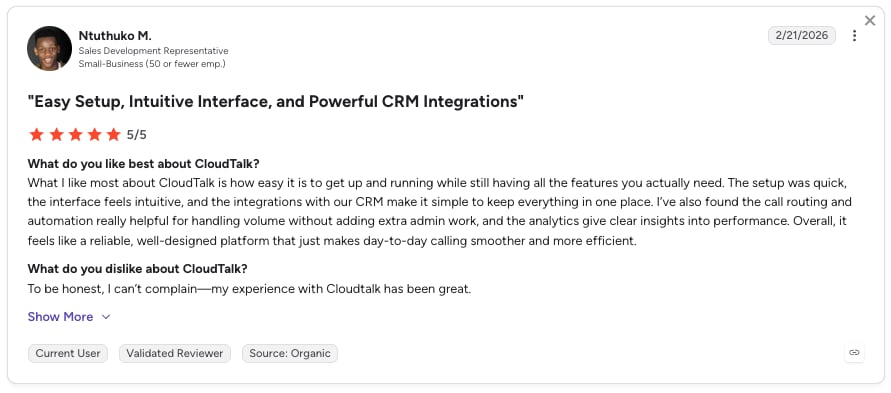
CloudTalk users consistently highlight the ease of use, intuitive interface, and affordability.
How Do G2 Users Rate CloudTalk?
CloudTalk’s current G2 rating is 4.4/5, out of 1852+ verified user reviews.
When to Use CloudTalk
- Inbound calls affect your revenue or sales pipeline and you need the receptionist tied directly into your CRM.
- You want callers routed by real intent, CRM data, and past interactions instead of a numbered menu tree.
- A call needs to reach a human and you want the handoff to carry full CRM data, conversation history, and caller intent instead of a cold transfer.
- Your team is expanding into new markets or languages and needs natural-sounding, multilingual voice coverage across 60+ languages and accents.
- You want the AI receptionist natively connected to your existing CRM and helpdesk stack (Salesforce, HubSpot, Pipedrive, Zoho CRM, Zendesk, Intercom, and more) rather than bridged through a separate automation layer.
Want to Hear the Voice Before You Buy?
2. Allo — Best for Small and Mobile-First Sales Teams That Want AI Reception Included
What Is Allo?
Allo is an AI-first business phone system with a virtual receptionist built into every plan. Launched in 2024 for small teams and salespeople, it focuses on answering, routing, and logging calls straight into your CRM without adding headcount or a separate AI bill.
What Is Allo Best For?
Small teams that want a natural-sounding AI receptionist, native CRM sync, and appointment booking included in the base subscription rather than metered as a per-minute add-on.
Category Scores for Allo
| Criterion | Score |
|---|---|
| Voice Quality | 5 |
| Call Routing | 4 |
| Live Transfer | 4 |
| CRM Integration | 5 |
| Ease of Setup | 5 |
| Pricing Clarity | 5 |
| Total | 25/30 |
What Are the Key Features of Allo?
- AI Receptionist (included in every plan): answers calls in English, French, or Spanish with a fully customizable voice, tone, greeting, and answer length. It books appointments (Cal.com, Google Calendar, Calendly), transfers to a human when needed, and can be trained on your website, documents, or free-form text.
- Native CRM sync: automatically logs calls, recordings, transcripts, and summaries and updates contacts across HubSpot, Pipedrive, Salesforce, Attio, and Zoho CRM. Its HubSpot app is rated 5/5 on the HubSpot marketplace.
- Call memory: the AI reads previous calls and texts to pick a conversation up where it left off, plus an MCP connection that lets tools like Claude query your call and SMS history.
Allo Tech & Performance Metrics
AI receptionist supports English, French, and Spanish; AI transcription covers 36 languages. Local numbers are available in 11 countries.
What Are the Key Integrations of Allo?
HubSpot, Pipedrive, Salesforce, Attio, Zoho CRM, Apollo, Notion, and Intercom, plus Zapier (1,000+ apps) and an open API. That’s 18 native integrations in total (available on the Business plan).
What Are Allo's Pros & Cons?
| Pros | Cons |
|---|---|
| AI receptionist included in every plan without per-minute add-on | No user roles (admins, supervisors, etc.à) |
| Native CRM sync logs calls, recordings, and transcripts automatically | Routing and some integrations sit on the Business plan only |
What Is the Pricing of Allo?
- Solo: $18/user/month (billed yearly) — one number, unlimited domestic calls, call recording, SMS, CRM autofill, AI summaries, and unlimited AI Receptionist
- Business: $45/user/month ($32 billed yearly) — adds all integrations, power dialer, analytics, AI call tags, and the Allo MCP
Additional numbers $5/month. Free trial: Yes, 7 days (Solo also carries a 30-day money-back guarantee).
What Do Customers Say About Allo?
Users highlight Allo's native CRM sync, its included AI receptionist, and transparent add-on-free pricing; the main caveats are that it's a newer product and that call routing and integrations are reserved for the Business plan.
How Do G2 Users Rate Allo?
Allo's current G2 rating is 4.7/5 out of 209+ reviews — a high score, though on a smaller review base than Cloudtalk.
CloudTalk vs Allo
| Dimension | CloudTalk | Allo |
|---|---|---|
| Scale & coverage | 160+ countries, 60+ AI languages | 11 countries, AI voice in EN/FR/ES |
| Track record | 4.4/5 across 1,710+ verified G2 reviews | 4.7/5 across 209 reviews |
| AI pricing | Dedicated AI Voice Agent add-on (from $99/mo) | AI receptionist included in every plan |
When to Use Allo
- You're a small sales team and want the AI receptionist included in the base price rather than metered per minute.
- You want native CRM sync (HubSpot, Pipedrive, Salesforce, Attio) that logs calls, recordings, and transcripts automatically.
- You want your phone system to talk with Claude, Codex, etc.
When Not to Use Allo
- You need wide international coverage or many AI voice languages: Allo offers local numbers in 11 countries and AI voice in 3.
- You need advanced user permission (admin, supervisor, etc.)
3. Aircall: Best for Sales and Support Teams Needing Quick AI Call Handling
What Is Aircall?
Aircall is a cloud calling platform with a lightweight AI voice agent that handles basic call flows, answers FAQs, and routes callers to the right agent or department. It’s built into Aircall’s core voice platform and syncs with common CRM systems.
What Is Aircall Best For?
Sales and support teams that want lightweight, scripted AI call handling with CRM sync and a fast, self-serve setup.
Category Scores for Aircall
| Criterion | Score |
|---|---|
| Voice Quality | 4 |
| Call Routing | 4 |
| Live Transfer | 3 |
| CRM Integration | 4 |
| Ease of Setup | 5 |
| Pricing Clarity | 4 |
| Total | 24/30 |
What Are the Key Features of Aircall?
- AI voice agent with scripted responses
- FAQ handling and routing
- CRM-linked call flows
Aircall Tech & Performance Metrics
- Latency: sub-800ms
- SLA uptime: 99.95%
What Are the Key Integrations of Aircall?
Salesforce, HubSpot, Zoho, Intercom.
What Are Aircall’s Pros & Cons?
| Pros | Cons |
|---|---|
| Fast, self-serve setup (5/5 in our ease-of-setup testing) | AI features stay closer to scripted responses than adaptive conversation |
| CRM-linked call flows with Salesforce, HubSpot, Zoho, Intercom | Live handoff is CRM-linked but more script-based |
What Is the Pricing of Aircall?
- Essentials: from $30/user/month
- Professional: from $50/user/month
- Custom: available on request (includes global calling, API access)
See the full Aircall pricing breakdown.
Free trial: Yes.
What Do Customers Say About Aircall?
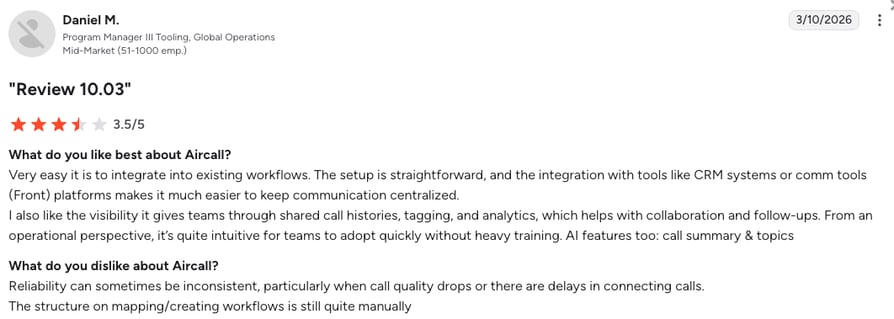
Customers praise Aircall's ease of use and CRM integrations, but report connection and call quality issues, dialer glitches, and slow loading times.
How Do G2 Users Rate Aircall?
Aircall’s current G2 rating is 4.4/5 out of 1,617+ reviews.
CloudTalk vs Aircall
| Dimension | CloudTalk | Aircall |
|---|---|---|
| Routing depth | CRM-driven, condition-based routing with analytics | Scripted AI responses, lighter routing logic |
| Live transfer | Full CRM and intent context passed to agent | CRM-linked but more script-based handoff |
| Pricing model | Per-seat plans plus a separate AI Voice Agent add-on | Per-seat plans with AI features included |
When to Use Aircall
- Lightweight, scripted AI call handling with CRM sync covers what you need.
- A fast, self-serve setup matters more than adaptive, conversational routing.
- Your CRM connections (Salesforce, HubSpot, Zoho, Intercom) are the main integration requirement.
When Not to Use Aircall
- You need advanced, condition-based routing logic or deeper analytics on inbound calls. Aircall’s AI features stay closer to scripted responses than adaptive conversation.
- Live transfer needs to carry full CRM and intent context; Aircall’s handoff is CRM-linked but more script-based.
- You need a broader integration footprint than Salesforce, HubSpot, Zoho, and Intercom.
4. VirtualReception.ai: Best for Small Businesses Needing Simple 24/7 Answering
What Is VirtualReception.ai?
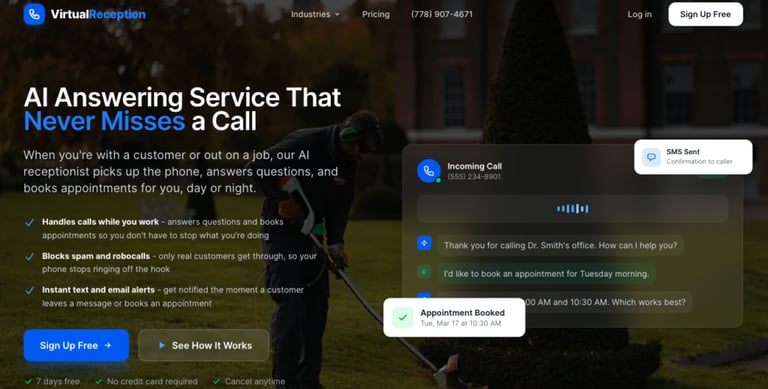
VirtualReception.ai is an AI receptionist built for small businesses. It answers calls, books appointments, and routes requests 24/7 using a pre-trained voice engine.
What Is VirtualReception.ai Best For?
Local service businesses that need affordable, simple 24/7 call answering and appointment scheduling, without requiring CRM-depth routing.
Category Scores for VirtualReception.ai
| Criterion | Score |
|---|---|
| Voice Quality | 4 |
| Call Routing | 4 |
| Live Transfer | 3 |
| CRM Integration | 3 |
| Ease of Setup | 5 |
| Pricing Clarity | 5 |
| Total | 24/30 |
What Are the Key Features of VirtualReception.ai?
- Appointment scheduling
- FAQ responses
- Live transfer or voicemail fallback
VirtualReception.ai Tech & Performance Metrics
VirtualReception.ai doesn’t publish independent performance benchmarks; it’s positioned as a simple, fast-to-set-up tool.
What Are the Key Integrations of VirtualReception.ai?
Calendly, Google Calendar, Zapier.
What Are VirtualReception.ai’s Pros & Cons?
| Pros | Cons |
|---|---|
| Ease of setup | No CRM-depth routing or live transfer with real context |
| Simple, straightforward 24/7 answering for local service businesses | No confirmed G2 listing at the time of this review |
What Is the Pricing of VirtualReception.ai?
- Answering Service: $41/month
- Business: $124/month
- Growth: $249/month
- Enterprise: Custom
Free trial: Yes.
What Do Customers Say About VirtualReception.ai?
No confirmed G2 listing exists for VirtualReception.ai at the time of this rewrite.
How Do G2 Users Rate VirtualReception.ai?
Not confirmed on G2 at the time of this rewrite.
CloudTalk vs VirtualReception.ai
| Dimension | CloudTalk | VirtualReception.ai |
|---|---|---|
| Target buyer | SMB sales and support teams | Local service businesses |
| Routing depth | CRM-driven, condition-based | FAQ and appointment-focused |
| Starting price | $25/user/month plus AI add-on | $14/month |
When to Use VirtualReception.ai
- You’re a local service business that just needs affordable, simple 24/7 answering.
- Appointment scheduling and FAQ handling cover your call volume, without needing CRM-depth routing.
- A low starting price ($14/month) and fast setup matter more than advanced routing or live-transfer depth.
When Not to Use VirtualReception.ai
- You need CRM-depth routing or live transfer that carries real context. VirtualReception.ai is built around appointment booking and FAQ responses, not CRM-driven logic.
- A verified, independent review record matters; no confirmed G2 listing exists for VirtualReception.ai at the time of this review.
- Your integrations need to go beyond scheduling tools: VirtualReception.ai connects to Calendly, Google Calendar, and Zapier, not a native CRM.
5. RingCentral: Best for Companies Already Using RingCentral's UCaaS Platform
What Is RingCentral?
RingCentral’s AI Receptionist is a feature inside its broader UCaaS platform (RingEX/RingCentral MVP). It offers a conversational interface for routing calls and answering basic questions, built for teams already running RingCentral as their phone system.
What Is RingCentral Best For?
Companies already committed to RingCentral’s UCaaS ecosystem that want AI reception as one more feature inside it.
Category Scores for RingCentral
| Criterion | Score |
|---|---|
| Voice Quality | 4 |
| Call Routing | 4 |
| Live Transfer | 3 |
| CRM Integration | 4 |
| Ease of Setup | 4 |
| Pricing Clarity | 4 |
| Total | 23/30 |
What Are the Key Features of RingCentral?
- Natural language voice interaction
- Call routing and FAQ handling
- Centralized within RingCentral Admin console
RingCentral Tech & Performance Metrics
RingCentral doesn’t publish independent latency or language-count figures for its AI Receptionist feature.
What Are the Key Integrations of RingCentral?
Microsoft Teams, Salesforce, Slack.
What Are RingCentral’s Pros & Cons?
| Pros | Cons |
|---|---|
| Single-platform management | Limited routing flexibility |
| Quick no-code setup | Limited AI capabilities for complex conversations |
What Is the Pricing of RingCentral?
- Core: from $20/user/month
- Advanced: from $25/user/month
- Ultra: from $35/user/month
See the full RingCentral pricing breakdown.
Free trial: Yes.
What Do Customers Say About RingCentral?
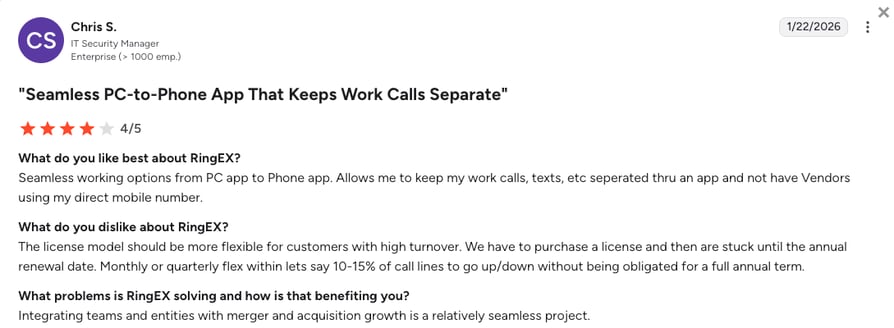
Ringcentral's customers highlight its easy no-code setup and strong security within a unified communications platform, but report limited flexibility for advanced call flows, and weaker handling of complex conversations.
How Do G2 Users Rate RingCentral?
RingCentral’s AI receptionist current G2 rating is 4.9/5 out of 10 + reviews.
CloudTalk vs RingCentral
| Dimension | CloudTalk | RingCentral |
|---|---|---|
| Routing depth | CRM-driven, condition-based routing | Menu and FAQ handling inside a UCaaS suite |
| Live transfer | Full CRM and intent context passed to agent | Basic handoff within the RingCentral ecosystem |
| Review split | 4.3–4.4/5 range on G2 | 4.3/5 on G2 vs. 2.0/5 on Trustpilot |
When to Use RingCentral
- You’re already committed to its UCaaS platform and want AI reception as one more feature inside it.
- Centralized administration through the existing RingCentral admin console matters more than a dedicated receptionist product.
- Natural-language FAQ handling and basic call routing cover your needs without requiring CRM-depth logic.
When Not to Use RingCentral
- You need deeper CRM-driven, condition-based routing: RingCentral’s AI Receptionist is built as a platform feature, not a dedicated routing engine.
- You need a live transfer that carries full caller context; RingCentral’s handoff stays within its own ecosystem.
- Review-platform sentiment factors into your decision: RingCentral’s G2 rating (4.3/5) sits well above its Trustpilot rating (2.0/5, 1,806 reviews), a gap worth checking directly.
Recommended articles
6. Dialzara: Best for Small Teams Wanting Plug-and-Play AI Reception
What Is Dialzara?
Dialzara is a plug-and-play AI receptionist that answers calls, screens for intent, and schedules appointments. It’s built for small business owners who want to automate inbound calls without managing scripts.
What Is Dialzara Best For?
Small teams that want minimal setup and a low starting price, where call screening plus appointment booking covers the main use case.
Category Scores for Dialzara
| Criterion | Score |
|---|---|
| Voice Quality | 3 |
| Call Routing | 4 |
| Live Transfer | 4 |
| CRM Integration | 3 |
| Ease of Setup | 5 |
| Pricing Clarity | 4 |
| Total | 23/30 |
What Are the Key Features of Dialzara?
- Call screening and routing
- Appointment booking
- Pre-set voice flows with business-hours logic
Dialzara Tech & Performance Metrics
Dialzara doesn’t publish independent performance benchmarks for its AI voice engine.
What Are the Key Integrations of Dialzara?
Google Calendar, Zapier.
What Are Dialzara’s Pros & Cons?
| Pros | Cons |
|---|---|
| Plug-and-play setup | Limited CRM-native routing |
| Clear tiered pricing from $29/month | Minute cap creates cost spikes |
What Is the Pricing of Dialzara?
- Business Lite: $29/month
- Business Pro: $99/month
- Business Plus: $199/month
- Business Elite: $349/month
See full Dialzara pricing breakdown.
Free trial: Yes.
What Do Customers Say About Dialzara?
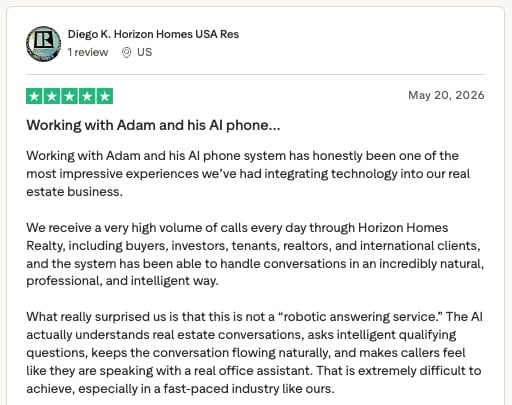
Trustpilot reviewers praise Dialzara's natural-sounding AI, easy setup, responsive customer support, customization, and value for money.
How Do G2 Users Rate Dialzara?
No G2 presence found for Dialzara at the time of this rewrite. However, it holds a 4.6/5 rating on Trustpilot and 19+ reviews.
CloudTalk vs Dialzara
| Dimension | CloudTalk | Dialzara |
|---|---|---|
| Setup | No-code, CRM-connected from day one | Plug-and-play, minimal configuration |
| Routing depth | CRM-driven, condition-based | Intent screening plus appointment booking |
| Starting price | $25/user/month plus AI add-on | $39/month |
When to Use Dialzara
- You’re a small team that wants minimal setup and a low starting price ($39/month).
- Call screening plus appointment booking covers your main use case, without needing CRM-native routing.
- Pre-set voice flows with business-hours logic are enough structure for how your team handles calls.
When Not to Use Dialzara
- You need CRM-native routing or multilingual support. Dialzara’s integrations are limited to Google Calendar and Zapier.
- Live call transfer with full context matters: Dialzara scored 4 out of 5 on live transfer in our testing.
- A verified review record matters to your decision; no confirmed G2, Capterra, or Trustpilot listing was independently verified for Dialzara at the time of this review.
7. Nextiva: Best for Teams Prioritizing Uptime With Conversational IVR
What Is Nextiva?
Nextiva pairs conversational IVR with AI-powered call routing, designed to capture caller intent through voice input and direct callers quickly to the right action or team.
What Is Nextiva Best For?
Teams that prioritize uptime and a straightforward conversational IVR, managing multiple departments and extensions.
Category Scores for Nextiva
| Criterion | Score |
|---|---|
| Voice Quality | 4 |
| Call Routing | 4 |
| Live Transfer | 3 |
| CRM Integration | 3 |
| Ease of Setup | 4 |
| Pricing Clarity | 4 |
| Total | 22/30 |
What Are the Key Features of Nextiva?
- Conversational IVR
- Call routing and menu customization
- Support for multiple departments and extensions
Nextiva Tech & Performance Metrics
- Uptime SLA: 99.999%
What Are the Key Integrations of Nextiva?
Zapier, Salesforce (via API).
What Are Nextiva’s Pros & Cons?
| Pros | Cons |
|---|---|
| Strong uptime marketing; conversational IVR covers multi-department routing | Steep learning curve |
| Clear published pricing across three tiers | Some configurations required additional troubleshooting |
What Is the Pricing of Nextiva?
- Core: from $15/user/month
- Engage: from $25/user/month
- Scale: from $75/user/month
See the full Nextiva pricing breakdown.
Free trial: Yes.
What Do Customers Say About Nextiva?
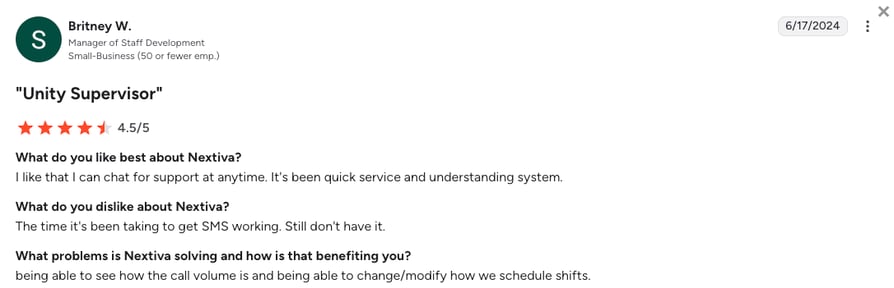
Users praise Nextiva’s reliability, call quality, ease of use, and customer support, while common complaints focus on complex configurations, limited reporting, and occasional setup challenges.
How Do G2 Users Rate Nextiva?
Nextiva’s current G2 rating is 4.5/5 out of 3,441+ reviews.
CloudTalk vs Nextiva
| Dimension | CloudTalk | Nextiva |
|---|---|---|
| Routing depth | CRM-driven, condition-based routing | Conversational IVR, department-level routing |
| Live transfer | Full CRM and intent context passed to agent | Simplified handoff, less CRM depth |
| Positioning | Control over call logic and live transfer behavior | Uptime and simplified conversational IVR |
When to Use Nextiva
- Uptime and a straightforward conversational IVR are your top priority.
- You manage multiple departments and extensions and want menu customization built around that structure.
- Voice-input intent capture for quick call direction is enough, without needing deep CRM-native logic.
When Not to Use Nextiva
- You need tighter live-transfer control or CRM-native routing beyond what Zapier and the API can cover.
- Native CRM integrations matter: Nextiva connects to Salesforce only via API, not a native integration.
- Nextiva’s Trustpilot rating (4.7/5) may reflect broader customer-service ratings rather than the VoIP product.
8. Callin: Best for Local Businesses Focused on Appointment Booking
What Is Callin?
Callin is an AI receptionist that answers calls, books appointments, and handles caller queries with a natural-sounding voice, built for service businesses that want a consistent, on-brand voice without adding headcount.
What Is Callin Best For?
Local, appointment-driven businesses where a simple, on-brand voice and calendar booking through Google Calendar or Outlook covers the main call volume.
Category Scores for Callin
| Criterion | Score |
|---|---|
| Voice Quality | 3 |
| Call Routing | 4 |
| Live Transfer | 2 |
| CRM Integration | 3 |
| Ease of Setup | 5 |
| Pricing Clarity | 4 |
| Total | 22/30 |
What Are the Key Features of Callin?
- AI voice answering
- Calendar booking
- Basic inquiry handling
Callin Tech & Performance Metrics
- Latency: Sub-176 milliseconds
- Uptime SLA: 99.9%
What Are the Key Integrations of Callin?
Google Calendar, Outlook, Zapier.
What Are Callin’s Pros & Cons?
| Pros | Cons |
|---|---|
| Fast setup for local service businesses needing appointment booking | Lower live transfer score (2/5) than most tools on this list |
| Covers Google Calendar and Outlook for calendar-based booking | No confirmed G2 listing; secondary source of 4.5/5 from 6 users doesn’t meet verification bar |
What Is the Pricing of Callin?
- Pay-as-you-go: $0.16/min
- Custom plan
Free trial: Yes.
What Do Customers Say About Callin?
No G2 or Trustpilot reviews available.
How Do G2 Users Rate Callin?
No confirmed G2 listing for Callin.
CloudTalk vs Callin
| Dimension | CloudTalk | Callin |
|---|---|---|
| Target buyer | SMB sales and support teams | Local, appointment-driven businesses |
| Routing depth | CRM-driven, condition-based | Calendar booking, basic inquiry handling |
| Starting price | $25/user/month plus AI add-on | $59/month |
When to Use Callin
- Appointment booking is your main use case and a simple, on-brand voice is enough.
- Calendar booking through Google Calendar or Outlook, plus basic inquiry handling, covers your call volume.
- A fast, low-maintenance setup matters more than CRM-native routing or multilingual support.
When Not to Use Callin
- You need CRM-native routing or multilingual support. Callin’s integrations are limited to Google Calendar, Outlook, and Zapier.
- Live call transfer with full context matters; Callin scored 2 out of 5 on live transfer in our testing.
- A verified review record matters: no confirmed G2 listing exists for Callin, and a secondary source’s 4.5/5 rating (from only 6 users) doesn’t meet our verification bar.
9. 8x8: Best for Enterprises That Need Scalable Voice-Enabled Automation Across a Contact Center
What Is 8x8?
8x8’s Intelligent Customer Assistant is an enterprise-grade conversational IVR that uses NLU to answer calls, route callers, and handle requests across a contact-center environment.
What Is 8x8 Best For?
Enterprises that need scalable, voice-enabled automation across a full contact center, with NLU-based call answering integrated with broader contact-center tooling.
Category Scores for 8x8
| Criterion | Score |
|---|---|
| Voice Quality | 4 |
| Call Routing | 4 |
| Live Transfer | 4 |
| CRM Integration | 4 |
| Ease of Setup | 3 |
| Pricing Clarity | 2 |
| Total | 21/30 |
What Are the Key Features of 8x8?
- Conversational IVR with voice AI
- NLU-based answering and routing
- Integration with broader contact-center tools
8x8 Tech & Performance Metrics
- Uptime SLA: 99.999%
What Are the Key Integrations of 8x8?
Salesforce, Microsoft Teams, Zendesk.
What Are 8x8’s Pros & Cons?
| Pros | Cons |
|---|---|
| Strong NLU-based routing for complex enterprise escalation rules | Custom quote required; no published self-serve pricing |
| Live transfer (4/5) handles complex escalation well in large contact centers | Enterprise deployment timeline—not a live-in-minutes setup |
What Is the Pricing of 8x8?
- Custom pricing only. You’ll need to contact 8x8 for a tailored quote.
See 8x8 pricing for typical enterprise quote ranges.
Free trial: Yes.
What Do Customers Say About 8x8?
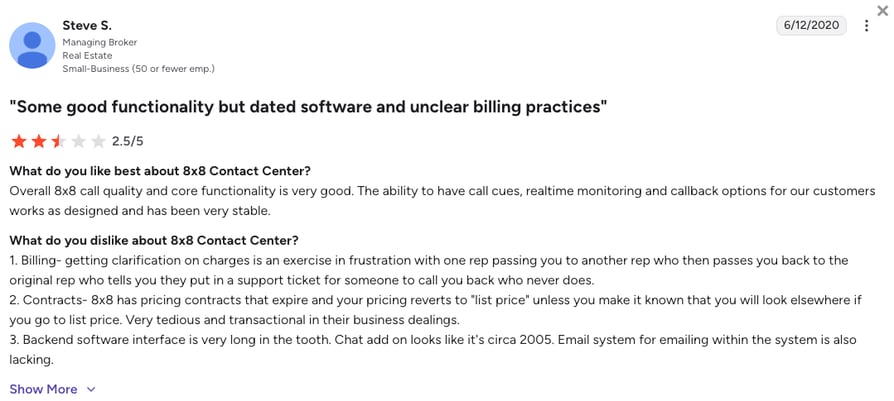
Users praise 8x8 Contact Center’s ease of use, omnichannel capabilities, integrations, and customer support, while common complaints focus on complex administration, missing features, reporting limitations, and inconsistent AI support.
| Dimension | CloudTalk | 8x8 |
|---|---|---|
| Pricing | Published self-serve plans | Custom quote required |
| Setup speed | Live in minutes, no-code | Enterprise deployment timeline |
| Live transfer | Full CRM and intent context passed to agent | Strong for complex enterprise escalation rules |
When to Use 8x8
- You’re an enterprise that needs scalable, voice-enabled automation across a full contact center.
- NLU-based call answering integrated with broader contact-center tooling is a core requirement.
- You’re already evaluating enterprise-grade contact-center platforms rather than a standalone receptionist tool.
When Not to Use 8x8
- You want transparent self-serve pricing. 8x8 requires contacting sales for a custom quote, with no published rates.
- You want a fast, no-code setup; 8x8 is built around enterprise contact-center deployment timelines.
- You want a single, unambiguous source for its rating: 8x8 maintains multiple separate G2 product pages with slightly different scores.
10. My AI Front Desk: Best for Solo Professionals and Service Providers
What Is My AI Front Desk?
My AI Front Desk is a phone-based virtual assistant that handles scheduling, FAQs, and basic inbound support, optimized for solo businesses and service professionals like therapists and consultants.
What Is My AI Front Desk Best For?
Solo professionals and service providers who want simple, automated call coverage with appointment setting and 24/7 answering, without requiring CRM or sales-pipeline logic.
Category Scores for My AI Front Desk
| Criterion | Score |
|---|---|
| Voice Quality | 4 |
| Call Routing | 3 |
| Live Transfer | 2 |
| CRM Integration | 4 |
| Ease of Setup | 5 |
| Pricing Clarity | 4 |
| Total | 21/30 |
What Are the Key Features of My AI Front Desk?
- 24/7 answering
- Appointment setting
- Custom greeting and logic setup
My AI Front Desk Tech & Performance Metrics
My AI Front Desk doesn’t publish independent performance benchmarks for its AI receptionist.
What Are the Key Integrations of My AI Front Desk?
Acuity Scheduling, Google Calendar, SMS.
What Are My AI Front Desk’s Pros & Cons?
| Pros | Cons |
|---|---|
| Fast setup for solo professionals who need simple call coverage | Limited advanced automation flexibility |
| 24/7 answering with custom greeting and appointment setting | Users report pricing scalability concerns |
What Is the Pricing of My AI Front Desk?
- Basic: $20/month
- Business-in-a-Box: $99/month
- Custom
Free trial: Yes.
What Do Customers Say About My AI Front Desk?
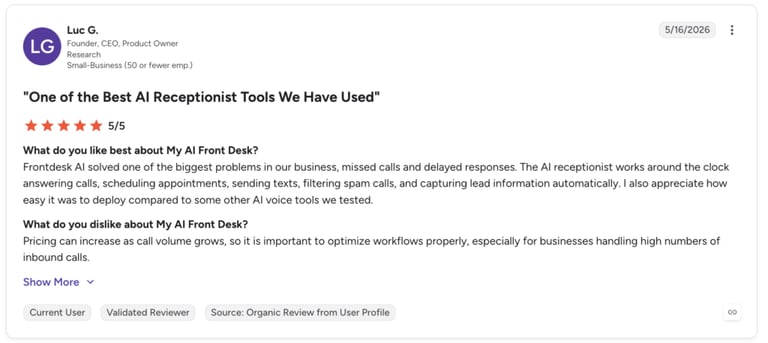
Users highlighted easy setup, a reliable 24/7 AI receptionist, and lead capture, but noted limited customization and integrations, occasional robotic responses, a learning curve for advanced workflows, and pricing concerns at higher call volumes.
How Do G2 Users Rate My AI Front Desk?
My AI Front Desk’s current G2 rating is 4.8/5 out of 9+ reviews.
CloudTalk vs My AI Front Desk
| Dimension | CloudTalk | My AI Front Desk |
|---|---|---|
| Target buyer | SMB sales and support teams | Solo professionals and service providers |
| Routing depth | CRM-driven, condition-based | Scheduling and FAQ handling |
| Starting price | $25/user/month plus AI add-on | $69/month |
When to Use My AI Front Desk
- You’re a solo professional who wants simple, automated call coverage.
- Appointment setting and 24/7 answering are your core needs, without requiring CRM or sales-pipeline logic.
- A fast, low-maintenance setup matters more than deep integrations.
When Not to Use My AI Front Desk
- You’re a team that needs CRM routing or live transfer with context. My AI Front Desk scored lower on both CRM integration and live transfer in our testing.
- Your integrations need to go beyond scheduling and SMS.
- A verified rating matters: a secondary source reports 4.9/5 on G2 for My AI Front Desk, but we couldn’t independently confirm that figure at the time of this review.
11. Emitrr: Best for Healthcare Practices and High-Volume Customer Communications
What Is Emitrr?
Emitrr combines AI voice reception, texting automation, and call management in one platform, built for multi-location healthcare and local-service businesses that want HIPAA-compliant communication and fewer missed calls.
What Is Emitrr Best For?
Healthcare practices and multi-location service businesses that need HIPAA-compliant voice and text automation, with direct integration into Athenahealth, eClinicalWorks, or DrChrono.
Category Scores for Emitrr
| Criterion | Score |
|---|---|
| Voice Quality | 3 |
| Call Routing | 3 |
| Live Transfer | 3 |
| CRM Integration | 4 |
| Ease of Setup | 4 |
| Pricing Clarity | 3 |
| Total | 20/30 |
What Are the Key Features of Emitrr?
- HIPAA-compliant, secure communication
- Automated appointment booking and scheduling
- Missed-call text-back automation
Emitrr Tech & Performance Metrics
Emitrr doesn’t publish independent performance benchmarks for its AI voice reception feature, though HIPAA compliance is a named differentiator.
What Are the Key Integrations of Emitrr?
Athenahealth, eClinicalWorks, DrChrono, HubSpot, Zapier.
What Are Emitrr’s Pros & Cons?
| Pros | Cons |
|---|---|
| HIPAA-compliant by design for healthcare and regulated industries | No free trial; free demo only |
| Missed-call text-back automation alongside AI voice reception | SMS pricing scales steeply at higher volumes |
What Is the Pricing of Emitrr?
- Text-Em-All: Free (credits)
- Standard: $42/month
- Pro: $45/month
See the full Emitrr pricing breakdown.
Free trial: No. Free demo available.
What Do Customers Say About Emitrr?
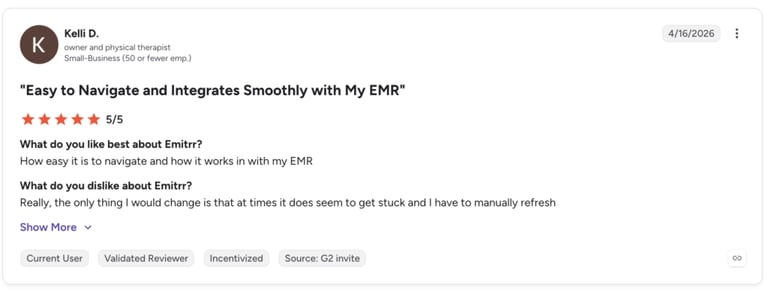
Users highlight its ease of use and seamless integrations (especially healthcare systems), but note occasional performance issues (e.g., needing refreshes).
How Do G2 Users Rate Emitrr?
Emitrr's G2 rating holds a 4.8/5 out of 22+ reviews.
CloudTalk vs Emitrr
| Dimension | CloudTalk | Emitrr |
|---|---|---|
| Target buyer | General SMB sales and support teams | Healthcare and multi-location service businesses |
| Compliance | SOC 2 and GDPR-aligned, HIPAA-aligned controls | HIPAA-compliant by design |
| Starting price | $25/user/month plus AI add-on | $20/month |
When to Use Emitrr
- You’re a healthcare or multi-location service business that needs HIPAA-compliant texting alongside voice.
- Missed-call text-back automation is a priority alongside AI voice reception.
- You already run Athenahealth, eClinicalWorks, or DrChrono and want a receptionist that integrates directly with your healthcare-specific systems.
When Not to Use Emitrr
- You need deep CRM or sales-pipeline integration outside a healthcare-specific workflow. Emitrr’s integrations are built around healthcare and appointment-driven use cases.
- You want to test the product hands-on before buying: Emitrr offers a free demo but no free trial.
- Live call transfer needs to carry full context; Emitrr scored 3 out of 5 on live transfer in our testing.
12. Calldesk: Best for Large Organizations Using Pre-Trained Voicebots
What Is Calldesk?
Calldesk builds pre-trained AI voicebots for enterprise contact centers. Its agents answer inbound calls, ask structured questions, and handle routine tasks like appointment booking or FAQ resolution out of the box.
What Is Calldesk Best For?
Large enterprises wanting pre-built voicebots for call deflection and prequalification at high call volumes, integrated with Salesforce, Zendesk, or ServiceNow.
Category Scores for Calldesk
| Criterion | Score |
|---|---|
| Voice Quality | 4 |
| Call Routing | 4 |
| Live Transfer | 3 |
| CRM Integration | 4 |
| Ease of Setup | 2 |
| Pricing Clarity | 2 |
| Total | 19/30 |
What Are the Key Features of Calldesk?
- AI voicebots for routine calls
- Call deflection and prequalification
- Integration with ticketing and CRM systems (Salesforce, Zendesk, ServiceNow)
Calldesk Tech & Performance Metrics
- Latency: 1,000 milliseconds
- Uptime SLA: 99.99%
What Are the Key Integrations of Calldesk?
Salesforce, Zendesk, ServiceNow.
What Are Calldesk’s Pros & Cons?
| Pros | Cons |
|---|---|
| Pre-trained voicebots reduce setup effort for high-volume routine call flows | Custom pricing only; no published self-serve tier |
| Deep integration with enterprise ticketing stacks | No independent G2 listing confirmed at the time of this review |
What Is the Pricing of Calldesk?
- Custom pricing only, based on call volume and bot complexity.
Free trial: No.
What Do Customers Say About Calldesk?
A confirmed, independent G2 listing for Calldesk couldn’t be verified at the time of this rewrite.
How Do G2 Users Rate Calldesk?
Not confirmed on G2 at the time of this rewrite.
CloudTalk vs Calldesk
| Dimension | CloudTalk | Calldesk |
|---|---|---|
| Target buyer | Self-serve SMB and mid-market teams | Custom enterprise contact-center deployments |
| Pricing | Published per-seat plans | Custom, volume and complexity dependent |
| Setup | No-code, live in minutes | Bot-complexity-dependent implementation |
When to Use Calldesk
- You’re a large enterprise wanting pre-built voicebots deployed out of the box.
- Call deflection and prequalification for high call volumes is your primary use case.
- You already run Salesforce, Zendesk, or ServiceNow and want a voicebot that integrates directly with your existing ticketing stack.
When Not to Use Calldesk
- You’re an SMB that wants transparent self-serve pricing and a fast setup. Calldesk’s pricing is custom and volume/complexity-dependent.
- You want to trial the product first; Calldesk doesn’t offer a free trial.
- A verifiable, independent review record matters: no independent G2 listing for Calldesk could be confirmed at the time of this review.
13. Vonage: Best for Teams With Developer Resources That Want Programmable Voice
What Is Vonage?
Vonage offers an AI Virtual Assistant for inbound calls, built around programmable voice APIs. It suits teams with developer resources who want full control over how the AI receptionist behaves.
What Is Vonage Best For?
Teams with developer resources that want full, low-level control over AI receptionist behavior via programmable voice APIs.
Category Scores for Vonage
| Criterion | Score |
|---|---|
| Voice Quality | 4 |
| Call Routing | 3 |
| Live Transfer | 3 |
| CRM Integration | 4 |
| Ease of Setup | 2 |
| Pricing Clarity | 2 |
| Total | 18/30 |
What Are the Key Features of Vonage?
- AI assistant for inbound calls
- Programmable voice flows via API
- Dynamic routing and IVR support
Vonage Tech & Performance Metrics
Vonage doesn’t publish independent latency or uptime figures for its AI Virtual Assistant; performance depends heavily on how the API-based flow is built.
What Are the Key Integrations of Vonage?
Salesforce, Zendesk, Microsoft Teams (via API).
What Are Vonage’s Pros & Cons?
| Pros | Cons |
|---|---|
| Full programmable control over voice flow logic via API | May struggle with complex requests |
| Dynamic routing and IVR support for custom-built workflows | No published self-serve pricing; quote-based only |
What Is the Pricing of Vonage?
- Vonage Business Cloud is quote-based. Pricing depends on call volume, features, and API usage; there’s no published self-serve tier.
See Vonage pricing for what’s typically included in a quote-based plan.
Free trial: No.
What Do Customers Say About Vonage?
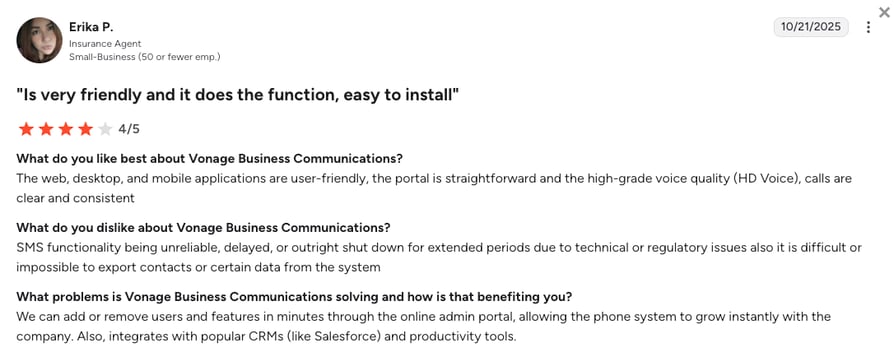
Users highlight that Vonage is an easy-to-use platform with reliable calling and strong communication features (voice, messaging, video), but note SMS limitations, occasional call drops/connectivity issues, and slow or inconsistent customer support.
How Do G2 Users Rate Vonage?
Vonage’s current G2 rating is 4.3/5 out of 504+ reviews.
CloudTalk vs Vonage
| Dimension | CloudTalk | Vonage |
|---|---|---|
| Setup | No-code configuration, live in minutes | Requires developer resources and API work |
| Routing depth | Built-in CRM-driven routing out of the box | Custom-built via programmable voice flows |
| Pricing | Published self-serve plans | Quote-based, no published self-serve tier |
When to Use Vonage
- You have developer resources and want full, low-level control over how the AI receptionist behaves.
- Programmable, API-based voice flows are a core requirement rather than a nice-to-have.
- Dynamic routing built precisely around your workflow logic is worth the engineering investment.
When Not to Use Vonage
- You want a no-code setup that’s live in minutes. Vonage requires developer resources and API work.
- Transparent pricing matters; Vonage’s quote-based pricing has no published self-serve tier.
- You want a free trial before committing; Vonage doesn’t offer one.
Recommended reads: CloudTalk vs Vonage
14. Dialpad: Best for Teams Already Using a Unified Communications Platform
What Is Dialpad?
Dialpad is a unified communications platform with a virtual receptionist feature powered by its built-in AI engine. It’s aimed at teams that want AI call summaries and basic reception without leaving Dialpad’s broader UC suite.
What Is Dialpad Best For?
Teams already running Dialpad’s unified communications platform who want built-in AI call summaries and basic reception as part of their existing setup.
Category Scores for Dialpad
| Criterion | Score |
|---|---|
| Voice Quality | 4 |
| Call Routing | 4 |
| Live Transfer | 3 |
| CRM Integration | 4 |
| Ease of Setup | 5 |
| Pricing Clarity | 5 |
| Total | 25/30 |
What Are the Key Features of Dialpad?
- AI call summaries
- Real-time transcription
- Voicemail menu automation
Dialpad Tech & Performance Metrics
- Uptime SLA: 100%
What Are the Key Integrations of Dialpad?
Google Workspace, Salesforce, and Microsoft 365.
What Are Dialpad’s Pros & Cons?
| Pros | Cons |
|---|---|
| Fast, self-serve setup with transparent per-seat pricing | Limited customization for specific AI workflows |
| AI call summaries and real-time transcription bundled into UC calls | Users report recording issues |
What Is the Pricing of Dialpad?
- Standard: from $15/user/month
- Pro: from $25/user/month
- Enterprise: Custom pricing
See the full Dialpad pricing breakdown for what each tier includes.
Free trial: Yes.
What Do Customers Say About Dialpad?
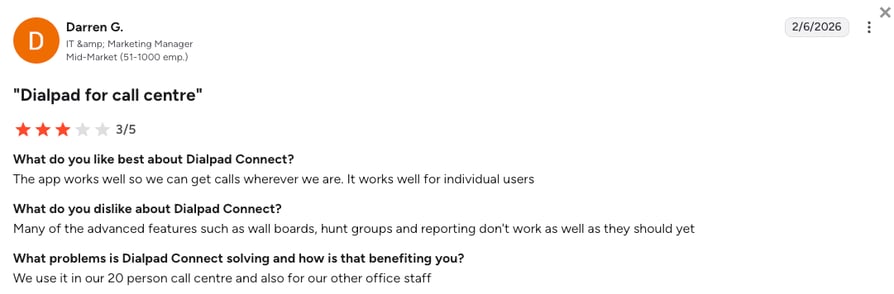
Customers praise Dialpad's AI-powered transcriptions and summaries, and ease of use, but report inconsistent call quality, occasional AI inaccuracies, and limited advanced features on lower plans.
How Do G2 Users Rate Dialpad?
Dialpad’s current G2 rating is 4.4/5 out of 4,197+ reviews.
CloudTalk vs Dialpad
| Dimension | CloudTalk | Dialpad |
|---|---|---|
| Routing depth | CRM-driven, condition-based routing | Basic AI summaries inside a broader UC suite |
| Live transfer | Full CRM and intent context passed to agent | Standard UC handoff, less AI context |
| Pricing model | Per-seat plans plus a separate AI Voice Agent add-on | Per-seat UC plans with AI features bundled in |
When to Use Dialpad
- You’re already running Dialpad’s unified communications platform and want AI summaries bundled into calls you’re already making.
- Real-time call transcription and voicemail menu automation matter more to your team than deep CRM-driven routing.
- A fast, self-serve setup and transparent per-seat pricing (from $15/user/month) are priorities.
When Not to Use Dialpad
- You need CRM-driven, condition-based routing. Dialpad’s AI reception stays inside a broader UC suite rather than functioning as a dedicated receptionist product.
- You need live transfers that carry full CRM and intent context to the receiving agent; Dialpad’s handoff is a standard UC transfer with less AI context.
- You’d rather not pay for a full unified-communications suite just to get AI call summaries.
Best AI Receptionist Software by Industry and Use Case
A missed call doesn’t cost every industry the same. At a dental practice, it can mean an empty chair tomorrow; at a law firm, it could mean a signed retainer going to a competitor. Here’s the best pick for each industry, based on how customers actually book and convert.
| Industry/use case | What the receptionist has to nail | Top pick | Go deeper |
|---|---|---|---|
| Healthcare & clinics | HIPAA-aligned handling, patient intake, missed-call text-back | Emitrr for HIPAA-first practices; CloudTalk if bookings also feed your CRM | AI receptionist for healthcare |
| Salons, spas & local service | Simple 24/7 booking and rescheduling with near-zero setup | VirtualReception.ai for solo/local; CloudTalk once you outgrow it | AI receptionist for salons & spas |
| Real estate | Instant response to buyer inquiries — first to pick up wins the listing | CloudTalk — CRM-aware routing and live transfer | Virtual receptionist for realtors |
| Law firms | Confidential intake that qualifies the caller before it routes | CloudTalk for CRM-connected intake and context-carrying transfer | Virtual receptionist for law firms |
| Insurance & finance | Policy and claims calls with a clean, auditable trail | CloudTalk — call logging and recording into the CRM | AI receptionist for insurance agencies |
| Small business (any vertical) | CRM-connected routing that scales as volume grows | CloudTalk — a full phone system underneath the AI | AI virtual receptionist for small business |
How Much Does a Voice AI Receptionist Cost?
An AI virtual receptionist voice service typically costs between $25 and $300 per month for a standard small business setup, while custom corporate setups can range from $400 to $1,500+ per month.
Pricing for AI virtual receptionist voices splits into two layers: the phone-system platform itself, and the AI voice feature, which is usually billed separately and by usage.
CloudTalk’s AI Receptionist pricing starts at $99/month for 200 minutes, never bundled into the subscription price.
Human vs AI Receptionist: Which Is Right for Your Business?
AI receptionists handle speed, scale, and availability. Human receptionists handle judgment, empathy, and edge cases. Most growing teams get the best results by using both together.
AI Receptionist Strengths
- Always available, no coffee breaks or sick days
- Consistent brand tone and responses across every call
- Covers multiple languages, making it an ideal global virtual receptionist
- Lower cost at high call volumes
- Pulls info directly from your company database
- Easy to update scripts and call logic
Human Receptionist Strengths
- Better at handling emotional or complex conversations
- Can improvise when calls fall outside defined flows
- Adds a personal touch for relationship-driven businesses
- Brings judgment to decisions an AI shouldn’t make alone
Many teams now use a hybrid setup. AI receptionists usually handle first contact and routing, while humans take over when nuance is needed. CloudTalk uses AI virtual receptionists to handle repetitive calls and admin work, so human reps can focus on complex conversations that need real judgment and empathy. AI works as a sidekick here, not a replacement.
Recommended Article
Real Use Cases: How Businesses Use AI Receptionist Voices in 2026
AI receptionist voices aren’t experimental anymore. In 2026, they handle real business-critical tasks across industries, often replacing basic front-desk roles entirely.
Appointment Booking
The best AI virtual receptionist for appointment booking depends on how much that booking needs to connect to the rest of your business. CloudTalk is the strongest fit when bookings need to sync directly with your CRM, sales pipeline, or support queue. VirtualReception.ai handles straightforward calendar-based booking well for local service businesses. Callin and Dialzara both cover basic scheduling too, built around calendar integrations like Google Calendar rather than CRM workflows.
Live Transfer
The best AI phone receptionist software for live transfer is the one that hands off context along with the caller. CloudTalk passes full CRM data, conversation history, and detected intent to the receiving agent, so nobody has to start the conversation over. 8x8 handles complex escalation rules well in larger contact-center environments, and RingCentral’s transfer works reliably inside its own UC ecosystem.
Common real-world AI receptionist voice use cases beyond booking and transfer include:
- Sales teams qualify inbound leads before passing them to reps, often using a dedicated AI virtual receptionist for lead qualification to score callers automatically
- Support teams route callers based on issue type and urgency
- Service businesses, such as dentists and therapists, book, reschedule, or cancel appointments automatically
- Global companies provide local-language reception without local staff
- Growing teams keep coverage running through nights, weekends, and holidays, often over a VoIP virtual receptionist setup that doesn’t depend on a physical phone line
Always-on. Multilingual. CRM-connected.
How CloudTalk’s AI Receptionist Compare to Other Receptionist Tools
Most AI receptionist tools focus on answering calls. CloudTalk goes further by acting as a full voice layer inside your sales or support stack. Where CloudTalk’s AI virtual receptionist differs:
- AI voice agents tied directly to CRM records and call history, recognizing returning callers from that history
- Automatic data logging into your CRM, helpdesk, or ATS tools
- Advanced call routing based on caller data, not just menus
- Live call transfer with full context passed to agents
- Multilingual voices (60+ languages) with customizable tone and logic
- Real-time analytics for missed calls, lead quality, and outcomes
Here’s how CloudTalk compares to some of the major AI receptionist platforms on our list:
- CloudTalk AI receptionist vs Dialpad: CloudTalk offers deeper CRM-driven routing and call context, while Dialpad focuses more on AI summaries inside a broader UC platform.
- CloudTalk AI receptionist vs RingCentral: CloudTalk provides more flexible, sales-ready call flows, whereas RingCentral’s AI receptionist is designed mainly for basic routing within its UCaaS ecosystem.
- CloudTalk AI receptionist vs Aircall: CloudTalk supports more advanced logic and analytics for inbound calls, while Aircall’s AI features are lighter and more script-based.
- CloudTalk AI receptionist vs Nextiva: CloudTalk gives teams greater control over call logic and live transfer behavior, while Nextiva prioritizes uptime and simplified conversational IVR.
- CloudTalk AI receptionist vs Vonage: CloudTalk delivers advanced AI reception without developer work, whereas Vonage relies heavily on APIs and technical customization.
What Teams Tell Us When They Switch
We hear a few consistent patterns from teams that move to CloudTalk from another AI receptionist or phone system.
- Teams coming from a basic answering tool usually outgrow it once call volume ties directly to revenue. A simple 24/7 answering service works fine for one location, but once bookings or leads need to land in a CRM, the missing connection becomes the bottleneck.
- Teams switching from a UCaaS-bundled AI receptionist often tell us the AI reception features felt like an afterthought bolted onto the phone system, with less routing depth and less transfer context than a dedicated setup gives them.
- Teams moving off an older IVR-based system tend to cite the same frustration every time: menu trees that annoy callers instead of routing them, with no way for the system to understand what someone is actually asking for.
These are patterns we hear often, not a claim that every team on every platform runs into the same wall. But if one of them sounds familiar, it’s worth checking whether your current setup can actually grow with you.
Don’t Let Your First Impression Be a Missed Call
A good AI receptionist isn’t just a convenience. It’s your voice when you can’t personally be there to answer.
The 14 tools on this list solve different problems. Some are built for speed, others for deep integration and control. The best one for you fits your callers, your workflows, and where your business is headed next.
If inbound calls affect your revenue or your pipeline, in other words, if a missed call costs you a customer and not just an inconvenience, it’s worth testing a platform built for that specific problem.
CloudTalk’s AI receptionist is built for exactly that case, and the best way to know if it fits is to try it yourself.

Join 5,500+ Businesses Trusting CloudTalk

FAQs About AI Virtual Receptionists
CloudTalk is the best AI virtual receptionist for small businesses that expect calls to feed a CRM, sales pipeline, or support queue as they grow, since it pairs a natural-sounding voice with CRM-aware routing.
CloudTalk ranks highest here because the receiving agent inherits everything the caller already said: CRM history and conversation notes, not just a transferred phone line.
CloudTalk’s AI Voice Agent ranks as the most realistic voice receptionist among the tools we tested, thanks to natural pacing, tone, and pronunciation layered on top of reliable call quality across 60+ languages and accents.
CloudTalk is the strongest fit when appointment bookings need to sync directly with your CRM, sales pipeline, or support queue, since every booked call carries caller and CRM context with it. VirtualReception.ai and Callin both handle straightforward, calendar-based scheduling well for local service businesses that don’t need that deeper sync. Dialzara covers similar ground for small teams wanting a plug-and-play setup.
VirtualReception is the cheapest dedicated AI receptionist on this list, though both trade away some CRM-depth routing for that lower price. CloudTalk’s platform starts at $25/user/month, with the AI Voice Agent as a separate add-on from $99/month for 200 minutes. Larger platforms like Vonage and 8x8 don’t publish self-serve pricing at all.
Most AI virtual receptionist platforms, including CloudTalk, VirtualReception.ai, Dialzara, and My AI Front Desk, offer a free trial directly from their pricing page, usually with no credit card required. CloudTalk’s 14-day free trial includes full platform access and 50 free minutes for the AI receptionist in the first month.
Start with voice quality: if it sounds robotic, callers hang up before anything else matters. From there, check how the platform routes calls by intent rather than menus, how cleanly it hands off to a human, and how deeply it connects to your CRM or helpdesk. Pricing transparency and setup speed matter too, especially if you’re testing multiple tools before committing.
CloudTalk is the best overall AI phone receptionist for SMB sales and support teams, combining a natural multilingual voice, CRM-aware routing, and live call transfer in one platform. Dialpad and Aircall work well for teams that want fast setup with CRM sync, while VirtualReception.ai and Dialzara suit solo operators and local businesses that need simple, affordable 24/7 answering.
For 2026, CloudTalk remains the top overall pick for growing SMB teams, thanks to CRM-aware routing, live call transfer, and multilingual voice support built into one platform. Dialpad and Aircall are strong runners-up for teams prioritizing fast setup and CRM-linked workflows, while VirtualReception.ai and Dialzara fit solo operators and local businesses that need simple, affordable coverage.
Yes, most modern AI receptionists support live call transfer, though how much context actually survives the handoff varies widely. With CloudTalk, the human agent inherits the CRM record, the conversation so far, and the detected intent, so the caller isn’t starting over. Simpler tools often connect the call but leave that context behind, forcing the agent to ask the caller to repeat everything.
A traditional IVR forces callers to press numbers through a fixed menu before reaching anything useful. An AI receptionist listens to plain speech, understands intent, and decides the next step itself, whether that’s booking an appointment, answering a question, or routing to the right person. The caller talks naturally instead of navigating a menu tree.
CloudTalk is the strongest fit for dental offices that want appointment booking tied directly into scheduling and patient-management systems, with live transfer to front-desk staff whenever a call needs a human touch. VirtualReception.ai and Callin also cover basic dental scheduling for single-location practices.