Best AI Voice Agents for Real Estate: 15 Tools Compared for 2026
Best AI Voice Agents for Real Estate: Comparison Table
| Tool | Best for | Inbound or outbound | CRM or MLS connections | Entry price | G2 (reviews) |
|---|---|---|---|---|---|
| CloudTalk | Teams that also need a phone system | Inbound via AI Receptionist; outbound via AI Specialist | HubSpot, Pipedrive, Zoho (AI notes), Salesforce and 100+ more; no MLS | Free 50 minutes, then $99 for 200 minutes | 4.4/5 (1,702+) |
| Thoughtly | No-code agent for small to mid-sized agencies | Both | Two-way sync with HubSpot, Salesforce, Zoho; 200+ integrations | Quote only | 4.6/5 (47) |
| ElevenLabs | Voice quality and languages | Both (you build the flow) | 400 pre-configured integrations | Free 15 minutes; paid from $6/month | 4.5/5 (1,295, whole platform) |
| Synthflow AI | No-code agent with vendor-led launch | Both | 200+ apps; HubSpot, Salesforce, Zapier, Cal.com, Five9, Zoom | Annual enterprise contract, quote only | 4.5/5 (1,016) |
| Amazon Connect | AWS-native teams with developers | Both | AWS services; CRM by custom build | $0.038 per voice minute plus telephony | 4.4/5 (94) |
| CallRail | Call tracking and attribution | Inbound qualification | Cloze, HubSpot, Salesforce, Pipedrive, and Close CRM | Voice Assist from $95/month plus Lead Tracking | 4.5/5 (1,967) |
| Five9 | Large enterprise contact centers | Both, with dialers | Salesforce, ServiceNow, Dynamics 365, Zendesk; 300+ integrations | Quote only | 4.1/5 (627) |
| Voiceflow | Custom agents across voice and chat | Both (you build the flow) | Native with Salesforce, HubSpot, ad more; API or MCP for the rest | Quote for businesses | 4.5/5 (115) |
| Genesys Cloud CX | High-volume enterprises | Both | CRM integration is an add-on; Salesforce add-on | $75 per user/mo; AI agents are token-based | 4.4/5 (1,583) |
| Twilio | Developers | Both (you build it) | Via native CRM integrations, Zapier, APIs, or SIP trunking | $1 per active user hour, $35 per active user or $150 per named user | 4.1/5 (544) |
| Lofty AI Assistant | Real estate CRM with a virtual ISA | Lead engagement inside the CRM | Own real estate CRM and IDX website | Quote only | 4.3/5 (413) |
| Structurely (now 21X) | Lead nurturing | Both, plus text and email | CRM integrations; Salesforce dialer | Platform fee plus usage from $0.07 per minute | 5/5 (1 review, too few to judge) |
| Smith.ai | Hybrid AI and human receptionist | Inbound | Clio, Zapier and more; HubSpot, Salesforce on human plans | AI free for 25 calls, then $150; human from $300 | 4.8/5 (33, AI Receptionist) |
| Vapi | Developers | Both | GoHighLevel, Make, n8n native; API or MCP for the rest | $0.05 per minute hosting plus model, voice and transcriber costs | 4.2 (3) |
| Bland AI | Large-scale outbound | Both, outbound focus | Calendly, Make, and HubSpot native; REST API for others | $0.14 per minute, no platform fee | 5/5 (11) |
Callers to real estate offices reach an agent only a third of the time. In Pied Piper’s 2026 study, 97% of calls connected to the brokerage office, but only 33% of callers spoke with an agent—and 73% got no follow-up within 24 hours.
That’s the gap real estate teams want AI calling agents to close. But one concern comes up often in our conversations with real estate teams: sounding scripted. It’s a fair concern, especially when there are so many providers to choose from. Finding one that sounds natural while meeting your agency’s specific needs takes some digging.
That's why I spent one week reviewing 30+ AI calling agents against vendor pricing pages, integration docs and G2 reviews. Here are the 15 best AI voice agents for real estate in 2026, sorted by inbound, outbound or both, with what each tool connects to and its real monthly price.
What Is an AI Voice Agent for Real Estate?
An AI voice agent for real estate is software that answers or places calls and holds a two-way conversation: it understands what the caller says, asks follow-up questions and takes an action, such as booking a showing or updating a CRM record.
Unlike a traditional IVR menu, which waits for a keypad press, voice agents for real estate respond to what the caller actually says. That is the difference between a 9 p.m. caller reaching voicemail and the same caller getting an answer, a few qualifying questions and a showing on the calendar.
For a real estate team, the common jobs are after-hours lead capture on listing inquiries, qualification on budget, timeline and financing, showing bookings, outbound follow-up on new and dormant leads, and tenant calls for property managers.
What Can Real Estate AI Voice Agents Actually Do?
AI voice agents can answer calls around the clock, qualify leads and schedule property viewings. But not every task can be fully automated. Some require accurate data, the right integrations or a human handoff. Here's what they can handle and what to consider before putting them to work.
| Use case | What an AI voice agent can handle | What still needs attention |
|---|---|---|
| After-hours lead capture | Answer calls 24/7, collect contact details and summarize inquiries. | Conversation quality matters. A robotic greeting or slow response can still cost you a lead. |
| Lead qualification | Ask about budget, financing, preferred location and buying timeline. | Questions and qualification criteria need to match your sales process. |
| Property viewings | Check calendar availability and book viewings during the call. | Calendar integrations and booking rules need to be configured correctly. |
| Lead follow-ups | Call new or dormant leads, check their interest and transfer qualified prospects. | Outbound campaigns require consent management and compliance with calling regulations. |
| Property inquiries | Answer questions about listings, availability and property features using a knowledge base. | Listing information needs to stay accurate and up to date. |
| Tenant support | Handle routine rent questions and collect maintenance requests. | Emergencies and sensitive issues still need a clear path to a human. |
AI voice agents can take care of repetitive calls, capture leads outside business hours and keep follow-ups moving. But they work best when connected to accurate property data, calendars and CRM systems, with a clear handoff to your team when a conversation needs a human touch.
How I Evaluated the Best AI Voice Agents for Real Estate
I reviewed 30+ AI voice agents marketed to real estate teams, looking at what each one can actually do, how much it costs, and how well it fits into an existing sales workflow. I checked vendor websites and integration docs to see which tools handle inbound and outbound calls, qualify leads, book property viewings, and connect with CRMs, calendars, and listing platforms.
I also looked at voice quality, language support, and published information on security and compliance. To get a better idea of what using each tool is like, I compared G2 and Capterra reviews, paying attention to recurring feedback about ease of use, call quality, reliability, integrations, and customer support.
Pricing transparency was another factor: I checked whether providers publish their rates and how costs can change with call volume or extra features.
15 Best AI Voice Agents for Real Estate in 2026
I reviewed each of these AI calling agents for real estate on the same points: inbound or outbound calling, real estate connections, real price and what's missing.
1. CloudTalk: Best for Real Estate Teams That Want AI and Agents on One Phone Line
What Is CloudTalk?
CloudTalk combines a business phone system with AI voice agents that real estate teams can use to manage property inquiries and lead follow-ups. The AI Receptionist handles inbound calls, captures buyer and seller details, and helps book viewings, while the AI Specialist follows up with new and dormant leads through outbound calls and multi-step workflows.
Call routing, recording, CRM logging, and local numbers in 160+ countries all sit on the same platform, keeping AI and human agents connected throughout the sales process.
What Are the Key Features of CloudTalk for Real Estate?
- AI Receptionist (inbound): Answers 24/7, takes a message and writes a call summary after the call. It can also answer property questions from your knowledge base, transfer to a human and book showings into a connected Google or Outlook calendar.
- AI Specialist (outbound and workflows): A custom scope with guided setup for qualification questions, follow-up calls and multi-step flows.
- Conversation Intelligence: every AI voice agent call is transcribed automatically. Add Conversation Intelligence to get summaries, topic tags, Sentiment Analysis and AI Smart Notes on those calls too.
- Languages: 70+ languages and accents, so you can serve international buyers in their own language.
What Is CloudTalk Missing?
- Listing info comes from your knowledge base: The AI answers property questions from the documents and public URLs you upload. There’s no built-in MLS integration yet, so a live connection to your listing system would be a custom setup through the API.
- Qualification needs configuring: Out of the box, the AI Receptionist collects each caller’s name, callback number and reason for calling. To qualify inbound leads, you'll have to add your own questions. For outbound lead qualification, the AI Specialist is the better fit
- Limited support on entry plans: Self-serve AI Receptionist plans don’t include 1:1 support, which is available only with the AI Specialist plan.
What Is CloudTalk Best For?
Brokerages and property teams that need after-hours inbound coverage with booking, plus a phone system with CRM logging, and want outbound follow-up as a separately configured agent. It isn't the right pick if you need MLS-connected property answers out of the box or outbound qualification at very large scale.
How Much Does CloudTalk Cost?
CloudTalk's AI Receptionist starts free with 50 minutes, then $99 a month for 200 minutes. Plans bill monthly with a 1-month minimum. The AI Specialist starts at $349 a month. See the AI voice agent pricing page for current plans.
| Plan | Price | What's included | Overage |
|---|---|---|---|
| AI Receptionist (free) | $0 | First 50 minutes | n/a |
| AI Receptionist 200 | $99/month | 200 minutes | $0.50/minute |
| AI Receptionist 500 | $199/month | 500 minutes | $0.50/minute |
| AI Receptionist 1,000 | $299/month | 1,000 minutes | $0.50/minute |
| AI Receptionist 2,500 | $699/month | 2,500 minutes | $0.35/minute |
| AI Specialist Build | $349/month | 1,000 minutes, guided setup | $0.50/minute |
| AI Specialist Scale | $749/month | 2,500 minutes | $0.35/minute |
| AI Specialist Scale Plus | $1,249/month | 5,000 minutes | $0.30/minute |
| Custom | Custom | 10,000+ minutes | Up to $0.15/minute |
Phone plans are a separate product: Starter $25, Essential $29 and Expert $49 per user per month, billed annually. See CloudTalk pricing for the full breakdown.
What Do Customers Say About CloudTalk?
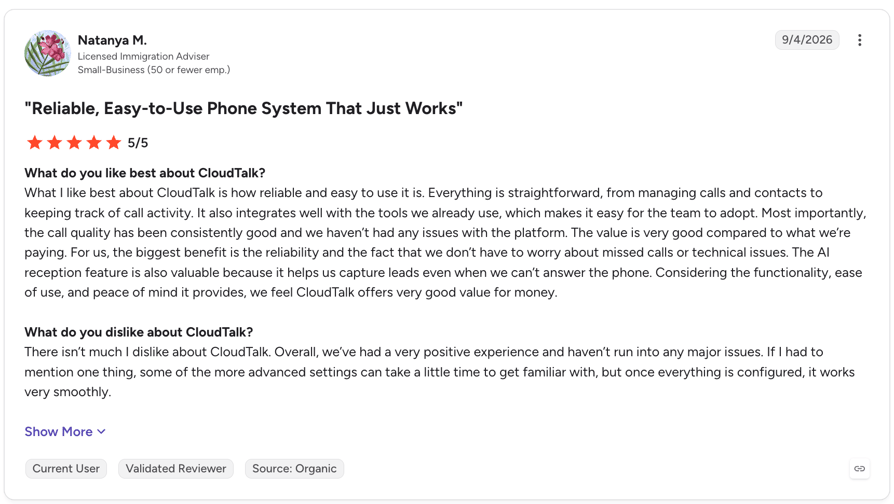
Customers highlight reliability, ease of use, and call quality, as well as the value of having integrations and telephony built into the same platform. AI users particularly praise its fast, natural-sounding conversations, multilingual capabilities, and ability to capture leads when teams can’t answer.
G2 Rating: 4.4/5 (1960+ reviews)
Pros and Cons of CloudTalk Based on G2 Reviews
| Pros | Cons |
|---|---|
| AI features save time: Call summaries and transcriptions help teams review conversations and reduce manual work. | Advanced settings take time to learn: Advanced options and integration setup might need extra time. |
| Easy to set up and use: Reviewers praise the intuitive interface, which makes it easier for small teams to adopt AI answering. | Reporting could be more flexible: Filtering data and customizing reports can be limiting for specific needs. |
| Calls and customer data stay connected: CRM integrations, call notes and call history keep customer interactions in one place. | Custom integrations need extra setup: Tailoring integrations to specific workflows needs additional configuration. |
2. Thoughtly: Best No-Code AI Voice Agent for Small to Mid-Sized Agencies
What Is Thoughtly?
Thoughtly is a no-code AI voice agent platform for inbound lead conversion, with voice, SMS, email and workflows in every plan. It suits agencies that want AI agents to answer and call leads without engineering help, alongside the phone system they already use.
What Are the Key Features of Thoughtly for Real Estate?
- Inbound and outbound: AI voice agents answer and place calls on every plan, with SMS and email follow-up.
- CRM sync: Two-way sync with HubSpot, Salesforce and Zoho, plus 200+ integrations, a REST API and webhooks.
- Knowledge base: Its Genius feature ingests text, PDFs, CSVs and URLs, so the agent can answer listing questions.
- Languages and voices: 34+ languages and voice cloning on every plan.
- Compliance by tier: TCPA and state do-not-call review on Scale; HIPAA with a BAA on Enterprise.
What Is Thoughtly Missing?
- No published prices: Every plan is quote-only, so you can't compare cost before a sales call.
- Not a phone system for your team: It runs AI agents and lets you bring your own carrier (Twilio, Telnyx), but your human agents still need their own phone system.
- Custom LLM integration is limited to the Enterprise plan: Businesses on lower tiers can't connect their own language models to customize how their AI agents respond.
What Is Thoughtly Best For?
Small to mid-sized agencies with steady inbound lead flow that want a no-code agent across voice, SMS and email, and already have a phone system for their agents.
How Much Does Thoughtly Cost?
Thoughtly pricing is quote-only: all three plans route to sales.
| Plan | Price | What's included | Overage |
|---|---|---|---|
| Flex | Quote | Voice, SMS, email, workflows; 10 concurrent calls; self-serve onboarding | Billed at the end of the cycle |
| Scale | Quote | 100+ concurrent calls, auto-QA, TCPA review, dedicated CSM, 99.9% uptime SLA | Billed at the end of the cycle |
| Enterprise | Quote | Custom LLM, HIPAA and BAA, SSO, dedicated infrastructure | Billed at the end of the cycle |
What Do Customers Say About Thoughtly?
G2 reviewers say the flowchart-style builder makes it easy to launch an agent without engineering help, but a recurring criticism is that Thoughtly isn’t a standalone phone system, so teams end up managing a second telephony vendor alongside it.
G2 rating: 4.6/5 on G2 based on 47 reviews.

Pros and Cons of Thoughtly Based on G2 Reviews
| Pros | Cons |
|---|---|
| Easy to use and navigate: The intuitive interface and visual flow builder make creating and managing AI agents straightforward. | Advanced workflows take time to learn: Configuring in-call actions and post-call automations can be confusing and require some technical knowledge. |
| Improves team efficiency: AI agents automate calls, outreach and CRM follow-ups, reducing manual work and saving time. | Setup can be time-consuming: Initial configuration, particularly for triggers and advanced actions, may require trial and error. |
| Helpful customer support: Users appreciate the responsive support team, tutorials and webinars that make onboarding easier. | Some features are missing: Users would like more voice options, ready-made templates and flexible report export capabilities. |
3. ElevenLabs: Best for Ultra-Realistic Voice Quality and Multilingual Coverage
What Is ElevenLabs?
ElevenLabs is a voice AI company best known for text-to-speech, and ElevenAgents is its platform for building voice and chat agents. It suits teams that want the most human-sounding voice and are happy to design the real estate flow themselves.
What Are the Key Features of ElevenLabs for Real Estate?
- Agent building: Workflow builder, knowledge base and multilingual agents on every plan, including the free tier.
- Calls and texts: Telephony is supported (provider billed at cost), and text messages are included from the Starter plan.
- Voice cloning: Professional voice clones are included on the Business plan (10 clones).
- Languages: Its AI voice agent supports 31+ languages according to its documentation.
- Compliance: BAAs for HIPAA customers on Enterprise.
What Is ElevenLabs Missing?
These are some of the reasons real estate teams might consider ElevenLabs alternatives:
- Not a real estate product: You build the qualification and booking flow yourself.
- The plan price isn't the full bill: LLM and telephony costs are added at cost on top of each plan.
- Limited concurrent calls: The number of simultaneous calls ranges from 4 on the Free plan to 40 on the Business plan. Higher concurrency limits require Enterprise.
What Is ElevenLabs Best For?
Teams that put voice realism first, already have telephony and CRM sorted, and want an agent that switches languages for international buyers.
How Much Does ElevenLabs Cost?
ElevenLabs pricing for its AI voice agents starts free with 15 minutes of calls, then $ 6/month for 75 minutes. Extra minutes cost $0.08 on every plan, plus LLM and telephony at cost.
| Plan | Price | What's included | Overage |
|---|---|---|---|
| Free | $0 | 15 minutes, 4 concurrent calls | $0.08/minute |
| Starter | $6/month | 75 minutes, 6 concurrent calls, texts | $0.08/minute |
| Creator | $22/month ($11 first month) | 275 minutes, 10 concurrent calls | $0.08/minute |
| Pro | $99/month | 1,238 minutes, 20 concurrent calls | $0.08/minute |
| Scale | $299/month | 3,738 minutes, 30 concurrent calls, 3 seats | $0.08/minute |
| Business | $990/month | 12,375 minutes, 40 concurrent calls, 10 seats | $0.08/minute |
| Enterprise | Custom | Higher concurrency, BAAs, SSO | Custom |
What Do Customers Say About ElevenLabs?
Reviewers consistently praise how natural the voices sound even in longer calls, though some flag the subscription model as inflexible once call volume scales up.
G2 rating: 4.5/5 on G2 based on 1,294 reviews across the whole platform.

Pros and Cons of ElevenLabs Based on G2 Reviews
| Pros | Cons |
|---|---|
| Natural, high-quality voices: Users praise the realistic voice output, natural pacing, and intonation. | Expensive for high-volume use: The credit-based pricing can become costly, especially when generating large amounts of content. |
| Easy to use: The intuitive interface and straightforward setup make it easy to generate voiceovers. | Pronunciation needs fine-tuning: The AI can struggle with technical terms, foreign names, and acronyms, requiring manual adjustments and regeneration. |
| Fast and reliable: Users appreciate the quick generation speeds and API performance. | Limited control and customization: Some users find the voice direction, editing options, and integration processes could be more flexible. |
4. Synthflow AI: Best for Fast, No-Code Voice Automation Deployment
What Is Synthflow AI?
Synthflow is a no-code AI voice agent platform for inbound and outbound calls, now sold only as an annual enterprise contract. It suits mid-sized and larger teams that want a no-code builder plus vendor-led launch support, not a self-serve tool.
What Are the Key Features of Synthflow AI for Real Estate?
- Inbound and outbound: Automates appointment scheduling, lead qualification, support and call routing.
- No-code builder: A visual builder for property inquiry flows and objection handling.
- Integrations: HubSpot, Salesforce, Zapier, Cal.com, Five9 and Zoom are listed on its site; telephony runs on Synthflow's own numbers, SIP trunking or approved enterprise telephony.
- Languages and speed: Synthflow states 30+ languages and sub-500ms latency.
- Compliance and launch: SOC 2 Type 2, ISO 27001, HIPAA and GDPR coverage, with forward-deployed engineers for launch where the contract includes it.
What Is Synthflow AI Missing?
These are some of the reasons real estate teams might consider Synthflow AI alternatives:
- No free plan, trial, or per-minute rate: Every new deployment starts with a sales conversation and a mid-market or enterprise contract.
- Not "fast" for a small team: Synthflow says deployments go live "in weeks", so solo agents and small teams are better served elsewhere.
- Limited number coverage: Purchased phone numbers are only available in the U.S., Canada, and Australia.
What Is Synthflow AI Best For?
Mid-sized brokerages and property management companies that want no-code voice automation with vendor help at launch, and can commit to an annual contract.
How Much Does Synthflow AI Cost?
Synthflow pricing is quote-only: an annual enterprise agreement scoped to call volume, phone system, integrations, security and launch support, with no free plan, trial or per-minute rate.
What Do Customers Say About Synthflow AI?
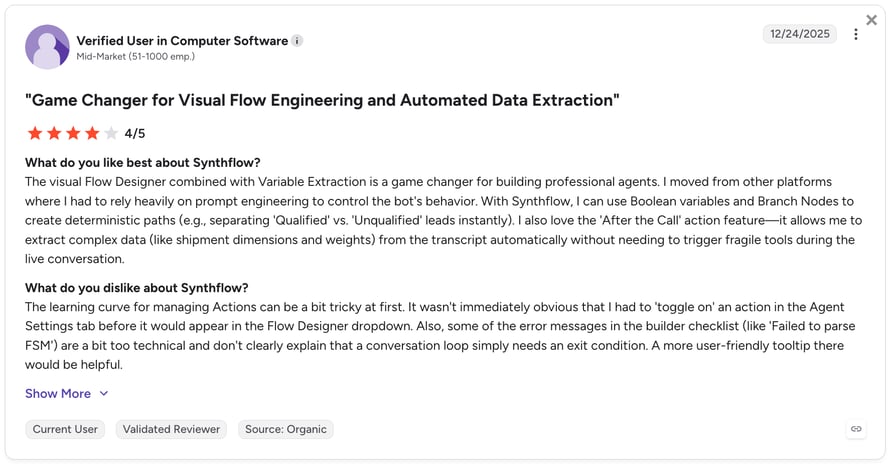
Synthflow customers consistently highlight fast deployment but also point to two key limitations: a learning curve when moving beyond simple setups and a ceiling on advanced customization.
G2 rating: 4.5/5 based on 1,016 reviews.
Pros and Cons of Synthflow AI Based on G2 Reviews
| Pros | Cons |
|---|---|
| Pre-built templates and a visual builder | Limits when building complex logic and branching |
| Handles high concurrency for large call volumes | Annual contract with no published price |
| Connects with existing contact center platforms | Less depth in operational dashboards |
5. Amazon Connect: Best for AWS-Native Brokerages With In-House Developers
What Is Amazon Connect?
Amazon Connect (now sold as Amazon Connect Customer) is AWS's pay-as-you-go cloud contact center with agentic AI built in. It suits brokerages that already run on AWS and have developers to build real estate flows.
What Are the Key Features of Amazon Connect for Real Estate?
- AI agents: Agentic voice and self-service, pre-built AI agents and an AI agent designer with testing and simulation.
- Inbound and outbound: Voice, chat, email and SMS, plus proactive and outbound engagement.
- Help for human agents: Real-time agent assist and post-contact summaries.
- Routing: Skills-based routing, so high-value buyers can go to senior agents.
- AWS services: Builds on Amazon Lex, Amazon Polly and AWS Lambda for custom logic.
What Is Amazon Connect Missing?
- Developers required: Real estate workflows and most CRM connections need custom development.
- A bill with many parts: Telephony is charged on top of the per-minute rate, and other AWS services add their own costs.
- Some capabilities are still in preview: Manager Assist and back-office automation are listed as preview features, so they may not be fully available yet.
What Is Amazon Connect Best For?
Mid-sized to large brokerages already on AWS, with developers who want code-level control over routing and AI behavior.
How Much Does Amazon Connect Cost?
Amazon Connect pricing starts at $0.038 per voice minute, plus standard telephony rates, with no minimums, seat licenses or long-term contracts.
| Plan | Price | What's included | Overage |
|---|---|---|---|
| Voice | $0.038/minute | AI capabilities; telephony billed separately | Pay per use |
| Chat | $0.010/message | Sent or received | Pay per use |
| $0.080/email | Sent or received | Pay per use | |
| SMS and third-party messaging | $0.014/message | Sent or received | Pay per use |
What Do Customers Say About Amazon Connect?
AWS-native reviewers praise how easily Connect scales to demand spikes without upfront licensing, but most flag the AWS expertise required to configure anything beyond basic call flows.
G2 rating: 4.4/5 based on 94 reviews.

Pros and Cons of Amazon Connect Based on G2 Reviews
| Pros | Cons |
|---|---|
| Easy to use for basic tasks: Users appreciate the intuitive interface, visual contact flow editor, and straightforward call management. | Steep learning curve for advanced features: Configuring complex workflows, routing, and integrations often requires in-depth AWS knowledge. |
| Flexible and scalable: Teams can customize their contact center, scale with demand, and integrate with other AWS services. | Limited out-of-the-box functionality: Some advanced capabilities require additional configuration, development, or third-party tools. |
| Powerful reporting and monitoring: Users value features such as live call listening, call recordings, analytics, and easy report exports. | Documentation and integrations need improvement: Some users report incomplete implementation guides and occasional integration issues. |
6. CallRail: Best for Call Tracking and Marketing Attribution Alongside AI Qualification
What Is CallRail?
CallRail is a call tracking and marketing attribution platform with an AI voice assistant, Voice Assist, that answers and qualifies inbound calls. It suits marketing-driven teams that care as much about which ad drove the call as about the call itself.
What Are the Key Features of CallRail for Real Estate?
- Voice Assist (inbound): Answers 24/7 and qualifies leads so your team can prioritize the best ones.
- Attribution: Dynamic number insertion tracks calls back to the campaign and keyword.
- Conversation intelligence: Transcripts, summaries, sentiment and automatic conversion tagging on Lead Conversion plans.
- Integrations: CallRail supports specific property management, CRM, and marketing integrations like Yardi, HubSpot and GoHigh Level.
- Coverage: Available in the US, Canada, the UK and Australia, with a 14-day free trial.
What Is CallRail Missing?
These are some of the reasons real estate teams might consider CallRail alternatives:
- Inbound only: The pricing page shows no outbound AI calling or power dialer.
- Costs stack up: Voice Assist needs a Lead Tracking plan, and extra numbers, minutes and heavy API use are billed on top.
- Limited international coverage: Service is restricted to the United States, Canada, the U.K., and Australia, making CallRail unworkable for global teams
What Is CallRail Best For?
Brokerages and agencies running several ad channels that want AI to catch missed calls and need to know exactly which campaign produced each lead.
How Much Does CallRail Cost?
CallRail pricing for its Voice Assist feature starts at $95 a month, and every plan also needs Lead Tracking from an additional $55 a month.
| Plan | Price | What's included | Overage |
|---|---|---|---|
| Voice Assist | From $95/month plus Lead Tracking | 50 Voice Assist calls over 15 seconds | $1/call |
| Lead Tracking | $50/month | 5 numbers, 250 local minutes, 25 texts | $1/call |
| Lead Conversion | $150/month | Adds premium conversation intelligence | $1/call |
| Lead Conversion Complete | $195/month | Adds form tracking | $1/call |
What Do Customers Say About CallRail?
Reviewers praise CallRail’s ease of use and powerful call-tracking capabilities, but note that pricing scales quickly with tracking-number and call-volume growth.
G2 rating: 4.5/5 based on 1,975 reviews, mostly for its call tracking.

Pros and Cons of CallRail Based on G2 Reviews
| Pros | Cons |
|---|---|
| Easy to use and set up: Users appreciate the intuitive dashboard and straightforward implementation. | Limited automation and AI capabilities: Users would like more advanced automations. |
| Powerful call tracking and attribution: CallRail connects incoming calls to specific marketing campaigns, channels, and keywords. | Integration issues: Some users report difficulties connecting third-party tools and CRMs. |
| Useful analytics and call insights: Call recordings, transcripts, summaries, and reporting help teams review leads and identify opportunities. | Reporting and filtering could be better: Users want more advanced filters, customizable reports, and greater flexibility when analyzing call and form data. |
7. Five9: Best for Large Enterprise Contact Centers With Advanced Dialers
What Is Five9?
Five9 is an enterprise cloud contact center that blends AI agents and human agents across voice and digital channels. It suits large brokerages and franchises running high-volume inbound and outbound operations.
What Are the Key Features of Five9 for Real Estate?
- AI agents on every channel: Inbound and outbound across voice, web chat, SMS, email, WhatsApp and video, with handoff to a live agent that keeps the context.
- Dialers: Predictive, power and progressive dialers for outbound campaigns.
- Routing: Genius AI routing sends each interaction to the right AI or human agent.
- Integrations: 300+ integrations, including Salesforce, ServiceNow, Dynamics 365 and Zendesk.
- Workforce Engagement Management tools: Five9 WEM offers precise forecasting and scheduling tools, real-time monitoring, and intraday management.
What Is Five9 Missing?
These are some of the reasons real estate teams might consider Five9 alternatives:
- No published pricing: Its pricing page now redirects to the homepage.
- Enterprise rollout: Complex features often need professional services and a longer implementation.
- No self-serve trial: Five9 does not offer a self-serve free trial; its sends visitors to a demo or a sales quote instead.
What Is Five9 Best For?
Large brokerages and real estate franchises running multi-hundred-seat contact centers, especially if Salesforce is your CRM of record.
How Much Does Five9 Cost?
Five9 pricing is quote-only., so you'll need to contact their sales team for a custom quote.
What Do Customers Say About Five9?
Reviewers praise the user-friendly interface and ease of setup, though some report call quality issues during high-volume periods.
G2 rating: 4.1/5 based on 628 reviews.

Pros and Cons of Five9 Based on G2 Reviews
| Pros | Cons |
|---|---|
| Easy to use and configure: Users appreciate the intuitive interface, straightforward setup, and drag-and-drop tools. | Complex backend administration: While the agent interface is generally easy to navigate, managing settings and reporting can require extensive training. |
| Responsive customer support: Many reviewers praise Five9’s support team for being helpful, patient, and quick to resolve issues. | Connectivity and call reliability issues: Some users report dropped calls, connection problems, lag, and occasional system disruptions that affect daily operations. |
| Powerful integrations and reporting: Users value its CRM integrations, particularly with Salesforce, along with customizable reports. | Limited flexibility and costly customization: Some advanced features and upgrades require professional services, adding implementation time and costs. |
8. Voiceflow: Best for Building Custom AI Agents Across Voice and Chat
What Is Voiceflow?
Voiceflow is a visual platform for building AI agents across voice and chat. It suits teams that want full control over every branch of a conversation and one agent behind both a website chat and a phone line.
What Are the Key Features of Voiceflow for Real Estate?
- Agent builder: Drag-and-drop builder that mixes agentic playbooks with strict, step-by-step workflows.
- Voice and chat: Deploy the same agent across voice and chat channels.
- Knowledge base: Feed it listings, PDFs and URLs for answers during conversations.
- Model choice: Choose from major LLM providers or bring your own model.
- Testing and analytics: Simulated conversations, observability and LLM-powered evaluations.
What Is Voiceflow Missing?
- You build the real estate flow: There is no ready-made real estate agent.
- Pricing on request: Business pricing needs a demo or quote; only agencies get a self-serve trial.
- No built-in phone system: Requires separate phone numbers and telecom services, adding extra costs and billing to manage.
What Is Voiceflow Best For?
Teams of any size with someone who enjoys building flows and wants granular control over a voice and chat agent.
How Much Does Voiceflow Cost?
Voiceflow pricing for businesses is quote-only; agencies and partners get a free trial with usage-based billing.
| Plan | Price | What's included | Overage |
|---|---|---|---|
| For businesses | Quote | Voice and chat deployment, observability, roles and permissions, self-serve or managed implementation | Quote |
| For agencies and partners | Free trial, then usage-based | Multi-client workspaces, white-labeling, all major model providers | Usage-based |
What Do Customers Say About Voiceflow?
Users highlight its visual builder and flexibility, but some reviewers raise questions about pricing. Some users say the credit system isn’t always easy to follow, which can make cost planning more challenging at scale.
G2 rating: 4.5/5 on G2 based on 115 reviews.

Pros and Cons of Voiceflow Based on G2 Reviews
| Pros | Cons |
|---|---|
| Easy no-code builder: Users praise the intuitive drag-and-drop interface, which makes it easy to build, test, and prototype AI agents without coding. | Usage limits and unclear credit costs: Some users find credit consumption difficult to track, with AI usage limits and tokens running out quickly. |
| Flexible customization: Users appreciate the ability to customize conversational flows, choose different AI models, and connect APIs and functions. | Limited integrations: Some users would like more native integrations and find certain connections difficult to set up. |
| Helpful support and community: Users value the responsive team and detailed documentation. | Steep learning curve for advanced projects: While getting started is easy, building more complex agents can require technical skills and additional guidance. |
9. Genesys Cloud CX: Best for High-Volume, Multi-Office Real Estate Enterprises
What Is Genesys Cloud CX?
Genesys Cloud CX is an enterprise customer experience platform for high volumes of voice and digital conversations, with AI virtual agents on every plan. It suits multi-office real estate groups with a contact center team.
What Are the Key Features of Genesys Cloud CX for Real Estate?
- Virtual agents: Virtual agents and a native voicebot on every plan, metered with AI Experience tokens.
- Inbound and outbound: Outbound voice campaigns, inbound and outbound blending and scheduled callbacks from the entry plan.
- Predictive engagement: Tracks website and mobile visitor behavior in real time, predicts user intent, and automates proactive customer interactions
- Agent Copilot: Surfaces listing details or disclosures to human agents mid-call.
- Integrations: A prebuilt Salesforce add-on and the AppFoundry marketplace.
What Is Genesys Cloud CX Missing?
These are some of the reasons real estate teams might consider Genesys Cloud CX alternatives:
- AI runs on tokens: 250 named tokens per organization per month are included; heavy AI use means buying more.
- CRM connection costs extra: CRM and case management integration is an add-on on every plan.
- Pricing isn't fully transparent: Listed prices require an annual commitment, while usage-based charges may apply. Final pricing requires contacting the sales team.
What Is Genesys Cloud CX Best For?
Large, multi-office brokerages and property groups with a contact center team, an annual budget and a need for omnichannel routing.
How Much Does Genesys Cloud CX Cost?
Genesys Cloud CX pricing starts at $75/user/month, billed annually, with AI features metered through AI Experience tokens.
| Plan | Price | What's included | Overage |
|---|---|---|---|
| CX 1 | $75/user/month | Voice, routing, speech-enabled IVR, outbound campaigns, virtual agents | Extra AI tokens |
| CX 2 | $115/user/month | Adds digital channels, quality assurance, predictive engagement | Extra AI tokens |
| CX 3 | $155/user/month | Adds workforce management and speech analytics | Extra AI tokens |
| CX 4 | $240/user/month | Adds journey management and 30 AI tokens per named agent | Extra AI tokens |
What Do Customers Say About Genesys Cloud CX?
Reviewers appreciate how the interface shortens training time for new agents and integration capabilities, but some users note a common challenge with the steep learning curve for advanced features.
G2 rating: 4.4/5 on based on 1,584 reviews.

Pros and Cons of Genesys Cloud CX Based on G2 Reviews
| Pros | Cons |
|---|---|
| Easy to use: Users appreciate the intuitive interface and centralized workspace for managing customer interactions across channels. | Some features require extra costs: Certain capabilities are only available through higher-tier plans or paid add-ons, increasing the overall cost. |
| Flexible and customizable: Reviewers value the routing, IVR, API, and automation options that let teams build workflows around their needs. | Complex setup and administration: Advanced configurations, integrations, and troubleshooting can require developer support or extensive technical knowledge. |
| Reliable and constantly improving: Users praise the platform's stability, regular feature updates, and expanding AI capabilities. | Reporting could be more flexible: Some users find custom reports and dashboards difficult to configure, with limited filtering and analytics options. |
10. Twilio: Best for Developer-First Teams Building Custom Communication Workflows
What Is Twilio?
Twilio is a communications platform for developers, and Twilio Flex is its programmable contact center. It suits teams with engineers who want to build a custom real estate call center rather than buy a ready-made one.
What Are the Key Features of Twilio for Real Estate?
- Flex contact center: A programmable agent desktop you shape to your workflows.
- Voice AI building blocks: Conversation Relay and related products for building your own voice agents.
- Agent Copilot: AI help for human agents, from suggested responses to post-call wrap-ups ($0.035 per voice minute, in public beta).
- Customer data: Segment profiles give agents a lead's website activity and history when they call.
- Studio: A low-code designer for IVRs and call flows.
What Is Twilio Missing?
These are some of the reasons real estate teams might consider Twilio alternatives:
- You build everything: Qualification, booking and CRM logic all need development work.
- Fees compound: On user-plus-usage pricing, every underlying service is charged separately with no free quotas.
- Unpredictable costs at scale: Separate charges for telephony, STT, TTS, and LLM usage can make costs add up quickly.
What Is Twilio Best For?
Developer-led brokerages and proptech teams that want full control over a custom calling and messaging stack.
How Much Does Twilio Cost?
Twilio Flex pricing starts at $1 per active user hour, $35 per monthly active user plus metered usage, or $150 per named user, after a free trial with 5,000 active user hours.
| Plan | Price | What's included | Overage |
|---|---|---|---|
| Free trial | $0 | 5,000 active user hours (new Flex accounts) | n/a |
| User + usage | $35/monthly active user | Flex user fee; underlying services metered | Not specified |
| Named user | $150/named user | Predictable per-seat spend (contract) | Not specified |
| Active user hour | $1/active user hour | Pay only for logged-in time | Not specified |
What Do Customers Say About Twilio?
Developers praise the API documentation and reliability for building custom workflows quickly, while unpredictable fees are recurring complaints.
G2 rating: 4.1/5 based on 544 reviews, across the whole Twilio platform.

Pros and Cons of Twilio Based on G2 Reviews
| Pros | Cons |
|---|---|
| Easy to use: Users appreciate the intuitive interface, clear documentation, and straightforward setup for basic communication workflows. | Expensive at scale: Per-message and per-minute charges can add up quickly, making costs harder to predict as usage grows. |
| Easy integrations: Reviewers value Twilio’s APIs and integrations with CRMs and other platforms, which simplify communication workflows. | Poor customer support: Some users report slow responses, generic answers, and limited access to helpful support without paying extra. |
| Reliable and scalable: Users praise its dependable communication APIs and ability to handle growing voice and messaging needs. | Technical expertise required: Advanced configurations, IVR workflows, and integrations can be challenging without development experience. |
11. Lofty AI Assistant: Best All-in-One Real Estate CRM With a Built-In AI Virtual ISA
What Is Lofty AI Assistant?
Lofty (formerly Chime) is an all-in-one real estate platform with a CRM, IDX websites, lead generation and AI agents. Its Sales Agent works as a 24/7 virtual ISA, and it suits agents, teams and brokers who want the AI inside the CRM they already run.
What Are the Key Features of Lofty AI Assistant for Real Estate?
- Sales Agent (virtual ISA): Lofty describes it as working 24/7 to capture leads and convert them into appointments.
- Real estate CRM: AI lead scoring, advanced lead routing, Smart Plans for multi-step nurture and transaction management.
- Websites and listings: A customizable IDX website, listing tools and MLS-driven ad campaigns.
- Calling: A basic dialer on every plan; the Power Dialer is an add-on.
- Calendars and AI access: Google Calendar and Outlook integrations, plus an MCP server to connect your own AI agents to Lofty data.
What Is Lofty AI Assistant Missing?
- You adopt a whole CRM: Lofty makes most sense if you move your database into it, not as a standalone voice agent.
- Quote-only and add-ons: Every plan is "request pricing", and the Sales Agent itself is an add-on.
- Feature overload: The extensive range of features can make the platform feel overwhelming for new users.
What Is Lofty AI Assistant Best For?
US real estate agents, teams and brokerages that want CRM, IDX website, lead generation and an AI ISA from one vendor.
How Much Does Lofty AI Assistant Cost?
Lofty pricing is quote-only across its Agent, Team, Broker and Enterprise plans, with the Sales Agent, Power Dialer and lead generation sold as add-ons.
| Plan | Price | What's included | Overage |
|---|---|---|---|
| Lofty Agent | Quote | CRM, IDX website, Smart Plans, basic dialer, AI lead scoring | Not specified |
| Lofty Team | Quote | Adds 1:1 onboarding and training | Not specified |
| Lofty Broker | Quote | Same features as Lofty Team | Not specified |
| Lofty Enterprise | Quote | Adds SSO, white label and custom org structure | Not specified |
Lead generation programs carry a 20% ad management fee.
What Do Customers Say About Lofty AI Assistant?
Reviewers praise robust features and ease of use, but report that customer support can be slow and inconsistent.
G2 rating: 4.3/5 on G2 based on 414 reviews, for the platform as a whole.

Pros and Cons of Lofty AI Assistant Based on G2 Reviews
| Pros | Cons |
|---|---|
| Easy to use: Users appreciate the intuitive interface and tools for managing leads, client communication, and daily tasks. | Feature overload: The extensive range of features can make the platform overwhelming for new users. |
| Comprehensive features: Reviewers value the built-in CRM, IDX websites, lead capture, marketing automation, and lead scoring tools. | Customer support could improve: Some users report slow responses and inconsistent support when resolving issues. |
| Flexible and customizable: Users like the integrations and automation tools that help adapt Lofty to their workflows. | AI and automation need refinement: Some reviewers report slow AI performance and robotic interactions. |
12. Structurely (Now 21X): Best for Hands-Off Lead Nurturing Across Text, Email and Voice
What Is Structurely?
Structurely, now operating as 21X, is a conversational AI platform that works l eads across voice, SMS and email until they are ready for a human. It started in real estate and mortgage lead follow-up and now sells itself as a broader AI call center platform.
What Are the Key Features of Structurely for Real Estate?
- Inbound and outbound voice: Plus SMS and email workflows and call cadences on every plan.
- Transfers and booking: Live transfers to your team and appointment scheduling.
- Lead handling: Lead uploader, call screening and campaign management.
- Telephony setup: Number provisioning, A2P registration and spam mitigation are part of onboarding.
- Salesforce dialer: An AI power dialer that runs AI and human calling campaigns inside Salesforce.
What Is Structurely Missing?
- Tiny review base: One G2 review and 6 Capterra reviews aren't enough to judge quality.
- Platform fee not published: You need a sales call to see the full price.
- Broader focus: Its current site leans toward general call center and Salesforce use cases rather than real estate only.
What Is Structurely Best For?
Teams with a large database of cold or dormant leads that want persistent follow-up across voice, text and email, with live transfer when a lead is ready.
How Much Does Structurely Cost?
Structurely pricing combines a platform fee (not published) with usage-based tokens: voice from $0.07 per minute when you bring your own carrier, SMS from $0.02 per message and AI email from $0.02.
| Plan | Price | What's included | Overage |
|---|---|---|---|
| Small Team | Platform fee (quote) plus usage | Agent builder, inbound and outbound voice, SMS and email, transfers, scheduling | Usage tokens |
| Large Team | Platform fee (quote) plus usage | Adds multi-team permissions, A/B testing, custom integrations | Volume discounts |
| Enterprise | Quote | Adds custom SLAs, SSO, dedicated infrastructure, white label | Custom |
What Do Customers Say About Structurely?
With review volume this thin (1 G2 review, 6 Capterra reviews), we can only report directional themes: Excels at automated lead follow-up and human-like conversations, but some note occasional robotic responses.
G2 rating: 5/5 based on just 1 review.
Capterra rating: 4.2/5 from 6+ reviews, still a small sample.

Pros and Cons of Structurely Based on Capterra Reviews
| Pros | Cons |
|---|---|
| Natural-sounding conversations: Users appreciate how the AI engages leads in a human-like way and adapts to different conversations. | Occasional delays: Some users report slow loading and would like more time for sales reps to take over conversations. |
| Faster lead follow-up: Reviewers value how Structurely helps teams respond quickly, re-engage old leads, and keep up with prospects. | Expensive for some businesses: One reviewer felt the cost wasn't justified by the results they received. |
| Easy to use: Users find it straightforward to manage conversations and incorporate the tool into their sales workflows. | Unresolved billing issues: One reviewer reported being charged after requesting cancellation and struggling to get a response from support. |
13. Smith.ai: Best Hybrid AI and Human Virtual Receptionist Service
What Is Smith.ai?
Smith.ai is a virtual receptionist service with an AI-first option, a hybrid option and North America-based human receptionists. It suits brokerages that want an AI front desk with a person available when a call gets complicated.
What Are the Key Features of Smith.ai for Real Estate?
- AI Receptionist (inbound): 24/7 answering, lead qualification and call routing, with recordings, transcripts and summaries, even on the free plan.
- Human backup: The AI can transfer callers to a live receptionist at any time of day.
- Booking: AI scheduling through Calendly and other calendar tools.
- Integrations: Native integrations such as Clio and Zapier; human plans send call details to HubSpot, Salesforce, Clio and more.
- Intake: Custom intake questions, such as a property address for real estate.
What Is Smith.ai Missing?
These are some of the reasons real estate teams might consider Smith.ai alternatives:
- Per-call billing grows with volume: A busy listing season can push you into overage fast.
- Human tier is pricey: $300 a month for 30 calls, then $11.50 a call.
- Not real estate specific: Its features and case studies lean toward law firms and home services.
What Is Smith.ai Best For?
Small brokerages and solo agents with a modest number of high-value calls who want AI to answer first and a person as backup.
How Much Does Smith.ai Cost?
Smith.ai pricing starts free: the AI Receptionist covers 25 calls a month at $0, then paid AI plans start at $150 for 75 calls. Human-first plans start at $300 a month for 30 calls.
| Plan | Price | Minutes or calls included | Overage |
|---|---|---|---|
| AI Free | $0/month | 25 calls | $3.00/call |
| AI Pro | $150- $500/month | 75-300 calls | $2.50/call |
| AI Enterprise | $500-$800/month or custom | 300-1,000+ calls | $2.17/call |
| Live Starter | $300/month | 30 calls | $11.50/call |
| Live Basic | $810/month | 90 calls | $10.50/call |
| Live Pro | $2,100/month | 300 calls | $8.50/call |
| Live Enterprise | Custom | Custom | Custom |
What Do Customers Say About Smith.ai?
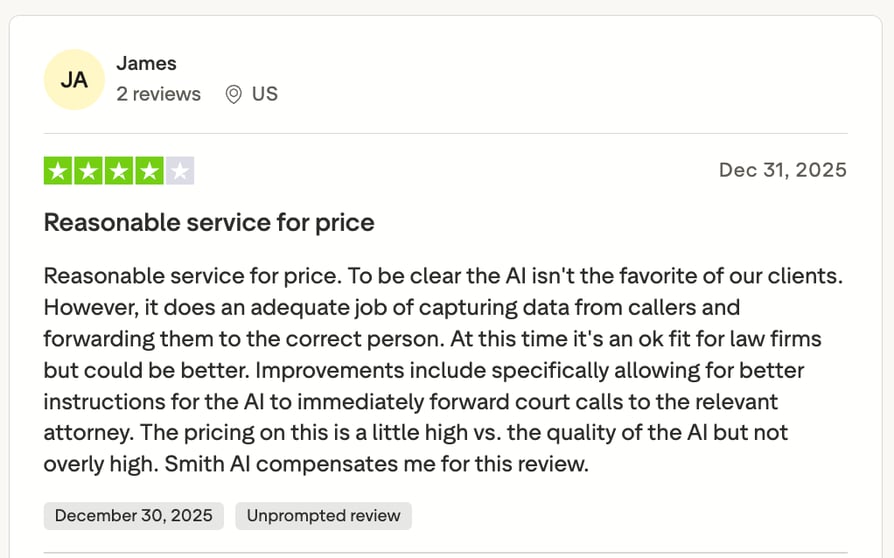
Smith.ai earns consistently positive feedback for its responsive customer support and easy onboarding, but some users note concerns about the pricing and AI receptionist performance.
G2 rating: 4.8/5 based on 33 reviews. Its human receptionist service is listed separately on G2 at 4.9/5 from 82+ reviews.
Pros and Cons of Smith.ai Based on G2 Reviews
| Pros | Cons |
|---|---|
| Responsive customer support: Users praise the support team's quick responses and willingness to adjust call scripts based on feedback. | Occasional call-handling issues: Some reviewers report calls not being transferred correctly or receptionists not always following instructions. |
| Reliable call coverage: Reviewers value the 24/7 answering service, which helps capture leads and handle calls when their teams are unavailable. | Spam filters can be too strict: One user reports that legitimate callers are sometimes incorrectly flagged and blocked. |
| Easy integrations and management: Users appreciate how Smith.ai fits into existing CRM and calendar workflows. | Limited caller continuity: One reviewer notes that having different receptionists answer successive calls can affect the consistency of client interactions. |
14. Vapi: Best for Developer Teams Building Fully Custom Voice Agents
What Is Vapi?
Vapi is a developer platform for building, testing and running voice agents through an API. It suits engineering teams that want to pick their own transcriber, LLM and voice and control every part of the call.
What Are the Key Features of Vapi for Real Estate?
- Build anything: Unlimited agents with full API control over call orchestration and logic.
- Provider choice: Choose transcriber, LLM and voice providers, billed at cost with no markup.
- Telephony: Vapi numbers and SIP at no transport fee, one number included on the usage plan, or bring Twilio, Vonage or Telnyx.
- Testing: Simulate calls before they reach customers, plus monitoring.
- Compliance: HIPAA-eligible handling with a BAA as a $2,000 a month add-on.
What Is Vapi Missing?
These are some of the reasons real estate teams might consider Vapi AI alternatives:
- You build the real estate logic: Booking, qualification and CRM sync are yours to develop.
- The headline rate isn't the bill: $0.05 a minute covers Vapi hosting only; models, voice and transcription come on top.
- Limited customer support: Faster, dedicated support is generally reserved for Enterprise customers, leaving lower-tier users reliant on documentation and Discord.
What Is Vapi Best For?
Engineering teams at proptech companies or large brokerages that want full, low-level control over a custom voice agent.
How Much Does Vapi Cost?
Vapi pricing starts at $0.05 per minute for hosting, with $5 in free credits, plus model, voice and transcriber costs passed through at cost.
| Plan | Price | What's included | Overage |
|---|---|---|---|
| No success package | $0.05/minute hosting | $5 free credits, 1 number, 4 concurrent calls | Providers at cost |
| Core | $29/month | 5 numbers, 10 concurrent calls, email support | Providers at cost |
| Pro | 10% of hosting fee, $999/month minimum | 30 concurrent calls, Slack support, 99% uptime SLA | Providers at cost |
| Premier | Custom | Named support team, 99.9% uptime SLA, SSO | Custom |
What Do Customers Say About Vapi?
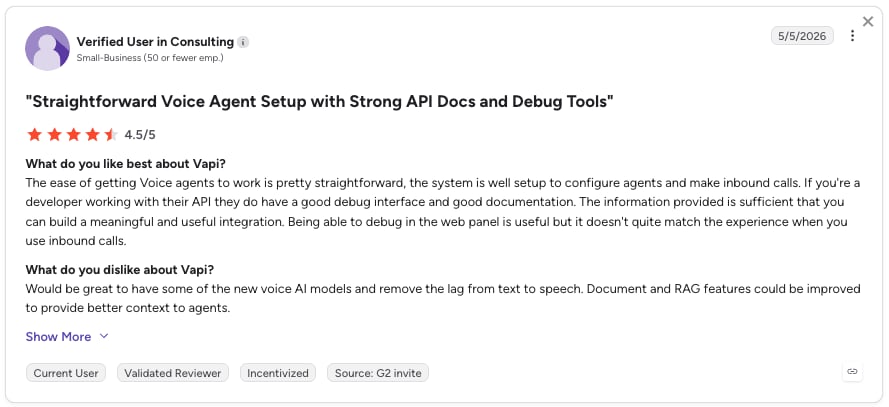
Users praise Vapi for its affordability, flexible configuration options, and easy setup and integrations. However, reviewers point to unpredictable latency, a complex dashboard that requires technical knowledge, and some functional limitations.
G2 rating: Vapi has very few G2 reviews across its two profiles. One has a 4.2/5 rating from 3 reviews, while the other has 3/5 from 3 reviews. This is likely due to its developer-focused API offering.
Pros and Cons of Vapi Based on G2 Reviews
| Pros | Cons |
|---|---|
| Affordable and flexible: Users appreciate the low cost and wide range of provider integrations and configuration options. | Unpredictable latency: One reviewer reports response delays ranging from under a second to 4 to 5 seconds, affecting reliability. |
| Easy to set up: Reviewers find the platform straightforward to learn, with basic voice bots possible after minimal guidance. | Complex dashboard: Some users find the interface overwhelming and say understanding its many options requires developer knowledge. |
| Easy integrations: Users appreciate how simple it is to connect Vapi with other tools and get started. | Some functionality limitations: One reviewer mentions that certain capabilities are still limited. |
15. Bland AI: Best for Large-Scale Outbound Calling Automation
What Is Bland AI?
Bland AI is an API-first voice AI platform built for high call volumes. Its per-minute rate covers the LLM, speech-to-text and text-to-speech, so it suits teams running large outbound campaigns with technical help.
What Are the Key Features of Bland AI for Real Estate?
- Outbound at scale: 10 concurrent calls on Start, 50 on Build and custom concurrency on Enterprise.
- Conversation design: Conversational Pathways and knowledge bases for scripted and open-ended calls.
- Telephony: Bring your Twilio account or SIP trunk, or use Bland's Twilio at pass-through cost.
- Transfers: Transfer time is billed per minute ($0.05 on Start, $0.04 on Build).
- Compliance: SOC 2 Type II, plus HIPAA with a BAA on Enterprise.
What Is Bland AI Missing?
These are some of the reasons teams might consider Bland AI alternatives:
- Daily caps on self-serve plans: 100 calls a day on Start and 2,000 on Build.
- Key features gated: The plan table lists live and warm transfers, the appointment scheduling node and in-call texts for Enterprise.
- Per-call pricing: Costs increase as call volume grows, making expenses harder to predict during busy periods.
What Is Bland AI Best For?
Large real estate operations and lead-generation teams that run thousands of outbound calls a day and have developers to build and monitor them.
How Much Does Bland AI Cost?
Bland AI pricing starts at $0.14 per minute with no platform fee on Start, or $0.12 per minute plus a $299 monthly platform fee on Build; Enterprise is custom.
| Plan | Price | What's included | Overage |
|---|---|---|---|
| Start | $0.14/minute, $0 platform fee | 10 concurrent calls, 100 calls/day, 10 knowledge bases | $0.05/transfer minute |
| Build | $0.12/minute plus $299/month | 50 concurrent calls, 2,000 calls/day, 50 knowledge bases | $0.04/transfer minute |
| Enterprise | Custom | Volume-sized concurrency, BAA, SSO, data residency | Custom |
What Do Customers Say About Bland AI?
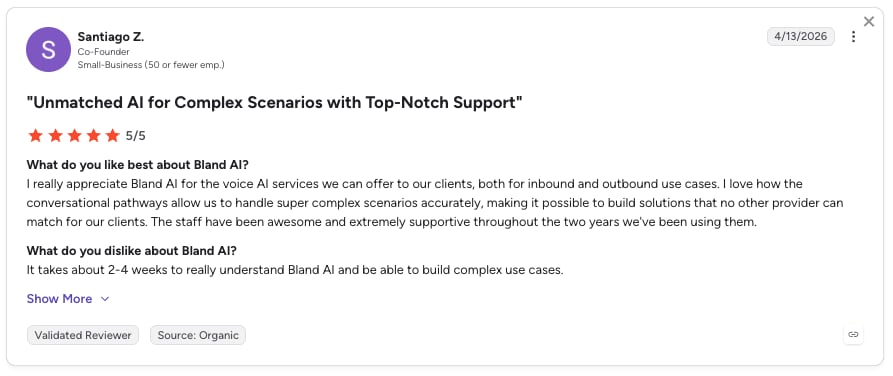
Bland AI customers highlight its ease of use and powerful conversational voice capabilities, but note a learning curve and complexity when moving beyond basic use cases.
G2 rating: 5/5 from 11 reviews.
Pros and Cons of Bland AI Based on G2 Reviews
| Pros | Cons |
|---|---|
| Easy to use and set up: Users praise the straightforward setup and accessible tools for building voice agents. | Difficult to fine-tune voice behavior: Getting the desired responses can require repeated prompt adjustments. |
| Powerful voice agent capabilities: Reviewers appreciate the ability to build complex agents and handle natural, engaging conversations. | Interface could be more intuitive: Some users find the platform less user-friendly, although support and product improvements have helped. |
| Easy integrations: Users value the ability to connect Bland with public APIs and other tools. | Complex configuration: Building and managing more advanced agents can require extra time and training. |
Best AI Voice Agents for Property Management and Lettings
The best AI voice agent for property management depends on how you handle tenant calls, maintenance requests, and viewing bookings. Some teams need a reliable way to answer calls after hours and escalate emergencies, while others want to automate tenant communication or build custom workflows around their property management software.
Here are the tools worth considering:
| AI voice agent | Best for |
|---|---|
| CloudTalk | 24/7 call answering, tenant inquiries, viewing bookings, and urgent call transfers |
| Smith.ai | Combining AI call handling with human receptionist support |
| Voiceflow | Building custom conversational agents for tenant communication |
| Vapi | Developing custom voice agents with flexible integrations and workflows |
What to Look for
- Does it escalate urgent requests? Recognize issues such as leaks, heating failures, and lockouts, then transfer them to an on-call person.
- Does it book property viewings? Check availability and schedule appointments in the right calendar.
- Does it answer tenant questions? Use your knowledge base to provide accurate information about rent, pet policies, maintenance procedures, and application steps.
- Does it connect with your existing software? Check for native integrations with your property management platform, or find out how call summaries and captured details can reach your system.
How Much Do AI Voice Agents for Real Estate Cost?
Usage-based AI voice agents cost about $0.04 to $0.14 per minute before telephony and model fees, and bundled plans run from about $95 to $1,000 a month. Enterprise contact centers charge per seat ($75 to $240 per user per month at Genesys) or by quote. Based on the 15 tools above, checked on November 3, 2026, the base price rarely matches the real monthly bill.
Pricing for AI voice agents in real estate follows one of four models:
- Per-minute pricing: Pay only for talk time (Amazon Connect, Vapi, Bland AI). Cheap at low volume, but busy seasons push the bill up fast.
- Bundled minutes or calls: A flat monthly fee with an allowance and overage (CloudTalk, ElevenLabs, Smith.ai, CallRail).
- Per-user (seat-based): Pay per agent regardless of volume (Genesys, Twilio named users).
- Enterprise or custom: Quote-only contracts for dedicated infrastructure, compliance or launch support (Five9, Synthflow, Thoughtly, Lofty).
Watch for hidden costs before you sign:
- Overage: What does each extra minute or call cost once the allowance runs out?
- Model and voice fees: Developer platforms pass through LLM, voice and transcription costs on top of the hosting rate.
- Telephony, API and CRM charges: Numbers, carrier minutes, heavy API use and extra CRM connections are often billed separately.
- Compliance add-ons: A BAA or HIPAA handling can sit on a higher tier or cost extra (Vapi charges $2,000 a month).
Key Benefits of AI Voice Agents for Real Estate
AI voice agents can help real estate teams respond to more inquiries, qualify leads faster, and spend less time on repetitive calls. Here are six ways they can improve your daily calling workflow.
24/7 Response to After-Hours Calls
Property searches don't stop when the office closes. Buyers often call about listings in the evening or over the weekend, when agents may not be available. An AI voice agent for after-hours call handling can answer these calls, collect contact details, ask about the property they're interested in, and send a summary to the right agent. This means fewer missed opportunities and faster follow-ups when the team is back online.
Automated Lead Qualification and Pre-Screening
Not every inquiry is ready to become a sale. An AI voice agent can ask potential buyers about their budget, preferred location, property requirements, and purchase timeline. It can also ask sellers about their property and plans. This gives agents useful context before they call back, helping them prioritize serious prospects instead of spending time on basic screening questions.
Property Information From a Knowledge Base
Buyers and renters often have questions about a property's price, square footage, availability, amenities, or HOA fees. An AI voice agent can answer using information from approved listings, documents, and website content. This helps callers get quick answers without waiting for an agent. Just keep in mind that access to live MLS data usually requires a dedicated integration or custom setup.
Fast Appointment Scheduling and Reminders
Coordinating property viewings can take several calls and messages between buyers, agents, and property owners. An AI voice agent connected to a calendar can check availability and book a showing while the caller is still on the phone. This reduces back-and-forth and makes it easier to turn an initial inquiry into an actual appointment. Depending on the platform, reminders and rescheduling may require additional configuration.
Multilingual Support for Diverse Markets
Real estate teams often work with international buyers, expats, and clients who prefer speaking another language. An AI voice agent that supports multiple languages can answer inquiries and collect details without requiring a multilingual agent to be available for every call. Check not only the number of supported languages, but also how naturally the agent handles different accents and switches between languages.
Instant CRM Updates and Call Summaries
After a busy day of calls, manually updating the CRM can become a time-consuming task. AI voice agents can record and transcribe conversations, summarize key details, and pass information to connected systems. Agents can then see what a caller needs, which property they're interested in, and what follow-up is required without listening to the entire recording or entering everything by hand.
Can AI Voice Agents Make Outbound Real Estate Calls? Consent and Compliance
Yes, but outbound AI calling carries more legal risk than answering inbound calls. In the US, the FCC ruled in February 2024 that AI-generated voices count as “artificial” voices under the Telephone Consumer Protection Act (TCPA), so the TCPA’s consent rules for artificial or prerecorded voice calls apply to them (FCC announcement). In practice, you need the right prior consent before an AI voice calls a lead.
Here’s what makes outbound different:
- Consent: Marketing calls with an AI voice need prior express written consent from the person you call. That consent has to authorize AI or artificial-voice calls to that specific number and state that consent isn’t a condition of purchase. A generic “we may contact you” checkbox won’t cover it. Informational calls, like showing reminders or appointment confirmations, need prior express consent, which is a lower bar. Either way, record how and when each lead opted in. You can learn more in our CloudTalk TCPA guide.
- Do-not-call lists: Scrub your lists against the National Do Not Call Registry, state lists and your internal opt-outs before every campaign.
- Calling windows: US telemarketing rules limit calls to 8 a.m. to 9 p.m. in the recipient’s local time (FTC Telemarketing Sales Rule). Some states set tighter windows, so check where your leads live.
- Disclosure and opt-out: Name your business at the start of the call and give a callback number. Marketing calls also need an automated opt-out within two seconds of that introduction, and you have to honor opt-outs within 10 business days (FCC rules). Most teams also tell people up front that they’re talking to AI.
- Spam labels: High-volume outbound gets numbers flagged as “Spam Likely,” and that tanks your answer rates. Register your numbers (Numeracle add-on) and use branded caller ID so people see who’s calling.
Outside the US, the rules differ. In the UK, PECR requires specific consent for automated marketing calls, and TPS screening only covers live calls (ICO guidance).
How to Choose the Right AI Voice Agent for Your Real Estate Business
Choosing an AI voice agent is a bit like hiring a new team member: you want one that fits your workflow, not the flashiest demo. Start with your main use case (inbound listing calls, lead qualification or outbound follow-up), then work through these checks.
Look for Named CRM and MLS Integrations
"Integrates with your CRM" means little. Ask which CRMs connect natively, what data syncs (summary, transcript, custom fields) and whether MLS or listing data is live or uploaded. Follow Up Boss users in particular should confirm support before signing.
Test for Natural, Human-Like Conversation
Call the agent yourself, interrupt it mid-sentence, ask an awkward question and listen for repeated questions or slow pacing. Early versions often sound scripted, so judge the tuned version, not the first draft.
Check Inbound and Outbound Capabilities
Some tools only answer, some only dial and some do both on separate setups. If you need both, ask whether inbound and outbound share one agent, one price and one setup.
Make Sure It Books and Reschedules Appointments
Confirm calendar integrations, how many calendars one agent can book into and whether rescheduling works as smoothly as the first booking.
Don't Overlook Handoff and Compliance
Hot leads and urgent tenant calls should reach a person with the context intact. For outbound, check consent logging, opt-outs and calling-hours controls against the rules above.
Confirm Transparent Pricing Before You Commit
Several platforms on this list quote prices only after a sales call. Ask for the full rate card, including overage, model fees and telephony, and price it against your real monthly call volume.
Test Before You Commit
Run the agent on your real number for a week: check voice quality, recovery from interruptions, CRM entries and, if you need them, other languages. Review the call logs before you widen the rollout.
How Do You Set Up an AI Voice Agent for Real Estate?
Rolling out an AI voice agent works best in phases, not as a single switch-over. Here is the rollout that works for most teams:
- Start with one low-risk call type: After-hours inbound is the easiest place to begin, before outbound or complex workflows.
- Tune the greeting and pace: Early versions often sound scripted; adjust the greeting, speed and questions until callers stay on the line.
- Listen to the first 10 to 20 calls together: Review them as a team before you trust the agent unsupervised.
- Define escalation rules: Urgent maintenance requests and high-value listings should always route to a person.
- Review call logs weekly for 30 days: Check summaries and CRM entries to catch gaps early.
- Train the team to use the summaries: The biggest wins come when agents treat AI summaries and qualification data as their starting point.
What Do Real Estate Agents Say About AI Voice Agents on Reddit?
Review sites show you what a vendor chose to publish. Reddit shows you what an agent ran into last week. These r/RealEstateTechnology threads echo the same points real estate teams raise with us:
- AI is a productivity tool, not a replacement. Most agree AI is best for repetitive tasks while agents keep the high-value conversations.
- Missed-call follow-up delivers immediate value. Users point to AI texting after missed calls, answering FAQs, scheduling callbacks and booking appointments as the most useful features.
- Integration with existing workflows is essential. CRM, MLS, calendars and lead databases need to work together, and several commenters say current real estate stacks still require custom integrations.


Which AI Voice Agent Should You Choose for Your Real Estate Team?
The best AI calling agent for real estate depends on your team size, the calls you handle, and how much you want to automate. Here’s which tools to consider for the most common use cases.
For Solo Agents and Small Real Estate Teams
- Choose CloudTalk if you also need a business phone system, with AI call answering, showing bookings, CRM summaries, and room to grow. You can start with 50 free AI minutes.
- Consider Smith.ai if you want AI call handling with human receptionist backup.
- Choose Thoughtly if you want to build custom no-code call workflows and already have a phone line.
For Brokerages and Multi-Office Teams
- Choose CloudTalk if you need call routing across teams, CRM integrations, and AI agents without a complex enterprise rollout.
- Consider Five9 or Genesys Cloud CX for enterprise contact center features, advanced routing, and reporting.
- Explore Amazon Connect if you have developer resources to build and manage a custom setup.
For Lead Qualification and Showing Scheduling
- Choose Structurely or Thoughtly if lead qualification and nurturing are your main priorities.
- Consider CloudTalk if you want to book showings, capture caller details, and route qualified leads using configured AI workflows. Its AI Receptionist handles inbound calls, while more advanced qualification requires an AI Specialist setup.
For Outbound Lead Follow-Up
- Choose Bland AI or Vapi if you need outbound calling at scale and have the technical resources to configure custom workflows.
- Consider CloudTalk’s AI Specialist if you want to automate outbound follow-ups as part of your existing business phone system. Check the plan requirements before getting started.


FAQs About AI Voice Agents for Real Estate
An AI voice agent for real estate is software that answers or places calls and holds a two-way conversation. It understands what the caller says, asks follow-up questions and takes an action, such as booking a showing or updating a CRM record. Real estate teams use it for after-hours inquiries, qualification and tenant calls.
It depends on your needs. CloudTalk is best if you also need a phone system and inbound receptionist; Thoughtly suits no-code builds; Bland AI handles outbound at scale; and Lofty fits teams that want an AI ISA inside a real estate CRM. The comparison table at the top shows prices and ratings side by side.
Yes, once you configure your questions: budget, timeline, financing and property preferences. The agent then transfers hot leads to an agent and logs the rest in the CRM for follow-up.
Most connect to common CRMs, but MLS connections are rare. CloudTalk offers 100+ integrations, with AI notes pushed to HubSpot, Pipedrive and Zoho. Thoughtly syncs two-way with HubSpot, Salesforce and Zoho, and Lofty runs its own real estate CRM and IDX website.
Usage-based tools cost about $0.04 to $0.14 per minute before telephony and model fees, and bundled plans run from about $95 to $1,000 a month. Watch overage, telephony and compliance add-ons. CloudTalk's AI Receptionist starts free with 50 minutes, then €99 a month for 200 minutes.
Yes, with the right setup and consent. In the US, AI voices count as artificial voices under the TCPA, so you need prior consent, do-not-call scrubbing and calling-hours controls. Use our TCPA compliance checklist to understand the requirements before launching your campaigns and ask your counsel first.
It depends on the country and on consent. In the US, the FCC treats AI-generated voices as artificial voices under the TCPA, so calling without the required prior consent breaks the law, and do-not-call lists still apply. Other countries have their own rules. This isn't legal advice, so check with your counsel.
Look for inbound triage, routing and booking. CloudTalk's AI Receptionist answers 24/7, books showings into Google or Outlook and transfers to your team, on a full phone system. Smith.ai suits brokerages that want a human receptionist available behind the AI.
Yes. AI voice agents handle after-hours maintenance requests, rent questions and viewing bookings, and route urgent calls to a person. CloudTalk's AI Receptionist, Smith.ai, Voiceflow and Vapi all fit. Verify the integration with your property management software before you commit.
Yes, when it is connected to your calendar. CloudTalk's AI Receptionist books into Google or Outlook calendars, with one calendar and one appointment length per agent. Rescheduling and reminders vary by tool, so test them before you rely on them.
Most do, but coverage and accents vary. Check the language list and test the accent your callers expect. CloudTalk supports 70+ languages and accents, Thoughtly lists 34+ languages and ElevenLabs lists 70+ for its latest speech model.
A basic inbound receptionist takes minutes to hours to set up. CRM connections, qualification flows and outbound campaigns take days or weeks, and enterprise platforms such as Synthflow or Five9 run longer rollouts. Budget time to tune the greeting and pace before full launch.