10 Best Call Center Software for Real Estate Firms in 2026
TLDR: 5 Best Call Center Platforms for Real Estate Teams in 2026?
- 01CloudTalk — best overall for AI call intelligence, parallel dialing, and deep CRM integration
- 02Nextiva — best for unified communications across VoIP, video, SMS, and team chat
- 03KrispCall — best for international real estate agencies needing global numbers
- 04Genesys Cloud CX — best for enterprise real estate firms needing omnichannel and workforce management
- 05MightyCall — best for small local brokerages needing simple routing and monitoring
- 06Talkdesk — best for AI-driven enterprise CX teams needing omnichannel automation
- 07JustCall — best for outbound-heavy prospecting teams using SMS and predictive dialers
- 08Aircall — best for integration-focused real estate agencies using Salesforce and HubSpot
- 09RingCentral — best for multi-location real estate networks needing UCaaS and CCaaS
- 10Grasshopper — best for solo real estate agents needing a lightweight virtual phone system
What Is Call Center Software for Real Estate Firms?
Call center software for real estate firms is a cloud-based VoIP and CCaaS system that manages inbound and outbound calls, routes listing inquiries using IVR and skill-based routing, and tracks every interaction in a shared workspace.
It shows which lead was called, what was discussed, and what follow-up action is required inside the brokerage workflow.
Most real estate call center platforms support four core functions:
- Route listing and buyer inquiries to the right agent based on location, language, or department
- Record calls for coaching, compliance, and dispute prevention
- Track missed calls, response time, and agent activity
- Sync call history and call outcomes into CRMs like HubSpot and Salesforce
For real estate teams, call center software turns daily phone traffic into a structured sales process with measurable lead response performance.
A brokerage without structured IVR routing, call recording, and analytics operates below the operational standard of 2026.
Whether your team manages daily listing inquiries or runs weekly outbound prospecting campaigns, modern VoIP and CCaaS platforms improve response speed, log every interaction, and increase agent accountability.
Let's find the right fit for your brokerage.
How We Chose the Best Call Center Software for Real Estate Firms in 2026?
We chose the best call center software for real estate firms in 2026 by evaluating how well each platform supports real estate sales workflows, IVR routing, outbound dialing, CRM integrations with HubSpot and Salesforce, AI transcription, and analytics reporting.
To build this list, we reviewed leading VoIP and CCaaS platforms and selected the 10 that deliver the strongest operational value for brokerages and property management teams.
We focused on criteria that directly impact revenue performance.
Only platforms that support structured inbound listing workflows and outbound prospecting met our 2026 evaluation standard.
Why Trust CloudTalk's Reviews?
We've helped over 30,000 professionals choose better communication tools and reviewed 200+ software products across sales, support, and contact center categories.
We based our software recommendations on thousands of verified reviews from G2, Capterra, Gartner, and TrustRadius, plus real feedback from Reddit and Quora.
Our goal is simple: give you an honest shortlist of business telephone recording systems that are actually worth considering, based on real use cases, not marketing claims.
Learn how we keep our content integrity and our software review methodology.
Best Call Center Software for Real Estate Firms at a Glance
Before diving into full reviews, the comparison table below helps you shortlist tools fast.
Comparison Table: Best Call Center Software for Real Estate Firms
| Platform | Best For | Key Strength | Starting Price |
|---|---|---|---|
| 1. CloudTalk | Scaling real estate sales teams | AI call intelligence + parallel dialing | $19/user/month |
| Nextiva | Unified communication brokerages | VoIP + video + chat in one platform | $15/user/month |
| KrispCall | International real estate agencies | Global numbers + Unified Callbox | $12/user/month |
| Genesys Cloud CX | Enterprise property operations | Predictive routing + WEM | $75/user/month |
| MightyCall | Small local brokerages | Simple routing + monitoring | $20/user/month |
| Talkdesk | AI-driven enterprise CX teams | Omnichannel automation | $85/user/month |
| JustCall | Outbound prospecting teams | Dialers + SMS + WhatsApp | $29/user/month |
| Aircall | CRM-centric agencies | Smartflows + 100+ integrations | $30/user/month |
| RingCentral | Multi-location real estate networks | UCaaS + CCaaS platform | $20/user/month |
| Grasshopper | Solo real estate agents | Lightweight virtual system | $14/user/month |
Below are short provider descriptions followed by specific real estate use cases that match real workflows and brokerage priorities.
1. CloudTalk
What is CloudTalk?
CloudTalk is a cloud-based VoIP phone system with a built-in AI voice agent designed for sales and customer service teams to manage inbound/outbound calls, featuring 80+ advanced tools, 160+ international phone numbers, and CRM integrations (HubSpot, Salesforce). It improves productivity with AI-powered conversation intelligence, automated workflows, and parallel dialing.
Who Is CloudTalk For?
CloudTalk is an ideal phone system for growing, mid-sized businesses. It is typically deployed to support sales teams with outbound calling and customer service operations with inbound calling.
What Are CloudTalk's Key Features?
- Advanced Dialers (power, preview, and parallel dialing modes)
- Smart Call Routing & IVR (skill-based, preferred-agent, visual designer)
- Global Voice Coverage (local, mobile, and toll-free numbers in 160+ countries)
- Live Call Monitoring & Coaching (listen-in, whisper, barge)
- CRM & Helpdesk Integrations (Salesforce, HubSpot, Zendesk, and more)
- Call Recording & Transcripts
- Real-Time & Historical Analytics
- AI Voice Agents (AI Receptionist, AI Specialist)
What Are CloudTalk's Pros & Cons?
| Pros | Cons |
|---|---|
| Easy to use and intuitive interface | Advanced AI features require higher-tier plans |
| Reliable call quality and performance | Full setup and routing design may take initial planning time |
| Robust calling features and advanced dialers | |
| Seamless CRM and helpdesk integrations | |
| Comprehensive analytics and real-time monitoring |
What Is CloudTalk's Pricing?

CloudTalk Pricing: starts at $19/user/month, billed annually (LATAM only)
CloudTalk G2 Rating: 4.4/5
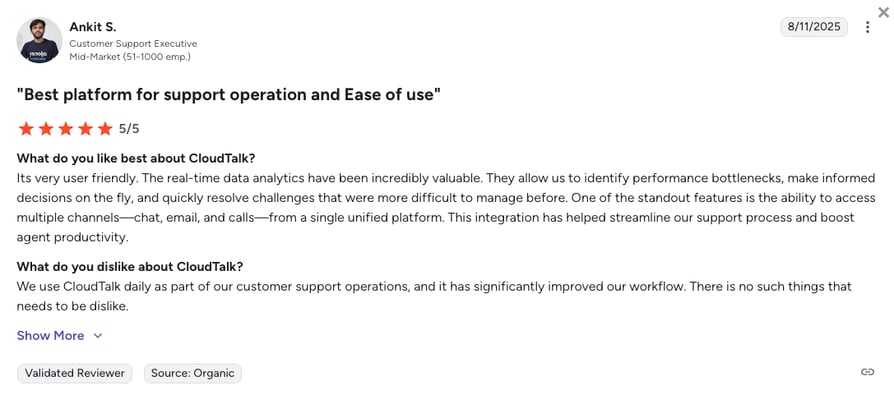
What Do Users Say About CloudTalk?
Fix Your Outreach in One Demo
2. Nextiva
What Is Nextiva?
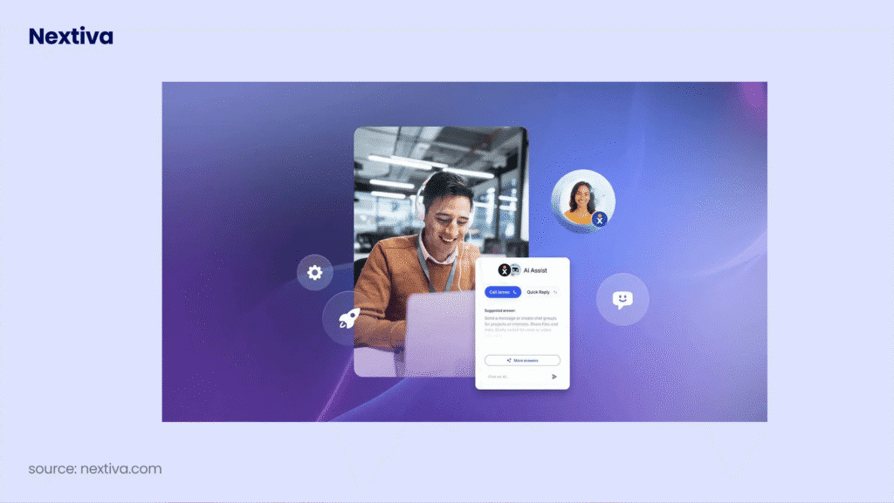
Nextiva is a unified communications platform that combines VoIP, video conferencing, SMS, and team chat with CRM links.
Who Is Nextiva For?
To ensure operational efficiency, businesses require an enterprise phone system that is robust, secure, and reliable. This system should function seamlessly across all devices and offer advanced capabilities, including mobile applications, video conferencing, and call recording.
What Are Nextiva's Key Features?
- Unified Communications: Combines VoIP calls, video conferencing, team chat, SMS, email, and social media into one app.
- Omnichannel Platform: Consolidates all customer messages (voice, text, chat, social) into a single inbox for complete conversation history.
- AI & Automation: Uses AI for tasks like voicemail transcription, call summarization, and intelligent routing.
- Customer Experience (CXM): Focuses on improving the entire customer journey with tools for personalized engagement.
- Integrations: Connects with popular tools like Salesforce, HubSpot, and Microsoft Teams.
- Analytics: Provides detailed reporting on call data, agent performance, and customer activity
What Are Nextiva's Pros and Cons?
| Pros | Cons |
|---|---|
| Integrates voice, video, chat, and CRM in one platform | Some users report customer support responsiveness issues |
| High customer satisfaction (4.7/5 Trustpilot rating) | Learning curve due to extensive features |
| Reliable 99.999% uptime guarantee | Pricing may be higher than some competitors |
| User-friendly desktop and mobile apps | Limited international calling on certain plans |
| Scalable for a range of business sizes |
What Is Nextiva's Pricing?

Nextiva Pricing: starts at $15/user/month, paid annually
Nextiva G2 Rating: 4.5/5
3. KrispCall
What Is KrispCall?
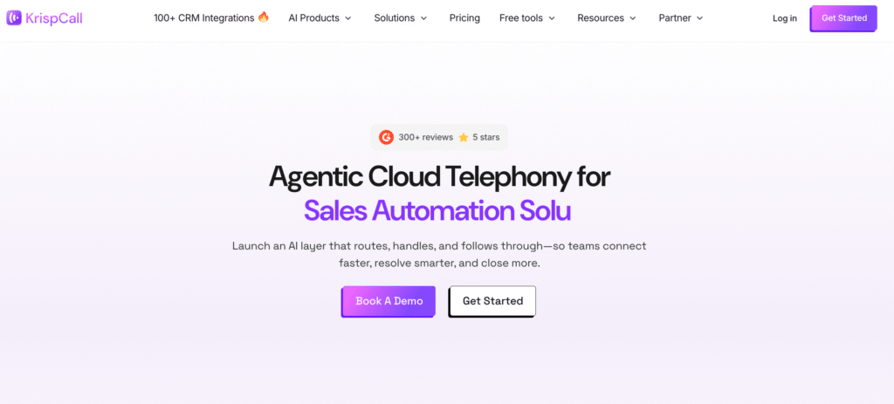
KrispCall is a cloud telephony system offering global virtual numbers, unified call handling, and CRM synchronization.
Who Is KrispCall For?
KrispCall is best for international and globally distributed businesses that need cloud-based telephony with local presence in multiple countries and unified call handling.
What Are KrispCall's Key Features?
- Unified Callbox: Centralizes calls, voicemails, SMS, and notes for streamlined communication.
- Global Virtual Numbers: Provides local, toll-free, and international numbers in over 100 countries.
- AI-Powered Call Management: Includes intelligent call routing, voice transcription, and automated follow-ups.
- CRM Integrations: Seamlessly connects with platforms like HubSpot, Salesforce, and Pipedrive.
- Advanced Call Management: Offers multi-level IVR, call queueing, and custom voicemail greetings.
What Are KrispCall's Pros & Cons?
| Pros | Cons |
|---|---|
| Unified Callbox improves team efficiency | Advanced AI features not in Starter plan |
| Global virtual numbers in 100+ countries | Some integrations (Slack, WhatsApp) are in beta |
| Seamless CRM integrations (e.g., HubSpot, Salesforce) | No built-in video conferencing |
| Advanced call management (IVR, call routing) | Not ideal for large contact centers (500+ seats) |
| Cross-platform access (iOS, Android, desktop, web) | Limited availability of some new features and integrations |
What Is KrispCall's Pricing?
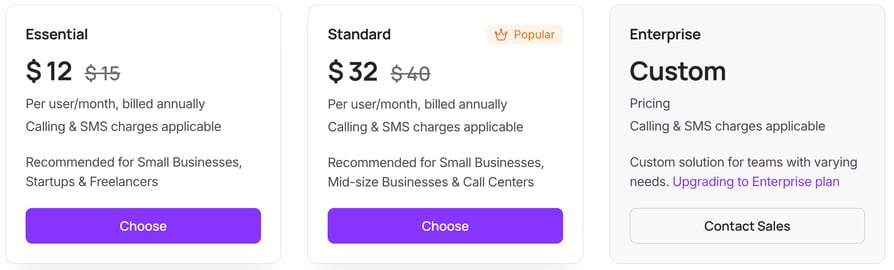
Krispcall Pricing: starts at $12/user/month, paid annually
Krispcall G2 Rating: 4.5/5
Recommended Reads
4. Genesys

What Is Genesys Cloud CX?
Genesys Cloud CX is an enterprise-grade CCaaS platform with omnichannel contact management, predictive routing, and workforce engagement tools.
Who Is Genesys Cloud CX For?
Genesys is a suitable solution for large enterprises with complex customer service needs that require advanced features like predictive routing, workforce engagement management, and omnichannel capabilities.
What Are Genesys Cloud CX's Key Features?
- Omnichannel Communication - Seamlessly manages interactions across voice, email, chat, and social media.
- AI-Powered Automation - Uses AI for predictive routing, virtual agents, and real-time analytics.
- Workforce Engagement Management - Includes scheduling, performance analysis, and employee engagement tools.
- Customer Journey Management - Coordinates and analyzes customer interactions across multiple touchpoints.
- Cloud-Native Architecture - Delivers scalability, security, and reliability in a cloud-based platform.
What Are Genesys Cloud CX's Pros & Cons?
| Pros | Cons |
|---|---|
| Comprehensive omnichannel support for seamless customer interactions | Complexity in initial setup and configuration for new users |
| Native AI capabilities for predictive insights and automation | Potentially high costs for small businesses due to feature-rich plans |
| Scalable cloud-native architecture ensuring high availability | Dependence on internet connectivity for cloud-based operations |
| Integrated workforce engagement tools to boost employee productivity | Learning curve associated with advanced AI and analytics features |
| Robust real-time reporting and analytics for better decision-making | Some advanced tools may require additional training for effective use |
What Is Genesys Cloud CX's Pricing?

Genesys Pricing: starts at $75/user/month, paid annually
Genesys G2 Rating: 4.4/5
Recommended Reads
5. MightyCall

What Is MightyCall?
MightyCall is a simple cloud VoIP phone system with call routing, voicemail, and CRM integrations suitable for local teams.
Who Is MightyCall For?
MightyCall is best for small and local businesses that need a simple, affordable cloud-based call management system with essential routing and CRM connectivity.
What Are MightyCall's Key Features?
- Advanced Call Routing - Customize how calls are distributed and ensure they reach the right person or department.
- Auto Dialers - Includes predictive, progressive, and preview dialers to optimize outbound calling campaigns.
- Live Call Monitoring - Supervisors can listen, whisper, or join live calls for better agent coaching and support.
- Voicemail to Text - Automatically transcribes voicemails into text for easy review and follow-up.
- CRM Integrations - Seamlessly connects with leading CRM platforms like Salesforce, Zoho, and HubSpot.
What Are MightyCall's Pros & Cons?
| Pros | Cons |
|---|---|
| User-friendly interface and easy setup | Occasional call quality issues (e.g., dropped calls, connection problems) |
| Comprehensive call management and routing features | Some advanced features only available in higher-tier plans |
| High-quality customer support and live onboarding | Limited international calling and integrations with niche tools |
| Flexible plans for different business sizes | Reporting and analytics are less advanced compared to some competitors |
| Integrations with leading CRM platforms (like Salesforce, Zoho, HubSpot) | Mobile app is less feature-rich than the desktop version |
What Is MightyCall's Pricing?
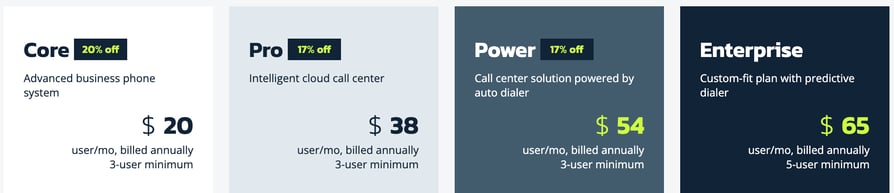
Mightycall Pricing: starts at $20/user/month, paid annually
Mightycall G2 Rating: 4.4/5
Recommended Reads
6. Talkdesk
What Is TalkDesk?
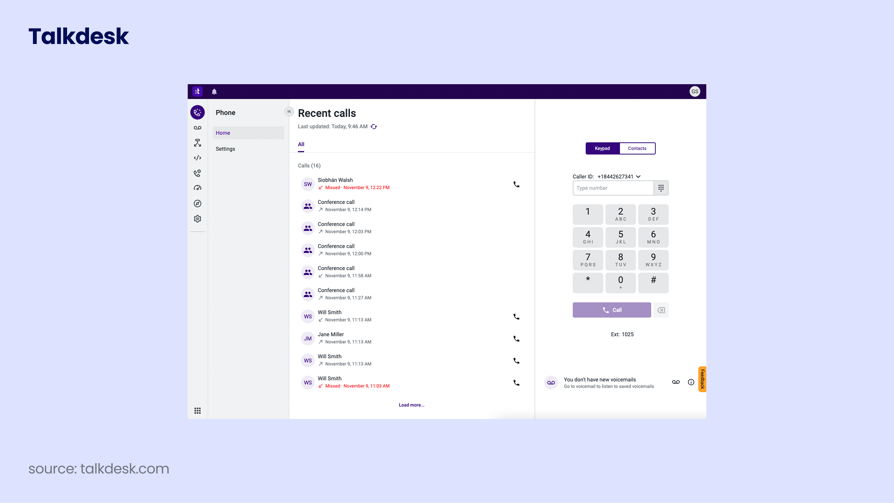
Talkdesk is an AI-powered contact center platform with omnichannel support and advanced analytics.
Who Is TalkDesk For?
Talkdesk is a flexible and scalable contact center solution, making it a strong option for businesses of any size. It particularly benefits organizations seeking extensive integrations and powerful analytics tools.
What Are TalkDesk's Key Features?
- AI-Powered Automation - Automates tasks like call routing, ticket categorization, and sentiment analysis to boost efficiency.
- Omnichannel Engagement - Handles voice, email, chat, SMS, and social media in a single agent interface.
- Customer Self-Service - Uses AI-driven virtual agents and intelligent IVR for customers to solve common issues on their own.
- Workforce Management - Offers predictive scheduling, real-time adherence monitoring, and performance analytics for staffing optimization.
- Knowledge Management - Delivers AI-powered knowledge tools to provide fast, accurate answers during customer interactions.
What Are TalkDesk's Pros & Cons?
| Pros | Cons |
|---|---|
| User-friendly interface that shortens the learning curve for new users. | Pricing may be higher compared to some competitors, which could be a concern for smaller businesses. |
| Advanced analytics provide deep insights for data-driven decisions. | Some users report occasional technical issues and outages. |
| Seamless integration with popular CRM systems like Salesforce and Zendesk. | Limited customization options compared to some competitors. |
| Reliable performance with high availability and robust security measures. | Complexity in advanced features may require extensive training for full utilization. |
| Supports omnichannel customer interactions across phone, email, chat, and social media. | Dashboards and reporting need more flexibility and faster performance. |
What Is TalkDesk's Pricing?
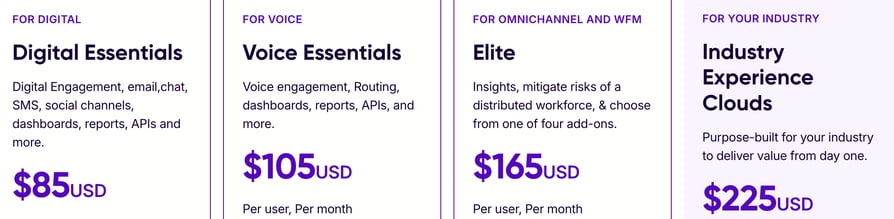
Talkdesk Pricing: starts at $85/user/month
Talkdesk G2 Rating: 4.4/5
Recommended Reads
7. JustCall
What Is JustCall?
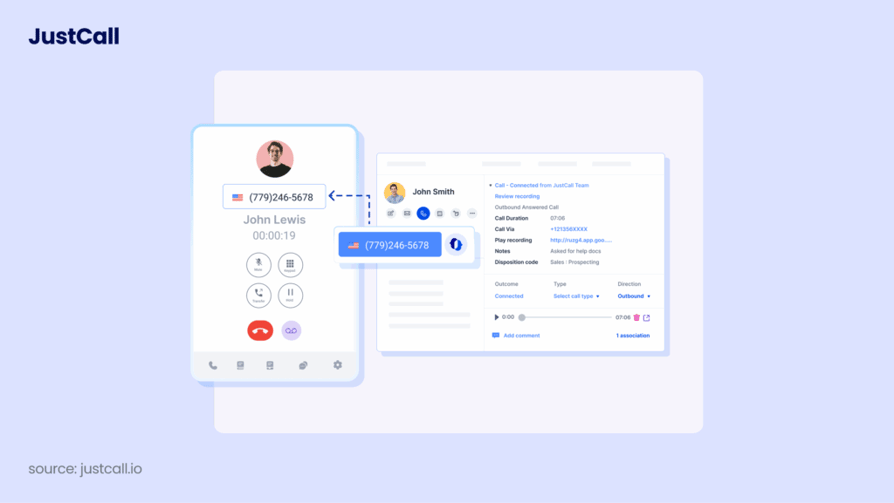
JustCall is a cloud phone system with predictive, power, and automated dialers and strong CRM integrations.
Who Is JustCall For?
Justcall is best suited for small and medium-sized businesses that need a reliable phone system with advanced features. Its integrations with popular CRM and helpdesk platforms make it a great choice for sales and customer service teams.
What Are JustCall's Key Features?
Cloud-Based Phone System: Make and receive calls from anywhere using any device.
- Call Recording and Transcription: Automatically records and transcribes calls for quality assurance and training.
- CRM Integration: Seamlessly connects with platforms like Salesforce, HubSpot, and Zoho.
- SMS and MMS Messaging: Supports manual and automated text messaging for customer communication.
- IVR System: Uses Interactive Voice Response to efficiently route incoming calls.
What Are JustCall's Pros & Cons?
| Pros | Cons |
|---|---|
| Omnichannel platform integrating voice, SMS, and email | No built-in video conferencing (requires third-party tools) |
| Advanced dialing modes: auto, power, and predictive dialers | Can become costly at scale, especially with add-ons |
| AI-powered features: real-time agent assist, call transcription, analytics | Feature availability varies by pricing tier |
| Seamless CRM and helpdesk integrations | Learning curve for advanced routing and compliance |
| Intuitive, cloud-based workflow for remote/hybrid teams | Additional charges for high-volume calling or transcription |
What Is JustCall's Pricing?

JustCall Pricing: starts at $29/user/month, billed annually
JustCall G2 Rating: 4.3/5
8. Aircall
What Is AirCall?
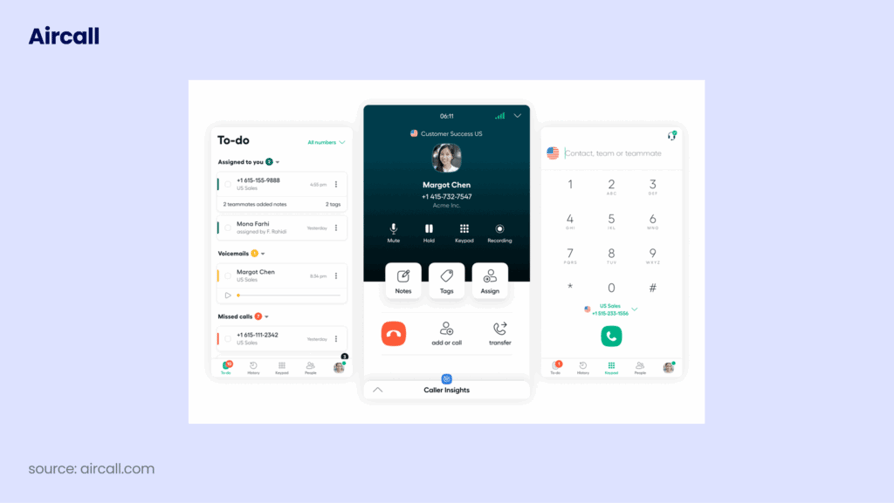
Aircall is a cloud communication platform with Smartflows IVR and 100+ integrations focused on CRM workflows.
Who Is AirCall For?
Aircall is a calling software designed mainly for small businesses that rely on phone communication for daily sales and support. However, it may not be suitable for all such businesses. If your team frequently uses smart dialers as a core part of its daily operations, you might need to explore alternative solutions.
What Are AirCall's Key Features?
- Virtual business numbers in over 100 countries
- Advanced call routing and IVR (Interactive Voice Response) via Smartflows
- Call queuing and queue callback to manage high volumes efficiently
- Call recording and coaching tools for quality assurance
- Shared inboxes and warm transfers to streamline team collaboration
What Are AirCall's Pros & Cons?
| Pros | Cons |
|---|---|
| Easy to use and set up | Occasional connection issues |
| Seamless integration with 250+ apps | Some call quality problems |
| Reliable call recording capabilities | Missing certain advanced features |
| Advanced call routing and queuing | Dialer or number assignment issues |
| Helpful analytics and reporting | Minimum 3-user requirement |
What Is AirCall's Pricing?

Aircall Pricing: starts at $30/license, billed annually
Aircall G2 Rating: 4.3/5
Recommended Reads
9. RingCentral

What Is RingCentral?
RingCentral is a global UCaaS + CCaaS platform with voice, SMS, video, and AI routing features in one app.
Who Is RingCentral For?
RingCentral is best for multi-location and enterprise-scale businesses that need unified communications and contact center capabilities in one platform.
What Are RingCentral's Key Features?
- Omnichannel support across voice, email, chat, and social media platforms
- AI-driven intelligent routing and real-time analytics for optimized customer interactions
- Workforce engagement management tools, including scheduling and performance monitoring
- Integration capabilities with leading CRM systems (e.g., Salesforce, Microsoft Dynamics)
- Advanced call management features such as IVR, call recording, and monitoring
What Are RingCentral's Pros & Cons?
| Pros | Cons |
|---|---|
| Seamless integration with over 30 communication channels, including voice, email, chat, and social media | Extensive feature set may present a steep learning curve for new users |
| AI-powered features like intelligent routing and real-time analytics improve operational efficiency | Pricing is not publicly available; requires contacting sales |
| Comprehensive workforce engagement tools, such as scheduling and performance management | Some advanced features may demand additional training or support |
| Robust security measures and a 99.99% uptime guarantee ensure reliable service | Platform's complexity can be overwhelming for smaller teams |
| Strong integration capabilities with leading CRM systems | Certain capabilities may be locked behind higher-tier plans |
What Is RingCentral's Pricing?
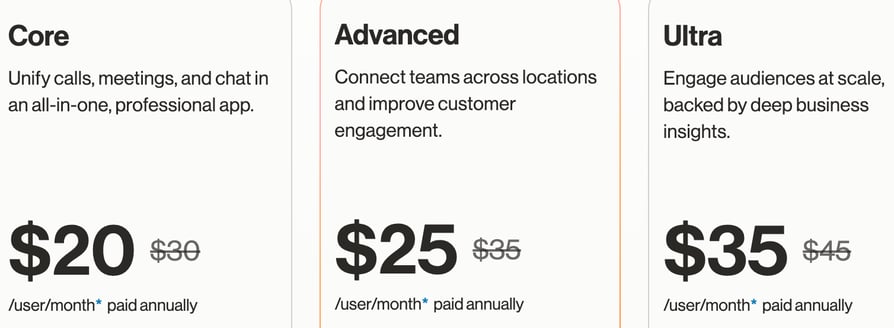
Ringcentral Pricing: starts at $20/user/month, paid annually
Ringcentral G2 Rating: 4.1/5
Recommended Reads
10. Grasshopper
What Is GrassHopper?
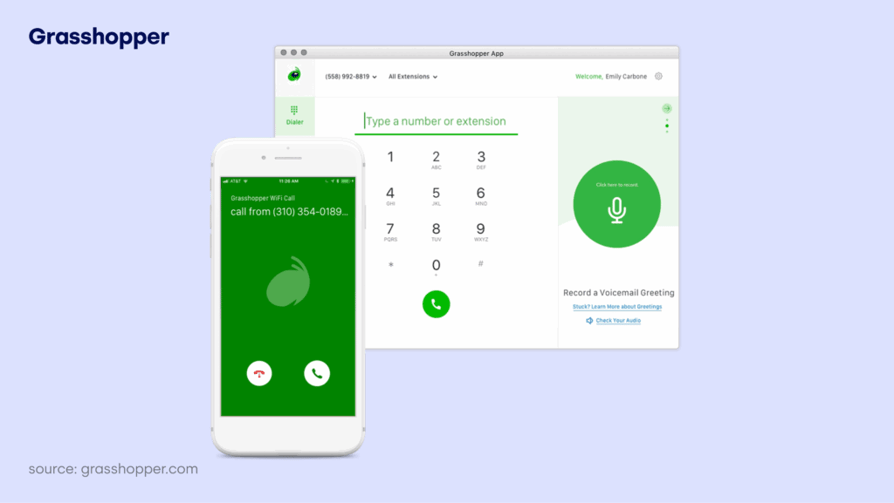
Grasshopper is a virtual phone system that separates business calls from personal calls with local, toll-free, and vanity numbers.
Who Is GrassHopper For?
Grasshopper has several limitations, including the lack of advanced dialer and analytics features. Furthermore, its international calling and texting capabilities are very limited. As a business expands, users may face challenges related to support, scalability, and the overall value proposition of the software.
What Are GrassHopper's Key Features?
- Virtual phone numbers (local, toll-free, and vanity options)
- Call forwarding to any device
- Voicemail transcription delivered to your email
- Custom greetings for a professional caller experience
- Business texting using your dedicated business number
What Are GrassHopper's Pros & Cons?
| Pros | Cons |
|---|---|
| Offers virtual phone numbers (local, toll-free, vanity) | Customer service can be slow or inconsistent |
| Easy call forwarding and custom greetings | Higher cost compared to some competitors |
| Voicemail transcription for efficient message management | Limited integrations with third-party applications |
| Simple business texting features | Occasional call drops or connection issues |
| Intuitive mobile/desktop apps for accessibility | Some features missing (e.g., advanced analytics, MMS for all numbers) |
What Is GrassHopper's Pricing?
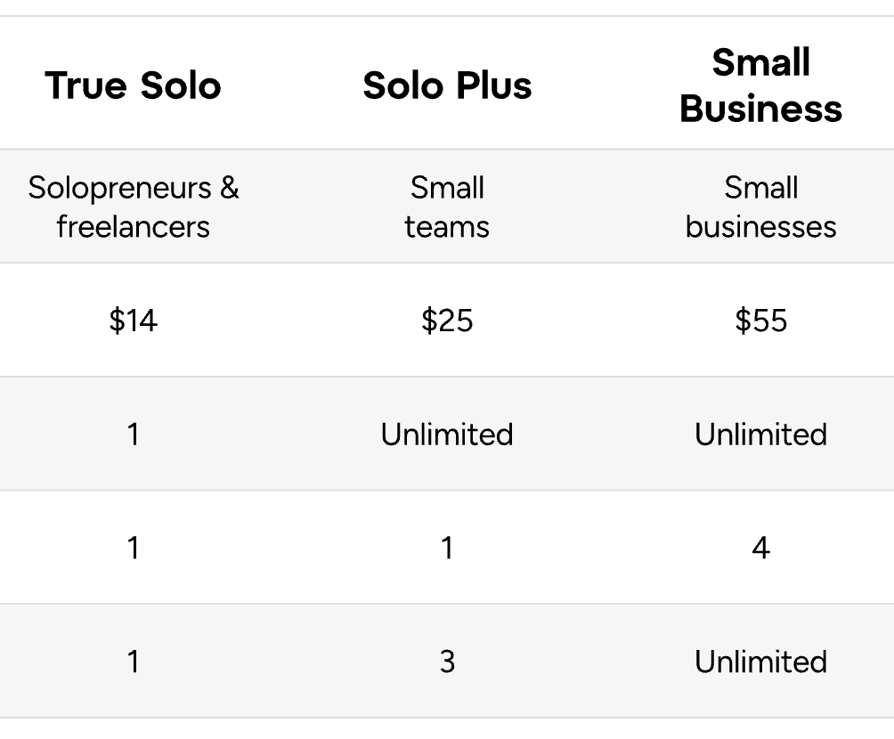
Grasshopper Pricing: starts at $14/user/month, paid annually
Grasshopper G2 Rating: 3.9/5
Recommended Reads
Never Let a Missed Call Turn Into a Missed Commission
What Types of Call Center Systems Can Real Estate Firms Choose From?
Real estate firms can choose from three call center system types: cloud-based VoIP platforms, on-premise call center systems, and mobile-only calling apps. The right option depends on how your brokerage handles inbound listing inquiries, outbound prospecting, and multi-agent call routing.
1. Cloud-Based Call Center Software
Cloud-based call center software is a VoIP and CCaaS system that stores call data in the cloud and supports remote access across desktop and mobile apps.
The main benefits are fast setup, no hardware, automatic updates, and built-in features such as call recording, IVR, call queues, and analytics dashboards. Most modern real estate teams use cloud systems because they scale across multiple agents and locations without IT overhead.
Platforms like CloudTalk, Nextiva, Aircall, and JustCall fall into this category.
2. On-Premise Call Center Systems
On-premise call center systems are phone systems hosted on physical servers inside the brokerage office.
This model gives full control over data storage but requires higher upfront costs, internal IT resources, and ongoing infrastructure maintenance. On-premise setups are usually chosen by enterprises with strict compliance policies or internal security requirements. For most real estate firms, on-premise systems reduce flexibility because they limit remote agent access and multi-location call handling.
3. Mobile-Only Calling Apps
Mobile-only calling apps are smartphone-based tools that let agents make and receive calls without a full call center platform.
This option works for solo agents, but it typically lacks IVR routing, shared call history, call analytics, and team-level reporting. Mobile apps are convenient, but they do not support structured brokerage workflows at scale.
Which Call Center System Is the Best Fit for Real Estate Firms?
For most real estate agencies, cloud-based call center software is the best fit because it scales faster and supports remote teams, multi-location routing, and CRM synchronization.
Cloud-based platforms also simplify onboarding for new agents and reduce infrastructure costs compared to on-premise systems.
How Do Real Estate Teams Use Call Center Software?
Real estate teams use call center software to improve lead response time, standardize follow-ups, and track agent performance using call analytics.
Sales teams review call recordings to improve objection handling and listing scripts. Leasing teams track missed calls to reduce vacancy time. Property management teams log tenant requests to improve resolution speed.
Common use cases include:
- Coaching agents using call recordings and AI transcripts
- Tracking response time to new listing inquiries
- Reviewing tenant service calls for quality control
- Automating follow-ups through CRM integration
- Resolving disputes using recorded conversations and timestamps
The biggest advantage is visibility because managers can measure call volume, missed calls, response speed, and conversion performance instead of relying on assumptions.
What Key Features Should Real Estate Firms Look for in Call Center Software?
Real estate firms should look for advanced dialers, IVR routing, call recording, CRM integrations, analytics dashboards, and AI-powered call intelligence because these features directly influence response time and conversion rates.
Why Are Advanced Dialers Critical for Real Estate Teams?
Advanced dialers such as power dialing, preview dialing, and parallel dialing increase daily call volume and improve seller outreach efficiency.
Real estate prospecting depends on speed and repetition. A platform with parallel dialing allows agents to connect with multiple sellers simultaneously, which increases listing opportunities without increasing headcount.
Why Does Smart Call Routing and IVR Protect Revenue?
Smart call routing and IVR (Interactive Voice Response) ensure that inbound listing inquiries reach the correct agent based on location, language, or department.
When buyer calls from platforms like Zillow or Realtor.com are misrouted, response time increases and close rates decline. Structured routing protects lead quality and improves conversion consistency.
Why Is Call Recording and Transcription Essential?
Call recording and AI transcription create accountability and reduce information loss.
Recorded conversations allow managers to review buyer objections, seller expectations, and tenant concerns using searchable transcripts. AI-generated summaries reduce manual note-taking and standardize follow-up actions.
Why Are CRM Integrations with HubSpot or Salesforce Non-Negotiable?
CRM integration is essential because pipeline visibility depends on synchronized call data.
Native integrations with HubSpot and Salesforce automatically log call outcomes, attach recordings to contact profiles, and update deal timelines. Without CRM synchronization, reporting accuracy declines and follow-up consistency breaks down.
Why Do Analytics and Performance Reporting Improve Results?
Analytics dashboards provide measurable insight into missed calls, response speed, peak inquiry hours, and agent productivity.
Real estate managers use performance reporting to adjust staffing during high-volume listing periods and improve conversion rates based on real operational data.
Why Is AI Call Intelligence Becoming Standard in 2026?
AI call intelligence is becoming a competitive requirement because it automates conversation analysis at scale.
Features such as sentiment analysis, keyword detection, automatic summaries, and call tagging reduce administrative workload and improve forecasting accuracy. In 2026, brokerages without AI insights operate with limited visibility into lead quality and agent performance.
Your Agents Should Be Showing Properties, Not Typing Notes
How Should a Real Estate Firm Pick the Right Call Center Software?
A real estate firm should select call center software based on workflow alignment, CRM compatibility, recording control, and scalability.
- Make sure it supports your real workflow. If you do outbound prospecting, you need power dialing or parallel dialing. If you handle inbound listing calls, you need smart routing and IVR.
- Check CRM integration. If it doesn't sync with HubSpot or Salesforce, your pipeline tracking will break fast.
- Look at call recording and access control. You want easy playback, clean call logs, and control over who can view or download recordings.
- Pick something that scales. A good platform should work for 5 agents today and 50 agents next year without changing systems.
How Does CloudTalk Handle Call Recording for Real Estate Firms?
CloudTalk automatically records inbound listing inquiries, outbound seller follow-ups, and internal coordination calls once recording is enabled by an administrator.
Admins define recording rules, assign role-based permissions, and allow agents to pause recording during sensitive financial or contractual discussions.
CloudTalk enables automatic call recording with role-based access control and pause/resume functionality, which makes real estate conversations searchable, compliant, and reviewable.
For real estate teams, this means every buyer call, tenant issue, and negotiation is documented and reviewable.
What Real Estate Calls Can Be Recorded with CloudTalk?
CloudTalk supports recording for:
- Inbound buyer and seller inquiries
- Outbound prospecting campaigns
- Internal team coordination calls
Recording applies across desktop and mobile apps once enabled.
Why Does Automatic Recording Matter in Real Estate?
Automatic recording protects revenue because property negotiations depend on precise details.
Buyers discuss budgets. Sellers outline expectations. Tenants describe maintenance issues. AI transcripts and stored recordings provide a reliable reference for accurate follow-ups.
How Do Recordings Improve Brokerage Performance?
Recorded calls improve performance by replacing assumptions with measurable insights.
Managers analyze objection patterns. Sales leaders refine scripts. Property managers resolve disputes using documented conversations.
Call intelligence converts daily communication into structured performance data.
Final Recommendation for Real Estate Brokerages in 2026
The best call center software for real estate firms in 2026 is CloudTalk because it combines AI call intelligence, advanced dialers, IVR routing, call recording, CRM integrations with HubSpot and Salesforce, and real-time analytics in one scalable VoIP platform.
CloudTalk supports the two core real estate workflows: inbound lead routing from channels like Zillow and Realtor.com, and outbound prospecting using power dialing and parallel dialing.
If your brokerage needs faster response time, measurable agent performance, and structured follow-ups inside your CRM, CloudTalk is the most complete option for 2026.
Try CloudTalk and see how AI-driven calling improves real estate lead conversion and team productivity.
Your New AI Assistant Doesn't Just Record Calls; It Closes Gaps
Frequently asked questions
The best call center software for real estate firms in 2026 is CloudTalk because it combines advanced dialers, smart IVR routing, CRM integrations with HubSpot and Salesforce, call recording, and real-time analytics in one scalable platform. It is especially strong for brokerages that depend on fast lead response and outbound prospecting.
Real estate firms need call center software because basic VoIP only handles calls, while call center platforms manage lead routing, outbound dialing, performance tracking, and CRM syncing. In a speed-to-lead environment, automated routing and structured follow-up directly increase conversion rates.
For outbound-heavy teams, CloudTalk and JustCall are strong options. Both offer power dialing and predictive dialing, which help agents reach more sellers and investors per day. Parallel dialing in CloudTalk can further increase contact rates for prospecting campaigns.
Real estate brokerages should prioritize smart call routing, advanced dialers, call recording, CRM integration with HubSpot or Salesforce, and analytics dashboards. These features improve response speed, increase appointment bookings, and give managers visibility into agent performance.
Yes. Call recording is important because real estate conversations include pricing discussions, property details, and negotiation terms. Recording calls improves coaching, reduces disputes, and ensures accurate follow-ups with buyers and sellers.
Large real estate enterprises often choose Genesys Cloud CX or Talkdesk because they provide omnichannel support, workforce management tools, and enterprise-level analytics. These platforms are better suited for high-volume operations and multi-location broker networks.
Yes. Platforms like CloudTalk, MightyCall, and KrispCall offer scalable pricing that works for small brokerages. Many start at under $20–$30 per user per month, making advanced features accessible without enterprise budgets.