Best Cold Calling Software According to Trustpilot: TL;DR
Trustpilot reviewers love CloudTalk for cold-calling; it's not just a dialer, it's a fully integrated, AI-powered deal-closing with some users citing a 90% pick-up rate once they switched to CloudTalk's dialer.
That being said, there are some other good options out there too, that may better fit your use case. So with the good and the bad, the complaints and the praise, here are your best options for cold calling software.
- 01CloudTalk: best for outbound and cold-calling SMB teams that want every dialer mode plus AI
- 02Kixie: best for HubSpot and Salesforce sales teams wanting native power dialing
- 03JustCall: best for teams that run calls and SMS side by side
- 04Aircall: best for teams that prize a big integrations marketplace
- 05Dialpad: best for teams that want always-on AI transcription and coaching
- 06PhoneBurner: best for North American power-dialing teams with spam protection
- 07Convoso: best for high-volume predictive-dialing call centers
- 08CallHippo: best for budget-conscious SMBs starting out
- 09KrispCall: best for startups wanting global numbers and a dialer cheaply
- 10Five9: best for enterprise outbound contact centers at scale
- 11Nextiva: best for SMB and mid-market teams wanting all-in-one comms
- 12RingCentral: best for mid-market teams wanting UCaaS and contact center from one vendor
- 13Talkdesk: best for enterprise contact centers built around AI

See CloudTalk turn more dials into live conversations

What Made Us Turn to Trustpilot for Cold Calling Software Recommendations
Most review sites can tell you how a customer likes a product at the very beginning, but Trustpilot tells you if the company is reliable, honest, and easy to work with when things go wrong a year into your contract.
For outbound teams, that long-term feedback matters most. The issues that disrupt sales teams usually aren't missing features; they're dropped calls, spam-flagged numbers, or billing disputes.
Trustpilot reviews also highlight specific outcomes rather than generic praise. For example, CloudTalk users frequently point to features like the parallel dialer and local presence numbers, with one reviewer noting a pickup rate increase from 60% to 90%.
Below, we compare 13 top cold calling tools across various price points—from $12 per user to enterprise custom pricing—and call out three tools where user reviews reveal hidden drawbacks.
How These Rankings Were Built: Reading Trustpilot Reviews at Scale
- Freshness: based on Trustpilot reviews published through July 2026. TrustScores move, so every figure below is paired with the review count it rests on.
- Sampling: we read the most recent 90 days of reviews in full, then sampled across a rolling 12 months to separate a bad quarter from a standing pattern.
- Recurring themes only: a complaint counts when independent reviewers raise it separately. One furious review is a story, not a signal.
- Negatives audited as hard as positives: billing, support, and cancellation complaints were cross-checked against marketplace reviews to confirm they were not isolated.
- Sample size stated, always: a 4.5 from 60 reviews and a 4.5 from 8,000 are not the same claim. PhoneBurner appears here with seven reviews, and we say so rather than quietly ranking it.
Trustpilot's own guidance is worth keeping in mind while reading: companies cannot pay to hide reviews or offer incentives for them, which is what makes the platform useful as a counterweight to vendor-managed review programs.
Why Trust Our Software Reviews?
For nearly a decade, we have helped over 30,000+ professionals find and implement smarter business communication tools. We have reviewed 200+ software tools across industries, analyzed 5,500+ verified customer reviews from platforms like G2, Capterra, and Trustpilot, and drawn insights from real user discussions on Reddit and Quora.
In the past year alone, we published 1,000+ articles, each one written by humans for humans. We also rate our own product against the same criteria as everyone else's, and we publish the complaints. Learn how we keep our content integrity and our software review methodology.
At a Glance: TrustScores, Pricing, and Best Fit for Each Tool
One note on order before the table. These 13 tools are not sorted by TrustScore. They are ordered by fit for outbound cold calling for small to medium companies, which is why Nextiva's category-leading 4.6 sits at number 11 and CloudTalk leads at 4.1.
Every score below is printed next to its review count so you can weigh them yourself. If you want a straight power dialer software comparison, the dialer-type column is the one to read first.
| Software Name | Best For | Dialer Type | Starting Price | Total Reviews | TrustScore |
|---|---|---|---|---|---|
| CloudTalk | Outbound and cold-calling SMB teams | Power, Smart, Preview, Progressive, Parallel | $25/user/mo | 751 | 4.1/5 |
| Kixie | HubSpot and Salesforce sales teams | Power, multi-line auto | $35/user/mo | 96 | 3.4/5 |
| JustCall | Teams running calls and SMS together | Auto, predictive | $29/user/mo (2-seat min) | 713 | 3.8/5 |
| Aircall | Integration-first teams | Power | $30/licence/mo (3-seat min) | 1,065 | 2.9/5 |
| Dialpad | Teams wanting always-on AI | Ai Sales dialer | from ~$15/user/mo | 3,119 | 4.1/5 |
| PhoneBurner | North American power-dialing teams | Power | $140/user/mo | 7 | 2.7/5 |
| Convoso | High-volume outbound call centers | Predictive, power | Quote-based | 62 | 4.3/5 |
| CallHippo | Budget-conscious SMBs | Auto, power | from $18/user/mo | 673 | 2.4/5 |
| KrispCall | Startups wanting cheap global numbers | Auto, power | from ~$12/user/mo | 601 | 4.2/5 |
| Five9 | Enterprise outbound contact centers | Predictive, progressive, power | Quote-based | 731 | 3.4/5 |
| Nextiva | SMB and mid-market all-in-one comms | Auto | from ~$20/user/mo | 8,564 | 4.6/5 |
| RingCentral | Mid-market UCaaS plus contact center | RingCX outbound | from ~$20/user/mo | 1,945 | 1.8/5 |
| Talkdesk | Enterprise AI-driven contact centers | Predictive, outbound | from ~$85/user/mo | 871 | 1.5/5 |
The Best Call Center Software for Cold Calling and Outbound Sales in 2026
1. CloudTalk Best Cold Calling Software Overall for SMBs
CloudTalk leads this list because it turns the three levers that move pickup rates into default settings rather than add-ons you chase later.
What Is CloudTalk?
CloudTalk is the global AI business calling software built for SMB growth. It gives outbound teams every dialer mode plus AI, local presence across 160+ countries, and CRM-native workflows in one platform, run from a browser, desktop, or mobile app. If you are shopping for best outbound dialer software 2026 shortlists, this is the entry that covers the widest range of dialing modes without a separate vendor.
What Are CloudTalk’s Key Features?
- More live conversations per rep: the AI Sales Dialer bundles Smart, Power, Preview, Progressive, and Parallel dialing with answering-machine detection at roughly 1.5 seconds and Voicemail Drop, targeting 80+ conversations per agent per day.
- Higher answer rates abroad: Local Presence Dialing across 160+ countries shows recipients a familiar local number, backed by Branded Caller ID (CNAM) and STIR/SHAKEN signing.
- Less after-call busywork: AI Conversation Intelligence adds transcripts, summaries, sentiment, and topic detection so reps stop typing notes (available as an add-on).
- Cleaner pipeline data: 100+ native CRM and helpdesk integrations, including HubSpot, Salesforce, Pipedrive, and Zendesk, write dispositions straight back to the record.
What Are CloudTalk’s Pros and Cons?
Pros & Cons: CloudTalk
| Pros | Cons |
|---|---|
| Fast setup and an intuitive UI across browser, desktop, and mobile | AI Conversation Intelligence and AI Voice Agents cost extra as add-ons |
| Every dialer mode in one platform, including parallel dialing | Parallel and Power dialing need Expert or a paid add-on |
| Strong CRM integrations and call quality across international numbers | Advanced AI tooling sits behind higher tiers |
What reviewers praise about CloudTalk:
- Speed to live: reviewers repeatedly describe distributed teams making calls the same week they sign, without IT involvement.
- Dialer depth: the parallel and power dialers draw the most specific praise, with reviewers naming the jump in daily conversations rather than describing the feature in the abstract.
- Call quality abroad: international routes and local numbers hold up in reviews from teams dialing across multiple regions.
What reviewers flag about CloudTalk:
- Add-on structure: the most common criticism is not the price of a seat but that parallel dialing and AI intelligence are priced separately, so buyers should model total cost per rep, not the entry tier.
- Renewal and cancellation friction: a minority of reviews describe administrative friction around contract changes, the same theme that dominates the low scorers further down this list.
CloudTalk Is Best For…
Outbound and cold-calling SMB teams that want power, parallel, and preview dialing in one place, dial into multiple countries, and want AI note-taking without buying a second tool.
CloudTalk Is Not Best For…
Teams that need a 200-seat enterprise contact center with workforce management built in, or buyers who want every AI feature included in the base seat price with no add-ons.
How Much Does CloudTalk Cost?
Here is how CloudTalk pricing breaks down:
- Starter: $25/user/month (billed annually), with call flow builder and click-to-call.
- Essential: $29/user/month, adding Smart Dialer, 95+ integrations, and API access.
- Expert: $49/user/month, which includes the Power Dialer and real-time call monitoring.
- Custom: contact Sales for enterprise deployments.
- Add-ons: AI Conversation Intelligence at $9/user/month, Parallel Dialer at $39/user/month, and Power Dialer at $15/user/month on Starter and Essential (included on Expert).
What Is CloudTalk’s TrustScore and Review Count?
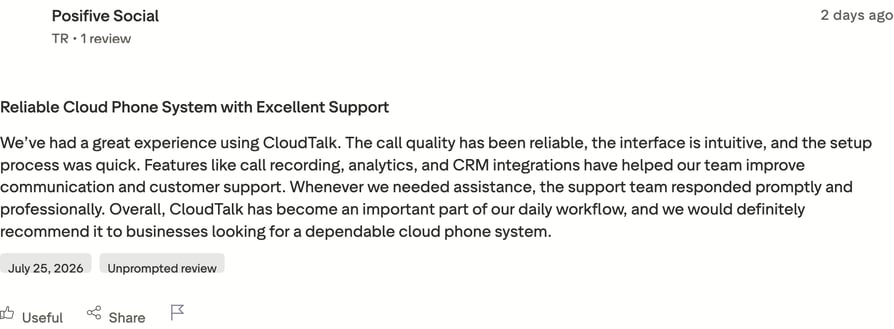
CloudTalk holds a TrustScore of 4.1/5 from 751 reviews on Trustpilot. The score is worth reading next to the marketplace rating, because the two agree.
G2 reviewers give CloudTalk , which puts the two platforms in agreement rather than conflict.
Customer story: Integrity360, a cybersecurity services firm, tripled its SDR pickup rates after switching to CloudTalk.
What are real users saying about CloudTalk on Trustpilot?
Test CloudTalk against your real call volume with a 14-day free trial, no credit card required.
2. Kixie Best for Reliable Power Dialing
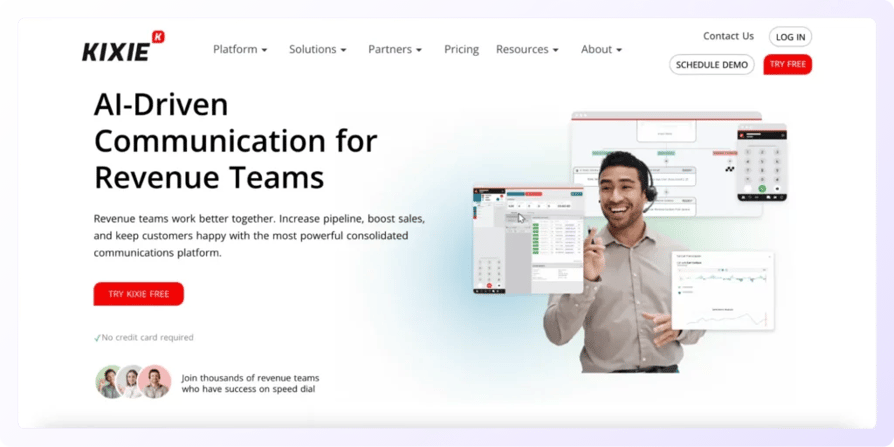
Kixie's reputation rests on one thing: a power dialer that reps trust to keep connecting.
What Is Kixie?
Kixie (Kixie PowerCall & SMS) is a sales engagement platform built around an ultra-reliable power dialer. It targets HubSpot and Salesforce-first SMB sales teams that want native local-presence dialing without leaving the CRM.
What Are Kixie’s Key Features?
- High connect rates: a power dialer and multi-line auto-dialer keep reps moving through lists with minimal downtime.
- Familiar caller ID: native local presence rotates the outbound number to match the prospect's region.
- CRM-native calling: deep HubSpot, Salesforce, and Pipedrive embeds put click-to-call inside the record.
What Are Kixie’s Pros and Cons?
Pros & Cons: Kixie
| Pros | Cons |
|---|---|
| Reliable power dialer with high connect rates | Minutes and add-ons push the real cost well above list price |
| Strong CRM sync and native local presence | Small Trustpilot sample makes the marketplace rating the stronger signal |
What reviewers praise about Kixie:
- Dialer reliability: reviewers describe the dialer as something they stop thinking about, which is the highest compliment a dialer gets.
- CRM sync: activity logging into HubSpot and Salesforce comes up repeatedly as accurate and low-maintenance.
What reviewers flag about Kixie:
- Effective price: the recurring complaint is cost creep. Minutes bill separately, an unlimited bundle runs around $30/user/month on top, and plans bill quarterly, so the number you budget is not the number on the pricing page.
- Thin review base: with fewer than a hundred Trustpilot reviews, individual experiences swing the score more than they should.
Kixie Is Best For…
SMB sales teams already committed to HubSpot or Salesforce who want a dependable power dialer living inside the CRM and dial mostly North American numbers.
Kixie Is Not Best For…
Teams that want predictable all-in pricing, dial heavily outside North America, or need parallel dialing rather than single-line power dialing.
How Much Does Kixie Cost?
Here is how Kixie pricing breaks down:
- Integrated: $35/user/month.
- Professional: $65/user/month.
- Outbound PowerCall: $95/user/month.
- Calling minutes bill separately (an unlimited bundle runs around $30/user/month), and plans bill quarterly.
What Is Kixie’s TrustScore and Review Count?
Kixie holds a TrustScore of 3.4/5 from 96 reviews on Trustpilot. That sample is small enough that the score should be treated as directional rather than settled.
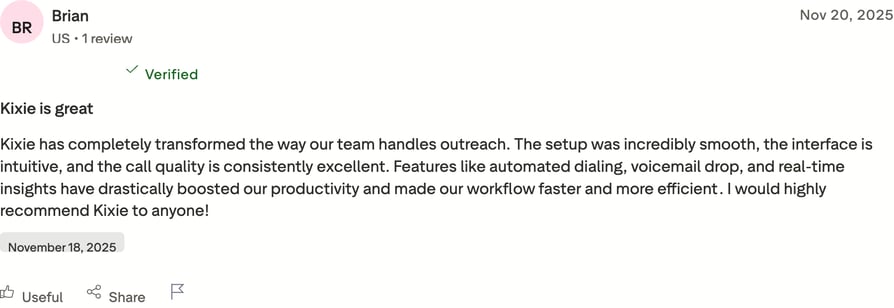
What are real users saying about Kixie on Trustpilot?
Kixie vs. CloudTalk
Both tools put a dialer inside the CRM, but the pricing models differ. Kixie bills minutes separately on top of the seat, while CloudTalk's seat price covers the plan's calling allowance, and CloudTalk adds parallel dialing and local presence across 160+ countries against Kixie's largely North American footprint. Kixie wins if your entire motion lives in HubSpot; CloudTalk wins if you dial internationally or want more than one dialing mode.
3. JustCall: Best for Combined Calling and Texting
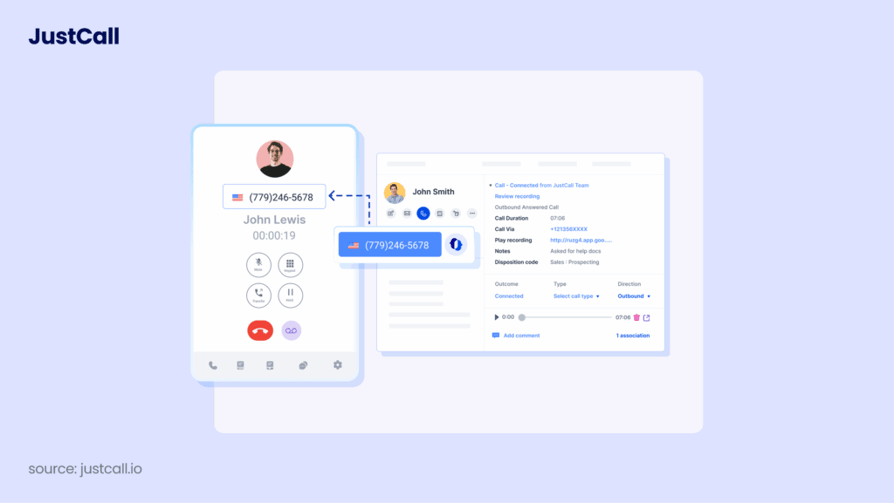
JustCall earns its spot for teams that treat calls and texts as one motion rather than two separate tools.
What Is JustCall?
JustCall, by SaaS Labs, is an AI-powered customer communication platform for sales and support. It suits SMB teams that want combined calling and SMS backed by an auto or predictive dialer.
What Are JustCall’s Key Features?
- Calls and texts in one place: SMS, MMS, and WhatsApp workflows sit alongside the dialer.
- Automated outbound: auto, predictive, and sales dialer modes keep the list moving.
- Coaching and connectivity: JustCall AI adds transcripts and coaching, with 100+ integrations to sync activity.
What Are JustCall’s Pros and Cons?
Pros & Cons: JustCall
| Pros | Cons |
|---|---|
| Combined voice and SMS with quick setup | Call-quality and connectivity complaints recur in reviews |
| Good automation and CRM integrations | A two-license minimum raises the true entry price |
What reviewers praise about JustCall:
- One workspace: reviewers who run call-and-text cadences rate the unified inbox as the reason they switched.
- Setup speed: onboarding gets consistently positive mentions, particularly for small teams without IT support.
What reviewers flag about JustCall:
- Call quality: the one-star cluster centers on connectivity and audio quality rather than billing, which is unusual on this list and matters more for cold calling than for support. Test your specific routes on a trial before committing a team.
- Entry price: the two-license minimum means the real floor is roughly double the advertised per-seat figure.
JustCall Is Best For…
SMB sales teams running blended call-and-text cadences who want automation across both channels from one vendor.
JustCall Is Not Best For…
Teams whose entire quota depends on voice quality across long-haul international routes, or solo operators who do not want to buy two seats.
How Much Does JustCall Cost?
Here is how JustCall pricing breaks down:
- Team: $29/user/month, with a two-license minimum, so the real entry is closer to $58.
- Pro: around $49/user/month.
- Pro Plus / Business: around $89/user/month.
- Monthly billing runs higher than the annual rates above.
What Is JustCall’s TrustScore and Review Count?
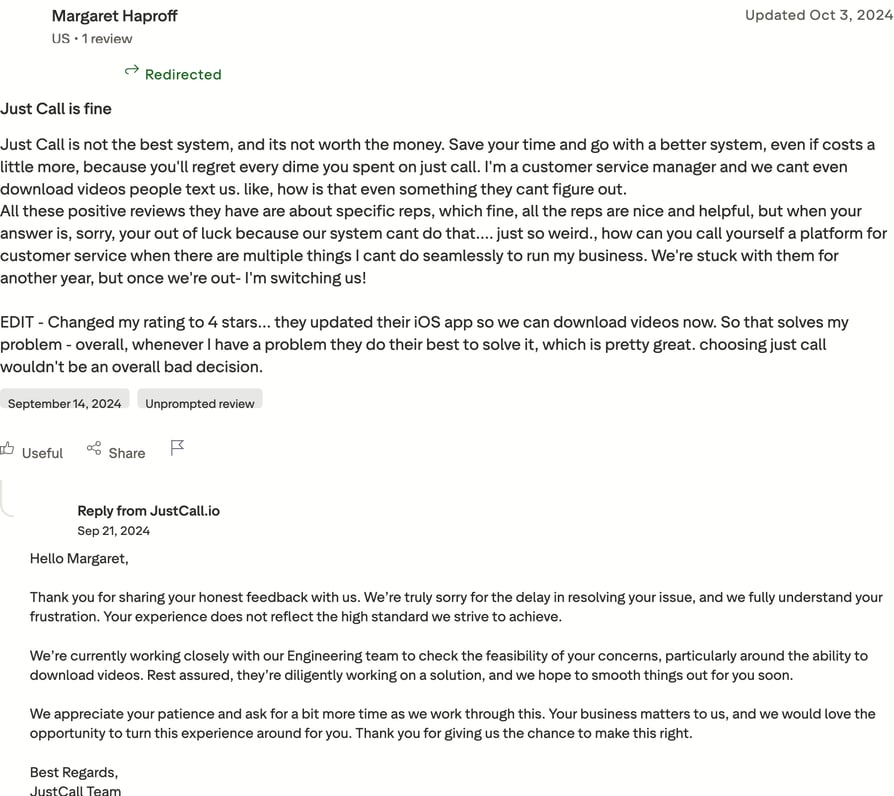
JustCall holds a TrustScore of 3.8/5 from 713 reviews on Trustpilot. Roughly one in six of those reviews is a single star, and they concentrate on call quality.
What are real users saying about JustCall on Trustpilot?
JustCall vs. CloudTalk
JustCall is the stronger pick if SMS carries as much of your pipeline as voice. CloudTalk is the stronger pick if voice is the whole job: it scores 4.1 against JustCall's 3.8, the recurring JustCall complaint is the one thing a cold caller cannot tolerate, and CloudTalk has no seat minimum, so a two-person team pays for two seats rather than being floored at a package.
4. Aircall: Best for integrations
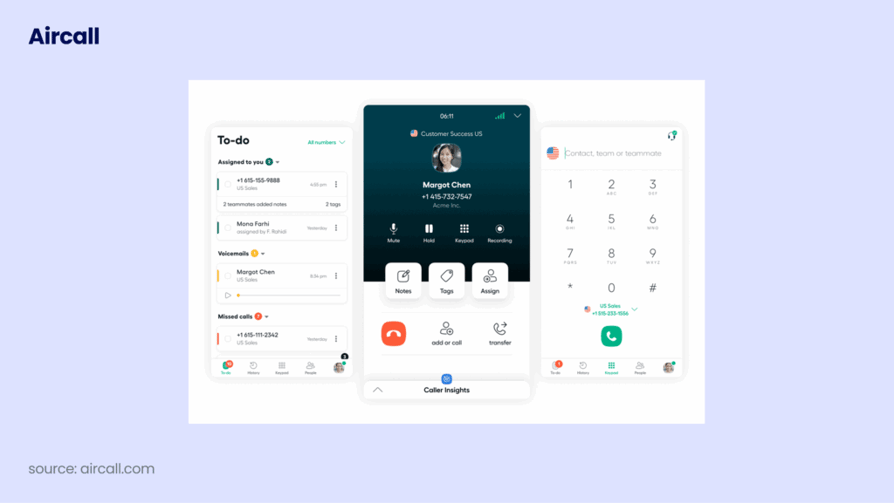
Aircall trades depth of dialer for breadth of integrations, which makes it a fit for teams that live inside a wide tool stack.
What Is Aircall?
Aircall is an AI-powered customer communications platform known for its integrations marketplace. It fits teams that prioritize connecting their phone system to everything else over running an advanced sales dialer.
What Are Aircall’s Key Features?
- A wide tool stack: a 250+ app integrations marketplace connects the phone to CRM, helpdesk, and more.
- Simple outbound: a power dialer and click-to-call cover core cold-calling needs.
- Routing and insight: call routing, IVR, and analytics round out the platform.
What Are Aircall’s Pros and Cons?
Pros & Cons: Aircall
| Pros | Cons |
|---|---|
| Easy to deploy with a large integrations marketplace | Notable Trustpilot dissatisfaction concentrated on billing and contracts |
| Clean interface that smaller teams pick up quickly | Three-license minimum and add-ons raise the real cost |
What reviewers praise about Aircall:
- Integration breadth: the marketplace is the single most-cited reason reviewers chose Aircall, especially in teams running unusual stacks.
- Deployment speed: reviewers describe getting numbers live and routing configured without specialist help.
What reviewers flag about Aircall:
- Billing and contracts: roughly a quarter of Aircall's Trustpilot reviews are one star, and they cluster on billing disputes, contract terms, and cancellation rather than on the product itself.
- Dialer ceiling: the power dialer covers basics but there is no parallel dialing, so high-volume outbound teams hit a limit.
Aircall Is Best For…
Teams whose priority is wiring the phone into an unusual or sprawling tool stack, with cold calling as a secondary motion.
Aircall Is Not Best For…
High-volume outbound teams that need parallel dialing, and buyers who want flexible month-to-month terms.
How Much Does Aircall Cost?
Here is how Aircall pricing breaks down:
- Essentials: $30/licence/month, with a three-license minimum, so roughly a $90/month floor.
- Professional: a higher tier for larger teams.
- Custom: quote-based.
What Is Aircall’s TrustScore and Review Count?
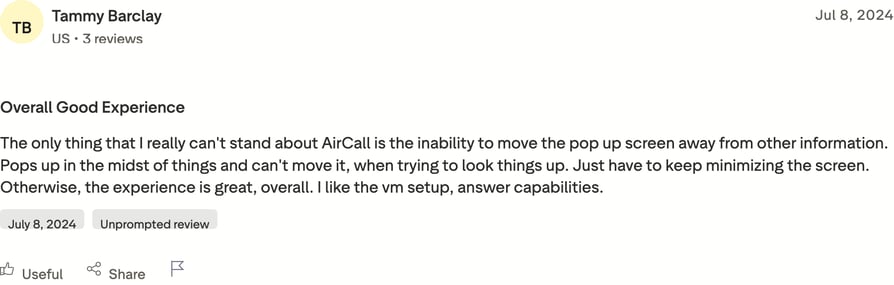
Aircall holds a TrustScore of 2.9/5 from 1,065 reviews on Trustpilot. This is the first entry where the marketplace rating and the Trustpilot score tell opposing stories.
What are real users saying about Aircall on Trustpilot?
Aircall vs. CloudTalk
The gap here is mostly about the relationship after the sale. Aircall sits at 2.9 against CloudTalk's 4.1, with billing and contract complaints driving the difference, and Aircall's three-license minimum sets a higher floor than CloudTalk's single seat. On dialing, CloudTalk offers five modes including parallel; Aircall offers one. Aircall keeps the edge on raw integration count.
5. Dialpad: Best for live coaching
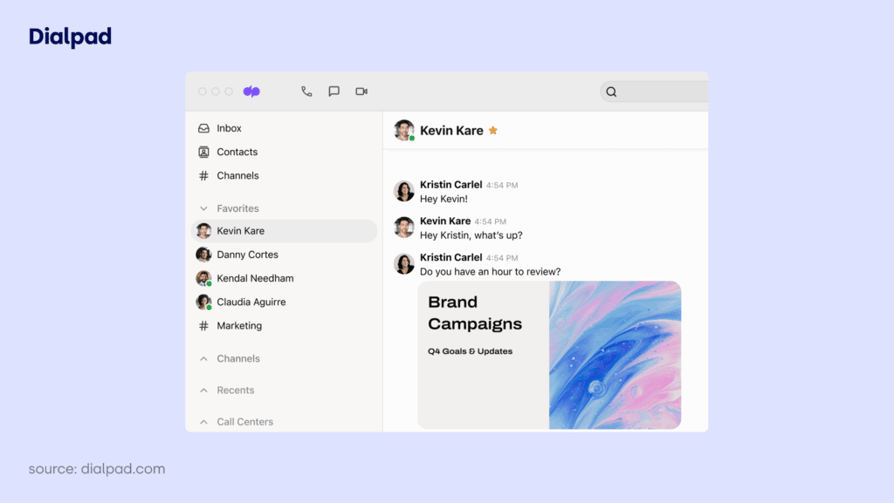
Dialpad's pitch is AI that listens in real time, which appeals to teams that want coaching to happen live rather than after the call.
What Is Dialpad?
Dialpad (Dialpad Ai) is an AI-powered customer communications and Ai Sales platform. It fits teams that want always-on AI, including real-time transcription and coaching, paired with an outbound dialer.
What Are Dialpad’s Key Features?
- Live AI: the Ai Sales dialer runs real-time transcription and coaching during the call.
- Built-in intelligence: Ai Voice Intelligence surfaces insights without a separate add-on step.
- One platform: UCaaS and contact center sit together.
What Are Dialpad’s Pros and Cons?
Pros & Cons: Dialpad
| Pros | Cons |
|---|---|
| Strong real-time AI transcription and coaching | Voice-intelligence accuracy varies by call |
| The healthiest Trustpilot profile of any large-volume tool here | Premium AI tiers cost more, with some setup and porting friction |
What reviewers praise about Dialpad:
- Real-time coaching: managers rate the live transcript and prompts as the feature that changed how they ran call reviews.
- Consistency at volume: the large majority of Dialpad's Trustpilot reviews are five star, which is rare for a platform with thousands of reviews.
What reviewers flag about Dialpad:
- Transcription accuracy: reviewers note accuracy drops with accents, background noise, and poor connections, which is exactly the condition cold calls happen in.
- Porting and setup: number porting friction comes up often enough to plan for.
Dialpad Is Best For…
Sales teams whose main constraint is coaching throughput, where a manager needs AI to review calls at a scale humans cannot.
Dialpad Is Not Best For…
High-volume dialing teams that need parallel dialing, and buyers who need transcription accuracy guaranteed on noisy international lines.
How Much Does Dialpad Cost?
Here is how Dialpad pricing breaks down:
- Standard: from around $15/user/month (billed annually).
- Ai Sales / Ai Contact Center: higher or quote-based tiers.
What Is Dialpad’s TrustScore and Review Count?
Dialpad holds a TrustScore of 4.1/5 from 3,119 reviews on Trustpilot. That score holds across thousands of reviews, which makes it one of the more reliable numbers in this set.
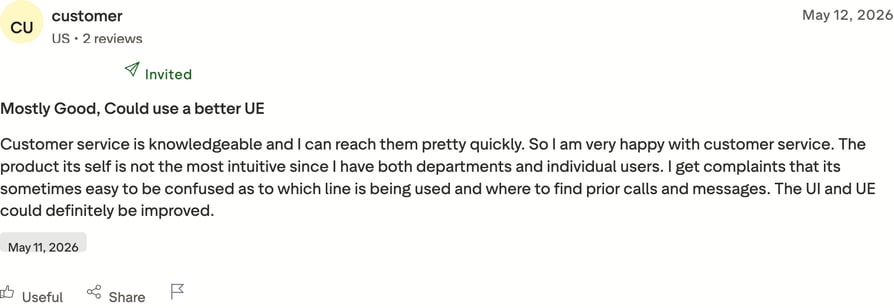
What are real users saying about Dialpad on Trustpilot?
Dialpad vs. CloudTalk
This is the closest comparison on the list: both sit at 4.1 on Trustpilot. The split is what the AI is for. Dialpad puts intelligence in the live call for coaching; CloudTalk puts it after the call for admin removal and pairs it with a deeper dialer stack, including parallel dialing that Dialpad does not match. Pick Dialpad to coach reps, CloudTalk to get more dials out of them.
6. PhoneBurner: Best for Spam protection for North American Teams
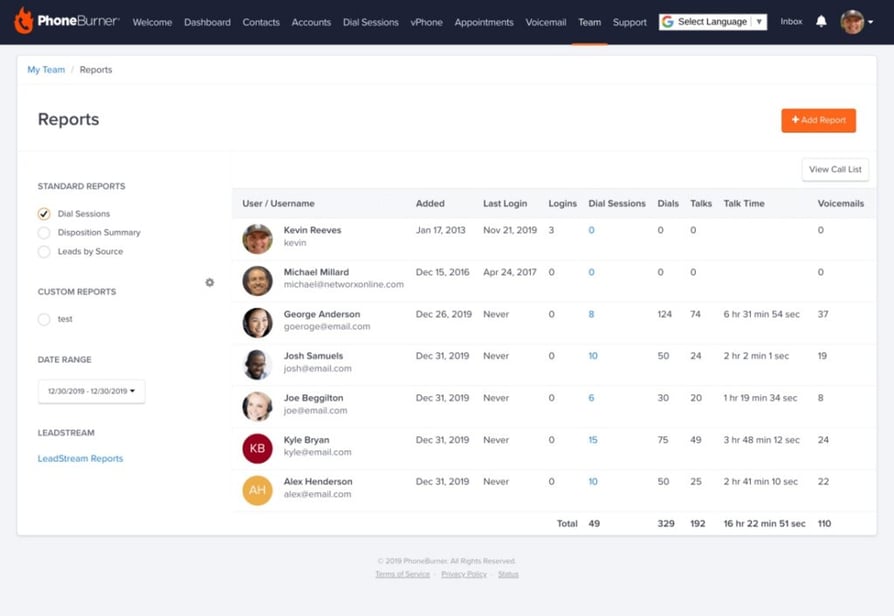
PhoneBurner is a purpose-built power dialer with a strong spam-protection story, aimed squarely at North American outbound teams.
What Is PhoneBurner?
PhoneBurner is a power dialer and sales acceleration platform. It is built for North American outbound teams that want a proven dialer with spam protection through its ARMOR system.
What Are PhoneBurner’s Key Features?
- No connection delay: the power dialer connects live answers instantly, with no awkward pause.
- Protected caller ID: ARMOR branded caller ID and spam remediation help keep numbers off spam lists.
- Follow-through: email follow-up, lead management, and analytics support the whole cadence.
What Are PhoneBurner’s Pros and Cons?
Pros & Cons: PhoneBurner
| Pros | Cons |
|---|---|
| Highly rated power dialer and connect quality on the marketplaces | Trustpilot sample is far too small to read as a score |
| ARMOR spam protection directly targets pickup rates | Higher list price than most SMB dialers |
What reviewers praise about PhoneBurner:
- Zero-delay connect: the absence of the tell-tale dialer pause is the most specific praise PhoneBurner gets, and it matters because that pause is what makes prospects hang up.
- Deliverability focus: ARMOR is one of the few spam-remediation stories on this list that reviewers actually name.
What reviewers flag about PhoneBurner:
- Unreadable Trustpilot score: with a single-digit review count, this is not a TrustScore you can act on. It is included here for completeness, and the marketplace data should carry the decision.
- Price floor: the entry tier costs several times what most SMB dialers charge, which is hard to justify below a certain call volume.
PhoneBurner Is Best For…
North American outbound teams dialing high volumes daily, where spam labeling is the main threat to connect rates and budget is not the binding constraint.
PhoneBurner Is Not Best For…
International outbound teams, budget-conscious SMBs, and anyone who wants a meaningful volume of independent reviews to read before buying.
How Much Does PhoneBurner Cost?
Here is how PhoneBurner pricing breaks down:
- Standard: $140/user/month.
- Professional: $165/user/month.
- Premium: $183/user/month.
- Monthly billing runs higher than these annual rates.
What Is PhoneBurner’s TrustScore and Review Count?
PhoneBurner holds a TrustScore of 2.7/5 from 7 reviews on Trustpilot. Seven reviews is not a sample, it is an anecdote, and a single unhappy customer moves that figure by half a star.
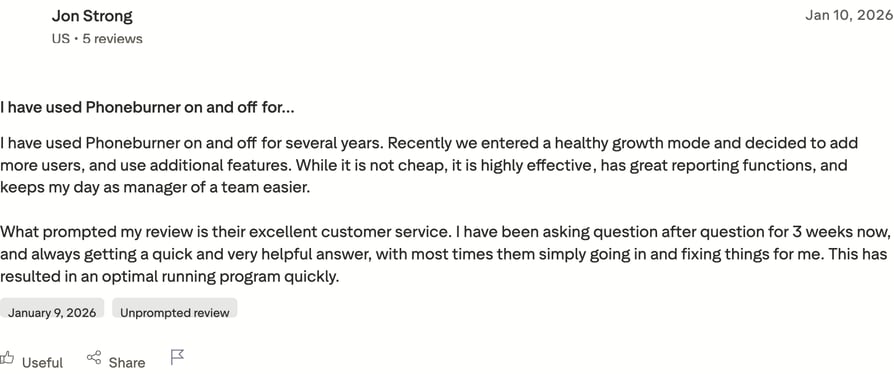
What are real users saying about PhoneBurner on Trustpilot?
PhoneBurner vs. CloudTalk
Both are built for outbound rather than retrofitted from a phone system, and both take spam remediation seriously. The differences are geography and price: CloudTalk dials into 160+ countries with local presence where PhoneBurner is North America first, and CloudTalk starts at $25/user/month against PhoneBurner's $140. CloudTalk also has a review base large enough to judge.
7. Convoso: Best for high-volume outbound
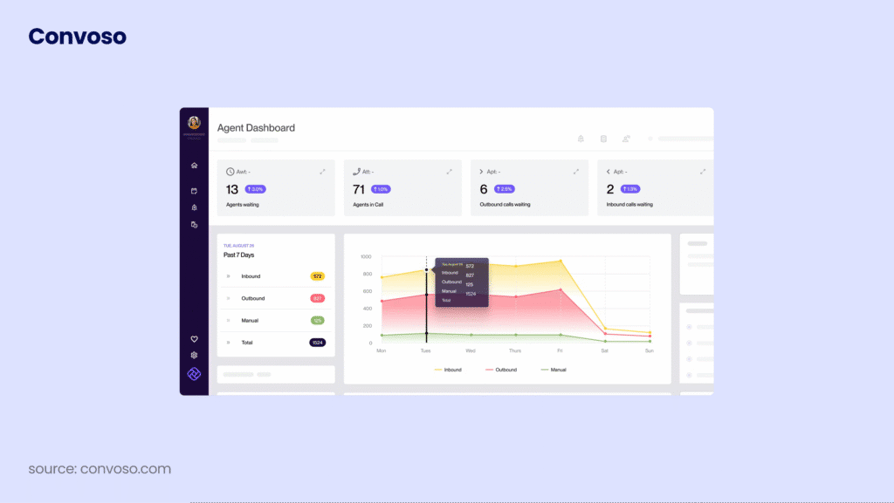
Convoso is built for the high-volume end of outbound, where predictive dialing and list management matter more than a light interface.
What Is Convoso?
Convoso is an AI-powered contact center platform for outbound sales and lead generation. It aims at high-volume outbound and predictive-dialing call centers rather than small teams.
What Are Convoso’s Key Features?
- Volume at scale: predictive and power dialing keep large agent pools connected.
- Smarter lists: answering-machine detection and list management maximize live contacts.
- Compliance built in: tooling for high-volume outbound keeps campaigns compliant.
What Are Convoso’s Pros and Cons?
Pros & Cons: Convoso
| Pros | Cons |
|---|---|
| Strong predictive dialer with real list and lead management | No public pricing, so budgeting needs a sales call |
| Consistently high ratings across both marketplaces and Trustpilot | Heavier than SMB teams need |
What reviewers praise about Convoso:
- Predictive performance: reviewers running large floors rate the dialer and its pacing algorithm as the reason they consolidated onto Convoso.
- Compliance tooling: teams in regulated outbound name the compliance features specifically, which is unusual.
What reviewers flag about Convoso:
- Pricing opacity: the recurring frustration is not cost but the inability to know cost. Every evaluation starts with a sales conversation.
- Weight: the feature set assumes a floor manager and a list strategy, which is overhead a five-person team will feel.
Convoso Is Best For…
Call centers running dozens of agents on high-volume campaigns where predictive pacing and list management drive the economics.
Convoso Is Not Best For…
Small outbound teams, anyone who needs to self-serve a price before talking to sales, and teams wanting a light tool reps configure themselves.
How Much Does Convoso Cost?
For the full picture, see the Convoso pricing guide. Convoso is quote-based with no public pricing, and it requires a sales conversation to scope a plan.
What Is Convoso’s TrustScore and Review Count?
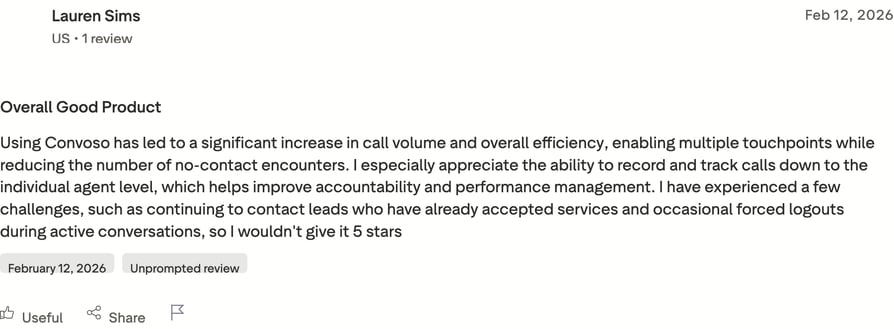
Convoso holds a TrustScore of 4.3/5 from 62 reviews on Trustpilot. That is the second-highest score on this list, though on a modest review base.
What are real users saying about Convoso on Trustpilot?
Convoso vs. CloudTalk
Convoso is the better tool once you are running a large floor on predictive dialing. CloudTalk is the better tool below that threshold: it publishes its pricing, starts at $25/user/month, and reps configure it without a floor manager, while still offering progressive and parallel modes for teams pushing volume. Convoso's score is strong, but on 62 reviews against CloudTalk's 751.
8. CallHippo: Best Low-Cost
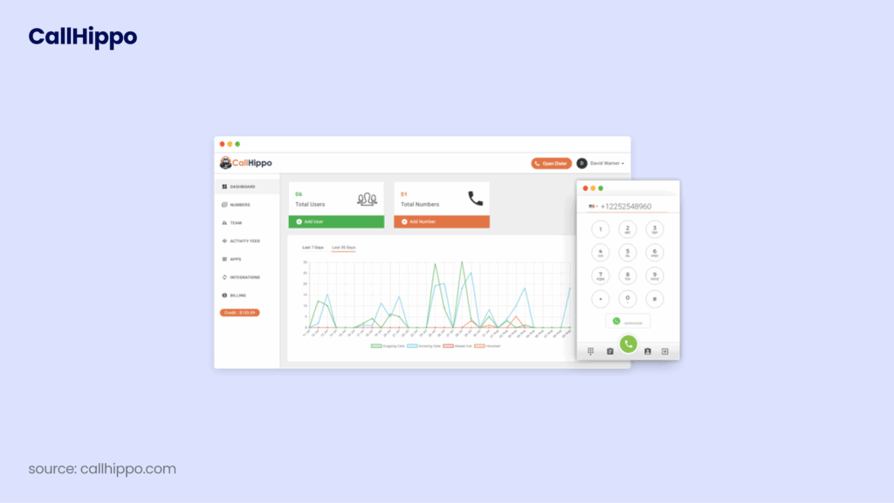
CallHippo is one of the cheapest ways onto this list, and its Trustpilot profile shows the trade-off that low entry pricing can bring.
What Is CallHippo?
CallHippo is an AI-powered virtual phone system and auto dialer. It targets budget-conscious SMBs that want a low-entry auto or power dialer with wide number coverage.
What Are CallHippo’s Key Features?
- Low barrier to start: an auto dialer and power dialer at an entry-level price.
- Global reach: virtual numbers across many countries.
- Core tooling: basic CRM integrations and call analytics.
What Are CallHippo’s Pros and Cons?
Pros & Cons: CallHippo
| Pros | Cons |
|---|---|
| Low entry price and quick setup | One of the sharpest marketplace-versus-Trustpilot splits in this set |
| Wide virtual-number coverage for the money | Support, billing, and call-quality complaints recur |
What reviewers praise about CallHippo:
- Cost of entry: reviewers who need numbers in several countries on a small budget consistently name price as the reason they picked it.
- Fast start: getting a number and dialing takes very little setup.
What reviewers flag about CallHippo:
- Support and billing: close to a third of CallHippo's Trustpilot reviews are one star, and they concentrate on support response times and billing disputes. Read those before you scale usage past a couple of seats.
- Call quality: quality complaints appear alongside the billing ones, which is the combination that makes a cheap tool expensive.
CallHippo Is Best For…
Very early-stage teams testing whether outbound works at all, where the priority is the lowest possible monthly cost for a working number and dialer.
CallHippo Is Not Best For…
Any team whose revenue depends on the dialer working every day, and anyone planning to grow past a handful of seats.
How Much Does CallHippo Cost?
Here is how CallHippo pricing breaks down:
- Standard plans run from $18/user/month (Starter) to about $42/user/month (Ultimate), billed annually.
- A free Essential tier covers basic calling, and Enterprise is priced custom.
What Is CallHippo’s TrustScore and Review Count?
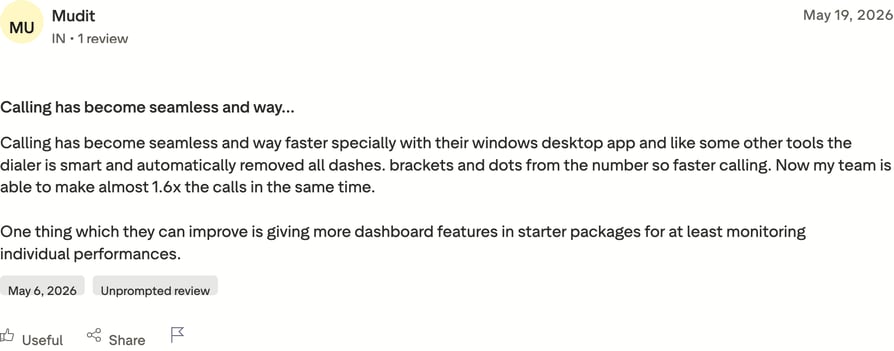
CallHippo holds a TrustScore of 2.4/5 from 673 reviews on Trustpilot. Unlike PhoneBurner, this score sits on a large enough base to take seriously.
What are real users saying about CallHippo on Trustpilot?
CallHippo vs. CloudTalk
These two aim at the same buyer from opposite directions. CallHippo competes on entry price; CloudTalk competes on what happens after month one, and the review data is the argument: 4.1 against 2.4 on comparable review volumes, with CallHippo's one-star reviews concentrated on the support and billing you only discover once you depend on the tool.
9. KrispCall: Best for New Teams
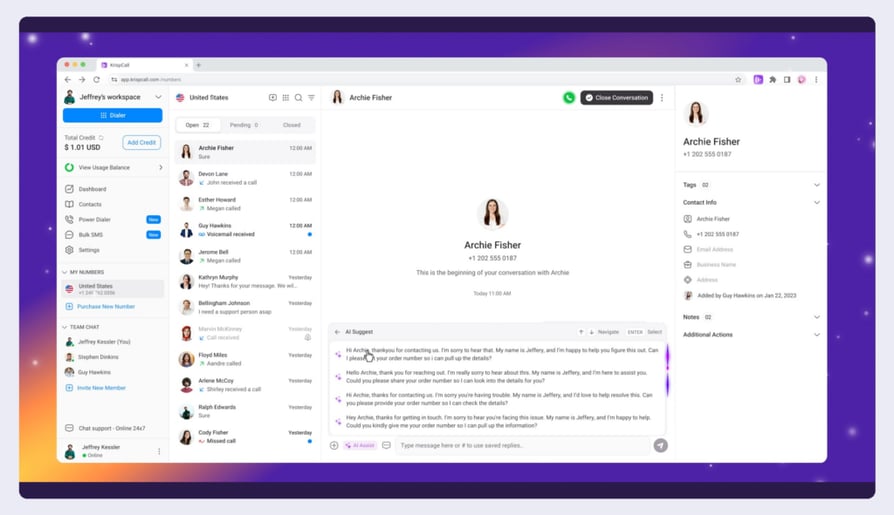
KrispCall packages global numbers and a dialer into one low-cost inbox, which makes it a natural pick for early-stage teams.
What Is KrispCall?
KrispCall is a modern cloud telephony platform built around a Unified Callbox. It suits startups and SMBs that want global numbers plus a dialer at a low entry price.
What Are KrispCall’s Key Features?
- One inbox: the Unified Callbox keeps calls, SMS, and voicemail together.
- Outbound basics: an auto and power dialer cover core cold-calling motions.
- Broad coverage: global numbers with CRM integrations.
What Are KrispCall’s Pros and Cons?
Pros & Cons: KrispCall
| Pros | Cons |
|---|---|
| Low price with broad global number coverage | A one-star cluster around onboarding and number provisioning |
| Unified inbox praised for simplicity | Newer, lighter feature set than dedicated dialers |
What reviewers praise about KrispCall:
- Price to coverage ratio: reviewers rate it as the cheapest credible way to get numbers in multiple countries.
- Simplicity: the single-inbox model gets praise from teams that found other tools over-configured.
What reviewers flag about KrispCall:
- Provisioning delays: roughly 15% of reviews are one star, and they cluster on how long it takes to get numbers issued and verified. For a cold-calling launch, that is a schedule risk.
- Feature ceiling: no parallel dialing and lighter analytics than tools built for outbound volume.
KrispCall Is Best For…
Startups that need numbers in several countries fast and cheap, with modest daily call volume per rep.
KrispCall Is Not Best For…
Teams on a hard launch deadline that cannot absorb provisioning delays, and high-volume dialers who will outgrow the feature set.
How Much Does KrispCall Cost?
KrispCall pricing sits at the low end of this list:
- From roughly $12 to $15/user/month (billed annually).
- Higher tiers and add-ons increase the cost.
What Is KrispCall’s TrustScore and Review Count?
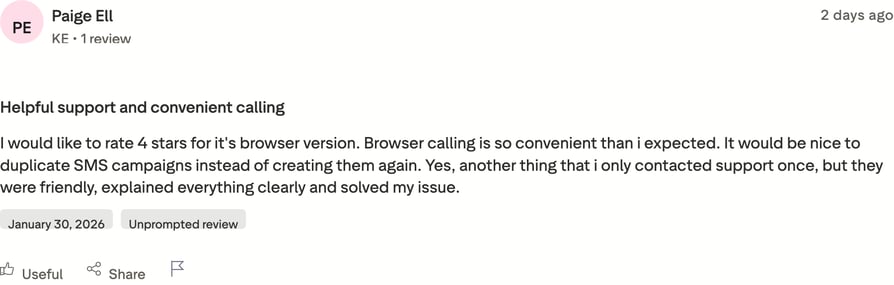
KrispCall holds a TrustScore of 4.2/5 from 601 reviews on Trustpilot. That is a healthy score on a solid base, and the third highest here.
What are real users saying about KrispCall on Trustpilot?
KrispCall vs. CloudTalk
KrispCall is the cheaper entry and holds a similar score to CloudTalk at 4.2 against 4.1. The difference is headroom. CloudTalk adds parallel and progressive dialing, answering-machine detection, and local presence across 160+ countries, so a team that doubles its call volume does not need to migrate. KrispCall is the better choice if volume per rep stays low.
10. Five9: Best for Enterprise
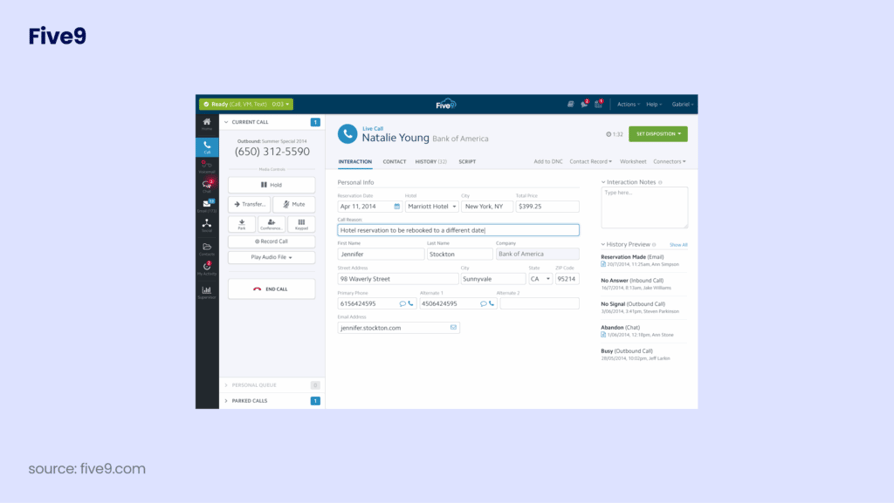
Five9 is enterprise-grade outbound, built for contact centers that need predictive dialing to run reliably at scale.
What Is Five9?
Five9 is an intelligent CX platform and cloud contact center. It is built for mid-market and enterprise outbound contact centers that need predictive dialing at scale.
What Are Five9’s Key Features?
- Dialing at scale: predictive, progressive, and power outbound modes for large agent pools.
- Operational depth: workforce optimization and a compliance suite.
- AI and reporting: AI agents and deep analytics support the floor.
What Are Five9’s Pros and Cons?
Pros & Cons: Five9
| Pros | Cons |
|---|---|
| Enterprise-grade predictive dialer and reliability at scale | Complex setup, and expensive or overkill for SMB outbound |
| Deep reporting and compliance tooling | Quote-based pricing lacks transparency |
What reviewers praise about Five9:
- Reliability at volume: enterprise reviewers rate uptime and dialer pacing under load as the reasons it survives procurement.
- Reporting depth: workforce and quality management data goes further than anything else on this list.
What reviewers flag about Five9:
- Implementation weight: setup is a project with a timeline, not an afternoon, and reviewers describe needing internal or partner resource to run it.
- Fit mismatch: the most common complaint from smaller teams is not that it works badly but that it is more platform than they needed.
Five9 Is Best For…
Mid-market and enterprise contact centers with a dedicated operations function, running predictive dialing across large agent pools.
Five9 Is Not Best For…
SMB outbound teams, anyone who needs to be dialing this month, and buyers who want transparent per-seat pricing.
How Much Does Five9 Cost?
For the full picture, see the Five9 pricing guide. Five9 is quote-based, commonly cited from around $119/agent/month.
What Is Five9’s TrustScore and Review Count?
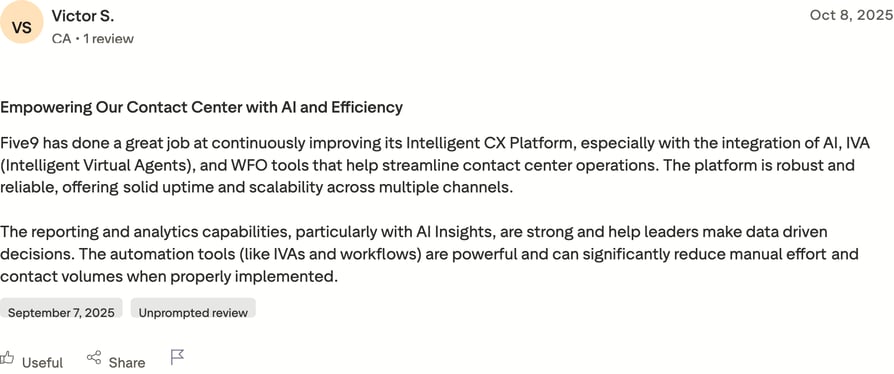
Five9 holds a TrustScore of 3.4/5 from 731 reviews on Trustpilot. The softer score reflects a mismatch between enterprise tooling and the smaller buyers who end up on it.
What are real users saying about Five9 on Trustpilot?
Five9 vs. CloudTalk
Five9 and CloudTalk barely compete. Five9 is for a contact center with an operations team; CloudTalk is for a sales team that needs to dial. If you are choosing between them, the deciding question is whether you have someone whose job is running the dialer. If not, CloudTalk's 4.1 score, published pricing, and same-week setup are the safer bet.
11. Nextiva: Best Household Name
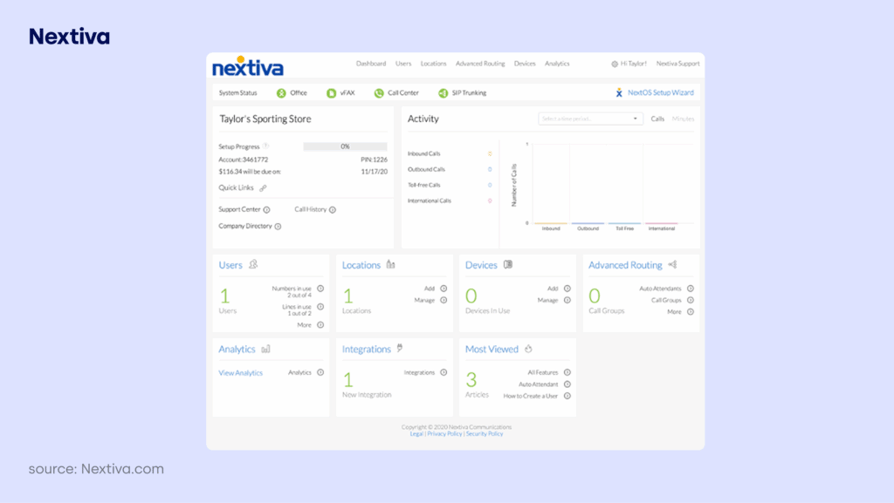
Nextiva posts the highest Trustpilot score and the highest review volume on this list, which makes it the most battle-tested number in the set.
What Is Nextiva?
Nextiva is a unified customer experience and business communications platform. It fits SMB and mid-market teams that want blended inbound and outbound in one all-in-one UCaaS.
What Are Nextiva’s Key Features?
- Blended calling: inbound and outbound in a single call center.
- All-in-one comms: VoIP, video, chat, and AI in one platform.
- Outbound basics: an auto dialer with analytics.
What Are Nextiva’s Pros and Cons?
Pros & Cons: Nextiva
| Pros | Cons |
|---|---|
| The highest TrustScore here, on by far the largest review base | Outbound dialer is lighter than dedicated sales dialers |
| All-in-one comms with support that reviewers rate highly | Contact-center pricing is quote-based |
What reviewers praise about Nextiva:
- Support: named support staff appear by name in positive reviews, which is the clearest signal a support org is working.
- Volume of evidence: holding 4.6 across more than eight thousand reviews is the strongest statistical result on this list by a wide margin.
What reviewers flag about Nextiva:
- Outbound depth: the auto dialer is a feature of a communications platform, not a sales dialer. There is no parallel dialing and no local-presence rotation at the scale outbound teams want.
- Contract friction: the one-star minority focuses on billing and cancellation, the standard pattern in this category.
Nextiva Is Best For…
SMB and mid-market teams whose phone system needs to serve inbound support, internal comms, and some outbound, with reliability as the top priority.
Nextiva Is Not Best For…
Dedicated cold-calling teams. If dialing volume is the metric your team is measured on, the dialer here is not the one to buy.
How Much Does Nextiva Cost?
Here is how Nextiva pricing breaks down:
- UCaaS from roughly $20/user/month (billed annually).
- Contact center pricing is quote-based.
What Is Nextiva’s TrustScore and Review Count?
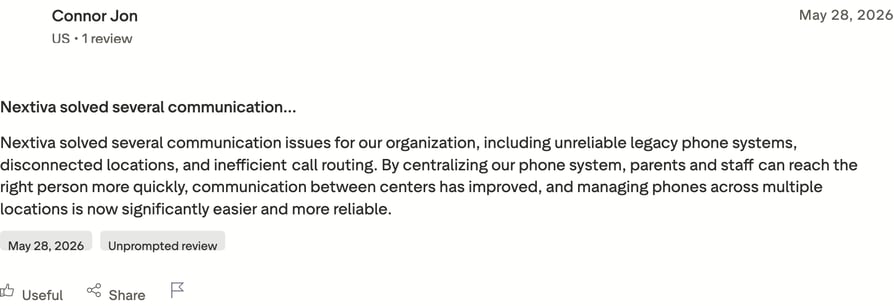
Nextiva holds a TrustScore of 4.6/5 from 8,564 reviews on Trustpilot. That is the highest TrustScore in this comparison, and the one built on the most evidence.
What are real users saying about Nextiva on Trustpilot?
Nextiva vs. CloudTalk
Nextiva wins the score and CloudTalk wins the job. Nextiva's 4.6 across 8,564 reviews is the strongest result here and should be taken at face value, but the reviews behind it come from teams buying a phone system, not a dialer. CloudTalk holds 4.1 while offering five dialing modes, answering-machine detection, and local presence built for outbound. Buy Nextiva for the whole company, CloudTalk for the sales floor.
12. RingCentral: Best UCaaS + Contact Center
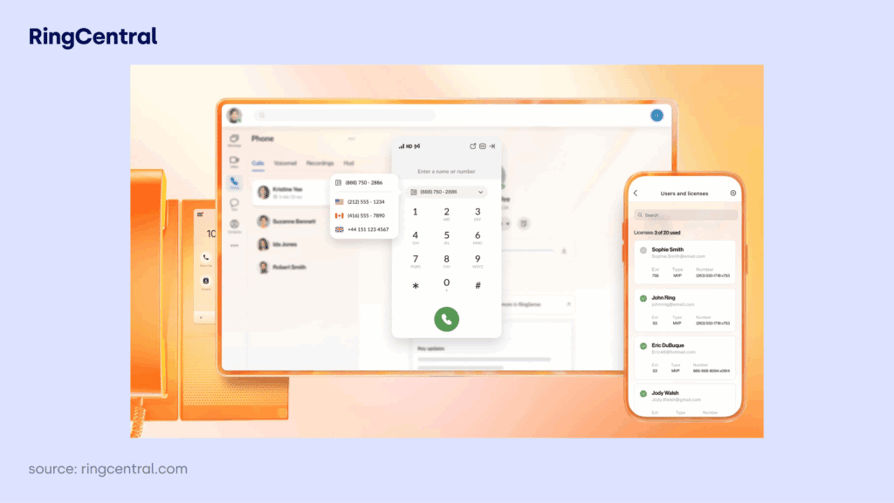
RingCentral bundles UCaaS and a contact center from one vendor, and its two review scores capture the trade-off that scale can bring.
What Is RingCentral?
RingCentral is an AI-powered cloud communications platform (RingEX) with a contact center (RingCX). It fits mid-market and enterprise teams that want UCaaS and contact center from a single vendor.
What Are RingCentral’s Key Features?
- Outbound at the edge: the RingCX contact center adds outbound dialing.
- Full comms suite: RingEX covers phone, messaging, and video.
- Ecosystem depth: broad integrations and analytics.
What Are RingCentral’s Pros and Cons?
Pros & Cons: RingCentral
| Pros | Cons |
|---|---|
| Feature-rich, reliable enterprise platform | The second-lowest Trustpilot score in this set, on a large review base |
| One vendor for both UCaaS and contact center | Contracts and complexity criticized by smaller outbound teams |
What reviewers praise about RingCentral:
- Breadth: enterprise reviewers value having phone, video, messaging, and contact center under one contract and one support number.
- Reliability: uptime and call quality get consistent positive mentions at the enterprise end.
What reviewers flag about RingCentral:
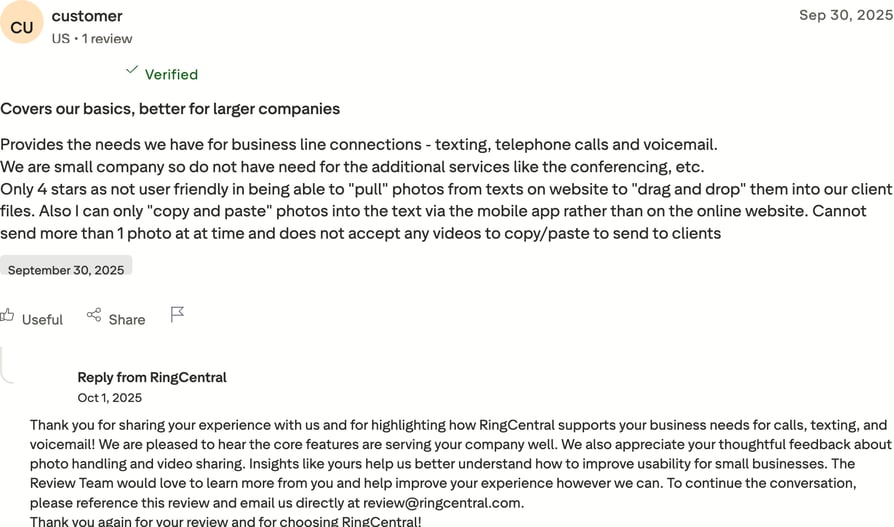
- Billing and cancellation: more than half of RingCentral's Trustpilot reviews are one star, and billing disputes and cancellation difficulty dominate them. On a base this large, that is a pattern rather than noise.
- Complexity for outbound: reaching a working outbound configuration means going through RingCX, which is a separate product with its own quote.
RingCentral Is Best For…
Mid-market and enterprise IT buyers consolidating vendors, where one contract across all communications is worth more than dialer depth.
RingCentral Is Not Best For…
Cold-calling teams of any size, and anyone who wants a straightforward exit if the tool does not work out.
How Much Does RingCentral Cost?
Here is how RingCentral pricing breaks down:
- RingEX from roughly $20/user/month (billed annually).
- RingCX contact center pricing is quote-based.
What Is RingCentral’s TrustScore and Review Count?
RingCentral holds a TrustScore of 1.8/5 from 1,945 reviews on Trustpilot. A score this low on a base this large is the clearest example of why this article exists.
What are real users saying about RingCentral on Trustpilot?
RingCentral vs. CloudTalk
The scores do most of the talking: 1.8 against 4.1. RingCentral's complaints are almost entirely commercial rather than technical, which means they surface at renewal rather than in a trial. CloudTalk publishes its per-seat pricing, needs no separate contact-center product to dial out, and its dialer suite is the product rather than an adjacent module.
13. Talkdesk: Best for Enterprise Outbound
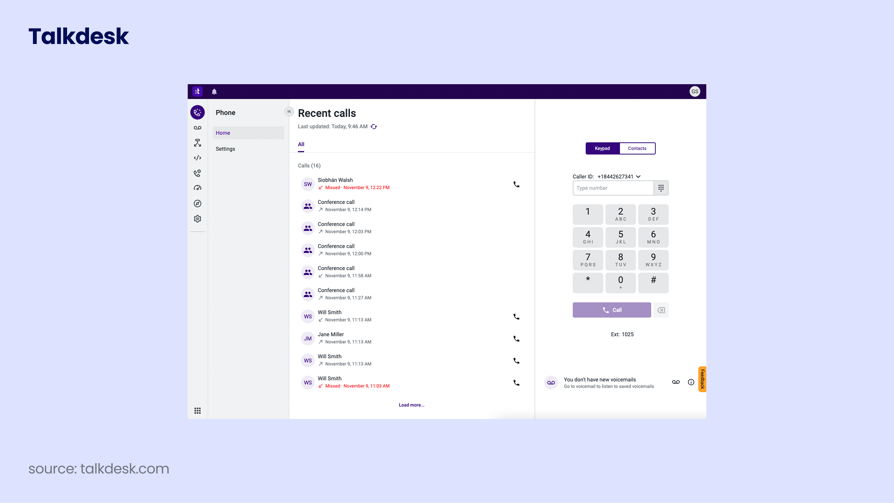
Talkdesk shows the widest gap between marketplace acclaim and customer sentiment on this list, which is exactly why it belongs in a Trustpilot-first ranking.
What Is Talkdesk?
Talkdesk is an AI-powered cloud contact center platform. It is built for enterprise contact centers that need AI-driven outbound at scale.
What Are Talkdesk’s Key Features?
- AI outbound: a predictive and outbound dialer paired with AI agents.
- Workforce tooling: workforce engagement and quality management.
- Depth and verticals: deep analytics with industry-specific clouds.
What Are Talkdesk’s Pros and Cons?
Pros & Cons: Talkdesk
| Pros | Cons |
|---|---|
| Powerful enterprise feature set with genuinely strong AI | The lowest Trustpilot score in this comparison |
| Strong analytics and routing | Enterprise complexity and cost overshoot SMB cold calling |
What reviewers praise about Talkdesk:
- Product capability: the marketplace reviews are not wrong. Reviewers rate the call-flow builder, AI, and analytics highly, and the drag-and-drop flow editor gets named often.
- Deployment speed against legacy: teams migrating off on-premise systems describe the move as faster than expected.
What reviewers flag about Talkdesk:
- Commercial relationship: the Trustpilot reviews are dominated by contract, billing, and cancellation complaints, including subscriptions users say they could not cancel. This is a sentiment gap about the vendor, not the software.
- Cost of the AI: unlocking the premium AI features moves the per-seat cost substantially above the entry figure.
Talkdesk Is Best For…
Enterprise contact centers with procurement and legal resource to negotiate terms up front, buying primarily for AI and analytics depth.
Talkdesk Is Not Best For…
SMB cold-calling teams, and any buyer without the leverage or legal support to negotiate contract terms before signing.
How Much Does Talkdesk Cost?
Here is how Talkdesk pricing breaks down:
- From around $85/user/month, with higher tiers quote-based.
What Is Talkdesk’s TrustScore and Review Count?
Talkdesk holds a TrustScore of 1.5/5 from 871 reviews on Trustpilot. This is the widest split between marketplace rating and TrustScore anywhere in this comparison.
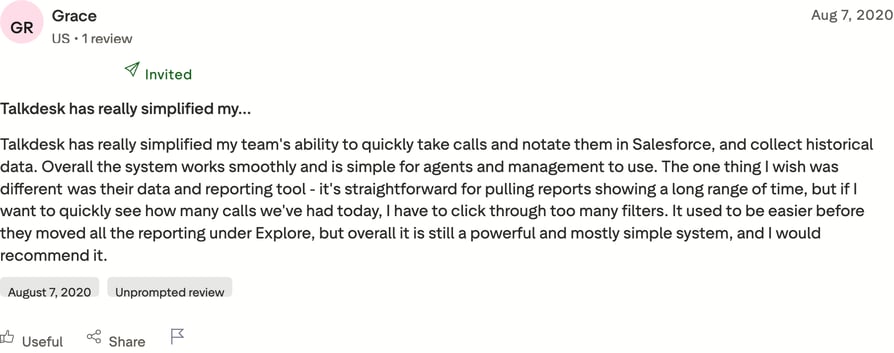
What are real users saying about Talkdesk on Trustpilot?
Talkdesk vs. CloudTalk
Talkdesk is the more powerful platform and the riskier purchase. Its 1.5 against CloudTalk's 4.1 is not a verdict on features, it is a verdict on what happens after the contract is signed. For an SMB outbound team the calculation is simple: CloudTalk costs a fraction per seat, publishes its terms, and its own review profile holds up on both platforms.
Put a real dialer in front of your list
Inside Trustpilot: What a TrustScore Actually Measures
A TrustScore is not the average of the star ratings, which is why the number you see rarely matches the arithmetic you would do yourself. Trustpilot weights reviews by how recent they are and factors in review volume, so a company that fixed its support last quarter climbs faster than a simple mean would allow, and a company coasting on old goodwill slides. That is a feature, not a flaw, when you are trying to judge who a vendor is right now.
- Recency and volume are part of the score. Treat a TrustScore as a moving measure of current sentiment, not a permanent grade.
- Verified and unverified reviews sit side by side. A verified label means Trustpilot confirmed the reviewer had a genuine transaction or experience, usually through an invitation link. Unverified reviews still count, and all of them pass automated fraud screening.
- Companies can reply in public. Reply behavior is itself a signal. A vendor that answers billing complaints on the record, as CloudTalk does, is easier to hold accountable than one that lets them sit.
- Incentives are not allowed. Companies cannot pay to suppress reviews or offer rewards for positive ones, which is the main structural difference from vendor-run review campaigns.
None of that makes a Trustpilot rated call center software list a substitute for your own trial. It makes it a second data source, and one that is harder for a vendor to manage than its own case-study page.
About TrustRadius: How Call Center Software Reviews and Feature Scores Are Verified
When evaluating call center software, knowing how a review platform handles data and incentives is critical for making an informed decision. TrustRadius uses a specific methodology to verify reviews and calculate scores, prioritizing transparency and data integrity. Here is a breakdown of how their system works.
Feature-Level Ratings Beyond the Overall Score
TrustRadius does not rely solely on simple averages for its overall product ratings. Its scoring algorithm, known as the trScore, incorporates feature-level ratings—such as usability, reporting, and specific product capabilities. This weighted average system places a higher value on in-depth reviews than on simple, single-click star ratings. By breaking down the performance into specific features, buyers can see exactly where a product excels or falls short, rather than just relying on a general sentiment score. Furthermore, the trScore favors recent reviews to ensure the ratings reflect the current state of the software.
Transparency Regarding Incentives
Incentives are common in the B2B review space to encourage user participation. TrustRadius transparently discloses when reviews involve a "de minimis incentive"—a small thank-you gift, such as a nominal gift card. It is important to note that these incentives are given simply for the user's time and participation, and they are strictly not tied to the sentiment of the review. TrustRadius explicitly prohibits the use of incentives to bias or drive a particular response, ensuring that the feedback remains authentic whether the reviewer had a positive or negative experience.
Category-Average Comparisons for Context
A high score in isolation doesn't always tell the whole story. TrustRadius uses category-average comparisons to provide context, showing how a specific call center software solution stacks up against its peers within the same category. These comparisons are designed to show a product's relative strength in the market, rather than just presenting an absolute score. This approach helps buyers understand if a product's performance is truly exceptional or simply par for the course within the industry.
Read the reviews, then test the dialer
Which of These Tools Fits Your Outbound Team Best
Six questions separate these 13 tools faster than any feature matrix. Work through them in order and most of the list eliminates itself.
How Many Calls Does Each Rep Make Per Day?
Under 40 dials, a preview or power dialer is enough, which opens up almost everything here including the cheap end. Between 40 and 100, you want progressive dialing and reliable answering-machine detection. Above 100, you are in parallel or predictive territory, which narrows the field to CloudTalk, Convoso, Five9, and Talkdesk.
Do You Need Parallel or Power Dialing?
Power dialing runs one line per rep and keeps the workflow simple. Parallel dialing runs several at once and connects the first human, which multiplies conversations but requires fast, accurate detection to avoid dead air. Only CloudTalk offers both alongside preview and progressive modes in one platform, and finding the best dialer for cold calling teams usually comes down to which of these two modes your list actually rewards.
How Many Countries Do You Dial Into?
One country, and PhoneBurner or Kixie are credible despite their North American focus. Several, and local presence coverage becomes the constraint rather than the dialer. CloudTalk covers 160+ countries; KrispCall and CallHippo offer broad number coverage at a lower price but with thinner presence rotation and, in CallHippo's case, a support record worth reading first.
What Is Your Budget for Premium and AI Add-Ons?
Entry prices on this list mislead badly. Kixie bills minutes separately, JustCall floors you at two seats, Aircall at three, and both Talkdesk and Dialpad put their best AI behind higher tiers. Model the total per rep per month including the add-ons you will actually switch on, then compare. Our call center software cost guide walks through the arithmetic.
How Fast Do You Need the Team Onboarded?
If reps need to be dialing this week, that rules out Five9 and Talkdesk, whose implementations are projects with timelines. It also argues against KrispCall, where number provisioning delays are the single most common complaint. CloudTalk, Dialpad, and Aircall all draw consistent praise for same-week setup.
How Much Billing Complexity Can You Tolerate?
This is the factor buyers skip and then regret. Across this list, the complaints that dominate one-star Trustpilot reviews are almost never about features. They are about renewals, cancellations, and invoices. RingCentral, Talkdesk, Aircall, and CallHippo all carry that pattern at volume. If your team cannot absorb a billing dispute, weight those reviews heavily.
Conclusion: Which Cold Calling Software Trustpilot Reviewers Actually Trust
Sorted by fit rather than score, the list breaks into four groups. For dedicated outbound teams, CloudTalk, Kixie, and PhoneBurner are purpose-built dialers, with CloudTalk the only one covering every mode across 160+ countries.
For blended communications, Nextiva and Dialpad are the strongest, and Nextiva's 4.6 across 8,564 reviews is the most statistically solid result here. For high-volume floors, Convoso and Five9 do the job at the cost of transparent pricing. And at the budget end, KrispCall holds a genuine 4.2 while CallHippo's 2.4 is a warning.
Trustpilot supports these picks specifically because it captures the part of the relationship a demo cannot. It is what exposes the gap between Talkdesk's marketplace acclaim and its 1.5, and between RingCentral's enterprise reputation and its 1.8. Both gaps are made of billing and cancellation complaints rather than broken features.
Which brings us to the caveat we owe you, since it applies to almost every tool here, CloudTalk included. Billing and contract friction is the defining complaint of this entire category.
CloudTalk's own one-star reviews raise renewal and add-on pricing, and the honest read is that the add-on structure for parallel dialing and AI means you should price your real configuration rather than the entry tier. Whatever you shortlist, read the one-star reviews and ask about cancellation terms before you sign.
Run your own list through CloudTalk before you decide
Frequently Asked Questions
CloudTalk bundles five dialing modes in one platform: Smart, Power, Preview, Progressive, and Parallel. Alongside them, cold calling teams get answering-machine detection at roughly 1.5 seconds, Voicemail Drop, Local Presence Dialing across 160+ countries, and Branded Caller ID with STIR/SHAKEN signing. Power Dialer is included on Expert and available as an add-on on lower tiers; Parallel Dialer is a paid add-on. See the AI Sales Dialer for the full feature set.
CloudTalk holds a 4.1/5 TrustScore from 751 Trustpilot reviews, and the positive majority focuses on setup speed, call quality, and the dialer. The one-star minority raises the same theme that dominates this whole category: renewal and cancellation friction, plus frustration that parallel dialing and AI intelligence are priced as add-ons rather than included. CloudTalk replies publicly to those reviews, which makes the exchanges worth reading before you buy. Price your real configuration, not the entry tier, and confirm the cancellation terms in writing.
Every review on Trustpilot, verified or not, passes automated fraud screening, and companies are barred from paying to hide reviews or offering incentives for positive ones. A "Verified" label means Trustpilot confirmed the reviewer had a genuine experience with the company, most often through an invitation tied to a real transaction. Unverified reviews still count toward the TrustScore, so read the mix rather than filtering to verified only.
No. The Parallel Dialer is a paid add-on at $39/user/month on top of your plan, and the Power Dialer is included on Expert ($49/user/month) while costing $15/user/month as an add-on on Starter and Essential. If parallel dialing is the reason you are shopping, budget the add-on into your per-seat cost from the start. See CloudTalk pricing for current plans.
As a working rule, treat anything under 50 reviews as directional only, 50 to 200 as indicative, and 200-plus as reasonably reliable. This list makes the point on its own: PhoneBurner's 2.7 rests on seven reviews, where a single unhappy customer moves the figure by half a star, while Nextiva's 4.6 rests on 8,564. Always read the score next to its review count, and check whether the recent reviews differ from the older ones.
Some does. On this list, JustCall floors you at two licenses, which makes its real entry price closer to $58 than $29, and Aircall requires three, putting the true floor around $90 per month. CloudTalk, CallHippo, and KrispCall have no seat minimum, so a solo rep or a two-person team pays only for what they use. Enterprise platforms like Five9 and Convoso are quote-based and generally assume a larger agent count.