TL;DR: The best call center software for small business depends on what your small business call center does all day. If your sales or support team works from a CRM and needs local numbers in several countries, start with CloudTalk: it has 100+ integrations and local numbers in 160+ countries from $25 per user per month. Support teams that live in tickets fit Zendesk (voice from $55) or LiveAgent (call center from $29). If you mainly need a business phone with call management, look at Nextiva (from $15), RingCentral (from $20) or Aircall (from $30, 3-license minimum).
I compared all 7 using vendor pricing pages, G2 reviews and the questions small teams ask our sales team before they switch:
- 01CloudTalk: best for small sales and support teams that need CRM integrations and global numbers
- 02Zendesk: best for support teams that want omnichannel tickets and voice
- 03RingCentral: best for small businesses that want a unified communications platform
- 04Aircall: best for teams that want a user-friendly phone system with CRM integrations
- 05LiveAgent: best all-in-one helpdesk with a built-in call center
- 06Five9: best for businesses growing into an enterprise contact center (50-seat minimum)
- 07Nextiva: best for a reliable cloud phone service with call management features
CloudTalk has no predictive dialer, and its AI and dialers are paid add-ons (the Power Dialer is included in Expert). Five9 needs at least 50 seats, so it only fits a team planning for that size.
Most small teams start looking because calls land on personal phones, on an old VoIP system nobody wants to touch, or on one main line with no routing. The questions they bring to our sales team are practical. Will it plug into our CRM? Can we keep our numbers? What do add-ons and extra numbers add to the bill, and who sets up the IVR?
Most of these teams aren't classic call centers: their reps handle fewer than 100 calls a day. In our sales data for teams of 10 seats or fewer, the most common reasons for leaving a previous provider were making more calls in less time, missing features and local or international numbers. The 7 tools below are compared on those points, so you can shortlist two or three and run a trial.
Best Call Center Software for Small Business: Comparison Table
| Tool | Best for | Inbound features | Outbound dialing | Entry price (checked October 2026) | G2 rating (reviews, checked October 2026) |
|---|---|---|---|---|---|
| CloudTalk | Small sales and support teams that need CRM integrations and global numbers | Ring groups, queues and queue callback on every plan; IVR and skill-based routing from Essential | Power Dialer included in Expert ($15 add-on otherwise); Parallel Dialer $39 add-on; no predictive dialer | $25 per user (Starter) | 4.4/5 (1941+) |
| Zendesk | Support teams that want omnichannel tickets and voice | Group call routing and voicemail on Suite Team; IVR and skills-based routing from Suite Professional | No dialer listed on the pricing page | $55 per agent (Suite Team, the lowest plan with voice) | 4.3/5 (7,100+), rating for Zendesk for Customer Service |
| RingCentral | Small businesses that want a unified communications platform | Multi-level IVR and basic call queues on every RingEX plan; queue callback through the $35 Call Queues Booster | Not listed for RingEX; RingCX contact center from $65 per user | $20 per user (RingEX Core) | 4.2/5 (1,500+), RingEX |
| Aircall | Teams that want a user-friendly phone system with CRM integrations | IVR on Essentials; smart routing and queue callback on Professional | Power Dialer on Professional ($50) | $30 per license (Essentials, 3-license minimum) | 4.4/5 (1,600+) |
| LiveAgent | Helpdesk teams that want a built-in call center | IVR trees, automatic call distribution, callbacks and call recording, with the call center from the Team plan | Manual outbound calling; no dialer listed | $29 per agent (Team; Starter at $15 has no call center) | 4.5/5 (1,500+) |
| Five9 | Businesses growing into an enterprise contact center | IVR, ACD and queue management in every seat | Dialer included in the seat (dialer type not stated) | $159 per concurrent user (Core, all channels; 50-seat minimum) | 4.1/5 (600+) |
| Nextiva | A reliable cloud phone service with call management | Simple IVR, skills-based routing and call recording on NEXT Core | Progressive and predictive dialing on contact center Professional (quote-based) | $15 per user (NEXT Core) | 4.5/5 (3,600+) |
Prices are per user, agent or license per month, billed annually, from each vendor's own pricing page. Dialers and AI often sit in higher plans or add-ons, so the cost section below breaks down what a small team pays once those are added.

See CloudTalk Set Up for a Small Team

What Is Call Center Software for Small Business?
Call center software for small business is a cloud phone system with the tools a team needs to handle a steady flow of calls: IVR, queues and ring groups, dialers, call recording, reporting and CRM integration. Agents work from desktop or mobile apps, so you don't need on-site hardware or an IT team.
A basic business line rings a number. Cloud call center software decides who answers, logs the call in your CRM and shows you which calls nobody picked up. That control is what turns a few people on the phone into a small business call center.
Call Center vs. Contact Center: What's the Difference?
A call center handles voice: inbound calls, outbound calls or both. A contact center adds email, live chat, SMS and social messages, usually in one shared inbox or ticket queue, so an agent can see a customer's last call and last email in one place.
Small teams usually start with voice and add channels once customers ask for them. If most of your conversations already arrive as tickets, small business contact center software built on a helpdesk, such as Zendesk or LiveAgent, can fit better than a phone-first tool. If the phone is where deals close and problems get solved, a call center platform with CRM sync covers more of your team's day.
Vendors use both labels loosely. Check which channels are in the plan you'd buy, because chat or SMS can be an add-on even when a vendor calls itself a contact center.
Inbound, Outbound or Blended: Which Do You Need?
Inbound teams answer calls: support desks, clinics, reception and order lines. They need IVR to sort callers, queues and ring groups so any available agent picks up, callbacks for people who don't want to wait on hold, and voicemail after hours.
Outbound teams make calls: sales development, collections, appointment reminders and follow-ups. The best call center software for sales teams gives reps a dialer that works through a call list without manual dialing, plus CRM logging so every attempt and outcome is on record.
Blended teams do both, often with the same people. A three-person team might answer support calls in the morning and call leads in the afternoon, so it needs routing and a dialer on one platform, ideally in one plan. Most small teams start with one direction and add the other later, so check what the next plan up costs before you commit.
7 Best Call Center Software Options for Small Business in 2026
I reviewed each tool on the same points: inbound features, outbound dialing, CRM sync, real price and what's missing. Not every tool here is a phone system first. Zendesk and LiveAgent are helpdesks with voice, and Five9 is an enterprise contact center.
1. CloudTalk: Best Call Center Software for Small Sales and Support Teams That Need CRM Integrations and Global Numbers
What Is CloudTalk?
CloudTalk is a cloud business phone system built around call center features: a visual call flow builder, ring groups and queues, Power and Parallel dialers, call recording and CRM logging, with local numbers in 160+ countries. 5,500+ businesses use it.
What Are the Key Call Center Features of CloudTalk?
- Routing and IVR:the call flow builder, ring groups, call queues and queue callback come with every plan. IVR, business-hours routing and skill-based routing start on Essential.
- Dialers:the Power Dialer calls one contact after another and is included in Expert (a $15 per user add-on on Starter and Essential). The Parallel Dialer calls 2 to 5 contacts at once, more on request, for $39 per user on any plan.
- CRM sync:100+ integrations. Standard CRM and helpdesk integrations start on Essential, and the Salesforce integration is on Expert.
- Recording and reporting:recordings are kept for 1 month on Starter and without a time limit from Essential. Real-time analytics, wallboards and live call monitoring are on Expert.
- AI (add-on):Conversation Intelligence ($9 per user per month) adds transcripts, summaries, sentiment, topics and call scoring after each call, and sends them to CRMs including HubSpot, Pipedrive, Salesforce and Zoho.
What Is CloudTalk Missing?
CloudTalk has no predictive dialer. Outside Expert, the Power Dialer is a paid add-on, and the Parallel Dialer is an add-on on every plan, so an outbound team's bill grows with each dialer it needs.
Live monitoring, wallboards and real-time analytics are only on Expert, which needs at least 3 licenses. AI analysis runs after the call ends; the help center doesn't describe live agent assist. Toll-free numbers are also billed per inbound minute, even on plans that include free inbound calls.
What Is CloudTalk Best For?
CloudTalk fits small sales and support teams, roughly 3 to 50 agents, that need CRM integrations, local numbers in several countries and outbound dialing on one phone system. It's a weaker fit if you need predictive dialing or ticket-based omnichannel support.
Restimo, a CloudTalk customer, used it to replace personal phones and manual call forwarding:
We went from juggling personal phones and manual call forwarding to a unified platform that saves us time and delivers a much better customer experience.
How Much Does CloudTalk Cost?
CloudTalk pricing starts at $25 per user per month billed annually ($34 billed monthly). IVR and standard integrations start on Essential at $29, and the Power Dialer is included in Expert at $49, which needs at least 3 licenses.
A small support team on Essential that also wants the Power Dialer pays $29 plus $15 per agent, before toll-free numbers and minutes. Every plan includes 24/7 chat and email support, and there are no setup or onboarding fees.
| Plan | Price per user/month, billed annually (checked October 2026) | Seat minimum | What's included |
|---|---|---|---|
| Starter | $25 | 1 | Call flow builder, ring groups, queues, queue callback, call recording (1-month retention) |
| Essential | $29 | 1 | Starter features plus IVR, business-hours and skill-based routing, unlimited recording retention, standard CRM and helpdesk integrations |
| Expert | $49 | 3 | Essential features plus Power Dialer, Smart Dialer, live monitoring, wallboards, real-time analytics, Salesforce integration, phone support and dedicated onboarding |
| Custom | Custom quote | Not stated | Pricing on request |
Add-ons: Parallel Dialer $39 per user, Conversation Intelligence $9 per user, AI Voice Agents from $99 for 200 minutes a month, and Branded Caller ID from $0.07 per call (US and UK numbers). US and Canada toll-free numbers cost $6 a month each plus $0.03 per inbound minute.
What Do Customers Say About CloudTalk on G2?
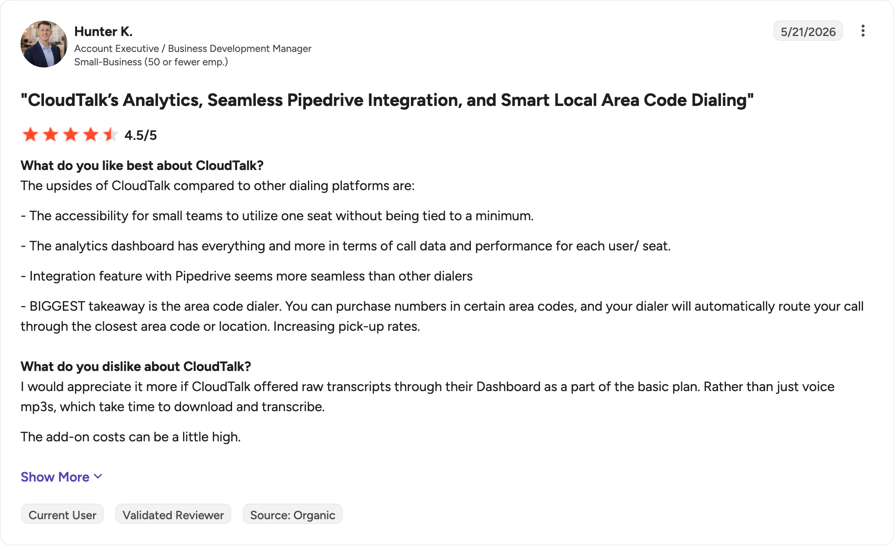
G2 reviewers mention ease of use (328 mentions) and reliability (170) most often as CloudTalk pros, and call issues (159) and connection issues (81) most often as cons.
What Is CloudTalk's Rating on G2?
CloudTalk is currently rated 4.4/5 on G2 based on 1941+ reviews (checked October 2026).
Pros and Cons of CloudTalk Based on G2 Reviews
| Pros | Cons |
|---|---|
| Easy to use, with calls logged in the CRM | Occasional call quality issues, which one reviewer ties to the internet connection |
| The auto-dialer lets reps work through a lead list without dialing by hand | The desktop app's call history sometimes doesn't load |
| Reliable call quality on international calls | Calling stops when the credit balance runs out |
Test CloudTalk on Your Own Calls
2. Zendesk: Best for Support Teams That Want Omnichannel Tickets and Voice
What Is Zendesk?
Zendesk is a customer service helpdesk whose Suite plans add voice to its ticketing tools. It suits support teams that already work from tickets. Voice belongs to Zendesk Suite; Zendesk Sell is a separate CRM product.
What Are the Key Call Center Features of Zendesk?
- Voice on Suite Team:telephony, group call routing, call recording and voicemail.
- IVR and advanced routing on Suite Professional:IVR phone trees, skills-based routing, and overflow and after-hours routing.
- Text messages:an add-on on Suite Team.
- Contact Center add-on:$83 per agent per month billed annually.
What Is Zendesk Missing?
Voice starts on Suite Team at $55 per agent. The $19 Support Team plan is ticketing only, with no calls, and IVR and skills-based routing need Suite Professional at $115 per agent.
Phone numbers and inbound and outbound minutes are add-ons billed per minute, so the phone bill rises with call volume. Outbound teams won't find a dialer on Zendesk's pricing page.
What Is Zendesk Best For?
Zendesk fits small, inbound-heavy support teams that want calls and tickets in one helpdesk. Sales teams that need a dialer are better served by a phone-first tool.
How Much Does Zendesk Cost?
Zendesk pricing for voice starts at $55 per agent per month billed annually ($69 billed monthly) on Suite Team. A 5-agent team that needs an IVR moves to Suite Professional, which comes to $575 a month billed annually before numbers and call minutes. Zendesk doesn't state a seat minimum and offers a 14-day free trial.
| Plan | Price per agent/month, billed annually (checked October 2026) | Seat minimum | What's included |
|---|---|---|---|
| Support Team | $19 | Not stated | Ticketing only, no voice |
| Suite Team | $55 | Not stated | Telephony, group call routing, call recording, voicemail |
| Suite Professional | $115 | Not stated | Suite Team plus IVR, skills-based routing, overflow and after-hours routing |
| Suite Enterprise | Custom quote | Not stated | Quote-based |
What Do Customers Say About Zendesk on G2?
Zendesk's G2 rating covers the whole product; the pros and cons below come only from G2 reviews that discuss its voice features.
What Is Zendesk's Rating on G2?
Zendesk is currently rated 4.3/5 on G2 based on 7,100+ reviews (checked October 2026). The rating is for Zendesk for Customer Service, the whole product, because voice has no separate G2 listing.
Pros and Cons of Zendesk Based on G2 Reviews
| Pros | Cons |
|---|---|
| Calls create tickets automatically | Voice is less advanced than dedicated phone tools |
| Calls, SMS and WhatsApp in one agent view | Reviewers report voice delays and dropped or missed calls |
| Calls, email and chat share one customer history | Advanced routing, AI and premium voice add steeply to the price |
Zendesk vs. CloudTalk
Zendesk keeps calls and tickets in one helpdesk. One G2 reviewer who uses its voice features values calls that turn into tickets automatically; another values calls, SMS and WhatsApp in one agent view.
CloudTalk fits better when the phone is the main channel. Queues and ring groups come on every CloudTalk plan and IVR starts on Essential at $29, while Zendesk puts IVR on Suite Professional at $115. CloudTalk also has Power and Parallel dialers; Zendesk's pricing page lists no dialer.
3. RingCentral: Best for Small Businesses That Want a Unified Communications Platform
What Is RingCentral?
RingCentral sells two products that matter here: RingEX, its business phone system within a unified communications platform, and RingCX, a separate contact center. RingEX suits small businesses that want calling and other team communications from one vendor.
What Are the Key Call Center Features of RingCentral?
- IVR on every plan:a multi-level auto attendant and IVR on Core and Advanced.
- Call queues:basic queues on Core and advanced queue rules and routing on Advanced. The Call Queues Booster ($35 add-on) adds queue callback, wait-time and place-in-queue announcements and live queue reports.
- Call recording:on demand on Core; automatic or on demand from Advanced.
- Integrations:330+, including Salesforce and HubSpot, with CRM integrations listed from Advanced.
- AI add-ons:AI Receptionist from $39 and Conversational Intelligence from $60.
What Is RingCentral Missing?
RingEX prices don't cover contact center features. RingCX is a separate product starting at $65 per user, and queue callback and live queue reports on RingEX come through the $35 Call Queues Booster.
AI features are add-ons too, so a small team that wants queue callback, an AI receptionist and call analysis pays for three extras on top of the plan. Core records calls on demand only; automatic recording and CRM integrations start on Advanced.
What Is RingCentral Best For?
RingCentral fits small businesses that want one communications vendor and handle a moderate number of calls. Teams that need contact center routing and dialing should price RingCX rather than RingEX.
How Much Does RingCentral Cost?
RingCentral pricing starts at $20 per user per month billed annually ($30 billed monthly) for RingEX Core, the same price for 1 to 5 and 6 to 100 users. RingEX Advanced is $25 ($35 monthly), and RingCX starts at $65 per user. The 14-day free trial is for new subscribers and covers up to 20 phone lines and 2 desk phones.
| Plan | Price per user/month, billed annually (checked October 2026) | Seat minimum | What's included |
|---|---|---|---|
| RingEX Core | $20 | Not stated | Multi-level IVR, basic call queues, on-demand call recording |
| RingEX Advanced | $25 | Not stated | Core plus CRM integrations, advanced queue rules and routing, automatic call recording |
| AI Customer Engagement Bundle | Contact sales | Not stated | Adds AI Receptionist, the Call Queues Booster and the Business SMS Booster |
| RingCX | From $65 | Not stated | Contact center product |
What Do Customers Say About RingCentral on G2?
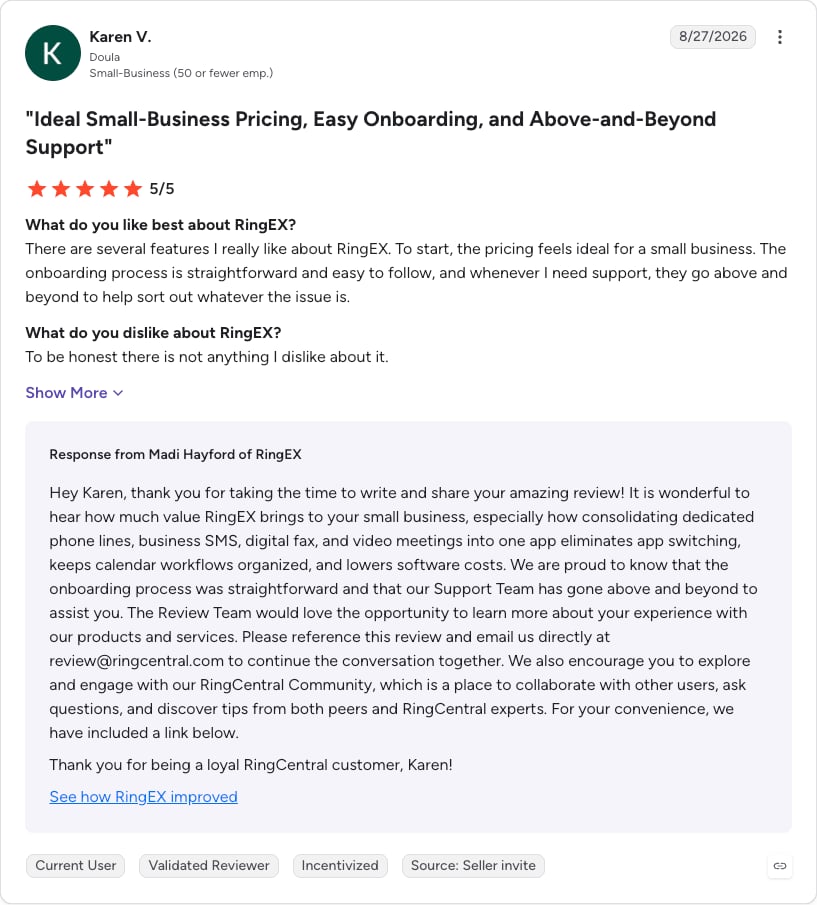
These reviews cover RingEX, RingCentral's phone system. G2 reviewers mention ease of use (216 mentions) and customer support (127) most often as pros, and poor customer support (55) most often as a con.
What Is RingCentral's Rating on G2?
RingCentral is currently rated 4.2/5 on G2 based on 1,500+ reviews of RingEX (checked October 2026).
Pros and Cons of RingCentral Based on G2 Reviews
| Pros | Cons |
|---|---|
| Calling, messaging and video in one app | Admin and reporting screens feel cluttered |
| Consistent call quality | Changing call routing and user settings isn't always easy |
| Multi-level IVR lets several teams share one main number | Pricing is hard to justify for teams that only need basic calling |
RingCentral vs. CloudTalk
RingEX puts calling, messaging and video meetings in one app, with multi-level IVR and basic call queues on every plan from $20 per user.
CloudTalk fits better for small call center teams. Queue callback is on every CloudTalk plan, while RingEX sells it in the $35 Call Queues Booster, and CloudTalk offers Power and Parallel dialers, where RingEX lists no dialer outside the separate RingCX product.
4. Aircall: Best for Teams That Want a User-Friendly Phone System With CRM Integrations
What Is Aircall?
Aircall is a cloud phone system for sales and support teams, sold per license with a minimum of 3 licenses on every plan. It suits teams that want a phone system with a wide set of ready-made integrations.
What Are the Key Call Center Features of Aircall?
- IVR and recording on Essentials:IVR, call recording, basic dashboards and analytics, and 250+ integrations.
- Routing on Professional:smart call routing and queue callback.
- Dialer on Professional:a Power Dialer and outbound call campaigns.
- Supervision on Professional:real-time analytics plus call whispering and barge.
- AI:AI conversation intelligence on Professional; AI Voice Agents from $100 a month, with 50 minutes a month included on Essentials.
What Is Aircall Missing?
Every plan needs at least 3 licenses, whether you pay monthly or annually, so a two-person team pays for three. The Power Dialer, queue callback and real-time analytics all need Professional at $50 per license.
AI Voice Agents carry a $100 monthly minimum beyond the included minutes. Aircall's pricing page gives the annual discount (25%) but doesn't print the monthly price.
What Is Aircall Best For?
Aircall fits teams of three or more that want a phone system running quickly alongside their CRM or helpdesk, mostly for inbound calls or light outbound work. Outbound teams that rely on a dialer should budget for Professional.
How Much Does Aircall Cost?
Aircall pricing starts at $30 per license per month billed annually on Essentials. With the 3-license minimum, the smallest Essentials account costs $90 a month, and the same three licenses on Professional cost $150. Enterprise starts at 25 licenses and is quote-based.
| Plan | Price per license/month, billed annually (checked October 2026) | Seat minimum | What's included |
|---|---|---|---|
| Essentials | $30 | 3 | IVR, call recording, basic dashboards, 250+ integrations, 50 AI Voice Agent minutes a month |
| Professional | $50 | 3 | Essentials plus Power Dialer, outbound campaigns, smart routing, queue callback, real-time analytics, whisper and barge, AI conversation intelligence |
| Enterprise | Custom quote | 25 | SLA, SSO, dedicated onboarding |
What Do Customers Say About Aircall on G2?
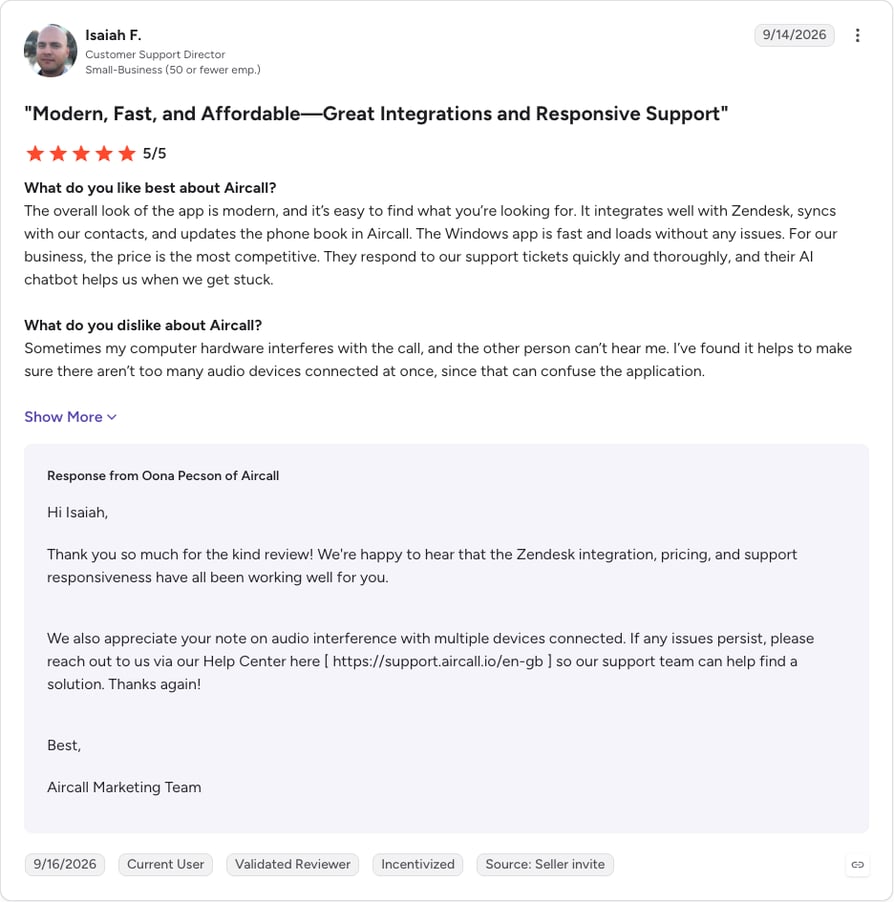
G2 reviewers mention ease of use (228 mentions) and easy integration (91) most often as Aircall pros, and connection issues (62) and call issues (49) most often as cons.
What Is Aircall's Rating on G2?
Aircall is currently rated 4.4/5 on G2 based on 1,600+ reviews (checked October 2026).
Pros and Cons of Aircall Based on G2 Reviews
| Pros | Cons |
|---|---|
| Call recordings make it easy to re-listen to prospects | Recordings can take up to half an hour to appear |
| The Zendesk integration syncs contacts with Aircall's phone book | Numbers get flagged as spam, and support is slow to change them |
| The Smart Flow call tree builder is easy to use | Calls are occasionally routed to the wrong agents at high volume |
Aircall vs. CloudTalk
Aircall gives teams of three or more a phone system with 250+ integrations, IVR and call recording on Essentials, and one G2 reviewer praises its Smart Flow call tree builder.
CloudTalk fits better for one- or two-person teams and for teams that want a dialer on a lower plan. CloudTalk Starter and Essential have a 1-license minimum and offer the Power Dialer as a $15 add-on, while Aircall needs 3 licenses and Professional at $50 for its Power Dialer.
5. LiveAgent: Best All-in-One Helpdesk With a Built-In Call Center
What Is LiveAgent?
LiveAgent is a helpdesk with a call center built in from its Team plan up, so calls and tickets sit in one tool. It suits small support teams on a tight budget that want both without paying for two products.
What Are the Key Call Center Features of LiveAgent?
- Call center from the Team plan:the Starter plan doesn't include it, and LiveAgent lists the call center features below as one module rather than by plan.
- Calls as tickets:calls are answered, recorded and logged as tickets in the same tool as email and chat.
- IVR and call distribution:IVR trees with recorded or uploaded messages, and automatic call distribution by agent priority or at random.
- Callbacks and transfers:callers can request a callback, and agents can make attended and consultative transfers.
- Your own carrier:calls run through VoIP providers you connect over SIP trunk.
What Is LiveAgent Missing?
The $15 Starter plan has no call center, so the real entry price for calls is $29 per agent on Team, and Team stops at 15 agents. LiveAgent describes its outbound calling as manual, so outbound teams get no dialer.
Calls run through VoIP providers you connect, and the pricing page doesn't say how phone numbers and call minutes are billed. Ask before you port, since per-number and per-minute costs are among the first questions small teams raise with us.
What Is LiveAgent Best For?
LiveAgent fits small support teams, mostly inbound, that want tickets and calls in one helpdesk and don't need outbound dialing. Growing past 15 agents means moving to Business at $49 per agent.
How Much Does LiveAgent Cost?
LiveAgent call center pricing starts at $29 per agent per month billed annually ($35 billed monthly) on Team. A 5-agent support team pays $145 a month on Team, before numbers and minutes. LiveAgent doesn't state a seat minimum.
| Plan | Price per agent/month, billed annually (checked October 2026) | Seat minimum | What's included |
|---|---|---|---|
| Starter | $15 | Not stated (up to 5 agents) | Helpdesk, no call center |
| Team | $29 | Not stated (up to 15 agents) | Call center included |
| Business | $49 | Not stated (any team size) | Call center included |
| Enterprise | $3,199 a month flat | 80 agents included | Call center included |
What Do Customers Say About LiveAgent on G2?
G2 reviewers mention ease of use (58 mentions) and features (48) most often as LiveAgent pros, and the learning curve (12) and missing features (11) most often as cons.
What Is LiveAgent's Rating on G2?
LiveAgent is currently rated 4.5/5 on G2 based on 1,500+ reviews (checked October 2026).
Pros and Cons of LiveAgent Based on G2 Reviews
| Pros | Cons |
|---|---|
| Calls, email, chat and social messages in one ticket flow | The mobile and phone apps need work |
| One phone number reaches any available agent | The first days feel heavy because of the many modules |
| Teams set up IVR and phone numbers themselves | The price rises for bigger teams |
LiveAgent vs. CloudTalk
LiveAgent puts calls, email, chat and social messages in one helpdesk from $29 per agent, with IVR trees, callbacks and call recording in its call center.
CloudTalk fits better when calling is the team's main job. It offers local numbers in 160+ countries, Power and Parallel dialers for outbound work and 100+ integrations, while LiveAgent's outbound calling is manual and its calls run through a VoIP provider you connect.
6. Five9: Best for Small Businesses Growing Into an Enterprise Contact Center
What Is Five9?
Five9 is an enterprise cloud contact center that requires a minimum of 50 seats, priced per concurrent user. It belongs on a small business list only for teams already planning a contact center of that size.
What Are the Key Call Center Features of Five9?
- Inbound:IVR, automatic call distribution (ACD) and queue management in every seat.
- Outbound:a dialer is included in the seat; the pricing page doesn't say which dialing modes.
- Recording and reporting:call recording and reporting in every seat.
- Channels and AI:Core covers "all channels with AI essential"; the Digital plan is described as digital channels only.
What Is Five9 Missing?
The 50-seat minimum rules Five9 out for most small teams. At $159 per concurrent user on Core, the minimum account starts at $7,950 a month, and Five9 notes that usage-based pricing may apply on top.
The $119 Digital plan is described as "digital channels only", so a voice team needs Core or higher. Plus, Pro and Enterprise are quote-based.
What Is Five9 Best For?
Five9 fits businesses moving toward 50 or more concurrent agents that need an enterprise contact center with IVR, ACD and dialing in one platform. A 5-person team will pay for seats it doesn't use.
How Much Does Five9 Cost?
Five9 pricing starts at $119 per concurrent user per month for Digital, which covers digital channels only. Core, which includes all channels, is $159 per concurrent user per month. Both carry a 50-seat minimum.
| Plan | Price per concurrent user/month (checked October 2026) | Seat minimum | What's included |
|---|---|---|---|
| Digital | $119 | 50 | Digital channels only |
| Core | $159 | 50 | All channels with AI essential |
| Plus, Pro, Enterprise | Custom quote | 50 | Quote-based |
What Do Customers Say About Five9 on G2?
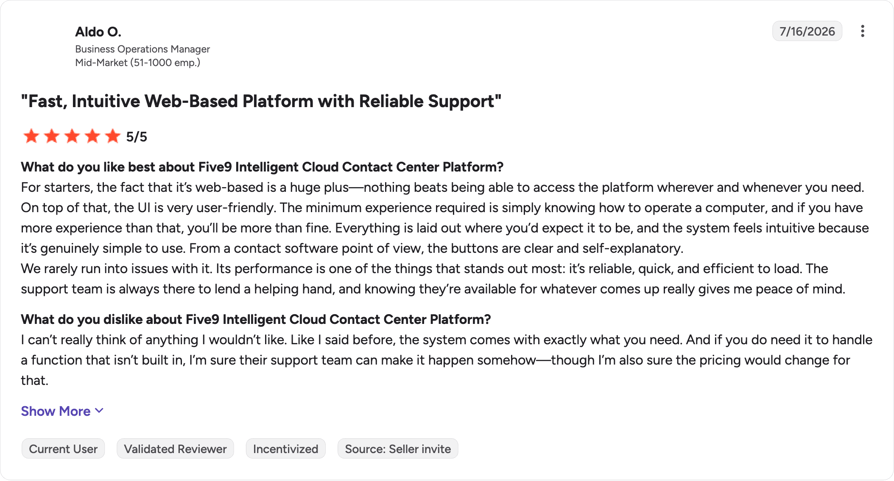
G2 reviewers mention ease of use (131 mentions) and customer support (89) most often as Five9 pros, and call issues (46) and missing features (41) most often as cons.
What Is Five9's Rating on G2?
Five9 is currently rated 4.1/5 on G2 based on 600+ reviews (checked October 2026).
Pros and Cons of Five9 Based on G2 Reviews
| Pros | Cons |
|---|---|
| Skills-based routing sends calls to the right agent | Dropped calls and occasional lag |
| IVR and inbound and outbound traffic are easy to configure | Connection losses during shifts |
| Progressive and predictive dialing | New features often need paid professional services |
Five9 vs. CloudTalk
Five9 includes IVR, ACD, a dialer, call recording and reporting in every seat, and individual G2 reviewers point to its skills-based routing and its progressive and predictive dialing.
CloudTalk fits better for teams below 50 agents. Starter and Essential have a 1-license minimum (Expert needs 3) and start at $25 per user, while the smallest Five9 Core account starts at $7,950 a month.
7. Nextiva: Best for a Reliable Cloud Phone Service With Call Management Features
What Is Nextiva?
Nextiva is a cloud business phone service with call management features, plus a separate contact center line. It suits small businesses that want a low entry price now and a path to a contact center later.
What Are the Key Call Center Features of Nextiva?
- Routing and IVR on NEXT Core:simple IVR (smart call routing) plus priority and skills-based routing.
- Call recording:included on NEXT Core, Engage and Scale.
- Channels on NEXT Engage:live chat, shared inboxes, and one toll-free number with 2,000 toll-free minutes a month.
- Supervision on NEXT Scale:supervisor monitoring.
- Dialing on contact center Professional:progressive and predictive dialing, quote-based.
What Is Nextiva Missing?
Nextiva's dialing modes sit in its contact center Professional plan, which is quote-based, so outbound teams can't price them from the pricing page. Supervisor monitoring needs NEXT Scale at $75 per user, and toll-free numbers are an add-on on NEXT Core.
The headline annual prices apply to new customers with 1 to 100 employees on a 12-month term. Monthly billing costs more: $23 instead of $15 on NEXT Core.
What Is Nextiva Best For?
Nextiva fits small, mostly inbound businesses that want a low-cost phone service with routing today. Teams that expect to need dialing or supervisor tools should price the higher tiers first.
How Much Does Nextiva Cost?
Nextiva pricing starts at $15 per user per month billed annually ($23 billed monthly) on NEXT Core. NEXT Engage at $25 includes one toll-free number and 2,000 toll-free minutes a month, and the contact center starts at $75 per agent.
| Plan | Price per user/month, billed annually (checked October 2026) | Seat minimum | What's included |
|---|---|---|---|
| NEXT Core | $15 | Not stated | Simple IVR, skills-based routing, call recording; toll-free number as an add-on |
| NEXT Engage | $25 | Not stated | Core plus live chat, shared inboxes, 1 toll-free number and 2,000 toll-free minutes |
| NEXT Scale | $75 | Not stated | Engage plus supervisor monitoring |
| Contact center Essential | From $75 per agent | Not stated | Contact center entry plan |
| Contact center Professional, Premium | Custom quote | Not stated | Adds progressive and predictive dialing (Professional) |
What Do Customers Say About Nextiva on G2?
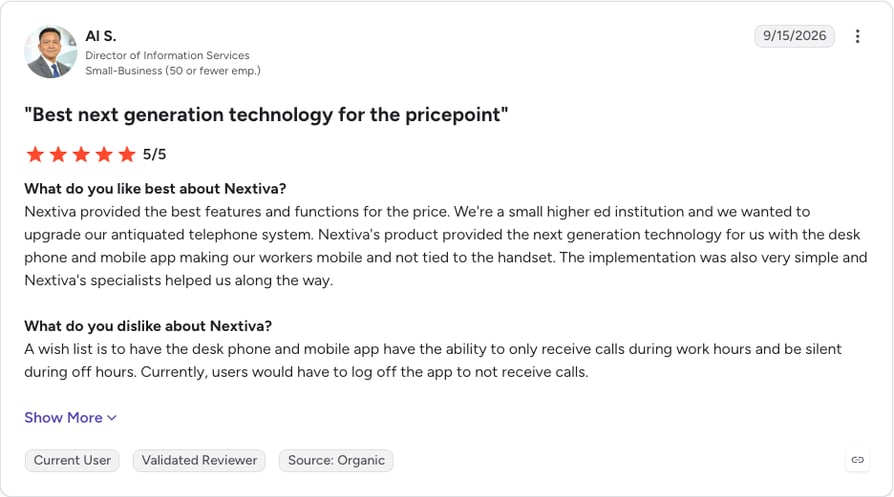
G2 reviewers mention customer support (135 mentions) and ease of use (128) most often as Nextiva pros, and difficult configuration (27) and complexity (25) most often as cons.
What Is Nextiva's Rating on G2?
Nextiva is currently rated 4.5/5 on G2 based on 3,600+ reviews (checked October 2026).
Pros and Cons of Nextiva Based on G2 Reviews
| Pros | Cons |
|---|---|
| No outages reported over six years of use | The price feels high for a VoIP service |
| Good features for the price | Custom reports are hard to build without help from a rep |
| A clear call reporting dashboard for missed calls and usage | Implementation needed extra tech support and unplanned hardware |
Nextiva vs. CloudTalk
Nextiva offers simple IVR, skills-based routing and call recording from $15 per user on NEXT Core, and one G2 reviewer reports six years without an outage.
CloudTalk fits better for outbound teams that want to price a dialer up front. CloudTalk lists the Power Dialer ($15 add-on, included in Expert) and the Parallel Dialer ($39) on its pricing page, while Nextiva's dialing modes sit in a quote-based contact center plan.
How I Chose the Best Call Center Software for Small Business
In October 2026, I checked each vendor's own pricing page, and for CloudTalk the help center as well. I read G2 reviews for every tool. To decide what to compare, I used the questions small teams ask our sales team before they switch.
I judged each tool on six criteria:
- Inbound features: IVR, queues and ring groups, and which plan includes them
- Outbound dialing: which dialing modes exist and what they cost
- CRM and helpdesk integration
- Setup effort and onboarding support
- Total cost with add-ons, numbers and seat minimums
- Contract flexibility: monthly or annual terms and free trials
CloudTalk is our product. I ranked it first for small sales and support teams and listed what it lacks in the same format as every other tool.
Key Features of Call Center Software for Small Business
A call management system for small business needs fewer features than an enterprise contact center. These six cover what small teams ask our sales team about most.
Call Routing and IVR
IVR greets callers and handles the first step of call routing: it sends them to the right person or group based on a key press or the number they dialed. A visual call flow editor lets you build and change that flow by dragging steps around, without opening a support ticket. Business hours rules send after-hours callers to voicemail or a recorded message instead of an empty office.
Keep the menu short: callers reach a person faster through two or three options than through a five-level "press 1" maze. On CloudTalk, the call flow builder is on every plan, while IVR and business-hours routing start on Essential.
Queues, Groups and Skill-Based Routing
Ring groups decide how a call reaches a team: every phone at once, one after another, or round robin so the work spreads evenly. Call queues hold callers when everyone is busy and connect them to the next available agent. Overflow rules move a waiting call to a second group, or to voicemail, after a set time.
Skill-based routing sends a call to agents with a matching skill, such as a language or a product line. It helps once you run more than one team and adds little for three people who handle everything. A callback option lets a caller leave the queue and get a call back instead of waiting on hold.
CloudTalk includes ring groups, queues and queue callback on every plan; skill-based routing starts on Essential.
Dialers for Outbound Calling
An auto dialer works through a call list so reps stop typing numbers. Small teams choose between three types:
- calls one contact at a time and dials the next as soon as the rep finishes. It suits most small sales teams.
- calls several contacts at once and connects the rep to the first person who answers. It suits teams working large lists where most calls go unanswered.
- Predictive dialer:dials more numbers than there are free agents, based on expected answer rates. It needs a bigger team, and answered calls can end up with nobody on the line.
CloudTalk offers Power (included in Expert, a $15 add-on otherwise) and Parallel ($39 add-on) dialing, and no predictive dialer.
CRM and Helpdesk Integration
Call center software should log every call in your CRM without anyone typing it in: who called, when, for how long, the recording and any notes. Without that, reps copy details by hand, and some calls never get logged. Check whether the integration is native (built and maintained by the vendor) or runs through a generic connector, and whether notes and call outcomes sync both ways.
Ask which CRMs and helpdesks are on the plan you'd buy, because some vendors keep integrations, or specific ones like Salesforce, for higher tiers. CloudTalk lists 100+ integrations, including HubSpot, with standard CRM and helpdesk integrations from Essential and Salesforce on Expert.
Recording, Reporting and Live Dashboards
Call recordings help with training, disputes and quality checks. Check how long your plan keeps them; with short retention, a recording can be gone by the time a dispute comes in. Call tags mark the outcome of each call (a sale, a follow-up, a wrong number), so reports show results as well as volume.
Call reporting and analytics should show answered, missed and abandoned calls by agent and by hour, so you can staff the busy times. Live dashboards, or wallboards, show who's on a call and how many callers are waiting. A supervisor watching a queue gets the most from them; a three-person team sitting together gets less.
On CloudTalk, recordings are kept for 1 month on Starter and with no time limit from Essential. Live monitoring, wallboards and real-time analytics are on Expert.
Phone Numbers, Porting and Mobile Apps
You'll need a local number for each market you serve and, often, a toll-free number for support. Check what each number costs per month and how calls to it are billed, because inbound minutes on toll-free numbers are charged to you, the business.
Number porting moves your existing numbers to the new provider. Start the port before you cancel the old service, or you risk losing the number. Agents also need desktop and mobile apps to take calls away from a desk, and if you want to keep SIP desk phones, ask each vendor whether yours are supported.
CloudTalk offers local numbers in 160+ countries and number porting on every plan. US and Canada toll-free numbers cost $6 a month each plus $0.03 per inbound minute.
AI in Call Center Software: What Small Businesses Need to Know
For a small team, AI earns its cost when it cuts admin: fewer missed calls, notes written for you and less time listening back to recordings. The smallest firms use it least. In May 2026, the U.S. Census Bureau's Business Trends and Outlook Survey1 found that fewer than 20% of firms with four or fewer employees reported using AI, compared with 37% of firms with 250 or more employees.
Which AI Features Are Worth Paying For?
Four AI features show up most often in call center software:
- AI routing and smart IVR:sends callers to an agent based on past interactions, language or location, urgency and who's available, so fewer calls get transferred.
- Call summaries and sentiment:writes the summary, action items and customer sentiment after each call and saves them to the CRM, which removes most after-call note-taking.
- Real-time agent assist:suggests answers, knowledge base articles or compliance reminders while the call is live. New agents get the most from it.
- AI quality monitoring:scores every call against a script or checklist, where a manager could only sample a handful a week.
These pay off when your team handles a high call volume, the same questions over and over, outbound follow-ups or agents across several shifts. If you take a few calls a day, most of them are overkill.
CloudTalk's AI works after the call. Conversation Intelligence, a $9 per user add-on, produces transcripts, summaries, sentiment, topics and call scoring once a call ends; the help center doesn't describe real-time agent assist. AI Voice Agents, which answer calls on their own, are a separate add-on from $99 for 200 minutes a month.
Does AI Replace Agents or Support Them?
In a small business, AI supports agents. It sorts callers, answers simple questions through an AI receptionist and writes notes, so agents spend more of the day on conversations that need a person.
In March 2025, Gartner predicted2 that by 2029, agentic AI will autonomously resolve 80% of common customer service issues without human intervention.
Pro tip: choose AI that helps your agents respond faster and keeps your CRM records complete. Skip features that put a bot between your customers and your team without a clear way to reach a person.
How Much Does Call Center Software Cost for a Small Business?
Call center software for a small business costs $15 to $159 per user per month on the lowest plan that includes voice, across the 7 tools in this list (billed annually, checked October 2026). Most small-team options sit between $20 and $55. The final bill adds dialers, AI, phone numbers and toll-free minutes, and some vendors set seat minimums.
| Tool | Lowest plan with voice (checked October 2026) | Seat minimum | Dialer cost | AI cost |
|---|---|---|---|---|
| CloudTalk | Starter, $25 per user | 1 (Expert: 3) | Power: included in Expert, $15 add-on otherwise; Parallel: $39 add-on | Conversation Intelligence $9 add-on; AI Voice Agents from $99 for 200 minutes |
| Zendesk | Suite Team, $55 per agent | Not stated | No dialer listed | Not covered in our pricing check |
| RingCentral | RingEX Core, $20 per user | Not stated | Not listed for RingEX; RingCX from $65 | Conversational Intelligence from $60; AI Receptionist from $39 |
| Aircall | Essentials, $30 per license | 3 | Power Dialer on Professional ($50) | Conversation intelligence on Professional; AI Voice Agents from $100 a month |
| LiveAgent | Team, $29 per agent | Not stated | No dialer listed | Not covered in our pricing check |
| Five9 | Core, $159 per concurrent user | 50 | Included in the seat | "AI essential" included in Core |
| Nextiva | NEXT Core, $15 per user | Not stated | Progressive and predictive on contact center Professional (quote) | Not covered in our pricing check |
Worked example: CloudTalk for a 10-person team. Take a blended team of 5 inbound support agents and 5 outbound sales reps, billed annually:
- 5 support agents on Essential for IVR, queues and ring groups: 5 × $29 = $145 a month.
- 5 sales reps on Expert, which includes the Power Dialer and meets the 3-license minimum: 5 × $49 = $245 a month.
- Parallel Dialer for the reps, if they work large lists: 5 × $39 = $195 a month.
- One US toll-free support number: $6 a month plus $0.03 per inbound minute, so 2,000 inbound minutes add $60.
Seats alone come to $390 a month. With the toll-free number taking 2,000 inbound minutes, that's $456, and adding the Parallel Dialer for all five reps brings it to $651. Free inbound calls don't apply to toll-free numbers. "Unlimited" calling across the US and Canada is subject to a fair usage policy: 3,000 outbound minutes per user per month by default, or 10,000 on the US and Canada packages.
Monthly or annual billing. Annual billing is cheaper on most of these tools but locks you in. CloudTalk's annual plans save about 30% against monthly ($29 instead of $39 on Essential) with a 12-month commitment, while monthly plans can be cancelled at any time. Aircall's annual plans are 25% cheaper than monthly, and Nextiva's headline prices need a 12-month term.
Trials let you test before you sign. CloudTalk offers 14 days without a credit card, LiveAgent 30 days, and Zendesk and RingCentral 14 days each.
How to Choose the Best Call Center Software for Your Small Business
About half of small firms already pay for cloud software: Eurostat reports3 that 49.3% of small EU enterprises (10 to 49 employees) used paid cloud computing services in 2025. Use these steps to pick a provider based on how your team works:
- Decide on inbound, outbound or blended. Inbound teams need IVR and queues; outbound teams need a dialer; blended teams need both on one plan.
- Count seats and numbers. Include seat minimums (Aircall 3, CloudTalk Expert 3, Five9 50) and every local and toll-free number you'll keep.
- List the CRM or helpdesk it must connect to. Confirm the integration is on the plan you'd buy and what it logs.
- Check porting. Ask how long it takes in your country and what documents the new provider needs.
- Ask who sets up the IVR and call flows. Some plans include onboarding help; others leave setup to you.
- Compare the 12-month cost. Add seats, dialers, AI, numbers and minutes for each shortlisted tool, then compare annual and monthly terms.
- Test on one team. Run a trial with real calls before moving everyone.
Once the table above has cut your list to two or three, send each vendor the same questions in writing: which plan includes IVR and your CRM integration, the seat minimum, how numbers and minutes are billed, how long porting takes and what setup help you get. Written answers make the 12-month comparison easier and give you something to check the first invoice against.
Small teams tell us complex call flows take time to build, so ask who does the setup before you sign. On CloudTalk, Expert includes dedicated onboarding and phone support, while every plan includes 24/7 chat and email support. Book a demo to map your call flow with our team first.
Case study time: Booking Host
Booking Host, which manages close to 2,000 short-term rental apartments in Poland, raised its inbound call answer rate from 70% to over 90% with CloudTalk's real-time dashboard and call logs. Its customer service manager connected CloudTalk to Salesforce without IT help: "Even though I'm not in IT, I can handle this myself."
How Do You Move to a Cloud Call Center Without Losing Your Numbers?
Start with an inventory. List every number (local, toll-free and mobile), every extension, voicemail box and call flow, and who answers each one today. That list becomes your porting request and your setup plan.
Port your numbers before you cancel the old provider. If you cancel first, the old carrier can release the number, and toll-free numbers are the most painful to lose; one small team we spoke with nearly lost theirs this way. Porting times and the documents required vary by country and carrier, so start early and keep the old service running until the port completes.
While the port runs, map your call flow on paper: the IVR options, which group gets which calls, what happens after hours and where voicemail goes. Build it in the new system, connect your CRM and make test calls to every path.
Then move one pilot team first. If you can, run the old and new systems side by side for a week and compare answered calls, missed calls and what shows up in the CRM. Train the rest of the team on what the pilot learned before you switch everyone.
Remote agents. Remote agents need the desktop or mobile app, a headset and a stable internet connection. Test call quality from each agent's home before go-live, use a wired connection where possible, and make sure supervisors can still see queues and live calls.
CloudTalk doesn't charge setup or onboarding fees, and you can start a 14-day free trial with no credit card. Number porting is available on every plan, and Expert adds dedicated onboarding.
Ready to Test a Call Center Setup? Start With One Team and One Week
Pick two or three tools from the comparison table that match your call direction and budget. Write down your numbers, call flows and the CRM you use, then trial the shortlist with one team for a week.
Compare answered and missed calls, how each call shows up in the CRM and how long setup took. Keep the tool that handled your real call flow with the least setup work.
Plan Your Call Center Setup With Our Team
Sources:
- U.S. Census Bureau
- Gartner
- Eurostat
FAQs About Call Center Software for Small Business
Answers on cost, features, dialers, CRM integration, number porting and setup for small call center teams.
CloudTalk is the best call center software for small sales and support teams that need CRM integrations and local numbers in several countries. Support teams that work from tickets fit Zendesk or LiveAgent, and teams that want a simple phone system fit Aircall or Nextiva. The comparison table above shows features and entry prices side by side.
A call center handles phone calls only, inbound, outbound or both. A contact center adds email, live chat, SMS and social messages, usually in one shared multichannel inbox or ticket queue. Most small teams start with voice and add channels once customers ask for them, so check which channels your plan includes.
Entry plans with voice cost $15 to $159 per user per month across the 7 tools here, billed annually, and most small-team options sit between $20 and $55. Dialers, AI, extra numbers and toll-free minutes add to that under a per-seat call center pricing model. On CloudTalk, 5 Essential and 5 Expert seats come to $390 a month before add-ons.
Yes, if calls get missed, land on personal phones or never reach your CRM. With a shared number, a short IVR, a ring group and automatic call logging, three agents can route every call to whoever is free and keep a record of it. Three separate mobiles can't do that, whatever the headcount.
Most tools here include IVR and queues, but often not on the cheapest plan. CloudTalk has queues and ring groups on every plan and IVR from Essential, Zendesk adds IVR on Suite Professional, and Aircall includes IVR on Essentials. Keep the first IVR menu to two or three options so callers reach a person quickly.
Most small outbound teams need a power dialer, which calls one contact after another. A parallel dialer helps when you work large lists with low answer rates, and predictive dialing makes sense for bigger teams. CloudTalk offers Power (included in Expert) and Parallel (add-on) dialers, and has no predictive dialer.
Yes. Most call center software logs calls, recordings and notes in CRMs such as HubSpot, Salesforce and Pipedrive. Check whether the integration is native and which plan includes it. CloudTalk lists 100+ call center integrations, and its Conversation Intelligence add-on sends AI summaries to HubSpot, Pipedrive, Salesforce, Zoho and others.
In most cases, yes, through number porting. Start the port with your new provider before you cancel the old one, or you risk losing the number. Porting times and the documents you need vary by country and carrier, so list every number, including toll-free lines, before you begin.
Free tools exist, but they rarely combine IVR, queues, recording and CRM logging. A free trial of a paid tool is a better test. CloudTalk has no free plan; its trial runs 14 days without a credit card. LiveAgent offers a 30-day trial, and Zendesk and RingCentral offer 14 days.
Yes, when it cuts admin. Call summaries, AI routing and automated quality checks save agents time, while real-time agent assist depends on the vendor. AI supports agents rather than replacing them. On CloudTalk, Conversation Intelligence is a $9 per user add-on that summarizes and scores calls after they end.
Yes. Cloud call center software runs in desktop and mobile apps, so a small team can work as a virtual call center, with agents taking calls from home on a laptop, a headset and a stable internet connection. Before going remote, test call quality from each agent's home, use wired connections where you can, and check that supervisors can still see queues.
A simple setup with a few users, a ring group and new numbers can take a few hours to a few days. Porting numbers, building an IVR and connecting a CRM add time, and porting depends on your old carrier. List your call center software requirements, then ask each vendor what onboarding help your plan includes, and trial with one team first.