11 Best Cloud Phone Systems for Small Businesses in 2026
What’s the Best Cloud Phone System for Small Businesses in 2026? Top 11 Providers Compared
TL;DR: If you are searching for the ideal cloud-based phone system for small business operations, we’ve reviewed 20+ leading solutions to help you streamline outbound calling, automate daily tasks, and boost conversions in 2026.
Here are the 11 top cloud phone systems for small businesses in 2026:
- 01CloudTalk — Best Cloud Phone System for Small Businesses for AI-Powered Call Intelligence
- 02Emitrr — Best for Automation, Reputation Management & Customer Messaging
- 03RingCentral — Best for All-in-One Business Communications
- 04KrispCall — Best for remote and distributed teams that rely on automated call summaries and transcription to stay aligned
- 05Nextiva — Best for Customer Service Teams Needing CRM Tools
- 06Dialpad — Best for AI-Powered Collaboration and Budget Efficiency
- 078×8 — Best for Global or Hybrid Teams
- 08Vonage — Best for SMBs Seeking Flexibility and Customization
- 09Grasshopper — Best for Entrepreneurs and Solo Professionals
- 10Aircall — Best for CRM-Centric Sales & Support Teams
- 11Multilogin — Best for social media managers running multiple platform accounts

See a cloud phone system built for small teams

How We Chose the Best Cloud Phone Systems for Small Businesses
To create this guide, we compared 20+ leading cloud phone systems designed for small businesses, using verified feedback from thousands of SMB owners, sales leaders, and support managers across platforms like G2, Capterra, and TrustRadius.
We shortlisted the 11 top solutions based on call quality, core phone system features, ease of setup, CRM integrations, pricing transparency, and compliance, along with how well they perform in real small-business workflows.
Where relevant, we also reference recent industry research and benchmarks from trusted sources to keep our recommendations grounded in data.
What you’ll find here: Only cloud phone systems that deliver real value for small teams, with clear guidance on which business sizes and use cases each option fits best.
Why Trust Our Software Reviews?
For nearly a decade, we’ve helped over 30,000 professionals choose and implement better business communication tools. We’ve reviewed 200+ products, analyzed 5,500+ verified user reviews from G2 and Capterra, and validated insights through real-world discussions on platforms like Reddit and Quora.
In the past year alone, we’ve published 1,000+ in-depth articles, written and reviewed by humans, to deliver practical, data-backed insights small businesses can rely on.
Learn how we keep our content integrity and our software review methodology.
What Is a Cloud Phone System?
A cloud phone system is a business phone service that runs over the internet instead of landlines or on-site PBX hardware. Calls travel as data through your provider’s servers rather than a physical phone line, so your team can make and take calls from a laptop, a desk phone, or a mobile app on the same business number.
Because the provider hosts everything, there’s no switchboard sitting in a closet and no wiring to maintain. That’s why a cloud phone system for small business is essential if you plan on growing: it gives a five-person team the same calling setup a large call center runs, without the upfront cost.
The mechanics are simple. When you speak, your voice is converted into small data packets, sent over the internet, and reassembled as sound on the other end. That’s Voice over Internet Protocol, or VoIP—super simple concept right? Sometimes you just have to accept the definition and move on.
Everything that used to need dedicated hardware (call routing, IVR menus, queues, voicemail) now lives in software you manage from a web dashboard. You add a number, build a call flow, or onboard a new rep in a browser, usually with no IT team involved.
The difference from an on-premise system comes down to who owns the hardware. On-premise means buying and maintaining your own PBX equipment: a large capital expense, physical installation, and IT staff to keep it running.
A cloud based phone system shifts all of that to the provider, so you pay a predictable monthly fee per user and add or drop seats as you hire. For small businesses managing 10 to 200 seats, cloud is the default. Setup takes hours, not weeks. Take notes—this will be on the final exam.
Best Cloud Phone Systems for Small Businesses: A Snapshot Comparison
According to IMARC Group, the global cloud telephony services market is projected to reach around USD 50billion by 2034. That kind of growth is why the shortlist feels so crowded, which can make choosing the right system feel overwhelming.
Here’s a quick comparison of the top cloud-based phone systems to simplify your decision-making process:
| Software | CloudTalk | Emitrr | RingCentral | Nextiva | Dialpad | 8×8 | Vonage | Grasshopper | Aircall |
|---|---|---|---|---|---|---|---|---|---|
| Starting Price (annually) | $25 per user/month | $20 per user/month | $20 per user/month | $20/user/month | $15 user/month | $24 per user/month | $19/user/month | $14/month | $30/license/month |
| Free trial | 14 days | Demo only | 7 days | 7 days | 14 days | Not available | Not available | 7 days | 7 days |
| International Numbers | 160+ | Only in the U.S. and Canada | 100+ | Only in the U.S. and some regions in Canada | 70+ | 100+ | 40+ | Not available | 100+ |
| Number of Integrations | 100+ | 100+ | 100+ | 26+ | 12 | 70+ | 18+ | Not available | 100+ |
8 Features to Prioritize in a Cloud Phone System
Gartner projected that conversational AI would cut contact-center agent labor costs by $80 billion in 2026. That’s why AI-driven features in your cloud phone system have moved from a nice-to-have to a real line item in the buying decision.
If you want to tap into these savings, it’s time to prioritize the right features in your cloud phone service provider:
- Save time with Real-Time Transcription: Get accurate, searchable call records instantly, letting teams focus on customer engagement instead of manual note-taking.
- Connect Customers to the Right Agent: Intelligent call routing directs customers to the most suitable agent based on availability, skills, language proficiency, and customer history.
- Streamline Personalization with CRM Integration: Automatically log phone calls and access customer histories for tailored, context-rich conversations.
- Make Smarter Decisions with Real-Time Insights: Analyze performance and customer behavior instantly to build a high-velocity sales strategy and boost outcomes.
- Save Hours with AI-Generated Summaries: Summarize key points, action items, and sentiments from calls automatically, ensuring no detail is missed.
- Boost Engagement with Speaking Time Analysis: Refine agent strategies by analyzing the talk-to-listen ratio and improving training effectiveness.
- Simplify Messaging with Voicemail Transcription: Convert voicemails into easy-to-read emails, saving time and simplifying message management.
- Ensure Compliance with Detailed Call Records: Record customer interactions for quality assurance, training, and dispute resolution, keeping your business protected.
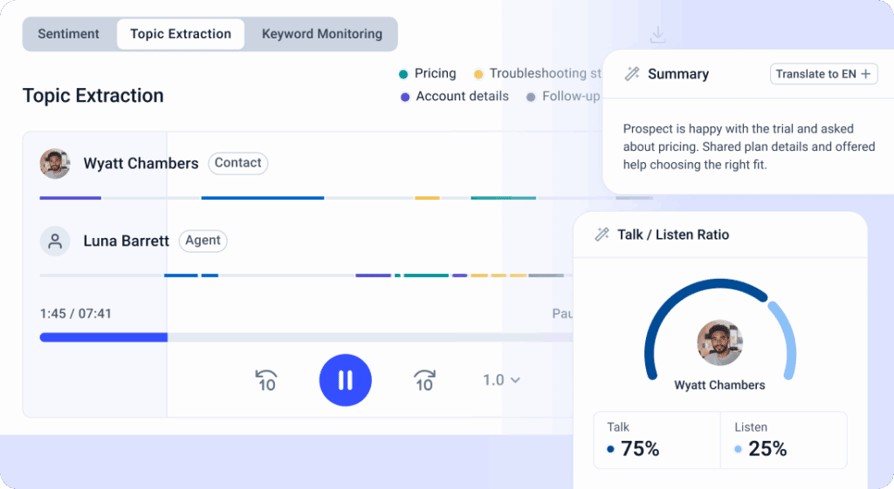
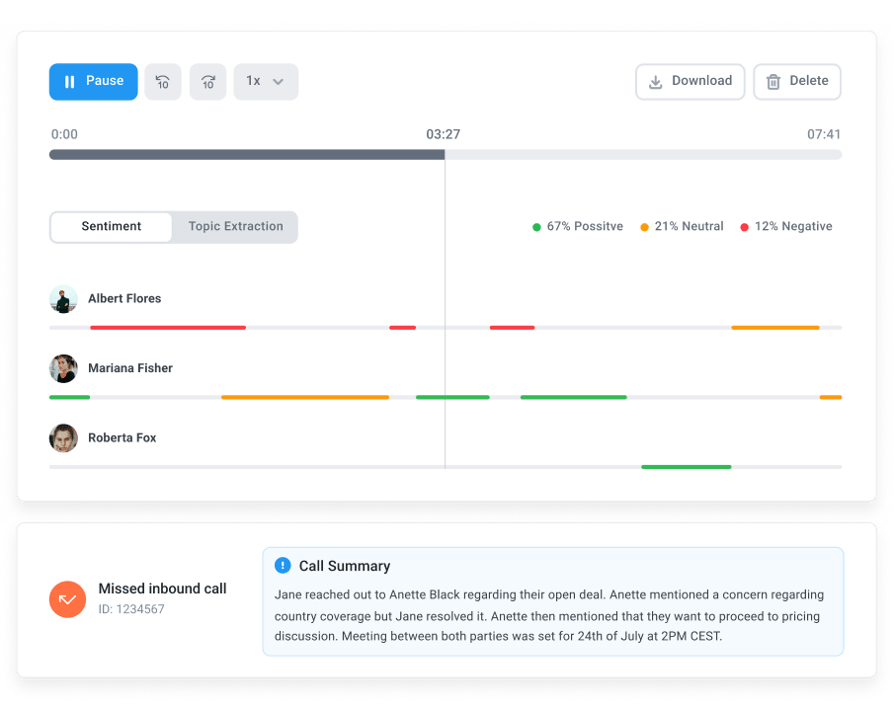
Here’s how those eight map to real capabilities inside CloudTalk. Call Transcription turns every recorded call into searchable, speaker-separated text after the call, so nobody scrubs an hour of audio to find one detail.
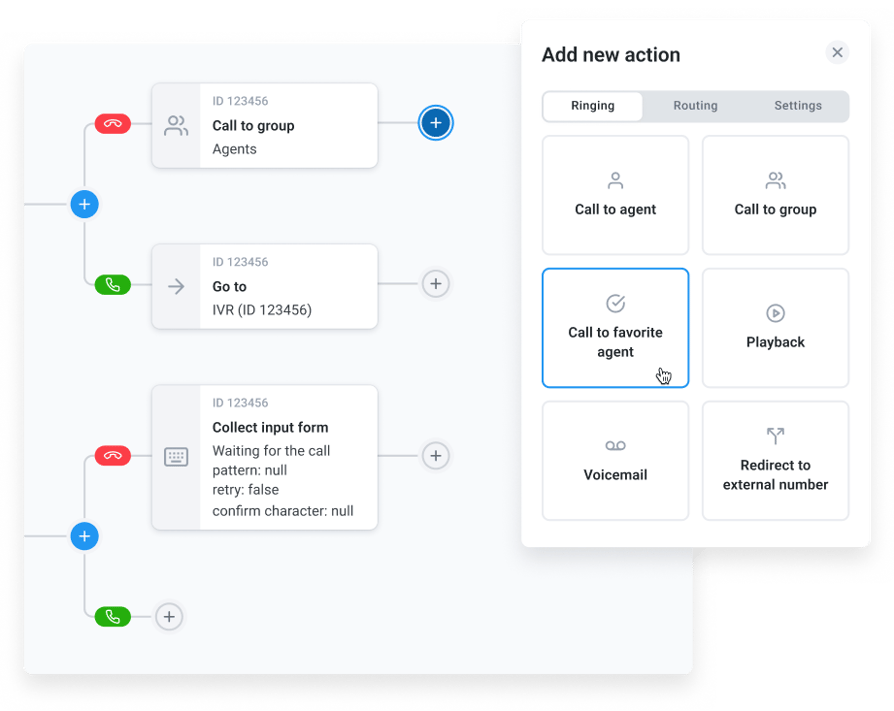
Call Flow Designer
The Call Flow Designer is a visual drag-and-drop builder for inbound routing, with branching logic and condition-based rules that send each caller to the right agent. Native two-way integrations with HubSpot, Salesforce, Pipedrive, and Zendesk log calls automatically and pull up contact history before the agent picks up.
Real-Time Analytics
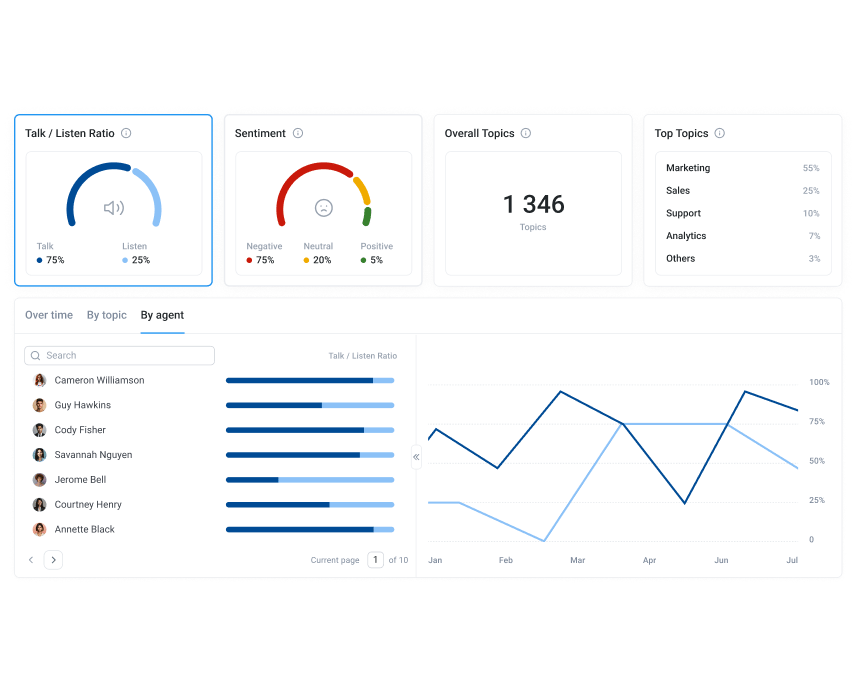
On the reporting side, Real-Time Analytics gives supervisors a live view of queues, agent status, and call activity, while unlimited Historical Reports keep the long-term record for QA and coaching.
Conversation Intelligence
The AI Conversation Intelligence add-on covers the AI-heavy features: AI Call Summary and AI Smart Notes write a post-call recap and pull out action items, and Talk/Listen Ratio flags when a rep is talking more than listening.
Call Recording
For voicemail, CloudTalk emails the recording to the right person, and Call Recording plus those historical reports give you the detailed records compliance teams ask for. Sort your must-haves against a live trial before you commit.
Limitations and Challenges of Cloud Phone Systems
No system is perfect, and cloud phone systems for business come with trade-offs worth knowing before you commit. Four of them matter most for small teams.
- Internet dependency. Your calls are only as reliable as your connection. If your internet drops or bandwidth gets stretched thin, call quality suffers or calls fail outright. A wired connection, a backup line, and quality-of-service settings on your router lower the risk, but the dependency never fully goes away.
- Security considerations. Because calls and recordings travel over the internet and sit on a provider’s servers, security matters more than it did on a closed landline. Look for encryption, a SOC 2 or ISO certification, and clear data-handling policies. A misconfigured account or weak passwords can expose customer data, so understanding the common VoIP security risks, plus access controls and regular audits, is part of the job.
- Per-user pricing at scale. Most providers charge per user per month. That’s cheap for a handful of seats and predictable as you grow, but the math shifts at scale. A 50-agent team paying $30 a seat spends $1,500 a month before add-ons, and features like dialers or AI often sit behind higher tiers or separate fees.
- Provider dependency. You’re trusting one vendor with your phone infrastructure. If they have an outage, raise prices, or retire a feature you rely on, you feel it directly. Check the provider’s uptime track record, read the SLA, and confirm you can port your numbers out before you sign. Weigh these against the flexibility and cost savings, and for most small businesses the trade-off still makes sense.
11 Best Cloud Phone Systems
Need help deciding which cloud-based solution to choose? These options combine powerful features, seamless integrations, and affordable pricing to help small businesses thrive in 2026.
Whether you need smarter calls, AI-driven insights, or multichannel collaboration, there’s a perfect fit for your team below.
#1 CloudTalk: Best Cloud Phone System for Small Businesses for AI-Powered Call Intelligence
CloudTalk is the best cloud phone system for small businesses because of its 100+ integrations including HubSpot and Zendesk, 160+ numbers for local presence, superior call quality and 24/7 live support. All of this sits on top of a tech stack that has every feature you could ever need, which we will talk more about below.
Key Features of CloudTalk
- Skill-Based Routing: Direct calls to the most qualified agent based on skills and availability, ensuring faster resolutions and improved customer satisfaction.
- Advanced Analytics: Track real-time performance metrics, customer interactions, and agent productivity with unlimited call history.
- Call Flow Designer: Create tailored call flows to optimize customer experience and agent workflows, enhancing efficiency and personalization.
- Sales Dialers and Campaign Management: Manage sales campaigns efficiently with the Power Dialer and Smart Dialer, enabling better scheduling and progress tracking.
Top CloudTalk Integrations
- HubSpot
- Pipedrive
- Zendesk
- Salesforce
- Intercom
- Zapier
Who Is CloudTalk Best For?
CloudTalk is ideal for SMBs looking for a cost-effective and scalable business phone system for their customer-facing teams.
How Much Does CloudTalk Cost?
CloudTalk offers four pricing plans, each with its own set of features:
- Starter ($25/user/month): This plan includes essential features like Click-to-Call, Voicemail, Call Flow Designer (CFD), Automatic Call Distribution (ACD), IVR, and Skill-Based Routing.
- Essential ($29/user/month): It offers SMS/MMS, Smart Dialer, Callback, and Integrations + Open API.
- Expert ($49/user/month): It includes features like Power Dialer, VIP Queues, WhatsApp Inbound & Outbound Messages, and Call Monitoring.
- Custom (Varies): This plan is tailored for businesses with unique needs and includes custom onboarding, unlimited outbound calls with flat rates, enterprise-level security, and developer support.
CloudTalk Cloud Phone System Reviews
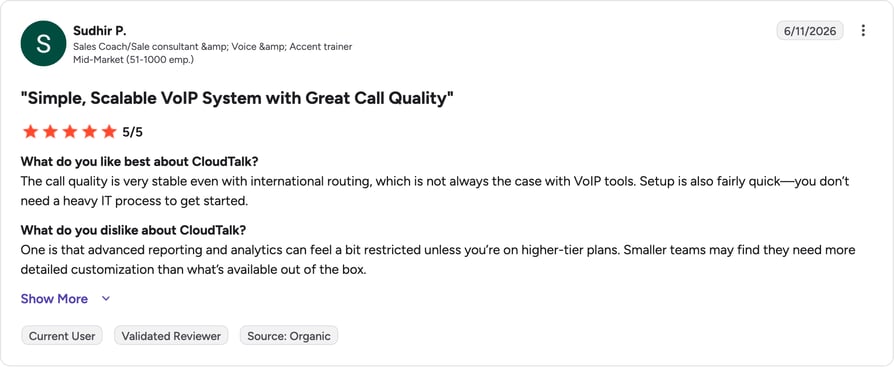
G2 reviewers give CloudTalk [cgv rating_g2] (1,702+ reviews).
Why Pay More? Get CloudTalk With 50% off Your First Month!
Start calling for less
#2 Emitrr: Best AI-Powered VoIP Solution for Fully Automated Communication
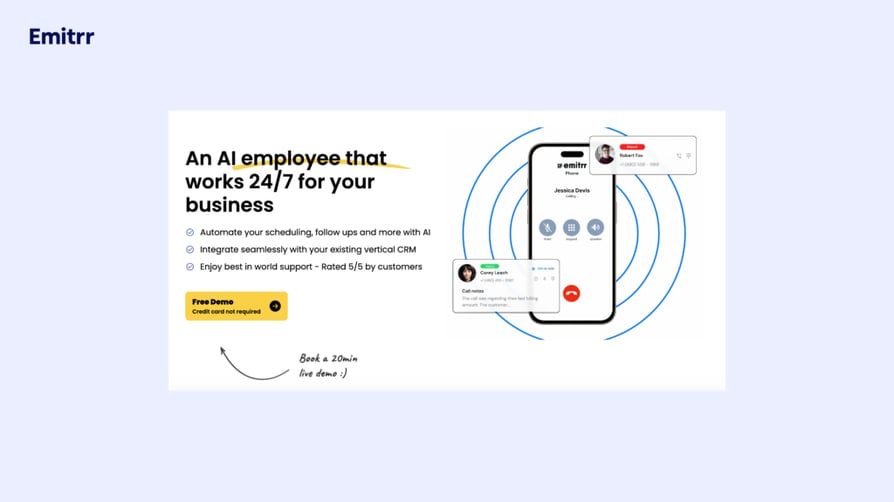
Emitrr is one of the leading communication and automation platforms on the market, known for its powerful AI workflows, omnichannel messaging, and ability to save 90+ hours of manual work every month. With a fully integrated cloud phone system and advanced capabilities such as intelligent routing and automated call handling, Emitrr streamlines every interaction. It unifies all customer communication and operational touchpoints into a single inbox, making it a leading productivity solution for healthcare, small businesses, and other fast-growing teams.
Key Features of Emitrr
- Unified Communication: All customer interactions exist in one centralized workspace, so teams operate efficiently across every channel.
- HIPAA-Compliance: Every interaction and data exchange meets strict regulatory standards, ensuring full protection of PHI.
- Missed Call to Text Automation: Sends an instant text response after a missed call, which reduces drop-offs and recovers potential opportunities.
- Advanced Call Management: Interactive phone trees, voicemail transcription, AI call routing, and an AI receptionist ensure no opportunity slips through and enhance the overall customer experience.
Top Emitrr Integrations
- Athenahealth
- Salesforce
- Zapier
- HubSpot
- Acuity Scheduling
Who Is Emitrr Best For?
Emitrr is perfect for small to mid-size or growing businesses that need a scalable platform to automate routine communication and reduce administrative effort. It is also an excellent fit for healthcare workflows, supporting efficient operations across practices, clinics, and multi-location providers.
How Much Does Emitrr Cost?
Emitrr offers two VoIP plans: Standard and Professional. The Standard plan starts at $20/user/month (annual billing) and follows a flexible, usage-based model. The Professional plan adds advanced capabilities for teams that need higher levels of automation and communication control. See the full breakdown in the Emitrr pricing guide.
What Are Reviewers Saying About Emitrr?
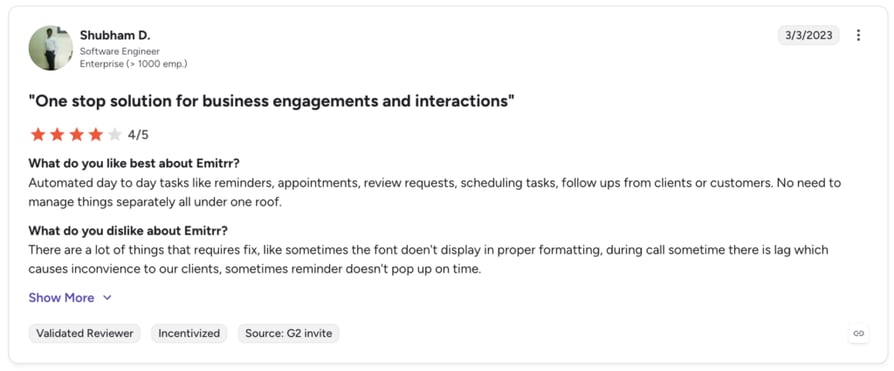
G2 reviewers like that with Emitrr all admin is in one place; they don't love the call lag.
#3 RingCentral: Best for All-in-One Business Communications
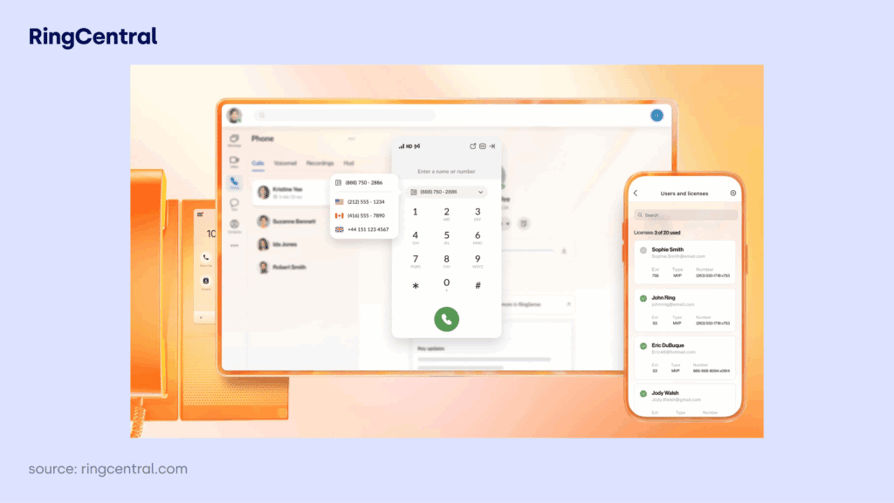
RingCentral is a leading cloud-based communication solution that includes omnichannel communication and seamless collaboration tools. This makes it an ideal choice for businesses seeking a comprehensive Unified Communications as a Service (UCaaS) platform. However, advanced features like AI analytics and unlimited international calls are locked behind higher-tier plans, which may increase overall costs for growing teams.
Key Features of RingCentral
- RingSense for Sales: Analyzes interactions between salespeople and prospects, providing insights, follow-ups, and performance scoring to help sales teams close more deals.
- Omnichannel Communication: Supports channels including voice, video, SMS, chat, and social media, which enables seamless interaction with customers across various platforms.
- Video Conferencing Tools: Includes robust video conferencing features that support HD video quality, screen sharing, and meeting recording with built-in security measures to empower remote collaboration.
- Advanced Call Management: Includes features like call recording, call flip, visual voicemail, and an interactive voice response (IVR) system to enhance customer interactions.
Top RingCentral Integrations
- Salesforce
- Microsoft Teams
- Google Workspace
- Zendesk
- Slack
- HubSpot
Who Is RingCentral Best For?
Small businesses looking for scalable solutions and medium-sized and large enterprises that require comprehensive communication tools.
How Much Does RingCentral Cost?
RingCentral offers three pricing plans to suit various business needs. See the full breakdown in the RingCentral pricing guide:
- Core ($20/user/month): This plan includes unlimited domestic calling, SMS/MMS, IVR, and Single Sign-On (SSO).
- Advanced ($25/user/month): It adds automatic call recording, advanced call monitoring, multi-site management, and CRM integrations.
- Ultra ($35/user/month): This plan features customizable analytics, extended storage, device analytics, and AI-powered transcription and summaries.
What Are Reviewers Saying About RingCentral?
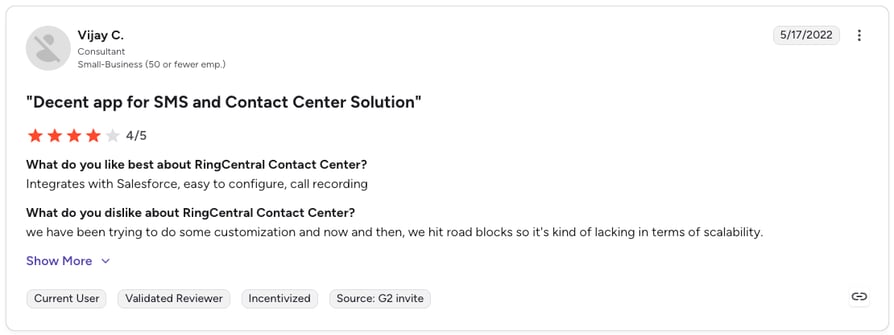
G2 reviewers give RingCentral 4.0/5
Recommended Reads
#4 KrispCall: Best for AI-Powered Communication for Growing Businesses
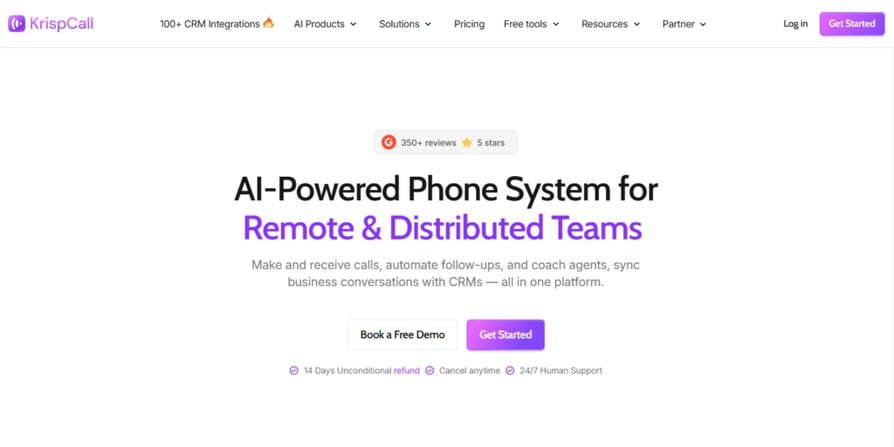
KrispCall is an AI-powered communication platform built for growing businesses that need enterprise-grade calling capabilities without the overhead of legacy phone infrastructure. Its Unified Callbox consolidates calls, SMS, and voicemails into a single workspace, while a built-in AI Copilot handles transcription, call summaries, and action item detection automatically after every conversation.
Key Features of KrispCall
- AI Copilot: Automatically transcribes calls in real time, generates post-call summaries, and flags action items – eliminating manual note-taking and reducing post-call admin for every agent on the team.
- Unified Callbox: Consolidates calls, SMS, MMS, and voicemails into a single, centralized workspace so agents always have full communication context without switching between tools.
- Advanced Call Management: Includes multi-level IVR, skill-based routing, call recording, call monitoring, whisper coaching, and live barge-in to enhance both customer interactions and agent performance.
- Global Virtual Numbers: Provides local and toll-free numbers in 100+ countries with local presence dialing to improve answer rates across international markets.
Top KrispCall Integrations
- HubSpot
- Salesforce
- Pipedrive
- Zoho CRM
- Zendesk
- Freshdesk
Who Is KrispCall Best For?
KrispCall is a solid pick for businesses that want an AI-first calling experience, particularly remote and distributed teams that rely on automated call summaries and transcription to stay aligned across time zones.
How Much Does KrispCall Cost?
KrispCall offers three pricing plans designed to grow with your business:
- Essential ($15/user/month): Includes core calling features, SMS, IVR, virtual numbers, and CRM integrations for teams getting started with cloud communication.
- Standard ($40/user/month): Adds Power Dialer, AI Copilot, call monitoring, advanced analytics, and voicemail drop for teams scaling their outbound operations.
- Enterprise (Custom pricing): Tailored for larger organizations with custom integrations, dedicated account management, and SLA guarantees.
What are Reviewers Saying About KrispCall?
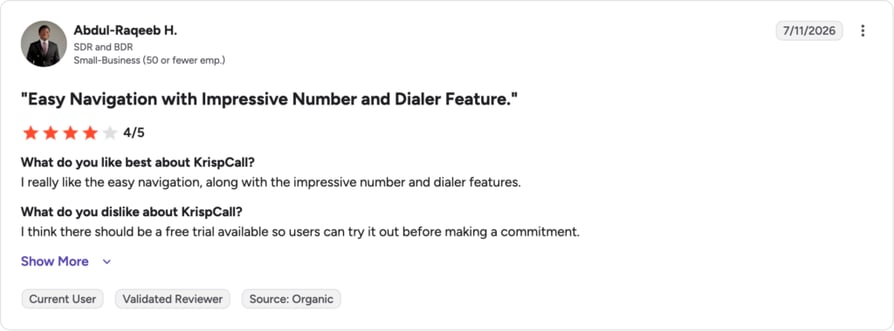
KrispCall reviewers give it an average of 4.5/5 stars on G2; they like the number of features and easy to use interface.
#5 Nextiva: Best for Customer Service Teams Needing CRM Tools
Nextiva is a cloud-based communication platform serving over 150,000 businesses with a unified solution for voice, video, chat, and collaboration tools. While it excels in multichannel communication and user-friendly design, its advanced voice features and analytics often come as add-ons, increasing costs for growing businesses.
Key Features of Nextiva
- Omnichannel Communication: Integrates voice, video, chat, email, and social media into one platform, ensuring seamless customer interactions across channels.
- Advanced IVR: Automates call routing with customizable menus, improving efficiency and directing callers to the right departments.
- AI-Powered Voicemail Transcription: Converts voicemails into text, making it easier to review and respond without listening to the full message.
- Team Collaboration Tools: Offers features like video conferencing and team chat to enhance productivity and streamline internal communication.
Top Nextiva Integrations
- Salesforce
- HubSpot
- Zoho CRM
- Zendesk
- Microsoft Teams
- Google Workspace
Who Is Nextiva Best For?
Small to medium-sized businesses (SMBs) seeking a unified communication platform that integrates voice, video, chat, and collaboration tools.
How Much Does Nextiva Cost?
Nextiva offers four pricing plans tailored to meet the needs of different businesses. See the full breakdown in the Nextiva pricing guide:
- Digital ($20/user/month): This plan supports omnichannel communication with features like live chat, social media management, and email integration.
- Core ($30/user/month): It includes inbound and outbound calls, SMS, voicemail transcription, and basic call routing.
- Engage ($40/user/month): This plan adds advanced reporting, chatbot functionality, and toll-free numbers.
- Power Suite ($60/user/month): It offers advanced IVR, intelligent routing, supervisor dashboards, and transcription as add-ons.
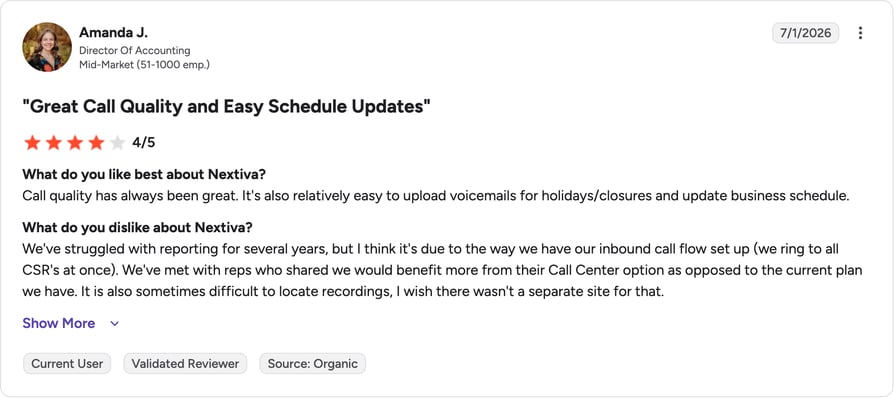
What are Reviewers Saying About Nextiva?
G2 reviewers give Nextiva 4.5/5. (3,441+ reviews).
#6 Dialpad: Best for AI-Powered Collaboration and Budget Efficiency
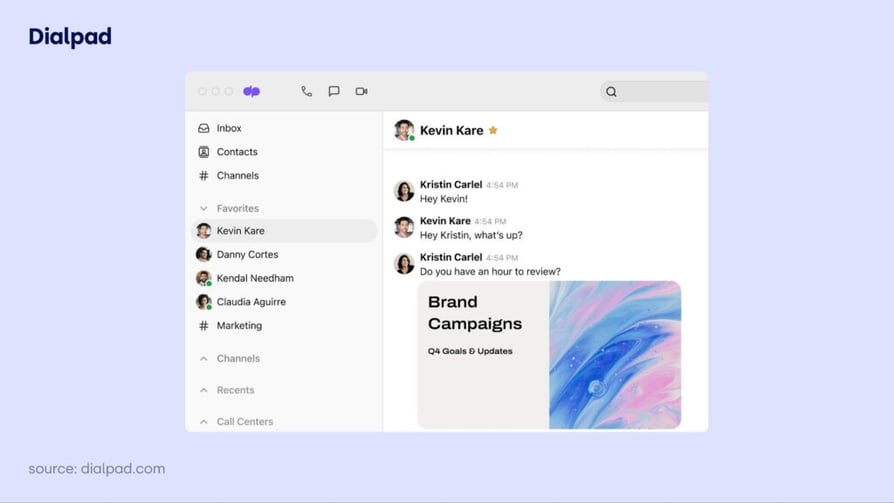
Dialpad is a cost-effective cloud-based communication platform that excels in integrations with platforms like Google Workspace and Office 365. However, advanced features like international calling often require additional fees or upgrades. It best suits businesses prioritizing collaboration and basic communication needs over advanced call center capabilities.
Key Features of Dialpad
- Unified Communication: Combines voice calls, video meetings, and messaging into a single platform, allowing users to communicate seamlessly across devices.
- AI-Powered Tools: Leverages AI for features such as real-time transcription, call summaries, sentiment analysis, and coaching tools.
- Voicemail Management: Dialpad offers advanced voicemail features, including voicemail transcription and live screening of voicemails.
- Call Recording: Allows users to record calls manually or automatically (depending on the plan), which is useful for training and quality assurance.
Top Dialpad Integrations
- Salesforce
- Zendesk
- Microsoft Teams
- Slack
- Google Workspace
- Zapier
Who Is Dialpad Best For?
SMBs that need robust communication tools without the complexity of larger enterprise solutions.
How Much Does Dialpad Cost?
Dialpad offers three pricing plans. See the full breakdown in the Dialpad pricing guide:
- Standard ($15 per user/month): This plan includes unlimited domestic calling within the US and Canada, local SMS/MMS, AI-powered call and voicemail transcription, and integrations with Google Workspace and Microsoft 365.
- Pro ($25 per user/month): This plan adds global SMS capabilities, multiple phone numbers per account, CRM integrations (Salesforce, HubSpot, Zendesk, and more), and 24/7 live agent support.
- Enterprise (Contact for pricing): It includes Single Sign-on (SSO), unlimited office locations, unlimited ring groups, and priority live agent support.
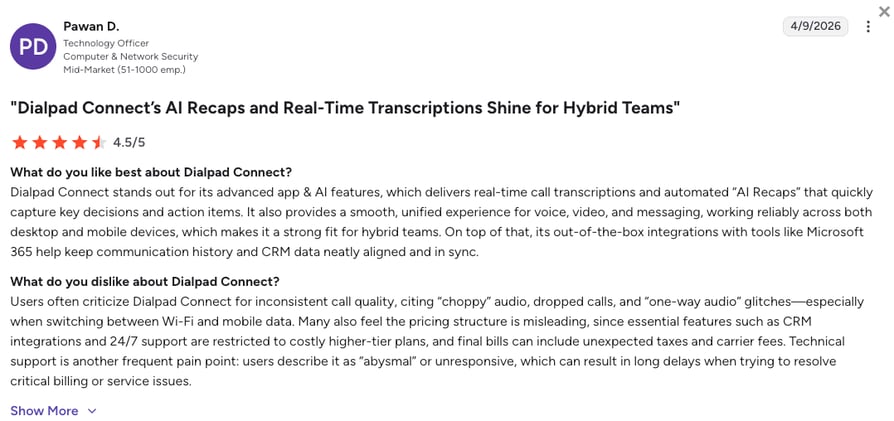
What do Reviewers Say About Dialpad?
Dialpad's current G2 rating is 4.4/5.
#7 8×8: Best for Global or Hybrid Teams
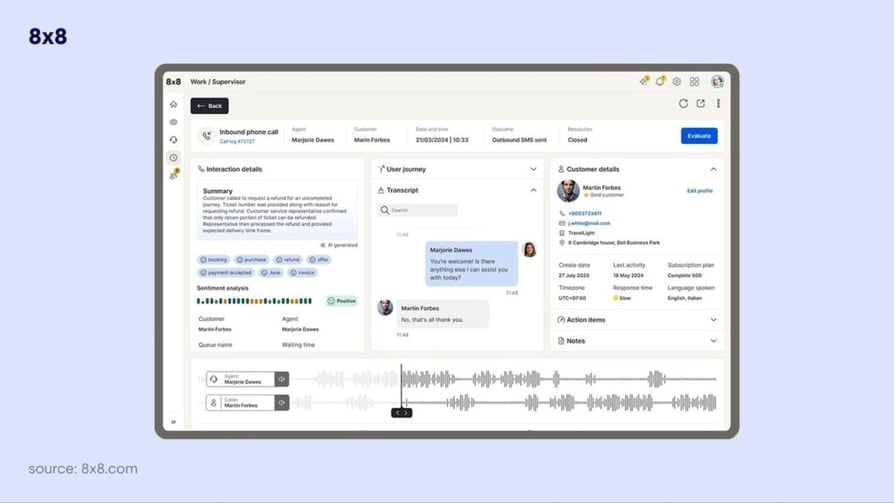
8×8 is a versatile cloud-based communication platform with robust collaboration and UCaaS tools. However, advanced call center features such as skill-based routing and auto-dialers are reserved for higher-tier plans or require add-ons. It’s an ideal solution for companies prioritizing omnichannel communication and collaboration, though hidden fees and limited VoIP options may deter cost-sensitive businesses.
Key Features of 8×8
- Auto Dialer: Automates dialing with preview, progressive, and predictive modes, boosting connection rates and agent productivity.
- Omnichannel Capabilities: Manages interactions across voice, chat, email, SMS, social media, and video for a seamless customer experience.
- Intelligent IVR: Uses speech recognition and NLP for natural customer interactions, enhancing self-service efficiency.
- Analytics: Advanced analytics deliver detailed insights into call quality, agent efficiency, and overall team performance, enabling data-driven decisions.
Top 8×8 Integrations
- Salesforce
- Google Workspace
- Microsoft Outlook
- Zendesk
- HubSpot
- Krisp
Who Is 8×8 Best For?
Midsize to large enterprises that require advanced communication solutions and are looking for flexibility and the ability to integrate different communication channels.
How Much Does 8×8 Cost?
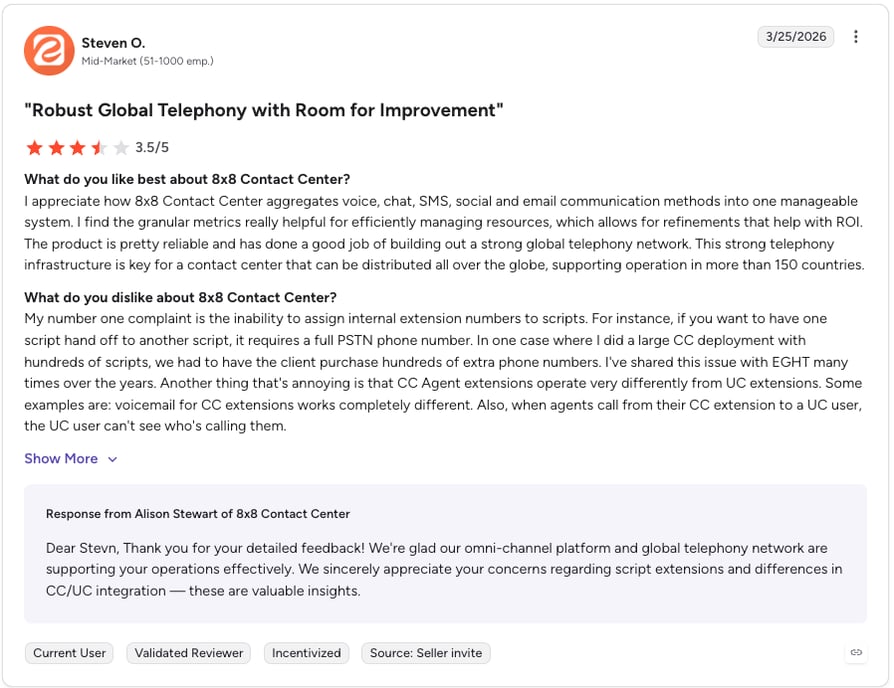
The VoIP provider has been hiding its pricing since late 2023, requiring business owners to contact sales for detailed quotes. See the full breakdown in the 8×8 pricing guide. Here’s an overview of the last known pricing structure:
- X2 ($24 per user/month): This plan includes unlimited calls to 14 countries, HD video conferencing, SMS/MMS, team chat, and basic integrations like Microsoft Teams.
- X4 ($44 per user/month): It adds unlimited calls to 48 countries, advanced analytics, call monitoring, and reception tools with 8×8 Frontdesk.
- X6 ($85 per user/month): It includes features like IVR, skills-based routing, call recording, and advanced analytics for improved sales call tracking.
- X7 ($110 per user/month): This plan supports voice, SMS, email, and social media interactions in a unified interface, along with co-browsing and advanced integrations.
- X8 ($140 per user/month): It offers speech and text analytics, quality management, and an auto-dialer to enhance outbound calling efficiency.
What are Reviewers Saying About 8x8?
#8 Vonage: Best for SMBs Seeking Flexibility and Customization
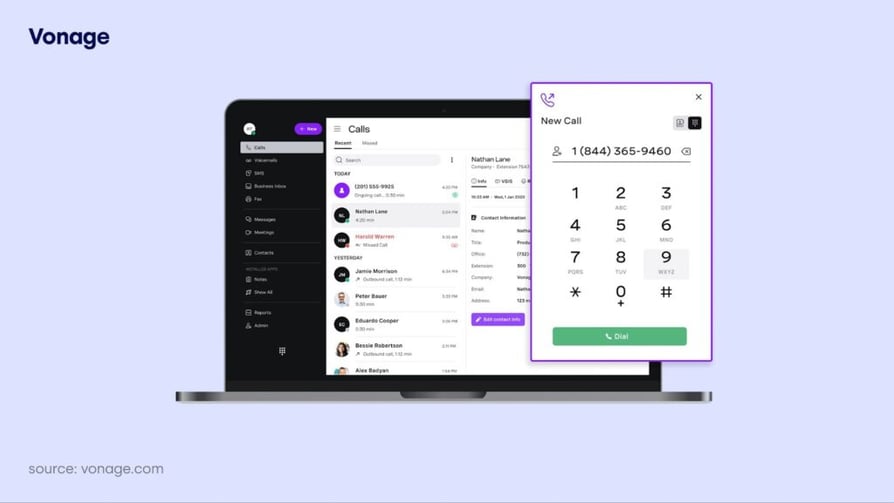
Vonage serves millions globally with voice, messaging, and video solutions. Since its Ericsson acquisition, concerns have risen over hidden costs and add-on fees for features like call recording and CRM integrations. It’s best suited for SMBs with basic communication needs rather than those seeking transparent, all-inclusive pricing.
Key Features of Vonage
- Virtual Receptionist: Vonage offers an AI-powered receptionist that routes calls, conducts outbound surveys, and provides voice-based self-service options.
- Video Conferencing with Vonage Meetings: The Vonage Meetings feature supports video and audio conferencing, which is crucial for remote teams.
- Comprehensive Messaging Integrations: Vonage includes team messaging across all plans, facilitating collaboration among team members.
- Customizable Agent Dashboard: It integrates with CRM systems, enabling agents to access client information quickly and manage calls efficiently.
Top Vonage Integrations
- Microsoft Teams
- Salesforce Integration
- HubSpot
- Slack
- Microsoft Dynamics
- Zoho
Who Is Vonage Best For?
Small to medium-sized businesses, especially those looking to expand or manage high call volumes while benefiting from remote collaboration tools.
How Much Does Vonage Cost?
Vonage offers three pricing plans. See the full breakdown in the Vonage pricing guide:
- Mobile ($19.99 per user/month): This plan includes unlimited domestic calling, SMS/MMS capabilities, a virtual receptionist, and mobile/desktop apps for seamless communication on your mobile devices and laptop.
- Premium ($29.99 per user/month): It adds team messaging, video meetings for up to 200 participants, VoIP desk phone support, and access to 20+ CRM integrations.
- Advanced ($39.99 per user/month): This plan includes on-demand call recording, visual voicemail with transcription, advanced integrations, call group functionality, and extended user management options.
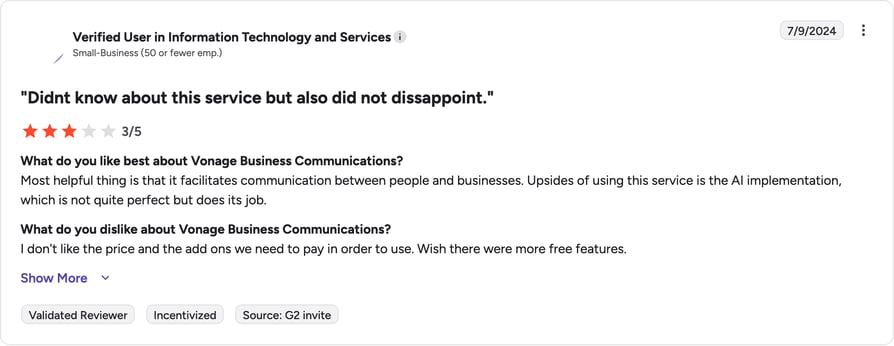
What Are Reviewers Saying About Vonage?
G2 reviewers give Vonage 4.3/5.
#9 Grasshopper: Best for Entrepreneurs and Solo Professionals
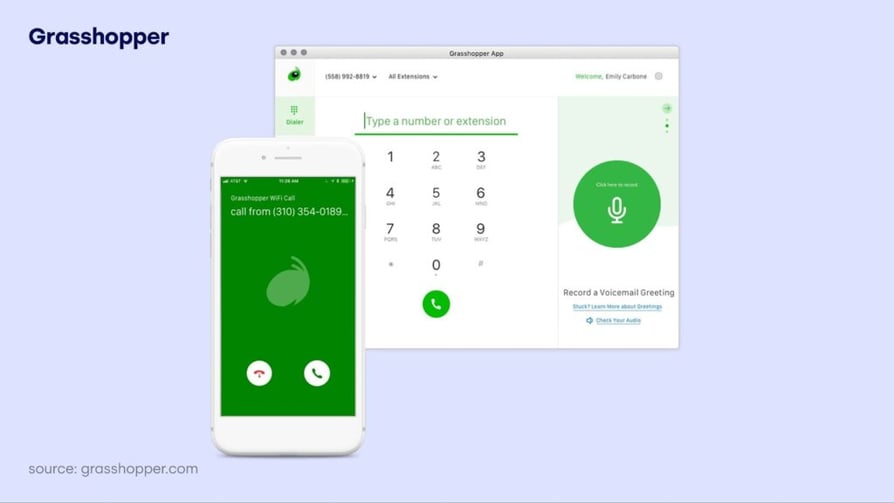
Grasshopper is a popular choice for solopreneurs and small teams in the US and Canada. While it’s simple to set up and ideal for basic business needs, it lacks integrations, international reach, and advanced capabilities. Hidden costs for add-ons like extensions and international calling may double the base price, making it less competitive for growing or scaling businesses.
Key Features of Grasshopper
- Virtual Phone Numbers: Grasshopper provides users with local and toll-free numbers, allowing businesses to establish a professional presence without needing physical phone lines.
- Call Forwarding: It lets you automatically redirect calls to various devices or users based on business hours or custom settings.
- Simultaneous Call Handling: Route calls to multiple users simultaneously until one answers, ensuring no call goes unanswered.
- Custom Greetings: Users can record personalized greetings for their voicemail, enhancing customer interaction.
Who Is Grasshopper Best For?
Small businesses that prioritize ease of use, affordability, and flexibility in their communication systems.
How Much Does Grasshopper Cost?
Grasshopper offers three pricing plans designed for small businesses and solopreneurs. See the full breakdown in the Grasshopper pricing guide:
- True Solo ($14 per month): This plan includes one local or toll-free number, one extension, and unlimited domestic calling and texting. Features like voicemail transcription, custom greetings, and mobile/desktop apps ensure seamless communication.
- Solo Plus ($25 per month): This plan offers unlimited users, three extensions, and call forwarding across 15 numbers. It includes all True Solo features, simultaneous call handling, and enhanced flexibility for growing businesses.
- Small Business ($80 per month): This plan expands to five business numbers, unlimited users, and unlimited extensions. It also includes all Solo Plus features, making it suitable for teams handling higher call volumes and multiple departments.
What Are Reviewers Saying About Grasshopper?
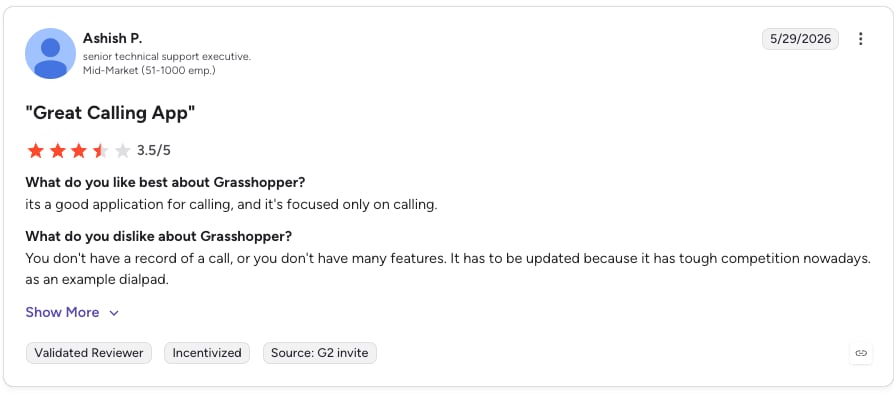
G2 reviewers give Grasshopper 4.0/5.
Recommended Reads
#10 Aircall: Best for CRM-Centric Sales & Support Teams
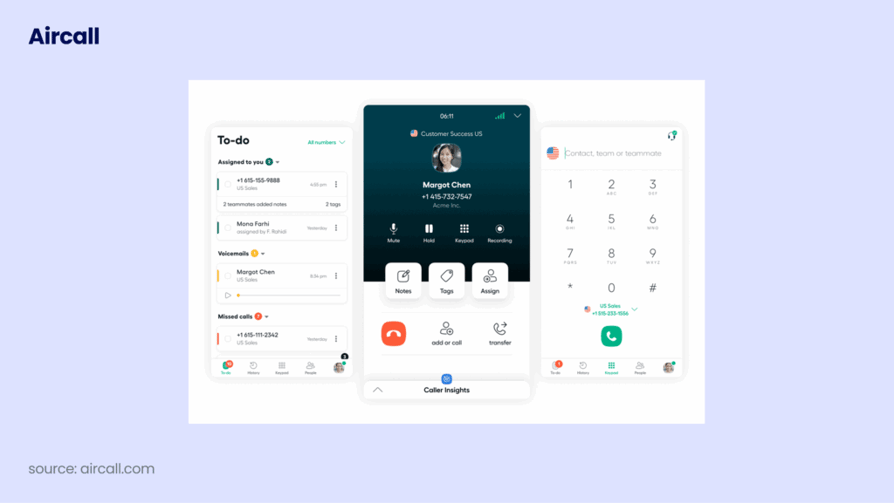
Aircall supports over 15,000 businesses worldwide with a user-friendly VoIP platform and integrations like Salesforce and Zendesk. The per-license billing can increase costs with unused licenses, and advanced features require add-ons. This makes it a solution better suited for medium to large businesses, so if you’re an SMB, you might want to consider exploring Aircall alternatives.
Key Features of Aircall
- Interactive Voice Response (IVR): Customizable IVR menus help route calls efficiently, directing customers to the right department or providing self-service options.
- Call Queuing and Callback Options: Lets callers remain in a queue or opt for a callback, improving customer experience during high call volumes.
- Power Dialer: Speeds up calling processes by automatically dialing numbers from a list, significantly increasing the number of calls made per hour.
- Voicemail Drop: Leaves pre-recorded messages in a customer’s voicemail without requiring a live conversation.
Top Aircall Integrations
- Salesforce
- HubSpot
- Zendesk
- Zoho
- Intercom
- Freshdesk
Who Is Aircall Best For?
Small to medium-sized businesses, by providing a flexible, scalable, and user-friendly communication solution that enhances customer interactions and supports growth.
How Much Does Aircall Cost?
Aircall offers three pricing plans to meet various business communication needs. See the full breakdown in the Aircall pricing guide:
- Essentials ($30/license/month): This plan includes unlimited incoming calls, call recording, basic integrations (e.g., HubSpot, Zendesk, Pipedrive), IVR, call queueing, and basic analytics.
- Professional ($50/license/month, billed annually): This plan adds advanced analytics (6-month history), Salesforce integration, power dialer, voicemail drop, and enhanced call monitoring.
- Custom (Contact for pricing): This tailored solution offers unlimited global calling, API developer support, advanced analytics, premium onboarding, and priority customer support. Requires a minimum of 25 licenses.
What Are Reviewers Saying About Aircall?
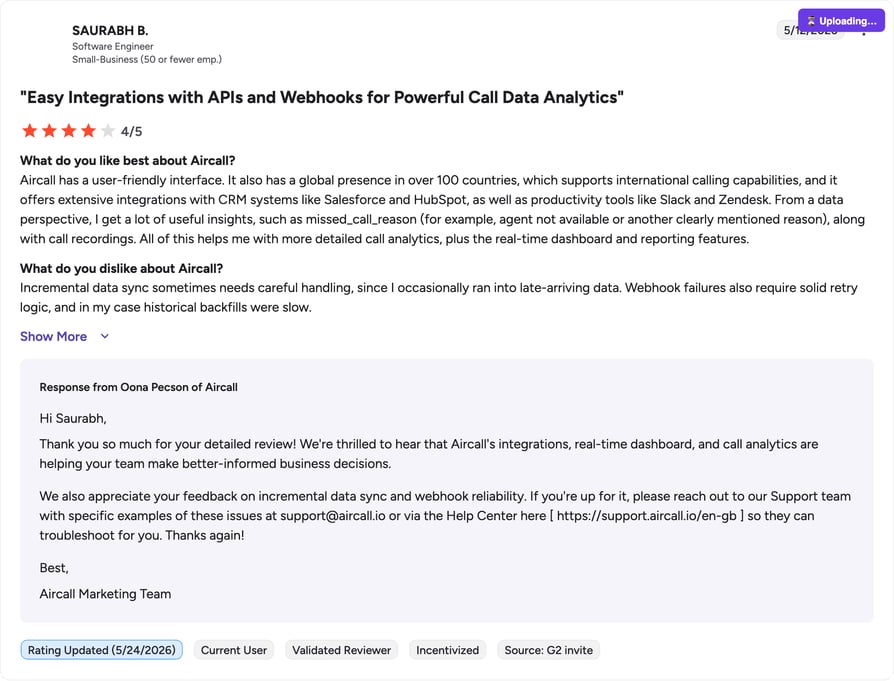
G2 reviewers give Aircall 4.4/5.
Recommended Reads
#11 Multilogin: Best cloud phone infrastructure for multi-account management
Most cloud phone systems are built for calls and messaging. Multilogin Cloud Phones are built for people who manage multiple online accounts every day. If you run several accounts from the same device, they can start affecting each other. One small issue in one account can spill over and create problems for the rest. That usually happens because everything is running from the same environment behind the scenes.
Multilogin solves this by giving each account its own Android Cloud Phone. Every account runs on its own remote phone with its own app data, settings, and connection. Nothing is shared in the background. That means your accounts stay separate, organized, and easier to manage. Instead of constantly fixing account issues or rebuilding setups, you create a clear structure once and grow from there with more control and less stress.
Key Features of Multilogin
- Android device in the cloud: Each account runs inside its own Android Cloud Phone that you control from your desktop, just like managing separate physical phones.
- One phone per account: Every account has a dedicated environment, so activity from one account does not affect the others.
- Saved sessions and app data: Logins, app settings, and history stay in place between sessions, so you continue exactly where you left off.
- Run accounts from different locations: Choose the country or region for each Cloud Phone and keep the connection consistent over time.
- Everything in one dashboard: Launch, organize, and manage all your cloud phones and browser profiles from a single, simple interface.
- Works smoothly with automation tools: Connect with tools like Selenium, Playwright, or the Multilogin API to automate tasks while keeping each account stable and organized.
Top Multilogin Integrations
- Selenium
- Puppeteer
- Playwright
- Postman
- Multilogin API
- CLI
Who Is Multilogin Best For?
Multilogin is ideal for social media managers running multiple platform accounts, agencies handling client profiles, affiliate marketers, automation specialists, and both small and large businesses that require stable multi-account infrastructure. It fits teams that want controlled scaling without exposing accounts to shared device risk.
How Much Does Multilogin Cost?
- 3-Day Trial – €1.99: Includes 5 browser profiles (cloud + local storage), Cloud Phone access, 200 MB premium proxy traffic one-time, and 60 mobile minutes.
- Pro Plans – From €9/month (or €5.85/month billed annually): 10–100 browser profiles, Cloud Phone profiles, API access (RPM 50+), premium residential proxy traffic from €3/GB, plus monthly bonus proxy traffic and mobile minutes.
- Business Plan – €159/month (or €103.35/month billed annually): 300 browser profiles, unlimited team seats, advanced team management, custom API rate limits, proxy and profile templates, plus 10 GB monthly proxy traffic and 450+ mobile minutes.
- Usage-Based Cloud Phone Billing: Mobile minutes start from €0.009 per minute. You can top up anytime, and unused minutes roll over with an active subscription.
- Custom Enterprise Plans – From €300/month: Tailored proxy traffic, higher API rate limits, and infrastructure customization for large-scale operations.
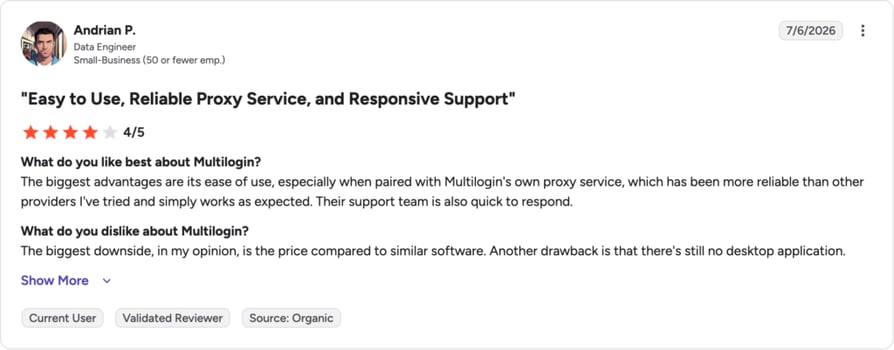
What Are Reviewers Saying About MultiLogin?
Reviewers like Multilogin for managing multiple accounts.
Why Businesses Choose CloudTalk as Their Small Business Cloud Phone System
Strip the list down to a single recommendation for a small business, and CloudTalk is the one we keep coming back to. It’s built for this exact buyer: a lean sales or support team that needs enterprise-grade calling without an enterprise budget or an IT department to run it.
Three things make it fit. Coverage and call quality come first. CloudTalk offers numbers in 160+ countries on a custom-built decentralized infrastructure with multiple backup carriers, so a distributed team sounds local wherever it dials.
Next is integrations. With 100+ native integrations, including two-way sync with HubSpot, Salesforce, Pipedrive, and Zendesk, every call logs itself and agents see contact history before they pick up. Third is AI that earns its place: the AI Conversation Intelligence add-on transcribes calls, writes summaries, and pulls out action items, which cuts the after-call admin that quietly eats a rep’s day.
The payoff shows up in real accounts.
Customer story: Meble Furnio (Retail & E-commerce). After moving its calls to CloudTalk, this small e-commerce retailer recovered 37 missed leads in three months and lifted revenue by 4%. Read the Meble Furnio story.
CloudTalk pricing starts at $25/user/month (see all plans), and a 14-day free trial lets you test it against your own call volume before you decide.
How to Choose the Right Cloud Phone System for Your Business
The best cloud based business phone system is the one that fits how your team actually works. Run every shortlist through these five criteria before you commit.
- Match the tool to your use case. Start with what your team does on the phone. High-volume outbound sales needs dialers and local-presence numbers. A support desk needs IVR, queues, and skill-based routing. A solo founder mostly needs a professional number and reliable voicemail. Pick for your workflow, not the longest feature list.
- Check CRM integration depth. A phone system that doesn’t talk to your CRM creates double entry and blind spots. Look for a native, two-way integration with your specific CRM, not just a generic Zapier bridge, so calls, recordings, and notes sync both ways on their own.
- Weigh uptime and call quality. Dropped calls cost you deals and trust. Look for a published SLA of 99.99% or higher and a multi-carrier network that routes around outages. CloudTalk, for example, maintains a 99.999% uptime SLA on a decentralized infrastructure with multiple backup carriers.
- Look at AI capabilities. AI has moved from a checkbox to a genuine time-saver. The features that pay off are call transcription, automatic summaries, and sentiment analysis, which cut after-call work and surface coaching moments. CloudTalk bundles these into its AI Conversation Intelligence add-on, so you can turn them on when you’re ready instead of paying for them from day one.
- Test for pricing transparency. Watch the gap between the headline price and the real one. Mid-tier plans across the market land around $25 to $40 per user per month, but dialers, recording storage, and international minutes are often add-ons. Ask what’s included at each tier and what’s metered before you sign.
Once you’ve scored your shortlist, put the top one or two to work on your own call volume. Request a demo to see how CloudTalk handles a real week of your team’s call volume before you decide.
What Do Redditors Say About Cloud Phone Systems for Small Business?
Sales pages tell you what a product does. Reddit tells you what it’s like to live with. Threads in communities like r/smallbusiness and r/sysadmin are full of owners comparing cloud phone systems, and a few themes come up again and again.
Call quality and reliability dominate the conversation. Users are quick to praise providers that stay clear on a shaky connection and just as quick to name the ones that drop calls mid-conversation, the kind of VoIP call quality issues that make or break daily use.
Hidden fees are the second recurring complaint. Owners warn each other about add-on charges for recording, international minutes, and features they assumed were bundled into the base price.
Support responsiveness is the third. When a phone system breaks, every hour offline costs calls, and redditors are candid about which vendors answer fast and which leave them waiting on a ticket.
Read a few of these threads before you buy. They surface the friction that never makes it onto a pricing page.
Top 5 Cloud Phone Systems by G2 Reviews & Ratings
Based on G2 reviews and ratings, CloudTalk is a leading cloud phone system for small businesses, backed by one of the largest verified review bases in this comparison and a 4.4/5 rating. Here’s how the top five stack up by review volume and score.
| Platform | G2 Reviews | G2 Rating | See Full Review | Alternative |
|---|---|---|---|---|
| CloudTalk | 1,702+ | 4.4/5 | G2 reviews | — |
| Aircall | 1,500+ | 4.4/5 | Aircall review | Aircall alternative |
| 8×8 | 900+ | 4.1/5 | 8×8 review | 8×8 alternative |
| Vonage | 1,000+ | 4.3/5 | Vonage review | Vonage alternative |
| KrispCall | 350+ | 4.5/5 | KrispCall review | — |
Review volume and score only tell part of the story, but they’re a fast way to see which tools have earned steady trust from real users over time.
Look Beyond the Price Tag: Invest in Features That Scale with You
Price matters, but it’s rarely where a cloud phone system earns or loses its keep. The cheapest plan can turn expensive fast once you add the dialers, recording storage, and international minutes your team actually uses.
A cloud-based phone system pays off when it fits your business: advanced features you’ll grow into, room to scale, and AI tools that save real hours. That combination, not the sticker price, is what keeps the system valuable a year in.
If your SMB wants a solution that adapts as you grow, supports global reach with numbers in 160+ countries, delivers reliable call quality, and layers in AI when you need it, CloudTalk is worth a serious look.
Scale Smart with the Best Features
Ready to put a cloud phone system to work?
Sources
Recommended articles
- What Is a Cloud PBX?
- Cloud IVR: What It Is & Benefits
Frequently Asked Questions About Cloud Phone Systems
A cloud phone system is a business phone service that runs over the internet instead of copper landlines or on-site hardware. Your provider hosts the calling infrastructure, so your team makes and receives calls from a laptop, desk phone, or mobile app on the same business numbers. You manage numbers, routing, and voicemail from a web dashboard, with no PBX box to install or maintain.
The main trade-offs are internet dependency, security, and cost at scale. Because calls run over your connection, poor bandwidth means poor call quality. Data sitting on a provider’s servers raises security considerations, so encryption and certifications matter. And per-user pricing that’s cheap for a small team adds up as you grow, especially once dialers and AI features are added on.
Start with your team’s use case, then check five things: whether it fits your workflow (sales, support, or solo), whether it integrates natively with your CRM, what uptime and call quality it guarantees, which AI features it offers, and how transparent its pricing is. Score your shortlist against those five, then trial the top option on your real call volume before committing.
Most cloud phone systems charge per user per month, with entry plans around $15 to $25 and mid-tier plans between $25 and $40 per user. CloudTalk’s plans start at $25/user/month. Budget for extras too: dialers, recording storage, international minutes, and AI features are often add-ons rather than included, so your real monthly cost depends on the features your team uses.
For customer support, prioritize inbound call handling: IVR menus, skill-based routing, call queues, and native helpdesk integrations that put ticket context on screen. CloudTalk fits this well, with IVR and skill-based routing available from its Starter plan and native Zendesk, Freshdesk, and Intercom integrations from Essential. Real-time analytics and call recording round out the QA toolkit support leads rely on.
For remote and distributed teams, look for a system that works anywhere with an internet connection, offers local numbers across the countries you operate in, and syncs everything to a shared workspace. CloudTalk suits this setup, with desktop and mobile apps, numbers in 160+ countries, and call recordings, transcripts, and analytics in one place, so a distributed team stays aligned without a physical office.