TL;DR Comparison Table: 10 Best Verizon One Talk Competitors
| # | Tool | Best For | Starting Price | G2 Rating |
|---|---|---|---|---|
| 1 | CloudTalk | SMB to mid-market sales and support teams that need CRM sync, dialers, and AI on one platform | $25/user/month (Starter) | 4.4/5 |
| 2 | RingCentral | Enterprises and multi-office teams wanting voice, video, and messaging in one suite | $20/user/month (Core) | 4.2/5 |
| 3 | Nextiva | Small businesses and inbound support teams that want 24/7 support and simple admin | $15/user/month (Core) | 4.5/5 |
| 4 | Dialpad Connect | Teams wanting AI transcription and call summaries on every call at a low entry price | $15/user/month (Standard) | 4.4/5 |
| 5 | Aircall | Support and sales teams needing one-click CRM and helpdesk integrations | $30/user/month (3-license min) | 4.4/5 |
| 6 | Zoom Phone | Teams already running Zoom meetings that want low-cost unlimited US and Canada calling | $10/user/month (Metered), $15 for unlimited US and Canada | 4.6/5 |
| 7 | Quo (formerly OpenPhone) | Small teams that want shared numbers and team texting from a mobile app | $15/user/month (Starter) | 4.7/5 |
| 8 | Ooma Office | Small offices replacing Verizon desk phones without a contract | $19.95/user/month (Essentials, monthly billing) | 4.5/5 |
| 9 | Google Voice | Google Workspace teams that need a simple business line for a handful of people | $10/user/month (Starter, Workspace required) | 4.1/5 |
| 10 | MightyCall | Small inbound teams that want visual call flows and hands-on support | $20/user/month (Core, 3-user min) | 4.4/5 |
Ten Tools in One Table. One Live Call Decides It.
What Are the Best Verizon One Talk Alternatives?
The best Verizon One Talk alternatives in 2026 are CloudTalk, RingCentral, Nextiva, Dialpad, and Aircall. CloudTalk leads for growing sales and support teams that want a full business phone system with CRM sync, dialers, and AI instead of a carrier add-on. RingCentral is the enterprise pick, Nextiva wins on support, Dialpad on built-in AI transcription, and Aircall on helpdesk integrations.
Why Are Teams Searching for a Verizon One Talk Alternative?
First, a quick word on names, because the search terms get mixed up. Verizon is the carrier most people know from their personal phone plan. Verizon One Talk (often written OneTalk) is Verizon Business's phone-system add-on that lets one business number ring on a Verizon smartphone, up to two desk phones, and up to five app installs. So when people search for Verizon alternatives or Verizon One alternatives in a business context, they usually mean One Talk.
Teams look for a Verizon One Talk replacement for three structural reasons: it's tied to Verizon's US network, it has no native call recording and no published CRM integrations, and it has no AI at all. Those are limits of a carrier add-on, not settings you can change.
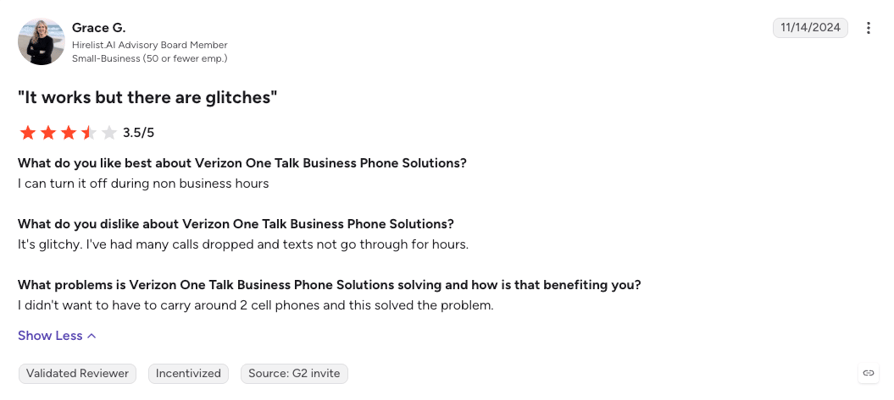
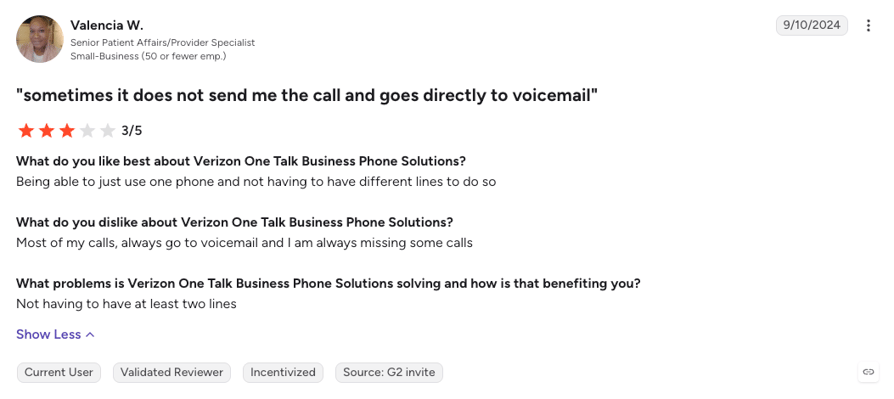
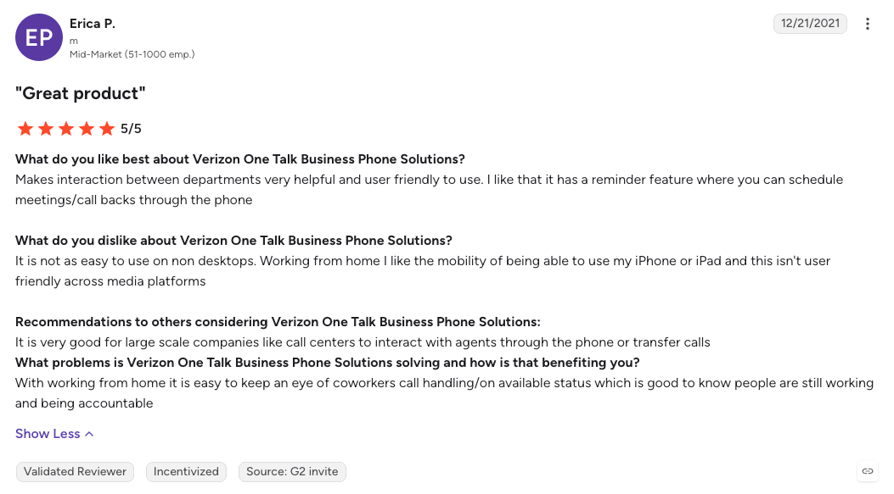
Verizon One Talk reviews are scarce (only 10 on G2, where it scores 3.4/5 + very few on other platforms like Trustpilot or Capterra), so we didn't build this page on a review base that thin. Instead, we tested the product, read Verizon's own feature list and terms, and compared it line by line with the alternatives to see where it holds up and where it doesn't. What the few reviewers and the Reddit threads do say matches what we found: calls dropping or going straight to voicemail, delayed texts, and porting one line at a time. Let's start with the gaps, then look at the best alternative to Verizon One Talk.
5 Main Cons of Verizon One Talk That Make Businesses Look for an Alternative
- Tied to Verizon's US networkOne Talk is sold to US Verizon Business customers, and Verizon's own FAQ says a call drops once you leave its LTE coverage unless Wi-Fi calling takes over. There's no way to buy a local number in London or Sydney, and Verizon publishes no international coverage for One Talk. In comparison, other popular cloud platforms sell virtual numbers in dozens (to hundreds) of countries.
- No native call recordingVerizon's feature list has no cloud call recording on any line type. The only recording it mentions is a local USB recorder on one conference phone. Coaching, disputes, and compliance all lean on recordings, which is why every platform on this list includes call recording on at least one plan.
- Integrations without a published listVerizon One Talk integrations come down to a Side View panel that can show CRM contact details inside the app, but Verizon doesn't publish which CRMs it supports, and there's no two-way sync that logs calls, notes, and recordings back to HubSpot or Salesforce. Sales and support teams end up typing call notes by hand, which is exactly what modern CRM integrations remove.
- Zero AI, and a public feature log that ends in 2023One Talk ships without AI transcription, call summaries, or an AI receptionist. The last new features listed on Verizon's public enhancements page date to December 2023, while cloud rivals now bundle AI notes and call scoring on entry plans or as fairly affordable add-ons.
- Hard caps on a shared line, and hardware that comes from VerizonEach One Talk number handles three simultaneous calls, simultaneous ring stops at 10 numbers, and call queues route to 40 lines at most. Desk phones come from Verizon, with optional one- or two-year hardware contracts and early termination fees, so leaving can mean writing off handsets.
Where Verizon One Talk Shines
One Talk earns its place for a small US team that already runs Verizon phones and mostly needs one number to ring everywhere. The native dialer places calls over Verizon's voice network rather than internet data, the LTE desk phones don't need an internet connection, the spam filter is free, and the service is month-to-month with no separate contract. If that's your situation, and you never need recordings, CRM sync, or a number outside the US, One Talk does its job.
What Is the Best Alternative to Verizon One Talk?
CloudTalk is the best overall Verizon One Talk alternative for sales and support teams that have outgrown a carrier add-on. It's a voice-first business phone system that runs on any smartphone or laptop, with numbers in 160+ countries, two-way CRM sync from Essential, and AI that answers and summarizes calls.
Where software like Verizon One Talk gives you one number on many devices, CloudTalk gives you the whole phone system behind that number: call recording from the first plan, IVR and smart routing from Essential, dialers on Expert, and a 99.999% uptime SLA, from $25/user/month with no seat minimum until Expert.
Why Do Teams Consider CloudTalk the Best Verizon One Talk Alternative?
Teams leaving One Talk usually want two things at once: keep calls ringing on mobile, and finally get the recordings, CRM sync, and reporting a business phone should have. Here are CloudTalk's main pros, but read the individual breakdowns of every One Talk alternative below too, because the right pick depends on how your team actually works.
5 Main Pros of CloudTalk and Why Businesses Switch from Verizon One Talk
- Numbers in 160+ countries, not one carrier's footprintBuy local, mobile, and toll-free international numbers where your customers are and call over any internet connection, on any device, in any country. Nothing is tied to a Verizon SIM.
- Call recording from the first planEvery plan records calls automatically (1-month retention on Starter, unlimited from Essential), so coaching and dispute resolution don't depend on a USB stick plugged into a conference phone.
- True two-way CRM sync from Essential100+ integrations with HubSpot, Pipedrive, Zendesk, and more log calls, recordings, and contacts both ways automatically. Salesforce ecosystem sync arrives on Expert.
- AI that answers and summarizes callsThe AI Receptionist handles routine inbound calls from $99/month, with 50 free minutes on every account, and Conversation Intelligence ($9/user/month) adds transcripts, summaries, and sentiment on any plan.
- Routing, dialers, and 24/7 support in one subscriptionIVR and smart routing from Essential, click-to-call from Starter, the Power Dialer on Expert (or a $15/user/month add-on on any plan), and 24/7 chat and email support on every plan (phone on Expert).
One Talk Sells by Quote. CloudTalk Lets You Test It for 14 Days.
How We Chose the Best Verizon One Talk Alternatives and Competitors
We compared the Verizon One Talk competitors on this list on the six things that decide a switch from a carrier add-on to a cloud phone system: reliability on any connection, total cost once add-ons and hardware are counted, CRM and helpdesk depth, number coverage beyond the US, support quality, and AI. Vendor pricing pages were checked live, and user sentiment came from G2, Capterra, Reddit, and Quora.
- Call stability and reliabilityUptime commitments, how calls behave on Wi-Fi, cellular, and desk phones, and what recent reviewers report about drops.
- Total cost of ownershipThe real monthly bill once seat minimums, add-ons, hardware, and usage fees are counted, not just the sticker price.
- CRM and helpdesk integration depthNative two-way sync that logs calls and recordings automatically versus a contact-lookup panel or a paid connector.
- Global coverage and number availabilityHow many countries each provider sells local, mobile, or toll-free numbers in today, and what international calls cost.
- Support quality and availabilityWhether help is 24/7, how you reach it, and whether account changes need a rep or a dashboard.
- AI and automation capabilitiesNative transcription, summaries, AI receptionists, and voice agents, plus which plan actually includes them.
The Top 10 Alternatives to Verizon One Talk for 2026
Before the full profiles, here's how One Talk, CloudTalk, and the three platforms buyers weigh against it most often on G2 stack up on the features that matter when you're replacing a carrier add-on with an actual phone system.
Verizon One Talk vs. CloudTalk, Nextiva, Dialpad Connect, and RingCentral
| Feature | Verizon One Talk | CloudTalk | Nextiva | Dialpad Connect | RingCentral |
|---|---|---|---|---|---|
| Starting price | $20/line/month (quote-customized) | $25/user/month | $15/user/month (Core) | $15/user/month (Standard) | $20/user/month (Core) |
| Free trial |  Sales-led, none published Sales-led, none published |  14 days 14 days | Demo only | 14 days | 14 days |
| Seat minimum | None stated | None (3 seats on Expert) | None stated | None stated | None stated |
| Call recording | No native cloud recording | From the start (1-month retention on Starter, unlimited from Essential) | Add-on on Core, included from Engage | Manual on Standard, automatic on Pro | On-demand on Core, automatic from Advanced |
| CRM integrations | No published CRM list (Side View contact panel) | 100+ tools from Essential | Salesforce and HubSpot as add-ons on every tier | HubSpot and Salesforce on Pro and Enterprise | 330+ integrations from Advanced |
| AI features | None | AI Receptionist from $99/month, Conversation Intelligence at $9/user/month | AI transcription and summaries on Scale, XBert AI Receptionist add-on | AI transcription and summaries on every plan | AI Assistant on all plans, AI Receptionist add-on from $39 |
| Dialer type | Manual dialing only | Power Dialer (Expert, or $15/user/month add-on), Parallel Dialer ($39/user/month add-on on any plan). Smart and Preview Dialer on Expert. Click-to-call from Starter. | Outbound campaigns on Scale only | None built in | None in RingEX (sold separately in RingCX) |
| Number coverage | US only (Canada and Mexico talk and text on the eSIM plan) | 160+ countries | US-focused, international calling as add-ons | Local numbers in 50+ countries | International numbers and bundles on request |
| Desk phones | Verizon-supplied desk phones, max 2 per line | Standard SIP desk phones via agent SIP credentials | Supported | Supported | Supported |
| Video meetings | 2-party video on select devices | Voice-first | Included | Included | Included |
| Customer support | Verizon Business reps and support line | 24/7 chat and email, phone on Expert | 24/7 on all plans | 24/7 on Pro and Enterprise | Phone and chat support, tiered by plan |
| G2 rating | 3.4/5 (10 reviews) | 4.4/5 (1,850+ reviews) | 4.5/5 (3,600+ reviews) | 4.4/5 (4,200+ reviews) | 4.2/5 (1,450+ reviews) |
The One Talk Line Math
Say a 10-person team runs 10 One Talk lines at the $20 starting price: $200 a month before taxes and surcharges, plus $2.99 per line for iPhone users who want voicemail transcribed, plus desk phones bought or financed from Verizon. After all that, call recording, CRM sync, and AI still have to come from a second tool. CloudTalk's Essential plan at $29/user/month includes recording, IVR, and 100+ CRM integrations in the seat price, on the laptops and phones you already own.
1. CloudTalk: The Best Verizon One Talk Alternative for Growing Sales and Support Teams That Need CRM Sync, Dialers, and AI on One Platform
What Is CloudTalk?
CloudTalk is an AI-powered, voice-first cloud phone and contact center platform for sales and support teams that need more than a shared number. It pairs numbers in 160+ countries with two-way CRM sync, outbound dialers, and AI voice agents that answer, route, and log real calls, all from one seat price.
Against Verizon One Talk, CloudTalk trades the carrier's native dialer for a complete phone system that runs on any device and any network: calls ring on the CloudTalk Go mobile app, the desktop app, or a SIP desk phone, and every one of them is recorded, synced to your CRM, and available to AI. What you give up is the cellular-voice trick and Verizon's LTE desk phones. What you get is everything One Talk has no answer for.
Why Is CloudTalk a Strong Verizon One Talk Alternative?
- Mobile-first without the carrier lock: The CloudTalk Go app for iOS and Android rings even when it's closed, can be set as the default calling app on iPhone, and shares the same number with the desktop app, so your team keeps the one-number-everywhere habit from One Talk on any wireless business phone setup.
- Recording and coaching from day one: Every plan records calls automatically, and Conversation Intelligence ($9/user/month, on any plan) turns those recordings into transcripts, summaries, call scoring, and sentiment, a layer One Talk doesn't offer on any line type.
- Native two-way CRM sync from Essential: 100+ integrations including HubSpot, Pipedrive, and Zendesk log calls, recordings, and contacts both ways in real time. Salesforce ecosystem sync arrives on Expert.
- AI that picks up when your team can't: The AI Receptionist answers routine inbound calls from $99/month (50 free minutes on every account), while the sales-led AI Specialist runs longer inbound and outbound conversations and hands the complex ones to a human with the transcript attached.
- Outbound built for volume: The Power Dialer (Expert plan, or a $15/user/month add-on on any plan) and the Parallel Dialer ($39/user/month add-on) replace the tap-and-wait dialing a carrier line forces on sales teams.
- Numbers wherever your customers are: Local, mobile, and toll-free numbers across 160+ countries with distributed infrastructure and a 99.999% uptime SLA keeping call quality steady across markets.
What Are the Pros & Cons of CloudTalk?
| Pros | Cons |
|---|---|
| Numbers in 160+ countries, with calls running on any internet connection instead of one carrier's network | Voice-first by design: no native video meetings or omnichannel inbox, unlike One Talk's 2-party video on some devices |
| Automatic call recording from Starter, unlimited retention from Essential | CRM integrations require the Essential plan |
| 100+ CRM and helpdesk integrations with native two-way sync from Essential | Parallel Dialer only available as a $39/user/month add-on, but works with any plan |
| AI Receptionist with 50 free minutes on every account, plus Conversation Intelligence on any plan | |
| 24/7 chat and email support on all plans (phone on Expert), and a 14-day free trial |
What Are CloudTalk's Plans & Pricing?
CloudTalk pricing starts at $25/user/month (Starter, billed annually), with the following plans:
CloudTalk Plans and Pricing
| Plan | Price (annual billing) | Key Features |
|---|---|---|
| Starter | $25/user/month | Unlimited inbound & internal calls, 500 outbound minutes (regional calling bundle), call queues, transfers, click-to-call, automatic call recording (1-month retention) |
| Essential | $29/user/month | Everything in Starter + IVR and smart routing, 100+ CRM/helpdesk integrations, workflow automation, unlimited recording retention |
| Expert | $49/user/month | Everything in Essential + Power, Smart & Preview Dialers, Salesforce integration, 24/7 phone support (3-seat min) |
| Conversation Intelligence (add-on) | $9/user/month | AI transcripts, call summaries, call scoring, sentiment analysis, and agent coaching insights |
| AI Receptionist (add-on) | From $99/month (200 min) | Inbound AI call answering, routing, logging; 50 free minutes on every account; tiers up to $699/mo (2,500 min) |
| AI Specialist (add-on) | From $349/month (1,000 min) | Sales-led custom AI voice agents for inbound and outbound workflows; plans scale up to $1,249/mo (5,000 min) |
What Do CloudTalk's Customers Say?
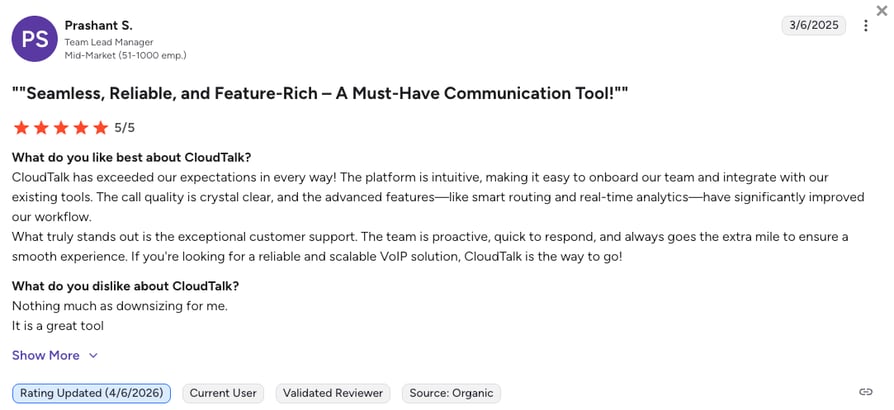
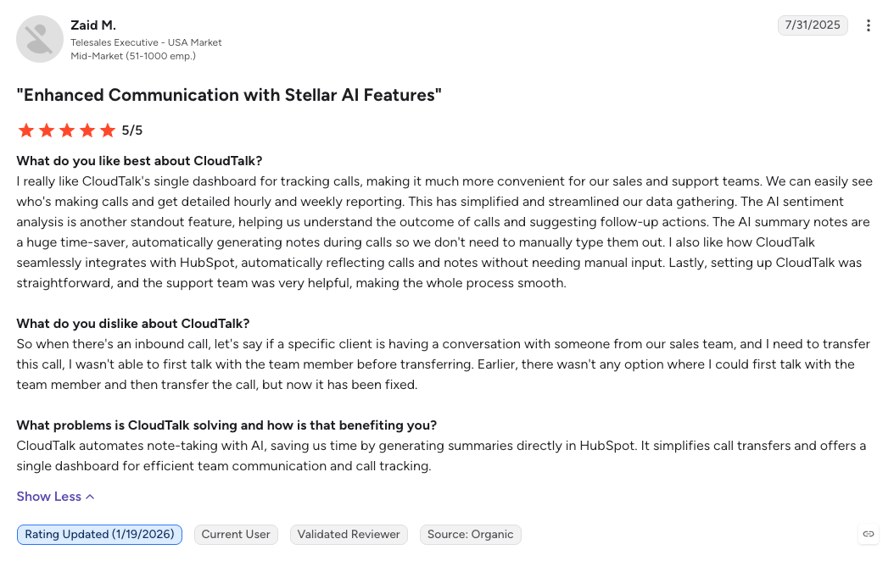
CloudTalk reviewers keep landing on the same two things: setup that doesn't need an IT project, and CRM sync that actually holds. Across G2 and Capterra, ease of use and ease of setup are CloudTalk's highest-scoring categories, and call quality on international routes comes up often from teams calling across borders.
The most common criticism is that deep Salesforce ecosystem sync needs the Expert plan, which is a real jump for a small Salesforce shop. Some CloudTalk reviewers also want richer native reporting out of the box, which is usually where the Conversation Intelligence add-on enters the picture.
CloudTalk Global Calling in Action: Yanolja's Story
Yanolja Cloud Solution shows what happens when a carrier setup meets a team that doesn't sit in one country. The hospitality software provider ran US local numbers on basic telecom service, and its sales and support agents in India and the Philippines had to keep recharging roaming credit to make or take a US call. Nothing was logged, routed, or summarized, the same gaps a One Talk line leaves once your team stops being local.
With CloudTalk, 20+ agents now answer the same US numbers from a laptop or the mobile app, with AI notes written for them after every call. Hamza Loya, Yanolja's Business Development Executive, describes the before:
“We had to recharge to make or receive calls from India or the Philippines. It was expensive, and we couldn't track anything easily.”
Business Development Executive, Yanolja Cloud Solution

How Do G2 Users Rate CloudTalk?
CloudTalk holds 4.4/5 on G2 across 1,850+ verified reviews, with ease of use (9.1) and ease of setup (8.9) among its highest-scoring categories. Verizon One Talk, by comparison, only has 10 reviews in total.
Roaming Recharges Became One Cloud Number. You Just Read How.
2. RingCentral: Best for Enterprises and Multi-Office Teams Wanting Voice, Video, and Messaging in One Suite
What Is RingCentral?
RingCentral is one of the most established UCaaS (Unified Communications as a Service) platforms on the market, sold as RingEX from $20/user/month on annual billing. It serves mid-market and enterprise teams that want phone, video meetings, and team messaging in one suite, backed by a 99.999% uptime commitment and 330+ integrations.
Against Verizon One Talk, RingCentral is the step from a carrier feature to a full communications suite: multi-level IVR, call queues, video, messaging, and CRM integrations on one admin console, with numbers and bundles for international offices. The trade is that you buy the whole suite, and CRM integrations, automatic recording, and the AI Receptionist all sit above the entry price.
Why Is RingCentral a Strong Verizon One Talk Competitor?
- Enterprise-grade routing and uptime: Multi-level IVR, call queues, and a published 99.999% uptime SLA replace One Talk's three-calls-per-number cap and 40-line queue limit.
- Voice, video, and messaging in one app: HD meetings and team chat come with the phone system, where One Talk offers 2-party video on a handful of devices.
- 330+ integrations from Advanced: Salesforce, HubSpot, Zendesk, and Microsoft 365 connect natively on the $25 tier, versus a contact panel with no published CRM list.
What Are the Pros & Cons of RingCentral?
| Pros | Cons |
|---|---|
| Video meetings, team messaging, and phone in a single suite | CRM integrations and automatic recording start on Advanced ($25/user/month) |
| 99.999% uptime SLA and a mature enterprise admin console | No sales dialer inside RingEX plans, outbound dialing lives in the separate RingCX product |
| 330+ integrations and an AI Assistant for notes and summaries on every plan | AI Receptionist is a $39 add-on and reviewers cite per-user SMS caps and add-on charges |
What Are RingCentral's Plans & Pricing?
RingCentral pricing starts at $20/user/month (Core, annual billing), with the following plans:
RingCentral Plans and Pricing
| Plan | Price | Key Features |
|---|---|---|
| Core | $20/user/month | Unlimited US and Canada calling, video meetings, team messaging, IVR, on-demand call recording, AI Assistant |
| Advanced | $25/user/month | Everything in Core + automatic call recording, 330+ integrations (Salesforce, HubSpot, Zendesk), advanced call handling |
| Ultra | $35/user/month | Everything in Advanced + unlimited storage, advanced analytics, device analytics |
| AI Receptionist (add-on) | From $39/month | AI call answering and routing for RingEX customers |
The Whole-Suite Price
RingCentral solves every gap One Talk has, but you pay for the suite whether or not your team uses video and messaging, and the pieces a sales team actually wants sit higher up: CRM sync on Advanced, the AI Receptionist as a $39 add-on, and outbound dialing in a separate RingCX product. CloudTalk keeps calling, CRM sync, and AI voice agents on a voice-first platform priced per seat from $25/user/month.
What Are RingCentral's Customers Saying?
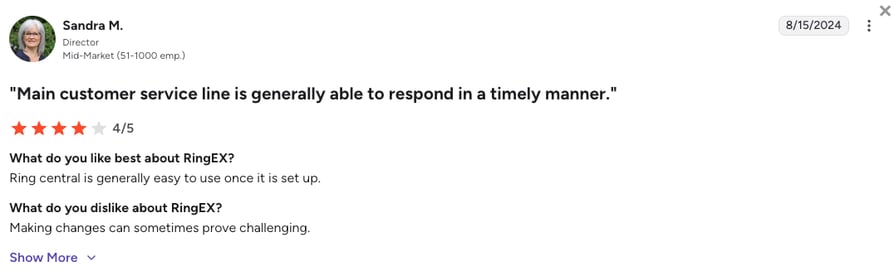
RingCentral reviewers praise having calls, messaging, and meetings in one place, and recent reviews single out the AI transcription and stable call quality. The recurring frustrations are an admin portal with settings spread across menus, add-on charges and per-user text limits that surprise buyers, and support that can be slow to resolve tickets.
How Do G2 Users Rate RingCentral?
On G2, RingCentral (listed as RingEX) holds a 4.2/5 rating across 1,450+ reviews, with ease of use its most-cited strength.
3. Nextiva: Best for Small Businesses and Inbound Support Teams That Want 24/7 Support and Simple Admin
What Is Nextiva?
Nextiva is a business communication platform that bundles VoIP calling, business SMS, video meetings, and team chat into one workspace from $15/user/month on annual billing. It's built for small and mid-sized businesses that want a dependable virtual phone system with 24/7 support included on every plan.
Against Verizon One Talk, Nextiva is the pick for teams that mostly answer calls and want someone to pick up when they call support: 24/7 phone, chat, and email support on every tier, plus routing, queues, and reporting an admin can manage without a rep. The trade is that CRM integrations are paid add-ons on every plan, and AI summaries and outbound campaigns only arrive on the $75 Scale tier.
Why Is Nextiva a Strong Alternative to Verizon One Talk?
- 24/7 support on every plan: Phone, email, and chat support around the clock from the $15 tier, where One Talk routes you to a Verizon Business rep.
- Business SMS, video, and team chat included: Core bundles texting, meetings, and chat with calling, replacing One Talk's per-line voicemail-to-text add-on and device-limited video.
- An inbound call center on Engage: Call recording, toll-free minutes, advanced reporting, and live chat land on the $25 tier, a real support desk instead of hunt groups and a 25-call queue.
What Are the Pros & Cons of Nextiva?
| Pros | Cons |
|---|---|
| 24/7 support on all tiers with a strong reputation for responsiveness | Salesforce and HubSpot integrations are paid add-ons on every tier |
| Voice, SMS, video, and team chat bundled from the entry plan | Promotional pricing requires a 12-month minimum term, and there's no self-serve trial |
| Inbound call center features and recording on the $25 Engage tier | AI transcription, summaries, and outbound campaigns sit on the $75 Scale tier |
What Are Nextiva's Plans & Pricing?
Nextiva pricing starts at $15/user/month (Core, annual billing), and you can choose from these plans:
Nextiva Plans and Pricing
| Plan | Price | Key Features |
|---|---|---|
| Core | $15/user/month | Voice, business SMS, video meetings, call routing, team chat, mobile app, 24/7 support |
| Engage | $25/user/month | Everything in Core + call recording, toll-free number and minutes, advanced reporting, inbound call center, live chat and chatbot |
| Scale | $75/user/month | Everything in Engage + AI transcription and summaries, blended inbound and outbound, skills-based routing |
| XBert AI Receptionist (add-on) | From $99/month | AI call answering available on all three tiers |
The Add-On Ladder
Nextiva's $15 entry price is honest for what it includes, but the pieces One Talk switchers usually want most sit elsewhere: CRM integrations as a paid add-on on every tier, recording from Engage, and AI summaries or outbound campaigns only on Scale at $75. CloudTalk includes recording on every plan and 100+ CRM integrations from Essential, and prices its AI Receptionist on the same $99/month entry tier without a 12-month term.
What Are Nextiva's Customers Saying?
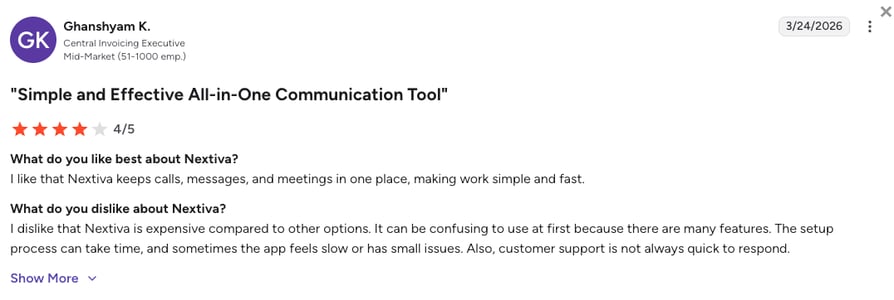
Nextiva reviewers most often praise its support team, describing tickets handled within a day, and how quickly new users get comfortable. The most common complaints are setup and integration complexity for teams connecting other tools, a mobile app some reviewers call unreliable, and total cost once several add-ons stack on a small account.
How Do G2 Users Rate Nextiva?
On G2, Nextiva holds a 4.5/5 rating across 3,600+ reviews, with quality of support scoring 9.0 out of 10.
4. Dialpad Connect: Best for Teams Wanting AI Transcription and Call Summaries on Every Call at a Low Entry Price
What Is Dialpad Connect?
Dialpad Connect is Dialpad's business phone product, bundling calls, SMS, and video with real-time AI transcription and call summaries on every plan from $15/user/month on annual billing. It's aimed at teams that want AI notes on every call without buying a separate tool, and it's a different product from Dialpad's Support contact center.
Against Verizon One Talk, Dialpad Connect is the fastest way to get AI onto your calls: live transcription, summaries, and action items on the $15 Standard plan, where One Talk offers none. The catch is what $15 leaves out: CRM integrations and automatic recording need Pro at $25, and the autonomous AI Agent that answers calls on its own is a separate product priced on credits through sales.
Why Is Dialpad Connect a Strong Verizon One Talk Replacement?
- AI transcription and summaries on every plan: Real-time transcripts, call summaries, and action items come with the $15 tier, versus zero AI anywhere in One Talk.
- CRM sync with AI notes on Pro: HubSpot and Salesforce integrations on Pro post AI call notes straight into the record, replacing hand-typed notes after a One Talk call.
- Local numbers in 50+ countries: Dialpad's own FAQ lists local numbers in 50+ countries, an option One Talk's US-only footprint doesn't have.
What Are the Pros & Cons of Dialpad Connect?
| Pros | Cons |
|---|---|
| Real-time AI transcription and summaries included from the entry plan | CRM integrations (HubSpot, Salesforce) and automatic recording require Pro at $25/user/month |
| Clean, unified app for calls, messages, and video | The autonomous AI Agent is a separate product with conversation-based pricing through sales |
| 14-day free trial and a 50+ country number footprint | Reviewers report CRM sync failures and SMS reliability issues |
What Are Dialpad Connect's Plans & Pricing?
Dialpad pricing starts at $15/user/month (Connect Standard, annual billing), with the following tiers available:
Dialpad Connect Plans and Pricing
| Plan | Price | Key Features |
|---|---|---|
| Standard | $15/user/month | Unlimited calling, SMS, AI transcription and summaries, manual call recording |
| Pro | $25/user/month | Everything in Standard + CRM integrations (HubSpot, Salesforce), automatic recording, 24/7 support, multi-office management, local numbers in 50+ countries |
| Enterprise | Custom | Everything in Pro + SSO, access controls, unlimited offices, 99.9% uptime SLA |
| Dialpad AI Agent | Credit-based, via sales | Autonomous AI voice agent sold as a separate product |
The $15 Sticker
Businesses expecting a full AI phone system for $15 usually end up on Pro at $25, because Standard has no CRM integrations and only manual recording, and the AI that actually answers calls on its own is a separate credit-priced product you buy through sales. CloudTalk splits the AI layer differently: a no-code AI Receptionist from $99/month for inbound triage, with 50 free minutes on every account, and the sales-led AI Specialist from $349/month for complex workflows, both sitting on the same phone system.
What Are Dialpad Connect's Customers Saying?
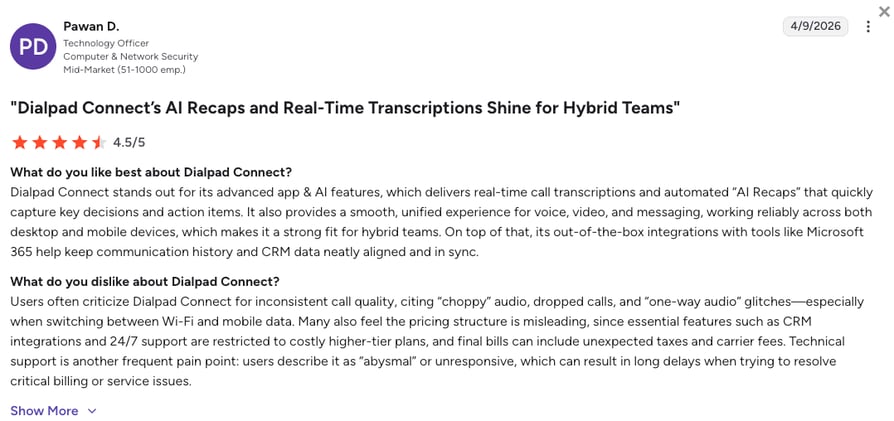
Dialpad Connect reviewers most often praise the intuitive interface and the AI notes that land in the CRM automatically after each call. The most repeated complaints are HubSpot and Salesforce sync failures where calls go missing from the record, text messaging that doesn't behave reliably, and AI transcripts that struggle with accents.
How Do G2 Users Rate Dialpad Connect?
On G2, Dialpad Connect holds a 4.4/5 rating across 4,200+ reviews (the listing covers the Dialpad platform broadly), with ease of use at 9.1 and ease of setup at 9.0.
5. Aircall: Best for Support and Sales Teams Needing One-Click CRM and Helpdesk Integrations
What Is Aircall?
Aircall is a cloud phone system for support and sales teams, priced from $30 per license per month on annual billing with a three-license minimum. Its integrations marketplace lists 250+ apps and API access on the entry plan, which is why SaaS support teams running Zendesk, Intercom, or HubSpot pick it so often.
Against Verizon One Talk, Aircall is the integrations answer: one-click connections to the helpdesk and CRM your team already lives in, with IVR, call recording, and click-to-dial on the first plan. The trade is the price floor. Three licenses at $30 is the minimum bill, the Power Dialer and Salesforce CTI need Professional at $50, and Aircall doesn't publish a trial length.
Why Is Aircall a Strong Verizon One Talk Alternative for Business?
- 250+ integrations on the entry plan: Zendesk, HubSpot, Intercom, and Pipedrive connect in a click on Essentials, where One Talk publishes no CRM list at all.
- IVR, recording, and click-to-dial from the start: Essentials includes an IVR builder, call recording kept up to a year, and click-to-dial, replacing One Talk's hunt groups and USB recorder.
- Power Dialer and live monitoring on Professional: Voicemail drop, Salesforce CTI, and live call monitoring turn the phone into a sales and coaching tool.
What Are the Pros & Cons of Aircall?
| Pros | Cons |
|---|---|
| 250+ integrations and API access from the first plan | Three-license minimum on Essentials and Professional, 25 on Custom |
| IVR, call recording, and click-to-dial included on Essentials | Power Dialer, voicemail drop, and Salesforce CTI require Professional at $50 |
| 50 free AI Voice Agent minutes per account each month | AI Assist and Analytics+ are paid add-ons, and reviewers report unstable calls and inaccurate AI summaries |
What Are Aircall's Plans & Pricing?
Aircall pricing starts at $30/user/month (Essentials, annual billing, 3-license minimum), and it offers the following plans:
Aircall Plans and Pricing
| Plan | Price | Key Features |
|---|---|---|
| Essentials | $30/user/month | 250+ integrations and API access, IVR, call recording (1-year retention), click-to-dial (3-license min) |
| Professional | $50/user/month | Everything in Essentials + Salesforce CTI, Power Dialer and voicemail drop, advanced analytics, live monitoring, unlimited recording |
| Custom | Custom | Everything in Professional + unlimited outbound calls, SLA, SSO (25-license min) |
The Three-Seat Floor
Aircall's setup speed is real, but a two-person team pays for three licenses from day one, and the outbound tools that make the price worth it (Power Dialer, voicemail drop, Salesforce CTI) sit on Professional at $50 per license. CloudTalk has no seat minimum until Expert, starts at $25/user/month, and adds the Power Dialer as a $15/user/month add-on on any plan.
What Are Aircall's Customers Saying?
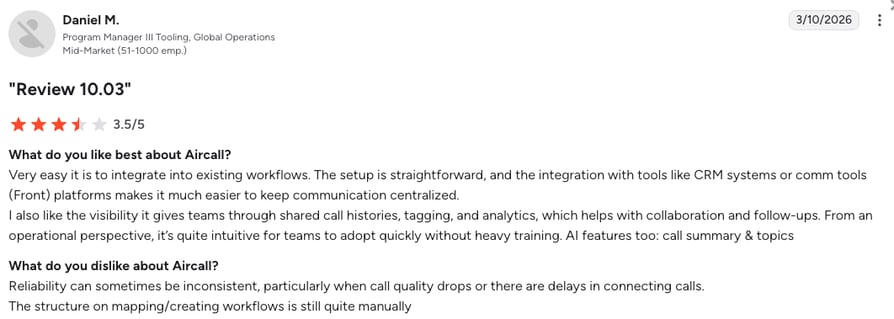
Aircall reviewers praise how easy the app is to learn and how cleanly it logs calls into the CRM and helpdesk. The most common complaints are connection and call-quality issues, AI summaries that get details wrong, and the cost of a three-seat minimum for very small teams.
How Do G2 Users Rate Aircall?
On G2, Aircall holds a 4.4/5 rating across 1,650+ reviews, with ease of use the most-mentioned strength.
6. Zoom Phone: Best for Teams Already Running Zoom Meetings That Want Low-Cost Unlimited US and Canada Calling
What Is Zoom Phone?
Zoom Phone is the cloud calling layer of Zoom Workplace, with metered plans from $10/user/month and unlimited US and Canada calling from $15/user/month. It's the natural pick for teams that already meet on Zoom and want calling, SMS, and cloud phone features in the same app.
Against Verizon One Talk, Zoom Phone is the budget cloud upgrade Reddit keeps recommending: unlimited domestic calling for less than One Talk's $20 line, with call recording, SMS, and AI post-call summaries included, and Salesforce, Microsoft, and Google integrations. The trade is that the cheapest plan meters outbound calls, and contact center features live in a separate Zoom Contact Center license.
Why Is Zoom Phone a Strong Verizon One Talk VoIP Alternative?
- Unlimited US and Canada calling under One Talk's price: $15/user/month buys unlimited domestic calling, recording, and SMS, no cellular plan required.
- Call to meeting in one tap: A phone call becomes a Zoom video meeting instantly, useful for support teams that need to see a screen.
- Coverage in 49+ countries: Zoom lists global calling coverage in 49+ countries, with Global Select plans for offices abroad, where One Talk stops at the US border.
What Are the Pros & Cons of Zoom Phone?
| Pros | Cons |
|---|---|
| Unlimited US and Canada calling from $15/user/month, cheaper than a One Talk line | The $10 plan meters outbound calls, so a talkative team's bill moves with minutes |
| Calling, SMS, video, and AI post-call summaries in the app teams already use | Contact center features (queues at scale, agent analytics) need a separate Zoom Contact Center license |
| Salesforce, Microsoft, Google, and Slack integrations | Reviewers report internet-dependent drops and add-on costs that add up |
What Are Zoom Phone's Plans & Pricing?
Zoom Phone pricing starts at $10/user/month (Metered, annual billing), with the following plans to choose from:
Zoom Phone Plans and Pricing
| Plan | Price | Key Features |
|---|---|---|
| Metered | $10/user/month | Business phone features with pay-per-minute domestic calling, SMS, call recording |
| US and Canada Unlimited | $15/user/month | Everything in Metered + unlimited US and Canada calling |
| Pro Global Select | $20/user/month | Everything in Unlimited + unlimited domestic calling in one of 49+ supported countries |
Metered Means Metered
The $10 plan is the number that gets quoted, but it bills outbound calls by the minute, so a sales team's invoice rises with talk time, and a real call center (queues, agent analytics, workforce tools) means a second Zoom Contact Center license. CloudTalk keeps calling, queues, recording, and dialers on one per-seat price, with unlimited inbound on every plan.
What Are Zoom Phone's Customers Saying?
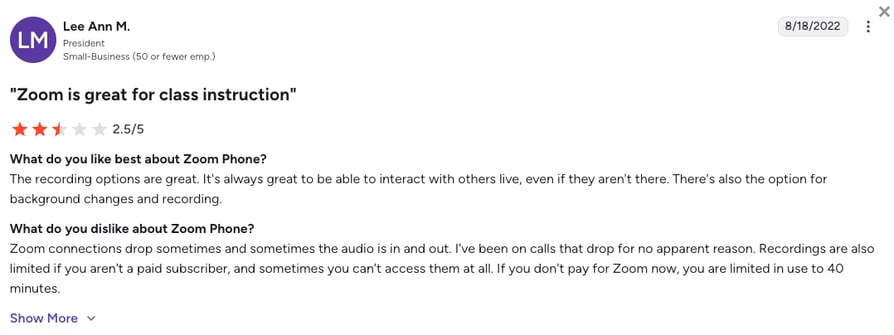
Zoom Phone reviewers love the one-tap jump from a voice call to a video meeting and how simple setup is for teams already on Zoom. The recurring complaints are call drops and freezes when internet quality dips, and add-on costs and features gated to higher plans.
How Do G2 Users Rate Zoom Phone?
On G2, Zoom Phone holds a 4.6/5 rating across 2,650+ reviews, the highest score among the large UCaaS suites on this list.
7. Quo (formerly OpenPhone): Best for Small Teams That Want Shared Numbers and Team Texting from a Mobile App
What Is Quo?
Quo (formerly OpenPhone) is a mobile-first business phone app built around shared numbers, team inboxes, and business texting, from $15/user/month on annual billing. It's popular with small teams that want one business number several people can call and text from, without any hardware.
Against Verizon One Talk, Quo is the modern version of the shared line: up to 10 teammates on one number, shared text threads, an AI agent (Sona) included from Starter, and apps for iPhone, Android, and desktop on any carrier. The trade is depth. There's no dialer, CRM integrations and automatic recording start on Business at $23, and support is email-only on Starter with no 24/7 option.
Why Is Quo a Strong Alternative to Verizon One Talk Software?
- Shared numbers on any carrier: One number shared by up to 10 users on Starter, on any phone, where One Talk's native dialer needs a Verizon smartphone.
- Team texting done properly: Shared SMS threads, internal comments, and scheduled messages replace One Talk's basic per-device texting.
- AI on every plan: The Sona AI agent handles calls from Starter with 1,000 free credits a month, and Business adds AI summaries and transcripts for every call.
What Are the Pros & Cons of Quo?
| Pros | Cons |
|---|---|
| Shared numbers and team inboxes built for texting-first small teams | No sales dialer at any tier |
| Sona AI agent included from the entry plan | CRM integrations and automatic recording start on Business ($23/user/month) |
| Highest G2 rating on this list at 4.7/5 | No 24/7 support, and international calls bill per minute |
What Are Quo's Plans & Pricing?
Quo pricing starts at $15/user/month (Starter, annual billing), with the following plans available:
Quo Plans and Pricing
| Plan | Price | Key Features |
|---|---|---|
| Starter | $15/user/month | Shared numbers (up to 10 users), calling, SMS, manual call recording, Sona AI agent with 1,000 free credits, email support |
| Business | $23/user/month | Everything in Starter + HubSpot, Salesforce, Zoho, and Pipedrive integrations, automatic recording, AI summaries and transcripts for all calls, live chat support |
| Scale | $35/user/month | Everything in Business + AI call tags, priority support, weekday phone support |
The Texting-First Trade
Quo is excellent at what One Talk's shared line was meant to do, but it stops where a sales or support operation starts: no dialer at any tier, CRM sync only from Business, and no support outside business hours. CloudTalk covers the shared-number use case too, and adds dialers, IVR, and 24/7 chat and email support for teams that will grow into them.
What Are Quo's Customers Saying?
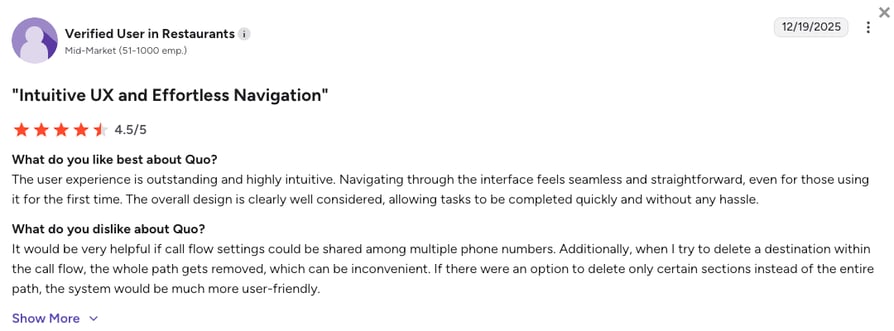
Quo reviewers describe a learning curve measured in minutes and praise the support team and transcription accuracy. The most common complaints are calls that don't ring or connect reliably, dropped calls, and the total cost once a small business adds several users.
How Do G2 Users Rate Quo?
On G2, Quo (OpenPhone) holds a 4.7/5 rating across 3,400+ reviews, with ease of use its most-praised category.
8. Ooma Office: Best for Small Offices Replacing Verizon Desk Phones Without a Contract
What Is Ooma Office?
Ooma Office is a small-business VoIP phone system priced from $19.95/user/month on month-to-month billing, with a virtual receptionist, ring groups, and unlimited calling to the US, Canada, Mexico, and Puerto Rico on the entry plan. It works with standard IP desk phones as well as its mobile app, which makes it a natural landing spot for offices used to desk phones.
Against Verizon One Talk, Ooma Office is the like-for-like swap for a small office: desk phones and a mobile app on one number, no contract, and 24/7 support, without a Verizon wireless plan underneath. The trade is that Ooma publishes no annual discount, call recording starts on Pro, and CRM integrations and AI transcriptions only arrive on Pro Plus at $29.95.
Why Is Ooma Office a Strong Verizon One Talk Alternative for Small Business?
- Standard desk phones, no carrier hardware: Ooma runs on regular IP desk phones and its mobile app, so you're not buying handsets from Verizon on a hardware contract.
- Unlimited calling to four countries from the entry plan: US, Canada, Mexico, and Puerto Rico calling is included on Essentials, and international rates are published.
- Recording, SMS, and video on Pro: The $24.95 tier adds call recording, a desktop app, business texting, and video meetings, features One Talk either lacks or charges per line for.
What Are the Pros & Cons of Ooma Office?
| Pros | Cons |
|---|---|
| Month-to-month billing with no contract | No annual discount, so the sticker is the price |
| Works with standard IP desk phones plus mobile and desktop apps | Call recording starts on Pro, and CRM integrations (Salesforce, HubSpot) and AI transcriptions only on Pro Plus |
| 24/7 customer support on every plan | Reviewers report taxes and fees adding roughly $10 to the quoted price |
What Are Ooma Office's Plans & Pricing?
Ooma Office pricing starts at $19.95/user/month (Essentials, monthly billing), and it lets you choose from the following plans:
Ooma Office Plans and Pricing
| Plan | Price | Key Features |
|---|---|---|
| Essentials | $19.95/user/month | Unlimited US, Canada, Mexico, and Puerto Rico calling, virtual receptionist, ring groups, mobile app |
| Pro | $24.95/user/month | Everything in Essentials + call recording, desktop app, business SMS, video meetings |
| Pro Plus | $29.95/user/month | Everything in Pro + Salesforce and HubSpot integrations, call queuing, auto dialer, AI transcriptions and insights |
The Quoted Price Plus Ten
Ooma's tiers are simple, but recent reviewers describe taxes and regulatory fees adding close to $10 to the price they were quoted, and the tools a growing team wants (CRM sync, queues, transcriptions) all sit on Pro Plus at $29.95. That lands within a dollar of CloudTalk's Essential plan, which includes 100+ CRM integrations, IVR, and unlimited recording retention on annual billing.
What Are Ooma Office's Customers Saying?
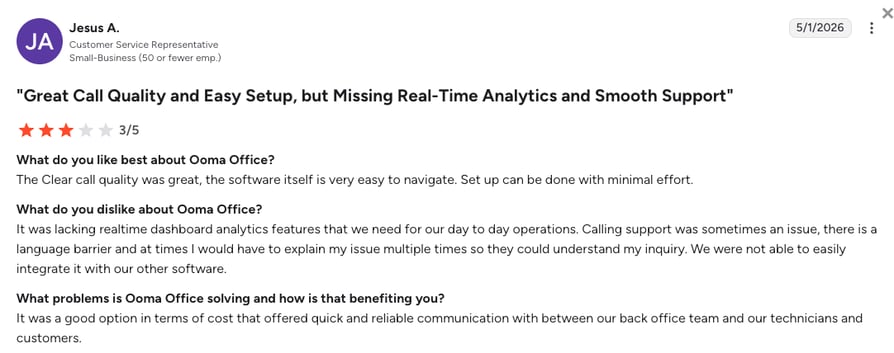
Ooma Office reviewers praise how quickly the system is set up and how easy it is to take calls away from the office. The recurring complaints are fees on top of the quoted price, and support that can be slow or hard to understand on complex issues.
How Do G2 Users Rate Ooma Office?
On G2, Ooma Office holds a 4.5/5 rating, though from a smaller base of 100+ reviews.
9. Google Voice: Best for Google Workspace Teams That Need a Simple Business Line for a Handful of People
What Is Google Voice?
Google Voice for Google Workspace is a business phone add-on from $10/user/month on top of a paid Workspace subscription, with unlimited US calling and texting, voicemail transcription, and Google Meet integration. It's the simplest small business VoIP option on this list, built for teams that already live in Gmail and Calendar.
Against Verizon One Talk, Google Voice is the budget second line that doesn't need a Verizon phone: it works in the browser and on any smartphone, Starter covers up to 10 users, and the r/verizon thread comparing the two ended with users picking Voice for reliability. The trade is depth. CRM integrations stop at Google's own tools, there's no dialer, recording needs Standard or Premier, and Voice is sold in only 14 countries.
Why Is Google Voice a Strong Verizon One Talk Competitor?
- Works on any device with a Google account: Browser, iPhone, or Android on any carrier, with no Verizon plan required and no hardware to buy.
- Ring groups and auto attendants on Standard: The $20 tier adds routing, desk phone support via SIP Link, and on-demand recording for growing offices.
- Voicemail transcription included: Transcribed voicemails and unlimited US texting come standard, where One Talk charges $2.99 per line for voicemail-to-text.
What Are the Pros & Cons of Google Voice?
| Pros | Cons |
|---|---|
| Lowest entry price on the list at $10/user/month for up to 10 users | Requires a paid Google Workspace subscription for every user |
| Runs on any device and carrier, with Gmail and Calendar integration built in | No CRM integrations beyond Google's own tools, and no dialer at any tier |
| Voicemail transcription and unlimited US texting included | Call recording needs Standard or Premier, and Voice is available in only 14 countries |
What Are Google Voice's Plans & Pricing?
Google Voice pricing starts at $10/user/month (Starter, annual billing, on top of a Google Workspace subscription), with the following tiers available:
Google Voice Plans and Pricing
| Plan | Price | Key Features |
|---|---|---|
| Starter | $10/user/month | Up to 10 users, unlimited US calling and texting, voicemail transcription, Google Meet and Calendar integration |
| Standard | $20/user/month | Everything in Starter + unlimited users, auto attendants, ring groups, desk phone and SIP Link support, on-demand call recording |
| Premier | $30/user/month | Everything in Standard + international locations, automatic call recording, advanced reporting via BigQuery |
The Workspace Prerequisite
Google Voice's $10 sits on top of a Workspace seat for every user, and the business features stack from there: routing and on-demand recording on Standard, automatic recording and international locations on Premier. There's still no CRM sync or dialer at any price. CloudTalk starts at $25/user/month as a standalone system, with recording on every plan and 100+ integrations from Essential.
What Are Google Voice's Customers Saying?
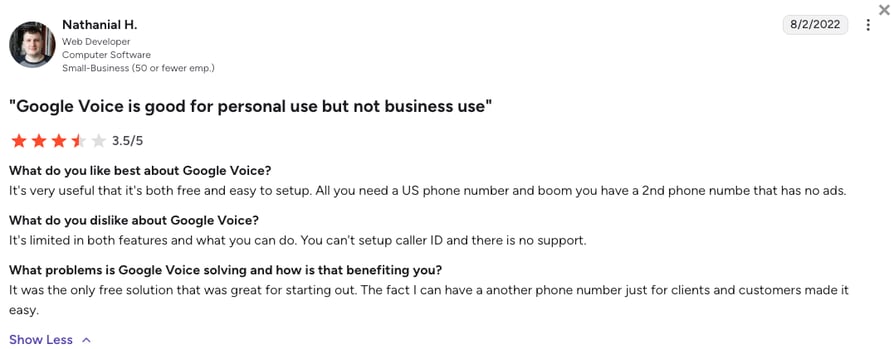
Google Voice reviewers like keeping their personal number private and paying very little for a second business line. The most common complaints are that it's too basic once a business grows past a few people, and that account flags or suspensions are hard to resolve through Google's support.
How Do G2 Users Rate Google Voice?
On G2, Google Voice holds a 4.1/5 rating across 150+ reviews, the lowest score of the ten tools here, reflecting its second-line rather than phone-system positioning.
10. MightyCall: Best for Small Inbound Teams That Want Visual Call Flows and Hands-On Support
What Is MightyCall?
MightyCall is a small-business call center platform from $20/user/month on annual billing, built around a visual call-flow builder, unlimited calling and texting under fair use, and support reviewers rate unusually highly. G2's own alternatives page names it the top-rated One Talk alternative, and it's a fit for small inbound teams that want routing they can see and someone to call when it breaks.
Against Verizon One Talk, MightyCall replaces hunt groups and a 25-call queue with routing you draw on a canvas: multi-level menus, business hours, and queues you build yourself, with call recording on every plan and HIPAA compliance stated in its FAQ. The trade is a three-user minimum on every plan, dialers that only start on the $54 Power tier, and just four native integrations.
Why Is MightyCall a Strong Verizon One Talk Alternative for Business Phone Systems?
- Visual call flows: Drag-and-drop menus, business-hours rules, and queues replace One Talk's fixed hunt group and queue settings.
- Recording and texting on every plan: Call recording, unlimited calling and SMS under fair use, and three numbers come with Core, versus zero recording in One Talk.
- Support that reviewers keep praising: MightyCall scores 9.4 out of 10 for quality of support on G2, and setup is often described as same-day.
What Are the Pros & Cons of MightyCall?
| Pros | Cons |
|---|---|
| Visual call-flow builder for menus, hours, and queues | Three-user minimum on Core, Pro, and Power, five on Enterprise |
| Call recording, unlimited calling, and SMS included on every plan | Preview and progressive dialers start at $54, predictive at $65 |
| Highly rated support, and HIPAA compliance stated on its site | Only four native integrations (HubSpot, Salesforce, Balto, Zapier), and reviewers report a glitchy mobile app |
What Are MightyCall's Plans & Pricing?
MightyCall pricing starts at $20/user/month (Core, annual billing, 3-user minimum), with the following plans:
MightyCall Plans and Pricing
| Plan | Price | Key Features |
|---|---|---|
| Core | $20/user/month | Unlimited calls and SMS (fair use), 3 numbers, call recording, caller ID, click-to-dial, integrations and API (3-user min) |
| Pro | $38/user/month | Everything in Core + supervisor workspace, live monitoring, AI call summaries, analytics, voicemail drop |
| Power | $54/user/month | Everything in Pro + preview and progressive dialers, AI answering machine detection, local presence, number rotation |
| Enterprise | $65/user/month | Everything in Power + predictive dialer, SIP trunking, custom integrations (5-user min) |
Three Seats and a Dialer Climb
MightyCall's $20 is a three-seat price at minimum, so a two-person shop pays $60 a month from day one, and outbound dialing means Power at $54 per user. In contrast, CloudTalk has no seat minimum until Expert, and puts the Power Dialer on any plan as a $15/user/month add-on, so a small team grows into dialing without changing tiers.
What Are MightyCall's Customers Saying?
MightyCall reviewers praise the support team and how fast a small business gets live, often the same day. The recurring complaints are dropped calls and a mobile app that sometimes misses incoming-call prompts.
How Do G2 Users Rate MightyCall?
On G2, MightyCall holds a 4.4/5 rating across 300+ reviews, with quality of support its standout category at 9.4.
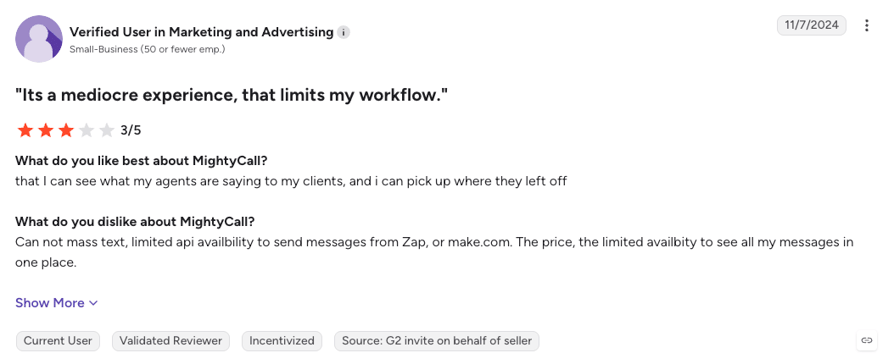
What Real Users Are Saying about Verizon One Talk and Its Alternatives
Feature lists tell you what a phone system claims to do. Real user threads tell you whether it holds up on a Tuesday afternoon when a customer is calling. Here's what Reddit, Quora, and G2 say about Verizon One Talk and the alternatives people actually shortlist.
What Redditors Are Saying about Verizon One Talk Alternatives
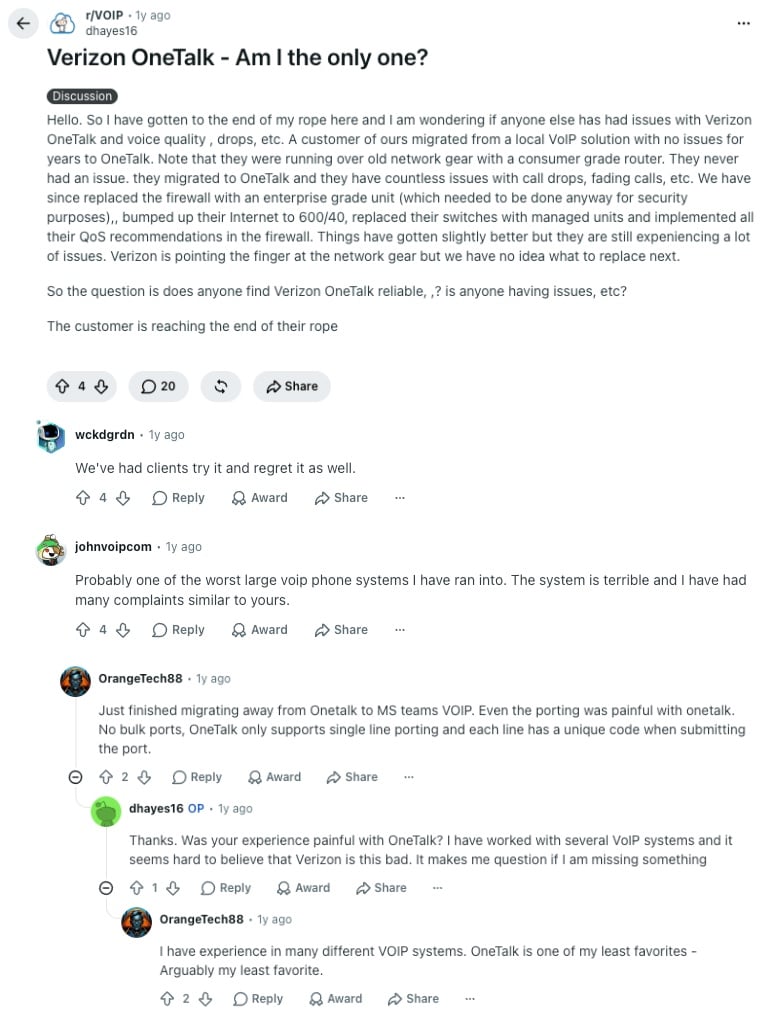
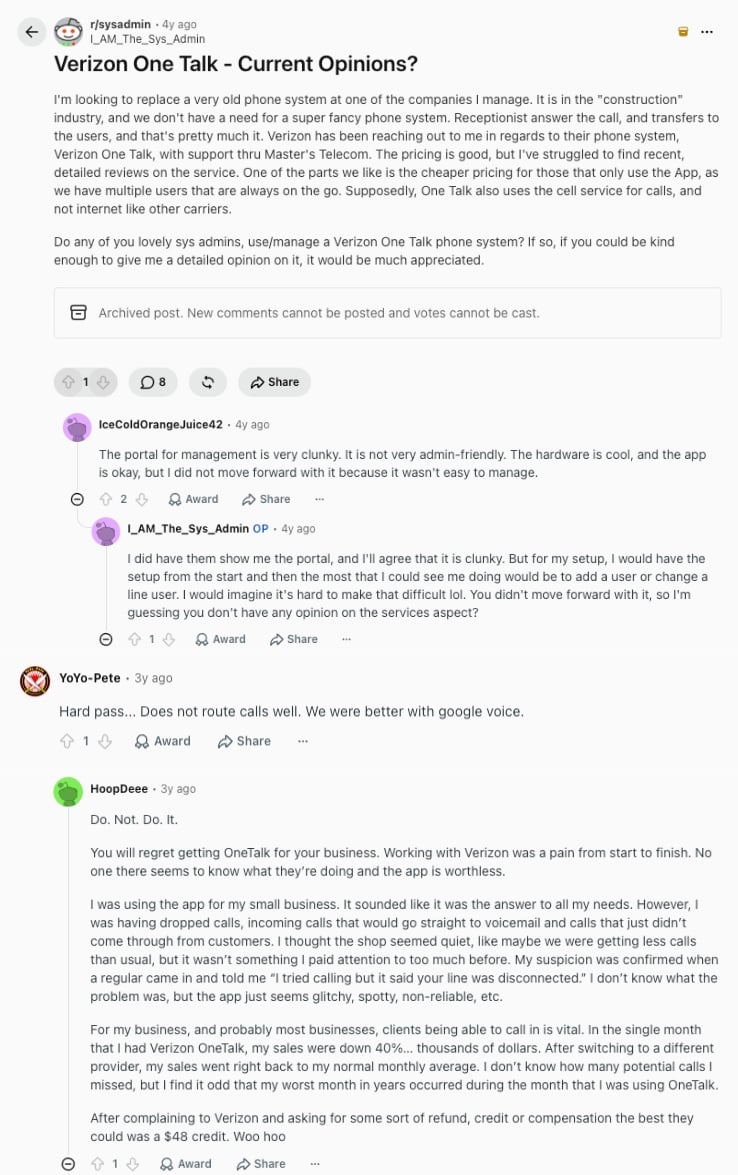
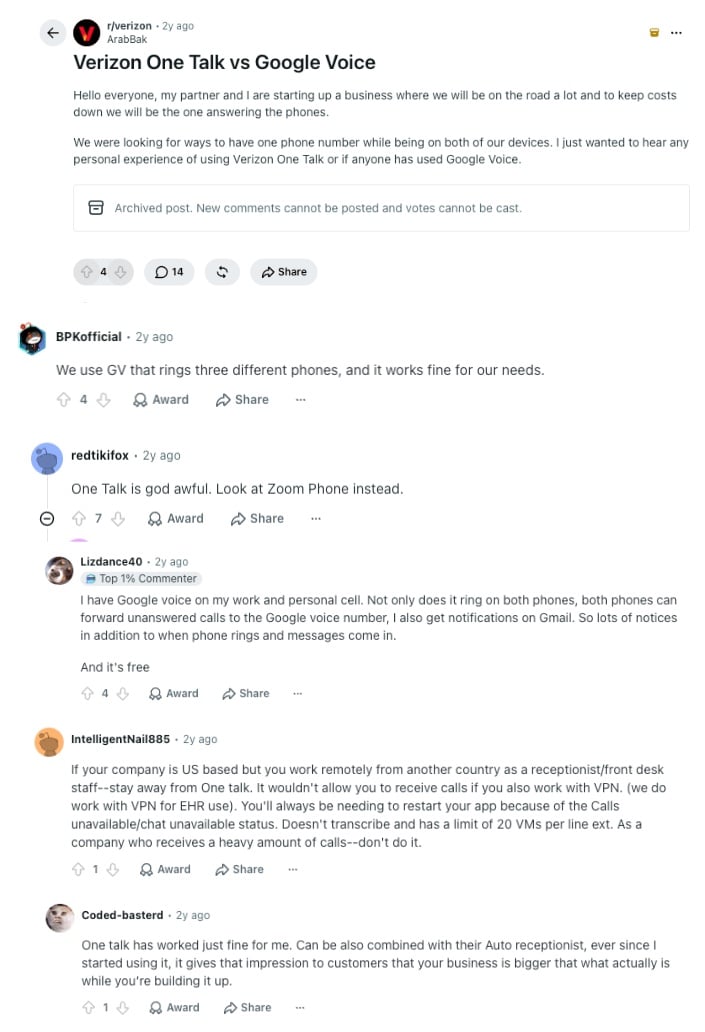
One Talk comes up in three kinds of threads: IT providers troubleshooting call quality in r/VoIP, sysadmins asking for opinions before they buy in r/sysadmin, and small business owners weighing it against Google Voice in r/verizon. Nobody in these threads is looking for OneTalk alternatives out of curiosity. They're looking because something broke.
- Call quality that network upgrades didn't fix: In r/VoIP, an IT provider described a client who moved from a local VoIP system to One Talk and started seeing dropped and fading calls. They replaced the firewall, upgraded to a 600/40 connection, swapped in managed switches, and applied Verizon's QoS recommendations, and things only got "slightly better" while Verizon pointed at the network gear. Replies called One Talk one of the worst large VoIP systems they'd worked with, and one commenter who had just migrated away noted porting was painful because One Talk only supports single-line ports. A cloud system's call quality shouldn't hinge on whose SIM is in the phone, and number porting should move a whole block of numbers at once.
- Clunky admin and calls that never arrive: In r/sysadmin, an admin replacing an old phone system for a construction company liked One Talk's pricing and its app-only lines for field staff, but replies described the management portal as clunky and not admin-friendly. One business owner said calls went straight to voicemail, a regular customer was told the line was disconnected, and their worst sales month in years lined up with the single month they used One Talk. Verizon offered a $48 credit. That's the argument for routing you control through your own call flow designer and analytics that flag missed calls before a customer does.
- One Talk vs Google Voice for a two-person startup: In r/verizon, two founders who'd be on the road asked whether One Talk or Google Voice would let them share one number across both phones. Google Voice won the thread on price and reliability, one reply steered them to Zoom Phone instead, and a remote receptionist warned One Talk wouldn't take calls over a VPN. One user did say One Talk worked fine with the auto receptionist. For a shared number that rings two founders anywhere, a cloud virtual phone system with a mobile app does the same job without a Verizon plan, and grows into recording and CRM sync later.
What Quora Users Are Asking about Verizon One Talk Alternatives
Search "Verizon One Talk similar services" and you land in Quora threads about call center software, AI tools, and auto dialers, and not one of them mentions One Talk. That's the point. When businesses describe a real use case, carrier phone add-ons don't make the shortlist. Here's what does.
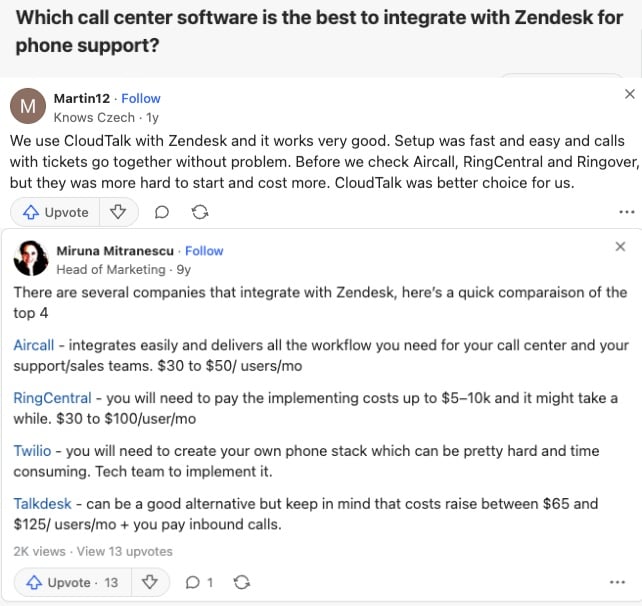
- Call center software with Zendesk integration: Asked which call center software integrates best with Zendesk, one user names CloudTalk, saying setup was fast and easy and calls and tickets "go together without problem," after finding Aircall, RingCentral, and Ringover harder to start and more expensive. An older answer compares Aircall, RingCentral, Twilio, and Talkdesk pricing for the same job. Nobody suggests a carrier line, because the Zendesk integration is the whole requirement.
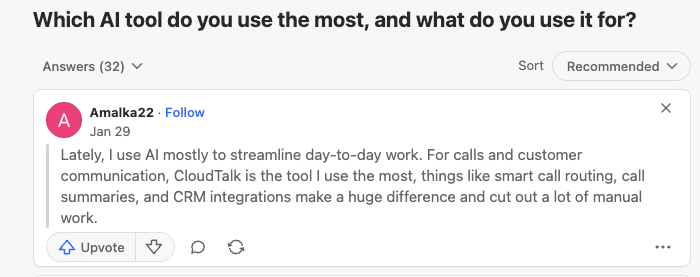
- Which AI tool people use most: In a general thread about favorite AI tools, one answerer names CloudTalk for calls and customer communication, citing smart call routing, call summaries, and CRM integrations that "cut out a lot of manual work." Those are the three things One Talk has none of, and the reason AI call summaries keep showing up on phone system shortlists.
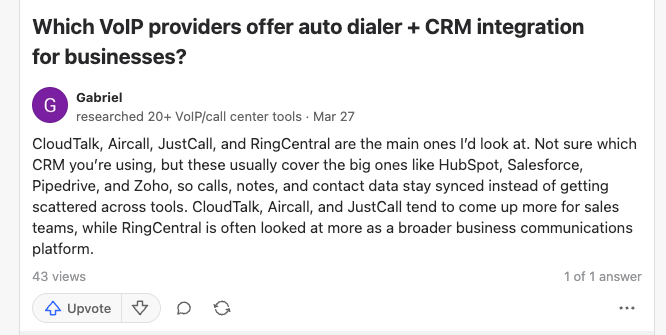
- Auto dialer plus CRM integration: Asked which VoIP providers offer an auto dialer with CRM integration, a reviewer who tested 20+ tools names CloudTalk, Aircall, JustCall, and RingCentral, noting the first three come up more for sales teams while RingCentral reads as a broader communications platform. A power dialer synced to HubSpot or Salesforce is a sales requirement One Talk simply doesn't address.
How Verizon One Talk Compares to Its Main Alternatives on G2
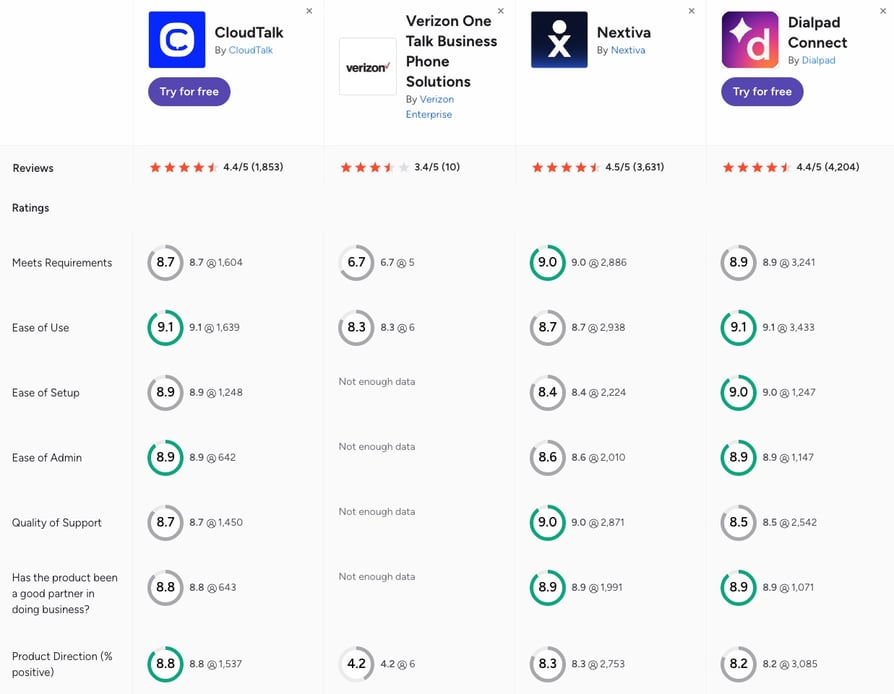
G2's side-by-side comparison makes one thing obvious before you read a single score: Verizon One Talk has 10 reviews, CloudTalk has 1,850+, Nextiva 3,600+, and Dialpad Connect 4,200+. People rate what they think of as a business phone system, and One Talk is rated like a carrier feature.
- Review depth: Four of One Talk's seven G2 categories (ease of setup, ease of admin, quality of support, and business partnership) show "not enough data," and the scores it does have rest on five or six responses. CloudTalk's categories draw on 640 to 1,640 responses each, and Nextiva's and Dialpad Connect's on 1,000 to 3,400.
- Product direction: One Talk's own reviewers rate its product direction 4.2 out of 10, against 8.8 for CloudTalk, 8.3 for Nextiva, and 8.2 for Dialpad Connect, which lines up with the last dated entry on Verizon's public enhancements page being December 2023.
- Ease of use and setup: CloudTalk and Dialpad Connect tie at 9.1 for ease of use, Dialpad edges ease of setup at 9.0 to CloudTalk's 8.9, and Nextiva leads quality of support at 9.0. Every cloud platform here wins a category, and each win rests on thousands of responses rather than a handful.
CloudTalk vs. Verizon One Talk: Final Head-to-Head Comparison
The core split is simple: Verizon One Talk extends a carrier line so one business number rings on the devices your team already carries. CloudTalk is the phone system your team actually works from, with recording, CRM sync, and AI built in, and numbers wherever your customers are.
The table calls it straight. One Talk wins three rows outright, and they matter to a specific kind of team. CloudTalk takes the rest.
CloudTalk vs. Verizon One Talk: Final Head-to-Head
| Feature | CloudTalk | Verizon One Talk | Winner |
|---|---|---|---|
| Starting price | $25/user/month, published for every tier | $20/line/month, customized by a rep | Verizon One Talk |
| Free trial | 14 days, no credit card | None published, sales-led | CloudTalk |
| Devices and deployment | Desktop app, CloudTalk Go mobile app (iOS and Android), browser, standard SIP desk phones | Verizon smartphone native dialer, Verizon desk phones (max 2 per line), apps on any carrier | CloudTalk |
| Calling without internet | Requires an internet or mobile data connection | Native dialer and LTE desk phones ride Verizon's cellular voice network | Verizon One Talk |
| Call recording | Automatic on every plan (1-month retention on Starter, unlimited from Essential) | No native cloud recording | CloudTalk |
| CRM integrations | 100+ with two-way sync from Essential, Salesforce on Expert | Side View contact panel, no published CRM list | CloudTalk |
| Outbound dialers | Power Dialer (Expert, or $15/user/month add-on), Parallel Dialer ($39/user/month add-on), Smart and Preview Dialer on Expert | Manual dialing only | CloudTalk |
| AI features | AI Receptionist from $99/month, AI Specialist, Conversation Intelligence at $9/user/month | None | CloudTalk |
| Number coverage | 160+ countries | US only | CloudTalk |
| Concurrent calls per number | Scales with seats and queues | 3 simultaneous calls per number, queues up to 40 lines | CloudTalk |
| Video meetings | None (voice-first) | 2-party video on select desk phones and Android | Verizon One Talk |
| Security and compliance | ISO 27001, SOC 2, GDPR, and HIPAA documented | No certifications published, terms disclaim industry-specific controls | CloudTalk |
| Customer support | 24/7 chat and email on every plan, phone on Expert | Verizon Business support line and account reps | CloudTalk |
| G2 rating | 4.4/5 from 1,850+ reviews | 3.4/5 from 10 reviews | CloudTalk |
The Verdict
If your team is five people on Verizon phones who need one shared number and nothing else, One Talk's cellular-voice calling and LTE desk phones are hard to beat for simplicity. The moment you need a recording, a CRM record, a number outside the US, or a call answered by AI at 9 p.m., you've outgrown a carrier add-on. CloudTalk is built for exactly that next step, and you can prove it on your own numbers before paying for a single seat.
How to Choose the Right Verizon One Talk Alternative for Your Business
Choosing the right Verizon One Talk alternative comes down to four questions: how many people need the number, which tools your calls should log into, where your customers are, and how much of the calling you want software or AI to handle. Match your situation to the questions below and jump straight to the pick.
Which Verizon One Talk Alternative Is Best for Small Businesses?
CloudTalk, Quo, and Ooma Office are the best Verizon One Talk alternatives for small businesses, and the right one depends on what small means for you. A two- or three-person team that mostly texts and shares one number gets the most from Quo. An office that wants desk phones without a contract gets it from Ooma Office. A small team that sells or supports by phone and wants recording, CRM sync, and room to grow gets it from CloudTalk, from $25/user/month with no seat minimum.
Whichever you pick, check that the phone system for your small business still fits at twice your headcount, because moving numbers twice is the expensive part. And if you've read more than enough for one day, simply watch the quick video below and find a phone system that'll fit your workflows like a glove.
What's Better Than Verizon One Talk for Outbound Sales and Automated Dialing at Scale?
CloudTalk is the strongest Verizon One Talk alternative for outbound sales teams that need automated dialing at scale. One Talk is a manual dialer on a shared line. CloudTalk's Power Dialer (Expert plan, or a $15/user/month add-on on any plan) works through call lists automatically, the Parallel Dialer ($39/user/month add-on on any plan) dials several lines at once and connects the first person who answers, and the Smart and Preview Dialers on Expert handle CRM-driven lists. Every call is recorded and logged. Aircall (Power Dialer on Professional) and MightyCall (dialers from the Power tier) are the runners-up.
Here's what automated dialing looks like in practice:
The difference shows up in the numbers:
After switching to CloudTalk's dialers, My Mortgage Finder's advisors went from 15 to 100+ calls a day each. Under 100 calls now means asking what happened.
Which Verizon Alternative Has the Deepest CRM Integrations?
CloudTalk and Aircall are the Verizon alternatives with the deepest CRM integrations, and they go about it differently. CloudTalk's 100+ integrations sync two ways from Essential: calls, recordings, notes, and contacts flow into HubSpot, Pipedrive, or Zendesk automatically, and its AI voice agents write to the same records. Aircall lists 250+ apps and API access on its entry plan and is the faster choice if you want a one-click Zendesk or Intercom connection and don't mind the three-license minimum. Both leave One Talk's contact-lookup panel far behind.
Not sure which approach fits your stack? This quick comparison shows the difference:
What Is the Best One Talk Alternative for AI Phone Answering and AI Voice Agents?
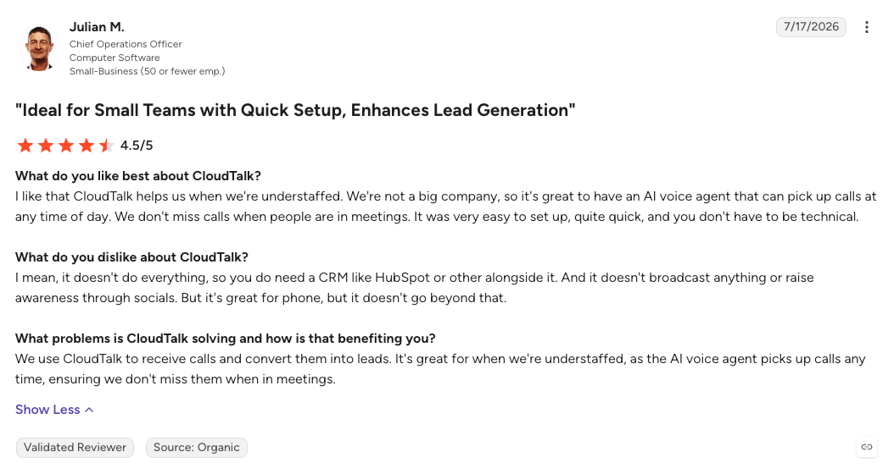
CloudTalk is the best One Talk alternative for AI phone answering and AI voice agents, because it treats AI and people as one team on one phone system. The no-code AI Receptionist answers routine inbound calls from $99/month (50 free minutes on every account), routes callers, and takes messages, while the sales-led AI Specialist runs longer inbound and outbound conversations like qualification and booking, in 70+ languages. Anything complex hands off to a human agent with the transcript attached, so your team spends its time on the calls that need a person.
Dialpad is the runner-up for AI transcription on every call, and RingCentral sells an AI Receptionist add-on from $39. One Talk has no AI at all. Comparing the best AI phone systems for businesses comes down to one question: does the AI live inside the phone system your team already uses, or bolt onto it as a separate product?
Here's how an AI voice agent handles a real call before a human ever picks up:
Which Verizon One Talk Alternative Is Best for Enterprises?
RingCentral is the best Verizon One Talk alternative for enterprises that need voice, video, and messaging on one platform across many offices, with a 99.999% uptime SLA, 330+ integrations, and the admin controls a large IT team expects. CloudTalk sits alongside it for a different kind of large organization: sales and support operations that run on voice, want dialers and AI voice agents built in, and need numbers in 160+ countries without paying for a suite of tools they won't open. Zoom Phone is the third option for enterprises already standardized on Zoom. In every case, moving from a carrier add-on to a real business phone system changes what IT can see, control, and report on.
Here's how RingCentral and CloudTalk differ for different kinds of organizations:
Which Alternative Unifies Mobile and Desk Phones Like One Talk Does?
Ooma Office, Nextiva, and CloudTalk are the best Verizon One Talk alternatives for business phone systems that unify mobile and desk phones the way One Talk does, without tying the whole setup to Verizon. Ooma Office and Nextiva both run standard IP desk phones alongside their mobile apps on one number.
CloudTalk's apps for desktop, iOS, and Android share one number, the mobile app rings even when it's closed and can be set as the default calling app on iPhone, and standard SIP desk phones (Yealink, Polycom, Grandstream) connect with agent SIP credentials, though not every app feature carries over to a handset. The difference from One Talk is that the desk phone is hardware you already own, not a Verizon purchase on a contract.
The business phone features to check here are simultaneous ring, moving a live call between devices, and one shared voicemail box, and all three platforms cover them.
Why Are Businesses Switching from Verizon One Talk to Other Providers?
Businesses are switching from Verizon One Talk to other providers because a carrier add-on stops fitting once calls need to be recorded, logged, analyzed, or answered outside the US. The triggers that come up most: missing call recording for coaching or disputes, an unpublished CRM integration list, AI features every competitor now bundles, a three-call cap per number, and the dropped calls and voicemail misroutes that reviewers report. Most switchers land on a cloud VoIP phone system that runs on the phones and laptops they already own, port their numbers across, and keep the one-number-everywhere habit that made One Talk appealing in the first place.
What Is the Best Verizon One Talk Alternative for Growing Teams?
CloudTalk is the best Verizon One Talk alternative for growing teams, because the things that get expensive or impossible on a carrier line stay simple: seats are added from a dashboard at $25/user/month, numbers in 160+ countries open as new markets do, call recording is there from the first plan, and AI answering scales on fixed tiers from $99/month instead of on headcount.
Growing teams also change shape, adding sales seats one quarter and support seats the next, so a plan you adjust yourself, with CRM sync that follows every seat and dialers you can switch on per user, is worth more than any single feature. Over 5,500+ growing businesses around the world run on it today, and a 14-day free trial proves the fit on your own call volume before you commit.
You Just Picked Your Scenario. Now Run It on Real Calls.
Ready to Make the Switch from Verizon One Talk?
Verizon One Talk earns its place for a small US team that lives on Verizon phones and needs one shared number that rings everywhere, over cellular voice, with an LTE desk phone that works even when the Wi-Fi doesn't.
But the reasons teams search for a Verizon One Talk alternative are structural. A number that only exists in the US, calls that can't be recorded, a contact panel instead of CRM sync, and no AI anywhere mean the phone stays a phone while the rest of your stack moves on. For a team that wants its calls to become records, insights, and follow-ups automatically, the system has to be built differently from the start.
That's the CloudTalk case: a full phone system from $25/user/month on the devices you already own, recording on every plan, 100+ CRM integrations from Essential, an AI Receptionist with 50 free minutes on every account, and numbers across 160+ countries.
- Call recording on every planAutomatic call recording from Starter, with unlimited retention from Essential, so coaching and disputes never depend on a USB stick.
- Two-way CRM sync from Essential100+ integrations keep HubSpot, Pipedrive, Zendesk, and Salesforce (on Expert) current without anyone typing call notes.
- AI and humans on one platformThe AI Receptionist answers routine calls from $99/month, and hands the rest to your team with the transcript attached.
- Coverage across 160+ countriesBuy and port numbers where your customers are, with call quality backed by a 99.999% uptime SLA.
- 5,500+ businesses already run on itBacked by 4.4/5 on G2 across 1,850+ verified reviews.
Join 5,500+ Businesses That Turned a Phone Line into a Phone System
Frequently Asked Questions about Verizon One Talk Alternatives
Quick answers on how Verizon One Talk works, what it costs, where it stops, and how the alternatives compare.
Verizon One Talk is Verizon Business's multi-line phone service that lets one business number ring on a Verizon smartphone, up to two desk phones, and up to five mobile or desktop app installs. The One Talk Dialer is the app or native-dialer mode that places those calls. It's sold as an add-on to eligible Verizon Business plans and covers around 50 business phone features, a smaller set than a full cloud business phone system.
Verizon One Talk works by assigning a virtual business number to a group of devices that ring together: a Verizon phone's native dialer, LTE or Wi-Fi desk phones, and the One Talk app on any carrier's phone or a Windows or Mac computer. Native-dialer calls use Verizon's cellular voice network, desk phones and apps use VoIP, and auto receptionist, hunt groups, and call move handle routing, the job a cloud system does with a visual call flow designer.
Verizon One Talk pricing starts at $20 per line per month, with discounts for 10 or more lines, and Verizon customizes the package through a sales rep instead of publishing full tiers. Its terms define four volume bands (1-9, 10-24, 25-99, and 100+ lines) without prices, voicemail-to-text adds $2.99 per line, and taxes and surcharges apply. Some older Verizon pages still show $15, so confirm your quote, and compare it to VoIP pricing of some of its alternatives.
Verizon One Talk can be used without a Verizon wireless plan only through its apps: the mobile app works on smartphones from any carrier and the desktop app on Windows and Mac, but the One Talk lines themselves still need a Verizon Business account. The native-dialer experience, where the business number rings your phone's regular dialer, requires a Verizon wireless line. A carrier-independent virtual phone system removes that dependency entirely.
No, Verizon One Talk is available to Verizon Business customers in the domestic US only. Verizon's FAQ says a call drops when a device leaves its LTE coverage unless Wi-Fi calling is on, the eSIM plan includes talk and text in Canada and Mexico with usage limits, and Verizon publishes no international coverage for One Talk. Teams with customers or staff abroad typically move to providers with local numbers in many more countries, out of which CloudTalk offers the highest coverage.
Yes, you can keep your business number when leaving Verizon One Talk by porting it to the new provider. You request a Number Transfer PIN from Verizon for each line and submit the port through the new provider, and Reddit users note One Talk moves one line at a time, so start early. Keeping each Verizon line active until the port completes is the step most teams miss when porting a number away from Verizon.
To migrate call flows from Verizon One Talk without downtime, rebuild your routing on the new platform first, test it on a new number, and port your One Talk numbers last. Map every auto receptionist menu, hunt group, and queue to its equivalent, forward your One Talk number during the port window, and cancel Verizon lines only once calls confirm. Full ports usually take two to four weeks, so the number porting timeline should drive the plan.
The main costs when switching from Verizon One Talk are early termination fees on any desk-phone hardware contract (the service itself is month-to-month with 30 days' notice), remaining device balances, and porting fees at the new provider. Watch the new provider's extras too: seat minimums, per-minute international calls, taxes on top of the sticker, and features gated to higher tiers. Knowing how to evaluate VoIP pricing keeps the second bill from surprising you like the first.
Verizon does not publish HIPAA compliance or security certifications such as SOC 2 or ISO 27001 for One Talk. Its August 2025 terms state the service is implemented without controls "customary for customers in any particular industry" and that the customer is responsible for meeting legal and regulatory obligations. Healthcare and finance teams should get a business associate agreement in writing first. Verizon One Talk VoIP alternatives like CloudTalk usually document ISO 27001, SOC 2, GDPR, and HIPAA on their security page.
Verizon One Talk lets one number share up to eight devices (one smartphone, two desk phones, and five mobile or desktop app installs) and handle three simultaneous calls in total across all of them. Its Simultaneous Ring feature rings up to 10 phone numbers at once, including non-One Talk numbers, and call queues route to up to 40 lines. CloudTalk's call queuing has no three-call cap per number, so a busy line scales with seats.
Yes, you can block numbers on Verizon One Talk. Its Spam Filter and Caller Name ID are on by default at no extra charge, labeling calls as Potential Spam, Potential Fraud, or Robo Caller and sending high-risk calls to voicemail, and Anonymous Call Rejection and Selective Call Rejection block specific or withheld numbers. CloudTalk handles the same through a blacklist you manage from the dashboard, plus spam protection for your own outbound numbers.
CloudTalk beats Verizon One Talk on both counts: it sells numbers in 160+ countries where One Talk is US-only, and it includes AI that One Talk lacks entirely, an AI Receptionist from $99/month with 50 free minutes, AI Specialist agents for complex calls, and Conversation Intelligence for transcripts. One Talk's edge is cellular-voice calling on Verizon phones. International calling costs widen the gap further, since a cloud number in the customer's country makes those calls local.
RingCentral is better than Verizon One Talk for most growing businesses: it's a complete cloud phone system with call recording, 330+ integrations, video, and a 99.999% uptime SLA, where One Talk is a carrier add-on that extends one number across devices. One Talk keeps the edge for a tiny team that wants cellular-voice calling and nothing else.
Dialpad's branded caller ID (Dialpad calls it Branded Calling) is a Dialpad feature that displays your verified business name on the recipient's phone when you call Verizon, T-Mobile, or AT&T customers from a Dialpad number, so your calls don't show up as unknown. Verizon allows up to 15 characters. It's a separately priced Dialpad product delivered through partners, not a Verizon One Talk feature.
Verizon Business rates far better as a carrier than as a business voice provider. Network coverage is why small teams pick One Talk, but its VoIP scores are low: 3.4/5 on G2 from 10 reviews and 1.8/5 on Gartner Peer Insights from nine, with recurring complaints about dropped calls. Its feature set (about 50 features, without recording or AI) sits well below cloud providers. Treat Verizon as connectivity and compare it against a purpose-built VoIP business phone system.
Verizon One Talk desk phones are sold by Verizon and include LTE models with a built-in eSIM that work without an internet connection, plus Wi-Fi and Ethernet models, capped at two desk phones per line with optional one- or two-year hardware contracts. Most alternatives support standard SIP desk phones from brands like Yealink and Polycom: Ooma Office, Nextiva, RingCentral, and Dialpad list them directly, and CloudTalk connects them through agent SIP credentials as part of a wireless business phone setup.
The best Verizon One Talk alternatives for small businesses are CloudTalk, Quo, Ooma Office, and Nextiva. CloudTalk suits small sales and support teams wanting recording, CRM sync, and AI from $25/user/month with no seat minimum. Quo fits texting-heavy micro teams, Ooma Office fits offices swapping Verizon desk phones without a contract, and Nextiva fits teams that want 24/7 support bundled in. All four run on any device, so a small business VoIP setup no longer depends on your carrier.