TL;DR: 10 Best Alternatives to Zoom Phone
| # | Platform | Best for | Starting Price (annual billing) | G2 Rating |
|---|---|---|---|---|
| 1 | CloudTalk | Scaling SMB and mid-market sales and support teams | $19/user/mo | 4.4/5 |
| 2 | GoTo Connect | Highly visual call routing and multisite administration | $26/user/mo | 4.4/5 |
| 3 | Aircall | Modern customer support and collaborative teams | $30/user/mo | 4.4/5 |
| 4 | Dialpad | AI-first teams requiring deep call coaching | $15/user/mo | 4.4/5 |
| 5 | Nextiva | Reliable enterprise-grade unified communications | $15/user/mo | 4.5/5 |
| 6 | RingCentral | Highly complex call routing and legacy migrations | $20/user/mo | 4.2/5 |
| 7 | JustCall | Outbound dialer and automated SMS operations | $29/user/mo | 4.3/5 |
| 8 | Ringover | Conversion-focused sales outreach and cold campaigns | $21/user/mo | 4.6/5 |
| 9 | Vonage | Developer-centric customizable communication API stacks | $13.99/user/mo | 4.3/5 |
| 10 | Quo (OpenPhone) | Solo founders and shared team inboxes | $15/user/mo | 4.7/5 |
Skip the reading. See it live.
Why Are Teams Searching for a Zoom Phone Alternative?
Zoom Phone captured a massive market by using its popular video meetings to offer a cheap starting price of $10 to $15. However, businesses looking for a true VoIP phone system for small business are moving away from software that tries to do everything at once but masters nothing.
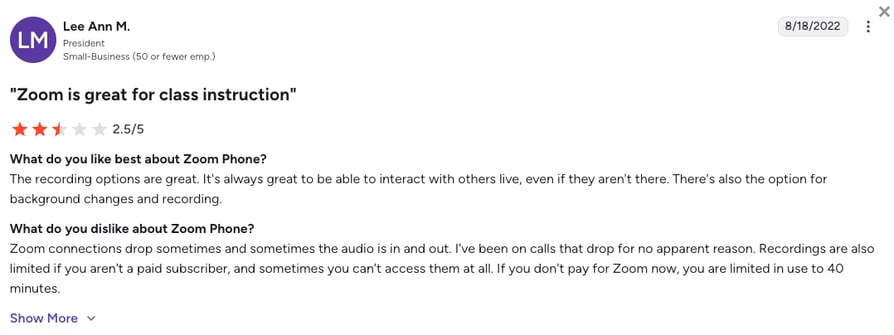
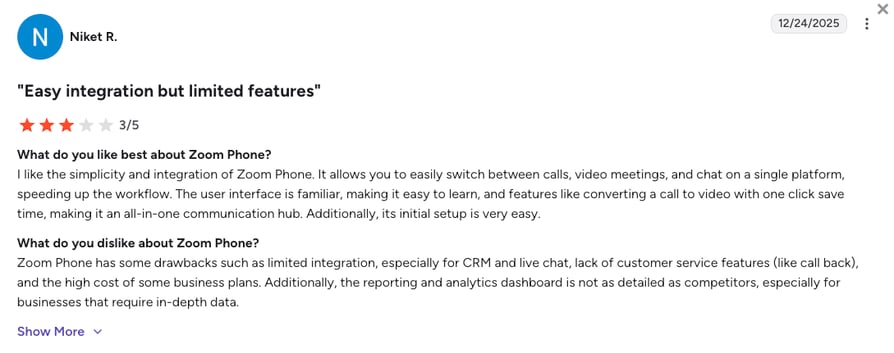
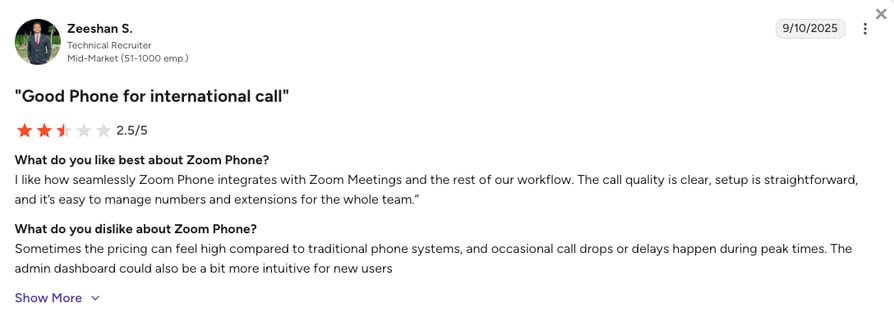
Based on verified Zoom Phone G2 reviews (where it scores 4.6/5 out of 2,650+ reviews), community discussions on platforms like Reddit, and our own testing, scaling sales and support teams usually outgrow Zoom Phone due to five major technical roadblocks.
6 Main Cons of Zoom Phone That Make Businesses Look for an Alternative
- The 20-Transfer Drop Limit:If a customer's call is routed or transferred more than 20 times between your business hours or phone menus, Zoom Phone automatically drops it. This system flaw causes growing teams to lose active customers right in the middle of important shift changes.
- The Unexpected "Power Pack" Trap:Essential Zoom Phone features like live queue dashboards and call monitoring are locked behind a mandatory $25 per-user Customer Engagement Pack monthly add-on (previously known as Power Pack). This extra fee instantly turns a cheap base plan into a huge expense for busy support teams.
- Basic One-Way Integrations:Connections to major CRMs like Salesforce only offer basic call logging instead of true two-way syncing. You will need to hire developers for custom code or buy an expensive upgrade just to automate your daily tasks.
- Too Many Apps and Extra Costs:Managers are forced to buy a full Zoom Meetings license for every user, confusing employees who just need a simple phone pad. This forces your team to juggle multiple apps, leading to frustrated workers and extra IT helpdesk tickets.
- Slow Support and Number Transfer Delays:Total system failures are often treated as low-priority tickets, leaving you waiting up to three business days for an automated reply. Plus, if you decide to leave, their team frequently delays transferring your phone numbers, causing immediate service blackouts.
- Strict Regional Traps for Global Teams:Zoom Phone limits unlimited calling to just one country out of 48. Dialing anywhere else triggers unpredictable pay-per-minute rates. Scaling teams need a reliable internet phone service for small business, not a system that penalizes global growth.
What Is the Best Alternative to Zoom Phone?
CloudTalk is the best VoIP alternative to Zoom Phone, built specifically for high-growth SMB to mid-market sales and customer support teams that need reliable CRM integrations and AI automation. CloudTalk offers a predictable starting price of $19/user/month and guarantees 99.999% uptime. CloudTalk replaces Zoom's fragile routing limits with a highly stable global network, meaning your busy call queues will never randomly disconnect customers again.
While Zoom treats voice calling as an afterthought to video, the CloudTalk phone app is built purely for professional calling. It integrates essential tools like Salesforce and HubSpot directly into your calling workflow. With straightforward, transparent tiers, your team gains access to native two-way CRM syncing, advanced automated dialers, and clear pricing without unexpected pay-per-minute traps.
Why Do Teams Consider CloudTalk the Best Zoom Phone Alternative?
5 Main Pros of CloudTalk and Why Businesses Switch from Zoom Phone
- Flawless Call Routing:CloudTalk bypasses Zoom’s drop limits by using an intelligent and visual call flow builder. You can map out complex call menus using simple drag-and-drop screen, completely removing the fear of sudden disconnects.
- True Two-Way CRM Sync:Zoom’s basic connection forces your reps to log their notes manually. When upgrading to an Essential plan with an AI CRM registration process that actually works, CloudTalk stands out by automatically logging every call, syncing outcomes, and pushing AI summaries directly into Salesforce and HubSpot.
- Global Reach Without Boundaries:Instead of Zoom's limited regional plans, CloudTalk provides high-quality virtual numbers in 160+ countries (including the USA, Singapore, the UAE, Japan, and Germany). You get massive global coverage without the stress of unpredictable international fees.
- Clear and Predictable Costs:With Zoom, your true monthly bill increases with expensive contact center add-ons. CloudTalk offers a much more predictable approach, including live queue reporting on core plans, and offering advanced tools like Power or Parallel Dialers and AI Voice Agents as transparent, flat-rate add-ons.
- Fast, Human Support:CloudTalk treats customer support as an immediate priority, not a low-level ticket you have to wait days for. If you run into an issue, you get fast, human-led help through chat and email, or even phone support available on the Expert plan. CloudTalk’s support team ensures your teams work smoothly at all times.
How We Chose The Best Zoom Phone Alternatives and Competitors
To find the best Zoom Phone alternatives for 2026, we looked at technical market data and read through many Reddit, Quora, and G2 reviews. We specifically searched for platforms that solve the 20-transfer drop limit, the expensive add-on fees, and the slow IT support reported by Zoom users.
Our research focused on six areas essential for busy growing teams:
- Call Stability: We looked for solutions offering networks, high uptime, and clear audio. We also tested for smart call queues to ensure customer calls smoothly navigate your business hours without hitting strict system drop limits.
- Overall Costs: We calculated the true price tag by looking for platforms that include live dashboards natively, avoiding Zoom's unadvertised add-on costs.
- CRM Deep-Sync: Our focus was on two-way workflows that trigger automated actions and log data directly into your software, eliminating basic manual entry.
- Global Footprint: We favored providers offering fast, reliable international phone numbers across 100+ countries, bypassing strict regional limits.
- Support Response: We measured technical support speed, choosing systems that guarantee rapid, human-led help instead of automated three-day wait times.
- AI Productivity: We looked for built-in and transparently priced conversation intelligence that helps your team during and after calls.
The Top 10 Alternatives to Zoom Phone for 2026
Before we look at detailed breakdowns of the 10 best alternatives to Zoom Phone for growing teams, here is a direct look at how our top picks stack up against the legacy video-first platform.
Zoom Phone Competitors Compared
| Feature | Zoom Phone | CloudTalk | Aircall | Dialpad | GoTo Connect |
|---|---|---|---|---|---|
| Starting Price (Annual) | $10 (Metered plan) | $19/mo | $30/mo | $15/mo | $26/mo |
| Minimum Seats | 1 User | 1 User | 3 Users | 1 User | 1User |
| Visual Routing Builder |  |  | | | |
| Call Drop Prevention | | | | | |
| AI Call Summaries | Paid Add-on | Native flat-rate add-on ($9/mo) | Paid Add-on | IIncluded natively | Paid Add-on |
| Free Trial | N/A | 14 Days | 7 Days | 14 Days | 14 Days |
The Zoom Phone cost trap:
While Zoom heavily promotes its $10 base plan, businesses quickly realize it is too expensive for daily use. Active sales teams instantly spend more than the cost of an unlimited plan because they are charged $0.03 for every minute they call. When you add the mandatory $25 Customer Engagement Pack just to see who is waiting in line, a team expecting a $150 bill is suddenly forced into a $400 monthly commitment. CloudTalk’s pricing focuses on total transparency so you can grow predictably.
1. CloudTalk: The #1 Zoom Phone Alternative for Scaling SMB Sales & Support Teams
What is CloudTalk?
CloudTalk is an AI-powered, cloud-based phone system built specifically for fast-growing sales and customer support teams. It fits perfectly in the space between basic calling apps and overly complex corporate software, making it the ideal choice for small and mid-sized businesses.
CloudTalk focuses on rock-solid call stability, smooth software connections, and global reach without the headache of managing multiple apps. It is the ultimate cloud-based call center phone system for teams escaping Zoom's limits.
Why Is CloudTalk a Strong Zoom Phone Alternative?
- Visual Call Routing Prevents Call Drops: CloudTalk completely removes Zoom's 20-transfer drop limit by using a highly visual, drag-and-drop call flow builder. You can set up complex global business hours in minutes without ever worrying about customers getting randomly disconnected.
- No "Customer Engagement Pack" Extra Fees: Instead of forcing you to pay an extra $25 a month just to see live hold queues, CloudTalk includes real-time dashboards and live monitoring directly in its $49/mo Expert plan. You get advanced contact center analytics without juggling surprise add-on fees.
- True Deep-Sync Replaces Basic Manual Entry: Zoom's basic software connections require your reps to manually type in their call notes. CloudTalk CRM integrations (available from the Essential plan) automatically log every call and save recordings. By utilizing the flat-rate AI package, it even pushes AI-generated summaries directly into Salesforce and HubSpot the second the call ends.
- Scale Globally Without Extra Fees: CloudTalk gives you instant access to virtual phone numbers in over 160 countries. Whether you need a Zoom alternative UK setup or local lines across Europe, you can build a trusted global presence without stressing over Zoom's single-country limits and surprise rates.
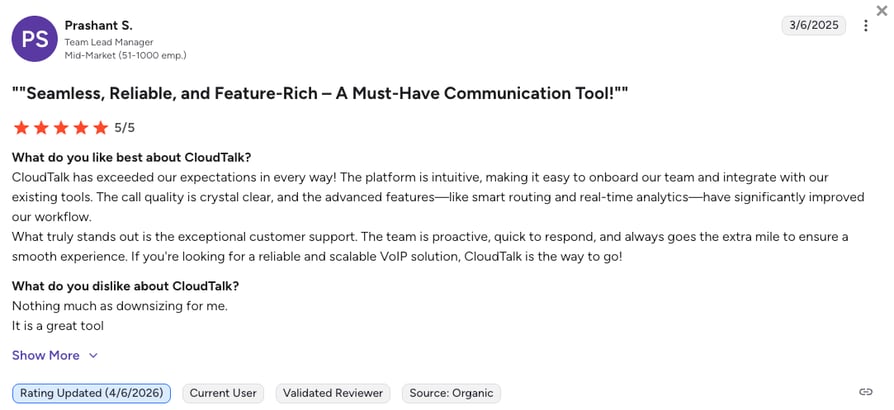
- Top-Rated Zoom Phone Competitor by G2: CloudTalk is a G2 Spring 2026 Leader for sales and support, outranking Zoom Phone in user-rated categories like "Ease of Use," "Support Quality," and "Ease of Setup."
What Are the Pros & Cons of CloudTalk?
| Pros | Cons |
|---|---|
| Superior international coverage: High-quality virtual numbers available in over 160 countries. | No native video meetings: CloudTalk requires a separate app like Google Meet if you still need video conferencing. |
| True CRM Deep-Sync: Flawless, two-way data sharing with popular tools like HubSpot and Salesforce. | Base plan limits: The entry-level Lite plan is restricted to North America and LATAM regions. |
| Clear AI Pricing: Native AI summaries and voice solutions like AI Receptionists are available as flat-rate add-ons. | Multi-line Add-on: Calling multiple numbers simultaneously requires the Parallel Dialing add-on. |
| Advanced Auto Dialers: Smart and Power are built directly into the system (available on the Expert plan) to help maximize outbound sales reach. | |
| Enterprise-grade Reliability: A proprietary multi-carrier network guarantees 99.999% uptime and crystal-clear audio. |
What Are CloudTalk's Plans & Pricing?
CloudTalk pricing starts at $19/user/month, and the platform offers the following plans:
- Lite - $19/user/month
- Starter - $25/user/month
- Essential - $29/user/month
- Expert - $49/user/month
- Custom - Quote-based pricing, ideal for enterprises
What Are CloudTalk Customers Saying?
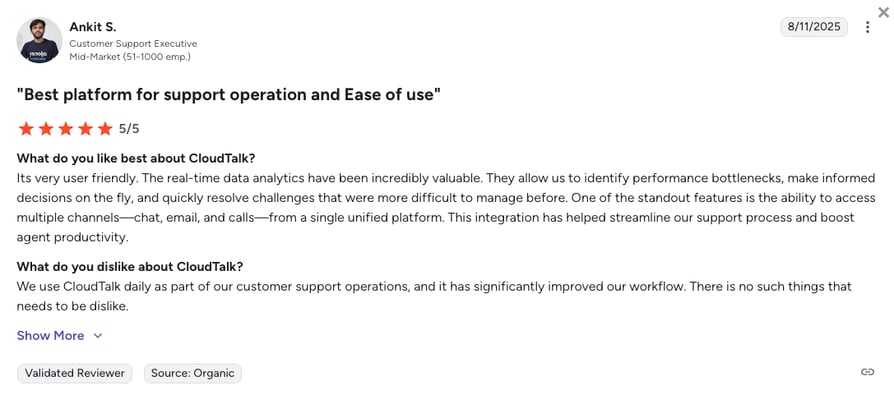
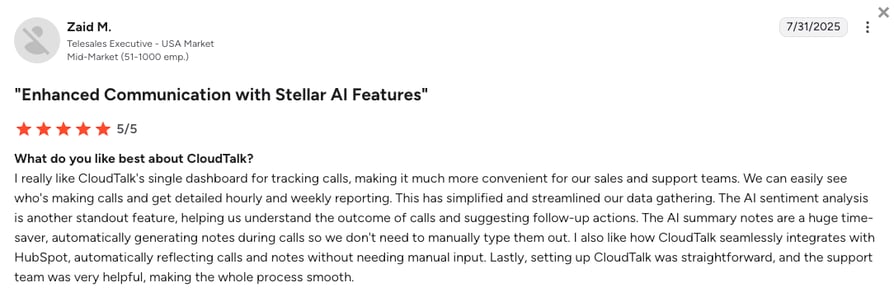
When comparing options, businesses switching to CloudTalk frequently mention the huge improvements in call stability and the massive amount of time saved on data entry.
- Crystal Clear Audio: Users report that CloudTalk's network completely resolves the random call drops and audio delays they experienced on older systems.
- Zero Admin Friction: Sales teams love that every call and text is automatically logged perfectly into their CRM, removing the need for manual typing.
- Missing Video Tools: A few reviewers note that they miss having their phone and video meetings in the exact same app, requiring them to use a separate video tool.
How G2 Users Rate CloudTalk?
CloudTalk's current G2 rating is 4.4/5, out of 1,800+ verified user reviews.
Ready for rock-solid routing and automated logging?
2. GoTo Connect: Best for Highly Visual Call Routing and Multisite Administration
What is GoTo Connect?
GoTo Connect is an all-in-one cloud phone and virtual meeting platform designed to simplify communications for mid-sized businesses. It is incredibly popular with businesses that manage multiple physical office locations and need a central place to oversee their hardware. By replacing confusing backend menus with a simple visual layout, GoTo Connect makes managing a phone system much easier for managers without an IT background.
Why Is GoTo Connect a Strong Zoom Phone Alternative?
- Drag-and-Drop Call Flows: GoTo Connect bypasses Zoom's clunky, manual routing lists with a simple visual dial plan editor. This allows you to easily map out how a call travels without accidentally creating a loop that drops the customer.
- Centralized Multi-Site Admin: GoTo provides unified management portals, making it much easier to monitor system health across multiple office branches than Zoom’s fragmented settings.
- Predictable Included Features: The platform includes essential tools like unlimited auto-attendants and text messaging directly into its Connect CX plan, eliminating the need to buy multiple add-ons.
What Are the Pros & Cons of GoTo Connect?
| Pros | Cons |
|---|---|
| Visual dial plan editor: Makes building complex call routing simple with a drag-and-drop screen. | Expensive tier jumps: Huge price increase from the base tiers to the Contact Center plan. |
| Centralized admin portal: Simplifies managing multiple physical office branches from one screen. | CRM integration costs: Connecting to Salesforce or Zoho requires purchasing paid add-on packs. |
| Comprehensive analytics: Dashboards effectively track both SMS and voice performance metrics. | Limited base video limits: The basic plan heavily restricts video meetings to just 4 participants. |
What Are GoTo Connect’s Plans & Pricing?
GoTo Connect pricing is hidden behind "Contact Sales" buttons, but industry data and verified user reviews reveal pricing starts at roughly $26/user/month (billed annually). Based on current estimates, the tiers are:
- Phone System: ~$26/user/month
- Connect CX: ~$34/user/month
- Contact Center: ~$80/user/month
The CRM upgrade trap:
While GoTo Connect's drag-and-drop routing is a massive plus, be careful with their paywalls. The base plan strictly limits software connections. If your team actually relies on deep CRM integrations like Salesforce, you are forced to upgrade to the $34/month Connect CX tier or purchase paid add-on packs, which inflate your monthly bill.
What Are GoTo Connect Customers Saying?
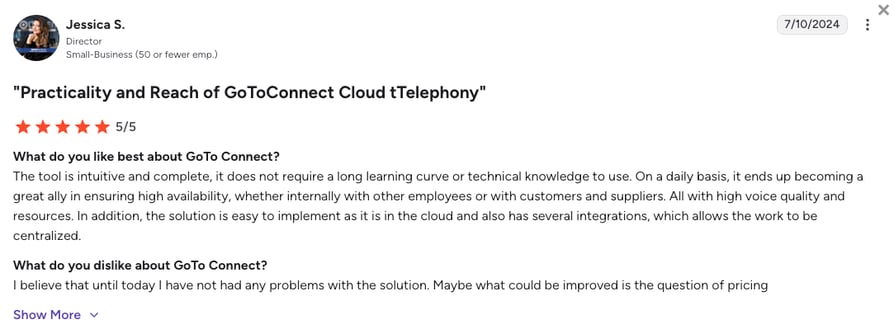
Users generally praise GoTo for how easy it is to set up phone menus, but some express frustration with the high costs of upgrading.
- Easy Visual Routing: Managers frequently highlight how the drag-and-drop canvas makes changing holiday hours or phone menus incredibly simple.
- Great for Multiple Offices: IT staff appreciate being able to manage all their physical desk phones across different cities from a single dashboard.
- Expensive Premium Tools: Reviewers often complain that unlocking contact center features or deep integrations requires a massive jump in their monthly bill.
How G2 Users Rate GoTo Connect?
GoTo Connect’s current G2 rating is 4.4/5, out of 1,400+ verified user reviews.
3. Aircall: Best for Modern Customer Support and Collaborative Teams
What is Aircall?
Aircall is a modern, highly polished business phone system known for its massive app ecosystem and clean design. Aircall is heavily favored by customer support desks that want a simple, shared workspace rather than a clunky traditional phone system. If your team practically lives inside helpdesk software like Zendesk or Intercom, Aircall is built to connect with those tools seamlessly.
Why Is Aircall a Strong Zoom Phone Alternative?
- Shared Collaborative Inboxes: Aircall replaces Zoom's confusing shared-line workarounds by providing unified team inboxes, allowing agents to easily assign calls and leave notes for each other.
- Seamless Software Connections: The platform connects deeply into your helpdesk to log calls perfectly, fixing the missing data and broken integrations common to Zoom.
- Zero Employee Training: Aircall ditches bulky legacy menus for a streamlined app that is so easy to use, new support hires can start taking calls on their very first day.
What Are the Pros & Cons of Aircall?
| Pros | Cons |
|---|---|
| Native software embedding: Flawless CRM and helpdesk data syncing without manual typing. | Strict 3-user minimum: The starting floor is $90/month, completely pricing out solo founders. |
| Highly intuitive interface: Clean app design that requires near-zero training for new hires. | Premium analytics tax: Crucial contact center metrics and historical reporting require a $15/month add-on. |
| Fast Onboarding: Teams can set up routing rules and buy new numbers fast. | Low storage limits: Standard plans strictly cap your call recording history to just one year. |
What Are Aircall’s Plans & Pricing?
Aircall pricing starts at $30/user/month (billed annually, 3-user minimum), with the following plans:
- Essentials - $30/user/month
- Professional - $50/user/month
- Custom - Quote-based pricing
Mind the minimums:
Aircall requires a mandatory 3-user minimum. This means your actual starting cost is $90 per month right out of the gate, making it inaccessible for tiny operations.
What Are Aircall Customers Saying?
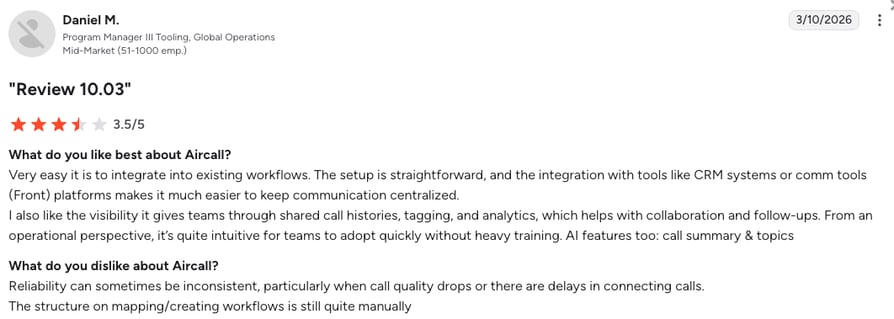
Users frequently praise Aircall's smooth helpdesk connections, but sometimes note that basic reporting features cost extra.
- Time Saved on Entry: Support agents love how the integrations automatically log tickets, saving hours of manual typing.
- Clean and Simple: New reps are able to start working almost immediately thanks to the modern, clean design of the app.
- Analytics Paywalls: Operations managers report frustration that they have to pay an extra add-on fee just to get detailed historical call reports.
How G2 Users Rate Aircall?
Aircall's current G2 rating is 4.4/5, out of 1,500+ verified user reviews.
4. Dialpad: Best for AI-First Teams Requiring Deep Call Coaching
What is Dialpad?
Dialpad is a cloud communications platform built entirely around its own smart voice technology. Dialpad is the top choice for sales teams that want artificial intelligence actively helping their agents during live calls, rather than just reading meeting notes afterward. When comparing Dialpad vs Zoom, buyers quickly notice Dialpad's focus on live coaching instead of simple video connections.
Why Is Dialpad a Strong Zoom Phone Alternative?
- Live AI Coaching: While Zoom's AI only works after the call is over, Dialpad provides instant pop-up cheat sheets to reps during live conversations, offering real value that basic systems cannot match.
- Included AI Foundation: Dialpad builds core AI call transcripts right into its standard plans. This safely avoids the expensive add-on packages other providers charge for basic AI tools.
- Unified and Clean App: Dialpad provides a cleaner, faster mobile and desktop app experience, avoiding the extra apps and duplicate licensing issues found in the Zoom Workplace setup.
What Are the Pros & Cons of Dialpad?
| Pros | Cons |
|---|---|
| Real-time live transcripts: Pop-up coaching tips appear live during conversations to help reps. | Severe network sensitivity: Call quality drops noticeably if your local Wi-Fi is unstable. |
| AI features are native: Included in foundation plans rather than acting as expensive add-ons. | Strict SMS limits: The standard entry plan heavily caps your outbound text messaging. |
| Complete app parity: The mobile app has the exact same features as the desktop version. | Support is tiered: Getting 24/7 human technical support requires upgrading to higher-priced tiers. |
What Are Dialpad’s Plans & Pricing?
Dialpad pricing starts at $15/user/month (billed annually), with the following plans:
- Standard - $15/user/month
- Pro - $25/user/month
- Essentials - $39/user/month
- Advanced - $95/agent/month (ideal for contact centers)
The coaching catch:
While Dialpad's AI is powerful, unlocking the most valuable CRM integrations like Salesforce and HubSpot requires bumping up to the $25 Pro plan and meeting a 3-seat minimum.
What Are Dialpad Customers Saying?
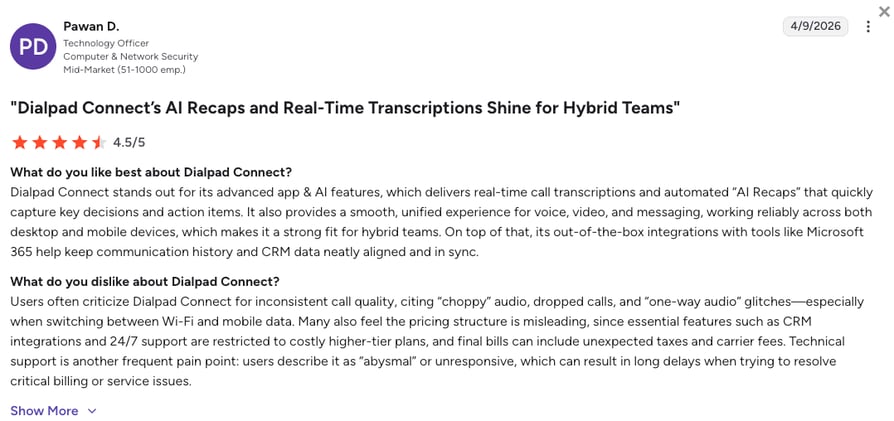
Dialpad customers love how the built-in AI improves their daily calls, but often voice frustrations about call quality drops when working remotely on bad Wi-Fi.
- Powerful Live AI: Sales managers praise the real-time transcripts that allow them to coach reps while the customer is still on the line.
- Great Mobile Experience: Users love that they can smoothly switch calls from their laptop to their cell phone without any glitches.
- Wi-Fi Sensitivity: Reviewers frequently report that if their internet connection is even slightly weak, the audio quality drops much faster than on other platforms.
How G2 Users Rate Dialpad?
Dialpad’s current G2 rating is 4.4/5, out of 4,000+ verified user reviews.
5. Nextiva: Best for Reliable Enterprise-Grade Unified Communications
What is Nextiva?
Nextiva is one of the most popular UCaaS providers (Unified Communications as a Service), offering an all-in-one platform for voice, video, and team chat. It is designed for businesses that want a deeply reliable, traditional business phone system and absolutely refuse to compromise on customer service. If you are looking for Zoom Phone competitors with reliable call quality and uptime, Nextiva is a top option.
Why Is Nextiva a Strong Zoom Phone Alternative?
- High-Quality Human Support: Nextiva solves Zoom's notoriously slow ticket problem by providing responsive, 24/7 technical assistance.
- Rock-Solid Stability: Backed by a strict 99.999% uptime guarantee, Nextiva significantly eliminates the random disconnects and audio delays that plague legacy video-first networks.
- Painless Number Porting: Nextiva's dedicated team actively guides you through moving your phone numbers, preventing the long transfer delays often experienced when leaving Zoom.
What Are the Pros & Cons of Nextiva?
| Pros | Cons |
|---|---|
| Industry-leading 24/7 support: Fast, human customer support is available across all plan tiers. | Mobile app lag: Users have reported slow performance and synchronization lag on the mobile app. |
| High-definition call quality: Consistent, crystal-clear audio backed by a 99.999% SLA. | Complex backend: The administrative settings can feel overwhelming to non-technical users. |
| Easy and fast number porting: Dedicated teams ensure you do not lose your numbers during migration. | CRM gates: Deeper integrations with tools like Salesforce are locked behind higher-priced plans. |
What Are Nextiva’s Plans & Pricing?
Nextiva pricing starts at $15/user/month (billed annually), with the following main plans:
- Core - $15/user/month
- Engage - $25/user/month
- Scale - $75/user/month
- Professional - Quote-based (Enterprise plans)
The global limits:
Nextiva is incredibly stable, but its plans are heavily focused on the US and Canada. Teams needing vast international coverage will face expensive upgrades.
What Are Nextiva Customers Saying?
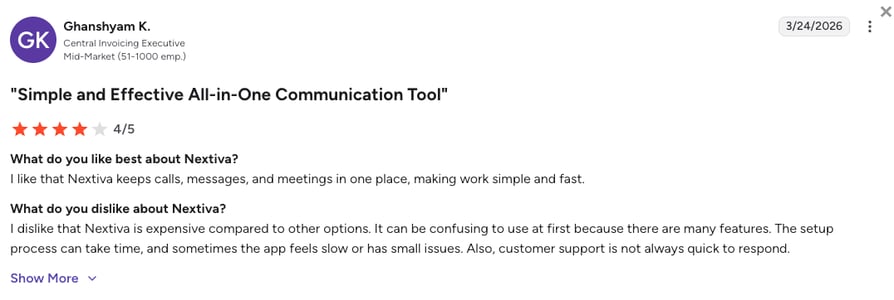
Nextiva customers love the platform's reliability and incredible customer support, though some mention the software can be slightly clunky to set up.
- Unmatched Support: Users constantly shout out the support team for staying on the line until a problem is completely solved.
- Perfect Reliability: Reviewers frequently praise the clear audio and the fact that the system rarely, if ever, goes down.
- Steep Learning Curve: Operations managers point out that navigating the backend settings to change routing rules can be confusing at first.
How G2 Users Rate Nextiva?
Nextiva’s current G2 rating is 4.5/5, out of 3,400+ verified user reviews.
6. RingCentral: Best for Highly Complex Call Routing and Legacy Migrations
What is RingCentral?
RingCentral (specifically their RingEX product) is a massive, all-in-one corporate tool. It is built for complex, multi-site global businesses that require a single application to handle phone calls, team messaging, video conferencing, and digital fax all at the same time. RingCentral is the heavy-duty alternative for corporations outgrowing basic setups and searching for similar platforms to Zoom.
Why Is RingCentral a Strong Zoom Phone Alternative?
- Unbreakable Call Routing: RingCentral's advanced call routing engine can handle thousands of different users and complex phone menus without ever hitting Zoom's 20-transfer failure limit.
- Massive Integration Library: Unlike Zoom's basic app marketplace, RingCentral offers connections to over 500 business applications, allowing deeply customized workflows.
- Regulatory Compliance Leadership: Built with strict security compliance like HIPAA, it is highly suitable for regulated industries like healthcare that need more privacy than a standard Zoom license offers.
What Are the Pros & Cons of RingCentral?
| Pros | Cons |
|---|---|
| Highly customizable routing: Easily handles multi-level menus and multi-location management. | Strict SMS caps: The base entry plan limits users to a frustrating 25 text messages per month. |
| Broad global presence: Local phone number coverage is available in over 80 countries. | Steep learning curve: The backend administration is famously dense and complex. |
| Massive integration library: Connects flawlessly with over 500 popular business applications. | High total cost: Required add-ons for AI and contact center tools make the platform very expensive. |
What Are RingCentral’s Plans & Pricing?
RingCentral pricing starts at $20/user/month (billed annually), with the following plans:
- Core - $20/user/month
- Advanced - $25/user/month
- Ultra - $35/user/month
Know your limits:
While RingCentral’s $20 base plan looks competitive, it acts more like a trial by imposing a strict 25 SMS message limit per user. Active teams are quickly forced into more expensive tiers.
What Are RingCentral Customers Saying?
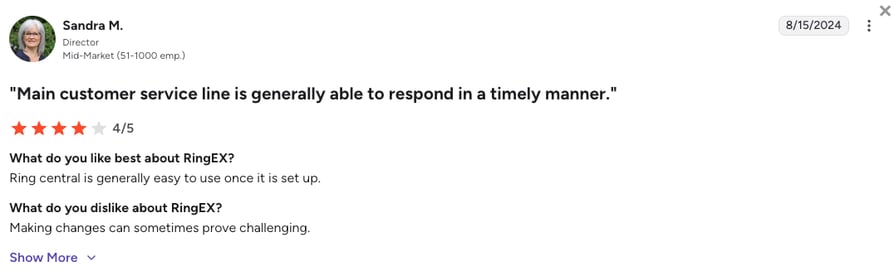
RingCentral customers appreciate the high-level stability but report significant issues with complex settings and support runarounds.
- Enterprise Reliability: IT teams love the network uptime and the fact that it scales perfectly for massive global corporations.
- Deep Feature Set: Users like having a tool for every single communication need built into one single application.
- Clunky Admin and Support: Admins frequently complain that simple routing changes take too many clicks, and getting help from support is notoriously slow.
How G2 Users Rate RingCentral?
RingCentral’s current G2 rating for their RingEX suite is 4.2/5, out of 1,350+ verified user reviews.
7. JustCall: Best for Outbound Dialer and Automated SMS Operations
What is JustCall?
JustCall is a specialized cloud phone system built entirely for outbound sales teams that need high-speed dialing tools and heavy text messaging workflows. Instead of trying to be a general office phone, JustCall focuses purely on increasing the number of conversations your reps can have each day.
Why Is JustCall a Strong Zoom Phone Alternative?
- Built-In Auto Dialers: Zoom Phone requires your reps to manually dial every number. JustCall bridges this productivity gap by building automated dialers directly into its mid-tier plans.
- Included Texting Plans: JustCall solves the headache of unpredictable SMS billing by bundling hundreds of text messages into its standard subscription tiers.
- Instant Automated Logging: It ensures high-volume sales floors maintain precise data tracking by instantly logging calls and texts into CRM platforms without manual entry.
What Are the Pros & Cons of JustCall?
| Pros | Cons |
|---|---|
| Powerful automated dialers: Dramatically accelerates outbound sales campaigns. | Mandatory seat minimums: A strict 2-user minimum creates a misleading starting price. |
| SMS Bundling: Includes generous text message allowances to prevent invoice spikes. | Unanswered call charge: You are charged a mandatory $0.0027 fee for every missed connection. |
| Instant CRM logging: Two-way syncing across 100+ native CRM integrations. | Salesforce is gated: The Salesforce integration requires the expensive $49/mo Pro plan. |
What Are JustCall’s Plans & Pricing?
JustCall pricing starts at $29/user/month (billed annually, 2-user minimum), with the following plans:
- Team - $29/user/month
- Pro - $49/user/month
- Pro Plus - $89/user/month
- Business - Custom quote-based pricing
The unanswered fee trap:
JustCall charges a mandatory $0.0027 fee for every unanswered call. For high-volume outbound sales teams, this "tiny" fee can silently add hundreds of dollars to your monthly bill.
What Are JustCall Customers Saying?
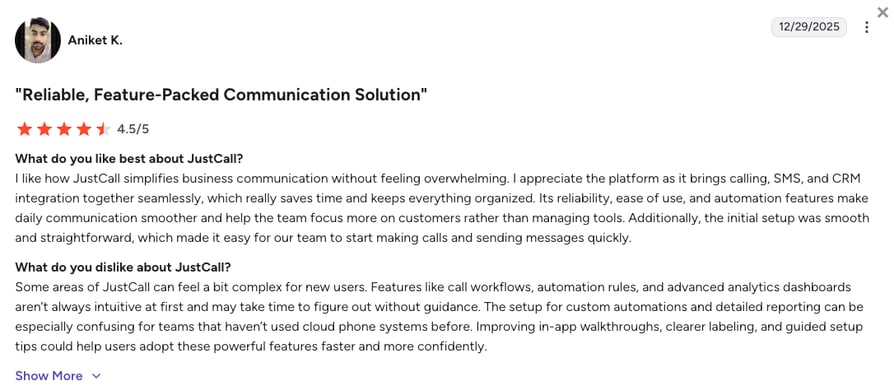
JustCall customers appreciate the sales-focused tools, but frequently mention pricing hurdles when they need to scale up to better features.
- High Dialing Speed: Sales managers love how the automated dialers keep their reps on the phone talking to live prospects instead of listening to dial tones.
- Valuable Integrations: Users appreciate that calls and texts log seamlessly into their CRMs, saving time on follow-ups.
- Hidden Fees and Upgrades: Users report frustration with being stuck on certain tiers because basic workflow upgrades or avoiding the missed call fee requires large price jumps.
How G2 Users Rate JustCall?
JustCall's current G2 rating is 4.3/5, out of 2,300+ verified user reviews.
8. Ringover: Best for Conversion-Focused Sales Outreach and Cold Campaigns
What is Ringover?
Ringover is a European-built cloud phone system designed to support growing sales and customer service teams. Ringover focuses heavily on international calling coverage and tools designed to optimize cold outreach. If your team needs a reliable Zoom alternative for UK or European branch offices, Ringover is a favorite among global recruitment teams doing heavy international prospecting.
Why Is Ringover a Strong Zoom Phone Alternative?
- Predictable International Rates: Ringover includes unlimited calling to over 110 global destinations in its base plan, bypassing the complex and expensive international fees that drive up Zoom’s costs.
- Local Presence Dialing: It allows teams to automatically display a local regional number on caller ID, drastically improving customer pickup rates compared to standard Zoom numbers.
- All-in-One Inbox: Ringover pulls calls, texts, WhatsApp, and social messages into a single screen, solving the communication roadblocks experienced on older systems.
What Are the Pros & Cons of Ringover?
| Pros | Cons |
|---|---|
| Unlimited calling to 110+ countries: Removes international cost unpredictability for global teams. | Mobile app glitches: The mobile app does not support pausing incoming calls without a full log-out. |
| Local Presence dialing: Automatically matches local area codes to improve outbound connection rates. | Analytics are gated: Deep reporting and conversational coaching are locked to premium plans. |
| Easy-to-use interface: A highly visual softphone interface perfect for hybrid and remote teams. | Limited integrations: Standard plans limit your active software connections to just 2 or 3 per account. |
What Are Ringover’s Plans & Pricing?
Ringover pricing starts at $21/user/month (billed annually), with the following plans:
- Smart - $21/user/month
- Business - $44/user/month
- Advanced - $54/user/month
Integration restrictions:
Ringover's entry-level Smart plan is heavily restricted, offering very few active integrations. Growing teams will almost certainly need the $44 Business plan to function properly.
What Are Ringover Customers Saying?
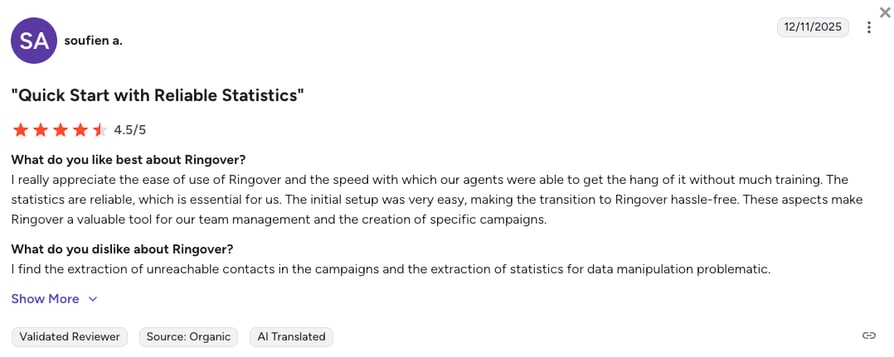
Ringover users often praise the speed of deployment and predictable international billing, but face hurdles with mobile app reliability.
- Fast Onboarding: Managers appreciate how quickly agents learn the system without needing heavy IT training.
- Great for International Teams: Sales reps love being able to call Europe and Asia without worrying about massive per-minute overage fees.
- Mobile App Issues: Several users report that the mobile application can be glitchy, specifically lacking the ability to easily pause calls while on the go.
How G2 Users Rate Ringover?
Ringover's current G2 rating is 4.6/5, out of 450+ verified user reviews.
9. Vonage: Best for Developer-Centric Customizable Communication API Stacks
What is Vonage?
Vonage is a highly scalable cloud phone system that serves as a bridge between out-of-the-box software and custom-built tools. Vonage is famous for its flexible developer tools, making it a favorite for highly technical teams who want to build customized voice and messaging flows directly into their own company software.
Why Is Vonage a Strong Zoom Phone Alternative?
- Build-Your-Own Flexibility: While Zoom Phone forces teams into rigid bundles, Vonage allows you to purchase a base system and only add the specific features like queues or recording that you actually need.
- Flexible Developer Tools: Vonage allows developers to embed custom voice, SMS, and verification flows directly into proprietary business software, offering far more power than Zoom's basic connections.
- Enterprise-Grade Network: Vonage provides excellent global call quality and a highly stable network infrastructure, putting an end to the random drops experienced on video-first platforms.
What Are the Pros & Cons of Vonage?
| Pros | Cons |
|---|---|
| Developer flexibility: IT teams can build custom communication flows natively into their own apps. | Extreme hidden costs: Administrative fees and taxes can regularly add 40% to your base bill. |
| A-la-carte system: Lets highly technical teams pay only for the exact features they require. | Core features cost extra: Basic necessities like call queues require separate monthly add-on fees. |
| Instant Context: The "Call Announce" feature provides agents instant information before connecting. | Slow customer service: Users report that getting technical issues resolved can take several days. |
What Are Vonage’s Plans & Pricing?
Vonage pricing starts at $13.99/user/month (billed annually), but scales quickly based on add-ons:
- Mobile - $13.99/user/month
- Premium - $20.99/user/month
- Advanced - $27.99/user/month
The extra fees trap:
Online sources mention Vonage operates on a highly confusing pricing model. Recording calls costs an extra $49.99/month, and basic call routing menus incur massive extra charges, making the $13.99 entry price incredibly misleading.
What Are Vonage Customers Saying?
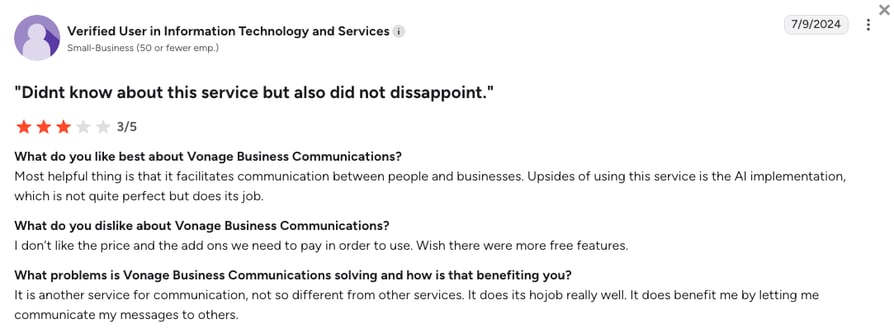
Vonage customers love the underlying call quality and flexibility, but heavily criticize the company's confusing billing practices.
- Customization Power: Developers appreciate the ability to trigger texts and calls directly from their own software using Vonage's flexible tools.
- Great Audio Foundation: Users consistently rate the actual voice quality and network stability very highly.
- Add-On Fatigue: The biggest complaint is that standard features require paid add-ons, and hidden administrative fees make the monthly invoices incredibly unpredictable.
How G2 Users Rate Vonage?
Vonage’s current G2 rating is 4.3/5, out of 500+ verified user reviews.
10. Quo (OpenPhone): Best for Solo Founders and Shared Team Inboxes
What Is Quo?
Quo (formerly OpenPhone) is a collaborative, mobile-first business phone app. It completely reimagines the business phone by making it look and feel exactly like a modern texting app on your smartphone. Because of this, Quo is an excellent virtual phone line solution for those escaping clunky Zoom Phone setups, making it incredibly popular among early-stage startups and small teams, especially in real estate.
Why Is Quo a Strong Zoom Phone Alternative?
- The Shared Team Inbox: Instead of Zoom's clunky legacy extensions, Quo allows multiple team members to share a single phone number and text thread, preventing duplicate replies and confused customers.
- Internal Team Threads: Colleagues can chat, assign tasks, and draft text replies behind the scenes within individual customer logs, avoiding the communication silos common in Zoom.
- Zero Seat Minimums: Starting at an affordable $15 with no multi-user requirements, Quo offers a modern way for solo operators to upgrade their communications, ranking as one of the best Zoom Phone alternatives on the market.
What Are the Pros & Cons of Quo?
| Pros | Cons |
|---|---|
| Shared inbox: Eliminates duplicate text responses and improves team collaboration. | No desk phone support: There is absolutely zero native support for physical desk phones or hardware. |
| Modern mobile app: Seamless design feels just like a modern texting app, requiring zero team training. | Basic starter plan: The entry-level plan lacks essential tools like automatic call recording and transfers. |
| AI features included: Foundational plans feature automated call recaps and a basic AI receptionist. | High texting fees: Setting up approved texting campaigns requires high carrier registration fees. |
What Are Quo’s Plans & Pricing?
Quo (OpenPhone) pricing starts at $15/user/month (billed annually), with the following plans:
- Starter - $15/user/month
- Business - $23/user/month
- Enterprise - Custom quote-based pricing
The hardware limitation:
Quo is entirely software-based. If your office relies on physical desk phones or traditional hardware, this platform will not work for your team.
What Are Quo Customers Saying?
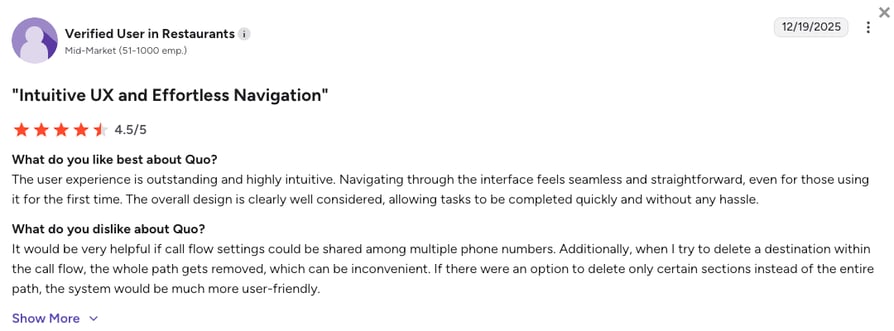
Quo customers praise the app for its simplicity and modern design, though some warn about strict rules regarding texting campaigns.
- Highly Intuitive UX: Users enjoy the seamless design that makes the app easy to navigate immediately.
- Great Collaboration: Small teams love being able to tag each other in a customer's text thread to quickly solve problems.
- Strict SMS Rules: Multiple users report frustration with the high fees and strict carrier registration processes required just to send business text messages.
How G2 Users Rate Quo?
Quo’s current G2 rating is 4.7/5, out of 3,000+ verified user reviews.
What Users Are Really Saying About Zoom Phone Alternatives and Competitors
To give you a clearer picture, we dug into what real users are saying about Zoom Phone and its top competitors. We looked at honest conversations across Reddit, Quora, and G2 to understand exactly why teams decide to move their daily calls off a video-first platform.
What we found is a clear trend. Zoom Phone works fine for simple, everyday office calls, but growing businesses quickly hit a wall. Below is the general consensus from business owners and IT managers who had to leave Zoom Phone to keep their operations running smoothly.
What Redditors Are Asking and Saying about Zoom Phone Alternatives
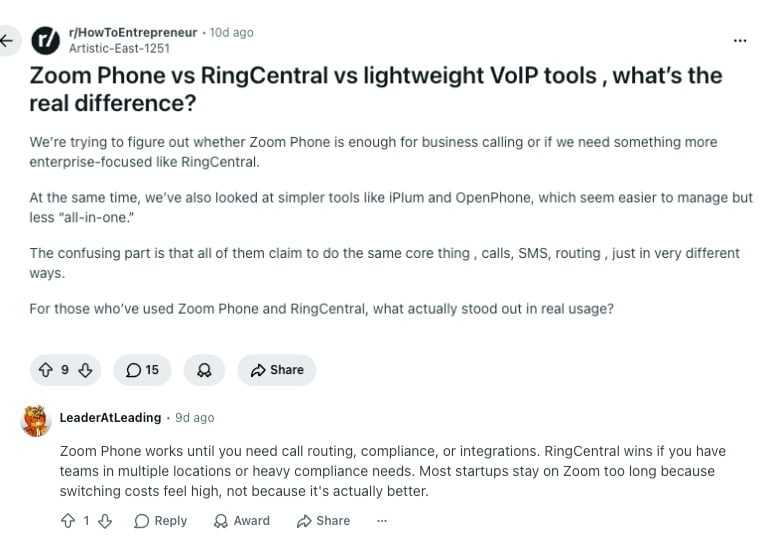
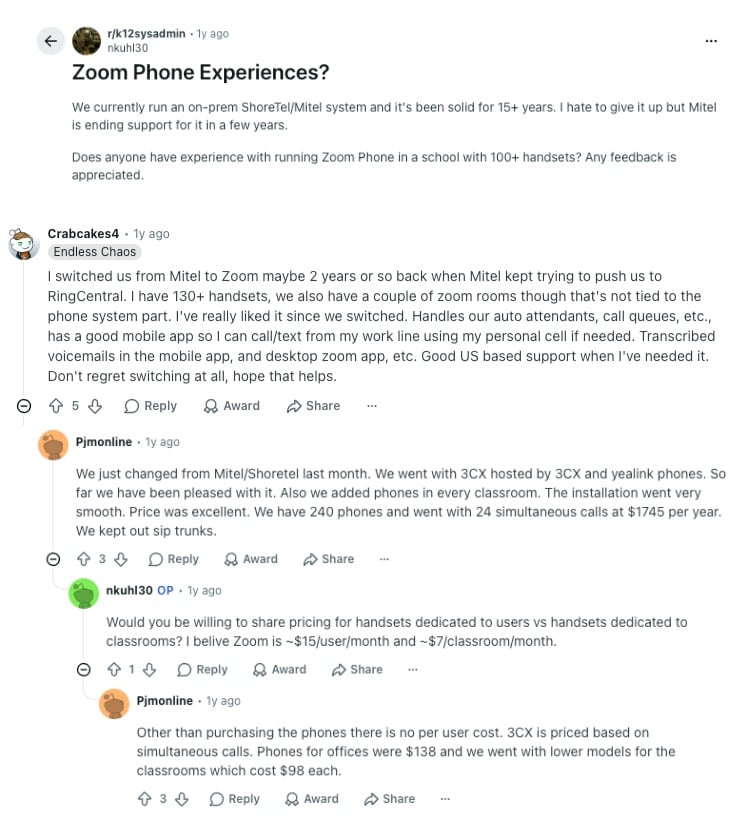
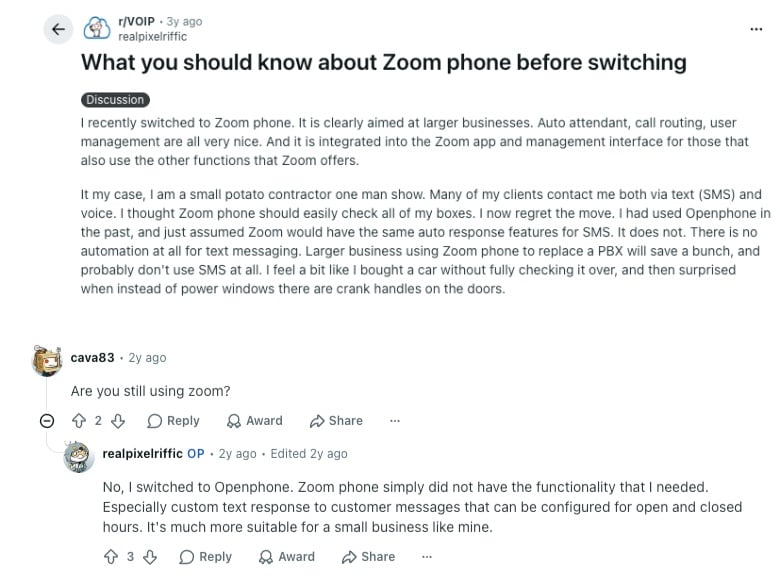
Reddit is a great place to find unfiltered feedback. In communities like r/VOIP, r/HowToEntrepreneur, and r/k12sysadmin, users frequently discuss the friction of outgrowing Zoom's basic features. Here is what stands out in their conversations:
- The Call Routing and Integration Wall: Founders note that Zoom Phone works fine until you need advanced call routing or deep software connections. Companies often stay on Zoom out of pure convenience, but switch to platforms like RingCentral or CloudTalk to handle complex menus and multiple locations.
- Missing Text Messaging (SMS) Automation: Solo operators express deep frustration over Zoom’s lack of SMS automation. Users needing to send custom auto-replies during closed hours find the system severely lacking, comparing it to a car with manual windows. This drives them to lightweight alternatives like Quo (OpenPhone).
- The Per-User Pricing Trap: While some IT admins appreciate Zoom's basic features, discussions frequently highlight its rigid cost structure. With base plans hovering around $15 per user monthly, managers actively look for alternative pricing models to find better overall value as their headcount grows.
What Quora Users Are Asking about Zoom Phone Alternatives
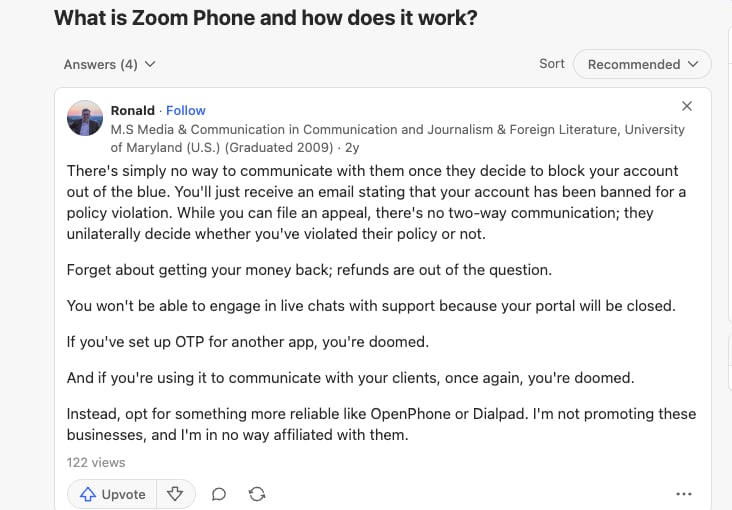
While Quora leans more toward business owners looking for direct advice, the feedback perfectly matches what we see in other online communities. When discussing Zoom Phone and its top alternatives, three core themes consistently appear in real user threads:
- Account Lockouts and Support Risks: Users warn that Zoom can suspend accounts without warning or a clear appeals process. Business owners share stories of suddenly losing client access and being unable to reach live support, driving them to reliable platforms like Quo/OpenPhone or Dialpad.
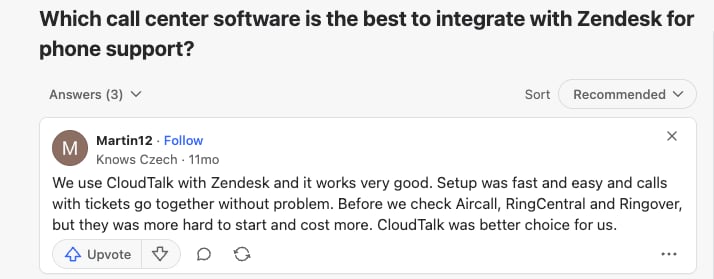
- Helpdesk Connections and Fast Setup: Managers frequently ask which platforms link best with support systems like Zendesk. Users note that pairing CloudTalk with a helpdesk is incredibly fast, while competing options are often much harder to set up and come with higher price tags.
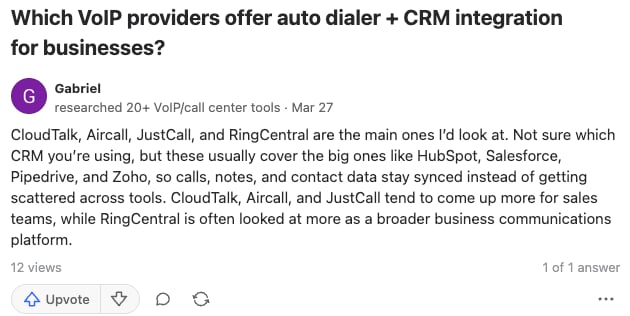
- Auto Dialers and CRM Syncing: When searching for automated dialers and native CRM integrations, commenters highlight a clear split. Broad corporate platforms like RingCentral handle general needs, while CloudTalk and JustCall are recommended Zoom Phone alternatives for sales teams needing automatic HubSpot or Salesforce syncing.
What Verified G2 Reviewers Say about Switching from Zoom Phone
G2's community of verified software buyers focuses heavily on everyday results like global reach, team collaboration, and reliable app performance. When going through reviews from teams that left Zoom Phone for more modern alternatives, a few clear trends come up:
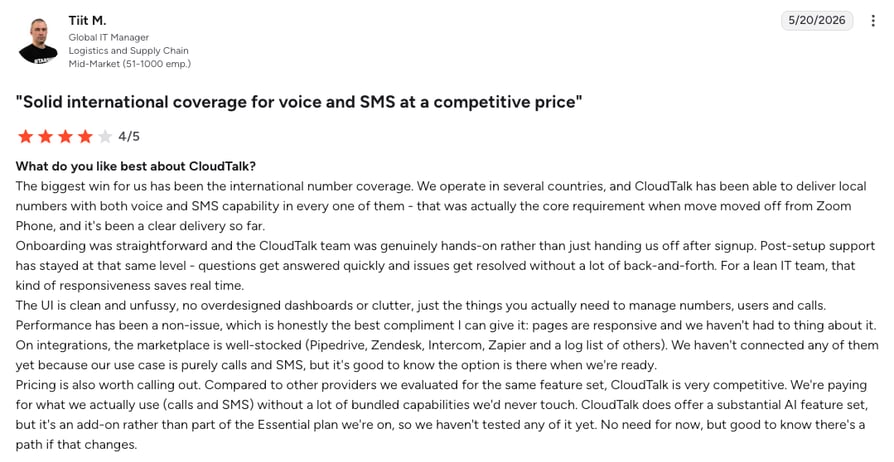
- Global Reach: IT managers moving from Zoom Phone to CloudTalk are thrilled to finally get reliable international numbers for both voice and SMS. They love the hands-on support and competitive pricing, getting a powerful business phone system without paying for bloated software bundles they will never use.
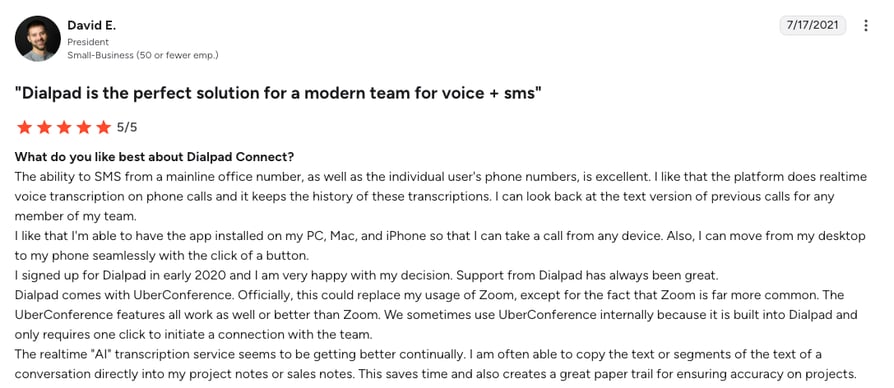
- Live AI and Mobility: Small business leaders switching from Zoom Phone to Dialpad enjoy the real-time call transcriptions. They love how these built-in VoIP tools create an automatic paper trail for sales notes, plus the freedom to seamlessly flip an active call right from a laptop to a cell phone.
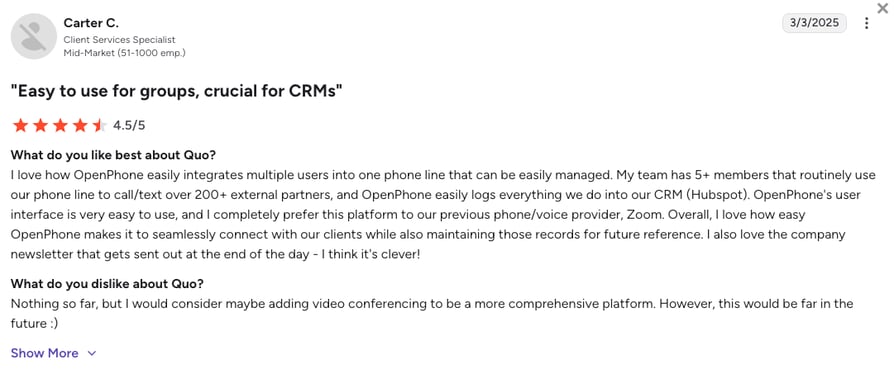
- Shared Lines and CRM Sync: Client service teams leaving Zoom for Quo (OpenPhone) love how easy it is to manage multiple people on a single shared phone line. They constantly mention how this lightweight Zoom Phone alternative automatically logs client texts directly into HubSpot, killing manual data entry for good.
CloudTalk vs. Zoom Phone: Final Head-to-Head Comparison
The choice between CloudTalk and Zoom Phone comes down to your core focus. Zoom Phone works well as a basic add-on for internal office calls. CloudTalk is built specifically for high-volume sales and customer support teams that need reliable call routing and deep software integrations.
Here is a direct, side-by-side comparison of how the two platforms stack up at a glance.
Zoom Phone vs CloudTalk: The Final Comparison
| Category | CloudTalk | Zoom Phone | Winner |
|---|---|---|---|
| Starting Price (annual billing) | $19/user/mo | $10/user/mo (Metered plan) | Zoom Phone |
| Minimum Users | 1 User | 1 User | Tie |
| Included Queue Analytics | Real-time wallboards and live monitoring built natively into the Expert plan | Completely locked behind a mandatory $25/mo Customer Engagement Pack add-on | CloudTalk |
| Call Reliability | 99.999% uptime guarantee with multi-carrier infrastructure | Enforces a strict 20-transfer loop limit that drops active calls | CloudTalk |
| Available Virtual Numbers | 160+ countries with streamlined online verification | Only 48 countries supported on premium global plans | CloudTalk |
| Customer Database Sync | Flawless two-way sync for tools like Salesforce and HubSpot | Passive, one-way call logging that only creates calendar tasks | CloudTalk |
| Visual Call Menus | Intuitive visual drag-and-drop workflow designer | Basic, text-based linear routing lists | CloudTalk |
| Automated Sales Dialers | Smart and Preview included; Power dialer is in the Expert plan or as a $15/mo add-on; Parallel dialer available as a $39/mo add-on | No built-in outbound dialers; relies entirely on manual typing | CloudTalk |
| AI Capabilities | Native Conversation Intelligence available as a flat $9/mo add-on | Basic recaps included; advanced automated routing tools cost extra | CloudTalk |
| Support Quality | Fast, 24/7 human technical assistance via chat, email, and phone (Expert plan required) | Slower ticket responses; up to 3 business days for critical issues | CloudTalk |
| Built-In Video Meetings | Not available (Requires a separate app like Zoom or Google Meet) | Fully included natively across all standard Workplace plans | Zoom Phone |
| G2 Rating | 4.4/5 (1,700+ reviews) | 4.6/5 (2,600+ reviews) | Zoom Phone |
| Free Trial | 14 days (No credit card required) | N/A | CloudTalk |
The outbound efficiency gap:
Zoom Phone forces reps to manually type every single number. CloudTalk fixes this by building Smart and Preview dialers directly into the $49/mo Expert plan. For high-volume outreach, you can add an automated Power Dialer for just $15/mo. Instead of hiring more staff to grow revenue, spending a few dollars on dialing automation instantly doubles your daily call volume and cuts out hours of manual entry.
How to Choose the Right Zoom Phone Alternative for Your Team?
When choosing the right Zoom Phone alternative, think about your specific business roadblocks rather than just looking at a feature list. Based on community questions and search trends, here’s how to match your business needs to the right platform:
1. What Is the Best Zoom Phone Alternative for Predictable Billing?
Have you been burned by Zoom's expensive pay-per-minute calling rates or surprise reporting fees? Then you need a platform with clear, flat-rate plans.
- Top Picks: CloudTalk is the best alternative for clear pricing because its comprehensive Expert plan natively bundles your real-time queue wallboards and Power Dialers together, avoiding the piecemeal add-on traps common to Zoom. Nextiva is also a solid choice if you want generous text message allowances included in your base plan.
2. Which Zoom Phone Alternative Has the Best CRM Sync?
If your team is losing time manually typing notes because Zoom's basic connection only creates simple calendar tasks, you need a system with true two-way data syncing.
- Top Picks: CloudTalk is fantastic here, ensuring that every call, text, and AI-generated notes or summaries automatically sync perfectly with the best CRMs like HubSpot or Salesforce. Aircall is another strong option for customer support teams that want a highly reliable connection with Zendesk.
3. What Is the Best Zoom Phone Alternative for Global Reach?
If you are tired of Zoom's strict regional limits and unpredictable international fees, you need a provider with a massive global footprint.
- Top Picks: CloudTalk wins this category easily, providing high-quality virtual numbers in over 160 countries backed by a highly stable network. Ringover is a great secondary choice for sales teams that need unlimited dialing to specific European countries.
4. What Are The Best Zoom Phone Alternatives Without Call Drop Limits?
Zoom Phone automatically disconnects a customer if their call is routed or transferred more than 20 times across your phone menus and departments.
- Top Picks: CloudTalk removes this limit entirely, allowing for unlimited transfers and routing steps so busy queues or shift changes never trigger a sudden hang-up. GoTo Connect is another reliable choice, handling complex office routing across multiple locations without imposing any hidden disconnect caps.
5. Dialpad vs CloudTalk vs Zoom Phone: Which is Best for Sales?
If your main goal is making high volumes of outbound sales calls, you need a tool built for speed and automation rather than simple video meetings.
- Top Picks: While Dialpad offers excellent live AI coaching, CloudTalk gives the best overall value for sales teams by offering native Auto Dialers or AI voice agents and clear pricing without unexpected per-minute usage fees. If you want one more option to compare, JustCall is another leading choice for fast-paced sales floors needing bulk text messaging tools.
6. Overall, What Is the Best Zoom Phone Alternative for Small Businesses Worth Switching To?
If you run a growing business looking to replace Zoom's dropped calls, extra analytics fees, and slow support with a deeply reliable phone system, CloudTalk is the definitive choice.
- Top Picks: CloudTalk stands out as the ultimate upgrade for small and mid-sized businesses. It gives your growing team the perfect mix of enterprise-grade reliability, clear pricing, and smart automatic data entry without the bloated corporate costs.
Ready to Make the Switch from Zoom Phone?
As real user reviews across G2, Reddit, and Quora prove, growing teams eventually outgrow Zoom Phone. The friction of sudden call drops, delayed ticket responses, and surprise dashboard fees makes it difficult to run a busy sales or customer support team.
Here’s what switching from Zoom Phone to CloudTalk gets you:
- No More Dropped Calls: Move away from Zoom's rigid routing caps. Secure a highly stable, multi-carrier network built to keep your customer lines active and crystal clear across 160+ countries.
- Clear, Predictable Billing: Stop stressing over unexpected pay-per-minute bills or mandatory $25 Customer Engagement Pack upgrades. CloudTalk bundles your live dashboards and dialing tools into clear, transparent plans.
- Fast Customer Support: Ditch the automated three-day wait times. Get fast, human technical assistance when you need it, alongside quick onboarding that gets your team up and running without service blackouts.
- Automated Logged Notes: Stop forcing your reps to type out details after every call. CloudTalk automatically logs calls, texts, and notes directly into your CRM the moment you hang up.
Scale your revenue, not invoices
Frequently Asked Questions
about Zoom Phone Alternatives
Find quick answers to the most common questions businesses have about Zoom Phone and its competitors.
Zoom Phone is a cloud-based business phone system built as an add-on to the popular Zoom video meetings app. While it offers a cheap entry price for simple internal calls, growing sales and support teams frequently outgrow it due to strict call transfer limits, basic software connections, and surprising Zoom Phone reporting fees.
Businesses typically switch from Zoom Phone to specialized business phone providers like CloudTalk to escape dropped calls and unpredictable monthly bills. As customer service teams grow, they require advanced reporting and deep connections to their customer databases, which Zoom forces behind expensive upgrades like the $25/month Customer Engagement Pack.
CloudTalk is the best overall Zoom Phone alternative in 2026. It replaces Zoom's basic menus with a highly reliable visual call flow builder, provides seamless access to powerful auto dialers, and offers local numbers in over 160 countries, giving growing businesses much better stability and automated data entry.
CloudTalk is an excellent choice for a company that needs advanced call recording and IVR menus. It bundles core call recording out of the box, while higher tiers unlock advanced multi-level IVR, allowing you to easily build complex phone menus and store customer conversations securely.
Yes, CloudTalk saves you money over time if your team actively makes outbound calls or handles customer queues. Zoom's $10 metered plan charges around $0.03 for every minute you dial out, and its live analytics dashboard costs an extra $25/month. By the time you bundle those fees with an unlimited calling license, your true cost quickly jumps past $40/month.
CloudTalk stops these invoice spikes by building your live tracking dashboards and outbound dialing tools directly into transparent plans like the Expert tier ($49/mo), giving you more calling power without forcing you into expensive add-on packages.
While we wouldn’t call them “hidden”, users often report Zoom Phone contains several cost categories that are not always advertised upfront and can quickly double an organization's monthly bill. Active sales teams face steep pay-per-minute charges, especially outside Zoom's single-country limits. Additionally, live queue reporting requires a mandatory $25/month Customer Engagement Pack add-on.
While many businesses search for free Zoom competitors, no entirely free professional phone platforms exist. Instead, lightweight options like KrispCall or Quo offer highly affordable starting points for solo workers. However, for a fully functional business phone system with automatic CRM data entry and reliable call routing, you are better off paying a clear monthly fee with a platform like CloudTalk.
CloudTalk is the strongest Zoom Phone alternative for Salesforce and HubSpot. It uses true two-way syncing technology to ensure every call, text, and AI summary is logged automatically, completely replacing the basic manual entry required by Zoom.
Yes, you can easily port your existing phone numbers from Zoom Phone to a new platform like CloudTalk. The new provider handles all the technical transfer paperwork for you, allowing you to bypass Zoom's notoriously slow transfer department without experiencing any downtime.
Zoom Phone enforces a strict 20-transfer limit on its call routing system. If a customer's incoming call is transferred across multiple business hours, voicemail boxes, or queues and hits 20 transfers, the system automatically drops the call entirely.
No, Zoom Phone does not include built-in automated sales dialers like Power or Smart Dialers. High-volume sales teams must manually type every phone number or switch to a specialized outbound alternative like CloudTalk or JustCall to double the amount of customers they can reach in a day.
No, Zoom Phone struggles as a standalone small business landline replacement because it forces users to adopt its larger video ecosystem. You have to buy a Zoom Meetings license for every user just to make calls, which creates unnecessary software clutter for teams that just want a simple phone system.
Yes, platforms like CloudTalk and Dialpad offer built-in conversation intelligence that replaces expensive tools like Gong. CloudTalk provides native AI call summaries and sentiment analysis as a predictable, flat-rate add-on ($9/mo), saving you money compared to third-party software or unpredictable pay-per-minute AI billing.
Yes, you can use Zoom like a phone by purchasing their Zoom Phone add-on license. This gives you a virtual phone number to make external calls, but it lacks the advanced routing menus and automatic data entry that growing sales and support teams need to run effectively.