TL;DR: 10 Best Alternatives to Ringover
| # | Platform | Best for | Starting Price (annual billing) | G2 Rating |
|---|---|---|---|---|
| 0 | Ringover (baseline) | Small EU teams wanting calls, texts and video | $15/user/month (3-seat min, annual) | 4.6/5 (450+ reviews) |
| 1 | CloudTalk | Scaling SMB to mid-market sales and support teams | $25/user/month | 4.4/5 |
| 2 | Aircall | Support teams running a big app stack | $30/user/month (3-seat min) | 4.4/5 |
| 3 | Dialpad | Reps who want AI help during the call | $15/user/month | 4.4/5 |
| 4 | Nextiva | US-only support teams that never call abroad | $15/user/month | 4.5/5 |
| 5 | RingCentral | Multi-office enterprises replacing several apps | $20/user/month | 0/5 |
| 6 | JustCall | Two-rep startups dialing from their CRM | $29/user/month (2-seat min) | 4.3/5 |
| 7 | Kixie | Cold-call floors chasing maximum dials a day | Quote-based (reported to start at $35/user/month) | 4.8/5 |
| 8 | Vonage | Developers wiring calls into their own app | $13.99/user/month | 4.3/5 |
| 9 | Quo (OpenPhone) | Founders and tiny teams sharing one number | $15/user/month | 4.7/5 |
| 10 | Zoom Phone | Offices that already run everything in Zoom | $10/user/month | 4.6/5 |
Ringover bills three seats on a 12-month term. CloudTalk bills one, monthly.
What Are the Best Ringover Alternatives?
The best Ringover alternatives in 2026 are CloudTalk, Aircall, Dialpad, Nextiva, and RingCentral. CloudTalk leads for scaling SMB to mid-market sales and support teams that want reliable calls, two-way CRM sync, and local numbers in 160+ countries on one business phone system. Aircall wins on one-click helpdesk integrations, Dialpad on AI that works during the call, Nextiva on North American reliability and support, and RingCentral on the all-in-one suite.
Why Are Teams Searching for a Ringover Alternative?
Ringover is a popular UCaaS platform (Unified Communications as a Service) built to bring your calls, texts, and video meetings into a single workspace. Small European teams buy it because one $15 seat covers unlimited calling to 110+ destinations, video and texts live in the same app, and a trial can start the same afternoon. Reviewers praise exactly that, a clean interface a new hire learns in a morning and a setup that needs no IT project.
The complaints cluster somewhere else. Every Ringover plan bills a minimum of three users on a 12-month term, and the tools an outbound team actually needs sit behind a $39/user/month Empower add-on and a $59/user/month Cadence add-on stacked on the $47/user/month Business plan. Add calls that drop mid-conversation, texts the mobile app fails to push back into the CRM, support that slows down once onboarding ends, and a number list that stops at 65 countries. Real user feedback reveals that Ringover’s technology often struggles to keep up with the demands of growing, mid-sized companies. When evaluating Ringover against other top players in contact center software for small businesses, the platform's structural limitations quickly become apparent, and teams start weighing other Ringover competitors.
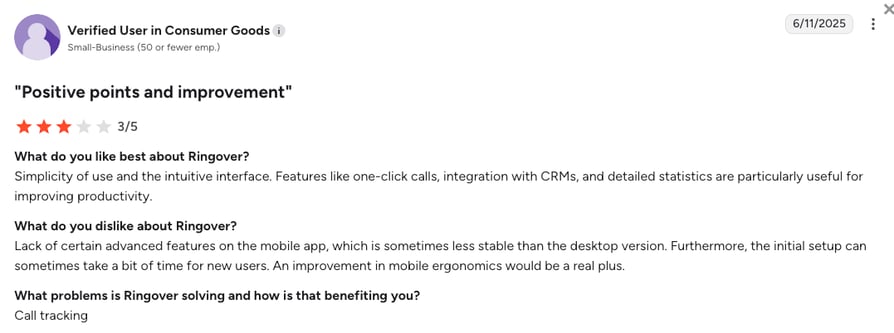
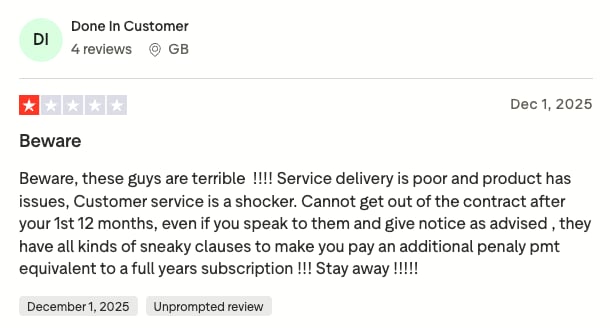
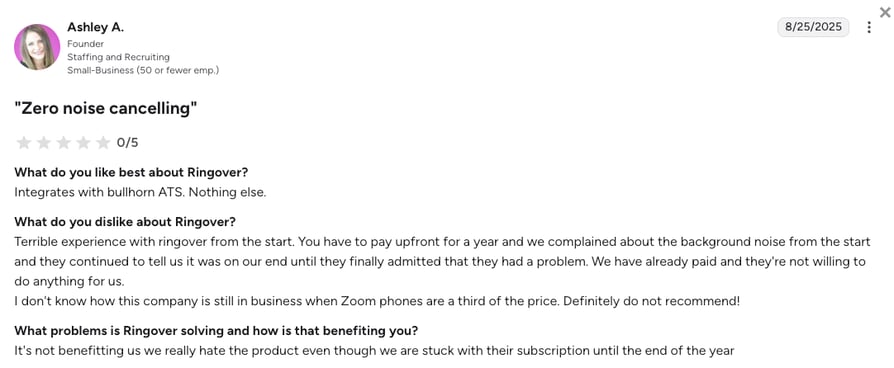
Based on verified Ringover reviews across G2 (where Ringover scores 4.6/5 from 450+ reviewers), TrustPilot, and Reddit, the advertised entry-level pricing is often misleading, and scaling sales and support teams outgrow Ringover due to five main challenges:
5 Main Cons of Ringover: Based on Real User Reviews
- High Costs and Expensive Add-ons:While Ringover's basic plan costs only $15/user/month, it locks out advanced outbound features. This forces growing teams to purchase separate add-ons like the $39/user/month Empower AI suite and the $59/user/month Cadence system, pushing the real cost for a fully equipped sales representative to $145 per month once they sit on the $47/user/month Business plan.
- Strict Rules for International Numbers:While Ringover promises unlimited calling to 110+ destinations, they only offer actual local phone numbers in about 65 countries. The problem is that acquiring those numbers often requires a local address or a registered local business in that country, which blocks remote teams from setting up a local presence.
- Unreliable Mobile App and Missing Texts:Remote agents frequently report that Ringover’s mobile app fails to reliably sync text messages back to their customer database (CRM). This glitch creates dangerous blind spots and fractures client communication histories across the organization.
- Difficult Cancellations and Trapped Contracts:Administrators consistently warn that Ringover enforces rigid annual contracts and deliberately makes the cancellation process incredibly difficult. Growing businesses often feel financially trapped in an inflexible tool that doesn't meet their needs.
- Expensive Paywalled AI Features:Instead of offering built-in advanced insights, Ringover locks its conversational coaching and advanced analytics behind a $39/month extra package. Modern call centers require these tools to be accessible and reasonably priced, rather than treated as a costly extra feature.
What Is the Best Alternative to Ringover?
CloudTalk is the best VoIP alternative to Ringover. The platform is specifically built for growing global sales and customer support teams (SMB to mid-market). CloudTalk removes bureaucratic roadblocks by offering a much smoother process for getting local phone numbers in 160+ countries, saving you from the local-address checks Ringover applies.
As your business grows, CloudTalk guarantees flawless two-way CRM syncing (available from the $29/user/month Essential plan on). It automatically logs every call, voicemail, text message, and AI transcript directly into platforms like Salesforce and HubSpot. By offering transparent, flat-rate AI add-ons and avoiding legacy pricing traps, CloudTalk is the safest and most reliable upgrade for teams using Ringover.
Why Teams Consider CloudTalk the Best Ringover Alternative
Teams leaving Ringover want the same simple app with a higher ceiling, which means numbers they can actually get, calls that hold at volume, and a CRM that fills itself in. On G2, CloudTalk holds 4.4/5 from 1,900+ reviewers against Ringover's 4.6/5 from 450+, and reviewers rank it highest on ease of use and ease of setup, the two things nobody wants to trade away in a switch. Outbound teams also get spam protection and their own clean numbers, so one flagged number stops being the reason a campaign goes quiet. Here are the five reasons teams make the move.
5 Main Pros of CloudTalk: Based on Real User Experience
- Easy Global Reach & Smooth Number Provisioning:CloudTalk streamlines the verification process so you can get high-quality virtual numbers in 160+ countries much more easily. For most countries (such as the UK, USA, Australia, and Canada), you can quickly establish local phone lines for international markets without wrestling with complex identity verification checks.
- Flawless Two-Way CRM Syncing:Ringover's text syncing issues cause lost data. CloudTalk automatically and reliably saves every interaction straight into your CRM. This keeps all your records perfectly updated and saves your team hours of manual data entry.
- Predictable Smart Automation:Forget Ringover's confusing, multi-layered AI billing traps. CloudTalk offers smart dialing and 24/7 AI Voice Agents natively inside the platform via clear, flat-rate add-ons (note: the Power Dialer is included on the $49/user/month Expert plan, or a $15/user/month add-on on any plan), letting you scale your outreach without surprise bills.
- Simple Drag-and-Drop Call Routing:CloudTalk replaces Ringover’s confusing phone menus with a visual drag-and-drop designer. This way, reps and managers can easily set up complex call routing rules, like prioritizing VIP clients, in just a few minutes without needing IT help.
- Clear and Predictable Pricing:CloudTalk bundles your core business comms features into straightforward monthly plans, with completely transparent flat-rate options for advanced AI tools. In other words, you never have to fear the sudden extra invoices or pay-per-minute traps that older telecom providers rely on.
Five things Ringover makes hard. Test all five on your own calls.
How We Evaluated The Best Ringover Alternatives and Competitors
To find the absolute best Ringover alternatives for 2026, we analyzed deep technical data. We compared it with real user reviews from G2, Trustpilot, Reddit, and Quora to filter out generic Ringover competitors.
Our research focused on six key areas essential for any growing business:
- True Final Cost: We exposed unexpected add-on fees. We prioritized platforms that offer clear pricing for their core features and AI tools, with no future paywalls.
- Global Flexibility: We checked how easily teams can buy international phone numbers. We favored systems that do not force you to provide local citizenship papers or business registrations for most regions.
- Reliable CRM Syncing: We tested for flawless two-way connections that automatically log calls, AI notes, and texts. This prevents the lost data issues frequently reported by Ringover users.
- Predictable Native AI: We looked for tools that integrate natively and help your team while they work. We prioritized platforms offering flat-rate AI dialers and voice agents over systems that lock features behind unpredictable pay-per-minute structures or pricey post-call reports.
- Clear Contracts: We analyzed the companies' business practices. We highly ranked providers that offer flexible agreements and simple, stress-free cancellation processes.
- Strong Call Connection: We looked for reliable phone networks that guarantee high uptime and clear audio. These modern systems fix the annoying mobile app bugs often found in some older platforms.
The Top 10 Alternatives to Ringover for 2026
Here is how Ringover’s starting price and core features line up against the four platforms buyers weigh against it most often.
Ringover Competitors Compared
| Feature | Ringover | CloudTalk | Aircall | Dialpad | RingCentral |
|---|---|---|---|---|---|
| Starting Price (Annual) | $15/user/month | $25/user/month | $30/user/month | $15/user/month | $20/user/month |
| Minimum Seats | 3 users (all plans, 12-month term) | 1 user (3 on Expert) | 3 users | 1 user | 1 user |
| Global Coverage | 65+ countries (local address often required) | 160+ countries | 100+ countries | 70+ countries | 110+ countries |
| CRM Sync Reliability | Manual updates often needed | Two-way sync with 100+ tools from Essential | Strong API connections | Basic on low tiers | Deep but complex setup |
| AI Capabilities | $39/user/month Empower add-on | Conversation Intelligence after the call at $9/user/month, AI Receptionist from $99/month | Pay-per-minute fees | Live transcription and in-call coaching bundled | Requires expensive add-on |
| Free Trial | 7 days (5 users, 300 outbound minutes) | 14 days | 7 days | 14 days | 14 days |
The additional cost trap:
While Ringover advertises an affordable $15 starting price, that plan bills three seats and carries no integrations, so a real outbound setup means the $47/user/month Business plan plus the $39 Empower AI suite and the $59 Cadence prospecting system. CloudTalk offers a more predictable approach and cheaper flat-rate access to its native productivity add-ons. But before you pick a platform, it helps to see what software in this category actually costs.
1. CloudTalk: The #1 Ringover Alternative for Scaling SMB Sales & Support Teams
What is CloudTalk?
CloudTalk is an AI-powered, internet-based phone system built specifically for fast-growing sales and customer support teams that strive for maximum productivity.
Instead of catering to tiny freelancers or massive, slow-moving corporations, CloudTalk perfectly serves SMB and mid-market companies that need serious reliability and global reach.
Trusted by 5,500+ businesses worldwide, CloudTalk provides a highly stable workspace that connects your international phone calls, smart automation, and customer database into one easy-to-use platform.
Why Is CloudTalk a Strong Ringover Alternative?
- Easy Global Reach Without the Paperwork: Ringover frustrates growing teams by demanding strict local citizenship paperwork to buy international phone numbers. CloudTalk removes this roadblock with a highly streamlined setup process, allowing you to activate local phone numbers in 160+ countries much faster so you can start selling globally.
- Perfect Two-Way Customer Data Syncing: Ringover users frequently complain about text messages failing to log into their system, creating dangerous blind spots. CloudTalk fixes this with a deep two-way connection that automatically saves every call, voicemail, and text directly into your Salesforce records or the HubSpot timeline without your team typing a single note.
- Helpful AI Without Vague Fees: To get smart call coaching on Ringover, you are forced to buy an expensive $39/month AI package. CloudTalk builds helpful tools like 24/7 AI Voice Agents and smart sales dialers into the $49/user/month Expert plan (note: the Parallel Dialer is a flat-rate $39/user/month add-on on any plan), so you can grow your team without surprise bills.
- Intuitive, Visual Call Routing: Ringover’s outdated menus make routing changes a headache. CloudTalk features a modern, drag-and-drop call flow builder so anyone can set up IVR menus and business hours in minutes without waiting on IT support.
- Top-Rated Ringover Competitor by G2: CloudTalk is a G2 Spring 2026 Leader for sales and support, outranking almost all VoIP providers in user-rated categories like "Ease of Use," "Support Quality," and "Ease of Setup."
What Are the Pros & Cons of CloudTalk?
| Pros | Cons |
|---|---|
| Huge international reach: Get high-quality local numbers in 160+ countries with a much faster, streamlined verification process. | No built-in video meetings: Unlike Ringover, you’ll need to use a separate app like Zoom or Google Meet for your video calls. |
| Perfect software connections: Connects flawlessly with 100+ tools like HubSpot and Salesforce, logging everything automatically. | Entry plan limits: The Starter plan includes 500 outbound minutes a seat and one calling region, so heavy callers move up to Essential. |
| Clear AI Add-ons: Add AI Voice Agents and AI Receptionists through set-price packages instead of dealing with unexpected fees. | Multi-line dialers: Calling multiple numbers at the same time requires the Parallel Dialer add-on. |
| Advanced Dialing: Power, Preview, Smart, and Parallel dialers available to help maximize your team's outbound reach. | |
| Enterprise-grade Reliability: Proprietary multi-carrier network ensures 99.999% uptime with automatic failover routing. |
What Are CloudTalk's Plans & Pricing?
CloudTalk pricing starts at $25/user/month (Starter, billed annually), with the following plans:
CloudTalk Plans and Pricing
| Plan | Price | Key Features |
|---|---|---|
| Starter | $25/user/month | Unlimited inbound & internal calls, 500 outbound minutes (regional calling bundle), call queues, transfers, click-to-call, automatic call recording (1-month retention) |
| Essential | $29/user/month | Everything in Starter + IVR and smart routing, 100+ CRM and helpdesk integrations, workflow automation, unlimited recording retention |
| Expert | $49/user/month | Everything in Essential + Power, Smart & Preview Dialers, Salesforce ecosystem integration, 24/7 phone support (3-seat minimum) |
| Custom | Quote | Everything in Expert + tailored onboarding and terms, built for enterprises from 25 seats |
| Conversation Intelligence (add-on) | $9/user/month | Post-call AI transcripts, call summaries, call scoring, sentiment analysis and coaching insights |
| Power Dialer (add-on) | $15/user/month | Sequential one-line dialing on any plan, and included on Expert |
| Parallel Dialer (add-on) | $39/user/month | Up to five lines at once plus voicemail detection, on any plan including Expert |
| AI Receptionist (add-on) | From $99/month (200 min) | Inbound AI call answering, routing and logging. 50 free minutes on every account, tiers up to $699/month (2,500 min) |
| AI Specialist (add-on) | From $349/month (1,000 min) | Sales-led custom AI voice agents for inbound and outbound workflows, scaling to $1,249/month (5,000 min) |
What Are CloudTalk Customers Saying?
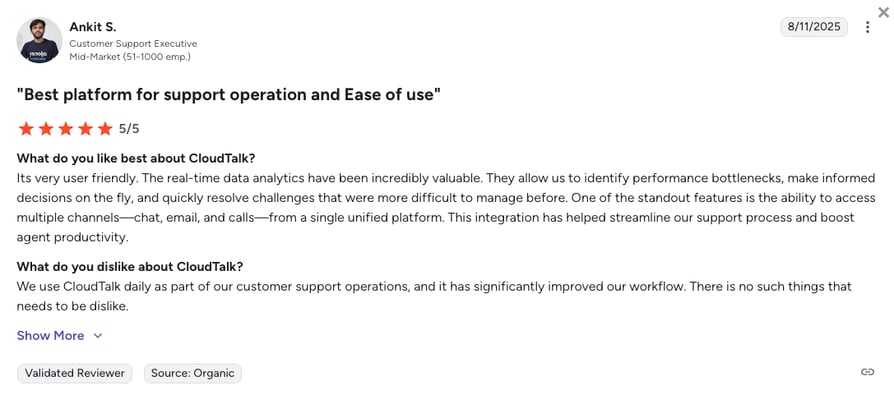
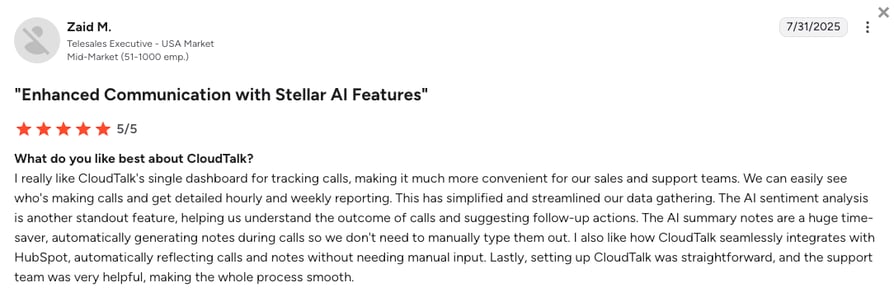
Customers who switch to CloudTalk from other providers, including Ringover, consistently praise the platform's incredible audio stability and the massive amount of time saved on data entry.
- No More Manual Data Entry: Sales reps love that every single text and call saves perfectly into their customer database, giving them hours back each week.
- Crystal Clear Audio: Teams report a massive drop in glitchy calls and silent connections compared to their older phone providers.
- Advanced Call Menus Need Setup: Some users note that setting up the highly advanced drag-and-drop call routing tool takes a little bit of practice initially to get perfect. However, their support is always ready to assist you with anything you need.
How G2 Users Rate CloudTalk?
CloudTalk's current G2 rating is 4.4/5, out of 1,900+ verified user reviews.
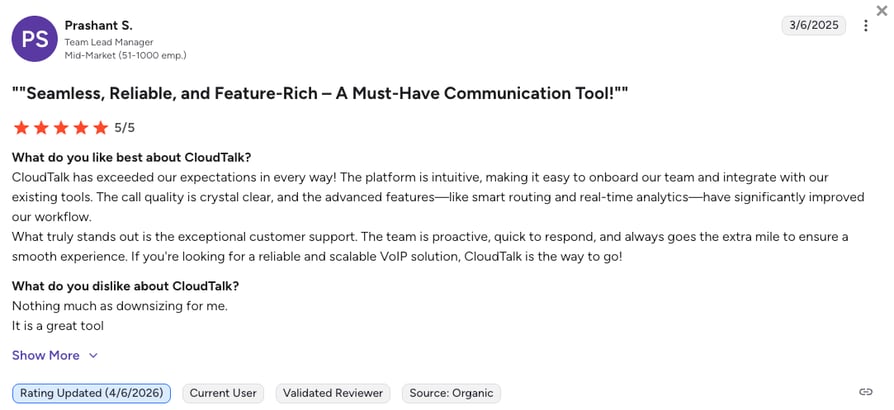
Curious how it actually sounds on your own lines?
2. Aircall: Best for Teams Using Many Different Business Apps
What is Aircall?
Aircall is a highly polished business phone system known for its huge library of CRM integrations, making it an ideal choice for modern support and sales teams that rely heavily on a wide variety of daily apps. If your team treats your phone simply as a way to feed data into other tools, Aircall is a premium choice in a direct Aircall vs Ringover comparison.
Why Is Aircall a Strong Ringover Alternative?
- Reliable App Connections: Ringover users often struggle with buggy software connections, but Aircall boasts over 200 smooth connections to almost every modern business tool on the market.
- Fast, Easy Setup: You can bypass the weeks of account-freezing document checks often found in Ringover and get your team making calls in under an hour.
- Simple, Easy-to-Use App: Aircall replaces bulky, confusing older menus with a modern, streamlined app that requires little training for new hires.
What Are the Pros & Cons of Aircall?
| Pros | Cons |
|---|---|
| Deep software connections: Smoothly syncs call data into your customer database without making your team type manual notes. | Strict three-user minimum: The starting price is misleading, as you have to buy at least three seats immediately. |
| Very easy-to-use design: The clean app interface means new employees can start working confidently on day one. | Expensive pay-per-minute AI: Smart features are billed per minute, which can quickly drain a team's monthly budget. |
| Lightning-fast setup: Teams can set up routing rules and buy new numbers incredibly fast without needing an IT expert. | Lacks built-in bulk texting: You have to rely on extra third-party software if you want to run proper texting campaigns. |
What Are Aircall’s Plans & Pricing?
Aircall pricing starts at $30/user/month (Essentials, billed annually, three-license minimum), with the following plans:
Aircall Plans and Pricing
| Plan | Price | Key Features |
|---|---|---|
| Essentials | $30/user/month | Unlimited inbound calls, 250+ integrations, IVR, call recording (1-year retention), click-to-dial |
| Professional | $50/user/month | Everything in Essentials + Power Dialer, voicemail drop, Salesforce CTI, unlimited recording retention, advanced analytics |
| Custom | Quote (25-license min) | Everything in Professional + unlimited outbound calls, SLA, SSO, dedicated support |
Mind the minimums:
Aircall is an excellent tool, but its mandatory 3-user minimum means your actual starting cost is $90 per month. Additionally, you must upgrade to the $50 Professional plan just to unlock a basic automated dialer.
What Are Aircall Customers Saying?
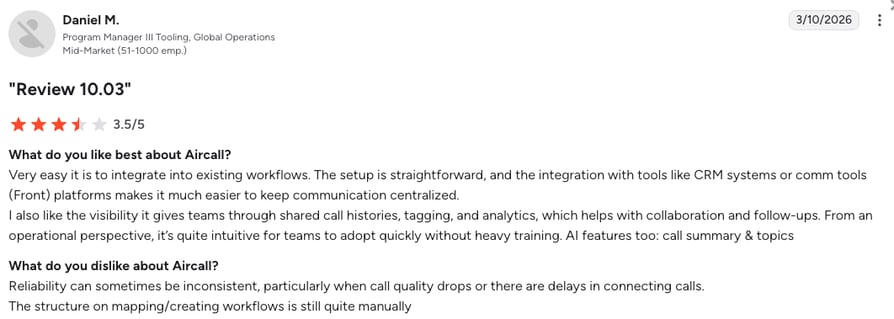
Aircall users frequently highlight how well the software connects to their existing tools, though they sometimes voice frustrations regarding contract flexibility.
- Flawless Software Connections: Users rave that built-in integrations with top CRM software save hours of manual typing compared to older phone systems.
- Easy to Learn: Managers appreciate that new reps are able to start taking calls almost immediately thanks to the simple design.
- Strict Contracts: Just like Ringover, some users report that canceling the service is difficult and bogged down by aggressive sales tactics to keep you from leaving.
How G2 Users Rate Aircall?
Aircall's current G2 rating is 4.4/5, out of 1,650+ verified user reviews.
3. Dialpad: Best for Tech-Savvy Teams Prioritizing Built-In AI
What is Dialpad?
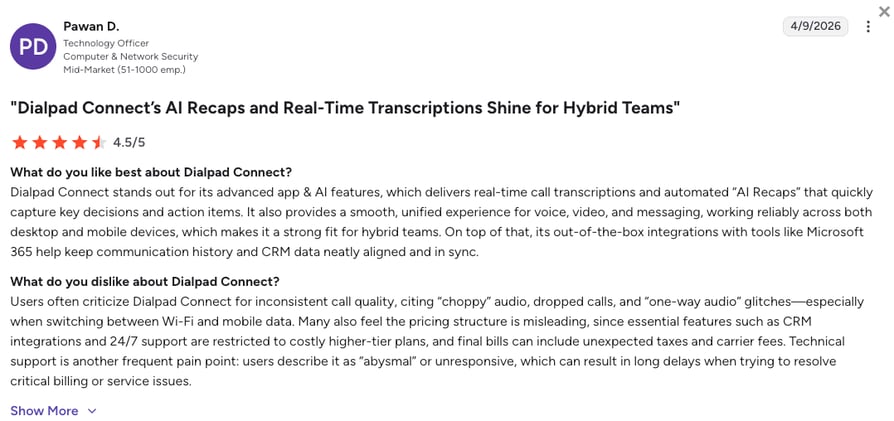
Dialpad is an AI-powered communication platform built entirely around its own smart artificial intelligence. It serves as a single workspace that combines voice calls, text messaging, and video meetings for modern companies. Dialpad mainly targets tech-savvy teams that want smart software actively helping them during live conversations, rather than just reading a summary after the call ends.
Why Is Dialpad a Strong Ringover Alternative?
- Built-In Call Notes: Dialpad avoids Ringover's $39 AI paywall by building real-time AI transcriptions directly into its basic software.
- Live Help During Calls: Instead of just recording calls, Dialpad provides agents with instant pop-up cheat sheets and sentiment tracking while they are actively talking to a customer.
- One App for Everything: Dialpad perfectly blends video, voice, and internal chat, fixing the buggy mobile experience that often frustrates remote workers.
What Are the Pros & Cons of Dialpad?
| Pros | Cons |
|---|---|
| Real-time coaching: Pop-up tips appear live during conversations to help reps handle tough client questions. | Heavy feature restrictions: The base plan limits you to one office location and completely blocks customer database connections. |
| Built-in AI tools: Call summaries are included in the foundation plans rather than acting as expensive extras. | Extra costs add up fast: Basic necessities like extra local phone numbers or conference lines cost extra every month. |
| No forced user minimums: Single users can sign up without being forced into expensive multi-seat contracts. | Slow support: Basic users do not get 24/7 help. To get some real attention, you have to pay more for priority access. |
What Are Dialpad’s Plans & Pricing?
Dialpad pricing starts at $15/user/month (Standard, billed annually), with the following plans:
Dialpad Connect Plans and Pricing
| Plan | Price | Key Features |
|---|---|---|
| Standard | $15/user/month | Unlimited calling, live AI transcription, AI recaps, SMS, voicemail, basic analytics |
| Pro | $25/user/month | Everything in Standard + CRM integrations, 24/7 support, multi-office, international numbers (3-license minimum) |
| Enterprise | $35/user/month | Everything in Pro + SSO, access controls, unlimited offices, 99.9% uptime SLA |
Note: Dialpad Contact Center plans operate on a completely different pricing architecture, starting at a much steeper $95/user/month.
What Are Dialpad Customers Saying?
Dialpad customers love how the built-in AI improves their daily sales calls, but frequently express frustration over the unexpected costs of basic features.
- Great Live Call Notes: Users praise the real-time text generation and automated recaps that capture key decisions effortlessly.
- Great Mobile Experience: Dialpad works reliably on smartphones, which is a massive upgrade for remote teams.
- Hit-or-Miss Support: Reviewers often note that 24/7 technical support is heavily restricted to the most expensive higher-tier plans.
How G2 Users Rate Dialpad?
Dialpad's current G2 rating is 4.4/5, out of 4,200+ verified user reviews.
4. Nextiva: Best for Large US-Based Customer Support Teams
What is Nextiva?
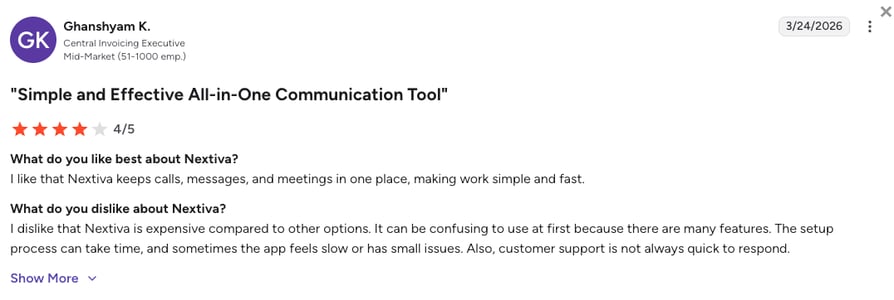
Nextiva is a massive phone company giant that provides a highly reliable all-in-one platform for voice, video, and team chat. It is primarily built for domestic mid-sized to large businesses that absolutely refuse to compromise on call quality. Nextiva is considered a safe, traditional choice for companies that prioritize human support and network stability over experimental new technology.
Why Is Nextiva a Strong Ringover Alternative?
- Highly Reliable Phone Lines: Nextiva completely eliminates the random app glitches and dropped calls associated with Ringover by operating on a massive, highly secure network.
- Highly Rated Customer Support: Nextiva solves Ringover's notoriously slow support ticket problem by providing faster, responsive technical assistance over the phone.
- Lots of Included Features: Nextiva avoids charging you for every little feature by including video meetings and team chat straight out of the box.
What Are the Pros & Cons of Nextiva?
| Pros | Cons |
|---|---|
| Highly reliable connections: Corporate-grade network ensures clear audio and prevents sudden mid-day outages. | Strict location limits: It is fundamentally restricted to North America, making it useless for global teams. |
| Great human support: Nextiva's customer service is quite responsive, and they usually fix your issues quickly. | Severe texting limits: The base plan aggressively caps text messages at just 100 per user each month. |
| All-in-one workspace: Combines your voice calls, video meetings, and internal team chat neatly in one place. | Confusing settings: The backend settings can feel confusing and overwhelming for non-technical users. |
What Are Nextiva’s Plans & Pricing?
Nextiva pricing starts at $15/user/month (Core, billed annually), with the following main plans:
Nextiva Plans and Pricing
| Plan | Price | Key Features |
|---|---|---|
| Core | $15/user/month | Voice, business SMS, video meetings, call routing, team chat, mobile app (CRM integrations and call recording as add-ons) |
| Engage | $25/user/month | Everything in Core + call recording, customer-to-team SMS, toll-free minutes, advanced reporting, inbound call center |
| Scale | $75/user/month | Everything in Engage + blended inbound and outbound, AI transcription and summaries, skills-based routing |
| Professional | Quote | Enterprise terms, tailored onboarding and SLA |
The global roadblock:
Nextiva is exceptional if your entire business and customer base live in the United States or Canada. However, if you have international ambitions, its lack of global phone numbers makes it a complete non-starter compared to the likes of CloudTalk.
What Are Nextiva Customers Saying?
Nextiva customers heavily praise the platform's traditional reliability and incredible customer support, though they note the software can be slightly clunky to navigate.
- Incredible Reliability: Reviewers frequently praise the crystal-clear audio and solid reliability during high call volumes.
- Amazing Support: Users often shout out the support team for staying on the line until a technical problem is totally solved.
- Hard to Learn at First: Reviewers point out that navigating the complex backend settings and pulling reports can be quite frustrating.
How G2 Users Rate Nextiva?
Nextiva’s current G2 rating is 4.5/5, out of 3,600+ verified user reviews.
5. RingCentral: Best for Replacing All Communication Apps
What is RingCentral?
RingCentral (their main product known as RingEX) is arguably the most dominant corporate player in the communications market. It is a sprawling, massive software platform built to completely replace a corporation's reliance on multiple different apps. RingCentral is designed for complex, enterprise-grade businesses that want their phone calls, team messaging, video meetings, and digital faxing all managed by a single company.
Why Is RingCentral a Strong Ringover Alternative?
- Patented Global Network: RingCentral replaces Ringover's unstable mobile app with an incredibly powerful, globally patented phone network that massive corporations trust.
- Huge Library of Connections: While Ringover's software connections can be buggy, RingCentral offers over 500 deep, reliable links to connect with almost any business software.
- Top-Tier Security Rules: The platform provides the strongest privacy and data rules (like HIPAA and SOC 2) for highly regulated industries like healthcare, which Ringover struggles to match.
What Are the Pros & Cons of RingCentral?
| Pros | Cons |
|---|---|
| All your software in one place: Replaces your Zoom, Slack, and older desk phones with one massive application. | Incredibly complex setup: The backend is famously dense and almost always requires dedicated IT staff to manage. |
| Top-level security rules: Elite privacy protocols perfectly suited for the healthcare and finance sectors. | Strict text message caps: The base entry plan limits users to a frustrating 25 text messages per month. |
| Huge connection library: Connects flawlessly with over 500 different business tools and databases. | Extremely expensive AI: Unlocking smart automated AI features requires a costly $60/user/month extra package. |
What Are RingCentral’s Plans & Pricing?
RingCentral pricing starts at $20/user/month (Core, billed annually), with the following plans:
RingCentral Plans and Pricing
| Plan | Price | Key Features |
|---|---|---|
| Core | $20/user/month | Unlimited domestic calling, video meetings, team messaging, IVR, AI Assistant, 25 SMS per user |
| Advanced | $25/user/month | Everything in Core + automatic call recording, 300+ integrations, advanced call monitoring, auto call notes |
| Ultra | $35/user/month | Everything in Advanced + unlimited storage, advanced analytics, device analytics |
Know your limits:
While RingCentral’s $20 base plan looks competitive on paper, it acts more like a trial by imposing a strict 25 text message limit per user. Teams are quickly forced into more expensive plans if they actually want to text their clients regularly.
What Are RingCentral Customers Saying?
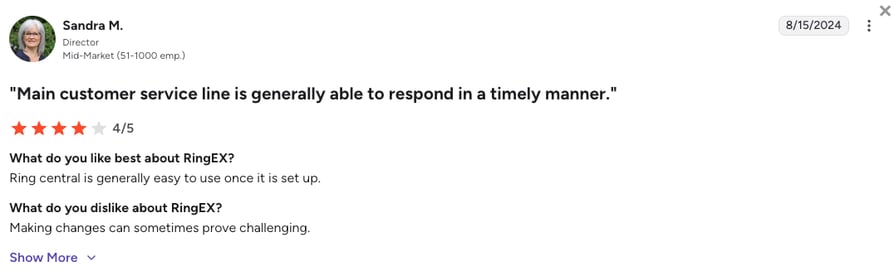
RingCentral customers appreciate having every tool in one place but report significant issues with how hard the system is to manage.
- Corporate-Level Reliability: IT teams love the network uptime and the fact that it works perfectly for massive companies with thousands of employees.
- Huge List of Features: Users like having a tool for literally every communication need built into one single platform.
- Confusing Settings and Support: Admins frequently complain that simple changes take too many clicks, and getting help means bouncing between overseas support departments.
How G2 Users Rate RingCentral?
RingCentral’s current G2 rating for their RingEX suite is 0/5, out of 1,450+ verified user reviews.
6. JustCall: Best for Multi-Skilled Startups Calling Right from Their Database
What is JustCall?
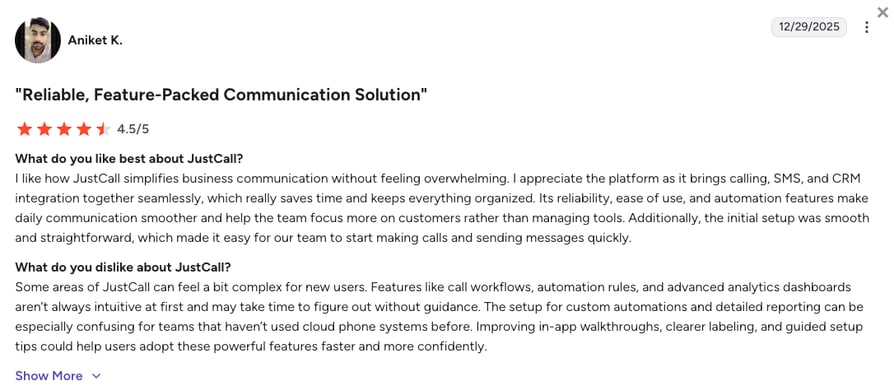
JustCall is a specialized, lightweight internet phone system built primarily to connect directly into popular customer databases. It makes fast outbound sales calling and basic customer support very straightforward for smaller teams. Instead of trying to be a massive corporate office phone, JustCall focuses heavily on simplifying texting automation and providing basic automated dialers directly within apps like HubSpot.
Why Is JustCall a Strong Ringover Alternative?
- Included Texting Limits: JustCall solves Ringover's expensive and buggy text issues by bundling generous text messaging limits directly into its monthly plans.
- Built-in Sales Dialers: It replaces manual dialing with automated tools that quickly move through lists of numbers, ensuring reps don't waste time listening to ringing tones.
- Quick Software Connections: JustCall is purpose-built to connect fast to your customer database, bypassing the complex setups that often plague older setups.
What Are the Pros & Cons of JustCall?
| Pros | Cons |
|---|---|
| Lots of included texts: Includes large text message allowances to prevent mid-month invoice spikes. | Risk of being marked as spam: Users frequently report their assigned phone numbers being flagged as "Scam Likely." |
| Fast automated dialers: Automates phone outreach for small sales teams, increasing daily call counts easily. | Massively expensive AI: Smart voice AI solutions are structured as costly extra packages that charge by the minute. |
| Fast customer tracking: Logs calls and messages automatically to keep your team's workflow highly organized. | Strict two-user minimum: You cannot buy a single seat, making the advertised starting price misleading. |
What Are JustCall’s Plans & Pricing?
JustCall pricing starts at $29/user/month (Team, billed annually, two-user minimum), with the following plans:
JustCall Plans and Pricing
| Plan | Price | Key Features |
|---|---|---|
| Team | $29/user/month | Calling and SMS, 100+ integrations, call recording, AI transcription, basic analytics |
| Pro | $49/user/month | Everything in Team + Sales Dialer, Salesforce CTI, call monitoring, advanced analytics, priority support |
| Pro Plus | $89/user/month | Everything in Pro + AI call scoring, coaching, sentiment analysis, WhatsApp inbox |
| Business | Quote | Predictive dialer, SSO, custom SLA, dedicated account manager |
The spam flag risk:
While JustCall provides good basic tools, independent reviews show their numbers are highly susceptible to being marked as spam by phone carriers. If your outbound numbers show up as "Scam Likely," your customers simply won't answer.
What Are JustCall Customers Saying?
JustCall customers appreciate the sales-focused tools but frequently mention pricing hurdles when they need to add more advanced AI features.
- Helpful Integrations: Users appreciate that calls and texts log straight into their databases, saving time on follow-ups.
- Fast Calling Speeds: Sales managers love how the automated dialers keep their reps on the phone talking to live people.
- Frustrations with Spam Flags: Multiple users express deep frustration that their outbound numbers keep getting blocked or flagged by major phone companies.
How G2 Users Rate JustCall?
JustCall's current G2 rating is 4.3/5, out of 2,350+ verified user reviews.
7. Kixie: Best for Fast-Paced Outbound Sales Teams
What Is Kixie?
Kixie is a highly specialized, AI-driven sales platform built from the ground up for making as many cold calls as possible. Unlike traditional office phone systems that focus heavily on receiving calls, Kixie is built for pure, fast-paced sales outreach. Overall, Kixie is a great platform for a sales floor whose primary goal is to churn through thousands of leads every single day.
Why Is Kixie a Strong Ringover Alternative?
- Calling Multiple Numbers at Once: Kixie offers a multi-line dialer that lets reps call up to ten numbers at the same time, massively increasing connections.
- Smart Local Caller ID: Instead of fighting Ringover's strict identity checks for local numbers, Kixie uses AI to automatically match your virtual caller ID to the prospect's local area code, making them more likely to answer.
- Perfect Sales Tracking: Kixie is laser-focused on tracking high-volume sales activity flawlessly into your customer database, avoiding the lost data bugs reported by Ringover users.
What Are the Pros & Cons of Kixie?
| Pros | Cons |
|---|---|
| High calling speed: The multi-line dialer significantly boosts the number of live conversations a rep has per day. | Basic inbound calling features: It lacks the advanced call menus needed for complex customer support teams. |
| Smart local caller ID: Automatically matches the prospect's local area code to increase answer rates. | Steep learning curve: The aggressive sales features require dedicated training for new reps to use safely. |
| Perfect sales tracking: Built specifically to push massive amounts of call data into databases every time. | Expensive starting point: At $35 a month, it is significantly pricier for a base plan than general-purpose tools. |
What Are Kixie’s Plans & Pricing?
While Kixie’s pricing is quote-based, users report the platform starts roughly at $35/user/month (Professional, billed quarterly), with the following plans:
Kixie Plans and Pricing
| Plan | Price | Key Features |
|---|---|---|
| Professional | $35/user/month (reported) | Business phone service, CRM integration, click-to-call and click-to-text, SMS templates, voicemail drop, local presence dialing |
| Single-Line PowerDialer | $65/user/month (reported) | Everything in Professional + single-line power dialing and calling session management |
| Multi-Line PowerDialer | $95/user/month (reported) | Everything in Single-Line + dialing up to ten numbers at once and AI voice detection |
Note: This pricing is based on user reviews. For current pricing, you’ll have to contact Kixie’s sales team.
Make sure it fits your workflows:
Kixie is the undisputed king of cold-calling speed. However, if your team also handles a high volume of inbound customer support questions, Kixie's lack of advanced inbound routing makes it a poor choice for an all-in-one company solution.
What Are Kixie Customers Saying?
Kixie users enjoy the sheer volume of calls they can make, though some note the platform is entirely unsuited for general office workers.
- Huge Amount of Calls: Sales reps are amazed by how many live humans they can connect with using the multi-line dialing tool.
- Great Customer Tracking: Managers love that every call outcome and voicemail is recorded without reps needing to type anything.
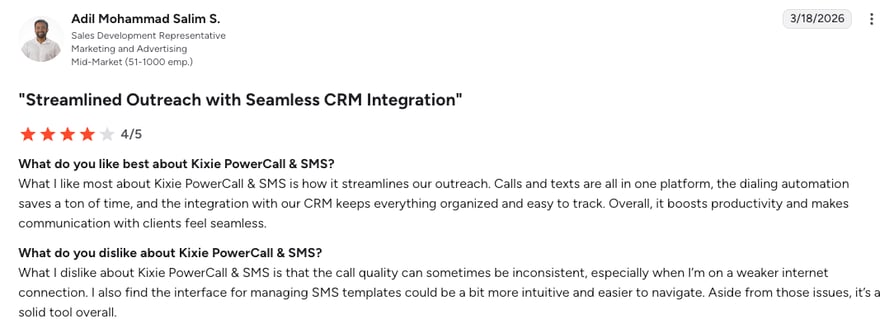
- Inconsistent Audio & SMS Layouts: Reps point out that call quality can become inconsistent on weaker internet connections, and find the interface for managing SMS templates unintuitive and hard to navigate.
How G2 Users Rate Kixie?
Kixie’s current G2 rating is 4.8/5, out of 850+ verified user reviews.
8. Vonage: Best for Engineering Departments Building Custom Setups
What is Vonage?
Vonage is a historic pioneer in the phone industry that now focuses heavily on highly customizable, flexible software tools. The platform also acts as a flexible bridge for company developers who want to build highly customized voice, text, and video setups directly into their own company’s software. When it comes to use case, Vonage appeals primarily to highly technical engineering teams.
Why Is Vonage a Strong Ringover Alternative?
- Total Coding Flexibility: Ringover is a closed system. Vonage allows developers to use open code to build exactly the communication tools they need natively into their own apps.
- Highly Reliable Corporate Network: Vonage is backed by global infrastructure that completely eliminates the random disconnects and glitchy audio of older platforms.
- Perfect Microsoft Teams Connection: Vonage operates flawlessly behind the scenes of Microsoft Teams, letting large companies upgrade their phone network without changing what employees see on their screens.
What Are the Pros & Cons of Vonage?
| Pros | Cons |
|---|---|
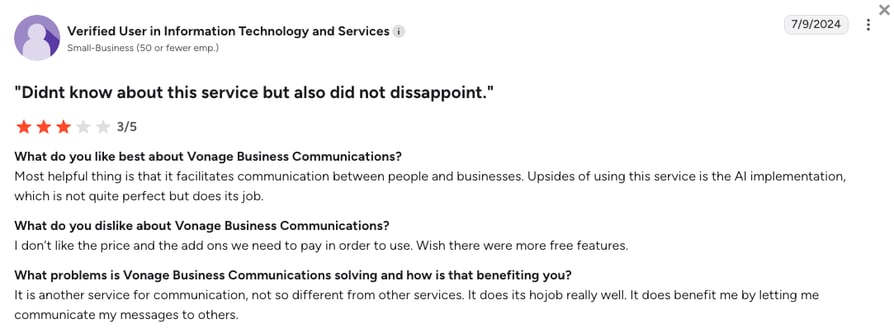
| Ultimate flexibility: Developers can customize and trigger texts or calls perfectly from within their own software. | Lots of extra fees: Basic necessities like a simple inbound call queue cost an extra $250 a month. |
| Highly stable network: Excellent audio quality backed by decades of enterprise infrastructure building. | Bare-bones base plan: The highly advertised $13.99 plan lacks standard tools like video meetings or team chat. |
| Deep Microsoft Teams sync: Perfect for offices that already rely heavily on the Microsoft software ecosystem. | Slow customer service: Users report that getting technical issues resolved by human support can take several days. |
What Are Vonage’s Plans & Pricing?
Vonage pricing starts at $13.99/user/month (Mobile, billed annually), but scales quickly based on add-ons:
Vonage Plans and Pricing
| Plan | Price | Key Features |
|---|---|---|
| Mobile | $13.99/user/month | Unlimited calling and SMS, mobile and desktop apps, basic CRM integrations |
| Premium | $20.99/user/month | Everything in Mobile + video meetings, IVR, CRM integrations, 99.999% SLA |
| Advanced | $27.99/user/month | Everything in Premium + on-demand call recording, visual voicemail, call groups |
The extra fees trap:
Online sources mention Vonage operates on a highly confusing pricing model. Recording calls costs an extra $49.99/month, and basic call routing menus incur massive extra charges, making the $13.99 entry price incredibly misleading.
What Are Vonage Customers Saying?
Vonage customers love the underlying call quality and developer flexibility, but heavily criticize the company's confusing billing practices.
- Great Audio Quality: Users consistently rate the actual voice quality and network stability very highly.
- Power to Customize: IT departments appreciate the ability to trigger communications directly from their custom-built software.
- Too Many Extra Costs: The biggest complaint is that standard features require constant paid extras, making budgeting a nightmare.
How G2 Users Rate Vonage?
Vonage’s current G2 rating is 4.3/5, out of 500+ verified user reviews.
9. Quo (OpenPhone): Best for Small Teams Needing Shared Text Inboxes
What Is Quo?
Quo (formerly OpenPhone) is a highly team-friendly, mobile-first business phone app, considered by many to be the best softphone app for basic collaboration. It completely reimagines the business phone by making it look and feel exactly like a modern texting app on your smartphone. Quo is incredibly popular among tiny startups and independent agents, especially in real estate.
Why Is Quo a Strong Ringover Alternative?
- The Shared Team Inbox: Quo allows multiple team members to view and text from the exact same phone number, preventing the duplicate replies that hurt basic systems.
- No Forced Multi-User Plans: Starting at an affordable $15 with no multi-user requirements, Quo offers a very cheap way for solo operators to upgrade to a reliable app without Ringover's expensive minimums.
What Are the Pros & Cons of Quo?
| Pros | Cons |
|---|---|
| Great shared inbox: Eliminates duplicate text responses and makes team collaboration incredibly simple. | Hard limits on advanced features: It lacks the advanced call routing needed by structured customer support teams. |
| Perfect mobile design: The seamless app feels just like Apple iMessage, requiring zero team training to adopt. | Limited global coverage: Number options outside of North America are heavily restricted compared to platforms like CloudTalk. |
| No expensive minimums: Single founders can buy one seat and get to work immediately without forced upgrades. | Strict rules against sales calls: Quo aggressively monitors for spam and will close accounts used for heavy sales outreach. |
What Are Quo’s Plans & Pricing?
Quo pricing starts at $15/user/month (Starter, billed annually), with the following plans:
Quo Plans and Pricing
| Plan | Price | Key Features |
|---|---|---|
| Starter | $15/user/month | Shared numbers, calling and SMS to the US and Canada, voicemail transcripts, Sona AI agent with 1,000 free credits, email support |
| Business | $23/user/month | Everything in Starter + HubSpot, Salesforce, Zoho and Pipedrive integrations, automatic recording, AI summaries and transcripts, phone menus |
| Scale | $35/user/month | Everything in Business + AI call tags, dedicated onboarding, priority support, inbound phone support |
Not a real call center software:
Quo is a brilliant messaging app for three people sharing a phone line. However, if you need smart AI dialers, complex VIP support queues, or deep Salesforce syncing, Quo will hit a severe limit almost immediately.
What Are Quo Customers Saying?
Quo customers praise the app for its brilliant simplicity, though some warn about strict account bans if you try to use it for marketing.
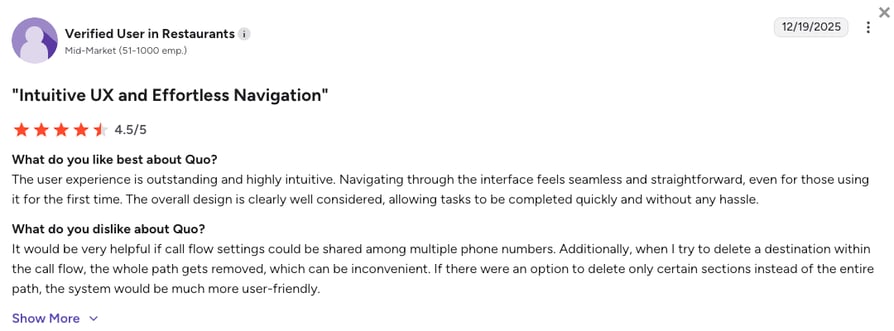
- Very Easy to Use: Users praise Quo’s outstanding app design that makes navigating texts and calls a breeze.
- Fast Setup: Quo eliminates the frustration of older phone systems with an instant, modern onboarding experience.
- Strict Rules Against Sales Calls: Multiple users report having their accounts abruptly closed because the platform incorrectly flagged their normal texting as spam.
How G2 Users Rate Quo?
Quo’s current G2 rating is 4.7/5, out of 3,400+ verified user reviews.
10. Zoom Phone: Best for Teams Already Using Zoom Apps
What is Zoom Phone?
Developed by the creators of Zoom Meetings, Zoom Phone provides a simple, reliable internet phone service. It is the logical choice for traditional companies that already use Zoom for everything else and just want a stable phone line added to their existing app without the bloated costs of advanced contact center tools.
Why Is Zoom Phone a Strong Ringover Alternative?
- Highly Reliable Setup: Zoom offers massive global stability that immediately solves the buggy mobile app and dropped calls associated with Ringover.
- Keep Your Current Phone Network: Zoom allows large companies to keep their existing underlying telecom carrier (known as a BYOC solution) while upgrading their software interface, offering massive flexibility.
- Very Affordable Basic Phone: The platform serves as a highly affordable basic phone line for companies that just need a dial pad, without forcing them into expensive AI packages.
What Are the Pros & Cons of Zoom Phone?
| Pros | Cons |
|---|---|
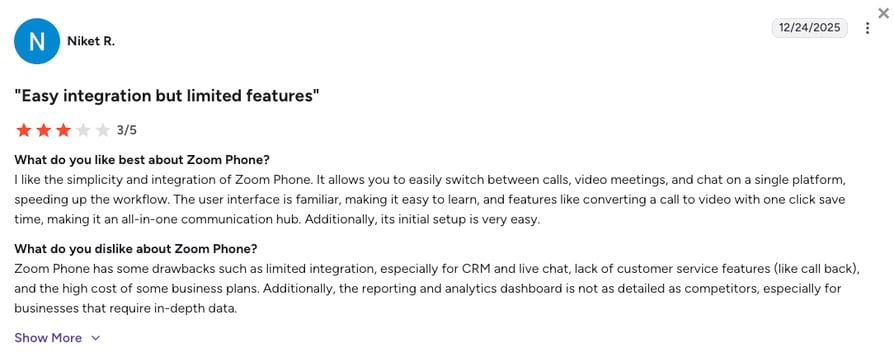
| Easy to use if you know Zoom: Fits perfectly into the app your team already uses every single day for video meetings. | Missing smart sales tools: Does not offer the automated dialers needed to drive real sales revenue. |
| Very affordable baseline: Provides highly reliable utility phone lines without charging for bloated extras. | Basic routing only: Cannot handle the complex, multi-condition workflows required by busy support centers. |
| Flexible carrier options: Allows you to plug your existing phone network directly into their modern software. | Not a true contact center: Designed as a basic office phone replacement, not a dedicated sales or support engine. |
What Are Zoom Phone’s Plans & Pricing?
Zoom Phone pricing starts at $10/user/month (US & Canada Metered, billed annually), with the following main plans:
Zoom Phone Plans and Pricing
| Plan | Price | Key Features |
|---|---|---|
| US & Canada Metered | $10/user/month | Business phone features with pay-per-minute outbound calling, SMS, call recording |
| US & Canada Unlimited | $15/user/month | Everything in Metered + unlimited US and Canada calling |
| Global Select | $20/user/month | Everything in Unlimited + unlimited domestic calling in one of 49+ supported countries |
A basic, reliable tool:
Zoom Phone is incredibly reliable, but it is a basic phone. It lacks the helpful AI automation and specialized sales tools necessary to serve as a primary revenue-generating platform, compared with advanced Ringover alternatives.
What Are Zoom Phone Customers Saying?
Zoom Phone customers love the simplicity of having everything in one app, but note that it lacks the firepower needed for dedicated call centers.
- Everything in One App: Users love that they do not have to open a separate application just to make a quick phone call.
- Incredible Reliability: The audio quality and connection stability are heavily praised by IT departments.
- Too Basic for Sales: Sales managers note that it completely lacks the automated sales tools they need to hit their daily outreach targets.
How G2 Users Rate Zoom Phone?
Zoom Phone’s current G2 rating is 4.6/5, out of 2,650+ verified user reviews.
What Are Users Really Saying About Ringover Alternatives and Competitors?
To get the real story, we looked at what actual users are saying on Reddit, Quora, and G2. While Ringover works fine for simple office calls, people who have been in your shoes warn that it gets frustrating as you grow.
Here is the honest advice from business owners and managers comparing these platforms or making the switch to find better call quality, smoother setups, and fairer pricing.
What Redditors Are Asking and Saying about Ringover and Its Competitors
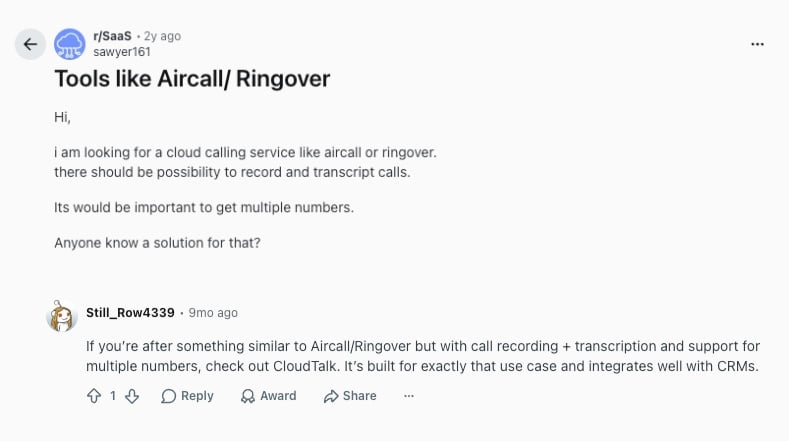
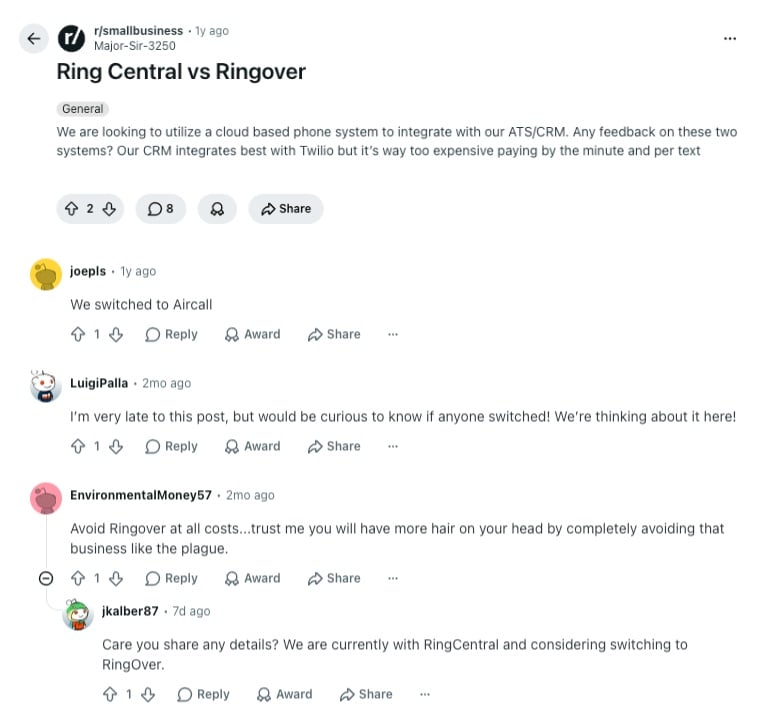
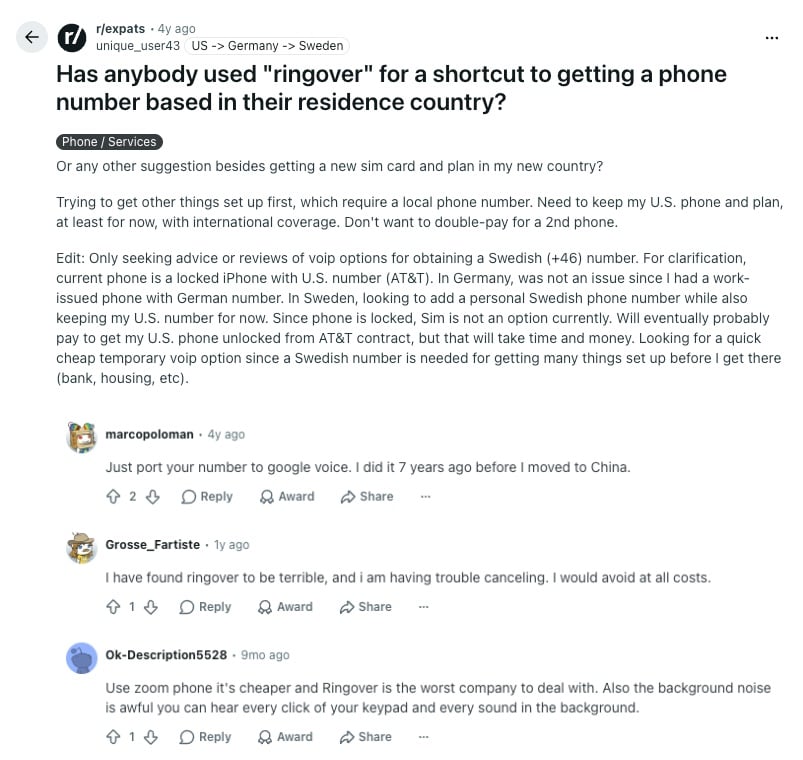
Reddit is one of the best places to find honest opinions about business software. On channels like r/SaaS, r/smallbusiness, and r/expats, users discuss the operational realities of trying to grow a business using Ringover. Here's what they are saying:
- Global Setup and Call Quality: Founders on r/expats report hurdles with strict identity verification when setting up international lines. Some users also note that call quality can pick up unwanted background noise during conversations. To avoid these setup and audio issues, the community recommends alternatives like Zoom Phone for basic needs or CloudTalk for smoother access to numbers in 160+ countries.
- CRM Syncing and Data Logging: In r/smallbusiness and r/SaaS, users frequently discuss how well cloud phone systems connect to customer databases. Sales teams warn that missing logs or text histories create dangerous data silos. Because of this, Redditors suggest moving to platforms like CloudTalk that offer strong native CRM integrations, reliable recordings, and automated transcriptions.
- Flexible Contracts vs. Cancellation Friction: A major theme across multiple threads is the difficulty of terminating a Ringover contract. Users frequently warn peers about rigid annual commitments and confusing cancellation processes. This operational friction drives a strong community preference for providers that offer clear, flexible terms and responsive customer support.
What Quora Users Are Asking about Ringover and Its Alternatives
While Quora is geared more toward business owners and operators looking for direct deployment advice, the general feedback aligns closely with online community trends. When discussing alternatives to Ringover software, three core themes stand out based on real user threads:
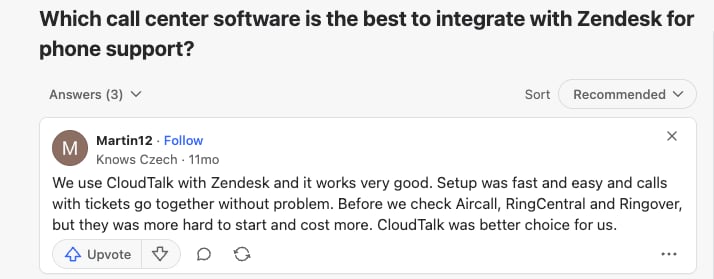
- Fast Setup and Helpdesk Integrations: Business owners frequently ask which platforms connect best with customer support systems like Zendesk. Users sharing their deployment experiences note that pairing CloudTalk with their helpdesk is fast and straightforward. They highlight that competing options, including Ringover, can often be more expensive and significantly harder to get running initially.
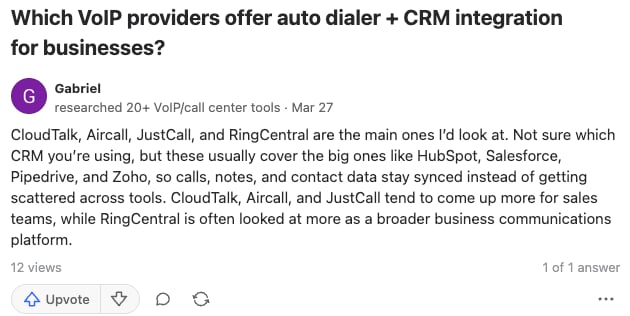
- Auto Dialers and CRM Syncing: Another major topic on the platform is locating VoIP providers that successfully combine dialing automation with major CRM links like HubSpot, Pipedrive, Salesforce, and Zoho. Quora contributors stress that automated logging ensures calls, notes, and contact histories stay perfectly updated in one central database instead of getting scattered across separate tools.
- Targeted Sales Tools vs. Broad Platforms: Contributors also point out the functional differences between various cloud software architectures. While massive networks like RingCentral are viewed as broader corporate communication platforms, systems like CloudTalk are frequently recommended specifically for scaling revenue teams that require focused, fast-paced sales tools.
How Do the Best Ringover Alternatives Compare on G2?
G2's community of verified software buyers focuses heavily on everyday results like setup ease, call stability, and contract clarity. When examining reviews from teams that migrated away from Ringover to modern alternatives, several clear trends come up:
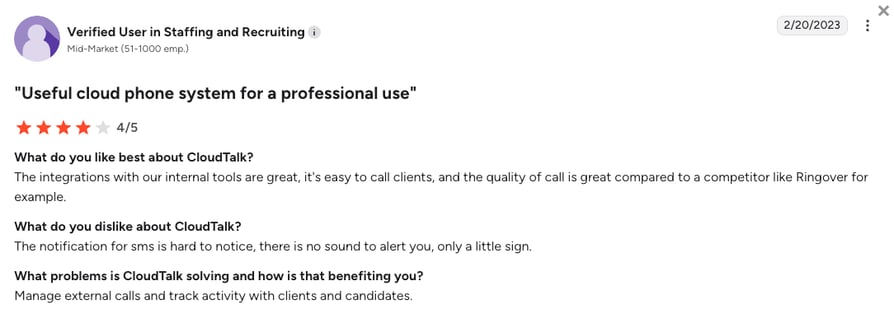
- Better Call Quality and CRM Integrations: Users who move from Ringover to CloudTalk report an immediate boost in call stability. Staffing and recruiting teams note that tracking client and candidate activity becomes much easier because the software connects reliably with their internal day-to-day tools.
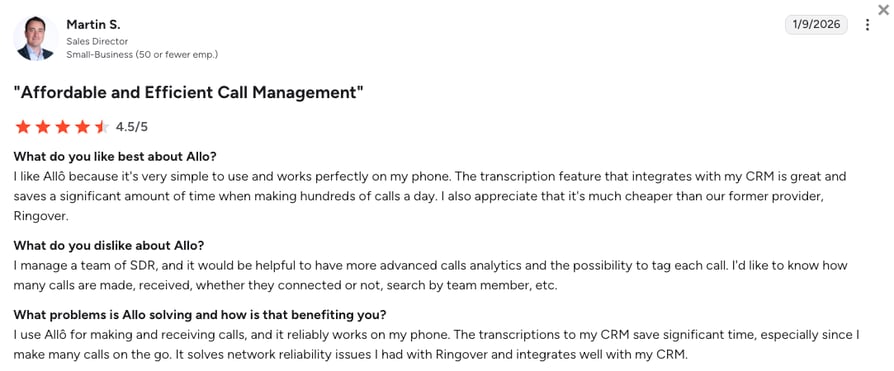
- Mobile Reliability and Transcriptions: Sales directors migrating their teams to alternative apps like Allo (note: an up-and-coming platform that’s worth checking out despite not making our list) find relief from Ringover's past mobile network issues. Reviewers emphasize that having automated call transcriptions sync straight into their database saves a massive amount of administrative time during busy outreach days.
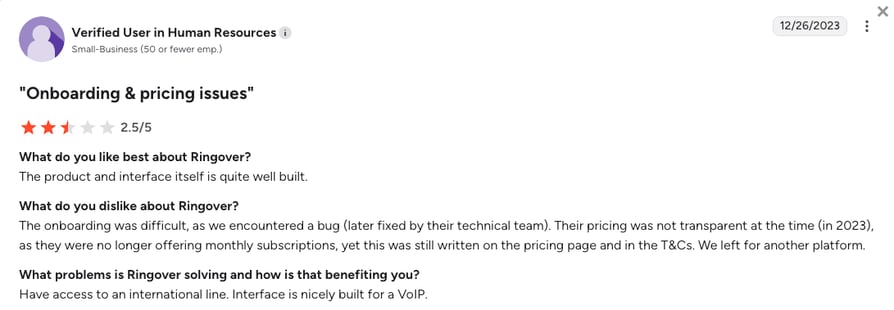
- Onboarding Technical Glitches and Inflexible Billing: Some users leave the Ringover ecosystem due to setup headaches and vague payment terms. Verified reviews call out a frustrating lack of transparency, highlighting instances where teams were locked into annual contracts even though marketing pages advertised flexible monthly options.
CloudTalk vs Ringover: Final Head-to-Head Comparison
When comparing CloudTalk vs Ringover, the biggest difference comes down to having a basic phone tool versus a smart, automated system for your business.
While Ringover provides a nice-looking app for simple phone calls, it restricts your growth with extra costs down the road and heavy paperwork for international numbers. CloudTalk is built to act as an intelligent, helpful engine for your daily sales and customer support tasks, offering total pricing transparency and a much faster path to global reach.
Teams searching Ringover vs CloudTalk are usually weighing two specific things: whether the calls hold up once the whole team is dialing, and whether they can get a local number in the next country they sell into. Those are the two categories where the gap is widest, and they are also the two that cost the most to get wrong.
CloudTalk vs Ringover, category by category, including the three where Ringover comes out ahead.
Ringover vs CloudTalk: The Final Comparison
| Category | CloudTalk | Ringover | Winner |
|---|---|---|---|
| Starting Price (annual billing) | $25/user/month | $15/user/month (3-user minimum) | Ringover |
| Minimum Users | 1 user on Starter and Essential, 3 on Expert | 3 users on every plan, on a 12-month term | CloudTalk |
| AI Capabilities (Summaries & Notes) | Conversation Intelligence after the call at a flat $9/user/month, and an AI Receptionist from $99/month | Basic summaries are included, and the Empower AI add-on costs $39/user/month extra | CloudTalk |
| Call Reliability | 99.999% uptime SLA with multi-carrier failover routing | Frequent user reports of dropped calls and mobile sync bugs | CloudTalk |
| Available Virtual Numbers | 160+ countries, with the paperwork per country published up front | 65+ countries, and a local address is often required | CloudTalk |
| Customer Database Sync | Two-way sync for tools like Salesforce and HubSpot, from Essential | Manual updates often needed, with mobile text logging issues reported | CloudTalk |
| Visual Call Flow Builder | Intuitive visual drag-and-drop workflow designer | Basic, outdated linear multi-level phone menus | CloudTalk |
| Smart Auto Dialers | Power Dialer on Expert or a $15/user/month add-on on any plan. Parallel Dialer is a $39/user/month add-on. Smart and Preview on Expert, click-to-call from Starter | The Power Dialer needs the $47/user/month Business plan, and Cadence sequences cost $59/user/month extra | CloudTalk |
| Contract Rules | Monthly or annual terms with a clear cancellation process | A 12-month commitment on every plan, with difficult termination steps | CloudTalk |
| Customer Service Quality | Fast, human support available (incl. phone on Expert or Custom plans) | Slow, script-based customer support ticketing responses | CloudTalk |
| Built-In Video Meetings | Not available (Requires a separate app like Zoom or Google Meet) | Fully included natively across all standard subscription tiers | Ringover |
| G2 Rating | 4.4/5 (1,900+ reviews) | 4.6/5 (450+ reviews) | Ringover |
| Free Trial | 14 days (no credit card required) | 7 days (capped at 5 users and 300 outbound minutes) | CloudTalk |
Why reliable CRM integrations matter:
The biggest day to day difference comes down to data logging. While Ringover users often report having to manually type call notes and text histories into their CRM due to sync glitches, CloudTalk automatically pushes every call, recording, and message straight to HubSpot or Salesforce the moment you hang up. This keeps your records accurate without forcing reps into tedious data entry.
How to Choose the Right Ringover Alternative for Your Team?
When choosing the right Ringover alternative, you should focus on the specific roadblocks slowing your team down rather than just looking at a feature list. Based on community questions, here is how to match your business needs to the right platform:
1. What Is the Best Ringover Alternative for Predictable Billing?
If you are tired of Ringover's extra $39 and $59 packages for AI notes and sales tools, you need a platform with clear, easy-to-understand plans. Costed out per rep, a fully equipped Ringover seat lands at $145 a month once Empower and Cadence sit on the $47 Business plan.
- Top Picks: CloudTalk is the best choice for predictable costs because it bundles your core calling features into clear plans while offering advanced AI capabilities through transparent, flat-rate add-ons. Quo is also a great budget choice for tiny teams that just need basic shared texting.
Check out more options:
Per-seat rates only tell you half the story, because seat minimums, contract length and add-on stacking decide the real bill.
2. Which Ringover Alternative Has the Best Database Sync?
If your team is losing deals because Ringover's mobile app fails to log text messages into your system, you need a platform with perfect two-way syncing.
- Top Picks: CloudTalk is fantastic here, using deep connections to ensure every single call, text, and AI note saves perfectly into tools like HubSpot or Salesforce. Aircall is another strong option if your business relies on hundreds of different software apps daily.
3. What Is the Best Ringover Alternative for International Reach?
If you are trying to expand globally but Ringover blocked you because you do not have local citizenship paperwork, you need a flexible provider.
- Top Picks: CloudTalk wins this category easily, publishing the paperwork each country asks for and selling high-quality virtual numbers in 160+ countries rather than 65. That gap is where teams get stuck: Ringover lists no UAE numbers at all, while CloudTalk sells +971 local and toll-free UAE numbers from $40 a month, and it publishes exactly what an Italian or German number needs before you start.
Revolut Scaled from 0 to 500+ SDRs on CloudTalk
The UK-founded fintech grew its sales development team from zero to more than 500 reps in 18 months while preparing to enter the US, running 193+ international numbers on CloudTalk and saving 40+ hours of sales ops time a month along the way.
4. Are There Ringover Alternatives without Difficult Cancellations?
Ringover is infamous for locking companies into strict annual contracts and making the cancellation process incredibly frustrating.
- Top Picks: CloudTalk completely replaces that hostile approach with clear, flexible agreements and a stress-free setup process. Dialpad also offers a much easier starting experience with single-seat flexibility.
5. Ringover vs Aircall: Which is Best for Sales?
If your main goal is making lots of outbound calls quickly and you are doing a Ringover vs Aircall comparison, you need a tool built for speed. Check how many lines each one dials at once and whether it retries a campaign list on its own, because that is where a single-line dialer starts costing you the day.
- Top Picks: While Aircall is solid for customer support, CloudTalk wins on sales tooling by bundling built-in smart dialers with clear pricing. If you want a tool purely for extreme cold-calling volume, Kixie is another leading choice.
6. Which Ringover Competitors Are Best for Call Quality and Support?
If calls drop mid-conversation and a support ticket sits for days, the feature list stops mattering and the network underneath it starts to.
- Top Picks: CloudTalk and Nextiva are the strongest Ringover competitors on call quality and support, because both run carrier networks of their own rather than reselling somebody else's. CloudTalk backs its call quality with multi-carrier failover and a 99.999% uptime SLA, and puts 24/7 chat and email support on every plan, with phone support on Expert. Nextiva is the safer pick if every one of your callers sits in North America.
Integrity360 Tripled Its SDR Pickup Rate
The cybersecurity firm was watching its outbound numbers get flagged as spam every few hundred calls, with echo and crackle on the line and two to three days to get anything fixed. On CloudTalk, with clean local numbers and spam protection, SDR pickup rates tripled within the first few weeks.
7. Overall, What Is the Best Ringover Alternative for Growing Teams?
If you run a growing business and you want to replace Ringover's expensive extras, buggy mobile texts, and strict international rules, CloudTalk is the definitive choice.
- Top Picks: CloudTalk stands out as the ultimate upgrade for small and mid-sized businesses. It gives your growing team the perfect mix of highly reliable phone lines, clear pricing, and smart automation without the massive corporate costs.
You just picked your scenario. Now run it on real calls.
Ready to Make the Switch from Ringover?
As verified user reviews across G2, TrustPilot, Reddit, or Quora clearly show, growing teams leave Ringover because of three main roadblocks. They face impossible identity checks for international numbers, lost data from buggy text messages, and a total price that skyrockets the moment they need modern AI features.
Here’s what switching from Ringover to CloudTalk gets you immediately:
- Easy Global Reach: Move past Ringover's local-address hurdles and activate local phone numbers in 160+ countries, with the requirements for each one published up front.
- Predictable Billing: Stop stressing over Ringover's compounding add-on fees. CloudTalk secures your budget by pairing clear monthly plans alongside transparent, flat-rate AI features.
- Perfect Automated Tracking: Ensure every single call, voicemail, and text message saves perfectly into your customer database without your sales reps having to type a thing.
- Highly Reliable Connections: Replace glitchy mobile apps with CloudTalk’s global phone network, securing a 99.999% uptime SLA for crystal-clear audio.
Porting your Ringover numbers is our paperwork, not yours.
Frequently Asked Questions
about Ringover Alternatives
Find quick answers to the most common questions businesses have about Ringover and its competitors.
Ringover is a cloud-based phone system built to handle calls, texts, and video meetings. However, growing teams quickly outgrow its basic tools due to strict international numbering rules, a buggy mobile app, and highly expensive AI packages.
Ringover is primarily used by small local businesses and micro-teams looking for basic call center features. As these teams scale internationally or require deep workflow automation, they typically migrate to bigger platforms like CloudTalk or RingCentral.
Businesses switch from Ringover to providers like CloudTalk to escape additional costs and heavy paperwork. As companies grow, they need a system that easily provides international numbers and perfectly saves text messages into their database without charging high fees.
CloudTalk is the best overall Ringover alternative in 2026, especially for scaling SMB to mid-market sales and support teams. CloudTalk replaces Ringover's strict rules and buggy app with a highly reliable network, clear flat-rate AI tools, and a much faster setup process for local phone numbers in 160+ countries.
CloudTalk works out cheaper for most teams once the minimums are counted, even though Ringover's sticker price is lower. Ringover costs $15/user/month on Talk, but bills three seats on a 12-month term, so the smallest real commitment is $45 a month for a year. CloudTalk Starter is $25/user/month for a single seat with no term, and the AI you would buy as Ringover's $39 Empower add-on costs $9/user/month here.
While we wouldn’t call them hidden fees, Ringover users often report that the platform “hides” its most helpful features behind extra paywalls. You will be charged quite high extra monthly fees if you want to use smart AI tools, automated sales dialers, or advanced messaging features.
Sure, platforms like RingCentral and Nextiva are excellent alternatives to Ringover software for massive corporations. They provide elite security and connect all your software together, though they are often too complex and expensive for mid-sized businesses.
CloudTalk and Aircall are the strongest Ringover alternatives for Salesforce and HubSpot. Both platforms use deep, two-way syncing technology to ensure every call and text is saved automatically, giving your team hours back instead of doing manual data entry.
Yes, you can easily move your existing phone numbers from Ringover to a new platform like CloudTalk. The new provider handles all the technical transfer paperwork for you, ensuring your phones stay on during the switch.
Ringover uses very strict, outdated processes to follow local telecom laws, often requiring proof of citizenship or a registered local business. Modern providers like CloudTalk use advanced networks and streamlined compliance to handle this smoothly, getting you set up much faster and without massive delays.
Ringover treats its AI tools as paid extras rather than built-in helpers, charging $39/user/month for the Empower add-on on top of the plan. Dialpad is the stronger pick if you want AI working during the call, while CloudTalk bundles call scoring and sentiment analysis into a flat $9/user/month add-on that works on any plan.
Integrating communication tools like Ringover can be challenging due to reported synchronization bugs. Users frequently mention that texts and notes fail to update perfectly in their CRM, making alternative platforms with native deep-sync technology much easier to maintain.
When comparing MightyCall vs Ringover, both serve as basic entry-level softphone apps. However, for a truly professional experience, users often upgrade to CloudTalk, which is widely considered the best softphone app for combining extreme reliability with advanced sales automation.
If you are looking for Twilio alternatives, Vonage is a direct competitor for developers building custom code. However, if you want an out-of-the-box solution that does not require heavy engineering work, CloudTalk is a far better option than Ringover or Twilio for immediate sales productivity.
Some Ringover users do report call quality problems, and they are the most common theme in its public reviews. Reviewers on G2 and Trustpilot describe calls dropping mid-conversation, background interference and the occasional outage, usually on weaker connections. If reliability is what decides this for you, it helps to understand what actually drives VoIP call quality first: CloudTalk routes calls across multiple carriers with automatic failover on a 99.999% uptime SLA, so one carrier fault reroutes rather than drops.
Yes, Ringover requires a minimum of three users on every published plan, and each plan is sold on a 12-month commitment. That puts the smallest Talk subscription at $45 a month, even for a two-person team. CloudTalk's Starter and Essential plans carry no seat minimum at all, and only Expert asks for three seats.
Ringover does not list the UAE on its coverage page, and its Italy and Germany entries show landline numbers rather than mobile. Its own wording is that some countries require a local address. CloudTalk sells +971 local and toll-free UAE numbers from $40 a month, and it publishes what each country asks for, from the Italian VAT number to the German trade-register extract, before you commit to anything.
There is no completely free Ringover alternative among the ten platforms here, because all ten sell paid business plans. Google Voice does have a free tier, although that one is built for personal use rather than as a business phone system. CloudTalk gives you a 14-day trial of the full platform, and every new account also starts with 50 free AI Receptionist minutes.