TL;DR: 10 Best Alternatives to Kixie in 2026
| # | Platform | Best for | Starting Price (annual billing) | G2 Rating |
|---|---|---|---|---|
| 1 | CloudTalk | Scaling SMB sales & support teams needing global reach | $19/user/mo | 4.4/5 |
| 2 | Aloware | North American teams seeking HubSpot SMS automation | $30/user/mo | 4.7/5 |
| 3 | Aircall | Support-centric operations prioritizing a clean UI | $30/user/mo | 4.4/5 |
| 4 | Dialpad | Multi-site offices requiring native live call coaching | $15/user/mo | 4.4/5 |
| 5 | JustCall | Omnichannel teams running heavy WhatsApp workflows | $29/user/mo | 4.3/5 |
| 6 | PhoneBurner | Teams prioritizing zero-pause single-line dialing | $140/user/mo | 4.7/5 |
| 7 | RIngover | Mid-market European sales and recruitment teams | $21/user/mo | 4.6/5 |
| 8 | Orum | Enterprise SDR teams requiring extreme parallel dialing | Custom Pricing | 4.6/5 |
| 9 | Nooks | Remote sales teams looking for virtual salesfloors | Custom Pricing | 4.8/5 |
| 10 | RingCentral | Large enterprises needing large-scale UCaaS setups | $20/user/mo | 4.2/5 |
Skip the reading. See it live.
Why Are Teams Searching for a Kixie Alternative?
Kixie PowerCall made a name for itself as a fast outbound dialer, mainly valued for its local presence tools and close tie-in with CRMs like HubSpot. However, as modern sales and support teams attempt to scale up, they frequently run into strict system limitations and massive invoice spikes.
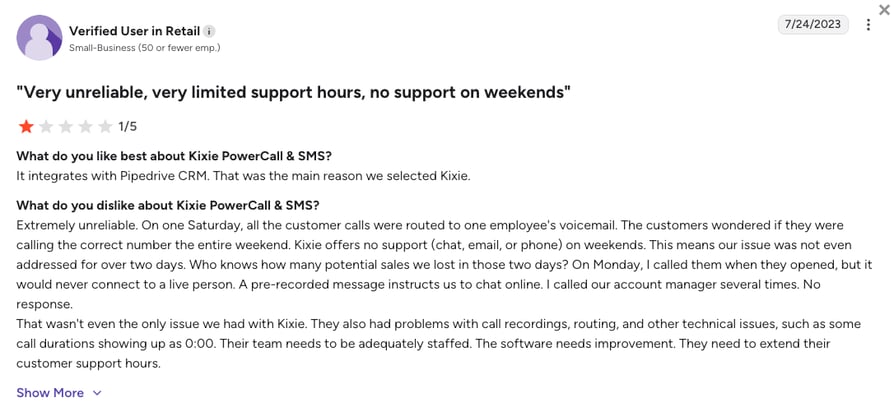
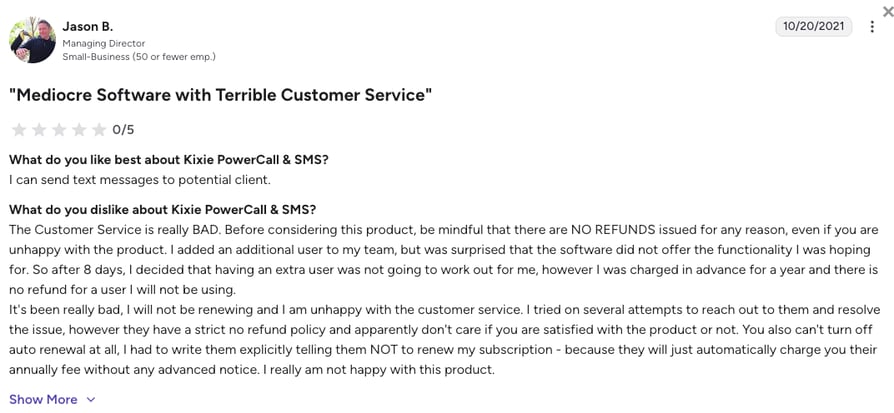
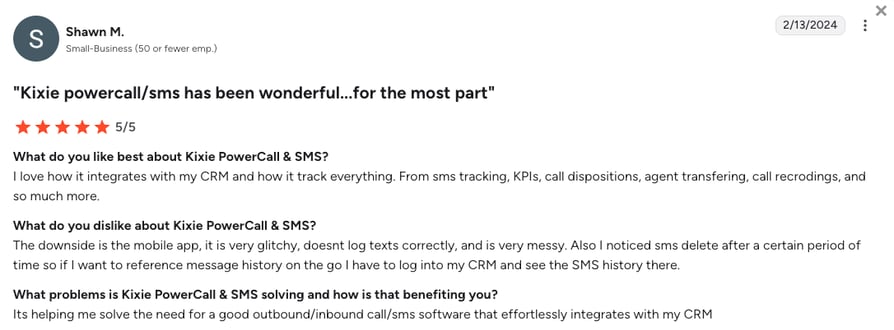
Verified Kixie G2 reviews (Kixie scores a high 4.8/5) make it seem like the platform is almost perfect. However, many discussions on Reddit, Quora, or G2 show that growing companies are increasingly migrating away from Kixie due to five core operational bottlenecks.
5 Main Cons of Kixie: Based on Real User Reviews
- Hard to Budget for Pricing:While Kixie’s advertised starting rates seem manageable, critical features like the multi-line dialer, answering machine detection, and outbound calling minutes are locked behind expensive add-ons. This often drives the actual cost of ownership from $65 up to $185 to $290 per user each month.
- Strict Contractual Rules:Smaller operations frequently complain about being forced into inflexible annual or quarterly commitments with fast auto-renewals. Furthermore, Kixie enforces strict downgrade lock-ins that stop you from reducing seat counts during slower business seasons.
- Restricted Global Footprint:Kixie's proprietary telecommunications network is heavily limited, offering local virtual numbers in only 65 countries. This geographic ceiling holds back distributed, international teams looking to build a localized presence across broader global markets.
- Unstable Mobile App:The platform operates primarily as a desktop browser extension, leaving its mobile application severely neglected without major updates since 2023. Field representatives and remote agents frequently report software crashes and dropped calls when trying to work away from their desks.
- Limited Customer Support Hours:Technical assistance is restricted to standard PST business hours, leaving global or European teams completely stranded during mid-day emergencies. When critical bugs pop up, users report slow response queues and a lack of accountability in resolving audio issues.
What Is the Best Alternative to Kixie?
CloudTalk is the best overall alternative to Kixie, especially for scaling sales and customer support teams that need predictable billing and enterprise-grade network stability. CloudTalk offers transparent plans starting at $19/user/month and guarantees 99.999% uptime.
Tools like native multi-language call summaries (part of a flat-rate $9/mo Conversation Intelligence add-on), a visual no-code call flow builder, and two-way CRM sync (available from the $29/mo Essential plan) eliminate the manual admin that slows down fast-paced sales floors using Kixie.
Why Do Teams Consider CloudTalk the Best Kixie Alternative?
5 Main Reasons to Switch from Kixie to CloudTalk
- Broad Global Infrastructure:CloudTalk provides premium virtual numbers in over 160 countries, easily outclassing Kixie's 65-country limit. Backed by Tier 1 carriers and multi-carrier failover routing, international calls connect instantly with clear audio quality.
- Predictable Financial Model:Say goodbye to sudden $200 price jumps. CloudTalk includes advanced calling tools like Power and Smart dialers directly within its Expert tier ($49/mo), while letting lower plans add a Power Dialer for a flat $15/mo, ensuring your software expenses remain completely predictable as your head-count grows.
- Multi-Language Analytics:While Kixie limits its intelligence tools to basic English transcriptions, CloudTalk deploys Conversation Intelligence across 50+ languages, including English, German, Spanish, French, and Italian. Managers can instantly view sentiment trends and automated summaries without listening to hours of audio.
- Advanced Inbound Engineering:Kixie is heavily focused on basic outbound dialing, but CloudTalk functions as a complete sales and support contact center. Its drag-and-drop Call Flow Designer lets you build smart IVR menus, skill-based routing, and VIP queues in minutes without IT help.
- True 24/7 Human Support:CloudTalk doesn't limit its assistance to a single time zone. The platform provides continuous 24/7 human technical support via chat and email across all plans (with priority phone support on the Expert tier), making sure your distributed global agents never suffer from revenue-halting downtime.
How We Tested & Rated The Best Kixie Competitors in 2026
To create this list, we filtered market data and analyzed unfiltered feedback from professional networks like Reddit, G2, Quora, and Trustpilot. We explicitly looked for solutions that fix the unexpected overage penalties, restricted global reach, and support deficits reported by former users.
Our evaluation focused on six pillars essential for modern business comms:
- Pricing Transparency: We checked for clear, seat-based subscriptions that include essential features without relying on surprise add-ons or heavy minute caps.
- Network Stability: We verified carrier-level redundancy and global voice quality to ensure calls don't suffer from audio lag or random disconnects.
- Deep CRM Syncing: We prioritized smooth, two-way data flows that log calls, texts, and notes automatically, keeping your sales reps focused on conversations.
- Global Footprint: We favored platforms providing instant number activation across more than 100 countries to support rapid international outreach.
- Inbound & Outbound Balance: We looked for tools that handle high-volume outbound prospecting while offering visual routing tools for customer service teams.
- Support Responsiveness: We tested live response times, prioritizing providers that offer global human help over slow, time-zone-restricted email ticketing.
- Notice: Why trust our reviews: Learn how we protect our editorial independence through our content integrity statement and software review methodology.
The Top 10 Alternatives to Kixie for 2026
Before we break down each Kixie competitor, here is a direct comparison of how the leading alternatives to Kixie.com software compare against the legacy platform's true operational costs, seat guidelines, and core features.
Top Kixie Competitors Compared
| Feature | Kixie | CloudTalk | Aircall | Dialpad | Aloware |
|---|---|---|---|---|---|
| Starting Price (Annual) | $35/user/mo | $19/mo | $30/mo | $15/mo | $30/mo |
| Minimum Seats | 1 User | 1 User | 3 Users | 1 User | 1 User |
| Local Numbers Available | ~65 Countries | 160+ Countries | 100+ Countries | 70+ Countries | US & Canada focused |
| Outbound Power Dialer | $185 to $220+ with add-ons | Bundled in $49/mo Expert plan | Extra $50+/mo for Dialer access | Available in $85/mo+ Sell plan | Found in $60/mo uPro tier |
| Conversation AI Transcription | Basic English transcription only | 50+ languages supported (via flat-rate $9/mo add-on) | English transcription only (requires $9/mo Analytics+ add-on) | Native multi-language transcription included | English transcription only |
| CRM Integration Depth | Surface-level API logs prone to dropped data | Native bidirectional Deep-Sync (Essential plan and up) | Polished app marketplace featuring 200+ native integrations | Full CRM synchronization locked behind premium Sell modules | Deep native hooks built specifically for HubSpot workflows |
| Visual Routing Builder |  |  | | | |
| Free Trial | 7 Days | 14 Days | 14 Days | 14 Days | Saled-led |
The true cost of an outbound dialer:
Low base prices are often misleading when software licenses are separated from actual sales tools. To find your true cost, check three variables: the tier required to unlock dialers, outbound minute rates, and add-on fees for monitoring. Choosing upfront, bundled pricing is the easiest way to prevent surprise monthly billing spikes.
1. CloudTalk: Best Kixie Alternative for Global Sales and Support (SMB & Mid-Market)
What Is CloudTalk?
CloudTalk is an AI-powered, cloud-based phone system built for fast-growing SMB and mid-market sales and support teams. The platform serves as a unified hub for both heavy outbound sales prospecting and complex inbound customer service management.
Instead of relying on glitchy browser extensions that easily crash, you get a stable phone system that sets up in just a few hours. Today, over 30,000 professionals and 5,500+ growing businesses use CloudTalk to handle global customer calls without the usual technical headaches.
Why Is CloudTalk a Strong Kixie Alternative?
- Stable Global Infrastructure: Protect your sales pitches from audio lag or dropped calls with crystal-clear audio and a 99.999% uptime guarantee across borders.
- Predictable Pricing Models: Budget your software confidently with core sales dialing tools bundled into upfront, flat-rate monthly subscriptions, and the rest of the AI tools as transparent add-ons.
- Advanced AI and Language Flexibility: Analyze buyer sentiment globally with transcription in 50+ languages, and deploy native AI Voice Agents speaking 60+ languages without metered per-minute upcharges.
- Continuous Revenue Protection: Prevent costly dialing floor downtime with 24/7 human technical assistance via chat and email, plus live phone support on the Expert tier.
What Are the Pros & Cons of CloudTalk?
| Pros | Cons |
|---|---|
| Premium global numbers: Provision high-quality local, mobile, and toll-free virtual numbers across 160+ countries. | No native video options: Focused on advanced voice and text channels, requiring separate apps for video calls. |
| No-code call flow design: Build intricate visual IVR trees and multi-tiered routing paths with a simple drag-and-drop panel. | Lite tier regional limits: The entry-level package is restricted to the NA and LATAM regions. |
| Generous outbound calling: Ditch invoice unpredictability by utilizing bundled minutes designed for high-volume outreach. | Multi-line dialers: Calling multiple numbers at the same time requires the Parallel Dialer add-on. |
| Advanced agent dialers: Instantly toggle between Preview, Power, and Smart dialers inside your CRM. | |
| Streamlined numbers setup: Avoid account-freezing validation delays through a transparent, guided compliance onboarding system. |
What Are CloudTalk's Plans & Pricing?
CloudTalk pricing starts at $19/user/month, and the platform offers the following plans:
- Lite - $19/user/month
- Starter - $25/user/month
- Essential - $29/user/month
- Expert - $49/user/month
- Custom - Quote-based pricing, ideal for enterprises
What Are CloudTalk Customers Saying?
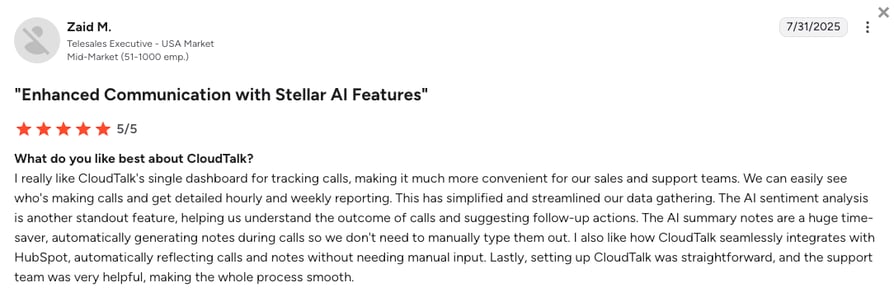
Reviewing public user forums reveals what teams praise or critique most when using CloudTalk for their daily business calls:
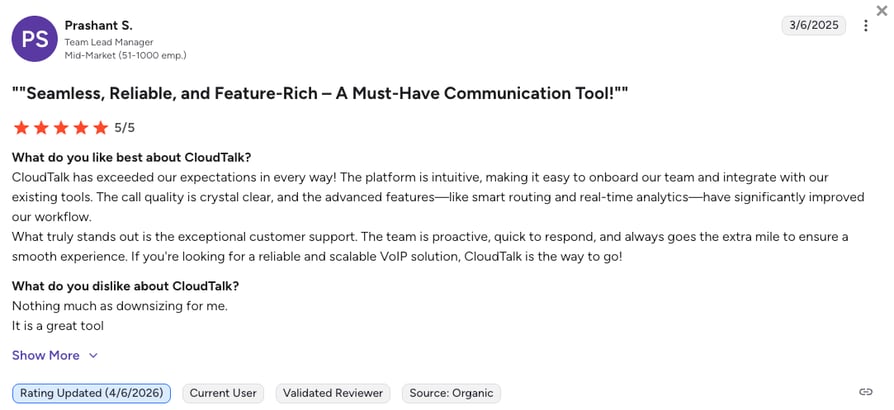
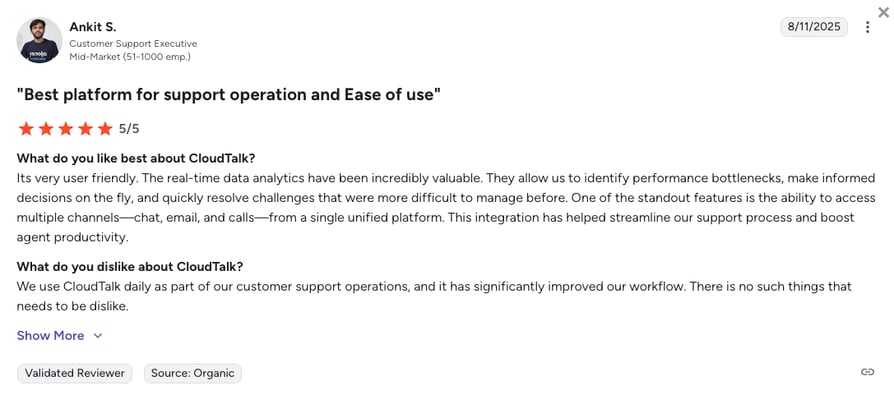
- Zero Administrative Data Silos: Sales operations managers consistently report that removing manual note-taking gives their outbound representatives up to several hours back every single week.
- Drastic Improvements in Call Quality: Distributed remote workforces highlight that transitioning to the multi-carrier network permanently fixed their previous issues with audio echo and delayed connections.
- Fast Custom Interface Changes: Administrators praise the visual call flow designer, noting they can modify complex interactive menus and company ring groups in seconds without editing code.
How G2 Users Rate CloudTalk?
CloudTalk's current G2 rating is 4.4/5, out of 1,800+ verified user reviews.
Ready to upgrade to a business phone system that scales predictably?
2. Aloware: Best for HubSpot SMS Automation
What Is Aloware?
Aloware is an outbound contact center built for North American sales teams running heavy SMS campaigns and automated text follow-ups. It connects deeply with HubSpot and Salesforce to launch automated outreach loops without manual data entry, making it an ideal fit for teams scaling text-heavy prospecting patterns.
Why Is Aloware a Strong Kixie Alternative?
- Cap-Free Unlimited Calling and Texting: Escape Kixie's unpredictable pay-per-minute fees. Aloware’s uPro tier provides unlimited calling and texting, allowing high-volume teams to forecast monthly software costs with total confidence.
- Active Caller ID Protection: Stop letting carrier spam filters destroy your connection rates. Aloware’s native NumberGuard framework monitors your outbound lines in real time, alerting administrators before a phone number gets flagged as spam.
- Deep HubSpot Workflow Triggers: Move past surface-level background data syncing. Aloware lets you trigger automated text sequences and voicemail drops directly from your HubSpot workflow steps, turning your lead list into an automated sales machine.
What Are the Pros & Cons of Aloware?
| Pros | Cons |
|---|---|
| True unmetered text plans: Send high-volume regional SMS sequences without paying high per-message overage fees. | Restricted global coverage: Telephony features are heavily restricted to the US and Canada, making international dialing difficult. |
| Embedded CRM text environments: Reps can manage multi-channel messaging threads natively inside their core lead views. | Lacks multi-line dialer features: The architecture avoids parallel dialing tools entirely to discourage generic spam strategies. |
| Rapid system onboarding: Avoid long setup delays by utilizing a transparent, modern documentation approval pipeline. | Raw interface elements: Some backend reporting dashboards feel slightly unpolished and take time to master. |
What Are Aloware’s Plans & Pricing?
Aloware pricing starts at $30/user/month (annual billing), but they use a strict add-on model where you pay extra for every advanced sales tool:
- iPro - $30/user/month (metered calling rates apply)
- uPro - $60/user/month (unlocks unlimited calling and texting options)
- XPro - Quote-based enterprise configurations with custom API access
Heads-up for growing teams:
While the $30 starting price looks attractive, outbound prospecting teams must factor in the $60 uPro jump to unlock the automated Power Dialer and escape metered usage penalties.
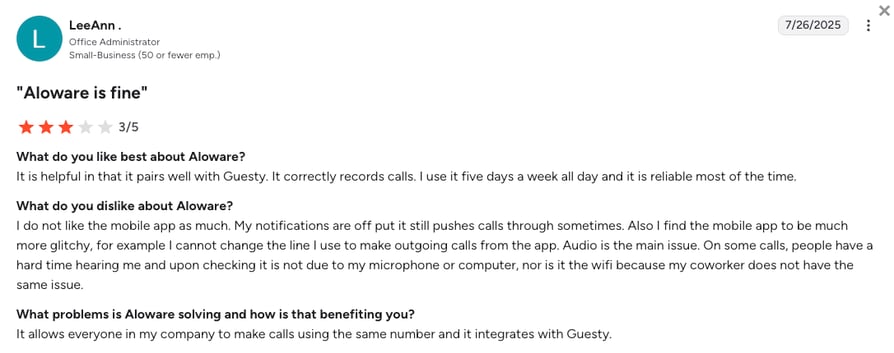
What Are Aloware Customers Saying?
Looking at verified software summaries shows what business teams appreciate most or experience as roadblocks when adopting Aloware for automated client workflows:
- Excellent In-App Messaging Workflows: Text-heavy marketing teams appreciate how smoothly the platform coordinates text conversations without fracturing prospect contact histories.
- Predictable Monthly Software Costing: Operations directors report that shifting away from pay-as-you-go minute models allowed them to lock down their overhead metrics perfectly.
- Occasional Connection Drops: Some field users note that the browser application can occasionally stall when updating live contact fields during high-volume dial blocks.
How G2 Users Rate Aloware?
Aloware’s current G2 rating is 4.7/5, out of 800+ verified user reviews.
3. Aircall: Best for Easy Support Integrations
What Is Aircall?
Aircall is a highly polished, cloud-based business phone application built for modern customer service teams and support-focused operations. The software acts as a clean, intuitive layer on top of your existing helpdesk ecosystem, emphasizing ease of deployment over high-velocity automated dialing tools.
Aircall is mainly used by early-stage software companies and growing customer support teams that want a calling app that requires near-zero technical training to deploy.
Why Is Aircall a Strong Kixie Alternative?
- Intuitive User Interface: Aircall replaces Kixie's cluttered layout with a clean design that eliminates agent training time and reduces call friction.
- Collaborative Inbound Spaces: Use shared text and voice mailboxes to maximize support quality, making it ideal for teams prioritizing customer experience over raw daily call volume.
What Are the Pros & Cons of Aircall?
| Pros | Cons |
|---|---|
| Instant cloud implementation: Provision clean international business phone numbers and set up agents in under an hour. | Strict seat guidelines: The system enforces a mandatory 3-user minimum, completely pricing out smaller teams. |
| Polished desktop performance: The softphone app runs smoothly without slowing down system memory or browser tabs. | Vulnerable to carrier spam filters: Relying on static number assignments causes lines to quickly get flagged under heavy use. |
| Granular team analytics options: Review customer wait times, inbound service metrics, and call distributions instantly. | Pricey add-on layers: Unlocking standard features like Conversation AI Transcription or sentiment trends requires a costly $9 upgrade. |
What Are Aircall’s Plans & Pricing?
Aircall pricing starts at $30/user/month (billed annually, 3-user minimum), with the following plans:
- Essentials - $30/user/month
- Professional - $50/user/month
- Custom - Quote-based pricing
Mind the minimums:
Because Aircall enforces a strict 3-user minimum, your true starting cost is $90 per month. Additionally, outbound teams must jump to the $50 Professional tier to access the power dialer or Salesforce sync.
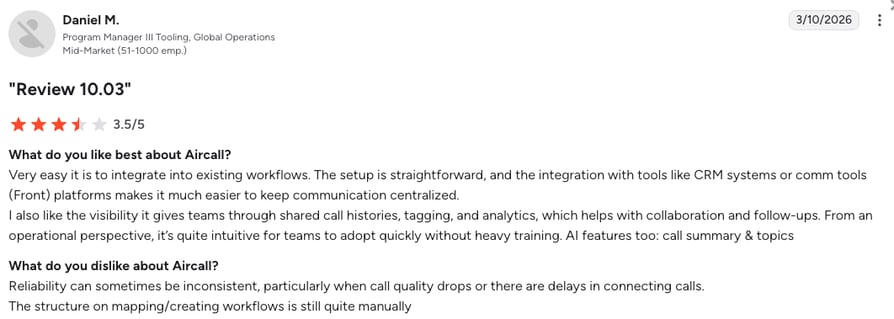
What Are Aircall Customers Saying?
Analyzing aggregate helpdesk reviews reveals how front-office personnel rate their daily user experience and backend frustrations when running Aircall:
- Beautiful and Simple Interface Design: Frontline customer service agents love how accessible the softphone layout is, noting it removes the anxiety of training new employees.
- Rapid Deployment Cycles: IT managers point out that creating business hour patterns and distributing lines takes minutes instead of weeks.
- Frustrating Spam Flagging Challenges: Several sales-heavy users express frustration that their phone numbers frequently display as "Spam Likely" due to the platform's lack of automated number rotation.
How G2 Users Rate Aircall?
Aircall's current G2 rating is 4.4/5, out of 1,500+ verified user reviews.
4. Dialpad: Best for AI Live Call Coaching
What is Dialpad?
Dialpad is an enterprise-grade UCaaS platform (Unified Communications as a Service). It aims to consolidate all corporate communication tools, including internal team text channels, business video meetings, and external client calling, into a single desktop workspace.
Dialpad serves mid-market to enterprise-level organizations that want to modernize their company's digital communication tools, using active software to coach and assist agents during live customer interactions.
Why Is Dialpad a Strong Kixie Alternative?
- Live Call Coaching: Dialpad analyzes active audio to show pop-up battle cards and objection scripts on a rep's screen the moment a prospect asks a tough question.
- Included AI Transcription: Save on surprise per-minute fees with native Conversation AI Transcription and customer sentiment tracking built right into core plans.
- Platform Consolidation: Lower your software overhead by replacing standalone apps like Zoom or Slack with an all-in-one business communication subscription.
What Are the Pros & Cons of Dialpad?
| Pros | Cons |
|---|---|
| Conversation AI Transcription: Capture highly accurate real-time transcription notes across multiple languages natively. | Starting entry costs: Accessing sales dialers and CRM hooks requires upgrading to costly advanced tiers. |
| No user seat minimums: Solo operators and small teams can access standard communication plans without penalty. | Frustrating customer support barriers: Live phone help is entirely cut off for standard users, leaving you dependent on slow digital tickets. |
| Robust internal corporate chat: Move seamlessly between client phone conversations and internal team spaces. | Rigid contract structures: Reviewers frequently warn about fast auto-renewals and rigid contract terms. |
What Are Dialpad’s Plans & Pricing?
Dialpad pricing starts at $15/user/month (billed annually), with the following plans:
- Standard - $15/user/month
- Pro - $25/user/month
- Essentials - $39/user/month
- Advanced - $95/agent/month (ideal for contact centers)
Heads-up for growing teams:
The baseline $15 Standard plan completely isolates users from CRM integrations. To connect your system to HubSpot or Salesforce and utilize proper sales dialers, you must evaluate their specific Sell and Support modules, which scale from $80 to $95 per seat.
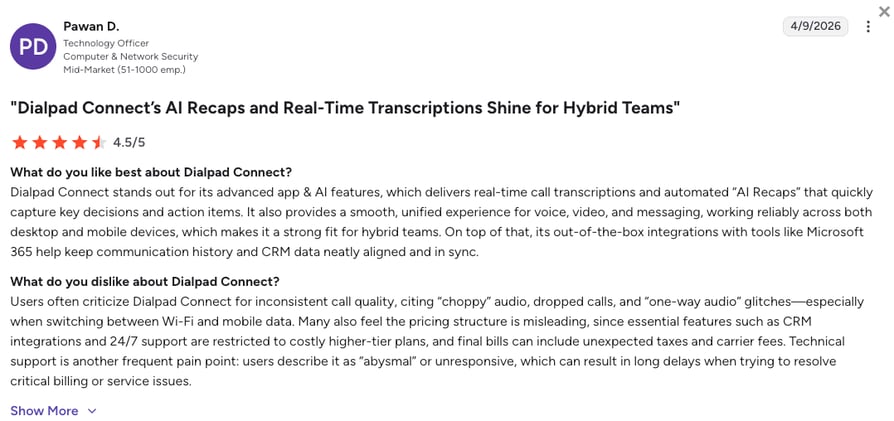
What Are Dialpad Customers Saying?
Evaluating customer feedback on public channels clarifies what features teams depend on most or highlight as software deficiencies inside Dialpad:
- Incredible Automated Summaries: Representatives appreciate how thoroughly the system captures complex meeting details, saving them from typing out summaries after a long call.
- Smooth Multi-Device Workspace Performance: Users love the ability to jump from a desktop call to a mobile device without dropping their live active connection.
- Stranded by Technical Help: Small business owners on Reddit explicitly warn that customer service is virtually non-existent on base plans when call quality drops.
How G2 Users Rate Dialpad?
Dialpad’s current G2 rating is 4.4/5, out of 4,000+ verified user reviews.
5. JustCall: Best for Text and WhatsApp Workflows
What Is JustCall?
JustCall is a cloud-based communication suite designed to blend outbound sales phone dialers with multi-channel SMS and WhatsApp messaging channels. The system serves growing small-to-medium businesses that manage active customer touchpoints across text channels and traditional calling networks simultaneously.
By offering a varied selection of outreach tools, it allows operations managers to swap between predictive, progressive, and parallel calling patterns depending on their current lead list requirements.
Why Is JustCall a Strong Kixie Alternative?
- Flexible Dialing Modes: Adjust your outbound setup by toggling between high-speed predictive dialing for massive lists and single-line power dialing for high-value prospects.
- Compliant WhatsApp Messaging: Run secure, multi-channel marketing workflows while completely bypassing the strict Meta registration blocks that frequently freeze Kixie lines.
- Bundled Texting Plans: Cut down on high pay-per-message expenses by utilizing up to 1,000 automated text segments packed directly into your standard monthly tiers.
What Are the Pros & Cons of JustCall?
| Pros | Cons |
|---|---|
| Broad multi-channel texting tools: Manage WhatsApp campaigns and text messaging sequences inside one dashboard. | Extra fair usage restrictions: Lower tiers enforce strict minute caps that trigger expensive overage costs. |
| Expansive integration marketplace ecosystem: Sync voice logs and notes with over 100 popular business applications. | Paywalled Advanced Features: Accessing tools like AI transcription and call scoring requires expensive premium add-ons. |
| Clean visual call routing setup: Organize standard company queues and incoming line distributions without IT support. | Basic CRM Integration: Instead of automatically updating your pipeline stages, the tool only drops raw text notes onto customer timelines. |
What Are JustCall’s Plans & Pricing?
JustCall pricing starts at $29/user/month (billed annually, 2-user minimum), with the following plans:
- Team - $29/user/month
- Pro - $49/user/month
- Pro Plus - $89/user/month
- Business - Custom quote-based pricing
What to watch out for:
Be sure to audit the fine print on JustCall's Fair Usage Policy. If your outbound reps dial continuously, you can easily blow past the extra baseline minute allotments within two weeks, triggering unexpected overage fees on your next statement.
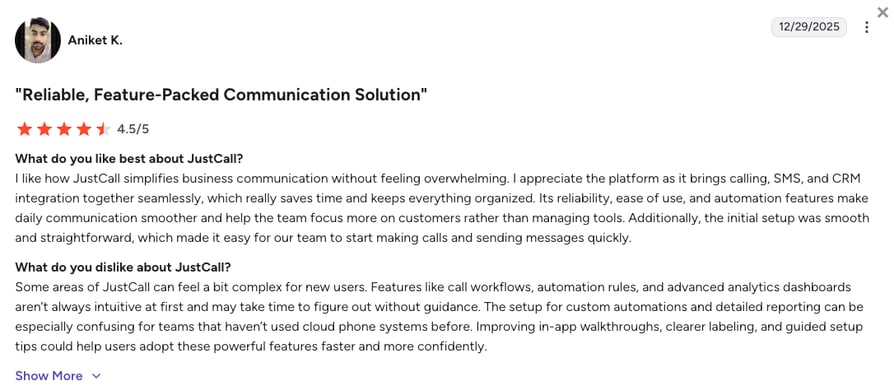
What Are JustCall Customers Saying?
Reviewing active sales campaign forums showcases what real deployment teams praise or run into as structural limitations when deploying JustCall:
- Smooth Messaging Coordination Tools: Campaign managers like the simplicity of organizing text broadcasts alongside standard phone queues inside the same campaign screen.
- Simple Interface Layout Rules: Sales reps point out that the browser app is straightforward to use, allowing teams to launch calling blocks without steep learning curves.
- Inconsistent Line Connection Quality: A portion of verified users report occasional audio dropping and lagging during peak calling hours, impacting customer conversations.
How G2 Users Rate JustCall?
JustCall's current G2 rating is 4.3/5, out of 2,300+ verified user reviews.
6. PhoneBurner: Best for Single Line Calling Without Delays
What Is PhoneBurner?
PhoneBurner is a specialized outbound sales dialer built for real estate brokerages, premium sales teams, and high-touch account executives who prioritize conversation quality over raw calling volume. The platform runs on a high-speed, single-line engine that lets agents clear prospect lists quickly while completely eliminating the laggy connection delays common to traditional multi-line dialers.
Why Is PhoneBurner a Strong Kixie Alternative?
- Zero Connection Delay: Eliminate the awkward silent pause that ruins prospect trust, ensuring agents connect instantly the moment a buyer says hello.
- Caller ID Spam Shielding: Protect your outreach lines from carrier filters using a built-in ARMOR compliance layer that actively prevents "Spam Likely" flags.
- One-Click Workflows: Eliminate manual admin time by dropping voicemails, sending follow-up emails, and updating CRM records instantly with a single click.
What Are the Pros & Cons of PhoneBurner?
| Pros | Cons |
|---|---|
| No awkward answer pauses: Erase robotic connection lag to protect prospect trust from the first second. | Highly premium pricing tag: The steep software subscription costs price out early-stage operations. |
| Strong carrier-level compliance metrics: Built-in compliance layers help protect your calling lines from reputation blocks. | Lacks multi-line parallel modes: Designed purely as a high-speed single-line tool, limiting raw volume metrics. |
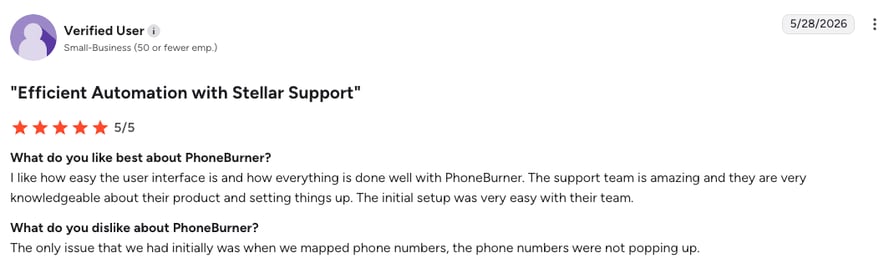
| Great support and setup: Their team is highly knowledgeable, making initial onboarding and system configuration seamless. | Slightly dated dashboard design: The layout feels somewhat old-school compared to modern visual web tools. |
What Are PhoneBurner’s Plans & Pricing?
PhoneBurner pricing offers both monthly flexibility and discounted annual contracts, though it remains positioned at a premium $140/user/month (annual billing) starting point:
- Standard - $140/user/month
- Professional - $165/user/month
- Premium - $183/user/month
What changed?
PhoneBurner used to require strict annual contracts, which was a major pain point for smaller teams. They recently added contract-free monthly options to fix this, though you will pay a higher rate (up to $215/month on Premium) for the flexibility.
What Are PhoneBurner Customers Saying?
Reading historical account notes clarifies what major benefits or software balance issues users face when shifting over to PhoneBurner:
- Fewer Hang-ups: Reps say connection quality is very high, and prospects rarely realize software is dialing them.
- Helpful Support: Teams appreciate how helpful and responsive the customer service is when configuring initial data layouts and phone line mapping.
- High Overhead: Small business owners warn that the premium price hurts profit margins unless you are closing big deals.
How G2 Users Rate PhoneBurner?
PhoneBurner’s current G2 rating is 4.7/5, out of 280+ verified user reviews.
7. Ringover: Best for European Sales Teams
What Is Ringover?
Ringover is a cloud-based business phone system that combines everyday office calling with advanced outbound sales features. Built primarily for European mid-market teams and international recruitment agencies, the platform unifies virtual numbers and team collab tools into a single application workspace. Ringover helps remote sales floors run global calling campaigns smoothly without requiring heavy IT setups.
Why Is Ringover a Strong Kixie Alternative?
- Fixed International Calling: Lower your overseas phone bills with unlimited dialing to over 110 global destinations, replacing Kixie's expensive pay-per-minute global rates.
- Unified Messaging Inbox: Access texts, call recordings, and WhatsApp threads on a single screen to keep sales context from being scattered across browser tabs.
- Fast Number Provisioning: Buy local virtual business numbers and build new call routing rules in a few clicks without waiting on slow IT support tickets.
What Are the Pros & Cons of Ringover?
| Pros | Cons |
|---|---|
| Excellent European number options: Access clear localized presence profiles across diverse international markets. | Heavy add-on penalties: Critical sales features like parallel dialers carry expensive monthly upcharges. |
| Live call intervention tools: Managers can listen in, whisper coaching tips, or join active client calls smoothly. | Occasional CRM synchronization delays: Activity logs can sometimes lag during peak calling volumes. |
| Straightforward user training design: The interface is clean and easy for agents to navigate without long onboarding timelines. | Laggy mobile application performance: Field representatives report refresh errors when using the app away from Wi-Fi networks. |
What Are Ringover’s Plans & Pricing?
Ringover pricing starts at $21/user/month (billed annually), with the following plans:
- Smart - $21/user/month
- Business - $44/user/month
- Advanced - $54/user/month
Compounding add-on costs:
To unlock a multi-line Parallel Dialer you'll face an extra $49/mo fee, and accessing advanced conversation analytics adds another $39/mo, which can quickly push your real monthly software balance past $120 per user.
What Are Ringover Customers Saying?
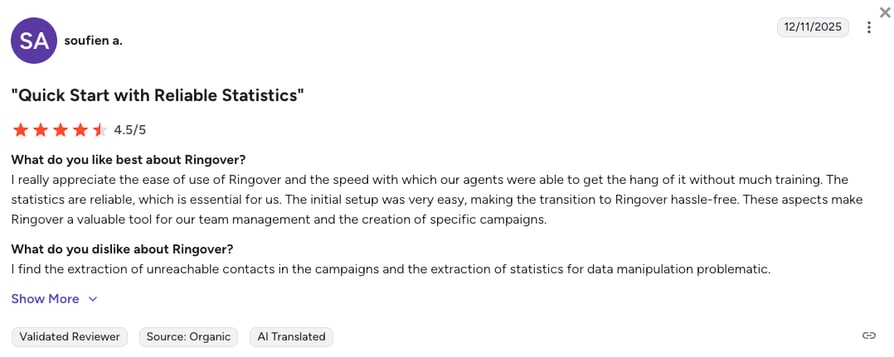
Ringover users often praise the speed of deployment and predictable international billing, but face hurdles with mobile app reliability.
- Highly Effective Sales Coaching Control: Recruitment directors love the live call coaching options, noting it speeds up training cycles for new agents on the floor.
- Clear Global Sound Quality: Multinational teams point out that international connections remain clear and stable when calling across borders.
- Frustrating Add-on Fees: Several system administrators criticize the pricing setup, explaining that building a functional sales workspace feels like being continuously nickel-and-dimed.
How G2 Users Rate Ringover?
Ringover's current G2 rating is 4.6/5, out of 450+ verified user reviews.
8. Orum: Best for High Velocity Parallel Dialing
What Is Orum?
Orum is an enterprise-grade sales dialer and outbound sales acceleration platform built to maximize live conversations for high-volume sales teams.
Orum software functions as a high-powered parallel dialing engine that connects directly to leading enterprise tools like Salesforce and Salesloft. By automating the repetitive, manual tasks of cold calling, Orum helps large sales divisions reach more buyers and clear massive lead lists in a fraction of the time.
Why Is Orum a Strong Kixie Alternative?
- 10 Line Parallel Dialing: Boost your team's outreach volume by calling up to 10 lines at the same time, instantly connecting an agent the moment a live human answers.
- Smart Voice Filtering: Keep reps focused only on live buyers by instantly skipping automated answering machines, busy signals, and corporate IVR menus.
- Automated Database Cleanup: Protect your data health by automatically identifying and flagging invalid phone numbers directly inside your central CRM pipeline.
What Are the Pros & Cons of Orum?
| Pros | Cons |
|---|---|
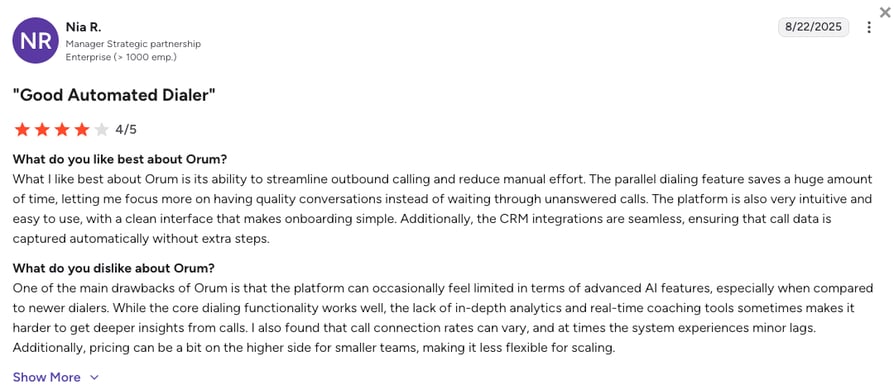
| Massive pipeline generation potential: Boost live daily conversation volume across large calling teams. | High software entry fees: High pricing structures make the platform unviable for standard budgets. |
| Smooth enterprise CRM hooks: Syncs directly with advanced Salesforce and Salesloft orchestration tracks. | Target Audience Exhaustion: High-velocity dialing loops can exhaust your target audience pool in a few weeks. |
| Detailed representative analytics profiles: Monitor call connectivity metrics and connection statistics inside clean dashboards. | Awkward connection latency: Parallel dialing models create brief audio delays that can tip off prospects. |
What Are Orum’s Plans & Pricing?
Orum pricing works on a request-a-quote model. However, market data suggests this is how much Orum costs (annual billing):
- Launch Plan - from $250/user/month (Requires strict annual terms and multi-seat floors)
- Ascend Plan - from $400/user/month (Unlocks full 10-line parallel dialing power)
Minimums that cost a lot:
Orum enforces a strict 3-seat minimum on annual contracts, creating an immediate absolute financial hurdle of roughly $9,000 just to test the software on your sales floor.
What Are Orum Customers Saying?
Gleaning statements from large-scale development environments clarifies what key changes or downstream problems operations leaders track when implementing Orum:
- Incredible Prospecting Speed Achievements: Corporate sales leaders report massive jumps in daily connection volume, noting their representatives hit weekly outbound metrics in a single afternoon.
- Smart Answering Machine Filtering: Reps love skipping the frustration of dead lines and automated voicemails, letting them spend their energy talking to live buyers.
- Heavy Target Audience Exhaustion: Operations managers warn that without a massive, continuous budget for fresh lead lists, the engine will quickly chew through your total addressable market.
How G2 Users Rate Orum?
Orum’s current G2 rating is 4.6/5, out of 800+ verified user reviews.
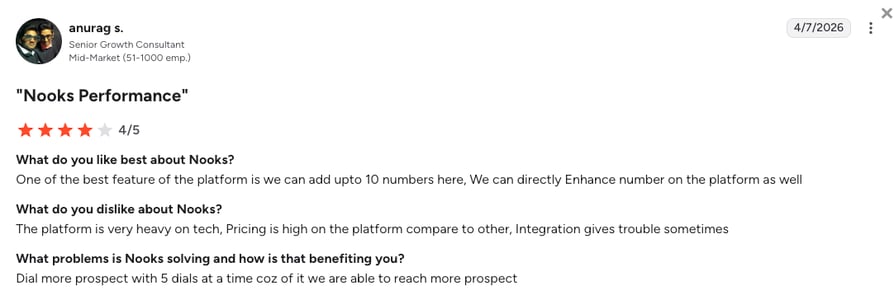
9. Nooks: Best for Remote Virtual Sales Floors
What Is Nooks?
Nooks is an enterprise sales dialer and virtual sales platform. The software combines a high-speed parallel dialing engine with a digital workspace where distributed agents can collaborate, train, and make calls together in real time. Nooks helps venture-backed startups and large enterprise outbound teams improve their remote sales culture while giving managers tools to provide instant agent coaching.
Why Is Nooks a Strong Kixie Alternative?
- Virtual Sales Floors: Fix the isolation of remote work by letting your agents dial inside a shared digital room where they can listen to live calls and celebrate won deals together.
- Live Call Coaching: Give supervisors the ability to view live dialing streams and whisper instant coaching tips directly to reps without interrupting the active customer conversation.
- Automated Script Feedback: Improve conversion rates using AI that automatically evaluates conversation audio to track objection handling and suggest ways to refine your pitch.
What Are the Pros & Cons of Nooks?
| Pros | Cons |
|---|---|
| Excellent team culture optimization: Keeps remote sales teams engaged and collaborative through shared spaces. | Extra enterprise cost models: The platform requires upfront capital, pricing out standard small business budgets. |
| Innovative live coaching options: Supervisors can easily drop into active lines to coach reps during live calls. | Occasional speech detection lag: Sudden voice changes can confuse the detection engine, causing brief connection delays. |
| Deep pipeline analytics tools: Track core conversion metrics and connection statistics inside visual team leaderboards. | Overkill for traditional offices: The spatial digital layout loses its value if your team already works in a physical building. |
What Are Nooks’ Plans & Pricing?
Nooks gates its subscription info behind sales demos, operating entirely on custom annual corporate quotes. Market research shows the following baseline:
- Enterprise Custom Tier - between $4,000 to $5,000/user/year
Read before you commit:
Nooks requires a typical 5-seat minimum commitment on upfront annual agreements, meaning organizations must plan for a $20,000 to $25,000 capital investment before dialing a single phone line.
What Are Nooks Customers Saying?
Reading remote productivity boards highlights what decentralized sales teams appreciate most or run into as software friction points within Nooks:
- Major Improvements in Remote Sales Culture: Team leaders note a big lift in daily agent activity metrics, pointing out that dialing inside a shared virtual room makes prospecting feel less repetitive.
- Accelerated New Hire Training Loops: Sales trainers love the simplicity of jumping between live desks to coach junior reps through tough objection sequences.
- High Software Overhead Costs: Bootstrapped operations point out that paying thousands per seat is tough to justify if you already pay for separate internal communication tools.
How G2 Users Rate Nooks?
Nooks’ current G2 rating is 4.8/5 based on 1,500+ verified user reviews.
10. RingCentral: Best for Large Enterprise Phone Setups
What is RingCentral?
RingCentral, is an enterprise-grade cloud communications platform that unifies business voice, video meetings, SMS, and digital fax into a single secure workspace. Made to replace legacy corporate desk phones, the software helps multinational orgs and enterprises manage communications across multiple international offices.
Why Is RingCentral a Strong Kixie Alternative?
- Enterprise Uptime Guarantee: Protect large-scale corporate networks from regional outages and dropped calls using a global voice infrastructure backed by a 99.999% uptime guarantee.
- Top-Tier Security Compliance: Safeguard sensitive customer data with built-in HIPAA, SOC 2, and PCI compliance designed for highly regulated industries like healthcare and finance.
- Global System Consolidation: Reduce enterprise software vendor sprawl by consolidating video conferencing, external client calling, and digital fax lines into a single corporate subscription.
What Are the Pros & Cons of RingCentral?
| Pros | Cons |
|---|---|
| Incredibly reliable voice network: Run global business communications across an ultra-stable corporate infrastructure. | Dense administration settings: Managing basic routing rules requires dedicated IT teams or long configuration timelines. |
| Massive native application ecosystem: Connect your communications hub into over 300 popular corporate software systems. | Strict text limitation rules: The entry-level subscription package restricts users to just 25 text messages per month. |
| Comprehensive enterprise security layers: Protect company data with advanced encryption and strict compliance controls. | Compounding software add-on penalties: Unlocking automated contact dialers requires costly tier upgrades. |
What Are RingCentral’s Plans & Pricing?
RingCentral pricing starts at $20/user/month (billed annually), scaling quickly as advanced comms modules are added:
- Core - $20/user/month (Billed annually)
- Advanced - $25/user/month (Billed annually)
- Ultra - $35/user/month (Billed annually)
- RingCX Standard - $65/user/month
- RingCX Professional - $95/user/month
Know your limits:
The base $20 plan lacks advanced sales features. To replace Kixie, you must add the RingCX module ($65/user/mo) and RingCentral AI Receptionist (AIR). Because the receptionist uses usage-based billing ($0.50 per extra minute), your monthly bill can easily spike as your call volume grows.
What Are RingCentral Customers Saying?
Evaluating macro-level system logs reveals what major corporations praise or identify as systemic management pain points inside RingCentral:
- Absolute System Uptime Reliability: IT directors praise the rock-solid network stability, noting that voice quality remains clear across thousands of employees worldwide.
- Exhaustive Enterprise Feature Choices: Corporate users like having access to every conceivable communications channel from phone to fax inside one software ecosystem.
- Frustrating Support Experiences: Several system administrators criticize the post-purchase support loop, explaining that resolving simple configuration bugs can mean getting bounced between offshore support queues for days.
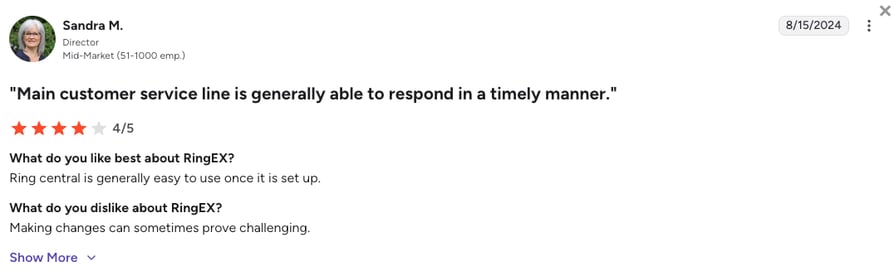
How G2 Users Rate RingCentral?
RingCentral’s current G2 rating for their RingEX suite is 4.2/5, out of 1,350+ verified user reviews.
What Real Users Saying About Kixie and Its Competitors
Review sites are fine, but public forums reveal the raw truth: teams ditch Kixie over glitches, unclear pricing, high add-on costs, and sudden pricing spikes. While enterprise operations look at specialized parallel tools, teams wanting a predictable, all-in-one sales and support system consistently upgrade to more transparent cloud phone platforms.
What Redditors Are Asking and Saying about Kixie Alternatives
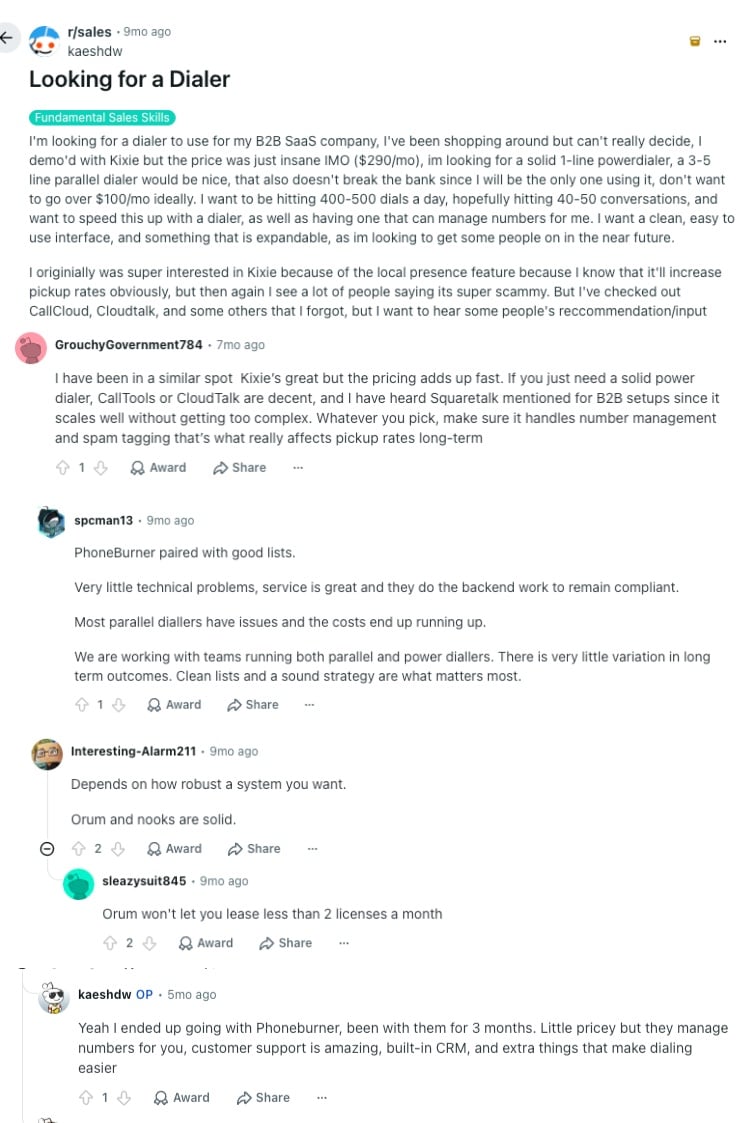
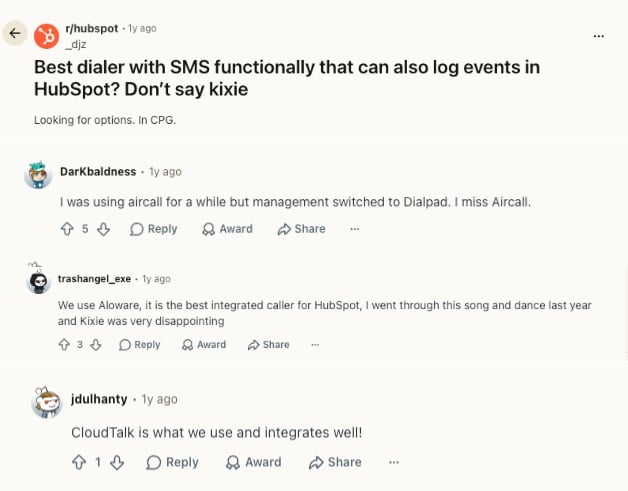
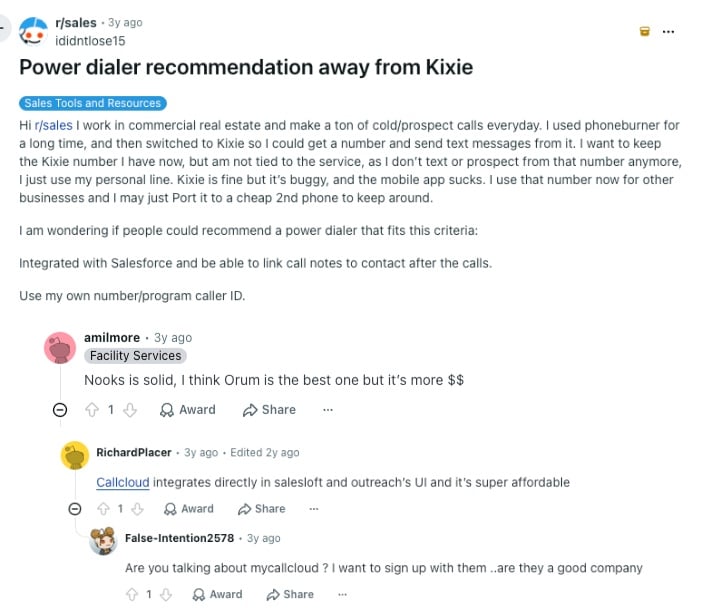
On forums like r/sales and r/hubspot, users frequently swap recommendations to escape Kixie's bugs and restrictive pricing:
- High Pricing Spikes: Reps complain about how quickly Kixie's baseline cost inflates, sometimes spiking to $290/mo per user during demos. When looking for alternatives that handle spam tagging without breaking the bank, users point to platforms like CloudTalk or CallTools.
- Buggy Software and Weak Mobile Apps: Users note that while Kixie offers decent local presence, the desktop software is glitchy and the mobile app severely underperforms. For clean Salesforce note-logging, recommendations split between enterprise parallel dialers like Orum or Nooks and stable everyday setups.
- The "Don't Say Kixie" HubSpot Dilemma: Frustration with messy tracking and extra fees runs so deep that users hunting for clean HubSpot dialers with SMS often explicitly tell the community: "Don't say Kixie." Peers typically recommend Aloware for HubSpot-heavy workflows or CloudTalk for keeping CRM call data synchronized.
What Quora Users Are Asking about Kixie Alternatives
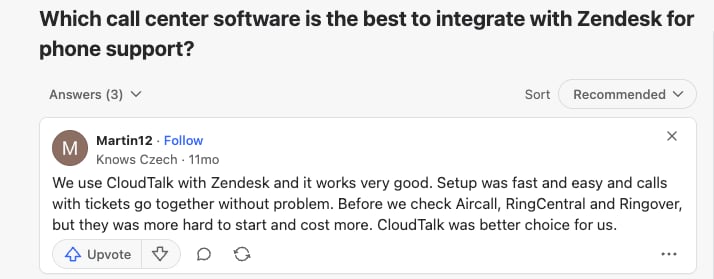
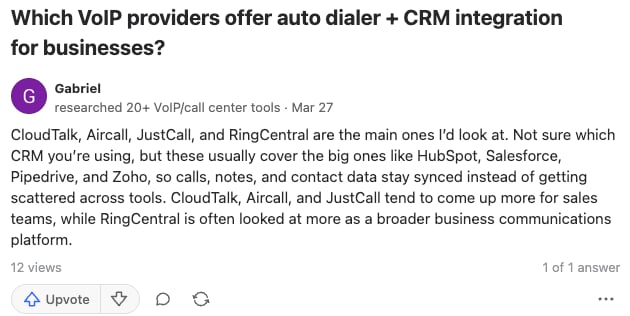
Quora discussions focus heavily on specific tech setups, but the real-world advice from small business owners and IT researchers boils down to two practical needs:
- Real Auto-Dialer and CRM Syncing: When scaling past manual dialing, users look for tools that keep calls, notes, and data perfectly synced with HubSpot, Salesforce, Pipedrive, and Zoho. Researchers point to sales-first systems like CloudTalk, Aircall, and JustCall to keep data from getting scattered across tools, viewing RingCentral more as a general corporate phone platform.
- Low Setup Friction for Helpdesks: For phone support inside Zendesk, users call out CloudTalk as the clear winner over Aircall, RingCentral, and Ringover. Real-world feedback shows those alternatives are often pricier and much harder to deploy, while CloudTalk connects fast and links calls to support tickets without the technical headache.
What Verified G2 Reviewers Say about Switching from Kixie
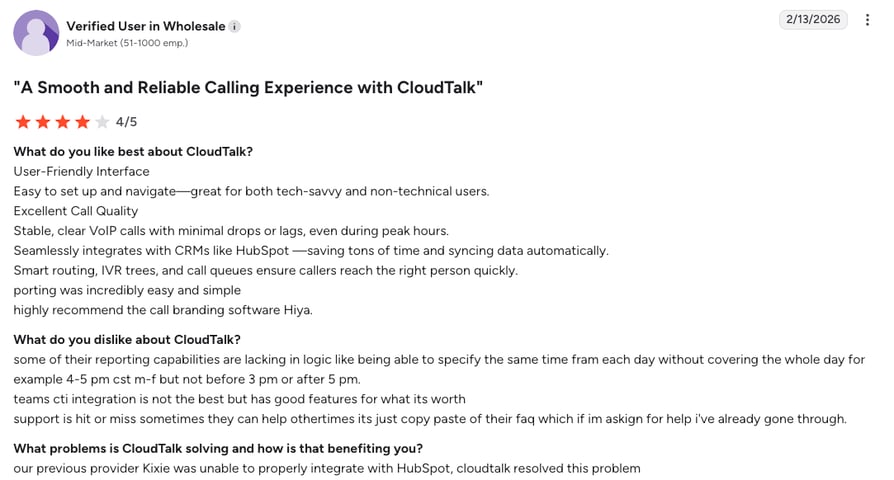
Real switchers on G2 highlight exactly what you gain in daily productivity and peace of mind when you finally leave Kixie behind:
- CloudTalk for Flawless CRM Sync: Teams upgrade to CloudTalk to permanently fix broken HubSpot connections. It brings your floor effortless bidirectional syncing, crystal-clear call quality during peak hours, and a painless number porting process.
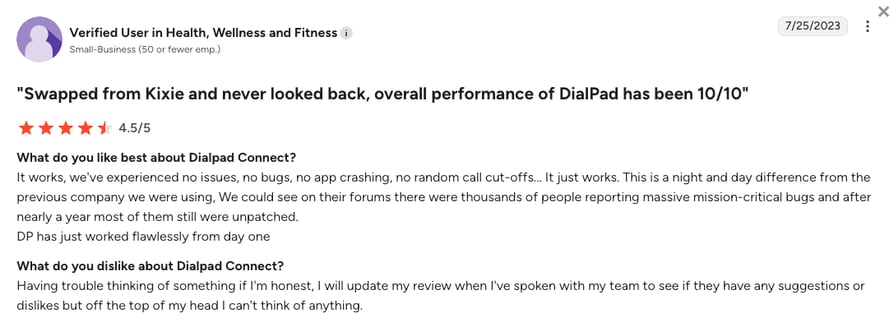
- Dialpad for Bulletproof Stability: Swapping to Dialpad replaces frustrating, unpatched app crashes and random call cut-offs with flawless day-one performance, giving remote teams a stable environment where they can dial without interruption.
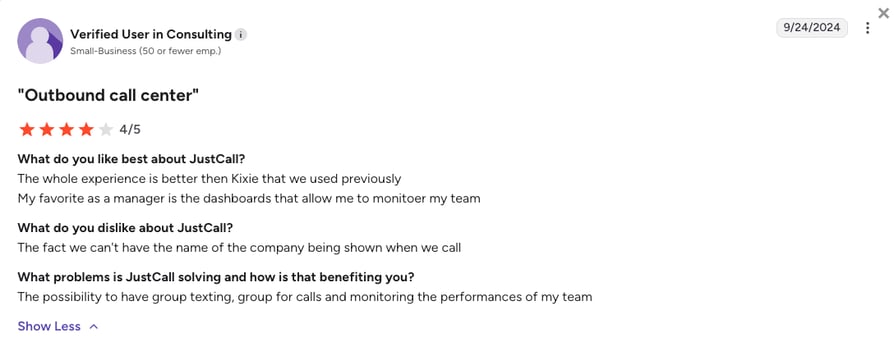
- JustCall for Stronger Team Oversight: Outbound managers choose JustCall for a massive lift in team tracking. It delivers robust performance monitoring dashboards, smooth group texting, and live call oversight to scale your revenue floor effectively.
Kixie vs. CloudTalk: Final Head-to-Head Comparison
Choosing between CloudTalk and Kixie comes down to billing predictability versus surprising fees. While Kixie gates its top outbound features behind expensive add-ons, CloudTalk gives you a stable, all-in-one platform built for scaling.
Use this direct side-by-side breakdown to see exactly what your budget delivers:
Kixie vs CloudTalk: The Final Comparison
| Category | CloudTalk | Kixie | Winner |
|---|---|---|---|
| Starting Price (annual billing) | $19/user/mo | $35/user/mo (Advertised) | CloudTalk |
| Minimum Seats | 1 | 1 | Tie |
| Smart & Power Dialers | Power & Smart dialers in Expert ($49/mo) | Base tiers require expensive multi-line add-ons ($185+) | CloudTalk |
| CRM Integrations | Bidirectional Deep-Sync (Essential tier and up) | Surface-level API logs prone to dropped data | CloudTalk |
| Global Coverage | Local numbers in 160+ countries | Local numbers in ~65 countries | CloudTalk |
| Conversation AI | 50+ languages natively integrated ($9/mo add-on) | Basic English transcription only | CloudTalk |
| Support Quality | 24/7 fast, human support across all plans (phone support on Expert) | Restricted to standard PST working hours | CloudTalk |
| AI Capabilities | Native Conversation Intelligence available as a flat $9/mo add-on | Basic recaps included; advanced automated routing tools cost extra | CloudTalk |
| Support Quality | Fast, 24/7 human technical assistance via chat, email, and phone (Expert plan required) | Slower ticket responses; up to 3 business days for critical issues | CloudTalk |
| G2 Rating | 4.4/5 (1,700+ reviews) | 4.8/5 (8,50+ reviews) | Kixie |
| Free Trial | 14 days (No credit card required) | N/A | CloudTalk |
Match your tech to your strategy:
While both CloudTalk and Kixie rank as top cold calling tools, picking the right option depends on your lead list. Use high-speed power dialers to clear high-volume lists fast, and context-rich smart dialers for premium B2B sales. Learn how to choose the right engine and protect your number reputation in our guide to dialers for cold calling.
How to Choose the Right Kixie Alternative for Your Business
Instead of just staring at a massive feature list, focus on the roadblocks stalling your team. Based on search trends and common community complaints, here is how to match your specific business needs to the right platform:
1. What Is the Best Kixie Alternative for Predictable Billing?
CloudTalk is the top choice for cost predictability because it packages advanced sales tools directly into flat-rate subscriptions. Aloware is also a great fallback option if your team requires completely unmetered, high-volume local texting plans within North America.
2. Which Kixie Alternative for Salesforce and HubSpot?
CloudTalk wins here by using deep-sync engineering to ensure every call, text, and note automatically logs into HubSpot or Salesforce without dropped data. Aircall is another strong option for support-heavy teams that want access to a massive app marketplace featuring over 200 native helpdesk integrations.
3. What Is the Best Kixie Alternative for International Numbers?
CloudTalk easily outclasses the competition with premium virtual numbers in 160+ countries backed by a multi-carrier network that guarantees crystal-clear global audio. Ringover is a solid secondary option for European recruitment teams that need fixed-rate continental dialing.
4. What Is the Best Kixie Alternative for Solo Users?
PhoneBurner is excellent for independent reps or real estate agents who just need a lightning-fast single-line cold calling dialer without complex contact center features. For micro-teams prioritizing text communication, Quo offers a simple and affordable shared inbox layout.
5. Orum vs. CloudTalk vs. Kixie: Which Is Best Dialer for Sales?
While Orum is a highly powerful parallel dialer built for enterprise teams on big budgets, CloudTalk is the best overall sales dialer for SMB and mid-market teams that want to scale smart. It provides native power dialers and transparent pricing without forcing you into enterprise-level cost commitments (which often makes people leave Kixie).
6. Overall, What Is the Best Kixie Alternative for Growing Teams?
CloudTalk is the definitive upgrade. It swaps Kixie's surprise fees and glitches for a rock-solid system that maximizes your talk time. Your floor gets effortless dialing automation and perfect CRM syncing, while your management gets predictable monthly bills without the bloated enterprise pricing.
Ready to Make the Switch from Kixie?
The public consensus across Reddit, Quora, and G2 is clear. Teams leave Kixie because they are tired of fighting unpatched platform glitches, missing CRM data, and massive invoice spikes just as they try to scale.
Moving your sales teams from Kixie to CloudTalk replaces those operational headaches with immediate gains:
- Rock-Solid Network Stability: Trade glitchy desktop extensions for a multi-carrier global network that delivers crystal-clear audio and a 99.999% uptime guarantee.
- Completely Predictable Billing: Stop stressing over unexpected pricing spikes. Your power dialers and core automation features are bundled right into flat-rate tiers.
- Flawless CRM Automation: Keep your pipelines perfectly accurate with bidirectional syncing that logs every call and text automatically, saving your reps hours of data entry.
- Continuous Revenue Protection: Get immediate onboarding and 24/7 technical help from real humans who answer whenever you need them.
Maximize your team's daily talk time and revenue potential:
Frequently Asked Questions
about Kixie Alternatives
Find quick answers to the most common questions businesses have about Kixie and its competitors.
Kixie is a cloud-based sales and engagement platform. Originally built as a Kixie web dialer WebRTC extension, it is best known for its CRM connections and local presence dialing. Teams use it primarily for high-volume outbound calling.
Businesses typically switch from Kixie to providers like CloudTalk to escape unpredictable monthly invoices and poor system stability. As teams grow, they need a VoIP phone system that offers transparent pricing, reliable global infrastructure, and 24/7 support, which Kixie struggles to provide consistently.
CloudTalk is the best overall Kixie alternative in 2026, replacing Kixie's glitchy browser extension with a highly reliable multi-carrier network, native AI sales tools, and local numbers in over 160 countries. This gives growing businesses much better stability and cost predictability.
Kixie pricing starts at an advertised $35/user/month. However, this base plan lacks essential sales features, meaning your actual cost will quickly exceed $185/mo once you add calling minutes, voice detection, and power dialing access.
While we wouldn’t call them that, Kixie does rely on a gated pricing model. You will be charged extra monthly fees to unlock the multi-line parallel dialer, access answering machine detection, and secure unlimited outbound calling minutes, making the initial price tag very misleading.
Kixie PowerCall is mostly used by outbound sales teams and call centers operating inside the US and Canada. It is popular among teams running heavy cold calling campaigns that depend on local presence dialing.
Yes, CloudTalk is significantly cheaper than Kixie when scaling a sales team. While Kixie advertises a $35 base tier, adding the necessary power dialer, AI detection tools, and calling minutes quickly pushes the cost over $185 per user. CloudTalk bundles these essential tools into flat-rate subscriptions, saving you thousands in extra fees you’d pay down the road.
CloudTalk is the top Kixie alternative for B2B teams needing a strong CRM integration. It offers a native deep-sync with HubSpot (Essential plan) and Salesforce (Expert plan) that logs every call, text, and recording automatically. This saves your sales reps from manual data entry.
JustCall is generally better for SMS and WhatsApp workflows. It bundles text segments into its standard monthly plans and supports compliant WhatsApp campaigns. Kixie, on the other hand, often requires extra fees for heavy messaging.
Yes, you can easily port your Kixie numbers to a new platform like CloudTalk. The new provider handles all the technical transfer paperwork for you, ensuring you do not experience any downtime during the switch.
CloudTalk offers the best deliverability and connection rates compared to legacy dialers. By using a global multi-carrier network and advanced number rotation, CloudTalk protects your caller ID reputation and prevents your numbers from showing up as "Spam Likely."
Yes, but it is heavily restricted. Kixie's network only provides local virtual numbers in roughly 65 countries. If you are targeting a truly global market, you should use a platform like CloudTalk, which offers numbers in over 160 countries.