7 Best Sales Automation Software in 2026
SUMMARY:
We reviewed 25+ sales automation tools and chose the 7 best sales automation software solutions for sales teams in 2026, based on workflow automation depth, CRM integrations, AI capabilities, dialing efficiency, analytics, and scalability.
7 best sales automation tools by use case:
- 01CloudTalk – best overall for sales teams automating outbound calls, follow-ups, and CRM workflows with AI-powered features
- 02Pipedrive – best for growing teams unifying sales pipeline management and customer support
- 03Clari – best for enterprise revenue operations and AI-driven sales forecasting
- 04Gong – best for conversation intelligence and sales coaching at scale
- 05VanillaSoft – best for outbound teams needing automated dialing and lead management
- 06HubSpot – best all-in-one platform for SMBs unifying marketing, sales, and service
- 07La Growth Machine – best for B2B multichannel prospecting across LinkedIn, email, and phone
McKinsey & Company reports that 30% of sales-related tasks can be automated, freeing up reps to focus on meaningful customer interactions.
Want to learn how it’s done? Read on as we explore the best sales automation tools and discover how they can streamline your sales processes, boost efficiency, and help you close more sales.

Discover how CloudTalk can streamline your sales process and enhance your team's productivity

What Is Sales Automation?
Sales automation is the use of software to handle repetitive, manual tasks in the sales process—so your reps can focus on what actually moves the needle: conversations and closes.
That includes routing inbound calls to the right rep, logging CRM data after a call, sending follow-up emails, scoring leads, and dialing through prospect lists. When done right, AI sales automation software doesn't replace your team—it removes the friction that slows them down.
Quick Comparison Table of the 7 Best Sales Automation Software Solutions
| Platform | Key Features | Best For | G2 Rating | Starting Price |
|---|---|---|---|---|
| CloudTalk | AI Dialer, AI Voice Agent, 100+ CRM integrations | Sales teams automating outbound calls and follow-ups | 4.4/5 | $25/user/month |
| Pipedrive | Visual pipeline management, AI Sales Assistant, email tracking, 500+ integrations | SMBs and lean sales teams needing a pipeline-first CRM | 4.3/5 | $14/user/month |
| Clari | AI forecasting, pipeline visibility, opportunity scoring, revenue intelligence | Large sales teams and revenue operations leaders | 4.6/5 | Custom |
| Gong | Conversation analytics, sales coaching, deal insights, competitor tracking | Teams improving performance through call intelligence | 4.7/5 | Custom |
| VanillaSoft | Automated dialing, lead scoring, campaign management | Outbound sales teams maximizing call volume | 4.5/5 | Custom |
| HubSpot | Email marketing, lead management, marketing automation, Sales Hub | SMBs wanting an all-in-one inbound + sales platform | 4.4/5 | Free / From $7/seat/month |
| La Growth Machine | Multichannel campaigns, waterfall enrichment, AI message generation | B2B teams automating LinkedIn + email outreach | 4.6/5 | From $60/month |
7 Best Sales Automation Tools to Boost Your Sales Process in 2026
Once you’ve nailed down your non-negotiables, compare your list of preferred features to the available software options. We’ve made it easy by providing a roundup of the most popular sales and call center automation tools along with their features and benefits. Keep reading to find your perfect fit!
1. CloudTalk: Best AI Sales Automation Software for Outbound Calls & Follow-Ups
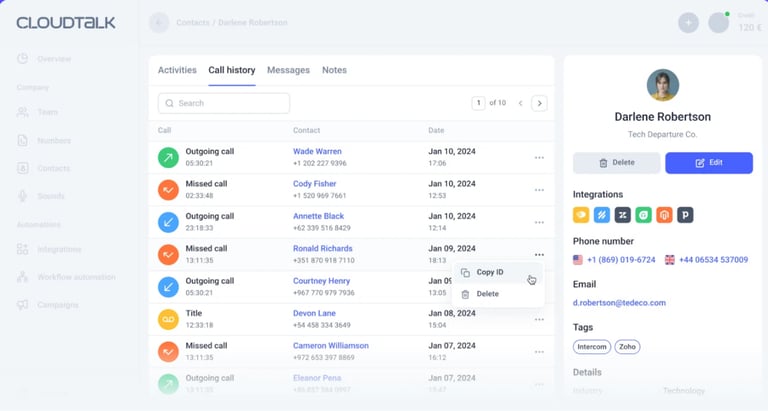
What Is CloudTalk?
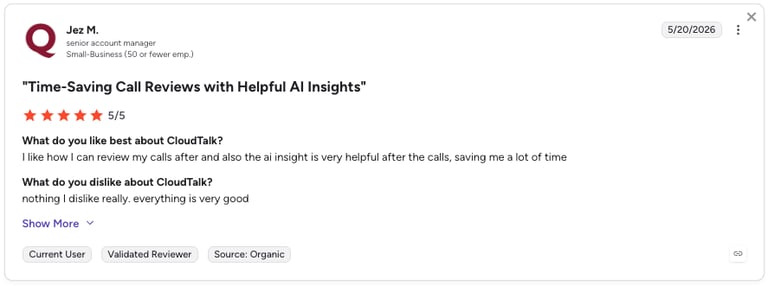
CloudTalk is an integrated AI business calling software with features designed to boost efficiency and drive results. It lets you respond to every lead and customer according to their individual needs, enhancing responsiveness and conversion rates.
With unique features like the Power Dialer and Smart Dialer, your sales team can maximize their outreach efforts by automating call sequences and targeting high-quality leads. Automated Call Routing matches every lead to the right sales rep. Real-Time Call Analytics provides you with a Real-Time Dashboard of actionable insights that allow you to fine-tune your sales strategies and improve call center performance.
These unique selling points make CloudTalk a strong contender for sales teams looking to optimize workflows and improve customer interactions through AI-driven features like Sentiment Analysis.
Sales teams can benefit from CloudTalk’s unique features by engaging prospects through multi-channel communication, categorizing leads for better prioritization, and setting up reminders to follow up with prospects.
Here's a detailed look at some of CloudTalk’s standout features:
Key Features of CloudTalk's Sales Automation Software
With dozens of tools to automate sales workflows on the market, narrowing down your options starts with identifying the features that actually drive results. Here's what matters most:
- Automated Call Routing: Directs inbound calls to the most appropriate sales representative based on criteria like caller profile and time of day, improving lead handling efficiency.
- Power Dialer: Automatically dials through a list of leads, reducing idle time and increasing outbound call volume for sales teams.
- Sentiment Analysis: Gives immediate feedback on your customers' or leads' mood by following their sentiment shifts during the call.
- Smart Dialer: Compiles and dials leads based on engagement, such as missed calls or campaign interactions, ensuring follow-ups are immediate and relevant.
- Campaigns: Organizes outbound call lists for structured and efficient sales outreach, with tracking tools to measure performance.
- CRM Integration: Seamlessly connects with CRMs like Salesforce and HubSpot to centralize customer data, contact information and streamline lead management.
- Call Analytics: Uses call center monitoring to provide insights into call performance, helping teams make data-driven decisions to optimize sales efforts.
- Multi-Channel Communication: Supports calls, SMS, and email sequences from a single platform for cohesive and personalized engagement across channels.
- Lead Management: Automates lead tracking, assignment, and nurturing to ensure timely follow-ups and conversion.
- Automated Follow-ups: Schedules and sends follow-up emails automatically after calls, keeping prospects engaged without manual effort.
What Are CloudTalk's Best Use Cases?
- High-volume sales teams: Automate outbound calling with Power and Smart Dialers to maximize productivity and reduce idle time.
- Sales teams managing large pipelines: Use CRM integration and automated follow-ups to keep leads engaged and ensure nothing falls through the cracks.
- Businesses with multiple communication channels: Use multi-channel communication to engage prospects through calls, SMS, and email for a seamless experience.
- Data-driven sales organizations: Leverage real-time call analytics to adjust strategies based on call center metrics.
CloudTalk Sales Automation Software Pricing
- CloudTalk's pricing tarts at $25 per user/month
- Custom pricing options for larger teams with specific needs
CloudTalk Sales Automation Software Is Best For:
- Teams of all sizes looking to streamline contact management and boost productivity.
- Sales organizations that rely heavily on CRM integration and want a unified communications platform.
- Sales leadership focused on optimizing sales strategies through data-driven insights and automation.
What Are CloudTalk's Pros & Cons?
| Pros | Cons |
|---|---|
| Fast setup and onboarding — most teams are live in under a week | No native video conferencing tools |
| Deep CRM integrations keep records clean without manual input | No built-in email channel (email follow-ups require CRM or third-party integration) |
2. Pipedrive: Best Teams That Want a Fast-Setup, Pipeline-First CRM
What Is Pipedrive?
Pipedrive is a sales automation software that stands out from other solutions in its balance of simplicity and depth. You can get a team live in under a day, automate your most common workflows, and connect to 500+ tools in the marketplace—all without needing a CRM administrator to run it.
Key Features of Pipedrive's Sales Automation Software
- Visual Pipeline Management: Drag-and-drop deal stages with color-coded progress tracking — your reps always know exactly what needs to happen next
- AI Sales Assistant: Surfaces deal recommendations, flags stalled opportunities, and suggests next steps based on your team's activity history.
- 500+ Integrations: Connects natively with Salesforce, HubSpot, Slack, Zoom, Calendly, Zapier, CloudTalk, and hundreds more tools your team already uses
What Are Pipedrive's Best Use Cases?
- Pipeline-focused sales teams: Pipedrive’s visual Kanban pipeline gives reps a clear view of every deal, next step, and risk at a glance.
- Growing SMBs: Easy to set up without a consultant or CRM admin, allowing teams to start managing deals in hours rather than weeks.
- Outbound sales teams: Pipedrive automates follow-ups with triggered emails, task creation, and reminders, helping reps stay on top of opportunities without manual tracking.
Pipedrive Sales Automation Software Pricing
- Pipedrive's pricing starts at $14 per user/month
- A 14-day free trial is available on all plans
Pipedrive Sales Automation Software Is Best For:
- SMBs, startups, and lean sales teams that need a clean, visual CRM with solid automation and fast onboarding.
What Are Pipedrive's Pros & Cons?
| Pros | Cons |
|---|---|
| Clean, intuitive interface with a low learning curve | Reporting depth is limited compared to dedicated analytics tools |
| Strong alignment between sales and customer support workflows | Advanced features require higher-tier plans |
3. Clari
What Is Clari?
Clari is a revenue operations platform that gives sales teams full visibility into their pipeline, allowing for more accurate forecasting. Clari uses AI-driven insights to track progress, identify potential risks, and help sales reps close deals faster.
Key Features of Clari's Sales Automation Software
- AI-driven forecasting: Uses machine learning to analyze historical data and current pipeline activity to deliver more accurate sales forecasts.
- Pipeline management: Provides real-time visibility into deal status, with insights that highlight at-risk opportunities and suggest next steps.
- Opportunity scoring: Automatically scores deals based on engagement data, helping sales reps focus on high-probability deals.
- Revenue intelligence: Delivers insights into deal health, win probabilities, and sales activity patterns, enabling better decision-making.
- Automated data capture: Syncs data from emails, calls, and meetings automatically, ensuring that CRM data is always up to date.
What Are Clari's Best Use Cases?
- Sales forecasting and pipeline management: Clari helps sales teams forecast revenue with precision by using AI to analyze pipeline data and provide predictive insights.
- Sales leadership: Sales leaders use Clari to get a comprehensive view of their teams’ performance and identify deals that need immediate attention to close successfully.
- Revenue operations: Designed for companies looking to streamline their revenue operations, Clari provides insights and automations that drive efficiency and predictability in sales.
Clari Sales Automation Software Pricing
- Clari offers custom pricing based on the size and needs of the organization
Clari Sales Automation Software Is Best For:
- Large sales teams that need real-time visibility into their pipeline and more accurate forecasting.
- Revenue operations teams seeking a comprehensive platform to align sales, marketing, and customer success around revenue goals.
What Are Clari's Pros & Cons?
| Pros | Cons |
|---|---|
| Improves forecast accuracy compared to spreadsheet or CRM-only forecasting | Implementation requires IT or RevOps resources |
| Strong integrations with Salesforce and other major CRMs | Limited customization options, requiring external tools |
4. Gong: Best for Conversation Intelligence and AI Coaching
What Is Gong?
Gong is a sales automation software solution that leverages AI to uncover trends and patterns in sales conversations, so marketing teams can refine their messaging according to what works. By providing real-time feedback based on performance data, Gong coaches sales reps to improve their skills and close deals more effectively.
Key Features of Gong's Sales Automaiton Software
- Conversation analytics: Analyzes sales calls and meetings to extract key insights, like Talk/Listen Ratio, identifying successful tactics and areas for improvement.
- Deal insights: Provides visibility into deal health, with metrics on engagement levels, customer sentiment, and conversation trends.
- Sales coaching: Uses recorded conversations to deliver personalized coaching and feedback, helping reps develop their skills based on real scenarios.
- Competitor insights: Identifies discussions about competitors, providing valuable context for refining sales strategies and messaging.
What Are Gong's Best Use Cases?
- Sales training and coaching: Gong’s recorded conversations are a veritable goldmine for training new reps.
- Performance optimization: Gong analyzes team performance and sales productivity to identify top performers, so managers can use them as examples and replicate their success across the team.
Gong Sales Automation Software Pricing
- Gong offers custom pricing based on the size of the organization and specific feature needs.
Gong Sales Automation Software Is Best For:
- Sales teams looking to enhance their performance through data-driven insights and coaching based on real interactions.
- Companies that want to upgrade their onboarding of new sales reps with real-life examples and actionable feedback from seasoned team members.
What Are Gong's Pros & Cons?
| Pros | Cons |
|---|---|
| Call recording and AI note-taking features boost productivity | Users report that some calls are not recorded |
| Coaching recommendations are specific and actionable — not generic | Users report inaccuracies in AI summaries and translations |
Recommended Reads
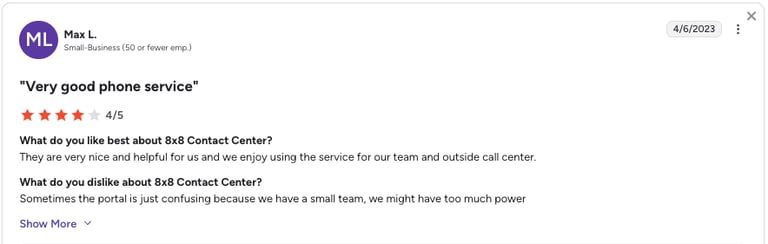
5. VanillaSoft: Best for Maximizing Call Volume Through Automated Dialing
What Is VanillaSoft?
With features like automated dialing and lead scoring, VanillaSoft keeps reps focused on the most promising opportunities. Its customizable workflows make it an ideal solution if you’re looking to streamline your sales processes and improve conversion rates.
Key Features of VanillaSoft's Sales Automation Software
- Campaign management: Create and manage targeted marketing campaigns, helping your sales teams connect with your audience.
- Customizable workflows: Tailor workflows to your specific sales processes so you can work in a way that makes sense for you and your team.
What Are VanillaSoft's Best Use Cases?
- Outbound sales teams: VanillaSoft’s automated dialing and lead management features maximize call volume and help you connect with more prospects.
- Sales performance tracking: Sales managers can leverage reporting and analytics to assess team performance and optimize sales strategies.
VanillaSoft Sales Automation Software Pricing
- VanillaSoft offers custom pricing based on the specific needs and size of your organization
VanillaSoft Sales Automation Software Is Best For:
- Sales teams focused on outbound prospecting looking for efficient lead management and automated dialing solutions.
- Organizations looking to optimize lead nurturing processes through tailored workflows and targeted campaigns.
What Are VanillaSoft's Pros & Cons?
| Pros | Cons |
|---|---|
| Automated dialing significantly increases daily call volume | Users report slow page loads and delays |
| Intuitive interface that reps adopt quickly | Limited customization options compared to larger platforms |
6. HubSpot: Best for All-In-One Platform for Inbound + Sales Automation + CRM
What Is HubSpot?
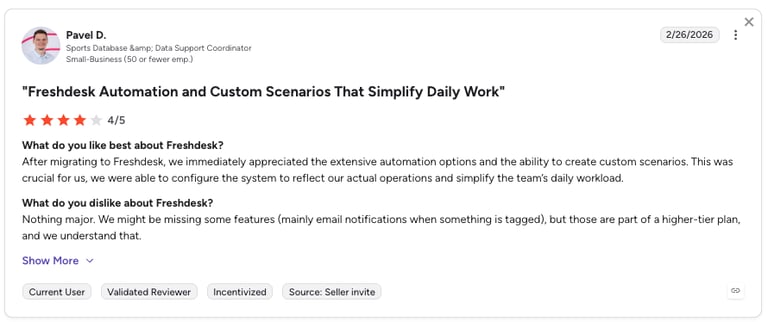
HubSpot is an all-in-one inbound marketing, sales, and customer service platform. With HubSpot Sales Hub, you can set up automated actions and reminders to keep your leads on track. This helps you identify when a prospect has lingered in one stage of the funnel too long and prevents them from slipping through the cracks.
Key Features of HubSpot's Sales Automation Software
- Email marketing: Lets you create, schedule, and analyze email campaigns, helping to nurture leads and engage prospects effectively.
- Lead management: Offers marketing tools for capturing, organizing, and prioritizing leads based on their engagement and behavior.
- Marketing automation: Automates time-consuming tasks such as email follow-ups and lead nurturing workflows to save time and boost efficiency.
What Are HubSpot's Best Use Cases?
- Inbound marketing: Teams can attract and engage customers through targeted content, email marketing, and social media campaigns.
- Lead nurturing: Nurture leads through marketing automation features like personalized email workflows and targeted content.
HubSpot Sales Automation Software Pricing
- HubSpot's pricing offers a tiered structure that caters to businesses of all sizes
HubSpot Sales Automation Software Is Best For:
- Small to medium-sized businesses looking for an all-in-one solution for marketing, salespeople, and customer service.
- Organizations focused on inbound marketing that want to attract and engage customers through valuable content.
What Are HubSpot's Pros & Cons?
| Pros | Cons |
|---|---|
| Clean, intuitive interface with minimal ramp-up time | Costs scale steeply as you add contacts and premium features |
| Strong integration ecosystem — connects with nearly every tool in your stack | Limited customization for advanced sales needs |
7. La Growth Machine: Best for B2B Sales Teams Automating Multichannel Prospecting
What Is La Growth Machine?
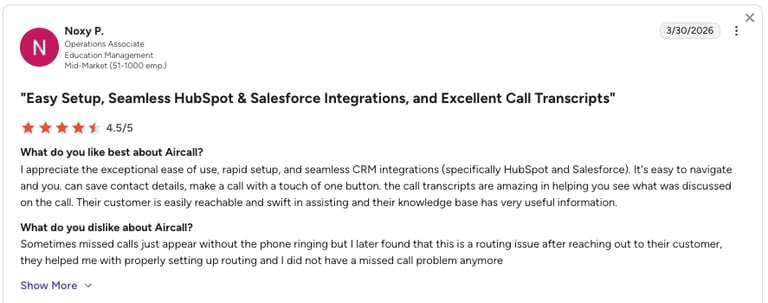
La Growth Machine is a multichannel sales automation platform that combines LinkedIn outreach, email marketing, Twitter/X engagement, and phone calls in unified workflows. Designed for B2B sales teams and agencies, it enables users to create sophisticated, multi-touch campaigns that engage prospects across multiple channels simultaneously for higher conversion rates.
Key Features of La Growth Machine
- Multi-Channel Campaigns: Orchestrate LinkedIn, email, Twitter/X, and phone outreach in coordinated sequences for maximum prospect engagement
- Waterfall Enrichment: Find unlimited emails and phone numbers through 10+ integrated providers (Hunter, Dropcontact, Icypeas, etc.)
- Unified Inbox: Manage all LinkedIn, email, and Twitter replies in one centralized inbox with team collaboration features
- AI Magic Messages: Generate personalized LinkedIn and email messages in 2 minutes using AI-powered copywriting
What Are La Growth Machine's Best Use Cases?
- B2B sales teams: Automate multichannel prospecting campaigns that combine LinkedIn outreach with email follow-ups and social media engagement
- Lead generation agencies: Manage multiple client campaigns across different channels while maintaining personalized messaging at scale
- SaaS companies: Nurture prospects through complex sales cycles using coordinated touchpoints across LinkedIn, email, and phone
La Growth Machine's Pricing
- Starts at $60/month per identity
- 14-day free trial available, no credit card required
La Growth Machine Is Best For:
- Sales teams looking for comprehensive multichannel automation that goes beyond single-platform tools
- Organizations that need to scale personalized outreach across LinkedIn, email, and social media simultaneously
- B2B companies seeking to improve response rates through coordinated multi-touch campaigns
What Are La Growth Machine's Pros & Cons?
| Pros | Cons |
|---|---|
| Ease of use | Users report software bugs |
| LinkedIn integration simplifies outreach | Less compelling for purely email-based workflows |
Benefits of Sales Automation
By the time a client reaches the sales stage, you’ve likely already invested a lot to get them there. When they suddenly back out, it can be tough to pinpoint exactly what went wrong.
Sales automation software can fix this, effectively nurturing leads and helping you seal the deal. Automation contributes to a 14.2% rise in sales productivity, as well as a 12.2% drop in marketing expenses.
Here are some of the benefits you can expect from sales automation:
- Shorter sales cycle: By streamlining repetitive sales tasks, improving lead management, and enhancing communication through things like email templates, automation allows sales reps to focus on high-priority activities.
- Improved data accuracy: Automation reduces the risk of discrepancies and human error, so you can ensure the accuracy of your data.
- Increased sales: Automation gives sales reps back more time to focus on building relationships with clients and closing deals.
- Refined employee onboarding: Disjointed onboarding processes make it difficult for new hires to get up to speed. When you automate your sales workflows, the learning curve is less steep for new employees since the tools and strategies used are the same across the board.
- Higher customer retention: Many sales automation tools can connect to customer relationship management (CRM) systems that provide insight into the needs of your audience. This data makes it easier to build brand loyalty and upsell or cross-sell different product packages or services.
- Elevated employee retention: When you automate manual tasks, you’re eliminating the worst part of your sales reps’ job. This will incentivize your employees to stick around while letting them focus on what they do best—closing deals.
- Enriched customer experience: Nowadays, consumers expect fast and efficient services. Sales automation software delivers the sales collateral prospects need to make a decision, plus quotes and proposals to swiftly to move negotiations forward.
Key Features of Sales Automation Tools
With many sales automation tools on the market, it can be difficult to determine which is right for you. We recommend narrowing down your options by identifying must-have features that will move the needle on your sales efforts.
Here's a visual representation of key sales-ready automation features:
Key Features of Sales Automation Tools
| Feature | Benefit | Application |
|---|---|---|
| Lead management | Streamlines lead tracking and nurturing | Automates lead distribution, tracking, and follow-ups, so no leads are overlooked |
| CRM Integration | Centralizes customer data | Syncs with popular CRMs (e.g., Salesforce, HubSpot) for seamless access to customer information |
| Workflow Automation | Reduces manual tasks and errors | Automates repetitive tasks like follow-ups, data entry, and call routing, improving team efficiency |
| Sales analytics | Provides data-driven insights for decision-making | Tracks sales performance metrics (calls, conversions, etc.) to optimize strategies and improve outcomes |
| Sales engagement | Enhances communication with prospects and customers | Facilitates multichannel outreach (calls, texts, emails), ensuring consistent and timely engagement |
| Call recording | Available in all plans. | On demand in Essential and Standard, included only in Premium and Ultimate plans. |
| End-to-End Call Automation | Automates the entire sales call process | Manages inbound/outbound calls, voicemail drops, and follow-ups, so sales reps can focus on high-value tasks |
| Power Dialer | Increases outbound call efficiency | Automatically dials a list of leads, reducing time between calls and boosting productivity |
| Caller-Based Routing | Direct calls to the right sales rep based on customer data | Automatically routes incoming calls to the most appropriate sales representative based on the caller’s profile, previous interactions, and real-time data |
Optimize Your Sales Funnel With a Sales Automation Platform
Whether you're a small business looking to optimize your sales efforts or a larger organization in need of comprehensive data-driven insights, there's a sales automation solution tailored to your needs.
Now that you’ve reviewed the best sales automation tools of 2024, you’re better equipped to decide which solution can help you secure more clients and drive growth in your organization.
For example, Clearbit is great for lead enrichment, Zendesk Sell excels in CRM integration, and HubSpot offers strong marketing automation. However, for a complete solution that streamlines sales calls, tracking, and follow-ups, CloudTalk is your best choice.
But don't take our word for it: Discover how CloudTalk more than doubled immersive language platform Poliglota's outbound success rate and cut their lost deals in half.
CloudTalk’s sales automation features let you focus on building relationships and boosting conversions.
Frequently asked questions
A sales automation tools list is a curated list of software solutions designed to streamline various aspects of the sales process. These tools help sales teams manage administrative tasks more efficiently, like CRM platforms, lead generation tools, email automation platforms, sales forecasting tools, and call center analytics software.
Sales automation tools automate repetitive tasks within the sales process, so sales teams can focus on more strategic activities. These tools can help with lead management, email automation, CRM integration, tracking analytics, and task management.
The most effective way to automate your sales process is to start with the highest-volume, lowest-judgment tasks first: call routing, follow-up scheduling, and CRM logging. From there, layer in lead scoring, outbound dialing automation, and multi-channel sequences. The best AI sales automation tools—like CloudTalk —allow you to build these automations without developer support.
The best sales automation platform depends on your team's biggest bottleneck. For example, CloudTalk is the top-rated option for sales teams that rely on phone outreach—AI Dialer, AI Sentiment Analysis, and 100+ CRM integrations.
CloudTalk and Gong consistently rank among the top-rated AI sales automation tools on G2. CloudTalk leads for call-based automation, while Gong leads for conversation intelligence and coaching. The best part? You can integrate them to bring both capabilities together in a single workflow. Learn more.