TL;DR: 10 Best Alternatives to Dialpad
| # | Platform | Best for | Starting Price (annual billing) | G2 Rating |
|---|---|---|---|---|
| 1 | CloudTalk | Global SMB sales and support teams that want the CRM sync Dialpad gates behind Pro, local numbers in 160+ countries, and a single-seat start | $25/user/month | 4.4/5 |
| 2 | Nextiva | Teams that like Dialpad's voice, video, and chat bundle but want 24/7 human support on every tier | $15/user/month | 4.5/5 |
| 3 | Aircall | HubSpot, Salesforce, or Zendesk shops that want plug-and-play call logging and can live with a three-seat minimum | $30/user/month | 4.4/5 |
| 4 | JustCall | Outbound teams that need a native sales dialer plus SMS, MMS, and WhatsApp from one inbox, starting at two seats | $29/user/month | 4.3/5 |
| 5 | RingCentral | Multi-site enterprises that need deep routing logic, HIPAA and SOC 2 compliance, and 500+ integrations | $20/user/month | 4.2/5 |
| 6 | Quo (OpenPhone) | Startups that want a shared text inbox on one number, almost no admin setup, and no seat minimum | $15/user/month | 4.7/5 |
| 7 | Five9 | Enterprise contact centers that need predictive dialing, workforce management, and TCPA-safe outreach windows | $119/user/month | 4.1/5 |
| 8 | 8×8 | Microsoft Teams shops that want a carrier network inside Teams and unmetered calls to 48 countries | $24/user/month | 4.1/5 |
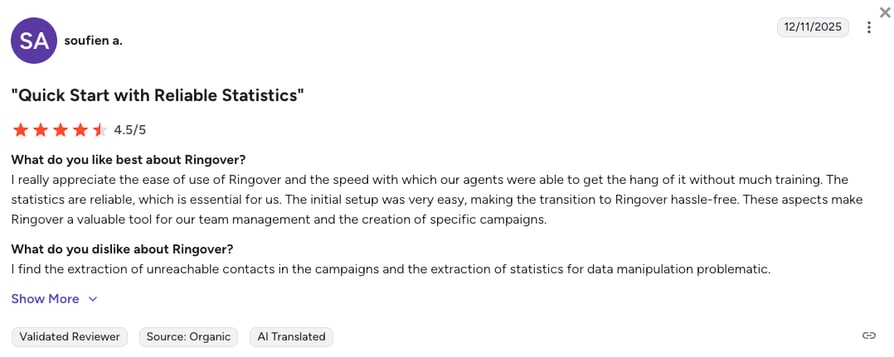
| 9 | Ringover | European teams that want unlimited calling to 110+ destinations and live whisper coaching, set up in minutes | $15/user/month | 4.6/5 |
| 10 | CallHippo | Solo operators and micro-teams that want a free Basic tier and local numbers in 50+ countries within minutes | $18/user/month | 4.4/5 |
Three seats before your first CRM sync? Let's talk about that.
Why Teams Are Searching for a Dialpad Alternative?
Dialpad built a strong reputation as an AI-first UCaaS platform (Unified Communications as a Service) with real-time transcription. However, as teams on Dialpad scale their international reach and call volumes, they often hit roadblocks.
What $15 Actually Buys You on Dialpad
Dialpad's entry plan is a real price for a real product, just not the product most sales and support teams think they are buying. Connect Standard skips CRM integrations and international texting, and it caps you at one number per user.
The first tier that has all three is Connect Pro at $25/user/month, and Dialpad will not sell you fewer than three Pro seats. So the honest floor for a business phone system on Dialpad is $75 a month, not $15. Enterprise needs 100 seats before anyone will quote you.
Based on verified G2 reviews and insights from those who’ve switched from Dialpad (or are considering it), scaling teams outgrow Dialpad due to five main challenges:
5 Main Cons of Dialpad: Based on Real User Reviews
- Unreliable Reporting and AnalyticsDialpad users often complain that pulling basic reports requires manual member selection. This constraint compounds as teams scale, creating a not-so-enjoyable daily experience.
- Fragile CRM IntegrationsReviewers mention unreliable connections with CRMs like HubSpot and Salesforce that often drop deal and ticket associations. This broken logging undermines forecasts and forces reps into manual data entry.
- Regional Coverage and SMS GapsTeams often leave due to gaps in local number availability and European SMS limitations. These regional blockers cause painful delays for distributed teams planning international rollouts.
- Call Quality and Spam TagsScaling businesses experience frequent dropped calls and numbers incorrectly tagged as spam. This hurts outbound connect rates and makes customer outreach difficult.
- Expensive Gated FeaturesEssential sales products and international numbers carry additional costs that quickly inflate the baseline price. Many buyers find the true cost of ownership (ToC) is much higher than expected.
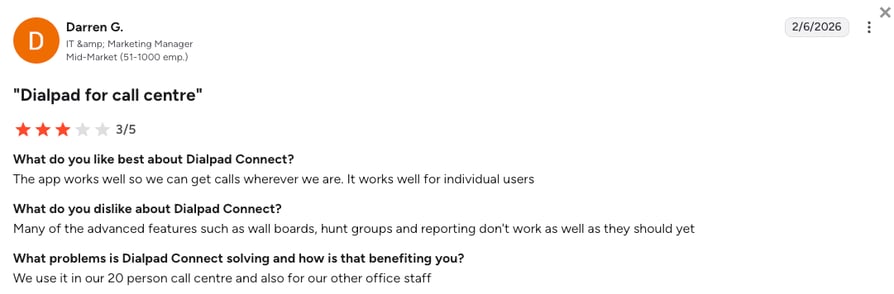
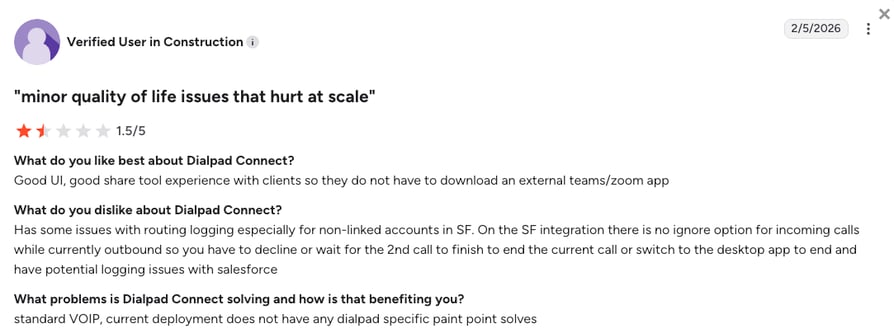
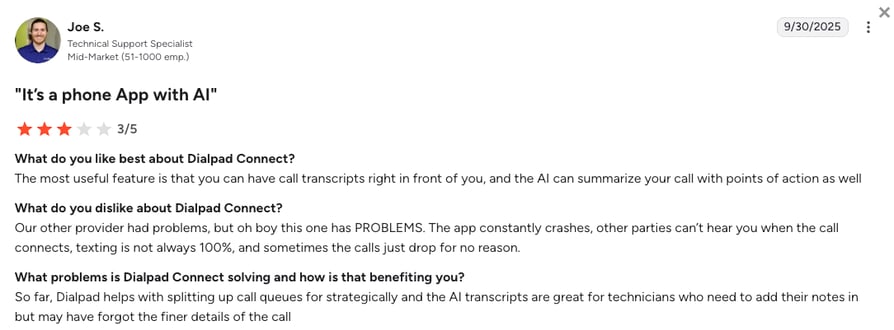
A smaller but sharper complaint runs through review sites and switching threads: accounts suspended over international usage, and team members outside the US flagged as a security risk on their own company's phone system.
What Is the Best Alternative to Dialpad?
In a direct CloudTalk vs Dialpad comparison, CloudTalk is the best alternative to Dialpad for sales and support teams scaling globally, offering predictable pricing and local numbers in 160+ countries. Pactum ran into the regional limits first: European data-processing rules meant Dialpad could not be rolled out across all of its regions, so the team ran two phone systems side by side until it consolidated onto CloudTalk in December 2024. Its verdict on the move was that call quality got better.
CloudTalk cures the silent data dropouts seen in Dialpad by ensuring data fidelity at the source through automatic call and SMS logging directly into your CRM. Also, if you need to expand into EMEA or APAC without waiting weeks for numbers, CloudTalk configures your telephony so you are not blocked by geography or hefty international carrier fees.
Pactum Consolidated Two Phone Systems into One on CloudTalk
Pactum's global operations team ran Dialpad and CloudTalk side by side because European data-processing rules kept Dialpad out of some of its regions. In December 2024 it moved everything onto CloudTalk.
The team now runs inbound and outbound calls, transcripts, and AI summaries from one desktop app, and reports better call quality since the switch.
Two phone systems became one for Pactum. See how yours would.
Why Teams Consider CloudTalk the Best Dialpad Alternative
Pactum's move is one example. Verified G2 reviewers who have run both platforms keep landing on the same five strengths when they explain why CloudTalk is the better Dialpad alternative for a growing team:
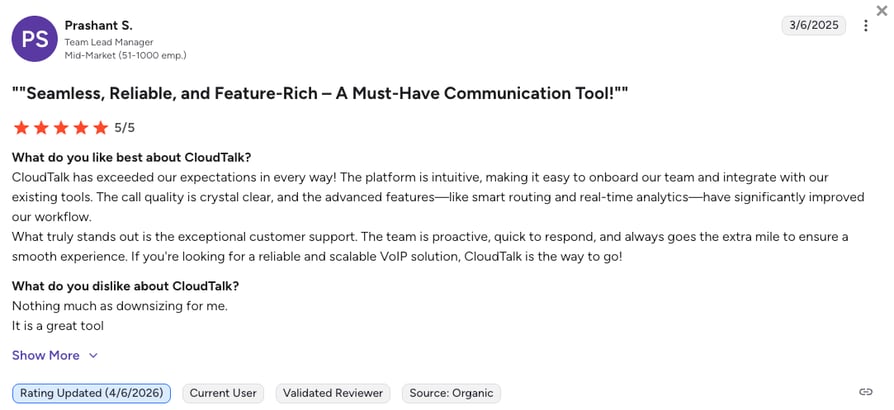
5 Main Pros of CloudTalk: Based on Real User Experience
- Massive Global CoverageCloudTalk provides local virtual numbers in 160+ countries compared to Dialpad's 70. This ensures you can launch in new international markets without provisioning delays.
- Flawless Deep-Sync CRM AutomationCloudTalk’s integrations are built to automatically log calls, sync contacts, and trigger workflows. You get accurate, workflow-ready data for your HubSpot or Salesforce dashboard without manual patchwork.
- Targeted AI for Key Workflows:Instead of paying for a broad suite you underuse, CloudTalk focuses AI on critical workflows like call intelligence, CRM logging, and dispositions. Teams also quickly adopt other AI tools like AI voice agents to move the needle on productivity.
- Rock-Solid Call ReliabilityCloudTalk’s reliable infrastructure delivers clear audio and 99.999% uptime, protecting your number reputation and scales with multi-carrier redundancy. If one carrier fails during a traffic spike, your calls instantly reroute to keep you connected.
- Top G2 Recognized Sales & Support Phone SystemCloudTalk is one of the G2 Spring 2026 Leaders for sales and support software, while Dialpad hasn’t made the top 50 list.
AI-Powered Call Center Stand-off:
CloudTalk is one of Dialpad’s fiercest competitors for AI-powered call centers. See which one comes on top in our head-to-head comparison.
Skip the plan maze. See what one seat gets you.
How We Evaluated The Best Dialpad Competitors
To find the best Dialpad alternatives for 2026, we spent several weeks testing each platform hands-on. We prioritized tools that solve the primary bottlenecks reported by users, specifically fragile CRM syncing and regional coverage gaps. To make sure we draw on real user experience, we cross-referenced technical testing with verified user feedback on G2, Reddit, TrustPilot, and Quora.
Here's the six essential pillars we focused on during our evaluation:
- Network Stability: We tested for near-zero latency and proprietary multi-carrier failover to ensure calls stay connected during peak traffic.
- AI Productivity: We looked for features that bundle AI voice agents and transcripts into the seat price to avoid per-minute overage traps.
- CRM Deep-Sync: Our focus was on "set and forget" integrations that eliminate the silent data dropouts often seen in Dialpad's API connections.
- Global Footprint: We prioritized providers offering local virtual numbers in 100+ countries to support teams scaling internationally.
- Support Response: We measured how quickly a live person responds to technical issues, favoring platforms that offer 24/7 help over slow ticketing systems.
- Total Cost of Ownership: We analyzed the true entry price, ensuring you aren't forced into mandatory multi-user minimums or aggressive add-on fees.
The Top 10 Dialpad Alternatives for 2026
Before we dive into detailed breakdowns of the 10 best alternatives to Dialpad software, here is how our top 4 picks stack up against Dialpad as far as their entry-level tiers go.
Dialpad Competitors Compared
| Feature | Dialpad | CloudTalk | Aircall | Nextiva | JustCall |
|---|---|---|---|---|---|
| Starting Price (Annual) | $15/user/month | $25/user/month | $30/user/month | $15/user/month | $29/user/month |
| Minimum Seats | 1 User | 1 User | 3 Users | 1 User | 2 Users |
| Local Numbers | 70+ Countries | 160+ Countries | 100+ Countries | US/CAN Focus | 70+ Countries |
| Call Recording |  | | | | |
| Click-to-Call | | | | | |
| Visual Call Flow Builder |  | | | | |
| Inbound Call Queuing | | | | | |
| Native SMS Support | | | | | |
| Free Trial | 14 Days | 14 Days | 7 Days | 14 Days | 14 Days |
1. CloudTalk: The Best Dialpad Alternative for Global SMB Sales & Support Teams
What is CloudTalk?
CloudTalk is an AI-powered cloud telephony and contact center platform built to make global sales and support teams more efficient. For fast-growing SMBs and mid-market businesses, it offers a Dialpad alternative grounded in predictable pricing, consistent call quality, and massive global reach. CloudTalk handles the heavy lifting of workflow automation and manual data logging, freeing your reps to focus strictly on connecting with prospects and closing deals.
While Dialpad spreads itself thin as a broad UCaaS tool for internal messaging and meetings, CloudTalk focuses entirely on perfecting external customer interactions through deep CRM integrations and uncompromising global connectivity.
Why Is CloudTalk a Strong Dialpad Alternative?
- True Global Reliability: CloudTalk gives you local phone numbers in 160+ countries, backed by a strong, multi-carrier network that ensures your calls connect clearly. In contrast, Dialpad users often face delays and sometimes struggle to get local numbers, especially outside of North America.
- Flawless CRM Syncing: CloudTalk automatically logs every call and perfectly syncs your contacts with tools like HubSpot and Salesforce. On the other hand, users report that Dialpad's integrations can be clunky, frequently missing call records and forcing reps to enter data manually.
- Practical AI Tools: CloudTalk’s AI voice agents and Conversation Intelligence automate specific tasks that actually save time. Meanwhile, Dialpad promotes a broad AI suite that looks impressive but is often too general to fix everyday problems.
What Are the Pros & Cons of CloudTalk?
| Pros | Cons |
|---|---|
| Superior international coverage: Virtual numbers in 160+ countries. | No native video calling: Focuses purely on voice, requiring an external tool like Zoom. |
| AI Smart Dialer: Save 2-3 hours per day per rep with Power & Parallel dialing. | Requires a stable internet connection, as with any cloud-based calling platform |
| 100+ CRM & Helpdesk integrations: Including "Deep-Sync" for HubSpot & Salesforce. | Expert plan for WhatsApp: Inbound and outbound messaging requires the Expert tier. |
| Native AI Voice Agents: Automate inbound and outbound calling workflows. | |
| Enterprise-grade Reliability: Proprietary network ensures 99.999% uptime |
How do AI workflows improve when you switch from Dialpad?
Move from Dialpad's focus on deflecting support tickets to AI that actively drives your sales and support workflows. While Dialpad's AI agents are built to act as customer service bots, CloudTalk's AI voice agents work like an extension of your team.
They qualify leads, book meetings, and automatically drop call summaries directly into your CRM. This eliminates the heavy manual data entry that slows your reps down, giving them more time to focus on closing deals.
What Are CloudTalk's Plans & Pricing?
CloudTalk pricing starts at $25/user/month (Starter, billed annually, single seat), with the following plans:
CloudTalk Plans and Pricing
| Plan | Price (annual billing) | Key Features |
|---|---|---|
| Starter | $25/user/month | Unlimited inbound & internal calls, 500 outbound minutes (regional calling bundle), call queues, transfers, click-to-call, automatic call recording (1-month retention) |
| Essential | $29/user/month | Everything in Starter + IVR and smart routing, 100+ CRM/helpdesk integrations, workflow automation, unlimited recording retention |
| Expert | $49/user/month | Everything in Essential + Power, Smart & Preview Dialers, Salesforce integration, 24/7 phone support (3-seat min) |
| Custom | Quote-based | Everything in Expert + custom onboarding, unlimited outbound calls, enterprise security and SLA; built for 25+ seats |
| Conversation Intelligence (add-on) | $9/user/month | Post-call AI transcripts, call summaries, call scoring, sentiment analysis, and agent coaching insights |
| AI Receptionist (add-on) | From $99/month (200 min) | Inbound AI call answering, routing, logging; 50 free minutes on every account; tiers up to $699/mo (2,500 min) |
| AI Specialist (add-on) | From $349/month (1,000 min) | Sales-led custom AI voice agents for inbound and outbound workflows; plans scale up to $1,249/mo (5,000 min) |
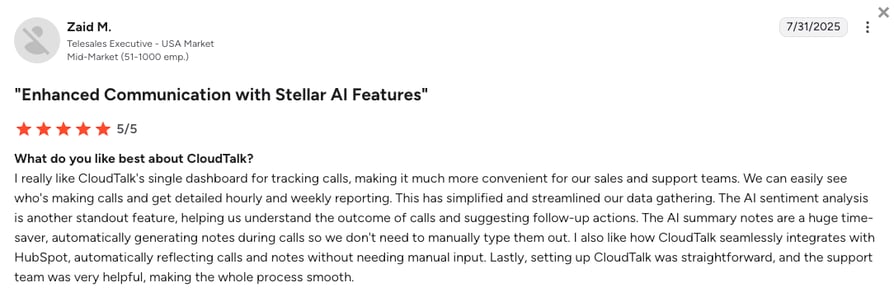
What Are CloudTalk Customers Saying?
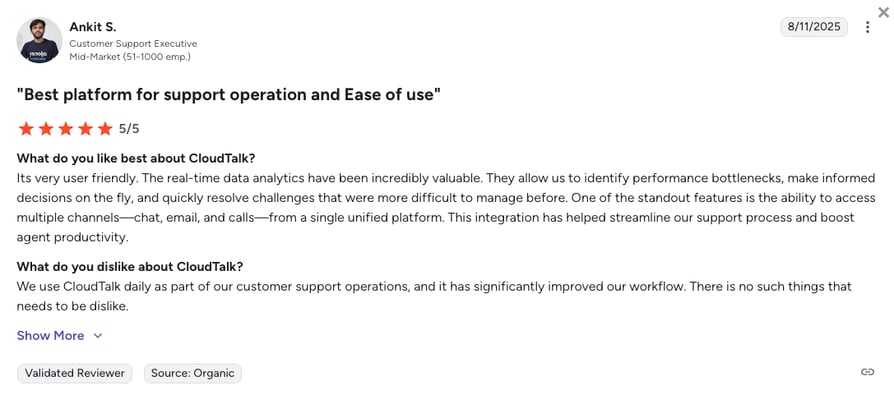
CloudTalk customers find the platform more reliable and better built for revenue teams than Dialpad. Based on verified G2 reviews, users highlight these benefits:
- Clearer Audio: Users frequently report that CloudTalk's multi-carrier network completely eliminates the dropped calls and audio lag they experienced with Dialpad.
- Flawless CRM Sync: Teams love that every interaction logs perfectly into Salesforce or HubSpot without the manual data patchwork Dialpad often requires.
- Predictable Pricing: Finance teams appreciate the transparency. While both platforms reserve advanced dialing for premium tiers, CloudTalk avoids the huge add-on fees Dialpad reportedly charges just to access essential sales tools.
- AI That Saves Time: Instead of just live transcription, reps rely on CloudTalk's targeted AI to write call summaries and completely automate post-call notes.
- Instant Global Reach: Scaling companies praise the ability to instantly deploy local numbers in EMEA and APAC, bypassing Dialpad's regional bottlenecks.
How G2 Users Rate CloudTalk?
CloudTalk's current G2 rating is 4.4/5, out of 1,702+ verified user reviews.
Pay for the seats you fill, starting at one.
2. Nextiva: Best for All-in-One Voice, Video, and Chat
What is Nextiva?
Nextiva is an established UCaaS provider that merges VoIP, video conferencing, SMS, and team chat. It serves as a direct, one-to-one architectural replacement for organizations that like Dialpad's internal collaboration tools but demand vastly superior customer support and network stability.
Why Is Nextiva a Strong Dialpad Alternative?
- Unwavering Support: When looking at Nextiva vs Dialpad, Dialpad restricts 24/7 live phone support to its higher-priced Pro and Enterprise tiers, leaving basic users stuck with chatbots. Nextiva includes 24/7 U.S.-based human support on every single tier.
- Carrier-Grade Architecture: Real-world Dialpad deployments indicate noticeable call lag and drops. Nextiva operates on a dual-cloud architecture with a proven 99.999% uptime SLA, virtually eliminating connectivity failures.
- No Unexpected Support Costs: Administrators frustrated by Dialpad's billing disputes and feature gating find Nextiva’s all-in-one pricing structure much more transparent.
What Are the Pros & Cons of Nextiva?
| Pros | Cons |
|---|---|
| 24/7 live phone support: Included natively on all pricing plans. | Cluttered dashboard: The administrative backend can feel visually dense for simple users. |
| Highly transparent pricing: An all-in-one structure with fewer hidden add-on fees. | Capped SMS: Text message segments are limited on the lower tiers. |
| Carrier-grade reliability: Dual-cloud architecture ensures flawless audio and uptime. | Advanced AI is tiered: High-end AI transcription is reserved for the most expensive Power Suite CX plan. |
What Are Nextiva’s Plans & Pricing?
Nextiva pricing starts at $15/user/month (billed annually), with the following main plans:
- Core - $15/user/month
- Engage - $25/user/month
- Scale - $75/user/month
- Professional - Quote-based (Enterprise plans)
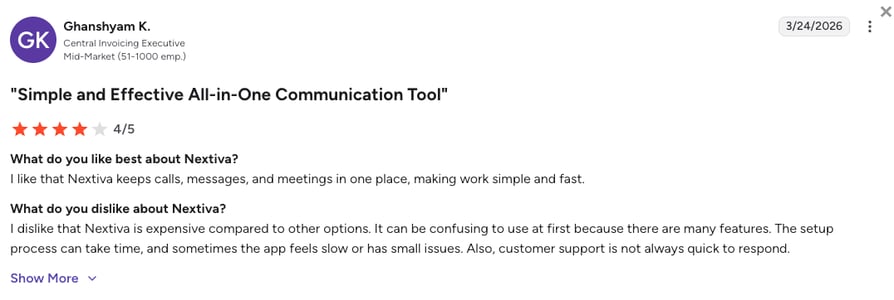
What Are Nextiva Customers Saying?
System administrators and IT teams consistently highlight Nextiva's reliability compared to cheaper, unstable VoIP options.
- Rock-Solid Uptime: Reviewers migrating from competitors frequently praise the audio stability and note that previous call quality issues vanished after switching.
- Responsive Help: Users appreciate that when something breaks, a live person actually answers the phone to help troubleshoot.
- Steep Learning Curve: Some users mention that setting up the system takes time and the interface can initially be confusing.
How G2 Users Rate Nextiva?
Nextiva's current G2 rating is 4.5/5, out of 3,400+ verified user reviews.
Recommended Reads
3. Aircall: Best for Ecosystem Stability and Deep CRM Sync
What is Aircall?
Aircall is a minimalist, highly refined cloud phone system renowned for its extensive application ecosystem. Designed for fast-moving sales and support teams, it is frequently chosen by mid-market organizations that utilize HubSpot, Salesforce, or Zendesk as their operational hubs.
Why Is Aircall a Strong Dialpad Alternative?
- Native CTI Reliability: In a head-to-head Aircall vs Dialpad matchup, reviewers frequently criticize Dialpad’s integrations as fragile, noting they occasionally drop call records or require complex Zapier workarounds. Aircall’s native connections are plug-and-play, ensuring meticulous data logging.
- Ecosystem Depth: While Dialpad has a growing marketplace, Aircall features an extensive library of over 100+ one-click integrations, outperforming Dialpad's narrower ecosystem.
- Intuitive Interface: Aircall's user interface is exceptionally clean and focused purely on calling, requiring near-zero training for new reps compared to Dialpad's broader UCaaS dashboard.
What Are the Pros & Cons of Aircall?
| Pros | Cons |
|---|---|
| Unrivaled native integration depth: Flawless syncing with HubSpot, Salesforce, and Zendesk. | Strict seat minimums: A mandatory 3-user minimum establishes an absolute floor of $90/month. |
| Very clean interface: Intuitive desktop and mobile app with near-zero training required. | Expensive AI modules: AI features and advanced analytics require significant premium add-ons. |
| Extensive app marketplace: Over 100+ one-click integrations available. | Purely voice-focused: Completely lacks native video meetings or deep team chat. |
What Are Aircall’s Plans & Pricing?
Aircall pricing starts at $30/user/month (billed annually, 3-user minimum), with the following plans:
- Essentials - $30/user/month
- Professional - $50/user/month
- Custom - Quote-based pricing
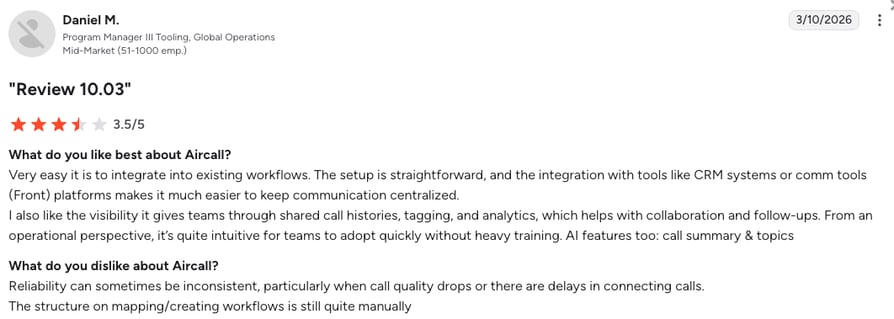
What Are Aircall Customers Saying?
Aircall users revere the platform’s ability to eliminate administrative busywork through stable CRM connections.
- Saved Admin Time: Users explicitly mention that Aircall’s native integrations solve the chaotic data logging issues they previously faced, freeing reps to focus on selling.
- Rapid Adoption: New team members can start making calls almost immediately thanks to the streamlined, distraction-free interface.
- Price Inflation: Long-term users warn that Aircall’s pricing inflates rapidly once AI modules and advanced features are added.
How G2 Users Rate Aircall?
Aircall's current G2 rating is 4.4/5, out of 1,500+ verified user reviews.
4. JustCall: Best for High-Volume Outbound Sales and SMS
What is JustCall?
JustCall is a specialized communications platform built explicitly to support high-volume outbound sales floors and multi-channel marketing campaigns. It strips away UCaaS bloat to focus entirely on connecting representatives with prospects via voice, SMS, and WhatsApp.
Why Is JustCall a Strong Dialpad Alternative?
- Outbound Dialing Power: Dialpad gates its Salesforce Power Dialer as an add-on, requiring an upgrade to its costly $95/month Sales plan. JustCall provides a streamlined Sales Dialer environment natively, making it far more cost-effective for outbound teams.
- Unified SMS Channels: Dialpad users repeatedly hit limitations with European SMS coverage and message caps. JustCall excels here, allowing teams to orchestrate SMS, MMS, and WhatsApp outreach from a single, centralized inbox.
- Workflow Velocity: General-purpose systems like Dialpad often lack the specialized speed required for outbound floors. JustCall maximizes dials per hour without complex routing configurations.
What Are the Pros & Cons of JustCall?
| Pros | Cons |
|---|---|
| Dedicated outbound focus: Excellent power and predictive dialing capabilities for sales velocity. | Mandatory seat minimums: A strict 2-user minimum creates a deceptive starting entry price. |
| Excellent multi-channel inbox: Unifies Voice, SMS, and WhatsApp into a single thread. | Expensive AI agents: Advanced AI Voice Agents are structured as costly add-ons. |
| Robust native integrations: Deep syncing with over 100+ CRM and helpdesk systems. | Metered models: Base plans rely heavily on pay-per-minute outbound billing. |
Voice AI Compared:
See how CloudTalk’s AI voice agent stacks up against JustCall’s in our head-to-head voice AI comparison.
What Are JustCall’s Plans & Pricing?
JustCall pricing starts at $29/user/month (billed annually, 2-user minimum), with the following plans:
- Team - $29/user/month
- Pro - $49/user/month
- Pro Plus - $89/user/month
- Business - Custom quote-based pricing
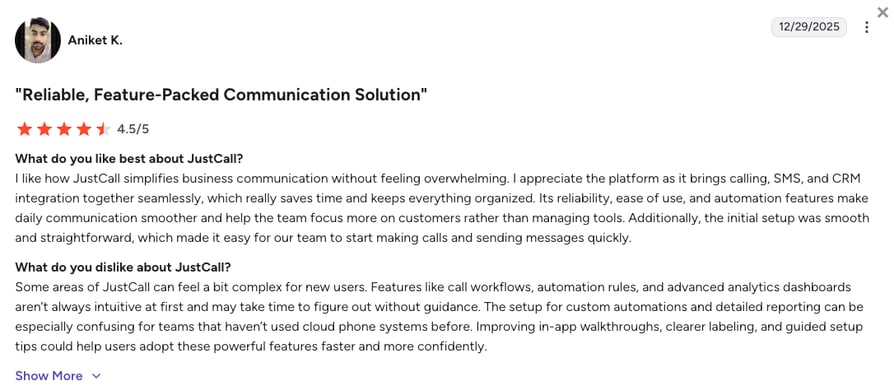
What Are JustCall Customers Saying?
Sales managers highlight JustCall's immediate impact on connect rates and outbound velocity.
- HubSpot Saving Grace: Reviewers consistently note that JustCall's integration logs calls and texts flawlessly into CRM contact timelines.
- Streamlined Communication: Users appreciate having calls, texts, and logs consolidated in one place, saving significant manual effort.
- Occasional Glitches: Some users report performance lag or crashing on the mobile application during high-volume usage.
How G2 Users Rate JustCall?
JustCall's current G2 rating is 4.3/5, out of 2,300+ verified user reviews.
5. RingCentral: Best for Large Enterprises and Complex Routing
What is RingCentral?
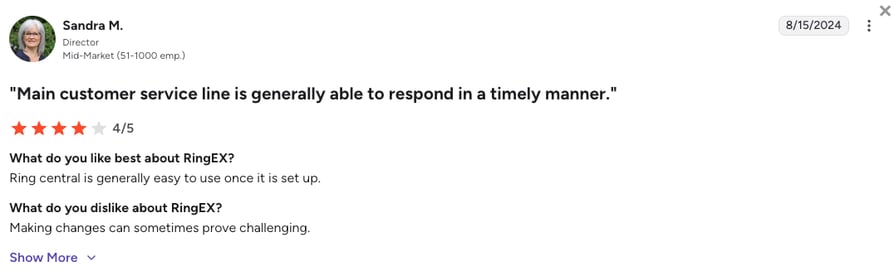
RingCentral (also known as RingEX) is the legacy titan of the UCaaS and CCaaS industry (Contact Center as a Service). It provides an exhaustive, enterprise-grade suite of unified communications, team messaging, and contact center capabilities engineered to support thousands of concurrent users.
Why Is RingCentral a Strong Dialpad Alternative?
- Unmatched Routing Scale: When evaluating RingCentral vs Dialpad, RingCentral possesses a sheer depth of configuration and routing logic that Dialpad's lightweight architecture cannot match. It easily handles complex organizational hierarchies and multi-site global deployments.
- Deep Regulatory Compliance: RingCentral is backed by rigorous compliance certifications including HIPAA, SOC 2, and ISO 27001. This is a critical advantage over Dialpad for healthcare and financial institutions requiring deep data governance.
- Massive Integration Library: Featuring over 500 pre-built integrations and APIs, RingCentral connects with nearly any legacy IT infrastructure seamlessly.
What Are the Pros & Cons of RingCentral?
| Pros | Cons |
|---|---|
| Industry-leading ecosystem: Features over 500+ deep software integrations. | Heavy admin: The backend configuration is notoriously complex and steep to learn. |
| Exceptional network stability: Backed by a highly reliable 99.999% uptime SLA. | Bureaucratic support: Customer service resolutions are too slow for SMB accounts. |
| Deep regulatory compliance: Protocols built securely for healthcare and finance sectors. | Very expensive AI modules: Advanced AI and Contact Center tools are costly add-ons. |
What Are RingCentral’s Plans & Pricing?
RingCentral pricing starts at $20/user/month (billed annually), with the following plans:
- Core - $20/user/month
- Advanced - $25/user/month
- Ultra - $35/user/month
What Are RingCentral Customers Saying?
Large enterprises trust RingCentral’s scale, but mid-market teams often lament its lack of agility and dense backend.
- Enterprise Reliability: Users managing massive teams praise the system's ability to handle high call volumes without crashing or degrading audio.
- Functional but Bloated: Mid-market administrators frequently note that the platform feels bloated with features they don't need, complicating the setup.
- Support Disconnect: Many reviewers warn that unless you have a high enough enterprise spend to get a dedicated CSM, standard support can be slow.
How G2 Users Rate RingCentral?
RingCentral's current G2 rating is 4.2/5, out of 1,450+ verified user reviews.
Recommended Reads
Aircall syncs. JustCall texts. RingCentral routes. CloudTalk does all three.
6. Quo (OpenPhone): Best for Startups and Teams Requiring Shared Inboxes
What is Quo?
Quo (recently rebranded from OpenPhone) is a collaborative, mobile-first platform that reimagines business telephony by modeling it after highly intuitive, consumer-grade texting applications. It utilizes a shared inbox concept, making it the premier choice for startups and micro-teams.
Why Is Quo a Strong Dialpad Alternative?
- Zero Admin Friction: Quo strips away the dense PBX jargon and complex configuration layers found in traditional VoIP tools like Dialpad. Its sleek mobile and desktop app requires almost zero team training.
- Shared Inbox Architecture: Dialpad users often struggle with rigid team routing. Quo prevents siloed communications by allowing multiple team members to view, comment on, and respond to customer text threads from a single number effortlessly.
- Start-Up Friendly Pricing: Quo starts at an affordable $15/month with no seat minimums, offering a massive improvement in agility for resource-constrained startups compared to Dialpad's scaling costs.
What Are the Pros & Cons of Quo?
| Pros | Cons |
|---|---|
| Highly intuitive UX: Consumer-style interface that requires virtually no onboarding time. | Metered international usage: Global communication is billed per minute or per segment. |
| Shared team inboxes: Eliminates duplicate responses and keeps SMS/calls visible to all. | No advanced routing: Entirely lacks the power dialers or complex routing. |
| Very affordable: $15 starting price with zero mandatory seat minimums. | Registration delays: Strict A2P 10DLC registration flows can delay outbound texting. |
What Are Quo’s Plans & Pricing?
Quo pricing starts at $15/user/month (billed annually), with the following plans:
- Starter - $15/user/month
- Business - $23/user/month
- Enterprise - Custom quote-based pricing
What Are Quo Customers Saying?
Startups and solopreneurs revere Quo for its aesthetic simplicity and rapid onboarding compared to legacy tools.
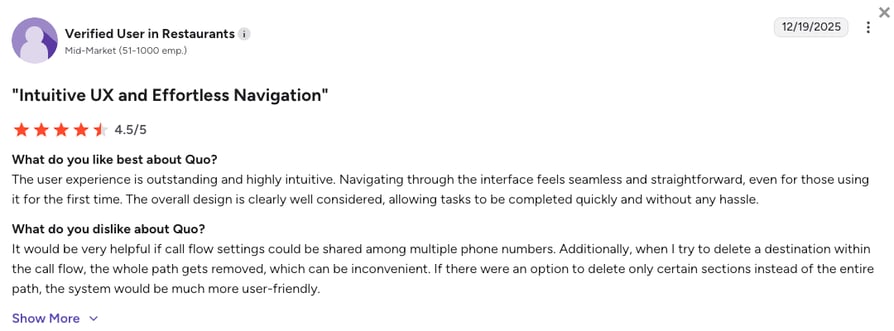
- Huge UX Improvement: Reviewers migrating from Dialpad explicitly praise the transition, noting the process is much more straightforward and efficient.
- Excellent Mobile App: Users love managing their business lines directly from their personal phones without missing a beat.
- Rigid Call Flows: Some users note that setting up advanced call flows is inflexible, and international reach is highly limited compared to enterprise tools.
How G2 Users Rate Quo?
Quo’s current G2 rating is 4.7/5, out of 3,000+ verified user reviews.
7. Five9: Best for High-Volume Enterprise Call Centers
What is Five9?
Five9 operates exclusively within the Contact Center as a Service (CCaaS) sphere, frequently ranking as one of the top Talkdesk competitors and Dialpad alternatives. It’s an enterprise-grade platform engineered to power massive outbound and inbound operations, utilizing sophisticated algorithms to maximize agent productivity across thousands of concurrent seats.
Why Is Five9 a Strong Dialpad Alternative?
- Algorithmic Dialing Power: In a Five9 vs Dialpad comparison, Dialpad is a UCaaS tool attempting to bridge into contact centers, while Five9 utilizes advanced predictive dialers that calculate connection metrics and answering machine probabilities in real-time, vastly outpacing Dialpad.
- Granular Workforce Management: Five9 provides deep WEM tracking for complex shift scheduling and quality assurance. This scale is required for massive teams where Dialpad's reporting structure often falls short.
- Automated Compliance: For highly regulated industries, Five9 enforces strict legal outreach windows to shield enterprises from TCPA liability, a capability lighter VoIP tools lack.
What Are the Pros & Cons of Five9?
| Pros | Cons |
|---|---|
| Highly advanced algorithms: Predictive dialers drastically eliminate agent idle time. | Strict 50-seat minimum: This high barrier completely disqualifies most SMBs. |
| Extensive granular tracking: Unmatched workforce management and analytics capabilities. | Exceptionally high TCO: The total cost of ownership is among the highest in the industry. |
| Automated compliance: Built-in features mitigate severe legal and TCPA risks. | Complex implementation: Rollouts require dedicated IT consultants and significant time. |
What Are Five9’s Plans & Pricing?
Five9 pricing starts at $119/month (billed annually), with the following plans:
- Digital - $119/user/month (Chat and email only)
- Core - $159/user/month (Voice only)
- Plus / Pro / Enterprise - Custom quote-based pricing
What Are Five9 Customers Saying?
Five9 is highly respected by enterprise directors but heavily criticized for its sheer expense and deployment complexity.
- Unparalleled Dialing Speed: Sales managers praise the predictive dialers, stating they drastically reduce waiting time and maximize connects.
- Steep Learning Curve: Reviewers warn that installing and configuring the system is a multi-step process that demands professional IT intervention.
- High Costs: Users express frustration that essential integrations and advanced analytics are treated as expensive, custom-quoted add-ons.
How G2 Users Rate Five9?
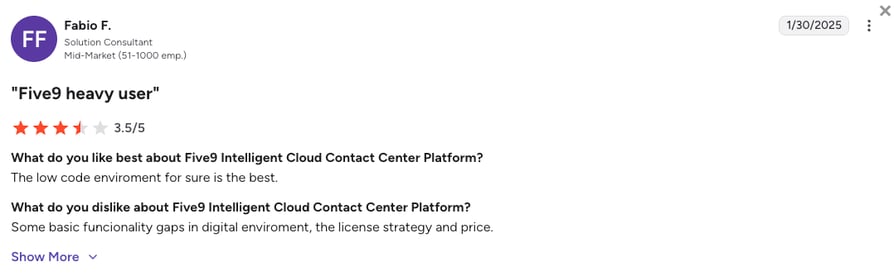
Five9's current G2 rating is 4.1/5, out of 550+ verified user reviews.
8. 8x8: Best for Microsoft Teams Users and Global Reach
What is 8x8?
8x8 is a powerful unified comms and contact center provider renowned for its patented, distributed global voice network. It bridges the gap between internal corporate collaboration and external omnichannel customer contact, particularly for Microsoft environments.
Why Is 8x8 a Strong Dialpad Alternative?
- Unmetered Global Calling: Scaling businesses frequently report that Dialpad's international costs spike unpredictably. 8x8 offers unmetered, unlimited calling to up to 48 countries, providing absolute cost predictability for multinational corporations.
- Native Microsoft Teams Integration: 8x8 integrates invisibly within Microsoft Teams. Enterprise users can leverage 8x8's carrier network without ever leaving the Teams interface, eliminating workflow context switching.
- Unbreakable Stability: Backed by a 99.999% SLA across its patented global network, 8x8 cures the frequent call drops and regional latency issues that plague lighter cloud platforms.
What Are the Pros & Cons of 8x8?
| Pros | Cons |
|---|---|
| Unlimited international calling: Extensive unlimited calling zones for predictable billing. | Unclear pricing model: Transitioned to a sales-led, quote-only procurement process. |
| Native Microsoft Teams: Flawless embedded telephony inside the Teams UI. | Clunky admin: The core administrative dashboard is frequently described as dense. |
| Unbreakable global stability: Supported by a patented network and 99.999% SLA. | Gated AI features: Advanced AI transcription and analytics are locked behind high tiers. |
What Are 8x8’s Plans & Pricing?
8x8 pricing is quote-based, but most users report it starts at around $24/user/month (billed annually):
- Unified Comms (X2/X4) - Est. $24 - $44/user/month
- Contact Center (X6) - Est. $85/user/month
- CX Beyond (X7/X8) - Est. $110 - $140/user/month
What Are 8x8 Customers Saying?
IT administrators heavily favor 8x8 for its unbreakable stability, though secondary features draw some complaints.
- Perfect for MS Teams: IT teams love how 8x8 operates in the background while users make calls directly inside Microsoft's ecosystem.
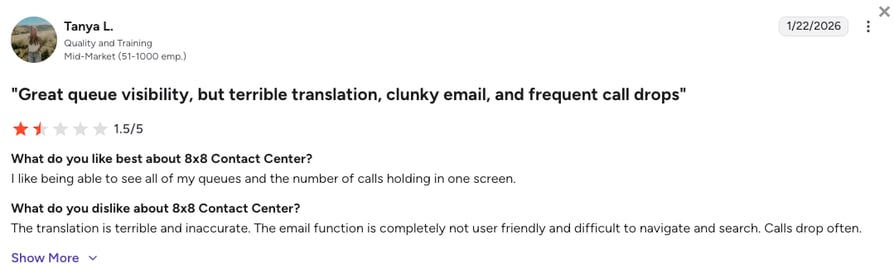
- Great Queue Visibility: Managers appreciate being able to see all their call queues and holding metrics on a single, high-level screen.
- Clunky UX: Users complain about difficult-to-navigate email functions, inaccurate translations, and occasional friction during procurement.
How G2 Users Rate 8x8?
8x8's current G2 rating is 4.1/5, out of 200+ verified user reviews.
Recommended Reads
9. Ringover: Best for European Teams and Fast Onboarding
What is Ringover?
Ringover is an agile, user-friendly cloud telephony solution heavily optimized for the European market. It offers a sleek interface that prioritizes speed of deployment, making it a favorite for fast-moving sales and support agencies.
Why Is Ringover a Strong Dialpad Alternative?
- Predictable International Calling: Dialpad's metered international rates cause anxiety for expanding teams. Ringover includes unlimited calling to 110+ international destinations right out of the gate, removing cost friction.
- Rapid Deployment: Ringover focuses intensely on administrative simplicity. IT managers can procure numbers and configure complex IVR routing rules in mere minutes without specialized technical intervention.
- Granular Live Coaching: It provides highly transparent live dashboards, allowing managers to whisper to agents during calls easily, a feature buyers often find clunky to manage in Dialpad.
What Are the Pros & Cons of Ringover?
| Pros | Cons |
|---|---|
| Five-minute deployment: Highly intuitive configuration and immediate onboarding. | Fewer integrations: Lacks the sheer volume of deep CRM connections found in platforms like CloudTalk. |
| No calling limits: Natively covers 110+ destinations without metered stress. | Gated advanced analytics: Complex data extraction is locked behind higher tiers. |
| Transparent pricing: An all-inclusive structure that is easy for finance teams to budget. | Mobile app glitches: The mobile application occasionally suffers from refresh issues. |
What Are Ringover’s Plans & Pricing?
Ringover pricing starts at $15/user/month (Talk, billed annually, 3-user minimum), with the following plans:
- Talk - $15/user/month
- Business - $47/user/month
- Advanced - Custom pricing
What Are Ringover Customers Saying?
Ringover is often praised for its operational simplicity and rapid onboarding, though scaling teams note data limitations.
- Fast Onboarding: Managers appreciate how quickly agents learn the system, noting that the initial setup is completely hassle-free.
- Great for Sales Campaigns: Sales teams love the integrated dialer and clear statistics that keep their outreach highly organized.
- Data Extraction Issues: While basic in-app stats are reliable, users find exporting raw data for custom manipulation to be problematic.
How G2 Users Rate Ringover?
Ringover's current G2 rating is 4.6/5, out of 450+ verified user reviews.
10. CallHippo: Best for Micro-Teams on a Very Tight Budget
What is CallHippo?
CallHippo is a simplified, inexpensive VoIP platform designed to allow startups, solo operators, and micro-businesses to establish a professional global presence instantaneously without a massive financial commitment.
Why Is CallHippo a Strong Dialpad Alternative?
- No Financial Barrier: While Dialpad forces users into a $15/month baseline that quickly increases with add-ons, CallHippo offers a $0 Basic plan where you only pay for the actual usage, making it one of the few viable free Dialpad alternatives for brand-new operations.
- Instant Global Presence: CallHippo gives teams local numbers in over 50 countries in less than three minutes, avoiding Dialpad's noted provisioning delays in specific global markets.
- Compliance Tools: Built-in timezone awareness tools prevent sales representatives from calling prospects during illegal hours, a massive plus for entry-level outbound teams.
What Are the Pros & Cons of CallHippo?
| Pros | Cons |
|---|---|
| Free plan: Includes a fully free basic tier for brand-new operations. | Costly upgrades: Deep CRM syncing and routing require expensive plan jumps. |
| Instant global number deployment: Acquire numbers in 50+ countries in minutes. | Slow customer support: Resolution times for technical issues are notoriously delayed. |
| Built-in timezone warnings: Prevents sales reps from triggering compliance violations. | Basic interface: The UI lacks the intuitive polish and fluidity of modern UCaaS tools. |
What Are CallHippo’s Plans & Pricing?
CallHippo paid pricing starts at $18/user/month (Starter, billed annually), with the following plans:
- Basic - $0/user/month
- Starter - $18/user/month
- Professional - $30/user/month
- Ultimate - $42/user/month
What Are CallHippo Customers Saying?
Users highly appreciate the sheer value and accessibility CallHippo provides, though they acknowledge inherent technical limitations.
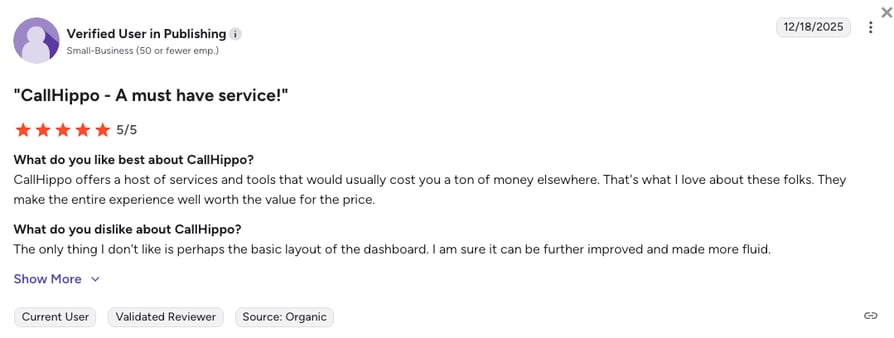
- Unbeatable Value: Customers highlight that CallHippo offers a host of services and tools that would cost a fortune elsewhere.
- Basic Dashboard Layout: While the tools are highly effective, some users feel the dashboard's layout is too basic and could be made more fluid.
- Add-On Fatigue: Users note that the cheap entry price is slightly deceptive, as extra features and fees for deep CRM syncing add up quickly.
How G2 Users Rate CallHippo?
CallHippo's current G2 rating is 4.4/5, out of 400+ verified user reviews.
What Users Are Really Saying About Dialpad's Alternatives and Competitors
To give you a more complete picture, we dug into what real users are saying about Dialpad and some of its main alternatives across major discussion platforms: Reddit, Quora, G2, and TrustPilot. Take a look at what we found.
What Redditors Are Asking and Saying about Dialpad Alternatives
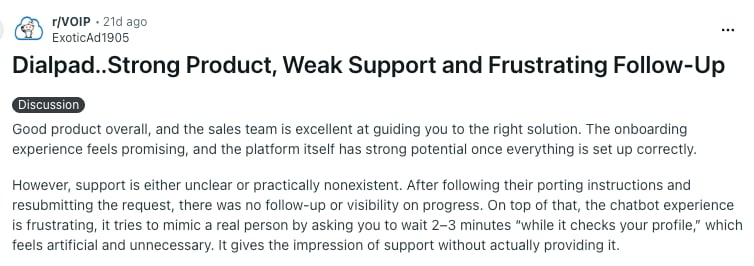
Technical communities on r/VOIP and r/sysadmin offer a raw look at Dialpad’s performance. The consensus highlights a clear gap between a strong initial sales experience and long-term support.
- "Artificial" Support: On r/VOIP, users describe Dialpad as a strong product held back by "nonexistent" support. A major pain point is the chatbot, which users feel mimics a real person to create the impression of help without actually resolving critical issues like number porting.
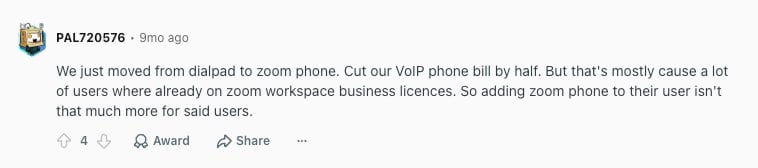
- Pricing and License Gaps: In r/sysadmin recommendations, users report cutting their VoIP bills in half by switching to competitors. Many found that moving to providers with better workspace integration allowed them to escape Dialpad's high per-user costs.
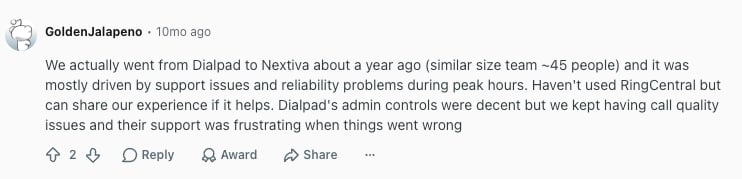
- Peak-Hour Stability: For teams of 50+, Reddit reviews on r/SaaS cite "frustrating support" and reliability issues during peak hours as the main drivers for switching. While admin controls are decent, many moved to Nextiva or CloudTalk to fix persistent call quality problems.
What Quora Users Are Asking about Dialpad Alternatives
Quora discussions typically focus on whether VoIP platforms like Dialpad or its main competitors are built for general office use or high-velocity sales:
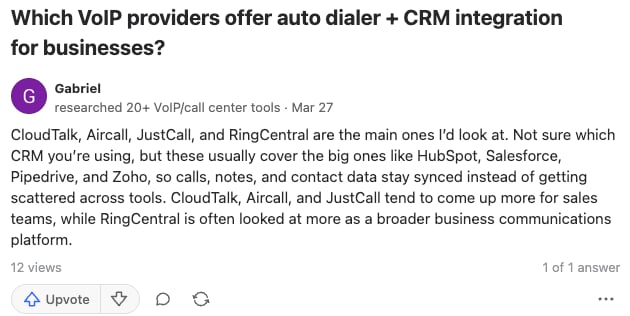
- Dialers and CRM Integrity: Various consultants point to CloudTalk for users needing a unified auto-dialer and CRM sync. The consensus is that while Dialpad is a broad communication tool, specialized platforms are better at keeping call data from getting scattered across different apps.
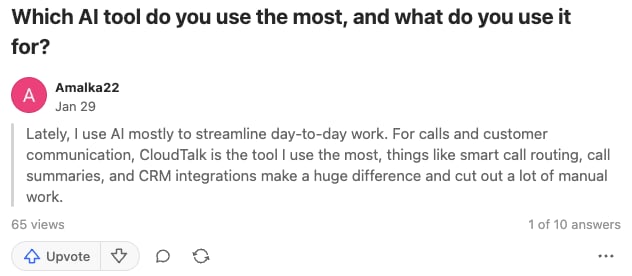
- AI for Practical Productivity: Beyond basic transcripts, users are looking for AI that actually cuts out manual work. Feedback highlights smart call routing and automated call summaries as the features that make the biggest difference in day-to-day operations, CloudTalk being suggested as an ideal platform for that.
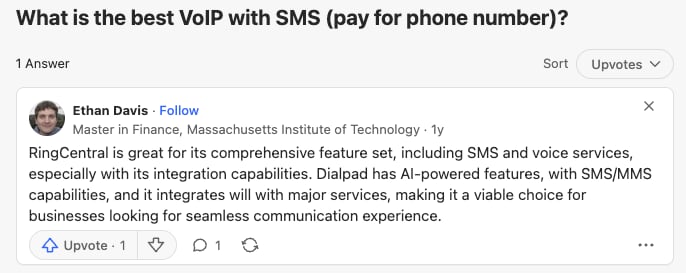
- Unified Comms vs. Sales Engines: Professionals frame Dialpad or RingCentral as a viable choice for seamless internal comms and SMS. However, they warn that scaling teams must choose between a general-purpose "all-in-one" tool and a dedicated sales engine built for data fidelity.
What Verified G2 and Trustpilot Reviewers Say About Switching
Verified user feedback from Dialpad’s G2 and TrustPilot boards reveals a stark contrast between Dialpad’s marketing and the long-term reality of their reliability. Those who have migrated (mostly to CloudTalk and Quo) consistently highlight several deal-breakers:
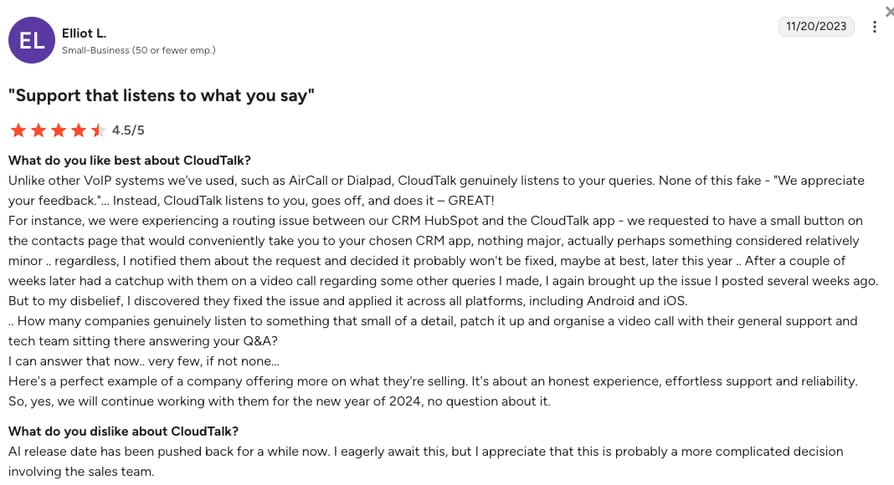
- Lack of Responsive Support: While Dialpad relies heavily on AI chatbots, CloudTalk is cited for its hands-on technical support. Users report that CloudTalk's team personally organizes video calls to troubleshoot CRM routing issues and applies patches in weeks rather than months.
- Global Provisioning Gaps: Scaling teams frequently leave Dialpad due to an inability to secure local numbers in key international markets without exorbitant fees. This regional friction drives them to providers like CloudTalk, who offer more robust footprints in EMEA and APAC.
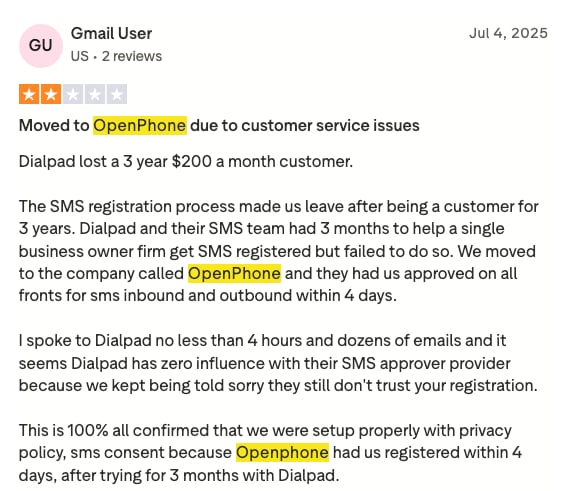
- SMS Registration Failures: Business owners report waiting months for Dialpad to approve their SMS registration without success. In contrast, users who switched to Quo (OpenPhone) reported being fully approved for texting in just four days.
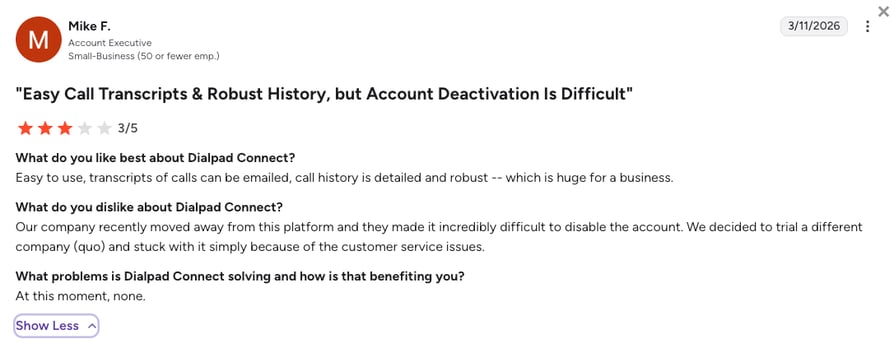
- Difficult Account Deactivation: Leaving the platform can be a hurdle. Reviews highlight that Dialpad makes it "incredibly difficult" to disable accounts, forcing users to navigate complex customer service loops just to cancel their service.
CloudTalk vs. Dialpad: Final Head-to-Head Comparison
When choosing between CloudTalk and Dialpad, the biggest difference comes down to their main focus. Dialpad acts as a broad communication app for internal team meetings, while CloudTalk is purpose-built to handle external sales and customer support.
Check out this direct, side-by-side comparison of how the two platforms stack up.
Dialpad vs CloudTalk: The Final Comparison
| Category | CloudTalk | Dialpad | Winner |
|---|---|---|---|
| Starting Price (annual billing) | $25/user/month | $15/user/month | Dialpad |
| Minimum Seats | 1 user | 1 user | Tie |
| Call Quality | 99.999% uptime across all plans | 100% uptime, but only for enterprises | CloudTalk |
| Global Coverage | 160+ countries | 70+ countries | CloudTalk |
| Conversation Intelligence | Post-call transcripts, summaries, sentiment and call scoring for managers, a $9/user/month add-on on any plan | Live transcription and in-call coaching for reps, included on every Connect plan | Dialpad for live coaching, CloudTalk for post-call review |
| AI Voice Agents | Native voice AI that automates inbound and outbound routine and CRM logging | Agentic AI that mainly deflects support tickets | CloudTalk |
| CRM Integrations | 100+ | 90+ | CloudTalk |
| Power Dialer | Included in the $49/user/month Expert plan, or as a $15/user/month add-on to any plan | Included in the $95/user/month Advanced plan, or as an add-on to the basic “Sell” tier | CloudTalk |
| G2 Rating | 4.4/5 (1,700+ reviews) | 4.4/5 (5,500+ reviews) | Dialpad |
| Free Trial | 14 days | 14 days | Tie |
How To Choose the Right Dialpad Alternative for Your Business?
When deciding which platform to move to from Dialpad, think about your specific business bottlenecks, not just the flashy features the Dialpad alternatives you consider offer. Based on search trends and community questions from platforms like Reddit and Quora, here’s how to match your unique use case to the right platform:
1. What Is the Best Dialpad Alternative for Predictable Billing?
If you are moving away from Dialpad due to feature gating and additional costs, prioritize platforms with flat, transparent pricing. Dialpad’s $15 starting price is kind of a lure. Once you need CRM sync you are moved to Connect Pro, sold in blocks of three seats, and once you need a Power Dialer you are into the separate Sell tier, which can cost 3 to 4 times more than the base rate.
- Top Picks: Nextiva is excellent for teams that want a transparent Scale plan that bundles most unified communications. CloudTalk is the best choice for flexibility, as it offers a flat $9/user/month add-on for Conversation Intelligence, AI voice agents (from $99/month for 200 minutes), and predictable Expert tier pricing that includes the best-in-class Sales Dialer without the Enterprise price tag.
2. Which Dialpad Alternative Provides the Best CRM Synchronization?
For revenue teams, a dropped call record or unlogged voicemail in your CRM equals lost context and lost deals. If you are tired of Dialpad’s integrations intermittently dropping deal associations or requiring manual oversight, look for platforms that utilize native CTI embedding for automated logging.
- Top Picks: CloudTalk is the leader here due to its native deep-sync ecosystem that triggers Salesforce and HubSpot workflows automatically. Aircall is also a strong contender for teams looking for reliable and easy-to-set-up connectivity that avoids fragile Zapier patches.
3. What Is the Best Dialpad Alternative for International Reach?
Organizations expanding globally often outgrow Dialpad’s primary focus on North American and UK markets. If you face gaps in local number availability or high international surcharges, you need a provider with a massive selection of international numbers and a multi-carrier network to ensure low latency.
- Top Picks: CloudTalk is the best choice for global reach, providing local and toll-free numbers in 160+ countries backed by a network designed for high-quality international routing. 8x8 is another strong option for large multinational enterprises that require extensive unmetered global calling zones.
4. Dialpad vs. Aircall, RingCentral, JustCall, and Nextiva: Which Wins on What?
The best Dialpad competitor for sales teams depends on what your reps do all day. Aircall vs Dialpad comes down to the CRM: Aircall is the pick when HubSpot or Salesforce is your hub and you want native call logging instead of Zapier patches, though it starts at three seats. Dialpad vs RingCentral is a routing question, and RingCentral wins it for large, multi-site companies that need deep configuration and compliance, with a price list that scales to match. Dialpad vs JustCall favors JustCall for teams that text as much as they call, with SMS, MMS, and WhatsApp in one inbox. Dialpad vs Nextiva goes to Nextiva when you want voice, video, and team chat on one bill with 24/7 human support on every tier.
- Top Picks: CloudTalk is the safest single choice when your team needs more than one of those strengths at once: local numbers in 160+ countries, HubSpot and Salesforce sync, native SMS, and plans that start at a single seat. If one strength matters far more than the rest, the brand that owns it above is the better fit.
5. Are There Dialpad Alternatives without Strict Seat Minimums?
While Dialpad is actually favorable for solo users with its 1-seat minimum, many Dialpad competitors enforce operational floors that can price out smaller teams. If you are a micro-team or solo operator, avoid platforms that force you to buy shelfware you do not need.
- Top Picks: CloudTalk offers total single-seat flexibility starting at $25/user/month, allowing you to scale exactly as you grow. Nextiva also supports single-seat accounts, making it a viable option for agile businesses that want to keep overhead low.
6. Overall, What Is the Best Dialpad Alternative Worth Switching to?
If your objective is to upgrade your business communications with premium carrier reliability, flawless CRM automation, and expansive global reach without the Plan Maze of hidden upgrades, one platform stands out as the most balanced solution for scaling teams.
- Top Picks: CloudTalk is the definitive upgrade for growing businesses. It bridges the gap between a simple office phone and a high-performance sales engine, offering the premium features Dialpad gates like Power Dialers and 24/7 support at a much more predictable total cost of ownership.
You picked the scenario. Now test it on your own calls.
Ready to Make the Switch from Dialpad?
The verdict based on our testing and real user reviews is clear: Dialpad is a great office phone, but it often struggles to keep up with the demands of a scaling sales or support team. Whether it’s the frustration of gated features or the headache of "silent" CRM data drops, you shouldn't have to fight your phone system to get your job done.
Here's what switching from Dialpad to CloudTalk gets you:
- Rock-Solid Reliability: Move from Dialpad’s occasionally choppy audio and gated support to CloudTalk’s 99.999% uptime. Our multi-carrier network ensures your calls stay connected, even when a local provider fails.
- Massive Global Reach: Instantly access local virtual numbers in 160+ countries. While Dialpad hits a wall at 70 countries, CloudTalk lets you expand into EMEA and APAC markets without the provisioning delays.
- CRM Deep-Sync Automation: Get native, bi-directional syncing that actually works. CloudTalk eliminates the manual data entry and "dropped logs" reported by Dialpad users by ensuring every call, SMS, or WhatsApp message is perfectly mapped to your CRM.
Bring your Dialpad bill. We'll rebuild the math on single-seat pricing.
Frequently Asked Questions
about Dialpad Alternatives
Find answers to the most common questions businesses have about Dialpad competitors.
When it comes to the best overall alternative to Dialpad in 2026, CloudTalk is often mentioned as the top choice. In a direct CloudTalk vs Dialpad comparison, CloudTalk is ideal for growing SMB and mid-market teams. It provides superior global coverage (160+ countries compared to Dialpad's 70+). CloudTalk also features native CRM integrations that do not drop data, a frequent problem with Dialpad.
No, Dialpad's AI is not strictly better than its competitors, at least not for every use case. While Dialpad was a pioneer in native voice AI, its broad AI suite does not automatically translate into better outcomes for international teams. Competitors like CloudTalk focus their AI on critical workflows like CRM logging, dispositions, and outbound productivity, providing more precise, customizable solutions that support multiple languages from day one.
Yes. If you switch to an alternative to Dialpad, you can keep your current business numbers. The process of moving numbers to a Dialpad alternative like CloudTalk is called "number porting." Reputable VoIP providers build a structured migration plan, including number health checks. This ensures your team experiences zero operational downtime and retains full ownership of all existing phone lines.
CloudTalk is the best option when searching for Dialpad alternatives for multi-region, remote teams. Dialpad focuses heavily on the US and UK, frequently causing delays, high costs, or complete failure when provisioning local numbers or reliable SMS in EMEA and APAC. CloudTalk provides local numbers in 160 countries, making it the safer path for intentional international rollout rather than ad-hoc firefighting.
When looking at Dialpad vs Nextiva or CloudTalk, CloudTalk and Nextiva are the strongest choices for support teams needing reliable routing. If you experience scalability issues and frequent call drops with Dialpad, CloudTalk natively bundles advanced inbound call queuing, skill-based routing, and reliable CRM syncs. This ensures your support agents have pristine audio quality and full customer context on every single call.
CloudTalk is the service that clearly wins in a CloudTalk vs Dialpad for outbound sales dialing. While both platforms reserve advanced dialing capabilities for premium tiers, CloudTalk’s Power, Preview, and Parallel dialers are natively engineered for high-velocity outbound sales floors. In contrast, Dialpad focuses heavily on live transcription and requires an expensive $110/month add-on just to access its Salesforce Power Dialer.
While there are free Dialpad alternatives like CallHippo, their total cost of ownership quickly adds up once you need to unlock essential features. Instead of dealing with unexpected upgrade fees, growing teams switch to CloudTalk. It delivers better long-term value by packing reliable global routing and native CRM syncing directly into its predictable plans.
CloudTalk and Nextiva are the most reliable competing products for call quality across desktop and mobile devices. When comparing Nextiva vs Dialpad, users frequently report choppy audio and dropped calls with Dialpad during high-traffic hours. In contrast, Nextiva uses a dual-cloud architecture, and CloudTalk operates on a proprietary multi-carrier network. Both alternatives to Dialpad offer a 99.999% uptime guarantee, ensuring crystal-clear connections regardless of the device you use.
Five9 and RingCentral are the best alternatives to Dialpad for large enterprise contact centers requiring advanced AI and deep analytics. In a Five9 vs Dialpad comparison, Five9 utilizes highly advanced predictive algorithms and granular workforce management tracking built for massive call volumes. Meanwhile, when looking at RingCentral vs Dialpad, RingCentral provides enterprise-grade compliance protocols and deep analytical reporting suited for complex, multi-site deployments.
The main cloud infrastructure difference is that Dialpad competitors like CloudTalk utilize multi-carrier redundancy (i.e., having backup networks so if one fails), whereas lighter platforms often rely on single-path routing. If one regional carrier experiences an outage or latency, a multi-carrier infrastructure automatically reroutes your call through a different path in milliseconds. This structural difference is why competitors often provide more stable audio and fewer dropped calls than Dialpad. Where your call data is processed matters too: European data-processing rules kept Pactum from rolling Dialpad out to every region, which is why it consolidated its calling on CloudTalk.
Quo and Nextiva are the cheapest paid Dialpad alternatives for a small team, both at $15/user/month with no seat minimum, and CallHippo's Basic tier is free with numbers and usage billed separately. CloudTalk starts at $25/user/month for a single seat, with CRM integrations from Essential at $29/user/month. That still beats Dialpad's real floor once you need CRM sync: Connect Pro at $25/user/month, sold three seats at a time.
Yes, CloudTalk is a Dialpad alternative with a native Bullhorn integration, available from the Essential plan. Every inbound and outbound call is logged as a Bullhorn Note with its duration, recording link, tags, and after-call notes, attached to the matching candidate, contact, or lead. Tags and notes you edit in CloudTalk update the Bullhorn Note automatically, and your Bullhorn contacts import on setup so recruiters can dial without switching tabs. Text messages are not logged, only calls.
CloudTalk and RingCentral are the best alternatives to Dialpad for healthcare companies that handle patient calls. CloudTalk signs a Business Associate Agreement (BAA) with healthcare customers and its security controls comply with HIPAA, so call recordings and transcripts can hold patient information. Beyond compliance, a healthcare call center needs skill-based routing to the right department, call queues, and call recording controls. One caveat applies to every provider: standard SMS is not a HIPAA-compliant channel.
Most Dialpad alternatives will not replace your team chat as well as your phone system, and that is usually the right trade. Dialpad bundles internal messaging and video into Connect, which is part of why its entry plan looks cheap. Nextiva is the closest like-for-like bundle if you want voice, video, and chat on one bill. CloudTalk focuses on the calling layer and connects to the tools you already run, including Slack and Microsoft Teams.
No, Switch.monster is not a Dialpad alternative in the usual sense, because it is a call tracking tool rather than a phone system. It runs on your own Twilio account and handles routing, recordings, transcripts, and call reports, with plans from $49 a month. Dialpad and CloudTalk are the systems your team actually answers on, so if you need both, pair a phone system with inbound call tracking.