Multi-Line Dialer: How It Works, Benefits & Top Providers
Multi-line dialers (also known as multi dialers or call multipliers) are outbound software systems that allow agents to call multiple numbers simultaneously, reducing idle time and boosting productivity.
If your team is stuck dialing one number at a time, waiting through rings, voicemails, and dropped calls, you are missing out on conversations, leads, and revenue.
In this guide, you’ll learn what a multi-line dialer is, how it works, and why it’s so effective for outbound teams. We’ll walk through the key benefits and risks, show you how it compares to other dialer types and share the best multi-line dialer solutions for 2026.
SUMMARY:
We tested and compared the 25+ leading multi-line dialer platforms on the market and shortlisted the 6 best multi-line dialers for outbound sales and support teams in 2026, ranked by dialing modes (parallel, power, triple line dialer), CRM integrations, compliance features, pricing transparency, and how well each one scales with growing SDR teams.
Here are the 6 best multi-line dialer solutions by use case:
- 01CloudTalk – best multi-line dialer for SMB sales and support teams scaling outbound with AI-powered dialing
- 02JustCall – best for SMBs that want a fast, CRM-integrated multi-line dialer with built-in sentiment analysis
- 03Kixie – best multi-line dialer for SaaS, finance, and IT sales teams that rely on local presence and a Chrome workflow
- 04Orum – best AI-powered parallel/triple line dialer for high-volume outbound SDR teams
- 05Elto – best lightweight parallel dialer for outbound-only teams running on HubSpot
- 06Klenty – best multi-channel platform with a built-in multi-line dialer for blended call/email/LinkedIn cadences

See how Parallel Dialers combine mult-dialing productivity with intelligence and compliance.

What is a Multi-Line Dialer?
A multi-line dialer is a type of phone system that calls multiple numbers at once—usually two to four—so agents can reach more leads, faster. As soon as someone answers, it routes that call to an available agent. Any unanswered calls are either dropped or handled automatically by the system.
This setup saves time and helps teams have more real conversations in less time.
Multi-line dialers are especially useful for:
- Sales teams making high volumes of outbound calls
- Call centers handling cold outreach or follow-ups
- Recruiters, debt collectors, and fundraisers who need to reach people quickly
For teams requiring maximum outreach, a triple line dialer configuration allows an agent to process three simultaneous connections, virtually eliminating the silence between successful conversations. You might also hear them called a call multiplier, multi dialer, or multi caller—these are all the same.
Keep in Mind
Single line dialers differ from multi-line dialers because they only make one call at a time.
Parallel dialers are a specific type of multi-line dialer. They’re built to connect only when someone actually answers, which makes them more compliant and efficient.
How Does a Multi-Line Dialer Work?
A multi-line dialer works by dialing multiple phone numbers at the same time—often two, three, or even more—and instantly connecting an agent to the first person who picks up.
Here’s how the process looks in action:
- The system selects contacts from your list.
- It dials multiple numbers at once (e.g. 3 lines using a triple line dialer).
- As soon as someone answers, that call is routed to a live agent.
- The remaining calls are dropped or redirected based on your settings.
- As soon as the agent is free again, the dialer repeats the process.
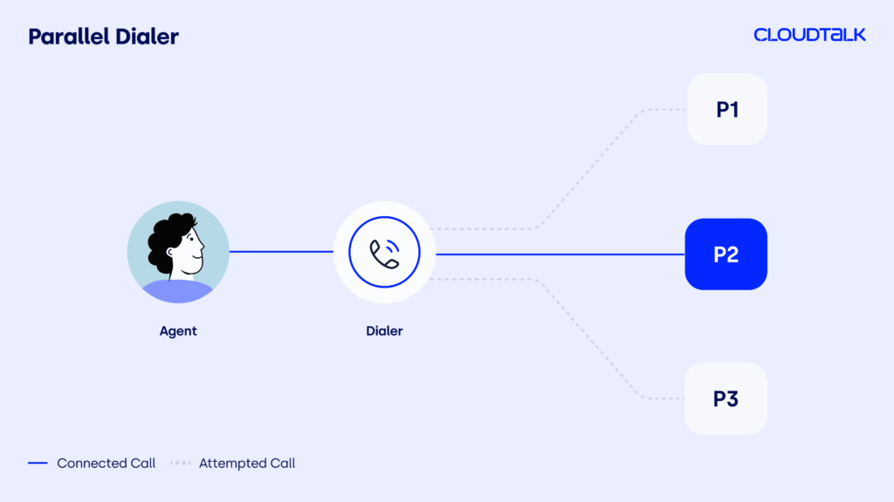
This style of calling uses parallel dialing technology, meaning calls are placed at the same time, not one after the other. That’s what makes it so efficient; no waiting around for one call to finish before starting another.
With some multi-line dialers you can control the number of lines dialed based on your team size, call quality, or time zone targeting.
Others may allow dynamic adjustments to prevent call abandonment or compliance issues.
Compared to older tools, like a single line dialer, multi-line dialers are designed to maximize talk time and minimize downtime.
Multi-Line vs. Other Dialers: What Makes It More Effective?
Not all dialers are created equal—and choosing the right one can make or break your outbound performance. So, how does a multi-line dialer stack up against other common dialing systems?
Let’s break it down:
| Multi-Line Dialer | Single Line Dialer | Power Dialer | Predictive Dialer | Parallel Dialer | |
|---|---|---|---|---|---|
| How It Works | Dials multiple numbers at once (usually 2–4), connects agent to the first one that picks up | Dials one number at a time, manually or automatically | Dials the next number automatically after each call ends | Uses algorithms to predict when to dial based on agent availability | Dials multiple numbers in parallel, connects only live calls |
| Pros | Boosts connect rates, reduces idle time, gives agents more talk time | Simple to use | Faster than manual, supports voicemail drops and call logging | High volume dialing with less agent downtime | Efficient routing, lower idle time, more compliant than predictive dialing |
| Cons | Needs smart settings to avoid abandoned calls, possible spam labeling | Very slow, lots of wasted time on voicemails and ringing | Still calls one-by-one, can’t match multi-line speed | High risk of abandoned calls, limited control, possible compliance issues | May need stronger tech setup, limited agent visibility in some tools |
| Key Difference | Balances speed and control — ideal for outbound teams that want volume and compliance | Dials one number at a Only calls one person at a time, not scalable for large campaigns, manually or automatically | Doesn’t dial multiple lines in parallel — still sequential | Can overwhelm agents and trigger call abandonment penalties | Technically a type of multi dialer — often includes compliance-first logic |
5 Benefits of a Multi-Line Dialer
If your outbound team is still dialing leads one by one, you’re leaving money (and momentum) on the table. Here’s how a multi-line dialer can help you close more deals with less downtime.
1. Make More Calls, Have More Conversations
The most obvious benefit of a multi-line dialer is simple: it makes more calls, faster.
By dialing multiple numbers at once, your agents spend less time waiting through rings and more time actually talking to people. Productivity goes up, with more conversations, more leads, and more opportunities to close. Most high-velocity SDR teams prefer a 3 line dialer because it hits the 'sweet spot' between maximizing talk time and keeping call abandonment rates below the legal 3% threshold.
2. Keep Agents Engaged and Motivated
Agent time is expensive, and traditional dialing methods waste a lot of it. A multi-line power dialer keeps your reps moving from call to call without long gaps in between.
The system connects them only when someone picks up, which means they’re not sitting around listening to voicemails or hitting disconnected numbers.
This keeps your team engaged, motivated, and far more productive throughout the day.
3. Boost Conversion Rates
The faster you reach someone, the more likely they are to remember your offer, engage in conversation, and take action.
That’s what makes multi dialer software so powerful: it increases your speed-to-lead, which in turn improves your sales conversion rates—especially in competitive industries like real estate, SaaS, and recruiting.
4. Build a Smarter Team
More efficient calls mean fewer agents needed to hit the same targets. That’s where multi-line dialers support smarter team planning.
With better talk-time ratios and fewer wasted calls, you can optimize schedules, reduce overtime, and even scale back headcount without sacrificing results. It’s workforce efficiency made easy.
If you’re scaling a lean team, this can make a massive impact on cost per lead.
5. Custom Call Settings
Not every campaign is the same. That’s why the best multi-line dialer tools let you adjust settings like:
- Number of simultaneous calls
- Time zone restrictions
- Call pacing
- Voicemail drop rules
- Disposition logging
This level of control helps you tailor the dialing experience to match your goals—whether that’s maximizing speed, staying compliant, or improving data capture. Pair this with call center analytics to keep improving performance over time.
For example: A recruiting team might set their dialer to call just two lines at once, skip voicemails, and log outcomes automatically to avoid bothering candidates outside working hours—while a sales team might crank up the lines and use voicemail drops to reach more prospects faster.
Pair this with call center analytics to keep improving performance over time.
Multi-Line Dialing & Compliance: What You Need to Know
If your system dials multiple numbers at once, you’ll need to follow specific rules to stay legal and avoid penalties.
Here are the four key compliance areas every team using multi dialer software should understand (plus one essential tech standard that helps keep your numbers clean).
1. TCPA & TSR: The Rules You Must Follow
The Telephone Consumer Protection Act (TCPA) and the Telemarketing Sales Rule (TSR) are two of the most important laws for any business using outbound dialers in the U.S.
They govern:
- When and how often you can call
- Whether consent is required
- What disclosures you must make
- Restrictions around prerecorded messages and automated dialing
2. Call Abandonment Risks
When you’re calling 3 or 4 numbers at once using a 3 line dialer or triple line dialer, you risk having more people answer than agents are available to take the call.
This leads to call abandonment—and it’s not just a bad experience for the lead, it’s also a legal liability. The FCC sets strict rules around this: typically, no more than 3% of calls can be abandoned in a given campaign.
To stay compliant:
- Set realistic line limits based on team size
- Use tools that detect live answers and drop voicemails automatically
- Monitor your abandonment rate closely
"With CloudTalk’s automated call routing and real-time analytics, we reduced client wait times and improved call efficiency. As a result, our Call Abandonment Rate dropped by 40%, ensuring that customers are connected with the right team members more quickly."
3. Managing Do Not Call (DNC) Lists
If someone doesn’t want to be called, you’re legally required to honor that—and fast. Both the National Do Not Call Registry and company-specific DNC requests must be enforced within 30 days.
Since multi-line dialing increases your call volume, it also raises the risk of accidentally calling restricted numbers. That’s why it’s essential to have systems and processes in place to stay compliant without slowing down.
Best practices:
- Integrate your CRM and DNC databases
- Use multi dialer software with built-in list management
- Train agents to handle opt-outs and document them
4. STIR/SHAKEN: Protect Your Caller ID Reputation
STIR/SHAKEN is a tech framework that helps prevent call spoofing and spam labeling by verifying your outbound calls are coming from a legitimate source.
With multiple telephone lines under one number, it's even more important to protect your brand’s phone identity. If your number gets marked as spam, your answer rate plummets—no matter how good your pitch is.
What to do:
- Register your numbers with STIR/SHAKEN authentication
- Use providers that manage caller ID reputation
- Rotate numbers and monitor spam flags regularly
How to Stay Compliant with a Multi-Line Dialer
Follow these tips to make sure you’re in line with the law:
- Choose tools that include compliance features by default
- Limit the number of simultaneous dials per agent
- Monitor call abandonment rate, DNC hits, and opt-outs
- Keep detailed call records and logs
- Stay up-to-date on regional laws (U.S., UK, EU, etc.)
Risks of Using Multi-Line Dialers
While multi-line dialers are powerful tools, they’re not without risks. Moving fast is great—until it backfires. Things like connecting too many calls at once can lead to dropped calls and frustrated prospects.
Below are four of the most common challenges outbound teams face when using multi dialer software, plus how to fix them before they cost you leads or legal trouble.
Telemarketer’s Delay & Call Abandonment
The challenge:
When your dialer connects a call but no agent is available to speak immediately, the lead hears silence. This is known as telemarketer’s delay—and it’s a fast track to hang-ups and frustration. If too many calls are abandoned this way, your business could also face regulatory penalties.
The fix:
- Use a multi-line Power Dialer that limits simultaneous calls based on available agents.
- Monitor abandonment rates and adjust dialer settings in real time.
- Ensure agents are auto-connected to live calls without delay.
Spam Labeling & Number Blocking
The challenge:
When your number shows up as “Spam Likely” on someone’s screen, your pickup rate drops dramatically. Multi-line dialing can speed up outbound efforts — but if you’re not managing your number reputation, carriers may flag or block your calls entirely.
The fix:
- Register your numbers with STIR/SHAKEN protocols.
- Use multi caller tools that rotate numbers and manage ID reputation.
- Regularly monitor flagged numbers and remove them from active campaigns.
Poor Customer Experience
The challenge:
Using a call multiplier tool too aggressively can result in rushed calls, robotic agent delivery, or connecting customers after long delays—all of which damage your brand’s reputation.
The fix:
- Use smart call pacing to ensure real humans answer quickly and sound prepared.
- Train agents to lead with value — especially when reaching cold leads.
- Combine your multi dialer software with features like CRM integration, call scripting, and real-time analytics.
Compliance Risks & Regulatory Penalties
The challenge:
With more speed comes more risk. High-volume dialing increases the chance of violating TCPA, TSR, and Do Not Call rules — especially if your tools don’t keep up with compliance requirements.
The fix:
- Choose software that includes real-time DNC scrubbing and pacing limits.
- Monitor call abandonment rates and consent logs.
- Educate your team on outbound call laws in all regions you operate.
Best Practices for Using a Multi-Line Dialer
Optimize Your Call Abandonment Rate
Set realistic pacing limits that match your team’s capacity. When your dialer makes too many calls at once, you risk connecting leads to silence—which frustrates them and puts you at risk of compliance violations.
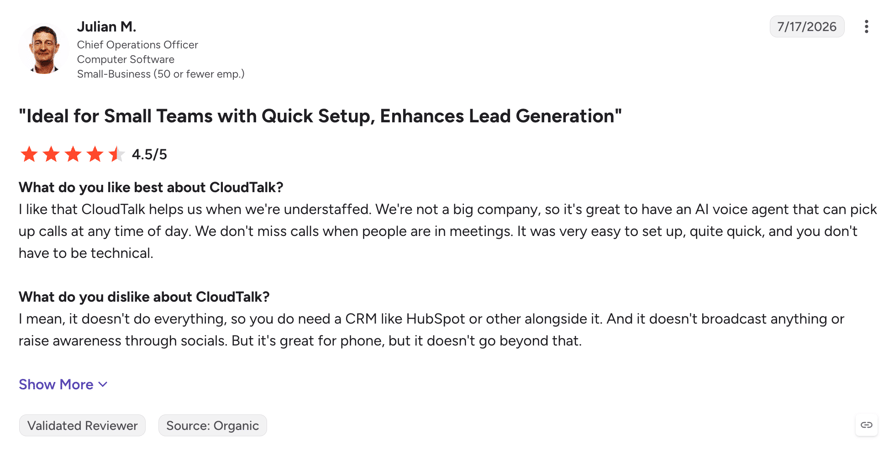
Tools like CloudTalk allow you to monitor abandonment rates in real time and automatically adjust your dialing strategy to stay within legal limits.
Prioritize Call Quality Over Quantity
Focus on outcomes, not just volume. Multi-line dialing is built for speed, but that doesn’t mean it should sacrifice personalization.
Review performance data regularly, coach your agents on delivering value in the first seconds of a call, and use CRM integrations to surface lead context at the right time. CloudTalk’s call center productivity features help you balance volume with high-quality interactions.
Use Number Reputation Management Tools
Prevent your outbound numbers from being flagged as spam. With multiple telephone lines under one number, your risk of being blocked by carriers increases.
Make sure your dialer supports STIR/SHAKEN authentication, dynamic number rotation, and live monitoring of flagged numbers.
Train Agents on Quick Engagements
Ensure they’re ready to jump into live calls without hesitation. When your multi-line dialer connects a conversation, there’s no time for awkward delays.
Teach reps to lead with strong openers, qualify fast, and disengage politely when needed. Features like live coaching and dynamic scripting in CloudTalk can keep your team confident and consistent.
Combine Multi-Line Dialing with Voicemail Drops
Make the most of every unanswered call. Instead of wasting time leaving manual voicemails, use pre-recorded messages that are dropped automatically when a call hits voicemail.
This keeps agents focused on live conversations while still pushing your message forward. You can explore AI productivity tools that support voicemail automation like voicemail drop when noone answers for even more efficiency.
Reach more leads, stay compliant, and scale outbound with CloudTalk’s multi-line dialer.
Quick Comparison Table of the 6 Best Multi-Line Dialers in 2026
| CloudTalk | JustCall | Kixie | Orum | Elto | Klenty | |
|---|---|---|---|---|---|---|
| Best For | SMB sales & support teams | SMBs wanting fast CRM-integrated dialing | Sales in SaaS, finance, IT | High-volume outbound SDR teams | Outbound-only sales teams | B2B SDR/BDR teams |
| Starting Price | $25/user/month | $29/user/month | Quote-based | Quote-based | $179/user/month | $50/user/month |
| Integrations | Hubspot, Salesforce, Pipedrive, Intercom, Zoho, Zendesk, Zapier | Hubspot, Salesforce, Zoho, Pipedrive, Zapier | Hubspot, Salesforce, Zoho, Pipedrive, Zapier | Hubspot, Outreach, Apollo, Gong, Salesloft | Hubspot, Salesforce, Apollo.io, Outreach, Salesloft | Hubspot, Salesforce, Pipedrive, Zoho, Zapier |
| Pros | Easy setup, global coverage, AI features | Real-time sentiment, CRM sync | Local presence, CRM automation | AI dialer, CRM sync, live coaching | Instant HubSpot sync, no manual logging | Multichannel outreach, CRM sync, great support |
| Cons | Limited omnichannel, no PBX support | No visual flow editor, English-only transcription | Chrome-only, single carrier | No manual dial pad, setup complexity | No inbound or analytics, setup delay | Dated UI, email caps, data sync issues |
Best Multi-Line Dialer Solutions for Business in 2026
Multi-line dialers help your team do more with less—by automating manual calling tasks and boosting live connection rates.
Take a look at the video below which breaks down the top 4 dialers for businesses:
#1. CloudTalk: Best Multi-Line Dialer for Scaling Outbound
What Is Cloudtalk?
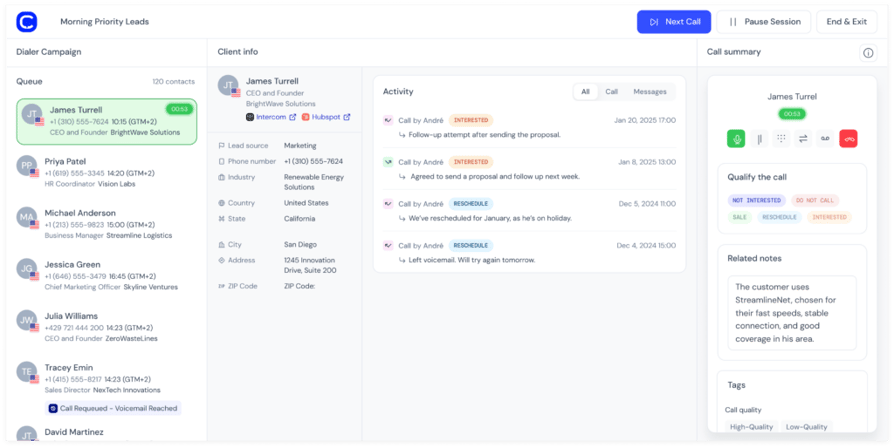
CloudTalk is a global VoIP business phone system with AI-powered dialers for both inbound and outbound use. It supports parallel, power, and smart dialing, and is tailored for SMBs with 160+ numbers for international reach. It integrates natively with 100+ popular tools.
CloudTalk Is Best For:
Sales and support teams at SMBs needing a fast, scalable dialer with high call quality, strong analytics, and CRM syncing.
What Are the Key Features of Cloudtalk?
- Parallel, Power, and Smart Dialers
- Conversation Intelligence AI
- International numbers in 160+ countries
- Workflow automation
- Advanced analytics and reporting
- 100+ native integrations
- Sentiment Analysis
What Are CloudTalk's Pros and Cons?
Here’s what users highlight in G2:
| Pros | Cons |
|---|---|
| Intuitive setup and 24/7 support | Omnichannel limited to voice, SMS, WhatsApp |
| 160+ country coverage | No native videoconferencing tools |
#2. JustCall: Best for Fast CRM-Integrated SMB Teams
What Is JustCall?
JustCall is a cloud-based call center platform offering a parallel dialer, ACD, sentiment analysis, and CRM integrations. It’s designed for small-to-midsize teams and integrates directly with HubSpot.
Best For:
SMBs looking for fast implementation, built-in analytics, and automation within an easy-to-use system.
What Are the Key Features of JustCall?
- Parallel and Power Dialers
- Call scoring and sentiment analysis
- Automated call distribution (ACD)
- SMS & voicemail automation
- HubSpot, Zoho, Salesforce integrations
What Are the Pros and Cons of JustCall?
Here’s what users highlight in G2:
| Pros | Cons |
|---|---|
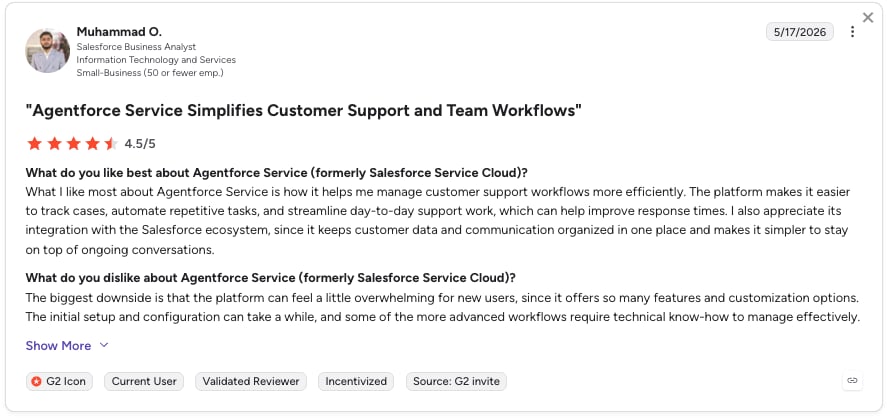
| Ease of use and setup | Call issues including dropped calls and lag |
| Affordable entry-tier pricing | API customization options are limited |
Recommended Reads
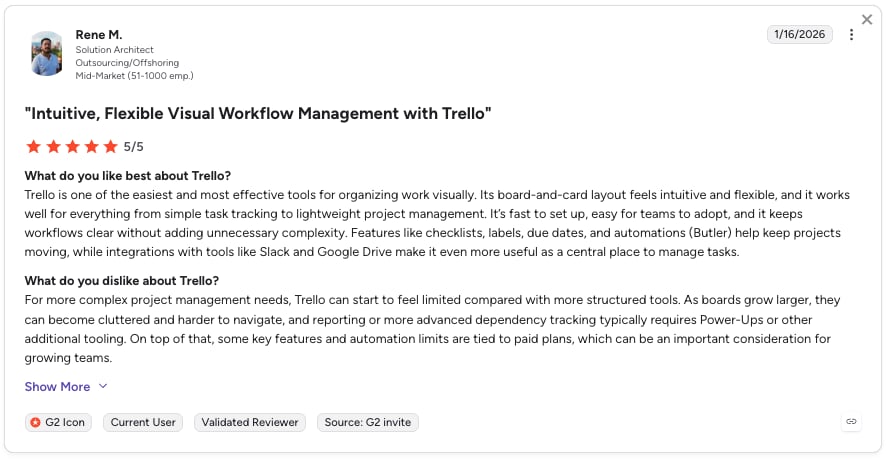
#3. Kixie: Best for Local Presence for Sales Teams
What Is Kixie?
Kixie is a Chrome-based sales engagement platform that enhances outbound calling with local presence, click-to-call, and power/parallel dialing. It integrates easily with HubSpot and other CRMs.
Kixie Is Best For:
Sales teams in SaaS, finance, and IT looking for local presence, multi-line calling, and seamless CRM syncing.
What Are Kixie's Key Features?
- Parallel + Power Dialers
- Local presence dialing
- Click-to-call Chrome extension
- AI voicemail drop
- Real-time call coaching
- HubSpot, Zoho, Salesforce integrations
What Are Kixie's Pros and Cons?
Here’s what users highlight in G2:
| Pros | Cons |
|---|---|
| Ease of use and setup | Chrome-only dependency |
| Native HubSpot CRM sync and automations | Dialer friction, especially with call transfers |
Recommended Reads
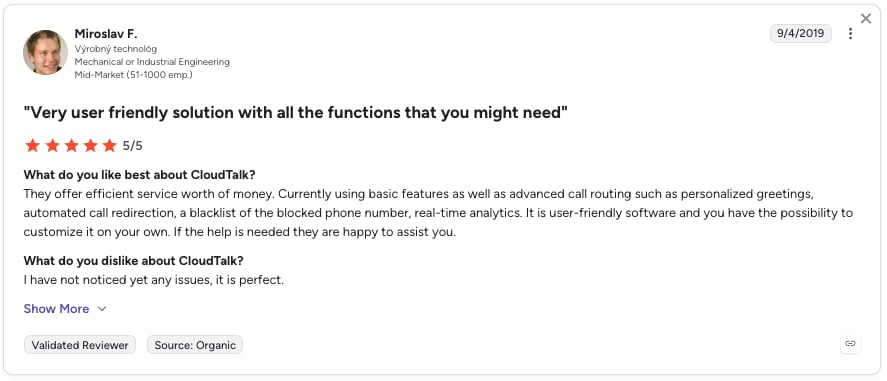
#4. Orum: Best AI-Powered Parallel & Triple Line Dialer for SDRs
What Is Orum?
Orum is an AI-powered parallel dialer that connects to live calls automatically, helping SDRs increase talk time and efficiency. It integrates with HubSpot and tools like Apollo and Gong.
Orum Is Best For:
High-volume B2B sales teams (e.g., SaaS, call centers) who want AI-assisted outbound dialing and CRM syncing.
What Are Orum's Key Features?
- Parallel Dialer with AI live-answer detection
- CRM auto-sync
- Voicemail drop
- Real-time rep coaching
- HubSpot, Outreach, Apollo, Gong integrations
What Are Orum's Pros and Cons?
Here’s what users highlight in G2:
| Pros | Cons |
|---|---|
| Ease of use and setup | Delays before speaking to prospects |
| CRM integrations streamline workflows | Inaccurate voicemail detection |
#5. Elto: Best Lightweight Parallel Dialer for Outbound-Only HubSpot Teams
What Is Elto?
Elto is a single-focus parallel dialer platform designed for speed. Its HubSpot-native integration automatically logs call outcomes and notes, making it a solid choice for outbound-only teams.
Elto Is Best For:
Sales teams focused exclusively on fast, high-volume outbound calling without the need for call handling or analytics.
What Are Elto's Key Features?
- AI-powered parallel dialing
- Call result filtering (voicemails, missed calls)
- Automatic CRM logging
- Native HubSpot, Outreach, and Salesforce integration
- Simple, no-nonsense UI
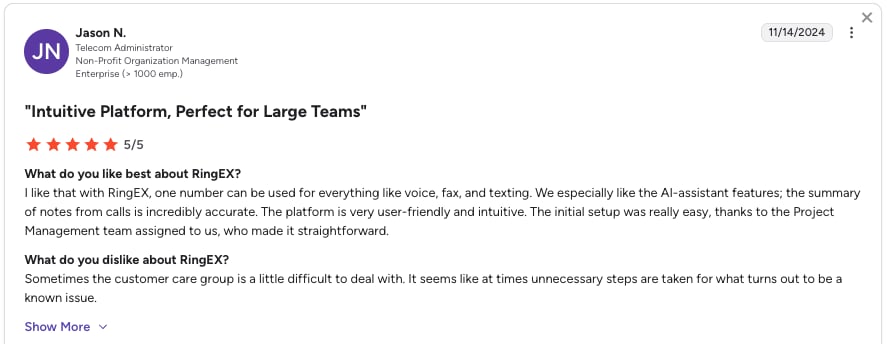
What Are Elto's Pros and Cons?
Here’s what users highlight in G2:
| Pros | Cons |
|---|---|
| Efficient call filtering and fast connect rates | Occasional delays when being connected to live prospects |
| AI auto-detects live answers | Some users report voicemail detection issues |
#6. Klenty: Best for Multi-Channel Sales Engagement Platform
What Is Klenty?
Klenty is a multi-channel sales engagement platform with an integrated dialer (Dial IQ) for power and parallel calling. It’s known for combining email, calls, and LinkedIn into one sequence, and works natively with HubSpot.
Klenty Is Best For:
Outbound sales and SDR teams in B2B looking for streamlined outreach across calls, emails, and CRMs.
What Are Klenty's Key Features?
- Parallel and Power Dialing (Dial IQ)
- Multi-channel cadences (email, call, LinkedIn)
- CRM auto-logging
- A/B testing for outreach
- HubSpot, Salesforce, Pipedrive integrations
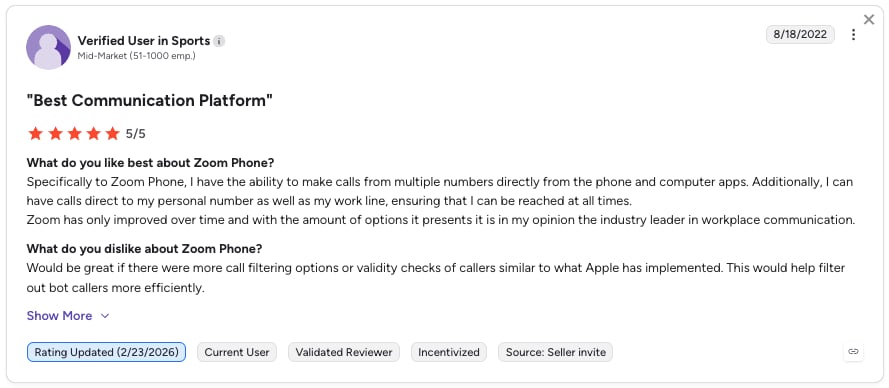
What Are Klenty's Pros and Cons?
Here’s what users highlight in G2:
| Pros | Cons |
|---|---|
| Automated workflows combining multiple channels | Some UI elements feel outdated |
| High-quality customer support | Reported data sync issues and duplicates |
The Best Multi-Line Dialer for Growing Teams
If you're serious about scaling your outbound efforts without overloading your team, CloudTalk’s Multi-Line Dialer is easy to use, integrates with your CRM, and is made for SMBs. With AI-powered dialing, global call quality and 24/7 support that’s hard to beat, it’s built to help your team work smarter.
Run a leaner, sharper sales team without adding headcount—CloudTalk’s Multi-Line Dialer was built for SMBs like yours.
Frequently asked questions
Yes, multi-line dialers are legal for business use when they comply with TCPA and GDPR, which are commonly applied in call center productivity workflows.
A triple-line dialer allows agents to call three leads at once, improving efficiency through AI productivity tools that filter out voicemails and busy signals.
Single-line dialing connects one number at a time, while multi-line systems dial several simultaneously to maximize call center productivity.
Yes, a multi-line dialer like CloudTalk can call up to four numbers in parallel, reducing idle time and boosting outbound calling performance.
Triple-line dialers typically start at around $25/month, which makes them accessible for SMBs focused on improving team productivity.
Auto dialers are legal for B2B use when following consent and data laws, especially in systems with strong call center reporting and analytics.
With VoIP platforms like CloudTalk, you can instantly create virtual numbers to support AI-enhanced sales workflows.
Multi-line dialers can be set up in minutes through cloud-based platforms that focus on boosting productivity in call centers.
Pricing varies by features, but most start around $25/month—especially those using predictive analytics for better call outcomes.