TL:DR
| # | Tool | Best For | Starting Price (Annual Billing) | G2 Rating |
|---|---|---|---|---|
| 1 | CloudTalk (Editor's Pick) | SMB and mid-market sales and support teams leaving CUCM or Webex Calling | $25/user/month | 4.4/5 |
| 2 | Microsoft Teams Phone | Microsoft 365 organizations replacing Jabber with calling inside Teams | $10/user/month + Teams license | 4.4/5 |
| 3 | Zoom Phone | Teams already on Zoom Workplace that want simple cloud calling | $16/user/month | 4.6/5 |
| 4 | RingCentral RingEX | Multi-site companies replacing CUCM that need calling and contact center from one vendor | $20/user/month | 4.2/5 |
| 5 | Dialpad | Small teams that want AI transcripts and summaries on the entry plan | $15/user/month | 4.4/5 |
| 6 | 8x8 | Multinational teams that want phone and contact center on one contract | Quote-based | 4.2/5 |
| 7 | Nextiva | Small businesses that want voice, SMS and video in one app | $15/user/month | 4.5/5 |
| 8 | Genesys Cloud CX | Large contact centers replacing Webex Contact Center | $75/user/month | 4.4/5 |
| 9 | Talkdesk | Mid-market contact centers in regulated industries like healthcare and financial services | $85/user/month (digital) | 4.4/5 |
| 10 | 3CX | IT teams that want to keep running their own PBX and reuse SIP desk phones | $795/year per system | 4.4/5 |
Overwhelming admin portal, confusing menus, long number porting waits, and insufficient analytics...we've heard the complaints, which is why we're giving you the best Cisco Webex alternatives for 2026.
And yes, we think CloudTalk is the best Cisco Webex alternative for small-to-medium sales and support teams who want to scale with real-time analytics, 100, numbers in 160+ countries so you can be local, globally...and of course, AI Receptionists and Voice Agents to serve at your every beck and calling.
We also know that no software is a one-size-fits-all solution so we're giving you the honest assessment of other top options like Microsoft Teams Phone (for teams needing centralized communication and live in Microsoft), Zoom Phone (an affordable add-on for teams already on Zoom, with lighter call center features). And RingCentral is a good pick for multi-office contact centers.
This guide covers alternatives to Cisco Webex Calling, on-prem CUCM and Jabber, and Webex Contact Center; if you only need video meetings, pick a meetings tool instead.
Skip the reading. See your Cisco move live.
Why Teams Are Searching for a Cisco Webex Alternative: What Real Users Say
"Cisco VoIP" can mean one of three setups: an on-prem CUCM (CallManager) cluster with Jabber and Cisco desk phones, Webex Calling in the cloud, or Webex Contact Center. Below are the five problems that push teams off each one. Not all five apply to every setup.
5 Main Cons of Cisco Webex (Based on Real User Reviews)
1. The On-Prem Clock Is Running Out
According to Cisco's published end-of-life notices, CUCM 12.5 support ended on August 31, 2025, CUCM 14 stopped getting maintenance releases on April 7, 2026, and its support ends on April 30, 2027. IT ends up patching servers while planning a migration.
Desk phones add a second bill. AGI Beacon's CUCM end-of-life guide, from an independent Cisco migration advisor, notes that older SCCP-only Cisco phones generally can't be reused outside Cisco's ecosystem. If you're weighing the best alternatives for Cisco UCM replacement, put handsets in the budget: moving off older Cisco VoIP systems can mean buying phones a second time.
2. A Crowded Console and Complex Call Routing
On CUCM, call routing lives in route patterns, partitions and calling search spaces, so IT or a Cisco partner typically owns every change. A new queue, holiday schedule or IVR call routing update waits for a ticket, and callers hear the old menu until someone gets to it.
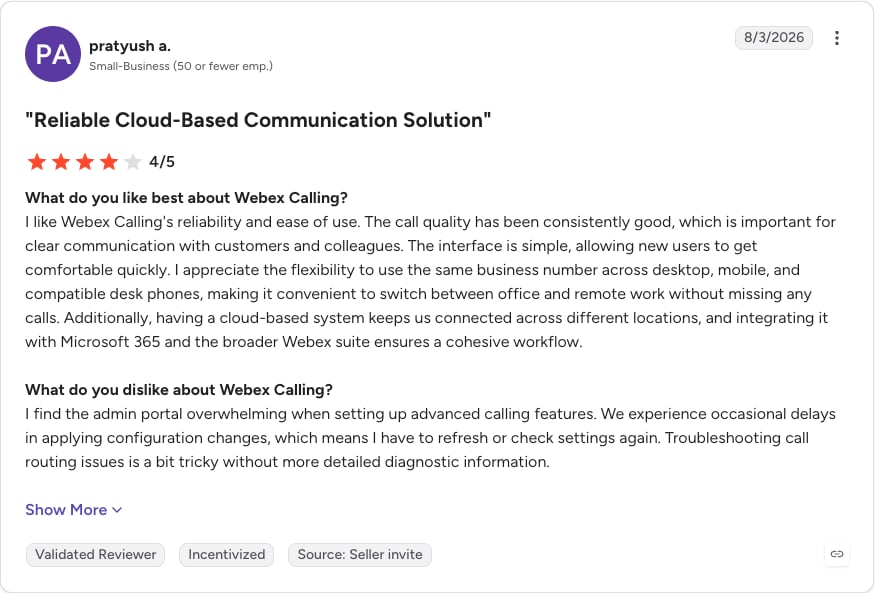
A small-business Webex Calling reviewer on G2 puts it plainly: "I find the admin portal overwhelming when setting up advanced calling features."
3. AI and International Calls Cost Extra
Cisco's US pricing page lists Webex Call at $15.30 per user per month billed annually ($17 billed monthly), and that plan doesn't include the AI Assistant. On the calling side, the AI Assistant comes with Webex Suite (Meet + Call) at $22.50 per user per month billed annually ($25 monthly). The same page says international calling on Webex Call is "billed per minute." A team that calls abroad and wants AI summaries pays well above the Webex Call price.
4. Integrations Work Best Inside the Cisco Ecosystem
Cisco steers CUCM customers toward Webex subscriptions through its Flex Plan. That suits a company standardized on Cisco, less so one whose system of record is HubSpot, Salesforce or Pipedrive.
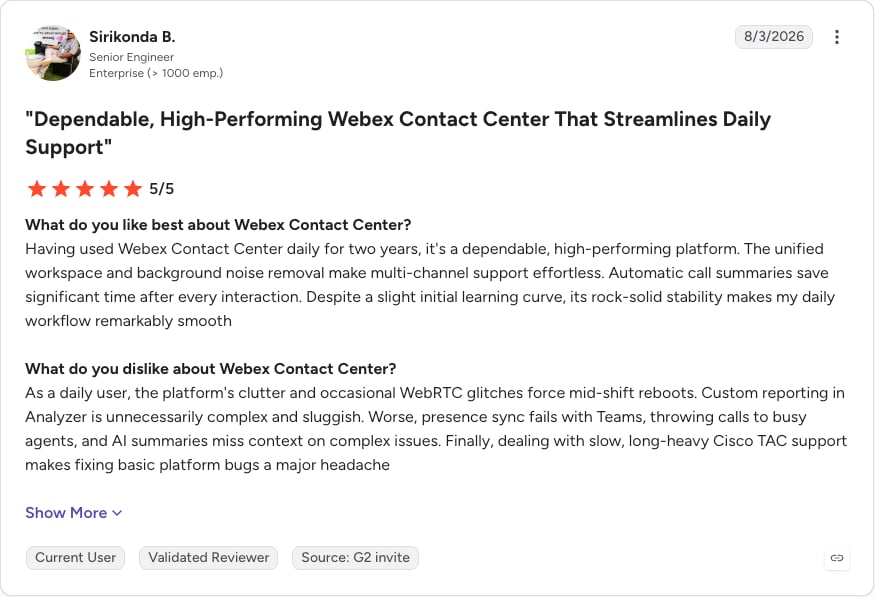
An enterprise engineer reviewing Webex Contact Center on G2 reports that "presence sync fails with Teams, throwing calls to busy agents."
5. Contact Center Basics Sit in the Premium Agent Tier
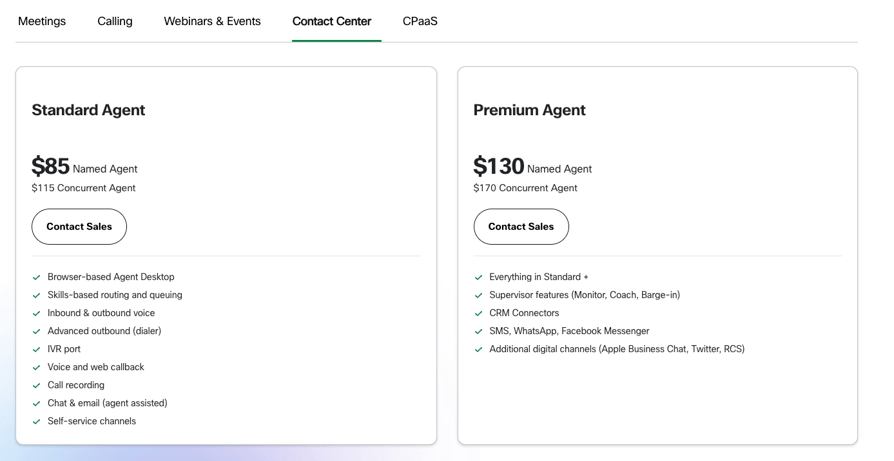
Cisco's Webex Contact Center pricing lists Standard Agent from $85 per named agent and Premium Agent from $130, both behind "Contact Sales." Supervisor monitoring, coaching and barge, CRM connectors, and SMS/WhatsApp only appear on Premium, so live coaching or CRM logging puts every seat on the top tier.
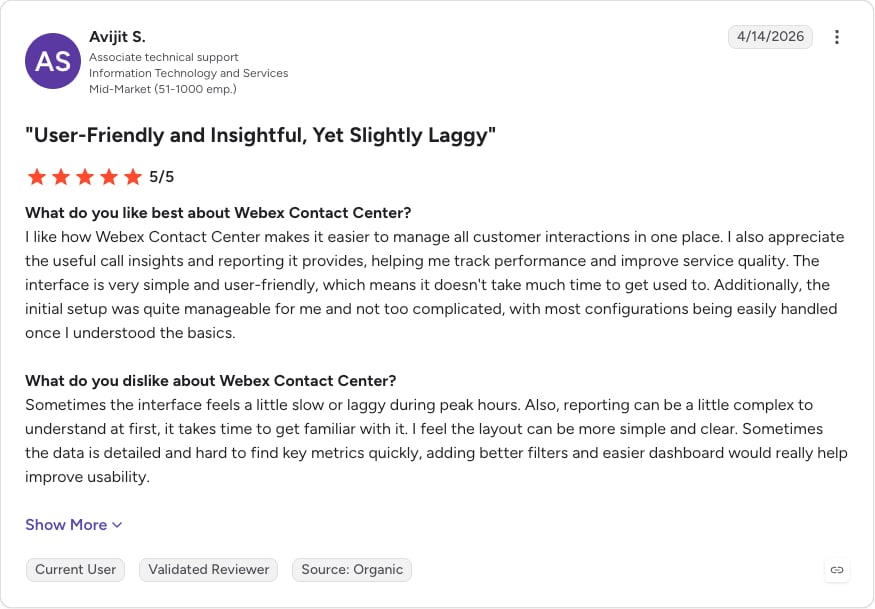
Reporting is the other sore spot. A mid-market support associate rating Webex Contact Center on G2 writes that "reporting can be a little complex to understand at first."
What Is the Best Alternative to Cisco Webex?
CloudTalk is the best Cisco alternative for SMB and mid-market sales and support teams moving off on-prem CUCM or Webex Calling.
It starts at $25/user/month with call queues and the visual Call Flow Designer included, adds IVR and skill-based routing on Essential, covers numbers in 160+ countries, and carries a 99.999% uptime SLA. AI Conversation Intelligence and AI Voice Agents are optional add-ons with published prices.
Here's Why Users Consider CloudTalk the Best Cisco Webex Alternative
- Nothing to host: agents make calls from the browser, desktop app or mobile app, so there are no servers to patch and no support end date to plan around.
- Call routing: Starter includes ring groups, call queues and the visual Call Flow Designer. IVR, skill-based, condition-based and business-hours routing start on Essential.
- Public pricing: Starter costs $25/user/month with a one-seat minimum, and AI Conversation Intelligence adds $9/user/month.
- CRM integrations: 100+ two-way integrations, including HubSpot and Pipedrive, from the Essential plan.
- Support on every plan: chat and email support 24/7, plus phone support on Expert.
Build your first call flow today, without servers or a partner ticket
Our Selection Methodology: How We Picked These Cisco Webex Alternatives
We built this list of Cisco Webex alternatives for teams replacing a Cisco VoIP solution, so every tool here can take over business calling, contact center work, or both.
For nearly a decade, we've helped over 30,000 professionals find and implement smarter business communication tools. We've reviewed 200+ software tools across industries, analyzed 5,500+ verified customer reviews from platforms like G2, Capterra, Trustpilot and TrustRadius, and drawn insights from real user discussions on Reddit and Quora. In the past year alone, we published 1,000+ articles, each one written by humans for humans. Learn how we keep our content integrity and our software review methodology.
Our Selection Criteria and Testing Methodology
We tested each tool's core calling and routing hands-on and scored these alternatives to Cisco software on:
- Call stability: live test calls, plus each vendor's published uptime commitment.
- All-in cost: list price plus add-ons, usage charges and minimum terms, checked on each vendor's pricing page on October 6, 2026.
- AI included vs. add-on: what comes with the plan and what's billed separately.
- CRM depth: two-way sync with HubSpot, Salesforce and Pipedrive.
- Global coverage: local numbers and international call billing.
- Support: channels and hours on each plan.
- Migration from Cisco: number porting, desk-phone reuse and hybrid options.
- User sentiment: G2 ratings, Reddit threads and Quora answers.
Additionally we compare pricing throughout the article between Cisco Webex and competitors, depending on the type of service provided. Here are the pricing numbers we draw from (source: Webex pricing page).
Cisco Webex Pricing at a Glance
| Product | Plan | Price | What's included |
|---|---|---|---|
| Webex Calling | Webex Call | $15.30/user/month billed annually ($17 billed monthly) | Unlimited domestic calling, Auto Attendant and extensions; international calls billed per minute; no AI Assistant |
| Webex Calling | Webex Suite (Meet + Call) | $22.50/user/month billed annually ($25 billed monthly) | Everything in Webex Call, plus Webex Meetings and the AI Assistant |
| Webex Contact Center | Standard Agent | $85 per named agent, $115 per concurrent agent (Contact Sales) | Skills-based routing, IVR, outbound dialer, call recording, chat and email |
| Webex Contact Center | Premium Agent | $130 per named agent, $170 per concurrent agent (Contact Sales) | Everything in Standard, plus monitor, coach and barge, CRM connectors, SMS and WhatsApp |
| Webex Contact Center add-on | AI Assistant | From $30/user/month (Contact Sales) | Real-time agent guidance and supervisor insights |
Quick Comparison: Top Cisco Webex Alternatives at a Glance in 2026 (Tested & Reviewed)
If you're shortlisting the best Cisco alternatives, this table adds free trials and each tool's main differentiator.
| Tool | Starting Price | G2 Rating | Best For | Free Trial | Key Differentiator |
|---|---|---|---|---|---|
| CloudTalk (Editor's Pick) | $25/user/month | 4.4/5 | SMB and mid-market | 14 days | IVR from Essential, AI as priced add-ons |
| Microsoft Teams Phone | $10/user/month | 4.4/5 | Microsoft 365 shops | One month | Calling inside Teams |
| Zoom Phone | $16/user/month | 4.6/5 | Zoom users | Yes | Flat Global Select plans |
| RingCentral RingEX | $20/user/month | 4.2/5 | Multi-site | 14 days | AI Virtual Assistant on Core |
| Dialpad | $15/user/month | 4.4/5 | Budget AI | Yes | Transcripts on the $15 plan |
| 8x8 | Quote-based | 4.2/5 | Multinationals | Not listed | Phone, contact center and APIs |
| Nextiva | $15/user/month | 4.5/5 | Small businesses | None shown | Voice, SMS and video |
| Genesys Cloud CX | $75/user/month | 4.4/5 | Large contact centers | None shown | Native AI on every plan |
| Talkdesk | $85/user/month | 4.4/5 | Regulated industries | Express only | Industry Experience Clouds |
| 3CX | $795/year | 4.4/5 | Self-hosters | Yes | No per-user fees |
Not sure which Cisco lane you're in?
CloudTalk: The #1 Cisco Webex Alternative for SMB and Mid-Market Teams
What Is CloudTalk?
CloudTalk is cloud-based business calling software that replaces on-premise PBX hardware for distributed sales and support teams. Agents work from a browser, desktop app or mobile app, with calls, SMS, recordings and analytics in one workspace. Unlike Cisco VoIP software, there's nothing to host.
Why CloudTalk Is a Strong Cisco Alternative
- Keep many of your Cisco desk phones: many SIP-capable Cisco IP phones register to CloudTalk after a factory reset, depending on the model.
- Keep your numbers: porting on every plan.
- Swap Jabber for one softphone: desktop, browser and mobile apps come with every plan.
- Calls land in the CRM: two-way sync with HubSpot, Pipedrive and the rest of the 95+ integrations from Essential; Salesforce Ecosystem on Expert.
- Start with one seat: Starter and Essential have a one-license minimum.
The full feature-by-feature comparison with Cisco is further down this page.
What Are the Key Features of CloudTalk?
These are the tools like Cisco's that switchers ask about, plus AI that a Cisco PBX doesn't have:
- Call Flow Designer: a visual builder for ring groups, call queues and queue callback on every plan. IVR menus, skill-based and condition-based routing, and business-hours rules start on Essential.
- Softphone apps: desktop, browser and mobile on every plan, one of the simpler Cisco Jabber alternatives and a direct Cisco softphone replacement.
- SIP devices: register supported Cisco and other SIP desk phones; request SIP activation 24 hours ahead.
- Global numbers and porting: local numbers in 160+ countries and number porting on every plan, plus unlimited calls across the US and Canada.
- Integrations and automation: 95+ two-way CRM, helpdesk and ATS integrations, the API, webhooks and the Workflow Designer from Essential; Salesforce Ecosystem on Expert.
- Reporting and supervisor tools: agent and group reporting from Essential; real-time analytics, wallboards, custom dashboards and live call monitoring on Expert.
- Outbound dialers: Smart Dialer and Power Dialer included on Expert; Power Dialer and Parallel Dialer available as add-ons.
- SMS and WhatsApp: international SMS/MMS from Essential, WhatsApp on Expert.
- AI Conversation Intelligence (add-on, $9/user/month): transcription, AI Call Summary, sentiment and AI tags, synced to your CRM.
- AI Receptionists (add-on, from $99/month for 200 minutes): a conversational agent that answers 24/7 in place of a rigid IVR tree and hands off to a human.
- AI Specialists (from $349/month for 1000 minutes): a digital coworker that handles support, sales, billing, and ops from beginning to end.
What Are the Pros & Cons of CloudTalk?
| Pros | Cons |
|---|---|
| No servers to host: calls run from the browser, desktop and mobile apps | AI is an add-on: Conversation Intelligence and AI Voice Agents are billed separately |
| Call Flow Designer on every plan: ring groups, call queues and queue callback from Starter | IVR starts on Essential: Starter has no IVR or skill-based routing |
| Published pricing: one-seat minimum on Starter and Essential | CRM integrations start on Essential: Salesforce Ecosystem needs Expert |
| Numbers in 160+ countries: with porting on every plan | Supervisor tools on Expert: real-time analytics, wallboards and live monitoring |
| 95+ two-way integrations: HubSpot, Pipedrive and more from Essential | Phone support on Expert only: Starter and Essential get chat and email |
| 24/7 chat and email support: plus a 99.999% uptime SLA | No native video meetings: pair it with a meetings tool |
What Are CloudTalk's Plans & Pricing?
If you're comparing Cisco alternatives pricing, these are CloudTalk's per-user prices in USD, billed annually:
- Starter: $25/user/month ($34 monthly). Unlimited calls across the US and Canada, ring groups, call queues and queue callback, the visual Call Flow Designer, call recording and number porting. Minimum one license.
- Essential: $29/user/month ($39 monthly). Adds IVR, skill-based, condition-based and business-hours routing, 95+ integrations, the API and webhooks, agent and group reporting, and international SMS. Minimum one license.
- Expert: $49/user/month ($69 monthly). Adds Salesforce Ecosystem, the Smart Dialer, Preview and Power Dialer, real-time analytics and wallboards, live monitoring, VIP queues, WhatsApp and phone support. Minimum three licenses.
- Custom: Contact Sales.
Add-ons work on any plan: AI Conversation Intelligence ($9/user/month), AI Receptionist (from $99/month for 200 minutes), Power Dialer ($15/user/month on Starter and Essential, included on Expert) and Parallel Dialer ($39/user/month).
Flexible Pricing Plans to Scale with You
Compare our plans
What Are CloudTalk Customers Saying?
CloudTalk holds 4.4/5 on CloudTalk's G2 review page from 1938+ reviews. Two customer stories tell about a successful multi-site move: Zaren unified 6 call centers and increased sales, and Allycom, a financial services company, achieved 100% reliable call recording across 100 countries.
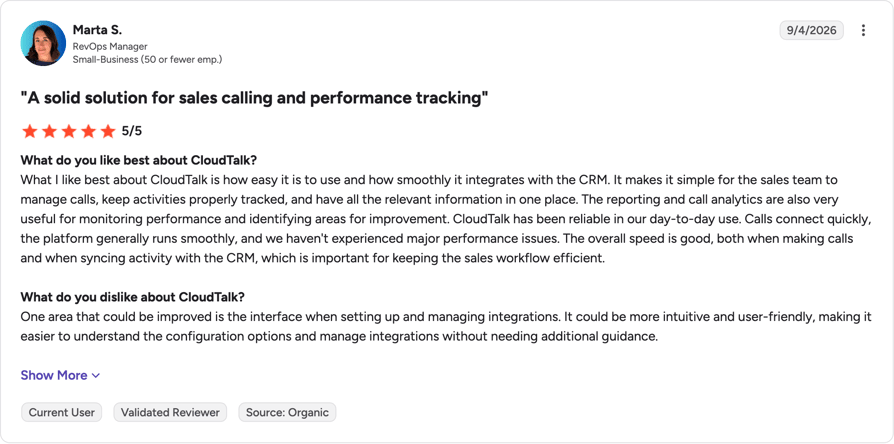
Now I know what’s going on in every call center. I can track, analyze, and improve—and that’s how we grow.
Operations Manager, Zaren

CloudTalk vs. Cisco: Which Is Better for AI Calling?
On Cisco vs. CloudTalk, Cisco bundles AI into a bigger suite, while CloudTalk keeps the phone system lean and prices AI separately, so you can add an AI receptionist without changing plans.
| Category | CloudTalk | Cisco Webex |
|---|---|---|
| Starting price | $29/user/month (2nd tier) | $85 per named agent (Webex Contact Center Standard) |
| Conversation AI | Add-on, $9/user/month | AI Assistant add-on from $30/user/month (Contact Center) |
| AI that answers calls | AI Receptionist, from $99/month | Phone Menu (Auto Attendant) |
| Entry-plan routing | Ring groups, call queues, Call Flow Designer; IVR from Essential | Auto Attendant, extensions |
| Free trial | 14 days | None for calling |
Rebuild one Cisco call flow and see how it holds up
9 More Cisco Webex Alternatives for Calling and Contact Center
The other Cisco competitors for business calling fall into three groups: Microsoft, Zoom, RingCentral, Dialpad, 8x8 and Nextiva replace Webex Calling; Genesys and Talkdesk replace Webex Contact Center; and 3CX suits teams keeping a PBX. We tested each of these Cisco alternatives in 2026 on the same criteria as CloudTalk.
2. Microsoft Teams Phone: Best for Microsoft 365 Organizations Replacing Cisco Jabber
What Is Microsoft Teams Phone?
Microsoft Teams Phone is Microsoft's cloud phone system inside the Teams app. It fits organizations already paying for Microsoft 365, including Jabber users moving off CUCM.
Why Is Microsoft Teams Phone a Strong Cisco Webex Alternative?
- The lowest entry price here: $10/user/month, paid yearly.
- Chat, meetings and calls in one app staff already use.
- Three PSTN routes, so you can keep your current carrier.
What Are Microsoft Teams Phone's Key Features?
- Teams and PSTN calling from the Teams app.
- AI recaps through intelligent recap and Copilot (licensing not listed with the price).
- Teams Phone Mobile with participating operators.
- Calling Plans, Operator Connect or Direct Routing for PSTN.
What Are the Pros & Cons of Microsoft Teams Phone?
| Pros | Cons |
|---|---|
| $10 entry price: Teams Phone Standard, paid yearly | Separate Teams license: required on top of every Teams Phone plan |
| Calling inside Teams: chat, meetings and calls in one app | No PSTN on the $10 plan: outside calling starts at $13 with pay-as-you-go |
| Several PSTN routes: Calling Plans, Operator Connect or Direct Routing | Complex dial plans: "genuinely more complex to model than CUCM's route patterns" (AGI Beacon) |
What Are Microsoft Teams Phone's Plans & Pricing?
US prices per user per month, paid yearly: Standard $10 (no PSTN calling), pay-as-you-go calling $13, Calling Plan $17, and domestic and international calling $34.
The license catch: every plan needs a separate Microsoft Teams license, Calling Plans exist only in some markets, and the one-month trial needs a card. If that math doesn't work, compare Microsoft Teams alternatives that include calling.
What Do G2 Users Say About Microsoft Teams Phone?
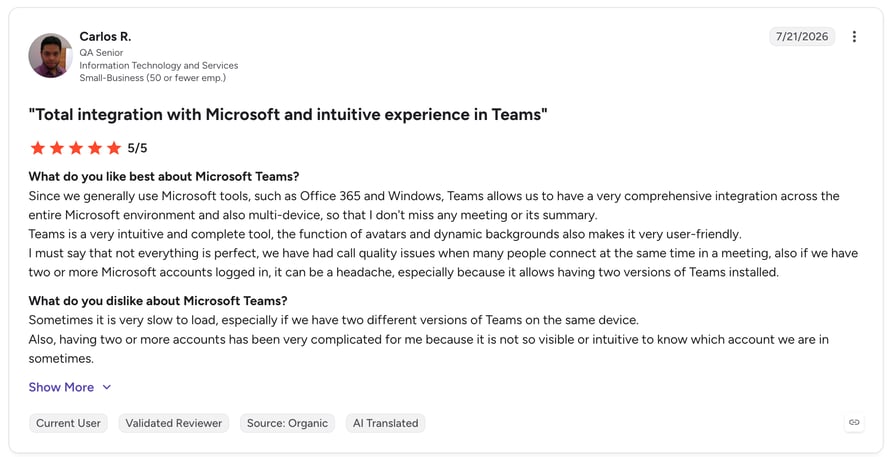
Microsoft Teams holds 4.4/5 on G2 from 19344+ reviews (a listing for Teams as a whole); read them on Microsoft Teams' G2 review page.
How Does Microsoft Teams Phone Compare to Cisco Webex?
| Category | Teams Phone | Cisco Webex |
|---|---|---|
| Entry price | $10 + Teams license | $15.30 (Webex Call, billed annually) |
| PSTN on entry plan | No | Unlimited domestic |
| Free trial | One month, card required | None for calling |
3. Zoom Phone: Best for Zoom Workplace Teams That Want Simple Cloud Calling
What Is Zoom Phone?
Zoom Phone is the cloud calling service inside Zoom Workplace, sold per user or bundled with meetings. It suits teams that already live in Zoom.
Why Is Zoom Phone a Strong Cisco Webex Alternative?
- One flat price per user in 40+ countries on Global Select.
- Calling next to the meetings your team already runs.
- Workplace bundles that cut vendor count.
What Are Zoom Phone's Key Features?
- Global Select: flat per-user pricing across 40+ countries.
- Global Select Metered: a number in your chosen country, across 48 countries and territories.
- Bundles: "Pro + Global Select" and "Business Plus."
- Unlimited AI note-taking on Pro + Global Select.
What Are the Pros & Cons of Zoom Phone?
| Pros | Cons |
|---|---|
| Flat Global Select plans: one price per user in 40+ countries | Less mature for large CUCM estates: contact center and complex dial plans (AGI Beacon) |
| Bundles with Zoom Workplace: calling next to the meetings you already run | Plan lineup differs by country: plan names and prices change by market |
| Free trial: test calling before you buy | US & CA Unlimited is North America-focused: teams calling abroad need Global Select |
What Are Zoom Phone's Plans & Pricing?
Zoom Phone pricing on Zoom's US pricing page, billed annually: US & CA Unlimited $16, Pro Plus $20.50 and Business Plus $24.50 per user per month ($18, $24 and $29 billed monthly).
The regional catch: US & CA Unlimited is built for North American calling, and plan names and prices change by country, so teams calling abroad should price Zoom's Global Select plans before comparing them with Webex Call.
What Do G2 Users Say About Zoom Phone?
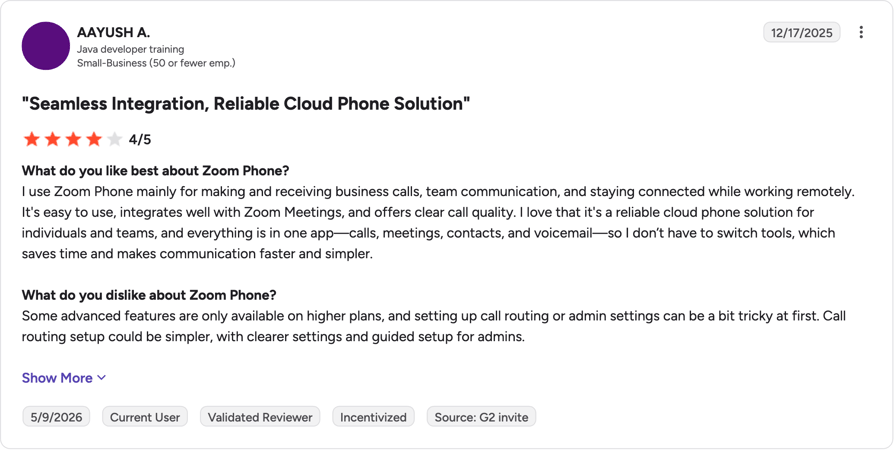
Zoom Phone holds 4.6/5 on G2 from 2661+ reviews on Zoom Phone's G2 review page.
How Does Zoom Phone Compare to Cisco Webex?
| Category | Zoom Phone | Cisco Webex |
|---|---|---|
| International | Flat price in 40+ countries | Billed per minute |
| AI | AI note-taking on Pro + Global Select | AI Assistant on Webex Suite ($22.50) |
| Free trial | Yes | None for calling |
4. RingCentral RingEX: Best for Multi-Site CUCM Replacements That Need UCaaS and Contact Center
What Is RingCentral RingEX?
RingEX is RingCentral's cloud business phone platform, with calling, meetings and a contact-center path from one vendor.
Why Is RingCentral RingEX a Strong Cisco Webex Alternative?
- RingCentral's pricing FAQ covers replacing an on-premise PBX across multiple sites.
- The AI Virtual Assistant (AVA) comes with Core.
- Advanced includes 1,000 toll-free minutes and 100 SMS per user per month.
What Are RingCentral RingEX's Key Features?
- Unlimited domestic calling and on-demand recording on Core.
- AVA, LLM plugins and MCP connectors on Core.
- HD meetings for up to 300 participants.
- AI Receptionist (AIR) as an add-on, or in the AI Customer Engagement Bundle.
What Are the Pros & Cons of RingCentral RingEX?
| Pros | Cons |
|---|---|
| Published pricing from $20: Core, billed annually | AI add-ons cost extra: AI Receptionist from $39, Conversational Intelligence from $60 |
| Large toll-free and SMS allowances: 1,000 toll-free minutes and 100 SMS per user on Advanced | Cisco desk phones: most existing models need replacing (AGI Beacon) |
| Built for on-prem PBX replacement: pricing FAQ covers multi-site moves | Prices vary by user band: 1 to 5, 6 to 100 and 100+ users |
What Are RingCentral RingEX's Plans & Pricing?
On RingCentral pricing, Core is $20/user/month annually ($30 monthly), Advanced $25 ($35 monthly), and the AI Customer Engagement Bundle is quote-based. Add-ons start at $39 for the AI Receptionist and $60 for Conversational Intelligence.
The AI add-on catch: neither add-on comes with Core or Advanced, and prices shift across the 1 to 5, 6 to 100 and 100+ user bands.
What Do G2 Users Say About RingCentral RingEX?
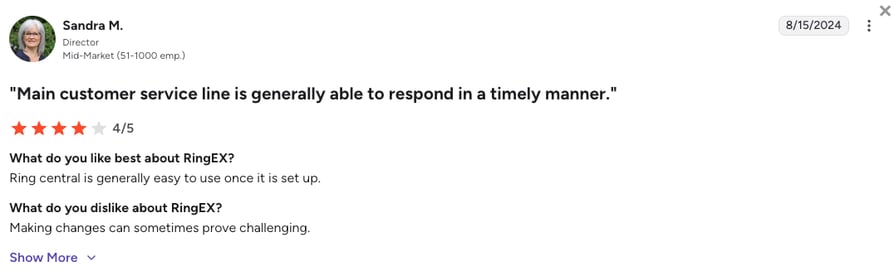
RingEX holds 4.2/5 on G2 from 1,400+ reviews, per RingEX's G2 review page.
How Does RingCentral RingEX Compare to Cisco Webex?
| Category | RingEX | Cisco Webex |
|---|---|---|
| AI on entry plan | AVA included | AI Assistant on Webex Suite ($22.50) |
| Desk phones | Most Cisco phones need replacing | Native Cisco IP phones |
| Free trial | 14 days | None for calling |
5. Dialpad: Best for Teams That Want AI Transcripts on the Entry Plan
What Is Dialpad?
Dialpad calls itself an "AI-powered communications platform for calls, messages, and meetings." It suits small and mid-sized teams that want transcripts and summaries without an AI add-on.
Why Is Dialpad a Strong Cisco Webex Alternative?
- Real-time transcripts and call summaries on the $15 Standard plan.
- A lower annual entry price than Webex Call.
- Calls, messages and meetings in one app.
What Are Dialpad's Key Features?
- Standard: unlimited calls, AI meetings, messaging, transcripts and summaries.
- Pro: CRM integrations, 24/7 support and multi-office management.
- Enterprise: SSO, access controls, unlimited offices and a 99.9% uptime commitment.
What Are the Pros & Cons of Dialpad?
| Pros | Cons |
|---|---|
| AI on the $15 plan: real-time transcripts and call summaries | CRM integrations start on Pro: $25/user/month |
| Low entry price: $15/user/month billed annually | 24/7 support starts on Pro: Standard gets less coverage |
| All-in-one app: calls, messages and meetings | 99.9% uptime only on Enterprise: a quote-based plan |
What Are Dialpad's Plans & Pricing?
In Dialpad pricing, Standard is $15/user/month annually ($27 monthly), Pro $25 ($35 monthly), and Enterprise is quote-based.
The integration catch: if calls need to land in a CRM, you're on Pro at $25.
What Do G2 Users Say About Dialpad?
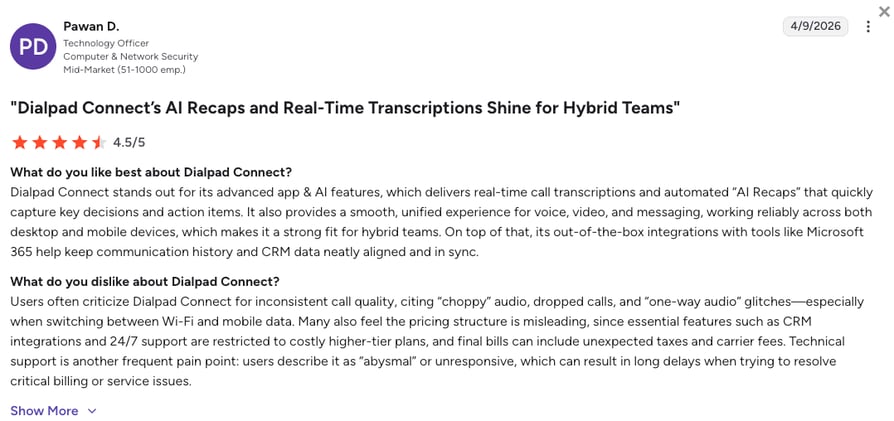
Dialpad holds 4.4/5 on G2 from 4150+ reviews on Dialpad's G2 review page.
How Does Dialpad Compare to Cisco Webex?
| Category | Dialpad | Cisco Webex |
|---|---|---|
| Entry price | $15 (annual) | $15.30 (Webex Call, billed annually) |
| AI on entry plan | Transcripts and summaries | Not on Webex Call |
| CRM integrations | From Pro | Webex Contact Center Premium Agent |
6. 8x8: Best for Multinational Teams That Want UCaaS and Contact Center on One Contract
What Is 8x8?
8x8 sells business phone (8x8 Work), contact center (8x8 Contact Center) and communications APIs (8x8 Engage). It suits multi-region organizations that want one contract.
Why Is 8x8 a Strong Cisco Webex Alternative?
- One vendor for both Webex Calling and Webex Contact Center workloads.
- Global coverage and a receptionist console in 8x8 Work.
- A dedicated 8x8 for Microsoft Teams offering.
What Are 8x8's Key Features?
- 8x8 Work: calling, meetings, messaging, system analytics.
- 8x8 Contact Center: omnichannel routing, supervisor workspaces, AI self-service and WEM.
- 8x8 for Microsoft Teams: 8x8 calling inside Teams.
- 8x8 Engage: voice and messaging APIs.
What Are the Pros & Cons of 8x8?
| Pros | Cons |
|---|---|
| One vendor: phone, contact center and APIs | No public pricing: every product is quote-based |
| WEM in the contact center: workforce engagement in 8x8 Contact Center | No public free trial: you see it in a sales demo |
| Microsoft Teams option: 8x8 calling inside Teams | Seat minimums not published: ask during the sales cycle |
What Are 8x8's Plans & Pricing?
8x8 is quote-based; every product on its pricing page shows "Request a Quote" or "Chat with Sales."
The quote catch: you can't compare 8x8 with Webex until you've been through a sales cycle, so book that call early or shortlist 8x8 alternatives that publish prices.
What Do G2 Users Say About 8x8?
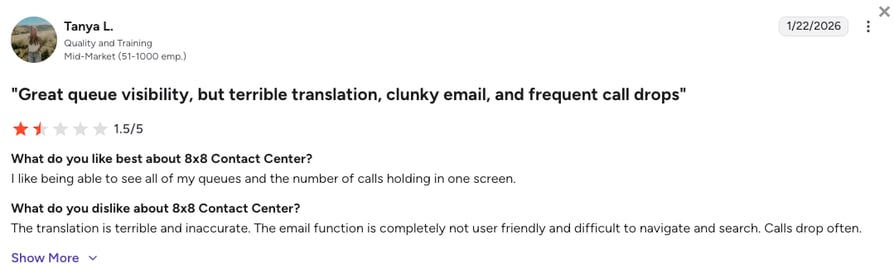
8x8 holds 4.2/5 on G2 from 901+ reviews on 8x8's G2 review page.
How Does 8x8 Compare to Cisco Webex?
| Category | 8x8 | Cisco Webex |
|---|---|---|
| Entry price | Quote-based | $15.30 (Webex Call, billed annually) |
| Contact center | 8x8 Contact Center with WEM | From $85 per named agent |
| Free trial | Not listed | None for calling |
7. Nextiva: Best for Small Businesses That Want Voice, SMS and Video in One App
What Is Nextiva?
Nextiva is a communications platform for small businesses, and its pricing page says "100,000+ businesses" trust it.
Why Is Nextiva a Strong Cisco Webex Alternative?
- Core starts at $15/user/month on an annual term.
- Voice, SMS and video replace Webex Calling plus a texting tool.
- Engage and Scale add routing, automation and web chat as you grow.
What Are Nextiva's Key Features?
- Core: voice, business SMS and video.
- Engage: advanced reporting, automation and intelligent routing.
- Scale: a CX platform with voice and web chat.
- XBert AI Receptionist: an add-on, with AI plans from $99/month.
What Are the Pros & Cons of Nextiva?
| Pros | Cons |
|---|---|
| Low entry price: Core from $15/user/month | 12-month term: needed for the advertised prices |
| Voice, SMS and video together: all on the Core plan | Monthly Engage costs double: $50 monthly vs. $25 annually |
| 4.7/5 on Trustpilot: from 8,000+ reviews | AI receptionist costs extra: XBert plans from $99/month |
What Are Nextiva's Plans & Pricing?
On Nextiva pricing, Core is $15/user/month annually ($23 monthly), Engage $25 ($50 monthly) and Scale $75. Contact center Essential starts at $75/agent/month.
The term catch: the advertised prices apply only to new customers with 1 to 100 employees on a term of 12 months or longer.
What Do G2 Users Say About Nextiva?
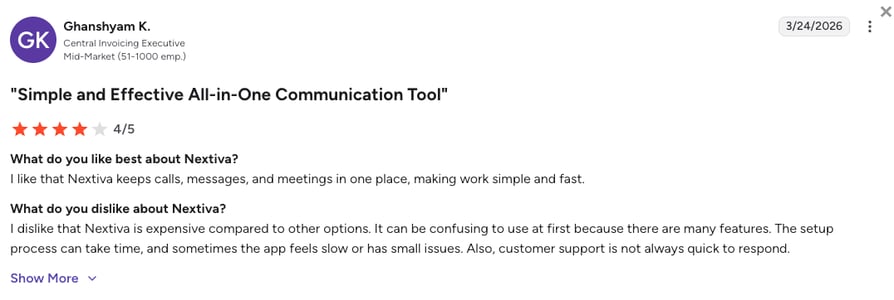
Nextiva holds 4.5/5 on G2 from 3341+ reviews on Nextiva's G2 review page.
How Does Nextiva Compare to Cisco Webex?
| Category | Nextiva | Cisco Webex |
|---|---|---|
| Entry price | $15 (12-month term) | $15.30 (Webex Call, billed annually) |
| SMS | On Core | Webex Contact Center Premium Agent |
| Free trial | None shown | None for calling |
8. Genesys Cloud CX: Best Webex Contact Center Replacement for Large Contact Centers
What Is Genesys Cloud CX?
Genesys Cloud CX is a cloud contact center for large voice and omnichannel operations. Its pricing page says "All plans natively enabled with ready-to-use Genesys Cloud AI capabilities."
Why Is Genesys Cloud CX a Strong Cisco Webex Alternative?
- Native AI and a monthly AI token allowance on every plan.
- Full workforce engagement management (WEM) on CX 3.
- Published per-seat pricing, unlike Webex Contact Center's sales-led tiers.
What Are Genesys Cloud CX's Key Features?
- CX 1: voice and call recording.
- CX 2: digital channels and quality assurance.
- CX 3: full WEM.
- CX 4: more AI tokens; every plan includes 250 named or 350 concurrent tokens per org per month.
What Are the Pros & Cons of Genesys Cloud CX?
| Pros | Cons |
|---|---|
| Native AI on every plan: with a monthly AI token allowance | $75 entry price: three times CloudTalk Starter |
| Full WEM on CX 3: workforce engagement management included | Usage charges on top: AI tokens and usage-based pricing |
| Published pricing: per seat, unlike Webex Contact Center | Annual commitment: prices are billed annually |
What Are Genesys Cloud CX's Plans & Pricing?
Per Genesys pricing, per user per month, billed annually: CX 1 $75, CX 2 $115, CX 3 $155 and CX 4 $240.
The token catch: Genesys says "AI Experience tokens required for certain features" and "Usage-based pricing may apply."
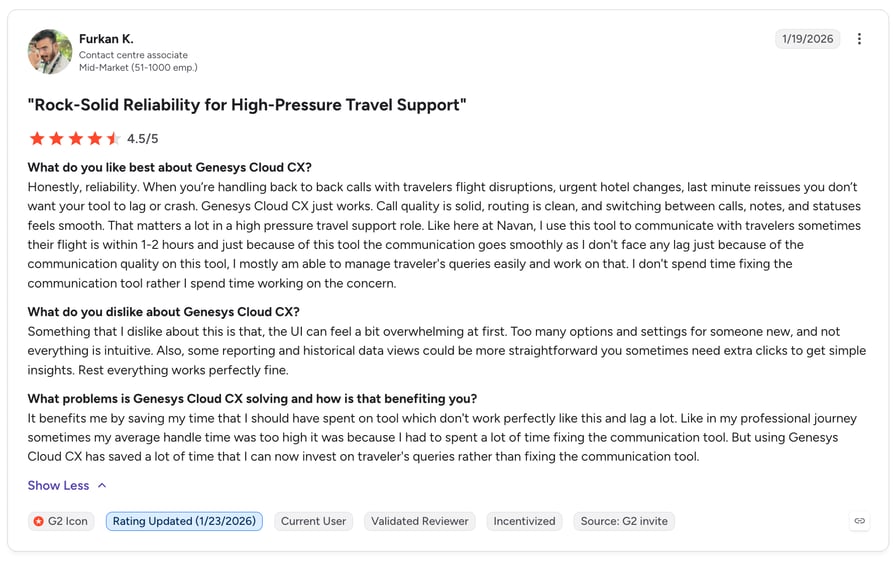
What Do G2 Users Say About Genesys Cloud CX?
Genesys Cloud CX holds 4.4/5 on G2 from 1564+ reviews on Genesys Cloud CX's G2 review page.
How Does Genesys Cloud CX Compare to Cisco Webex?
| Category | Genesys Cloud CX | Webex Contact Center |
|---|---|---|
| Entry price | $75 (CX 1, annual) | From $85 per named agent, Contact Sales |
| AI | Native, token-based | AI Assistant add-on from $30/user/month |
| Free trial | None shown | None |
9. Talkdesk: Best for Mid-Market Contact Centers in Regulated Industries
What Is Talkdesk?
Talkdesk is a cloud contact center for mid-market and enterprise teams. Its industry-specific "Experience Clouds" package workflows for sectors such as healthcare and financial services.
Why Is Talkdesk a Strong Cisco Webex Alternative?
- Industry Experience Clouds for vertical workflows out of the box.
- Email, chat, SMS and social messaging from the $85 tier.
- Talkdesk Express: 25 licenses and $100 in free credit for businesses under 50 employees, no contract.
What Are Talkdesk's Key Features?
- Digital Essentials: email, chat, SMS, social messaging, dashboards and APIs.
- Voice Essentials: voice, routing, voicemail transcription and BI.
- Elite: workforce management and performance features.
- Voice biometrics as an add-on.
What Are the Pros & Cons of Talkdesk?
| Pros | Cons |
|---|---|
| Industry Experience Clouds: workflows for healthcare and financial services | Voice starts at $105: the $85 tier is digital-only |
| Express option for small teams: 25 licenses and $100 in credit, no contract | WFM only from Elite: $165/user/month |
| Published pricing: from $85/user/month | No trial on the main tiers: only Talkdesk Express |
What Are Talkdesk's Plans & Pricing?
On Talkdesk pricing, per user per month: Digital Essentials $85, Voice Essentials $105, Elite $165 and Industry Experience Clouds $225.
The voice catch: the $85 tier is digital-only, so a phone-first contact center starts at $105.
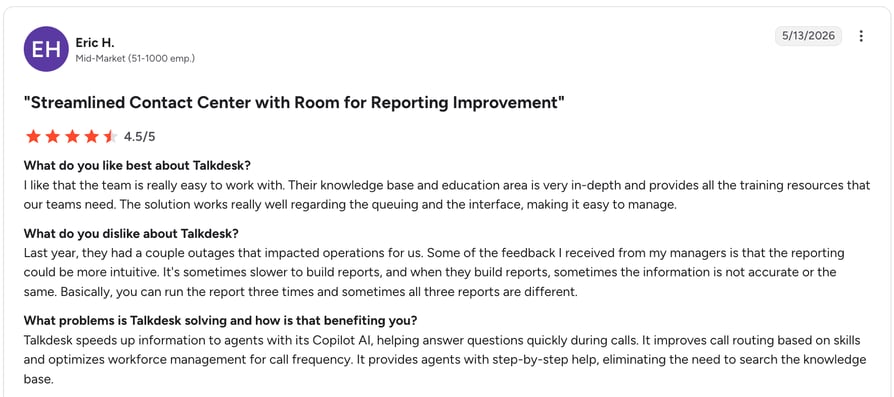
What Do G2 Users Say About Talkdesk?
Talkdesk holds 4.4/5 on G2 from 2,600+ reviews on Talkdesk's G2 review page.
How Does Talkdesk Compare to Cisco Webex?
| Category | Talkdesk | Webex Contact Center |
|---|---|---|
| Voice entry price | $105 | From $85 per named agent |
| Digital channels | From $85 | SMS/WhatsApp on Premium Agent |
| Free trial | Express only | None |
10. 3CX: Best for Teams That Want to Keep PBX Control and Reuse SIP Desk Phones
What Is 3CX?
3CX is a software PBX you self-host or let 3CX host, priced per system by simultaneous calls. It suits IT-led teams leaving CUCM that aren't ready for vendor cloud.
Why Is 3CX a Strong Cisco Webex Alternative?
- "One predictable annual price, no per-user fees."
- The closest operating model to CUCM.
- Free softphone apps.
What Are 3CX's Key Features?
- Basic, Pro and AI editions.
- Self-hosted or "Hosted by 3CX."
- Call center and transcription on higher editions.
What Are the Pros & Cons of 3CX?
| Pros | Cons |
|---|---|
| No per-user fees: one annual price per system | Someone still runs the PBX: you or a partner |
| Can be self-hosted: or hosted by 3CX | SIP trunks are separate: bought from a carrier |
| Free trial: test before you buy | Pricing scales with concurrent calls: Pro is $795/year for 16 calls |
What Are 3CX's Plans & Pricing?
From the USD calculator behind 3CX pricing, per system per year (16 simultaneous calls, up to 80 users): Basic $600, Pro $795 and AI Edition $1,095.
The admin catch: you or a partner still run the PBX and pay for SIP trunks, which is the on-prem workload many teams want to drop.
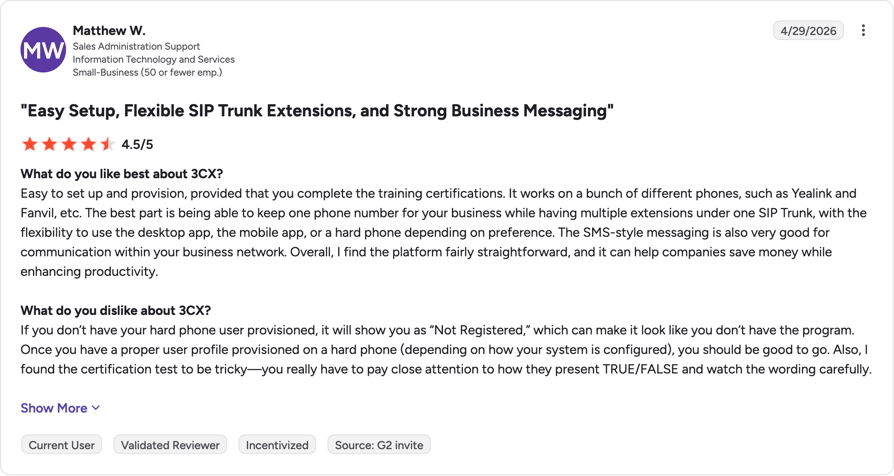
What Do G2 Users Say About 3CX?
3CX holds 4.4/5 on G2 from 547+ reviews on 3CX's G2 review page.
How Does 3CX Compare to Cisco Webex?
| Category | 3CX | Cisco Webex |
|---|---|---|
| Pricing model | Per system ($795/year, Pro) | Per user ($15.30, Webex Call, billed annually) |
| Hosting | Self-hosted or 3CX-hosted | Webex cloud or on-prem CUCM |
| Free trial | Yes | None for calling |
Compared ten tools? Now compare them on your calls.
What Real Users Are Saying About Cisco Alternatives on Reddit and Quora
When people ask Quora for software like Cisco, the answers we read point the same way:
- Hosted cloud phone systems are the usual replacement: RingCentral and Zoom each come up in two of the three threads below.
- 3CX comes up for teams keeping a PBX; one answer calls it an "easy, cheap PBX solution."
- None of the threads we read mentioned CloudTalk.
What Redditors Are Asking and Saying About Cisco Alternatives
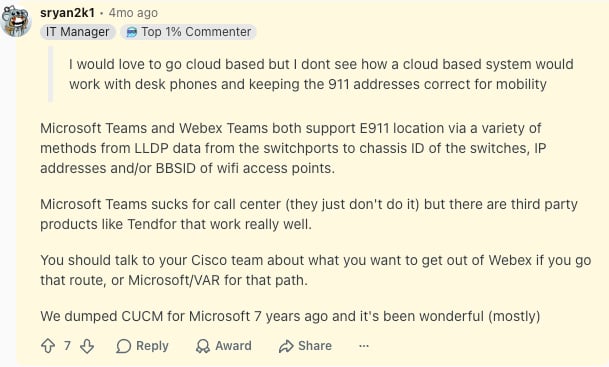
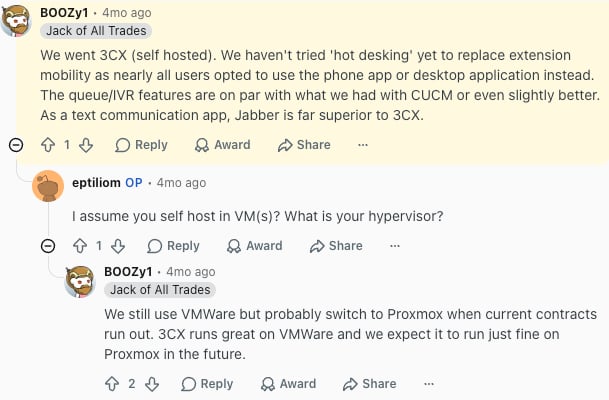
One r/sysadmin thread, "Replacing Cisco CallManager," captures the on-prem lane well:
- Teams worked for one long-time CUCM shop, minus the call center: an IT manager writes "We dumped CUCM for Microsoft 7 years ago and it's been wonderful (mostly)," while noting Teams "sucks for call center."
- 3CX matched CUCM on routing for another: a team that went self-hosted 3CX found "the queue/IVR features are on par with what we had with CUCM or even slightly better," though they miss Jabber for chat.
What Quora Users Are Asking About Cisco Alternatives
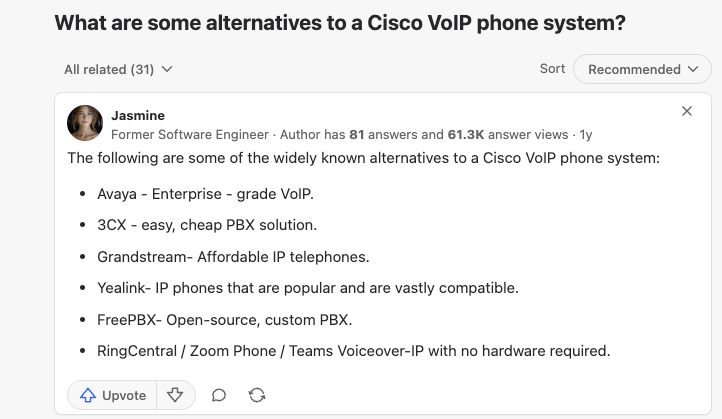
- "What are some alternatives to a Cisco VoIP phone system?" The top answer lists Avaya, 3CX, Grandstream, Yealink and FreePBX for on-prem, and RingCentral, Zoom Phone and Teams for "no hardware required."
- "What are some good alternatives to an in-house PBX system?" An older answer names RingCentral, 8x8, Nextiva, Jive and Telzio, and says providers differ on "pricing, customer service, and ease-of-use."
- "Why do smaller companies choose Zoom over Cisco WebEx?" The answer: "Zoom is easy to set up, use, and manage." It's a meetings thread, but the same test applies when you pick a phone system.
CloudTalk Features vs. Cisco Features for AI Calling
This table puts CloudTalk next to Webex Call and Webex Contact Center, the two Cisco cloud products with public prices.
| Feature | CloudTalk | Cisco Webex |
|---|---|---|
| Starting price | $25/user/month | $15.30/user/month billed annually (Webex Call) |
| Minimum seats | 1 (Starter, Essential); 3 (Expert) | None stated (Webex Call) |
| Global coverage | Numbers in 160+ countries | Unlimited domestic; international per minute |
| Call flow designer and IVR | Call Flow Designer on every plan; IVR from Essential | Auto Attendant; skills-based routing on Webex Contact Center |
| Conversation intelligence | Add-on, $9/user/month | AI Assistant included on Webex Suite ($22.50); $30/user/month add-on for Contact Center |
| CRM integrations | 95+ from Essential; Salesforce on Expert | CRM connectors on Premium Agent |
| Desk phones | Many SIP Cisco IP phones (model-dependent) | Native Cisco IP phones |
| Supervisor tools | Agent and group reporting from Essential; real-time analytics, wallboards and live monitoring on Expert | Monitor, coach, barge on Premium Agent |
| Contact center pricing | Expert, $49/user/month | $85 to $170 per agent (named or concurrent), Contact Sales |
| G2 rating | 4.4/5 | 4.5/5 (Webex Calling, 641 reviews) |
| Free trial | 14 days | None for calling |
Price AI per seat, not per suite
How to Choose the Right Cisco Webex Alternative for Your Team
Answer these five questions in order; the first one takes several Cisco Webex alternatives off your list.
1. Which Part of Cisco Are You Replacing?
Each lane has its own shortlist:
- On-prem CUCM or Jabber: CloudTalk is the simplest of the alternatives to Cisco UCM migration to cloud; 3CX if you must keep a PBX.
- Webex Calling: CloudTalk for sales and support, Teams Phone for Microsoft 365 shops, Zoom Phone for Zoom users.
- Webex Contact Center: CloudTalk for SMB and mid-market; Genesys and Talkdesk are the Cisco Webex Contact Center alternatives for large operations.
2. Can You Keep Your Numbers and Desk Phones?
Ask each vendor whether they port your numbers and which of your handsets they support. CloudTalk ports numbers on every plan and supports many SIP-capable Cisco IP phones after a factory reset, depending on the model. AGI Beacon notes RingCentral won't support most existing Cisco phones, and older SCCP-only models can't leave Cisco at all.
3. Which AI Features Are Included, and Which Cost Extra?
According to Gartner's March 2025 agentic AI prediction<sup>1</sup>, by 2029 agentic AI will autonomously resolve 80% of common customer service issues without human intervention, leading to a 30% reduction in operational costs. That makes AI a long-term budget line. Cisco ties its AI Assistant to the Webex Suite upgrade, while CloudTalk sells AI Conversation Intelligence ($9/user/month) and AI voice agents (from $99/month) as add-ons, so you pay for AI only on the seats that use it.
4. How Deep Does the CRM Integration Go?
Check whether calls, recordings and AI notes sync both ways to the deal record in HubSpot or Salesforce, and who fixes the connector when it breaks. CloudTalk's 95+ native integrations sync both ways from Essential, and Pipedrive logs 100% of its own call activity this way across global teams. Dialpad starts CRM integrations on Pro, and Webex Contact Center puts them on Premium Agent.
5. What Support Will You Get When the Phones Go Down?
Check support hours on the plan you'll buy, and ask how long call recordings are kept and whether you can export them. CloudTalk offers 24/7 chat and email support on every plan and phone support on Expert. Dialpad's 24/7 support starts on Pro.
Which Platform Fits Your Team? A Quick Recommendation Matrix
If you're comparing platforms like Cisco, match your team to a row:
| Your team | Best fit |
|---|---|
| SMB or mid-market sales and support team leaving CUCM or Webex Calling | CloudTalk |
| Microsoft 365 organization replacing Jabber | Microsoft Teams Phone |
| Zoom-first company | Zoom Phone |
| Multi-site enterprise moving off an on-prem PBX | RingCentral RingEX |
| Small team wanting AI transcripts on the cheapest plan | Dialpad |
| Multinational wanting one contract for phone and contact center | 8x8 |
| Small business wanting voice, SMS and video | Nextiva |
| Large contact center replacing Webex Contact Center | Genesys Cloud CX |
| Regulated mid-market contact center | Talkdesk |
| IT team that wants to keep running a PBX | 3CX |
Ready to Switch from Cisco to a Simpler Cloud Phone System?
A Cisco replacement shouldn't trade one complicated system for another. If the CUCM support date, the Suite upgrade for AI or a partner ticket for every routing change started your search, CloudTalk drops the servers and lets you build call flows yourself from $25/user/month, with IVR and skill-based routing from Essential and real-time analytics on Expert. Chat and email support runs 24/7 on every plan, and every AI add-on has a published price. Of the Cisco Webex alternatives on this list, it's the one to test first with your own numbers during the 14-day free trial.
Ready to leave the servers behind?
Sources:
- 01Gartner
Frequently Asked Questions About Cisco Webex Alternatives
CloudTalk is the easiest Cisco Webex alternative to set up for most SMB and mid-market teams: no servers, call flows built in the browser and a one-seat minimum. Unlike a business phone system installation, go-live mostly waits on number porting.
None is free forever, but most offer trials: CloudTalk has a [14-day free trial](https://www.cloudtalk.io/signup/), RingEX 14 days and Teams Phone one month. Zoom Phone, Dialpad and 3CX also have trials. Webex Free covers meetings only.
Dialpad includes AI transcripts on its $15 Standard plan, Genesys Cloud CX builds AI into every plan and RingEX includes AVA on Core. CloudTalk sells Conversation Intelligence and AI call answering as add-ons.
Yes. CloudTalk ports your numbers on every plan, and its guide to setting up a Cisco IP phone shows how many SIP-capable models register after a factory reset. Older SCCP-only handsets generally can't move.
Yes, AGI Beacon notes Webex Calling supports a site-by-site move from CUCM. Cisco UCM migration to cloud alternatives don't need a big-bang cutover either: pilot one site, then port the remaining numbers.
Check what your contract runs. Webex Calling or on-prem CUCM is the phone system, Webex Contact Center runs agent queues and Webex Suite adds Meetings. Replace calling first, and add contact center software if agents work queues.
CloudTalk publishes every price: Starter is $25/user/month and AI adds $9 per user. Webex Call costs $15.30 billed annually, but AI needs Webex Suite ($22.50) and contact center prices sit behind Contact Sales, which hides the business phone system cost.