TL;DR Comparison Table: 10 Best Line2 Competitors
| # | Tool | Best For | Beyond a Second Number | Starting Price | G2 Rating |
|---|---|---|---|---|---|
| 0 | Line2 (baseline) | Solo users who want a private second number for calls and texts on the phone they already carry | Auto-attendant and recording on business tiers, no CRM or AI | $7.99/month (private number, annual) | 2.7/5 (only 14 reviews) |
| 1 | CloudTalk | SMB to mid-market sales and support teams that need shared numbers, CRM sync, dialers, and AI voice agents on one platform | Queues, IVR, deep CRM sync with 100+ apps, dialers, and AI voice agents, with numbers in 160+ countries | $25/user/month (Starter) | 4.4/5 |
| 2 | Google Voice | Google Workspace teams that want a low-cost business number with auto attendants | Ring groups and auto attendants from Standard, inside Workspace | $10/user/month (Starter, plus Workspace) | 4.1/5 |
| 3 | Quo (formerly OpenPhone) | Small teams that want shared numbers, a team inbox, and a built-in AI agent | Shared inbox, Sona AI agent, CRM sync from Business | $15/user/month (Starter) | 4.7/5 |
| 4 | MightyCall | Small call teams that want dialers and live monitoring without enterprise pricing | Dialers, live monitoring, and AI call summaries | $20/user/month (3-user min) | 4.4/5 |
| 5 | Aircall | Support and sales teams that need 250+ helpdesk and CRM integrations | 250+ integrations, Power Dialer, AI Voice Agent minutes | $30/user/month (3-license min) | 4.4/5 |
| 6 | Dialpad Connect | Teams that want AI transcription and call summaries on every human call | AI notes on every call, video meetings, coaching | $15/user/month (Standard) | 4.4/5 |
| 7 | Grasshopper | Solopreneurs and micro-businesses in the US and Canada that want a professional virtual number | Extensions and a main greeting at one flat price | $14/month (True Solo, flat rate) | 3.9/5 |
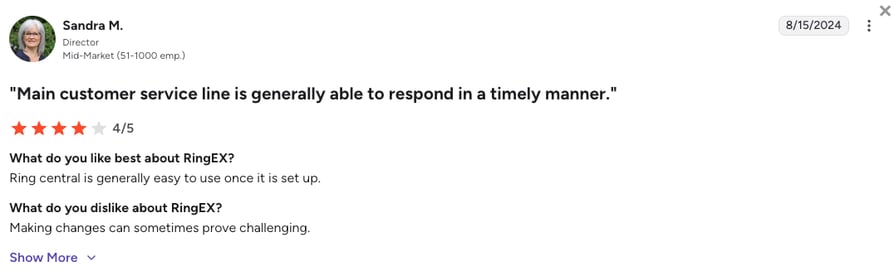
| 8 | RingCentral (RingEX) | Growing and multi-site companies that want calls, video, and messaging in one suite | Video meetings, team chat, 500+ integrations, AI Receptionist add-on | $20/user/month (Core) | 0/5 |
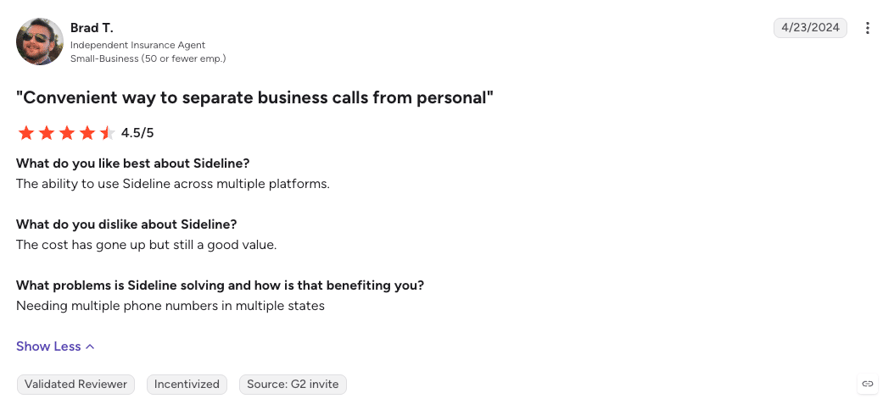
| 9 | Sideline | Individuals and tiny teams that want a second number calling over the carrier network | Up to five people sharing one number | $10.83/month (billed $129.99/year) | 4.5/5 (only 11 reviews) |
| 10 | Nextiva | SMB to mid-market teams that want 24/7 support and a path to a full contact center | 24/7 support on every plan, contact center tiers to grow into | $15/user/month (Core) | 4.5/5 |
Your Second Number Is Now a Team Number? Watch It Ring for the Whole Team.
Plenty of people start on Line2 because it's the easiest way to get a second number on the phone they already carry. Then the number stops being personal: a colleague needs to answer it, customers expect someone to pick up when you can't, and calls need to land somewhere other than your own pocket. That's usually the moment a second-number app stops being enough.
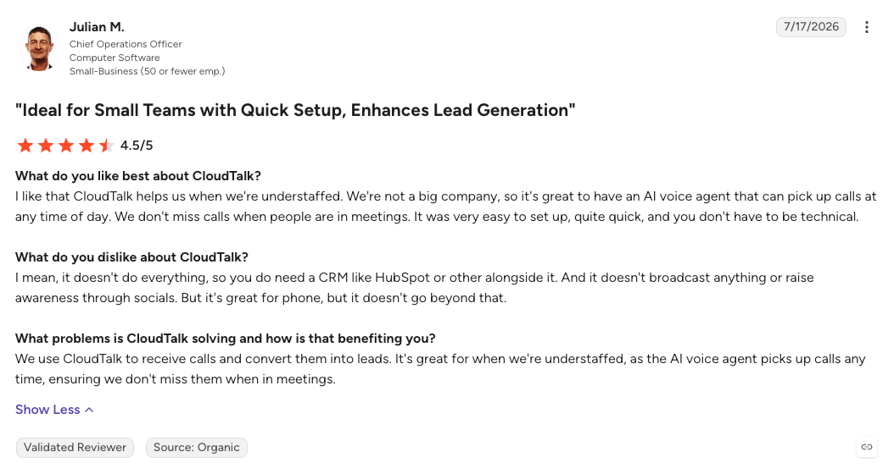
The best Line2 alternatives for that moment are CloudTalk, Google Voice, Quo (formerly OpenPhone), MightyCall, and Aircall. CloudTalk is the best Line2 alternative once two or more people share the calls, Google Voice is the cheapest swap for a Google Workspace team, and Quo suits small teams sharing one inbox. MightyCall adds dialers for small call teams, and Aircall wins on integration breadth.
If you only need a better second line for yourself, Sideline and Grasshopper stay closest to what Line2 does today. Whether you're on Line2 now or comparing it for the first time, one question decides it: is this number yours, or your team's?
Why Are Teams Searching for a Line2 Alternative?
Line2 does one job well, and most people who search for an alternative have simply grown past that job. Here's what it is today, and where it stops.
What Is Line2?
Line2 is a VoIP (Voice over Internet Protocol) app that adds a second phone number to the phone you already own. It runs on iPhone, Android, Windows, and the web, with unlimited calls and texts across the US and Canada, call blocking, call screening, and voicemail. Line2 is owned by Ziff Davis and now markets itself mainly as a privacy number for dating apps, online selling, and anyone you'd rather not give your real digits.
The business side still exists, but Line2's own site now sends business buyers to a sister brand, eVoice. Its Starter, Growth, and Business plans add users, an auto-attendant from $17.66 a month, and call recording only on the $21.83 tier, with no CRM integrations, no AI, and no dialer on any of them. Support runs weekdays only, and Line2 is retiring its macOS app (at the time of writing).
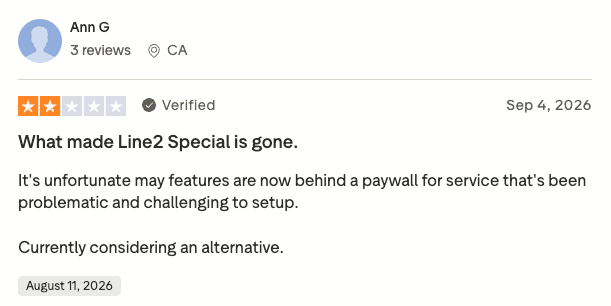
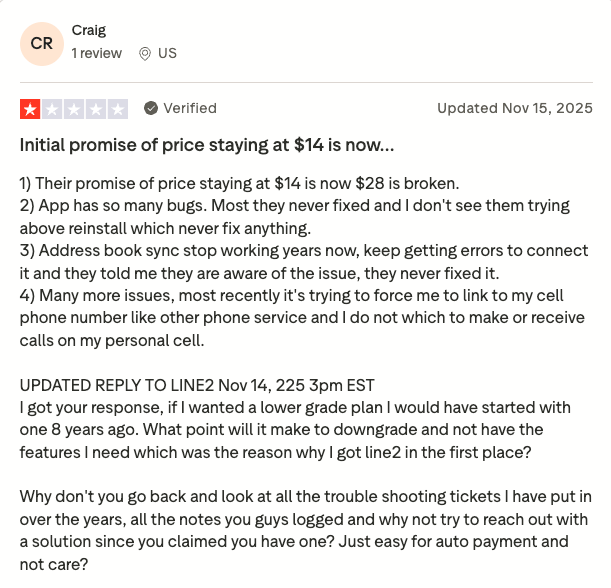
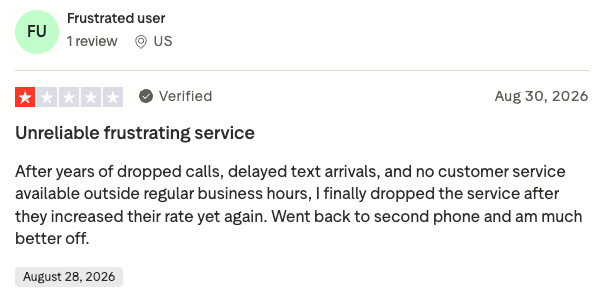
On G2, Line2 holds 2.7/5 from only 14 reviews, the newest of them several years old, so it's too thin to rely on. Line2 has a much bigger presence on Trustpilot, where it sits at 2.8/5 from 800+ reviews, with recent Line2 reviews pointing at dropped calls, delayed texts, and numbers flagged as spam. Together with community threads, those reviews show growing teams outgrow Line2 for five main reasons:
5 Main Cons of Line2 That Make Businesses Look for an Alternative
- Built for one person's privacy, not a team's callsLine2 routes calls by forwarding them to a list of phone numbers, ringing them at once or one by one. That works for an owner and a helper, but every extra person means another phone in the forwarding list, so a growing team ends up answering business calls on personal mobiles, which is exactly what a business phone system is meant to stop.
- Calling and texting stop at the US and CanadaUnlimited calls and texts cover the US and Canada only. International calls run on per-country rates for subscribers billed directly by Line2 (App Store subscribers don't get them), international picture messages aren't supported, and Line2 doesn't list any numbers outside North America.
- Recording and reporting wait for the top business tierLine2 pricing starts at $7.99 a month for a private number, but call recording and advanced reporting only arrive on the Business plan at $21.83 a month on annual billing, or $25.99 monthly. The help center also lists call recording as a feature where additional charges may apply.
- No CRM, no AI, and no dialerLine2's help center has nothing to set up for HubSpot, Salesforce, Zapier, or any other app, no AI that answers or summarizes calls, and no dialer for outbound work. Every call note gets typed by hand, and a call nobody can take goes to voicemail.
- Reliability complaints and weekday-only supportRecent Trustpilot reviews keep landing on dropped calls, delayed texts, numbers flagged as spam on cell carriers, and an app that needs signing out and back in. When something breaks on a Saturday, help isn't open: phone and chat support runs Monday to Friday, 8am to 8pm ET.
Where Line2 Shines
Line2 earns its place for one person who wants a private second number on the phone they already carry, with unlimited US and Canada calls and texts for less than $10 a month. Call blocking, call screening, and a number you can walk away from make it a solid privacy tool, and the 30-day money-back guarantee lowers the risk of trying it. If nobody else ever answers your calls, Line2 does its job. For many other use cases, though, you should consider choosing a better VoIP alternative.
What Are the Best Alternatives to Line2?
CloudTalk is the best alternative to Line2, especially for teams that have outgrown a second number. It covers four jobs Line2 can't: sharing business numbers across a team, routing calls through queues instead of personal mobiles, logging every call to your CRM, and getting local numbers outside the US and Canada. Numbers come from 160+ countries, many of them self-serve and quick to activate, and an AI Receptionist answers in 70+ languages when nobody on your team can.
However, one size doesn't fit all, and CloudTalk might not be the right Line2 competitor for every team on this list. A solo user who only wants a private number should look at Sideline or stay on Line2, a Google Workspace shop gets its cheapest team line from Google Voice, and a team tied to one niche helpdesk may value Aircall's longer integration list. For everyone in between, CloudTalk costs from $25/user/month with no seat minimum on Starter or Essential.
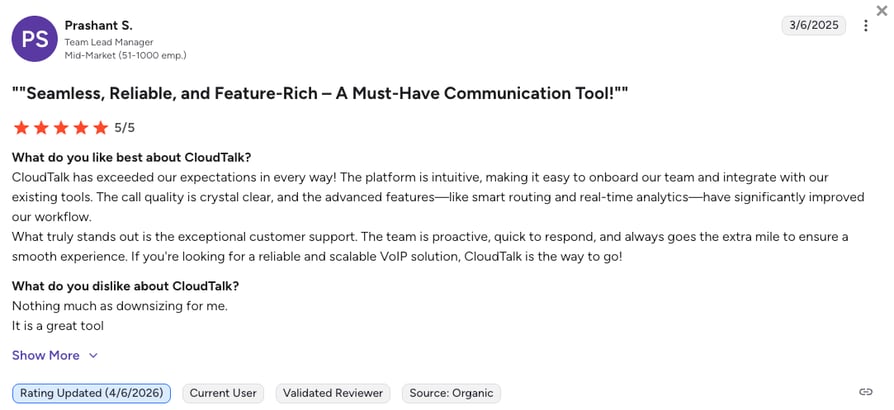
Reviewers back that up. On G2, CloudTalk holds 4.4/5 from 1,900+ reviews against Line2's 14, and it scores highest on ease of use and ease of setup, the two things Line2 users least want to give up. Here are the five main reasons teams make the switch:
5 Main Pros of CloudTalk and Why Businesses Switch from Line2
- Shared numbers and queues for the whole teamEvery rep answers the same business numbers from the desktop app, the browser, or a phone, and calls ring through call queues on every plan. Nobody has to hand out a personal mobile to keep a customer reachable.
- Numbers in 160+ countries, plus unlimited US and Canada callsBuy local, mobile, and toll-free international numbers from the dashboard, many of them ready to use soon after you order. Starter includes unlimited calls to the US and Canada, so the Line2 basics come along while the border goes away.
- Two-way CRM sync from Essential100+ integrations with HubSpot, Pipedrive, Zoho, and Zendesk log calls, recordings, and notes automatically from $29/user/month, with Salesforce ecosystem sync on Expert (3-seat minimum). Line2 has no CRM integration to switch on.
- AI voice agents that answer when your team can'tEvery account gets 50 free AI Receptionist minutes, then account-level tiers from $99/month (200 minutes). The AI answers, books, and hands the call to a teammate on the same platform, and AI Conversation Intelligence adds transcripts and summaries for $9/user/month.
- Dialers for growth and support that's open on weekendsClick-to-call comes with Starter, and a Power Dialer sits on Expert or costs a $15/user/month add-on on any plan. Chat and email support run 24/7 on every plan, with phone support on Expert, so help is there even on a Saturday.
Line2 Keeps Calls on One Phone. CloudTalk Puts Them on a Team. Try It Free.
How We Chose the Best Line2 Alternatives and Competitors
We compared the Line2 competitors on this list on the six things that decide a move from a second-number app to a phone system a whole team can share: call quality, the real monthly cost once seats and add-ons are counted, CRM depth, number coverage, support hours, and how much AI each plan actually includes. Every one of these alternatives to Line2 had its pricing page and help center checked live, and user sentiment came from G2, Trustpilot, Capterra, and Reddit.
- Call stability and reliabilityWho owns the telephony, what recent reviewers report about dropped calls, delayed texts, and spam flags, and how each app behaves on Wi-Fi and mobile data.
- Total cost of ownershipThe real monthly bill once seat minimums, recording, CRM access, numbers, and AI add-ons are counted, not just the entry price on the plan card.
- CRM and helpdesk integration depthNative two-way sync that logs calls and notes automatically versus a Zapier recipe, a single integration, or nothing at all.
- Global coverage and number availabilityHow many countries each provider sells local, mobile, or toll-free numbers in, and what calling outside the US and Canada actually costs.
- Support quality and availabilityWhether help is 24/7 or weekdays only, which channels you get on the entry plan, and what reviewers say about response times.
- AI and automation capabilitiesAI answering, call summaries, routing, and dialers, plus which plan actually includes each of them.
The Top 10 Line2 Alternatives for 2026
Before the full profiles, here's how Line2, CloudTalk, and the three platforms buyers weigh against it most often compare on the rows that decide the switch: who can share the number, where you can get numbers, and what you get beyond calls and texts.
Line2 vs. CloudTalk, Google Voice, MightyCall, and Quo
| Feature | Line2 | CloudTalk | Google Voice | MightyCall | Quo |
|---|---|---|---|---|---|
| Starting price | $7.99/mo (private), $13.75/mo (business) | $25/user/mo | $10/user/mo plus Workspace | $20/user/mo | $15/user/mo |
| Seat minimum | None | None (3 on Expert) | None | 3 users | None |
| Where you get numbers | US and Canada | 160+ countries | Sold in 14 countries | US and Canada, international add-on | US and Canada |
| Call recording | Business plan | From Starter | Standard and up | All plans | Automatic from Business |
| CRM integrations | None | 100+ from Essential | None native | HubSpot, Salesforce, Zoho | From Business |
| AI answering agent |  |  | | | |
| Dialer for outbound | None | Power (Expert, or add-on) & Parallel (add-on) | None | Power and up | None |
| iOS and Android apps | | | | | |
| Customer support | Weekdays, 8am to 8pm ET | 24/7 chat and email, phone on Expert | 24/7 Google Voice support | Phone, chat, and email | Email, chat from Business |
| G2 rating | 2.7/5 (only 14 reviews) | 4.4/5 (1,900+ reviews) | 4.1/5 (150+ reviews) | 4.4/5 (300+ reviews) | 4.7/5 (3,400+ reviews) |
How to Read This Table Before You Pick
Icon rows are yes-or-no: a tick means the platform offers the feature, a cross means it doesn't sell it at all. Text rows name the plan that unlocks the feature, so "Business plan" under Line2 means recording waits for its top tier. Two rows decide most switches: where you can get numbers, and whether calls reach your CRM. Line2 stays in North America with no integration at all, while CloudTalk adds numbers in 160+ countries and two-way sync from Essential. The quickest way to check is to add a teammate and route a real call to them.
1. CloudTalk: The Best Line2 Alternative for SMB to Mid-Market Sales and Support Teams That Need Shared Numbers, CRM Sync, Dialers, and AI Voice Agents on One Platform
What Is CloudTalk?
CloudTalk is an AI-powered, voice-first cloud phone and contact center platform for small-business to mid-market sales and support teams. It pairs numbers in 160+ countries with two-way CRM sync, outbound dialers, and AI voice agents that answer, route, book, and log real calls, all from one seat price and one dashboard.
Compared to Line2, CloudTalk keeps the part you liked, a business number on the phone in your pocket, and builds a team phone system around it: the number rings for whoever's free, every call lands in your CRM, and an AI picks up when nobody can. You give up Line2's $7.99 entry price. You get a number the whole team can answer from anywhere.
Why Is CloudTalk a Strong Line2 Alternative?
- A phone system the whole team shares: Queues on every plan and IVR menus from Essential, built in the call flow designer, so calls ring for whoever's free and after-hours callers hear the right message instead of a forwarding loop.
- Apps for every desk and pocket: Reps answer the same business numbers from the desktop app, the browser, or the CloudTalk Go mobile app for iOS and Android, so the Line2 habit of calling from your own phone stays while the number becomes the company's.
- CRM sync and AI on every call: 100+ integrations from Essential log calls, recordings, and notes to HubSpot, Zendesk, Pipedrive, and Zoho CRM HubSpot both ways (Salesforce on Expert, 3-seat minimum), and AI Conversation Intelligence adds transcripts, call scoring, and sentiment on any plan.
- Numbers, languages, and dialers for growth: Local, mobile, and toll-free numbers in 160+ countries, AI agents that speak 70+ languages, and a Parallel Dialer with answering machine detection as a $39/user/month add-on on any plan.
What Are the Pros & Cons of CloudTalk?
| Pros | Cons |
|---|---|
| Shared numbers, queues, and AI voice agents on one platform, so a call never has to be forwarded to a personal mobile | Voice-first by design: no native video meetings or omnichannel inbox |
| Numbers in 160+ countries, with unlimited US and Canada calls from Starter | CRM integrations require the Essential plan, and there's no $8 privacy-only plan like Line2's |
| 100+ two-way CRM integrations from Essential and 24/7 chat and email support on every plan | Texts are pay-as-you-go rather than unlimited, and the Parallel Dialer is a $39/user/month add-on |
What Are CloudTalk's Plans & Pricing?
CloudTalk pricing starts at $25/user/month (Starter, billed annually), with the following plans:
CloudTalk Plans and Pricing
| Plan | Price (annual billing) | Key Features |
|---|---|---|
| Starter | $25/user/month | Unlimited inbound, internal, and US and Canada calls, 500 outbound minutes in the EU and UK (regional bundles), call queues, transfers, click-to-call, automatic call recording (1-month retention) |
| Essential | $29/user/month | Everything in Starter + IVR and smart routing, 100+ CRM/helpdesk integrations, workflow automation, unlimited recording retention |
| Expert | $49/user/month | Everything in Essential + Power, Smart, and Preview Dialers, Salesforce integration, 24/7 phone support (3-seat min) |
| AI Conversation Intelligence (add-on) | $9/user/month | AI transcripts, call summaries, call scoring, sentiment analysis, and agent coaching insights |
| AI Receptionist (add-on) | From $99/mo (200 min) | Inbound AI call answering, routing, logging; 50 free minutes on every account; tiers up to $699/mo (2,500 min) |
| AI Specialist (add-on) | From $349/mo (1,000 min) | Sales-led custom AI voice agents for inbound and outbound workflows; plans scale up to $1,249/mo (5,000 min) |
What Do CloudTalk's Customers Say?
CloudTalk reviewers keep landing on the same two things: setup that doesn't need an IT project, and CRM sync that actually holds. Across G2 and Capterra, ease of use and ease of setup are its highest-scoring categories, and small teams describe moving off personal phones in an afternoon.
The most common criticism is that Salesforce sync needs the Expert plan, a real jump for a small Salesforce shop, and some reviewers want richer native reporting than the base plans give.
CloudTalk AI Voice Agents in Action: Circle Gym's Story
Circle Gym is a circuit-training studio in Spain run remotely by its owner, and its rule was to call every new lead. With staff free only in the evenings, callbacks slipped and booking links converted at about 5%. On CloudTalk, an AI voice agent now calls every lead within seconds, answers the usual questions, and books the trial on the call, taking the studio from 4 to 10 bookings a day. Christian Stistrup, the owner, sums it up:
“We went from 5% conversion with links to double-digit bookings just by letting the AI ask, 'What time works for you?'”
Owner of Circle Gym

How Do G2 Users Rate CloudTalk?
CloudTalk holds 4.4/5 on G2 across 1,900+ verified reviews, with its highest category scores in ease of use and ease of setup, the two things Line2 users least want to give up.
From 4 Bookings a Day to 10. You Just Read How.
2. Google Voice: Best for Google Workspace Teams That Want a Low-Cost Business Number With Auto Attendants
What Is Google Voice?
Google Voice is Google's cloud phone service for businesses on Google Workspace, sold as an add-on to a Workspace subscription. Each user gets a number that rings on any device, with voicemail transcription, US texting, and calling built into Gmail, Calendar, and Meet.
Compared to Line2, Google Voice is the cheaper route to a shared business line, as long as your team already lives in Google Workspace. Starter covers up to ten users for $10 each, Standard adds auto attendants and ring groups, and admins manage it all from the same console as your email. What it gives up is everything outside Google: there's no native CRM integration or dialer, and numbers are sold in 14 countries.
Why Is Google Voice a Strong Line2 Alternative?
- A business line inside the apps you already use: Calls, voicemail, and texts sit next to Gmail, Calendar, and Meet, so there's no extra app to roll out, and admins assign numbers from the Workspace console.
- Team routing Line2 doesn't offer: Standard at $20/user/month adds auto attendants, ring groups, call queuing, and on-demand recording, with unlimited users and regional billing locations.
- A low entry price for a small team: Starter costs $10/user/month for up to ten users, with unlimited domestic calling, US texting, and 24/7 access to Google Voice support.
How Does Line2 vs Google Voice Compare?
The Line2 vs Google Voice choice comes down to what you already pay for. Line2 sells a standalone second number for $7.99 a month with nothing else required. Google Voice needs a paid Workspace plan first, then adds $10 to $30 per user, but you get a real team line, auto attendants, and admin controls.
For one private number, Line2 is simpler. For a team already on Google Workspace, Google Voice vs Line2 isn't close. Neither one logs calls to a CRM, so a sales or support team will still need more.
What Are the Pros & Cons of Google Voice?
| Pros | Cons |
|---|---|
| Familiar Google admin, with calling inside Gmail, Calendar, and Meet | Requires a paid Google Workspace subscription on top of Voice |
| Auto attendants, ring groups, and call queuing from Standard | No native CRM integration or dialer, and automatic recording only on Premier |
| Low per-user price with 24/7 Google Voice support | Numbers sold in 14 countries, and reviewers say account flags are hard to resolve |
What Are Google Voice's Plans & Pricing?
Google Voice pricing starts at $10/user/month (Starter, on top of a Workspace plan), with the following plans available:
Google Voice Plans and Pricing
| Plan | Price | Key Features |
|---|---|---|
| Starter | $10/user/month | Up to 10 users, unlimited domestic calling and US texting, voicemail transcription |
| Standard | $20/user/month | Unlimited users, auto attendants, ring groups, call queuing, on-demand recording |
| Premier | $30/user/month | International billing locations, automatic call recording, BigQuery reporting |
The Workspace Math
Google Voice's $10 seat is never the whole bill, because every user also needs a paid Workspace license. A five-person team on Voice Standard pays $100 a month for Voice alone, on top of five Workspace seats, and calls are only recorded automatically on Premier. That's still good value for a team that already runs its email on Workspace. If you'd rather have AI notes on every call for a similar seat price, Dialpad is the other pick on this list worth pricing side by side.
What Are Google Voice's Customers Saying?
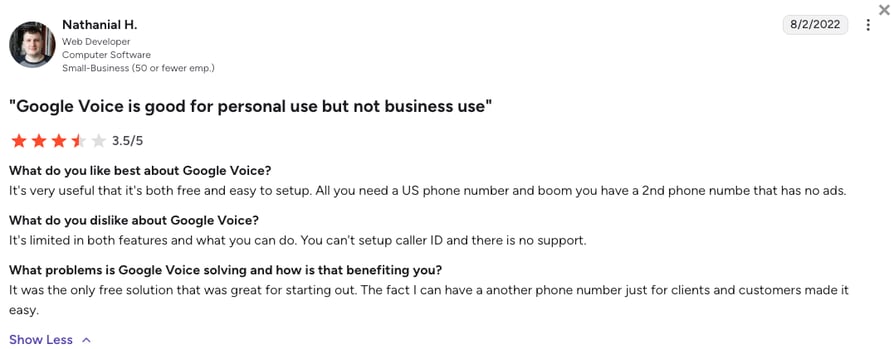
Google Voice reviewers praise how cheap and simple it is, and how well one business number works across phones and laptops for a small team. The recurring complaints are that Google Voice feels too basic once a business grows, and that flagged or suspended accounts are hard to sort out with support.
How Do G2 Users Rate Google Voice?
On G2, Google Voice holds a 4.1/5 rating across 150+ reviews, a small base for a Google product, with most praise for value and ease of use.
3. Quo (formerly OpenPhone): Best for Small Teams That Want Shared Numbers, a Team Inbox, and a Built-In AI Agent
What Is Quo (formerly OpenPhone)?
Quo (formerly OpenPhone) is a cloud phone app for small businesses that puts calls, texts, and voicemail for a shared number into one team inbox. It runs on iPhone, Android, desktop, and the web, and its Sona AI agent can answer calls on every plan.
Quo is a friendlier step up from Line2 for a small team, especially because the shared number is the whole point of the product. Where Line2 forwards a call to a list of phones, Quo shows every call and text to everyone on the number in one thread. The trade is geography: Quo sells only US and Canadian numbers, just like Line2.
Why Is Quo a Strong Line2 Competitor?
- One number, one inbox, the whole team: Up to ten users can share a number on Starter, with calls, texts, and voicemails in one thread everyone can see, assign, and answer.
- An AI agent on every plan: Sona answers calls with 1,000 free automation credits a month, roughly ten calls, and credit packs from $25 a month cover more.
- CRM sync and automatic recording from Business: HubSpot and Salesforce integrations, automatic recording, phone menus, and AI summaries for every call arrive on Business at $23/user/month.
What Are the Pros & Cons of Quo (formerly OpenPhone)?
| Pros | Cons |
|---|---|
| Shared numbers and a team inbox for calls and texts | US and Canadian numbers only |
| Sona AI agent on every plan, with free monthly credits | CRM integrations, phone menus, and automatic recording start on Business |
| No seat minimum and a 7-day free trial | No dialer, and phone support only on Scale, on weekdays |
What Are Quo (formerly OpenPhone)'s Plans & Pricing?
Quo pricing starts at $15/user/month (Starter, annual billing), and you can choose from these plans:
Quo (formerly OpenPhone) Plans and Pricing
| Plan | Price | Key Features |
|---|---|---|
| Starter | $15/user/month | Shared numbers for up to 10 users, calls and texts, manual recording, Sona AI with 1,000 credits, email support |
| Business | $23/user/month | Everything in Starter + HubSpot and Salesforce, automatic recording, phone menus, AI summaries for all calls, live chat support |
| Scale | $35/user/month | Everything in Business + AI call tags, priority support with weekday inbound phone support |
Line2 vs OpenPhone, Settled by Headcount
Line2 vs OpenPhone used to be a close call for one person. Quo now costs about twice as much per user as Line2's private number, but a second teammate changes the math: on Line2 they need their own plan or a place in the forwarding list, on Quo they simply join the shared inbox. Ten free Sona calls a month are a taste, not a receptionist, so a business expecting 200 AI-answered calls a month should price the credit packs before committing.
What Are Quo (formerly OpenPhone)'s Customers Saying?
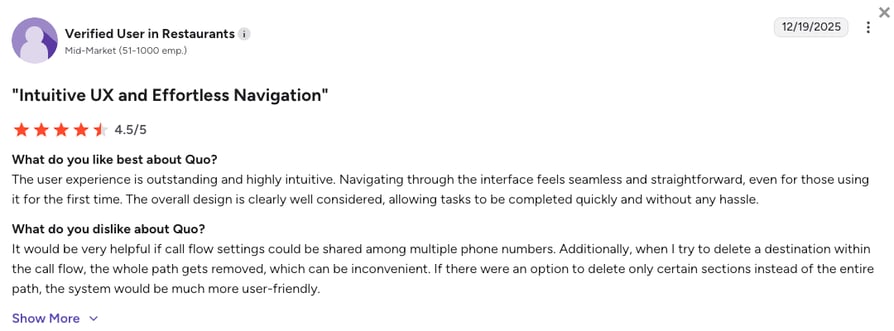
Quo reviewers praise ease of use, responsive support, and transcription accuracy, and small teams like keeping every call and text in one shared inbox. The recurring complaints are calls that don't always ring through, dropped calls, and costs that climb for a small business once Business features are needed.
How Do G2 Users Rate Quo?
On G2, Quo (formerly OpenPhone) holds a 4.7/5 rating across 3,400+ reviews, one of the strongest scores on this list.
4. MightyCall: Best for Small Call Teams That Want Dialers and Live Monitoring Without Enterprise Pricing
What Is MightyCall?
MightyCall is a cloud phone system for small and midsize businesses, with business numbers, call recording, and integrations on every plan, then supervisor tools and dialers as you move up. It runs on iOS, Android, desktop, and a web phone.
MightyCall wins over Line2 when calls turn into a team job with numbers to hit. It adds live call monitoring and AI call summaries on Pro, then preview and progressive dialers on Power, all on shared business numbers. The catch is the floor: every published plan needs at least three users.
Why Is MightyCall a Strong Alternative to Line2?
- Recording and integrations from the first plan: Core includes call recording, three business numbers, and native HubSpot, Salesforce, and Zoho integrations, plus Zapier and API access.
- Supervisor tools on Pro: Live call monitoring, a supervisor workspace, analytics, and AI call summaries for $38/user/month.
- Dialers for outbound teams: Preview and progressive dialing with AI answering machine detection on Power, and predictive dialing on Enterprise.
How Does MightyCall vs Line2 Compare?
The MightyCall vs Line2 decision is really one person versus three. Line2 starts at $7.99 for a single private line with no minimum. MightyCall starts at $20 per user but bills at least three, so its floor is $60 a month, and for that you get recording, integrations, and a real multi-line phone system.
If you're on your own, MightyCall is more than you need. If three people already share the calls, Line2 vs MightyCall stops being a price comparison.
What Are the Pros & Cons of MightyCall?
| Pros | Cons |
|---|---|
| Call recording and native integrations on every plan | Three-user minimum on Core, Pro, and Power |
| Live monitoring and AI call summaries on Pro | No AI receptionist: AI covers summaries and answering machine detection |
| Preview, progressive, and predictive dialers as you scale | 7-day trial capped at 100 minutes of calling |
What Are MightyCall's Plans & Pricing?
MightyCall pricing starts at $20/user/month (Core, annual billing, 3-user minimum), with the following tiers available:
MightyCall Plans and Pricing
| Plan | Price | Key Features |
|---|---|---|
| Core | $20/user/month | Unlimited calls and texts (fair use), 3 business numbers, call recording, integrations and API access |
| Pro | $38/user/month | Everything in Core + supervisor workspace, live call monitoring, AI call summaries, analytics |
| Power | $54/user/month | Everything in Pro + preview and progressive dialers, AI answering machine detection |
| Enterprise | $65/user/month (5-user min) | Everything in Power + predictive dialer, SIP trunking, custom integrations |
The Three-Seat Floor
MightyCall's $20 plan is really $60 a month, because three users is the minimum. That's fine for a three-person call team and wasteful for a founder with one helper. Before you commit, check which dialer your reps actually need: preview and progressive dialing start on Power at $54, while Dialpad's $15 Standard plan is built around AI call notes instead, so the two solve different problems.
What Are MightyCall's Customers Saying?
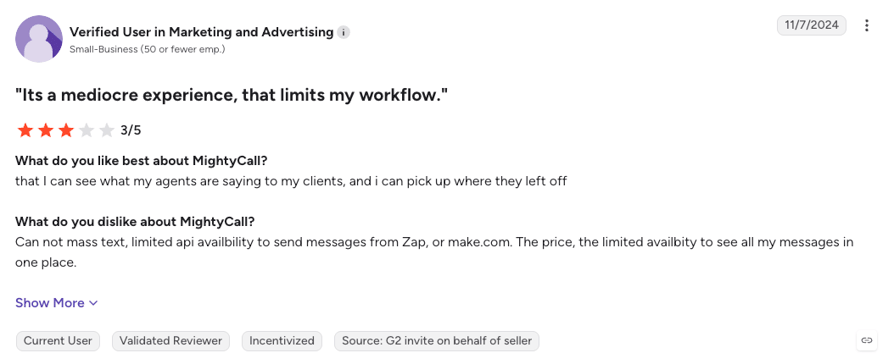
MightyCall reviewers praise its support team and how quickly a small business gets set up for the price. Recent complaints point at dropped calls and a mobile app that sometimes misses incoming-call prompts.
How Do G2 Users Rate MightyCall?
On G2, MightyCall holds a 4.4/5 rating across 300+ reviews, and it scores especially well for quality of support.
5. Aircall: Best for Support and Sales Teams That Need 250+ Helpdesk and CRM Integrations
What Is Aircall?
Aircall is a cloud phone system for support and sales teams, built around a marketplace of helpdesk and CRM integrations. It runs on desktop, browser, and mobile, with an AI Voice Agent and AI assist tools priced on top of the seats.
Aircall is another viable upgrade from Line2, as it starts exactly where Line2 stops: with integrations. Every Aircall plan connects to its 250+ app marketplace, so calls land in Zendesk, Intercom, or HubSpot automatically. You pay for it in seats, with three licenses minimum on both published plans.
Why Is Aircall a Strong Line2 Alternative?
- 250+ integrations on the entry plan: Essentials includes the marketplace and API access, so a support team logs every call into Intercom or its helpdesk without typing notes.
- AI Voice Agent minutes on every account: 50 free AI Voice Agent minutes a month per account for inbound answering, with more minutes and AI Assist Pro coaching sold as add-ons.
- A sales floor on Professional: Power Dialer, voicemail drop, Salesforce CTI, live monitoring, and unlimited recording retention on the $50 tier, with international numbers in 100+ countries.
What Are the Pros & Cons of Aircall?
| Pros | Cons |
|---|---|
| 250+ helpdesk and CRM integrations from Essentials | Three-license minimum on Essentials and Professional |
| Power Dialer, voicemail drop, and live monitoring on Professional | AI Assist Pro and extra AI Voice Agent minutes cost extra |
| International numbers in 100+ countries | Unlimited outbound calling only on the Custom plan |
What Are Aircall's Plans & Pricing?
Aircall pricing starts at $30/user/month (Essentials, annual billing, 3-license minimum), and the platform offers the following plans:
Aircall Plans and Pricing
| Plan | Price | Key Features |
|---|---|---|
| Essentials | $30/user/month | 250+ integrations and API access, IVR, call recording up to one year, click-to-dial, 50 free AI Voice Agent minutes a month |
| Professional | $50/user/month | Everything in Essentials + AI Assist call summaries, Salesforce CTI, Power Dialer, voicemail drop, live monitoring, unlimited recording retention |
| Custom | From 25 licenses | Unlimited outbound calls, SLA, SSO, dedicated onboarding |
| AI add-ons | Per user or per minute | AI Assist Pro live coaching at $49/user/mo, AI Voice Agent minutes beyond the free allowance from $0.49/min |
Aircall vs CloudTalk AI Voice Agents: Same Per-Minute Price, Different Starting Line
Aircall's AI Voice Agent includes 50 minutes a month. After that, you pay at least $100 a month on annual billing, or $0.49 a minute, on top of three licenses at $90. CloudTalk's AI voice agents cost about the same, from $99 a month for 200 minutes after 50 free ones, but you don't need three seats first. They also speak 70+ languages, compared with Aircall's 38.
What Are Aircall's Customers Saying?
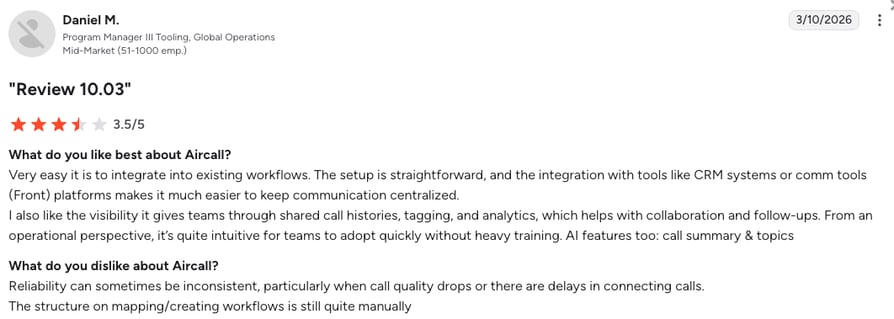
Aircall reviewers praise how easy the app is to learn and how cleanly it logs calls into the CRM and helpdesk. The most common complaints are connection and call-quality issues, AI summaries that get details wrong, and the cost of a three-seat minimum for very small teams.
How Do G2 Users Rate Aircall?
On G2, Aircall holds a 4.4/5 rating across 1,650+ reviews, with integrations as the most praised feature.
Five Tools In, One Pattern: The Number Has to Ring for the Whole Team.
6. Dialpad Connect: Best for Teams That Want AI Transcription and Call Summaries on Every Human Call
What Is Dialpad Connect?
Dialpad Connect is an AI-first VoIP phone system with calling, messaging, and video meetings in one app. Dialpad AI transcribes and summarizes calls on every plan, and a separate AI Agents product covers autonomous voice agents.
Where Line2 stops at calls and texts, Dialpad Connect writes the notes for you. Every plan transcribes calls, summarizes them, and pulls out action items, so a small team gets meeting-style notes on every customer call for $15 a user. Autonomous AI agents are a separate, sales-led product, so the entry price buys AI for your people, not AI instead of them.
Why Is Dialpad Connect a Strong Line2 Competitor?
- AI notes on every call from the entry plan: Standard at $15/user/month includes unlimited calling, AI transcription, call summaries, SMS, and voicemail.
- Real-time coaching for new hires: Dialpad AI surfaces guidance during the call, so newer reps handle tough questions while the customer is still on the line.
- Calls, meetings, and messaging in one app: Video meetings and team messaging come with the phone system, and a 14-day free trial lets the team test all three.
What Are the Pros & Cons of Dialpad Connect?
| Pros | Cons |
|---|---|
| AI transcription and call summaries on every plan | CRM integrations and 24/7 support start on Pro |
| Video meetings and messaging included | Autonomous AI Agents are sold separately through sales |
| 14-day free trial | Pro carries a three-license minimum |
What Are Dialpad Connect's Plans & Pricing?
Dialpad pricing starts at $15/user/month (Standard, annual billing), with the following plans to choose from:
Dialpad Connect Plans and Pricing
| Plan | Price | Key Features |
|---|---|---|
| Standard | $15/user/month | Unlimited calling, AI transcription, AI call summaries, SMS, voicemail, video meetings |
| Pro | $25/user/month | Everything in Standard + CRM integrations (HubSpot, Salesforce), 24/7 support, multi-office, international numbers |
| Enterprise | Custom | SSO, access controls, unlimited offices, 99.9% uptime SLA |
| Dialpad AI Agents | Contact sales | Autonomous voice agents, sold separately from Connect |
Notes on Every Call or a Bigger Suite?
Dialpad and RingCentral are the two suites on this list that bundle calls, video, and messaging, and they split on what the AI does. Dialpad puts transcripts and summaries on every human call from $15. RingCentral starts at $20 with meetings built for bigger audiences and sells its AI Receptionist as a $39 add-on. Pick Dialpad if your team wants notes it doesn't have to write, RingCentral if meetings matter as much as calls.
What Are Dialpad Connect's Customers Saying?
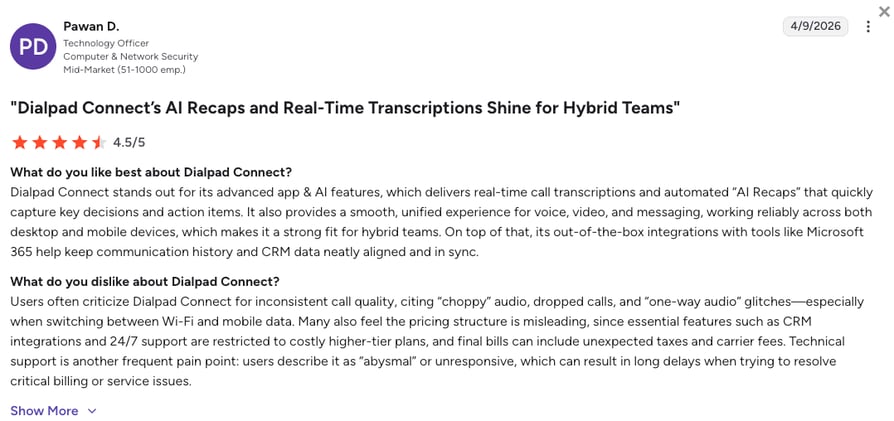
Dialpad Connect reviewers keep coming back to one benefit: AI summaries and action items that write themselves after every call, plus a clean interface new hires learn quickly. The recurring complaints are transcription accuracy with accents and background noise, CRM integrations and 24/7 support gated to Pro, and support waits on lower tiers.
How Do G2 Users Rate Dialpad Connect?
On G2, Dialpad Connect holds a 4.4/5 rating across 4,200+ reviews, the deepest review base on this list.
7. Grasshopper: Best for Solopreneurs and Micro-Businesses in the US and Canada That Want a Professional Virtual Number
What Is Grasshopper?
Grasshopper is a virtual phone system for solopreneurs and small businesses in the US and Canada. It adds a business number, extensions, and a professional main greeting to the phones your team already has, at one flat monthly price rather than per user.
Against Line2, Grasshopper trades the privacy pitch for a small-business one. Instead of a second number for you, it gives the business a main number with extensions that forward to everyone's phones, plus business texting and instant replies. It shares Line2's geography, though: Grasshopper is sold only in the US and Canada.
Why Is Grasshopper a Strong Alternative to Line2?
- Flat pricing for the whole team: Solo Plus at $25 a month covers unlimited users on one number with three extensions, so adding a teammate doesn't add a seat.
- A main line that sounds bigger: A custom greeting, extensions, and forwarding to any phone, with call recording on Solo Plus and Small Business.
- Low-risk setup: A 7-day free trial and a 7-day money-back guarantee, and plans that change without a long-term contract.
How Does Grasshopper vs Line2 Compare?
Line2 vs Grasshopper is a choice between a personal second number and a company one. Line2 is cheaper for one person at $7.99 and keeps your own number private. Grasshopper vs Line2 tilts the other way for a business: $14 on True Solo, then extensions, a business greeting, and unlimited users from Solo Plus.
Both stop at the US and Canada, and neither publishes CRM integrations, so a team that sells or supports at volume will outgrow either one.
What Are the Pros & Cons of Grasshopper?
| Pros | Cons |
|---|---|
| Flat pricing with unlimited users from Solo Plus | Sold only in the US and Canada |
| Professional greeting, extensions, and call forwarding | No native integrations, Zapier connector, or API published |
| 7-day free trial plus a 7-day money-back guarantee | International calling needs a $500 deposit and a 60-day-old account |
What Are Grasshopper's Plans & Pricing?
Grasshopper pricing starts at $14/month (True Solo, annual billing, flat rate), and it lets you choose from the following plans:
Grasshopper Plans and Pricing
| Plan | Price | Key Features |
|---|---|---|
| True Solo | $14/month | 1 user, 1 number, 1 extension, calls and texts |
| Solo Plus | $25/month | Unlimited users, 1 number, 3 extensions, call recording |
| Small Business | $55/month | Unlimited users, 4 numbers, unlimited extensions, call recording |
Before You Call Abroad
Grasshopper's flat price covers calls within the US and Canada. International calling needs a $500 deposit and an account at least 60 days old, which is a real hurdle for a small business with one overseas client. If you'll need numbers or calls outside North America within a year, learn how international numbers work before you pick either Grasshopper or Line2.
What Are Grasshopper's Customers Saying?
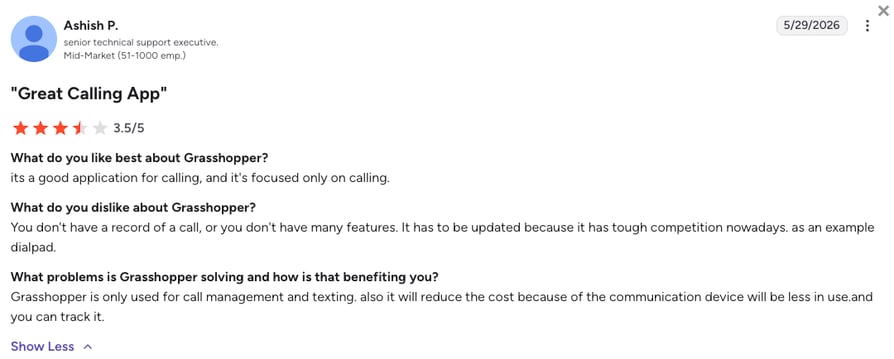
Grasshopper reviewers praise easy setup, a professional image for a one-person business, and flat pricing that covers the whole team. The recurring complaints are a cancellation process that has to go through support, dropped calls and app freezes, and long hold times when something needs fixing.
How Do G2 Users Rate Grasshopper?
On G2, Grasshopper holds a 3.9/5 rating across 150+ reviews, lower than most business phone systems on this list.
8. RingCentral (RingEX): Best for Growing and Multi-Site Companies That Want Calls, Video, and Messaging in One Suite
What Is RingCentral (RingEX)?
RingCentral sells RingEX, a unified communications suite that puts business calling, video meetings, and team messaging in one app. It's built for companies with several offices or a fast-growing headcount, with 500+ pre-built integrations and an AI Receptionist available as an add-on.
RingCentral is the step from Line2 to a full communications suite. Line2 gives one person one more number. RingEX gives a company an IVR, video meetings, and team chat on top of calling, priced by tier. The price is complexity: settings spread across a large admin portal, and the AI tools are add-ons.
Why Is RingCentral a Strong Line2 Competitor?
- Calls, video, and chat in one suite: HD video meetings, team messaging, and an IVR come with Core at $20/user/month.
- Integrations and AI as you grow: CRM integrations from Advanced, 500+ pre-built apps including Salesforce, HubSpot, Zendesk, and ServiceNow, and an AI Receptionist add-on from $39.
- A long trial for bigger teams: 14 days for new subscribers with up to 20 lines, enough to test routing across more than one office.
What Are the Pros & Cons of RingCentral (RingEX)?
| Pros | Cons |
|---|---|
| Calling, video, and team messaging in one app | AI Receptionist and Conversational Intelligence are paid add-ons |
| 500+ pre-built integrations, with CRM sync from Advanced | Admin settings spread across many menus |
| 14-day free trial for up to 20 lines | Per-user SMS caps, with more texts sold as a booster |
What Are RingCentral (RingEX)'s Plans & Pricing?
RingCentral pricing starts at $20/user/month (Core, annual billing), with the following plans:
RingCentral (RingEX) Plans and Pricing
| Plan | Price | Key Features |
|---|---|---|
| Core | $20/user/month | Unlimited calling, video meetings, team messaging, IVR, on-demand recording, 25 SMS per user |
| Advanced | $25/user/month | Everything in Core + CRM integrations, automatic call recording |
| Ultra | $35/user/month | Everything in Advanced + unlimited storage, advanced analytics |
| AI add-ons | From $39/month | AI Receptionist from $39, Conversational Intelligence from $60 |
Add-Ons Add Up
RingCentral's Core price is a fair start for a suite, but the AI costs extra: the AI Receptionist starts at $39 and Conversational Intelligence at $60, on top of the seats. CloudTalk also sells AI as account-level add-ons, but its AI Receptionist starts with 50 free minutes and queues and recording sit on every plan. If AI answering is the main reason you're leaving Line2, compare the two receptionists directly.
What Are RingCentral (RingEX)'s Customers Saying?
RingCentral reviewers praise having calls, meetings, and messaging on one platform, along with stable call quality and AI notes. The recurring complaints are an admin portal with settings spread across menus, per-user SMS caps and add-on charges, and slow support.
How Do G2 Users Rate RingCentral?
On G2, RingCentral RingEX holds a 0/5 rating across 1,450+ reviews.
9. Sideline: Best for Individuals and Tiny Teams That Want a Second Number Calling Over the Carrier Network
What Is Sideline?
Sideline is a second-number app for iPhone and Android, owned by Pinger, that gives you a separate US number for calls and texts on the phone you already carry. It's built for people who want to keep work or online selling off their personal line, with spam labels, auto-replies, and voicemail-to-text.
Sideline is the closest like-for-like Line2 replacement, and its one big difference is how calls travel. Sideline places calls over your carrier's network, so call quality doesn't depend on Wi-Fi, and it can switch to VoIP when you want. Up to five people can share one number, but it's still a second number rather than a phone system: routing, CRM integrations, and reporting aren't on its feature list.
Why Is Sideline a Strong Line2 Alternative?
- Carrier-network calling: Calls go over your cell carrier instead of Wi-Fi, so quality holds up when the internet doesn't, with a VoIP toggle for when you need it.
- Team sharing at no extra cost: Up to five people can manage calls and texts on one Sideline number under one subscription.
- Spam and privacy tools: Spam labels, suggested names for unknown callers, auto-replies to missed calls and texts, and voicemail-to-text.
How Does Line2 vs Sideline Compare?
Line2 vs Sideline comes down to the network and the price. Sideline routes calls over your carrier, charges $14.49 a month or $129.99 a year, and has no free trial. Line2 runs over Wi-Fi or mobile data, costs $7.99 a month on annual billing, and offers business plans with an auto-attendant.
For a solo second number, both work, and Line2 is cheaper. For a team that shares the number, neither gives you routing or a CRM record.
What Are the Pros & Cons of Sideline?
| Pros | Cons |
|---|---|
| Calls over the carrier network, with a VoIP option | No free trial, only a discounted first month |
| Up to five people sharing one number at no extra cost | Outgoing calls limited to the US, Canada, and a few destinations |
| Spam labels, auto-replies, and voicemail-to-text | No routing, CRM integrations, or reporting on its feature list |
What Are Sideline's Plans & Pricing?
Sideline pricing starts at $10.83/month when billed at $129.99 a year, with the following plans available:
Sideline Plans and Pricing
| Plan | Price | Key Features |
|---|---|---|
| Monthly | $14.49/month | Unlimited calls and texts, voicemail-to-text, auto-reply, team sharing for up to 5 people |
| Semi-annual | $69.99 per 6 months | Same features, charged upfront |
| Annual | $129.99/year | Same features, charged upfront, lowest monthly cost |
Carrier Calling, Real Trade-Off
Carrier calling is Sideline's best argument and its biggest limit. Calls sound like normal cell calls and work without Wi-Fi, but outgoing calls only reach the contiguous US, Canada, and a short list of other destinations. If clear calls matter more than features, it's worth knowing how internet calling compares with your carrier before you choose a second-number app.
What Are Sideline's Customers Saying?
Sideline reviewers like having a separate business number without carrying a second phone, and they value the privacy it adds. The recurring complaints are chat-only support, missed voicemails and texts, accounts blocked without warning, and price increases after the free tier ended.
How Do G2 Users Rate Sideline?
On G2, Sideline holds a 4.5/5 rating, but from only 11 reviews, so Capterra's 3.8/5 from 60+ reviews is the steadier signal.
10. Nextiva: Best for SMB to Mid-Market Teams That Want 24/7 Support and a Path to a Full Contact Center
What Is Nextiva?
Nextiva is a cloud phone and customer experience platform for small and midsize businesses, with voice, SMS, video meetings, and team chat on its entry plan. Higher tiers add an inbound call center and a full contact center with AI transcription and skills-based routing.
Nextiva wins over Line2 on support and room to grow. Every plan gets 24/7 phone, email, and chat support, against Line2's weekday hours, and the Scale tier turns the same numbers into a blended contact center. The catch is the add-on list: CRM integrations cost extra on every tier, and call recording is extra on Core.
Why Is Nextiva a Strong Alternative to Line2?
- 24/7 support on every plan: Phone, email, and chat help around the clock, including on the $15 Core plan.
- A phone system that grows into a contact center: Engage adds toll-free minutes, advanced reporting, and an inbound call center, and Scale adds blended inbound and outbound, AI transcription, and skills-based routing.
- An AI receptionist when you need one: The XBert AI Receptionist is available as an add-on on all three tiers.
What Are the Pros & Cons of Nextiva?
| Pros | Cons |
|---|---|
| 24/7 phone, email, and chat support on every plan | CRM integrations are an add-on on every tier |
| Inbound call center on Engage and a full contact center on Scale | Call recording is an add-on on Core |
| Video meetings and team chat included from Core | Discounted prices require a 12-month term |
What Are Nextiva's Plans & Pricing?
Nextiva pricing starts at $15/user/month (Core, annual billing), with the following plans to choose from:
Nextiva Plans and Pricing
| Plan | Price | Key Features |
|---|---|---|
| Core | $15/user/month | Voice, business SMS, video meetings, call routing, team chat, mobile app |
| Engage | $25/user/month | Everything in Core + customer SMS, toll-free number and minutes, advanced reporting, inbound call center, call recording |
| Scale | $75/user/month | Everything in Engage + voice and web chat, blended inbound and outbound, AI transcription and summaries, skills-based routing |
Price the Add-Ons First
Nextiva's Core price looks close to Line2's business plans until you list what you need. CRM integrations are an add-on on every tier, call recording is an add-on on Core, and the AI Receptionist is extra everywhere. Write down the three features your team can't work without, then price each vendor with those included. It's the fastest way to compare VoIP plans that publish their prices differently.
What Are Nextiva's Customers Saying?
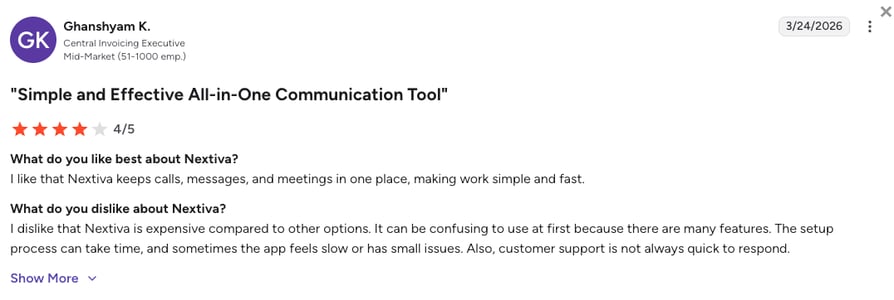
Nextiva reviewers praise responsive support and easy onboarding, and many mention tickets handled within a day. The recurring complaints are setup and integration complexity, a mobile app some describe as unreliable, and a price that climbs once add-ons stack up.
How Do G2 Users Rate Nextiva?
On G2, Nextiva holds a 4.5/5 rating across 3,600+ reviews.
What Real Users Are Saying about Line2 and Its Alternatives
Pricing pages tell you what a second-number app claims to do. Real user threads tell you whether it holds up when a patient, a customer, or a supplier is on the line. Here's what Reddit and G2 say about Line2 and the alternatives people actually shortlist.
What Redditors Are Saying about Line2 Alternatives
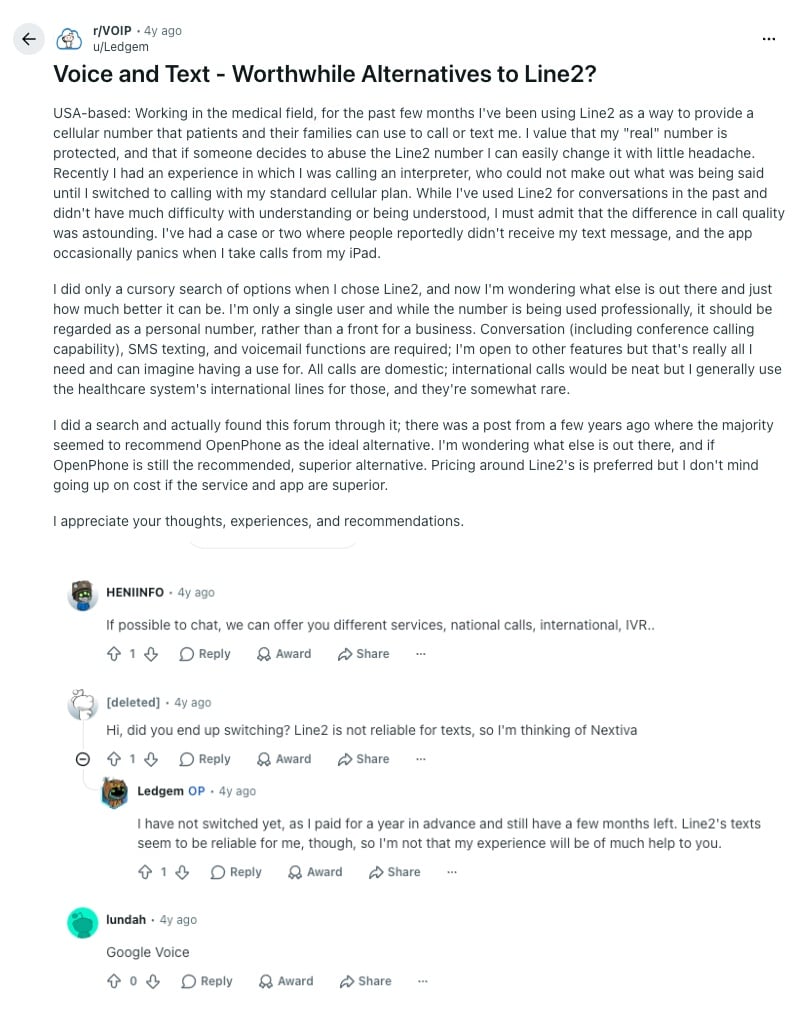
Search for Line 2 alternatives on Reddit and two kinds of threads come up: users asking whether something better exists, and people hunting for the cheapest possible phone line. Two of the threads below are a few years old, and that tells you something too. The complaints in them, call quality and texts that don't arrive, still match what Line2 reviews on Trustpilot say today, while the tools people recommended back then have grown into full team phone systems.
- Voice and text alternatives for a healthcare worker: In r/VOIP, a US medical professional who gave patients a Line2 number instead of a personal one found calls with an interpreter far clearer on a regular cell plan, and reports a few texts that never arrived. Replies point to Google Voice, Nextiva, and OpenPhone (now Quo). Since Line2's help center says its service isn't suitable for anyone bound by HIPAA, a clinic is better off with a provider built for HIPAA-compliant VoIP, like CloudTalk.
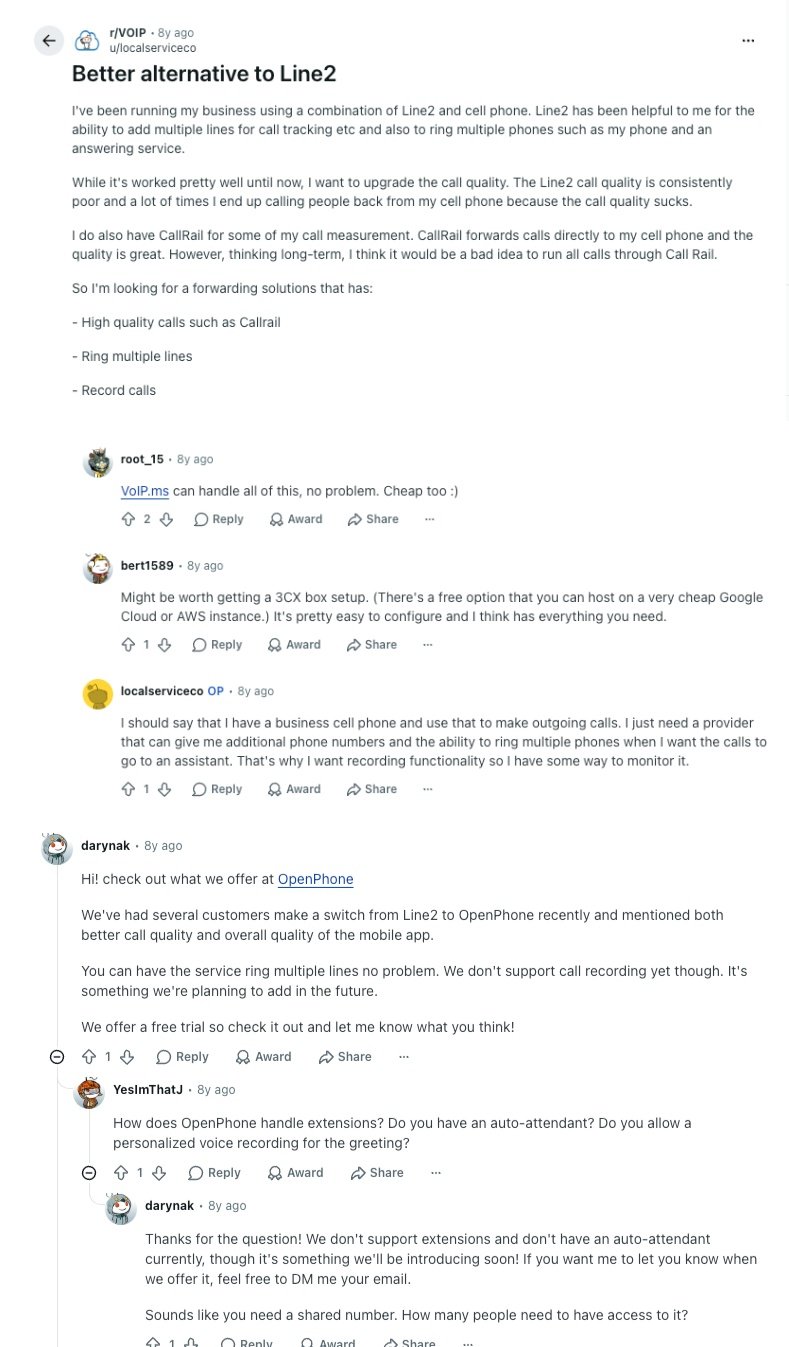
- Better call quality, more phones ringing, recorded calls: A business owner in r/VOIP ran Line2 alongside a cell phone and kept calling customers back from the mobile because Line2's quality was poor. The owner wanted calls to ring several phones and to record calls. Replies suggested VoIP.ms, a self-hosted 3CX box, and an OpenPhone/Quo rep who admitted it couldn't record calls or run an auto-attendant yet. Both are standard on team phone systems today, including CloudTalk, where recording starts on Starter.
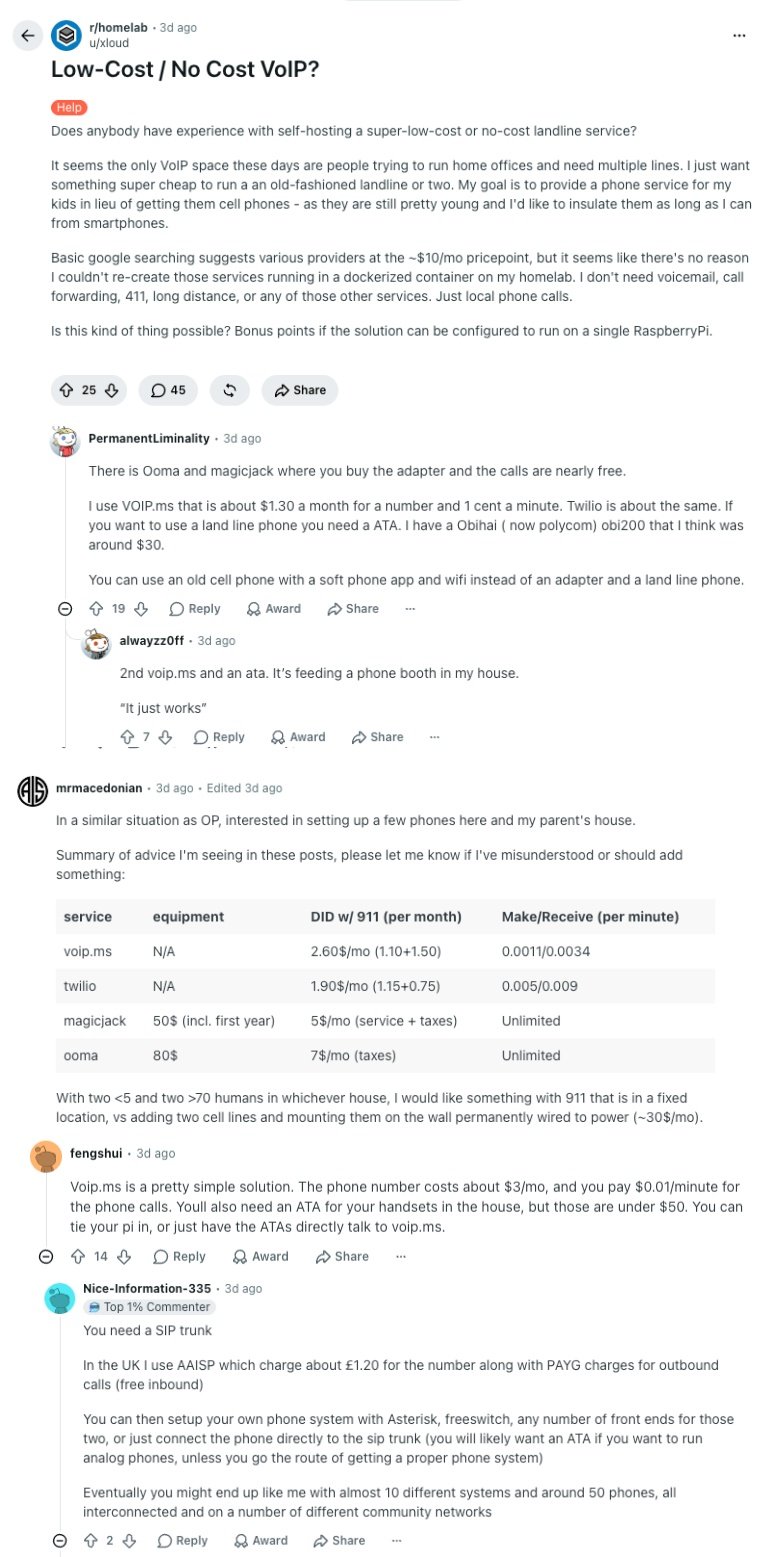
- A cheap home line, built by hand: In r/homelab, a parent wants a no-cost landline for young kids, and the replies read like a parts list: VoIP.ms at about $1.30 a month per number plus a cent a minute, Twilio, MagicJack and Ooma boxes, an ATA adapter for an old handset, or a SIP trunk (a phone line delivered over the internet) wired into Asterisk. It's a fun weekend project for one household, but a business needs routing, recording, and someone to call when it breaks, which is what a cloud PBX like CloudTalk takes off your plate.
How Do the Best Line2 Alternatives Compare on G2?
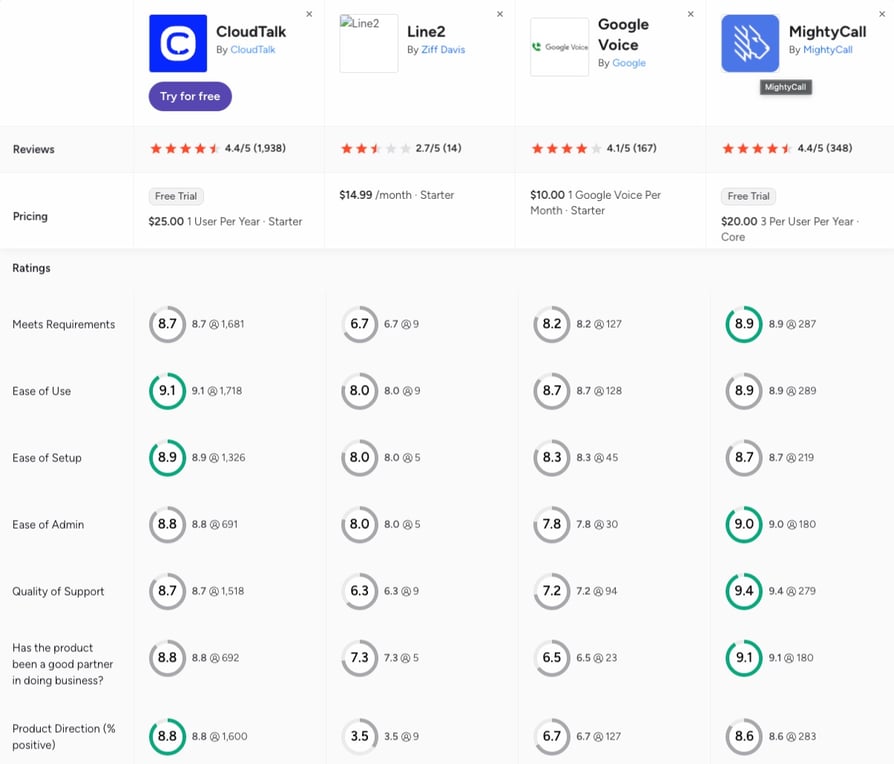
The G2 comparison of CloudTalk, Line2, Google Voice, and MightyCall puts the two ways people leave Line2 side by side: a cheaper or simpler number (Google Voice), or a real phone system for a team (CloudTalk and MightyCall). Here's what the scores show.
- Review depth: CloudTalk holds 4.4/5 from 1,900+ reviews against Line2's 2.7/5 from 14, and Line2's category scores rest on five to nine responses each. Google Voice sits at 4.1/5 from 150+ reviews and MightyCall at 4.4/5 from 300+.
- Ease of use and setup: CloudTalk leads the four on ease of use (9.1) and ease of setup (8.9), ahead of MightyCall (8.9 and 8.7), Google Voice (8.7 and 8.3), and Line2 (8.0 on both).
- Support and direction: MightyCall leads on quality of support (9.4 to CloudTalk's 8.7) and ease of admin (9.0 to 8.8), a fair win from a smaller review base. Line2 scores 6.3 on support and 3.5 on product direction, the lowest in the set, which matches the paywall and price complaints in recent Line2 reviews.
CloudTalk vs. Line2: Final Head-to-Head Comparison
The core split is simple: Line2 is a private second number done cheaply, built for one person who wants to keep their real number to themselves. CloudTalk is the phone system a team runs on, with shared numbers, routing, CRM sync, and AI voice agents, at a higher price per seat.
The table calls it straight. Line2 wins three rows outright, and they matter to a solo user. CloudTalk takes the rest.
CloudTalk vs. Line2: Final Head-to-Head
| Feature | CloudTalk | Line2 | Winner |
|---|---|---|---|
| Starting price | $25/user/mo (Starter) | $7.99/mo (private number) | Line2 |
| Unlimited US and Canada texting | Pay-as-you-go texts | Every plan | Line2 |
| Privacy tools | Business number for teams | Call screening, area-code blocking | Line2 |
| Free trial | 14 days | 30-day money-back only | CloudTalk |
| Shared team routing | Queues from Starter | Forwarding lists only | CloudTalk |
| Where you get numbers | 160+ countries | US and Canada | CloudTalk |
| Call recording | From Starter | Business plan | CloudTalk |
| CRM integrations | 100+ from Essential | None | CloudTalk |
| AI voice agents | From $99/mo | None | CloudTalk |
| Dialers | Expert, or add-on | None | CloudTalk |
| Mobile apps | iOS and Android | iOS and Android | Tie |
| Customer support | 24/7 chat and email, phone on Expert | Weekdays, 8am to 8pm ET | CloudTalk |
| G2 rating | 4.4/5 (1,900+ reviews) | 2.7/5 (only 14 reviews) | CloudTalk |
The Verdict
If you're one person who wants a private number for selling online, dating, or keeping work off your personal line, Line2's $7.99 plan is hard to beat, and there's no reason to pay for more. The moment a colleague needs to answer the same number, a call needs to reach your CRM, or a customer calls from outside North America, you've outgrown a second-number app. CloudTalk is built for exactly that next step if you want your team, your CRM, and an AI receptionist on one business number, and you can test it on your own calls before paying for a seat.
How to Choose the Right Line2 Alternative for Your Business
Four questions decide it:
- how many people need to answer the number
- where your callers and your numbers are
- which tools the calls need to reach (CRM, helpdesk, calendar)
- and whether you need AI or a dialer to keep up with volume
Most alternatives to Line2 software solve one of those four problems better than the rest. Find your scenario below and jump to the pick.
What Are the Best Line2 Alternatives for Business Texting and Calling?
Quo and CloudTalk are the best Line2 alternatives for business texting and calling, and the deciding factor is which side your team lives on. Quo is texting-first: every call and text on a shared number sits in one team inbox, and Sona can answer when nobody's free.
CloudTalk is calling-first, with SMS on the same business numbers, queues, CRM sync, and AI agents around them, and its texts are pay-as-you-go rather than included in the plan. Whichever you pick, register your number for business texting first, because US carriers now require it on every provider. Google Voice is the budget runner-up for US texting.
Check out more options:
See which texting tools fit a small team, from shared inboxes to automated reminders, before you commit to one provider.
Which Line2 Alternative Is Best for Small Businesses on a Very Tight Budget?
Google Voice is the best Line2 alternative for a small-budget businesses that already pay for Google Workspace: $10 a user on Starter gets a shared business line inside the apps your team already uses. Check the Workspace license first, because Voice is billed on top of it.
Grasshopper is the runner-up for a solo owner who wants flat pricing, and Quo for a small team that texts more than it calls. When the budget has to cover queues and a CRM record too, CloudTalk starts at $25 with no seat minimum on Starter or Essential.
Check out more options:
Compare what the cheapest business phone plans include once seats, numbers, and add-ons are counted.
What Is the Best Line2 Alternative for Global Calling and Virtual Numbers?
CloudTalk is the best Line2 alternative for global calling and virtual numbers, because it sells local, mobile, and toll-free numbers in 160+ countries, and you can order many of them yourself from the dashboard. Start with one local number in each market where customers already call you, and route them all to the same team.
Aircall is the runner-up with numbers in 100+ countries, and Google Voice covers 14 countries for Workspace teams. Line2, Quo, and Grasshopper stop at North America.
Revolut Runs 193+ International Numbers on One Platform
The fintech gives its global sales team local presence in every market it sells in. On CloudTalk it has onboarded 500+ SDRs and saves 40+ hours of sales operations time a month, with all numbers managed in one place.
What's Better Than Line2 for Outbound Sales and Automated Dialing at Scale?
CloudTalk is better than Line2 for outbound sales and automated dialing at scale, because it runs both kinds of outbound on one platform: reps work the Power or Parallel Dialer, two of the most useful power dialing modes for sales teams, and the sales-led AI Specialist calls lists for you. Judge a dialer on live conversations per hour, not on calls placed.
MightyCall is the runner-up for small teams, with preview and progressive dialing from its Power plan, and Aircall adds a Power Dialer on Professional. Line2, Google Voice, and Quo don't include a dialer.
Trevo Reached 20x More Customers per Campaign
The heating-fuel seller used an AI voice agent to call lapsed customers its human team never had time to reach. It now reaches 20x more customers per campaign, while its human agents focus on inbound orders.
Trevo Reached 20x More Customers per Campaign. See the Dialers Behind It.
Which Line2 Alternative Has the Best CRM Integrations?
CloudTalk and Aircall are the Line2 alternatives with the best CRM integrations, in different ways. Aircall has the longer list, 250+ apps on its entry plan, and if one niche tool decides it, that breadth wins.
CloudTalk's 100+ integrations are built for depth: native, two-way sync for HubSpot, Pipedrive, Zoho, and Zendesk from Essential, plus Freshdesk for support teams, Bullhorn for recruiters, and the rest through a reliable API. Calls, recordings, and notes log themselves, and contact details update both ways. Line2 has no CRM integration at all.
What Is the Best Line2 Alternative for AI Phone Answering and AI Voice Agents?
CloudTalk is the best Line2 alternative for AI phone answering and AI voice agents, because its AI and its people work in the same call flow. The AI Receptionist answers 24/7, books, and texts a follow-up, then hands callers who need a person to a teammate with the transcript attached. Start with the 50 free minutes on your busiest after-hours line.
Signature Capability
See CloudTalk’s AI Voice Agent in Action!
CeTe is an AI that talks like a human: no breaks, no training, no time off. It makes and answers calls, updates CRMs, books meetings, and loops in a human only when needed.
Press play to hear it. Want a wow moment? Get a free test call and try it live.

Quo is the runner-up for small teams, with Sona answering about ten calls a month for free, and RingCentral sells an AI Receptionist from $39 as an add-on. For longer outbound or multi-step calls, CloudTalk's AI Specialist starts at $349/month.
Which Line2 Alternative Works Best for Personal Use and Privacy?
Sideline is the best Line2 alternative for personal use and privacy if you want calls over your carrier rather than Wi-Fi, and Line2 itself is still a fair choice for one private number. Pick the app by the network you trust: carrier calling for clarity, VoIP for travel.
Among apps like Line2, Google Voice offers a free number for personal use in the US, and Hushed suits temporary numbers you plan to throw away. If you're searching for Sideline alternatives, apps like Sideline, or tools like Line2 for a business, though, the profiles above fit better, because a personal number and a business one solve different problems.
What Is the Best Line2 Alternative for Growing Teams?
CloudTalk is the best Line2 alternative for growing teams, because everything that gets awkward on a second-number app is built in from the start. New hires join the same numbers in minutes, calls ring through queues instead of forwarding lists, and every conversation lands in your CRM from Essential.
As the team grows, you add IVR, dialers, AI Conversation Intelligence, and AI voice agents to the same platform, and numbers in new countries from the same dashboard. Pricing stays per seat with no minimum until Expert, and 24/7 chat and email support covers every plan. That's a phone system a 2-person team and a 50-person team can both run on.
You Just Picked Your Scenario. Now Try It on Your Own Calls.
Ready to Make the Switch from Line2?
Line2 earns its place as a private second number for one person, but the reasons teams search for a Line2 alternative are structural. CloudTalk's platform is built the other way round, for numbers a whole team answers:
- Calls stuck on one person's phoneShared numbers and call queues on every plan, with IVR from Essential, so business calls stop landing on personal mobiles.
- US and Canada onlyUnlimited US and Canada calls from Starter, plus local, mobile, and toll-free numbers in 160+ countries.
- No CRM record of any call100+ two-way integrations from Essential that log calls, recordings, and notes automatically.
- No one picks up after hoursAn AI Receptionist with 50 free minutes on every account, then tiers from $99/month, handing callers to your team when needed.
- Weekday-only support24/7 chat and email support on every plan, with phone support on Expert.
Join 5,500+ Businesses That Took Their Calls Off Personal Phones
Frequently Asked Questions about Line2 Alternatives
Quick answers on what Line2 is, what it costs, where it stops, and how the alternatives compare.
Line2 is a VoIP app that adds a second phone number to the phone you already have, with unlimited calls and texts in the US and Canada. It's owned by Ziff Davis and marketed mainly as a privacy number, with business plans that add an auto-attendant and call recording, but no CRM integrations, AI, or dialer.
Line2 costs $7.99 a month on annual billing for its private-number plan, or $9.99 monthly. Its business plans run $13.75, $17.66, and $21.83 a month on annual billing ($15.99, $20.99, and $25.99 monthly), with call recording only on the top Business plan. The cost of call center software is higher, but it covers a whole team.
CloudTalk is the best Line2 alternative for teams that share their business numbers, with shared numbers, call queuing, CRM sync, and AI voice agents from $25/user/month. Google Voice is the cheapest pick for Google Workspace users, Quo fits small texting teams, and Sideline is the closest swap for one private number.
Yes, Google Voice is a free Line2 alternative for personal use in the US, although its business plans are paid and need Google Workspace. CloudTalk offers a 14-day free trial of the phone system, and every new account also gets 50 free AI Receptionist minutes.
The main difference between MightyCall and Line2 is who they're built for. Line2 is a second number for one person from $7.99 a month. MightyCall is a team phone system with recording, integrations, and dialers, and MightyCall pricing starts at $20 per user with a three-user minimum.
Google Voice is better than Line2 for a team already on Google Workspace, while Line2 is better for one person who wants a standalone private number. The Google Voice vs Line2 comparison comes down to Workspace: Voice needs it, Line2 doesn't, and neither one connects to a CRM.
Grasshopper is better than Line2 for a small business that wants a main number with extensions, while Line2 is better for one person's private line. In the Line2 vs Grasshopper matchup, both stop at the US and Canada, so teams with customers abroad should look further.
Sideline is better than Line2 if you want calls over your carrier network, and Line2 is better on price at $7.99 a month on annual billing against Sideline's $10.83. Both are second numbers for calls and texts rather than team phone systems, and Sideline has no free trial.
Line2 works internationally only in a limited way. Unlimited calls and texts cover the US and Canada, international calls run on per-country rates for directly billed subscribers, and international picture messages aren't supported. Teams that need local numbers abroad should look at CloudTalk or Aircall.
No, Line2 isn't HIPAA compliant: its help center says its services aren't suitable for anyone required to comply with HIPAA. Clinics and practices should choose a provider built for HIPAA-compliant calling, and check that it signs a business associate agreement before moving patient calls.
No, Line2 doesn't integrate with CRMs like HubSpot or Salesforce, and its help center lists no Zapier or API connection either. Alternatives like CloudTalk offer two-way HubSpot sync, plus Pipedrive, Zoho, and Zendesk, from Essential, with Salesforce on Expert.
The Line2 app for Mac is being retired, according to a notice in Line2's help center at the time of writing, while the iOS, Android, Windows, and web versions stay. If your team works on Macs, CloudTalk runs as a softphone for Mac and Windows, in the browser, and on iOS and Android.
Yes, CloudTalk has the CloudTalk Go mobile app for iOS and Android, so you can call from your business number on the phone you already carry, just like the Line2 app. Unlike Line2, the same number also rings your teammates on desktop or in the browser.
Yes, you can keep your Line2 number when you switch, as long as you start the port before canceling Line2, which its help center also recommends. CloudTalk handles number porting for US and Canadian numbers, and calls keep ringing on your current number until the transfer completes.
The best Line2 competitors for small businesses are CloudTalk, Quo, Google Voice, and Grasshopper. CloudTalk suits a small business phone system that plans to grow, Quo fits texting-heavy teams, Google Voice is cheapest inside Workspace, and Grasshopper keeps one flat price for a whole team.