TL;DR Comparison Table: 12 Best MagicJack Competitors
| # | Tool | Best For | Starting Price | G2 Rating |
|---|---|---|---|---|
| 0 | MagicJack (baseline) | Households keeping one home line alive for the lowest yearly cost | $43/year to renew | 3.3/5 (only 3 reviews) |
| 1 | CloudTalk | Sales and support teams of two or more that need shared calls, recording, and CRM sync | $25/user/month | 4.4/5 |
| 2 | Ooma | Home users and small offices wanting a MagicJack-style box with enhanced 911 | $19.95/user/month (monthly only) | 4.5/5 |
| 3 | OpenPhone (Quo) | Small teams that share one number and inbox for calls and texts | $15/user/month | 4.7/5 |
| 4 | NetTalk | Budget home callers who dial abroad and want a plug-in device | $9.45/month (home line) | Not listed on G2 |
| 5 | Vonage | Small offices that pay per line and want an auto attendant | $13.99/line/month (12-month promo) | 4.3/5 |
| 6 | Google Voice | Solo users and small US teams wanting the cheapest seat with recording | $10/user/month | 4.1/5 |
| 7 | Microsoft Teams Phone | Offices already paying for Microsoft 365 that want calls inside Teams | $17/user/month (with Calling Plan) | 4.4/5 |
| 8 | RingCentral | Growing companies wanting one vendor for calls, video, and chat | $20/user/month | 0/5 |
| 9 | Grasshopper | Solo founders who want a business number on their own phone | $14/month (flat rate) | 3.9/5 |
| 10 | Dialpad | Budget teams that want AI call notes on the entry plan | $15/user/month | 4.4/5 |
| 11 | 8x8 | Larger or multi-country teams that need deep call reporting | Custom pricing | 4.2/5 |
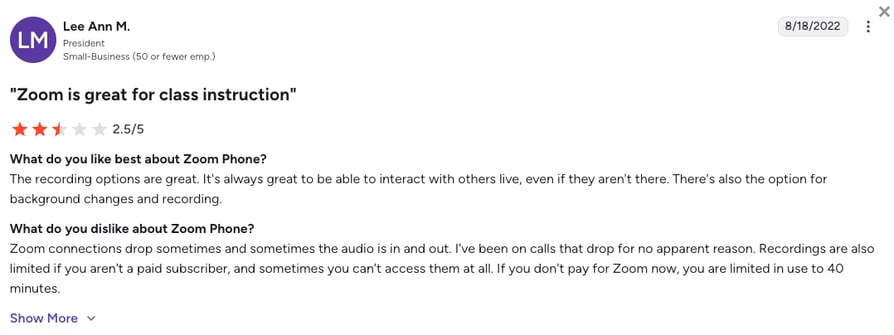
| 12 | Zoom Phone | Teams whose meetings already run on Zoom and want one app | $16/user/month | 4.6/5 |
Your Second Hire Can't Share a MagicJack Line. See What Can in 20 Minutes.
Plenty of businesses start on a home line like MagicJack, and for a while it's enough. Then a second person needs to answer, customers expect a callback from the same number, and missed calls start costing real money. That's usually when a cheap line stops being a bargain.
The best MagicJack alternatives for that moment are CloudTalk, Ooma, OpenPhone (Quo), Google Voice, and Vonage. CloudTalk is the best MagicJack alternative once two or more people answer your calls, Ooma is the closest box-for-box swap, and OpenPhone suits small teams sharing one number. Google Voice is the cheapest US number, and Vonage fits offices that pay per line.
Why Are Teams Searching for a MagicJack Alternative?
You bought MagicJack because about $43 a year to keep a phone line alive is hard to argue with. The adapter plugs into your router, your regular phone plugs into the adapter, and calls to the US and Canada just work. For one household, reviewers still praise exactly that: it's cheap, simple, and stays out of the way.
The complaints cluster somewhere else. MagicJack can't record calls, sync with a CRM, or let two people share one line, at any price. Add a weekend lost to router settings after a modem swap and a cheap line that makes customers doubt you, and teams start comparing MagicJack competitors.
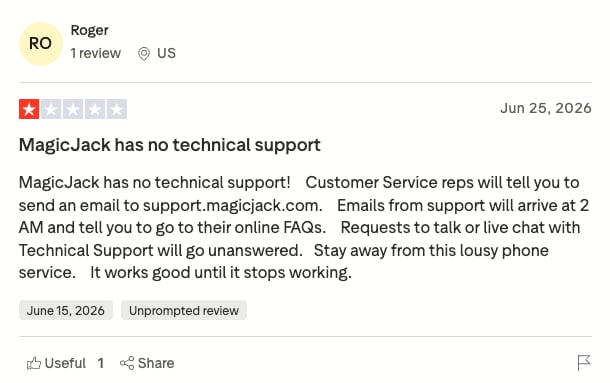
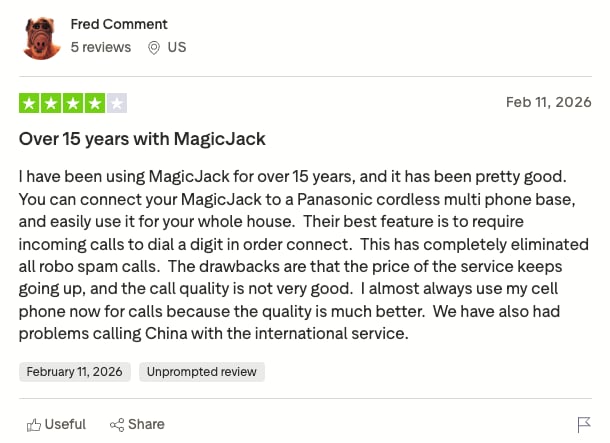
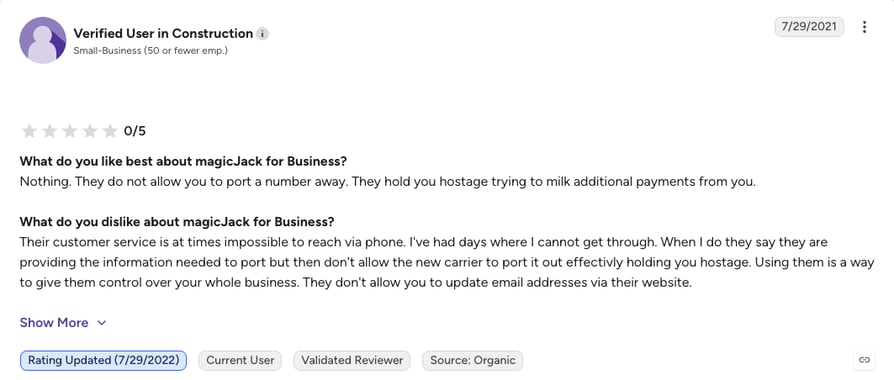
On G2, magicJack for Business holds 3.3/5 from only a few reviews, too few to rely on. MagicJack has a bigger presence on Trustpilot, but the sentiment there is harsh: 1.4/5 from 80+ reviews, most of them one-star complaints about support, dropped calls, and billing. Together with community feedback, those reviews show growing teams outgrow MagicJack for five main reasons:
5 Main Cons of MagicJack That Make Businesses Look for an Alternative
- No CRM integrations or call analyticsMagicJack doesn't connect to a CRM or report on calls, so every call gets logged by hand or not at all. Teams in HubSpot or Salesforce end up retyping what the phone should have saved.
- Inconsistent call qualityReviewers report dropped calls and uneven audio when the home connection dips. Numbers from cheap VoIP (Voice over Internet Protocol) apps can also get labeled as spam, so sales calls go unanswered.
- Built for a household, not a growing teamThere are no multi-user plans, call queues, or admin controls, and calling centers on the US and Canada. A second teammate or your first UK customer means running a second tool.
- Renewals and porting cause real frictionReviewers describe being unable to update a card to renew and being told to buy a new device. A dead adapter can leave you scrambling to keep the number customers already dial.
- Support built for home users, not businessesSupport is built around troubleshooting the adapter, so many threads end in router settings like SIP ALG. Meanwhile, your business line stays down.
Where MagicJack Shines
MagicJack earns its place as the cheapest way to keep one home number alive, at about $43 a year after year one, using the phone you already own. If that's all you need, our MagicJack review covers it in detail. For a business line, a VoIP alternative fits better.
What Is the Best Alternative to MagicJack?
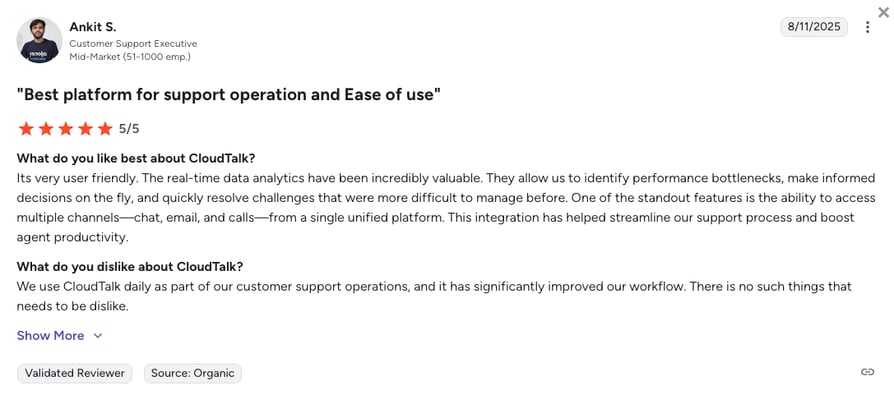
CloudTalk is the best alternative to MagicJack for small sales and support teams that share one number. Starter costs $25/user/month and already records calls and runs queues, transfers, and click-to-call. CRM sync with 100+ tools starts on Essential, local numbers come from 160 countries, and the 14-day free trial needs no credit card.
Why Do Teams Consider CloudTalk the Best MagicJack Alternative?
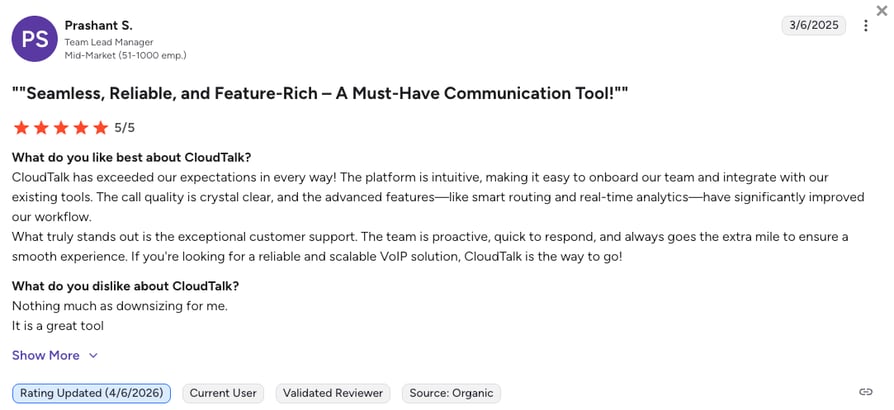
Teams leaving MagicJack want the same simple phone, just one the whole team can answer. On G2, CloudTalk holds 4.4/5 from 1,900+ reviews and leads the side-by-side comparison on ease of use (9.1) and setup (8.9), while magicJack for Business sits at 3.3/5 from just three reviews. Here's why teams switch:
5 Main Pros of CloudTalk and Why Businesses Switch from MagicJack
- Callers stop hitting dead endsSkill-based routing (from Essential) finds the right person, and Callback rings back missed inbound calls automatically, so a caller who hung up in the queue still gets a person.
- Every call ends with the notes already writtenWith the Conversation Intelligence add-on, every call is transcribed, summarized, and scored for sentiment minutes after it ends, so whoever calls back next starts with the full story.
- International customers dial a local numberPick a number from 160 countries instead of asking overseas customers to call the US. MagicJack is a US and Canada product.
- You can test the whole thing before paying anythingA 14-day free trial with no credit card, rather than paying a year upfront. Chat and email support run 24/7 on every plan.
Stop Paying a Year Upfront for One Line. Try a Team Phone System Free for 14 Days.
How We Chose the Best MagicJack Alternatives and Competitors
We checked each vendor's live pricing and help pages, then read verified reviews and Reddit and Quora threads from people leaving MagicJack. Six criteria shaped this list of MagicJack alternatives:
- True cost at each tierWhat you actually pay once add-ons, per-line charges, and seat minimums are counted.
- Call recording availabilityWhich plan turns on call recording, which MagicJack doesn't offer.
- CRM and helpdesk integration depthWhich plans sync calls to your CRM automatically.
- Multi-user and admin controlsQueues, routing, and permissions for a second, fifth, or twentieth person.
- International coverage and call ratesLocal numbers in more than one country at predictable rates.
- E911, porting, and migration from MagicJackE911 with a registered address, and what porting your number costs and how long it takes.
The Top 12 Alternatives to MagicJack for 2026
Here's how MagicJack compares with four strong alternatives on the features a business needs. It also settles the MagicJack vs Ooma vs Vonage question, with Google Voice as the budget option.
MagicJack vs. CloudTalk vs. Ooma vs. Google Voice vs. Vonage
| Feature | MagicJack | CloudTalk (Editor's Pick) | Ooma | Google Voice | Vonage |
|---|---|---|---|---|---|
| Starting price | $43/year to renew ($49.99 first year with device) | $25/user/mo | $19.95/user/mo | $10/user/mo | $13.99/line/mo (12-month promo) |
| Call recording | Not available | From Starter | Pro ($24.95/user/mo) | All plans | Advanced ($27.99/line/mo) |
| CRM integrations | Not available | Essential, Salesforce on Expert | Pro Plus ($29.95/user/mo) | Google tools only | Premium and above |
| IVR / auto-attendant | Not available | Essential and above | All plans | Standard and above | Premium and above |
| Multi-user plans |  |  | | | |
| Country coverage | US and Canada focused | 160 countries | US, Canada, Mexico, Puerto Rico | Numbers in about 14 countries | Multi-country |
| G2 rating | 3.3/5 (3 reviews) | 4.4/5 | 4.5/5 | 4.1/5 | 4.3/5 |
What the Table Makes Obvious
A plan name in a cell is the cheapest tier with that feature, so compare that tier's price, not the headline one.
1. CloudTalk: The Best MagicJack Alternative for SMB Sales and Support Teams That Need Shared Lines, Call Recording, and CRM Sync
What Is CloudTalk?
CloudTalk is a cloud call center and business phone system for SMB to mid-market sales and support teams. It pairs numbers in 160 countries with recording on every plan, CRM sync from Essential, and AI add-ons. Everything a second or fiftieth teammate needs is already there.
Why Is CloudTalk a Strong MagicJack Alternative?
- Local numbers in 160+ countries, so overseas customers dial a local virtual number.
- Call recording, queues, transfers, and click-to-call from Starter.
- 100+ native CRM and helpdesk integrations from Essential, with Salesforce on Expert.
- A visual Call Flow Designer for greetings, hours, and routing.
- 24/7 chat and email support on every plan (+ phone on Expert), 99.999% platform uptime, and number porting so you keep your number.
What Are the Pros & Cons of CloudTalk?
| Pros | Cons |
|---|---|
| Call recording included from Starter, not gated behind an upgrade | Most AI features are paid add-ons, not in the base plans |
| Local numbers in 160 countries for a real international presence | No native video conferencing, so meetings need a separate tool |
| 100+ native CRM and helpdesk integrations from Essential | Aimed at businesses, which makes it overkill for a single home line |
| AI Receptionist and post-call Conversation Intelligence available as add-ons | |
| Visual Call Flow Designer for routing without technical setup | |
| 24/7 chat and email support on every plan plus a 14-day trial with no card required |
What Are CloudTalk's Plans & Pricing?
CloudTalk pricing starts at $25/user/month (Starter, billed annually), with the following plans:
CloudTalk Plans and Pricing
| Plan | Price (annual billing) | Key Features |
|---|---|---|
| Starter | $25/user/month | Unlimited US/Canada calling or 500 minutes in one EU/UK country, call queues, transfers, click-to-call, call recording (1-month retention) |
| Essential | $29/user/month | Everything in Starter + unlimited calling in your chosen region (fair use), IVR and smart routing, 100+ CRM/helpdesk integrations, unlimited recording retention |
| Expert | $49/user/month | Everything in Essential + Power, Smart, and Preview Dialers, Salesforce integration, 24/7 phone support (3-seat min) |
| Custom | Custom pricing | Tailored plans for teams of 25+ seats |
| Conversation Intelligence (add-on) | $9/user/month | AI transcripts, call summaries, call scoring, and sentiment analysis after each call |
| AI Receptionist (add-on) | From $99/month (200 min) | Inbound AI call answering, routing, and logging, with 50 free minutes on every account |
| AI Specialist (add-on) | From $349/month (1,000 min) | Sales-led custom AI voice agents for inbound and outbound workflows |
What Each CloudTalk Tier Actually Unlocks
CRM integrations and IVR start on Essential, and Expert adds the Power Dialer, Salesforce, and 24/7 phone support with a 3-seat minimum. AI features are paid add-ons on any plan.
What Do CloudTalk's Customers Say?
Reviewers praise CRM sync that logs calls on its own and routing that's easy to change. Setup asks more than plugging in an adapter.
Restimo, a Polish restaurant-software startup, ran support from a co-founder's iPhone and forwarded calls by hand at every shift change. Here's what changed:
"We don't miss calls anymore. If someone calls outside of business hours, they hear a personalized message and leave a voicemail."
Co-founder & COO, Restimo

How Do G2 Users Rate CloudTalk?
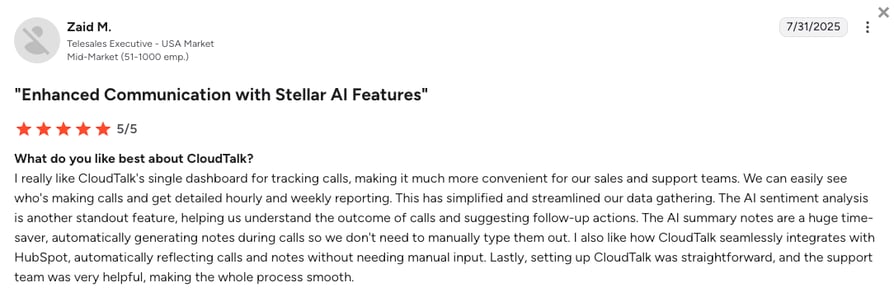
CloudTalk holds 4.4/5 on G2 across 1,900+ verified reviews, with 8.7 for quality of support.
Restimo's Support Line Lived on a Co-Founder's iPhone. Now the Whole Team Answers It.
2. Ooma: Best MagicJack Alternative for a Home Line or Micro-Office
What Is Ooma?
Ooma is the closest like-for-like MagicJack swap: plug an Ooma box into your router, port your number, and get a working line. Ooma Telo covers home use, and Ooma Office adds monthly small-business plans.
Why Is Ooma a Strong MagicJack Alternative?
- Hardware setup that mirrors MagicJack, so the switch feels familiar.
- A Virtual Receptionist on every Office plan routes callers to extensions.
- Enhanced 911 with a registered address, plus iPhone and Android apps.
What Are the Pros & Cons of Ooma?
| Pros | Cons |
|---|---|
| Simple setup with no technical skills needed | No outbound dialing tools for sales teams |
| Virtual Receptionist with greetings and call menus on every plan | Some users report slow support replies |
| Enhanced 911 with a registered service address | Call recording waits until Pro, and there's no annual plan |
What Are Ooma's Plans & Pricing?
Ooma Office pricing starts at $19.95/user/month, billed monthly with no contract:
Ooma Office Plans and Pricing
| Plan | Price | Key Features |
|---|---|---|
| Essentials | $19.95/user/month | Unlimited US/Canada/Mexico/Puerto Rico calling, virtual receptionist, voicemail |
| Pro | $24.95/user/month | Everything in Essentials + call recording, video meetings, desktop app, SMS |
| Pro Plus | $29.95/user/month | Everything in Pro + CRM integrations, call queuing, hot-desking |
The Ooma Pricing Trap: What $19.95 Actually Gets You
Call recording, SMS, and the desktop app arrive on Pro at $24.95/user/month, and CRM integrations wait for Pro Plus at $29.95/user/month. With no annual plan, committing longer never lowers the price.
What Are Ooma's Customers Saying?
Ooma users praise the easy hardware setup and the mobile app. The complaints are slow support replies and no outbound dialing tools.
How Do G2 Users Rate Ooma?
Ooma holds a 4.5/5 rating on G2, based on 130+ verified reviews.
3. OpenPhone (Quo): Best MagicJack Alternative for Solo Operators and Small Teams
What Is OpenPhone?
OpenPhone, now called Quo, is an app-only business phone that feels like your texting app. It's the natural next step when a MagicJack line picks up a second person.
Why Is OpenPhone a Strong MagicJack Alternative?
- No hardware, so no router or port-forwarding problems.
- Shared numbers let two or more people call and text from one line.
- HubSpot and Salesforce integrations on Business log calls automatically.
What Are the Pros & Cons of OpenPhone?
| Pros | Cons |
|---|---|
| Intuitive design that needs almost no training | Narrower international number coverage |
| Shared numbers and inbox make team texting workable | Limited routing and queues for bigger teams |
| Low entry price for a real business phone | Starter records manually only |
What Are OpenPhone's Plans & Pricing?
OpenPhone pricing starts at $15/user/month (billed annually), with the following plans:
OpenPhone (Quo) Plans and Pricing
| Plan | Price | Key Features |
|---|---|---|
| Starter | $15/user/month | One number per user, shared inbox, calling, SMS, manual recording |
| Business | $23/user/month | Everything in Starter + automatic recording, AI summaries, HubSpot and Salesforce |
| Scale | $35/user/month | Everything in Business, for larger teams |
Cheap Entry, but Coverage Is the Trade-Off
At $15/user/month OpenPhone undercuts most of this list, but its numbers center on North America. Check coverage first if your customers are in Europe or Asia.
What Are OpenPhone's Customers Saying?
Reviewers single out the shared inbox and the clean app. Teams past about 20 people miss deeper routing and reporting.
How Do G2 Users Rate OpenPhone?
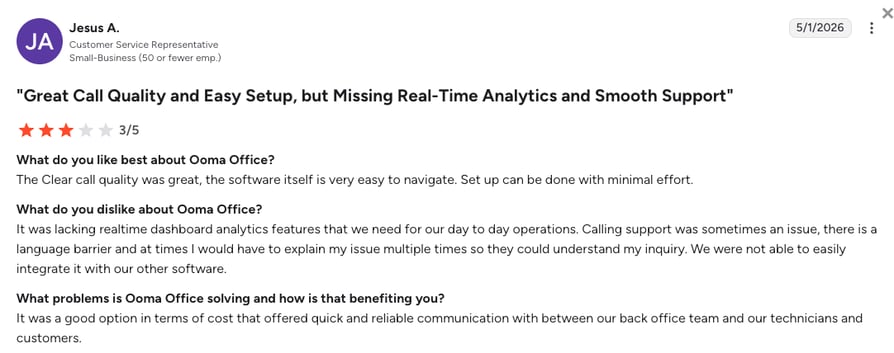
OpenPhone holds a 4.7/5 rating on G2, based on 3,400+ verified reviews.
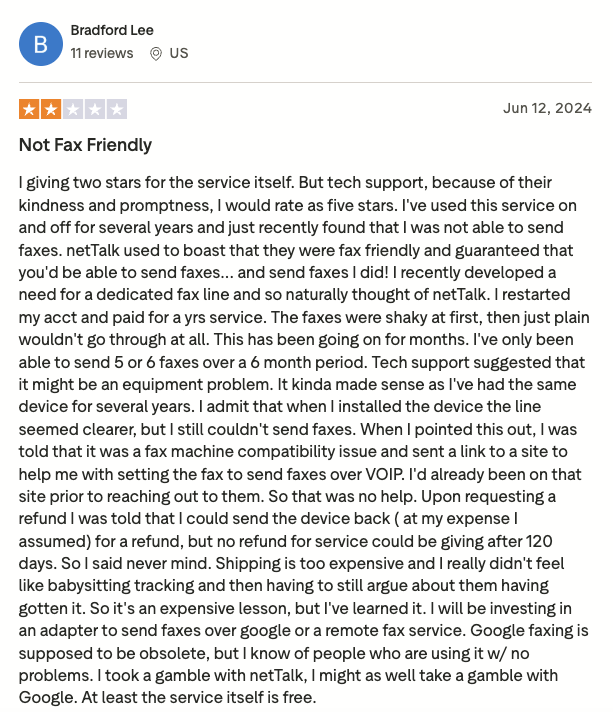
4. NetTalk: Best MagicJack Alternative for Cheap International Calling
What Is NetTalk?
NetTalk (now NT Connect) is the closest MagicJack clone here: a small adapter, a low-cost VoIP service, and cheaper rates abroad. It suits individuals and tiny businesses that want MagicJack with a better international price list.
Why Is NetTalk a Strong MagicJack Alternative?
- Cheaper international rates for regular calls abroad.
- Voicemail, call forwarding, and call waiting included.
- A 30-day money-back guarantee, like MagicJack's.
What Are the Pros & Cons of NetTalk?
| Pros | Cons |
|---|---|
| Low-cost plans with simple setup | Few features compared with any business-focused provider |
| Competitive international call rates | Some users report call quality issues |
| 30-day money-back guarantee | Support options are limited and slow |
What Are NetTalk's Plans & Pricing?
NetTalk (NT Connect) pricing starts at $9.45/month for a home line, with small-business plans listed separately:
NetTalk (NT Connect) Plans and Pricing
| Plan | Price | Key Features |
|---|---|---|
| NexGen | $9.45/month | Home line with voicemail, call forwarding, and call waiting |
| NexGen VIP | $9.45/month + $40/year | NexGen plan plus a $40 annual VIP fee |
| Business (Ace) | From $9.97/month | One extension for a small business |
Watch the VIP Annual Fee
The $40 yearly VIP fee adds about $3.33 a month to the $9.45 line. Price the full year, device included, before comparing it with MagicJack's $43 renewal.
What Are NetTalk's Customers Saying?
Users like the international rates and easy setup. The complaints mirror MagicJack's: few features and slow support.
How Do Users Rate NetTalk?
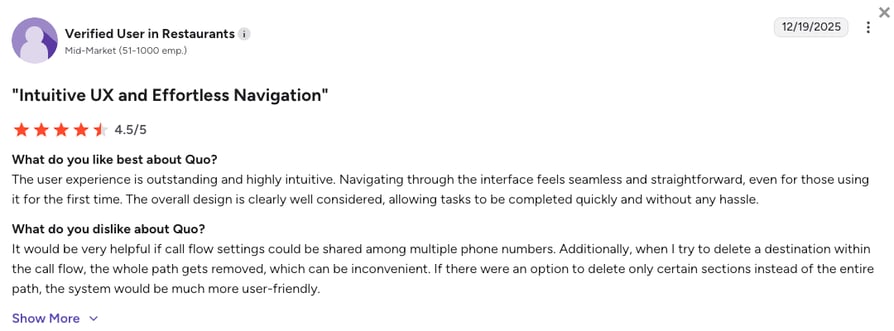
NetTalk has no G2 listing, and its Trustpilot profile holds too few reviews at the time of writing to read either way.
5. Vonage: Best Established MagicJack Alternative With Per-Line Flexibility
What Is Vonage?
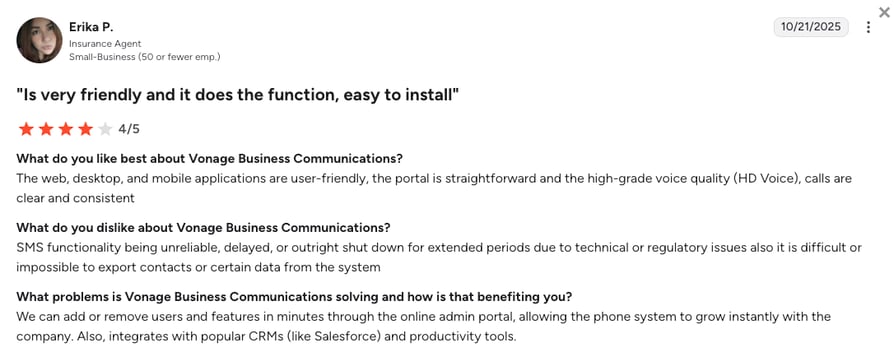
Vonage has sold VoIP for over two decades, with call routing and CRM integrations on a well-tested network. It serves home and business users, so it can grow with a MagicJack customer.
Why Is Vonage a Strong MagicJack Alternative?
- A multi-level auto attendant from Premium routes calls for you.
- Per-line pricing, so you pay for lines, not people.
- 20+ app and CRM integrations from Premium.
What Are the Pros & Cons of Vonage?
| Pros | Cons |
|---|---|
| Multi-level auto attendant from Premium | The lowest prices need a 12-month contract |
| Routing across call groups and schedules | Taxes and fees are added to every line |
| Per-line billing suits offices with more staff than numbers | On-demand call recording waits until Advanced |
What Are Vonage's Plans & Pricing?
Vonage pricing starts at $13.99/line/month on annual billing with a 12-month promo ($19.99 list), across three plans:
Vonage Plans and Pricing
| Plan | Price | Key Features |
|---|---|---|
| Mobile | $13.99/line/month ($19.99 list) | Unlimited calling and SMS, mobile and desktop apps |
| Premium | $20.99/line/month ($29.99 list) | Everything in Mobile + 20+ app and CRM integrations |
| Advanced | $27.99/line/month ($39.99 list) | Everything in Premium + on-demand call recording (15 hours a month) |
Vonage Prices per Line, and Recording Costs Extra
On-demand recording appears only on Advanced at $27.99/line/month on the promo, double the entry plan. Taxes and fees then land on every line.
What Are Vonage's Customers Saying?
Reviewers stay for stability and routing, and look around when the bill arrives. Check extra fees line by line.
How Do G2 Users Rate Vonage?
Vonage holds a 4.3/5 rating on G2, based on 500+ verified reviews.
6. Google Voice: Cheapest MagicJack Alternative for a US Number
What Is Google Voice?
Google Voice fits when you need a number, voicemail, and little else, with forwarding and ring groups built in. It's the cheapest way off MagicJack for a US-based business.
Why Is Google Voice a Strong MagicJack Alternative?
- US and Canada calls included, with recording on every plan.
- Nothing to plug in, so no adapter to fail.
- Calls, Meet, and Calendar in one Google account.
What Are the Pros & Cons of Google Voice?
| Pros | Cons |
|---|---|
| US and Canada calling included | Local numbers in only about 14 countries |
| No hardware and almost no setup | Few third-party integrations, such as Slack or Zapier |
| Cheapest published per-seat price on this list | Starter is capped at 10 users |
What Are Google Voice's Plans & Pricing?
Google Voice pricing starts at $10/user/month, and only Premier requires a Google Workspace subscription:
Google Voice Plans and Pricing
| Plan | Price | Key Features |
|---|---|---|
| Starter | $10/user/month | Up to 10 users, calling, voicemail, SMS, on-demand recording |
| Standard | $20/user/month | Everything in Starter + unlimited users, auto attendants, ring groups |
| Premier | $30/user/month | Everything in Standard + international locations, automatic recording |
The Google Voice Workspace Requirement
Only Premier requires Google Workspace, since Starter and Standard now run standalone for US users. Numbers are limited to about 14 countries, so check coverage first.
What Are Google Voice's Customers Saying?
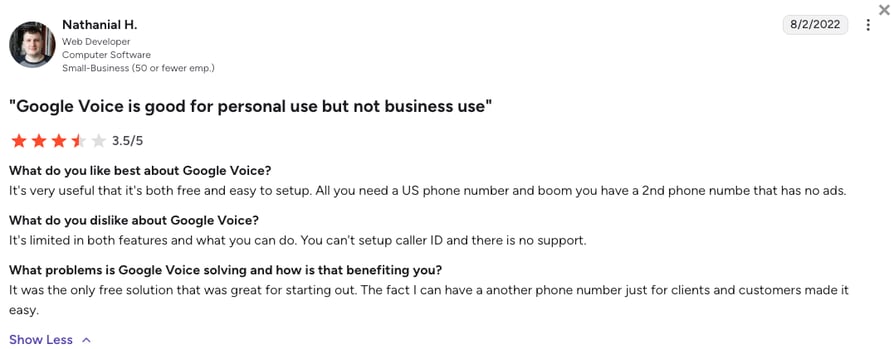
Reviewers like the price and the Google account fit. The complaints: thin integrations and limited country coverage.
How Do G2 Users Rate Google Voice?
Google Voice holds a 4.1/5 rating on G2, based on 160+ verified reviews.
A Cheap Number Covers One Person. A Queue Covers Everyone Who Answers.
7. Microsoft Teams Phone: Best MagicJack Alternative if You Already Pay for Microsoft 365
What Is Microsoft Teams Phone?
Microsoft Teams Phone adds phone calls to the app your team already has open. If everyone has Microsoft 365, it beats adding a new vendor.
Why Is Microsoft Teams Phone a Strong MagicJack Alternative?
- Calling lives in an app your team uses daily.
- Voicemail, transfers, and an auto attendant come with the license.
- Enterprise security and compliance controls.
What Are the Pros & Cons of Microsoft Teams Phone?
| Pros | Cons |
|---|---|
| Sits inside software your team opens every morning | Needs an existing Microsoft 365 subscription |
| Close integration across Microsoft 365 | Calling minutes need a Calling Plan on top of the phone license |
| Enterprise security and compliance included | Setup is more complex than a standalone VoIP tool |
What Are Microsoft Teams Phone's Plans & Pricing?
Teams Phone pricing starts at $10/user/month for the phone system, and calling minutes cost extra:
Microsoft Teams Phone Plans and Pricing
| Plan | Price | Key Features |
|---|---|---|
| Teams Phone Standard | $10/user/month | Voicemail, call transfer, auto attendant, no calling minutes |
| Teams Phone with Calling Plan | $17/user/month | Teams Phone plus a domestic Calling Plan for the US |
Teams Phone Is an Add-On, Not a Phone System
Replacing a phone line takes Teams Phone plus a Calling Plan on top of Microsoft 365, so the per-user total lands well above the $10 headline.
What Are Microsoft Teams Phone's Customers Saying?
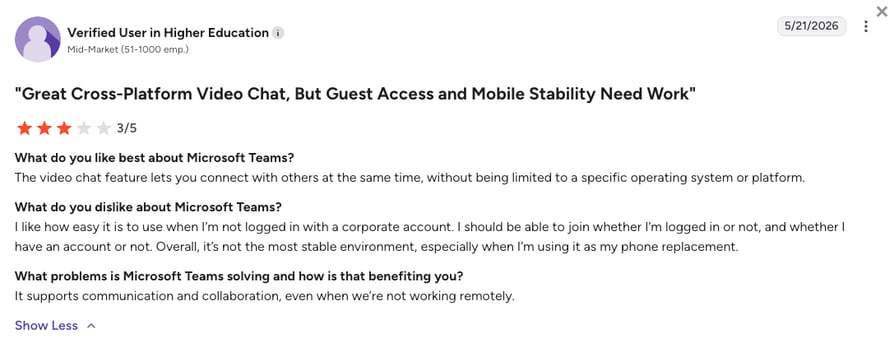
Reviewers value the consolidation and call quality. They dislike an interface built for chat, not calls, and a fiddly license stack.
How Do G2 Users Rate Microsoft Teams Phone?
Microsoft Teams holds 4.4/5 on G2, from 19,000+ reviews, a score for the whole Teams app, not just Teams Phone.
8. RingCentral: Best All-in-One MagicJack Alternative for Voice, Video, and Messaging
What Is RingCentral?
RingCentral is the heavyweight here: voice, video, and messaging in one platform. It suits organizations that want one vendor for every channel and time to configure it.
Why Is RingCentral a Strong MagicJack Alternative?
- On-demand recording and unlimited domestic calling on Core.
- HD meetings for up to 300 people in the same app.
- Built for scale, so a growing team won't outgrow it.
What Are the Pros & Cons of RingCentral?
| Pros | Cons |
|---|---|
| Wide feature set in one app | CRM integrations start on Advanced, not Core |
| Calls, meetings, and chat together | Setup can take a while |
| Good fit for routing across several locations | The admin portal is often described as clunky |
What Are RingCentral's Plans & Pricing?
RingCentral pricing (its RingEX suite) starts at $20/user/month, with the following plans:
RingCentral (RingEX) Plans and Pricing
| Plan | Price | Key Features |
|---|---|---|
| Core | $20/user/month | Unlimited domestic calling, on-demand recording, HD meetings, messaging |
| Advanced | $25/user/month | Everything in Core + CRM integrations, multi-site, reporting |
| AI Customer Engagement Bundle | Custom pricing | AI Receptionist, voice, messaging, and analytics |
RingCentral Records on Core, but CRM Sync Costs More
Core records calls on demand at $20/user/month, but CRM integrations start on Advanced at $25/user/month. Budget time for setup, too.
What Are RingCentral's Customers Saying?
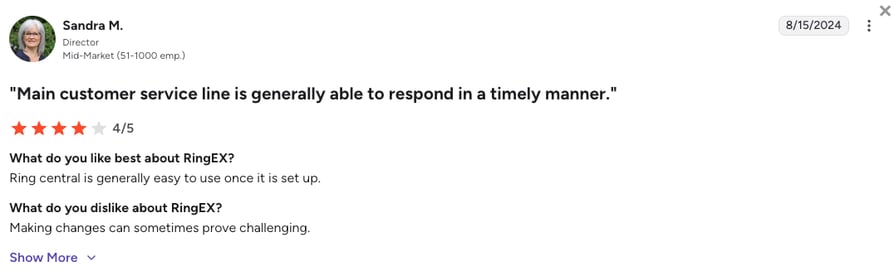
Reviewers rate the breadth of the platform. They complain about hard setup and a clunky admin portal.
How Do G2 Users Rate RingCentral?
RingCentral holds a 0/5 rating on G2, based on 1,400+ verified reviews.
9. Grasshopper: Best Flat-Rate MagicJack Alternative for Entrepreneurs
What Is Grasshopper?
Grasshopper sells a business number that rings your own phone, with greetings and texting, billed as a flat-rate virtual phone system rather than per seat. It suits sole traders who want to sound like a company.
Why Is Grasshopper a Strong MagicJack Alternative?
- Setup takes a few clicks and no IT help.
- Flat-rate pricing, so extra people don't add per-seat costs.
- Instant response texts reply to missed calls automatically.
What Are the Pros & Cons of Grasshopper?
| Pros | Cons |
|---|---|
| Simple setup in a few clicks | Few third-party integrations |
| Affordable True Solo tier for a new business | No advanced reporting |
| Flat-rate billing instead of per-seat pricing | Extra numbers and extensions cost more on top |
What Are Grasshopper's Plans & Pricing?
Grasshopper pricing starts at $14/month (flat rate, billed annually), with the following plans:
Grasshopper Plans and Pricing
| Plan | Price | Key Features |
|---|---|---|
| True Solo | $14/month | 1 user, 1 number, 1 extension, calling and SMS |
| Solo Plus | $25/month | Unlimited users, 1 number, 3 extensions |
| Small Business | $55/month | Unlimited users and extensions, up to 4 numbers |
Grasshopper Is Cheap Until You Need to Grow
Extra numbers and extensions stack up, and there's no CRM integration at any tier. Grasshopper now offers call recording, so check which plan includes it.
What Are Grasshopper's Customers Saying?
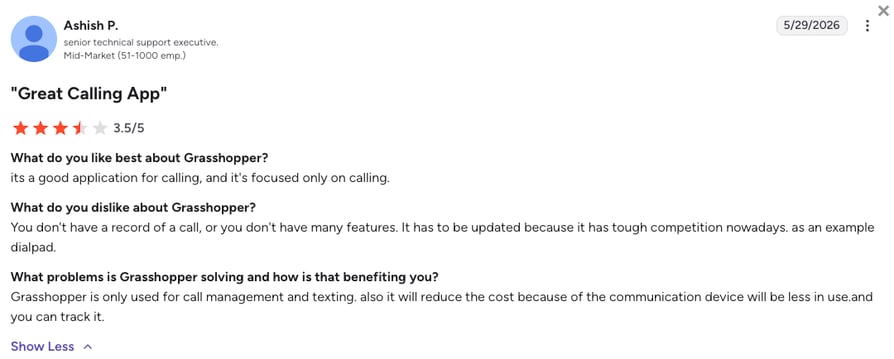
Reviewers like the fast setup and low entry price. The gaps: no CRM integration and a short app list.
How Do G2 Users Rate Grasshopper?
Grasshopper holds a 3.9/5 rating on G2, based on 160+ verified reviews.
10. Dialpad: Best MagicJack Alternative With AI Transcription on the Entry Plan
What Is Dialpad?
Dialpad is a voice, video, and messaging platform with live AI transcription and call analytics on the cheapest plan. It suits teams that want call intelligence without an enterprise contract.
Why Is Dialpad a Strong MagicJack Alternative?
- AI transcription and summaries on the $15 plan.
- Manual recording on Standard, automatic on Pro.
- Live transcription helps coach new reps.
What Are the Pros & Cons of Dialpad?
| Pros | Cons |
|---|---|
| AI transcription and summaries from the entry plan | Only manual dialing on standard plans |
| Clean, modern interface | Power dialing needs the separate Dialpad Sell product |
| Calls, video, and messaging in one app | Automatic recording and CRM sync wait for Pro |
What Are Dialpad's Plans & Pricing?
Dialpad pricing starts at $15/user/month, with the following plans:
Dialpad Plans and Pricing
| Plan | Price | Key Features |
|---|---|---|
| Standard | $15/user/month | Unlimited calling, AI transcription, manual recording, SMS |
| Pro | $25/user/month | Everything in Standard + automatic recording, Salesforce and HubSpot |
| Enterprise | Custom pricing | Advanced admin controls for large teams |
Dialpad's AI Is Bundled, but CRM Sync Is Not
The $15/user/month plan includes AI transcription, which is good value. Automatic recording and CRM integrations wait for Pro at $25/user/month.
What Are Dialpad's Customers Saying?
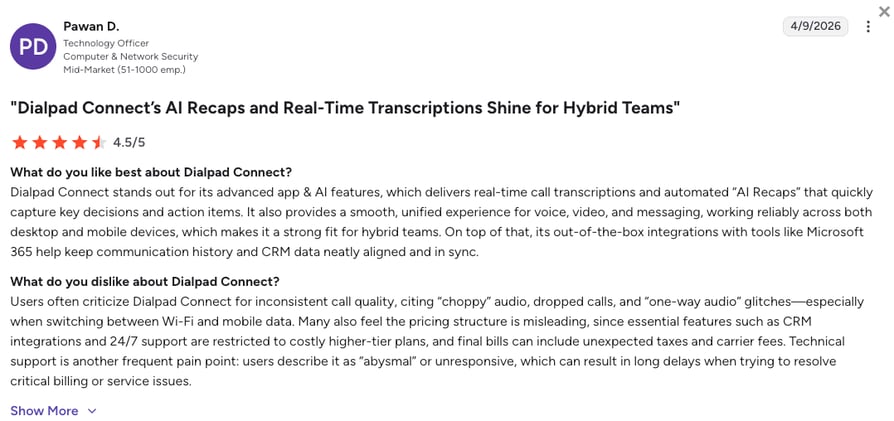
Reviewers rate the AI and uptime highly. Outbound teams miss a power dialer on standard plans.
How Do G2 Users Rate Dialpad?
Dialpad holds a 4.4/5 rating on G2, based on 4,200+ verified reviews.
11. 8x8: Best MagicJack Alternative for Analytics and Multi-Country Calling
What Is 8x8?
8x8 is a cloud phone and contact center platform with strong reporting, now sold on custom quotes. It's built for larger organizations.
Why Is 8x8 a Strong MagicJack Alternative?
- Detailed call and team reporting.
- International calling you can shape into a quote.
- Security certifications for regulated industries.
What Are the Pros & Cons of 8x8?
| Pros | Cons |
|---|---|
| Detailed analytics and reporting | Integrations often need a technical team to configure |
| IVR and call monitoring built in | Texts send only from US and Canadian numbers |
| Strong security and compliance certifications | Pricing is quote-only |
What Are 8x8's Plans & Pricing?
8x8 pricing is now quote-based, and its UCaaS (Unified Communications as a Service) and contact center products are priced separately:
8x8 Plans and Pricing
| Plan | Price | Key Features |
|---|---|---|
| 8x8 Work | Contact sales | Business phone, video meetings, and team messaging |
| 8x8 Contact Center | Contact sales | Queues, supervisor tools, and omnichannel routing |
8x8 Splits Business Phone and Contact Center
Queues and supervisor tools sit in the contact center product, not 8x8 Work. Check which one your quote covers.
What Are 8x8's Customers Saying?
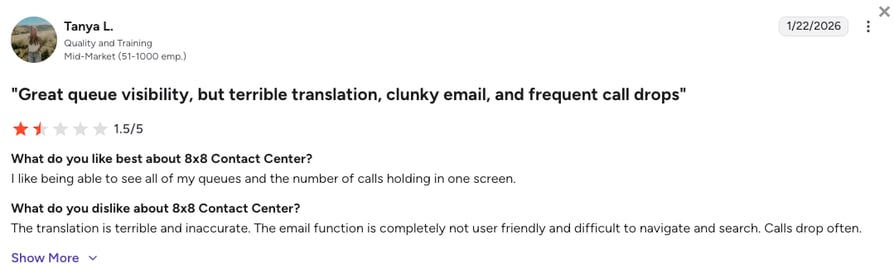
Reviewers rate the analytics, and several report trouble setting up CRM integrations.
How Do G2 Users Rate 8x8?
8x8 Work holds a 4.2/5 rating on G2, based on 900+ verified reviews.
12. Zoom Phone: Best MagicJack Alternative for Teams Already Living in Zoom
What Is Zoom Phone?
Zoom Phone turns Zoom into a business phone line, with US and Canada calling and recording on the entry plan. If meetings already run on Zoom, it removes a tool.
Why Is Zoom Phone a Strong MagicJack Alternative?
- Call recording on the $16 entry plan.
- It lives in the app your team uses for meetings.
- A large app marketplace, HubSpot included.
What Are the Pros & Cons of Zoom Phone?
| Pros | Cons |
|---|---|
| Call recording on the entry plan | No advanced outbound dialing |
| Easy for teams already using Zoom | Contact center features need a separate, pricier license |
| Handles large numbers of callers | Local numbers abroad need Global Select |
What Are Zoom Phone's Plans & Pricing?
Zoom Phone pricing starts at $16/user/month, with the following plans:
Zoom Phone Plans and Pricing
| Plan | Price | Key Features |
|---|---|---|
| US & Canada Unlimited | $16/user/month | Unlimited domestic calling, recording, SMS |
| Zoom Workplace Business Plus | $24.50/user/month | Zoom Phone bundled with meetings and team chat |
| Global Select | Contact sales | Local numbers and calling in 40+ countries |
Zoom Phone and Zoom Contact Center Are Not the Same Product
Zoom Contact Center is a separate license from $69/user/month. If you need queues and agent supervision, budget for that, not Zoom Phone.
What Are Zoom Phone's Customers Saying?
Reviewers like calling inside Zoom, with recording included. Outbound teams find dialing basic.
How Do G2 Users Rate Zoom Phone?
Zoom Phone holds a 4.6/5 rating on G2, based on 2,600+ verified reviews.
Down to Two or Three? Run Them Side by Side on Real Calls.
What Real Users Are Saying About MagicJack Alternatives on Reddit, Quora, and G2
Pricing pages say what a tool should do. Real users say whether it holds up, so we read Reddit, Quora, and G2 feedback from people weighing alternatives to MagicJack.
What Redditors Are Asking and Saying About MagicJack Alternatives
Threads on r/VOIP and r/smallbusiness show home users, IT consultants, and small business owners debating whether MagicJack still makes sense. Three stood out.
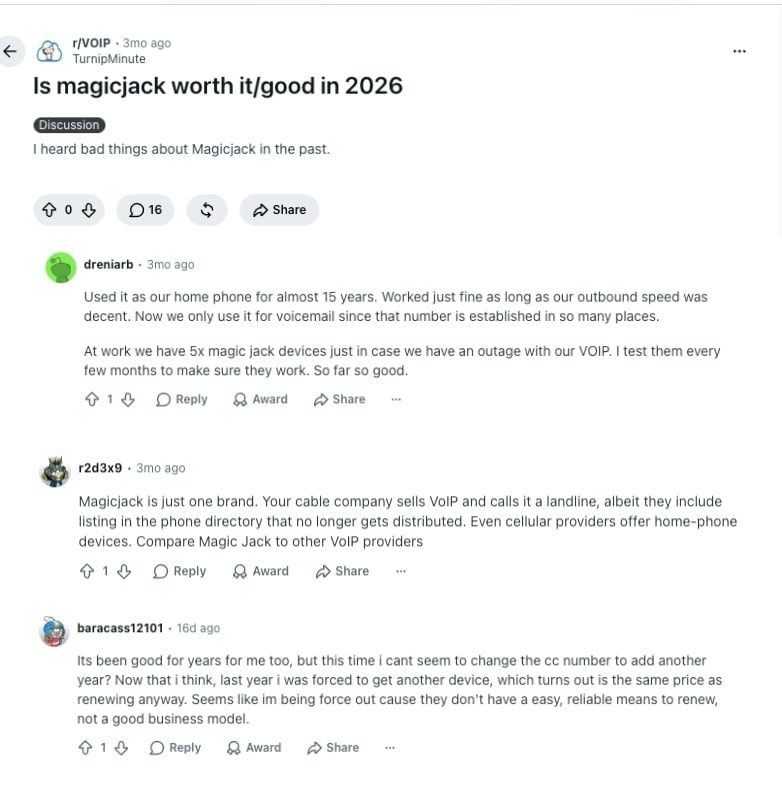
- Long-time users still like it, but they've demoted it: In the r/VOIP thread "Is magicjack worth it/good in 2026," one commenter ran MagicJack as a home phone for almost 15 years and said it "worked just fine as long as our outbound speed was decent." They now keep it only for voicemail and as an office backup for when their main VoIP service fails.
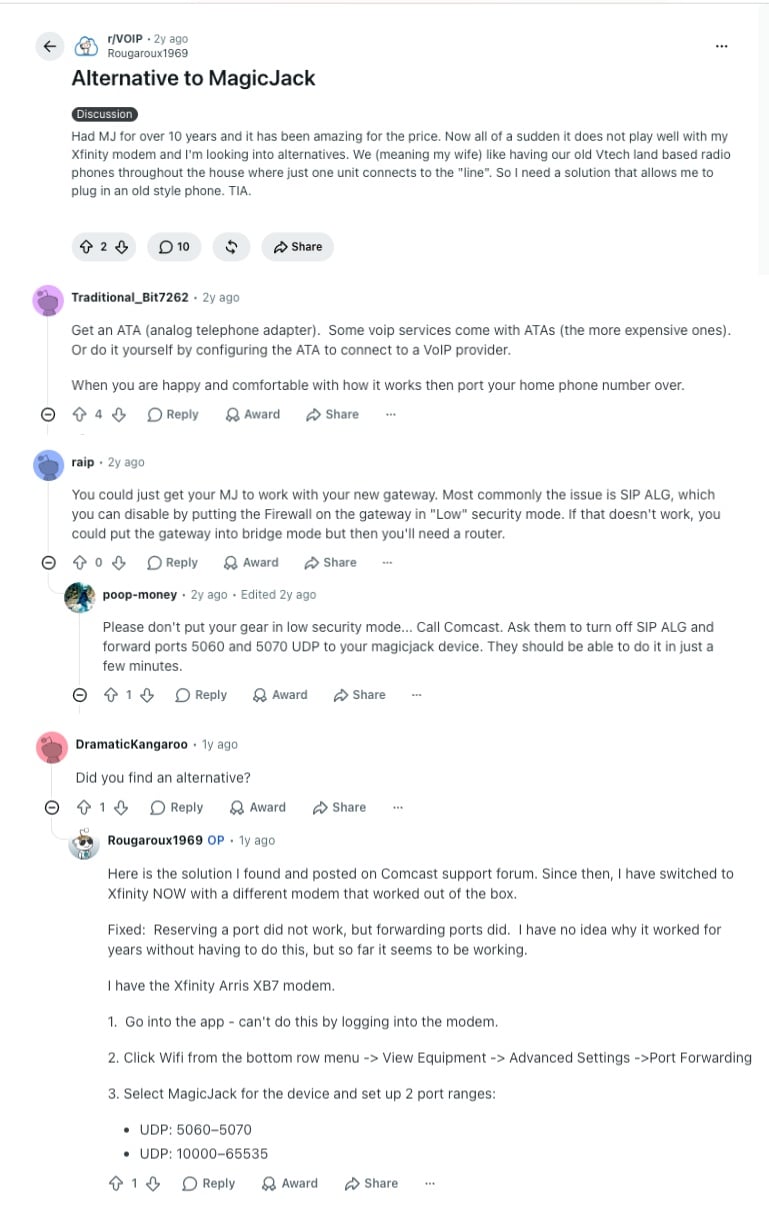
- Keeping it running can turn into a networking project: In "Alternative to MagicJack," a 10-year user's setup stopped working after an Xfinity modem change. Every reply was router-level: disable SIP ALG, switch the gateway to bridge mode, or forward UDP ports 5060 to 5070 and 10000 to 65535. Port forwarding fixed it, but that's more hands-on setup than most businesses want behind their main line.
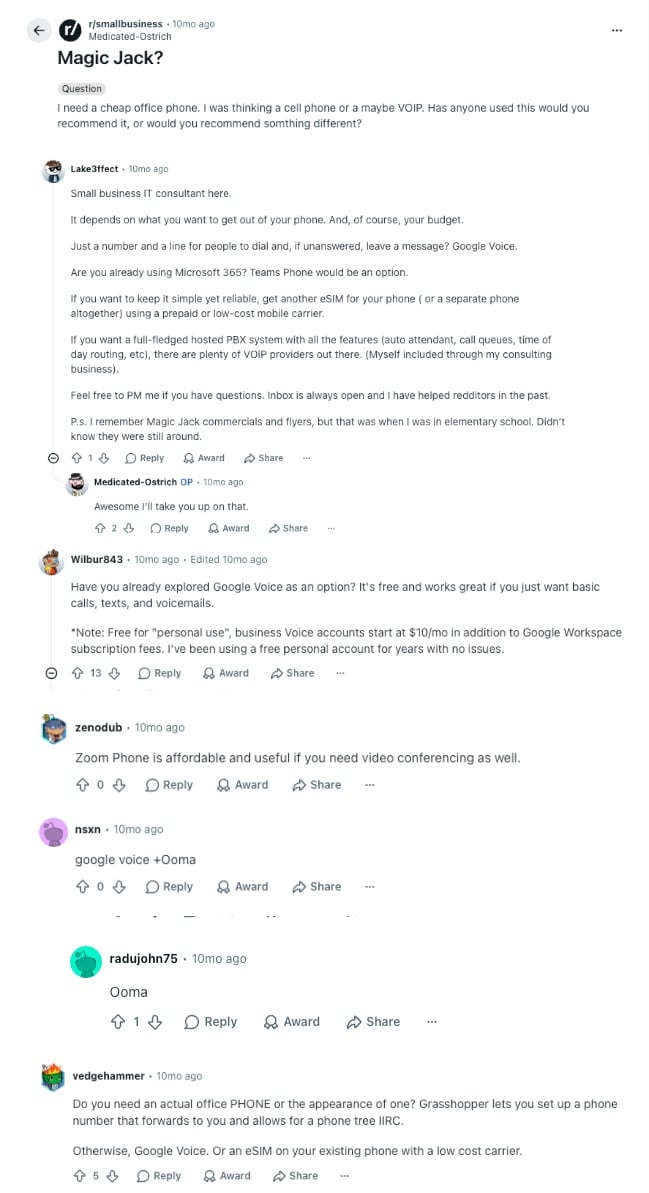
- For an office phone, nobody recommended it: In r/smallbusiness, someone asked whether MagicJack suited a cheap office phone, and not one reply said yes. An IT consultant laid out a ladder instead: Google Voice for a number and voicemail, Teams Phone on Microsoft 365, and a hosted PBX (private branch exchange) with auto attendant, call queues, and time-of-day routing to run a team. Others suggested Zoom Phone, Ooma, and Grasshopper.
The consultant's top rung, auto attendant, queues, and routing rules, is where CloudTalk sits, with CRM sync and recording on top. For a single home line, MagicJack still does its job. The split comes when a second person needs to answer.
What Quora Users Are Asking About MagicJack Alternatives
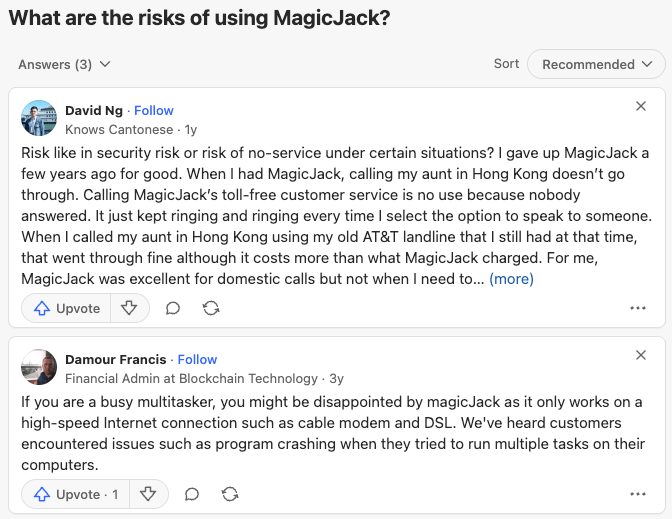
The Quora thread "What are the risks of using MagicJack?" is short, but it lands on the same weak spots as Reddit. One former user gave MagicJack up after calls to a relative in Hong Kong wouldn't go through and the support line kept ringing with nobody answering. They called it excellent for domestic calls and poor for calling abroad.
Another answer warns that it needs a steady high-speed connection. For a business line, you need reach beyond North America and support that picks up.
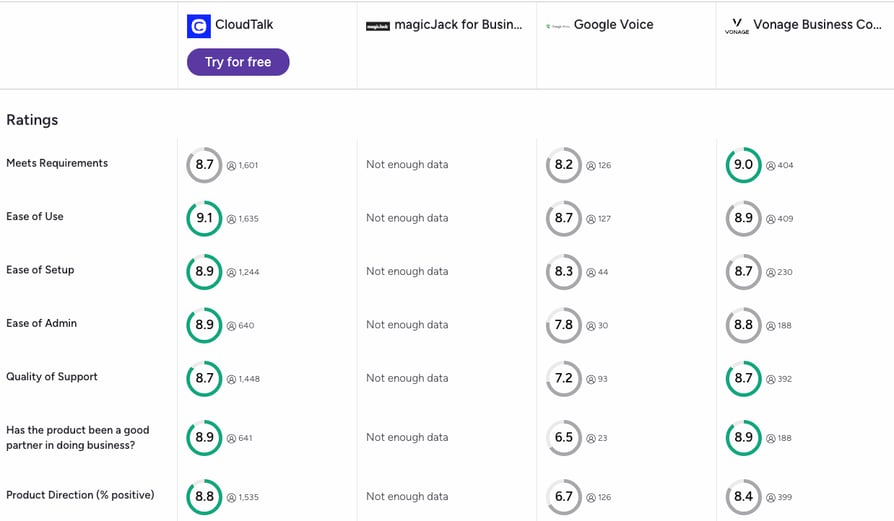
How Do the Best MagicJack Alternatives Compare on G2?
G2's comparison tool puts verified review scores for CloudTalk, magicJack for Business, Google Voice, and Vonage side by side. Three things stand out.
- MagicJack's score rests on three reviews: magicJack for Business holds 3.3/5, but G2 shows "Not enough data" on every criterion, from ease of use to quality of support. That's too thin a base to rely on.
- CloudTalk leads on ease of use and setup: CloudTalk scores 9.1 for ease of use and 8.9 for ease of setup, the highest of the three rated platforms.
- Vonage edges ahead on meeting requirements: Vonage scores 9.0 on meets requirements against CloudTalk's 8.7, and the two tie at 8.7 for quality of support. Google Voice trails at 7.2 for support.
CloudTalk Features vs. MagicJack Features: The Detailed Comparison
MagicJack is a low-cost home line, and CloudTalk is a business phone system for teams that need CRM sync and routing.
CloudTalk vs. MagicJack: Feature-by-Feature Comparison
| Feature | CloudTalk | MagicJack | Winner |
|---|---|---|---|
| Starting Price | $25/user/month | $43/year to renew ($49.99 first year with device) | MagicJack (for personal use) |
| Minimum Seats | 1 user (3 on Expert) | 1 device | Tie |
| Ease of Setup for a Single Home Line | Cloud account setup, minutes to hours | Plug-and-play hardware adapter | MagicJack |
| Free Trial | 14 days, no credit card required | None (30-day money-back guarantee) | CloudTalk |
| Call Quality and Uptime | 99.999% platform uptime | No published uptime figure, users report dropped calls | CloudTalk |
| Global Coverage | 160 countries | US and Canada focused | CloudTalk |
| Call Flow Designer | Visual drag-and-drop IVR and routing | Not available | CloudTalk |
| Conversation Intelligence | Post-call transcripts, summaries, and sentiment (add-on) | None | CloudTalk |
| AI Voice Agents | AI Receptionist from $99/month (add-on) | None | CloudTalk |
| CRM Integrations | 100+ tools from Essential ($29/user/month) | Not available | CloudTalk |
| Call Recording | Included from Starter ($25/user/month) | Not available | CloudTalk |
| Smart Dialers | Power, Smart, and Preview on Expert, Parallel as an add-on | Not available | CloudTalk |
| Scalability for Growing Teams | Multi-user plans, call queues, and admin controls | No multi-user plans or admin controls | CloudTalk |
| Customer Support | 24/7 chat and email on every plan, phone support on Expert | Home-user support built around hardware troubleshooting | CloudTalk |
| Number Porting | Supported, 10 to 14 business days in the US | $19.95 to port a number in | Tie |
| G2 Rating | 4.4/5 | 3.3/5 (3 reviews) | CloudTalk |
When MagicJack Still Makes Sense
MagicJack remains a reasonable pick for one specific scenario: a single household or solo user who wants the cheapest possible home phone line and has no need for CRM sync, call analytics, or multi-user support. Outside that scenario, the missing business features tend to cost more in lost productivity than the low sticker price saves.
Keep the Number Your Customers Already Dial.
How to Choose the Right MagicJack Alternative for Your Team
The right MagicJack alternative depends on how many people answer your phone, not on which product has the longest feature list. Start with the question that matches your situation.
What Is the Best MagicJack Alternative for Home Use?
Ooma is the best MagicJack alternative for home use if you want a box-for-box swap, and among the other alternatives to MagicJack, Google Voice is the cheapest US number and NetTalk wins on international rates:
MagicJack vs. Ooma vs. Google Voice vs. NetTalk for a Home Line
| Feature | MagicJack | Ooma | Google Voice | NetTalk |
|---|---|---|---|---|
| Yearly or monthly cost | $43/year to renew | Basic $0/month + taxes, Premier $9.99/month | Free personal tier (US), $10/user/month for business | From $9.45/month |
| Hardware | MagicJack HOME, $49.99 with 12 months | Ooma Telo box, from $79.99 | None, app or desk phone | NetTalk adapter |
| Best for | Lowest yearly cost for one line | A box-for-box home swap | One US number on a budget | Calling abroad often |
If that home line is really your business line, you'll outgrow all four once a second person answers.
Which MagicJack Alternative Works When More Than One Person Answers the Phone?
CloudTalk is the best pick once two or more people answer your calls, because shared numbers, queues, and recording come on the first plan. One person can stay on MagicJack, Google Voice, or Grasshopper. Two to five people need a multi-line phone system: OpenPhone or Ooma cover the basics, and CloudTalk adds routing. Five or more need real admin controls, so CloudTalk, RingCentral, or 8x8.
How Restimo Moved Support to a Team of Six
Support ran on one personal phone with manual forwarding. On CloudTalk, Restimo onboarded six agents, routed calls automatically, and opened two new markets.
Which MagicJack Competitors Include Call Recording, and on Which Plan?
CloudTalk, Zoom Phone, and RingCentral record calls on their entry plans, the strongest MagicJack competitors for coaching. CloudTalk records calls from the $25 Starter plan, Zoom Phone from $16, and RingCentral on demand from its $20 Core plan. Dialpad and OpenPhone record manually on entry plans and automatically a tier up. Google Voice records on every plan, Ooma on Pro, Vonage on Advanced, and Grasshopper on selected plans. MagicJack doesn't record at all.
Can You Keep Your MagicJack Number When You Switch?
Yes, you can keep your MagicJack number by porting it, and your new provider starts the request and coordinates it with MagicJack. Keep MagicJack active until it completes. On CloudTalk you submit the number porting request in the Dashboard, and a US port usually takes 10 to 14 business days for a small fee. Have your MagicJack account number and PIN ready before porting a number from MagicJack, and plan the cutover around how long number porting takes.
Is Vonage or Google Voice the Better MagicJack Alternative for a Small Office?
Google Voice suits a small US office that mainly needs numbers and voicemail, and Vonage fits one that wants routing and pays by the line. Google Voice bills per user from $10, and Vonage per line from $13.99 on a 12-month promo, plus taxes and fees.
In a Google Voice vs MagicJack comparison, Google Voice already records calls on its $10 plan, and MagicJack can't record at all. In a MagicJack vs Vonage comparison, recording waits for Advanced at $27.99 a line on the promo.
Which MagicJack Alternative Is Best for International Calls or a US Number Abroad?
CloudTalk is the best MagicJack alternative for international calling, because you can add local numbers in 160 countries and answer your US virtual number from anywhere. It's also a strong MagicJack alternative Canada-based teams can use, with Canadian virtual numbers next to a US line. 8x8 and Zoom Phone's Global Select add numbers abroad on quoted prices.
Yanolja Cut Missed Calls by 30 to 40%
Yanolja paid roaming charges so staff in India and the Philippines could use US numbers. On CloudTalk, 20+ agents answer from one platform, and missed calls fell by 30 to 40%.
Your Customers Call a US Number. Your Team Can Answer It from Anywhere.
Do You Want Hardware, or No Hardware at All?
Pick software if your adapter has died and you'd rather not buy another box. MagicJack, Ooma, and NetTalk use adapters, which can stop working after a modem swap. Everything else runs as a VoIP number app on a laptop and phone. Whichever magic jack alternative you choose, porting moves your number off the old device for good.
Do You Need E911 on a VoIP Line?
Yes, register an E911 address on day one. Most of these services use non-fixed VoIP numbers, so emergency calls go to the address you register, not where the phone sits. Update it whenever the office moves.
Which MagicJack Alternative Matches Your Team Profile?
Most teams can choose by shape alone: how many people answer, which tools they already pay for, and where callers are. Match yours to the closest profile.
Which MagicJack Alternative Fits Your Team?
| Your team profile | Best fit | Why it wins for you |
|---|---|---|
| One home line, price is everything | MagicJack or NetTalk | Nothing here costs less, and you don't need the features you'd pay for |
| Solo operator wanting a professional number | Grasshopper or Google Voice | A flat rate or $10 seat, custom greetings, and no hardware |
| Two to five people sharing one number | OpenPhone or Ooma | A shared inbox and simple routing at a low per-seat price |
| SMB to mid-market sales or support team | CloudTalk | Call recording from $25, 100+ CRM integrations from Essential, and 160-country coverage |
| Already on Microsoft 365 | Microsoft Teams Phone | Calling inside software your team already opens |
| Meetings already run through Zoom | Zoom Phone | Recording on the $16 entry plan and one fewer app |
| One vendor for voice, video, and chat | RingCentral | The broadest channel coverage on this list |
| Call intelligence on a small budget | Dialpad | AI transcription and summaries from $15/user/month |
| Office that pays per line | Vonage | Two decades of network operation and per-line billing |
You Know How Many People Answer Your Phone. Pay for Exactly That Many.
Ready to Try the Best MagicJack Alternative for Your Business?
MagicJack is still a fine choice for one home line, and at about $43 a year it's hard to beat on price. For a growing business, CloudTalk fixes what a home line was never built to handle:
- One number the whole team can answerCall queues, transfers, and recording come on Starter, so the second caller reaches a person instead of voicemail.
- Calls that log themselves100+ CRM and helpdesk integrations from Essential sync calls and contacts automatically.
- No adapter to troubleshootEverything runs in the browser and mobile app, with 24/7 chat and email support on every plan.
- Local numbers in 160 countriesCustomers abroad dial a local number instead of an international one.
- 14-day free trial with no credit cardTest it on real calls before paying anything, rather than paying a year upfront.
Bring Your MagicJack Renewal Notice to the Demo.
Frequently Asked Questions About MagicJack Alternatives
Common questions about MagicJack, its pricing, porting your number, and the best alternatives for growing teams.
MagicJack is a VoIP phone service that sends calls over the internet through a small adapter instead of a landline. It's known for cheap home plans.
MagicJack works by sending calls over your internet connection. You plug the adapter into your router, connect a regular phone, and register a phone number, and calls travel online instead of over copper wiring.
Yes, MagicJack can send and receive texts, free for US numbers, but only in the magicApp, its virtual phone number app for iPhone and Android.
Yes, MagicJack is still in business. B. Riley Financial bought it in 2018 for about $143 million, and the parent, now BRC Group Holdings, still runs it. Meanwhile, VoIP number apps match its price without an adapter.
MagicJack costs $43 a year to renew after the first year, a new MagicJack HOME device with 12 months costs $49.99, and a 3-year plan is $119. There's no 5-year plan, so five years means a 3-year plan plus renewals, still far below what a business phone line costs.
MagicJack has no monthly plan, since it bills yearly or for three years upfront. The $43 renewal works out to about $3.58 a month, before add-ons like a Canadian number at $10 a year.
You cancel MagicJack by turning off Auto Renew at my.magicJack.com or calling Customer Care. Unused time isn't refunded and the number can be reclaimed, so port it out first.
MagicJack is worth it for cheap home calling at $43 a year. Businesses miss call recording, CRM sync, and fast support, so they move to a business phone system.
MagicJack can run a one-person line, but it sells no business plan and licenses the service for personal use. Teams need a business phone system instead.
You can install MagicJack without a computer: plug the adapter into your router, connect your phone, and register at mjreg.com from a phone or tablet. From then on it works as a non-fixed VoIP line.
You get a MagicJack phone number during registration by picking an area code. Custom numbers cost $3 a year, and porting an existing number in costs $19.95 once.
Yes, MagicJack is available in Canada, and Canadian numbers cost $10 a year extra. CloudTalk, RingCentral, and 8x8 handle international numbers on one account.
The main MagicJack competitors are Ooma and NetTalk, the closest MagicJack equivalent. Among business services like MagicJack, CloudTalk, RingCentral, and Vonage add recording and CRM sync, while OpenPhone and Google Voice suit solo users.
CloudTalk is the best MagicJack alternative for small businesses where more than one person answers the phone, with recording and queues from $25/user/month. For small business VoIP run by one person, Grasshopper or Google Voice costs less.
Google Voice is the cheapest alternative to MagicJack for a business at $10/user/month. Grasshopper pricing starts at $14 for one user on True Solo, and Solo Plus adds unlimited users for $25.
There's no free alternative to MagicJack for business use, since Google Voice's free tier is personal only. On a tight budget, compare Grasshopper's flat rate with Google Voice pricing per seat.
Ooma is better than MagicJack if you want enhanced 911 and a path to business plans, as our Ooma review shows, while MagicJack wins on yearly cost. In an Ooma vs MagicJack matchup, the Ooma Telo box starts at $79.99, and its Basic plan charges only taxes and fees.
Google Voice is better than MagicJack for a small US business, since even its $10/user/month plan records calls, as our Google Voice review notes. MagicJack stays cheaper for one line.
Vonage is better for a small office, with per-line plans and an auto attendant from Premium, as our Vonage review shows. MagicJack suits one home line.
Yes, you can port your MagicJack number, even if the adapter has died. Your new provider starts it with the account number and PIN from your MagicJack portal, and MagicJack must stay active until it completes. Porting from MagicJack to CloudTalk takes 10 to 14 business days in the US.
CloudTalk offers strong reliability for a business line, with 99.999% platform uptime, while dropped calls top MagicJack's complaints. VoIP call quality also depends on your upload speed.
CloudTalk is best for remote teams and international calling, with local numbers across 160 countries and apps that work anywhere. 8x8 is a strong second, while Google Voice sells numbers in only about 14 countries.
Yes, every MagicJack alternative here needs the internet, because VoIP sends calls over broadband rather than a landline. Call quality depends on that connection, so a steady line matters.
CloudTalk is a business phone system, and MagicJack is a home phone service. CloudTalk pricing starts at $25/user/month with recording and queues, 100+ CRM integrations arrive on Essential, and there's a 14-day free trial. MagicJack only wins on price for one line.