10 Best Contact Center Software for Mid-Market Teams in 2026 (Based on G2 Reviews)
TL;DR:
Read on for the full comparison table, detailed reviews, and our expert buying advice for mid-sized teams.
If you’re here for quick answers, here’s a summary of our top 10 recommendations:
- 01CloudTalk - Best overall contact center software for mid-market sales & support teams needing AI and CRM depth
- 02Five9 - Best for AI-driven inbound and outbound CCaaS at scale
- 03Genesys Cloud CX - Best for advanced omnichannel journeys and workforce engagement
- 04Talkdesk - Best for industry-specific CX and AI self-service
- 05NICE CXone - Best for enterprise-grade workforce optimization
- 068x8 - Best for unified communications plus contact center with global compliance
- 07Aircall - Best for lightweight, quick-to-deploy support telephony
- 08Dialpad - Best for real-time AI transcription and coaching
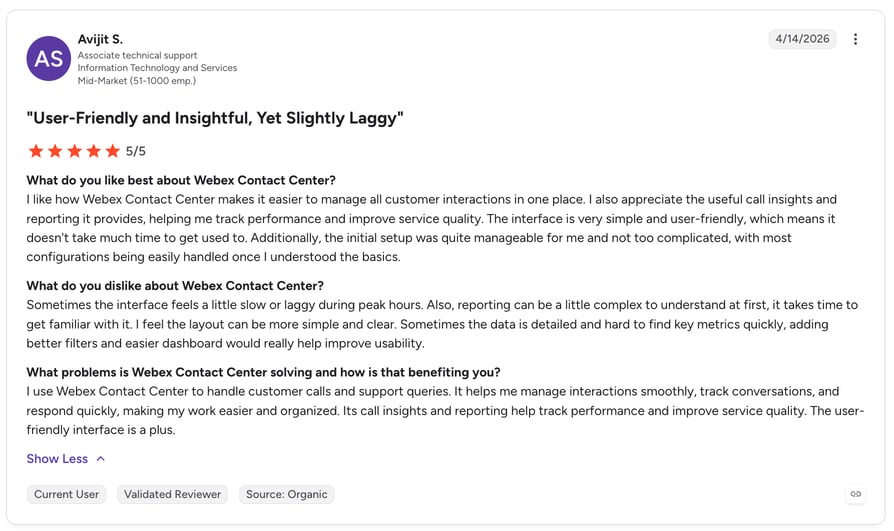
- 09Webex Contact Center - Best for teams already inside the Cisco/Webex ecosystem
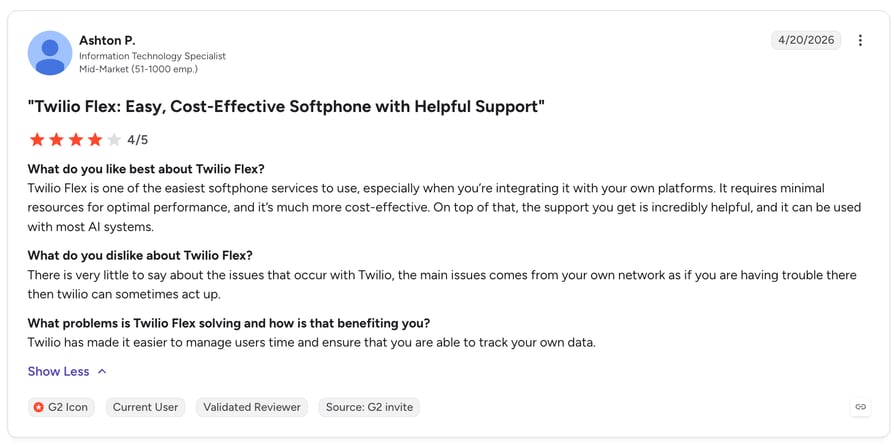
- 10Twilio Flex - Best for developer-first teams building a custom contact center
Choosing the best contact center software for mid-market teams is harder than it looks. Enterprise suites are overbuilt and overpriced for a 50–500 agent operation, while entry-level tools run out of room the moment you add channels, routing logic, or AI. The sweet spot is a platform that scales without a six-month implementation.
To cut through the marketing, we leaned on verified G2 reviews from real mid-market users. This contact center software comparison for mid-market teams ranks the top rated contact center platforms 2026 has to offer on the criteria that actually matter at this size: AI and automation, CRM integration, omnichannel routing, global coverage, and time-to-value.
Comparison Table: 10 Best Contact Center Software for Mid-Market Teams (Based on Real G2 Reviews)
Before the detailed reviews, here’s a side-by-side look at the best contact center platforms for mid-market teams, so you can quickly see which ones match your channels, budget, and growth plans. Use this contact center software comparison mid-market buyers can act on to shortlist fast.
Comparison Table
| Platform | Best for | Starting Price | Total reviews | G2 Rating |
|---|---|---|---|---|
| CloudTalk | Mid-market sales & support teams needing AI and CRM depth | From $25/user/month | 1758 | 4.4/5 |
| Five9 | AI-driven inbound/outbound CCaaS at scale | From $119/user/month | 610 | 4.1/5 |
| Genesys Cloud CX | Advanced omnichannel journeys and WEM | From $75/user/month | 1538 | 4.4/5 |
| Talkdesk | Industry-specific CX and AI self-service | Per request | 2502 | 4.4/5 |
| NICE CXone | Enterprise-grade workforce optimization | Per request | 1730 | 4.3/5 |
| 8x8 | UCaaS + contact center with global compliance | Per request | 905 | 4.2/5 |
| Aircall | Lightweight, quick-to-deploy support telephony | From $30/license/month | 1574 | 4.4/5 |
| Dialpad | Real-time AI transcription and coaching | From $80/user/month | 4149 | 4.4/5 |
| Webex Contact Center | Teams inside the Cisco/Webex ecosystem | Per request | 163 | 4.4/5 |
| Twilio Flex | Developer-first teams building a custom CCaaS | $1/active user hr or $150/user/mo | 36 | 4.1/5 |
Pricing reflects publicly listed starting points and varies by contract; several enterprise platforms quote per request. G2 ratings and review counts update dynamically from live G2 data.
See Why Mid-Market Teams Pick CloudTalk
What Is the Best G2-Backed Contact Center Software for Mid-Market Teams?
The short answer: CloudTalk is the best G2-backed contact center software for mid-market teams. It pairs a high G2 rating from a large base of verified reviews with exactly the mix mid-sized teams need; AI conversation intelligence, deep CRM integration, omnichannel routing, and 160+ country coverage, at a transparent per-seat price that finance teams can actually forecast.
CloudTalk’s standing isn’t self-assessed. It has been recognized as a leading contact center solution by G2, earning Mid-Market category badges based on verified customer satisfaction and market presence. That said, the right choice depends on your operation, so below we compare the top 10 G2-rated call center software options, what each does best, real user feedback, pricing, and the mid-market use case each one fits.
Our Methodology: How We Chose the Best Contact Center Software for Mid-Market Teams
To keep this list grounded in real-world performance rather than marketing claims, we evaluated every platform against five criteria weighted for mid-market needs. Our goal was to surface the best call center software G2 rated reviewers actually recommend, drawing on the same verified data that shapes any credible g2 best call center software 2026 shortlist:
- G2 ratings & verified reviews - We prioritized platforms with strong G2 scores and consistent feedback from verified Mid-Market reviewers, not just enterprise or small-business users.
- AI & automation - Real-time transcription, call summaries, sentiment analysis, predictive dialing, and AI-assisted coaching.
- CRM & helpdesk integration depth - Native vs. API-based connections, two-way sync reliability, and workflow automation.
- Scalability & omnichannel routing - International numbers, skill-based routing at scale, and channels beyond voice.
- Real-world mid-market fit - Whether the platform deploys and delivers value for a 50–500 agent team without enterprise overhead.
Why Trust Our Software Reviews?
For nearly a decade, we’ve helped over 30,000 professionals choose and implement better communication tools. We’ve reviewed 200+ products, analyzed thousands of verified reviews from real users on G2 and Capterra, and drawn insights from genuine user discussions on platforms like Reddit and Quora. Every article is written and reviewed by humans, for humans, to give you reliable, data-backed guidance you can act on.
Learn how we keep our content integrity and our software review methodology.
Best Contact Center Software for Mid-Market Teams: Top 10 G2 Picks
1. CloudTalk - Best Overall Contact Center Software for Mid-Market Teams
What Is CloudTalk?
CloudTalk is a cloud-based contact center platform built for mid-market sales and support teams that manage high call volumes without adding overhead. It combines AI conversation intelligence, advanced dialers, and omnichannel routing with 160+ international numbers, so teams can operate globally while keeping a local presence, all at a transparent per-seat price.
What Are CloudTalk’s Key Features?
- Global voice coverage with local, mobile, and toll-free numbers in 160+ countries
- Live call monitoring and coaching (listen-in, whisper, barge)
- Real-time and historical analytics for agent and queue performance
What Are CloudTalk’s Pros and Cons?
Pros & Cons: CloudTalk
| Pros | Cons |
|---|---|
| Easy to use with a fast, low-friction setup | Relies on internet connection |
| Reliable call quality and performance at scale | Full cloud-based system, not physical equipment |
| Robust dialers and calling features for outbound | No native video conferencing (voice-focused) |
| Deep, two-way CRM and helpdesk integrations | |
| Comprehensive analytics and real-time monitoring |
Who Is CloudTalk Best For?
Mid-market sales and support teams that need real omnichannel contact center capability, deep CRM sync, and AI call intelligence, without enterprise contracts or long implementations. It’s an especially strong fit for teams scaling internationally or running high outbound volume.
How Much Does CloudTalk Cost?
Flexible Pricing Plans to Scale with You
Compare our plans
What Is CloudTalk’s G2 Rating and Review Count?
G2 rating: 4.4/5 | Total reviews: 1758
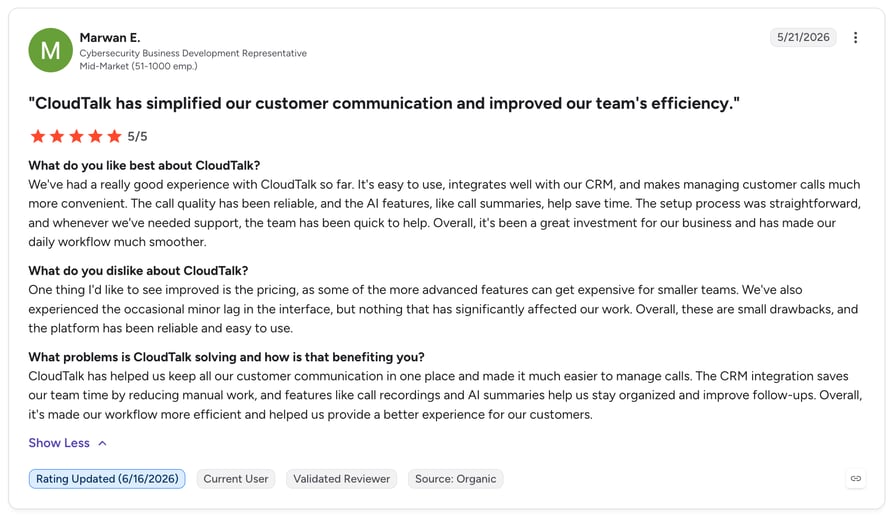
What are real users saying about CloudTalk?
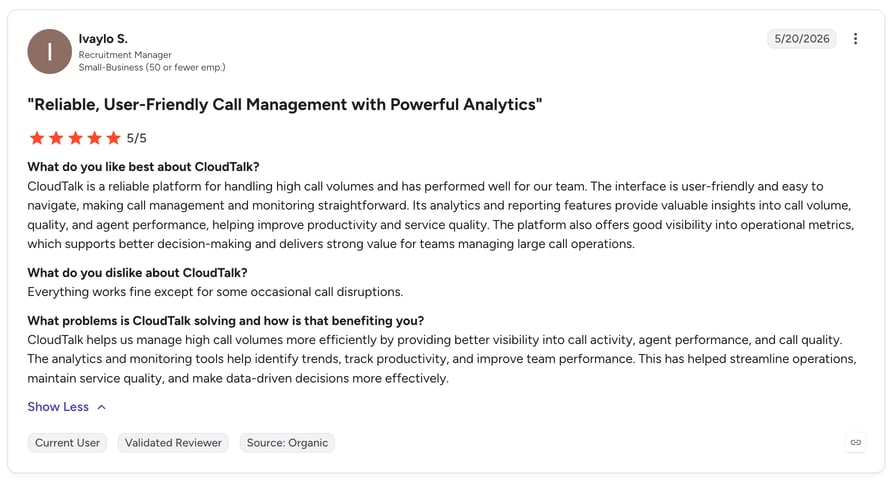

Connect Your Contact Center to HubSpot and Salesforce in 1 Click

2. Five9 - Best for AI-Driven Inbound and Outbound CCaaS at Scale
What Is Five9?
Five9 is a cloud CCaaS provider offering an AI-driven system for inbound, outbound, and blended contact centers. It’s a well-established choice for mid-market and enterprise teams that need advanced routing, predictive dialing, and workforce tools in one platform.
What Are Five9’s Key Features?
- AI-powered automation with intelligent virtual agents and predictive dialing
- Omnichannel engagement across voice, chat, email, and SMS
- Skill-based intelligent call routing
- Real-time and historical analytics dashboards
- CRM integrations with Salesforce, Microsoft Dynamics, and Zendesk
What Are Five9’s Pros and Cons?
Pros & Cons: Five9
| Pros | Cons |
|---|---|
| Extensive AI and automation capabilities | Initial setup can be time-consuming |
| Strong CRM integration ecosystem | Pricing sits at the higher end for mid-market |
| Scalable cloud architecture with omnichannel | Depth can be more than smaller teams need |
Who Is Five9 Best For?
Mid-market to enterprise contact centers that run high inbound and outbound volume and want AI automation and predictive dialing in a single CCaaS platform.
How Much Does Five9 Cost?
Pricing: From $119/user/month (varies by tier and contract).
What Is Five9’s G2 Rating and Review Count?
G2 rating: 4.1/5 | Total reviews: 610
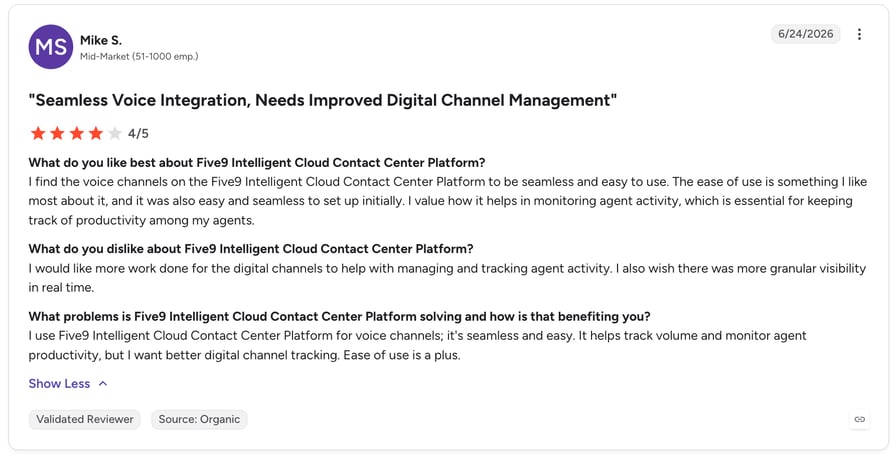
Five9 vs. CloudTalk
Five9 is a heavyweight built for large, complex operations, which is exactly why leaner mid-market teams often find it heavier and pricier than they need. In this contact center software comparison for mid-market, CloudTalk delivers the AI, routing, and CRM depth most 50–500 agent teams actually use, with faster setup and transparent pricing.
Five9 vs. CloudTalk
| Five9 | CloudTalk | |
|---|---|---|
| Starting price | From $119/user/mo | From $25/user/mo |
| Time to deploy | Weeks, often with services | Hours to days |
| Best-fit team size | Large enterprise | Mid-market (50–500) |
| AI call summaries | Yes (higher tiers) | Yes |
| Pricing transparency | Largely quote-based | Public per-seat |
Recommended Reads
3. Genesys Cloud CX - Best for Advanced Omnichannel Journeys and Workforce Engagement
What Is Genesys Cloud CX?
Genesys Cloud CX is a comprehensive omnichannel CCaaS platform known for advanced customer-journey orchestration and workforce engagement management. It suits teams that need sophisticated routing and analytics across many channels.
What Are Genesys Cloud CX’s Key Features?
- Omnichannel routing across voice, chat, email, and social
- AI-powered predictive engagement and bots
- Workforce engagement management (forecasting, scheduling, QA)
- Journey analytics and reporting
- Broad CRM and app integrations via AppFoundry
What Are Genesys Cloud CX’s Pros and Cons?
Pros & Cons: Genesys Cloud CX
| Pros | Cons |
|---|---|
| Powerful omnichannel and journey orchestration | Steeper learning curve and admin overhead |
| Strong workforce engagement tools | Can be costly once add-ons are included |
| Highly scalable and configurable | More platform than many mid-market teams need |
Who Is Genesys Cloud CX Best For?
Upper-mid-market and enterprise teams that need advanced omnichannel journeys, workforce engagement, and deep configurability, and have the resources to manage a more complex platform.
How Much Does Genesys Cloud CX Cost?
Pricing: From around $75/user/month, with usage-based and named-user options.
What Is Genesys Cloud CX’s G2 Rating and Review Count?
G2 rating: 4.4/5 | Total reviews: 1538
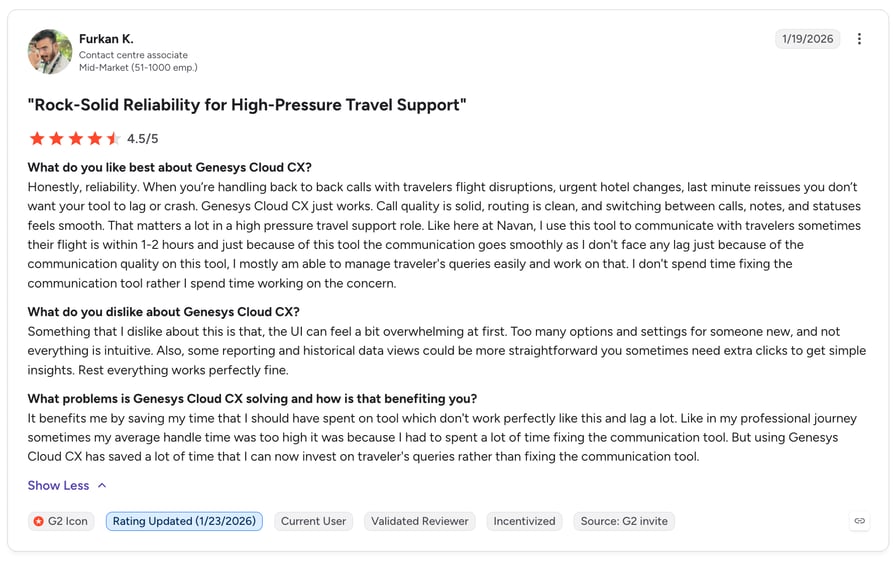
Genesys Cloud CX vs. CloudTalk
Genesys is a top-rated contact center platform for large, complex CX operations, but that power comes with complexity and cost. For mid-market teams that want strong routing, AI, and analytics without a heavy admin burden, CloudTalk is the leaner, faster-to-value option.
Genesys Cloud CX vs. CloudTalk
| Genesys Cloud CX | CloudTalk | |
|---|---|---|
| Starting price | From ~$75/user/mo | From $25/user/mo |
| Complexity | High (enterprise-grade) | Low to moderate |
| Best-fit team size | Upper-mid to enterprise | Mid-market (50–500) |
| Time to value | Weeks to months | Hours to days |
| Admin overhead | Significant | Minimal |
4. Talkdesk - Best for Industry-Specific CX and AI Self-Service
What Is Talkdesk?
Talkdesk is a cloud contact center platform with a strong focus on AI self-service and industry-specific CX solutions (for example, in financial services, healthcare, and retail). It targets mid-market and enterprise support teams.
What Are Talkdesk’s Key Features?
- AI self-service (virtual agents and knowledge automation)
- Omnichannel routing and workforce engagement
- Industry-specific CX workflows and templates
- Real-time dashboards and quality management
- Prebuilt CRM and helpdesk integrations
What Are Talkdesk’s Pros and Cons?
Pros & Cons: Talkdesk
| Pros | Cons |
|---|---|
| Strong AI self-service and automation | Advanced features concentrated in higher tiers |
| Industry-specific CX solutions | Contract terms can be rigid |
| Modern, intuitive interface | Costs climb with add-ons |
Who Is Talkdesk Best For?
Mid-market and enterprise support teams that want AI-driven self-service and industry-tailored CX workflows out of the box.
How Much Does Talkdesk Cost?
Pricing: Talkdesk does not publish a starting price on its official site; pricing is quote-based (contact sales).
What Is Talkdesk’s G2 Rating and Review Count?
G2 rating: 4.4/5 | Total reviews: 2502
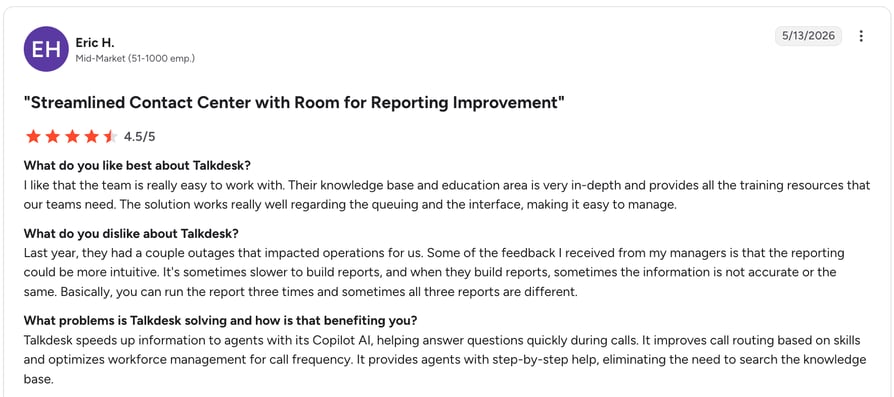
Talkdesk vs. CloudTalk
Talkdesk shines for support-heavy orgs that want packaged AI self-service and vertical CX templates. CloudTalk is the better fit for mid-market teams that blend sales and support, want strong outbound dialers, and prefer transparent pricing with quick deployment.
Talkdesk vs. CloudTalk
| Talkdesk | CloudTalk | |
|---|---|---|
| Starting price | Per request (quote-based) | From $25/user/mo |
| Primary strength | AI self-service, vertical CX | Sales + support, dialers, CRM |
| Outbound dialers | Limited focus | Power, preview, parallel |
| Best-fit team size | Mid-market to enterprise | Mid-market (50–500) |
| Pricing transparency | Largely quote-based | Public per-seat |
Recommended Reads
5. NICE CXone - Best for Enterprise-Grade Workforce Optimization
What Is NICE CXone?
NICE CXone is an enterprise-grade CCaaS platform known for deep workforce optimization, analytics, and omnichannel routing. It’s a common shortlist entry for large support operations and upper-mid-market teams.
What Are NICE CXone’s Key Features?
- Omnichannel routing across voice and digital channels
- Advanced workforce management and optimization (WFM/WFO)
- AI and analytics for quality management and coaching
- Interaction analytics and reporting at scale
- Broad integration ecosystem
What Are NICE CXone’s Pros and Cons?
Pros & Cons: NICE CXone
| Pros | Cons |
|---|---|
| Best-in-class workforce optimization | Complex to configure and administer |
| Deep analytics and QA tooling | Enterprise pricing and contracts |
| Highly scalable for large operations | Overkill for smaller mid-market teams |
Who Is NICE CXone Best For?
Large support operations and upper-mid-market teams that need serious workforce optimization and analytics, and have the resources to run an enterprise platform.
How Much Does NICE CXone Cost?
Pricing: NICE does not list a fixed public starting price on its official site; CXone pricing is quote-based (contact sales).
What Is NICE CXone’s G2 Rating and Review Count?
G2 rating: 4.3/5 | Total reviews: 1730
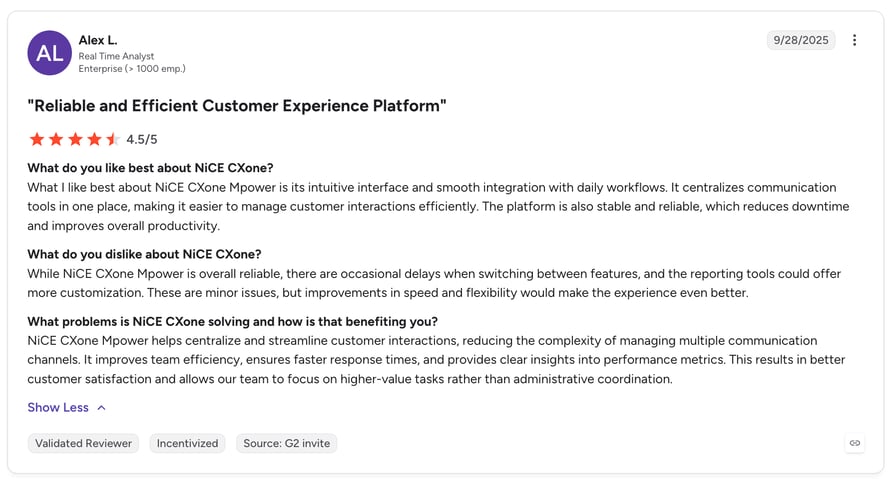
NICE CXone vs. CloudTalk
NICE CXone is built for large, WFO-heavy contact centers. Mid-market teams rarely need that depth and often struggle with the setup and cost. CloudTalk gives you the routing, AI, and reporting that matter at 50–500 agents, with far less overhead.
NICE CXone vs. CloudTalk
| NICE CXone | CloudTalk | |
|---|---|---|
| Starting price | Per request (quote-based) | From $25/user/mo |
| Primary strength | Workforce optimization | Sales + support, AI, CRM |
| Complexity | High | Low to moderate |
| Best-fit team size | Enterprise / upper-mid | Mid-market (50–500) |
| Time to value | Weeks to months | Hours to days |
6. 8x8 - Best for Unified Communications Plus Contact Center With Global Compliance
What Is 8x8?
8x8 combines unified communications and contact center in one platform, integrating voice, video, chat, and CCaaS with strong global coverage and compliance credentials.
What Are 8x8’s Key Features?
- Combined UCaaS + CCaaS in a single platform
- Global reach with numbers in 50+ countries
- Quality management and call monitoring
- Security and compliance (HIPAA, PCI)
What Are 8x8’s Pros and Cons?
Pros & Cons: 8x8
| Pros | Cons |
|---|---|
| UCaaS and CCaaS in one platform | Interface can feel cluttered |
| Strong global compliance and security | Support response times can vary |
| Good cross-device performance | Pricing often requires a quote |
Who Is 8x8 Best For?
Mid-market teams that want unified communications and contact center in one vendor, with strong compliance for regulated industries.
How Much Does 8x8 Cost?
Pricing: Per request (8x8 no longer lists standard public contact center pricing).
What Is 8x8’s G2 Rating and Review Count?
G2 rating: 4.2/5 | Total reviews: 905
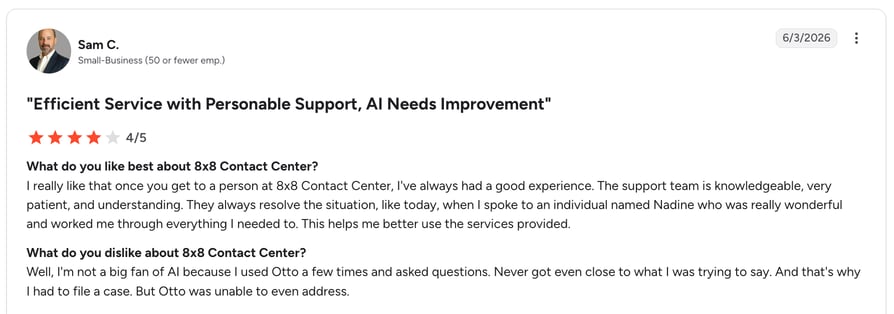
8x8 vs. CloudTalk
8x8 is a fit if you want voice, video, and contact center from one vendor. If your priority is a focused, sales-and-support contact center with deep CRM sync and transparent pricing, CloudTalk is the more streamlined mid-market choice.
8x8 vs. CloudTalk
| 8x8 | CloudTalk | |
|---|---|---|
| Starting price | Per request | From $25/user/mo |
| Scope | UCaaS + CCaaS suite | Focused contact center |
| CRM depth | Good | Deep, two-way |
| Pricing transparency | Quote-based | Public per-seat |
| Best-fit team size | Mid-market to enterprise | Mid-market (50–500) |
7. Aircall - Best for Lightweight, Quick-to-Deploy Support Telephony
What Is Aircall?
Aircall is a cloud-based customer communication platform for sales and support teams, known for quick deployment and a large app marketplace. It’s a popular lightweight option for smaller mid-market teams.
What Are Aircall’s Key Features?
- Virtual numbers in 100+ countries
- Call routing and IVR via Smartflows
- Call queuing and callback for higher volumes
- Call recording and coaching tools
- 250+ app and CRM integrations
What Are Aircall’s Pros and Cons?
Pros & Cons: Aircall
| Pros | Cons |
|---|---|
| Fast to set up and easy to use | Occasional connection issues reported |
| Large integration marketplace | Three-user minimum and per-license cost adds up |
| Solid routing and queuing | Lighter on advanced CCaaS and AI depth |
Who Is Aircall Best For?
Smaller mid-market sales and support teams that want a quick-to-deploy phone system with a broad app marketplace, and don’t yet need heavy CCaaS or AI features.
How Much Does Aircall Cost?
Pricing: From $30/license/month (three-license minimum).
What Is Aircall’s G2 Rating and Review Count?
G2 rating: 4.4/5 | Total reviews: 1574
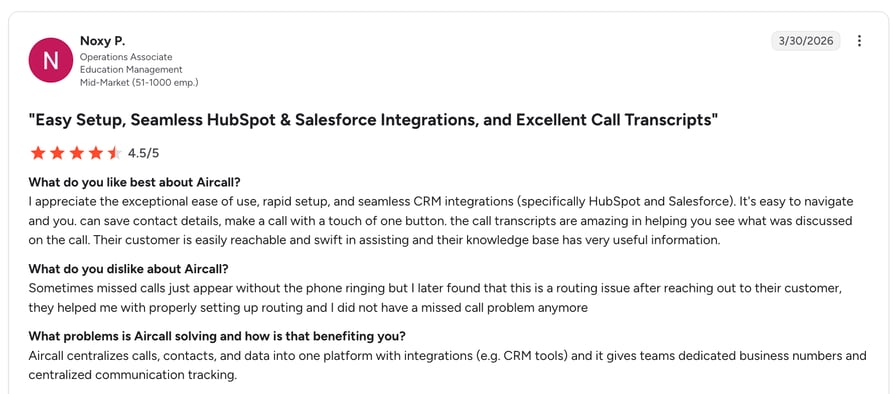
Aircall vs. CloudTalk
Aircall and CloudTalk are frequent head-to-head picks for mid-market teams. Aircall is simple and marketplace-driven; CloudTalk offers deeper dialers, AI conversation intelligence, and more complete analytics as you scale, often at a lower effective per-seat cost.
Aircall vs. CloudTalk
| Aircall | CloudTalk | |
|---|---|---|
| Starting price | From $30/license/mo | From $25/user/mo |
| AI conversation intelligence | Add-on / limited | Built in (higher tiers) |
| Dialers | Basic | Power, preview, parallel |
| Analytics depth | Moderate | Advanced |
| Best-fit team size | Small to mid-market | Mid-market (50–500) |
Recommended Reads
8. Dialpad - Best for Real-Time AI Transcription and Coaching
What Is Dialpad?
Dialpad is an AI-first communications platform whose contact center product is known for real-time transcription and live agent assistance powered by its built-in AI.
What Are Dialpad’s Key Features?
- Real-time AI transcription and live call summaries
- AI agent assist and coaching during calls
- Omnichannel contact center (voice and digital)
- Built-in UCaaS (voice, video, messaging)
- CRM integrations with major platforms
What Are Dialpad’s Pros and Cons?
Pros & Cons: Dialpad
| Pros | Cons |
|---|---|
| Strong real-time AI transcription | Transcription accuracy varies by accent/audio |
| Built-in UCaaS and contact center | Advanced CCaaS features need higher tiers |
| Clean, modern interface | International coverage narrower than some rivals |
Who Is Dialpad Best For?
Mid-market teams that want AI transcription and live coaching front and center, and value having UCaaS and contact center in one AI-driven platform.
How Much Does Dialpad Cost?
Pricing: From $80/user/month for Dialpad Support (its contact center product); the $15/user/month entry point is for Dialpad Connect, the separate business-phone product.
What Is Dialpad’s G2 Rating and Review Count?
G2 rating: 4.4/5 | Total reviews: 4149
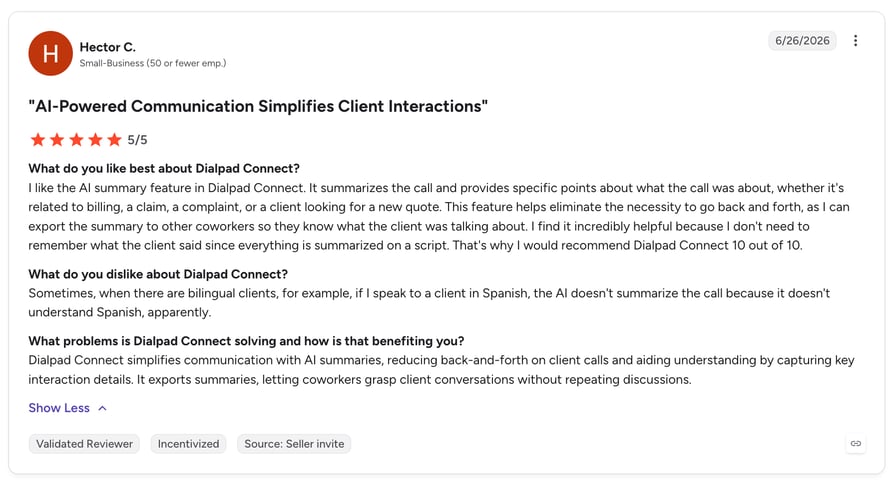
Dialpad vs. CloudTalk
Dialpad leads with real-time AI transcription inside a broader UCaaS suite. CloudTalk is more focused on the contact center itself, offering stronger outbound dialers, deeper CRM workflows, and wider international coverage for mid-market sales and support.
Dialpad vs. CloudTalk
| Dialpad | CloudTalk | |
|---|---|---|
| Starting price | From $80/user/mo (Support) | From $25/user/mo |
| Primary strength | Real-time AI transcription | Contact center + dialers + CRM |
| Outbound dialers | Basic | Power, preview, parallel |
| International coverage | Narrower | 160+ countries |
| Best-fit team size | SMB to mid-market | Mid-market (50–500) |
Recommended Reads
9. Webex Contact Center - Best for Teams Inside the Cisco/Webex Ecosystem
What Is Webex Contact Center?
Webex Contact Center is Cisco’s cloud CCaaS offering, tightly integrated with the broader Webex collaboration suite. It’s a natural fit for organizations already standardized on Cisco or Webex.
What Are Webex Contact Center’s Key Features?
- Omnichannel routing across voice and digital channels
- AI-powered self-service and agent assist
- Workforce optimization tools
- Tight integration with Webex collaboration
- Enterprise-grade security and reliability
What Are Webex Contact Center’s Pros and Cons?
Pros & Cons: Webex Contact Center
| Pros | Cons |
|---|---|
| Seamless fit with Cisco/Webex stack | Most valuable only inside the Cisco ecosystem |
| Enterprise reliability and security | Setup and admin can be complex |
| Solid omnichannel and WFO features | Pricing typically quote-based |
Who Is Webex Contact Center Best For?
Mid-market and enterprise teams already invested in Cisco or Webex that want their contact center inside the same ecosystem.
How Much Does Webex Contact Center Cost?
Pricing: Per request (quoted by tier and volume).
What Is Webex Contact Center’s G2 Rating and Review Count?
G2 rating: 4.4/5 | Total reviews: 163
Webex Contact Center vs. CloudTalk
Webex Contact Center makes sense when you’re already a Cisco shop. For teams that aren’t, CloudTalk delivers a more focused, faster-to-deploy contact center with transparent pricing and deep CRM integration, without committing to a broader ecosystem.
Webex Contact Center vs. CloudTalk
| Webex Contact Center | CloudTalk | |
|---|---|---|
| Starting price | Per request | From $25/user/mo |
| Best fit | Cisco/Webex customers | CRM-centric sales + support |
| Complexity | High | Low to moderate |
| Pricing transparency | Quote-based | Public per-seat |
| Best-fit team size | Mid-market to enterprise | Mid-market (50–500) |
10. Twilio Flex - Best for Developer-First Teams Building a Custom Contact Center
What Is Twilio Flex?
Twilio Flex is a programmable contact center platform that lets developer-first teams build a fully custom CX operation on Twilio’s communications APIs. It trades out-of-the-box simplicity for near-limitless flexibility.
What Are Twilio Flex’s Key Features?
- Fully programmable, API-driven contact center
- Omnichannel via Twilio’s messaging and voice APIs
- Custom routing and workflow logic
- Deep integration potential with any system
- Usage-based, pay-as-you-go pricing
What Are Twilio Flex’s Pros and Cons?
Pros & Cons: Twilio Flex
| Pros | Cons |
|---|---|
| Near-limitless customization | Requires developers to build and maintain |
| Pay-as-you-go, scalable pricing | Longer time to value than turnkey tools |
| Integrates with virtually any system | Total cost hard to predict at scale |
Who Is Twilio Flex Best For?
Developer-led mid-market and enterprise teams that want to build a bespoke contact center and have the engineering resources to maintain it.
How Much Does Twilio Flex Cost?
Pricing: Consumption-based: $1 per active user hour or $150 per named user/month (official Twilio Flex pricing); a user + usage model with a $35 monthly-active-user fee is also available.
What Is Twilio Flex’s G2 Rating and Review Count?
G2 rating: 4.1/5 | Total reviews: 36
Twilio Flex vs. CloudTalk
Twilio Flex is the right call if you want to build everything yourself. Most mid-market teams don’t; they want a contact center that works on day one. CloudTalk delivers turnkey routing, AI, and CRM integration without an engineering project attached.
Twilio Flex vs. CloudTalk
| Twilio Flex | CloudTalk | |
|---|---|---|
| Starting price | $1/active user hr or $150/user/mo | From $25/user/mo |
| Deployment model | Build-your-own (dev required) | Turnkey |
| Time to value | Weeks to months | Hours to days |
| Maintenance | Ongoing engineering | Vendor-managed |
| Best-fit team | Developer-led | Sales + support ops |
Recommended Reads
Ready to See Why Mid-Market Teams Choose CloudTalk?
How to Choose the Right Contact Center Software for Your Mid-Sized Team
Contact center platforms vary widely in scope, price, and complexity. Before committing, work through the factors that matter most for a mid-market operation.
1. Match the Platform to Your Channels and Volume
Start with how your customers actually reach you and how much volume you handle. A voice-heavy sales team has different needs than an omnichannel support desk. Understanding the different types of call centers helps you shortlist platforms built for your model rather than paying for channels you won’t use.
2. Prioritize AI and Automation That Cuts Manual Work
The biggest efficiency gains at mid-market scale come from automation: transcription, call summaries, sentiment analysis, and auto-logging to your CRM. A practical grounding in call center automation will help you separate genuinely useful AI from marketing gloss.
3. Check CRM and Helpdesk Integration Depth
“Integration available” isn’t enough. Look for native, two-way sync that logs calls, recordings, and summaries automatically. The g2 best call center software crm integration reviews consistently praise keeps your pipeline and tickets accurate without manual entry, which is where mid-market teams lose the most time.
4. Evaluate Routing and Dialing at Scale
Inbound-heavy teams need skill-based routing and queue management; outbound teams need efficient dialers. If outbound is central to your model, compare the best dialers for call centers before deciding. The g2 best contact center software call routing 2025 buyers favor should scale cleanly as you add teams and regions.
5. Plan Around Scalability and a Clear Strategy
Choose a system that fits both today’s workload and next year’s growth; international numbers, multi-team support, and flexible tiers. Aligning your tooling with solid contact center strategies ensures the platform supports your operating model rather than constraining it. Some teams also weigh in-house scaling against contact center outsourcing at this stage.
6. Consider Total Cost, Not Just the Sticker Price
The headline per-seat price is only the start. Factor in add-ons, international numbers, AI tiers, and implementation. Transparent, per-seat pricing (like CloudTalk’s) is far easier to forecast than quote-based enterprise contracts, which matters when your team is growing month over month.
Not Sure Which Setup Fits Your Team?
Why G2 Ratings Actually Matter When Choosing Contact Center Software
With so many platforms making similar claims, verified peer reviews are one of the most reliable signals a buyer has. Here’s why G2 ratings carry real weight for a G2 mid-market contact center leader shortlist.
- Reviews come from verified real users, not sponsored content; G2 requires a business email or LinkedIn and manually vets each review.
- Scores reflect real mid-market experience at scale, so you can filter for how a tool performs specifically for teams your size.
- Ratings weigh ease of use, support, and ROI alongside raw features, capturing what day-to-day usage is actually like.
- Badges like "Leader" and "High Performer" are earned through consistent peer feedback each quarter, not bought.
For more on how peer reviews shape these rankings, see our roundup of the best phone systems based on G2 reviews and ratings.
Conclusion: Choosing Your Mid-Market Contact Center Software
The best contact center software for your team depends on your channels, volume, and growth stage, but the pattern across these top-rated contact center platforms is clear. Enterprise suites like Genesys, NICE CXone, and Webex deliver depth for large, complex operations. Developer-first Twilio Flex offers maximum flexibility. Five9 and Talkdesk bring strong AI to bigger support teams, while Aircall and Dialpad suit lighter or AI-transcription-focused needs.
For most mid-market teams that want the right balance of AI, CRM depth, omnichannel routing, and transparent pricing, without an enterprise rollout, CloudTalk is the strongest overall pick, and a consistent G2 mid-market leader. Whichever you choose, let verified G2 ratings, not marketing claims, guide the final decision.
Build a High-Performing Contact Center With CloudTalk
FAQs: Best Contact Center Software for Mid-Market Teams
Based on verified G2 reviews, CloudTalk is the best overall contact center software for mid-market teams, thanks to its balance of AI call intelligence, deep CRM integration, omnichannel routing, and transparent pricing. It consistently earns G2 recognition in the Mid-Market segment and stands out in most contact center comparisons. Five9, Genesys Cloud CX, and Talkdesk are strong alternatives for larger or more complex operations.
G2 ratings are highly reliable because every review comes from a verified user (validated via business email or LinkedIn) and is manually vetted, with no pay-to-play placement. Scores reflect ease of use, support quality, and ROI, not just features, and update quarterly. You can filter specifically for Mid-Market reviewers to see how a tool performs for teams your size. That verified feedback is what separates a genuine CCaaS platform worth shortlisting from the marketing noise.
Call center software handles voice calls (inbound, outbound, or both), while contact center software adds digital channels such as chat, email, SMS, and social alongside voice. Most modern platforms are omnichannel contact center vs. call center solutions, but the right fit depends on whether your team truly needs multichannel support or primarily runs on voice.
Pricing ranges widely. Focused platforms like CloudTalk start around $25/user/month with transparent, publicly listed tiers, while enterprise CCaaS suites such as Genesys Cloud CX (from $75/user/month) and Five9 (from $119/user/month) publish higher entry rates, and others like NICE CXone, Talkdesk, and Webex Contact Center are quote-based on their official sites. When budgeting, include add-ons, international numbers, AI tiers, and implementation. Our guide to how much call center software costs can help outbound-heavy teams estimate real totals.
Mid-market contact center software generally supports teams of roughly 50 to 500 agents, though most leading platforms scale well below and above that range. The key is choosing a system that handles your current volume and can grow with you; understanding what a contact center is and why you need one matters far more than raw seat count.