TL;DR:
We reviewed 27 leading business phone systems and narrowed them down to the best options for scaling teams based on AI automation, CRM integration depth, global coverage, and real user feedback from G2.
If you’re here for quick answers, here’s a summary of our top 10 recommendations:
- 01CloudTalk - Best for Growing SMB Sales & Support Teams Needing Advanced AI and CRM Sync
- 02LiveAgent - Best for Helpdesks Needing Calls Inside a Ticketing System
- 03Aircall - Best for Sales and Support Teams Needing Remote-Friendly Telephony
- 04GoTo Connect - Best for Businesses Needing VoIP and Meetings in One Platform
- 058x8 - Best for Teams Needing Unified Communication and Global Compliance
- 06Vonage - Best for Businesses Needing Flexible UCaaS with Add-Ons
- 07Five9 - Best for Contact Centers Needing AI-Driven CCaaS
- 083CX - Best for Teams Needing Flexible PBX Hosting (Cloud or On-Premise)
- 09Twilio - Best for Developer-First Teams Building Custom Communication Solutions
- 10Ringover - Best for Teams Needing VoIP, Omnichannel Messaging, and Analytics
We’ve reviewed even more dialers and niche solutions; read on for the full list, feature comparisons, and our expert buying advice.
If your business still relies on traditional desk phones or basic VoIP, you aren't just losing time, you're losing revenue.
In 2026, a "phone" is no longer just a communication device; it is a revenue engine. High-performance teams have transitioned to AI-powered systems that transcribe calls in real-time, automate CRM logging, and proactively coach agents to close more deals.
Stop Paying for Desk Phones That Don't Drive Revenue
How We Chose the Best Business Phone Systems
To ensure this list reflects real-world performance, not just marketing claims; we evaluated each platform using five core criteria.
1. G2 Ratings & Verified Reviews
We prioritized tools with strong G2 ratings (4.0+) and consistent feedback from (2,500+) verified users in sales, support, and operations teams.
2. AI & Automation Capabilities
In 2026, AI isn’t optional. We assessed:
- Real-time transcription accuracy
- Call summaries & sentiment analysis
- Predictive dialers
- AI coaching & automation
3. CRM & Helpdesk Integration Depth
We looked beyond “integration available” and evaluated:
- Native vs. API-based integrations
- Two-way sync reliability
- Workflow automation capability
4. Scalability & Global Coverage
Growing teams need:
- International numbers
- Flexible pricing tiers
- Call routing at scale
- Multi-team support
5. Real-World Use Case Fit
We matched each solution to its strongest use case; SMB sales, BPO, helpdesk, startup, enterprise CCaaS, or micro-business.
Why Trust Our Software Reviews?
For nearly a decade, we’ve helped over 30,000 professionals choose and implement better communication tools. We’ve reviewed 200+ products, analyzed 5,500+ verified reviews from more than 2,500 verified users G2 and Capterra, and drawn insights from real user discussions on platforms like Reddit or Quora.
In the past year alone, we’ve published 1,000+ articles, all written and reviewed by humans, for humans, to provide reliable, data-backed insights you can trust.
Learn how we keep our content integrity and our software review methodology.
G2 Best Business Phone Systems for2026 : The Top 27 Solutions for Scaling Teams
Choosing the right business phone system in 2026 is more important than ever. As teams scale and customer expectations rise, every missed call, manual CRM update, or disconnected tool costs time; and revenue.
Before we dive into the detailed reviews, here’s a side-by-side comparison of the best business phone systems, so you can quickly see which solutions match your team’s needs, budget, and growth goals.
Integration Summary Table
| Platform | Best for | Starting Price (annual billing) | Total reviews | G2 Rating |
|---|---|---|---|---|
| CloudTalk | Growing SMB sales & support teams needing advanced AI and CRM sync | From $25/user/month | 1936 | 4.4/5 |
| LiveAgent | Helpdesks needing calls inside a ticketing system | From $15/user/month | 1537 | 4.5/5 |
| Aircall | Sales and support teams needing remote-friendly telephony | From $30/license/month | 1570 | 4.4/5 |
| GoTo Connect | Businesses needing VoIP + meetings in one platform | Per request | 1394 | 4.4/5 |
| 8x8 | Teams needing unified communication + global compliance | Starts at $24/month | 836 | 4.2/5 |
| Vonage | Businesses needing flexible UCaaS with add-ons and App Center | From $17.99/user/month | 499 | 4.3/5 |
| Five9 | Contact centers needing AI-driven CCaaS for inbound and outbound | From $159/user/month | 625 | 4.1/5 |
| 3CX | Teams needing flexible PBX hosting (cloud or on-premise) | From $350/system/year | 547 | 4.4/5 |
| Twilio | Developer-first teams building custom communications via APIs | Pay as you go | 493 | 4.2/5 |
| Ringover | Teams needing VoIP calling, omnichannel messaging, and analytics | From $21/user/month | 498 | 4.6/5 |
1. CloudTalk
CloudTalk is a cloud-based VoIP phone system designed specifically for sales and customer service teams that need to manage high call volumes without increasing overhead. With 80+ advanced tools and 160+ international phone numbers, it allows teams to "go global" while maintaining a local presence.
Key Features:
- AI-Powered Conversation Intelligence (transcription, summary, sentiment analysis)
- Advanced Dialers (power, preview, and parallel dialing modes)
- Smart Call Routing & IVR (skill-based, preferred-agent, visual designer)
- Global Voice Coverage (local, mobile, and toll-free numbers in 160+ countries)
- Live Call Monitoring & Coaching (listen-in, whisper, barge)
- Call Recording & Transcripts
- Real-Time & Historical Analytics
Pros & Cons: CloudTalk
| Pros | Cons |
|---|---|
| Easy to use and intuitive interface | Advanced AI features require higher-tier plans |
| Reliable call quality and performance | Full setup and routing design may take initial planning time |
| Robust calling features and advanced dialers | |
| Seamless CRM and helpdesk integrations | |
| Comprehensive analytics and real-time monitoring |
CloudTalk has made it incredibly easy to manage and track all my sales and customer calls in one place. I love how seamlessly it integrates with CRMs like HubSpot and Apollo. I can log calls, notes, and follow-ups automatically without switching tabs. The call quality is reliable, and features like call recording and analytics make it easy to review performance and improve conversations. It’s definitely helped boost productivity in my daily outreach.

Connect Your Phone to HubSpot and Salesforce in 1 Click

2. LiveAgent
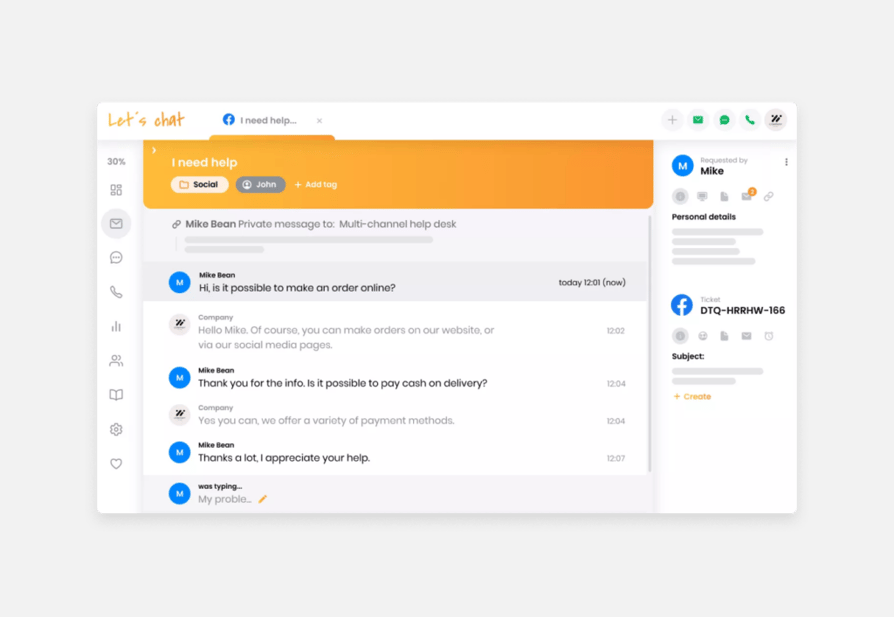
LiveAgent is a comprehensive, browser-based call center solution that allows businesses to manage, record, and route voice calls within a unified ticketing dashboard.
Key Features of LiveAgent:
- Universal Inbox: Centralizes emails, chats, calls, and social media.
- Live Chat: Offers real-time communication with proactive invitations.
- Built-in Call Center: Includes IVR, call routing, and call recording.
- AI Chatbot: Automates responses to common inquiries.
- Customer Portal & Knowledge Base: Provides self-service options.
Pros and Cons
Pros
- Omnichannel support consolidates all communication
- Advanced automation streamlines support tasks
- Built-in AI tools like chatbots improve response time
- Robust reporting and analytics
- Customer portal reduces ticket volumes
Cons
- Feature-rich interface may come with a learning curve
- Customization can be complex
Pricing: From $15/user/month
G2 Rating: 4.5/5
Total reviews: 1537
Recommended Reads
3. Aircall
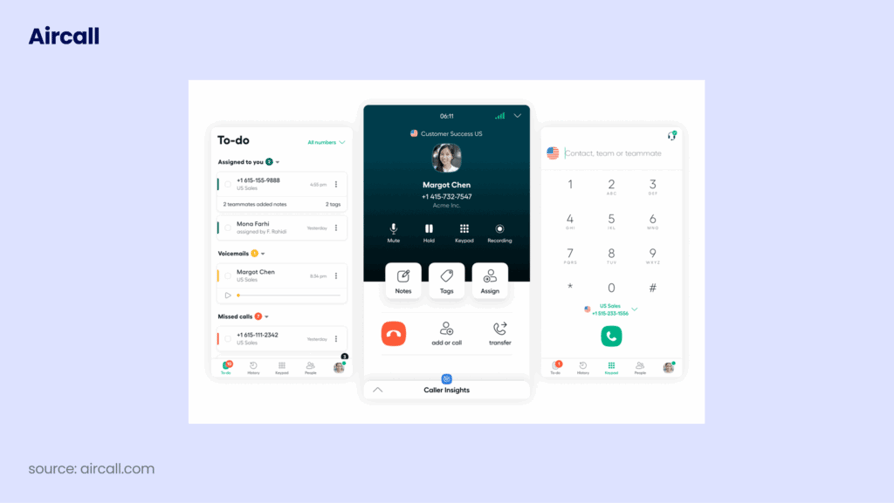
Aircall is a cloud-based customer communication platform designed for sales and support teams, enabling remote-friendly telephony.
Key Features of Aircall:
- Virtual business numbers in over 100 countries.
- Advanced call routing and IVR via Smartflows.
- Call queuing and queue callback for high volumes.
- Call recording and coaching tools for quality assurance.
- Shared inboxes and warm transfers for collaboration.
Pros and Cons
Pros
- Easy to use and set up
- Seamless integration with 250+ apps
- Reliable call recording
- Advanced routing and queuing
- Helpful analytics
Cons
- Occasional connection issues
- Minimum 3-user requirement
Pricing: From $30/license/month
G2 Rating: 4.4/5
Total reviews: 1570
4. GoTo Connect
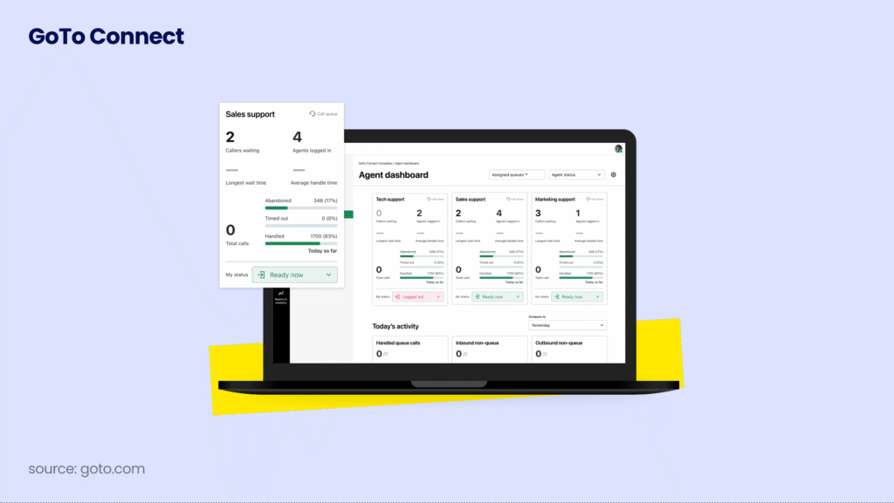
GoTo Connect provides professional VoIP and meeting software in one simple app, designed for businesses that need to collaborate remotely.
Key Features of GoTo Connect:
- Visual Dial Plan Editor for easy call routing setup.
- Integrated Video Conferencing for face-to-face meetings.
- Mobile and Desktop Apps for flexibility anywhere.
- Call Recording and custom wait music.
- Real-time Analytics for monitoring call performance.
Pros and Cons
Pros
- Combined phone and meeting software
- Excellent visual dial plan editor
- Reliable uptime and call quality
Cons
- Some users find the interface outdated
- Pricing can be high for large teams
Pricing: Per request
G2 rating: 4.4/5
Total reviews: 1394
Recommended Reads
5. 8x8
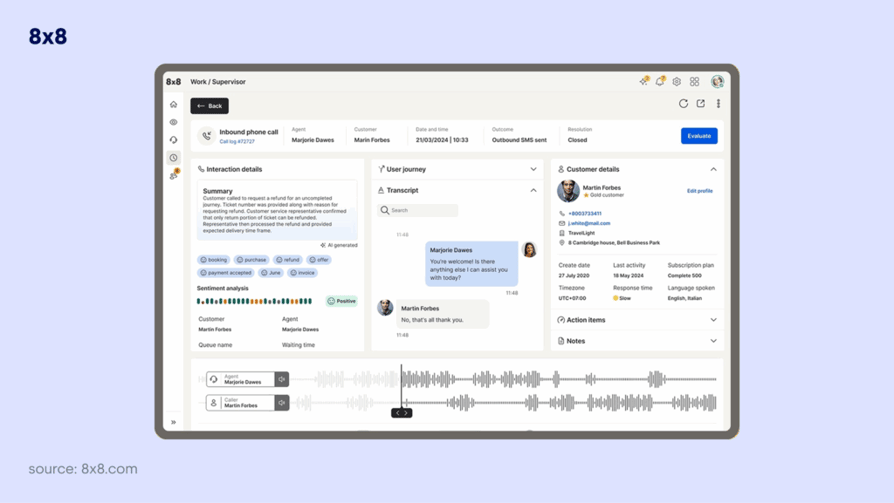
8x8 provides a unified communication platform that integrates voice, video, chat, and contact center solutions globally.
Key Features of 8x8:
- Global reach with numbers in over 50 countries.
- Unified messaging for team collaboration.
- Speech analytics for better customer insights.
- Quality management for call monitoring.
- Secure and compliant platform (HIPAA, PCI).
Pros and Cons
Pros
- High security and global compliance
- All-in-one unified platform
- Good cross-device performance
Cons
- Customer support response times vary
- Interface can be cluttered
Pricing: Starts at $24/month
G2 rating: 4.2/5
Total reviews: 836
6. Vonage
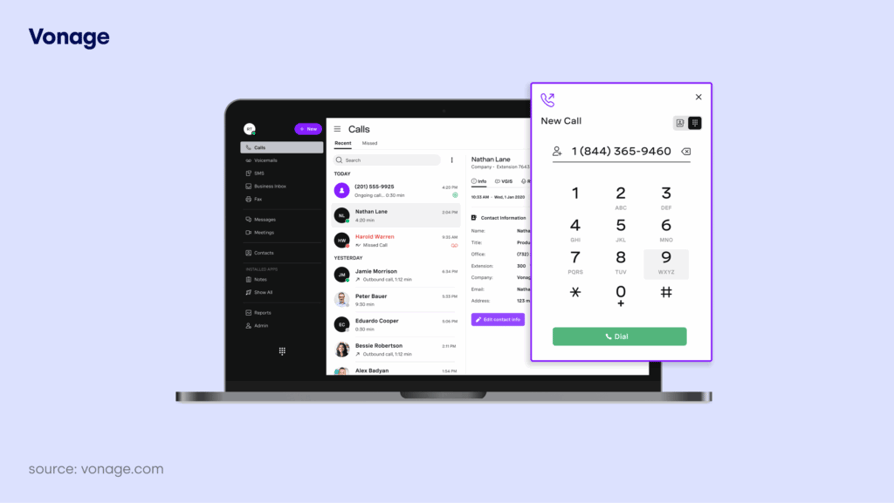
Vonage provides a flexible, unified communications platform that grows with your business, featuring a massive library of add-ons.
Key Features of Vonage:
- Vonage App Center with over 50 productivity tools.
- Smart Numbers for AI-powered call handling.
- Visual Voicemail to read your messages.
- Multi-level Auto Attendant.
- CRM integrations with top platforms.
Pros and Cons of Vonage:
Pros
- Highly customizable via the App Center
- Very reliable call quality
- Easy to scale as teams grow
Cons
- Many features are paid add-ons
- Mobile app can be resource-intensive
Pricing: From $17.99/user/month
G2 rating: 4.3/5
Total reviews: 499
7. Five9
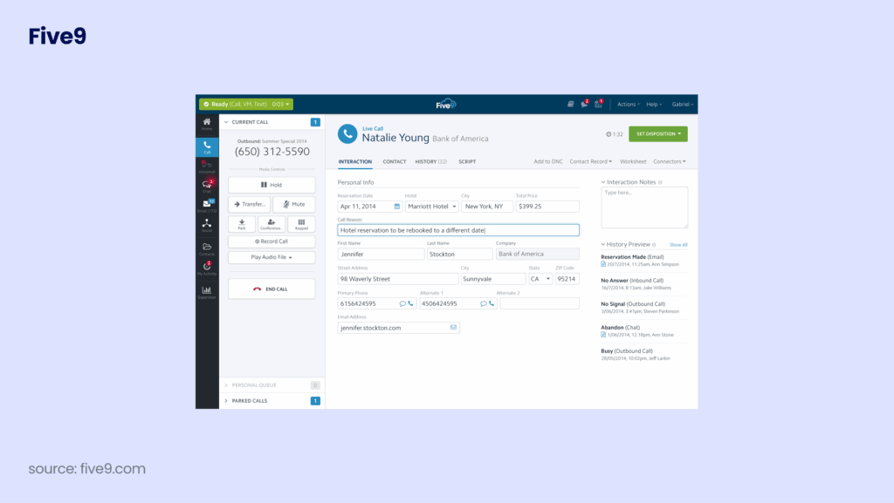
Five9 is a leading cloud-based CCaaS provider offering an AI-driven system for inbound, outbound, and blended call centers.
Key Features of Five9:
- AI-Powered Automation: Intelligent virtual agents and predictive dialing.
- Omnichannel Engagement: Seamless interactions across voice, chat, and SMS.
- Intelligent Call Routing based on skills and availability.
- Real-Time Analytics for data-driven decision making.
- CRM Integrations with Salesforce, Microsoft Dynamics, and Zendesk.
Pros and Cons of Five9:
Pros
- Extensive AI and automation features
- Strong CRM integration ecosystem
- Scalable cloud architecture
- Consistent omnichannel experience
- Real-time analytics tools
Cons
- Initial setup can be time-consuming
- Pricing may be higher than some competitors
Pricing: From $159/user/month
G2 rating: 4.1/5
Total reviews: 625
8. 3CX
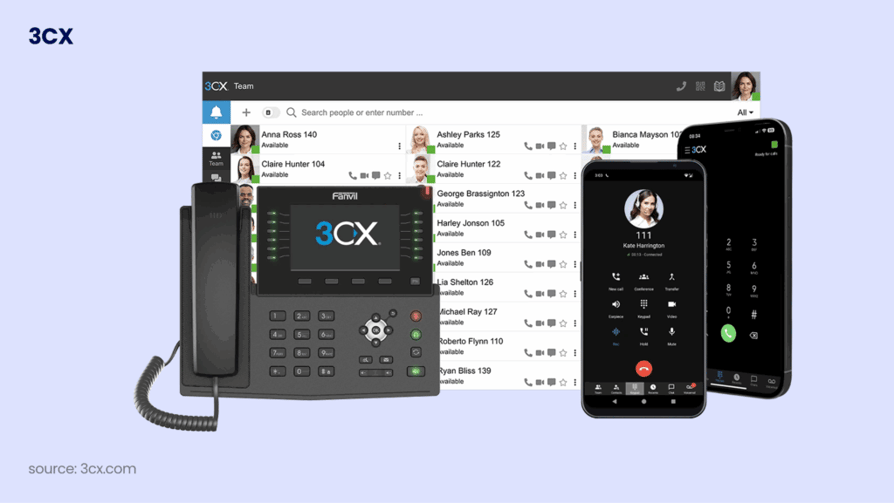
3CX is a software-based PBX that gives you complete control over your phone system, whether hosted in the cloud or on-premise.
Key Features of 3CX:
- Video conferencing for up to 250 participants.
- Live Chat integration for your website.
- WhatsApp integration to manage business messages.
- Microsoft 365 and CRM integrations.
- Call Queues and IVR for efficient management.
Pros and Cons
Pros
- Flexible hosting (cloud or on-premise)
- Cost-effective per-system pricing
- Deep customization options
Cons
- Requires technical knowledge for setup
- Support is often through partners
Pricing: From $350/system/year
G2 rating: 4.4/5
Total reviews: 547
Recommended Reads
9. Twilio

Twilio is a developer-first platform that allows businesses to build custom communication experiences using APIs.
Key Features of Twilio:
- Programmable Voice APIs for custom call flows.
- Flex Contact Center for highly tailorable support.
- SIP Trunking for global connectivity.
- Comprehensive SMS and WhatsApp messaging APIs.
- Detailed call logs and debugging tools.
Pros and Cons
Pros
- Infinite customization for specific needs
- Pay-as-you-go pricing model
- Highly scalable for massive enterprises
Cons
- Requires developers to build and maintain
Pricing: Pay as you go
G2 rating: 4.2/5
Total reviews: 493
10. Ringover
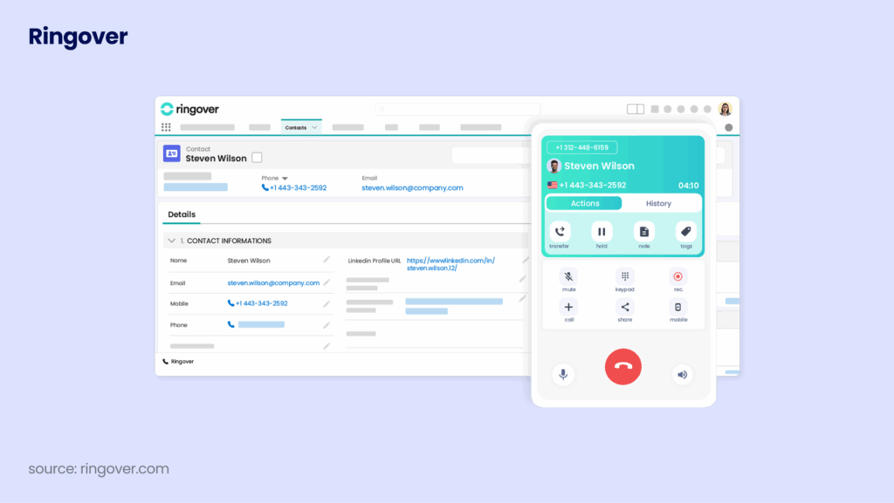
Ringover is a cloud-based communications solution providing VoIP calling, SMS, video conferencing, and advanced call management for businesses.
Key Features of Ringover:
- AI Assistant for meeting summaries and call analysis.
- Call monitoring, whisper, and coaching tools.
- Integrations with 100+ business apps (CRM, helpdesk).
- Omnichannel messaging inbox for multiple channels.
- AI-powered call transcription and conversation insights.
Pros and Cons
Pros
- Unified communication channels streamline workflows
- AI-powered features provide valuable insights
- Integrates with 100+ business applications
- Scalable for businesses of all sizes
- Real-time analytics
Cons
- Advanced features may require higher-tier plans
- Dependence on internet connectivity
Recommended Reads
11. CallHippo
CallHippo is a cloud-based VoIP and AI-powered business phone system enabling teams to set up virtual numbers and automated workflows in minutes.
Key Features of Callhippo:
- AI-powered system including Power and Predictive dialers.
- Omnichannel inbox for calls, SMS, WhatsApp, and social media.
- Global connect with virtual numbers in over 50 countries.
- Advanced call analytics and real-time performance reporting.
- CRM and helpdesk integrations with HubSpot and Salesforce.
Pros and Cons
Pros
- Comprehensive feature set including AI tools
- User-friendly interface with quick setup
- Competitive international calling rates
- Seamless CRM integrations
- Omnichannel support
Cons
- Lacks some advanced enterprise contact center features
- Call quality may vary on certain international routes
Pricing: From $19/user/month
G2 Rating: 4.4/5
Total reviews: 415
Recommended Reads
12. KrispCall
KrispCall is an AI-powered telephony platform offering virtual phone numbers in over 100 countries with a Unified Callbox for management.
Key Features of Krispcall:
- Unified Callbox: Centralizes calls, voicemails, and SMS.
- Global Virtual Numbers: Numbers in 100+ countries.
- AI-Powered Management: Intelligent routing and automated follow-ups.
- CRM Integrations: Connects with HubSpot and Pipedrive.
- Advanced Management: Offers multi-level IVR and call queueing.
Pros and Cons
Pros
- Unified Callbox improves efficiency
- Global numbers in 100+ countries
- Seamless CRM integrations
- Advanced call management tools
- Cross-platform access
Cons
- Advanced AI features not in Starter plan
- No built-in video conferencing
Krispcall Pricing: From $40/user/month
Krispcall G2 Rating: 4.5/5
Total reviews: 383
Recommended Reads
13. MightyCall

MightyCall is a cloud-based VoIP system focused on affordable, user-friendly communication for small to mid-sized businesses.
Key Features of Mightycall:
- Advanced Call Routing for effective distribution.
- Auto Dialers including predictive and preview dialers.
- Live Call Monitoring for agent coaching.
- Voicemail to Text transcription for easy follow-up.
- CRM Integrations with Salesforce and HubSpot.
Pros and Cons
Pros
- User-friendly interface and easy setup
- Comprehensive management and routing
- High-quality customer support
- Flexible plans for different sizes
- Strong CRM integrations
Cons
- Occasional call quality issues
- Reporting is less advanced than competitors
Pricing: From $20/license/month
G2 Rating: 4.4/5
Total reviews: 346
Recommended Reads
14. Dialaxy
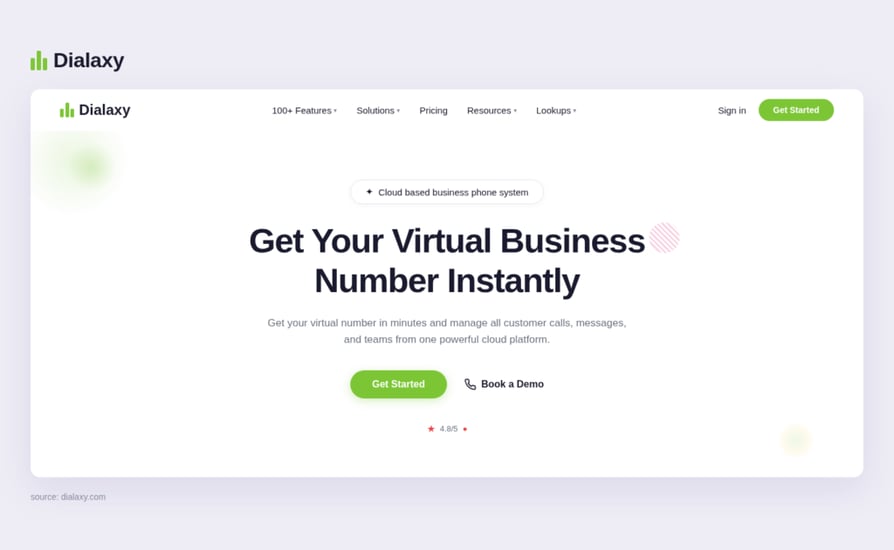
Dialaxy is a cloud-based business phone system designed for global communication, offering virtual local, toll-free, and mobile numbers in 100+ countries.
Key Features of Dialaxy:
- Interactive Voice Response (IVR) system for automated customer interactions.
- Desktop Agent for management of communications from your desktop.
- Customizable voicemail greetings to enhance caller experience.
- SMS and MMS capabilities for text and multimedia messaging.
- Team collaboration tools including shared inboxes and real-time messaging.
Pros and Cons
Pros
- Global coverage with numbers in 100+ countries
- Rapid setup - no hardware required
- Enterprise-grade security (SOC 2 & GDPR compliant)
- Real-time analytics for monitoring performance
- Integrates with 100+ CRM and support tools
Cons
- Potential learning curve for advanced telephony
- Dependence on reliable internet connectivity
Pricing: From $10/user/month
G2 Rating: 4.5/5
Total reviews: 255
15. Readymode
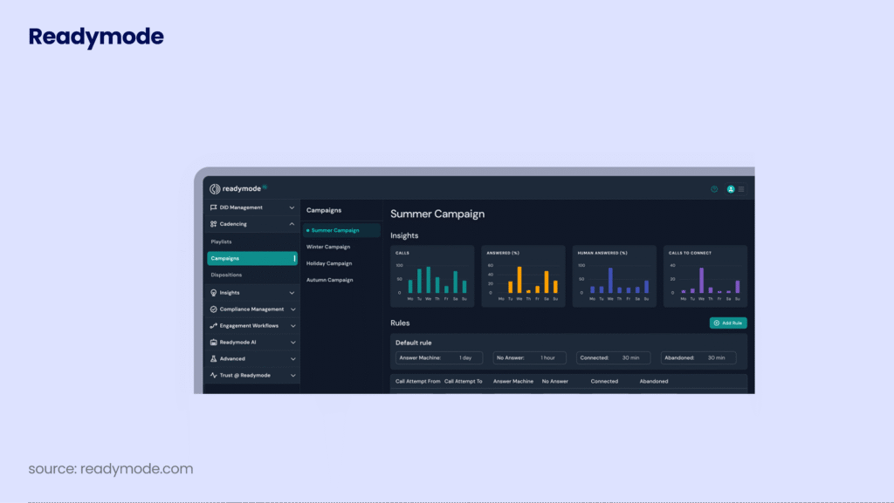
Readymode (formerly Xencall) is a cloud-based, all-in-one outbound calling platform and CRM designed for sales and lead generation teams.
Key Features of Readymode:
- Predictive Dialer - Automatically adjusts dialing speed to maximize contact rate.
- Built-in CRM - Manage leads and customers natively without extra integrations.
- Autopilot - Optimizes answer rates and reduces spam flags intelligently.
- Managed Remediation - Improves caller ID reputation with carriers.
- Real-time Reporting & Analytics - Monitor agent performance instantly.
Pros and Cons
Pros
- Integrated CRM eliminates need for extra software
- Advanced dialing modes increase call efficiency
- Real-time monitoring and analytics
- Built-in compliance features
- Tools for caller ID reputation
Cons
- Initial setup may require a learning curve
- Pricing information not publicly transparent
Pricing: $199/user/month
G2 Rating: 4.6/5
Total reviews: 160
16. Grasshopper
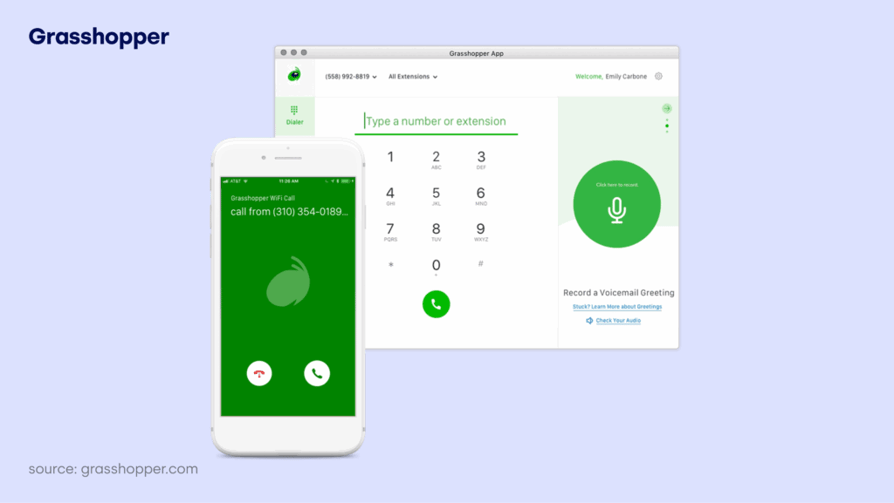
Grasshopper is a cloud-based virtual phone system designed for small businesses and entrepreneurs to manage calls using existing devices.
Key Features of Grasshopper:
- Virtual phone numbers (local, toll-free, vanity).
- Call forwarding to any device.
- Voicemail transcription delivered to email.
- Custom greetings for a professional experience.
- Business texting using your business number.
Pros and Cons
Pros
- Offers virtual phone numbers (local, toll-free, vanity)
- Easy call forwarding and custom greetings
- Voicemail transcription
- Simple business texting
- Intuitive mobile/desktop apps
Cons
- Customer service can be inconsistent
- Higher cost than some basic competitors
Pricing: From $14/user/month
G2 rating: 3.9/5
Total reviews: 155
Recommended Reads
17. Squaretalk
Squaretalk is a cloud-based contact center platform designed to enhance sales and customer support efficiency through AI-driven voice and messaging. It offers omnichannel communication and local numbers in over 150 destinations.
Key Features of Squaretalk:
- Advanced call management: Inbound/outbound calls, call routing, and call recording.
- CRM integration: Works seamlessly with Salesforce, Zoho, and more.
- Security & compliance: ISO 27001 certified for strong data protection.
- Multi-channel messaging: Support for SMS, WhatsApp, Messenger, Viber, and Telegram.
- Real-time analytics and reporting: Monitor KPIs and agent performance.
Pros and Cons
Pros
- Comprehensive call management features
- Seamless integration with leading CRMs
- Strong security (ISO 27001 certified)
- Multi-channel messaging support
- Real-time analytics & reporting tools
Cons
- Learning curve for new users
- Pricing info not readily available online
Pricing: $15/user/month
G2Rating: 4.8/5
Total reviews: 145
18. Call Center Studio
Call Center Studio is a public cloud-based contact center software known for its high scalability and Google AI integrations.
Key Features of Call Center Studio:
- Google Cloud AI for advanced sentiment analysis.
- Omnichannel routing (WhatsApp, Chat, Voice).
- Real-time dashboard and reporting.
- Predictive and Power dialer modes.
- Multi-tenant architecture for flexibility.
Pros and Cons
- High scalability via public cloud
- Cutting-edge AI tools
- Fast deployment
Cons
- Interface may require training
- Pricing is not transparent
Pricing: Contact sales for custom pricing
G2 Rating: 4.8/5
Total reviews: 91
19.ZIWO
ZIWO is a cloud-native, omnichannel CCaaS (Contact Center as a Service) platform designed to streamline customer communications via voice, WhatsApp, and SMS through a single interface. It provides local telecom connectivity in 145+ countries, specializes in the GCC/MENA region, and offers seamless integration with major CRMs.
Key Feature of Ziwo:
- Multichannel Communication - Manage voice calls and WhatsApp messages on a unified platform.
- CRM Integration - Instantly connect to over 15 major CRM platforms like Salesforce and Zoho.
- Real-Time Analytics - Live dashboards and reporting help monitor performance.
- Extensive API Library - Access 500+ APIs for advanced customization.
- Call Recording & Quality Monitoring - Automatically records calls for quality assurance.
Pros and Cons
Pros
- Easy to use and implement
- Strong customer support
- High call quality and reliable voice services
- Seamless integration with popular CRMs
- Multilingual interface (English, Arabic, French)
Cons
- Occasional technical or connection issues
- Pricing details may require direct consultation for full clarity
Pricing: $30/user/month
G2 Rating: 4.9/5
Total reviews: 79
Recommended Reads
Recommended articles
No articles added yet.
20. Voiso
Voiso is an AI-driven, cloud-based, omnichannel contact center software designed to enhance customer experience (CX) and boost sales team performance for businesses, with setup possible in under 24 hours.
Key Feature of Voiso:
- Omnichannel Communication: Unifies voice, SMS, web chat, and messaging apps into a single platform.
- AI Predictive Dialer: Boosts outbound call efficiency by connecting agents with live prospects faster.
- AI Speech Analytics: Transcribes, scores, and analyzes calls in real time with high accuracy.
- Flow Builder: No-code, drag-and-drop tool for easily creating smart call flows and IVRs.
- Real-Time Dashboards: Customizable dashboards to monitor over 60 KPIs.
Pros and Cons
Pros
- Comprehensive omnichannel support
- AI-powered Predictive Dialer improves agent call efficiency
- Real-time AI Speech Analytics across multiple languages
- No-code Flow Builder for easy call flow design
- Seamless CRM integrations
Cons
- Advanced AI features may have a learning curve
- Pricing may be higher than basic solutions
Pricing: $21/user/month, billed annually
Voiso G2 Rating: 4.8/5
Total reviews: 92
21. Talkroute
Talkroute is a cloud-based virtual phone system designed for small businesses and remote teams to manage calls, texts, and voicemails using existing mobile or desktop devices.
Key Features of Talkroute:
- Dedicated local or toll-free business numbers.
- Text messaging capabilities for business communication.
- Customizable call menus and submenus for call routing.
- Video meetings with screen sharing and conferencing tools.
- Call forwarding and routing to multiple devices.
Pros and Cons
Pros
- Easy setup and intuitive interface
- No hardware required; works across devices
- Transparent pricing with no hidden fees
- Responsive customer support
- Flexible for remote teams
Cons
- Limited international calling options
- Mobile app lacks some advanced menu tools
Pricing: From $19/user/month
G2 Rating: 4.6/5
Total reviews: 44
Recommended Reads
22. AVOXI
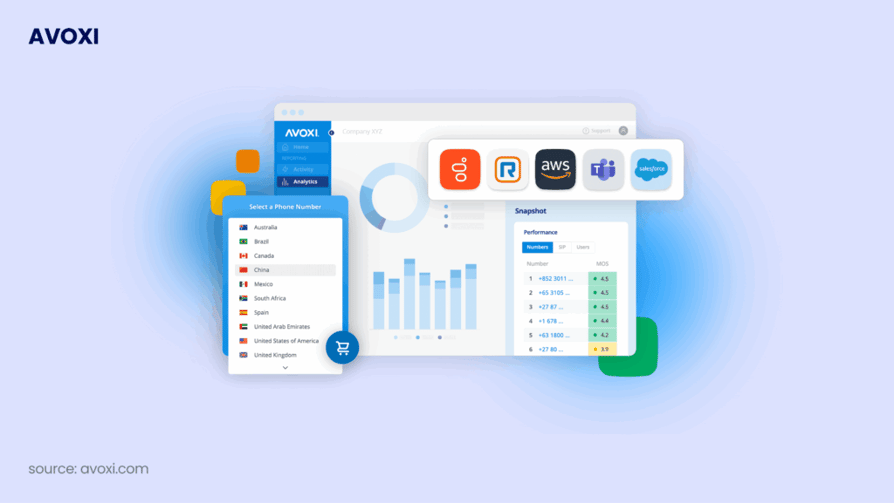
AVOXI provides cloud communications and global voice coverage for businesses that need to scale their international reach.
Key Features of AVOXI:
- Local and Toll-free numbers in 170+ countries.
- Smart Call Routing and forwarding.
- Call Recording and storage.
- Real-time call monitoring.
- Call Queueing and IVR.
Pros and Cons
Pros
- Unbeatable global number coverage
- Easy to manage via a single platform
- Good for international expansion
Cons
- Basic CRM integrations compared to competitors
- Support can be delayed due to time zones
Pricing: Starts free with very limited options
G2 Rating: 4.4/5
Total reviews: 30
23. Novocall
Novocall is a conversion-focused phone system that helps businesses turn website visitors into calls with callback widgets.
Key Features of Novocall:
- Callback Automation for website visitors.
- Lead Capture through custom forms.
- Outbound Dialer for sales teams.
- Schedule Calls based on representative availability.
- CRM sync for lead management.
Pros and Cons
Pros
- Great for increasing website conversions
- Easy to implement widget
- Focuses on speed-to-lead
Cons
- Not a full-featured office phone system
- Limited inbound call management
Pricing: From $25/user/month
G2 Rating: 4.7/5
Total reviews: 5
Recommended Reads
24. Fastcall
Fastcall is a native phone system for Salesforce, allowing sales teams to work entirely inside their CRM without switching tabs.
Key Features of Fastcall:
- Native Salesforce integration for all call data.
- Click-to-dial from any Salesforce record.
- Call recording logged directly in Salesforce.
- SMS messaging from within CRM.
- Automated call logging and task creation.
Pros and Cons
Pros
- Best-in-class Salesforce integration
- Simplifies workflow for sales reps
- No data silos; all info in one place
Cons
- Only works if you use Salesforce
- Limited features for non-sales teams
Pricing: From $24/user/month
G2 Rating: 4.2/5
Total reviews: 14
25. Zadarma
Zadarma is a budget-friendly VoIP provider that offers a free PBX and a wide range of international virtual numbers.
Key Features of Zadarma:
- Free Cloud PBX with extensive features.
- Virtual numbers in 90 countries.
- Call tracking and website callback widgets.
- Integration with Slack and popular CRMs.
- Speech recognition and call transcription.
Pros and Cons
Pros
- Very affordable; free PBX option
- Easy setup for small businesses
- Good international number pricing
Cons
- Customer support is mainly ticket-based
- Mobile app interface is basic
Zadarma Pricing: From $24/user/month
Zadarma G2 Rating: 4.6/5
Total reviews: 30
Recommended Reads
26. Dialfire
Dialfire is a browser-based telemarketing and lead generation platform designed for outbound campaigns of any size.
Key Features of Dialfire:
- Browser-only dialer (no installation needed).
- Custom campaign forms and scripting.
- Multi-step workflows for lead management.
- Call blending (inbound and outbound).
- Real-time monitoring and campaign analytics.
Pros and Cons
Pros
- Extremely fast to set up campaigns
- Highly flexible for telemarketing
- Pay-per-minute model available
Cons
- Not designed for general office use
- Interface is functional but dated
Dialfire Pricing: Pay-as-you-go model
G2 Rating: 4.2/5
Total reviews: 3
Recommended Reads
27. Ooma Office
Best for micro-businesses and teams without a dedicated IT person.
Ooma focuses on the essentials, prioritizing ease of setup and reliable calling over advanced automation.
Key Features:
- Virtual Receptionist: Professional automated greeting for every caller.
- Ooma Mobile App: Turn any smartphone into a business extension.
- Unlimited Domestic Calling: Covers US, Canada, Mexico, and Puerto Rico.
- Analog Support: Allows use of existing desk phones via Ooma Linx.
- Virtual Fax: Send and receive faxes through the cloud.
Pros
- Legacy Hardware Support: Unlike many cloud-only competitors, Ooma excels at bridging the gap for traditional offices by supporting analog fax machines and overhead paging systems through its base station hardware.
Cons
- Despite the very simple setup, which can be completed with assistance from guides or customer support, no in-person training is provided. Furthermore, Ooma does not include features essential for streamlined sales efforts and workflow acceleration, such as predictive dialers and telemarketing management.
Recommended Reads
Why Should You Use A Business Phone System?
After teasing the topic in the previous section, it’s only right that we dedicate some time to fully exploring the benefits of upgrading to a modern business phone system. Here’s what you can expect after implementing a scalable cloud phone solution into your operations.
1. Improve Operational Efficiency
Business phone systems significantly increase team efficiency by automating core communication workflows. Instead of manually logging calls, transferring conversations, or juggling multiple tools, your system handles routing, recording, transcription, and CRM updates automatically.
With features like smart IVR, skill-based routing, and real-time analytics, teams can handle higher call volumes without increasing headcount.
The result? Faster response times, reduced manual work, and smoother internal collaboration.
Your Agents Should Be Selling, Not Typing Notes
2. Increase Customer Satisfaction
Modern phone systems streamline customer interactions, ensuring callers reach the right person on the first attempt. With call routing, queue management, and callback options, customers spend less time waiting and more time getting help.
Add in features like call history, CRM integration, and AI-generated summaries, and agents can personalize every interaction based on previous touchpoints.
The impact? Higher customer satisfaction, stronger loyalty, and improved retention rates.
3. Boost Revenue & Conversion Rates
Business phone systems help teams manage leads and opportunities more effectively. With built-in analytics, call tracking, and automated follow-ups, revOps and Sales Managers gain full pipeline visibility.
Find Out Exactly Why You're Winning (Or Losing) Deals
Sales teams can:
- Prioritize high-value prospects
- Track call outcomes
- Identify winning talk tracks
- Attribute revenue to conversations
By eliminating missed calls and improving follow-up consistency, businesses often see measurable increases in conversions and pipeline velocity.
4. Support Remote & Global Scalability
Cloud-based phone systems allow you to scale without physical infrastructure. You can instantly:
- Add new users
- Assign international numbers
- Support remote and hybrid teams
- Open operations in new regions
Whether you're expanding locally or internationally, your communication system grows with you without costly hardware or IT overhead.
5. Ensure Compliance & Security
Modern business phone systems are built with compliance and security in mind. They offer:
- Role-based permissions
- Encrypted communication
- Call recording controls
- GDPR and other regulatory compliance features
This reduces risk, protects sensitive data, and ensures your business operates within legal standards, especially critical for industries like finance, healthcare, and SaaS.
A business phone system is no longer just a tool for making calls. It’s a centralized communication hub that improves efficiency, enhances customer experience, supports global growth, and drives measurable revenue impact.
If your business depends on conversations; with prospects, customers, or partners, investing in the right phone system isn’t optional. It’s strategic.
Types of Business Phone Systems (and Their Best Use Cases)
Not all business phone systems are built the same. Some are designed for simple internal calling, while others are optimized for high-volume sales outreach or enterprise-grade customer support.
Below are the main types of business phone systems in2026 ; and which teams benefit most from each.
1. Cloud VoIP Business Phone Systems
Cloud VoIP business phone systems operate entirely over the internet, allowing teams to make and receive calls from desktop apps, browsers, or mobile devices without the need for traditional phone hardware.
They often come equipped with features like IVR, smart call routing, call recording, voicemail-to-email, analytics dashboards, and deep CRM/helpdesk integrations. Many also include AI transcription and call summaries, making them ideal for scaling teams that need automation and visibility into performance.
Best For: Growing SMBs and mid-market companies that need flexibility, easy scaling, and strong sales/support workflows. Teams expanding globally or working remotely with high call volumes.
2. UCaaS (Unified Communications as a Service)
UCaaS platforms combine business calling with internal communication tools such as video meetings, team messaging, and collaboration features. Instead of using separate tools for voice, chat, and conferencing, teams manage everything in one unified workspace.
They can also include features like call forwarding, extensions, voicemail transcription, conferencing, and integrations with productivity tools like Microsoft Teams or Google Workspace. This makes UCaaS ideal for organizations that prioritize internal collaboration alongside customer communication.
Best For: Distributed and hybrid teams that need all-in-one communication. Businesses that want voice + video + messaging in one platform without requiring full contact center functionality.
3. CCaaS (Contact Center as a Service)
CCaaS solutions are cloud-based platforms built specifically for high-volume inbound and outbound contact centers. These systems focus on advanced routing, omnichannel customer experience, workforce optimization, and performance analytics.
They typically come equipped with features like skill-based routing, queue management, omnichannel support (voice, chat, WhatsApp, email), quality monitoring, agent coaching tools, and AI-powered automation. This makes them ideal for companies with complex customer service operations or large support teams.
Best For: Enterprises, BPOs, and customer service departments handling high call volumes. Organizations that need omnichannel support, workforce management, and deep reporting at scale.
4. Outbound Sales Dialers & Call Center Dialing Platforms
Outbound sales dialers are designed to maximize calling speed and outreach volume. These systems automate outbound workflows and allow reps to move through lead lists efficiently while tracking outcomes and performance.
They can also include features like power/predictive dialing, voicemail drop, call scripting, disposition tracking, call analytics, and CRM syncing. This makes them ideal for outbound sales teams focused on pipeline generation and high-frequency prospecting.
Best For: SDR teams, telemarketing agencies, lead generation teams, and high-growth outbound sales operations that rely on volume and speed-to-lead.
3x Your Call Volume Without Adding Headcount
5. Virtual Phone Systems (Basic Business Calling)
Virtual phone systems provide businesses with professional phone numbers, extensions, and basic call routing without requiring a full-scale VoIP or contact center platform. These solutions are usually lightweight, easy to set up, and cost-effective.
They can also come with features like call forwarding, auto attendant, voicemail, business SMS, and simple call menus. This makes them ideal for small teams that need a professional presence but don’t require advanced analytics or automation.
Best For: Startups, solopreneurs, micro-businesses, and remote teams that want a simple business number with basic call management features.
6. On-Premise PBX Systems (Traditional or Self-Hosted)
On-premise PBX systems are hosted locally on company-owned servers instead of being delivered through the cloud. This gives businesses more control over customization, security, and infrastructure, but also requires IT resources for setup and maintenance.
They often include features like internal extensions, call routing, voicemail, SIP trunking, and advanced configuration options. This makes them ideal for organizations with strict compliance requirements or businesses that prefer to manage their telephony internally.
Best For: IT-heavy companies, organizations with strict data control policies, and businesses needing full ownership of their telephony setup (often in regulated industries).
7. Hybrid Business Phone Systems (Cloud + On-Premise)
Hybrid phone systems combine the flexibility of cloud VoIP with the control of on-premise infrastructure. These systems allow businesses to keep certain parts of communication hosted locally while using cloud tools for remote access, scalability, and integrations.
They can also include features like cloud call routing, remote extensions, local PBX support, and multi-location control. This makes them ideal for companies transitioning from traditional phone setups to modern cloud communication without fully replacing their existing infrastructure.
Best For: Mid-sized to enterprise businesses modernizing legacy phone systems gradually. Multi-location organizations that need both local reliability and cloud flexibility.
How to Choose the Best Business Phone Systems for for Scaling Teams
Despite sharing the same designation, business phone systems can vary significantly in functionality, scalability, and purpose. Some are designed for outbound-heavy sales environments, others focus on inbound customer support, while some prioritize internal collaboration or international expansion.
If you want to choose the right system for your organization, you’ll need to evaluate several core aspects of your business before making a decision.
1. Assess Your Business Needs and Goals
Before choosing a business phone system, take time to clearly understand what your business really needs. Think about your team size, how you communicate with customers, and where your company is heading.
- Are you growing your sales team?
- Improving customer support?
- Expanding into new countries?
- Do you simply need a reliable way to handle business calls professionally?
Sales-focused teams often look for tools that help them call more efficiently and keep customer information organized. Support teams usually care more about smoothly directing incoming calls and helping customers quickly.
When you’re clear about your goals, it becomes much easier to choose a phone system that truly supports your business growth.
2. Understand Your Call Volume and Team Structure
The number of calls you handle and the way your team is organized should guide your decision.
If you receive a large number of incoming calls, you’ll need a system that can direct callers to the right person quickly and keep wait times under control. This helps maintain a good customer experience. If your team mainly makes outgoing calls, tools that help them call faster and track their results can improve productivity.
If your company has several departments or offices in different locations, it’s important to have one system that keeps everything organized in one place. This makes it easier to manage users, numbers, and access rights.
Choosing a phone system that fits your current workload and team structure will help you avoid problems as your business continues to grow.
3. Identify Your Must-Have Features
Not all business phone systems offer the same tools, and some features are only available in more expensive plans.
Think about what your team truly needs in everyday work. You might want calls to be directed automatically to the right person, the ability to record conversations, simple call summaries, live performance insights, SMS messaging, or the option to communicate with customers through multiple channels.
Before you start comparing providers, make a clear list of the features that are essential for your business. Then check whether those features are included in the pricing plan you’re considering. This helps you avoid surprises or missing tools after you’ve already signed up.
4. Evaluate Third-Party Integrations
It’s important that your business phone system works well with the other software you already use, like your CRM or helpdesk tools.
When systems are connected properly, you can make calls directly from your CRM, have call details saved automatically, and keep customer information up to date across your team. This saves time and reduces repetitive tasks.
The better your phone system fits with your existing tools, the smoother your daily work will be and the more productive your team can be.
5. Prioritize Compliance and Security
As your business grows, protecting customer data becomes even more important. That’s why security and legal compliance should be a key part of your decision.
Make sure the phone system follows data protection rules such as GDPR and offers strong security standards. It should help you control who can access sensitive information and ensure customer data is stored safely.
If your team makes outbound calls, it’s also important to have tools that support responsible calling, such as managing opt-outs and controlling when calls can be recorded. Choosing a secure and compliant system helps protect your business, your customers, and your reputation.
6. Consider the Total Cost
The listed starting price is only part of the overall cost. Most business phone systems charge per user, which means your expenses will increase as your team grows.
It’s important to look at the full pricing structure. Check whether there are extra fees for international numbers, call usage, advanced features, or additional storage. Some providers offer discounts for annual payments, but that usually means paying upfront.
By understanding the complete cost, you can choose a system that stays affordable not just today, but as your team expands in the future.
No Hidden Fees. No Lock-in Contracts. No Bill Shock.
Business Phone Systems in2026 : Strategic Takeaways by Use Case
Now that you’ve explored the top business phone systems side by side, it’s helpful to understand where different platforms excel depending on operational needs.
For companies seeking a well-balanced solution that combines automation, analytics, CRM integrations, and scalability
- platforms such as CloudTalk, LiveAgent and RingCentral consistently deliver strong performance across key areas. These systems are designed to support both sales and support workflows while remaining flexible enough for growing teams.
For organizations running high-volume operations, reliability and advanced control features become essential
- Enterprise-oriented platforms like Five9 and Genesys provide robust infrastructure and workforce management tools, while scalable VoIP solutions like CloudTalk and 8×8 offer strong performance for large teams managing substantial call traffic.
Startups and fast-growing teams
- They often prioritize ease of onboarding and rapid scalability. Systems that offer intuitive interfaces, fast setup, and seamless integrations allow these teams to expand without operational complexity.
Small and mid-sized businesses
- Typically seek the strongest return on investment. Solutions that bundle automation, analytics, and integrations into transparent pricing structures tend to offer the best long-term value for SMB sales and support teams.
Organizations focused on data-driven optimization
- Should prioritize platforms with strong AI capabilities and advanced analytics dashboards. Real-time transcription, call tagging, performance tracking, and sentiment analysis can significantly improve coaching and revenue outcomes.
For companies expanding internationally
- Global number availability, local caller ID support, and stable international routing are critical. Selecting a provider with strong global infrastructure simplifies international growth.
Finally, businesses operating in regulated industries
- Must prioritize compliance and security tooling. Enterprise-grade solutions often provide deeper compliance frameworks, while modern cloud systems increasingly balance usability with strong data protection standards.
Scale Faster With Smarter Calls: The Best Business Phone Systems Are Ready When You Are
Business communication isn’t going anywhere. But outdated desk phones, disconnected tools, and manual call logging? That era is done.
In2026 , the best business phone systems are no longer just “ways to make calls”. They’re full-scale revenue and support engines. They help teams automate workflows, sync every conversation to the CRM, route customers instantly, and turn calls into measurable performance improvements.
Don’t lose another lead to missed calls, slow follow-ups, or messy communication systems.
Upgrade to a modern business phone system and scale smarter; with better customer experience, better productivity, and better results. It really is that simple.