TL;DR: 10 Best Alternatives to Zadarma
| # | Platform | Best for | Starting Price (annual billing) | G2 Rating |
|---|---|---|---|---|
| 0 | Zadarma (baseline) | Solo users making a few cheap calls a week | $0/month (Standard PBX, pay-as-you-go minutes) | 4.6/5 (30+ reviews) |
| 1 | CloudTalk | SMB to mid-market sales and support teams | $25/user/month | 4.4/5 |
| 2 | JustCall | Outbound sales floors that text a lot | $29/user/month | 4.3/5 |
| 3 | Dialpad | Teams that want live AI coaching on calls | $15/user/month | 4.4/5 |
| 4 | Aircall | Support teams living in HubSpot or Salesforce | $30/user/month | 4.4/5 |
| 5 | Quo (OpenPhone) | Startups running on a shared text inbox | $15/user/month | 4.7/5 |
| 6 | KrispCall | Tiny teams on a $12 budget | $12/user/month | 4.6/5 |
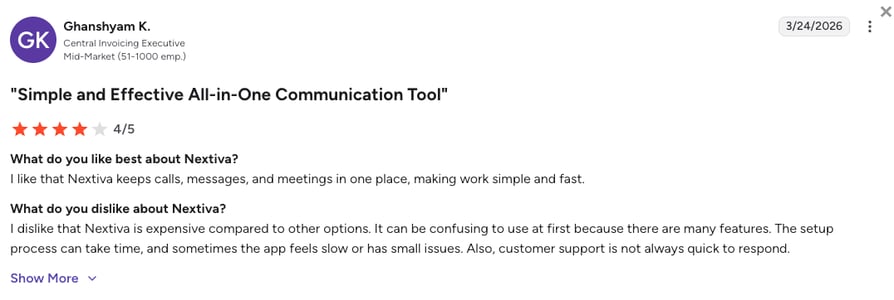
| 7 | Nextiva | US teams that want phone support that answers | $15/user/month | 4.5/5 |
| 8 | Ringover | Recruiters and EU sales teams calling abroad | $21/user/month | 4.6/5 |
| 9 | RingCentral | Multi-site enterprises wanting one UCaaS app | $20/user/month | 4.1/5 |
| 10 | Vonage | Developers building custom call and text flows | $13.99/user/month | 4.3/5 |
The $0 Row Looks Cheapest. Bring Your Zadarma Bill and See Row 1 Priced Against It, Live.
Why Are Teams Searching for Zadarma Alternatives?
Zadarma is an older VoIP provider best known for its free entry tier and wide range of virtual numbers. As teams grow, though, they quickly find that a free starting price hides some major operational roadblocks.
Based on verified G2 reviews (Zadarma scores 4.6/5 from 30+ reviewers), real user reviews on Trustpilot (where it scores 2.2/5 from 550+ reviewers), and community threads on Reddit and Quora, revenue and support teams usually outgrow the platform due to five main challenges.
5 Main Cons of Zadarma: Based on Real User Reviews
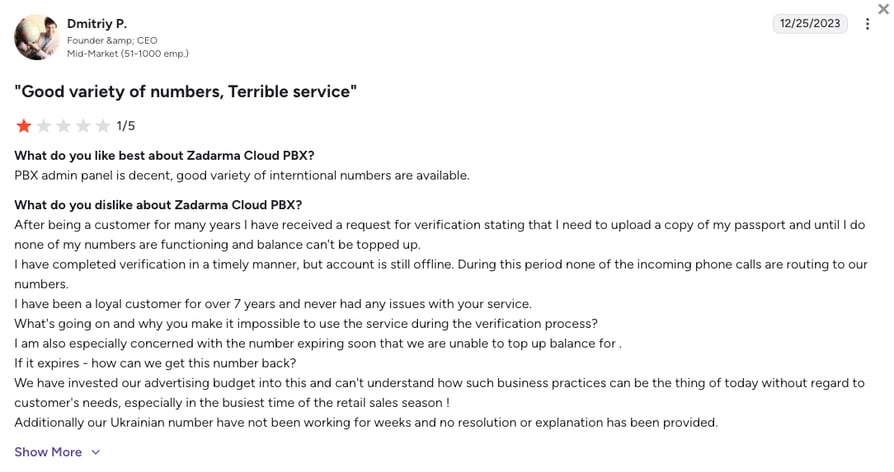
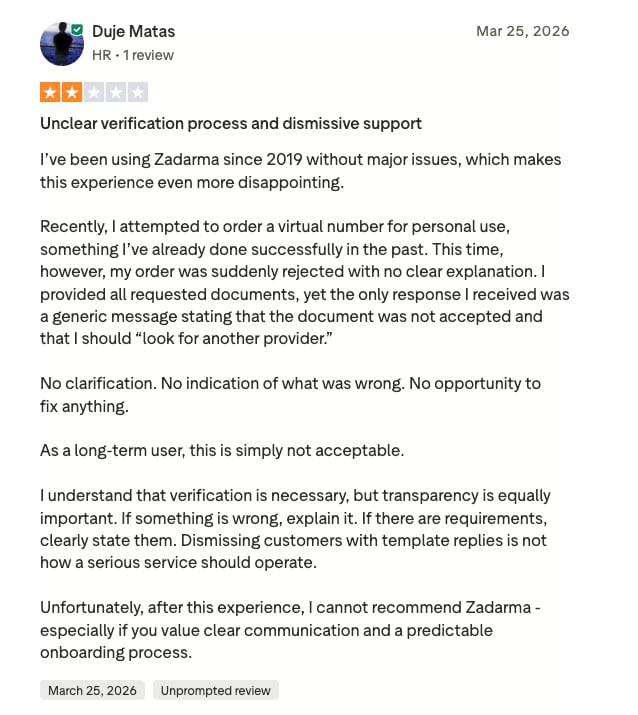
- Frustrating Document Verification:New users often face immediate account suspensions due to a confusing Know Your Customer (KYC) identity check. This rigid process can freeze your entire communication setup while you wait days for support tickets to clear.
- Additional SMS Costs:Zadarma pricing looks great until you text international clients, which can cost up to $0.11 per message. These high fees eat up any savings from the free base plan. This makes the platform far too expensive for teams doing automated or high-volume outreach.
- Failed Inbound Routing and WhatsApp Blocks:Virtual numbers frequently fail to receive essential two-factor authentication codes or inbound text messages. On top of that, Meta routinely rejects Zadarma WhatsApp virtual numbers for registration, hurting your multichannel strategy.
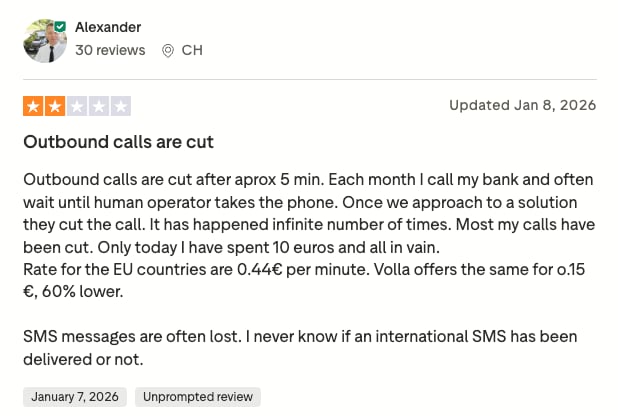
- The Five-Minute Disconnect Glitch:Users frequently report a frustrating technical glitch where calls drop exactly at the five-minute mark. This ongoing issue remains poorly resolved by their technical team and damages your professional credibility during important customer calls.
- Slow Technical Support:When issues happen, support tickets get stuck in slow queues, leaving frontline teams dealing with critical downtime. Support reps often struggle to fix complex audio issues and usually just offer unhelpful workarounds rather than real solutions.
Where Zadarma Shines
Zadarma earns its place for a freelancer or micro-business that needs a working number in one of 110+ countries today and will never run a sales or support queue on it. The Standard PBX stays at $0 as long as you top up your balance every three months, calls bill by the second, and number rental is cheap. If that is your business and you never need a dialer, a CRM record, or a call that has to hold past minute five, Zadarma does its job. For many other use cases, though, you should consider choosing a better VoIP alternative.
What Is the Best Alternative to Zadarma?
CloudTalk is the best VoIP alternative to Zadarma, especially for SMB to mid-market sales and support teams. CloudTalk offers a predictable starting price of $25/user/month and guarantees 99.999% uptime. It replaces Zadarma's fragile routing with enterprise-grade stability, so erratic disconnects stop slowing down your revenue floor.
As your team grows, CloudTalk integrates essential tools into your daily workflow: native AI call summaries, a drag-and-drop call flow builder, and deep CRM syncing fix the manual entry headaches of Zadarma’s older setup.
Why Teams Consider CloudTalk the Best Zadarma Alternative
Switchers want calls that hold, a number that goes live without a week of emails, and a CRM that fills itself in. CloudTalk scores 4.4/5 on G2 against Zadarma's 4.6/5, and reviewers rank it ahead on Quality of Support and Ease of Admin. Here is why:
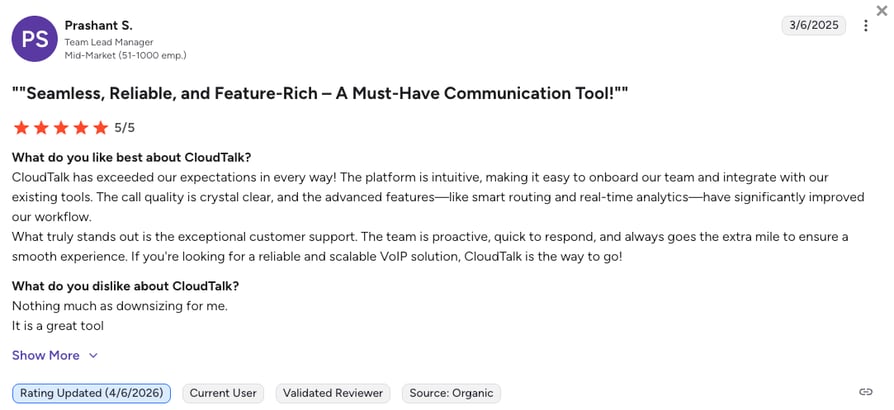
5 Main Pros of CloudTalk: Based on Real User Experience
- Massive Global Reach:CloudTalk provides high-quality virtual numbers in 160+ countries, easily beating Zadarma’s 110-country limit. If you need a reliable Zadarma UAE number or UK virtual number, CloudTalk ensures crystal-clear audio across borders.
- Painless Onboarding:CloudTalk replaces Zadarma's frustrating identity checks with a clear setup: US, Canadian and many other numbers activate from the dashboard the moment you pay, and where a regulator needs documents, you see the list before you order. Larger teams also get dedicated onboarding to set complex routing up right from day one.
- Bi-directional CRM Sync:The Zadarma HubSpot integration is basic, but CloudTalk logs calls, texts, and voicemails automatically into HubSpot and Salesforce (available from the Essential plan on). This destroys data silos and saves your reps hours of boring administrative work.
- Native AI Analytics:Skip the unpredictable per-minute transcription fees. CloudTalk’s Conversation Intelligence add-on gives you native AI call summaries and sentiment analysis for a flat $9/user/month. Managers can quickly review calls without listening to every recording or stressing over a metered bill.
- Fast Human Support:CloudTalk treats customer support as a fast, helpful extension of the product rather than hiding behind slow ticketing portals. If you hit a mid-day glitch, you get an immediate response via chat, email, or even phone if you’re on the Expert plan, and get things running again in no time.
You Just Read Five Reasons Teams Switch. Try All Five Before You Believe Any of Them.
How We Evaluated The Best Zadarma Alternatives and Competitors
To find the best Zadarma alternatives for 2026, we read real user reviews on G2, Trustpilot, Reddit, and Quora and prioritized tools that fix the SMS pricing, rigid verification, and integration failures Zadarma users report.
Our research focused on six areas essential for any growing business:
- Network Stability: We looked for clear audio and carrier failover in user reports, so calls do not mysteriously drop at the five-minute mark.
- AI Productivity: We favored native conversation intelligence on a flat price over pay-per-minute transcription.
- CRM Deep-Sync: We wanted two-way workflows that log calls and trigger helpdesk actions without a rep typing anything.
- Global Footprint: We prioritized providers with international numbers in 100+ countries that go live quickly.
- Support Response: We compared what reviewers report about response times, favoring fast human support over slow ticketing.
- Total Cost of Ownership (TCO): We worked out the real cost per user, favoring platforms that bundle SMS and price transcription at a flat rate.
The Top 10 Alternatives to Zadarma for 2026: Stable Calls, Fast Setup
Before the detailed breakdowns of the 10 best alternatives to Zadarma software, here is how our top picks stack up against its true entry-level pricing and core capabilities, starting with the two things Zadarma users complain about most: whether calls hold and how fast a number goes live.
Zadarma Competitors Compared
| Feature | Zadarma | CloudTalk | RingCentral | Dialpad | JustCall |
|---|---|---|---|---|---|
| Starting Price (Annual) | $0 (Standard) / $39 (Office) | $25/user/mo | $20/user/mo | $15/user/mo | $29/user/mo |
| Minimum Seats | 1 User | 1 User | 1 User | 1 User | 2 Users |
| Local Numbers | 110+ Countries | 160+ Countries | 110+ Countries | 70+ Countries | 70+ Countries |
| Included SMS Capability | Approx. $0.11/msg | Plan dependent | Highly restricted (25 msgs) | Unlimited (US/CA) | 500 outbound segments |
| AI Transcription Model | Per-minute fee ($0.01) | Native flat-rate add-on ($9/user/mo) | Requires expensive add-on | Bundled natively | Paid Add-on |
| Visual Call Flow Builder |  |  | | | |
| Free Trial | N/A | 14 Days | 14 Days | 14 Days | 14 Days |
The Zadarma free tier trap:
While Zadarma heavily markets a $0 Standard tier, it forces organizations into a strict pay-as-you-go trap for every outbound minute and SMS message, and the plan only stays free if you top up your balance at least every three months. Text-heavy teams quickly find themselves paying far more per month than they would on a premium platform.
CloudTalk’s pricing puts the whole bill on the plan page and removes those per-message penalties, so you can scale predictably and know your ROI before the invoice lands.
1. CloudTalk: The Best Zadarma Alternative for SMB to Mid-Market Sales & Support Teams
What is CloudTalk?
CloudTalk is an AI-powered cloud-based phone system and contact center built specifically for fast-growing sales and customer support teams. It’s designed for teams that need rock-solid reliability, smooth CRM syncing, and global reach.
CloudTalk sits comfortably in the SMB to mid-market space, offering a huge step up from basic calling tools without the heavy IT headaches of old-school enterprise software. Trusted by 5,500+ businesses worldwide, CloudTalk is the ultimate upgrade for scaling teams looking to escape Zadarma's hidden fees and dropped calls.
Why Is CloudTalk a Strong Zadarma Alternative?
- Multi-Carrier Global Coverage: CloudTalk routes every call over a multi-carrier network with automatic failover. If one local route degrades, the system switches to another mid-call, which is how a 99.999% uptime SLA replaces Zadarma's five-minute disconnect glitch.
- Fast Setup & Clear Verification: US, Canadian and many other international numbers activate from the dashboard the moment you pay. Where a regulator asks for documents, CloudTalk lists them per country before you order, tracks the request in your dashboard, and responds within 24 hours.
- Native AI & Transparent Pricing: Escape Zadarma's pay-per-minute AI fees and expensive $0.11 texts. CloudTalk publishes its per-message text rates up front and prices AI as a flat add-on, so you can scale without surprise invoice spikes.
- Top-Rated Zadarma Competitor by G2: CloudTalk is a G2 Spring 2026 Leader for sales and support, outranking almost all VoIP providers in user-rated categories like "Ease of Use," "Support Quality," and "Ease of Setup."
What Are the Pros & Cons of CloudTalk?
| Pros | Cons |
|---|---|
| Superior international coverage: Virtual numbers in 160+ countries (vs Zadarma’s 110+). | No native video meetings: Requires a separate app like Zoom or Google Meet to handle video conferencing. |
| 100+ CRM & Helpdesk integrations: Includes true two-way syncing for popular tools like HubSpot & Salesforce. | One calling region per plan: Starter covers the region you pick at signup, so calling other countries needs a calling bundle on top. |
| Enterprise-grade Reliability: Proprietary multi-carrier network ensures 99.999% uptime with automatic failover routing. | Parallel Dialing Add-on: Calling multiple numbers at the exact same time is a $39/user/month add-on on any plan, including Expert. |
What Are CloudTalk's Plans & Pricing?
CloudTalk pricing starts at $25/user/month, and the platform offers the following plans:
CloudTalk Plans and Pricing
| Plan | Price (annual billing) | Key Features |
|---|---|---|
| Starter | $25/user/mo | Unlimited inbound & internal calls, 500 outbound minutes (regional calling bundle), call queues, transfers, click-to-call, automatic call recording (1-month retention) |
| Essential | $29/user/mo | Everything in Starter + IVR and smart routing, 100+ CRM/helpdesk integrations, workflow automation, unlimited recording retention |
| Expert | $49/user/mo | Everything in Essential + Power, Smart & Preview Dialers, Salesforce integration, 24/7 phone support (3-seat min) |
| Custom | Quote-based | Enterprise security, dedicated onboarding, and custom terms for 25+ seats |
| Conversation Intelligence (add-on) | $9/user/mo | AI transcripts, call summaries, call scoring, sentiment analysis, and agent coaching insights |
| AI Receptionist (add-on) | From $99/month (200 min) | Inbound AI call answering, routing, logging; 50 free minutes on every account; tiers up to $699/mo (2,500 min) |
What Are CloudTalk Customers Saying?
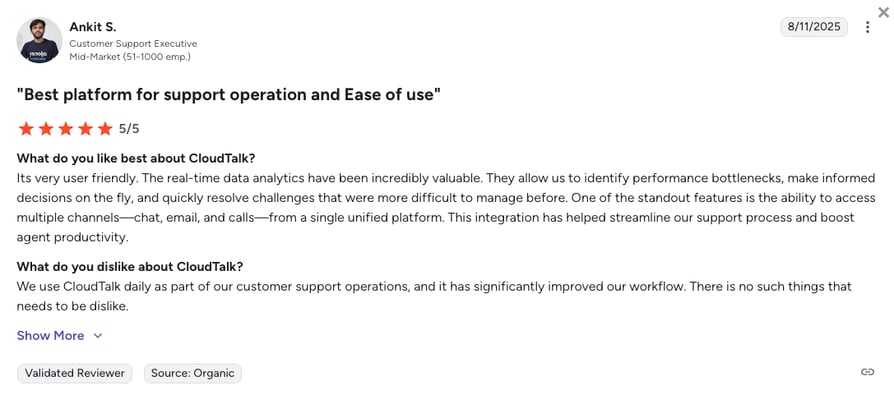
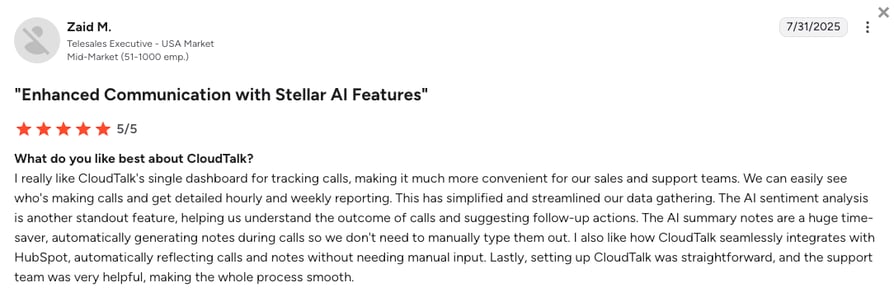
When comparing top Zadarma alternatives, customers who switched to CloudTalk frequently highlight the immediate improvements in audio stability and how much time they save on administrative work.
- Clearer Audio: Users report that CloudTalk resolves the severe call quality issues, delays, and random drops they experienced on older platforms.
- Flawless CRM Sync: Teams love that every call and text logs perfectly into their CRM, removing the need for manual data entry.
- Visual Call Routing: Operations managers praise the drag-and-drop call flow designer, which lets them set up complex phone menus in minutes without needing an IT expert.
How G2 Users Rate CloudTalk?
CloudTalk's current G2 rating is 4.4/5, out of 1,900+ verified user reviews.
A US Number Goes Live the Second You Pay. Zadarma Would Still Be Reviewing Your Passport.
2. JustCall: Best for High-Velocity Outbound Sales and Automated SMS
What is JustCall?
JustCall is a specialized business phone system built explicitly for outbound sales teams that need high-speed dialing tools and heavy texting or WhatsApp workflows. Instead of trying to be a general office phone for everyone, JustCall focuses purely on increasing the number of conversations your reps can have each day. It is an ideal platform for teams that feel constrained by basic calling tools and want to aggressively automate their outreach.
Why Is JustCall a Strong Zadarma Alternative?
- Included Texting Plans: JustCall solves Zadarma's expensive text fees by bundling up to 1,000 SMS segments into its subscription tiers. This cuts your monthly texting bill drastically compared to pay-per-message plans.
- Built-In Power Dialers: It replaces manual dialing with automated dialers that quickly move through lead lists. This ensures your sales reps do not waste time listening to ringing tones.
- Reliable WhatsApp Workflows: JustCall bypasses the Meta registration blocks that constantly hurt Zadarma virtual numbers. This allows you to easily run compliant WhatsApp Business campaigns.
What Are the Pros & Cons of JustCall?
| Pros | Cons |
|---|---|
| Powerful Predictive Dialer: Automates outreach for high-volume sales floors, often doubling daily call counts. | Mandatory seat minimums: A strict 2-user minimum creates a misleading starting price for solo operators. |
| SMS Bundling: Includes generous text message allowances to prevent mid-month invoice spikes. | Expensive AI agents: Advanced AI Voice Agents are structured as costly add-ons that charge by the minute. |
| CRM Integrations: Logs calls and messages to keep your team aligned automatically. | Metered models: Base plans still rely heavily on pay-per-minute billing for outbound calls. |
What Are JustCall’s Plans & Pricing?
JustCall pricing starts at $29/user/month (billed annually, 2-user minimum), with the following plans:
JustCall Plans and Pricing
| Plan | Price |
|---|---|
| Team | $29/user/mo |
| Pro | $49/user/mo |
| Pro Plus | $89/user/mo |
| Business | Custom quote-based pricing |
Note on the entry price trap:
While the $29 price tag looks great for small teams, JustCall requires a strict 2-seat minimum. This means your actual starting cost is $58 per month right out of the gate. So, before you switch to JustCall, make sure you compare the platform to similar solutions, including CloudTalk.
What Are JustCall Customers Saying?
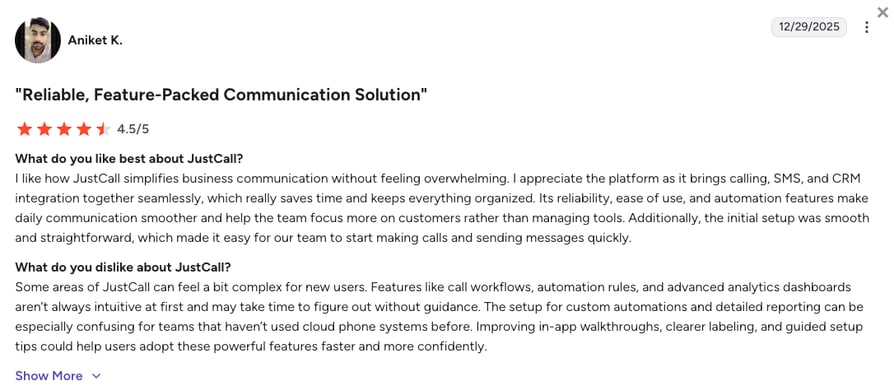
JustCall customers appreciate the sales-focused tools but frequently mention pricing hurdles when they need to scale up to more advanced features.
- Valuable Integrations: Users appreciate that calls and texts log automatically into their CRMs, saving time on follow-ups.
- High Dialing Speed: Sales managers love how the automated dialers keep their reps on the phone talking to live prospects.
- Pricing and Scalability Hurdles: Users report frustration with being stuck on certain tiers because basic workflow upgrades require large price jumps.
How G2 Users Rate JustCall?
JustCall's current G2 rating is 4.3/5, out of 2,300+ verified user reviews.
3. Dialpad: Best for Real-Time Conversational AI and Live Transcripts
What is Dialpad?
Dialpad is an AI-powered communication platform built from the ground up on its own smart voice technology. It is the top choice for teams that want artificial intelligence actively helping them during live calls, rather than just reading meeting summaries after the fact. Compared to Zadarma, Dialpad represents a huge step up over legacy VoIP providers.
Why Is Dialpad a Strong Zadarma Alternative?
- Included AI Foundation: Dialpad builds core AI transcriptions right into its standard plans. This safely bypasses Zadarma's annoying pay-per-minute transcription fees.
- Live Coaching: It provides agents with instant pop-up cheat sheets and mood tracking during the call. This offers real value that basic systems simply cannot match.
- Predictive Customer Satisfaction: The AI analyzes 100% of your calls to predict customer satisfaction scores instantly. This gives managers great visibility into how happy callers actually are.
What Are the Pros & Cons of Dialpad?
| Pros | Cons |
|---|---|
| Real-time transcripts: Pop-up coaching tips appear live during conversations to help reps handle tough questions. | 24/7 support requires upgrades: Baseline users do not get round-the-clock help. You have to pay more for priority access. |
| AI features are native: Included in foundation plans rather than acting as expensive add-ons or per-minute fees. | Toll-free bundles get expensive: High-volume inbound queues can quickly inflate your monthly invoices. |
| No mandatory minimums: Single users can sign up without being forced into seat minimums. | Slightly lower SLA: Offers a 99.9% uptime guarantee, which is good, but slightly behind the 99.999% of top leaders like CloudTalk. |
What Are Dialpad’s Plans & Pricing?
Dialpad pricing starts at $15/user/month (billed annually), with the following plans:
Dialpad Plans and Pricing
| Plan | Price |
|---|---|
| Standard | $15/user/mo |
| Pro | $25/user/mo |
| Enterprise | $35/user/mo |
What Are Dialpad Customers Saying?
Dialpad customers love how the built-in AI improves their daily calls, but sometimes voice frustrations over getting ahold of support on the lower tiers.
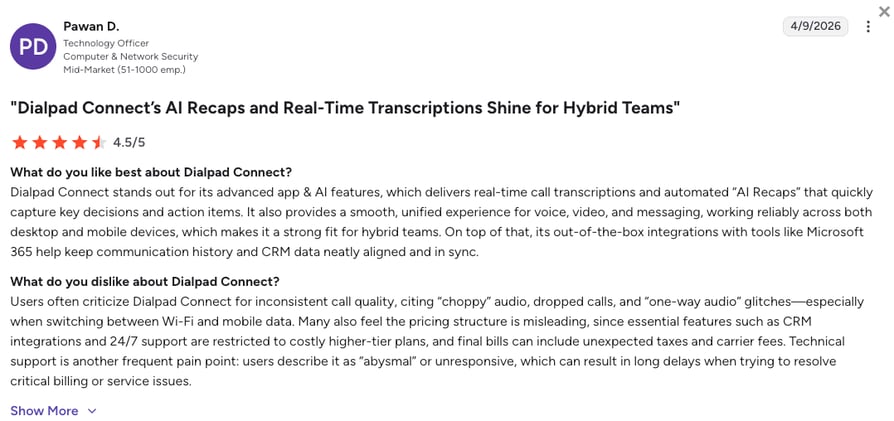
- Powerful AI Transcripts: Users praise the real-time transcriptions and automated recaps that capture key decisions effortlessly.
- Unified Experience: The platform works reliably across desktop and mobile devices, fitting hybrid and remote teams perfectly.
- Inconsistent Support: Reviewers frequently express frustration that 24/7 technical support is restricted to the more costly higher-tier plans.
How G2 Users Rate Dialpad?
Dialpad's current G2 rating is 4.4/5, out of 5,500+ verified user reviews.
4. Aircall: Best for CRM-Centric Teams Prioritizing a Simple Interface
What is Aircall?
Aircall is a highly polished voice solution known for how tightly it plugs into helpdesks and CRMs, and for its huge app marketplace. It is heavily favored by modern support and sales teams who prioritize a clean, easy-to-use interface over the complex, outdated dashboards of legacy tools. If your team lives entirely inside HubSpot or Salesforce, Aircall is built to sit right on top of those platforms effortlessly.
Why Is Aircall a Strong Zadarma Alternative?
- Deep Software Connections: Aircall connects deeply into your helpdesk, guaranteeing that calls and notes log perfectly. This solves the missing data and broken integrations common to Zadarma.
- Rapid Deployment: You can bypass the weeks of account-freezing document checks found in Zadarma and get your team up and running in under an hour.
- Easy-to-Use App: It ditches bulky and confusing legacy menus for a simple app that requires almost zero training for new agents to pick up.
What Are the Pros & Cons of Aircall?
| Pros | Cons |
|---|---|
| Native software embedding: Flawless CRM data sync without having to type in call notes manually. | Strict 3-user minimum: The $90/mo starting floor completely prices out solo operators and tiny startups. |
| Intuitive interface: Clean app design that requires near-zero training for new hires. | Lacks native bulk SMS tools: You will need to rely on third-party integrations for proper outbound texting campaigns. |
| Fast Onboarding: Teams can set up routing rules and new numbers incredibly fast without IT help. | Premium AI upgrades: Features like AI summaries and talk-ratios require an extra $9/mo add-on fee. |
What Are Aircall’s Plans & Pricing?
Aircall pricing starts at $30/user/month (billed annually, 3-user minimum), with the following plans:
Aircall Plans and Pricing
| Plan | Price |
|---|---|
| Essentials | $30/user/mo |
| Professional | $50/user/mo |
| Custom | Quote-based pricing |
Mind the minimums:
Aircall is excellent, but similarly to JustCall, its mandatory 3-user minimum means your actual starting cost is $90 per month. This makes it a tough sell for solo users trying to move off a free plan. Solutions like CloudTalk start with no seat minimums, which might fit your situation better.
What Are Aircall Customers Saying?
Users frequently praise Aircall's reliability when connecting to major CRMs, but sometimes note that getting out of their annual contracts can be tricky.
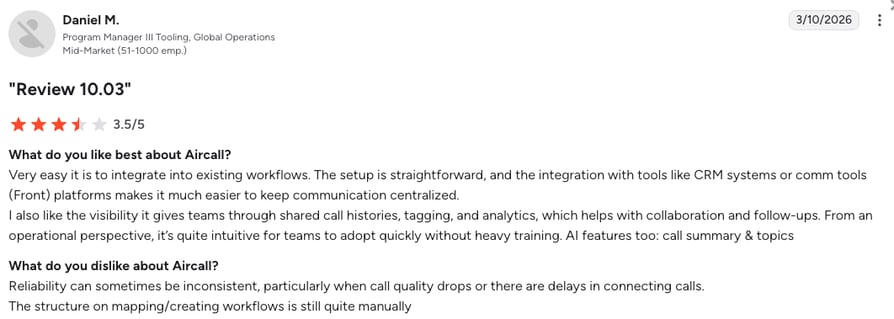
- Time Saved on Entry: Users rave about how native integrations save hours of manual typing compared to older phone systems.
- Easy to Learn: New reps are able to start taking calls almost immediately thanks to the modern design.
- Rigid Contracts: Some users report that canceling the service is difficult and bogged down by aggressive retention tactics.
How G2 Users Rate Aircall?
Aircall's current G2 rating is 4.4/5, out of 1,650+ verified user reviews.
5. Quo (OpenPhone): Best for Early-Stage Startups Needing Shared Text Inboxes
What is Quo?
Quo (formerly OpenPhone) is a collaborative, mobile-first business phone app. It completely reimagines the business phone by making it look and feel exactly like a modern texting app on your smartphone. Because of this, Quo is incredibly popular among startups, local businesses, and real estate agencies that rely heavily on texting rather than complex call queues.
Why Is Quo a Strong Zadarma Alternative?
- Unlimited Regional Texting: Quo includes unlimited calling and messaging to the US and Canada in its base plan. This completely cures the anxiety of Zadarma's high per-message fees.
- The Shared Team Inbox: Quo allows multiple team members to share a single phone number and text thread. This prevents duplicate replies and confused customers.
- Zero Seat Minimums: Starting at an affordable $15 with no multi-user requirements, Quo offers a cheap way for solo operators to upgrade to a reliable app.
What Are the Pros & Cons of Quo?
| Pros | Cons |
|---|---|
| Shared inbox: Eliminates duplicate text responses and improves team collaboration. | Cold calling bans: Quo strictly enforces messaging rules and monitors for spam, lowering its usefulness for outbound sales. |
| Mobile app UX: The design feels just like iMessage, requiring zero team training to adopt. | Limited international coverage: Number options outside of North America are restricted compared to leaders like CloudTalk. |
| AI features included: Foundational plans feature automated call recaps and a basic AI receptionist. | Rigid Call Flows: Deleting routing steps often deletes the whole path, which frustrates admins making quick changes. |
What Are Quo’s Plans & Pricing?
Quo pricing starts at $15/user/month (billed annually), with the following plans:
Quo Plans and Pricing
| Plan | Price |
|---|---|
| Starter | $15/user/mo |
| Business | $23/user/mo |
| Enterprise | Custom quote-based pricing |
What Are Quo Customers Saying?
Quo customers praise the app for its simplicity, though some warn about strict account bans if you try to use it for heavy marketing.
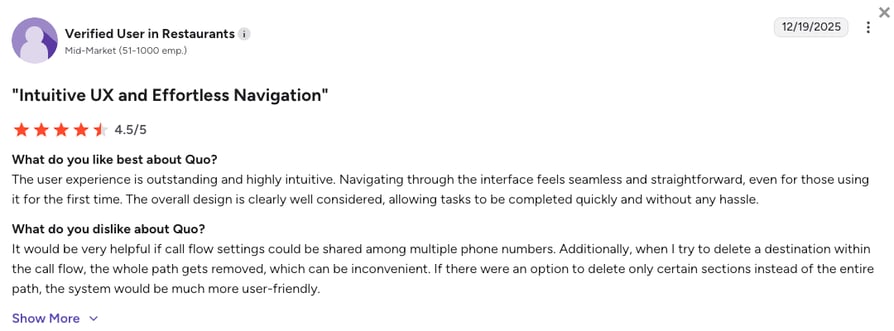
- Highly Intuitive UX: Users rave about the clean, familiar design that makes the app easy to navigate immediately.
- Fast Setup: Eliminates the frustration of legacy phone systems with an instant and modern onboarding experience.
- Strict Outbound Rules: Multiple users report having their accounts abruptly terminated because the platform flagged their regular texting as spam.
How G2 Users Rate Quo?
Quo’s current G2 rating is 4.7/5, out of 3,000+ verified user reviews.
6. KrispCall: Best for Budget-Conscious Teams Seeking a Modern Workspace
What is KrispCall?
KrispCall is an emerging cloud phone system that directly targets teams looking for a great budget option. It offers a very affordable starting price that challenges older free tiers by providing a much more stable, modern interface known as the Unified Callbox, while still maintaining excellent global number coverage.
Why Is KrispCall a Strong Zadarma Alternative?
- Rapid Identity Checks: Users migrating from Zadarma specifically praise KrispCall's painless and fast verification process. This allows businesses to launch without paralyzing delays.
- Unified Callbox Interface: It neatly organizes all calls, texts, and voicemails into a single workspace. This fixes the clunky navigation of older, outdated systems.
- Affordable Global Reach: Despite its low $12 entry cost, it matches legacy coverage by providing numbers in over 100 countries without hiding basic features behind paywalls.
What Are the Pros & Cons of KrispCall?
| Pros | Cons |
|---|---|
| Very budget-friendly: At $12/mo, it provides a functional and modern baseline for micro-teams. | Pay-as-you-go SMS: While the software is cheap, you still pay per message for your texts. |
| Instant verification: Gets you up and running without the bureaucratic nightmare of older identity checks. | Lacks complex auto dialers: Not built for aggressive outbound sales floors that need automated dialing. |
| Unified Workspace: Keeps all client interactions neatly organized in one easy-to-read dashboard. | Fewer deep integrations: The CRM syncs are good, but lack the two-way depth of mid-market leaders. |
What Are KrispCall’s Plans & Pricing?
KrispCall pricing starts at $12/user/month (billed annually), with the following plans:
KrispCall Plans and Pricing
| Plan | Price |
|---|---|
| Essential | $12/user/mo |
| Standard | $32/user/mo |
| Enterprise | Custom quote-based pricing |
Unavoidable upgrades:
KrispCall’s $12 Essential plan is perfect for tiny teams prioritizing affordability, but growing mid-sized businesses will want the $32 Standard plan to get deeper software connections and advanced reporting tools. Something to keep in mind when comparing Zadarma vs KrispCall.
What Are KrispCall Customers Saying?
KrispCall customers love the modern feel of the app and how easy it is to get started, though some note the features are relatively basic for bigger teams.
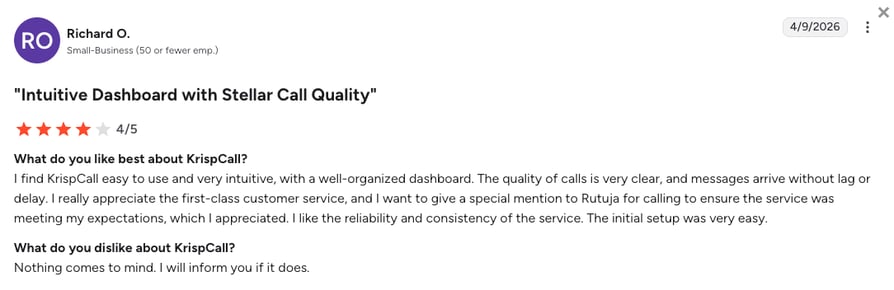
- Lightning Fast Setup: Customers constantly highlight how the support team speeds up verification so they can start working immediately.
- Clean Dashboard: Users appreciate the Unified Callbox for keeping their daily tasks organized.
- Basic Feature Set: As teams scale, some users note they outgrow the reporting and routing features offered on the base tiers.
How G2 Users Rate KrispCall?
KrispCall’s current G2 rating is 4.5/5, out of 300+ verified user reviews.
7. Nextiva: Best for Customer-Focused Teams Prioritizing 24/7 Human Support
What is Nextiva?
Nextiva is a major player in the UCaaS (Unified Communications as a Service) space. It is designed for mid-sized businesses that want a reliable, all-in-one platform for voice, video, and chat, but absolutely refuse to compromise on customer service. Nextiva is highly regarded as a safe, stable choice for teams that prioritize platform reliability over experimental new tech.
Why Is Nextiva a Strong Zadarma Alternative?
- High-Quality Human Support: Nextiva solves Zadarma's notoriously slow ticket problem by providing highly responsive technical assistance. They actually fix your issues over the phone.
- Rock-Solid Stability: Backed by a 99.999% uptime guarantee, Nextiva completely eliminates the random five-minute disconnects and audio delays of older networks.
- Generous Base Value: Nextiva avoids charging you for every little thing by including generous SMS limits and essential routing features straight out of the box.
What Are the Pros & Cons of Nextiva?
| Pros | Cons |
|---|---|
| All-in-one platform: Combines voice, video, and internal team chat natively in one place. | Pricing jumps for advanced tools: Getting full contact center capabilities requires a massive tier jump. |
| Excellent support: Highly responsive customer service teams that resolve issues quickly. | Cluttered dashboard: The backend settings can feel a bit overwhelming for non-technical users. |
| Eliminates SMS limits: Generous text message allowances prevent mid-month texting freezes. | Slower setup: Initial implementation takes longer than lightweight, mobile-first apps. |
What Are Nextiva’s Plans & Pricing?
Nextiva pricing starts at $15/user/month (billed annually), with the following main plans:
Nextiva Plans and Pricing
| Plan | Price |
|---|---|
| Core | $15/user/mo |
| Engage | $25/user/mo |
| Scale | $75/user/mo |
| Professional | Quote-based (Enterprise plans) |
International calling:
Nextiva's international calling capabilities are largely relegated to premium pricing tiers, making it less ideal for highly distributed global teams compared to CloudTalk.
What Are Nextiva Customers Saying?
Nextiva customers love the platform's reliability and incredible customer support, though some mention the administrative side has a bit of a learning curve.
- Rock-Solid Uptime: Reviewers frequently praise the clear audio and enterprise-grade reliability.
- Amazing Support: Users constantly shout out the support team for actually answering the phone and staying on the line until a problem is solved.
- Steep Learning Curve: Reviewers point out that navigating the backend settings can be confusing at first.
How G2 Users Rate Nextiva?
Nextiva’s current G2 rating is 4.5/5, out of 3,400+ verified user reviews.
8. Ringover: Best for High-Performance Sales and Recruitment Agencies
What is Ringover?
Ringover is an agile cloud phone system optimized for high-volume calling and European markets. It merges traditional phone functionality with advanced sales tools, making it a favorite among staffing agencies, recruiters, and outbound sales floors that need to track multiple customer touchpoints smoothly.
Why Is Ringover a Strong Zadarma Alternative?
- Predictable International Rates: Ringover guarantees unlimited calling to 110+ destinations at a fixed monthly price. This removes the stress of Zadarma's unpredictable per-minute fees.
- All-in-One Inbox: Ringover pulls calls, texts, WhatsApp, and social messages into a single screen. This solves the multichannel roadblocks experienced on older systems.
- Five-Minute Onboarding: The platform allows non-technical managers to buy numbers and set up rules instantly. This bypasses slow IT delays.
What Are the Pros & Cons of Ringover?
| Pros | Cons |
|---|---|
| Unlimited calling to 110+ countries: Removes international cost unpredictability for global teams. | CRM sync lags behind leaders: Users report occasional data drops compared to tools with true Deep-Sync. |
| All-in-one inbox: Consolidates voice, WhatsApp, and social media perfectly for agents. | SMS and MMS limitations: Slower text deliverability in the US and frustrating extra fees for picture messages. |
| Live agent whispering: Managers can monitor and privately advise agents in real-time during a call. | Mobile app glitches: Users sometimes report refresh issues and lag on the mobile application. |
What Are Ringover’s Plans & Pricing?
Ringover pricing starts at $21/user/month (billed annually), with the following plans:
Ringover Plans and Pricing
| Plan | Price |
|---|---|
| Smart | $21/user/mo |
| Business | $44/user/mo |
| Advanced | $54/user/mo |
Note the AI tax:
Ringover's smart tools are useful but expensive. Combining the Business tier ($47) with the extra AI tool ($39) pushes the cost per user to $86/month, which strains standard budgets.
What Are Ringover Customers Saying?
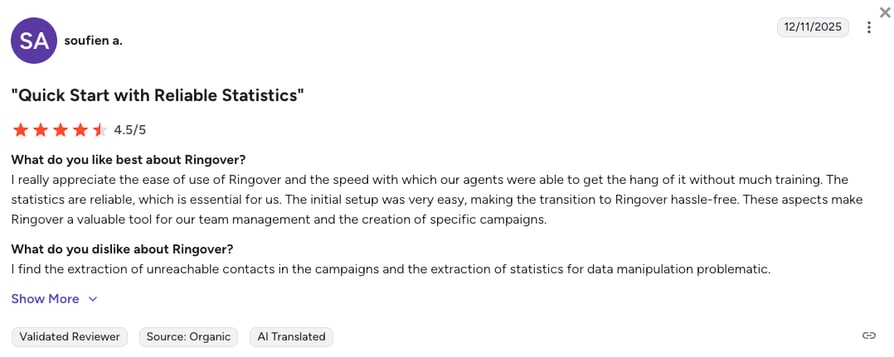
Ringover users often praise the speed of deployment and predictable billing, but face hurdles when trying to pull raw data for reports.
- Fast Onboarding: Managers appreciate how quickly agents learn the system without needing heavy IT training.
- Great for Coaching: Sales teams love the integrated dialer and live listening tools to help train new recruits on the floor.
- Data Extraction Issues: Users find exporting unreachable contacts and raw statistics for external spreadsheet work to be somewhat problematic.
How G2 Users Rate Ringover?
Ringover's current G2 rating is 4.6/5, out of 450+ verified user reviews.
9. RingCentral (RingEX): Best for Multi-Site Corporate Enterprises Requiring UCaaS
What is RingCentral?
RingCentral (their main product known as RingEX) is the huge, all-in-one enterprise player for unified communications. It is built for complex, multi-site businesses that require a single, massive application to handle external phone calls, internal team messaging, high-definition video conferencing, and digital fax capabilities all at the same time.
Why Is RingCentral a Strong Zadarma Alternative?
- Patented Global Network: RingCentral provides incredible stability for multinational corporations. This easily resolves Zadarma's annoying call drops and regional audio issues.
- Everything in One Place: RingEX aims to replace your Zoom, Slack, and older desk phone systems simultaneously. This offers a true all-in-one corporate hub.
- Compliance Leadership: The platform offers the strongest security controls and privacy rules (like HIPAA and SOC 2) for highly regulated industries like healthcare and finance.
What Are the Pros & Cons of RingCentral?
| Pros | Cons |
|---|---|
| All-in-one ecosystem: Combines enterprise voice, video, team chat, and fax in one app. | Steep learning curve: The backend administration is famously dense and requires dedicated IT staff. |
| Elite reliability: Supported by an incredibly stable, patented global voice network. | Strict SMS caps: The base entry plan limits users to a frustrating 25 text messages per month. |
| Advanced compliance: Top-tier security protocols for healthcare and finance sectors. | Expensive AI add-ons: Adding conversational AI requires a costly $60/user/month upgrade. |
What Are RingCentral’s Plans & Pricing?
RingCentral pricing starts at $20/user/month (billed annually), with the following plans:
RingCentral Plans and Pricing
| Plan | Price |
|---|---|
| Core | $20/user/mo |
| Advanced | $25/user/mo |
| Ultra | $35/user/mo |
Know your limits:
While the $20 base plan looks competitive, it acts more like a trial by imposing a strict 25 SMS message limit per user. Teams are quickly forced into more expensive tiers if they want to text their clients.
What Are RingCentral Customers Saying?
RingCentral customers appreciate the high-level stability but report significant issues with administrative complexity and customer support runarounds.
- Enterprise Reliability: IT teams love the network uptime and the fact that it scales perfectly for massive corporations.
- Deep Feature Set: Users like having a tool for literally every communication need built into one single platform.
- Clunky Admin and Support: Admins frequently complain that simple routing changes take too many clicks, and getting help from support involves getting bounced between offshore departments.
How G2 Users Rate RingCentral?
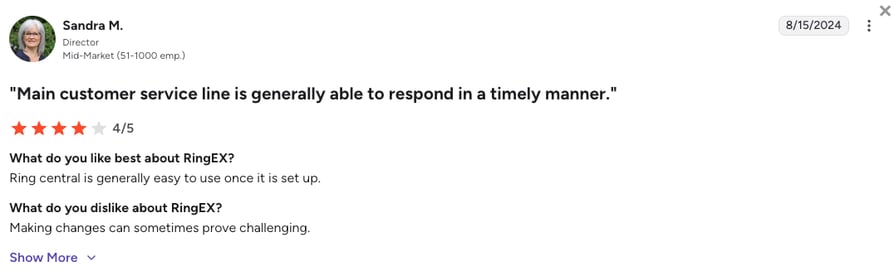
RingCentral’s current G2 rating for their RingEX suite is 4.1/5, out of 1,350+ verified user reviews.
10. Vonage: Best for Custom API Flexibility and Enterprise Routing
What is Vonage?
Vonage Business Communications provides a highly scalable cloud phone system that serves as a bridge between out-of-the-box software and custom-built tools. Vonage’s underlying architecture is built on flexible APIs, making it a favorite for enterprise developers who want to build highly customized voice and messaging workflows directly into their own company software.
Why Is Vonage a Strong Zadarma Alternative?
- Flexible API Tools: Vonage APIs go far deeper than anything in the Zadarma API documentation. This code structure allows for deep, customized integrations.
- Enterprise-Grade Network: Provides excellent global call quality and a highly stable network infrastructure. This finally puts an end to those five-minute disconnects.
- Strong MS Teams Routing: It runs natively inside Microsoft Teams. This allows enterprise users to keep their existing workflows while upgrading their phone network behind the scenes.
What Are the Pros & Cons of Vonage?
| Pros | Cons |
|---|---|
| API flexibility: Developers can build custom communication flows natively into their own apps. | Lots of extra fees: Essential features like visual voicemail and call recording are often locked behind paywalls. |
| Stable network: Excellent audio quality backed by carrier-grade enterprise infrastructure. | Unpredictable billing: Add-on fees make the total cost of ownership hard to predict for small teams. |
| Microsoft Teams sync: Great integration for offices heavily reliant on the Microsoft ecosystem. | Slow customer service: Users report that getting technical issues resolved can take several days. |
What Are Vonage’s Plans & Pricing?
Vonage pricing starts at $13.99/user/month (billed annually), but scales quickly based on add-ons:
Vonage Plans and Pricing
| Plan | Price |
|---|---|
| Mobile | $13.99/user/mo |
| Premium | $20.99/user/mo |
| Advanced | $27.99/user/mo |
What Are Vonage Customers Saying?
Vonage customers love the underlying call quality and flexibility, but heavily criticize the company's billing practices.
- Great Audio Foundation: Users consistently rate the actual voice quality and network stability very highly.
- Customization Power: Developers appreciate the ability to trigger texts and calls directly from their own software.
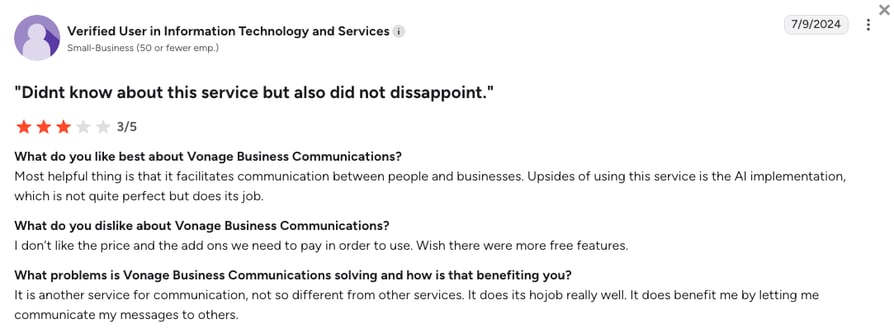
- Add-On Fatigue: The biggest complaint is that standard features (like call groups or recording) require paid add-ons. This makes the cheap entry price a bit misleading.
How G2 Users Rate Vonage?
Vonage’s current G2 rating is 4.3/5, out of 500+ verified user reviews.
What Users Are Really Saying About Zadarma Alternatives and Competitors
To give you a clearer picture, we dug into what real users are saying about Zadarma and its top competitors. We looked into unfiltered conversations on Reddit, Quora, G2, and TrustPilot to understand exactly why growing teams decide it is time to move on.
What Redditors Are Asking and Saying about Zadarma and Its Alternatives
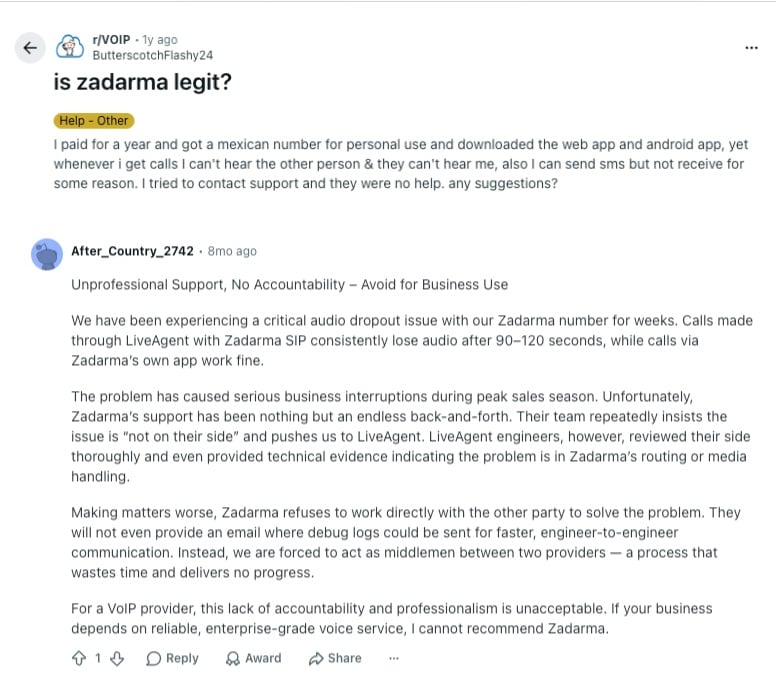
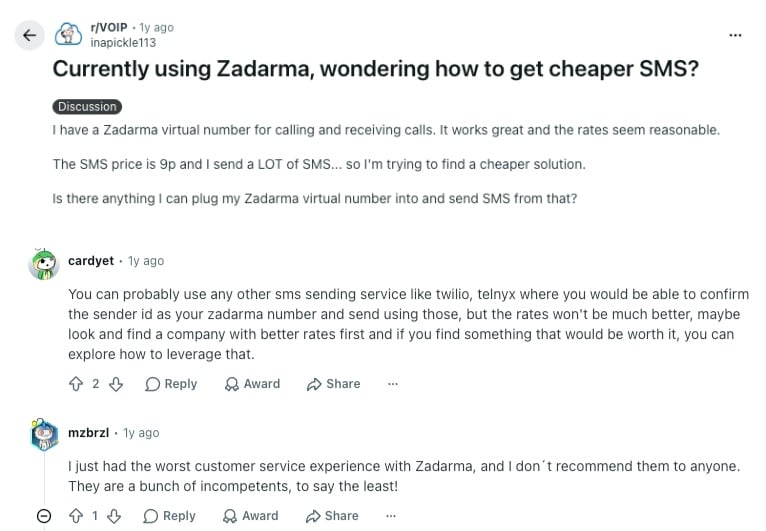
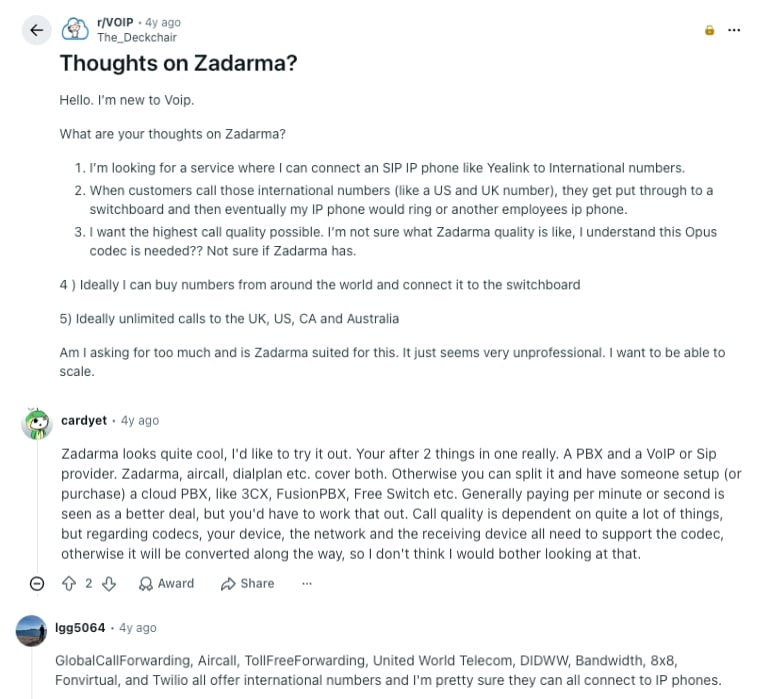
Reddit is a great place to find unfiltered technical opinions. On forums like r/VOIP, users frequently discuss the painful transition away from Zadarma's bare-bones service. Here is what they are saying:
- Dropped Audio and Blame-Shifting Support: Users frequently report two-way audio completely dropping after 90-120 seconds. Instead of fixing the routing, Zadarma's support often pushes the blame onto third-party helpdesks. This lack of accountability drives teams toward reliable, well-supported platforms like CloudTalk.
- The Broken and Expensive SMS Trap: High-volume sales teams quickly find Zadarma's per-message rates financially unsustainable. Worse, users often pay for numbers that can send texts but mysteriously fail to receive them, prompting a strong push toward tools with reliable, flat-rate SMS bundles.
- Unprofessional for Scaling Teams: When scaling global communications and setting up proper switchboards, the Reddit consensus is that Zadarma’s bare-bones setup feels "unprofessional." Users actively recommend ditching basic SIP providers for true unified platforms like CloudTalk or Aircall to ensure high-quality routing.
What Quora Users Are Asking about Zadarma and Its Competitors
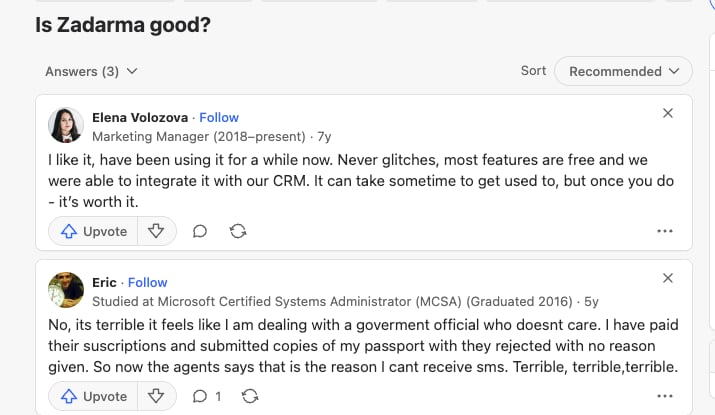
While Quora might not have as many deep technical threads as Reddit, the sentiment from small business owners is incredibly clear. When discussing Zadarma and its competitors, two major themes stand out:
- Bureaucratic Verification and Broken SMS: Users asking if Zadarma is reliable are met with intense frustration. Reviewers complain about arbitrarily rejected passport uploads and uncaring support, noting that these rigid identity blocks completely break their ability to receive inbound SMS.
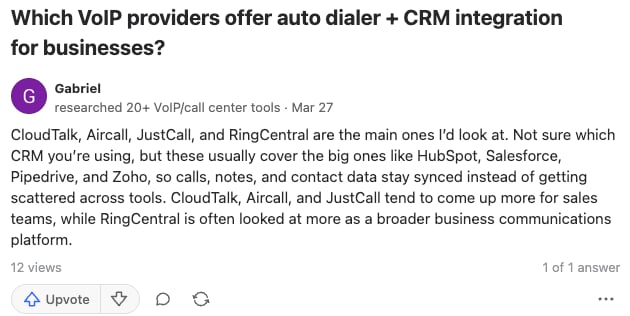
- The Need for Auto-Dialers and True CRM Sync: When teams outgrow basic calling, they ask Quora for VoIPs with real sales tools. Experts actively recommend CloudTalk, Aircall, and JustCall because they feature built-in auto-dialers and natively sync all call data directly into HubSpot or Salesforce.
How Do the Best Zadarma Alternatives Compare on G2?
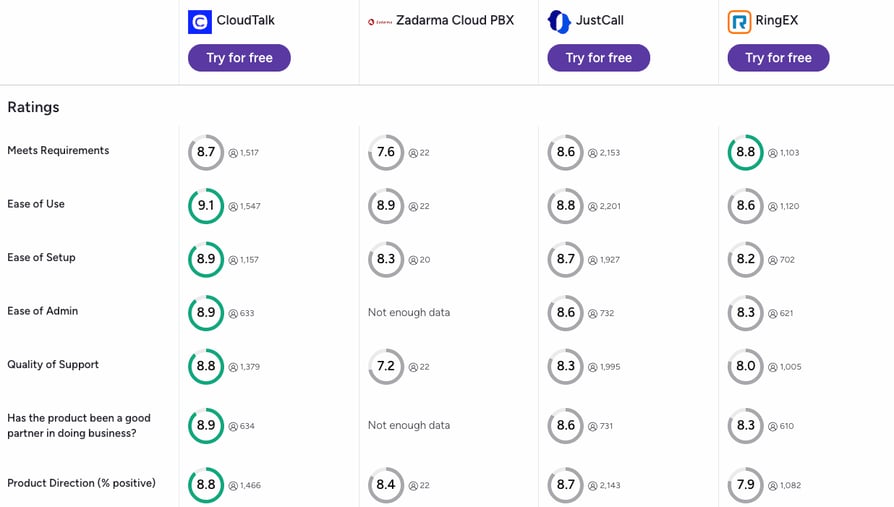
G2’s community of verified software buyers focuses on measurable performance metrics like Quality of Support and Ease of Setup. When looking at the aggregate data, users consistently rank Zadarma’s top competitors higher in the categories that matter most for scaling daily operations.
When looking at users who actively switched, a few major themes stand out:
- The Quality of Support Gap: Support is a known pain point for Zadarma, reflected in its low 7.2 rating. Meanwhile, professional teams highly favor CloudTalk (8.8), JustCall (8.3), and RingCentral/RingEX (8.0) for providing responsive, highly-rated technical assistance.
- Meeting Business Requirements: Zadarma scores a low 7.6 for actually meeting user requirements, and lacks enough data to even score for "Ease of Admin." In contrast, platforms like CloudTalk (8.9 for Admin) provide the comprehensive features and intuitive dashboards growing teams demand.
- Market Trust and Review Volume: While Zadarma holds a decent score for basic use, its tiny sample size of roughly 30 reviews is a red flag. With CloudTalk, JustCall, and RingEX each holding between 1,100 and 2,200+ verified reviews, the data proves a much higher level of "battle-tested" reliability.
CloudTalk vs. Zadarma: Final Head-to-Head Comparison
In a CloudTalk vs Zadarma comparison, the biggest difference comes down to reliability and the true cost of scaling. Zadarma acts as a basic utility for making isolated international calls, while CloudTalk is purpose-built to act as a stable, intelligent engine for your daily sales and customer support operations.
To help you decide, here's how Zadarma vs CloudTalk stacks up for growing teams, category by category.
Zadarma vs CloudTalk: The Final Comparison
| Category | CloudTalk | Zadarma | Winner |
|---|---|---|---|
| Starting Price (annual billing) | $25/user/mo | Free (Standard) | Zadarma |
| Free Tier | | | Zadarma |
| Minimum Users | 1 | 1 | Tie |
| Network Reliability SLA | 99.999% uptime guarantee | Frequent user reports of dropped calls | CloudTalk |
| Global Coverage | 160+ countries | 110+ countries | CloudTalk |
| SMS Allowances | Published per-message rates, no $0.11 surprises | Expensive pay-per-message ($0.11/msg) | CloudTalk |
| CRM Integrations | Native Deep-Sync for Salesforce, HubSpot, etc. (from Essential plan on) | Basic, surface-level API connections | CloudTalk |
| Text Messaging (SMS) | Fast activation and logical bundling | Compliance rules can delay texting for weeks | CloudTalk |
| Conversation AI | Available as a native flat-rate add-on at $9/user/mo | Charged as a per-minute add-on | CloudTalk |
| Auto Dialers | Smart, Preview, Power, and Parallel dialing modes available | Relies on manual dialing | CloudTalk |
| Visual Call Flow Builder | Intuitive drag-and-drop designer | Basic, outdated menus | CloudTalk |
| Support Quality | 24/7 fast, human support (incl. phone support on Expert plan) | Notoriously slow ticketing | CloudTalk |
| Identity Verification | Instant for US and Canadian numbers, documents listed up front elsewhere | Invasive and account-freezing | CloudTalk |
| G2 Rating | 4.4/5 (1,900+ reviews) | 4.6/5 (30+ reviews) | CloudTalk |
| Free Trial | 14 days | N/A | CloudTalk |
Native deep-sync vs. basic APIs explained:
The main difference between CloudTalk's Native Deep-Sync and Zadarma's API connections comes down to your team's daily productivity. Zadarma provides raw API tools that require custom developer work just to connect your systems. Even then, your reps usually have to log their call details manually.
CloudTalk’s Deep-Sync is ready to use immediately on our Essential plan and above. The moment a call ends, the recording, text history, and notes automatically save into HubSpot or Salesforce. This completely eliminates manual data entry. Your team gets hours of their week back to focus on closing deals and helping customers, while your managers get a perfectly accurate view of every single interaction.
How to Choose the Right Zadarma Alternative for Your Business?
When choosing the right Zadarma alternative, mainly think about your specific business roadblocks rather than just looking at a feature list. Based on community questions and search trends, here is how to match your business needs to the right platform:
1. What Is the Best Zadarma Alternative for Predictable Billing?
If you have been burned by Zadarma's expensive per-message texting fees or surprise per-minute AI charges, you need transparent subscription plans.
- Top Picks: CloudTalk is the best Zadarma alternative for cost predictability because it bundles essential features and offers clear pricing tiers and straightforward add-ons. Nextiva is also a solid choice if you want generous, predictable text message allowances included in your base plan.
2. Which Zadarma Alternative Has the Best CRM Sync?
If your team is losing time manually typing notes because Zadarma's basic connections keep dropping data, you need a system with true two-way software syncing.
- Top Picks: CloudTalk is fantastic here, using Deep-Sync technology (available on Essential plans and above) to ensure every call and text logs perfectly into the best CRMs like HubSpot or Salesforce. Aircall is another strong option for teams that want a highly reliable software ecosystem, offering even more integrations than CloudTalk.
3. What Is the Best Zadarma Alternative for International Reach?
If you are looking for a Zadarma UK virtual number price or a Zadarma UAE number, there’s definitely a bunch of providers that offer more reliable routing and simpler verification process.
- Top Picks: CloudTalk wins this category easily, providing high-quality virtual numbers in over 160 countries backed by a multi-carrier network that guarantees clear audio (as well as a simpler number provisioning process). KrispCall is a decent secondary choice for budget-conscious teams needing global numbers.
4. Are There Zadarma Alternatives without Heavy Verification Delays?
Zadarma is notorious for freezing accounts and demanding highly invasive document uploads before you can even make a call.
- Top Picks: CloudTalk completely replaces that bureaucratic nightmare with a clear onboarding process where US and Canadian numbers go live instantly. For tiny startups, Quo (OpenPhone) also offers a very fast, modern setup.
5. Aircall vs CloudTalk vs Zadarma: Which Is Best for Sales?
CloudTalk is the best pick in an Aircall vs CloudTalk vs Zadarma comparison for sales teams, because it pairs a Power Dialer and two-way CRM sync with a 99.999% uptime SLA and no seat minimum on Starter or Essential.
- Top Picks: CloudTalk for SMB to mid-market sales teams: $25/user/month to start, a native Power Dialer on Expert or a $15/user/month add-on on any plan, and CRM logging from Essential. Aircall fits helpdesk-first teams that can commit to three licenses at $30/user/month, and the Aircall vs CloudTalk gap is mostly that $90 monthly floor and the dialers. Zadarma only wins for a solo caller happy with a $0 PBX and manual dialing. JustCall is the runner-up for predictive-dialer sales floors.
6. What Should You Check Before Switching from Zadarma?
Before switching from Zadarma, check three things: how a number actually goes live, what a real month costs, and which company you are signing with.
- Verification and activation: Ask which countries activate instantly, which need documents, and how long the review takes. CloudTalk activates US and Canadian numbers the moment you pay, publishes the document list per country before you order, and answers other requests within 24 hours.
- The real monthly bill: Zadarma's Standard PBX is $0 for up to five users, but only while you top up every three months, and every outgoing minute, text and transcription is billed on top. Price a real month of your volume against those headline prices.
- Who holds your numbers: Zadarma's Russian business has traded as Novofon since 2022 while zadarma.com serves everyone else, so check which entity your contract names and confirm you can port your numbers out.
7. Overall, What Is the Best Zadarma Alternative Worth Switching To?
If you run a growing business looking to replace Zadarma's dropped calls, hidden fees, and slow support with a reliable phone system, CloudTalk is the definitive choice.
- Top Picks: CloudTalk stands out as the ultimate upgrade for small and mid-sized businesses. It gives your scaling team enterprise-grade reliability, transparent pricing, and smart automation without the bloated enterprise costs.
Predictable Billing, Fast Verification or a CRM That Fills Itself In. Whichever You Picked, Test It on Your Own Number.
Ready to Make the Switch from Zadarma?
As verified user reviews across platforms like G2, TrustPilot, and Reddit show, scaling teams typically leave Zadarma because of three main roadblocks: random call drops, slow customer support, and very expensive pay-per-message texting fees.
Here is what switching from Zadarma to CloudTalk gets you immediately:
- Rock-Solid Uptime: Move from Zadarma's glitchy legacy network to CloudTalk’s multi-carrier global infrastructure, securing a 99.999% uptime guarantee, and reliable connection in 160+ countries.
- Predictable Billing: Stop stressing over $0.11 text messages and per-minute AI fees. CloudTalk bundles your essential tools and offers flat-rate AI add-ons within clear, transparent monthly plans.
- Zero IT Bottlenecks: Replace Zadarma's frustrating identity checks and slow support tickets with lightning-fast onboarding and a responsive 24/7 human support team.
- Automated Workflows: Ensure every call and text logs perfectly into your CRM without any manual typing from your reps.
Join 5,500+ Businesses That Stopped Watching the Five-Minute Mark
Frequently Asked Questions
about Zadarma Alternatives
Find quick answers to the most common questions businesses have about Zadarma and its competitors.
Zadarma is a cloud phone provider best known for offering cheap virtual numbers and a free entry-level plan. However, growing teams quickly outgrow its basic utility and move on due to additional texting costs, dropped calls, and slow support queues.
Businesses typically switch from Zadarma to providers like CloudTalk to escape unreliable call quality, very expensive per-message texting fees, and incredibly slow customer support. As teams grow, they need a system that integrates smoothly with their CRM, which Zadarma struggles to do without manual data entry.
CloudTalk is the best overall Zadarma alternative in 2026. It replaces Zadarma's older, glitchy infrastructure with a highly reliable multi-carrier network, native AI tools (including auto dialers or bundled voice AI solutions), and local numbers in over 160 countries.
While Zadarma offers a $0 Standard plan compared to CloudTalk's $25/user/month Starter plan, CloudTalk is significantly cheaper over time. Zadarma relies on a strict pay-as-you-go model where every outbound minute, international text ($0.11/msg), and AI transcription is an extra charge.
CloudTalk instead provides predictable monthly subscriptions and flat-rate AI add-ons, which keeps surprise invoices away as you scale.
Zadarma relies heavily on a pay-as-you-go model, which can feel like hidden fees if you are not careful. You will be charged extra per-minute fees for AI transcription and face surprisingly high costs for sending international text messages to clients.
While few enterprise VoIP providers are entirely free, CallHippo and KrispCall offer incredibly low starting points that challenge Zadarma's free tier. However, for a fully functional business phone system with CRM sync, you are better off paying a transparent monthly fee.
CloudTalk and Aircall are the strongest Zadarma alternatives for Salesforce and HubSpot. They both use deep, two-way syncing technology (included in CloudTalk's Essential plan and up) to ensure every call and text is logged automatically, saving your team hours of manual data entry.
Yes, you can easily port your existing virtual numbers from Zadarma to a new platform like CloudTalk. The new provider handles all the technical transfer paperwork for you, ensuring you do not experience any downtime during the switch.
Zadarma enforces very strict Know Your Customer (KYC) rules to prevent telecom fraud. However, many users find their specific process, which often demands photos of you holding your ID, to be invasive, slow, and overly bureaucratic compared to other, more modern VoIP providers.
Novofon is the name Zadarma's Russian business has used since 2022, when the Zadarma brand left the Russian market. Outside Russia, Zadarma still sells under its own name at zadarma.com, so the product has not disappeared. If continuity matters, check which entity your contract names before you renew, and compare it with a virtual number provider that publishes one coverage list under one name.
Yes, Zadarma is a legitimate provider that has operated for nearly two decades and sells numbers in 110+ countries, so the question is fit rather than fraud. Buyers usually check the identity documents it asks for, whether numbers can be ported out, and how fast support answers. The Trustpilot and Reddit threads above show where those checks fail, and published security standards remove most of the guesswork.
CloudTalk is the best pick of the three for a sales or support team that wants stable calls, CRM sync (from Essential) and a Power Dialer (Expert, or an add-on), starting at $25/user/month with no seat minimum on Starter or Essential. Aircall fits helpdesk-first teams that can commit to three licenses at $30/user/month, and that $90 Aircall pricing floor is the main gap. Zadarma suits a solo user who wants a cheap number and a free PBX.
Often, no. Meta routinely rejects Zadarma virtual numbers during the WhatsApp Business registration process. If you need a reliable number for WhatsApp, platforms like JustCall, CloudTalk, and Ringover are built specifically to handle these messaging workflows securely.
Dedicated SMS platforms or text-heavy VoIPs like JustCall are far superior to Zadarma because they bundle your text messages into a flat monthly rate. Zadarma charges high per-message fees, making it completely financially unviable for teams doing high-volume text marketing or customer outreach.
Zadarma’s monthly rental fee for international numbers (like a UK or UAE number) is often cheaper than its rivals. However, that base price only covers holding the number. Once you start calling or texting clients, Zadarma charges unpredictable per-minute and per-message fees.
Providers like CloudTalk pair virtual number pricing with a flat subscription, so active teams know the bill before the calls connect.