TL;DR Comparison Table: 10 Best Skype for Business Alternatives
| # | Tool | Best For | International Calling | Starting Price | G2 Rating |
|---|---|---|---|---|---|
| 0 | Skype for Business (baseline) | Microsoft 365 companies that used it for chat, meetings, and basic calling | Retired, calling moved to Teams Phone licenses | No longer sold (Online retired in 2021) | Not rated (retired) |
| 1 | CloudTalk | SMB to mid-market sales and support teams calling across borders with CRM sync, dialers, and AI | Local numbers in 160+ countries, regional calling bundles | $25/user/month (Starter) | 4.4/5 |
| 2 | Microsoft Teams Phone | Microsoft 365 companies that want basic calling inside Teams with no extra vendor | $34/user/month tier with 600 international minutes | $10/user/month plus a Teams license | 4.4/5 (whole Teams suite) |
| 3 | Zoom Phone | Companies already meeting on Zoom that want calls in the same app | Global Select: local service in 40+ countries | $10/user/month (metered) | 4.6/5 |
| 4 | RingCentral (RingEX) | Multi-site companies that want calls, video, and messaging from one long-standing vendor | International bundles or per-minute rates | $20/user/month (Core) | 4.2/5 (RingEX) |
| 5 | Dialpad Connect | Teams that want live transcription and AI notes on every call | Free calls at home, in the US, and in Canada, credits beyond | $15/user/month (Standard) | 4.4/5 |
| 6 | Google Voice | Google Workspace teams that want a low-cost business number | Per-minute rates from prepaid credit, sold in 14 countries | $10/user/month (Starter, plus Workspace) | 4.1/5 |
| 7 | Aircall | Support and sales teams that need 250+ helpdesk and CRM integrations | Bundles on request, unlimited global calls on Enterprise | $30/user/month (3-license min) | 4.4/5 |
| 8 | Quo (formerly OpenPhone) | Small US and Canadian teams that share numbers and live in texts | US and Canada included, per-minute elsewhere | $15/user/month (Starter) | 4.7/5 |
| 9 | 8x8 | Mid-market companies that call dozens of countries every day | Unlimited calls to 14 to 48 countries, by tier | $24/user/month (X2, last published rate) | 4.2/5 |
| 10 | 3CX | IT-run companies that want a self-hosted or on-premises phone system | Through the SIP trunk you choose | Free up to 10 users (StartUP) | 4.4/5 |
Calling Abroad on Teams Phone? See What the Same Calls Cost on CloudTalk.
Skype for Business was how a lot of companies chatted, met, and called clients abroad from one Microsoft app. Then Microsoft retired it and moved everyone to Teams, and calling turned into a separate Teams Phone license, with another step up for international minutes. That's usually the moment teams start shopping around.
The best alternatives to Skype for Business for that moment are CloudTalk, Microsoft Teams Phone, Zoom Phone, RingCentral, and 8x8. CloudTalk fits sales and support teams that call clients across borders, Teams Phone is the natural pick if calling stays inside Microsoft 365, and Zoom Phone suits companies already meeting on Zoom. RingCentral fits multi-site companies that want one long-standing vendor, and 8x8 bundles unlimited calls to up to 48 countries on its higher tiers.
If your team mostly chats and meets, Teams already does that job. Whether you still run Skype for Business Server or already pay for Teams Phone, one question decides it: is calling a side feature for your team, or the work itself?
Why Are Teams Searching for a Skype for Business Alternative?
Microsoft retired Skype for Business Online on July 31, 2021, and support for the 2015 and 2019 server editions ended on October 14, 2025. What replaced Skype for Business for companies was Microsoft Teams, with phone calls sold as MS Teams Phone. A Skype for Business Server Subscription Edition still exists for companies that must stay on-premises, but it's a holding pattern, not a road forward.
For chat and meetings, Teams is a strong successor. Calling is where the setup and the bill grow, especially once your team calls abroad.
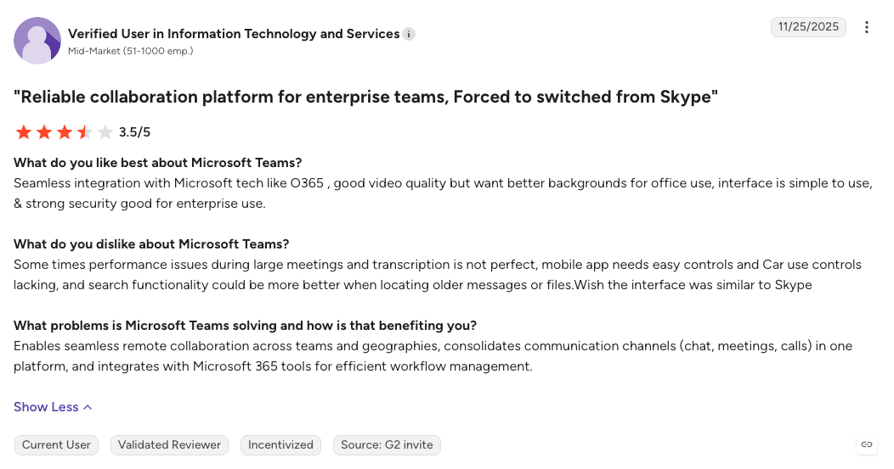
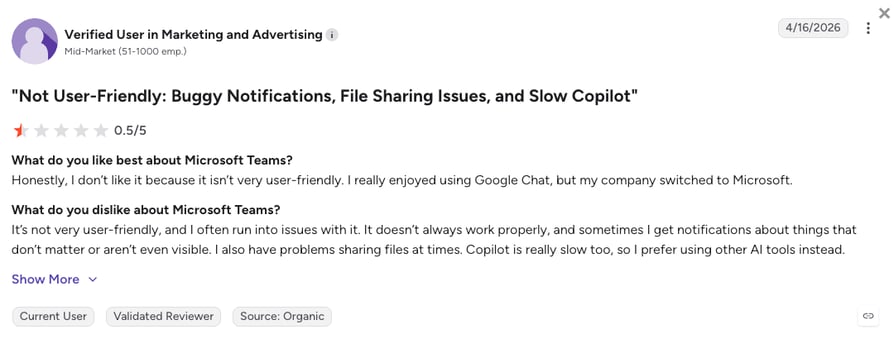
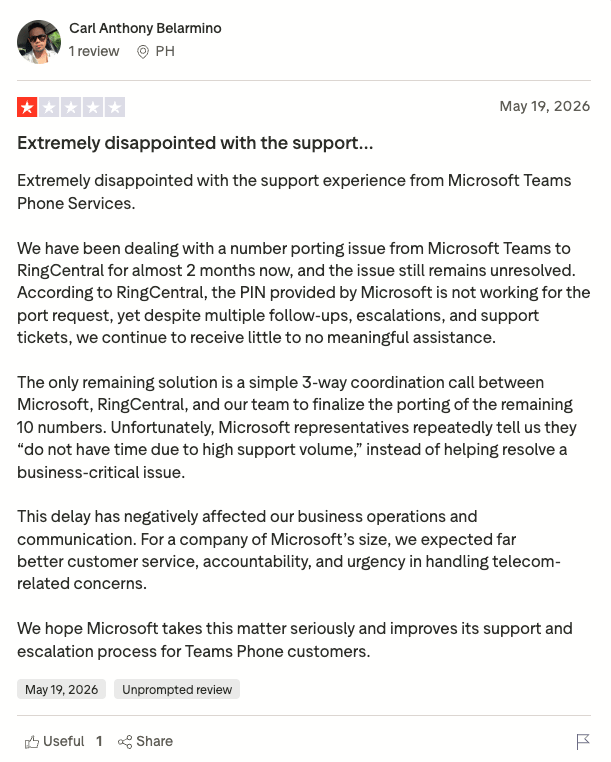
Microsoft Teams holds 4.4/5 on G2 from 19,000+ reviews, but that score rates the whole collaboration suite, not just Teams Phone. On Trustpilot, where phone and porting complaints cluster, it sits at 1.2/5 from 450+ reviews. Based on that evidence and buyer feedback, growing teams look past Teams Phone (Skype's successor) for five main reasons:
5 Main Cons of Skype for Business' Replacement That Make Businesses Look for an Alternative
- International calling sits on its own, pricier licenseThe base Teams Phone license ($10/user/month) includes no calling minutes. Domestic calling starts at $17, and the plan with international minutes jumps to $34 per user a month for 600 international minutes in the US, UK, and Canada. Microsoft sells its own Calling Plans in roughly 30 countries, so teams elsewhere add an Operator Connect carrier or set up Direct Routing.
- Calling is a license stack, not a phone systemBefore anyone dials out you need a Teams license (Teams Essentials at $4 or Microsoft 365 Business Basic at $7), the Teams Phone add-on, and a calling plan, plus a know-your-customer check that can take a few business days before numbers are assigned. Routing changes go through the Teams admin center or PowerShell, which usually means a ticket to IT.
- No sales dialer, and CRM sync is an extra projectTeams Phone has no power or parallel dialer, so outbound reps dial one number at a time. CRM sync means Dynamics 365 or a partner app, and buyers describe copying numbers between Teams and the CRM by hand. Compare that with a CRM with a built-in dialer that logs every call automatically.
- AI on calls means another licenseAI call summaries in Teams Phone run through Microsoft 365 Copilot, sold per user (Copilot Business from $18/user/month on annual billing at the time of writing). Microsoft's Personal Attendant agent is in early preview, English-only, and answers for one person, not for a business line.
- Support and porting run through Microsoft or a partnerSmall teams without a Microsoft partner lean on standard Microsoft 365 support, and recent Trustpilot reviews describe number ports that stalled for months. If your team relies on calls to make money, check how fast number porting and routing fixes happen before you commit.
Where Teams Phone (Skype's Successor) Shines
As a Skype for Business replacement, MS Teams Phone earns its place for a Microsoft 365 company that mostly needs a simple phone inside Teams: a number per person, voicemail, an auto attendant, and calls that sit next to chat and meetings in one app. If your team calls mostly inside one country and doesn't need a dialer or deep CRM sync, the domestic plan does its job. For many other use cases, though, you should consider choosing a better VoIP alternative.
What Are the Best Alternatives to Skype for Business?
CloudTalk is the best alternative to Skype for Business, especially for teams that call clients across borders. As a Skype business alternative, it covers four jobs a Teams Phone setup makes hard: local numbers in the countries you sell to, call routing your own team can change, a dialer for outbound reps, and calls that log themselves to your CRM. Numbers come from 160+ countries, and an AI Receptionist answers in 70+ languages when nobody on your team can.
However, one size doesn't fit all, and CloudTalk might not be the right Skype for Business competitor for every team on this list. An IT team that wants its own servers should look at 3CX, a Google Workspace shop that only needs a cheap business number gets one from Google Voice, and a support team that wants AI listening live during calls will find it in Dialpad. For everyone in between, CloudTalk costs from $25/user/month with no seat minimum on Starter or Essential.
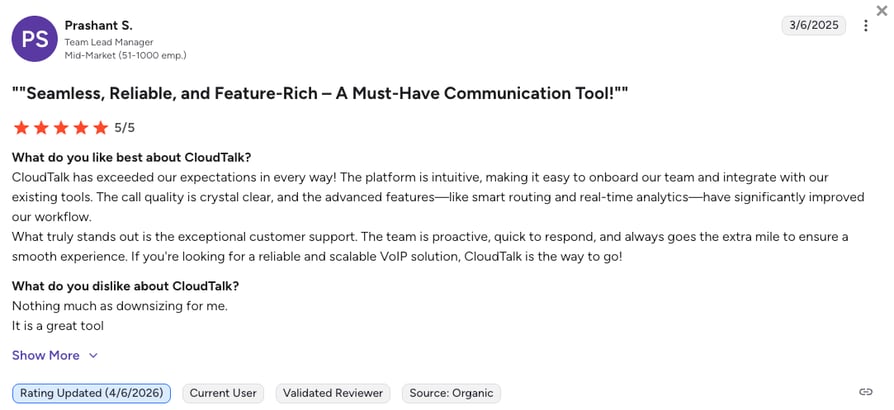
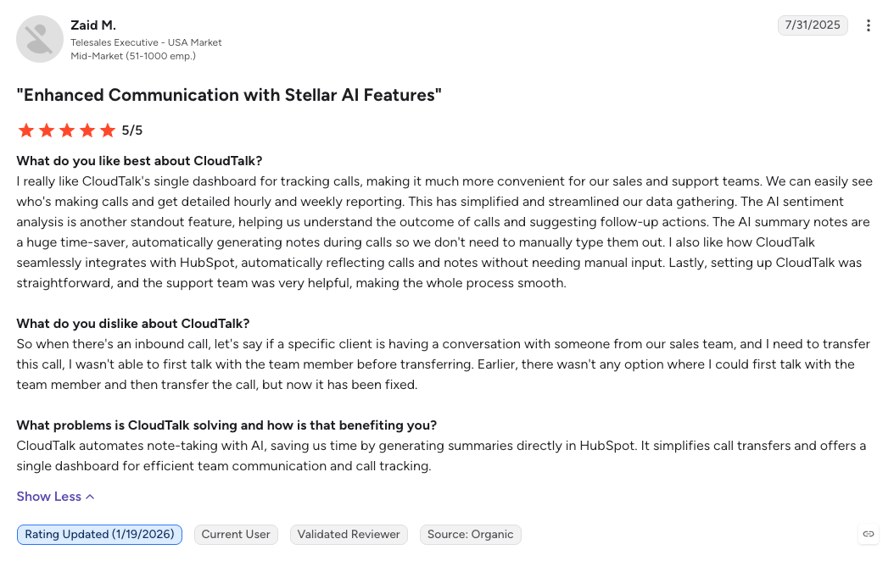
On G2, CloudTalk holds 4.4/5 from 1,900+ reviews and outscores Microsoft Teams on ease of use (9.1 vs 8.8), which matters when the people changing call flows are managers, not IT. Here are the five main reasons sales and support teams often make the switch:
5 Main Pros of CloudTalk and Why Businesses Switch from Skype for Business
- Local numbers for every market you callBuy local, mobile, and toll-free numbers from one dashboard and call clients from a number they recognize. From Essential, a visual call flow your own team can edit routes calls between offices and markets, with no ticket to IT.
- Keep Teams for chat, run calls in CloudTalkThe CloudTalk app for Microsoft Teams (from Essential) brings calling into the app your team already lives in, so switching phone systems doesn't mean switching chat apps.
- Dialers and two-way CRM sync for calling teams100+ integrations with MS Teams, HubSpot, Pipedrive, Zendesk, and Zoho log calls and recordings automatically from Essential ($29/user/month), with Salesforce on Expert (3-seat minimum). The AI Sales Dialer's Power Dialer is included on Expert, or a $15/user/month add-on on any plan.
- AI on the line without a Copilot licenseThe AI Receptionist answers, routes, and books calls, with 50 free minutes on every account and tiers from $99/month after that. AI Conversation Intelligence adds transcripts and summaries for $9/user/month.
- One price per seat and 24/7 supportEvery plan is a single per-seat price, so adding a country or a rep doesn't add another license. Chat and email support run 24/7 on every plan, with phone support on Expert.
Skip the License Setup. Take Real Calls on CloudTalk Free for 14 Days.
How We Chose the Best Skype for Business Alternatives and Competitors
We compared the Skype for Business competitors on this list on the six things that decide a move away from a meeting app with a phone bolted on: reliability, total cost once licenses and international minutes are counted, CRM depth, number coverage, support, and AI. Vendor pricing pages were checked live, and user sentiment came from G2, Trustpilot, Reddit, and Capterra.
- Call stability and reliabilityUptime commitments, whether the vendor runs its own telephony, and what recent reviewers report about drops, delays, and audio.
- Total cost of ownershipThe real monthly bill per user once base licenses, calling plans, international minutes, seat minimums, and AI add-ons are counted.
- CRM and helpdesk integration depthNative two-way sync that logs calls and recordings automatically versus a partner app, a Zapier recipe, or manual notes.
- Global coverage and number availabilityHow many countries each provider sells local, mobile, or toll-free numbers in, and how international minutes are priced.
- Support quality and availabilityWhether help is 24/7, how you reach it, and whether a routing change needs a partner or a ticket.
- AI and automation capabilitiesAI answering, transcripts, summaries, dialers, and routing by intent, plus which plan actually includes each of them.
The Top 10 Alternatives to Skype for Business for 2026
Before the full profiles, here's how Skype for Business, CloudTalk, and the three platforms buyers weigh against it most often compare on the rows that decide the move: what calling abroad costs, whether you need Microsoft licenses, and what a calling team gets beyond a dial pad.
Skype for Business vs. CloudTalk, Microsoft Teams Phone, Zoom Phone, and RingCentral
| Feature | Skype for Business (legacy) | CloudTalk | Microsoft Teams Phone | Zoom Phone | RingCentral |
|---|---|---|---|---|---|
| Deployment today | On-premises server only (Online retired) | Cloud | Cloud | Cloud | Cloud |
| Starting price | Was free to $5.50/user/mo | $25/user/mo | $10/user/mo plus Teams license | $10/user/mo (metered) | $20/user/mo |
| International calling | Through Teams Phone now | Numbers in 160+ countries, regional bundles | $34/user/mo tier, 600 intl min | Local service in 40+ countries | Bundles or per-minute |
| Free trial |  |  | | | |
| Works without a Microsoft license | | | | | |
| Sales dialers | Not available | Expert, or $15/user/mo add-on | Not available | Contact Center only | RingCX only |
| CRM integrations | Outlook and Office | 100+ from Essential | Dynamics 365 and partner apps | Salesforce, HubSpot, and more | From Advanced |
| AI receptionist | Not available | From $99/mo, 50 free min | Per-user preview with Copilot | Available, price not published | Add-on from $39/mo |
| Customer support | Ended with retirement | 24/7 chat and email, phone on Expert | Microsoft 365 support or a partner | Plan-based | 24/7 on paid plans |
| G2 rating | Not rated (retired) | 4.4/5 (1,900+ reviews) | 4.4/5 (19,000+, whole suite) | 4.6/5 (2,650+) | 4.2/5 (1,450+) |
How to Read This Table Before You Pick
Icon rows are yes-or-no: a tick means the platform offers it, a cross means it doesn't. Text rows name the plan or product that unlocks the feature, so "Contact Center only" under Zoom Phone means dialing a call list takes a second Zoom product. Two rows decide most moves away from Skype for Business: international calling and whether you need Microsoft licenses at all. The quickest check is to price the countries you actually call on two of these platforms.
1. CloudTalk: The Best Skype for Business Alternative for SMB to Mid-Market Sales and Support Teams Calling Across Borders With CRM Sync, Dialers, and AI
What Is CloudTalk?
CloudTalk is an AI-powered, voice-first cloud phone system for small-business to mid-market sales and support teams that call customers for a living. It pairs numbers in 160+ countries with two-way CRM sync, outbound dialers, and AI voice agents, all from one seat price and one dashboard.
Against Skype for Business, CloudTalk swaps a meeting suite's phone add-on for a phone system built around calling. You give up video meetings, so Teams or Zoom stays for those. You get local numbers per market, call flows you can change yourself, and reports that show who called whom and what came of it.
Why Is CloudTalk a Strong Alternative to Skype for Business?
- Predictable bills for the countries you call most: Pick local, mobile, or toll-free numbers from the country coverage list, and regional calling bundles keep calls to Madrid or Toronto on a predictable bill.
- Call flows you change yourself: The call flow designer handles IVR menus, skills-based routing, queues, and business-hours rules in a few clicks, so a routing change takes minutes instead of an IT ticket.
- Two ways to work a call list: The AI Sales Dialer works in two modes. Its Power Dialer calls a list back to back (included on Expert, or a $15/user/month add-on), and its Parallel Dialer ($39/user/month add-on on any plan) rings several numbers at once, with answering machine detection and automatic voicemail drop.
- A voice agent that hands off to your team: The AI Receptionist takes the calls nobody can answer, the sales-led AI Specialist (from $349/month) runs longer inbound and outbound workflows, and your team picks up where the AI stops.
What Are the Pros & Cons of CloudTalk?
| Pros | Cons |
|---|---|
| Numbers in 160+ countries with regional calling bundles, and no Microsoft calling licenses needed | Voice-first by design: no native video meetings, so Teams or Zoom stays for those |
| 100+ two-way CRM and helpdesk integrations from Essential, with Salesforce on Expert (3-seat minimum) | CRM integrations need the Essential plan, so they aren't part of Starter |
| 50 free AI Receptionist minutes on every account, AI in 70+ languages, and 24/7 chat and email support on all plans | The Parallel Dialer is a $39/user/month add-on, but works with any plan |
What Are CloudTalk's Plans & Pricing?
CloudTalk pricing starts at $25/user/month (Starter, billed annually), with the following plans:
CloudTalk Plans and Pricing
| Plan | Price (annual billing) | Key Features |
|---|---|---|
| Starter | $25/user/month | Unlimited inbound, internal, and US and Canada calls, 500 outbound minutes in the EU and UK (regional bundles), call queues, transfers, click-to-call, automatic call recording (1-month retention) |
| Essential | $29/user/month | Everything in Starter + IVR and smart routing, 100+ CRM/helpdesk integrations, workflow automation, unlimited recording retention |
| Expert | $49/user/month | Everything in Essential + AI Sales Dialer with the Power Dialer (incl. preview dialing), Smart Dialer, Salesforce integration, 24/7 phone support (3-seat min) |
| AI Conversation Intelligence (add-on) | $9/user/month | AI transcripts, call summaries, call scoring, sentiment analysis, and agent coaching insights |
| AI Receptionist (add-on) | From $99/mo (200 min) | Inbound AI call answering, routing, logging; 50 free minutes on every account; tiers up to $699/mo (2,500 min) |
| AI Specialist (add-on) | From $349/mo (1,000 min) | Sales-led custom AI voice agents for inbound and outbound workflows; plans scale up to $1,249/mo (5,000 min) |
How Do Reviewers Rate CloudTalk?
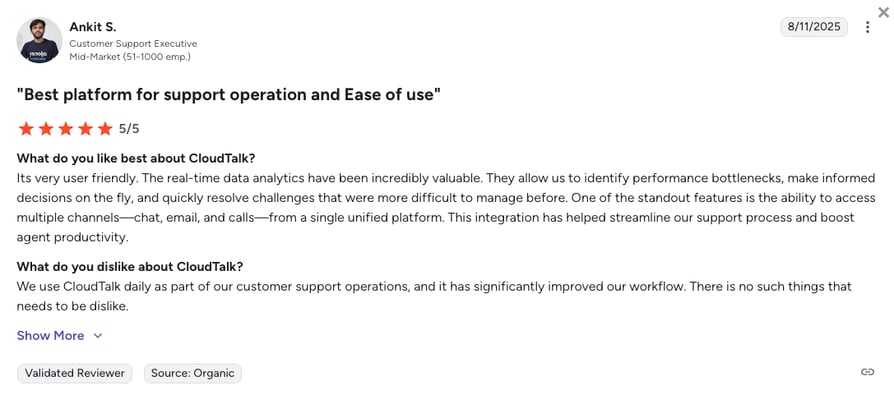
CloudTalk holds 4.4/5 on G2 across 1,900+ verified reviews. Reviewers keep coming back to a setup that doesn't need an IT project and CRM sync that holds up, while the most common complaint is that Salesforce sync waits for the Expert plan.
CloudTalk AI Voice Agents in Action: Oxford Royale Academy's Story
Oxford Royale Academy sells summer programs to families in 176 countries and calls every new lead within five minutes. Covering every time zone used to take four seasonal hires, and overnight leads went cold before anyone rang them. On CloudTalk, one AI voice agent now calls each lead in English, Spanish, French, Arabic, or Mandarin and books the meeting into HubSpot. Wayne Smith, Head of Systems and Processes, on the language switch:
“It listens to how they answer. If they answer with a particular phrase, it talks in that language. That's been very impressive.”
Head of Systems and Processes, Oxford Royale Academy

One Voice Agent, Five Languages, 176 Countries. Try It on Your Own Leads.
2. Microsoft Teams Phone: Best for Microsoft 365 Companies That Want Basic Calling Inside Teams With No Extra Vendor
What Is Microsoft Teams Phone?
Microsoft Teams Phone is the calling add-on for Microsoft Teams and the product Microsoft moved Skype for Business users to. It turns Teams into a cloud phone system with numbers, voicemail, transfers, and call queues, sold as a license on top of a Teams or Microsoft 365 subscription.
Teams Phone is the default Skype for Business replacement, and for a lot of companies that migrate from Skype to Teams it's enough. Its edge is that nothing new gets installed: the phone shows up in the app people already open every morning. Its limits show once calls cross borders every day or a sales team needs to dial through a list.
Why Is Microsoft Teams Phone a Strong Skype for Business Replacement?
- Calls inside the app your team already uses: Calls, chat, meetings, and files sit in one window, so there's no second vendor, login, or app to roll out.
- Microsoft 365 and Dynamics 365 ties: Presence, Outlook contacts, and calendars carry over, and a Dynamics 365 shop gets a CRM link without a third party.
- A familiar admin and a long free trial: IT manages phones in the same admin center as the rest of Microsoft 365, and Microsoft offers a one-month free trial.
What Are the Pros & Cons of Microsoft Teams Phone?
| Pros | Cons |
|---|---|
| Calls, chat, and meetings in one Microsoft app | International minutes sit on the $34/user/month tier |
| Native ties to Outlook, Microsoft 365, and Dynamics 365 | No sales dialer, and CRMs beyond Dynamics need partner apps |
| One-month free trial and a 99.999% uptime SLA | AI call summaries need a separate Copilot license |
What Are Microsoft Teams Phone's Plans & Pricing?
Microsoft Teams Phone pricing starts at $10/user/month (Teams Phone Standard, annual billing) on top of a Teams license, with the following plans:
Microsoft Teams Phone Plans and Pricing
| Plan | Price | Key Features |
|---|---|---|
| Teams Phone Standard | $10/user/month | Cloud phone system and Teams calling, no calling minutes included |
| Teams Phone with Pay-as-You-Go Calling | $13/user/month | A phone number plus metered outbound minutes |
| Teams Phone with Calling Plan | $17/user/month | 3,000 domestic minutes (US, UK, Canada) or 1,200 elsewhere |
| Teams Phone with Domestic and International Calling | $34/user/month | 3,000 domestic or 600 international minutes (US, UK, Canada) |
| Teams license (required) | From $4/user/month | Teams Essentials at $4 or Microsoft 365 Business Basic at $7 |
The International Calling Math
A 10-person team that calls clients abroad pays about $340 a month for the international Teams Phone plan alone, on top of the Teams licenses it already has, for 600 international minutes per person and still no sales dialer. If your calls cross borders most days, price the countries you actually call before you sign.
How Do Reviewers Rate Microsoft Teams Phone?
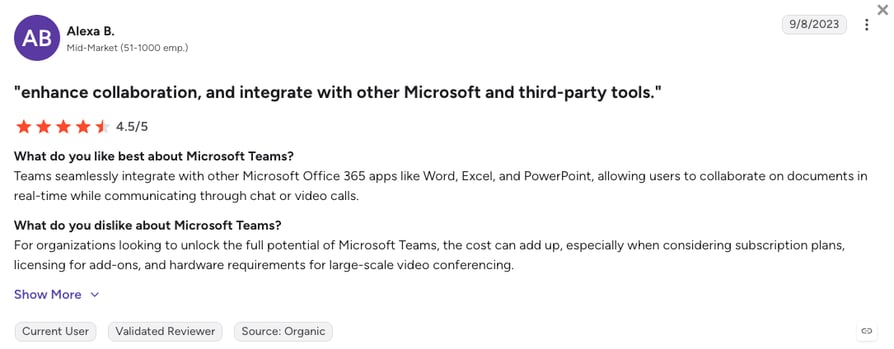
Microsoft Teams holds 4.4/5 on G2 across 19,000+ reviews, though that score covers the whole collaboration suite rather than calling. Reviewers love having chat, meetings, and calls next to Outlook in one app, but on Trustpilot the phone side draws complaints about slow number ports and support that's hard to reach for small accounts.
3. Zoom Phone: Best for Companies Already Meeting on Zoom That Want Calls in the Same App
What Is Zoom Phone?
Zoom Phone is Zoom's cloud phone system, sold on its own or bundled into Zoom Workplace. Companies that already run their meetings on Zoom add it to get business numbers, call routing, and voicemail in the same app.
Zoom Phone wins over Skype for Business when meetings drive the day: a call turns into a video meeting in one tap, and the Global Select plan gives local service in 40+ countries without a separate carrier. It stays a meeting company's phone, though, with outbound dialing and contact center tools sold as a different product.
Why Is Zoom Phone a Strong Skype Meeting Alternative?
- One tap from call to meeting: A phone call escalates to a Zoom video meeting with screen sharing, which is the habit many Skype for Business users miss most.
- Local service in 40+ countries: Pro Global Select starts at $20/user/month with unlimited domestic calling in the countries it covers, and an add-on extends unlimited calling to 18 countries.
- Low entry price: Metered plans start at $10/user/month, and unlimited plans for North America start at $15.
What Are the Pros & Cons of Zoom Phone?
| Pros | Cons |
|---|---|
| Calls turn into video meetings in one tap | No built-in sales dialer (outbound campaigns live in Zoom Contact Center) |
| Global Select covers local service in 40+ countries | Unlimited international calling is a separate add-on |
| Metered plans from $10/user/month | Reviewers report drops on weak connections and gated features |
What Are Zoom Phone's Plans & Pricing?
Zoom Phone pricing starts at $10/user/month (metered), and the platform offers the following plans:
Zoom Phone Plans and Pricing
| Plan | Price | Key Features |
|---|---|---|
| Metered | From $10/user/month | Business number, pay-per-minute outbound calling |
| Unlimited (North America) | From $15/user/month | Unlimited calling in the US and Canada |
| Pro Global Select | From $20/user/month | Local number and unlimited domestic calling in 40+ countries |
| International calling add-on | Extra | Unlimited calling to 18 countries and territories |
Meeting-First or Phone-First?
Zoom and RingCentral both sell calls, video, and chat, but they start from opposite ends. Zoom Phone fits a company whose day runs on meetings and who wants local service abroad for $20 a seat. If phones are the heart of the business, a phone-first suite usually gives more routing and reporting depth, and that's the split worth checking before you choose between the two.
How Do Reviewers Rate Zoom Phone?
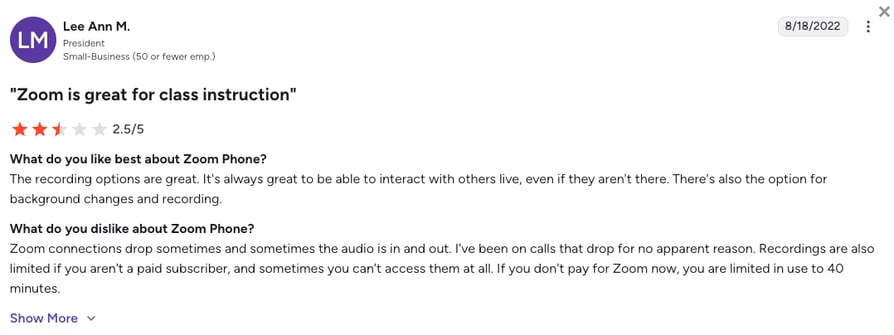
Zoom Phone holds 4.6/5 on G2 across 2,650+ reviews. Reviewers like how fast it sets up and how easily a call turns into a meeting, but calls can freeze on a weak connection, and add-ons push the bill up.
4. RingCentral (RingEX): Best for Multi-Site Companies That Want Calls, Video, and Messaging From One Long-Standing Vendor
What Is RingCentral?
RingCentral sells RingEX, a UCaaS (Unified Communications as a Service) platform that combines a business phone system, video meetings, and team messaging. It's one of the longest-running cloud phone vendors, popular with multi-site companies that want one contract for every office.
RingCentral is another viable upgrade from Skype for Business, as it keeps calls, video, and chat together but puts the phone system first. Every tier includes unlimited calling in the US and Canada, and RingCentral also sells an integration that brings its phone system into Microsoft Teams.
Why Is RingCentral a Strong Skype for Business Competitor?
- Phone-first unified communications: Unlimited US and Canada calling, video meetings, team messaging, and IVR come together from the $20 Core plan, without a Microsoft license.
- Works with Microsoft Teams: Companies staying on Teams can route RingCentral calls into it instead of buying Teams Phone.
- AI add-ons and a generous trial: An AI Receptionist add-on starts at $39, and the 14-day trial covers up to 20 lines.
What Are the Pros & Cons of RingCentral?
| Pros | Cons |
|---|---|
| Unlimited US and Canada calling on every tier | CRM integrations start on Advanced |
| Calls, video, and messaging in one app | AI Receptionist and Conversational Intelligence are paid add-ons |
| 14-day free trial for up to 20 lines | Sales dialers live in the separate RingCX product |
What Are RingCentral's Plans & Pricing?
RingCentral pricing starts at $20/user/month (Core, annual billing), and it offers the following plans:
RingCentral Plans and Pricing
| Plan | Price | Key Features |
|---|---|---|
| Core | $20/user/month | Unlimited US and Canada calling, video meetings, team messaging, IVR |
| Advanced | $25/user/month | Everything in Core + CRM integrations (Salesforce, HubSpot), automatic call recording |
| Ultra | $35/user/month | Everything in Advanced + unlimited storage, advanced analytics |
| AI Receptionist (add-on) | From $39 | AI call answering and routing on any tier |
| Conversational Intelligence (add-on) | From $60 | Call transcripts, summaries, and coaching insights |
Teams Phone or RingCentral for Domestic Calls?
For a team that calls mostly inside the US or Canada, RingCentral Core at $20 includes unlimited calls, video, and messaging with no other license. Teams Phone's domestic plan costs $17 and still needs a Teams license underneath, so the gap is small and comes down to which app your people already live in. Abroad, both sell international minutes separately.
How Do Reviewers Rate RingCentral?
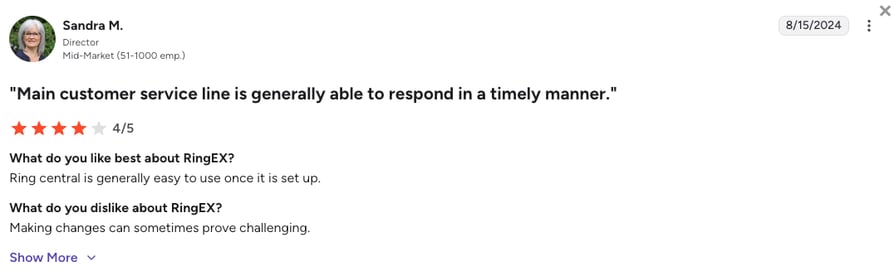
RingCentral's RingEX suite holds 4.2/5 on G2 across 1,450+ reviews. People rate its call quality and the mix of calls, meetings, and AI notes in one app, though admins find settings scattered across menus and support can be slow to answer.
5. Dialpad Connect: Best for Teams That Want Live Transcription and AI Notes on Every Call
What Is Dialpad Connect?
Dialpad Connect is Dialpad's AI-native business phone system, with calls, messaging, and video meetings in one app. Its pitch is AI on every plan: live transcription and automatic call recaps without an add-on.
Where Skype for Business left calls undocumented, Dialpad writes them down as they happen. Calls inside your country, the US, and Canada are free on Connect plans, while international calls draw on prepaid credits. Dialpad's autonomous AI agents are a separate product with their own pricing.
Why Is Dialpad a Strong Skype Business Alternative?
- Live transcription on every plan: Dialpad transcribes calls in real time and posts call transcripts and recaps afterward, starting on the $15 Standard plan.
- Free calling at home and in North America: Connect plans include calls within your country plus the US and Canada, so a cross-border team in North America pays nothing extra.
- Calls, meetings, and messages together: Video meetings and SMS sit in the same app, close to the all-in-one feel Skype for Business had.
What Are the Pros & Cons of Dialpad Connect?
| Pros | Cons |
|---|---|
| Live transcription and AI recaps on every plan | CRM integrations start on Pro, which carries a 3-license minimum |
| Free calls in your country, the US, and Canada | International calls draw from prepaid credits |
| 14-day free trial | Autonomous AI agents are a separate product, priced by conversation |
What Are Dialpad Connect's Plans & Pricing?
Dialpad pricing starts at $15/user/month (Standard, annual billing), with the following plans available:
Dialpad Connect Plans and Pricing
| Plan | Price | Key Features |
|---|---|---|
| Standard | $15/user/month | Unlimited calling in your country, the US, and Canada, AI transcription and recaps, SMS, video meetings |
| Pro | $25/user/month | Everything in Standard + CRM integrations (HubSpot, Salesforce), 24/7 support, multiple offices |
| Enterprise | Custom | SSO, access controls, unlimited offices, 99.9% uptime SLA |
| Dialpad AI Agents | Contact sales | Autonomous voice agents on conversation-based pricing |
Live Coaching or Live Dialing?
Dialpad's AI listens while the call happens, which is a genuine edge for coaching. CloudTalk's AI Conversation Intelligence works after the call at $9/user/month, and CloudTalk adds what Dialpad Connect doesn't: power and parallel dialers, plus numbers in 160+ countries. Pick on whether your team mostly takes calls or makes them.
How Do Reviewers Rate Dialpad Connect?
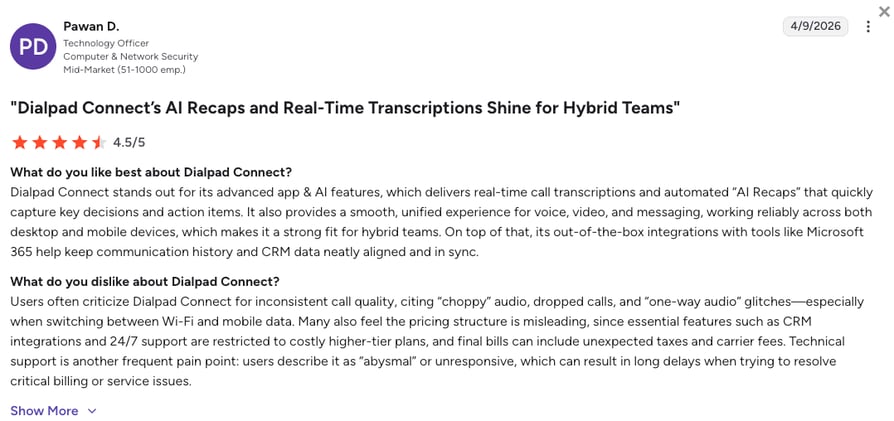
Dialpad holds 4.4/5 on G2 across 4,200+ reviews, though the listing covers the whole Dialpad platform rather than Connect alone. Users like the clean app and AI notes that reach the CRM after each call, but some report CRM syncs that miss calls and transcripts that struggle with strong accents.
Halfway Down the List: Which of These Was Built for Calling First?
6. Google Voice: Best for Google Workspace Teams That Want a Low-Cost Business Number
What Is Google Voice?
Google Voice for Google Workspace is Google's business calling add-on, sold on top of a Workspace subscription. Small teams use it for one number across every device, voicemail transcription, and calls from Gmail or the Voice app.
Compared to Skype for Business, Google Voice is the same idea from the other suite: a phone add-on for the productivity tools you already pay for. It's cheaper and simpler than Teams Phone, sold in 14 countries, with international calls billed per minute from prepaid credit.
Why Is Google Voice a Strong Skype Alternative?
- The lowest entry price on this list: Starter costs $10/user/month for up to 10 users, with unlimited domestic calling and US texting.
- Lives inside Google Workspace: Calls connect with Gmail, Calendar, and Google Meet, so a Workspace team adds calling without a new app.
- No pricier tier for calls abroad: International calls are charged per minute from Google Voice credit, so occasional calls abroad stay cheap.
What Are the Pros & Cons of Google Voice?
| Pros | Cons |
|---|---|
| $10/user/month entry with unlimited domestic calling | Requires a paid Google Workspace subscription |
| Works inside Gmail, Calendar, and Meet | No CRM integrations or dialers |
| Per-minute international rates without a pricier plan | Sold in 14 countries, with automatic recording only on Premier |
What Are Google Voice's Plans & Pricing?
Google Voice pricing starts at $10/user/month (Starter, plus Workspace), and you can choose from these plans:
Google Voice Plans and Pricing
| Plan | Price | Key Features |
|---|---|---|
| Starter | $10/user/month | Up to 10 users, unlimited domestic calling, US texting, voicemail transcription |
| Standard | $20/user/month | Unlimited users, ring groups and call queuing, on-demand recording, regional billing locations |
| Premier | $30/user/month | Everything in Standard + international billing locations, automatic call recording, BigQuery reporting |
Who Google Voice Actually Suits
Google Voice suits a Workspace team of a few people who need one business number each and the occasional call abroad. Once you need a CRM to log calls, a dialer, or numbers outside its 14 countries, you've outgrown it. The personal version is free but isn't meant for business use, so check which one you're on.
How Do Reviewers Rate Google Voice?
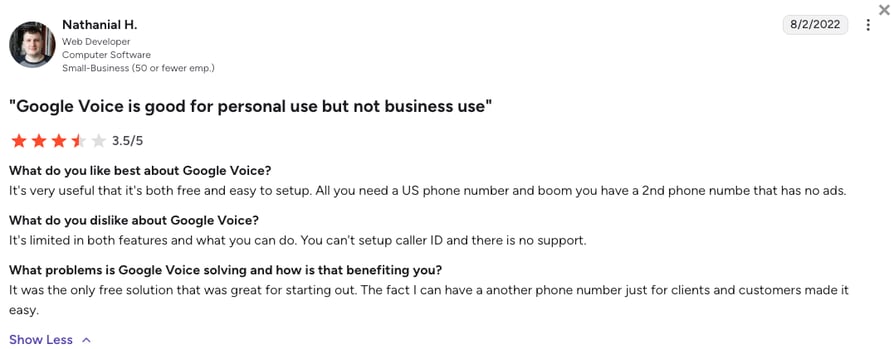
Google Voice holds 4.1/5 on G2 across 150+ reviews. It's liked as a cheap way to keep a personal number private and criticized as too basic for a growing team, with flagged accounts that are hard to get back.
7. Aircall: Best for Support and Sales Teams That Need 250+ Helpdesk and CRM Integrations
What Is Aircall?
Aircall is a cloud phone system for support and sales teams, built around its app marketplace. Teams pick it to connect calls to the helpdesk or CRM they already run, with 250+ integrations on the entry plan.
Aircall is a calling-team tool first, which Skype for Business never was. Reps get click-to-dial inside their CRM, managers get live monitoring, and the Professional plan adds a Power Dialer. Calls within the US and Canada are unlimited, while international rates come as bundles on request.
Why Is Aircall a Strong Alternative to Skype for Business?
- 250+ integrations on the entry plan: Helpdesks like Zendesk and Intercom and the major CRMs connect from Essentials.
- Dialing tools on Professional: The Power Dialer, voicemail drop, and Salesforce CTI come with the $50 Professional plan.
- An AI voice agent to try: Every account gets 100 AI Voice Agent minutes at signup, then 50 a month, before paid minutes.
What Are the Pros & Cons of Aircall?
| Pros | Cons |
|---|---|
| 250+ integrations on the entry plan | 3-license minimum on the published plans |
| Power Dialer and voicemail drop on Professional | International rates and bundles are quoted on request |
| Free AI Voice Agent minutes to start | AI Assist Pro ($49/seat) and AI minutes add to the bill |
What Are Aircall's Plans & Pricing?
Aircall pricing starts at $30/user/month (Essentials, annual billing, 3-license minimum), with the following tiers available:
Aircall Plans and Pricing
| Plan | Price | Key Features |
|---|---|---|
| Essentials | $30/user/month | 250+ integrations, unlimited US and Canada calls, IVR, call recording |
| Professional | $50/user/month | Everything in Essentials + Salesforce CTI, Power Dialer, voicemail drop, live monitoring |
| Enterprise | Custom (25-license min) | Unlimited global calls, SLA, dedicated onboarding |
| AI Voice Agent | From $100/month | $0.49/min pay-as-you-go or minute bundles |
The Three-License Floor
Aircall's $30 tier is really $90 a month to start, because every published plan bills at least three licenses. CloudTalk has no seat minimum on Starter or Essential, so a two-person team pays for two, and the Power Dialer is a $15/user/month add-on on any plan instead of a reason to move up a tier.
How Do Reviewers Rate Aircall?
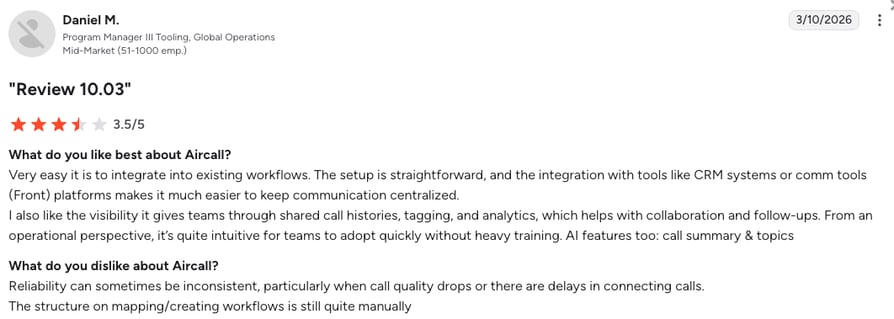
Aircall holds 4.4/5 on G2 across 1,650+ reviews. Reviewers like how quickly it plugs into a helpdesk or CRM, while the usual complaints are bills that grow with licenses and add-ons, and deeper reporting locked behind Analytics+.
8. Quo (formerly OpenPhone): Best for Small US and Canadian Teams That Share Numbers and Live in Texts
What Is Quo (formerly OpenPhone)?
Quo (formerly OpenPhone) is a business phone app for small teams, built around shared numbers and a team inbox for calls and texts. It's popular with startups and service businesses in the US and Canada.
Quo is a friendlier phone for a small team than Skype for Business ever was, especially because shared numbers and texting are the core of it. Calls and texts within the US and Canada are included, and everything abroad is billed per minute, so it fits a team whose clients sit mostly at home.
Why Is Quo a Strong Alternative to Skype?
- Shared numbers and a team inbox: Several people answer the same number and see the same call and text history, starting on the $15 Starter plan.
- An AI agent on every plan: Sona, Quo's AI answering agent, handles calls with 1,000 free credits a month, about ten calls, before credit packs.
- CRM sync when you're ready: HubSpot and Salesforce integrations, automatic recording, and AI call summaries start on Business.
What Are the Pros & Cons of Quo (formerly OpenPhone)?
| Pros | Cons |
|---|---|
| Shared numbers and a team inbox from $15/user/month | Calling and texting included only for the US and Canada |
| Sona AI agent with 1,000 free credits a month | No dialer for outbound teams |
| 7-day trial with no seat minimum | CRM integrations and automatic recording start on Business |
What Are Quo's Plans & Pricing?
Quo pricing starts at $15/user/month (Starter, annual billing), and it lets you choose from the following plans:
Quo Plans and Pricing
| Plan | Price | Key Features |
|---|---|---|
| Starter | $15/user/month | A number per user, calls and texts to the US and Canada, voicemail transcripts, Sona with 1,000 credits |
| Business | $23/user/month | Everything in Starter + HubSpot and Salesforce, automatic recording, AI call summaries, phone menus |
| Scale | $35/user/month | Everything in Business + AI call tags, priority support, inbound phone support |
| Sona credit packs | From $25/month | 4,000 credits (about 40 calls) up to 60,000 credits for $199 |
International Calls on a US-First Phone
Quo and Google Voice both bill calls abroad per minute and include domestic calls in the seat price. Quo wins for a team that shares numbers and texts, Google Voice for a team already paying for Workspace. Neither sells numbers across dozens of countries, so they suit teams whose clients are mostly local.
How Do Reviewers Rate Quo?
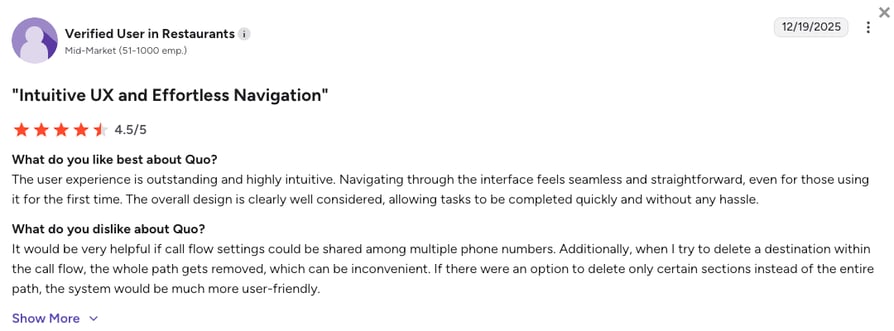
Quo holds 4.7/5 on G2 across 3,400+ reviews. Small teams praise how easy the app is and how helpful support is, though some report calls that don't always ring through.
9. 8x8: Best for Mid-Market Companies That Call Dozens of Countries Every Day
What Is 8x8?
8x8 sells 8x8 Work, a business phone system with video and messaging, and a contact center on the same platform. Its X-series licenses are built for companies with offices and clients in many countries.
8x8 wins over Skype for Business when international calling is a daily habit: its higher tiers bundle unlimited calls, under a fair-use policy, to as many as 48 countries. Most pricing is now quoted rather than published.
Why Is 8x8 a Strong Skype Alternative for Business?
- Unlimited calls to many countries: X2 covers 14 countries, X3 covers 32, and X4 and up cover 48, all under 8x8's fair-use policy.
- Works with Microsoft Teams: 8x8 sells a Teams option that runs its calling behind the Teams interface.
- A contact center to grow into: The X6 to X8 tiers add contact center tools for global teams on the same platform.
What Are the Pros & Cons of 8x8?
| Pros | Cons |
|---|---|
| Unlimited calls to up to 48 countries (fair use) | Pricing is quote-based now |
| Phone, video, and contact center from one vendor | Contact center features need the higher X tiers |
| A Microsoft Teams option for calling | Premium-rate and out-of-zone calls are billed separately |
What Are 8x8's Plans & Pricing?
8x8 pricing starts at $24/user/month (X2, last published rate), with the following plans to choose from:
8x8 Plans and Pricing
| Plan | Price | Key Features |
|---|---|---|
| X2 | From $24/user/month | Unlimited calls to 14 countries, video meetings, team messaging |
| X4 | About $44/user/month | Unlimited calls to 48 countries, supervisor and analytics tools |
| X6 to X8 | Custom quote | Contact center with a pooled 4,000 minutes per user a month |
Who 8x8's Country Bundles Suit
8x8 suits a company that calls the same 20 or 30 countries all day and wants one flat seat price for it. If your international calling is occasional, a cheaper per-minute plan usually costs less. RingCentral is the other enterprise-scale option here, and it prices international minutes as bundles instead.
How Do Reviewers Rate 8x8?
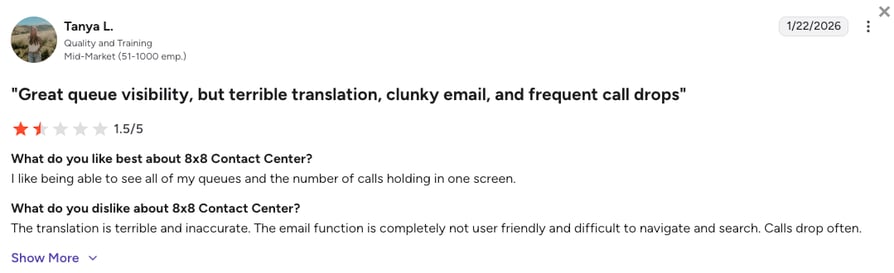
8x8 Work holds 4.2/5 on G2 across 900+ reviews. Users point to steady call quality across countries, while admins say the console takes time to learn and quoted pricing makes plans hard to compare.
10. 3CX: Best for IT-Run Companies That Want a Self-Hosted or On-Premises Phone System
What Is 3CX?
3CX is a software private branch exchange (PBX), the system that routes a company's calls, licensed per system by simultaneous calls instead of per user. You can install it on Windows or Linux, on your own servers or a cloud of your choice, or let 3CX host it.
3CX is the closest thing on this list to running Skype for Business Server yourself. IT keeps control of the system and the data, and costs scale with call capacity rather than headcount. Numbers and minutes come from a SIP trunk you pick separately, so calling abroad costs whatever your carrier charges.
Why Is 3CX a Strong Skype for Business Alternative?
- Priced per simultaneous call, not per user: A company with many occasional callers pays for call capacity instead of seats.
- On-premises, self-hosted, or hosted: It runs on your hardware, on Amazon, Azure, or Google Cloud, or hosted by 3CX.
- Teams integration and an AI Edition: 3CX connects with Microsoft Teams, and its AI Edition adds an AI receptionist, transcription, and call center tools.
What Are the Pros & Cons of 3CX?
| Pros | Cons |
|---|---|
| Free StartUP edition for up to 10 users, hosting included | Numbers and minutes come from a SIP trunk you contract separately |
| On-premises or self-hosted deployment | Needs someone technical to install and maintain it |
| No per-user license fees | AI features sit on the AI Edition |
What Are 3CX's Plans & Pricing?
3CX pricing starts as a free Skype for Business alternative for up to 10 users (StartUP), with paid editions priced per simultaneous call, and you can choose from these plans:
3CX Plans and Pricing
| Plan | Price | Key Features |
|---|---|---|
| StartUP | Free | Up to 10 users, hosting by 3CX included |
| Basic | From €285/year | Entry paid edition, licensed per simultaneous call |
| Pro | From €380/year | Full PBX features, licensed per simultaneous call |
| AI Edition | From €550/year | AI receptionist, transcription, analytics, and call center features |
Free License, Paid Minutes
The 3CX license can cost nothing, but calls still need a SIP trunk, and self-hosting needs a server and someone to run it. Add those up before comparing 3CX with a cloud phone system that bundles numbers and minutes. The PBX vs VoIP question usually decides it: control on one side, less upkeep on the other.
How Do Reviewers Rate 3CX?
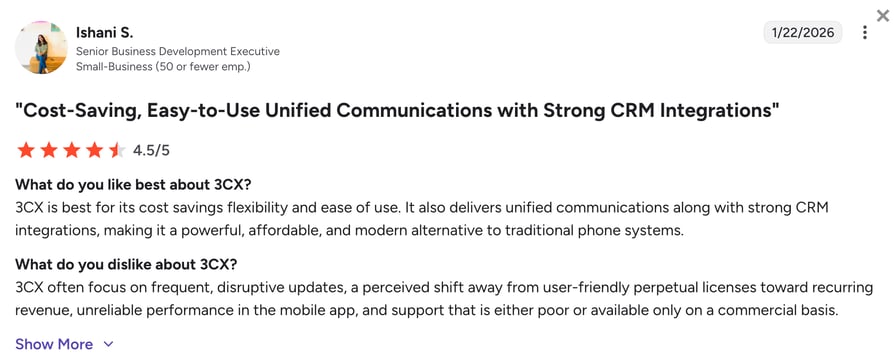
3CX holds 4.4/5 on G2 across 500+ reviews. It wins praise for its low cost and hosting freedom, and loses points for frequent version changes, a technical setup, and support that often runs through resellers.
What Real Users Are Saying about Skype for Business and Its Alternatives
Vendor pages explain the features. Forum threads show what happened when Skype went away and people had to replace it on a deadline. Here's what Reddit and G2 say about Skype for Business replacements and the tools people actually shortlist.
What Are Redditors Saying about Skype Alternatives?
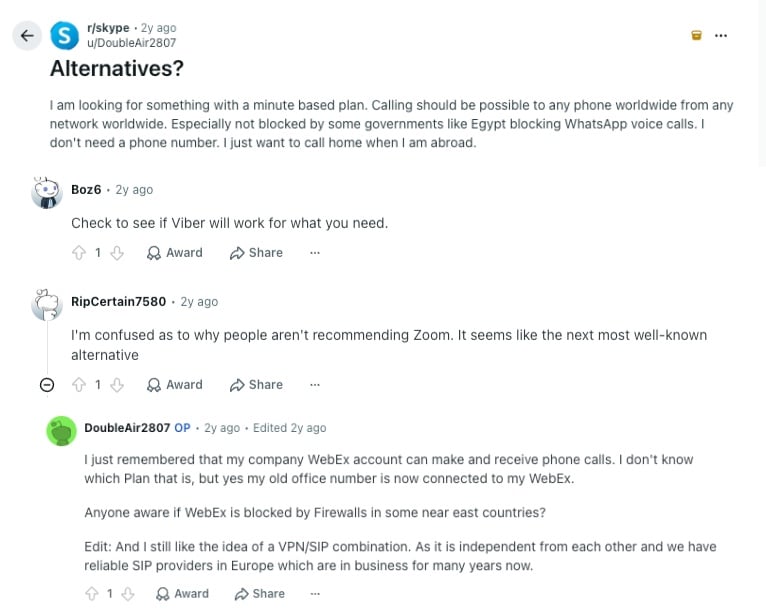
Most Skype threads on Reddit are really asking for Skype alternatives for phone calls, which is exactly the job Teams Free dropped. The three worth reading sit in r/skype, r/digitalnomad, and r/expat, and between them they cover calling home from abroad, keeping a business number, and reaching a US office from overseas.
- Calling any phone worldwide on a minute-based plan: The r/skype poster wanted per-minute calls to any phone from any network, without needing a number, and noted that some governments block WhatsApp calls. Replies pointed to Viber and Zoom, and the poster then realized their company Webex account could already make phone calls. The lesson for a business: app-to-app calls can be blocked or limited, while international VoIP numbers reach landlines and mobiles like a normal phone call.
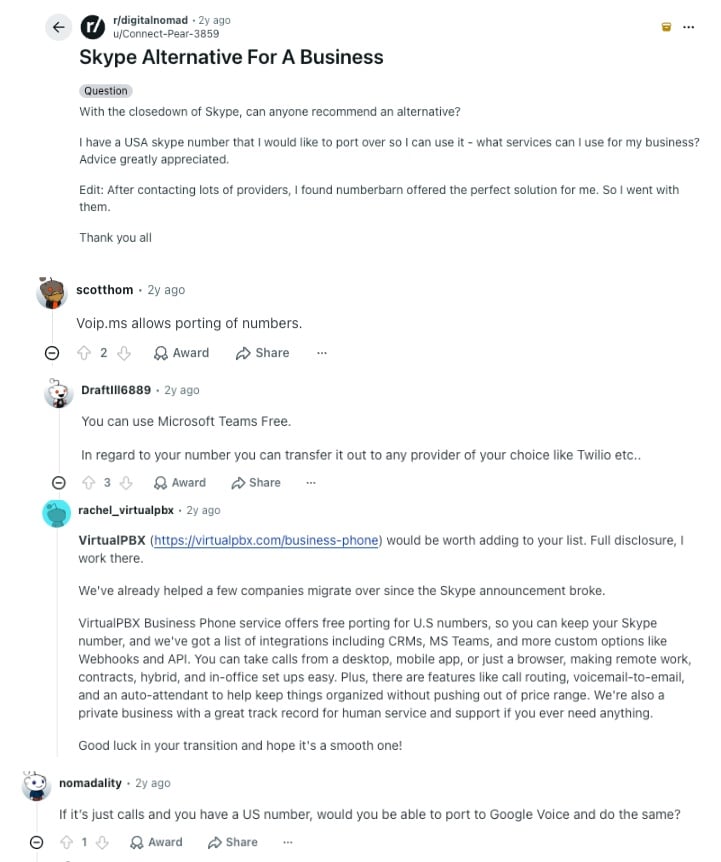
- Keeping a US Skype number for a business: In r/digitalnomad, a business owner asked where to port a US Skype number. Suggestions ranged from Voip.ms and Google Voice to Teams Free plus moving the number to a carrier, and a VirtualPBX employee pitched free porting. The poster went with NumberBarn. Anyone shopping for a Skype number alternative should check porting first, then whether the new provider can add a US virtual number for the rest of the team.
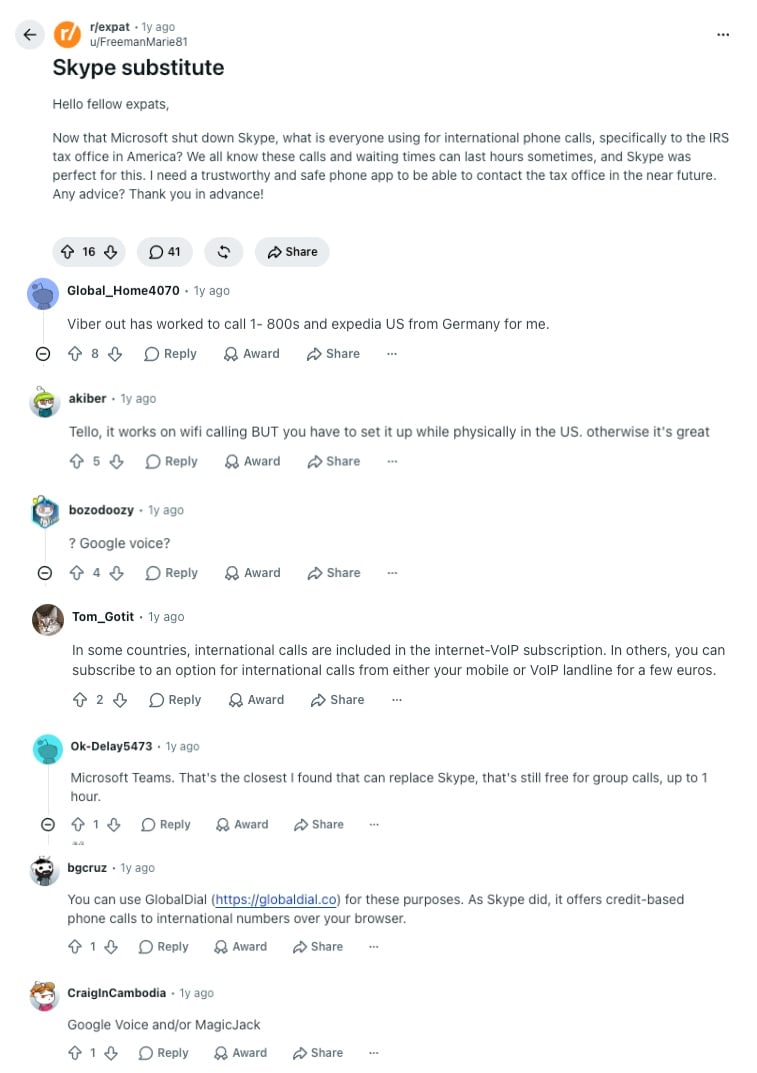
- Calling a US tax office from abroad: An r/expat thread asked how to call the IRS from overseas through long hold times. Replies covered Viber Out for 1-800 numbers, Tello (set up while in the US), Google Voice, Teams Free for app calls up to an hour, credit-based browser calling, and MagicJack. Credit apps work for one person. A team that calls US numbers from abroad every week gets more from a business phone system like CloudTalk, where US calling bundles come with the plans and every call sits in one call history.
How Do the Best Skype for Business Alternatives Compare on G2?
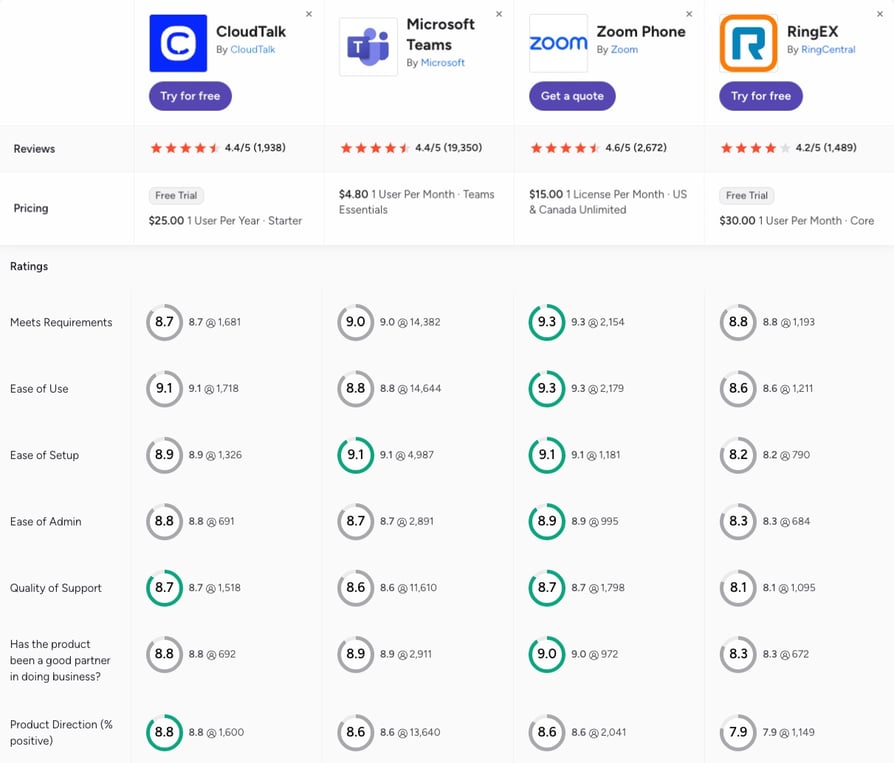
G2's side-by-side comparison puts the four routes most former Skype for Business customers take next to each other: Microsoft's own successor, a meeting-first phone, a phone-first suite, and a calling platform. CloudTalk holds 4.4/5 from 1,900+ reviews against Microsoft Teams' 4.4/5 from 19,000+, though Teams is rated as a whole collaboration suite, not as a phone.
- Ease of use and support: Zoom Phone leads ease of use (9.3), with CloudTalk at 9.1, Microsoft Teams at 8.8, and RingCentral at 8.6. On quality of support, CloudTalk and Zoom Phone tie at 8.7, ahead of Teams (8.6) and RingCentral (8.1).
- Setup and admin: Teams and Zoom Phone tie on ease of setup (9.1) and CloudTalk follows at 8.9, while RingCentral trails at 8.2. On ease of admin, Zoom Phone (8.9) edges out CloudTalk (8.8) and Teams (8.7).
- Where the products are heading: CloudTalk posts the highest product direction score (8.8), with Teams and Zoom at 8.6 and RingCentral at 7.9. CloudTalk scores lowest on meets requirements (8.7 against Zoom's 9.3), so check your own must-have list against each platform before you decide.
CloudTalk vs. Skype for Business and Teams Phone: Final Head-to-Head Comparison
The split is simple: Skype for Business was Microsoft's all-in-one office communicator, and Teams Phone is its calling add-on today. CloudTalk is the phone system a sales or support team works from, with numbers abroad, dialers, CRM sync, and AI on the same line.
The table calls it straight. Microsoft's products win four rows outright, and they matter to Microsoft-first companies. CloudTalk takes the rest.
CloudTalk vs. Skype for Business and Teams Phone: Final Head-to-Head
| Feature | CloudTalk | Microsoft Teams Phone | Skype for Business (legacy) | Winner |
|---|---|---|---|---|
| Availability | Sold today, cloud | Sold today, cloud | Retired (on-premises Server SE only) | CloudTalk and Teams Phone |
| Starting price | $25/user/mo with a calling bundle | $17/user/mo with domestic calling, plus a Teams license | Was free to $5.50/user/mo | Teams Phone |
| International calling | Numbers in 160+ countries, regional bundles | $34/user/mo tier, 600 intl min | Extra calling plans needed | CloudTalk |
| Microsoft license needed | No | Yes | Yes | CloudTalk |
| Video meetings | Not included | Included in Teams | Included | Teams Phone |
| Microsoft 365 integration | App inside Teams, from Essential | Native | Native | Teams Phone |
| CRM integrations | 100+ two-way, from Essential | Dynamics 365 and partner apps | Outlook contacts | CloudTalk |
| Sales dialers | Power (Expert or add-on), Parallel (add-on) | Not available | Not available | CloudTalk |
| AI on calls | AI Receptionist from $99/mo, AI Conversation Intelligence $9/user/mo | Copilot license, attendant in preview | Not available | CloudTalk |
| Routing changes | Call flow designer, no IT ticket | Admin center or PowerShell | Server admin | CloudTalk |
| On-premises option | Cloud only | Cloud only | Server SE on-premises | Skype for Business |
| Customer support | 24/7 chat and email, phone on Expert | Microsoft 365 support or a partner | Ended for 2015 and 2019 servers | CloudTalk |
| G2 rating | 4.4/5 (1,900+ reviews) | 4.4/5 (19,000+, whole suite) | Not rated (retired) | Teams Phone |
The Verdict
If your team mostly calls inside one country from Microsoft 365 and needs nothing beyond a dial pad, Teams Phone is the simplest next step, and there's no reason to pay for more. The moment your calls cross borders most days, reps need a dialer, or calls have to land in a CRM other than Dynamics, you've outgrown a phone add-on. CloudTalk is built for exactly that next step if you sell or support across countries.
How to Choose the Right Alternative to Skype for Business
Four questions decide which of the Skype alternatives for business fits you:
- where your callers are, at home or in many countries
- whether your team dials out or mostly answers
- where calls have to land, like a CRM or helpdesk
- and how it works next to the Microsoft 365 apps you keep
Find your scenario below and jump to the pick.
What Are the Best Skype Alternatives for International Calls?
CloudTalk is the best of the Skype alternatives for international calls when your team calls clients abroad every week. It sells local, mobile, and toll-free numbers in 160+ countries, so a client in Lyon sees a French number, and regional calling bundles keep the bill predictable. Price the five countries you call most before you compare plans.
Runners-up: 8x8 bundles unlimited calls to up to 48 countries on its higher tiers, Zoom Phone gives local service in 40+ countries for $20, and Google Voice or Quo bill per minute, which suits occasional calls. Personal callers who used Skype credit have different needs, and the Skype alternatives for international calls that suit them include consumer apps.
Revolut Gave 500+ SDRs Local Presence in Its Key Markets
The fintech scaled its business sales team from zero to 500+ SDRs on CloudTalk, with international numbers in its key markets and 40+ hours of sales operations time saved a month.
Which Skype Alternative Works Best for Teams That Keep Microsoft Teams?
CloudTalk is the Skype alternative that works best for teams that keep Microsoft Teams for chat and want a real phone system for calls. Its Teams app runs from Essential, puts a dialer in the Teams sidebar, and syncs agent status between the two apps. Numbers, routing, and recordings stay in CloudTalk, and nobody on the team needs a Teams Phone license.
Runners-up: RingCentral and 8x8 both sell Teams integrations for companies that want a larger UCaaS vendor. Before switching, test status sync with your busiest users for a week.
Check out more options:
See which Microsoft Teams integrations connect calling, CRM, and helpdesk tools to the app your team already uses.
What Are the Best Skype Alternatives for PC Users?
CloudTalk, Zoom Phone, and Dialpad are the best Skype alternatives for PC users, because all three run as desktop apps that replace the Skype for Business client and a desk phone in one. CloudTalk's desktop app runs on Windows, Mac, and Linux, with the same numbers on iOS and Android, so a call that starts at a desk can move to a phone.
Use a USB headset with noise cancelling: on a PC, the headset decides call quality more than the app does. Zoom Phone fits if your PC already runs Zoom all day, and Dialpad if you want live transcription on screen. Whatever calling software for PC you pick should handle transfers and voicemail without a second app.
What's Better Than Teams Phone for Outbound Sales and Automated Dialing at Scale?
CloudTalk is better than Teams Phone for outbound sales and automated dialing at scale, because its AI Sales Dialer gives reps what Teams Phone doesn't sell. The Power Dialer (Expert, or a $15/user/month add-on) calls a list back to back, and the Parallel Dialer ($39/user/month add-on on any plan) rings several numbers at once. With the Parallel Dialer's answering machine detection and automatic voicemail drop, reps spend their time on live conversations instead of ringing lines.
Runner-up: Aircall includes a Power Dialer on Professional ($50, 3-license minimum). Teams Phone, Zoom Phone, and RingCentral RingEX keep outbound dialing out of their phone plans. Judge any dialer on connected calls per rep per hour, not on its price per seat.
Trevo Reached 20x More Customers per Campaign
The retailer's call center could reach only a small slice of its customers each season. With CloudTalk's AI voice agent, every campaign now reaches 20x more customers, while the human team handles the calls that need a person.
Your Reps Waited on Ringing Lines in Skype. Watch a Dialer Skip the Wait.
What Is the Best Alternative to Skype for Business for AI Phone Answering and AI Voice Agents?
CloudTalk is the best alternative to Skype for Business for AI phone answering and AI voice agents, because the AI sits inside the same phone system as your team. The AI Receptionist answers when nobody can, in 70+ languages, books appointments, and hands callers to a person with the call summarized. The sales-led AI Specialist runs longer inbound or outbound calls like lead qualification. Let AI take the repetitive calls and keep your people on the ones that need judgment.
Runners-up: RingCentral sells an AI Receptionist add-on from $39, and Dialpad sells autonomous agents separately, while Teams Phone's Personal Attendant is still an early preview.
Signature Capability
See CloudTalk’s AI Voice Agent in Action!
CeTe is an AI that talks like a human: no breaks, no training, no time off. It makes and answers calls, updates CRMs, books meetings, and loops in a human only when needed.
Press play to hear it. Want a wow moment? Get a free test call and try it live.

Whichever tool you test, call it from a mobile in another country and listen for three things: how long it pauses at pickup, whether it switches language when you do, and how cleanly it hands you to a person. The best AI voice agents pass all three without a prompt engineer on call.
Which Alternative to Skype for Business Has the Best CRM Integrations?
CloudTalk and Aircall are the alternatives to Skype for Business with the best CRM integrations, in different ways. Aircall has the longer list, 250+ apps on its entry plan. CloudTalk's 100+ integrations are native and two-way from Essential: HubSpot, Pipedrive, Zendesk, and Zoho load the contact before the call and log the recording and notes after it, with Salesforce on Expert (3-seat minimum).
Teams Phone leans on Dynamics 365, and other CRMs need partner apps. List the two or three tools your reps open every day and check those, not the total count.
Which Skype for Business Replacement Is Best for Call Centers and Inbound Support?
CloudTalk is the best Skype for Business replacement for call centers and inbound support teams: call queuing, skills-based routing, IVR, and call monitoring with whisper and barge, plus an AI Receptionist that takes the first layer of calls. What the AI resolved and what reached an agent show up in the same analytics.
Dialpad is the runner-up for live transcription and coaching, Aircall for a team working inside Zendesk or Intercom. Teams Phone's Queues app covers the basics, and a growing support team usually needs more routing and reporting than that.
Autenti Cut Live Support Calls by About 40% With Nine Voice Agents
The e-signature company runs nine AI voice agents across three teams and two languages on CloudTalk, and live teams now pick up about 40% fewer calls while the pickup rate rose 20%.
Is There a Skype for Business On-Premises Alternative?
Yes, 3CX is the strongest Skype for Business on-premises alternative, since it runs on your own Windows or Linux servers and charges per simultaneous call, from €285 a year for 8 calls at once. Microsoft's own option is Skype for Business Server Subscription Edition, which keeps the old platform running without moving it forward.
Check whether you really need on-premises before you buy hardware. Many companies keep the requirement out of habit, and the on-premises vs cloud decision often comes down to who maintains the servers. A cloud system like CloudTalk, with a 99.999% uptime SLA, takes that job off your IT team.
What Is the Best Alternative to Skype for Business for Growing Teams?
CloudTalk is the best alternative to Skype for Business for growing teams, because the things that get expensive on a phone add-on are the things growth brings: a new country to call, a first sales hire who needs a dialer, a CRM that has to log every call, and evenings nobody covers.
CloudTalk handles all four on one platform, from numbers in 160+ countries to an AI Receptionist priced per account, so the AI bill doesn't multiply with headcount. The business phone system worth choosing is the one you don't have to replace at each step, and you can test that on your own numbers for 14 days.
Found Your Fit? Prove It on a Real Call to Another Country.
Ready to Make the Switch from Skype for Business?
Skype for Business made calling abroad feel like part of the office suite, and the CloudTalk platform brings that back for teams that call for a living. Here's what changes when you switch:
- Calling abroad without a pricier licenseLocal numbers in 160+ countries and regional bundles take the place of Teams Phone's $34/user/month international tier.
- One phone bill, nothing stacked on topEvery seat is priced the same way from $25/user/month, and Teams keeps doing what it's good at: chat and meetings.
- Reps stop dialing one number at a timeThe AI Sales Dialer works the list for them (Power on Expert or as an add-on, Parallel as an add-on on any plan), and calls land in your CRM from Essential.
- Missed calls still get answeredThe AI Receptionist picks up when nobody on your team can, in 70+ languages, starting with 50 free minutes.
Join 5,500+ Businesses That Call the World From One Phone System
Frequently Asked Questions about Skype for Business Alternatives
Quick answers on what happened to Skype for Business, what replaced it, what it costs now, and how the alternatives compare.
Skype for Business was Microsoft's business communications app for instant messaging, presence, meetings with up to 250 people, and calling, built as unified communications software for Office. It replaced Lync in 2015.
No, not as a cloud service. Microsoft shut down Skype for Business Online in 2021, ended support for the last server versions in October 2025, and Microsoft moved its users to Teams. The only edition still sold is Server Subscription Edition, for companies that have to run it on their own hardware.
Yes, Skype and Skype for Business were two separate products. Consumer Skype was a free app for personal calls, with paid Skype VoIP credit for calling phone numbers, and it shut down on May 5, 2025. Skype for Business was the paid enterprise tool tied to Microsoft 365, built for office chat, meetings, and calls. People who relied on Skype credit for work calls now compare VoIP alternatives to Skype.
Microsoft has replaced Skype with Microsoft Teams. Business users moved to Teams, with calling sold as Teams Phone, and consumer Skype users moved to Teams Free, which can't call landlines or mobiles. Companies that want calling without Microsoft licenses compare Teams Phone alternatives like CloudTalk, Zoom Phone, and RingCentral.
Skype for Business costs nothing today because it's no longer sold, and its old Online plans ran from free to $5.50 per user a month. Its replacement, Teams Phone, costs $10/user/month with no minutes, $17 with domestic calling, and $34 with international minutes, plus a Teams license from $4. CloudTalk starts at $25/user/month with a calling bundle included.
CloudTalk is the best Skype for Business replacement for sales and support teams that call across borders, a VoIP phone system with numbers in 160+ countries, dialers, and 100+ CRM integrations. Teams Phone is the simplest choice for Microsoft 365 companies with basic calling needs, and Zoom Phone suits companies that meet on Zoom. The best Skype replacement depends on whether calling is your job or part of your day.
Now that Skype is gone, free apps similar to Skype, such as WhatsApp, Viber, Zoom, and Teams Free, cover calls between people on the same app. Calling landlines and mobiles takes a paid service: credit apps for personal use, or a business VoIP service like CloudTalk, Google Voice, or Quo for work calls. Skype's dial pad stays open only for people with leftover Skype Credit.
Instead of Skype for international calls, businesses use a phone system with numbers and calling bundles in the countries they call, such as CloudTalk, 8x8, or Zoom Phone Global Select. A local number abroad shows a caller ID people recognize, so more calls get answered. Getting an international phone number can require local documents, so start that step early.
The best apps for free international calls are WhatsApp, Viber, Microsoft Teams Free, and Zoom, the closest apps like Skype, but only when both people use the same app over the internet. Calls to landlines and mobiles abroad cost money everywhere, so free alternatives to Skype stop at app-to-app calls. Businesses usually pay for a VoIP number with calling bundles, which keeps the cost per call predictable.
The most affordable web-based calling platforms for international business communication are Google Voice and Quo for occasional calls, since both bill per minute abroad, and Zoom Phone Global Select at $20/user/month for local service in 40+ countries. 8x8 suits companies that call dozens of countries daily. CloudTalk adds numbers in 160+ countries with VoIP pricing from $25/user/month, plus dialers and CRM sync.
Yes, Zoom is better than Skype for most business calls and meetings today, mainly because Skype has been retired, so Zoom vs Skype now compares a live product with a closed one. Zoom Phone adds business numbers, routing, and local service in 40+ countries. For teams whose work happens on the phone, a calling platform with dialers and CRM sync does better than either.
The best Skype alternatives for small businesses are Quo for shared numbers and texting, Google Voice for Google Workspace teams, and CloudTalk for small teams that call abroad or plan to grow, with no seat minimum on Starter or Essential. All three run as apps, so there's no desk phone to buy. A virtual phone system for small businesses should start cheap and add features as the team grows.
Whether you can keep a Skype number depends on whether it was ported out before Microsoft ended Skype Number subscriptions in 2025. Numbers that already moved to Teams or another carrier can usually be ported again, and CloudTalk handles Skype number porting with its team. If the number is gone, a new local number in the same city keeps the area code your clients know.
Yes, CloudTalk works with Microsoft Teams through an app available from the Essential plan. Reps can dial, check call history, and set their status without leaving Teams, and it's one of the Microsoft Teams integrations that sign in with Azure single sign-on.
The main Skype for Business competitors today are Microsoft Teams Phone, Zoom Phone, RingCentral, 8x8, Google Voice, and Webex Calling, Cisco's enterprise phone service, plus calling platforms like CloudTalk, Dialpad, and Aircall. Skype competitors and tools like Skype fall into two groups: UCaaS providers that bundle meetings, chat, and phone, or phone systems built for sales and support teams.