


Unified Communication Software Built for Sales Teams, Support Teams, & Your Team
Stop losing time—and deals—to disconnected calls, messages and tools. CloudTalk’s unified communications platform brings everything into one place, so SMB sales and support managers can run faster, clearer, and more connected teams.
- Manage calls, conversations, and workflows from one unified platform
- Help sales and support teams collaborate better—no tool switching
- Stay in control as your team scales, without adding complexity
Trusted by 30,000+ sales & support professionals to power more & better conversations
















Bring Sales and Support Communication Into One Place
Find Every Conversation in one Platform
Stop switching between calling tools, chat apps, and CRMs. CloudTalk’s unified communication software centralizes calls, messages, and team workflows—so managers get visibility and agents focus on customers.
Improve Team Collaboration
Give sales and support teams shared context on every interaction. Calls, notes, and customer history live in one unified communications platform, making handoffs smoother and follow-ups faster across teams.
Scale Communication Without Adding Complexity
As your team grows, CloudTalk grows with you. Manage users, workflows, and performance from a single cloud-based unified communications platform—without piling on more software or admin work.
How We Help
Core Features of a Unified Communication Platform for SMB Teams
Handle Every Business Call from One Cloud-Based Platform
At the heart of any unified communications platform is reliable voice. CloudTalk brings business calling, routing, and automation into one cloud-based system—so sales and support teams never miss opportunities or customers.
- Make and receive business calls from anywhere
- Route customers to the right agent automatically
- Replace legacy phones with modern cloud telephony

Give Teams Full Customer Context—Without Tool Switching
Unified communication software isn’t just about calling—it’s about context. CloudTalk connects calls, notes, and customer data so sales and support teams always know who they’re talking to and what happened before.
- See call history and customer details in one place
- Reduce handoff friction between sales and support
- Keep conversations consistent across the team
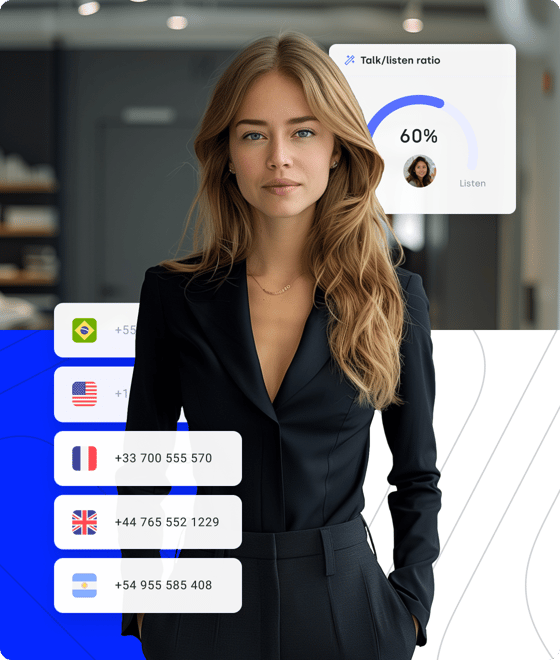
Manage Communication Performance Across Your Entire Team
A unified communications system should help managers stay in control. CloudTalk gives you real-time visibility into calls, availability, and performance—whether your team works in the office, remotely, or across regions.
- Track activity and availability in real time
- Identify bottlenecks before they impact customers
- Scale teams without losing oversight or quality
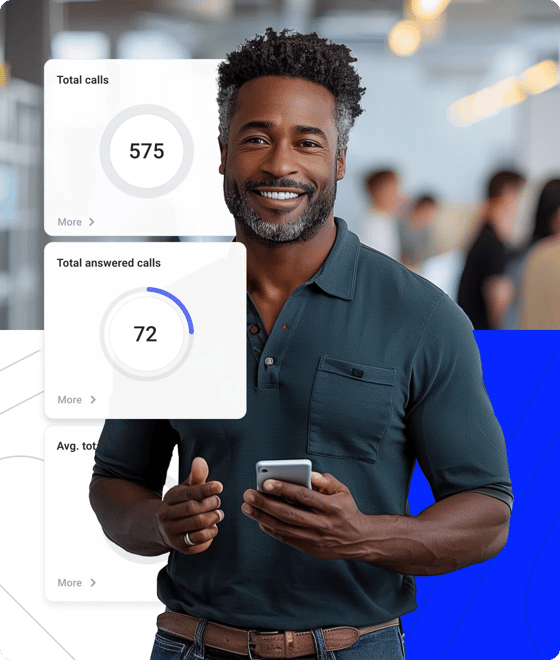
Signature Capability
See CloudTalk’s AI Voice Agent in Action!
CeTe is an AI that talks like a human: no breaks, no training, no time off. It makes and answers calls, updates CRMs, books meetings, and loops in a human only when needed.
Press play to hear it. Want a wow moment? Get a free test call and try it live.

Why CloudTalk Is the Best Unified Communication Platform for SMB Teams
CloudTalk brings calls, conversations, and team workflows into one unified communication platform—so sales and support managers can communicate better, move faster, and stay in control as their teams grow.
One Platform That Brings Every Business Conversation Together
CloudTalk’s unified communication software replaces scattered calling tools with a single, cloud-based communications hub. Sales and support teams can manage inbound and outbound calls, customer context, and daily workflows without jumping between systems.
With automation, smart routing, and CRM integrations built in, CloudTalk helps your team stay responsive and consistent—while managers gain visibility into every customer interaction.


Better Team Collaboration with Full Customer Context
Unified communications work best when everyone shares the same context. CloudTalk connects calls, notes, recordings, and CRM data—so sales and support teams always know who they’re talking to and what happened before.
Handoffs become smoother, follow-ups faster, and conversations more consistent across teams. No more guessing, repeating questions, or losing critical information between tools.
Visibility and Control for Growing Sales & Support Teams
CloudTalk gives managers real-time visibility into calls, availability, and performance across the entire team. Whether agents work remotely or in-office, you always know what’s happening.
With live dashboards, call analytics, and activity tracking, you can spot bottlenecks early, coach more effectively, and scale communication without losing quality or oversight.
The intuitive interface makes it easy for anyone on our team to adapt quickly, and the integration with our CRM saves so much time, letting us organize contacts, track call history, and improve follow-up instantly.



How to Set Up Unified Communication Software with CloudTalk
Getting started with CloudTalk’s unified communications platform is simple. Most SMB teams are up and running in minutes:
- Create your account: Sign up and connect CloudTalk to your CRM using native integrations.
- Configure call routing: Set up IVRs, queues, or smart routing rules for sales and support teams.
- Enable automations: Automate call logging, recordings, and follow-ups across workflows.
- Start communicating: Make and receive business calls from desktop or mobile—anywhere your team works.
- Track performance: Monitor calls, team activity, and customer interactions in real time.
Unified Communications Software—Everything You Need to Know
Unified Communications (UC) software brings all your business communication tools into one connected system. The goal is simple: fewer silos, faster collaboration, and smoother customer conversations. Examples of UC software includes CloudTalk VoIP, Dialers and CRM integrations.Here are the key features you’ll typically find in unified communications software, broken down in plain English1. Voice Calling (VoIP)At the core of UC is cloud-based calling.Key capabilities include:
- Business phone numbers (local, international, toll-free)Inbound and outbound callingCall forwarding, routing, and queuesHD voice quality
This replaces traditional desk phones and lets teams call from anywhere.2. Video ConferencingBuilt-in video meetings for internal and external communication.Common features:
- One-click video meetingsScreen sharingRecordingVirtual backgrounds
Perfect for team meetings, demos, and remote collaboration.3. Team Messaging & ChatReal-time messaging keeps quick conversations out of email.Typically includes:
- 1:1 and group chatsFile sharingEmoji reactions and mentionsSearchable chat history
This helps teams move faster without scheduling a call.4. Voicemail & Voicemail-to-EmailMissed calls don’t get lost.Features include:
- Visual voicemailVoicemail-to-email or voicemail-to-textCentral voicemail inbox
Great for staying responsive across time zones.5. Presence & Status IndicatorsSee who’s available before you reach out.Presence shows:
- Available, busy, in a meeting, or offlineOn a call or presentingCustom status messages
This reduces interruptions and back-and-forth.6. Call Management & RoutingEnsures calls reach the right person or team.Key tools:
- IVR (Interactive Voice Response)Call queuesTime-based routingRing groups
Essential for support and sales teams handling higher call volumes.7. Call Recording & AnalyticsVisibility into conversations and performance.Often includes:
- Automatic call recordingCall logs and historyBasic reporting (missed calls, duration, volumes)Advanced analytics in some platforms
Useful for coaching, quality assurance, and compliance.8. CRM & App IntegrationsUC works best when connected to your existing tools.Common integrations:
- CRM systems (Salesforce, HubSpot, Zoho, etc.)Helpdesk and ticketing toolsProductivity apps (Google Workspace, Microsoft 365)
This keeps data in sync and reduces manual work.9. Mobility & Device FlexibilityWork from anywhere, on any device.Usually supported on:
- Desktop appsMobile apps (iOS & Android)Browser-based softphonesDesk phones (optional)
Ideal for hybrid and remote teams.10. Security & ReliabilityBusiness-grade communication needs strong protection.Core security features:
- Encryption (in transit and at rest)Role-based accessCompliance support (GDPR, SOC 2, etc.)High uptime SLAs
11. Unified Admin & User ManagementOne place to manage everything.Admins can:
- Add/remove usersAssign numbers and permissionsConfigure routing and policiesMonitor usage and performance
This simplifies IT overhead as teams scale.
Several platforms offer Unified Communications by combining calling, messaging, and collaboration tools into a single system. Common examples include:
- CloudTalk: CloudTalk is a cloud-based business phone system that focuses on voice communication for sales and support teams. It combines VoIP calling, SMS, call routing, voicemail, analytics, and CRM integrations into one platform, making it easier for teams to manage customer conversations without switching tools. CloudTalk is often used alongside collaboration tools rather than replacing them entirely.
- Microsoft Teams: Microsoft Teams combines messaging, video meetings, and voice calling within the Microsoft 365 ecosystem. It’s commonly used for internal collaboration and can be extended with Teams Phone for external calling.
- Slack: Slack is primarily a team messaging platform with strong integrations and collaboration features. While it supports calls and huddles, it’s often paired with dedicated voice systems for full UC functionality.
- RingCentral MVP: RingCentral MVP is a comprehensive UCaaS platform that combines messaging, video, and cloud telephony, aimed at businesses looking for an all-in-one communications solution.
- Zoom Workplace: Zoom Workplace expands on Zoom’s video conferencing roots by adding chat, phone, and collaboration features for hybrid teams.
Unified Communications (UC) works by bringing all business communication channels into one cloud-based platform and syncing them in real time, so people, data, and conversations stay connected.
Here’s a clear, step-by-step breakdown of how unified communications works 👇
1. Everything runs in the cloud
Most UC platforms are cloud-based.
That means:
- Calls, messages, meetings, and voicemails are handled via the internet (VoIP)
- No on-prem hardware is required
- Updates, scaling, and maintenance happen automatically
Users simply log in from a desktop app, mobile app, or browser.
2. One user identity across all channels
Each user has one profile tied to all communication tools.
So when someone:
- Makes a call
- Sends a chat message
- Joins a video meeting
- Receives a voicemail
…it all connects to the same user account, number, and status.
This is what makes communication feel “unified.”
3. Real-time presence & availability
UC platforms track activity in real time.
If a user is:
- On a call → status updates automatically
- In a meeting → shown as busy
- Offline → unavailable
This presence data syncs across chat, calling, and meetings, helping teams know the best way (and time) to reach someone.
4. Calls are routed intelligently
Inbound calls don’t just ring randomly.
UC software uses rules like:
- IVR menus (“Press 1 for Sales”)
- Call queues
- Ring groups
- Time-based routing
- Skills-based routing (in advanced setups)
The system decides where the call goes, based on availability, business hours, or priority.
5. Conversations stay connected
UC systems link communication history together.
For example:
- A missed call → shows up as a voicemail
- That voicemail → lands in the same inbox as chat and call logs
- A follow-up chat → is tied to the same contact
Some platforms also sync this data into CRMs or helpdesks automatically.
6. Integrations keep data in sync
UC software connects with other business tools via integrations and APIs.
Common integrations include:
- CRM systems (contact info, call logs)
- Helpdesk tools (tickets, call context)
- Calendars (meeting scheduling)
- Productivity apps
This prevents double data entry and gives teams full context before they speak to a customer.
7. Works across devices
UC platforms are device-agnostic.
The same account works on:
- Laptop or desktop
- Smartphone
- Tablet
- Desk phone (if used)
You can start a call on your laptop and continue it on your phone without losing the connection.
8. Security is built into the system
UC platforms protect communications by design.
This typically includes:
- Encrypted voice and video traffic
- Secure user authentication
- Role-based permissions
- Compliance with regulations like GDPR
Admins control access from a single dashboard.
9. Centralized administration
IT and admins manage everything in one place.
From one admin panel, they can:
- Add users
- Assign numbers
- Set call flows
- Monitor performance
- Pull reports
This makes UC easier to manage than disconnected point solutions.
1. Data breaches & unauthorised access
Because UC platforms store call recordings, messages, voicemails, and contact data, they’re a high-value target.
Risks include:
- Weak passwords or shared logins
- Stolen credentials (phishing)
- Lack of role-based access controls
Impact:
Sensitive customer conversations or internal discussions can be exposed.
2. VoIP-specific threats (call interception & fraud)
UC relies on VoIP, which introduces risks not present in traditional phone systems.
Common threats:
- Call interception (eavesdropping)
- SIP attacks
- Toll fraud (attackers making expensive outbound calls)
- Caller ID spoofing
Impact:
Financial losses, privacy violations, and damaged customer trust.
3. Insecure integrations & APIs
UC platforms often integrate with CRMs, helpdesks, and analytics tools.
Risks arise when:
- APIs are poorly secured
- Third-party apps have excessive permissions
- Integrations aren’t monitored or reviewed regularly
Impact:
Attackers can gain indirect access through connected systems.
4. Compliance & data retention issues
Many industries must comply with strict regulations (GDPR, HIPAA, PCI DSS, etc.).
Common UC risks:
- Recording calls without proper consent
- Storing data longer than allowed
- Lacking audit logs
- Inability to export or delete user data
Impact:
Legal penalties, fines, and compliance violations.
5. Endpoint & device vulnerabilities
UC is designed for remote and mobile work—which means more endpoints.
Risk factors:
- Personal devices (BYOD)
- Unsecured Wi-Fi networks
- Outdated operating systems
- Lost or stolen devices
Impact:
Attackers may access accounts even if the UC platform itself is secure.
6. Downtime & availability risks
UC is business-critical. Outages can stop communication entirely.
Causes include:
- Provider outages
- Network congestion
- DDoS attacks
- Poor redundancy planning
Impact:
Missed customer calls, lost revenue, and operational disruption.
7. Insider threats & human error
Not all risks are external.
Examples:
- Employees accidentally sharing recordings
- Misconfigured call routing
- Over-permissioned users
- Social engineering attacks
Impact:
Data leaks caused by mistakes rather than malicious intent.
8. Lack of visibility & monitoring
Without proper monitoring, threats go unnoticed.
Common gaps:
- No real-time alerts for suspicious activity
- Limited call or login audit logs
- No anomaly detection
Impact:
Breaches or fraud can continue for weeks before detection.
How to reduce UC security risks (best practices)
Most UC risks are manageable with the right setup.
Key protections to look for:
- End-to-end encryption (voice, video, messaging)
- Multi-factor authentication (MFA)
- Role-based access control
- SIP authentication and fraud prevention
- Secure APIs and vetted integrations
- Compliance certifications (GDPR, SOC 2, ISO 27001)
- Centralised admin and audit logs
Bottom line
Unified communications isn’t inherently insecure—but because everything is connected, security gaps are amplified if controls are weak.
The safest UC platforms treat security as a core feature, not an add-on.
Per-User, Per-Month (Cloud)
This is the most common pricing model for modern UC systems.
- Basic plans: ~$15–$30/user/month
Includes calling, voicemail, basic chat, and meetings.
- Mid-tier plans: ~$30–$50/user/month
Adds advanced call routing, presence, larger meeting capacity, and integrations.
- Enterprise plans: ~$50–$80+/user/month
Includes analytics, advanced security, compliance features, contact center add-ons, and premium support.


Hello 👋 My name is Emma. Still have questions?
Can’t find the answer you’re looking for? Please chat to our friendly team.

AI-Powered Inbound Call Center Technology
When AI listens, you don’t have to guess. CloudTalk’s AI-powered inbound customer service solution doesn’t just take calls—it takes notes, spots patterns, and tells you what’s actually happening on the line.
AI Conversation Intelligence quietly transcribes, analyzes sentiment, and highlights recurring issues—all in real time. No spreadsheets to babysit. No call recordings to scrub through. Just the answers you wish you had sooner.
Know where agents get stuck. Catch small issues before they become trends. Coach based on facts. And finally, make decisions with context—not guesswork.
Plug into everything you use
CRMs, helpdesks, applicant tracking systems and more. Get started instantly with 100+ built-in integrations, or expand further with Zapier, Make or CloudTalk’s own workflow automation builder.


Frequently asked questions
Unified communication software combines calling, routing, analytics & messaging in one unified communications platform.
A unified communications system connects calls with CRM data via a cloud based unified communications platform. See integrations.
VoIP handles calls only. A unified communication platform software adds analytics, routing & collaboration. Learn more about VoIP.
Unified communications as a service (UCaaS) is a cloud-first UCaaS platform with no hardware. Explore cloud communications.
CloudTalk simplifies migration from legacy unified communications systems with guided setup and porting. See migration support.
Yes. As a unified communications service provider, CloudTalk integrates with 35+ tools. View all integrations.
CloudTalk is a unified communications app built for teams, offering one unified collaboration platform for remote work. Learn more here.
Hello 👋 My name is Emma. Still have questions?
Can’t find the answer you’re looking for? Please chat to our friendly team.