7 Best Dialers for Your CRM and How to Pick the Right One
TL;DR - Best CRM With Dialer (2026)
A CRM with dialer lets your reps call straight from the customer record, auto-logs every outcome, and removes manual dialing. Teams using a CRM dialer make up to 2.5x more calls. Here are the 7 best CRM dialers this year - jump to any provider below.
Top picks at a glance:
- 01CloudTalk – Best CRM with dialer overall, for AI-powered call intelligence
- 02Dialpad – Best for real-time coaching
- 03Kixie – Best for local presence dialing
- 04Aircall – Best for easy IVR and call routing
- 05JustCall – Best for SMS-driven sales engagement
- 06Aloware – Best for workflow automation
- 07Close CRM – Best for all-in-one simplicity
Sales reps lose 15 workdays a year just dialing numbers - about an hour a day, gone. CRM dialer software gives that time back. Teams using a dialer CRM make up to 2.5x more calls and spend less time clicking, more time closing. To help you find the best CRM with dialer for your sales motion, we compared the top-rated platforms on integration depth, AI capabilities, and power dialing.
What is a CRM Dialer?
A CRM dialer is an integrated telephony tool that places outbound calls directly from your customer database. It pulls contact details from the CRM, dials automatically, and logs call outcomes and AI summaries straight into the contact's profile.
In short, a crm with dialer does three things:
- Removes manual data entry - reps click once instead of typing digits.
- Surfaces customer context on-screen during every call.
- Records, logs, and tracks each interaction automatically.
This is why a CRM with auto dialer matters: instead of 100 manual calls a day per rep, the system connects calls back to back while customer information stays in view. A predictive dialer paired with CRM data even adjusts dialing speed to maintain optimal talk time.
How Does a CRM With a Dialer Work?
A crm and dialer combination works in a simple loop. When a rep starts their day, their call list loads automatically. The auto dialer connects the next contact as soon as the previous call ends, the customer card appears on screen, and the call result is written back to the CRM in real time. Beyond calling, a CRM with telephony features handles:
- Call logging and recording
- Note-taking during calls
- Task creation for follow-ups
- Performance tracking
That tight feedback loop is what separates a true crm with a dialer system from a phone bolted onto a database.
Why Trust CloudTalk?
At CloudTalk, we help sales and support teams choose the tools that actually improve performance—not just fill software stacks. With dozens of CRM dialers on the market, we know how hard it is to find one that truly fits your workflow and growth goals. That’s why we did the research for you.
Our team analyzed over 200 tools across the sales tech landscape, with a focus on dialer performance, CRM integrations, and user satisfaction. We reviewed 5,500+ verified ratings from platforms like G2, Capterra, TrustRadius, and Gartner, alongside real-world feedback from forums, Reddit, and Quora.
Every recommendation in this guide is grounded in real feedback and extensive feature analysis—so you can compare with confidence and choose based on what matters most: performance, productivity, and scale.
Want to know how we evaluate tools and maintain transparency in our reviews? Learn more about our content integrity and our software review methodology.
Best CRM With Dialer: Comparison Table
Each dialer crm below fits a different sales motion. Some excel at power dialing for high volume; others focus on AI-driven insights. Here's how the top CRM dialers compare on the essentials:
| Provider | Pricing | Best For | Key Features | Notable CRM Integrations | Call Analytics | Power Dialer | International Coverage | AI Capabilities |
|---|---|---|---|---|---|---|---|---|
| CloudTalk | $25-49/per user, per month | SMB Sales & Support Teams | Power Dialing, AI Analytics, IVR Builder, Call Recording | Salesforce, HubSpot, Pipedrive, Zendesk | Advanced with AI insights | Yes, with custom campaigns | 160+ countries | Call Intelligence, Smart Transcription, Sentiment Analysis |
| Dialpad | $15-25-Custom/per user, per month | AI-Driven Enterprise Sales | Voice Intelligence, Real-time Coaching, Call Transcription | Salesforce, HubSpot, Microsoft Teams | Real-time AI coaching | Basic auto-dialer | Limited international | Real-time Coaching, Moment Analysis |
| Kixie | $35-95-Custom/per user, per month | Small Sales Teams | LocalMatch, PowerDialing, SMS Integration | Salesforce, Pipedrive, Close | Basic reporting | Yes, with local presence | US-focused | Basic voicemail AI |
| Aircall | $30-50 per user, per month | Remote Teams | Team Collaboration, Call Routing, IVR | Salesforce, HubSpot, Zendesk | Standard reporting | No Power Dialer | 100+ countries | Basic analytics |
| JustCall | $19-29-49 per user, per month | Inside Sales Teams | SMS Campaigns, Call Recording, Team Chat | Salesforce, Pipedrive, Zoho | Call scoring | Basic auto-dialer | Limited coverage | Call transcription |
| Aloware | $30-60-85 per user, per month | Lead Response Teams | Lead Distribution, Click-to-Call, Workflow Builder | Salesforce, HubSpot, Zoho | Lead tracking focus | Yes, basic | US primary | Lead scoring AI |
| Close CRM | $19-49-99-139 per user, per month | All-in-one Sales Teams | Built-in Calling, Email Sequences, Task Automation | Native CRM only | Basic call tracking | Basic predictive | Limited international | Email AI focus |
CloudTalk: Best CRM With Dialer for Growing Sales Teams
CloudTalk ranks among the top CRM dialers on G2 for CRM integration and user satisfaction. It offers the most insightful CRM-linked dashboards, with real-time call metrics and performance tracking for managers. Advanced workflows - like sequenced follow-ups and task automation - sync fully with your CRM.
Who Is CloudTalk Best For?
- Sales teams scaling outbound operations
- Support teams handling global customer inquiries
- Companies requiring detailed call analytics
- Businesses integrating phone systems with CRM workflows
What Is CloudTalk Pricing?
- Starter: $25/user/month
- Essential: $29/user/month
- Expert: $49/user/month
- Custom: request a quote
Free 14-day trial available. No credit card required.
What Are CloudTalk's Pros and Cons?
Users consistently highlight call quality, country coverage, and CRM-synced automation. The main trade-off is a short learning curve on advanced power dialer features.
| Pros | Cons |
|---|---|
| Unmatched call quality and country coverage | Initial setup requires technical configuration |
| Advanced AI features for call analytics and coaching | Advanced features available in higher tiers |
| Intelligent call-routing features that draw data directly from your CRM | Learning curve for new power dialer users |
| Flexible power dialing campaigns, ideal for high-volume sales teams |
Best CloudTalk Integrations
CloudTalk offers the smoothest click-to-call integration with top CRMs in 2026 like Salesforce, HubSpot, and Pipedrive - with two-way sync and quick deployment. This phone dialer CRM integration keeps every record updated without switching screens.
What Are G2 Users Rating CloudTalk?
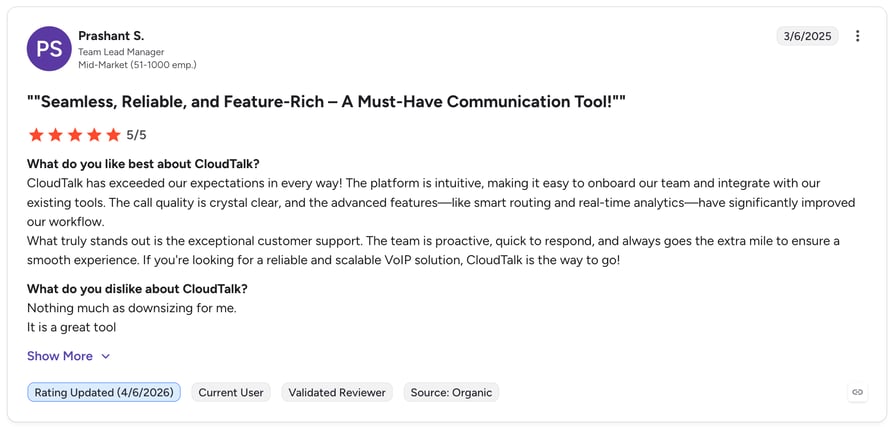
CloudTalk is rated 4.4./5 by 1,700+ verified users on G2.

Hit your sales targets without hiring more reps or draining your team.

Dialpad: CRM Dialer for AI-Driven Enterprise Sales
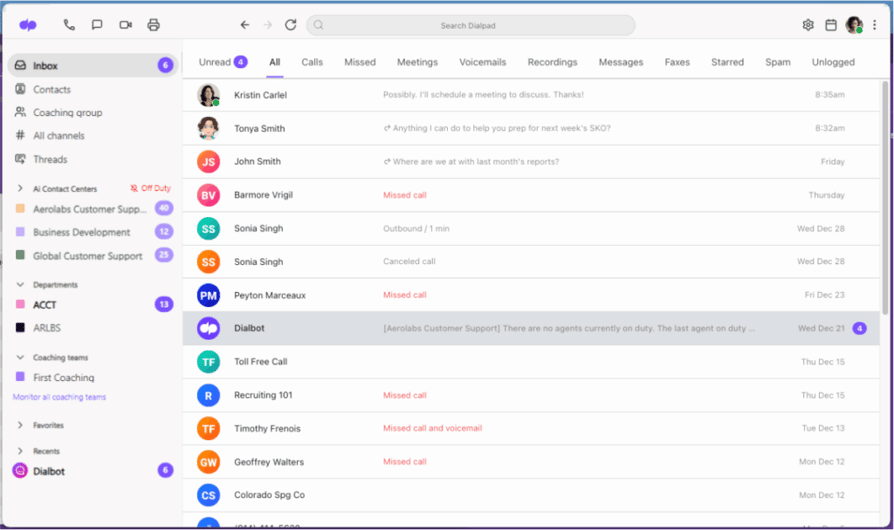
Dialpad combines VoIP calling with AI-powered conversation intelligence, analyzing calls in real time and surfacing coaching opportunities for sales teams.
Who Is Dialpad Best For?
- Enterprise sales organizations
- Teams needing real-time coaching
- Organizations focused on call analytics
- Companies with hybrid workforces
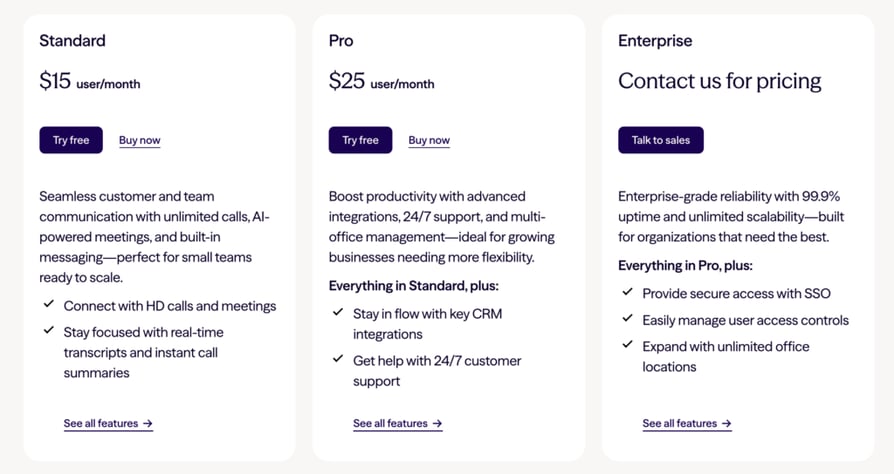
What Is Dialpad Pricing?
What Are Dialpad's Pros & Cons?
| Pros | Cons |
|---|---|
| Advanced AI transcription capabilities | Higher price point for full features |
| Real-time coaching suggestions | Complex implementation process |
| Comprehensive mobile app | Limited international coverage |
Best Dialpad Integrations
Connects with major CRM platforms, with deep Salesforce integration as its strongest crm and dialer pairing.
what Are G2 Users Rating Dialpad?
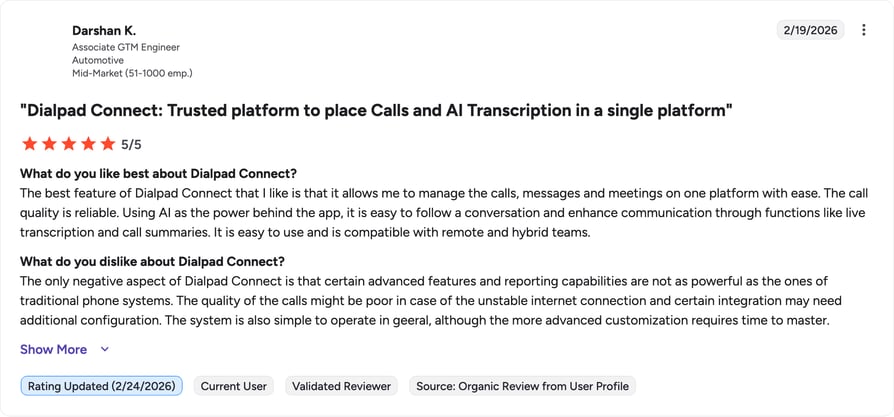
Dialpad is rated 4.4./5 by 4,100+ verified users on G2.
Kixie: CRM With Auto Dialer for Local Presence
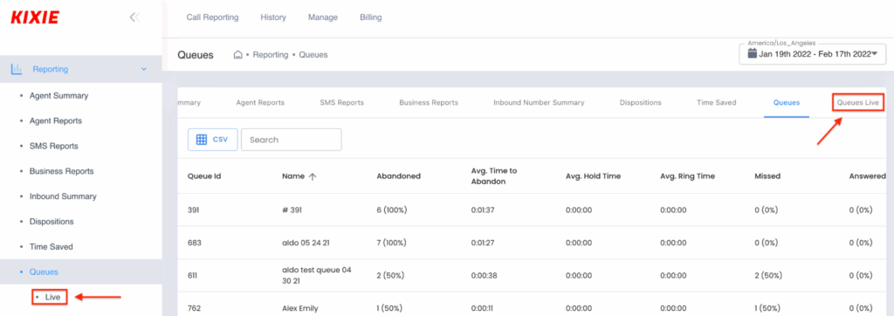
Kixie offers a power dialer with local presence calling, specializing in automating outbound sales for smaller teams.
Who Is Kixie Best For?
- Small to medium sales teams
- Local market-focused businesses
- Teams prioritizing speed-to-lead
- High-volume outbound calling
What Is Kixie Pricing?
- Integrated: $35/user/month
- Professional: $65/user/month
- Outbound PowerDialer: $95/user/month
- Ultimate Revenue: custom pricing
What Are Kixie's Pros & Cons?
Kixie offers a Power Dialer with local presence calling capabilities. The platform specializes in automating outbound sales processes for smaller teams.
| Pros | Cons |
|---|---|
| Local presence dialing | Limited analytics capabilities |
| Quick implementation | Basic reporting features |
| User-friendly interface | Restricted customization options |
Best Kixie Integrations
Integrates with popular CRMs, with a stronger focus on Salesforce and Pipedrive.
What Are G2 Users Rating Kixie?
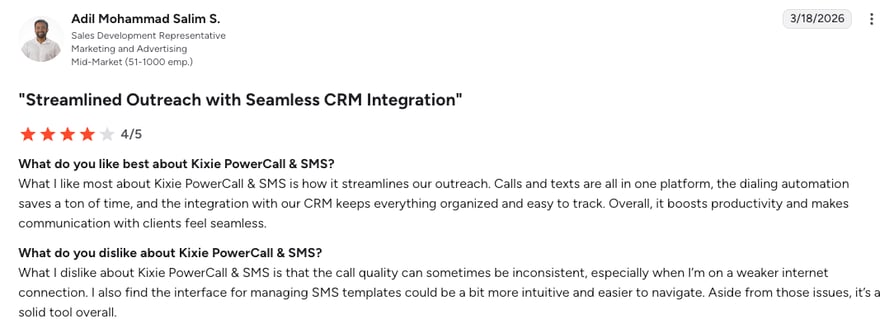
Kixie is rated 4.8 by 860+ verified users on G2:
Recommended Reads
Aircall: CRM Dialer Software for Remote Teams
Aircall provides cloud-based phone systems with an emphasis on team collaboration and workflow automation, targeting remote-first organizations.
Who Is Aircall Best For?
- Distributed sales teams
- Customer support operations
- International businesses
- Teams requiring extensive collaboration
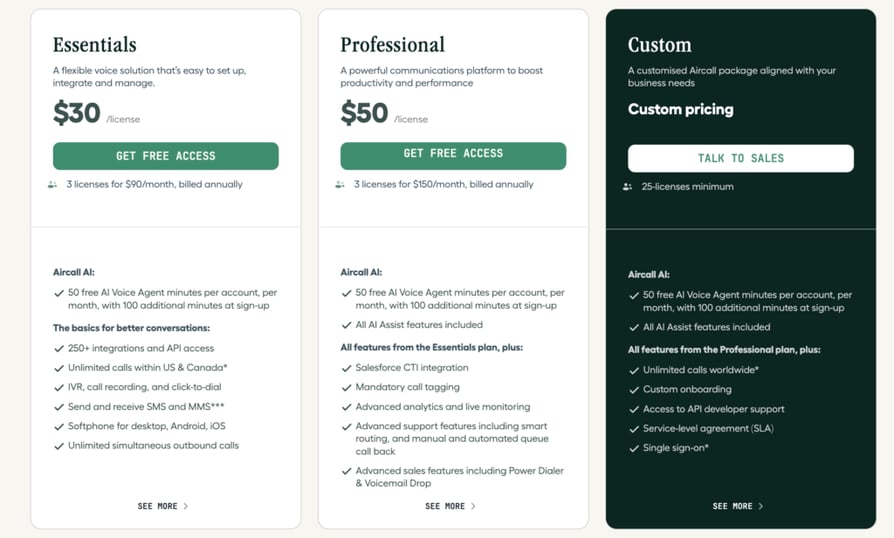
What Is Aircall Pricing?
What Are Aircall's Pros & Cons?
| Pros | Cons |
|---|---|
| Strong team collaboration features | Call quality inconsistencies |
| Easy setup process | Limited power dialing features |
| Extensive app marketplace | Higher pricing tiers for advanced features |
Best Aircall Integrations
Offers wide CRM integration options through its app marketplace. Teams comparing options often weigh it against a more outbound-focused alternative.
What Are G2 Users Rating Aircall?
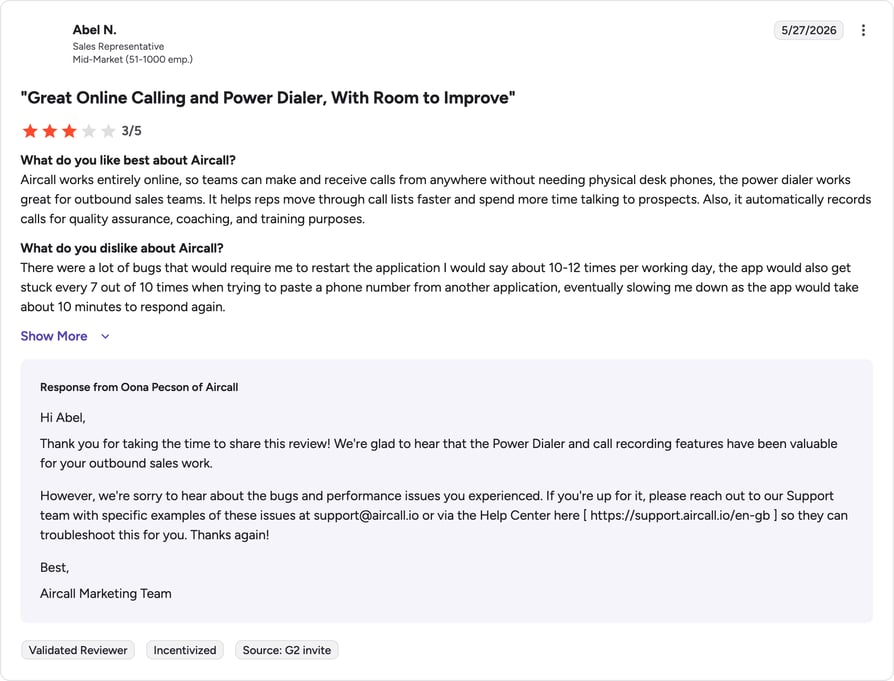
Aircall is rated 4.4/5 by 1500+ verified users on G2.
Recommended Reads
JustCall: Dialer CRM for SMS-Driven Sales
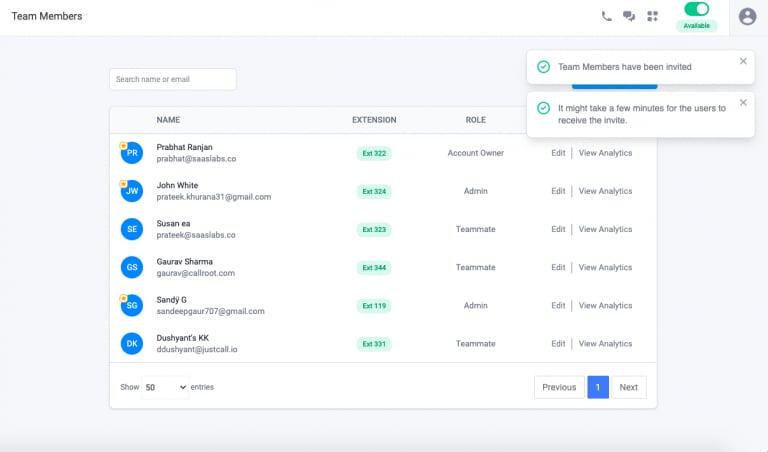
JustCall combines calling and SMS in one platform, simplifying outbound communication for inside sales teams.
Who Is JustCall Best For?
- Inside sales operations
- SMS-heavy communication
- Small to medium businesses
- Mixed communication channels
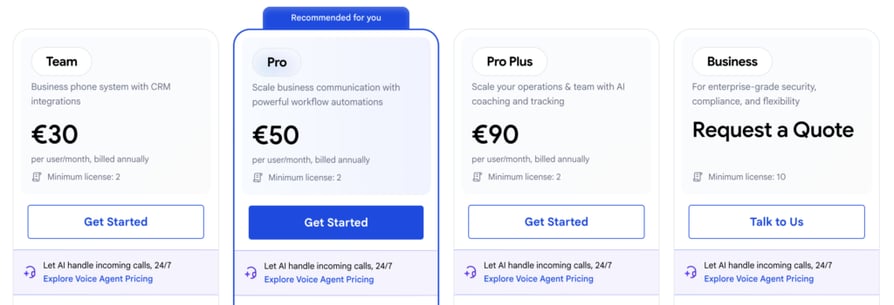
What Are JustCall's Plans and Pricing ?
What Are JustCall's Pros and Cons?
| Pros | Cons |
|---|---|
| Combined calling and SMS | Basic analytics features |
| Straightforward interface | Limited customization |
| Quick deployment | Restricted advanced feature |
Integration Capabilities
Standard CRM integrations with focus on Salesforce compatibility.
What Are G2 Users Rating JustCall?
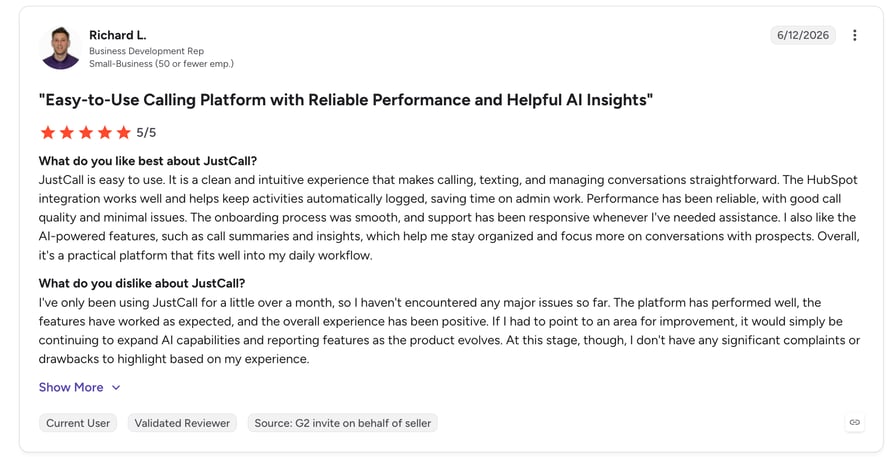
JustCall is rated 4.3/5 by 2,000+ verified users on G2.
Recommended Reads
Give your team the tools they need to perform better
Aloware: Lead Response Automation and Distribution
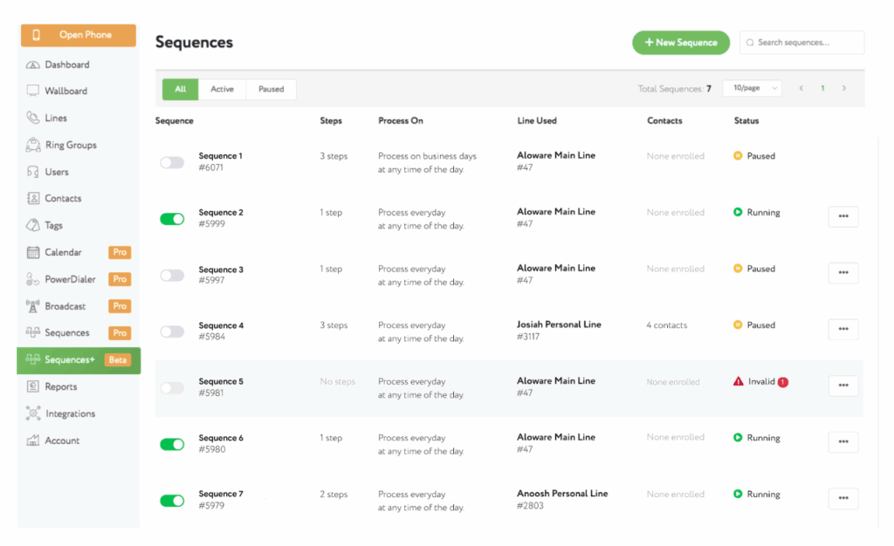
Aloware specializes in lead response automation and distribution. The platform emphasizes speed-to-lead and automated follow-up sequences.
Who is Aloware Best For?
- Lead response teams
- Real estate agencies
- High-volume sales operations
- Marketing-driven organizations
What is Aloware's Pricing?
- iPro + AI: $30/user/month
- uPro + AI: $60/user/month
- xPro + AI: $85/user/month
What Are Aloware's Pros and Cons?
| Pros | Cons |
|---|---|
| Advanced lead distribution | Limited international features |
| Automated follow-up sequences | Basic reporting capabilities |
| Click-to-call functionality | Steeper learning curve |
Integration Capabilities
Focuses on CRM integrations with emphasis on lead management systems.
What Are G2 Users Rating Aloware?
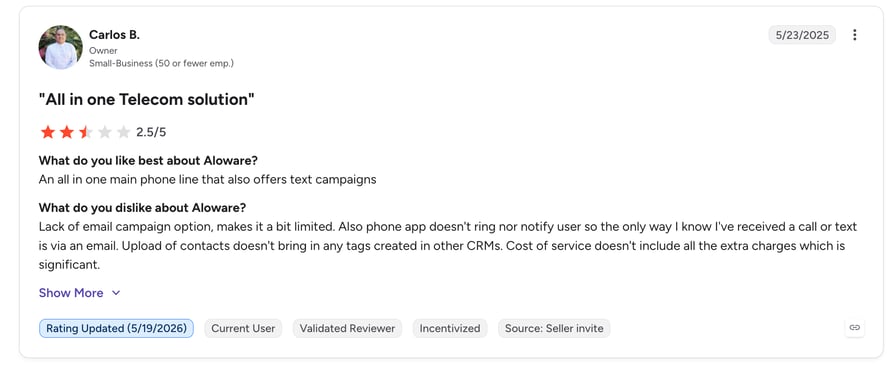
Aloware is rated 4.1/5 by 800+ verified users on G2.
Close CRM: All-in-One Sales Platform With Built-In Calling Capabilities
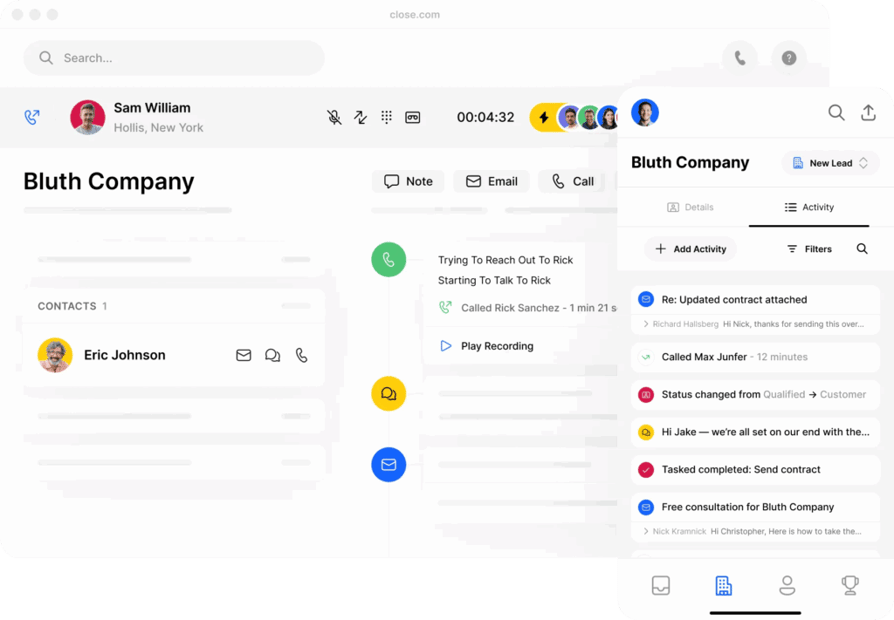
Close offers an all-in-one sales platform with built-in calling capabilities. The system targets teams looking for unified sales and calling solutions.
Who is Close CRM Best For?
- Small sales teams
- All-in-one solution seekers
- Email-focused sales processes
- Start-ups and scale-ups
What is Close CRM Pricing ?
- Base: $19/user/month
- Startup: $49/user/month
- Professional: $99/user/month
- Enterprise: $139/user/month
What Are Close CRM Pros and Cons?
| Pros | Cons |
|---|---|
| Native CRM integration | Limited standalone calling features |
| Email sequence capabilities | Restricted customization options |
| Unified platform | Basic call analytics |
Integration Capabilities
Functions as a standalone CRM with built-in calling features.
What Are G2 Users Rating Close CRM?
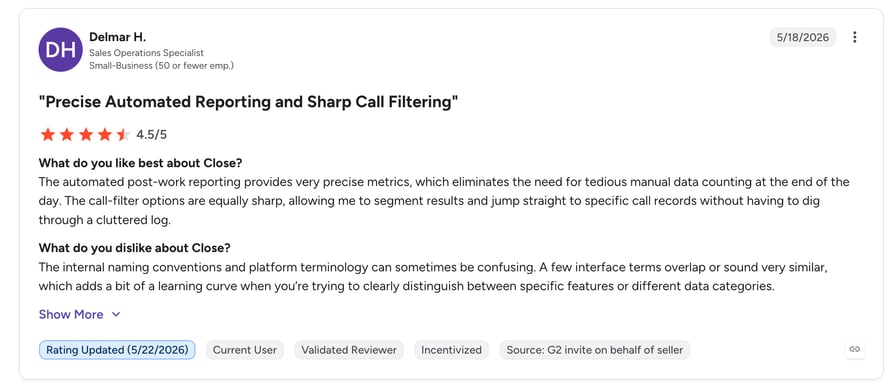
Close CRM is rated 4.7/5 by 2,000 verified users on G2.
Key Features to Look for in a CRM Dialer
Sales teams need specific features to maximize their calling efficiency. The right CRM dialer integration transforms how teams connect with prospects and manage customer relationships. Here's what to look for:
- Power Dialing Capabilities: Modern CRM dialer software automatically cycles through call lists, ensuring agents never waste time dialing numbers manually. With a CRM auto dialer, the system instantly calls the next contact as soon as a previous conversation ends, drastically reducing idle time. Sales teams can increase contact rates by up to 120% when numbers are dialed sequentially, maximizing productive selling time
- Smart Call Distribution: CRM and VoIP integration enables intelligent call routing. The system assigns calls based on agent skills, availability, and customer history. Teams handle higher call volumes while maintaining conversation quality.
- Real-Time Analytics Dashboard: VoIP CRM software provides instant insights into call performance. Managers track key metrics like connection rates, talk time, and conversion rates. This data helps optimize calling strategies and improve team efficiency.
- Seamless CRM Synchronization: Look for HubSpot VoIP integration and compatibility with major CRM platforms. This ensures customer data flows automatically between systems. Sales teams access complete contact histories and log call outcomes without switching screens.
- Automated Call Logging: The system records all call activities directly in the CRM. Sales representatives focus on conversations while the platform handles documentation. This creates accurate interaction records and simplifies follow-up management.
- Custom Call Workflows: Create automated sequences for different sales scenarios. Set up call dispositions, follow-up tasks, and notification rules. This streamlines the entire sales process from initial contact to deal closure.
How to Choose the Right CRM Dialer for Your Business
Implementing the right CRM dialer software empowers your sales team to move through lead lists seamlessly, triggering automated workflows based on real-time call dispositions without ever leaving their CRM dashboard. Here's a practical framework to evaluate different solutions based on business priorities:
- System Integration Capabilities: Your CRM dialer needs seamless data flow with existing tools. Choose a solution with two-way synchronization—like CloudTalk—to keep customer contact records perfectly synced across your dialer, phone system, and CRM.
- Scalability and Pricing Structure: Choose a solution that grows with your business. The best CRM with dialer capabilities offers flexible pricing tiers. Look for transparent per-user costs, feature accessibility at different levels, and the ability to add or remove users easily. Avoid long-term contracts that limit flexibility.
- Call Quality and Reliability: Poor call quality damages sales relationships. Evaluate the provider's infrastructure and global coverage. Check uptime guarantees and redundancy measures. Real customer reviews often reveal reliability issues that marketing materials don't mention.
- Automation and Productivity Features: Assess how the CRM dialer software streamlines daily workflows. Key features include power dialing, automatic call logging, and custom follow-up rules. Calculate potential time savings from automating manual tasks. Look for tools that reduce administrative burden while increasing talk time.
- Security and Compliance Standards: Data protection isn't optional in modern sales operations. Ensure the system meets industry security standards and regional calling regulations. Look for features like call recording consent, data encryption, and access controls. This protects both your team and your customers.
Boost the number of successful calls by up to 400%3
The numbers tell the story. Teams using smart dialers turn one hour of manual dialing into two hours of meaningful conversations. That's double the opportunities, double the connections, and double the potential for growth. All while maintaining those personal touches that turn prospects into loyal customers.
The future of sales isn't about working harder –it's about connecting smarter. Take the first step toward transforming your sales calls from a numbers game into a growth engine.
Ready to stop dialing and start selling? Book your demo today.
Sources:
Frequently asked questions
A CRM with a dialer system combines customer database management with automated calling capabilities. The software enables teams to call contacts directly from their CRM while automatically logging activities.
The best sales dialer depends on your CRM platform and business needs. Check integration compatibility, calling volume requirements, and team size. Consider power dialing needs and international coverage when making your choice.
CloudTalk leads the market for SMB sales teams needing reliable call quality and global coverage. The platform offers advanced features like AI analytics and custom power dialing campaigns while maintaining competitive pricing.
Yes, Zoho CRM offers basic dialing capabilities. However, most growing teams choose dedicated CRM dialer software for advanced features like power dialing, call analytics, and deeper integration options.
Auto-dialers are legal in the US when used properly. Companies must comply with TCPA regulations, including respecting Do-Not-Call lists and obtaining proper consent. Business-to-business calls face fewer restrictions than consumer calls.