
AI Dialer for Sales Teams: Turn Dials Into Live Conversations
CloudTalk's AI Sales Dialer detects answering machines in 1.5 seconds and connects your rep only when a real person picks up.
- Three dialers: Power, Preview, and Parallel
- Local numbers in 160+ countries
- Automated CRM sync keeps things flowing smoothly
 SOC2 CompliantISO 27001
Trusted by 30,000+ sales & support professionals to power more & better conversations
















Interactive Tour
Tour the AI Sales Dialer
Press play and take an interactive tour of CloudTalk's AI Sales Dialer.
What is an AI Sales Dialer?
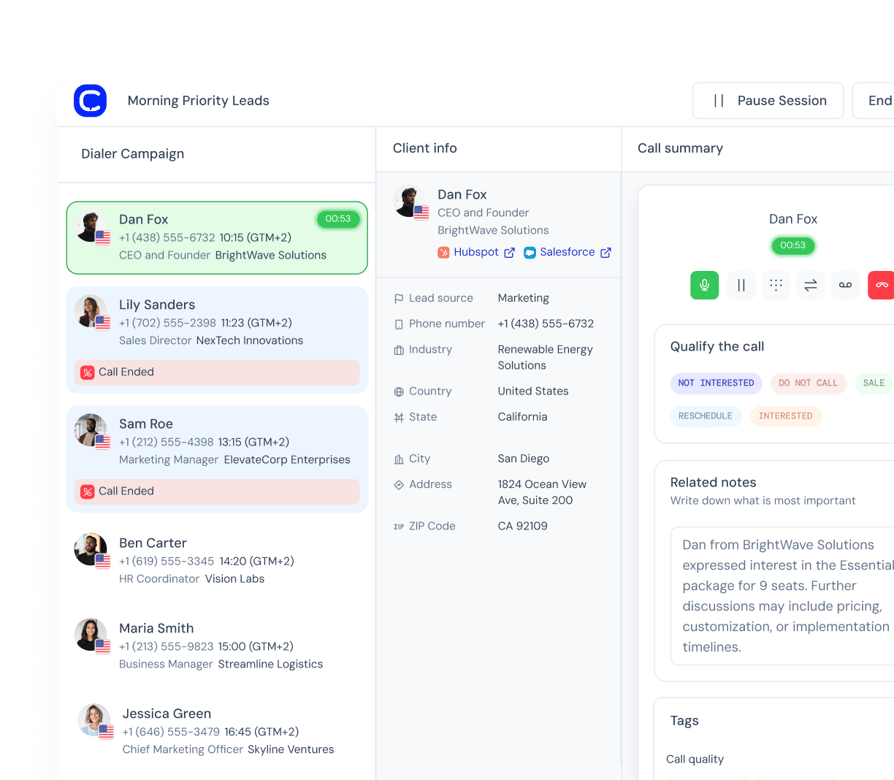
An AI dialer is outbound calling software that automates dialing numbers, detects whether a machine or a human answered, filters out the machines, and logs the outcome to your CRM. No more waiting through ringtones for your reps, and no more manual number entry.
- What it replaces: manual dialing, copy-pasting numbers out of the CRM, and after-call logging.
- What it needs: a contact list and a CRM connection. Setup is a campaign, not an implementation project.
- What it will not do: it does not decide who to call or what to say. Lead prioritisation and scripts are still yours.
Do More with the Team You Have
4x more call attempts and 8× more real connects
Calls per hour in parallel mode
Power and parallel dialing help reps move faster through lead lists.
Voicemail Detection Speed
Detect and skip voicemail nearly 3× faster than the industry average.
More Live Conversations
Increase pickup rate by 400% with local presence dialing
What Does an AI Sales Dialer Do?
AI Sales Dialer Features
Multiple Dialers, Voicemail Detection, Queue Intelligence, Warm Transfers, CRM sync.
3 Dialers: Power, Preview, Parallel
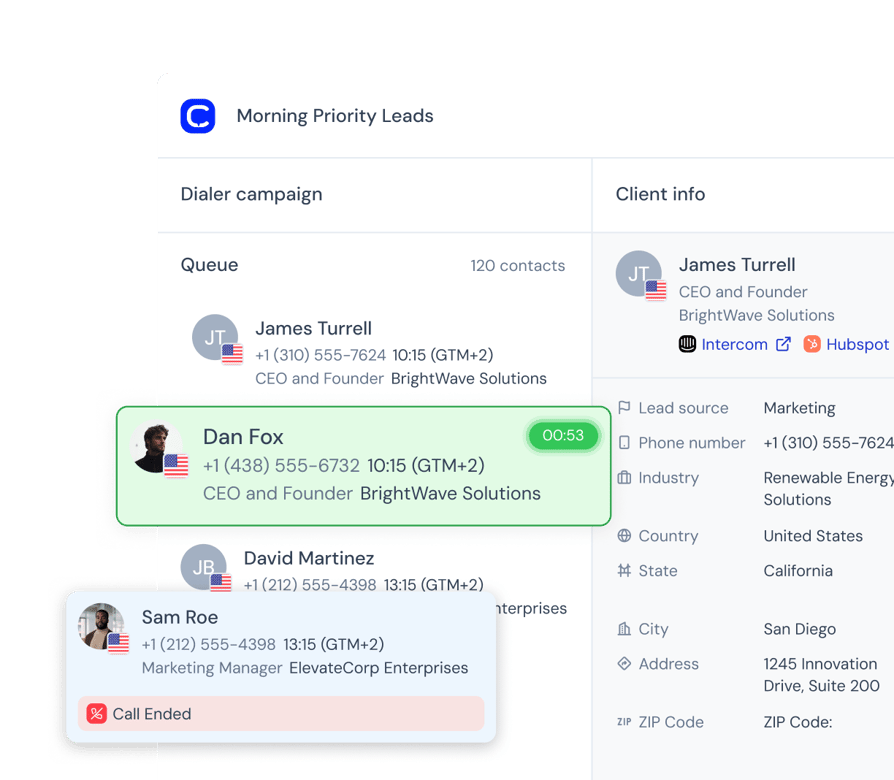
- 01Power DialingPower Dialer dials one at a time, auto-advancing to the next number as soon as a call ends
- 02Preview DialingPreview Dialing lets agents review contact profile and history before each call, deciding when to dial.
- 03Parallel DialingParallel Dialer calls several contacts at once and connects your agent to the first person who answers, dropping the other attempts. It maximizes talk time on large lists.
AI Voicemail Detection + Drop
- Voicemail DetectionDetects answering machines in just 1.5 seconds and filters them out.
- Automated Voicemail DropParallel dialing leaves a pre-recorded voicemail automatically and moves to the next call.
Multi-Number Dialing
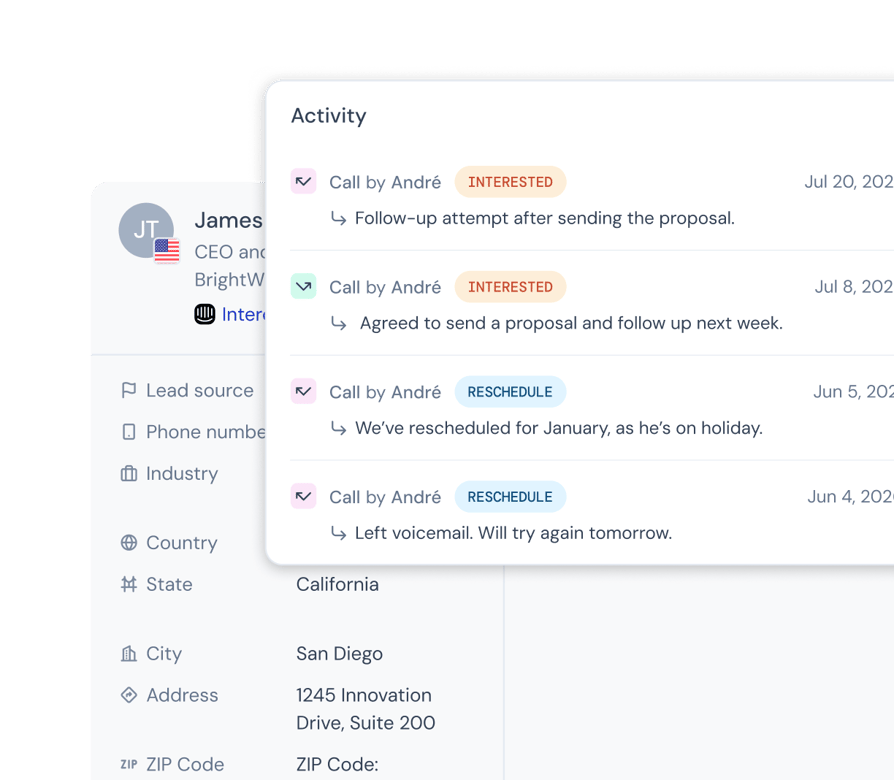
Traditional dialers stop at the first number on a contact record. If it’s incorrect, disconnected, or goes straight to voicemail, that lead is effectively dead. Multi-number dialing automatically cycles through every registered phone number for each contact—mobile, office, and direct lines—ensuring your team connects on every viable path before moving on.
- 01100% Contact Coverage: Reach prospects at work, on the go, or via alternate direct lines.
- 02Zero Dead Ends: Faulty or outdated primary numbers no longer kill promising leads.
- 03Automated Persistence: Seamlessly try every entry on the record without manual effort.
Queue Intelligence
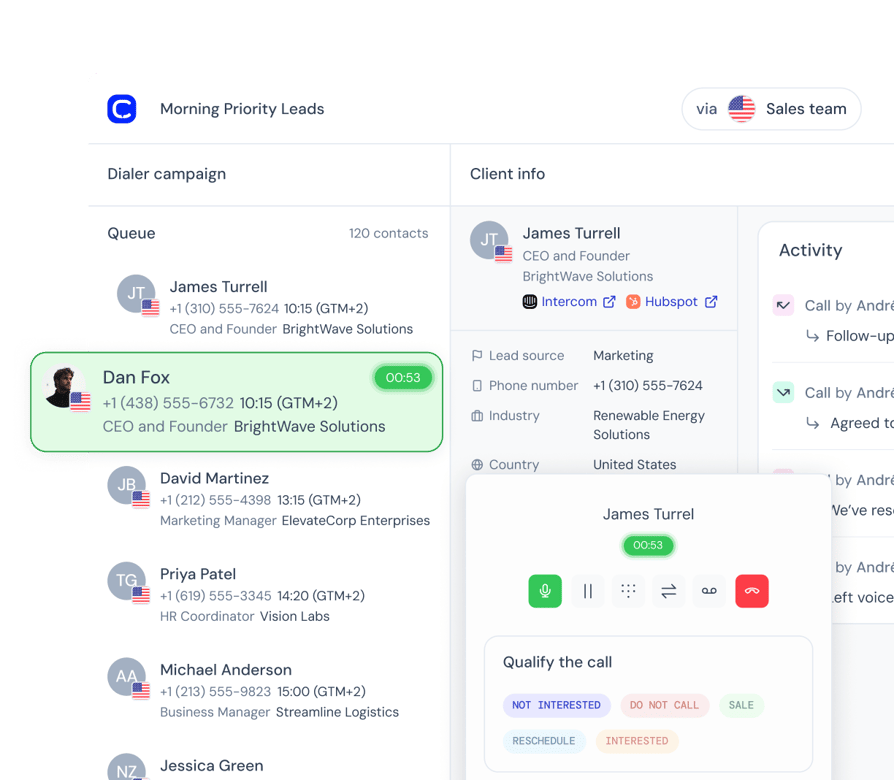
- Fresh-lead prioritization. One toggle makes brand-new leads jump ahead of retries in the queue, so a hot inbound lead gets called while it's still hot.
- List & tag prioritization. Admins rank which lists and tags get dialed first and can reorder them mid-campaign; the queue reshuffles live.
- Smart retry rules. Set the time between attempts for when a no-answer contact comes back into the queue. Prospects are re-approached at the right moment rather than redialed immediately.
- Scheduled callbacks. "Call me Thursday at 3" becomes a queue entry that surfaces at exactly the agreed time, prioritized in the queue so the promise is kept automatically.
During the Call
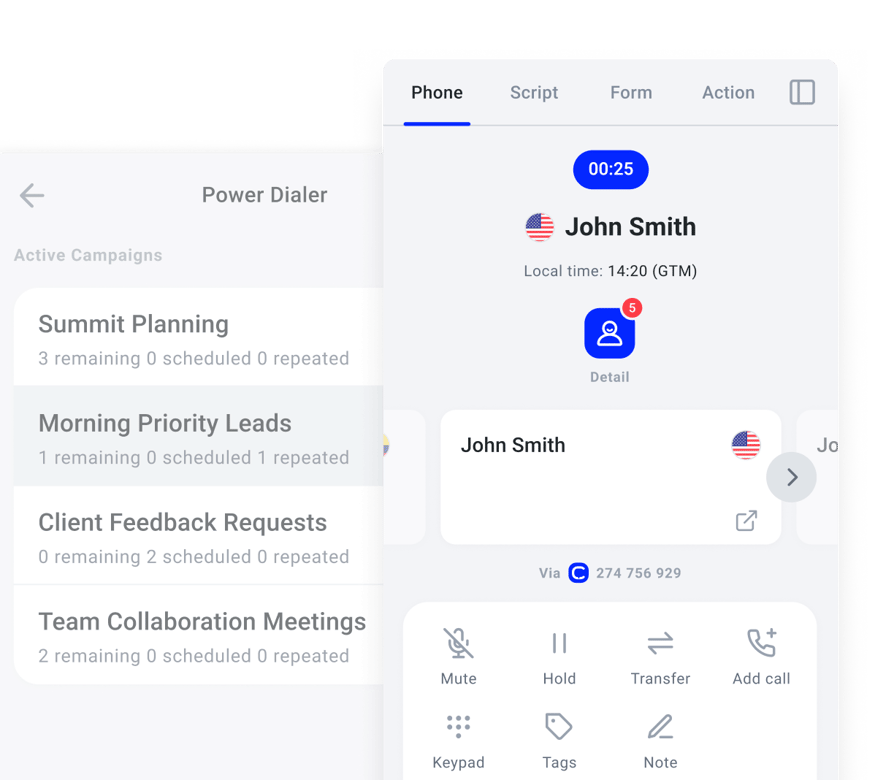
- Scripts & surveys on screen. Call scripts and survey questions sit directly on the calling screen, so reps are prepared and answers are captured as structured data.
- Warm transfers. A rep can hand a live call to a colleague with the context attached, so the prospect never has to repeat themselves.
Outcomes & Data
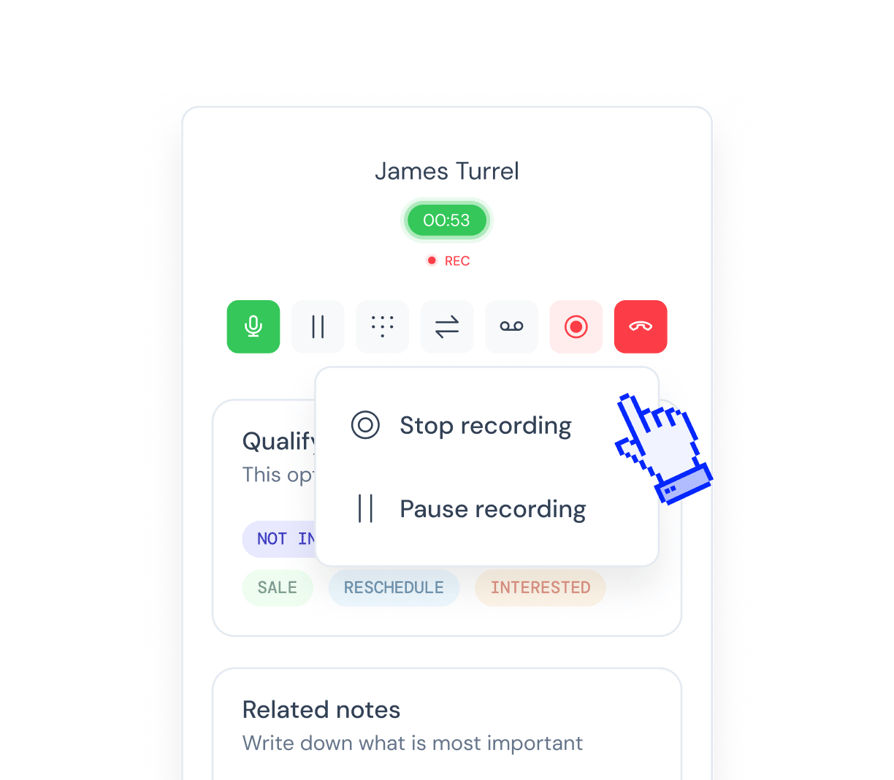
- Dispositions as tags. The rep picks the call outcome in one click, and it lands in analytics, call history and the CRM, and can trigger follow-up workflow automations.
- Statistics that count humans + live campaign view. "Answered" means a person actually picked up; voicemail and busy count separately; campaign progress is measured by contacts finished, not dials made. Admins can watch a running campaign live.
- CRM contact import & sync. Campaigns are filled straight from CRM lists and call outcomes sync back automatically, so CRMs stay the single source of truth without manual exports.
- Public API. Campaigns can be managed programmatically for teams that automate their outbound at scale.
Coming Soon
All the modes, data, and controls your team needs, in one seamless dialer.
Inbound Calls During Campaigns
When a prospect calls back, they reach the rep who originally dialed them, even while that rep is mid-campaign.
Timezone Calling Protection
Campaigns only dial contacts during reasonable hours in each contact's own local time, automatically.
Contact & CRM Cards
Key contact and CRM details appear in front of the rep during the call, so nobody opens a CRM tab mid-conversation.
Configurable Queue Size
Admins control how many contacts a rep's session locks at once.
Call Monitoring with Supervisor Barge-In
Managers listen in on live campaign calls and can step in when a rep needs backup.
Avoid Spam Labels
How to Keep Your Dialer Calls from Being Labeled Spam
Carriers decide whether to show "Spam Likely" based on how you dial and how people react to your calls. They flag spikes in call volume, repeated attempts, abandoned calls, very short calls, and people blocking or reporting your number.
CloudTalk's dialer helps you keep your calling patterns clean and your caller ID trusted.
Dialer settings that keep your numbers clean
- Limit retries: set a cap and a minimum gap between attempts. (2–3 attempts a week, 4 hours apart.)
- Avoid abandoned calls: Parallel mode connects reps only on a live answer and ends the other lines. Keep abandonment at 2% or less
- Leave a voicemail: Say who you are, why you're calling, and what to do next in a pre-recorded voicemail.
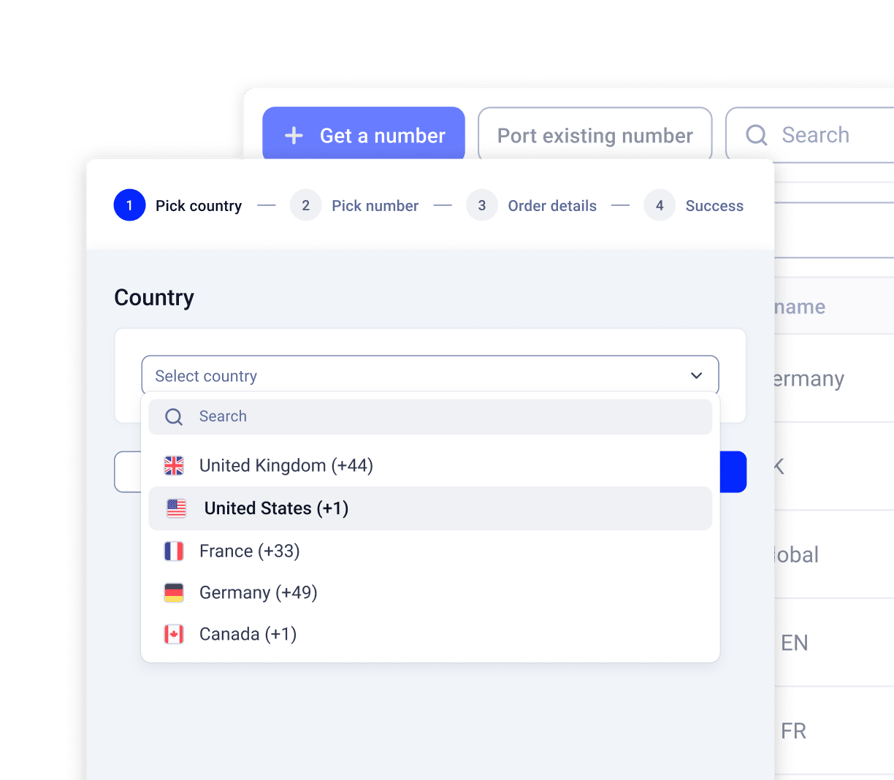
- Use local caller ID: the dialer matches each contact's country or US area code.
- Show your business name: Branded Calling displays it on the recipient's screen in the US and UK.
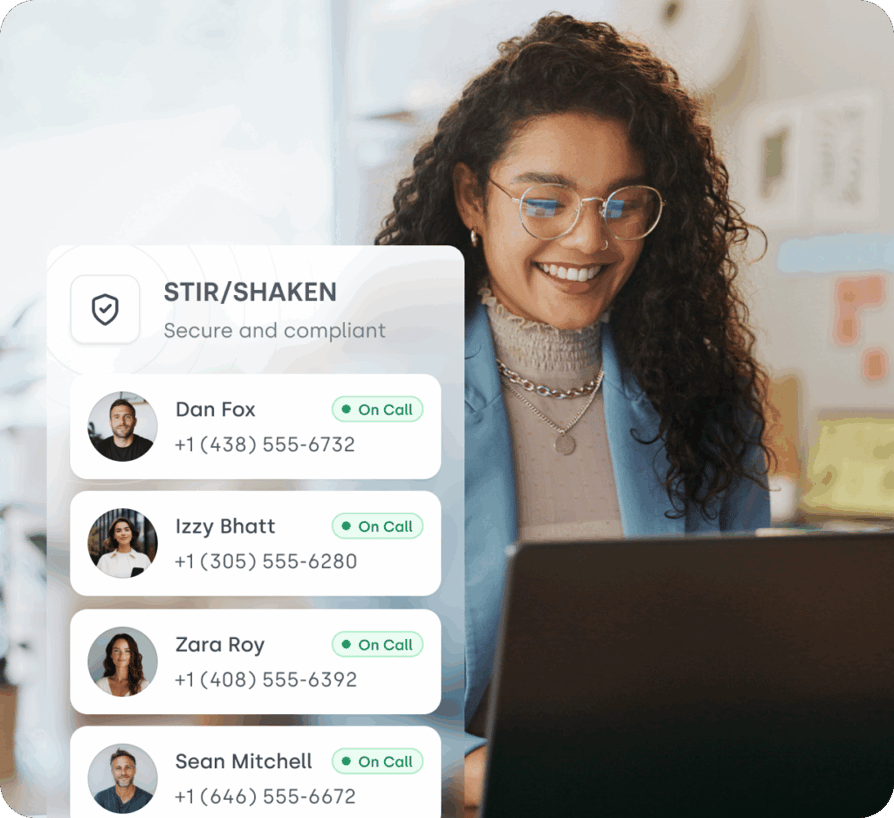
- Verify your numbers: US calls are STIR/SHAKEN compliant, and numbers are registered with call-analytics companies.
Your team is responsible for consent and Do Not Call screening. Only call people who opted in, check your lists against national DNC registries, remove old or disconnected numbers, and call at reasonable hours in the contact's time zone.
Should You Rotate Numbers?
Not to avoid spam labels. Carriers look for consistent dialing day over day and week over week. Rotating through numbers creates a patchy number history and spikes in volume, and carriers label those numbers faster. What works instead:
- 01Spread volume across enough numbers. Give each agent their own number, or share a pool across the team.
- 02Keep two sets of numbers. Use your main published numbers for inbound calls and calls to existing customers, and a separate set for outbound campaigns.
- 03Warm up new numbers. Start with 10–20 calls a day, then increase volume gradually.
- 04Only swap a number once it's flagged. Keep clean numbers on standby, and replace a flagged campaign number in CloudTalk while the label is being removed.
Remove Spam Labels with Numeracle (US)
Numeracle is a CloudTalk add-on that monitors the reputation of your US numbers and gets spam and fraud labels removed. It works directly with the three analytics companies behind US carrier labels: First Orion, Hiya and TNS.
- Verified registration: Numeracle checks your business details and registers your numbers with all three analytics companies, so your calls are linked to a verified business.
- Weekly reputation checks: Numeracle pulls reputation data from the carriers. A dashboard shows the status of each number, and you get a notification when one is flagged.
- Label removal: flagged numbers are sent to the carrier the same day. Carriers usually respond within 2–5 business days. Unlimited removal requests.
- Calling-pattern reviews: Numeracle's team looks at how you dial and tells you what to change.
Dentakay: The power dialer has been a game-changer for managing our call volume.
"We've seen a marked improvement in our call handling processes. The power dialer has allowed us to reach more leads in less time, resulting in a 150% boost of call volume. The integration with Zoho CRM means we're always working with the most current data. This has made a huge difference in our ability to convert leads into customers."
Data Management and Reporting Specialist, Dentakay

How Much Does an AI Dialer Cost?
Simple, transparent pricing that grows with you.
Preview & Power Dialer
$15/ user/mo
*Already included in Expert plan
- Preview dialing
- One-by-one power dialing
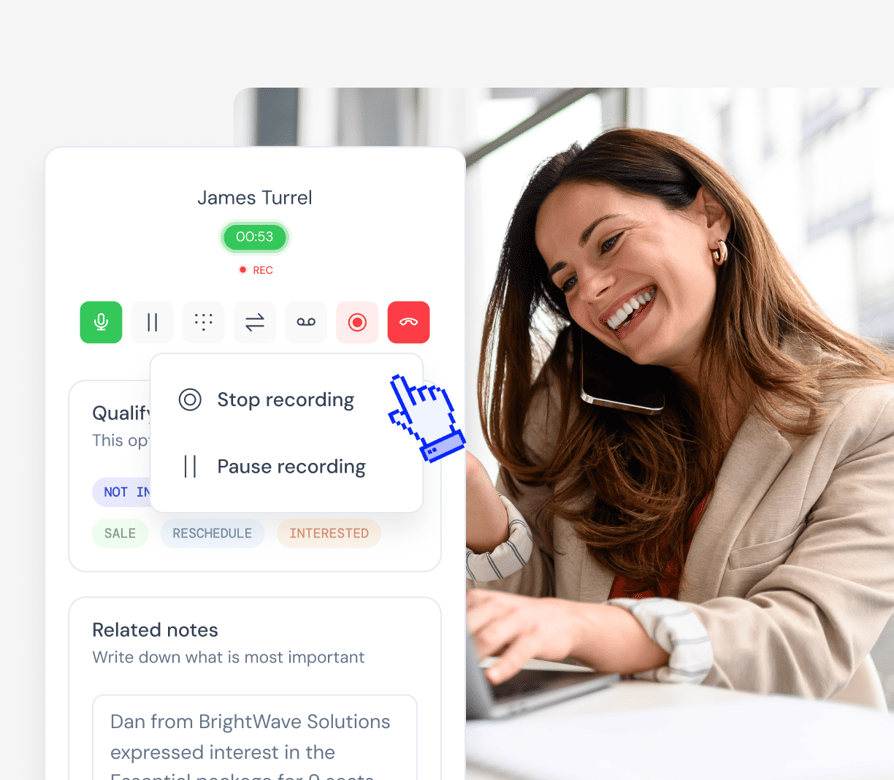
- Session control: pause, resume, queue view
- Call control: cold transfer, mute, hold
- Call recording
- Access past notes, call tags, contact history
- Disposition mapping, call outcomes, reschedule label
Parallel Dialer
$39/ user/mo
*Everything in power dialer plus:
- Dial up to 10 numbers at once
- Automatic voicemail detection (1.5s)
- Auto-skip answering machines
- Auto-voicemail drop
- Live conversations only
- Schedule and queue re-attempts

See It Dial Your List
Book 20 minutes and we will run a live campaign against a sample of your contacts, so you can watch the voicemail detection work on real numbers.
AI Dialer FAQS
Most dialers lock you into one mode or struggle with call quality and detection. CloudTalk gives you unmatched flexibility, with parallel, power and preview dialers, our proprietary voicemail detection algorithm, local presence, and real-time CRM sync — all in one platform built to deliver more live conversations, not just more dials.
Predictive dialers chase efficiency at the cost of experience. They call aggressively, often before agents are free, leading to dropped calls, awkward delays, and frustrated prospects.
CloudTalk’s Parallel Dialer is built differently. It dials multiple numbers at once but only connects the first live answer to a ready agent. That means no delay, no dropped calls, and no risk to your brand. It's the fastest way to maximize real conversations, without compromising call quality or control.
Yes — many dialers charge per mode or require enterprise contracts. CloudTalk is built to give growing teams all the dialing power without the enterprise price tag.
You get access to 3 dialers: Parallel, Preview, and Power. Click-to-call, preview, and power dialing with the Expert plan or as part of a dialer add-on. Parallel dialing — which includes voicemail detection and auto-skip — is available as an add-on. This gives your team full flexibility to match dialing modes with campaign goals, while keeping costs aligned with your stage.
Yes. We have native integrations with Salesforce, HubSpot, Pipedrive, and other platforms. CloudTalk also syncs with helpdesk tools and APIs for custom workflows.
Nope. Call outcomes, dispositions, tags, and notes are all logged automatically and pushed to your CRM via CloudTalk.
Yes, with CloudTalk, you control both the pacing (how quickly calls are made) and lead attempt settings (how many times and how often a lead is dialed). This means you can prioritize hot leads, space out retries, and match dialing speed to your reps’ capacity — without overwhelming your team or your prospects.
With Parallel Dialing, CloudTalk can call up to 10 numbers simultaneously. Automatic voicemail detection works in the back-end to automatically detect a voicemail. When a person answers (not a machine), the other calls are automatically ended, and your rep is connected to the live conversation. For calls that go to voicemail, our system can automatically drop a pre-recorded message.
Yes, but legality depends on how you use one, not which tool you buy. In the US the TCPA governs automated outbound calling, and other markets have their own rules covering consent, calling hours, and do-not-call requests.
CloudTalk gives you the controls to work inside them: pacing limits, retry caps, CRM-synced consent fields, and a Parallel Dialer that connects only on a live human answer. Confirm your specific obligations with your own legal team.
An auto dialer automates the dialing. It works through a list so reps aren't keying in numbers or waiting through rings, and that's where most automatic dialers stop.
An AI dialer adds judgment. It detects whether a human or a machine picked up and filters the machines out, then turns the conversation itself into transcripts, summaries and sentiment data afterwards. Every AI dialer is an auto dialer. Not every auto dialer is an AI dialer.
No. Automatic voicemail detection and voicemail drop runs in Parallel mode, where it identifies an answering machine in about 1.5 seconds and ends the call before it reaches a rep.
In Preview and Power mode the rep hears the call connect and handles it directly, which is usually what you want when the call is researched rather than high volume.
Setting up a dialer campaign is configuration, not implementation. Connect your CRM, sync or import a contact list, pick a dialing mode, set your pacing and dispositions, and start calling.
Most teams launch their first campaign the same day. There's no professional services engagement, no onboarding project, and no IT ticket.
Predictive dialers chase efficiency at the cost of the conversation. They dial ahead of agent availability, which produces dropped calls, the silent pause everyone recognises as a robot, and a prospect who now dislikes your brand.
Parallel dialing gets the same volume a different way. It dials several numbers at once but connects only when a live person answers and a rep is free.
The dialer prioritizes scheduled callbacks first, followed by fresh leads and source ranking. For a detailed breakdown of how leads are ordered, check out our Help Center article.
Yes. Call outcomes and dispositions are automatically applied as tags and synced according to your CRM field mapping.
An AI dialer predicts agent availability, filters out voicemails and busy signals, and times calls based on past customer data. For example, CloudTalk's voicemail detection identifies an answering machine in 1.5 seconds which is roughly 3x faster than the industry average, and reps are only connected to live calls.


Hello 👋 My name is Emma. Still have questions?
Can’t find the answer you’re looking for? Please chat to our friendly team.