
Predictive Dialer Software
The Parallel Dialer rings 2–5 contacts and connects the first person who answers. You set the number of lines per campaign, so there’s no Predictive Daler guessing.
$39/user/mo add-on · 14-day free trial · Any CloudTalk plan
- Up to 5 lines per rep (10 if requested), set for each campaign
- Automatic voicemail detection and drop
- Local numbers in 160+ countries
 SOC2 CompliantISO 27001
Trusted by 30,000+ sales & support professionals worldwide
















Core Business Outcomes
Get the Benefits of a Predictive Dialer System With More Control
More live conversations from the same list and team, at a pace you choose
Talk to More People in the Same Shift
Dail up to 5 numbers ring at once for each rep (10 upon request). The first real person to answer connects to your rep. Other lines drop and those contacts return to the queue
Say Goodbye to Voicemail Detours
CloudTalk detects voicemail on every line and drops your pre-recorded message automatically. Dialing moves on, so your rep stays free for real conversations.
Set the Pace Instead of Trusting a Black Box
Choose 2 to 5 lines for each campaign. Start at 3, then adjust based on your connect rate. Fewer lines make it easier to stay within abandoned-call limits.
See Multi-Line Dialing in Action
Watch one rep work a list: lines ring, a person answers, and the outcome lands in your CRM.
Core Features
CloudTalk's Answer to the Predictive Dialer: Parallel Dialing You Control
Sub-heading: Multi-line dialing, voicemail handling, smart queues, and reporting in one campaign dialer.
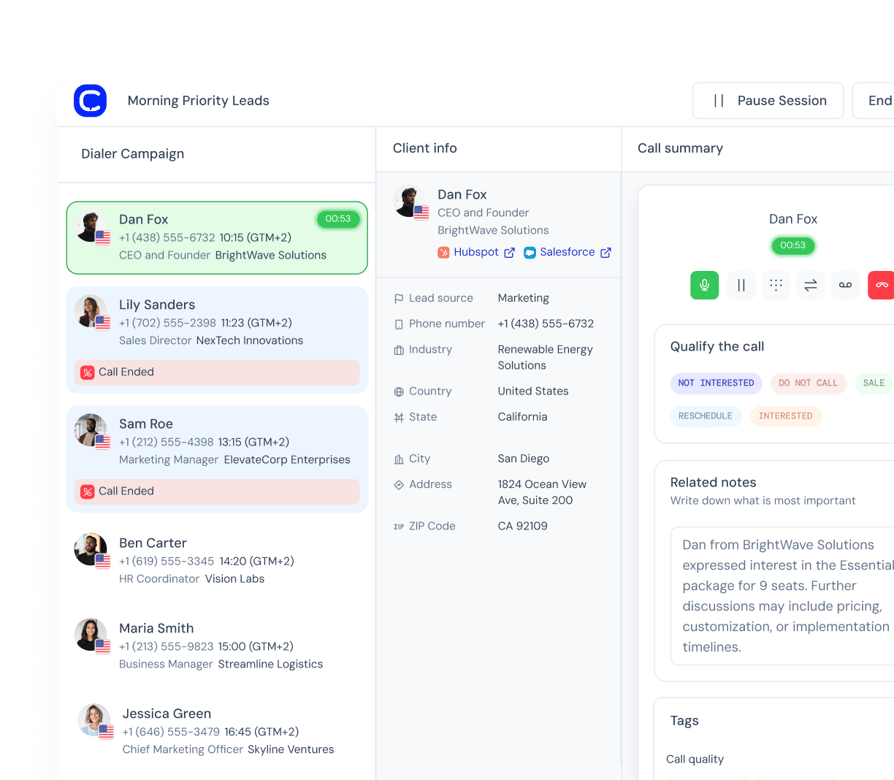
Dial Several Numbers for One Ready Rep
- 01Set 2 to 5 lines for each campaign, so warm and cold lists run differently
- 02The first live answer connects to your rep
- 03Unanswered lines drop and contacts return to the queue
- 04If two people answer together, the first connects and the second goes back in the queue
Skip the Voicemails Without Dropping Real People
- 01Voicemail is detected on every line in about 1.5 seconds
- 02A pre-recorded message drops automatically, then dialing moves on
- 03If detection can't decide in time, the call connects to your rep
- 04Choose automatic detection, or let your rep decide
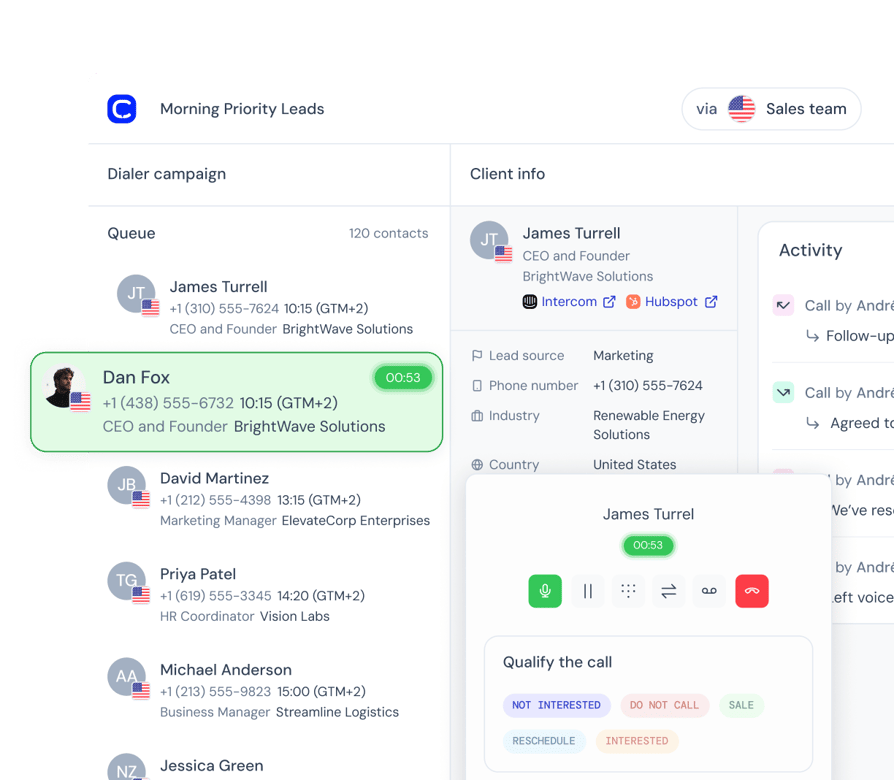
Reach the Right Contact First, Then Every Number They Have
- 01One toggle puts fresh leads ahead of retries
- 02Rank your lists and tags, and reorder them mid-campaign without stopping
- 03Every phone number on a contact is tried, not just the first
- 04Scheduled callbacks surface at the time the customer asked for
- 05Retry rules decide when a no-answer contact comes back
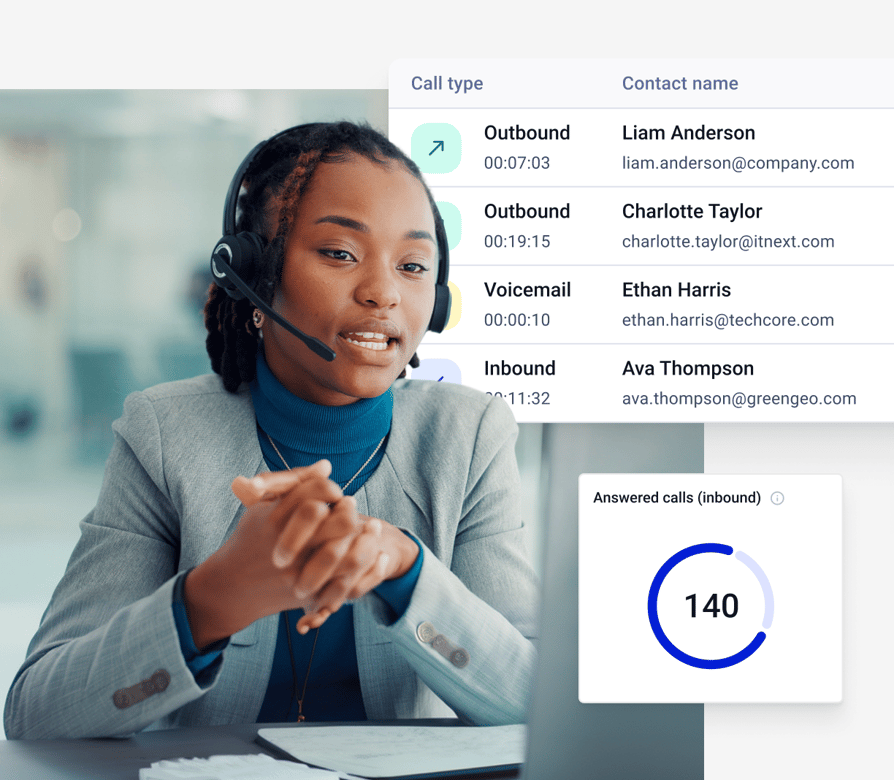
See What Your Dialing Really Delivers
- 01Stats count real people reached, with voicemail and busy reported separately
- 02Calls dropped because another contact answered first are tagged "Ended by System"
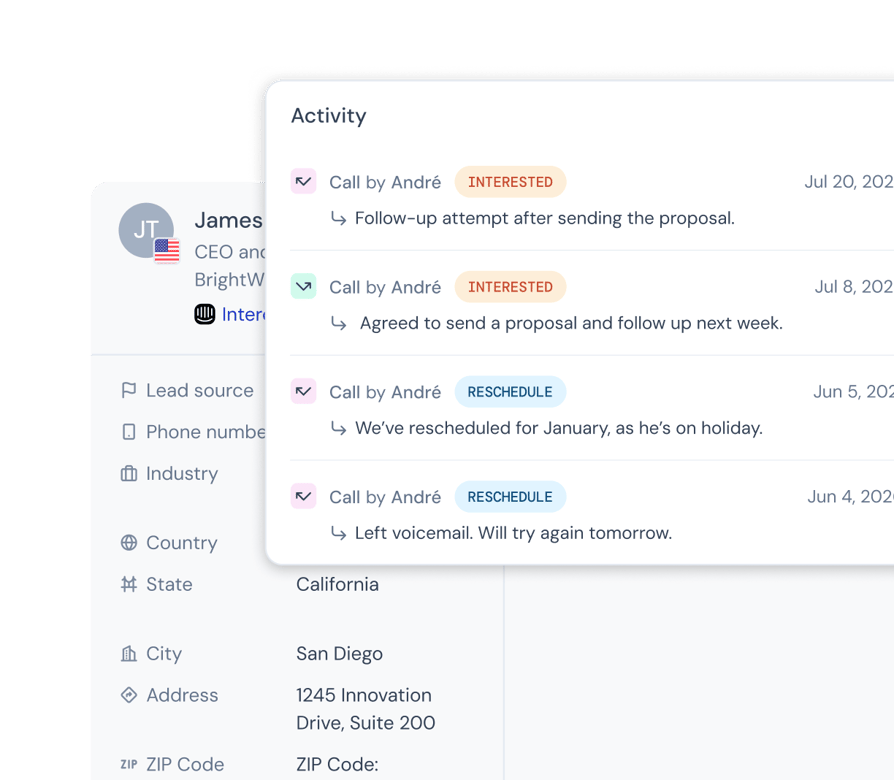
- 03Pick the outcome in one click, and it lands in analytics, call history, and your CRM
- 04Watch a running campaign live
- 05Scripts and surveys sit on the calling screen
We’ve helped thousands of global companies
Case studies featuring customers who are building faster.

Global Sales Engine Powered by Connected Conversations
“CloudTalk’s AI transcripts and analytics make it easier to track talk ratios, discovery depth, and regional performance—all without requiring formal training to get started.”

Revolutionizing Revolut’s Efficiency and Saving 40+ Hours
"Thanks to CloudTalk’s reliability, we could improve sales teams’ performance and close more deals than we could have ever imagined."

Increasing productivity for 200 customer support agents
"With CloudTalk's Analytics I now get to see every step of the way. We can find discrepancies and gain a much better understanding of our teams."

Delivering success for Glovo’s customer support team
"CloudTalk improved our team's cost and efficiency. The script feature allows us to lead the calls in a much more systematic way."
Your Questions Answered
Know the Trade-Offs of Dialing Ahead, and Choose Your Own Risk Level
"Will Prospects Hear Silence?"
If two people answer at the same moment, only the first connects. The second hears silence, and that contact goes back into the queue. Fewer lines mean fewer people answering at once, so start at 3.
"Is This Allowed Where I Call?"
Rules differ by country and state. In the US, abandoned calls are capped at 3% of live-answered calls per campaign over a rolling 30 days. A lower line count makes that limit easier to meet.
"Can I Trust Voicemail Detection?"
If detection can’t decide in time, the call goes through to your rep. If you’d rather rely on your reps’ judgment, let them decide on each call. Every voicemail outcome is tagged and retried automatically.
"Can I Test It First?"
Start a free 14-day trial on your own contact list. After the trial, the Parallel add-on costs $39 per user/month, billed monthly. There’s no long-term commitment, and you can cancel yourself at any time.
Predictive Dialer vs. CloudTalk Parallel Dialer
| Predictive Dialer | CloudTalk Parallel DIaler | |
|---|---|---|
| Who each call is for? | The whole team, based on an estimate of who will be free soon | One rep who is in session and ready |
How the pace is set | An algorithm dials ahead of your agents | You set 2 to 5 lines for each campaign |
When someone answers | The prospect connects, waits, or is dropped, depending on whether the estimate was right | The first person to answer connects to your rep. A second person answering at the same moment is dropped and returns to the queue |
Abandoned calls | The rate regulators cap, and the main thing the system is judged on | The same US limit applies (3% over 30 days), and a lower line count makes it easier to meet |
Voicemail | Answering machine detection filters voicemails | Detection on every line, with automatic voicemail drop |
Phone system | Often a separate product | Same numbers, routing, and analytics as the rest of CloudTalk |
Price | Usually quoted per user per month, often not published | $39 per user/month, 14-day free trial |
Dial Straight From the CRM Your Team Already Lives In
Fill campaigns from CRM lists, and send every outcome back to the contact record.
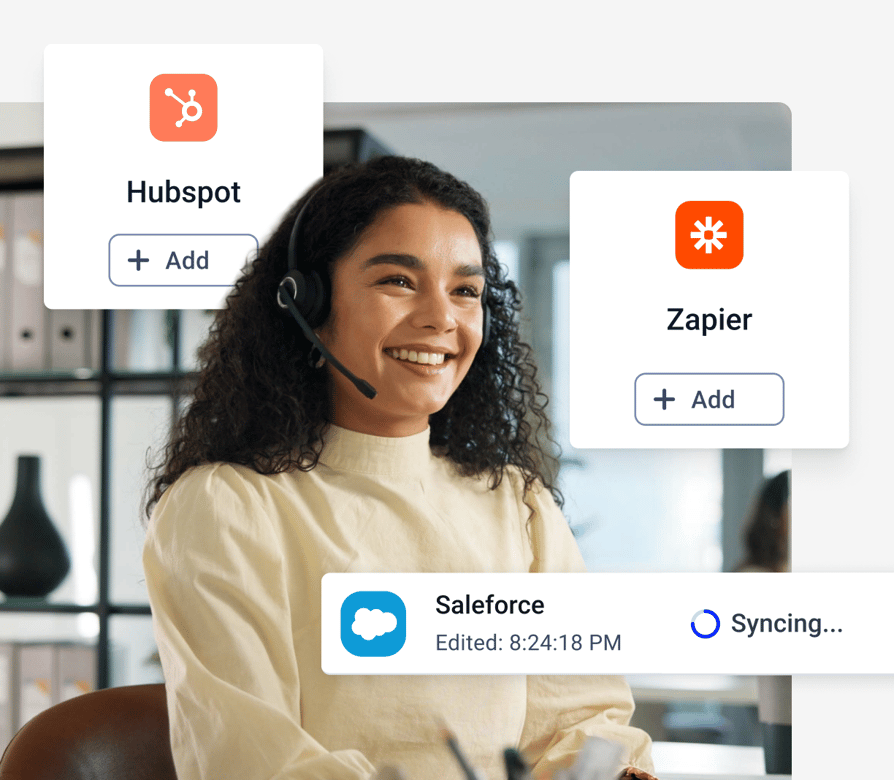
- 01Pull contact lists from HubSpot, Salesforce, Pipedrive, and Zoho CRM
- 02Lists stay in sync, so new leads join the queue on their own
- 03Call outcomes sync back to the CRM record
- 04100+ integrations, plus Zapier, Make, and CloudTalk workflow automation
- 05Manage campaigns through the public API
Launch Your First Parallel Campaign in 5 Steps
Start your free trial and CloudTalk switches Parallel on for your account.
- 01General. Name your campaign and choose when it starts.
- 02Contacts. Add contacts by tag or by CRM list.
- 03Calling setup. Choose 2 to 5 lines, attempts per contact, and caller ID.
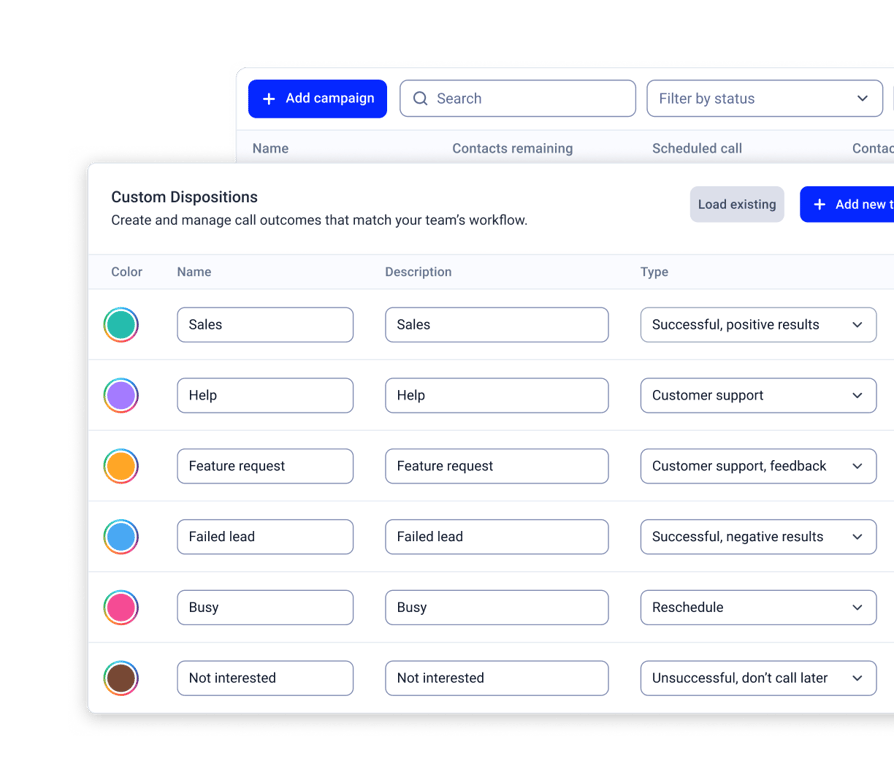
- 04Agents. Assign reps, pick outcomes, and attach a script or survey.
- 05Review. Activate, and reps start a session from the CloudTalk Phone app.
Integrations
Plug into everything you use
CRMs, helpdesks, applicant tracking systems and more. Get started instantly with 100+ built-in integrations, or expand further with Zapier, Make or CloudTalk’s own workflow automation builder.


Features
Other features you might like

Power Dialer
Call one contact at a time, with campaign structure and CRM sync. Ideal for warm lists.
Read more about Power Dialer
Parallel Dialer
See everything the Parallel add-on includes, from voicemail drop to smart queues.

Answering Machine Detection
Skip voicemails automatically and keep reps talking to people.

International Numbers
Local numbers in 160+ countries for every market you call.
Read more about International Numbers
Dial Several Lines. Keep Control of Every Call.
Try the CloudTalk parallel dialer free for 14 days. Parallel add-on from $39 per user/month.
FAQs: Predictive Dialer
A predictive dialer is an automated dialing system that uses an algorithm to estimate when agents will be free and dials the next numbers before the current calls end. Unanswered calls, busy signals, and voicemails are filtered out, and answered calls go to the next available agent.
It loads a call list, dials several numbers at once, and paces the calls using factors like average call length, agent availability, and the attempts needed to reach someone. Answering machine detection filters out voicemails. If no agent is free when someone answers, the call can be dropped or left waiting.
No. CloudTalk doesn't pace calls with a predictive algorithm. Its AI Sales Dialer offers Parallel mode, which rings 2 to 5 contacts for one ready rep, and Power mode, which calls one contact at a time. You set the line count for each campaign.
A predictive dialer dials ahead of your whole team, based on an estimate of who will be free. A parallel dialer dials several lines for one rep who is already ready. In CloudTalk's Parallel mode, you choose the number of lines instead of leaving the pace to an algorithm.
An auto dialer automatically dials numbers from a contact list and connects answered calls to agents, so nobody dials by hand. A predictive dialer is a type of auto dialer that also predicts how many calls to place based on agent availability. For a wider look at dialer types, see our sales dialer guide.
They can. When more people answer than agents are free, the extra calls are dropped or left waiting. US rules cap abandoned live-answered calls at 3% over a rolling 30 days. CloudTalk's Parallel mode can also drop a second person who answers at the same moment, so start with 3 lines and watch your rates.
CloudTalk supports 2 to 5 lines for each campaign. Start at 3, watch your connect and abandonment rates for two weeks, then adjust. Warm lists usually do better with fewer lines.
Predictive dialer pricing is usually quoted per user per month, and many vendors don't publish it. Cloud or on-premises setup, the number of lines, and whether answering machine detection is bundled all change the price. Compare the cost per live conversation, not just the seat price. CloudTalk's Parallel add-on is $39 per user/month, with a 14-day free trial. See CloudTalk pricing for plan details.
Open-source options exist, but you provide the hosting, carrier contracts, compliance setup, and maintenance. A cloud dialer with a free trial is usually quicker to start. CloudTalk's Parallel add-on includes a 14-day free trial.
Set a clear campaign goal, clean and segment your contact list, then build the campaign and track your connect rates. In CloudTalk, you create a campaign from a tag or CRM list, choose 2 to 5 lines, assign agents and a script, and start a session from the CloudTalk Phone app.
Yes. Campaigns pull contact lists from HubSpot, Salesforce, Pipedrive, and Zoho CRM, and call outcomes sync back to the contact record.


Hello 👋 My name is Emma. Still have questions?
Can’t find the answer you’re looking for? Please chat to our friendly team.