8 Best AI Voice Agents for Automated Inbound Calls in 2026
TL;DR:
We compared 8 AI voice agent platforms on the things that decide whether an inbound deployment survives contact with real callers: telephony latency, barge-in handling, containment rate, knowledge base depth, mid-call CRM writing, warm transfer quality, compliance, and what production actually costs once the headline price stops applying.
Here is the fast overview of every platform in this guide:
- 01CloudTalk: best for teams that want inbound AI answering built into a complete phone system, with CRM routing and human handoff on one call flow
- 02Goodcall: best flat-rate option for US small businesses that want a working AI receptionist for under $100 a month
- 03Synthflow: best for agencies and BPOs reselling white-labeled inbound agents, now enterprise-only on price
- 04ElevenLabs Agents: best voice quality and language coverage for developer-led inbound builds
- 05Retell AI: best developer-friendly platform for production inbound, and the most-reviewed tool on this list
- 06Vapi: best for engineering teams that want to bring their own models and control every layer
- 07Bland AI: best bundled per-minute pricing, plus EU data residency and audited PCI DSS
- 08PolyAI: best for large enterprise contact centers replacing a legacy IVR at millions of calls a year
This guide also covers how inbound voice AI works under the hood, what to test before you sign, the compliance traps specific to inbound recording and caller PII, and how to calculate true production cost instead of the headline per-minute rate.
A caller reaches your line at 7:40pm. Nobody picks up. In a September 2025 CallRail survey of 1,000 US consumers, only 42% said they leave a voicemail when a business does not answer, and 78% said they have abandoned a business entirely after an unanswered call¹. The traditional fix makes it worse rather than better: Vonage research fielded by Opinion Matters across 2,010 US adults found 61% say IVR menus create a poor experience, and 51% have walked away from a business after reaching one².
That gap is what AI voice agents for inbound calls exist to close. But the right platform depends entirely on what you are replacing. A no-code answering service, a developer-controlled infrastructure platform, a managed enterprise deployment with an SLA, and a CRM-integrated agent inside a full business phone system are four genuinely different products sold under the same three words. Below we separate them, and we are specific about which one fits which team.
what this guide will not claim
See an AI Voice Agent Answer a Real Inbound Call
What Is an AI Voice Agent for Automated Inbound Calls?
An AI voice agent for automated inbound calls is an autonomous software system that answers live telephone calls, understands caller intent through natural language, completes tasks during the call (booking, lookups, FAQ answering, escalation), and writes structured call data back to your connected systems, without a human agent on the line.
The distinction that matters is against DTMF touch-tone IVR. An IVR routes callers through a fixed menu tree: press 1 for sales, press 2 for support. It cannot handle an input nobody built a branch for, and it cannot do anything except transfer you.
An AI voice agent holds an actual conversation. A caller can say "I need to move the appointment I booked last Tuesday" and the agent finds the booking, offers alternatives, confirms the change, and logs it. It handles unexpected phrasing, mid-sentence interruptions, and follow-up questions, and it executes backend actions during the call instead of handing off to someone who will.
Two adjacent categories get confused with this and should not be. An auto-attendant is a recorded greeting plus routing logic, closer to IVR than to AI, and we cover those separately in our guide to the best auto attendant phone systems. A traditional answering service is humans in a call center taking messages, which is the model most inbound call center service providers still run on. Voice AI for automated inbound calls sits above both: it resolves, it does not just record and forward.
How Inbound AI Voice Agents Work: The Technology Pipeline
Every inbound AI voice agent runs the same five-layer stack. Knowing the layers is the fastest way to work out why one vendor feels instant and another feels broken, because each layer adds delay and every vendor optimises a different one.
| Pipeline Layer | What It Does | What to Verify in a Trial |
|---|---|---|
| Speech-to-Text (STT / ASR) | Converts live caller audio to text in real time, filtering background noise | Transcription accuracy on your callers' accents, on speakerphone, and with crosstalk |
| NLU / Large Language Model | Maps caller intent, holds multi-turn context, generates the response | Coherence when a caller goes off script, and whether it handles two intents in one sentence |
| Text-to-Speech (TTS) | Turns the model's text back into speech with correct prosody and pacing | Naturalness in your target language, and whether it mispronounces names and product terms |
| Telephony Gateway (SIP / WebRTC) | Bridges the AI stack to the public phone network via SIP trunking or WebRTC | End-to-end latency on a real phone call, and whether warm transfer carries context |
| CRM / Tool Integration Layer | Reads customer records and writes call data, intent fields, and bookings back mid-call | Whether the record sitting in your CRM after the call is actually correct and complete |
The time between a caller finishing a sentence and the agent starting to reply is end-to-end telephony latency, usually reported at the 95th percentile. Stacks that chain external APIs together typically land at 1,000ms to 1,500ms, which callers hear as an uncomfortable pause. Purpose-built inbound platforms target under 800ms, and the fastest claim figures under 500ms.
read every latency number twice
Our Methodology: How We Chose the Best AI Voice Agents for Automated Inbound Calls in 2026
Inbound is a harder problem than outbound, and most comparison lists ignore why. On an outbound call the AI controls the opening, the pacing, and the script. On an inbound call a stranger opens with anything, talks over the agent, has an accent the model has not heard, and expects an answer that is actually correct about your business.
So we tested against inbound failure modes rather than feature checklists. We reviewed 20+ platforms and narrowed to the 8 that hold up on a live inbound line, checking vendor documentation, published pricing, trust centers, and verified user reviews on G2, Capterra and Trustpilot.
The criteria we scored against:
- End-to-end telephony latency: the round trip a caller actually hears, not TTS inference time. Under 800ms is the working baseline for inbound.
- Barge-in accuracy: whether the agent stops cleanly when a caller interrupts mid-sentence, and keeps context afterwards instead of restarting.
- Containment rate: the share of inbound calls resolved without human escalation, and whether the vendor will name a customer behind the number.
- Knowledge base and RAG depth: ingestion formats, index size limits, and whether retrieval is grounded enough to avoid inventing an answer.
- CRM integration and mid-call data writing: native connectors versus a Zapier detour, and whether data lands during the call or after it.
- Warm transfer quality: SIP REFER or INVITE support, and whether the human who picks up gets the transcript and the caller's intent.
- Spam and robocall handling: whether anything stops junk calls burning paid AI minutes.
- Compliance: SOC 2 Type II, HIPAA, GDPR and PCI DSS, and critically whether they are audited or self-attested, and which plan tier they require.
- Setup speed and no-code availability: minutes, days, or a scoped implementation project.
- True production cost: headline per-minute rate versus the real bill once platform fees, LLM pass-through, telephony and add-ons are counted.
Why Trust Our Software Reviews?
Over the last decade we have helped more than 30,000 professionals find and implement communication tools, and we run a calling platform ourselves, which means we have watched voice agents fail in production and know which numbers matter.
We have reviewed hundreds of products, analysed thousands of verified reviews from G2, Capterra and Trustpilot, and read the vendor documentation rather than the landing pages. In the past year we published 1,000+ articles, all written and reviewed by humans, for humans. Learn how we keep our content integrity and see our software review methodology.
One disclosure: CloudTalk is our product. We have placed it first because inbound AI inside a full phone system is a genuinely distinct category, and we have been explicit about who it is wrong for. Every competitor entry below carries the same structure, including the parts that are unflattering to us.
Comparison Table: 8 Best AI Voice Agents for Automated Inbound Calls in 2026
Start here for the shortlist. The quick table covers fit and price. The full technical table underneath covers the inbound-specific metrics you will be asked about in a procurement review.
Quick Comparison: Fit, Voice Quality and Price
| Platform | Best For | Voice Quality | Starting Price | Free Trial or Credits |
|---|---|---|---|---|
| CloudTalk | Sales and support teams wanting inbound AI inside a full phone system | Very good | €0 (50 free minutes), then €99/mo for 200 min | Yes: 50 free minutes plus a 14-day platform trial |
| Goodcall | US small businesses wanting a flat-rate AI receptionist | Good | $79/agent/mo | Yes: 14 days |
| Synthflow | Agencies and BPOs reselling white-labeled inbound agents | Very good | $30,000/year (enterprise contracts only) | Limited trial minutes, credit-gated |
| ElevenLabs Agents | Developer-led builds where voice quality is the product | Best in class | $0 (15 min), then $0.08/min plus LLM and telephony at cost | Yes: 15 minutes on the free tier |
| Retell AI | Developer-friendly production inbound at SMB and mid-market scale | Very good | $0 platform fee, roughly $0.07 to $0.31/min blended | Yes: $10 in credits |
| Vapi | Engineering teams that want to bring their own models | Depends on chosen provider | $0.05/min platform fee plus at-cost STT, LLM and TTS | Not stated |
| Bland AI | Mid-market and enterprise wanting one bundled per-minute price | Very good | $0 (Start), $0.14/min. Build $299/mo, Scale $499/mo | Yes: free Start tier, no card |
| PolyAI | Enterprise contact centers replacing legacy IVR at scale | Excellent | Custom per-minute, no public rate card | No published trial |
Full Technical Comparison: Inbound Performance and Compliance
Latency figures below are vendor-claimed unless stated otherwise. No independent end-to-end benchmark exists for this category, so treat every number as a starting hypothesis to test, not a specification.
| Platform | Claimed Latency | Languages | API Access | CRM Integration | Knowledge Base / RAG | Warm Transfer / SIP | Spam Filtering | Compliance | G2 Rating |
|---|---|---|---|---|---|---|---|---|---|
| CloudTalk | Under 800ms (vendor-claimed) | 60+ | Yes, plus no-code builder | Native: HubSpot, Salesforce, Pipedrive, Zoho, Zendesk, Intercom and 100+ more | Yes: upload docs and company info | Yes: transfer to human with full context, inside Call Flow Designer | Carrier-level, CloudTalk owns the telephony layer | SOC 2, ISO 27001, HIPAA, GDPR, CCPA | 4.4/5 (1,852 reviews) |
| Goodcall | Not published | Not published, US-only (international in beta) | No public API, Zapier only | Zapier, Google Sheets, GoHighLevel, Yelp | Yes: auto-ingests website and Google Business listing | Basic transfer to a business line, no SIP, no context passing | Manual block-caller list only | SOC 2 Type II, ISO 27001, HIPAA. GDPR and PCI not stated | 3.5 (1 review, not meaningful) |
| Synthflow | Site states both under 100ms and under 800ms (contradictory) | 40 | Yes: REST API plus no-code builder | 200+ including HubSpot, Salesforce, GoHighLevel | Yes: PDFs, text, URLs, full site crawls, Zendesk articles | Cold via SIP REFER, warm with static message, warm with AI-generated summary | None found | SOC 2 Type II, ISO 27001, ISO 42001, HIPAA, GDPR, PCI DSS v4.0.1, EU AI Act | 4.5 (1,015 reviews) |
| ElevenLabs Agents | 75ms TTS inference only. No end-to-end figure published | 74 (v3), 32 on the low-latency Flash model used for telephony | Yes: API, CLI, MCP server, 7 SDKs | Native HubSpot, Salesforce, Zendesk, Intercom, Freshdesk, ServiceNow | Yes: PDF, DOCX, TXT, MD, HTML, EPUB up to 20MB, RAG or full context | Conference transfer, blind transfer, SIP REFER with UUI headers. Spoken warm brief is Twilio-only | None (not the carrier) | SOC 2 Type II, ISO 27001, ISO 42001, PCI DSS L1, GDPR. HIPAA is Enterprise-only | 4.5 (1,208 reviews, company-wide not Agents-specific) |
| Retell AI | Around 600ms (vendor-claimed). Users report 1.5s to 2.5s | 55 | Yes: API-first plus dashboard builders | Only 3 native (Cal.com, Zendesk, Vonage). HubSpot and Salesforce are unofficial via Zapier or Make | Yes: URLs, site crawl, PDF, DOCX, TXT. Claims sub-100ms retrieval | Strongest on this list: SIP INVITE or REFER, whisper debrief, and agentic warm transfer with full history | Verified numbers at $10/mo (outbound-focused). No inbound screening | SOC 2 Type I and II, HIPAA with BAA, GDPR. PCI not stated | 4.8 (2,638 reviews) |
| Vapi | Under 500ms (vendor-claimed). A reviewer reports 3s to 5s pauses | Provider-dependent, up to 100+ | Yes: the most API-first here, bring your own keys | Salesforce, HubSpot, Zendesk, plus Five9, Genesys, Avaya | Yes: 10 file types, keep files under 300KB, Google/Gemini only | 7 transfer modes including TwiML SIP REFER. Blind transfer is the default | None found | SOC 2 (not on the Build plan), HIPAA at $2,000/mo, PCI with your own storage. GDPR unverified | 3.0 (3 reviews, not meaningful) |
| Bland AI | 400ms (vendor-claimed) | 40+ native, 23 with real-time translation | Yes: full API plus no-code pathway builder | Salesforce, HubSpot, plus Genesys, Five9, NICE CXone, Talkdesk, Amazon Connect | Yes: files, raw text, web content, conversational query endpoint | Warm transfer with AI-generated live agent briefing. SIP REFER is enterprise SIP only | None found | SOC 2 Type II audited, PCI DSS v4.0 QSA-audited, HIPAA and GDPR self-attested. EU data residency | 5.0 (11 reviews, small sample) |
| PolyAI | p50 280ms, p90 500ms (vendor telemetry, no third-party validation) | 45 named, 75+ claimed | Yes: Agent Development Kit with Git, CLI and CI/CD, plus no-code Studio | 130+ via OAuth 2.0. Named: Zendesk Talk, Five9, custom SIP | Yes: structured RAG where a knowledge hit can trigger a function or handoff | Best documented: SIP REFER, INVITE and BYE, with context via SIP headers and a Handoff API | None found | SOC 2 Type II, ISO 27001, HIPAA, GDPR, PCI DSS, Cyber Essentials Plus | 5.0 (12 reviews, not meaningful) |
Now for the detail. Each review below follows the same structure: what it is, key features, pros and cons from real reviews, who it is for, price, G2 standing, and a plain "use it when / do not use it when" verdict.
Best AI Voice Agents for Inbound Calls 2026: Top 8 Honest Picks
1. CloudTalk: Best AI Voice Agent for Inbound Calls Inside a Full Phone System
What Is CloudTalk?
CloudTalk is a telephony-native calling platform with AI voice agents built directly into the call flow, rather than bolted alongside it. The telephony layer came first: numbers in 160+ countries, carrier-grade call quality, routing, and 100+ native integrations. The AI runs inside that same system.
That structure is the whole argument. On every other platform in this list, the AI agent and your human agents live in different systems, on different analytics, with a handoff stitched between them. On CloudTalk, an AI receptionist and a human rep sit in the same Call Flow Designer, the same dashboard, and the same reporting. There is no assembly.
CloudTalk ships two inbound products. The AI Receptionist answers every call, captures name and intent, clears FAQs from your uploaded documents, books meetings, and routes by intent, and it sets up in minutes with no code. The AI Specialist owns a defined workflow end to end: order status, billing, returns, claims, account changes, with API access to your systems and a prepared handoff when a human is genuinely needed.
What Are CloudTalk's Key Features?
Key Features
Key Features of CloudTalk AI Voice Agents
- AI Receptionist: answers 100% of inbound calls 24/7, captures caller name and inquiry details, and never sends a lead to voicemail. Set up by uploading a PDF and your company info.
- Automatic language detection: supports 70+ languages and switches to the caller's language mid-call, without a separate agent per market.
- Knowledge base FAQ answering: resolves routine questions from your uploaded documents and company information rather than reading a fixed script.
- Native Call Flow Designer: the AI is a step inside your existing call flow, so business hours, queues, ring groups and voicemail fallback all still apply. It is not a parallel channel.
- Transfer to human with full context: when the agent escalates, the rep who picks up gets the conversation context. No repeat questions, no cold handoff.
- CRM sync and webhooks: extracted call data pushes to HubSpot, Salesforce, Pipedrive, Zoho and 100+ other tools, so inbound calls update records without manual logging.
- Unlimited concurrent calls: 10 calls or 10,000 handled with the same configuration. No capacity ceiling and no seasonal hiring.
- Meeting booking and SMS follow-up: the agent books straight into your calendar and sends an SMS confirmation while the caller is still on the line.
- Shared analytics across AI and human calls: one report covering both, so containment rate is measured against the same baseline as your team.
CloudTalk Integrations
CloudTalk connects natively with 100+ tools, including HubSpot, Salesforce, Pipedrive, Zoho, Zendesk, Intercom, Freshdesk, Microsoft Teams, Gong and Zapier. For inbound specifically, this is the difference between an agent that answers and an agent that knows who is calling: the record loads before the conversation starts, and the outcome writes back when it ends.
What Are CloudTalk's Pros and Cons?
| Pros | Cons |
|---|---|
| One system for AI and humans: the agent, the routing, the numbers and the analytics are the same platform, so there is no vendor finger-pointing when a transfer fails. | AI minutes are priced separately from seats: the Voice Agent packages sit on top of your plan, so total cost needs modelling before you commit. |
| Fast, genuinely no-code setup: the AI Receptionist goes live in minutes from a PDF upload, with 50 free minutes on every account including trials. | Not a developer platform: if you want to bring your own LLM, swap TTS vendors, or orchestrate at code level, Vapi or Retell give you more control. |
| Deep native CRM writing across 100+ tools, and local numbers in 160+ countries for genuinely global inbound coverage. | The AI Specialist is a sales-led product with a 1 to 2 week build and a 3-month minimum, so it is not a same-afternoon deployment like the Receptionist. |
What Are G2 Users Rating CloudTalk?
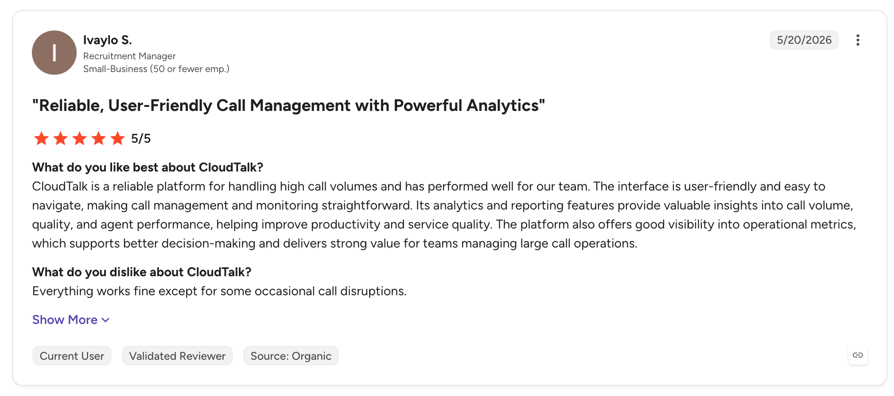
CloudTalk is rated 4.4/5 by 1800+ verified users on the platform.
Who Is CloudTalk Best For?
CloudTalk fits sales and support teams between roughly 5 and 200 seats where phone calls carry revenue or retention, and where AI needs to work alongside humans rather than replace the phone system. Clinics, law firms, gyms, education providers and B2C service businesses run the Receptionist. SaaS support, claims, billing and e-commerce teams run the Specialist.
It is a particularly strong fit for teams expanding internationally, because the local numbers, the language detection and the routing are one purchase rather than three vendors.
How Much Does CloudTalk Cost?
Flexible Pricing Plans to Scale with You
Compare our plans
the honest cost note
CloudTalk Inbound Performance Score
| Category | Score |
|---|---|
| Ease of Setup and Use | 4.5/5 |
| Concurrent Call Capacity | 5/5 |
| CRM and Helpdesk Integrations | 5/5 |
| Human Handoff Quality | 4.5/5 |
| Pricing Value at Scale | 4/5 |
| Compliance and Security | 4/5 |
| Developer Control | 3/5 |
When to Use CloudTalk, and When Not To
- Use it when: you want inbound AI and human agents on one platform, one call flow and one set of analytics
- Use it when: your inbound calls need CRM context loaded before the conversation and written back after it
- Use it when: you are answering calls in several countries or languages and want local numbers in the same purchase
- Use it when: you need something live this week, not a scoped implementation project
- Skip it when: you want to bring your own LLM and TTS providers and orchestrate the stack yourself: pick Vapi or Retell
- Skip it when: you are a single-person US business whose only need is a receptionist under $100 a month: Goodcall is cheaper
- Skip it when: you are replacing a legacy IVR at millions of calls a year with a dedicated CX team: PolyAI is built for that scale
2. Goodcall: Best of the Affordable AI Voice Agents for Inbound Calls 24/7
What Is Goodcall?
Goodcall is a no-code AI receptionist aimed squarely at US small businesses: salons, clinics, trades, restaurants, small law firms. You point it at your website and Google Business listing, it ingests what it finds, and it starts answering. There is no per-minute meter and no API to learn.
It is the most genuinely affordable AI voice agent for inbound calls 24/7 on this list, and it earns that by being narrow. Goodcall does one job for one market, and it does not pretend to be a platform.
What Are Goodcall's Key Features?
Key Features
Key Features of Goodcall
- Unlimited minutes on every plan: you are billed per unique caller per month, not per minute, so long calls cost nothing extra.
- Zero-config knowledge ingestion: pulls business details from your website and Google Business listing automatically, with Yelp sync for service businesses.
- Logic flows: 1 flow on Starter, 3 on Growth, 25 on Scale, covering routing, message taking, self-service links and callback scheduling.
- Block Caller skill: a manual blocklist, the only spam control anyone on this list ships. Blocked callers hear a message rather than reaching the agent.
- Zapier integration: connects to 10,000+ downstream tools, which is how you reach a CRM.
- 14-day free trial with no per-minute or setup fees.
Goodcall Integrations
Zapier, Google Sheets, GoHighLevel and Yelp. This is the thinnest integration story here. There is no native Salesforce or HubSpot connector and no public API, so anything reaching your CRM goes through Zapier.
What Are Goodcall's Pros and Cons?
| Pros | Cons |
|---|---|
| Genuinely cheap and predictable: $79/agent/month with unlimited minutes, and 15% off annually. No per-minute anxiety. | Billing complaints are the dominant theme: multiple Trustpilot reviewers report being charged for months after cancelling, and unanswered billing disputes. |
| Zero setup effort: it reads your website and Google listing, so a non-technical owner can be live the same day. | US-only, with international still in beta, and no published language support. If you take calls outside the US, this is not your tool. |
Who Is Goodcall Best For?
Single-location US small businesses with high repeat-caller ratios, where the unique-caller pricing model is genuinely cheap. If the same 80 customers call you every month, Goodcall is close to free per call.
How Much Does Goodcall Cost?
- Starter: $79/agent/month, 1 logic flow, 100 unique customers/month, 7-day call history
- Growth: $129/agent/month, 3 flows, 250 unique customers, 30-day history
- Scale: $249/agent/month, 25 flows, 500 unique customers, unlimited history
- Annual billing cuts 15% ($66 / $108 / $208). Overage is $0.50 per additional unique customer.
What Is Goodcall's G2 Rating?
Goodcall has 1 review on G2 at 3.5/5 and 5 Trustpilot reviews averaging 2.5/5 on an unclaimed profile. Neither is a usable signal, and we are not going to pretend otherwise. Judge this one on the trial, not the ratings.
When to Use Goodcall, and When Not To
- Use it when: you are a US small business wanting a working AI receptionist for under $100 a month
- Use it when: most of your inbound calls come from repeat customers, which makes unique-caller pricing cheap
- Use it when: you have no technical resource and want zero configuration
- Skip it when: you take calls outside the US or in any language other than English
- Skip it when: you need a real CRM integration, an API, or context passed on transfer
- Skip it when: your inbound volume is mostly first-time callers, where $0.50 per extra unique caller compounds fast
3. Synthflow: Best AI Inbound Call Automation for Agencies and BPOs
What Is Synthflow?
Synthflow is a no-code voice agent builder with a real REST API underneath and, unusually, a built-in rebilling system. That last part is why agencies pick it: you can white-label agents, set per-client pricing, and resell without building billing infrastructure.
The most important thing to know about Synthflow in 2026 is that it has removed all self-serve pricing. Its pricing page now shows one line: enterprise contracts starting at $30,000 annually. Any comparison still quoting Synthflow at $29/month is repeating stale data.
What Are Synthflow's Key Features?
Key Features
Key Features of Synthflow
- White-label and rebilling: resell agents under your own brand with per-client pricing plans built into the platform. No other tool here ships this.
- Three transfer modes: cold via SIP REFER, warm with a static whisper message, and warm with an AI-generated conversation summary using a configurable summary prompt.
- Deep SIP control: custom X-headers with variable placeholders, network ACLs, egress IPs, direct SIP dialling, and documented Asterisk and 3CX transfer guides.
- Flexible knowledge ingestion: PDFs, pasted text, single URLs, full site crawls with configurable page limits, and Zendesk Help Center articles, mixable in one knowledge base.
- Human detection on transfer: the briefing is not delivered to a voicemail box.
- 200+ integrations including HubSpot, Salesforce, GoHighLevel, Cal.com and Zapier.
Synthflow Integrations
200+ connectors covering HubSpot, Salesforce, Zapier, Cal.com, GoHighLevel, Stripe, Zendesk, Telnyx and 3CX. Worth flagging: the HubSpot integration draws specific complaints in G2 reviews, with users reporting calls failing to transfer properly.
What Are Synthflow's Pros and Cons?
| Pros | Cons |
|---|---|
| Voice quality and setup speed are the most-praised items across 1,015 G2 reviews, with reviewers calling the voices remarkably human and the onboarding fast. | Support responsiveness is cited as a problem in 29 separate G2 reviews, and Trustpilot carries reports of billing continuing months after cancellation. |
| The only platform here claiming ISO 42001 and EU AI Act alignment, which matters if you have an AI governance requirement. | Phone number coverage is limited to US, Canada and Australia. Reviewers specifically note no Spanish or European numbers available. |
Who Is Synthflow Best For?
Agencies and BPOs building ai inbound call automation for multiple clients, where white-labeling and rebilling are the whole business model. Also mid-market teams that want a no-code builder with a real API escape hatch.
How Much Does Synthflow Cost?
- Enterprise contracts from $30,000/year. Final pricing is scoped on call volume, concurrency, telephony setup, integrations and security requirements.
- No self-serve tier, no published per-minute rate, and trial minutes are capped and credit-gated.
- Chat billing runs at 5 AI-generated messages per usage minute.
What Is Synthflow's G2 Rating?
4.5/5 across 1,015 G2 reviews, and 4.1/5 across 215 on Trustpilot. This is the second-largest verified review base on the list and the only one besides Retell that supports genuine conclusions.
When to Use Synthflow, and When Not To
- Use it when: you are an agency or BPO reselling white-labeled voice agents and need rebilling built in
- Use it when: you need warm transfer with an AI-generated summary, or deep SIP and PBX control
- Use it when: you have an AI governance requirement that ISO 42001 or EU AI Act alignment helps satisfy
- Skip it when: you are budget-constrained: the $30,000 annual floor now excludes the SMB segment its no-code UX was built for
- Skip it when: you need phone numbers outside the US, Canada or Australia
- Skip it when: you want to trial thoroughly before committing, since testing is credit-gated
4. ElevenLabs Agents: Best Voice Quality for Inbound Customer Support Calls
What Is ElevenLabs Agents?
ElevenLabs built the best text-to-speech in the market and then wrapped an agent platform around it. If your objection to voice AI is that it sounds synthetic, this is the answer to that objection. Nothing else here matches it on voice.
The trade-off is that ElevenLabs is a voice agent engine, not a phone system. It sells no phone numbers. You bring Twilio or your own SIP trunk, and you assemble routing, queueing, IVR fallback and reporting yourself.
What Are ElevenLabs Agents' Key Features?
Key Features
Key Features of ElevenLabs Agents
- Best-in-class voice quality across 74 languages on the v3 model, and 32 on the low-latency Flash v2.5 model typically used for telephony.
- Genuinely API-first: SDKs for Python, JavaScript, React, React Native, Kotlin, Swift and WebSockets, plus an Agents CLI and a hosted MCP server.
- Bring-your-own telephony: native Twilio and Exotel integrations, or SIP trunking with Vonage, RingCentral, Telnyx, Plivo, Bandwidth and others. Digest auth or IP allowlisting, TLS recommended.
- Knowledge base with real RAG: PDF, DOCX, TXT, MD, HTML and EPUB up to 20MB each, with full-context mode up to roughly 300,000 characters and RAG indexing beyond that.
- Native CRM tools: HubSpot, Salesforce, Zendesk, Intercom, Freshdesk and ServiceNow, with HubSpot tools configured automatically rather than via manual webhooks.
- CCaaS integrations with Genesys, Five9 and Amazon Connect for teams that already run a contact center.
ElevenLabs Agents Integrations
Native HubSpot, Salesforce, Zendesk, Intercom, Freshdesk and ServiceNow, plus Shopify, Stripe, Zapier and Twilio. Anything outside that list you build yourself with custom webhook tools or MCP servers. There is no integration marketplace at contact-center scale.
What Are ElevenLabs Agents' Pros and Cons?
| Pros | Cons |
|---|---|
| Voice quality is production-grade, not demo-grade. Reviewers consistently note the output holds up outside demo environments, with natural prosody in non-English languages. | Billing is the loudest complaint by volume. Credits burn fast, unused credits do not always roll over, and the $0.08/min headline excludes LLM and telephony, both billed at cost. |
| Fast developer time-to-value: one G2 reviewer had the API working in fifteen minutes, helped by 7 SDKs, a CLI and an MCP server. | No native production monitoring. Teams report that failures stay invisible until a customer hits one, requiring manual call review to diagnose. |
Who Is ElevenLabs Agents Best For?
Developer-led teams building a custom ai voice agent for inbound customer support calls where voice quality is part of the brand, and multilingual inbound at scale. Also a strong pairing with an existing CCaaS via the Genesys, Five9 or Amazon Connect integrations.
How Much Does ElevenLabs Agents Cost?
- Free: $0 for 15 agent minutes, 4 concurrent calls
- Creator: $22/month for 275 minutes. Pro: $99/month for 1,238 minutes. Scale: $299 for 3,738. Business: $990 for 12,375
- Overage: $0.08/minute, or $0.16/minute burst pricing
- Critical: LLM tokens and telephony are separate line items billed at cost. Real inbound cost is meaningfully above $0.08/min.
What Is ElevenLabs' G2 Rating?
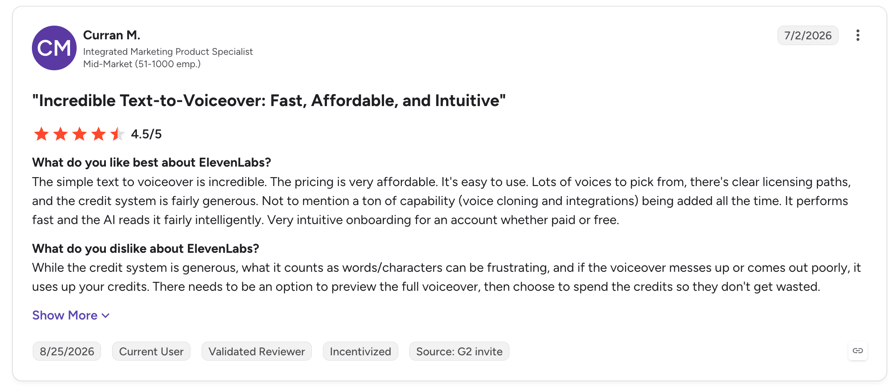
4.5/5 across 1,208 G2 reviews, but that covers ElevenLabs the company and is dominated by text-to-speech and voice-cloning users, not Agents customers. Trustpilot sits at 3.0/5 across 1,126 reviews with a barbell distribution: 48% five-star, 37% one-star. There is no separate Agents listing.
the HIPAA trap
When to Use ElevenLabs Agents, and When Not To
- Use it when: voice quality is a brand decision and a synthetic-sounding agent would cost you customers
- Use it when: you need genuinely broad language coverage on inbound
- Use it when: you have engineering resource and are already on Twilio, which is also what unlocks spoken warm transfer
- Skip it when: you want a turnkey phone system: there are no numbers, no routing, no queueing and no IVR fallback here
- Skip it when: you need HIPAA without an enterprise budget
- Skip it when: you need predictable single-line billing: this is three meters and non-rolling credits
5. Retell AI: Best Developer-Friendly Platform for Production Inbound
What Is Retell AI?
Retell AI is the most-reviewed platform on this list by a wide margin, and the one most teams end up shortlisting when they want a real API without giving up a usable dashboard. It offers single-prompt and multi-prompt flow builders, a genuine API, and the strongest transfer implementation we found anywhere.
It is also the cheapest way to get started: no platform fee, $10 in credits, and 20 concurrent calls included free.
What Are Retell AI's Key Features?
Key Features
Key Features of Retell AI
- Agentic warm transfer: a second AI agent screens the destination before connecting, receiving the full prior conversation history, dynamic variables and the original call ID. Nothing else here does this.
- SIP INVITE and SIP REFER both explicitly documented, with a whisper debrief message private to the receiving agent and a three-way debrief option.
- Knowledge base with sub-100ms claimed retrieval: single URLs, full site crawls, PDF, DOCX, TXT and raw text. Knowledge bases are reusable across agents, and 10 are included free.
- Modular add-ons: PII removal, background denoising, guardrails and AI call QA, each priced per minute so you only pay for what you switch on.
- 20 concurrent calls free, then $8 per additional concurrency slot per month.
- 55 languages, with auto-detect available (though Retell advises against it for closely related language pairs).
Retell AI Integrations
This is Retell's real weakness and it is worth being precise about. The integrations page lists only three native connectors: Cal.com, Zendesk and Vonage, plus Five9 and Telnyx SIP trunks. The other thirty or so, including HubSpot and Salesforce, are labelled unofficial connectors routed through Zapier, Make or n8n. The homepage marketing implies more than the integrations page delivers.
What Are Retell AI's Pros and Cons?
| Pros | Cons |
|---|---|
| Deployment speed is the standout: one Trustpilot reviewer had a working bot in about ten minutes after spending a week on a competitor. G2 reviewers call the single-prompt agent a step change. | Billing is genuinely hard to forecast. Reviewers note it takes time to understand because of the number of moving parts, with per-minute surcharges layered on for knowledge base, PII, denoising and guardrails. |
| Telephony and API flexibility: easy SIP configuration, and a reviewer at the one-year mark reports stable uptime in production. | Non-English pronunciation defects are a recurring complaint, with agents pronouncing names in English even when running a Spanish voice. |
Who Is Retell AI Best For?
SMB and mid-market teams deploying top ai voice agents for inbound support calls where fast time-to-value and low entry cost matter, and where the team is comfortable wiring CRM through Zapier or Make.
How Much Does Retell AI Cost?
- Pay-as-you-go from $0 with $10 in free credits and no platform fee
- Blended cost roughly $0.07 to $0.31/minute depending on model choice. Unbundled: $0.055/min Retell infrastructure, $0.015/min TTS, LLM from $0.004 to $0.16/min, telephony around $0.015/min
- Add-ons: knowledge base +$0.005/min, PII removal +$0.01/min, denoising +$0.005/min, guardrails +$0.005/min, AI QA $0.10/min
- Numbers $2/month, verified numbers $10/month, extra concurrency $8/slot/month
What Is Retell AI's G2 Rating?
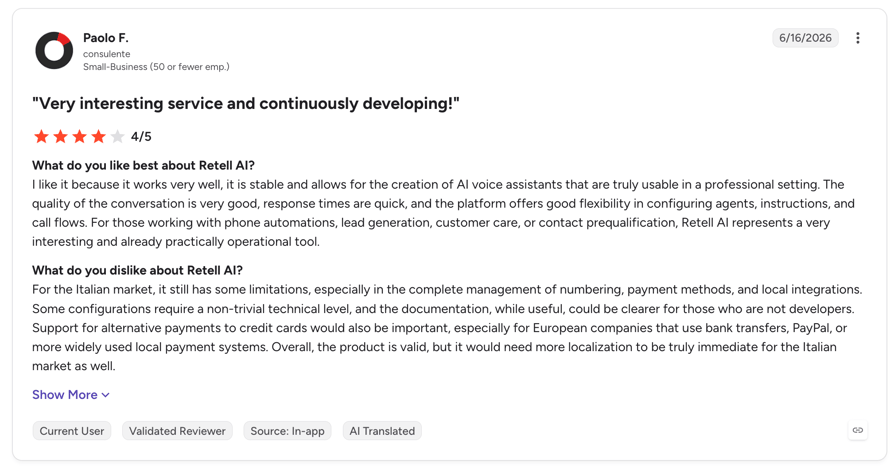
4.8/5 across 2,638 G2 reviews, plus 4.9/5 across 814 on Trustpilot with 94% five-star. This is comfortably the largest and most credible review base in the category, and Retell leads G2's dedicated AI Voice Assistants listing.
When to Use Retell AI, and When Not To
- Use it when: you want the strongest warm transfer implementation available, with full context and agentic screening
- Use it when: you need to start cheap and scale: no platform fee, $10 credits, 20 free concurrent calls
- Use it when: you want an API without losing a usable no-code builder
- Skip it when: you need native Salesforce or HubSpot write-back out of the box rather than through Zapier
- Skip it when: your inbound calls are heavily non-English, where pronunciation defects are documented
- Skip it when: you need PCI compliance or a contractual ISO 27001 (the homepage claims ISO but the compliance docs do not)
6. Vapi: Best AI-Based Solution for Inbound Calls With Full Model Control
What Is Vapi?
Vapi is the most developer-oriented platform here. Its defining feature is genuine bring-your-own-keys: you supply your own speech-to-text, LLM and text-to-speech provider accounts, and Vapi passes those costs through at cost rather than marking them up. You get model-level control and no vendor lock-in on the AI layer.
That control is the product. If you want to change your LLM next quarter without changing platforms, this is the tool that lets you.
What Are Vapi's Key Features?
Key Features
Key Features of Vapi
- Bring your own provider keys for STT, LLM and TTS, billed at cost. The only genuine pass-through model in this comparison.
- Seven transfer modes: warm with summary, warm with message, wait plus message, wait plus summary, warm via TwiML exposing SIP REFER directly, warm experimental with hold audio and voicemail fallback, and assistant-based warm transfer.
- Tunable transfer context: pass the full transcript, limit it to the last N messages, or withhold it entirely.
- 10 concurrent lines included, then $10 per additional line per month.
- Provider-dependent language coverage reaching 100+ depending on which STT and TTS vendors you connect.
- CCaaS integrations with Five9, Genesys and Avaya alongside Salesforce, HubSpot and Zendesk.
Vapi Integrations
Salesforce, HubSpot, Zendesk, Apollo.io, Slack, Google Calendar and Sheets, Notion, AWS S3 and GCP, plus Five9, Genesys and Avaya on the contact center side.
What Are Vapi's Pros and Cons?
| Pros | Cons |
|---|---|
| Real provider choice with at-cost pass-through avoids markup and keeps you off a single model vendor. Nothing else here offers this. | Support is the dominant complaint. Trustpilot reviewers describe week-long resolution waits and bot-driven triage, and the Build plan is Discord and email only. |
| The deepest transfer configurability available: seven warm-transfer modes and an explicit TwiML SIP REFER path. | Compliance is a paid-tier story. The Build plan carries no SOC 2, HIPAA is a $2,000/month add-on, and PCI requires you to own the storage. |
Who Is Vapi Best For?
Engineering teams building custom ai-based solutions for inbound calls who want model-level control, bring-your-own keys, and the widest set of transfer primitives available.
How Much Does Vapi Cost?
- Build: $0.05/minute platform fee, with STT, LLM and TTS billed at cost or on your own API keys. 10 concurrent lines included, +$10/line/month
- Scale: annual contract, custom pricing
- Add-ons: HIPAA $2,000/month, Zero Data Retention $1,000/month
- Retention on Build: call history 14 days, chat 30 days
What Is Vapi's G2 Rating?
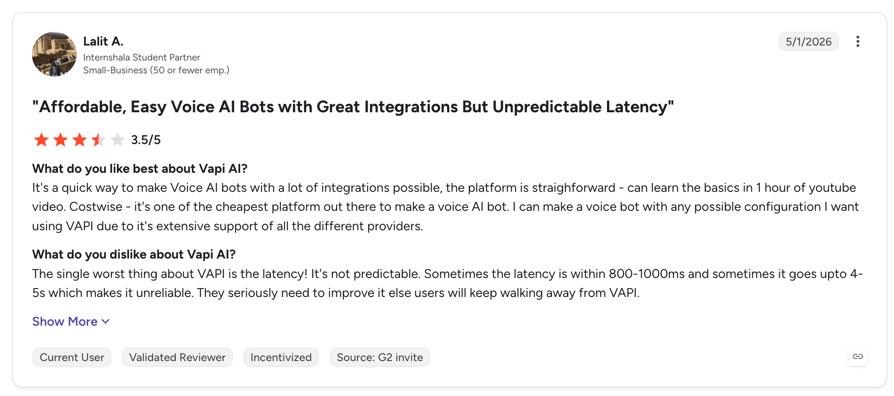
3.0/5 across just 3 G2 reviews and 2.4/5 across 15 on an unclaimed Trustpilot profile. Neither sample supports a conclusion, and we would not use either to judge the product. What the Trustpilot reviews do consistently describe, across a small number, is support and cancellation friction rather than product failure.
When to Use Vapi, and When Not To
- Use it when: you have engineering resource and want to choose and swap your own LLM, STT and TTS providers
- Use it when: you need transfer behaviour tuned precisely, including exactly how much transcript the human receives
- Use it when: you want to avoid provider markup and are comfortable managing multiple vendor accounts
- Skip it when: you are a non-technical buyer: this is not a product you configure without a developer
- Skip it when: you need responsive vendor support, which is the most consistent complaint
- Skip it when: you are a regulated buyer on a budget: SOC 2 is Scale-only and HIPAA is $2,000/month
7. Bland AI: Best Bundled Pricing for AI Support Automation for Inbound Calls
What Is Bland AI?
Bland AI takes the opposite approach to Vapi: everything is bundled. LLM, speech-to-text and text-to-speech are included in one per-minute rate, with no token charges and no model-provider pass-through. One number on the invoice.
It also has the strongest contact-center integration list here and the most honest compliance page we read, which distinguishes clearly between what has been independently audited and what is self-attested.
What Are Bland AI's Key Features?
Key Features
Key Features of Bland AI
- Fully bundled per-minute pricing: LLM, STT and TTS included, so forecasting is one calculation rather than four.
- Live Agent Briefing on warm transfer: the AI dials the human, delivers a dynamic generated summary with caller name, issue description and call summary, plays hold music to the caller, then merges the call.
- Allow Live Agent Conversation: the rep can review the record and ask questions before the caller is merged in.
- EU data residency with regional pinning: EU data stays on EU infrastructure with no US cloud routing. US, EU and APAC options available.
- CCaaS integrations with Genesys, Five9, NICE CXone, Talkdesk and Amazon Connect, the broadest on this list.
- 40+ languages natively, plus 23 with real-time translation.
- Visual pathway builder alongside a full v1 and v2 API, webhooks, batch calls, personas and tools.
Bland AI Integrations
Salesforce, HubSpot, Slack, Notion, Cal.com, Calendly, Zapier, Make and Pipedream, plus the CCaaS set: Genesys, Five9, NICE CXone, Talkdesk and Amazon Connect.
What Are Bland AI's Pros and Cons?
| Pros | Cons |
|---|---|
| Conversational realism is the most-cited strength. One G2 reviewer reports that people engage more with their Bland agent than with their human team. | The platform fee is a real floor. Build is $299/month and Scale $499/month before a single minute, so low-volume inbound gets expensive per call. |
| Audited PCI DSS v4.0 by an independent QSA and audited SOC 2 Type II, with EU data residency. The trust page is unusually honest about which is which. | Usability draws repeated complaints even from happy reviewers: the platform is described as not the most user-friendly and somewhat difficult to learn. |
Who Is Bland AI Best For?
Mid-market and enterprise teams running ai support automation for inbound calls at steady volume who want one bundled price, plus anyone needing Genesys, Five9, CXone, Talkdesk or Amazon Connect integration, EU data residency, or audited PCI.
How Much Does Bland AI Cost?
- Start: $0 platform fee, no card required. $0.14/min talk time plus $0.05/min transfer. 10 concurrency, 100 calls/day, includes an inbound number
- Build: $299/month, $0.12/min plus $0.04/min transfer, 50 concurrency, 2,000 calls/day
- Scale: $499/month, $0.11/min plus $0.03/min transfer, 100 concurrency, 5,000 calls/day
- Enterprise: custom, including on-premise and VPC deployment with a forward-deployed engineer
- Warm transfers are free if you bring your own telephony
What Is Bland AI's G2 Rating?
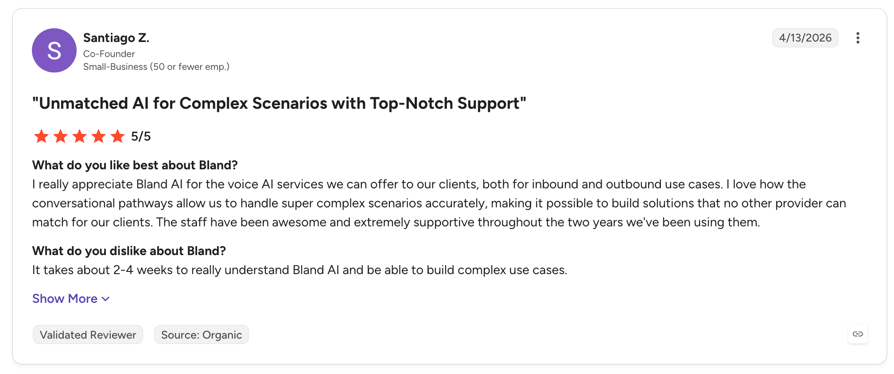
5.0/5 across 11 G2 reviews. A perfect score on eleven reviews is not a meaningful rating, and we are flagging that rather than presenting it as validation. What is notable is that even those positive reviews consistently raise the learning curve.
When to Use Bland AI, and When Not To
- Use it when: you want one bundled per-minute price with no model-provider maths
- Use it when: you need Genesys, Five9, NICE CXone, Talkdesk or Amazon Connect integration
- Use it when: you need EU data residency or contractually audited PCI DSS
- Skip it when: your inbound volume is low or experimental, where a $299 to $499 platform fee dominates the bill
- Skip it when: you want to choose your own LLM or TTS vendors: everything is bundled and fixed
- Skip it when: you need contractually audited HIPAA rather than self-attestation
8. PolyAI: Best AI Voice Agent for Enterprise Inbound Contact Centers
What Is PolyAI?
PolyAI is the enterprise option, and the only vendor on this list that publishes a containment rate with a named customer behind it. It replaces legacy IVR in utilities, banking, insurance, healthcare and hospitality, at call volumes where a single containment point is worth six figures.
It has also stopped being purely a managed service. The Agent Development Kit now lets teams edit agent flows, functions and voice configuration locally, with Git-backed versioning, branching and diffing, a push CLI that works in CI/CD, and CLI-runnable regression test suites.
What Are PolyAI's Key Features?
Key Features
Key Features of PolyAI
- Published containment data with a named customer: PG&E reports 67% containment, six points above the legacy IVR it replaced, resolving over 4 million calls a year.
- The most rigorous call handoff documentation available: SIP REFER (default), SIP INVITE and SIP BYE, with context delivered via SIP headers, a Handoff API returning structured JSON, and a Conversations API carrying the full transcript.
- Action-capable RAG: a knowledge base hit can trigger a function call, workflow or human handoff rather than only returning text.
- Agent Development Kit: local editing, Git versioning, a CI/CD-compatible push CLI, and regression test suites runnable from the command line.
- 130+ integrations over OAuth 2.0 with automatic health checks, token refresh and custom field mapping.
- Lowest published latency in the category: p50 280ms and p90 500ms on the Dialog-RSN-1 model, from PolyAI's own production telemetry.
PolyAI Integrations
130+ connectors spanning telephony, CRM, knowledge and vertical systems, with OAuth 2.0, automatic health checks and token refresh through a self-serve Connect Portal. Named in the docs: Zendesk Talk, Five9 and custom SIP.
What Are PolyAI's Pros and Cons?
| Pros | Cons |
|---|---|
| The only attributable containment evidence in the category: PG&E at 67% containment, 35,000 labour hours saved, CSAT up 22% and customer effort down 25%. | No published price and no free trial. Deployment is a scoped implementation, not a self-serve signup, which puts it out of reach for SMBs. |
| Compliance breadth: SOC 2 Type II, ISO 27001, HIPAA, GDPR, PCI DSS and UK Cyber Essentials Plus, all itemised on one page. | PolyAI publishes an honest ramp: PG&E started at 15% containment on day one and reached 67% at maturity. Budget for the ramp, not the headline. |
Who Is PolyAI Best For?
Large enterprise contact centers replacing a legacy IVR at a million or more calls a year, multinational deployments needing 45+ languages, and regulated buyers who need every certification on one page. Also teams that want CI/CD and Git ownership of agent logic.
How Much Does PolyAI Cost?
- Custom per-minute pricing that includes ongoing performance improvements, maintenance and 24/7 support. No published rate card and no minimum stated.
- Self-serve signup to Agent Studio now exists via the developers portal, but no price is attached to it.
- No free trial published.
What Is PolyAI's G2 Rating?
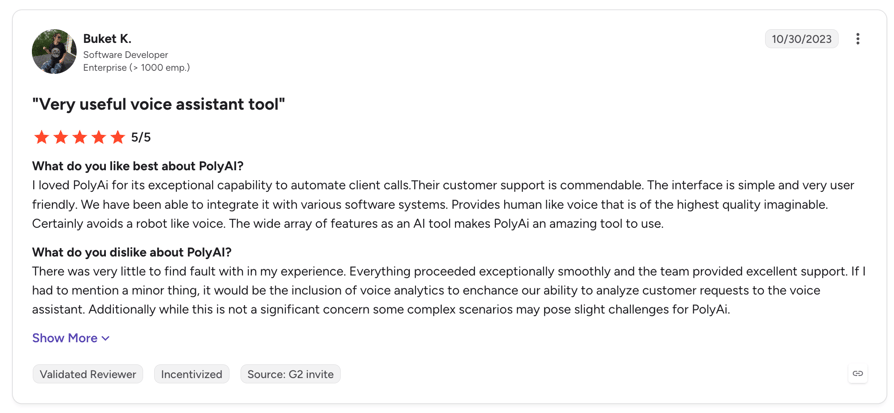
5.0/5 across 12 G2 reviews. We would not lean on that number. Twelve reviews is not a consensus, and the review content is internally inconsistent with the product, with reviewers complaining about advertising during usage, which an enterprise CX platform sold on custom per-minute contracts does not serve. PolyAI's real evidence base is its named enterprise case studies, not its review profile.
When to Use PolyAI, and When Not To
- Use it when: you are replacing a legacy IVR at enterprise call volume and containment points translate to real money
- Use it when: you need every major certification, including UK Cyber Essentials Plus for public sector work
- Use it when: you want your agent logic in Git with CI/CD and regression tests
- Skip it when: you are an SMB or need a published price and a self-serve trial
- Skip it when: you want to be live in days rather than through a scoped implementation
- Skip it when: you are selecting on user-review consensus, which does not exist for this product

CloudTalk answers every inbound call, clears the routine ones, and hands the rest to your team with full context. Start free with 50 AI minutes.

How to Choose the Right AI Voice Agent for Automated Inbound Calls
The best AI voice agents for inbound business calls are not the ones with the best demo. Most inbound AI deployments do not fail on the demo. They fail six weeks in, when a caller with a strong accent interrupts mid-sentence on a bad line and the agent loses the thread, or when finance sees a bill that is four times the headline rate. Here is how to catch both before you sign.
Define Your Primary Inbound Call Type and Target Containment Rate
Pull last month's call log and categorise it. If 70% of inbound is opening hours, order status and booking changes, you have a containment problem an AI receptionist solves this week. If most calls are complex account changes requiring authentication, you need a specialist agent with API access and a longer build.
Set a target before you trial. PolyAI's PG&E deployment reached 67% containment at maturity but started at 15% on day one. A vendor promising 90% out of the box is describing a different business than yours.
Best fit: CloudTalk if your mix is routine inbound plus escalations that need a human on the same system. PolyAI if you are containing millions of calls a year. See our breakdown of the best AI voice agents across use cases.
Test Latency and Barge-In Handling at Real Concurrency
Every vendor claims a latency number and almost none of them mean end-to-end on a phone call. Ignore the marketing figure entirely and run your own test: call the trial number from a mobile on a weak connection, interrupt the agent mid-sentence, and count the pause before it responds.
What to watch for: does the agent stop cleanly when you talk over it, or does it keep going? After the interruption, does it retain context or restart the question? Then run 10 calls at once. Latency that is fine at one concurrent call frequently degrades at ten.
Best fit: PolyAI publishes the lowest figures (p50 280ms, p90 500ms from its own telemetry). Bland claims 400ms and Vapi under 500ms. CloudTalk targets under 800ms. All are vendor-claimed, so verify each one yourself.
Evaluate Knowledge Base Depth and FAQ Accuracy
This is where hallucinations live. Upload your real documentation, not a clean sample, then ask the agent the ten questions your team actually gets, including the two with awkward answers.
Check the mechanics: what formats does it ingest, is there a size cap, and does it retrieve relevant passages or stuff the whole document into a prompt? Synthflow and Retell handle full site crawls. ElevenLabs caps files at 20MB with roughly 300,000 characters in full-context mode before RAG becomes mandatory. Vapi asks you to keep files under 300KB.
Check CRM Integration and Real-Time Mid-Call Data Writing
Read the integrations page, not the homepage. This is the single most common gap between marketing and reality in this category. Retell's homepage implies broad CRM support, but its integrations page lists three native connectors, with HubSpot and Salesforce routed through Zapier as unofficial connectors.
The test that matters: make a call, have the agent capture a name and an intent, hang up, then open your CRM. Is the record there, is it on the right contact, and are the fields populated correctly? Do it again with a caller who already exists in the system.
Best fit: CloudTalk writes natively to HubSpot, Salesforce, Pipedrive, Zoho and 100+ other tools, because the calling platform and the CRM connection are the same product. See the full integrations list.
Review Warm Transfer Quality and Human Escalation Logic
Containment is only half the job. The other half is what happens on the 25% of calls the AI cannot resolve, and a bad handoff wastes everything the agent just did.
Ask three questions: does it support SIP REFER or INVITE on your trunk? Does the human who picks up hear a briefing before the caller is connected, or do they get a cold transfer? And does the transcript follow the call?
Best fit: Retell's agentic warm transfer, where a second AI screens the destination with full conversation history attached, is the most sophisticated implementation here. PolyAI's SIP header and Handoff API documentation is the most rigorous. CloudTalk passes full context because the receiving agent is on the same platform.
the transfer trap nobody mentions
Calculate True Production Cost, Not Headline Pricing
Headline per-minute rates in this category are close to meaningless. Model the full bill:
- Platform fee: $0 on Retell and Bland Start, $299 to $499/month on Bland Build and Scale, $30,000/year minimum on Synthflow.
- LLM and TTS pass-through: Vapi and ElevenLabs bill these separately at cost, which means the quoted rate is a floor, not a total. Bland and CloudTalk bundle them.
- Telephony: ElevenLabs sells no numbers at all, so Twilio is a second bill and a second vendor.
- Per-minute add-ons: Retell charges separately for knowledge base, PII removal, denoising, guardrails and QA. Each is small; together they move the number.
- Compliance gating: HIPAA is $2,000/month on Vapi and Enterprise-only on ElevenLabs. SOC 2 is not on Vapi's Build plan.
- Concurrency: included counts vary from 4 to 20. Going over costs $8 to $10 per slot per month.
model the setup you will run in six months
Review Compliance, Recording Consent and Data Security
Audited and self-attested are not the same thing, and vendors blur the line. Bland's trust page is the model here: it states plainly that SOC 2 Type II and PCI DSS v4.0 were independently audited, while HIPAA and GDPR are self-attested with a BAA or DPA. Others display certification badges on one page while another page describes the audit as still in progress.
Ask for the report, not the badge. Ask which plan tier the certification applies to. And ask where the data physically sits: Bland offers EU regional pinning, ElevenLabs offers regional residency, and several offer neither.
Key Features to Look for in an AI Voice Agent for Automated Inbound Calls
If you strip the category back to what actually determines whether an inbound deployment works, it comes down to five things:
- Sub-800ms end-to-end latency with clean barge-in handling. This is the quality baseline. Anything slower and callers start talking over the agent, which compounds the problem.
- RAG-grounded knowledge base retrieval so FAQ answers come from your documents rather than the model's imagination.
- Bidirectional CRM integration with structured mid-call writing, native rather than through a Zapier detour.
- Warm SIP transfer carrying the full conversation context so the human who picks up does not start from zero.
- Transparent, bundled pricing or at minimum a clear map of every meter you will be billed on.
Not Sure Which Setup Fits Your Inbound Volume?
Quick Answers: What People Ask About AI Voice Agents for Automated Inbound Calls
What is an AI voice agent for automated inbound calls?
It is software that answers your business phone line, understands what the caller wants in natural language, and completes the task during the call: answering an FAQ, booking an appointment, checking an order, or routing to the right person. Unlike an IVR menu, it handles unexpected phrasing and writes the outcome back to your CRM.
What is the typical latency for an AI inbound phone call?
Well-built inbound platforms target under 800ms from the caller finishing a sentence to the agent starting to reply. Basic stacks that chain external APIs typically run 1,000ms to 1,500ms, which callers hear as an awkward pause. Vendor-claimed figures range from 280ms to 600ms, but no independent end-to-end benchmark exists, so test on your own line.
Can an AI voice agent transfer inbound calls to a human with context?
Yes, on most platforms, though quality varies sharply. The best implementations use SIP REFER or INVITE and deliver a spoken briefing to the human before connecting the caller, with the full transcript attached. Weaker ones perform a blind transfer where the human starts cold. Confirm warm transfer works on your specific telephony setup, since some vendors gate it to one carrier.
How does an AI voice agent handle FAQ and knowledge base questions on inbound calls?
It uses retrieval-augmented generation. Your documents are indexed ahead of time, and during the call only the passages relevant to the caller's question are retrieved and passed to the model. This grounds the answer in your actual content instead of the model's training data, which is what prevents it inventing a policy you do not have.
Top AI Voice Agents for Automated Inbound Calls by G2 Reviews and Ratings
The top voice AI tools for inbound support calls do not line up neatly with the biggest review counts, so read this table carefully. Based on G2 reviews and ratings, CloudTalk holds 4.4/5 across 1,852 reviews. Two things need saying plainly about this table.
First, CloudTalk does not have the highest review count here. Retell AI carries 2,638 reviews at 4.8/5, which is more than CloudTalk and a higher rating. Second, CloudTalk's G2 profile covers the entire calling platform rather than the AI voice agent specifically, because G2 lists CloudTalk as one product. Retell, Synthflow and ElevenLabs are reviewed inside G2's dedicated AI Voice Assistants category.
Four of the eight platforms have review counts too small to mean anything (Goodcall 1, Vapi 3, Bland 11, PolyAI 12). We have marked those rather than presenting them as scores.
| Platform | G2 Reviews | G2 Rating | Usable Signal? | Full Review |
|---|---|---|---|---|
| Retell AI | 2,638 | 4.8/5 | Yes: largest verified base in the category | Retell AI Review |
| CloudTalk | 1,852 | 4.4/5 | Yes, but covers the whole platform, not the AI agent alone | CloudTalk Review |
| ElevenLabs | 1,208 | 4.5/5 | Partly: company-wide, dominated by text-to-speech users | ElevenLabs Review |
| Synthflow | 1,015 | 4.5/5 | Yes: second-largest verified base | Synthflow Review |
| PolyAI | 12 | 5.0/5 | No: sample too small, and review content is inconsistent with the product | PolyAI Review |
| Bland AI | 11 | 5.0/5 | No: a perfect score on 11 reviews is not a rating | Bland AI Review |
| Vapi | 3 | 3.0/5 | No: three reviews | Vapi Review |
| Goodcall | 1 | 3.5/5 | No: one review | Goodcall Review |
how to actually read review counts in this category
Compliance Risks Before Deploying an AI Voice Agent for Inbound Calls
Inbound compliance is harder than outbound, and it gets treated as an afterthought. Outbound is mostly about consent to call. Inbound means you are receiving unsolicited caller PII, recording conversations that may cover health, finances or legal matters, and generating AI transcripts of all of it, under several regulatory frameworks at the same time.
None of this is legal advice. Run these five questions past whoever owns compliance risk at your company before you go live.
AI Voice Disclosure and Caller Consent
A growing number of jurisdictions require callers to be told they are speaking with an AI system, and disclosure rules are tightening rather than loosening. The EU AI Act sets transparency obligations for systems interacting with people, and several US states have introduced or passed AI disclosure requirements.
Practically: build the disclosure into the greeting rather than burying it, and make sure asking for a human is always an available path. Synthflow is currently the only vendor here publicly claiming EU AI Act alignment.
Call Recording Consent: One-Party vs Two-Party States
US recording law splits by state. One-party consent states require only one participant to know the call is recorded. Two-party (all-party) consent states, including California, Florida, Illinois, Pennsylvania and Washington, require every participant to consent. Inbound is where this bites, because you do not know where the caller is until they tell you.
Practically: announce recording at the start of every call rather than trying to detect state by area code, which is unreliable with mobile numbers. Check your platform lets you disable recording per flow. See our guide to call recording for setup.
HIPAA Compliance and PHI Handling for Healthcare Inbound Calls
If a caller can mention a symptom, an appointment, or a medication, you are handling Protected Health Information, and you need a signed BAA. The trap is which plan tier a BAA is available on.
- ElevenLabs: BAA is Enterprise-only, and HIPAA also requires Zero Retention Mode, which suppresses transcripts, recordings, analytics and logs. You cannot have PHI handling and full call recordings together.
- Vapi: HIPAA is a $2,000/month add-on, mutually exclusive with Zero Data Retention.
- Bland AI: HIPAA is self-attested with a BAA, not independently audited. PCI DSS is QSA-audited.
- Retell AI, PolyAI, Synthflow, CloudTalk and Goodcall all state HIPAA support. Ask each for the BAA and the plan tier in writing.
Data Privacy: GDPR and CCPA for Inbound Call Data
Under GDPR, a recorded inbound call is personal data and the AI transcript is a further processing operation. You need a lawful basis, a Data Processing Agreement with the vendor, a defined retention period, and a working route for deletion requests.
Two things to check specifically. First, data residency: Bland offers EU regional pinning with no US cloud routing, ElevenLabs offers regional residency, and several vendors offer neither. Second, account deletion: multiple Synthflow reviewers report there is no way to close an account from the dashboard, which one review explicitly raises as a GDPR problem. Test the deletion path during the trial.
Spam Filtering and Robocall Handling Responsibilities
Here is the honest state of the category: essentially none of these platforms filters inbound spam. Goodcall ships a manual block-caller list, and Retell sells verified numbers aimed at outbound reputation. Beyond that, nothing on this list automatically detects or screens robocalls on the way in.
That matters financially, because on a per-minute platform every spam call burns paid AI minutes. On Goodcall's unique-caller model, a blocked caller still decrements your monthly count. Inbound spam filtering is your carrier's job, not your voice AI vendor's, which is one argument for running inbound AI on a platform that owns the telephony layer rather than renting it.
Choosing the Best AI Voice Agent for Your Inbound Calls
The uncomfortable finding from this comparison is how much of the marketing does not survive contact with the documentation. Latency figures turn out to be component-level. Native CRM integrations turn out to be Zapier. Certification badges turn out to be audits in progress. Headline per-minute rates turn out to exclude the LLM, the telephony, and the compliance tier you actually need.
So the choice comes down to matching the product shape to your situation, then verifying the three or four claims that would break the deployment if they were wrong.
Best AI Voice Agent for SMB Inbound Call Automation
Goodcall if you are a US small business with mostly repeat callers and want an AI receptionist working today for under $100 a month. CloudTalk if you also need real CRM writing, calls in more than one language or country, and a human team on the same system. CloudTalk starts at €0 with 50 free AI minutes, which makes the comparison cheap to run yourself.
Best AI Voice Agent for Enterprise and Contact Centers
PolyAI, and it is not close at the top end. It is the only vendor here with an attributable containment rate (67% at PG&E, resolving over 4 million calls a year), the most rigorous SIP handoff documentation, and the broadest certification set. Budget for a scoped implementation and a ramp, not a signup. Bland AI is the alternative if you need Genesys, Five9, NICE CXone or Talkdesk integration with one bundled per-minute price.
Best AI Voice Agent for Regulated Industries
PolyAI for healthcare, financial services and legal at enterprise scale, with SOC 2 Type II, ISO 27001, HIPAA, GDPR, PCI DSS and Cyber Essentials Plus itemised on one page. Bland AI if audited PCI DSS and EU data residency are the binding requirements, with the caveat that its HIPAA is self-attested. Avoid ElevenLabs for PHI unless you have an enterprise budget: the BAA is Enterprise-only and comes with Zero Retention Mode, which removes your recordings and analytics.
Best AI Voice Agent for Developer-Led Teams Building Custom Inbound Workflows
Retell AI for most teams: the largest verified review base in the category, the strongest warm transfer implementation, $0 platform fee and 20 free concurrent calls. Vapi if model-level control matters more than support quality and you want to bring your own STT, LLM and TTS keys at cost. ElevenLabs Agents if voice quality is the deciding factor and you already run Twilio.
Best Starting Point for Most Businesses Automating Inbound Calls for the First Time
If you have never run voice AI on a live line, start with the deployment that fails safely. That means an AI receptionist handling the first layer of every inbound call, with a clean escalation path to your team, rather than an agent trying to resolve complex requests end to end on week one.
That is the case for CloudTalk as a first deployment: the AI answers, clears the routine calls, and hands everything else to a human on the same call flow with full context. You keep your numbers, your routing and your reporting, and you add AI as a layer instead of a parallel system. Then you widen the scope as the containment data tells you where it is safe to.
Whichever way you go, the three tests that actually matter are the same. Call the trial number yourself from a mobile and interrupt the agent. Ask it the ten awkward questions your team really gets. Then check whether the record in your CRM afterwards is correct.
Test the Best AI Voice Agent for Inbound Calls, Free
Sources:
- CallRail, "Missed calls cost businesses more than ever," September 2025 (survey of 1,000 US consumers)
- Vonage / Opinion Matters, IVR research, September 2019 (n=2,010 US adults)
- Stivers et al., "Universals and cultural variation in turn-taking in conversation," PNAS, 2009
- Gartner, "Conversational AI Will Reduce Contact Center Agent Labor Costs by $80 Billion in 2026," August 2022
- Gartner, "50% of Organizations Will Abandon Plans to Reduce Customer Service Workforce Due to AI," June 2025
- Grand View Research, AI Voice Agents Market Report, June 2026
Frequently asked questions
Costs range from roughly $0.07 to $0.31 per minute on usage-based platforms, or €99 to €699 a month on packaged plans. CloudTalk starts at €0 with 50 free AI minutes, then €99 for 200 minutes. Goodcall charges $79 per agent per month with unlimited minutes. Bland adds a $299 to $499 monthly platform fee. Synthflow now starts at $30,000 a year.
A well-configured agent typically contains 65% to 80% of routine inbound volume: FAQs, opening hours, booking changes, order status and lead qualification. The best published enterprise result is PG&E's deployment with PolyAI at 67% containment, up from 15% on day one. CloudTalk customer Autenti deflects around 30% of live support calls across 3 teams and 2 languages.
No, and the deployments that try tend to fail. Gartner predicted in June 2025 that 50% of organizations expecting to significantly reduce their customer service workforce will abandon those plans, with 95% of surveyed leaders planning to retain human agents.
It depends on which product shape you buy. A no-code AI receptionist goes live in minutes: upload a PDF and your company details, pick a number, set the routing. CloudTalk's AI Receptionist and Goodcall both work this way, and Retell reviewers report a working agent in about ten minutes.
Modern speech-to-text handles accents and background noise well, and most platforms offer background denoising, though Retell charges extra for it. Interruption handling, called barge-in, varies much more: the agent should stop cleanly when a caller talks over it and keep the conversation context afterwards rather than restarting.
Yes, with a wide range. CloudTalk supports 70+ languages with automatic detection, so one agent switches to the caller's language mid-call rather than needing an agent per market. ElevenLabs reaches 74 languages on its v3 model, though only 32 on the low-latency model typically used for telephony. Retell supports 55, PolyAI names 45, Synthflow 40, and Bland 40+ natively with 23 more via real-time translation.
Most claim to be, but the detail matters enormously. Check three things: whether the certification was independently audited or self-attested, which plan tier it applies to, and whether it restricts other features.
An IVR routes callers through a fixed menu tree using touch-tone input: press 1 for sales, press 2 for support. It cannot handle an input nobody built a branch for, and its only real action is to transfer the call.
Yes, on platforms with a proper integration layer. The agent can check calendar availability, book the slot, send an SMS confirmation, and write the outcome to the customer record before the caller hangs up. CloudTalk does this natively across HubSpot, Salesforce, Pipedrive, Zoho and 100+ other tools.
Barge-in is the agent's ability to stop speaking when a caller interrupts, and to carry on sensibly from there. It matters more on inbound than outbound because inbound callers arrive impatient, often already know what they want, and will talk over a greeting to get to it.