12 Best Auto Attendant Phone Systems for Businesses in 2026
Summary:
An auto attendant phone system answers calls 24/7 and routes callers to the right place. It's the easiest and fastest and most cost effective way to stop missing calls.
SMBs now miss between 25% and 60%¹ of all inbound calls for an average annual revenue loss of $126,000.² An auto attendant is the perfect antedote to these missed opportunities, ensuring every customer reaches the right department without delay..
As outbound sales experts, we’ve reviewed and tested 30+ auto attendend phone systems to help teams manage high call volumes and keep customers happy. 2026.
Out of the 30 reviewed, these are our top 12 auto attendant phone systems:
- 01CloudTalk — the best auto attendant phone system for scaling SMBs, AI-powered routing, and easy setup.
- 02Dialpad — Best for built-in voice intelligence and real-time transcription.
- 03Nextiva — Best for reliable multi-level IVR and 24/7 customer support.
- 048x8 — Best for global enterprises requiring deep compliance and international coverage.
- 05RingCentral — Best for highly complex, granular call flow customization.
- 06Aircall — Best for eCommerce teams needing tight CRM and Shopify integration.
- 07Zoom Phone: Best for companies already centralized on the Zoom video ecosystem.
- 08GoTo Connect: Best for simple, visual call flow design on a budget.
- 09
- 10Ooma: Best for small businesses needing a plug-and-play virtual receptionist.
- 11Phone.com: Best for low-volume users looking for a pay-per-minute model.
- 12Grasshopper: Best for solopreneurs needing basic call forwarding to mobile.
While other providers offer auto attendants and IVR as well, CloudTalk stands out as the best auto attendant phone system for most SMBs that need to be up and running in minutes, and want to scale with the help of AI-powered workflows.


How We Evaluated the Best Auto Attendant Phone Systems for 2026
To bring you this guide, we compared 30+ leading business phone systems with auto attendant used by teams of all sizes who need to handle high call volumes and increase efficiency, drawing on feedback from over 2,000 users across trusted review sites like G2, Capterra, and TrustRadius.
The 12 best auto attendant phone systems were chosen based on their performance in real workflows—intelligently routing calls, appointment schdeduling, screening and more. We also considered ease of use, integrations (CRMs, AMS, policy systems), and data security.
What you’ll find here:
Only auto attendant phone systems that deliver real, measurable value—plus clear guidance on which platforms best fit certain types of teams.
Why Trust Our Software Reviews?
For nearly a decade, we’ve helped over 30,000 professionals choose and implement better communication tools. We’ve reviewed 200+ products, analyzed 5,500+ verified reviews from G2 and Capterra, and investigated firsthand insights from small and large companies, remote teams, medical offices, law firms, tech support teams.
In the last year alone, we’ve published 1,000+ expert-written articles researched and written by us to help insurance teams adopt technology with confidence and real results.
Learn how we keep our content integrity and our software review methodology.
Top 12 Auto Attendant Phone Systems for Small and Medium Business (2026 Guide)
If you’re comparing auto attendant software, this shortlist highlights the platforms most growing teams consider in 2026.
Best Auto Attendant Phone System in 2026
| Best for | Key Auto Attendant Focus | Starting Price* (annual billing) | G2 Rating |
|---|---|---|---|
| Scaling teams needing AI-driven routing and deep CRM sync. | Smart Call Flow Designer | $19/user/mo | 4.4/5 |
| Teams wanting AI-native voice intelligence to replace manual notes. | Real-time AI Transcription | $15/user/mo | 4.4/5 |
| Businesses prioritizing reliability and 24/7 customer support. | Multi-level IVR menus | $18.95/user/mo | 4.5/5 |
| Global enterprises requiring international numbers in 48+ countries. | Cross-border Call Routing | $24/user/mo | 4.4/5 |
| Larger orgs needing granular call flow customization and scale. | High-volume Call Queuing | $20/user/mo | 4.1/5 |
| High-growth eCommerce teams needing tight Shopify integration. | Mandatory Call Tagging | $30/user/mo | 4.4/5 |
| Companies already centralized on the Zoom video conferencing ecosystem. | Single-pane Management | $10/user/mo | 4.5/5 |
| SMBs looking for a simple, visual dial plan editor on a budget. | Visual Node-based Builder | $26/user/mo | 4.4/5 |
| Developers needing an API-first CTI platform for custom builds. | API Workflow Automation | $13.99/user/mo | 4.3/5 |
| Small offices needing a plug-and-play virtual receptionist setup. | Basic Auto-Receptionist | $19.95/user/mo | 4.0/5 |
| Low-volume users seeking a pay-per-minute cost structure. | Flexible Minute Pooling | $12.74/user/mo | 3.5/5 |
| Solopreneurs needing professional call forwarding to personal mobile. | Mobile Call Handling | $14/user/mo | 3.9/5 |
*Note: Starting price shown reflects platform entry plan. Advanced reporting features, AI intelligence, and live wallboards often require higher-tier plans or add-ons.
1. CloudTalk: Best Auto Attendant Phone System for Scaling SMBs and CRM-Heavy Teams
Signature Capability
See CloudTalk’s AI Voice Agent in Action!
CeTe is an AI that talks like a human: no breaks, no training, no time off. It makes and answers calls, updates CRMs, books meetings, and loops in a human only when needed.
Press play to hear it. Want a wow moment? Get a free test call and try it live.

CloudTalk is the best auto attendant phone system and AI voice agent for scaling SMBs and mid-market teams that need a balance of AI-driven routing, a visual call flow designer, and deep, real-time synchronization with 100+ CRM platforms like HubSpot, Salesforce, and Pipedrive.
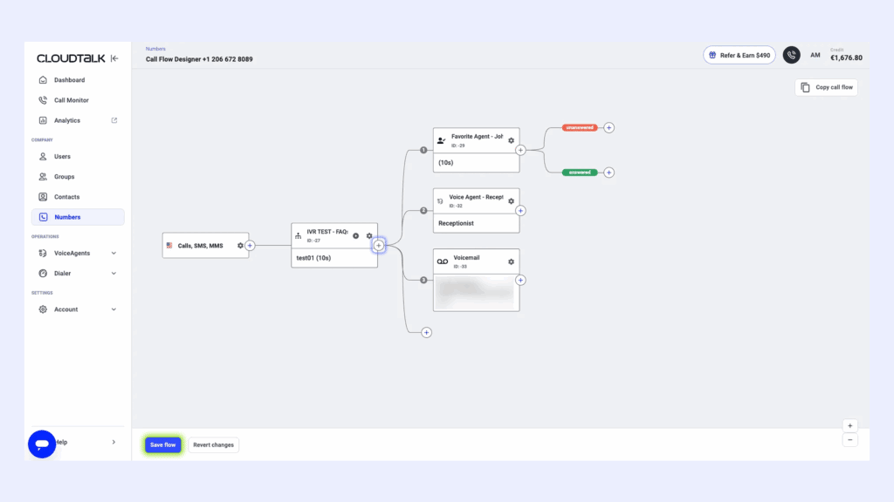
CloudTalk Pros & Cons
| Pros | Cons |
|---|---|
| Top-Tier CRM Sync: Native, two-way integration with HubSpot, Salesforce, and Pipedrive | Some advanced features require the Expert plan |
| AI-Powered Insights: Automatically generates AI smart notes and summaries for every call. | AI Intelligence is a paid add-on |
| Global Reach: Access international numbers in 160+ countries instantly. | Mobile app is primarily for voice only |
Best for: Growing sales and support teams that rely heavily on CRM data and need to automate the after-call work that usually slows agents down.
CloudTalk: Best Auto Attendant Phone System for Scaling SMBs and CRM-Heavy Teams G2 Rating: 4.4/5 (1,700+ reviews)
CloudTalk pricing: from $19/user/month
We set up automatic call flows so that no call goes unanswered. If an agent is unavailable, calls get redirected or queued properly. Customers used to wait over 20 minutes just to speak to an agent. Now, they get through in 3 to 4 minutes. We also went from missing 80% of calls to just 16%.
Flor Bogdanova, Customer success Manager at Bit2Me

TRY CLOUDTALK FOR FREE

2. Dialpad: Best Auto Attendant Phone System for AI-Native Insights
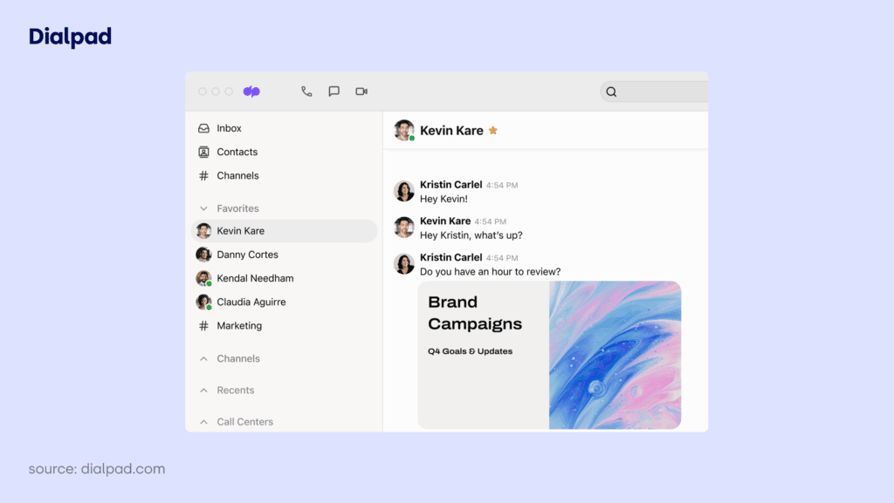
Dialpad focuses on integrating proprietary AI, branded as "DialpadGPT," directly into its core communication platform. In 2026, it remains a primary choice for organizations that require data-driven sentiment analysis and automated documentation for every inbound and outbound interaction.
The system uses speech-to-text technology to power its auto attendant, allowing callers to navigate menus via voice commands rather than traditional keypad entries. This is paired with "Ai Recaps," which automatically logs call summaries and action items into connected CRM systems.
Dialpad Pros & Cons
| Pros | Cons |
|---|---|
| Real-time Transcription: Built-in AI provides transcription and keyword tracking during live calls. | Cost Scaling: Accessing advanced contact center features requires a significant price increase. |
| Rapid Setup: Administrators can provision ring groups and new users through a centralized dashboard. | Reporting Complexity: High-volume users report difficulty navigating large call logs for specific data points. |
| Agent Assistance: Includes an AI coaching tool that suggests responses based on the caller's tone. | Technical Support: Some verified users note slower response times for call quality troubleshooting. |
Best for: Teams requiring agent efficiency through automated note-taking and those needing AI-powered insights for sales coaching.
Dialpad: Best Auto Attendant Phone System for AI-Native Insights G2 Rating: 4.4/5 (5,500+ reviews)
Dialpad pricing: from $15/user/month
4. Nextiva: Best Auto Attendant Phone System for Reliability and 24/7 Support (Aside from CloudTalk of Course!
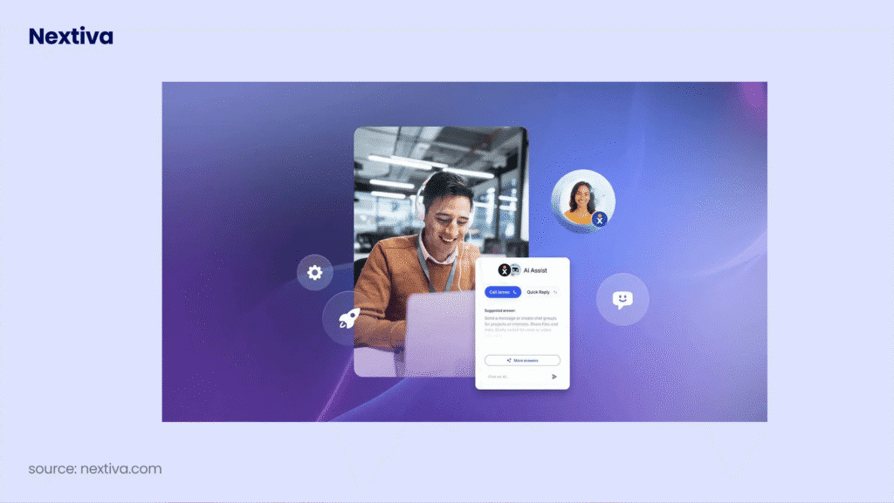
Nextiva is often the benchmark for businesses that prioritize "always-on" connectivity. In 2026, it remains a dominant force for mid-market companies that need a cloud-based phone system with a 99.999% uptime guarantee and a high level of human support...just like CloudTalk!
While some competitors focus strictly on AI, Nextiva balances its new "Nextiva NEXT" AI platform with a robust multi-level auto attendant that is included even in its base tiers. Its "Call Pop" feature is a particular highlight, showing agents exactly who is calling and their previous interaction history—pulled from CRM data—before the call is even answered.
Nextiva Pros & Cons
| Pros | Cons |
|---|---|
| Superior Uptime: Industry-leading 99.999% reliability with 24/7 live support. | Complex Admin Portal: Some users find the backend "NextOS" interface less intuitive than CloudTalk’s designer. |
| Unified Inbox: Manages SMS, calls, and even social media mentions in one dashboard. | Mobile App Glitches: Verified reviews in 2026 still note occasional sync issues with the mobile softphone. |
| Professional Onboarding: Offers a "white-glove" setup service to help map your call flow correctly. | Price Premium: Nextiva is generally more expensive than "budget" VoIP alternatives. |
Best for: Small but ambitious businesses and professional services (like law firms or medical offices) that cannot afford a missed call due to system downtime.
Nextiva: Best Auto Attendant Phone System for Reliability and 24/7 Support (Aside from CloudTalk of Course! G2 Rating: 4.5/5 (3,400+ reviews)
Nextiva pricing: from $15/user/month
4. 8x8: Best Auto Attendant Phone System for Global Enterprises
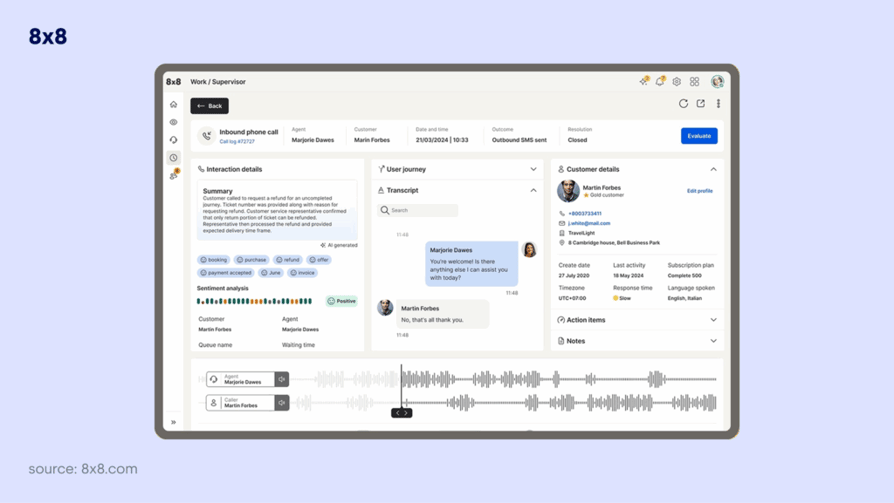
8x8 is the primary choice for organizations that operate across multiple borders and require a highly secure, all-in-one communications platform. In 2026, it remains one of the few providers that can offer unlimited calling in up to 48 countries, making it a staple for enterprise VoIP users.
The system's multi-level auto attendant is designed for complexity. It allows administrators to create separate routing profiles for different global sites, each with its own business hours and localized language prompts. This ensures that a caller in London and a caller in New York receive a tailored experience despite calling the same corporate entity.
8x8 Pros & Cons
| Pros | Cons |
|---|---|
| Global Reach: Unmatched international numbers and unlimited calling plans for global teams. | Complex Interface: The "8x8 Admin Console" can be difficult to navigate compared to more modern visual designers. |
| Security & Compliance: Fully HIPAA-compliant and SOC2 certified, ideal for healthcare and finance. | Support Friction: Verified users often report long wait times and "chatbot loops" when trying to reach technical support. |
| Microsoft Teams Sync: Offers some of the best Direct Routing for teams already using the Microsoft ecosystem. | Feature Gating: Key features like call monitoring and advanced analytics require significant plan upgrades. |
Best for: Large, international organizations that need to consolidate their global call center operations into a single, compliant platform.
8x8: Best Auto Attendant Phone System for Global Enterprises G2 Rating: 4.1/5 (200+ reviews)
8x8 pricing: quote-based, but reportedly starts at $24/user/month
5. RingCentral: Best Auto Attendant Phone System for Advanced Customization

RingCentral is the most established player in the Unified Communications (UCaaS) space. In 2026, it remains the standard for larger organizations that require a massive feature set and the ability to customize every microscopic detail of their call handling rules.
The platform’s Visual IVR Editor is its primary strength. It allows administrators to build highly granular, multi-level auto attendants that can route calls based on virtually any criteria—from the caller's geographic location to specific business hours across multiple time zones.
RingCentral Pros & Cons
| Pros | Cons |
|---|---|
| All-in-one UCaaS/CCaaS suite | AI is an expensive add-on |
| Large third-party ecosystem | Basic plans lack core reporting |
| Extensive global coverage | Support response times can be slow |
Best for: Large enterprise VoIP users and companies that have dedicated IT staff to manage a complex cloud phone system.
RingCentral: Best Auto Attendant Phone System for Advanced Customization G2 Rating: 4.1/5 (1,250+ reviews)
RingCentral pricing: from $20/user/month
Recommended Reads
6. Aircall: Best Auto Attendant Phone System for eCommerce and CRM-Heavy Teams
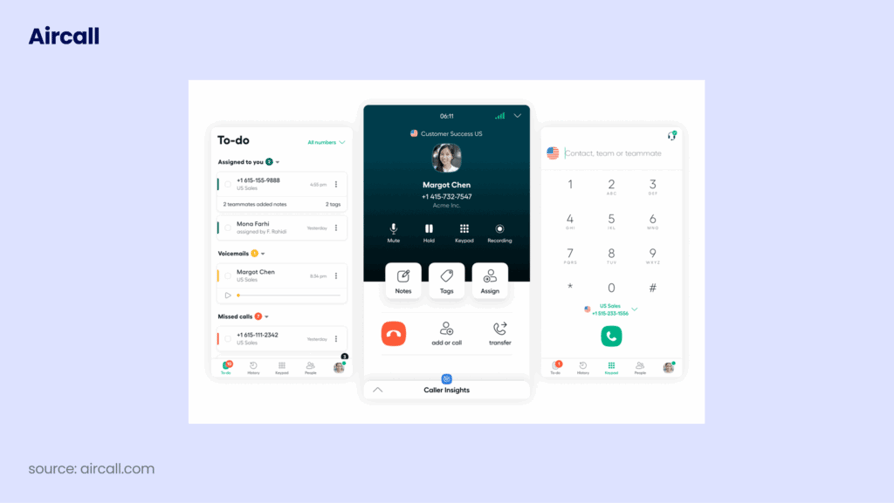
Aircall is widely recognized for its "integration-first" approach. In 2026, it remains a go-to for high-growth eCommerce and support teams that need their phone system to live entirely within their existing tech stack.
The platform’s standout feature is its native CRM integrations. Whether you use HubSpot, Salesforce, or Shopify, Aircall synchronizes data in real-time. This means that when a customer calls, your agents see "Insight Cards" containing the caller's purchase history and open support tickets before they even pick up the phone.
AirCall Pros & Cons
| Pros | Cons |
|---|---|
| Seamless App Ecosystem: One-click integrations with over 100+ tools like Intercom and Zendesk. | Entry Costs: Requires a minimum of 3 users, making the true starting price $90/month. |
| Smartflows: A visual call routing builder that makes setting up multi-level IVR intuitive. | Limited Advanced Dialers: Lacks the high-volume parallel dialer options found in CloudTalk. |
| Reliable Infrastructure: Uses global carrier redundancy to maintain a 99.95% uptime SLA. | Feature Gating: Advanced analytics and call monitoring are locked behind the Professional tier. |
Best for: Growing SaaS and eCommerce businesses that need a virtual phone system that requires zero hardware and minimal IT setup.
Aircall: Best Auto Attendant Phone System for eCommerce and CRM-Heavy Teams G2 Rating: 4.4/5 (1,500+ reviews)
Aircall pricing: from $30/user/month
Recommended Reads
7. Zoom Phone: Best Auto Attendant Phone System for Zoom-Centric Workforces
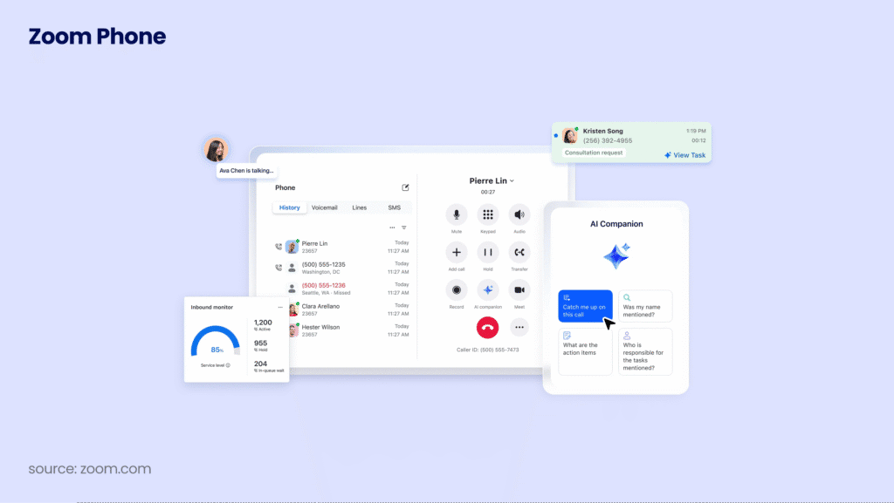
Zoom Phone has rapidly evolved from a video-conferencing add-on into a legitimate cloud-based phone system. In 2026, it is the primary choice for companies already centralized on the Zoom ecosystem that want to consolidate their business communication into a single, familiar interface.
The platform’s auto attendant—referred to as an "Auto Receptionist"—is remarkably simple to configure. It allows for multi-level IVR and call routing that mirrors the intuitive nature of the original Zoom Meetings app.
Zoom Phone Pros & Cons
| Pros | Cons |
|---|---|
| Zero learning curve for Zoom users | Advanced analytics require an add-on |
| AI Companion included at no extra cost | Basic call logs are too simple for sales |
| Native video/phone integration | Global coverage varies by region |
Zoom Phone: Best Auto Attendant Phone System for Zoom-Centric Workforces G2 Rating: 4.6/5 (2,600+ reviews)
Zoom Phone pricing: from $15/user/month
8. GoTo Connect: Best Auto Attendant Phone System for Visual Dial Plan Design
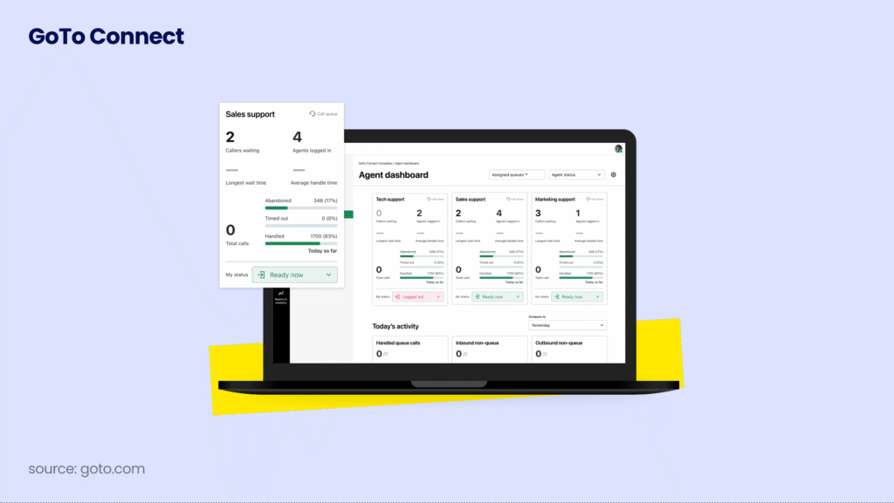
GoTo Connect (formerly Jive) has carved out a specific niche in 2026 as the most user-friendly option for administrators who prefer a "drag-and-drop" approach to call flow design. For small to mid-sized businesses that don't have a dedicated IT department, GoTo Connect offers a level of visual clarity that few legacy providers can match.
The centerpiece of their platform is the Visual Dial Plan Editor. Instead of navigating through dozens of nested text menus, you can map out your auto attendant using a flowchart interface. You simply drag nodes for auto-receptionists, ring groups, and voicemail boxes to create a clear path for every caller.
GoTo Pros & Cons
| Pros | Cons |
|---|---|
| 24/7 AI Receptionist is very stable | Basic reporting is quite shallow |
| Excellent visual "Dial Plan" editor | Transcription accuracy can vary |
| Included video conferencing | Customer support can be hit-or-miss |
Best for: Scaling SMBs that need to frequently update their business hours or seasonal greetings without calling a support line.
GoTo Connect: Best Auto Attendant Phone System for Visual Dial Plan Design G2 Rating: 4.4/5 (1,350+ reviews)
GoTo pricing: quote-based, but reportedly starts at $26/user/month
Recommended Reads
9. Vonage: Best Auto Attendant Phone System for Flexible, API-First Customization
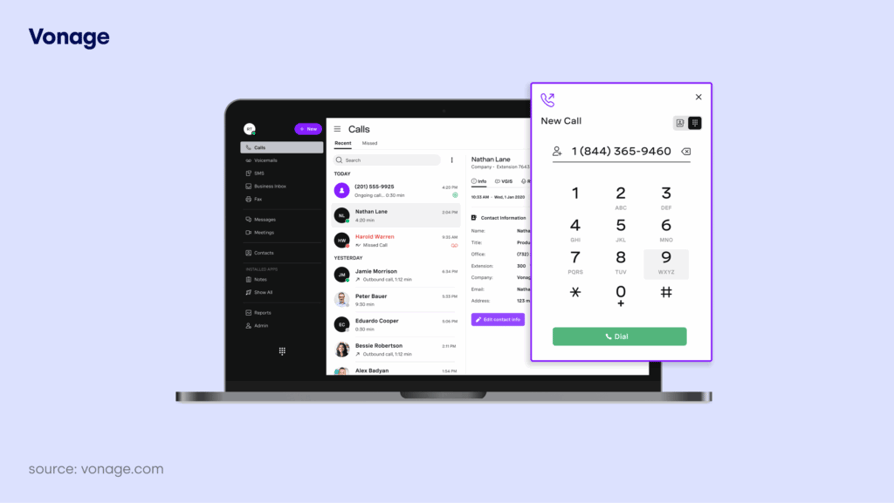
Vonage has evolved significantly from its residential roots, positioning itself in 2026 as a powerhouse for businesses that need a highly customizable cloud-based phone system. It is particularly popular among teams that want to integrate their auto attendant directly into unique business workflows using its extensive Communication APIs (formerly Nexmo).
The platform’s "Smart Numbers" and workflow automation allow the auto attendant to trigger specific actions—like sending an SMS follow-up or logging a ticket—based on the caller's menu selection. This makes it a top choice for organizations that need more than just simple call forwarding.
Vonage Pros & Cons
| Pros | Cons |
|---|---|
| Robust omnichannel support | Many core features are paid add-ons |
| Industry-leading CRM integration | Complex setup for non-CRM users |
| Reliable mobile and desktop apps | Requires 1-year contract for best price |
Best for: Tech-forward companies and scaling SMBs that have the resources to build custom call routing logic via APIs.
Vonage: Best Auto Attendant Phone System for Flexible, API-First Customization G2 Rating: 4.6/5 (2,600+ reviews)
Vonage pricing: from $13.99/user/month
10. Ooma: Best Auto Attendant Phone System for Small Offices and Simple Setups
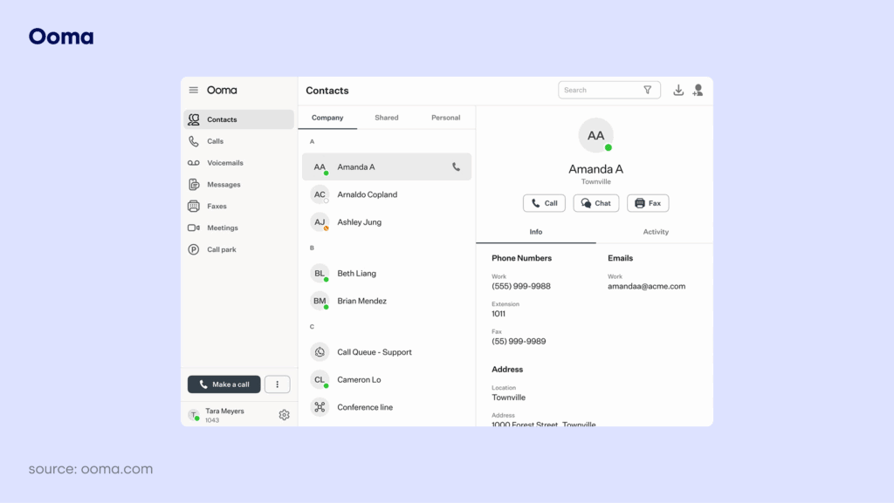
Ooma Office is widely regarded in 2026 as the most accessible "plug-and-play" solution for small businesses moving away from traditional landlines. It avoids the feature bloat found in enterprise platforms, focusing instead on a streamlined virtual receptionist that can be configured in under 15 minutes.
The Ooma Virtual Receptionist allows small teams to project a professional image by automating inbound call handling. While it lacks the node-based visual designer of CloudTalk, its text-based menu setup is straightforward, making it a favorite for retail and service providers who just need the basics to work reliably.
Best for: Micro-businesses and local service providers (like dentists
or contractors) who need a professional automated phone system without a complex interface.
Ooma Pros & Cons
| Pros | Cons |
|---|---|
| Modular Approach: Buy only the features you need through their "App Center." | Many core features are paid add-ons |
| Developer Friendly: Exceptional API documentation for custom CTI builds. | Basic Analytics: Entry-level plans offer limited call statistics compared to CloudTalk. |
| High Reliability: Strong global infrastructure with localized international numbers. | Support Response: Some users are "divided" over the speed of technical support for non-enterprise tiers. |
Ooma: Best Auto Attendant Phone System for Small Offices and Simple Setups G2 Rating: 4/5 stars
Ooma pricing: from $19.95/user/month
Recommended Reads
11. Phone.com: Best Auto Attendant Phone System for Low-Volume Users
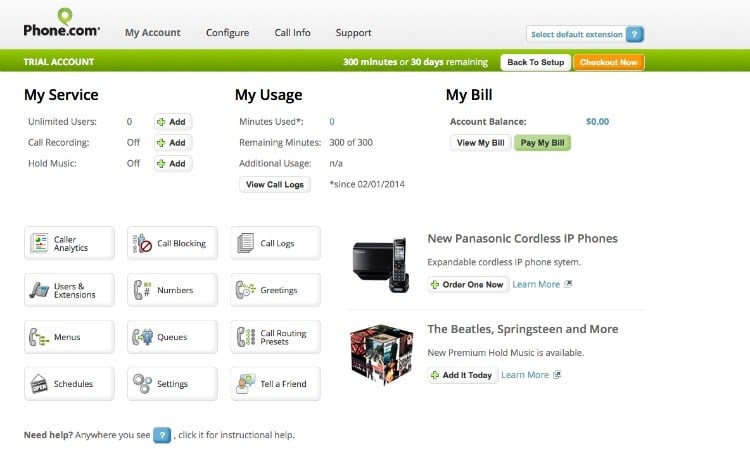
Phone.com offers a unique "mix-and-match" pricing model that makes it a standout choice in 2026 for businesses with fluctuating call volumes. While most cloud-based phone systems force every user onto the same expensive plan, Phone.com allows you to put some employees on a "pay-per-minute" plan while keeping high-volume agents on unlimited tiers.
Their auto attendant is remarkably functional for a budget-friendly provider. It includes professional custom greetings and call routing that can direct customers to departments, extensions, or even voicemail boxes. It’s a pragmatic solution for micro-businesses that want a corporate feel without the enterprise price tag.
Best for: Startups and low-volume businesses that need a professional presence but only receive a few dozen calls a month.
Phone.com Pros & Cons
| Pros | Cons |
|---|---|
| Pricing Flexibility: Only pay for what you use with pooled minute plans. | Mobile UI: Verified users in 2026 report that the mobile softphone can feel slightly outdated. |
| HIPAA Ready: Offers HIPAA-compliant options for healthcare providers. | Limited Team Chat: The platform focuses on voice; collaboration tools are sparse. |
| Video Included: All plans come with basic video conferencing capabilities. | Basic Feature Set: Lacks the advanced AI coaching and sentiment analysis of top-tier platforms. |
Phone.com: Best Auto Attendant Phone System for Low-Volume Users G2 Rating: 3.5/5 stars
Phone.com pricing: from $12.74/user/mo
12. Grasshopper: Best for Solopreneurs & Micro-Businesses
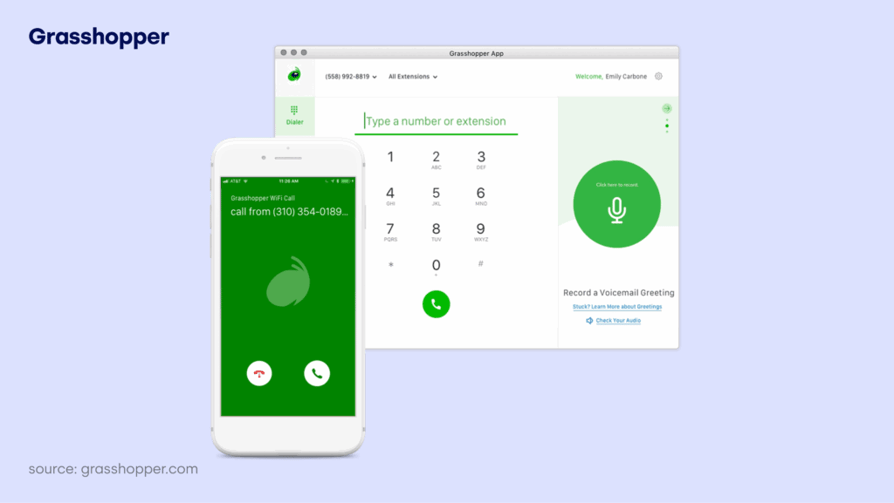
Grasshopper is the industry standard for solopreneurs and micro-businesses that want to separate their professional and personal lives without buying any new hardware. In 2026, it remains a favorite for teams that operate entirely from their personal cell phones but need the outward appearance of a much larger corporation.
The platform’s auto attendant functionality—which Grasshopper calls "Custom Greetings"—is designed for simplicity. It allows you to record a professional intro and set up a basic "press 1 for Sales" menu that instantly forwards calls to your mobile device, a home office, or a teammate’s phone.
Grasshopper Pros & Cons
| Pros | Cons |
|---|---|
| Flat monthly fee (no per-user costs) | No AI summaries or sentiment analysis |
| Ideal for solo operators | No native CRM integrations |
| Setup takes minutes | Limited to US and Canada numbers |
Grasshopper: Best for Solopreneurs & Micro-Businesses G2 Rating: 3.9/5 (150+ reviews)
Grasshopper pricing: from $14/user/month
Best for: Freelancers, entrepreneurs, and small service teams that are constantly on the move and only need basic call forwarding.
Recommended Reads
How to Choose the Best Auto Attendant Phone System
Selecting a business phone system with auto attendant capabilities is a long-term investment. In 2026, the market is divided between legacy providers and AI-first solutions. To ensure you choose a platform that scales with your business communication needs, follow this structured decision-making process.
Identify Your Call Routing Needs
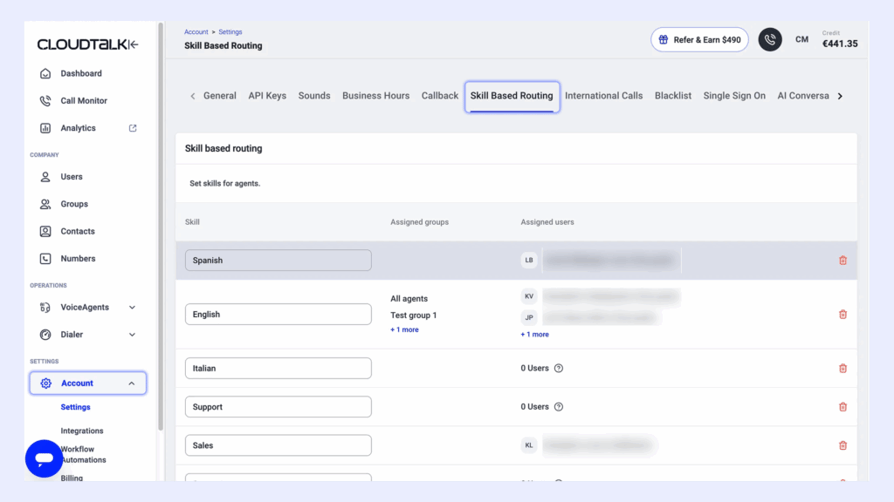
Before comparing providers, you must understand the "why" behind your inbound traffic. A virtual auto attendant phone system is only as effective as the logic behind it.
- Audit common inquiries: Are customers calling for customer support, sales demos, or basic information like business hours?
- Determine agent specialization: Do you need skills-based routing to send technical queries to specific experts?
- Assess volume spikes: Does your team experience high call volume that requires call queuing or automated callback options?
Map Your IVR Call Flow
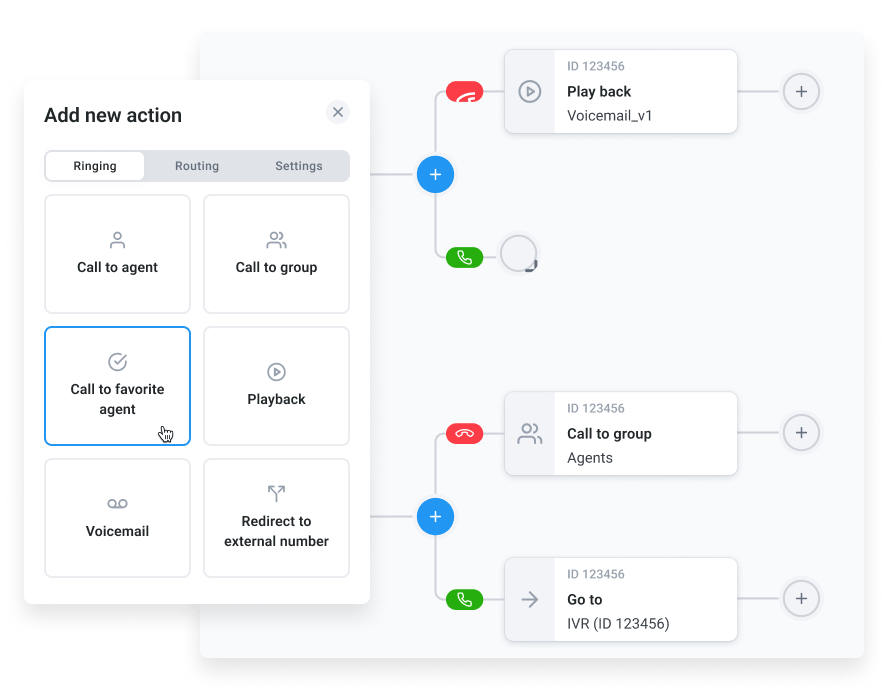
A poorly designed menu leads to caller frustration. You should map your call flow before signing a contract to ensure the provider's interface can support your vision.
- Simplicity is key: Limit your main menu to 5 options or fewer to prevent "menu fatigue."
- Visualize the path: Use a call flow designer to see exactly where a caller goes if they press "1" versus "2."
- Plan for "Zero-outs": Always provide an option to reach a live preferred agent or a general receptionist.
Evaluate Your Budget
Pricing for a voip auto attendant phone system can be deceptive. While some list a low "starting at" price, the features you actually need are often hidden in higher tiers.
- Per-user vs. Flat fees: Calculate the total monthly cost as you add extensions for new hires.
- Watch for hidden costs: Check if the provider charges extra for number porting, international numbers, or call recording.
- Contract terms: Decide if you prefer the flexibility of month-to-month billing or the discounts associated with annual pricing.
Check Integration Requirements
Your auto attendant phone system app shouldn't exist in a silo. It should be a central part of your workflow automation.
- CRM Synchronization: Ensure the system has native integrations with HubSpot, Salesforce, or Zendesk.
- Data Visibility: Look for "Screen Pop" features that show real-time customer cards during a call.
- Helpdesk Alignment: If you use a helpdesk, verify that call logs and voicemails are automatically converted into support tickets.
Compare Auto Attendant Features
Not all phone system auto attendants offer the same level of depth. When evaluating the best auto attendant phone system for small business, prioritize these core capabilities:
- Customizable Greetings: The ability to upload professional audio or use text-to-speech for quick updates.
- Multi-Level Menus: Support for "nested" sub-menus (e.g., Press 1 for Sales, then 1 for New Business).
- Time-Based Routing: Automatically changing greetings and paths for holidays and after-hours.
- Multilingual Support: Offering menu options in different languages to serve a diverse customer base.
- Call Analytics: Detailed call statistics to see which menu options are used most frequently.
What's the Difference Between Auto Attendant and IVR?
The difference between auto attendant and IVR is that an auto attendant simply answers and routes calls to the right person, while an IVR interacts with callers to provide information or complete actions without needing a human.
IVR and Auto Attendants can work together in the same system. This looks like the auto attendant answering the call and identifying their intent, then the IVR raking over and using the database integration to complete the request.
The Auto Attendant: The Digital Receptionist
A virtual auto attendant phone system is primarily a one-way communication tool designed to greet and route.
- Core Function: It plays a pre-recorded greeting and presents a menu (e.g., "Press 1 for Sales").
- Input Method: It relies almost exclusively on dual-tone multi-frequency (DTMF) keypad entries.
- Primary Use Case: Directing a caller to a specific extension, ring group, or voicemail.
The IVR: Advanced Self-Service and Data Sync

An IVR system offers a two-way interaction that can resolve customer issues without ever involving a live agent.
- Self-Service Capabilities: IVR allows callers to perform tasks like checking an account balance, tracking an eCommerce order, or making a payment over the phone.
- Voice Recognition: Unlike basic auto attendants, advanced IVR uses speech-to-text and natural language processing (NLP) to understand spoken commands.
- Data-Driven Interactions: IVR can pull information from your CRM to provide a personalized experience, such as greeting a caller by name or automatically identifying a VIP queue member.
How They Work Together
The best auto attendant phone systems in 2026 combine both technologies for a seamless call flow. A typical "smarter" interaction looks like this:
- The Auto Attendant greets the caller and identifies their intent (e.g., "Billing").
- The IVR takes over, asking the caller for their account number and verifying it against a database integration.
- If the issue is complex, the system uses skills-based routing to send the caller—and all their real-time customer data—to the right specialist.
Key Features of Auto Attendant Phone Systems
To find the best auto attendant phone system, you need to look beyond a simple "press 1" menu. In 2026, the standard for business phone features has shifted toward automation and personalization. High-quality systems now act as an intelligent front desk, ensuring every caller reaches their destination with zero friction.
Here are the essential features your voip auto attendant phone system must include to stay competitive.
Customizable Greetings and Hold Music
The first interaction a customer has with your brand is often through your automated phone system.
- Professional Brand Image: Top systems allow you to upload high-fidelity audio files for your business voicemail greetings or use studio-quality text-to-speech to generate prompts instantly.
- Engagement During Wait Times: Use custom hold music or periodic announcements to inform callers about new promotions, or offer them a callback if the wait is too long.
- Dynamic Updates: Easily swap greetings for seasonal sales or emergency office closures without needing a recording studio.
Time-Based Call Routing
Your business communication needs change depending on the clock. Time-based routing ensures you never miss a lead, even at 3 AM.
- Business Hours: Automatically direct calls to your active sales team during the day.
- After-Hours & Holidays: Route callers to an out-of-office voicemail or an after-hours support center during nights and weekends.
- Emergency Overrides: Instantly flip your routing logic to a backup remote office phone system in case of local office issues.
Multi-Level Menu Options
A multi-level auto attendant (or nested IVR) is vital for complex organizations. It allows you to create sub-menus that guide callers to the exact specialist they need.
- Granular Navigation: Instead of one giant list, use a multi-level IVR (e.g., "Press 1 for Sales," then "Press 1 for Software, 2 for Hardware").
- Reduced Transfers: By qualifying the caller's intent earlier, you minimize manual hand-offs between departments.
- Visual Management: Use a call flow designer to keep even the most complex nested menus organized and easy to update.
Voicemail and Extension Integration
A virtual auto attendant phone system should make it easy to find specific employees or leave messages.
- Direct Extension Dialing: Allow frequent callers to bypass the menu entirely by dialing a known extension.
- Voicemail-to-Email: Automatically send audio recordings and text transcriptions to an agent’s inbox so they can respond faster.
- Unified Messaging: Ensure voicemails are logged directly into your CRM for a complete history of the customer interaction.
Call Screening and Blocking
In 2026, protecting your agents' time from robocalls and spam is a top priority for any auto attendant phone service.
- Spam Filtering: Use an automated blacklist to block known nuisance callers before they reach your menu.
- Call Screening: Require callers to state their name or purpose, which is then played for the agent before they accept the call.
- Secure Verification: Implement STIR/SHAKEN compliance to ensure the callers you are talking to are verified and legitimate.
Multilingual Support
If you operate internationally, your phone system auto attendant needs to speak the language of your customers.
- Localized Menus: Offer different language prompts (e.g., "For English, press 1; para Español, oprima el 2").
- Global Reach: Pair this with international numbers to provide a local experience in countries like France or Brazil.
- Bilingual Agents: Route calls to specific agent groups that are fluent in the caller’s preferred language.
Priority Queuing
Not all calls have the same value. Priority queuing ensures your most important customers get help first.
- VIP Treatment: Use caller-based routing to recognize high-value clients and bump them to the front of the call queue.
- Urgency Detection: Advanced AI voice agents can detect frustrated tones or urgent keywords and trigger a VIP queue bypass.
- Tiered Support: Automatically prioritize calls based on their SLA requirements or subscription level.
Cost of an Auto Attendant Phone System
How Much Does an Auto Attendant Cost in 2026
| Provider | Best for | Starting Price |
|---|---|---|
| CloudTalk | Scaling SMBs | $19/user/mo |
| Zoom Phone | Existing Zoom Users | $10/user/mo |
| Phone.com | Low-Volume Users | $12.74/user/mo |
| Vonage | APIs | $13.99/user/mo |
| Grasshopper | Solopreneurs | $14/user/mo |
What Are The Benefits of Using an Auto Attendant Phone System?
The benefits of auto attendant phone systems are 24/7 availablilty, routing efficiency, scalability and reduced customer wait times. Let's have a closer look at what these benefits mean for your business.
Beyond simple cost reduction, here are the primary benefits of adopting this technology:
- 24/7 Availability: An auto attendant ensures that the 28.5% of callers who ring outside standard business hours are greeted professionally and routed to after-hours support or voicemail.⁴
- Significant Cost Savings: AI-driven interactions cost roughly $0.25 to $0.50, compared to $3.00 to $6.00 for a human agent. Replacing a full-time receptionist with a virtual auto attendant can save small businesses up to $45,000 annually in labor and overhead.
- Improved Routing Efficiency: By automating the initial "handshake," you eliminate manual transfers and ensure callers reach the right ring group or department instantly, improving first call resolution rates.
- Professional Brand Image: Even a one-person startup can sound like a global enterprise with high-quality custom greetings and a structured multi-level IVR.
- Effortless Scalability: As your business expands, your auto attendant can handle unlimited simultaneous calls without the need to hire additional staff or install extra hardware.
- Reduced Customer Wait Times: Automated systems answer in under 2 seconds, whereas human receptionists average 15–30 seconds—assuming they aren't already busy with another caller.
What Are The Limitations of Auto Attendant Systems?
Limitations of auto attendant phone systems include confusion to the caller, robot-sounding voice, and limited problem solving ability. Here's a breakdown:
- Impersonal Initial Experience: Despite 2026 advancements, 75% of customers still prefer the empathy of a live human for complex or sensitive issues.⁵
- Confusing Menu Trees: Poorly designed call flows can lead to "menu fatigue," causing frustrated callers to hang up before reaching an agent.
- Risk of Misrouting: If the menu options aren't clear, impatient callers may press the wrong button, leading to a call transfer that wastes time for both the agent and the customer.
- Limited Problem Solving: A standard auto attendant phone system is static. Unlike a full AI voice agent, it can route a call but cannot answer nuanced questions or resolve issues on its own.
Pro Tip: Most of these limitations can be mitigated by keeping your menus simple (4-5 options max) and always offering a "zero-out" option to reach a live preferred agent.
How to Set Up an Auto Attendant Phone System
Setting up a voip auto attendant phone system is a straightforward process in 2026, often requiring no technical background. While the interface varies by provider, most top-tier platforms like CloudTalk follow a standard 5-step configuration to get your automated receptionist live.
Follow these steps to ensure your call management is optimized from day one.
Step 1 – Map Your Call Flow
Before touching any software, you must document every possible path a caller might take. A logical call flow diagram prevents customers from getting stuck in "dead-end" loops.
- Identify key destinations: List the top 3–5 reasons people call (e.g., Sales, Support, Billing) and assign them to a keypad number.
- Define fallback options: Decide what happens if a caller doesn't press anything or chooses an invalid option.
- Plan for human breakout: Always include an "Operator" or "Receptionist" path (usually the '0' key) to ensure the satisfaction of the 89% of consumers who demand a "zero-out" option to reach a live human agent at any point in the automated menu.³
Step 2 – Record Greetings and Menu Prompts
Your greeting is the "face" of your brand. In 2026, you have several professional options for creating business voicemail greetings.
- Studio Uploads: Upload high-quality .MP3 or .WAV files recorded by professional voice talent.
- AI Text-to-Speech: Use a text-to-speech tool to generate natural-sounding prompts in multiple languages instantly.
- Clarity and Brevity: Keep your intro under 10 seconds. For example: "Thank you for calling [Company Name]. For Sales, press 1. For Support, press 2."
Step 3 – Configure Routing Rules
This is where you tell the auto attendant phone system where to send the calls based on the keys pressed.
- Departmental Routing: Send "Sales" calls to a specific ring group where all sales phones ring simultaneously.
- Direct Extension Dialing: Enable the "Dial-by-Name" or "Dial-by-Extension" feature so frequent callers can bypass the menu.
- Advanced Distribution: Use automatic call distribution to send calls to the preferred agent or the person who has been idle the longest.
Step 4 – Set Business Hours and After-Hours Rules
Your auto attendant phone service should change its behavior based on your business hours.
- Main Menu: Active during 9 AM – 5 PM for live agent routing.
- After-Hours Menu: Automatically activates at night to play a message about your hours or offer voicemail.
- Holiday Overrides: Pre-schedule special greetings for public holidays so your team isn't disturbed by inbound calls.
Step 5 – Test and Optimize
Never go live without a thorough walkthrough. Involve team members who weren't part of the setup to get a "fresh ears" perspective.
- Test Every Path: Call in and press every button to ensure you land in the right call queue.
- Check Mobile Handoff: If you use a mobile softphone, ensure the call forwarding to your cell phone works seamlessly.
- Monitor Analytics: After launch, use call statistics to see if callers are frequently "dropping off" at a specific menu level, then simplify accordingly.
Auto Attendant Best Practices
To maximize the effectiveness of your auto attendant phone system small business setup, keep these expert tips in mind:
Listen to the "No Inputs": Track how many people hang up without pressing anything. This usually indicates your greeting is too long or confusing.
The Rule of Three: Try to limit your menu to three "levels" of depth. Any more and you risk high abandonment rates.
Front-Load Information: Give the menu option before the department name (e.g., "Press 1 for Sales" is better than "For Sales, press 1" as it helps the caller prepare to take action).
Update Regularly: Don't let your "Limited Time Offer" hold music play for six months. Use your dashboard to keep information fresh.
Offer Self-Service: If many callers just want your address, put that information in an automated audio announcement to save your agents' time.
Conclusion: Choosing the Right Voice for Your Business
As we move through 2026, the best auto attendant phone system is no longer defined by how many calls it can route, but by how much manual work it can eliminate. For most businesses, the decision comes down to a choice between basic connectivity and intelligent automation.
While Ooma and Grasshopper remain excellent choices for solopreneurs needing a simple virtual receptionist, they lack the data depth required by growing teams. Conversely, enterprise giants like RingCentral offer immense power but often at the cost of a cluttered user experience and complex pricing.
Why CloudTalk is the Smart Choice for 2026
CloudTalk bridges the gap by offering enterprise-grade AI-driven routing within an interface designed for scaling SMBs.
- Visual Clarity: Our call flow designer lets you build complex multi-level IVR systems in minutes, not days.
- Deep CRM Context: With industry-leading integrations for HubSpot, Salesforce, and Pipedrive, your auto attendant doesn't just route calls—it recognizes customers and surfaces their real-time data.
- AI-First Efficiency: Features like AI Smart Notes and sentiment analysis save your agents an average of 5 minutes of after-call work per conversation.
Whether you need to manage international numbers in 160+ countries or simply want a business phone system that "just works," the right auto attendant is the foundation of your customer experience.
TRY CLOUDTALK FOR FREE – NO CREDIT CARD REQUIRED
FAQs: Auto Attendant Software
All you need to know about business phone systems with auto attendant
An auto attendant phone system is a tool that automatically answers calls, and routes them where they need to go by using a menu of options, without needing a human agent. This ensures that inbound calls are handled efficiently 24/7.
While they are related, they serve different levels of complexity:
- Auto Attendant: A simple "electronic directory" that greets and routes calls based on keypad input (DTMF).
- IVR (Interactive Voice Response): A more advanced system that allows for two-way interaction. IVR can use speech-to-text to understand spoken commands and can integrate with your CRM to resolve issues (like checking an order status) without an agent.
The cost depends on whether you choose an automated or human-led service:
- Automated Auto Attendants: Usually included in VoIP plans
starting around $15–$30/user/mo. - AI Virtual Receptionists: Specialized conversational AI services typically cost between $29 and $150/month.
- Live Human Receptionists: Outsourced human services are significantly more expensive, often ranging from $800 to $2,500/month depending on call volume and minutes used.
While iPhones don't have a built-in "business auto attendant," you can achieve a similar effect using a mobile softphone app from your VoIP provider:
- Download your provider's app (e.g., CloudTalk, Dialpad) from the App Store.
- Configure your call flow and greetings on the provider’s web dashboard.
- Set the app to handle incoming business calls. Note: For basic personal use, you can use Settings > Accessibility > Touch > Call Audio Routing > Auto-Answer Calls to have your iPhone automatically pick up calls after a set duration, though this does not provide a menu for callers.
To configure an auto attendant for your business, follow these five general steps:
- Map your flow: Draw a diagram of where each menu option should lead.
- Record your greeting: Upload an audio file or use text-to-speech for your welcome message.
- Assign buttons: Match keypad numbers to specific ring groups
or extensions. - Set schedules: Define different routing rules for business hours and after-hours.
- Test: Call your number to ensure all paths lead to the correct destination.
To configure an auto attendant for your business, follow these five general steps:
- Map your flow: Draw a diagram of where each menu option should lead.
- Record your greeting: Upload an audio file or use text-to-speech for your welcome message.
- Assign buttons: Match keypad numbers to specific ring groups
or extensions. - Set schedules: Define different routing rules for business hours and after-hours.
- Test: Call your number to ensure all paths lead to the correct destination.