8 Best Phone Systems That Integrate With Zoho CRM (2026)
TL;DR:
We compared 8 phone systems with a Zoho CRM VoIP integration, and here's our list:
- 01CloudTalk: best for sales teams that want calls logged on leads and faster list dialing
- 02Aircall: best for SMB teams that want a polished app and flexible record matching
- 03JustCall: best for sales teams that text as much as they call
- 04Dialpad: best for teams that want AI recaps written to Zoho records
- 05RingCentral: best for companies that want voice, video and chat from one provider
- 06Ringover: best for European teams that want AI summaries and WhatsApp in Zoho
- 07Zoom Phone: best for teams already on Zoom that need basic Zoho calling
- 08Kixie: best for outbound SDR teams that dial Zoho views with multi-line dialing
A Zoho CRM phone integration connects your phone system to Zoho CRM, Zoho's sales CRM (not Zoho Desk, its help desk). Calls, recordings, and outcomes are logged on the right lead, contact, or deal.
Aircall, JustCall and Ringover are the strongest alternatives. Already leaning toward CloudTalk? See the CloudTalk Zoho CRM integration page.
What Zoho CRM Teams Are Looking For
1. Sales reps spend 70% of their time on tasks that aren't selling. Only 35% of sales professionals fully trust the accuracy of their company's data (Salesforce State of Sales).
2. When we talk to Zoho teams, we hear the same story. Teams moving into Zoho CRM find that their phone system logs nothing there. Reps work mostly in Leads, and outbound teams export lists by hand. The current provider lacks the right local numbers or a deep Zoho CRM phone system integration.
3. What they want is simple: calls that log themselves on the right record. Dentakay, a Zoho CRM team, got there and grew call volume 2.5x in 8 months. Read how Dentakay grew call volume with CloudTalk.
When creating this list, we used our own conversations with Zoho teams, each vendor's Zoho Marketplace listing, help docs and pricing page, and G2 ratings. If WhatsApp is your main channel or you need live AI coaching during calls, test those features with every vendor before you choose.
Zoho CRM Phone Integrations Compared: Side-by-Side Table
| Tool | Calls inside Zoho CRM | What logs to Zoho CRM | Dialer | AI in Zoho CRM | Starting price* | G2 rating |
|---|---|---|---|---|---|---|
| 1. CloudTalk | Click-to-call from Zoho pages with the Click-to-Call extension | Call activities with recording links, notes and tags on leads, contacts and accounts; deals by setting; SMS | AI Sales Dialer: Power and Parallel (up to 5 lines) from Zoho contact or lead lists | AI details with the call (add-on); voice agent calls as activities | $29 (Essential) | 4.4/5 |
| 2. Aircall | Click-to-dial with the browser extension (Chrome, Edge) | Calls on the first matching lead, contact or account; recordings, notes and texts as notes | Power Dialer (Professional), lists from CSV or the extension | Transcripts, summaries and sentiment as notes (AI package) | $30 (Essentials, 3 seats) | 4.4/5 |
| 3. JustCall | Click-to-call and click-to-text icons with the Chrome extension | Calls as activities, SMS as notes, voicemails; new contact for unknown numbers | Power (Pro); Predictive and Dynamic (SalesPro); Zoho records sent to campaigns | Summaries, topics and sentiment (add-on below Pro Plus) | $29 (Team, 2 seats) | 4.3/5 |
| 4. Dialpad | Click-to-call with the Dialpad Chrome extension; built for use inside the Dialpad app | Calls on leads, contacts and accounts, plus custom modules; recordings for eligible calls | Not documented for Zoho lists | AI recap, action items, outcome and call purpose fields | $25 (Connect Pro) | 4.4/5 |
| 5. RingCentral | Click-to-call and pop-ups through Zoho's built-in RingCentral app | Made, received and missed calls with recordings in Activities | Not documented for Zoho lists | Not documented for the Zoho app | $25 (Advanced) | 4.1/5 |
| 6. Ringover | Ringover icon next to numbers, optional browser extension | Calls, recordings, tags, SMS and WhatsApp on leads, contacts and accounts; open deals | Power Dialer (Business); parallel dialer as an add-on | Transcripts and summaries; CRM Autofill on Business | $49 (Business, 3 seats) | 4.6/5 |
| 7. Zoom Phone | Click-to-call and pop-ups through Zoho's Zoom Phone app | Basic call logging with notes and follow-up tasks | Not documented | Not documented | $16 (US & CA Unlimited) | 4.6/5 |
| 8. Kixie | Zoho PhoneBridge plus a Chrome extension | Calls and recordings on leads and contacts, copied to accounts; SMS and dispositions as tasks | PowerDialer up to 4 lines; Zoho custom views through Cadences | AI notes on the contact and latest open deal (add-on) | Quote | 4.8/5 |
Log every call in Zoho CRM without lifting a finger.
Top 8 Zoho CRM Phone System Integrations Reviewed
We reviewed each Zoho CRM phone system integration the same way, following our review process:
- What the platform is
- Who its Zoho CRM integration suits
- What it logs to Zoho
- Other integrations
- Pricing
- What G2 and Reddit users say
Every tool on this list has a working Zoho CRM integration. Some are built by the vendor, and some (RingCentral and Zoom Phone) by Zoho itself.
1. CloudTalk
What Is CloudTalk?
CloudTalk is a cloud phone system and call center software for sales and support teams, built on its own telephony: local numbers in 160+ countries and 99.999% uptime. AI runs in the same call flow: AI voice agents, Conversation Intelligence and the AI Sales Dialer.
More than 5,500 companies use CloudTalk. The CloudTalk Zoho CRM integration connects from the CloudTalk Dashboard, and Zoho CRM teams like Dentakay use it to log every call automatically.
Who Is CloudTalk's Zoho CRM Integration Best For?
The CloudTalk Zoho CRM integration benefits these teams most:
- SDR and outbound teams dialing Zoho lists in Power or Parallel mode
- Teams that work mostly in Zoho Leads and want unknown callers added as leads
- Zoho admins who automate with Workflow Rules, Zoho Flow or Deluge
- Teams calling across countries that need local numbers
- Teams that want an AI voice agent to write results back to Zoho
What Can CloudTalk's Zoho CRM Integration Do?
These are the CloudTalk Zoho CRM integration features Zoho teams ask about most:
- Call from Zoho pages:The Click-to-Call extension turns every phone number in Zoho into a one-click call (the CloudTalk phone app must be open). On inbound calls, reps can open the caller's Zoho record in one click, even before answering.
- Calls log themselves:Every call becomes a Zoho call activity under Closed Activities, with direction, duration, agent, notes and a recording link. You choose which call types to log, which numbers are connected and whether to follow business hours.
- The right deal gets the call:Pick whether calls also land on the last modified open deal, all open deals, all deals or none.
- Leads, not clutter:Zoho contacts, leads, accounts and deals import into CloudTalk. An optional setting creates a Zoho lead for every call from an unknown number.
- Missed calls have an owner:Missed calls and voicemails go to a chosen Zoho user. The Zoho record owner can become the caller's preferred agent (both must also be CloudTalk users).
- Faster list dialing:Dialer campaigns pull Zoho contact or lead lists, and dispositions map to Zoho's Call Result field.
- Tags and texts in Zoho:Call tags export to Zoho (tags show on paid Zoho editions), and SMS can log as activities.
- AI on the record:With Conversation Intelligence, AI details go with the call export. VoiceAgent calls log as their own activities with the data the agent captured.
Good to know
Custom Zoho fields aren't mapped natively. Teams that need them in CloudTalk send them through the API, webhooks or a CSV. Logging a call onto an existing open task needs a Zoho automation, such as a Deluge script.
What Other Tools Does CloudTalk Integrate With?
- Other CRMs:
- Help desks:Zendesk and Zoho Desk (a separate integration).
- Everything else:100+ apps on the CloudTalk integrations page, plus Zapier, Make and an open API with webhooks.
How Much Does CloudTalk Cost With Zoho CRM?
| Plan | Price (billed annually) | Zoho-relevant features |
|---|---|---|
| Starter | $25/user/mo ($34 monthly) | Numbers, IVR and call routing; no CRM integrations |
| Essential | $29/user/mo ($39 monthly) | Zoho CRM integration, unlimited domestic calling (fair use) |
| Expert | $49/user/mo ($69 monthly), 3+ seats | Power mode of the AI Sales Dialer included, high volume and multi-country |
| Custom | Tailored | 25+ seats, custom setup |
Flexible Pricing Plans to Scale with You
Compare our plans
1. Power Dialer: $15 per user per month on Starter and Essential (included on Expert)
2. Parallel Dialer: $39 per user per month
3. Conversation Intelligence: $9 per user per month
4. AI Receptionist: starts with 50 free minutes in your first month
What Do Customers Say About CloudTalk on G2 and Reddit?
Reviewers often mention the CRM integrations, call quality, and how quickly new reps learn the app.
What Is CloudTalk's G2 Rating?
CloudTalk is rated 4.4/5 on G2 from 1939 reviews (checked October 2026).
G2 user review on CloudTalk's Zoho CRM integration:
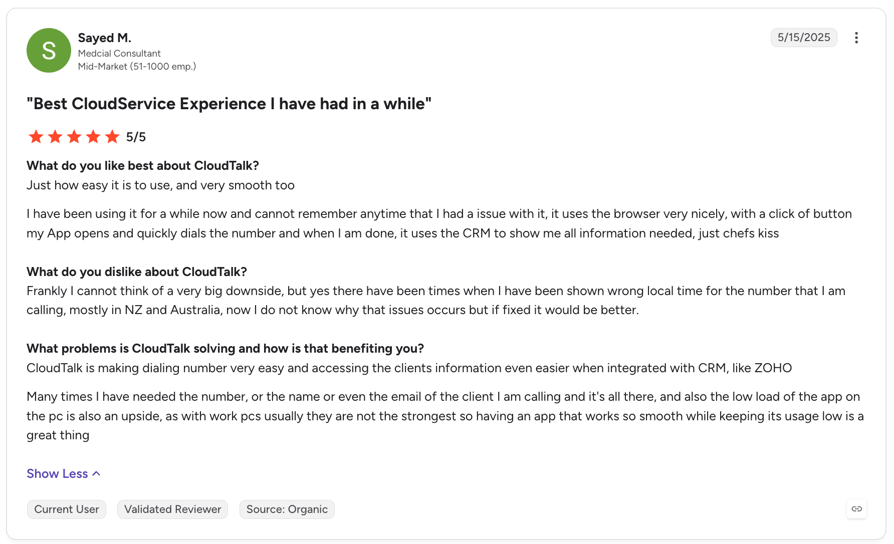
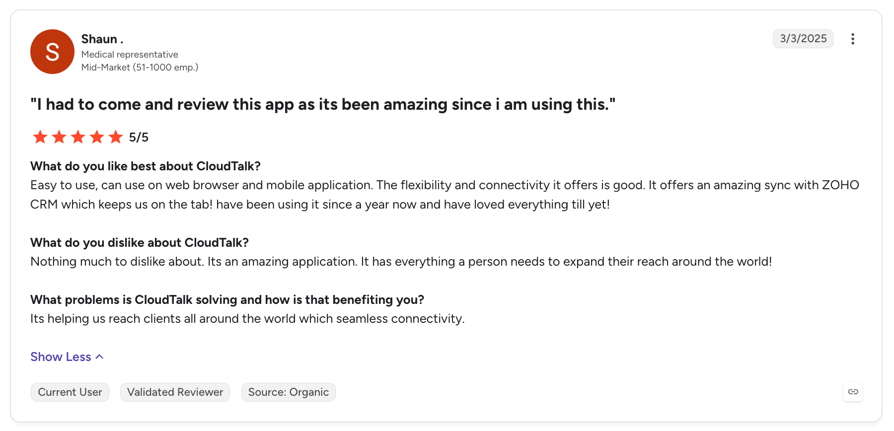
CloudTalk Zoho CRM integration user review:
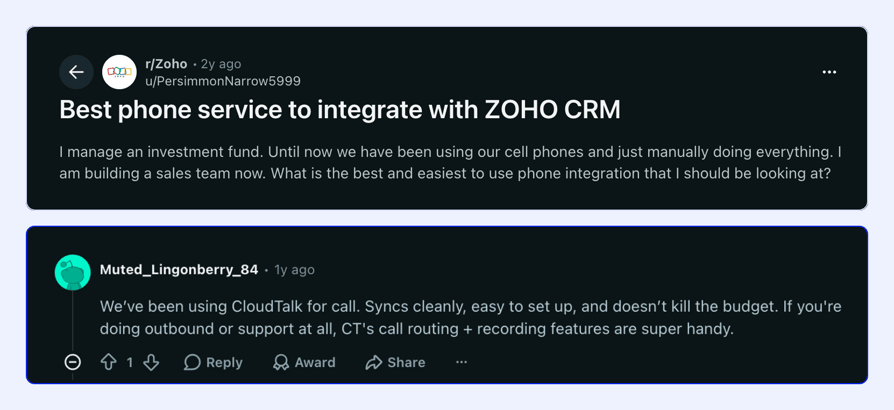
Reddit thread about which phone service integrates best with Zoho CRM:
CloudTalk Pros and Cons Based on G2 Reviews and Reddit
| Pros | Cons |
|---|---|
| Native Zoho CRM integration with leads, contacts, accounts and deals | Requires stable Internet connection |
| Calls, recordings and notes logged as Zoho activities | No native custom-field mapping (API, webhooks or CSV instead) |
| Power and Parallel dialing from Zoho lists | Occasional lead merging delays |
| Local numbers in 160+ countries |
2. Aircall
What Is Aircall?
Aircall is a cloud phone and SMS system for sales and support teams, with AI Voice Agents and AI Assist for call summaries.
Its Aircall for Zoho CRM app is a native API integration: call context shows in Aircall Workspace, and reps dial from Zoho with the browser extension.
Who Is Aircall's Zoho CRM Integration Best For?
- SMB teams with 3 or more reps
- Teams that want to choose which Zoho record type gets each call
- Reps who work in Chrome or Edge
What Can Aircall's Zoho CRM Integration Do?
- Calling from Zoho:The Aircall browser extension highlights phone numbers on Zoho pages and dials them through Aircall Workspace.
- What logs where:Calls log to the first matching record, by default Lead, then Contact, then Account. Deals and accounts get the call only through a linked contact, lead or account.
- Unknown callers:You choose whether Aircall creates a contact, a contact with an account or deal, a lead, an account or nothing.
- Notes, texts and recordings:Notes, SMS, MMS and WhatsApp messages log as Zoho notes. Recordings log as a note or a link in the Voice recording field.
- AI in Zoho:With an Aircall AI package, transcripts, summaries, topics and sentiment log to Zoho, and AI action items can become open tasks.
What Other Tools Does Aircall Integrate With?
- Salesforce:Professional and up.
- HubSpot, Pipedrive, Zendesk and Intercom:Included from Essentials.
- More apps:Aircall's integrations marketplace and a public API.
How Much Does Aircall Cost With Zoho CRM?
| Plan | Price (billed annually) | Zoho-relevant features |
|---|---|---|
| Essentials | $30/user/mo, 3 seats minimum | Zoho CRM integration; AI Assist as an add-on |
| Professional | $50/user/mo, 3 seats minimum | Power Dialer, AI Assist included, Salesforce |
| Custom | Custom, 25 seats minimum | Everything in Professional plus enterprise controls |
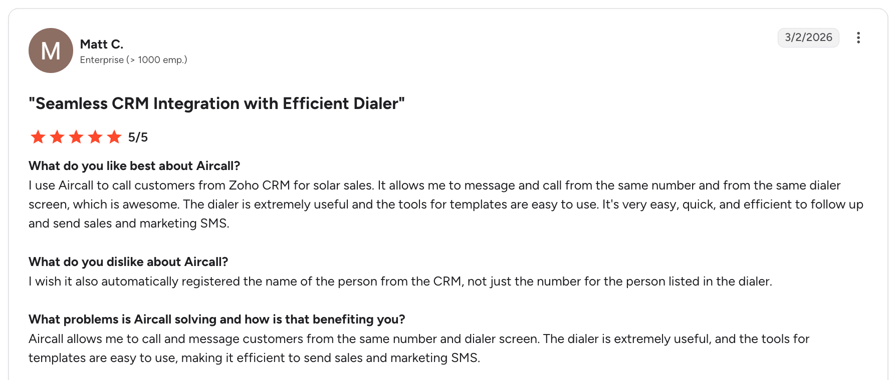
What Do Customers Say About Aircall on G2?
Reviewers mostly mention ease of use and the CRM integrations. In a Zoho Community thread, one user reported calls and texts that weren't logging. Zoho pointed them to Aircall, since Aircall builds the connector.
What Is Aircall's G2 Rating?
Aircall is rated 4.4/5 on G2 from 1673 reviews (checked October 2026).
Aircall Pros and Cons Based on G2 Reviews
| Pros | Cons |
|---|---|
| Choose which Zoho record type each call and unknown caller lands on | Recordings in the Voice recording field don't play inside Zoho |
| Texts, WhatsApp and AI output logged to Zoho | Power Dialer needs Professional and can't load Zoho views directly |
| Zoho CRM integration on every plan | Calls can't log straight to a deal |
Recommended Reads
3. JustCall
What Is JustCall?
JustCall is a cloud phone, SMS, and AI coaching platform with power, dynamic, and predictive dialers.
Its JustCall Phone System for Zoho CRM app is an API integration plus a Chrome extension, which JustCall describes as a Zoho PhoneBridge alternative.
Who Is JustCall's Zoho CRM Integration Best For?
- Budget-conscious sales teams with 2 or more reps
- Teams that send texts from Zoho workflows
- Outbound teams that need predictive dialing on a higher plan
What Can JustCall's Zoho CRM Integration Do?
- Calling from Zoho:The Chrome extension adds click-to-call and click-to-text icons next to numbers on Zoho lead and contact records (not yet in Zoho CRM Plus).
- What logs where:Calls log as activities, SMS as notes and voicemails automatically. JustCall creates a contact for unknown numbers, which you can turn off.
- Dialer from Zoho:An Add to Sales Dialer button sends selected leads, contacts or accounts to a campaign, up to 100 records at a time (a Zoho limit).
- Dispositions and edits:Sales Dialer notes and dispositions log to Zoho, and field edits made during a call sync back.
- Texts from workflows:Zoho workflows can send automated texts, and bulk SMS works from Zoho.
What Other Tools Does JustCall Integrate With?
- Salesforce:Pro and up.
- CRM and help desk tools:100+ CRM and data integrations from Team.
- More apps:An open API.
How Much Does JustCall Cost With Zoho CRM?
| Plan | Price (billed annually) | Zoho-relevant features |
|---|---|---|
| Team | $29/user/mo ($39 monthly) | Zoho CRM integration, call and SMS logging |
| Pro | $49/user/mo ($69 monthly) | Power dialer, Salesforce |
| Pro Plus | $89/user/mo ($109 monthly) | AI insights logging to the CRM included |
| SalesPro | Quote | Predictive (up to 10 lines) and dynamic dialers |
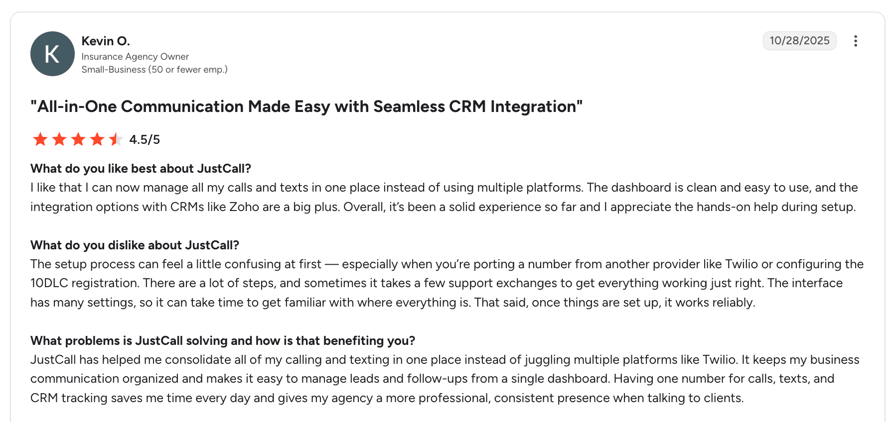
What Do Customers Say About JustCall on G2?
Reviewers often mention easy call logging and useful AI summaries.
What Is JustCall's G2 Rating?
JustCall is rated 4.3/5 on G2 from 2395 reviews (checked October 2026).
JustCall Pros and Cons Based on G2 Reviews
| Pros | Cons |
|---|---|
| Low entry price and a 2-seat minimum | Dialer pushes are capped at 100 records at a time |
| Zoho records go straight into dialer campaigns | AI insights logging is an add-on below Pro Plus |
| Predictive dialing on SalesPro | Click-to-call icons don't work in Zoho CRM Plus yet |
Recommended Reads
4. Dialpad
What Is Dialpad?
Dialpad is an AI-first communications platform. Connect is its phone system, Sell its outbound sales product, and Support its contact center.
Its Dialpad for Zoho CRM app (Zoho V2) is built for teams that work in the Dialpad app, with the CRM widget inside Dialpad.
Who Is Dialpad's Zoho CRM Integration Best For?
- Teams on Connect Pro, Sell or Support
- Teams that care most about AI recaps and transcripts
- Companies that log calls to Zoho custom modules
What Can Dialpad's Zoho CRM Integration Do?
- Calling from Zoho:The Dialpad Chrome extension has Zoho as a preset site, so click-to-call works on Zoho pages once an admin turns it on.
- What logs where:Calls log to matching leads, contacts and accounts, plus custom modules. When several records match, the user picks one.
- AI in Zoho:The AI recap (up to 255 characters), action items, outcome, call purpose and playbook score can post to Zoho.
- Recordings:Recordings and transcripts are included for eligible calls.
- Unknown callers:Reps can create a lead or contact during a live call.
What Other Tools Does Dialpad Integrate With?
- Salesforce, HubSpot, and Zendesk:Connect Pro and Enterprise.
- Texting in Zoho:A separate, paid SMS extension on the Zoho Marketplace.
- More apps:Open APIs and webhooks on Pro.
How Much Does Dialpad Cost With Zoho CRM?
| Plan | Price (billed annually) | Zoho-relevant features |
|---|---|---|
| Connect Standard | $15/user/mo ($27 monthly) | No Zoho CRM integration |
| Connect Pro | $25/user/mo ($35 monthly) | Zoho CRM integration, AI recaps and transcripts |
| Sell Essentials | $39/user/mo ($49 monthly) | Sales features, AI recaps, live sentiment |
| Sell Premium | $79/user/mo ($95 monthly) | Dialpad Dialer (progressive) |
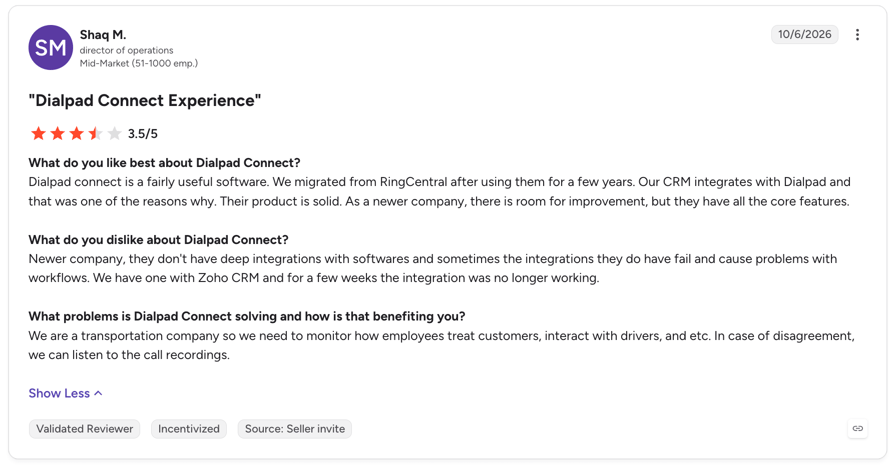
What Do Customers Say About Dialpad on G2?
Reviewers often praise transcription quality and the mobile app, and some note that the Standard plan leaves out CRM integrations.
What Is Dialpad's G2 Rating?
Dialpad is rated 4.4/5 on G2 from 4217 reviews (checked October 2026).
Dialpad Pros and Cons Based on G2 Reviews
| Pros | Cons |
|---|---|
| Detailed AI fields written to Zoho | Built for working inside Dialpad rather than inside Zoho |
| Custom modules supported for call logging | SMS logging is a separate paid extension |
| Low entry price for the integration on Connect Pro | No Zoho list source documented for its dialer |
Recommended Reads
5. RingCentral
What Is RingCentral?
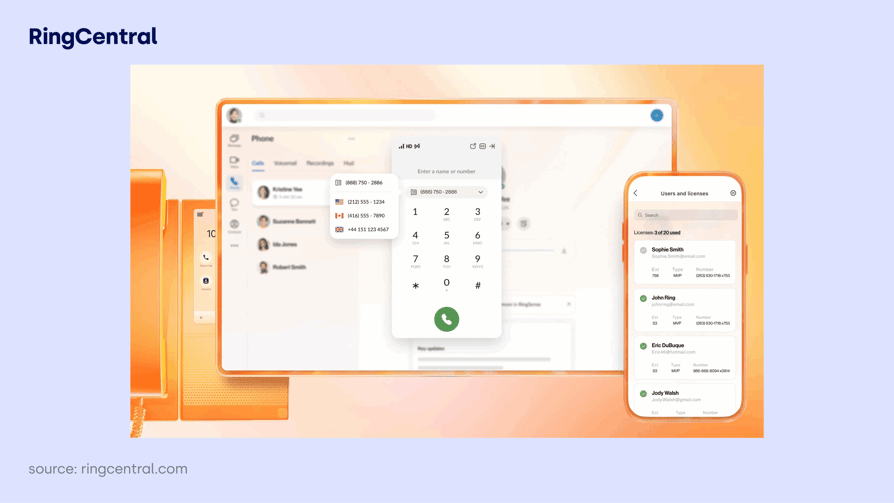
RingCentral RingEX is a cloud phone system with SMS, video and team chat.
Its Zoho CRM integration is built by Zoho and turned on in Zoho CRM under Setup > Channels > Telephony. A paid third-party connector for RingCentral App Connect is also available.
Who Is RingCentral's Zoho CRM Integration Best For?
- Teams standardizing on RingCentral across the business
- Teams that mostly need click-to-call and call logs in Zoho
- Companies that don't need dialer campaigns from Zoho
What Can RingCentral's Zoho CRM Integration Do?
- Calling from Zoho:Click the phone icon next to a number on a record, and the call connects through the RingCentral softphone or in the browser.
- Pop-ups:Incoming calls from Zoho records show a caller card, and new callers can be saved as leads or contacts.
- What logs where:Made, received, missed and unanswered calls log automatically in the Activities module, with recordings in the call details.
- Follow-ups:When a call ends, reps can add a description, schedule a follow-up call or assign a task.
What Other Tools Does RingCentral Integrate With?
- Salesforce, HubSpot and Microsoft Dynamics 365:Apps built by RingCentral.
- App Connect:Connectors for Pipedrive, ServiceNow, Freshdesk and others.
- More apps:The RingCentral App Gallery and an API.
How Much Does RingCentral Cost With Zoho CRM?
| Plan | Price (billed annually) | Zoho-relevant features |
|---|---|---|
| Core | $20/user/mo ($30 monthly) | Calling, video and messaging |
| Advanced | $25/user/mo ($35 monthly) | CRM integrations, including Zoho CRM |
| AI add-ons | From $39 | AI Receptionist and Conversational Intelligence (from $60) |
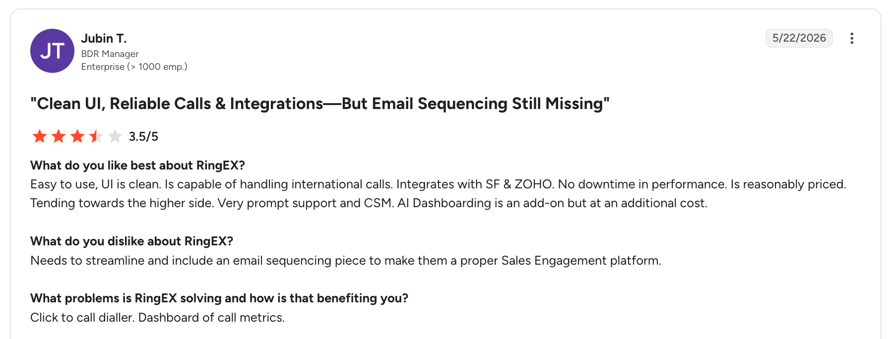
What Do Customers Say About RingCentral on G2?
Reviewers often mention call quality and the number of integrations.
What Is RingCentral's G2 Rating?
RingCentral is rated 4.1/5 on G2 from 241 reviews (checked October 2026).
RingCentral Pros and Cons Based on G2 Reviews
| Pros | Cons |
|---|---|
| Click-to-call and caller pop-ups inside Zoho | Calls through an extension number can create two activity records |
| Missed and unanswered calls logged automatically | No Zoho list dialing or call-result mapping documented |
| One provider for voice, video and chat | The newer App Connect connector costs extra |
Recommended Reads
6. Ringover
What Is Ringover?
Ringover is a French cloud phone platform for sales and support teams, covering calls, SMS, WhatsApp and video. Its own AI layer writes transcripts and summaries.
Its Ringover app on the Zoho Marketplace is built by Ringover and activated from the Ringover Dashboard.
Who Is Ringover's Zoho CRM Integration Best For?
- European SMBs with 3 or more users
- Teams that use WhatsApp next to calls and SMS
- Teams that want AI to fill in CRM fields after calls
What Can Ringover's Zoho CRM Integration Do?
- Calling from Zoho:Reps click the Ringover icon next to a phone number, with an optional Chrome or Firefox extension.
- What logs where:Calls, recordings, tags and voicemails log to Zoho, with contacts, leads and accounts synced and activities linked to open deals.
- Texts and WhatsApp:SMS and WhatsApp conversations log as Zoho tasks.
- Unknown callers:You choose whether calls, texts and WhatsApp messages from new numbers create a record, and which record type.
- AI in Zoho:AI transcripts and summaries save to the call log, and CRM Autofill fills mapped Zoho fields from calls (Business and up).
What Other Tools Does Ringover Integrate With?
- Salesforce, HubSpot, Pipedrive and Zendesk:Native integrations from Business.
- Zoho PhoneBridge:A separate version for Zoho CRM, Desk, Recruit and Bigin, on request.
- No integrations on Talk:The entry plan has none.
How Much Does Ringover Cost With Zoho CRM?
| Plan | Price (billed annually) | Zoho-relevant features |
|---|---|---|
| Talk | $19/user/mo ($29 monthly) | No Zoho CRM integration |
| Business | $49/user/mo ($69 monthly) | Zoho CRM integration, Power Dialer, CRM Autofill |
| Unified | $69/user/mo ($89 monthly) | Everything in Business plus more channels |
| Enterprise | Custom, 50 seats minimum | Enterprise controls and support |
What Do Customers Say About Ringover on G2?
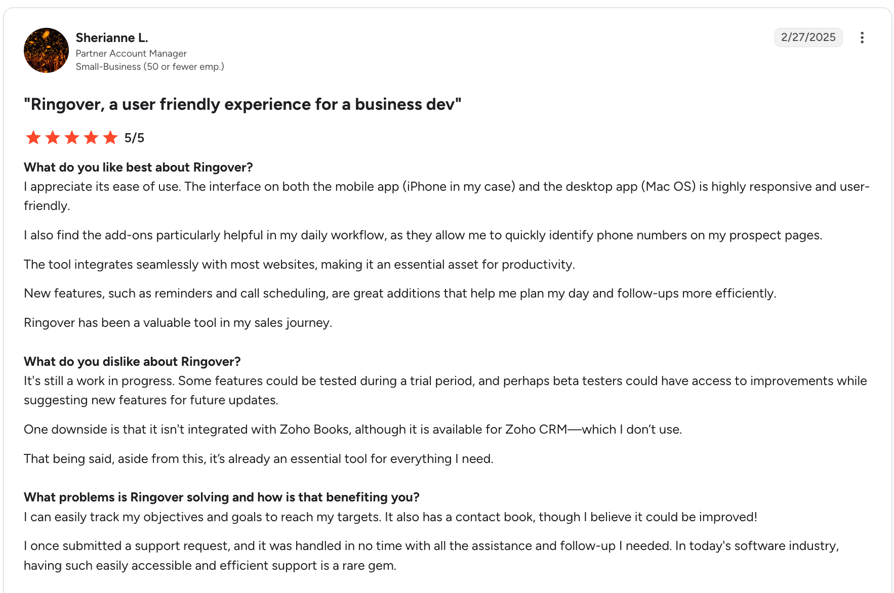
Reviewers often describe it as easy to use and quick to deploy.
What Is Ringover's G2 Rating?
Ringover is rated 4.6/5 on G2 from 500 reviews (checked October 2026).
Ringover Pros and Cons Based on G2 Reviews
| Pros | Cons |
|---|---|
| Calls, texts, WhatsApp and AI summaries all reach Zoho | The Zoho integration needs Business, with a 3-seat minimum |
| Open deals get the call activity | Parallel dialing and call campaigns are add-ons |
| AI fills mapped Zoho fields on Business | Dialing a Zoho view isn't documented |
Recommended Reads
7. Zoom Phone
What Is Zoom Phone?
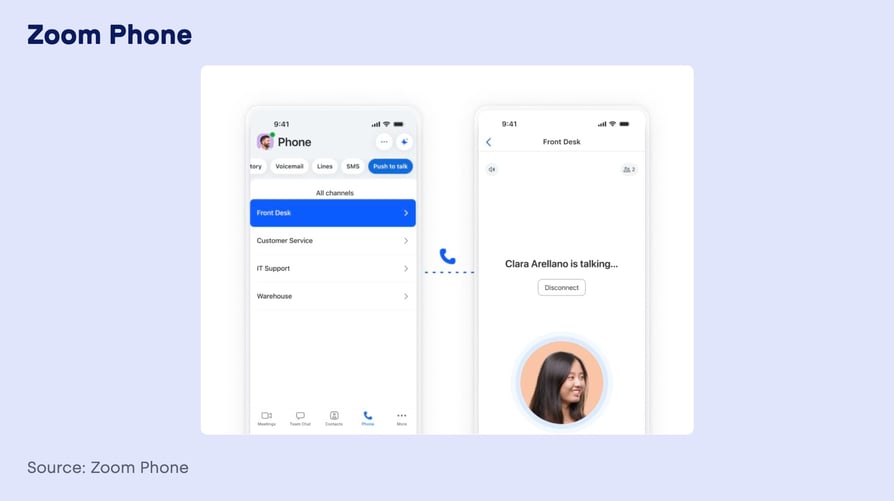
Zoom Phone is Zoom's cloud phone system, sold on its own or with Zoom Workplace.
Its Zoho CRM integration is built by Zoho and installed from the Telephony Marketplace inside Zoho CRM. There's a separate version for each Zoho data center.
Who Is Zoom Phone's Zoho CRM Integration Best For?
- Teams that already pay for Zoom
- Companies that want low-cost calling from Zoho records
- Teams that don't need dialer campaigns or AI in Zoho
What Can Zoom Phone's Zoho CRM Integration Do?
- Calling from Zoho:Reps place calls from Zoho CRM records.
- Pop-ups:Incoming calls show a pop-up with the caller's details from Zoho.
- Call logging:Calls log to Zoho automatically, and reps can add notes and follow-up tasks during or after the call.
- User mapping:An admin authorizes Zoom and maps each Zoho user to a Zoom user.
What Other Tools Does Zoom Phone Integrate With?
- Salesforce, Slack, Microsoft and Google:Listed on all three Phone plans.
- HubSpot:Zoom Phone for HubSpot app.
- More apps:The Zoom App Marketplace.
How Much Does Zoom Phone Cost With Zoho CRM?
| Plan | Price (billed annually) | Zoho-relevant features |
|---|---|---|
| US & CA Unlimited | $16/user/mo ($18 monthly) | Zoom Phone, Zoho app through Zoho's Telephony Marketplace |
| Pro Plus | $20.50/user/mo ($24 monthly) | Bundle with Zoom Workplace Pro |
| Business Plus | $24.50/user/mo ($29 monthly) | Bundle with Zoom Workplace Business |
What Do Customers Say About Zoom Phone on G2?
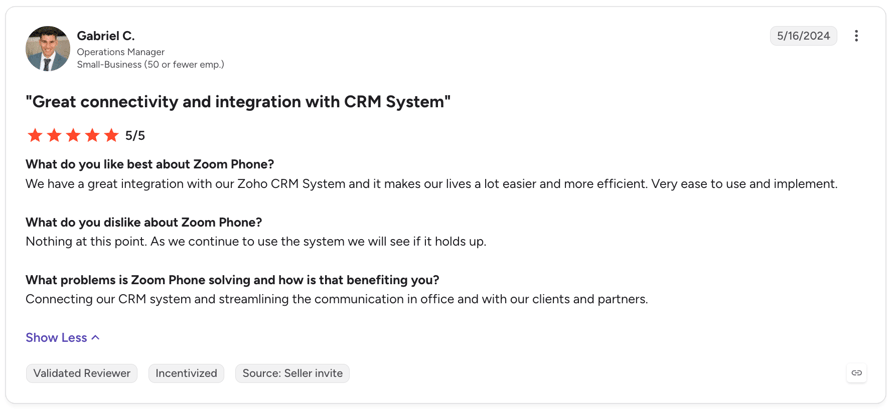
Reviewers like its simplicity and familiar interface.
What Is Zoom Phone's G2 Rating?
Zoom Phone is rated 4.6/5 on G2 from 2672 reviews (checked October 2026).
Zoom Phone Pros and Cons Based on G2 Reviews
| Pros | Cons |
|---|---|
| Low price and no extra cost for the Zoho app | Thin documentation on what logs and where |
| Click-to-call and pop-ups inside Zoho | No dialer or AI write-back to Zoho documented |
| Familiar app for teams already on Zoom | Each Zoho user must be mapped to a Zoom user by hand |
Recommended Reads
8. Kixie
What Is Kixie?
Kixie is a sales calling and texting platform for outbound teams, with single-line and multi-line PowerDialers.
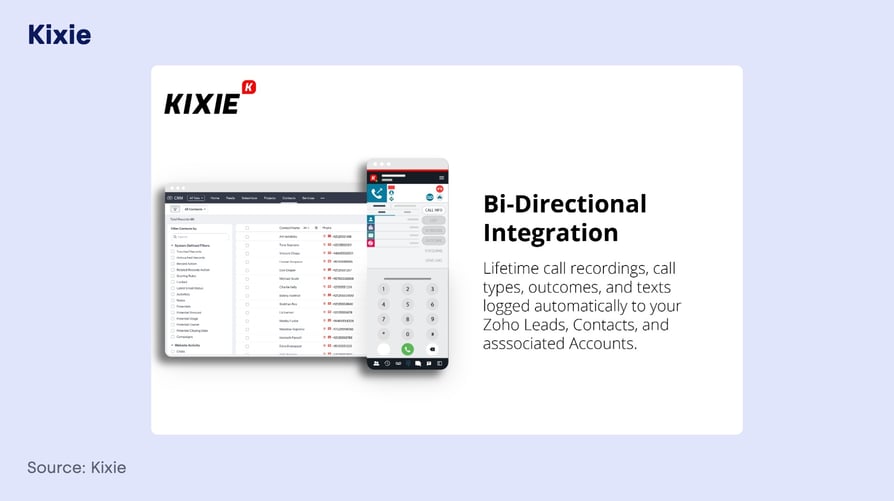
It connects to Zoho CRM through Zoho PhoneBridge plus a Chrome extension, and its Zoho Marketplace listing is a paid app.
Who Is Kixie's Zoho CRM Integration Best For?
- SDR teams that call and text from one tool
- Teams that build call queues from Zoho custom views
- Companies on a paid Zoho CRM edition with API access
What Can Kixie's Zoho CRM Integration Do?
- Calling from Zoho:Calls run through Kixie inside Zoho via PhoneBridge, and the Chrome extension adds click-to-call buttons.
- What logs where:Calls and recordings log to the matching lead or contact and are copied to the account.
- Dispositions and texts:Call outcomes with notes, SMS and voicemail drops log as completed Zoho tasks, and dispositions can trigger Zoho workflow rules.
- Dialer from Zoho views:Kixie Cadences enroll records from a Zoho custom view, and reps dial the queue in a PowerDialer session. The Multi-Line plan dials up to 4 lines.
- AI in Zoho:The AI Dashboard writes a short note after each analyzed call to the contact and its latest open deal.
What Other Tools Does Kixie Integrate With?
- HubSpot, Salesforce and Pipedrive:Bi-directional CRM integrations on all plans.
- Zendesk:Integration page available.
- Zapier:For workflow-triggered calls and texts.
How Much Does Kixie Cost With Zoho CRM?
| Plan | Price (billed annually) | Zoho-relevant features |
|---|---|---|
| Professional | Quote | Calling, texting and the Zoho CRM integration |
| Single-Line PowerDialer | Quote | PowerDialer, 1 line |
| Multi-Line PowerDialer | Quote | Up to 4 lines; AI voice detection as an add-on |
What Do Customers Say About Kixie on G2?
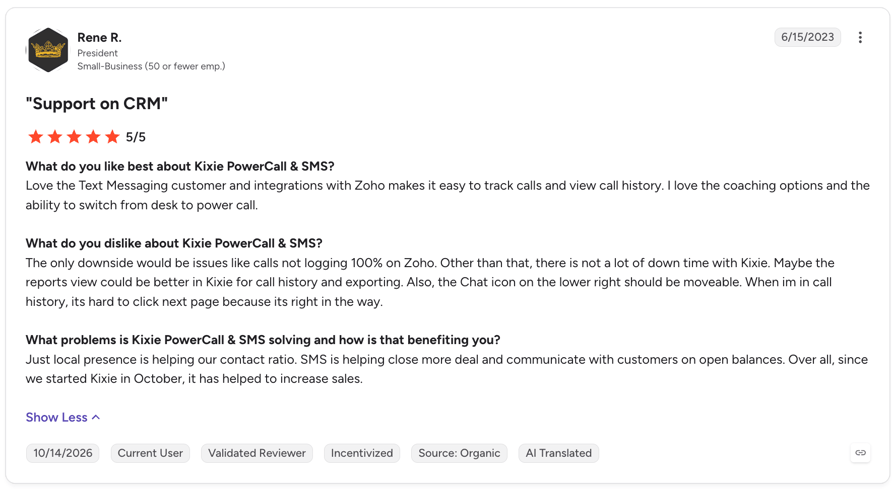
User reviews are generally positive, but some reports mention integration bugs and trouble contacting Kixie's customer support.
What Is Kixie's G2 Rating?
Kixie is rated 4.8/5 on G2 from 866 reviews (checked October 2026).
Kixie Pros and Cons Based on G2 Reviews
| Pros | Cons |
|---|---|
| Dials queues built from Zoho custom views | No public per-seat pricing |
| Dispositions can trigger Zoho workflow rules | Outcomes and texts land as tasks, not on the call record |
| Multi-line dialing up to 4 lines | Only default Zoho phone fields are searched |
Recommended Reads
How to Integrate CloudTalk With Zoho CRM (Step-by-Step)
Setting up the CloudTalk Zoho CRM integration takes settings, not code.
Here's what you need and the steps we walk Zoho teams through during onboarding.
Before you start, make sure to check:
- A Zoho CRM admin and a CloudTalk admin, with the same email address in both systems
- A CloudTalk Essential, Expert or Custom plan (see plan details)
- Your Zoho data center (.com, .eu, .in and so on), and Zoho sharing permissions that let the integration see your leads and contacts
The process:
- 01Add the integration.In the CloudTalk Dashboard, go to Account > Integrations, find Zoho and click Add.
- 02Pick your data center and authorize.Choose the Zoho domain that matches your account, then sign in to Zoho and approve the connection. A wrong region fails with an Unknown Zoho CRM URL error.
- 03Let the first import run.Contacts, leads and deals import into CloudTalk. On a large database, the first sync can take a while.
- 04Choose how records sync.Decide whether calls from unknown numbers create Zoho leads and whether to sync accounts. You can also make the record owner the preferred agent, if the owner is a CloudTalk user.
- 05Choose what gets logged.Pick the call types to log: outbound, inbound, missed, voicemail and SMS. Then set the connected numbers, business hours, activity type, which deals get the call and who gets missed calls.
- 06Turn on VoiceAgent call logging.Do this if you use an AI voice agent, so its calls and captured data reach Zoho.
- 07Set up dialer campaigns.In the AI Sales Dialer, pick a Zoho contact or lead list when you create the campaign. If your Zoho Call Result field is a picklist, map each disposition to a value; if it's a text field, CloudTalk writes the disposition name.
- 08Install the Click-to-Call extension.The Click-to-Call extension makes every number in Zoho clickable. Keep the CloudTalk phone app open.
- 09Test it.Make one outbound, one inbound and one missed call. Then check Closed Activities on the lead or contact, the recording link and the deal.
Tip:
If a lead or contact doesn't show up in CloudTalk, check your Zoho sharing permissions.
Store phone numbers in E.164 format (+1, +44 and so on).
Numbers without a country code get your account's default prefix.
What Is a Zoho CRM VoIP Integration?
A Zoho CRM VoIP integration is a connection between a VoIP phone system and Zoho CRM.
Reps call from lead, contact, and deal pages, and every call, recording, and outcome is logged as a Zoho activity automatically.
You'll also see it called a Zoho CRM calling integration or a Zoho CRM phone integration. They all mean the same thing: your phone system and your CRM share data, so nobody copies call details by hand.
How Does a Zoho CRM Phone Integration Work?
A Zoho CRM phone integration has two parts:
- Calling:Reps click to call from Zoho pages through a browser extension, or through a phone panel inside Zoho when the vendor uses Zoho PhoneBridge.
- Sync:Leads, contacts, accounts and deals move into the phone system. Each call becomes a Zoho call activity with its duration, notes and recording.
Zoho CRM, Zoho Desk or Zoho Bigin: Which Integration Do You Need?
Zoho sells three products that teams often just call Zoho, and each has its own phone integration:
- Zoho CRM:Sales, with leads, contacts, accounts and deals. This page covers it.
- Zoho Desk:The help desk, built around tickets.
- Zoho Bigin:Zoho's lighter CRM for small businesses.
Zoho's Built-In Calling vs. a Third-Party Phone System: Which Do You Need?
Zoho's own phone tools are a common starting point among the Zoho teams we talk to.
Before you buy a third-party Zoho CRM calling integration, check whether Zoho's tools already cover your needs.
When Is Zoho's Built-In Calling Enough?
Zoho offers three calling options:
- Built-in telephony:Admins buy local, mobile or toll-free numbers inside Zoho CRM and pay with credits1.
- Zoho Voice:Zoho's own cloud phone system, from $34 per user per month billed annually, with IVR, call queues and recording2.
- PhoneBridge:Zoho's marketplace for connecting third-party phone providers.
When Do Teams Outgrow It?
Teams usually add a third-party Zoho CRM phone integration when they need:
- Local numbers in more countries, including the countries they call into
- Call quality and uptime they can rely on
- Power or parallel dialing from Zoho lists
- AI that summarizes calls or answers them
| Zoho built-in telephony and Zoho Voice | Third-party phone system (CloudTalk) | |
|---|---|---|
| Numbers | Numbers bought in Zoho; Zoho Voice offers 100+ area codes | Local numbers in 160+ countries |
| Routing | IVR and queues on Zoho Voice Basic and up | Drag-and-drop Call Flow Designer |
| Logging | Calls logged in the Zoho Calls module | Call activities with recording links, notes and tags |
| Dialers | Zoho Voice power dialer as a paid add-on | AI Sales Dialer in Power and Parallel modes |
| AI | Zia call intelligence on Zoho CRM Professional and up | Conversation Intelligence and AI voice agents |
| Price | Credits for built-in telephony; Zoho Voice from $34/user/mo | From $29/user/mo with the Zoho CRM integration |
Why Integrate a Phone System With Zoho CRM? 5 Benefits for Sales Teams
These are the five Zoho CRM phone integration benefits Zoho teams mention most often on our calls. Each one ends with the matching CloudTalk Zoho CRM integration benefit.
1. Every Call Is Logged on the Right Lead, Contact or Deal
"Our reps forget to log calls, so Zoho never shows the full picture." We hear this more than anything else. With a phone integration, each call becomes a Zoho activity with its duration, agent, notes and recording link. You decide which deals get it.
2. Calls From Unknown Numbers Become Leads
Many Zoho teams work mostly in Leads, and a call from a new number shouldn't disappear. When the integration creates a lead for every unknown caller, nobody has to type it in after the call.
3. Call Outcomes Feed Your Zoho Workflows
Managers want follow-ups to start from what happened on the call. When dialer outcomes land in Zoho's Call Result field, Zoho workflows can send the next email or create the next task. CloudTalk's own workflow automation can act on the same calls.
4. Missed Calls Go to the Record Owner
A missed call from a hot lead should reach the rep who owns it, not a shared inbox. Assigning missed calls and voicemails in Zoho turns them into clear follow-ups.
5. Reports and Coaching Stay Inside Zoho
Teams that make Zoho their system of record want call data next to pipeline. When calls, recordings and AI details sit on the record, reports run in Zoho and managers coach from real calls.
Dentakay logs every call automatically in Zoho and grew call volume 2.5x in 8 months4. CloudTalk analytics and call monitoring cover what Zoho reports don't.
What Should a Zoho CRM Phone Integration Sync Automatically?
Use this checklist in every demo. A good Zoho CRM phone system integration answers each question below clearly, without Zapier.
Leads, Contacts, Accounts and Deals: What Syncs and Where Calls Land
| What syncs | Why it matters | Ask the vendor |
|---|---|---|
| Leads (not only contacts) | Many Zoho teams work mostly in Leads | Do calls log to leads, and which record wins when a lead and a contact share a number? |
| Contacts and accounts | Account history shows every conversation | Are accounts synced, and do calls show on them? |
| Deals | Pipeline reports need calls on deals | Which deal gets the call when a contact has several? |
| Unknown callers | New leads get captured | Does it create a lead, a contact or nothing, and can I choose? |
| Record owner | Inbound calls reach the right rep | Does the owner become the preferred agent? |
| Call outcomes | Workflows run on outcomes | Does it write to Call Result as a picklist value or as text? |
| Call recording and notes | Managers review calls from Zoho | Is the recording a link or playable in Zoho? |
| Tags | Tags can trigger automations | Do tags export, and on which Zoho editions? |
| Custom fields | Your own fields stay accurate | Native mapping, API only or none? |
| AI summaries | The next rep sees what happened | Where does the AI output land: activity, note or link? |
| Business SMS and WhatsApp | The full conversation sits in one place | Are messages logged and labeled by channel? |
| New records | Reps call fresh leads first | How fast do new Zoho records reach the phone system? |
| Zoho API credits | Large databases can hit Zoho's daily limits | How much does the sync use, and can it trigger my workflow rules? |
| Phone number format | Calls match the right record | What happens to numbers stored without a country code? |
What Usually Doesn't Sync (Ask Before You Buy)
Across vendors, these are the gaps that most often show up after the contract is signed:
- Custom field mapping:Often one-way, partial or API only.
- Per-call-type export rules:Many integrations log every call type the same way.
- Logging onto an existing open task:Usually needs a Zoho automation, such as a webhook and a Deluge script.
- WhatsApp as its own channel:Messages may land in Zoho without a channel label.
- Deletions:A record deleted in one system may stay in the other.
- Caller pop-ups inside Zoho:Some vendors show caller context only in their own app.
Best Zoho CRM Phone Integration by Team Type
The best Zoho CRM phone integration depends on how your team works. Here's our pick and two alternatives for each team type.
Best for SDR and Outbound Sales Teams
Outbound teams need list dialing from Zoho, outcomes written back and a fast way to reach new leads. The dialer comparison covers every tool.
Our pick: CloudTalk
Campaigns call Zoho contact or lead lists in Power or Parallel mode, and dispositions map to Zoho's Call Result field. Teams that want AI to screen leads before a rep calls can add an ai voice agent for lead qualification.
Best for Teams That Automate With Zoho Flow and Deluge
Automation-heavy teams want call data in Zoho, an API and webhooks, and events they can build on.
Our pick: CloudTalk
Calls, tags and dispositions land in Zoho, where Workflow Rules and Zoho Flow can act on them. CloudTalk's API and webhooks cover the rest. Custom fields and logging a call onto an existing task need API or Deluge work.
Best for International and Multi-Country Sales Teams
Multi-country teams win or lose on local numbers, calling costs and number availability at both ends of the call.
Our pick: CloudTalk
International numbers in 160+ countries, with every call logged to Zoho. Mobile numbers and porting vary by country, so check availability for each country you call from and into.
Best Zoho CRM Call Center Integration for Support and Inbound Teams
Inbound teams need queues, IVR, routing to the record owner and clear ownership of missed calls. A Zoho CRM call center integration should handle all four.
Our pick: CloudTalk
Call queues and IVR in the Call Flow Designer, with the Zoho record owner as preferred agent. Missed calls go to a Zoho user, and the cloudtalk ai receptionist answers after hours.
Zoho CRM Dialer Integrations: Power, Parallel and Predictive
How Do Dialers Work With Zoho Lists and Call Results?
A Zoho CRM dialer integration pulls a Zoho list into a campaign, dials it and writes the outcome back to Zoho's Call Result field. Three details decide how well it works:
- The Call Result field:It's a text field by default in Zoho. A picklist lets you map each outcome to a fixed value, which makes workflows and reports cleaner.
- New leads:Only records on the selected Zoho list reach the campaign, so add new leads to that list or they won't be called.
- Inbound calls:Ask each vendor whether reps can take inbound calls during an outbound session. At CloudTalk, they can't yet.
"Our CRM is at the heart of our operations, and CloudTalk’s integration has made it easy to keep everything centralized."
"The integration with Zoho CRM means we’re always working with the most current data. This has made a huge difference in our ability to convert leads into customers."
Data Management and Reporting Specialist, Dentakay

Which Zoho CRM Phone Systems Offer Power or Parallel Dialing?
| Tool | Power | Parallel (max lines) | Voicemail detection | Zoho lists | Outcome mapping to Zoho |
|---|---|---|---|---|---|
| CloudTalk | Yes (Expert, or $15 add-on) | Up to 5 lines ($39 add-on) | Yes, in Parallel mode | Contact and lead lists | Dispositions to Call Result |
| Aircall | Yes (Professional) | Not documented | Not documented | No (CSV or extension) | Not documented |
| JustCall | Yes (Pro) | Predictive up to 10 lines (SalesPro) | Not documented | Records sent from Zoho, 100 at a time | Dispositions logged to Zoho |
| Dialpad | Progressive (Sell Premium) | No | Not documented | Not documented | Not documented |
| RingCentral | Not documented for Zoho | Not documented | Not documented | No | Not documented |
| Ringover | Yes (Business) | Add-on | Not documented | Not documented | Tags linked to outcomes |
| Zoom Phone | Not documented for Zoho | Not documented | Not documented | No | Not documented |
| Kixie | Yes (Single-Line) | Up to 4 lines (Multi-Line) | AI voice detection add-on | Custom views through Cadences | Dispositions as Zoho tasks |
See How Dialers Work in CloudTalk
AI for Zoho CRM Calls: Summaries, Transcripts and Voice Agents
AI is where Zoho buyers compare each Zoho CRM phone integration most closely. Most AI in this list works after the call: it writes summaries, sentiment and transcripts once the call ends. Live assist during the call is a different feature, so test it separately.
Where Does AI Call Data Land in Zoho?
- CloudTalk:With Conversation Intelligence (an add-on), AI details go with the call export to Zoho, after the call.
- Aircall:Transcripts, summaries, topics and sentiment as Zoho notes, with action items as open tasks (AI package).
- Dialpad:AI recap, action items, outcome and call purpose fields on the activity.
- Ringover:Transcripts and summaries on the call log, plus AI that fills mapped fields.
- JustCall and Kixie:AI insights logged to the CRM on higher plans or as add-ons.
Which AI Voice Agents Work With Zoho CRM?
AI voice agents answer or make calls and write the result back to Zoho. With CloudTalk, a Zoho Workflow Rule with a Webhook action can start a voice agent call, for example, when a new lead is created.
With VoiceAgent call logging on, these calls log in Zoho as VoiceAgent call activities. Each one carries the data the agent captured, such as the caller's issue or a booking time. The AI Receptionist starts with 50 free minutes in your first month.
For a wider comparison, see the best AI voice agents.
Signature Capability
See CloudTalk’s AI Voice Agent in Action!
CeTe is an AI that talks like a human: no breaks, no training, no time off. It makes and answers calls, updates CRMs, books meetings, and loops in a human only when needed.
Press play to hear it. Want a wow moment? Get a free test call and try it live.

How Much Does a Zoho CRM Phone Integration Cost?
In this list, the lowest plans with Zoho CRM run from $16 to $49 per user per month billed annually. The comparison table shows each one.
Price and calls to some countries came up often when Zoho teams compared vendors, so budget for these costs too:
- Calls outside your region:Most plans include domestic calling and bill other calls per minute.
- Extra numbers:Local, mobile and toll-free numbers usually cost extra each month.
- AI and dialer add-ons:AI call summaries, parallel dialing and AI voice agent minutes are often priced on top.
- Your Zoho CRM edition:Webhook-based automations need Zoho CRM Professional or above, $23 per user per month billed annually5.
- Zoho API credits:Phone integrations use Zoho API credits. Standard caps them at 100,000 a day6, which large databases can reach.
How to Pick the Right Zoho CRM VoIP Integration
Every step below maps to a reason Zoho teams gave us for choosing or rejecting a phone system. Use it to compare each Zoho CRM VoIP integration on the same terms.
- 01List what must land in Zoho.Leads, contacts, accounts or deals, and which record wins. Use the sync checklist.
- 02Check your Call Result field.Is it a picklist or text, and will your workflows run on what the tool sends?
- 03Test with real data.A lead, a contact, an unknown number and a number saved in a local format.
- 04Check custom fields.Native mapping, API or none?
- 05Test the dialer on a real Zoho list.Include brand-new leads and callbacks, and try parallel dialing if you call at volume.
- 06Check number coverage.Confirm local and mobile numbers and number porting for every country at both ends of the call.
- 07Judge the AI on your own calls.After-the-call summaries and live assist are different features.
- 08Price the full Zoho CRM phone system integration.Seats, calls outside your region, AI minutes, add-ons and your Zoho edition.
How We Chose the Best Zoho CRM Phone Integrations
We built this list from our own conversations with Zoho teams choosing or switching phone systems, including why they picked or rejected each option. We then checked each tool's Zoho Marketplace listing, help docs, pricing page, and its G2 rating.
We scored every Zoho CRM phone integration on the same criteria:
- Calling from Zoho
- What logs where: leads, contacts, accounts and deals
- Call outcomes in Zoho workflows
- Dialer modes that work with Zoho lists
- Custom field and automation options
- AI that lands in Zoho
- Local number coverage
- Total cost
- User feedback on reliability
Start Logging Every Zoho CRM Call Automatically
Pick CloudTalk if you want a Zoho CRM phone integration that puts every call, recording, and outcome on the right lead, contact, or deal.
You also get faster list dialing and local numbers in 160+ countries.
Look at JustCall or Kixie if you run a pure outbound team, and RingCentral or Zoom Phone if you're standardizing on one communications suite.
Compare every option on the full CloudTalk integration directory too, or compare CloudTalk plans.

See every call logged in Zoho CRM, just like that.

Sources:
- Zoho CRM Help: Configuring built-in telephony in Zoho CRM
- Zoho Voice: Pricing
- Zoho CRM Help: Standard fields in Log Calls
- CloudTalk: How Dentakay grew call volume 2.5x in 8 months
- Zoho CRM: Edition comparison
- Zoho CRM Developer Docs: API limits
- Salesforce: State of Sales, 6th edition (2024)
- Vendor pricing pages, help centers and Zoho Marketplace listings for Aircall, JustCall, Dialpad, RingCentral, Ringover, Zoom Phone and Kixie, checked October 2026
Frequently Asked Questions About Zoho CRM Phone Integrations
Yes. Zoho CRM has built-in telephony, where admins buy numbers inside Zoho and pay with credits. Zoho also sells Zoho Voice, its own cloud phone system, and connects other providers through PhoneBridge.
Teams add a third-party phone system when they need local numbers in more countries, dialer campaigns from Zoho lists or AI voice agents. See built-in calling vs. a third-party phone system.
Authorize the vendor's Zoho CRM calling integration, choose the Zoho data center that matches your account, set what gets logged and test one inbound and one outbound call.
With CloudTalk, an admin goes to Account > Integrations > Zoho in the Dashboard, picks the data center and signs in to Zoho. The step-by-step guide covers every setting, from call types to dialer campaigns.
With CloudTalk, both. Zoho leads, contacts, accounts and deals import into CloudTalk, and an optional setting creates a Zoho lead for every unknown caller.
Zoho sharing permissions must let the integration see the records. If a lead and a contact share a phone number, the call can land on either one, so clean up duplicates before you connect. Store numbers in E.164 format too.
Yes. CloudTalk campaign dispositions sync to Zoho's Call Result field. If the field is a picklist, you map each disposition to a value.
If it's a text field, which is Zoho's default, CloudTalk writes the disposition name as text. Picklists give cleaner reports, so check your field type in Zoho before you build workflows on it. Older accounts may differ.
Not natively. CloudTalk syncs standard Zoho fields, such as names, phone numbers, emails and the record owner, and doesn't map custom fields automatically.
Teams that need custom data in CloudTalk send it through the API or webhooks, or load it by CSV. Ask every vendor the same question in the demo, since native custom-field mapping is rare across phone systems.
Yes. Calls, tags and dispositions land in Zoho, where Workflow Rules and Zoho Flow can act on them. CloudTalk's API and webhooks cover the rest.
Logging a call onto an existing open task isn't built in. Teams use a webhook at the end of the call plus a Deluge script that finds the open task and updates it with the call details.
It uses some. Zoho limits API calls with daily credits that depend on your Zoho CRM edition, and CloudTalk syncs your whole Zoho database, not a selected part of it.
Very large databases can use many credits, and the sync can trigger your own Zoho workflow rules. Check your limits and workflow conditions before you connect a large account, especially on Zoho CRM Standard.
They're separate integrations, each with its own setup and settings. Zoho Desk is Zoho's help desk, built around tickets, and Zoho Bigin is its lighter CRM for small businesses.
This page covers Zoho CRM, where calls land on leads, contacts and deals. CloudTalk also integrates with Zoho Desk, and our Zendesk page shows how a ticket-based help desk integration works in practice.
Yes. With CloudTalk, a Zoho Workflow Rule with a Webhook action can start a voice agent call, for example when a new lead comes in or a field changes.
It needs Zoho CRM Professional or above, phone numbers in E.164 format and CloudTalk API credentials. The call logs in Zoho as a VoiceAgent call activity with the captured data, such as the caller's answers.
Usually, yes. Most numbers can be ported to a new provider, but availability depends on the country and number type. Local, toll-free and mobile numbers follow different rules.
Mobile numbers in some countries can't be ported. Check each number before you buy, and keep your old service running until the port is complete, so no calls are lost during the switch.