Best Enterprise VoIP Providers With Global Coverage (2026)
Choosing between enterprise VoIP providers gets hard the moment your team sells in more than one country. You end up with a different provider and bill per office, reps calling Germany from a UK number, and markets where you still can't get a local number at all. Most international VoIP providers promise "global coverage", and that phrase hides a lot.
CloudTalk is the best overall enterprise VoIP provider for global sales and support teams that need local numbers in 160+ countries and calls logged to the right CRM record. RingCentral fits companies that want one unified communications suite with local service in 45 countries. Microsoft Teams Phone suits organizations already standardized on Microsoft 365. Twilio is the pick for engineering teams building calling into their own product.
TL;DR:
if you don't feel like reading the whole article (and we highly suggest that you do), here are the top three:
Best overall: CloudTalk. Local, national, mobile and toll-free numbers in 160+ countries, calling bundles by region, SSO with Entra ID, Okta and Salesforce, and native sync with HubSpot, Salesforce, Pipedrive and Zoho.
Best large unified communications suite: RingCentral. Calling, messaging and video in one app, with local phone service in 45 countries through the Global RingEX add-on.
Best for developer-built calling: Twilio. Phone numbers in 100+ countries and per-minute pricing, but your engineers build the app, the routing and the CRM link.
We've built the list below from the requirements enterprise buyers raise on our own sales calls, then checked every provider against its public docs in October 2026.


What We Hear From Global Teams That Switched VoIP Providers
We reviewed recorded sales calls with multi-country teams and the win and loss notes on our international and enterprise deals from the past 12 months. Most of these buyers never searched for "enterprise VoIP". They started with one concrete gap: they couldn't show a local number in a key market, and pickup rates dropped.
Why They Left Their Old Provider
- No numbers in key countries. The provider simply didn't offer numbers where the team was selling next.
- Low pickup on foreign numbers. Prospects ignored calls from an unfamiliar country code.
- Uneven call quality. Two colleagues on the same plan heard very different audio, depending on the region.
- Calls logged to the wrong CRM record, so managers couldn't trust activity reports.
- A provider and a bill per office, with no shared reporting across regions.
- Expensive dialers that didn't move connect rates, because the real problem was the caller ID, not the dialing speed.
What Made the Rollout Work
Teams expanding into new markets usually added numbers country by country instead of switching everything at once. Several chose their provider mainly on how quickly it could provision numbers in their target countries. The other things that made a difference:
- Porting existing numbers in stages, with call forwarding as a fallback while each port completed
- Calling bundles sized to the countries each team actually calls, instead of one worldwide bundle for everyone
- One CRM integration for every region, so a call in Madrid and a call in Chicago land in the same pipeline
- A written onboarding plan with named contacts on both sides
What Still Slowed Them Down
- Country documents. Business registration, proof of address or a local entity took weeks to produce. Fix: ask for the requirement list per country before you sign, and start collecting documents during the trial.
- Destinations outside any bundle. Calls to some countries were billed per minute and surprised finance. Fix: export last quarter's call destinations and price them against the provider's rate card.
- Numbers that couldn't be ported. Some countries and number types don't allow it. Fix: check portability per number up front and plan a new number plus forwarding where it fails.
- Internal security reviews. Questionnaires sat in a queue for weeks. Fix: request the vendor's security pack on day one and run the review in parallel with the trial.
What Enterprise Buyers Ask Before Choosing a Global VoIP Provider
When we talk to enterprise teams comparing global VoIP providers, the same problems, requirements and objections come up again and again. If you're building a shortlist, these are probably your questions too.
The Problems That Start the Search
- Reps based in one region call prospects in many others, often from a single office
- The company has no legal entity in several target countries, so getting a local presence looks impossible
- Each region runs its own phone tool, and nobody can see shared reporting
- The sales engagement tool's built-in dialer can't show a local caller ID
The Requirements on Every Shortlist
- Local numbers in a named list of countries, not "worldwide"
- Local caller ID chosen per call, so a rep can match the number to the prospect
- Spam protection for US outbound calling
- Call recording and live monitoring for coaching and quality checks
- Deep CRM and sales engagement integration, with calls logged to the right record
- SSO with the company's identity provider, plus admin roles
- Security documentation ready for an IT, privacy and legal review
- Clear pricing for international calling
The Objections We Hear Most
- "Can you actually deliver numbers in all our countries?" Ask for the published country list and the document requirements for each of your countries. A count on a homepage proves nothing.
- "Where is our data stored?" Many cloud providers can't guarantee in-country storage. Ask exactly which data you can control, and how.
- "Will it pass our security questionnaire?" Ask for SOC 2 and ISO 27001 reports through the trust center before the trial ends.
- "What does calling outside your bundles cost?" Get the per-minute rate card for every destination you call today.
- "Can we contract with a foreign vendor easily?" Ask legal to review the master agreement and data processing terms early, not in the last week.
- "Will it work inside our existing sales tools?" Test click-to-call and call logging inside your real CRM during the trial.
Why Buyers Pick One Provider Over Another
The deals that closed came down to local numbers in the right countries, fast provisioning, consistent call quality across regions, a working CRM integration, predictable bundles and a structured onboarding plan.
The deals that went elsewhere were just as clear. Buyers chose another provider when they needed strict in-country data residency or a national certification, when their security policy ruled out cloud tools, when they needed broader omnichannel or language coverage across many markets, or when they required features like screen recording. Those reasons shaped the criteria below.
How We Chose the Best Enterprise VoIP Providers
The criteria came from our sales calls and deal notes with multi-country teams. We then checked each provider against its own public documentation, pricing page and trust center, plus its G2 and Capterra listing, in October 2026. Where a vendor doesn't publish something, we say so. Full details are in our software review methodology.
- Number coverage: countries with local, national, mobile and toll-free numbers, and how fast they're provisioned.
- International calling: bundles, rates, and what isn't covered.
- Call quality across regions: carriers, routing, failover and a published status page.
- Security and compliance: certifications, a trust center, and data location options.
- Admin and identity: SSO, roles, permissions and audit-friendly controls.
- Integrations and API: CRM, sales engagement, helpdesk and webhooks.
- Reporting and supervision: analytics, call recording and live monitoring.
- Support and rollout: onboarding plan, account management and contract terms.
These criteria aren't weighted toward any one type of tool. A UC suite, a contact center platform and a developer API each win on different rows, and the reviews below show where.
Enterprise VoIP Providers Compared
Buyers compare number coverage, data location and SSO first, so those are the columns. Every cell comes from the vendor's own site, checked in October 2026. "Not published" means we couldn't find it publicly.
| Provider | Best for | Countries with numbers | International calling | Security certifications | Data location control | SSO | CRM integrations | Starting price |
|---|---|---|---|---|---|---|---|---|
| CloudTalk | Global sales and support teams | 160+ | One region included; regional and worldwide bundles; pay-as-you-go | SOC 2 Type 2, ISO 27001, GDPR | Recordings can sync to your own server; no residency guarantee | Azure (Entra ID), Okta, Salesforce | HubSpot, Salesforce, Pipedrive, Zoho + 100 more; API | $25/user/month; Custom for 25+ seats |
| RingCentral RingEX | One UC suite across many countries | Local service in 45; virtual numbers in 99+ | Regional minutes included; Global RingEX add-on; per-country rates | ISO 27001, SOC 2+, SOC 3, HITRUST, C5 | Not published | Okta, Azure AD, ADFS, Google | 600+, incl. Salesforce, HubSpot; API | From $20/user/month (annual) |
| Zoom Phone | Zoom Workplace users | Local service in 50+; other number types in up to 56 | Metered; Global Select plan for 40+ countries; unlimited international add-on | SOC 2 Type 2, ISO 27001, FedRAMP Moderate, PCI DSS | Not published for Phone | Okta, Entra ID, Ping, OneLogin, Google + SCIM | Salesforce, HubSpot, Bullhorn; API | $16/user/month (annual) |
| Microsoft Teams Phone | Microsoft 365 organizations | Calling Plans in 33 countries + Puerto Rico; partners elsewhere | International Calling Plan or pay-as-you-go | Microsoft 365 program (ISO 27001, SOC 2) | Microsoft 365 data residency options | Entra ID | Through partners; Graph APIs | $10/user/month + Teams license + calling |
| 8x8 | Phone and contact center under one SLA | Virtual numbers in 100+; PSTN replacement in 55+ | Unlimited calling to 10 to 48 countries by license | SOC 2, ISO 27001:2022, PCI DSS, HIPAA | French in-country data center | SAML (Okta, Entra ID), Google | Salesforce, HubSpot, Dynamics, Zendesk, Zoho; API | Contact sales |
| Dialpad | AI-first teams | 74 countries listed | Home country + US/Canada unlimited; add-on for 65 countries | SOC 2 Type II, ISO 27001:2022, GDPR | Permanent data stored in the US only | Okta, JumpCloud, Azure, Google (Enterprise) | Salesforce, HubSpot, Zendesk, Zoho; API | $15/user/month (annual) |
| Vonage | US HQ with a few international offices | Local numbers in 96+ | Prepaid global calling plans from $50 per 1,000 minutes | ISO 27001, PCI DSS, SOC, HITRUST (company-wide) | Not published | Azure AD, Okta, OneLogin, Google + SCIM | Salesforce, HubSpot, Dynamics (US), Zendesk | $13.99/line/month (annual promo) |
| Aircall | Teams in North America, Europe, Australia | 38 countries listed | Bundles on request; unlimited global calls on Enterprise (terms apply) | SOC 2 Type II, GDPR, HIPAA | Recordings stored in the US, EU or Australia | Okta, Azure AD, Ping, JumpCloud (Enterprise) | 250+ integrations; API | $30/license/month (annual, 3 min.) |
| Genesys Cloud CX | Large omnichannel contact centers | Genesys Cloud Voice in about 45; bring your own carrier | Usage-based per-minute rates | SOC 2 Type 2, ISO 27001:2022, PCI DSS, FedRAMP | Choose a deployment region; EU sovereign region | Okta, Entra ID + SCIM | Salesforce, Zendesk, ServiceNow; API | $75/user/month (annual, CX 1) |
| Twilio | Engineering teams building their own calling | 100+ | Per-minute rates by destination | SOC 2 Type 2, ISO 27001, PCI DSS Level 1 | US1, IE1 and AU1 regions; no full guarantee | Azure AD, Okta, OneLogin (paid Editions) | Build your own; API-first | Pay as you go; US local number $1.15/month |
Prices are list prices in USD before taxes and fees. Vendors change them often, so confirm on each pricing page before you budget.
The 10 Best Enterprise VoIP Providers With Global Coverage
This list is for IT, RevOps and sales operations leads who need one phone system across several countries. We compared these global VoIP providers on number coverage, international calling, call quality, security, SSO, integrations, supervision and rollout support.
1. CloudTalk: Best for Global Sales and Support Teams That Need Local Numbers and CRM Sync
Best for: Companies with sales or support teams calling many countries that need local numbers, predictable international calling and CRM integration on one platform.
What Is CloudTalk?
CloudTalk is a cloud calling platform with its own telephony layer and numbers in 160+ countries. Admins manage users, numbers, routing and reporting for every region from one dashboard, and agents call from desktop and mobile apps or SIP desk phones.
Global Coverage
- Local, national, mobile and toll-free numbers in 160+ countries. Some countries require local documents, and the requirements are explained during setup.
- Each plan includes calling for one region. Regional and worldwide calling bundles add more countries (minimum 3 seats), and other destinations are pay-as-you-go.
- Reps choose the caller ID per call, so a prospect in Paris sees a French number and a prospect in Toronto sees a Canadian one.
- Number rotation and spam-label remediation options for outbound teams calling the US.
- Number porting where the country and number type allow it.
Call Quality and Reliability
CloudTalk publishes a live status page at status.cloudtalk.io. Run test calls from each of your offices during the trial: that tells you more about quality on your own networks than any published figure.
Security and Compliance
SOC 2 Type 2 audited, ISO/IEC 27001:2022 certified and GDPR compliant, with reports available through trust.cloudtalk.io. Call recordings can sync daily to your own FTP or SFTP server, with an adjustable storage period, so your team controls where the recordings live.
Admin and SSO
SSO with Microsoft Azure (Entra ID), Okta and Salesforce. Admin, supervisor and agent roles keep regions and teams separate. The Call Flow Designer routes calls by country, language, business hours and team without IT tickets.
Integrations
HubSpot, Salesforce, Pipedrive, Zoho and 100+ more, with click-to-call and automatic call logging to the right record. An open API and webhooks cover custom systems.
Supervision, Analytics and Dialing
- Call recording, real-time and historical reporting across every region
- Call Monitor to listen, whisper or barge into live calls for coaching
- Conversation Intelligence add-on for transcripts, summaries and sentiment
- Power Dialer and Parallel Dialer (up to 5 lines with voicemail detection) for outbound teams
- AI voice agents that answer after-hours calls in other time zones. See our roundup of the best ai voice agents
What Is the Pricing of CloudTalk?
Flexible Pricing Plans to Scale with You
Compare our plans
Ratings
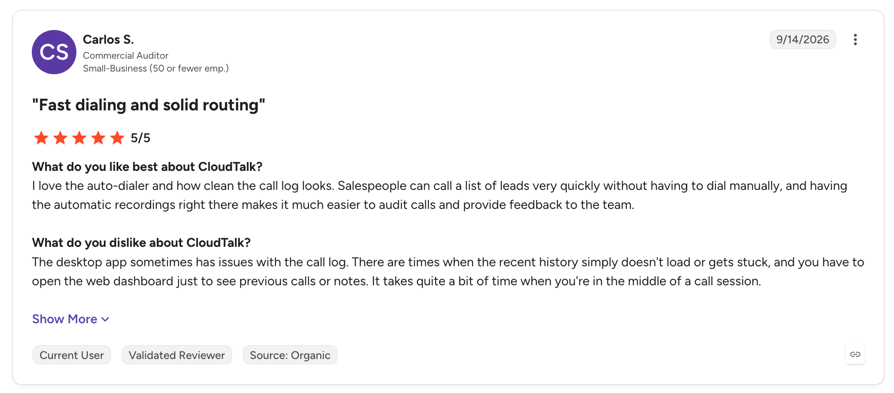
4.4/5 across 1,939 reviews on G2 and 4.4/5 across 271 reviews on Capterra, as of October 2026.
Pros and Cons
| Pros | Cons |
|---|---|
| Local, national, mobile and toll-free numbers in 160+ countries | No guarantee on where data is stored; only recordings can be exported to your own server |
| Caller ID chosen per call, plus number rotation and spam-label remediation | Some countries need local documents or an entity before numbers are issued |
| Native sync with HubSpot, Salesforce, Pipedrive, Zoho and 100+ more | Some destinations sit outside the bundles and are billed per minute |
| SSO with Entra ID, Okta and Salesforce, plus SOC 2 Type 2 and ISO 27001 | Built for calling, SMS and WhatsApp, not video meetings |
When to Choose CloudTalk
- Your reps need local numbers in several countries to lift pickup rates
- You want predictable international calling with bundles instead of per-minute surprises
- Calls must log to the right record in Salesforce, HubSpot or another CRM in every region
- You need SSO, roles and a security pack ready for an IT review
2. RingCentral RingEX: Best for Companies That Want One UC Suite With Local Service in Many Countries
Best for: Mid-size and large companies that want calling, messaging and video from one vendor, with local phone service in dozens of countries.
What Is RingCentral RingEX?
RingEX is RingCentral's cloud phone system, combining calling, messaging and video in one app. Global calling comes from the Global RingEX add-on on top of the base plan.
Global Coverage
- Local phone service in 45 countries with Global RingEX, plus international virtual numbers in 99+ countries
- Bring your own carrier in 69+ countries
- Up to 1,000 minutes of monthly regional calling per user; other destinations at country rates
- No included calling minutes in Argentina, Brazil and Peru at the time of checking
Call Quality and Reliability
RingCentral advertises a 99.999% uptime SLA for RingEX and runs a service status dashboard. Its compliance page lists Equinix data center certifications.
Security and Compliance
The RingCentral trust center lists ISO/IEC 27001, 27017 and 27018, ISO 22301, SOC 2+ (including a HIPAA report), SOC 3, C5, HITRUST CSF and Cyber Essentials Plus. Data location options aren't described publicly.
Admin and SSO
SAML 2.0 SSO with setup guides for Okta, Azure AD, ADFS and Google. Admins can enforce SSO for all users.
Integrations
600+ prebuilt integrations, including Salesforce, HubSpot and Zendesk, plus open APIs.
What Is the Pricing of RingCentral RingEX?
- Core from $20, Advanced from $25 per user per month billed annually (prices shown for teams up to 100 users)
- Annual billing saves up to 33% versus monthly
- Larger deployments and Global RingEX are quoted by sales
Ratings
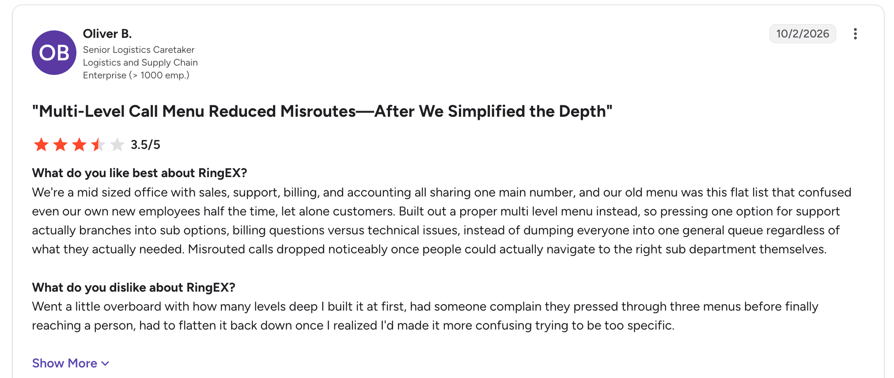
4.2/5 across about 1,490 G2 reviews and 4.2/5 across 1,206 Capterra reviews, as of October 2026.
Pros and Cons
| Pros | Cons |
|---|---|
| Local service in 45 countries, plus virtual numbers in 99+ | Global coverage is a paid add-on |
| Calling, messaging and video in one app | Some Latin American countries have no included minutes |
| Very large integration catalog | Enterprise and global pricing need a quote |
When to Choose RingCentral RingEX
- You want one vendor for phone, video and messaging across the company
- You need in-country phone service in many markets from a single contract
- You don't want your phone system tied to Microsoft 365 or Zoom
Considerations
- Budget for the Global RingEX add-on on top of the per-user plan.
- Ask for data location details in writing during the security review.
3. Zoom Phone: Best for Zoom Workplace Users Who Want One Calling Plan Across Many Countries
Best for: Companies already running Zoom Workplace that want to add calling with a single rate plan across many countries.
What Is Zoom Phone?
Zoom Phone is the cloud PBX inside Zoom Workplace, sold per user with regional, metered or global plans. It can also provide phone service to Microsoft Teams users.
Global Coverage
- Local phone service in 50+ countries, plus toll-free, national and shared-cost numbers in up to 56
- Global Select plan covers domestic calling in 40+ countries under one rate plan
- Each license includes a local number and unlimited domestic calling; international calls are metered unless you add unlimited international calling
- Wider coverage through Zoom Provider Exchange partners and bring your own carrier
Call Quality and Reliability
Zoom states an available SLA of up to 99.999% for Zoom Phone and publishes status at status.zoom.us. Zoom Node keeps calling running locally if an office loses its internet connection.
Security and Compliance
The Zoom trust center lists SOC 2 Type 2, ISO 27001, 27017, 27018 and 27701, FedRAMP Moderate, IRAP, C5, CSA STAR and PCI DSS with an attestation for Zoom Phone. Data location options for Phone aren't published.
Admin and SSO
SAML 2.0 or OIDC SSO with guides for Okta, Entra ID, ADFS, Ping, OneLogin, Google and more. SCIM, just-in-time provisioning and role mapping are supported.
Integrations
Salesforce, HubSpot, Bullhorn, Outreach and Zapier, plus a Zoom Phone API.
What Is the Pricing of Zoom Phone?
- US & CA Unlimited: $16 per user per month annually, $18 monthly
- Pro Plus: $20.50 annually, $24 monthly; Business Plus: $24.50 annually, $29 monthly
- Global Select pricing: contact sales
Ratings
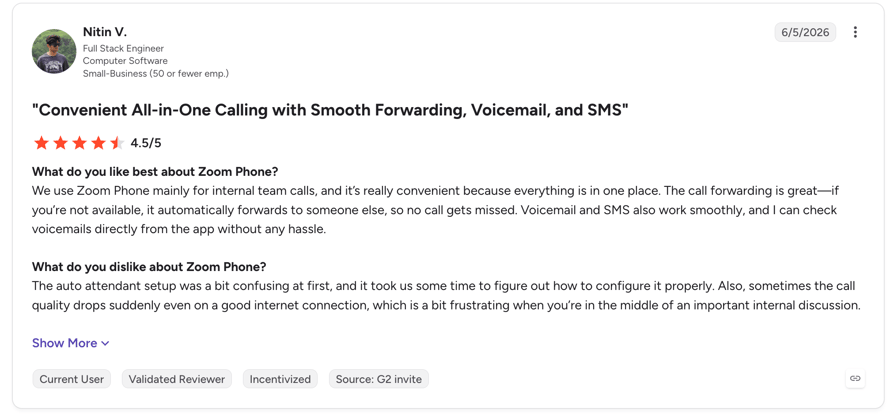
4.6/5 across 2,672 G2 reviews and 4.5/5 across 246 Capterra reviews, as of October 2026.
Pros and Cons
| Pros | Cons |
|---|---|
| One rate plan across 40+ countries with Global Select | Global Select price isn't published |
| Broad certifications, including FedRAMP Moderate | International calling is metered on standard plans |
| Mature SSO and SCIM | Shorter native CRM list than sales-focused tools |
When to Choose Zoom Phone
- Your company already runs on Zoom Workplace
- You want a single rate plan across many countries
- You need FedRAMP Moderate for public sector work
Considerations
- Check that the HubSpot integration fits your workflow, since it needs the desktop app running.
- Get a Global Select quote early if most of your calls cross borders.
4. Microsoft Teams Phone: Best for Microsoft 365 Organizations That Can Bring Their Own Carriers
Best for: Organizations standardized on Microsoft 365 that want calling inside Teams and can connect carriers where Microsoft doesn't sell numbers.
What Is Microsoft Teams Phone?
Teams Phone is an add-on license that turns Microsoft Teams into a cloud phone system. Phone service comes from Microsoft Calling Plans, Operator Connect carriers or Direct Routing through your own carrier.
Global Coverage
- Microsoft Calling Plans in 33 countries plus Puerto Rico
- Everywhere else, numbers come through Operator Connect partners or Direct Routing with your own session border controller
- Domestic, International and Pay-As-You-Go calling plans; the International plan reaches 196 countries
- Some countries require Know Your Customer approval before numbers are issued or ported, typically about 3 business days
Call Quality and Reliability
Microsoft raised its SLA for Teams Phone and Calling Plans to 99.999% in 2024, covering outbound PSTN calls, conference dial-in and call queues. Service health is shown in the Microsoft 365 admin center.
Security and Compliance
Teams Phone sits inside the Microsoft 365 compliance program, which covers ISO 27001, ISO 27018 and SOC 2. Microsoft 365 data residency add-ons cover Teams data; confirm how they apply to calling data and recordings for your tenant.
Admin and SSO
Native Microsoft Entra ID, with other identity providers such as Okta federated through Entra. Dedicated admin roles include Teams Communications Administrator and Teams Telephony Administrator.
Integrations
Contact center and CRM capabilities come mostly through 28 certified partners such as Genesys, Five9 and NICE, plus Microsoft Graph APIs.
What Is the Pricing of Microsoft Teams Phone?
- Teams Phone Standard: $10 per user per month, paid yearly, on top of a Teams license
- With pay-as-you-go calling: $13; with a domestic Calling Plan: $17
- With domestic and international calling: $34 per user per month
Ratings
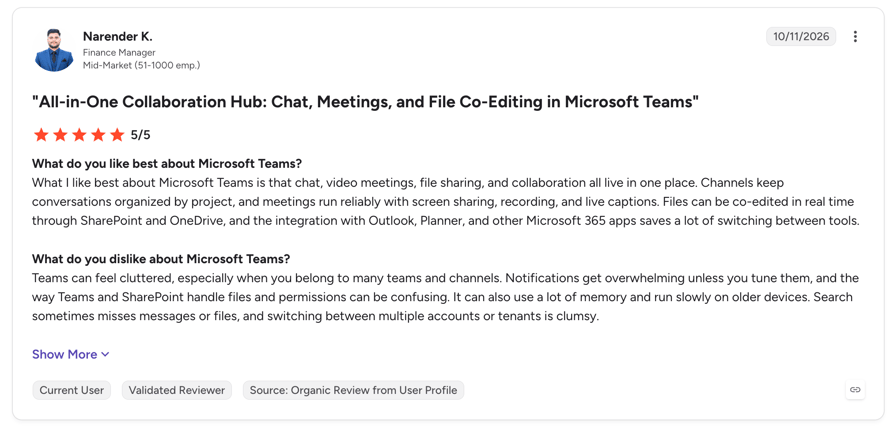
Microsoft Teams as a whole holds 4.4/5 across 19,366 G2 reviews and 4.5/5 across 11,168 Capterra reviews, as of October 2026. There's no separate listing for Teams Phone.
Pros and Cons
| Pros | Cons |
|---|---|
| Calling inside the app your company already uses | Microsoft's own Calling Plans cover about 33 countries |
| Flexible carrier options: Calling Plans, Operator Connect, Direct Routing | Licensing stacks up: Teams, Teams Phone and calling |
| One admin center and Entra ID governance | Sales dialing and CRM features rely on partners |
When to Choose Microsoft Teams Phone
- You're standardized on Microsoft 365 and want one admin plane
- You already have carriers or session border controllers to reuse
- Most calls are internal or with partners rather than outbound sales
Considerations
- Map every country to a Calling Plan, Operator Connect partner or Direct Routing before you commit.
- Sales teams usually add a separate dialer or contact center partner.
5. 8x8: Best for Multinationals Buying Phone and Contact Center Under One SLA
Best for: Multinationals that want in-country phone service, unlimited calling across many countries and a contact center under a single contract.
What Is 8x8?
8x8 combines business phone, messaging and video with a contact center on one cloud platform. It sells X Series licenses that bundle different calling zones and contact center features.
Global Coverage
- Virtual numbers in 100+ countries, with PSTN replacement in 55+ countries and porting in 40+ key markets
- Unlimited calling to 10, 14, 32 or 48 countries depending on the license, under a fair-use policy
- Calls to mobile numbers are excluded from unlimited calling unless stated
- VoIP is restricted in some countries, including the UAE, Qatar and Saudi Arabia
Call Quality and Reliability
A financially backed 99.999% uptime SLA covers both phone and contact center, and 8x8 publishes status at status.8x8.com.
Security and Compliance
The 8x8 security page lists SOC 2, ISO 27001:2022 and 27017, HIPAA with a BAA, PCI DSS, GDPR, Cyber Essentials Plus and FISMA. 8x8 opened a French in-country data center in 2025 for French and EU data residency.
Admin and SSO
SAML 2.0 and Google SSO, with guides for Okta and Microsoft Entra ID, including SCIM provisioning.
Integrations
Salesforce, HubSpot, Microsoft Dynamics, Zendesk, Zoho, Pipedrive, NetSuite and more, plus Microsoft Teams and a developer platform.
What Is the Pricing of 8x8?
- No public pricing: every plan is quoted through sales
- Calling to the license's country zone is included; other destinations are metered
Ratings
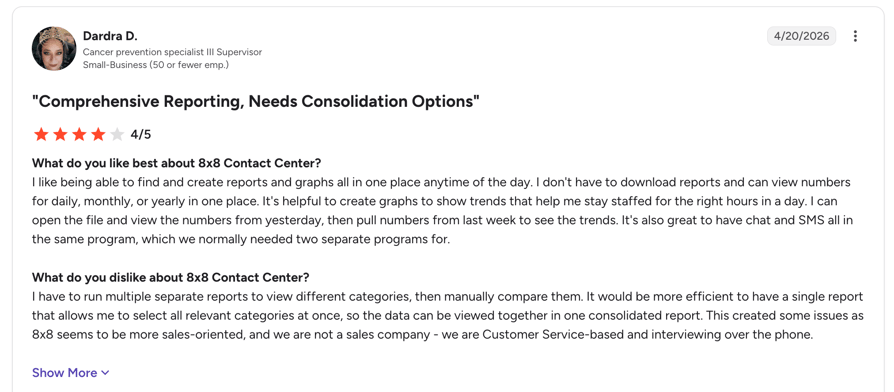
4.2/5 across 940 G2 reviews and 4.1/5 across 309 Capterra reviews for 8x8 Work, as of October 2026.
Pros and Cons
| Pros | Cons |
|---|---|
| Unlimited calling to up to 48 countries on higher licenses | No published pricing |
| One SLA across phone and contact center | Unlimited calling excludes mobiles and has fair-use limits |
| In-country data center option in France | Capterra reviewers rate support lower than other areas |
When to Choose 8x8
- You need in-country phone service and unlimited calling across many countries
- You're buying phone and contact center together
- You operate in France or the EU and need local data residency
Considerations
- Plan for a sales process before you see any price.
- Check which of your call destinations are mobile, since those sit outside unlimited calling.
6. Dialpad: Best for AI-First Teams Comfortable With US Data Hosting
Best for: Sales and support teams that want built-in AI transcription and summaries and can accept data stored in the US.
What Is Dialpad?
Dialpad is an AI-native communications platform covering business phone, contact center and a sales dialer. It runs on Google Cloud.
Global Coverage
- 74 countries listed for numbers, with local and toll-free numbers in most; mobile numbers only in the US, Canada, the UK and Australia
- Clear document requirements per country, such as a recent business registration in France
- Porting in about 45 countries, taking 5 to 45 business days depending on the country
- Unlimited calling within your billing country plus the US and Canada on Connect seats; a Global Unlimited Calling add-on covers 65 countries
Call Quality and Reliability
Dialpad runs on Google Cloud and publishes status at status.dialpad.com. Its Enterprise page advertises an uptime SLA but shows two different figures, so confirm the number in your contract.
Security and Compliance
The Dialpad trust center lists SOC 2 Type II, ISO 27001:2022, 27017 and 27018, GDPR with a DPA, and HIPAA readiness with a BAA. Permanent customer data is stored in the US only.
Admin and SSO
SAML SSO with Okta, JumpCloud, Microsoft Azure and Google Workspace, plus SCIM. SSO is an Enterprise plan feature.
Integrations
Salesforce, HubSpot, Zendesk, Zoho CRM, Google Workspace and Microsoft Outlook, plus developer tools.
What Is the Pricing of Dialpad?
- Standard: $15 per user per month, billed annually
- Pro: $25 per user per month, billed annually
- Enterprise: contact sales
Ratings
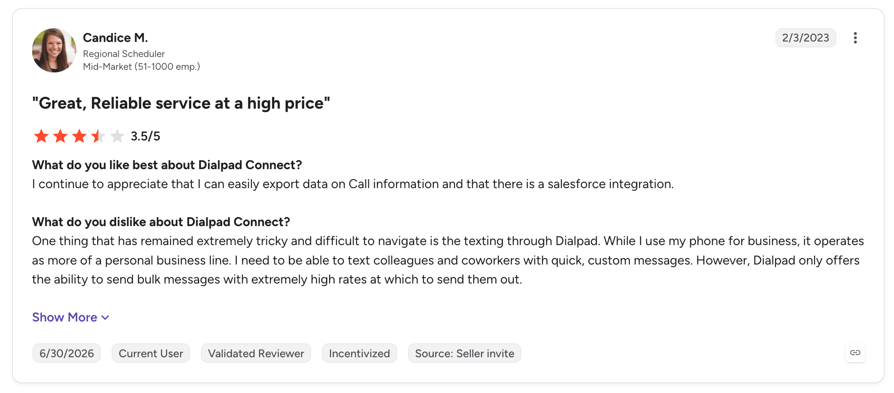
4.4/5 across 4,216 G2 reviews and 4.2/5 across 572 Capterra reviews, as of October 2026.
Pros and Cons
| Pros | Cons |
|---|---|
| Built-in AI transcription and summaries | Permanent data stored in the US only |
| Low published entry price | SSO limited to the Enterprise plan |
| Detailed, current country and porting documentation | Mobile numbers in only 4 countries |
When to Choose Dialpad
- AI call summaries matter more to you than data location
- Your offices sit in North America, the UK, Europe and Australia
- You're on Google Workspace or Okta and want quick SCIM rollout
Considerations
- EU or APAC teams with residency rules should raise US hosting with legal early.
- Price the Global Unlimited Calling add-on at checkout, as it isn't published.
7. Vonage Business Communications: Best for US-Headquartered Companies With a Few International Offices
Best for: US-headquartered companies with a handful of international offices that want published pricing and prepaid international minutes.
What Is Vonage Business Communications?
Vonage Business Communications is Vonage's cloud phone system, running on AWS and sold in Mobile, Premium and Advanced plans. Vonage also sells communications APIs from the same company.
Global Coverage
- Local numbers in 96+ countries through VBC Global
- World Office gives US-based businesses in-country service in up to 40 countries, with unlimited in-country calling
- Prepaid global calling plans from $50 a month for 1,000 minutes; unused minutes don't roll over
- International number porting through World Office
Call Quality and Reliability
Vonage states 99.999% uptime based on its average uptime, rather than a contractual SLA, and runs a 24/7 network operations center with a public system status page.
Security and Compliance
The Vonage security page lists ISO 27001, PCI DSS, SOC, HITRUST and CSA STAR across its product lines, without mapping each one to the phone product. Data location options aren't published.
Admin and SSO
SAML 2.0 SSO with Azure AD, Okta, OneLogin and Google Workspace, plus free SCIM provisioning, on Premium and above.
Integrations
Salesforce, HubSpot, Microsoft Dynamics (US only), Microsoft Teams, Slack and Zendesk, plus Zapier.
What Is the Pricing of Vonage Business Communications?
- Mobile: from $13.99 per line per month on an annual contract (promotional rate through December 2026), $19.99 month to month
- Premium: from $20.99 annually; Advanced: from $27.99 annually
- Largest team sizes: contact sales
Ratings
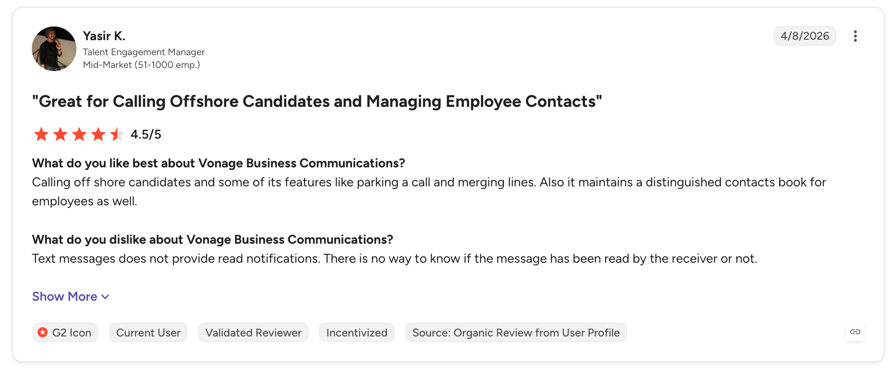
4.3/5 across 504 G2 reviews and 4.0/5 across 321 Capterra reviews, as of October 2026.
Pros and Cons
| Pros | Cons |
|---|---|
| Published per-user pricing with SSO and SCIM included | Uptime figure is an average, not a contractual SLA |
| Prepaid bundles for predictable international spend | Certifications aren't mapped to the phone product |
| APIs available from the same vendor | Best prices need an annual contract with early termination fees |
When to Choose Vonage Business Communications
- You're US-based with a few offices abroad
- You want to extend calling with Vonage APIs later
- You need published prices and SCIM without an enterprise-only plan
Considerations
- Country counts differ across Vonage's own pages, so ask for coverage in your specific countries.
- Read the early termination terms before signing an annual contract.
8. Aircall: Best for Sales and Support Teams Based in North America, Europe and Australia
Best for: Sales and support teams of roughly 3 to 200 seats that want a CRM-connected phone system live within days.
What Is Aircall?
Aircall is a cloud phone system and call center app for sales and support teams. It's sold per license, with 250+ integrations and AI add-ons.
Global Coverage
- 38 countries listed for local, national, mobile and toll-free numbers; mobile numbers aren't available everywhere
- Porting available in 35 of the 38 listed countries
- Extra numbers cost $6 per month each
- Outbound international calling on Essentials and Professional is quoted on request; Enterprise includes unlimited global calls, subject to terms
Call Quality and Reliability
Aircall runs on AWS across multiple availability zones, states 99.95% uptime on its trust page and publishes status at status.aircall.io. An enterprise SLA is part of the Enterprise plan.
Security and Compliance
The Aircall trust center lists SOC 2 Type II, GDPR, HIPAA and CSA STAR Level One. Regional data hosting stores recordings, voicemails and transcripts in the US, EU or Australia, while account and analytics data stay in the US.
Admin and SSO
SAML SSO and SCIM on the Enterprise plan, with Okta, Azure AD, Ping One and JumpCloud. Agent, supervisor, admin and owner roles.
Integrations
250+ integrations, including major CRMs and helpdesks, plus an API on Professional and up.
What Is the Pricing of Aircall?
- Essentials: $30 per license per month, billed annually, minimum 3 users
- Professional: $50 per license per month, billed annually, minimum 3 users
- Enterprise: custom pricing, minimum 25 users
Ratings
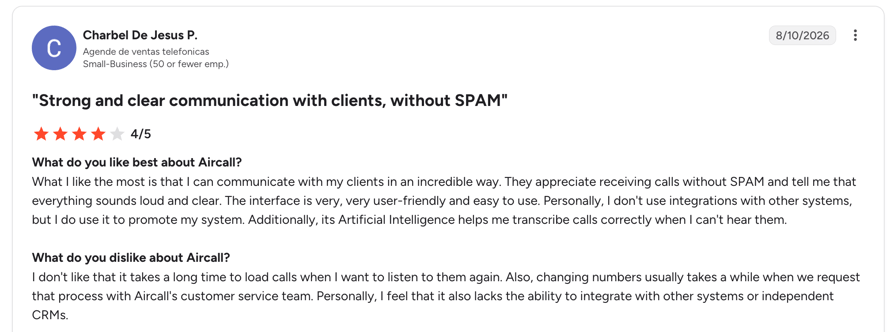
4.4/5 across 1,674 G2 reviews and 4.2/5 across 466 Capterra reviews, as of October 2026.
Pros and Cons
| Pros | Cons |
|---|---|
| Fast setup and an easy interface | Narrower number coverage than global suites |
| Large integration marketplace | SSO and SCIM only on Enterprise (25+ users) |
| EU and Australian recording storage | International outbound quoted below Enterprise |
When to Choose Aircall
- Your team sits mainly in North America, Europe or Australia
- You need EU or Australian storage for recordings
- You want a calling app your team can use this week
Considerations
- The storage region is set at signup and can't be changed later.
- Check that your target countries are on the 38-country list.
9. Genesys Cloud CX: Best for Large Omnichannel Contact Centers With Regional Data Requirements
Best for: Large, multi-country contact centers that need voice, digital channels, workforce management and AI in one platform.
What Is Genesys Cloud CX?
Genesys Cloud CX is an enterprise omnichannel contact center platform on AWS. It covers voice, digital channels, AI and workforce engagement management. For a wider view of this category, see our guide to the best cloud call center software.
Global Coverage
- Genesys Cloud Voice offers numbers in about 45 countries across North America, EMEA, APAC and Latin America
- Bring your own carrier to reach countries outside native coverage
- Some countries have specific activation requirements and service restrictions
- Voice minutes are usage-based, with per-minute rates and monthly number fees
Call Quality and Reliability
Genesys runs in 22 AWS regions with at least 3 availability zones each. Its SLA gives service credits below 99.99% availability on annual contracts, and status is public at status.mypurecloud.com.
Security and Compliance
Genesys lists SOC 2 Type 2, ISO 27001:2022, 27017 and 27018, PCI DSS, HIPAA in the Americas, C5 in EMEA and FedRAMP authorization in North America. You choose the deployment region, and a European Sovereign Region supports EU data residency.
Admin and SSO
SSO with third-party identity providers such as Okta, plus SCIM provisioning with Okta and Microsoft Entra ID.
Integrations
Embedded clients for Salesforce and Zendesk, Microsoft Teams integration, a ServiceNow partnership and a platform API.
What Is the Pricing of Genesys Cloud CX?
- CX 1: $75 per user per month, annual commitment
- CX 2: $115; CX 3: $155; CX 4: $240
- Voice minutes and AI usage billed separately
Ratings
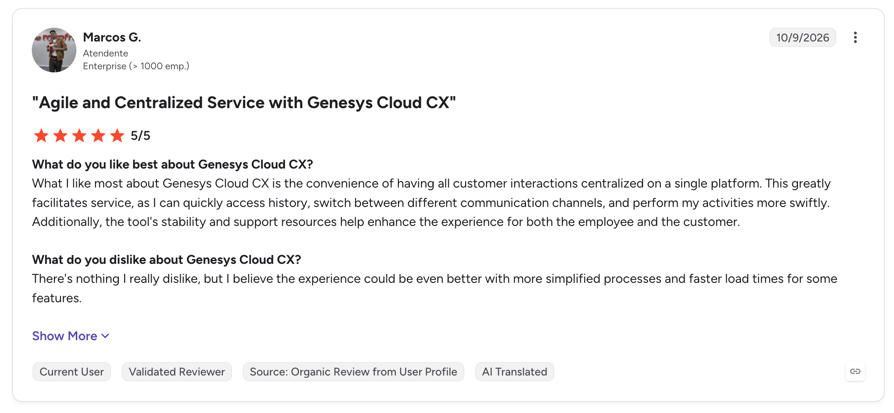
4.4/5 across 1,580 G2 reviews and 4.3/5 across 269 Capterra reviews, as of October 2026.
Pros and Cons
| Pros | Cons |
|---|---|
| Largest regional footprint, including an EU sovereign region | Highest per-seat cost on this list |
| Broad compliance set, including FedRAMP | Native voice coverage narrower than the platform's reach |
| Omnichannel, workforce management and AI in one place | Reviewers mention a learning curve and complex licensing |
When to Choose Genesys Cloud CX
- You run a large contact center across several regions
- You need FedRAMP, C5 or EU sovereign hosting
- You want to keep existing carriers while centralizing the contact center
Considerations
- Budget for voice minutes and AI tokens on top of seat prices.
- Sales teams that mostly need a dialer may find it more platform than they need.
10. Twilio: Best for Engineering Teams Building Custom Calling Into Their Own Product
Best for: Companies with engineering capacity that want to build calling into their own product or contact center and control cost per minute.
What Is Twilio?
Twilio Programmable Voice is an API for building voice calling over PSTN, SIP and WebRTC into your own apps. It's priced pay-as-you-go per minute and per number.
Global Coverage
- Local, national, toll-free and short code numbers across 100+ countries
- Regulatory bundles hold the address and documents each country needs; proof of address must be under 3 months old
- Porting through an online application, with country-specific guidelines
- Per-minute rates by destination and number type, published per country
Call Quality and Reliability
Twilio's SLA commits to 99.95% monthly API availability, or 99.99% with Enterprise Edition, and status is public at status.twilio.com.
Security and Compliance
Twilio's security overview lists ISO 27001, 27017 and 27018, SOC 2 Type 2 and PCI DSS Level 1 for in-scope services, and Programmable Voice is HIPAA-eligible with a BAA. US1, IE1 and AU1 regions are available, though Twilio doesn't guarantee all data stays in the selected region.
Admin and SSO
SAML 2.0 SSO with Azure AD, Okta and OneLogin, plus SCIM, on Twilio Editions that include SSO. Roles are managed in the Console.
Integrations
API-first: REST APIs and SDKs. CRM connections are something you build or get through partners.
What Is the Pricing of Twilio?
- US local number: $1.15 per month; outbound local calls $0.0140 per minute
- UK outbound: $0.0158 per minute to landlines, $0.0305 to mobiles
- Volume discounts and Editions through sales
Ratings
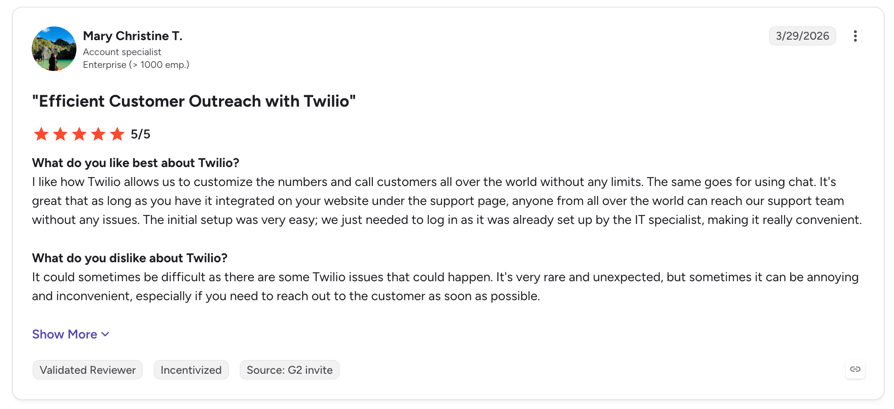
The Twilio listing holds 4.1/5 across 529 G2 reviews and 4.4/5 across 514 Capterra reviews, as of October 2026. These cover Twilio overall, not Voice alone.
Pros and Cons
| Pros | Cons |
|---|---|
| Numbers in 100+ countries with transparent per-minute pricing | Not a ready-to-use phone system |
| Full control over SIP, WebRTC and your own carrier | SSO and the higher SLA need paid Editions |
| Published SLA and strong certifications | Regulatory bundles add paperwork per country |
When to Choose Twilio
- You're embedding voice into your own product
- You need numbers in many countries with per-minute cost control at scale
- You have engineers to build and maintain the app
Considerations
- You own the interface, routing, CRM sync and ongoing compliance work.
- Factor engineering time into total cost, not just per-minute rates.
What Global Coverage Really Means in VoIP
Every provider on this list claims enterprise VoIP with global coverage. The phrase covers four separate things, and a provider can be strong on one and weak on the next. Test each one against your own list of countries.
Local Numbers vs. International Calling
Having numbers in a country means people there can call you at local rates, and your reps can show a local caller ID. Being able to call that country cheaply is a different list, priced separately.
A provider might sell numbers in 100+ countries but include calling to only a handful. Ask for both lists, then check them against where your customers are and where your reps call. If you're still deciding on the core platform, our guide to the best cloud PBX phone system covers the basics.
Number Regulations and Documents by Country
Many countries ask for proof of address, business registration or a local entity before a number is issued. Some approvals take a day; others take weeks. A few countries don't allow certain number types to be ported at all.
Buyers who discovered these requirements late lost weeks on rollout in specific countries. The ones who asked each provider for the requirements up front went live faster. CloudTalk explains the documents for each country during setup, so you know what to collect before you order.
Call Quality Across Regions
Audio quality between continents depends on a few things you can check:
- Carrier routes: how the provider connects to local phone networks in each country
- Where calls are processed: a call between Singapore and Sydney shouldn't bounce through another continent
- Failover: what happens when a carrier or region has a problem
- Your own network: office Wi-Fi and home connections cause more bad calls than most providers do
Run test calls from every office during the trial, at the times your team actually calls. Check the provider's status page history too.
Local Caller ID and Spam Protection
Showing a local number lifts pickup rates. In the US, spam labeling can undo that: once carriers flag a number as "Spam Likely", pickup collapses regardless of the area code.
Ask every provider about number rotation, caller registration and how they fix a flagged number. CloudTalk offers number rotation and spam-label remediation for outbound teams. No provider can promise a number will never be flagged, so be wary of any that does.
Enterprise VoIP Requirements Checklist
Send this checklist to every vendor on your shortlist. It covers what IT, security and legal will ask for anyway, so you might as well ask on day one.
Security, Compliance and Data Location
- Current SOC 2 Type 2 report and ISO 27001 certificate, available through a trust center
- Where call data and recordings are stored, and which parts you can control
- Data retention settings for recordings and transcripts
- The full list of subprocessors
Be realistic here. Many cloud providers can't guarantee in-country storage for all data. Enterprise deals were lost when a provider couldn't confirm country-specific security standards; they were won when the security pack was ready early.
CloudTalk is SOC 2 Type 2 audited, ISO/IEC 27001:2022 certified and GDPR compliant. It can't guarantee where data is stored, but call recordings can sync to your own server. Details are on the CloudTalk security page.
SSO, Admin Controls and Permissions
- SSO with your identity provider (CloudTalk supports Microsoft Entra ID, Okta and Salesforce)
- Separate roles for admins, supervisors and agents
- A way to separate teams or regions, so each manager sees their own people
- Control over who can listen to which recordings
Integrations and API
- Native integrations with your CRM and sales engagement tools, not just a Zapier link
- Calls logged to the right contact, deal or ticket automatically
- An API and webhooks for anything custom
See the full list of CloudTalk CRM integrations, or ask any vendor for a live test inside your own CRM during the trial.
Reliability, Support and Onboarding
- A published status page and uptime information
- Support hours that cover every time zone you work in
- A written onboarding plan with named contacts and dates
- Contract and data processing terms your legal team can sign with a foreign vendor
How Much Does Enterprise VoIP Cost?
Enterprise VoIP pricing has three parts: seats, calling and numbers. The per-user price on the homepage is only the first.
Seats, Calling Bundles and Pay-As-You-Go
- Per-user plans: most providers charge $10 to $50 per user per month for calling, and $75+ for contact center platforms
- Calling bundles: plans usually include one region; regional or worldwide bundles add more countries
- Pay-as-you-go: destinations outside any bundle are billed per minute
- Custom enterprise pricing: large deployments are usually quoted by sales
CloudTalk follows the same model: each plan includes calling for one region, bundles add more, and other destinations are pay-as-you-go. Teams of 25+ seats can move to the Custom plan. For a full breakdown across providers, see our guide to voip pricing.
One pattern we see often: some global teams gave every rep a worldwide bundle, and the expected savings shrank. Others cut cost by giving bundles only to the reps who actually call abroad.
Hidden Costs in Multi-Country Deployments
- Numbers in expensive countries, which can cost far more per month than a US number
- Inbound minutes on toll-free numbers, often billed even when outbound calling is included
- Destinations outside any bundle, especially mobile numbers in some countries
- Implementation or professional services fees on enterprise contracts
- Running two providers when a number in one country can't be ported
How to Roll Out VoIP Across Countries Without Downtime
Teams that ran the security review and document collection in parallel with the trial went live weeks faster. Here's the order that worked:
- List your countries, numbers and teams. Note which numbers must be kept and which can be new.
- Confirm number availability and documents per country. Get the requirement list from the provider in writing.
- Start the security review now, in parallel with everything else.
- Trial with real calls from each region, at the hours your team actually calls.
- Set up SSO and roles before you invite users.
- Connect the CRM and check that calls log to the right records.
- Port numbers in stages, with call forwarding as a fallback until each port completes.
- Roll out region by region, starting with the team that has the simplest setup.
- Review call quality and connect rates after week one, and fix routing or caller ID issues before the next region.
CloudTalk onboarding helps with number setup and porting, so your team isn't working through country requirements alone.
Put Every Office on One Phone System
The right enterprise VoIP provider is the one that can deliver numbers, call quality and a security pack in your countries. List your countries, check number availability and security documents with each vendor, then trial with real calls from every region.
If your reps need local numbers in 160+ countries and every call logged to the right CRM record, CloudTalk is built for that. See it running on your own countries and CRM in a demo.
Frequently Asked Questions
Compare each provider's published country list and the number types available in each country, since a homepage count doesn't show whether you can get local, mobile or toll-free numbers where you need them. Also ask which documents each country requires. CloudTalk offers local, national, mobile and toll-free numbers in 160+ countries. Twilio and 8x8 list 100+, and RingCentral offers virtual numbers in 99+.
Many cloud providers can't guarantee that all data stays in one country. Some, like Genesys, let you choose a deployment region; others store everything in one country. Ask each vendor exactly which data you can control: recordings, transcripts, account data. CloudTalk doesn't guarantee data residency, but call recordings can sync daily to your own FTP or SFTP server with an adjustable storage period.
Most enterprise VoIP providers support SSO, usually through SAML 2.0, but some limit it to their top plan. Check that your identity provider is on the supported list and whether SCIM user provisioning is included. CloudTalk supports SSO with Microsoft Azure (Entra ID), Okta and Salesforce, alongside admin, supervisor and agent roles.
Quality depends on the provider's carrier routes, where calls are processed, failover between carriers, and your own office and home internet. The only reliable test is your own: run calls from every office during the trial, at real calling hours, to the countries you call most. Check the provider's status page history and ask how they route calls between regions.
It depends on the country and number type. Some countries issue numbers with just a business address. Others require proof of a local address, business registration or a local entity, and approval can take weeks. Ask each provider for the requirements in every target country before you plan the rollout, and start collecting documents during the trial.
Usually one region is included, with bundles or per-minute rates for the rest. CloudTalk includes calling for one region on each plan, sells regional and worldwide calling bundles from 3 seats, and bills other destinations pay-as-you-go. Before you sign with any provider, price last quarter's call destinations against its bundles and rate card.
Usually, but not everywhere. Porting depends on the country and the number type, and some numbers can't be ported at all. Check portability for each number before you commit. Port in stages rather than all at once, and keep call forwarding from the old provider as a fallback until each port completes, so customers never hit a dead line.
Some providers support it for large deployments: Microsoft Teams Phone through Direct Routing, Zoom Phone, Genesys and RingCentral through bring-your-own-carrier options, and Twilio through SIP. With CloudTalk, own-carrier and SIP trunk options are something to discuss with the sales team for large deployments.