TL;DR:
- Best overall:CloudTalk is the best cloud PBX phone system for small and mid-sized teams that want IVR, queues, call center reporting and CRM sync in one platform.
- Best for very small offices on a budget:CloudTalk and Ooma Office. Both bill monthly with no long contract, so a small office can start with a few users.
- Best for large or regulated enterprises:Microsoft Teams Phone and 8x8, with global calling and long compliance lists. CloudTalk's Custom plan fits enterprises that want calling-first features with CRM sync.
The best cloud PBX phone system replaces the PBX box nobody wants to maintain, catches calls when everyone is busy, and lets your offices transfer calls to each other.
Most teams don’t switch phone systems for fun. They switch because the old PBX keeps failing, calls get lost, or a new office needs the same setup. This guide compares 10 cloud PBX providers and shows you how to move without losing a call.
Here are the 10 cloud PBX providers in this guide:
| # | Platform | Best For | Starting Price |
|---|---|---|---|
| 1 | CloudTalk | Teams that want a cloud PBX with call center features and CRM sync | $25/user/mo |
| 2 | RingCentral | Multi-site companies that want phone, video and messaging in one suite | $20/user/mo |
| 3 | Dialpad | Small teams that want AI transcription on every plan | $15/user/mo |
| 4 | Zoom Phone | Teams already using Zoom that want calling in the same app | $10.50/user/mo |
| 5 | Nextiva | US small businesses that want calling and SMS in one plan | $15/user/mo |
| 6 | 8x8 | Multinational firms that want phone and contact center from one vendor | Quote-based |
| 7 | Vonage | Small US businesses that want an app-first phone line | $19.99/line/mo |
| 8 | Microsoft Teams Phone | Companies standardized on Microsoft 365 | $10/user/mo + Teams license |
| 9 | Ooma Office | Very small US and Canadian offices on a budget | $19.95/user/mo |
| 10 | 3CX | IT teams that want to host and control their own PBX | Free (up to 10 users); paid from $300/year |
Move your phone system to the cloud.
Why Trust Our Software Reviews
1. For nearly a decade, we've helped 30,000+ professionals find and implement smarter business communication tools.
2. We've reviewed 200+ software tools across industries, analyzed 5,500+ verified customer reviews from platforms like G2, Capterra and Trustpilot, and drawn insights from real user discussions on Reddit and Quora.
3. In the past year alone, we published 1,000+ articles, each one written by humans for humans.
What We Hear From Teams That Moved Their PBX to the Cloud
We reviewed recorded sales calls with teams replacing their PBX and the win and loss notes on our phone system deals from the past 12 months.
Everything below is combined and anonymized, so read it as patterns any business can hit, not as stories about one company.
Why They Replaced Their Old PBX
Most teams started looking for a cloud PBX replacement because the hardware reached end of life, or because the old setup couldn't connect their sites.
These were the most common triggers:
- The PBX box was at end of life and kept getting patched.
- Each site had separate lines, with no extension dialing between offices.
- There were no queues or voicemail, so callers got cut off when everyone was busy.
- Nobody could report on missed calls without a spreadsheet.
- Quotes for a new on-site PBX were too expensive for small sites.
- An outsourced IT or telecom provider controlled every small change.
- Calls didn't log in the CRM.
What Made the Migration Work
The smoothest moves kept calls flowing at every step. Teams that switched without losing calls did these five things:
- Ported numbers with a fallback:Call forwarding or temporary numbers kept calls flowing during the port.
- Kept one desk phone at reception:Everyone else moved to desktop and mobile apps.
- Rolled out site by site:One location went live first, then the rest followed.
- Timed the billing:They avoided paying two providers at once.
- Started monthly:They tested on monthly billing before committing to a year.
What Slowed Them Down
The delays came from paperwork and hardware, rarely from the new system itself. Here is each blocker with its fix:
- 01Porting paperwork:Some countries need specific documents. Collect them before you request the port, as our number porting guide explains.
- 02Mobile numbers:Some mobile numbers can't be ported in some countries. Check every number early and plan a replacement where needed.
- 03Desk phone models:Not every model works with every provider. Test your phones during the trial.
- 04Old contracts:Early termination terms kept some teams waiting. Check your notice period before you plan the switch.
- 05Staff who like a physical phone:Keep desk phones for them and move everyone else to apps.
What Buyers Ask Before Choosing a Cloud PBX Provider
Buyers ask cloud PBX providers about three things first:
- 01Keeping their numbers
- 02Keeping their desk phones
- 03Avoiding surprise costs
These are the questions we hear on our sales calls.
The Problems That Start the Search
Buyers rarely start by searching for a cloud PBX. They describe what goes wrong on a normal day:
- Calls get lost when everyone is busy.
- Callers have no way to leave a message.
- Callers get bounced between departments.
- Locations can't see or transfer each other's calls.
- Call reports are built by hand in spreadsheets.
- Reps use personal mobiles for business calls.
- Calls don't show up in the CRM.
The Features Buyers Won't Go Without
Buyers won't switch without the basics of the PBX they already have, plus the reporting it never gave them:
- Extensions across sites:Dial any colleague in any office.
- Callers pick a department before anyone answers.
- Ring groups with overflow:Calls move on when the first group is busy.
- Voicemail and business hours:Messages after hours, plus holiday rules.
- Transfer and park:Hand a caller to the right person without losing them.
- Desk phones and apps:One number on a desk phone, desktop and mobile.
- Recording, reports and CRM sync:Every call recorded, measured and logged.
The Objections We Hear Most
These are the questions buyers ask before they sign, with the short answer to each:
- 01"Can we keep our numbers?"Usually, yes. Porting depends on the country and number type, and some mobile numbers can't move. See how to migrate.
- 02"Will our desk phones work?"Most providers support SIP desk phones, but not every model. Test yours during a trial.
- 03"What happens if the internet goes down?"Calls can forward to mobiles or another site. Ask each provider how failover works.
- 04"How long does porting take?"It varies by country and paperwork. Keep the old system live until the port completes.
- 05"Are there hidden fees per number or seat?"Often, yes. See hidden costs to check.
- 06"Do we have to sign an annual contract?"Not always. Many providers bill monthly at a higher rate than annual.
- 07"Will staff who like desk phones adapt?"They don't have to. Keep desk phones for them and give apps to everyone else.
Why Buyers Pick One Provider Over Another
Buyers pick the provider that makes the move easy and the price predictable. The same reasons decided wins and losses on our deals:
| Why buyers chose a provider | Why buyers walked away | |
|---|---|---|
| Features | A modern PBX with call center features and CRM sync | Desk phone requirements the provider couldn't meet |
| Numbers | Easy number porting | Porting not possible for certain countries or mobile numbers |
| Price | Clear pricing with no surprise charges | Very low-cost self-hosted PBX options |
| Contract | Month-to-month terms after bad experiences | Contracts with the current provider |
| Experience | Call quality and responsive onboarding | Timing, or the convenience of staying put |
How We Chose the Best Cloud PBX Providers
We judged every cloud PBX provider on the criteria buyers use when they replace a phone system. We reviewed recorded sales calls with teams replacing their PBX and the win and loss notes on our phone system deals from the past 12 months.
We then checked each provider against its public pricing page, feature pages, help docs, security pages (for SOC 2, ISO 27001, and GDPR-compliant data handling), plus its G2 and Capterra reviews.
- Call quality and reliability:Audio quality, failover options and how outages are handled.
- Core PBX features:Extensions, IVR, ring groups, voicemail, business hours and transfers.
- Devices:Desk phone support over SIP, plus desktop and mobile apps.
- Numbers and porting:Countries covered, number types and help with porting.
- Integrations:CRM and helpdesk sync, plus an API.
- Admin and reporting:How easy changes are, live and historical reports, and call recording.
- Setup and support:Time to go live, onboarding help and support access.
- Pricing and contracts:Published prices, monthly billing, and per-number and per-seat costs.
Best Cloud PBX Providers Compared
This cloud PBX comparison puts all 10 cloud PBX phone systems side by side on the features buyers check first: desk phones, apps, porting, CRM sync and monthly billing.
For a wider view, see our guides to multi-line phone systems, softphone providers and our full list of VoIP providers.
| Provider | Core PBX features | Desk phones | Apps | Number porting | CRM integrations | Monthly billing |
|---|---|---|---|---|---|---|
| 1. CloudTalk | IVR, ring groups, queues, voicemail, hours, recording | Yes, via SIP (test your models) | Browser, desktop, mobile | Yes, varies by country and number type | HubSpot, Salesforce, Pipedrive, Zoho + 100+ more; API | Yes |
| 2. RingCentral | Multi-level IVR, voicemail, queues, park; auto recording on Advanced | Buy, rent or bring SIP phones | Browser, desktop, mobile | Yes, RingCentral covers most US port costs | Salesforce, Zendesk, HubSpot (Advanced and up); API | Yes ($30 Core) |
| 3. Dialpad | Multi-level IVR, voicemail transcription, recording; queues on Pro | Supported Poly and Yealink models | Desktop, mobile, Chrome web app | Free for US and Canada; fee elsewhere | Salesforce, HubSpot, Zendesk (Pro and up); API | Yes ($27 Standard) |
| 4. Zoom Phone | IVR, queues, voicemail transcription, recording, monitoring | Certified list; generic SIP limited | Desktop, mobile | Yes, on all plans | Salesforce on all plans; HubSpot on bundles; API | Yes ($12 Metered) |
| 5. Nextiva | Auto attendant, voicemail transcription; IVR routing and queue on Scale | Yealink and Poly, or add others by MAC | Browser, desktop, mobile | Free porting | Salesforce, HubSpot and more (add-on) | Yes ($23 Core) |
| 6. 8x8 | Multi-level IVR, ring groups, queues, voicemail, recording | Buy, rent or bring supported models | Browser, desktop, mobile | Yes, with porting help | Salesforce, HubSpot, Zendesk, Dynamics, Zoho; API | Not published |
| 7. Vonage | Virtual receptionist, voicemail; call groups on Advanced; queues add-on | Premium and up; own SIP phones best effort | Browser, desktop, mobile | Yes, on all plans | Salesforce, HubSpot, Zendesk via Integration Suite (Premium and up) | Yes ($19.99 Mobile) |
| 8. Microsoft Teams Phone | Auto attendants, queues, voicemail, park, transfer | Teams-certified phones; SIP Gateway | Desktop, web, mobile | Yes, into a Calling Plan | Dynamics 365; others via partners and API | No (annual subscription) |
| 9. Ooma Office | Virtual receptionist, ring groups, voicemail; queues on Pro Plus | Ooma-supplied phones only | Desktop (calling from Pro), mobile | Free porting | Salesforce, HubSpot, Zoho, Pipedrive (Pro Plus) | Yes (no contract) |
| 10. 3CX | Multi-level IVR, ring groups; queues and recording on PRO | Fanvil, Snom, Yealink and other SIP phones | Web, desktop, mobile | Through your SIP trunk provider | Salesforce, HubSpot, Pipedrive, Zoho (PRO and up) | No (annual license) |
Watch our ranking of VoIP providers from best to worst:
The 10 Best Cloud PBX Phone Systems in 2026
This list is for small and mid-sized businesses replacing an on-premise PBX or a basic VoIP line.
Each of these cloud PBX solutions is reviewed against the same criteria, in the same format:
- 01Best for and what it is
- 02Key PBX features
- 03Devices, numbers, integrations, reporting, security, pricing and ratings
- 04Pros & cons
- 05When to choose it and considerations
1. CloudTalk: Best for Teams That Want a Cloud PBX With Call Center Features and CRM Sync
CloudTalk Is Best For:
Small and mid-sized businesses, including multi-location teams, that want a cloud PBX phone system with call center routing, reporting and CRM sync in one platform.
- CloudTalk is a cloud PBX phone system for business, built on its own telephony layer, with numbers in 160+ countries.
- Admins manage users, numbers and call flows in one web dashboard, and staff call from desktop and mobile apps or SIP desk phones.
Key PBX Features of CloudTalk
- Call Flow Designer for IVR menus, business hours, holiday rules and overflows.
- Extensions, warm transfers and ring groups across every location.
- Voicemail set up inside the call flow, so callers can always leave a message.
- Call queues and queue callbacks, so callers keep their place without holding.
- Call recording, real-time reports and historical analytics.
- Call monitoring, so supervisors can listen in and coach live calls.
- Business SMS from the same numbers your team calls from.
What CloudTalk Offers
| Features | Details |
|---|---|
| Devices | Browser, desktop and mobile apps, plus SIP desk phones (test your models in the trial). |
| Numbers | Local, national, mobile and toll-free numbers in 160+ countries. |
| Porting | Bring your existing numbers where the country and number type allow it. |
| Integrations | HubSpot, Salesforce, Pipedrive, Zoho and 100+ more, plus API and webhooks. |
| Reporting | Real-time dashboards, wallboards, historical reports and call recording. |
| Security | SOC 2 Type 2, ISO/IEC 27001:2022 and GDPR, with reports in the CloudTalk Trust Center. |
| Pricing | Starter $25, Essential $29, Expert $49 per user/month (annual), monthly billing available. |
| Ratings | G2 4.4/5 from 1,702+ reviews; 1,970+ across G2 and Capterra. |
CloudTalk's Pricing
Flexible Pricing Plans to Scale with You
Compare our plans
CloudTalk's Pros & Cons
| Pros | Cons |
|---|---|
| IVR, queues and voicemail on every plan | Some app features aren't available on desk phones |
| Local numbers in 160+ countries | Calling included for one region per plan |
| Native CRM sync with automatic call logging | No video conferencing |
| Monthly billing while you test |
When To Choose CloudTalk
- You're replacing an aging on-premise PBX and don't want new hardware at every site.
- You want to change IVR, groups, voicemail and business hours yourself in minutes.
- Your calls should log automatically in HubSpot, Pipedrive, Salesforce or Zoho.
- You have offices or customers in several countries and need local numbers.
- You want reporting and call monitoring, not just a dial tone.
Considerations
Desk phones work over SIP, but some app features, such as transfer and choosing the outbound number, aren't available on hardware phones. Test your models during the trial.
Porting depends on the country and number type, and some mobile numbers can't be ported. Each plan includes calling in one region, so teams that call many countries should price a bundle or pay-as-you-go minutes.
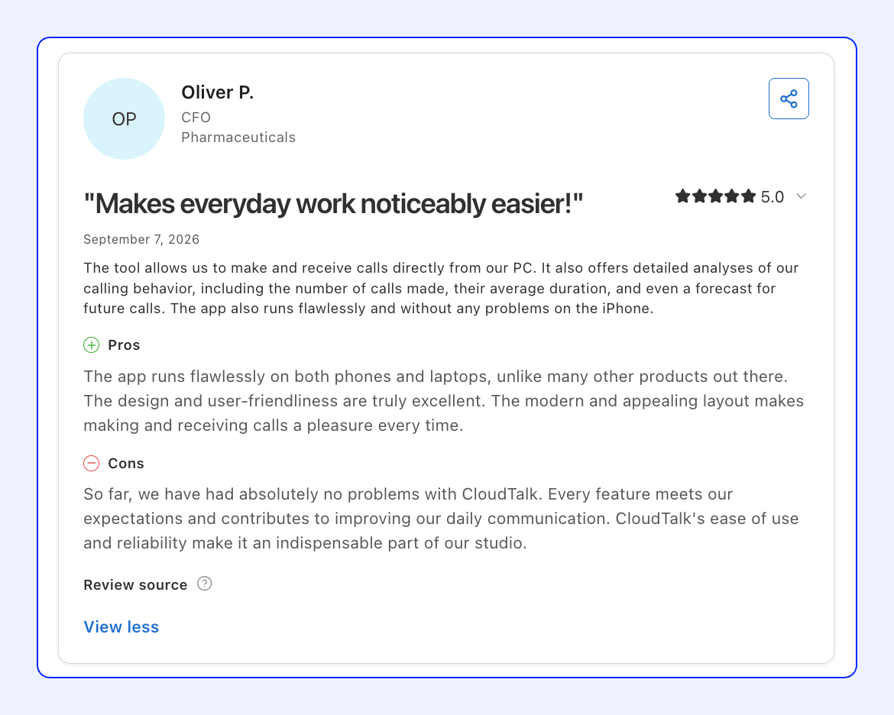
CloudTalk Reviews & Customer Stories
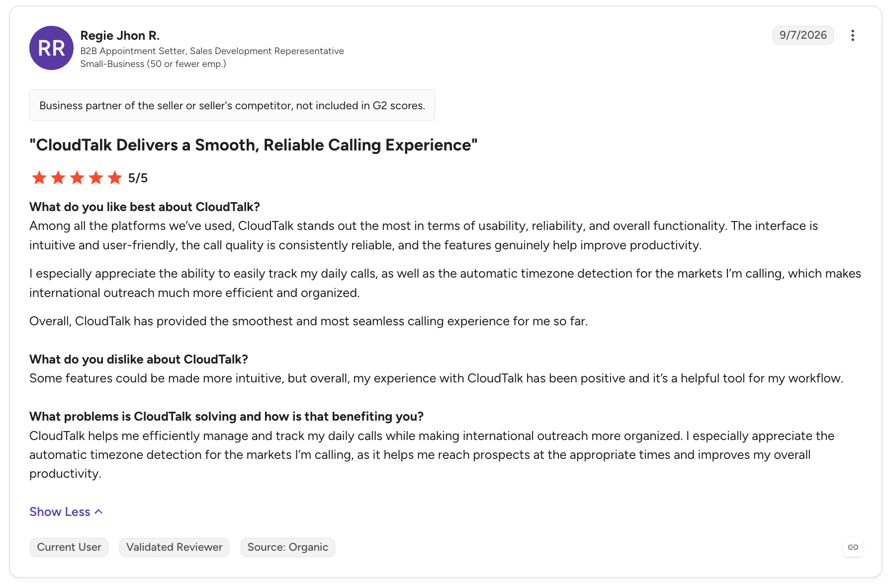
- Unzer replaced 5 legacy phone systems with CloudTalk and unified 20+ support teams across Europe:
2. RingCentral: Best for Multi-Site Companies That Want Phone, Video and Messaging in One Suite
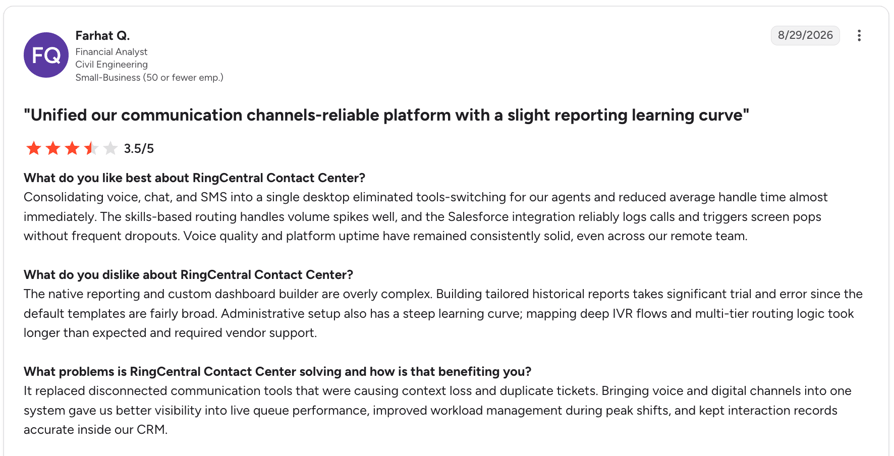
RingCentral Is Best For:
Multi-site and international companies that want phone, video and messaging from one vendor, with a long compliance list.
- RingEX is RingCentral's cloud PBX phone system, sold alongside its separate RingCX contact center. It combines calling, video meetings and team messaging in one app.
Key PBX Features of RingCentral
- Multi-level auto attendant on every plan, so callers choose a department first.
- Visual voicemail with transcription and voicemail-to-email on every plan.
- Call park for up to 50 parked callers, plus shared lines and basic call queues.
- Automatic call recording, whisper, barge and hot desking from Advanced.
- Numbers in 99+ countries, with full local phone service in 45.
What RingCentral Offers
| Features | Details |
|---|---|
| Devices | Poly, Yealink, Cisco, Mitel and Snom phones to buy or rent, plus many existing SIP phones; desktop, browser and mobile apps. |
| Numbers & porting | International numbers in 99+ countries; RingCentral covers the cost of porting most US numbers in. |
| Integrations | Salesforce, Zendesk, HubSpot and more from Advanced; Microsoft Teams and developer APIs on all plans. |
| Reporting | Call logs and quality analytics on all plans; business analytics from Advanced. |
| Security | ISO 27001, SOC 2, HIPAA and HITRUST, with GDPR named in the pricing FAQ. |
| Pricing | From $20/user/mo (Core, annual). See the full plan list below. |
| Ratings | G2 4.3/5 (2,922 reviews, all RingCentral products). |
What Does RingCentral's Pricing Look Like?
- Core:$20 per user/month billed annually ($30 monthly)
- Advanced:$25 per user/month billed annually ($35 monthly)
- AI Customer Engagement bundles:Contact sales
- 100+ users:Contact sales
RingCentral's Pros & Cons
| Pros | Cons |
|---|---|
| Multi-level IVR and voicemail transcription on Core | CRM integrations, fax and auto recording need Advanced |
| Wide international number coverage | Queue extras cost $35 per user |
| Phone, video and messaging in one app | Unlimited storage only on quote-priced bundles |
When To Choose RingCentral
- You run several offices or countries and want one vendor for phone, video and chat.
- You need a broad compliance list, including HIPAA.
Considerations
Most growing teams need Advanced rather than Core to get CRM links, automatic recording and supervisor tools, so price Advanced.
Recommended Reads
3. Dialpad: Best for Small Teams That Want AI Transcription on Every Plan
Dialpad Is Best For:
Small and mid-sized teams that want AI transcription built into a simple cloud phone system.
- Dialpad Connect is Dialpad's cloud business phone system, separate from its Dialpad Support contact center. It adds real-time transcription and AI call summaries to every plan.
Key PBX Features of Dialpad
- Multi-level auto attendant and custom call routing on every plan.
- Visual voicemail and voicemail transcription on every plan.
- Automatic call recording and real-time transcription on every plan.
- Departments as ring groups: 3 on Standard, 25 on Pro.
- Hold queues and extra numbers from Pro.
What Dialpad Offers
| Features | Details |
|---|---|
| Devices | Supported Poly and Yealink desk phones, bought from Dialpad or brought along; desktop, mobile and a Chrome web app. |
| Numbers & porting | Local numbers in 70 countries; free porting for US and Canadian numbers, with a fee elsewhere. |
| Integrations | Google Workspace on all plans; Salesforce, HubSpot, Zendesk, Microsoft Teams and APIs from Pro. |
| Reporting | Real-time analytics on all plans; quality-of-service reports from Pro. |
| Security | SOC 2 Type II, ISO 27001, GDPR and HIPAA-ready with a BAA. |
| Pricing | From $15/user/mo (Standard, annual). See the full plan list below. |
| Ratings | G2 4.4/5 (4,690 reviews, all Dialpad products). |
What Does Dialpad's Pricing Look Like?
- Standard:$15 per user/month billed annually ($27 monthly)
- Pro:$25 per user/month billed annually ($35 monthly), 3-user minimum
- Enterprise:Contact sales, 100-user minimum
Dialpad's Pros & Cons
| Pros | Cons |
|---|---|
| AI transcription on every plan | CRM integrations and hold queues need Pro |
| Low entry price on annual billing | Extensions only on Enterprise (100 users) |
| Free US and Canada porting | Monthly billing costs much more than annual |
When To Choose Dialpad
- You want call transcripts and summaries without an add-on.
- Your team is small and mostly calls within the US or Canada.
Considerations
Standard caps you at 3 departments and has no CRM sync, so most growing teams end up on Pro with a 3-user minimum.
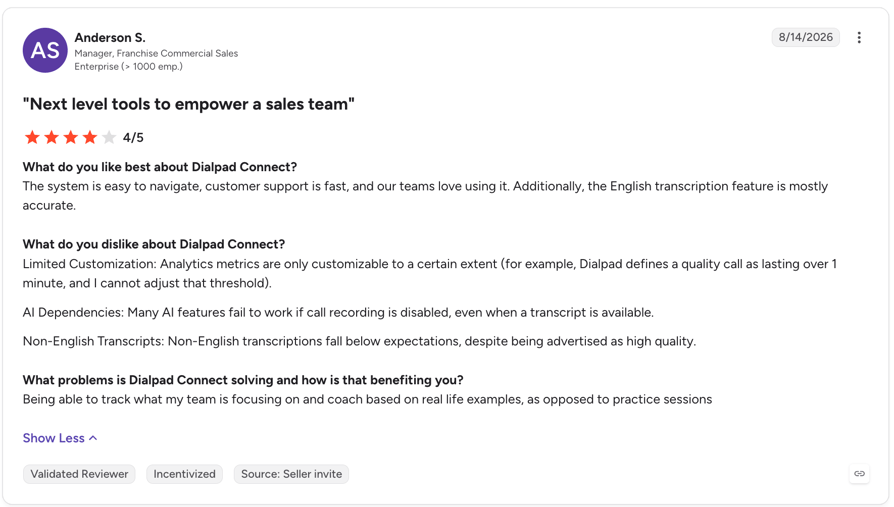
Dialpad's User Reviews
Recommended Reads
4. Zoom Phone: Best for Teams Already Using Zoom That Want Calling in the Same App
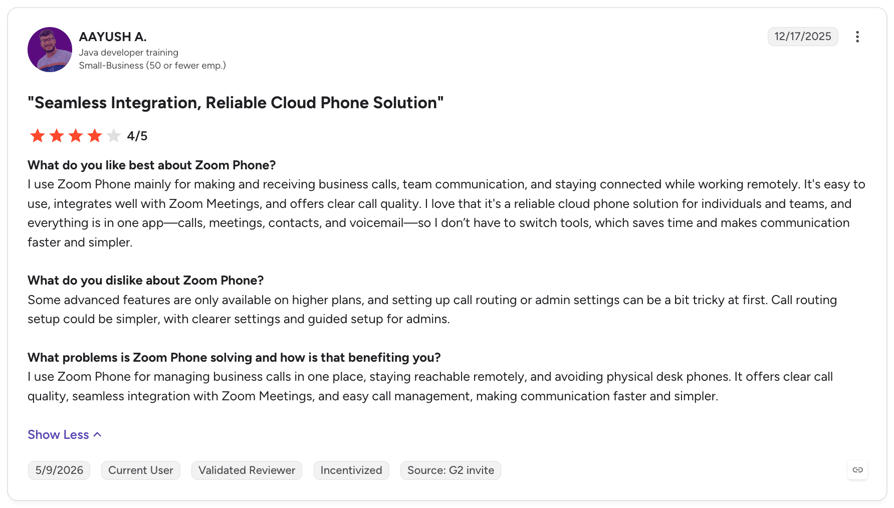
Zoom Phone Is Best For:
Companies already on Zoom Meetings, and international teams that want one flat plan per country.
- Zoom Phone is Zoom's cloud PBX, sold on its own or bundled with Zoom Workplace. Calls, meetings and chat share one app.
Key PBX Features of Zoom Phone
- Unlimited auto attendants with multi-level menus on every plan.
- Call queues with simultaneous, sequential, rotating and longest-idle routing.
- Voicemail with transcription, plus business-hours and holiday routing.
- Call recording with unlimited storage on every plan.
- Barge, monitor, whisper and takeover for supervisors.
What Zoom Phone Offers
| Features | Details |
|---|---|
| Devices | Certified desk phones with zero-touch provisioning; generic SIP phones need Zoom Support and lose advanced features; desktop and mobile apps. |
| Numbers & porting | Local numbers in 50+ countries; porting and toll-free on all plans. |
| Integrations | Salesforce, Slack, Microsoft and Google on all plans; HubSpot on Workplace bundles; APIs. |
| Reporting | Real-time reports and quality dashboards; queue analytics cost $25 more. |
| Security | ISO 27001, SOC 2 Type 2, FedRAMP Moderate, GDPR and HIPAA via BAA. |
| Pricing | From $10.50/user/mo (US & CA Metered, annual). See the full plan list below. |
| Ratings | G2 4.6/5 (2,672 reviews). |
What Does Zoom Phone's Pricing Look Like?
- US & CA Metered:$10.50 per user/month billed annually ($12 monthly)
- US & CA Unlimited:$16 per user/month billed annually ($18 monthly)
- Global Select:$22 per user/month billed annually ($25 monthly)
- Workplace Business Plus:$24.50 per user/month billed annually ($29 monthly)
Zoom Phone's Pros & Cons
| Pros | Cons |
|---|---|
| Recording and monitoring on every plan | Queue analytics are a paid add-on |
| Calls and meetings in one app | Limited support for generic SIP phones |
| Flat per-country pricing with Global Select | Live phone support only above $200 a month |
When To Choose Zoom Phone
- Your company already runs on Zoom Meetings.
- You need one per-user plan across many countries.
Considerations
Check your desk phones against Zoom's certified list, because generic SIP phones lose advanced features.
Recommended Reads
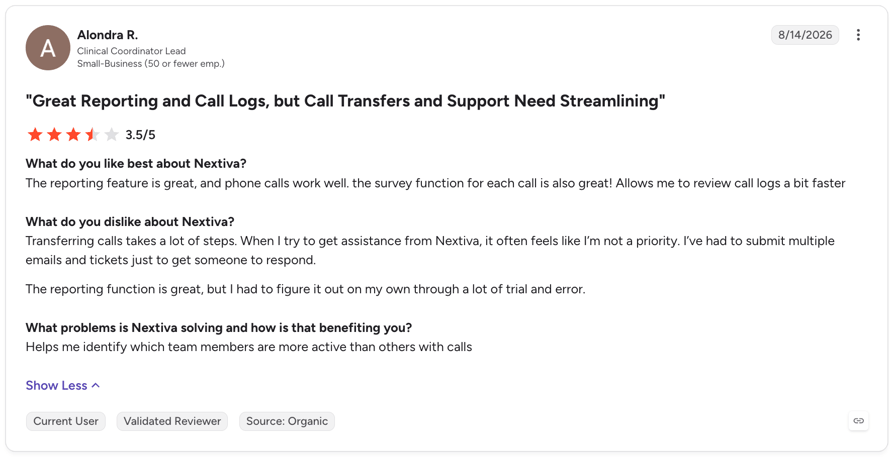
5. Nextiva: Best for US Small Businesses That Want Calling and SMS in One Plan
Nextiva Is Best For:
US small businesses with up to 100 employees that want calling, SMS and a toll-free number from one vendor.
- Nextiva is a US business communications platform that bundles a cloud phone system with SMS and contact management. Call center features sit on its top Scale plan.
Key PBX Features of Nextiva
- Multi-level auto attendant with business-hours routing on every plan.
- Voicemail transcription and unlimited US and Canada calling on every plan.
- Call recording and a toll-free number from Engage.
- IVR routing, a call queue and supervisor monitoring on Scale.
- Free number porting on every account.
What Nextiva Offers
| Features | Details |
|---|---|
| Devices | Yealink and Poly phones to buy or finance, plus other phones added by MAC address; desktop, mobile and browser apps. |
| Numbers & porting | Local numbers in any US area code; free porting; international country coverage not published. |
| Integrations | Salesforce, HubSpot, Zendesk, Zoho and other CRMs as add-ons on every plan; Microsoft Teams from Engage. |
| Reporting | 2 reporting dashboards on Core; full dashboards from Engage. |
| Security | ISO/IEC 27001, SOC 2, PCI DSS and HIPAA with a BAA. |
| Pricing | From $15/user/mo (Core, annual). See the full plan list below. |
| Ratings | G2 4.5/5 (3,441 reviews); Capterra 4.6/5 (914 reviews). |
What Does Nextiva's Pricing Look Like?
- Core:$15 per user/month billed annually ($23 monthly)
- Engage:$25 per user/month billed annually ($50 monthly)
- Scale:$75 per user/month
- Contact center:From $75 per agent/month
Nextiva's Pros & Cons
| Pros | Cons |
|---|---|
| Low annual entry price | CRM integrations are add-ons on every plan |
| Free porting and US-wide local numbers | Queues and monitoring need the $75 Scale plan |
| SMS included on every plan | Monthly billing costs up to twice the annual rate |
When To Choose Nextiva
- Your team is US-based and texts customers as often as it calls.
- You want a toll-free number and SMS bundled into the plan.
Considerations
Core lacks call recording and IVR routing, so price Engage or Scale if you need call center basics.
Recommended Reads
6. 8x8: Best for Multinational Firms That Want Phone and Contact Center From One Vendor
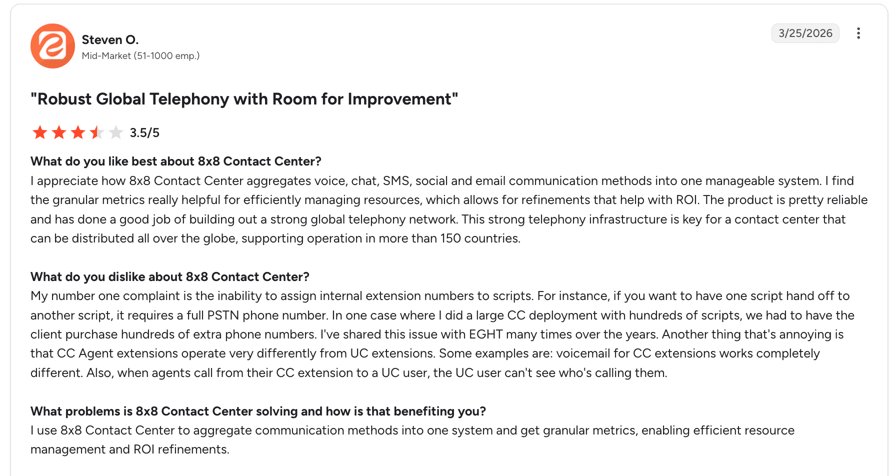
8x8 Is Best For:
Mid-market and multinational companies that want one vendor for phones and contact center, with UK and EU compliance.
- 8x8 Work is the business phone side of 8x8's X Series platform, sold alongside its contact center. It covers calling, video and messaging, with strong international calling.
Key PBX Features of 8x8
- Multi-level auto attendant with business-hours and holiday greetings.
- Ring groups and call queues for routing callers to teams.
- Visual voicemail with transcription.
- Call recording, call monitoring and a receptionist console.
- Multi-site support with role-based admin access.
What 8x8 Offers
| Features | Details |
|---|---|
| Devices | Poly, Yealink and Mitel phones to buy, finance or rent, plus a list of supported bring-your-own models; desktop, web and mobile apps. |
| Numbers & porting | Phone service in 50+ countries and local numbers in 100+; porting assistance included. |
| Integrations | Salesforce, HubSpot, Zendesk, Microsoft Dynamics, Zoho and Microsoft Teams; open APIs. |
| Reporting | UC Analytics and conversation insights; plan placement not published. |
| Security | ISO 27001:2022, SOC 2, PCI DSS 4.0.1, GDPR and HIPAA controls. |
| Pricing | Quote-based. See the plan details below. |
| Ratings | G2 4.1/5 (261 reviews, 8x8 Contact Center). |
What Does 8x8's Pricing Look Like?
- X Series plans (X2, X3, X4 and up):Pricing through sales
- Desk phones:Free phone with eligible plans
8x8's Pros & Cons
| Pros | Cons |
|---|---|
| Strong international calling | No published pricing |
| Phone and contact center from one vendor | No public plan-by-feature list |
| Broad UK, EU and US compliance | No self-serve free trial |
When To Choose 8x8
- You run offices in several countries and need included international calling.
- You want the business phone and contact center on one platform.
Considerations
Without public pricing, you'll need a sales quote to compare 8x8 with the other providers on this list.
Recommended Reads
7. Vonage: Best for Small US Businesses That Want an App-First Phone Line
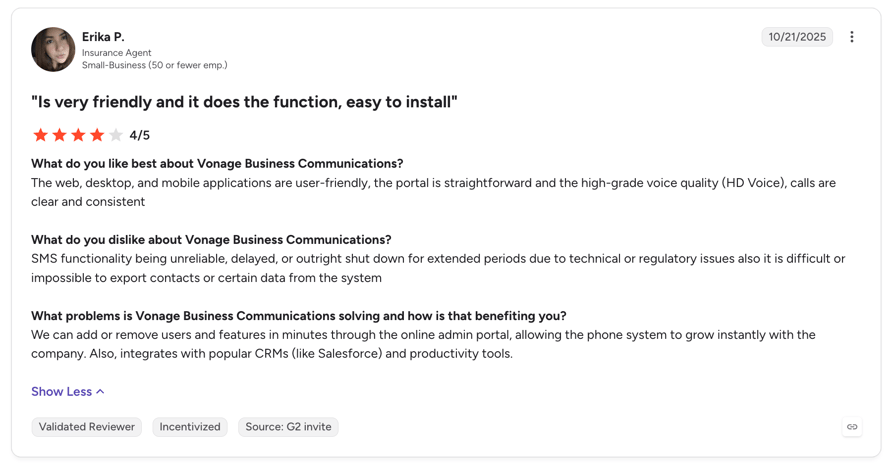
Vonage Is Best For:
Small US businesses that want a simple phone line with an auto attendant and plan to add features one by one.
- Vonage Business Communications (VBC) is Vonage's cloud phone system for small and mid-sized businesses. It starts as a mobile and desktop app, with desk phones and integrations on higher plans.
Key PBX Features of Vonage
- Virtual receptionist with business-hours, holiday and multi-level menus on every plan.
- Voicemail and unlimited domestic calling and SMS on every plan.
- Call park on every account.
- Call groups and on-demand recording (15 hours a month) on Advanced.
- Call queues and company-wide recording as add-ons.
What Vonage Offers
| Features | Details |
|---|---|
| Devices | Poly, Panasonic and Yealink phones from Premium; bring-your-own SIP phones get best-effort support; desktop, mobile and web apps. |
| Numbers & porting | One local number included; international numbers in 38 countries; porting on all plans. |
| Integrations | Salesforce, Microsoft Teams, Microsoft Dynamics and Slack, plus HubSpot, Zendesk and Zoho through the paid Integration Suite, from Premium. |
| Reporting | Call logs and analytics; a detailed reporting tier isn't published. |
| Security | ISO 27001, PCI DSS, SOC, HITRUST and CSA STAR across Vonage's product lines. |
| Pricing | From $19.99/line/mo (Mobile, monthly). See the full plan list below. |
| Ratings | G2 4.3/5 (493 reviews); Capterra 4.0/5 (320 reviews). |
What Does Vonage's Pricing Look Like?
- Mobile:$19.99 per line/month ($13.99 on the annual promotion)
- Premium:$29.99 per line/month ($20.99 on the annual promotion)
- Advanced:$39.99 per line/month ($27.99 on the annual promotion)
Vonage's Pros & Cons
| Pros | Cons |
|---|---|
| Monthly plans with no termination fee | Queues, recording and fax are add-ons |
| Auto attendant on every plan | Desk phones and integrations need Premium |
| One local number included | Low annual prices are a time-limited promotion |
When To Choose Vonage
- You need a few lines with an auto attendant and mostly use mobile apps.
- You're happy to add features as add-ons as you grow.
Considerations
Many PBX basics, such as call queues and company-wide recording, are add-ons with unpublished prices, so ask for a full quote.
Recommended Reads
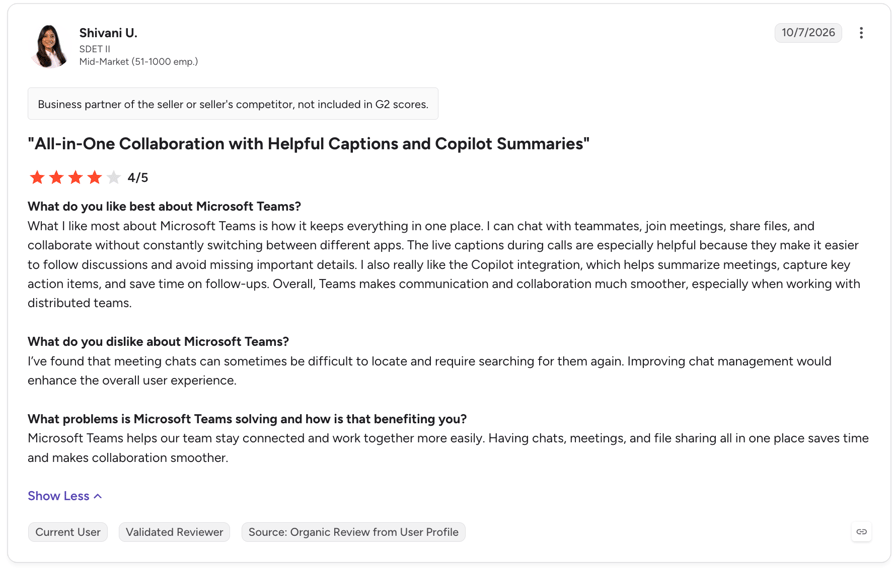
8. Microsoft Teams Phone: Best for Companies Standardized on Microsoft 365
Microsoft Teams Phone Is Best For:
Organizations already on Microsoft 365 with IT staff who can manage the Teams admin center.
- Microsoft Teams Phone adds a cloud PBX to Microsoft Teams, so staff call from the app they already use for chat and meetings. Calling plans, Operator Connect or Direct Routing connect it to the phone network.
Key PBX Features of Microsoft Teams Phone
- Auto attendants with nested menus and separate business-hours, after-hours and holiday call flows.
- Call queues with ring-all, serial, round-robin and longest-idle routing.
- Cloud voicemail delivered to the Exchange mailbox, with transcription.
- Call transfer, call park, call groups and shared lines.
- Historical reports for auto attendants and call queues.
What Microsoft Teams Phone Offers
| Features | Details |
|---|---|
| Devices | Teams-certified phones from Yealink, Poly, AudioCodes and others, plus compatible SIP phones through SIP Gateway; desktop, web and mobile apps. |
| Numbers & porting | Microsoft Calling Plans in 34 markets; carriers or your own SBC elsewhere; porting into a Calling Plan. |
| Integrations | Dynamics 365 Contact Center; other contact centers through certified partners; Microsoft Graph calling API. |
| Reporting | Historical queue and auto attendant reports; supervisor insights need Teams Premium. |
| Security | In scope for Microsoft's SOC 2 Type 2 and ISO 27001 reports, with a HIPAA BAA available. |
| Pricing | From $10/user/mo (Teams Phone Standard), plus a Teams license. See the full plan list below. |
| Ratings | G2 4.4/5 (19,358 reviews, Microsoft Teams). |
What Does Microsoft Teams Phone's Pricing Look Like?
- Teams Phone Standard:$10 per user/month, phone system only
- Teams Phone with pay-as-you-go calling:$13 per user/month
- Teams Phone with Calling Plan:$17 per user/month
- Teams Phone with domestic and international calling:$34 per user/month
Microsoft Teams Phone's Pros & Cons
| Pros | Cons |
|---|---|
| Calling inside the Teams app staff already use | Needs a Teams or Microsoft 365 license on top |
| Low per-user add-on price | Calling Plans cover only 34 markets |
| Microsoft-grade compliance coverage | Admin assumes IT skills (admin center or PowerShell) |
When To Choose Microsoft Teams Phone
- Your company already runs on Microsoft 365 and Teams.
- You have IT staff to manage numbers, policies and devices.
Considerations
Sales and support teams that need native CRM calling, queue callbacks or wallboards often add a separate calling platform, such as CloudTalk for Microsoft Teams.
Microsoft Teams' User Reviews
Recommended Reads
9. Ooma Office: Best for Very Small US and Canadian Offices on a Budget
Ooma Office Is Best For:
Very small US or Canadian offices, such as clinics, trades and real estate, that want simple phones with fax and no contract.
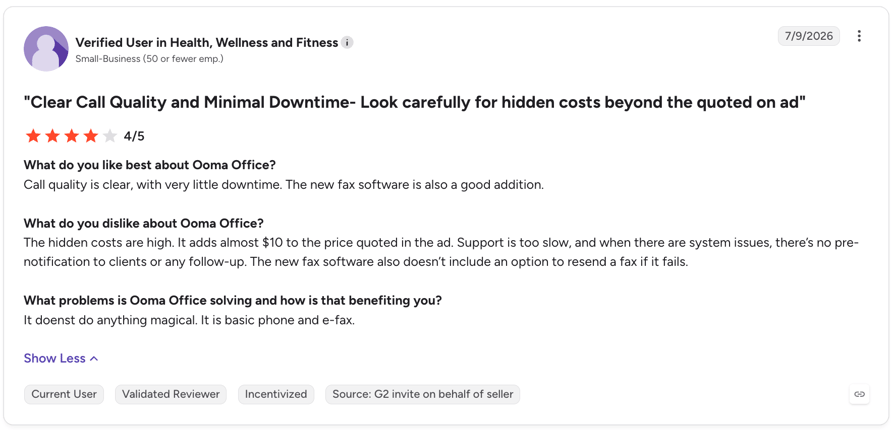
- Ooma Office is a cloud phone system for small businesses in the US and Canada. It comes with a virtual receptionist, ring groups and included North America calling, with no contract.
Key PBX Features of Ooma Office
- Virtual receptionist with multi-level menus on every plan.
- Ring groups, extensions, call park and voicemail-to-email on every plan.
- Call recording and voicemail transcription from Pro.
- Call queues, holiday menus and Find Me/Follow Me on Pro Plus.
- Virtual fax and analog fax support on every plan.
What Ooma Office Offers
| Features | Details |
|---|---|
| Devices | Phones supplied by Ooma (Yealink, Grandstream and Ooma models) or your own analog phones; no bring-your-own IP phones; desktop calling from Pro; mobile apps. |
| Numbers & porting | A main number plus a direct number per user, a free toll-free number and free porting; US and Canada focus. |
| Integrations | Salesforce, HubSpot, Microsoft Dynamics, Zoho, Pipedrive, Zendesk and Zapier on Pro Plus. |
| Reporting | Call logs on every plan; call analytics and leaderboards from Pro. |
| Security | HIPAA mode with encrypted voicemail and recordings; SOC 2 and ISO 27001 not published. |
| Pricing | From $19.95/user/mo (Essentials), no contract. See the full plan list below. |
| Ratings | G2 4.6/5 (131 reviews); Capterra 4.4/5 (245 reviews). |
What Does Ooma Office's Pricing Look Like?
- Essentials:$19.95 per user/month
- Pro:$24.95 per user/month
- Pro Plus:$29.95 per user/month
- Enterprise:Custom pricing
Ooma Office's Pros & Cons
| Pros | Cons |
|---|---|
| No contract and low per-user prices | No bring-your-own IP phones |
| Free toll-free number and porting | Queues and CRM integrations only on Pro Plus |
| Fax included on every plan | US and Canada focus |
When To Choose Ooma Office
- You run a small US or Canadian office and still need fax.
- You want simple phones with included North America calling.
Considerations
International teams and call-center workloads outgrow Ooma Office quickly, because queues and CRM sync sit on the top plan only.
Recommended Reads
10. 3CX: Best for IT Teams That Want to Host and Control Their Own PBX
3CX Is Best For:
IT-capable businesses, or businesses with a 3CX partner, that want low flat costs and control over carriers and hosting.
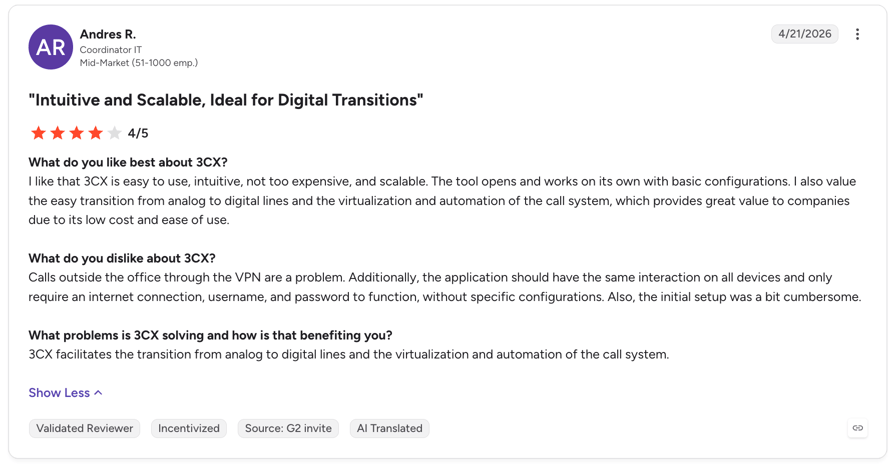
- 3CX is a software PBX that you host yourself, run in your own cloud, or have 3CX host for you. It's licensed per system by simultaneous calls, not per user.
Key PBX Features of 3CX
- Auto attendant and multi-level IVR on every edition, including free.
- Ring groups, call park and pickup on every edition.
- Call queues, recording, wallboards and listen, whisper and barge on PRO and AI.
- Built-in fax server on paid editions.
- Office hours and holiday routing per department.
What 3CX Offers
| Features | Details |
|---|---|
| Devices | Auto-provisioned Fanvil, Snom and Yealink phones, plus a wide range of SIP devices; web, desktop and mobile apps. |
| Numbers & porting | No built-in numbers; you bring a SIP trunk and port numbers through that provider. |
| Integrations | Salesforce, HubSpot, Pipedrive, Zoho, Zendesk and Dynamics 365 on PRO and AI; Call API on AI. |
| Reporting | Basic call reports on every edition; queue reports on PRO and AI. |
| Security | External penetration testing and code scanning; SOC 2 and ISO 27001 not published. |
| Pricing | Free for up to 10 users; paid editions from $300/year. See the full plan list below. |
| Ratings | G2 4.4/5 (529 reviews); Capterra 4.4/5 (463 reviews). |
What Does 3CX's Pricing Look Like?
- SMB Free:Free for up to 10 users, hosted by 3CX
- Basic:From $300 per year (8 simultaneous calls)
- PRO:From $395 per year (8 simultaneous calls)
- AI:From $575 per year (8 simultaneous calls)
3CX's Pros & Cons
| Pros | Cons |
|---|---|
| Free edition for up to 10 users | Numbers and minutes come from a separate SIP trunk |
| Flat annual price, not per user | Self-hosting needs IT skills or a partner |
| Self-hosted, private cloud or hosted options | Queues and CRM sync need PRO or higher |
When To Choose 3CX
- You have IT staff or a partner to run the PBX.
- You want to choose your own carrier and hosting.
Considerations
The license is cheap, but you own hosting, updates, trunks and support, so compare the total cost with a fully managed cloud PBX.
Recommended Reads
10 providers to choose from, but only 1 has it all.
What Is a Cloud PBX?
A cloud PBX is a business phone system where the PBX (extensions, routing and voicemail) runs in the provider's data centers instead of a box in your office. Staff make and take calls through desk phones, desktop apps or mobile apps.
A cloud-based PBX does the same job as an on-site PBX, but the provider maintains it.
CloudTalk is one example: a cloud PBX phone system you set up from a dashboard, with no on-site hardware. See how it works as a cloud phone system.
How a Cloud-Based PBX System Works
A cloud-based PBX system works in four steps, with no on-site server to install:
- 01Your numbers live with the provider.Local, toll-free and mobile numbers are bought or ported to the platform.
- 02Calls travel over the internet.Voice runs over VoIP to desk phones, desktop apps and mobile apps. See how VoIP works.
- 03Routing, voicemail and recording run in the cloud.IVR menus, groups and business hours decide who answers, and every call can be recorded.
- 04You manage it from a web dashboard.Installation means adding users, building call flows and connecting phones or apps.
Cloud PBX vs. On-Premise PBX
A cloud PBX system is hosted and maintained by the provider, while an on-premise PBX lives on your site and your IT team maintains it.
On-premise still suits businesses with strict in-house hosting rules.
| On-premise PBX | Cloud PBX | |
|---|---|---|
| Upfront cost | PBX hardware, wiring and installation | Nothing upfront; per user per month |
| Maintenance | Your IT team or a technician | Provider-managed |
| Adding users or sites | New lines and hardware per site | Add users and locations from a dashboard |
| Remote work | VPN setups and office-bound extensions | Built in; sign in from anywhere |
| Updates | Manual patches and upgrades | Ship automatically |
| Control | Full; the system lives on your premises | Provider-hosted |
Cloud PBX, IP PBX, VoIP PBX, PABX: What's the Difference?
These terms overlap, and buyers often use them interchangeably:
| System | Description |
|---|---|
| Cloud PBX | A cloud-hosted PBX runs in the provider's data centers, so a hosted PBX phone system works like a cloud PBX phone system. See how hosted PBX works. |
| IP PBX | A PBX that uses internet protocol. A cloud IP PBX runs online, but an IP PBX can also sit on your site. |
| VoIP PBX | VoIP is the technology that carries the calls, so a VoIP cloud PBX is a cloud PBX that uses it. |
| PABX | An older term for a private automatic branch exchange, the on-site switchboard a PBX replaced. |
Cloud PBX Features to Look For
A good cloud PBX phone system covers the cloud PBX features your current system already handles, then adds the ones it can't:
- Apps
- CRM sync
- Reporting
Voicemail, Auto Attendant and Call Queues
Cloud PBX voicemail, an auto attendant and call queues decide what happens to every caller nobody can answer right away.
Check these five things:
- Voicemail per user and per team, with messages sent to email.
- IVR menus that send callers to the right department.
- Call queues with hold messages and callback options.
- Business hours and holiday routing for every site.
- Overflow rules when nobody answers.
In CloudTalk, voicemail and IVR live in the Call Flow Designer.
Desk Phones, Desktop and Mobile Apps
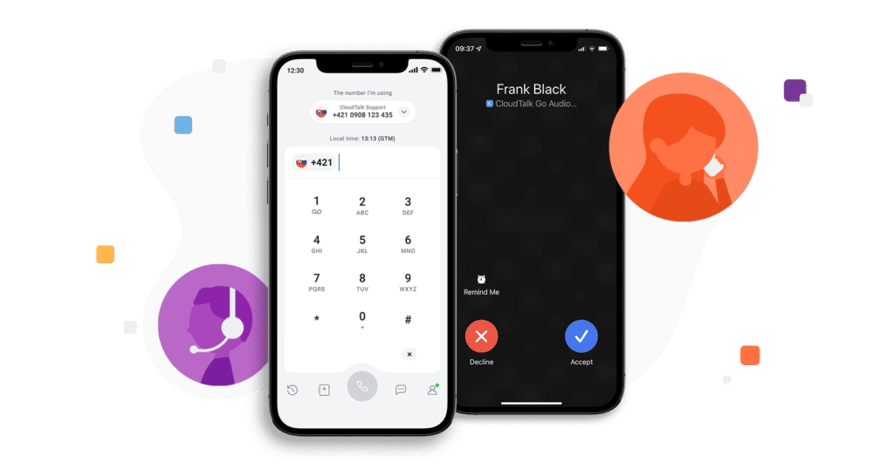
Desk phones suit reception, warehouses and clinics, while most other staff can work from a desktop or mobile app. One number should ring on all of them.
Check that the provider supports SIP desk phones and test your models before you commit.
CloudTalk runs in the browser, on desktop and mobile apps, and on SIP desk phones.
CRM and Business Tool Integrations
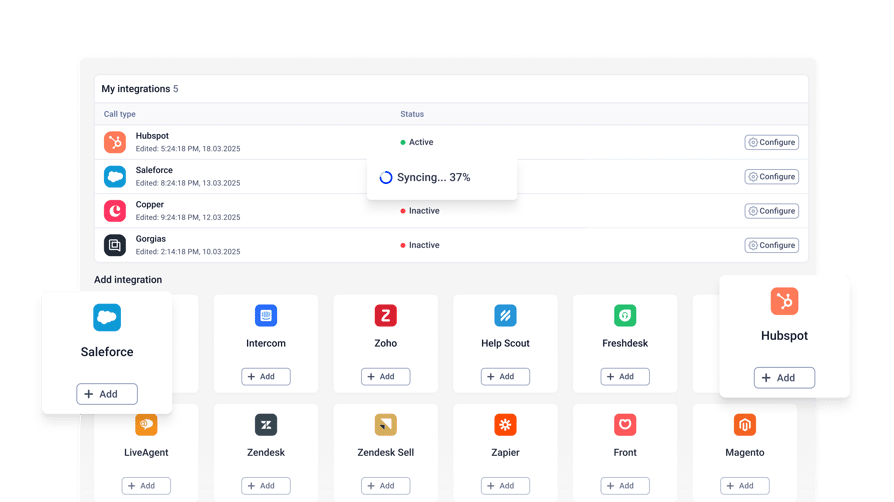
A cloud PBX CRM integration logs calls, recordings and outcomes against the right contact, without manual entry. Look for click-to-call from the CRM and automatic ticket creation in your helpdesk.
CloudTalk has native CRM integrations with HubSpot, Salesforce, Pipedrive, Zoho and 100+ more. Other systems connect through the API and webhooks.
Best Cloud PBX by Business Type
The best cloud-based PBX phone system depends on how many sites you run and how many calls you take.
Here's the short answer for each business type, with picks from the list above.
Best Cloud PBX for Small Business
CloudTalk, Ooma Office and Dialpad are the best cloud PBX for small business on this list. Look for quick setup, monthly billing, an included number, and an auto attendant and voicemail out of the box.
If your cloud-based PBX phone system takes a high volume of inbound calls, add call queues, ring groups with overflow, and missed-call reports.
Best Cloud PBX for Multi-Location Businesses and Schools
CloudTalk, RingCentral, and 8x8 suit multi-location businesses and schools. Extensions should work across sites, each location should get its own routing and hours, and admins should manage everything from one dashboard.
You should be able to add or close a location without on-site hardware.
Zaren unified 6 call centers on CloudTalk, and our phone system for schools shows the education setup.
“CloudTalk changed my life. The analytics, call recordings, and success tracking give us everything we need – and it’s increased our sales.”
Operations Manager, Zaren

Best Cloud PBX for Call Centers
CloudTalk, Zoom Phone and Nextiva are the strongest cloud PBX for call centers here. A cloud PBX call center needs queues, live monitoring, dialers and real-time analytics on top of the PBX basics.
If calls are your core business, a cloud PBX contact center or dedicated call center platform may fit better. Compare the best cloud call center software before you decide.
Best Cloud PBX for Enterprise
Microsoft Teams Phone, RingCentral and 8x8 lead for enterprise cloud PBX, with global calling, admin roles and large-scale device management.
CloudTalk's Custom plan comes with custom pricing, multi-country numbers, admin roles and API access. Larger deployments can discuss SIP trunk options with our sales team.
“Now we have charts and can monitor and compare stats whenever we choose. We can immediately see discrepancies between agents and change the way we work.”
Service Delivery Manager, Nokia

How Much Does a Cloud PBX Cost?
Cloud PBX pricing is usually a per-user monthly fee plus numbers, calling outside your included region and any desk phones you buy.
- 01For small and mid-sized teams:Business phone plans on this list start at about $10 to $25 per user per month on annual billing.
- 02For call center features:Plans with queues, monitoring and analytics usually cost $25 to $75 per user per month.
Cloud PBX Pricing Models
- Per user per month:Annual billing is usually cheaper than monthly.
- Included calling:Plans often cover one region; other countries need a bundle or pay-as-you-go minutes.
- Add-ons:Extra numbers, dialers and AI features are often priced separately.
- Hardware:Desk phones are a one-time cost if you buy them.
A simple way to estimate cloud PBX cost:
Users x plan price, plus extra numbers, plus minutes outside your included region, plus desk phones.
For example: 15 users on a $29 plan come to $435 a month before extra numbers, minutes and phones.
Is There a Free Cloud PBX?
A free cloud PBX exists, but you still pay for hosting, maintenance, numbers and support. Open-source PBX software and free tiers suit IT teams that want to run the system themselves.
Most providers offer a free trial instead of a free plan. CloudTalk offers a 14-day free trial, and our list of FreePBX alternatives covers the self-hosted options.
Hidden Costs to Check Before You Sign
A cheap hosted PBX can cost more than its headline price once these charges are added. Check each one before you sign:
- Porting fees, if your new or old provider charges them.
- Charges for each extra number.
- International calls outside the included region.
- Implementation or setup fees.
- Early termination fees on your current contract.
- New desk phones if your current models aren't compatible.
No hidden fees, fully transparent pricing.
How to Migrate From an On-Premise PBX to the Cloud
To migrate from an on-premise PBX to a cloud PBX phone system, map everything you have, test with real calls, and port numbers in stages.
Follow these 10 steps:
- 01List every number, line and extension you have today.
- 02Check porting availability for each number type and country.
- 03Check which of your desk phone models the new provider supports.
- 04Map call flows, business hours and groups before you switch.
- 05Run a trial with real calls and real callers.
- 06Port numbers in stages, with call forwarding as a fallback.
- 07Keep the old system live until porting completes.
- 08Time cancellation and billing so you don't pay twice.
- 09Train staff, starting with reception.
- 10Review missed-call and queue reports after week one.
See how acquiring and porting numbers works in CloudTalk:
Move Your Phone System to the Cloud Without Losing a Call
The best cloud PBX phone system is the one that fits your sites, your devices and your calls.
Pick the provider, check number porting and desk phones, compare plans, then migrate in stages with the old system still live.
Your team can keep working from desktop and mobile apps throughout.
If you want a cloud PBX with call center features and CRM sync in one place:
Then CloudTalk is your best fit. Try it free with your own numbers and calls.


Frequently Asked Questions
CloudTalk is the best cloud PBX provider for teams that want call center features and CRM sync. Very small US offices may prefer Ooma Office, and Microsoft 365 companies may prefer Teams Phone. See the comparison table.
Cloud PBX reliability depends on the provider's infrastructure and your internet connection. Ask about failover, call quality and status pages, and forward calls to mobiles if your office internet drops.
Yes. Most cloud PBX systems ring one number on a desk phone, desktop app and mobile app. CloudTalk supports desktop and mobile apps plus SIP desk phones.
The best cloud PBX mobile app keeps call quality on mobile data and handles transfers, voicemail and call history. It should also show CRM details. Test each app during a trial.
Most cloud PBX systems integrate with CRMs, but native integrations sync more than connectors. CloudTalk syncs calls, recordings and outcomes with HubSpot, Salesforce, Pipedrive, Zoho and 100+ more.
The easiest cloud PBX phone system to set up has a web dashboard, a visual call flow editor and app login without hardware. No on-site installation is needed. CloudTalk is set up from the Call Flow Designer.
Some cloud PBX providers offer virtual fax as an add-on. If you still rely on fax, check fax support with each provider before you switch.
Yes. Staff use the provider's mobile app with a shared business number, so calls and call history stay with the company when people leave.