CloudTalk is the best queue management software for most call center support teams: call queues and queue callback come on the entry plan, routing grows from skills-based to VIP queues on the Essential plan, and it runs at 99.999% uptime with local numbers in 160+ countries and 100+ integrations.
- 01CloudTalk: best for all-in-one call queues for growing support teams
- 02Aircall: best for small teams that want an easy cloud phone
- 03Dialpad: best for AI-first support teams
- 04Nextiva: best for small businesses moving up to a contact center
- 05Zendesk Talk (Zendesk Voice): best for teams already working in Zendesk
- 06Freshdesk Contact Center: best for low per-agent cost on Freshdesk
- 07Talkdesk: best for mid-market teams that want industry editions
- 08RingCentral Contact Center (RingCX): best for existing RingCentral customers
- 09Genesys Cloud CX: best for enterprise omnichannel and workforce engagement
- 10Five9: best for large contact centers with 50+ seats
The guide also covers call queues vs. walk-in queues, costs at 5 and 25 agents, free options and how to choose.
Best Queue Management Software Comparison Table: 10 Call Center Tools at a Glance
| Provider | Type | Best For | Key Queue Features | Starting Price | G2 Rating |
|---|---|---|---|---|---|
| CloudTalk | Cloud call center | All-in-one call queues for growing support teams | Queues and queue callback on every plan, four ring strategies, VIP queues, wallboards | $25/user/month (Starter) | 4.4/5 |
| Aircall | Cloud call center | Small teams that want an easy cloud phone | Queuing and IVR on every plan; callback and live monitoring on Professional | $30/license/month (Essentials) | 4.4/5 |
| Dialpad | Cloud call center | AI-first support teams | In-queue callback, silent monitoring, whisper and barge on every Support tier | $80/user/month (Support Essentials) | 4.4/5 |
| Nextiva | Business phone system | Small businesses moving up to a contact center | Phone queue on Scale; web and ACD callback on every Contact Center plan | $75/user/month (Scale or Contact Center Essential) | 4.5/5 |
| Zendesk Talk (Zendesk Voice) | Helpdesk voice add-on | Teams already working in Zendesk | Callback that keeps the caller's place, calls logged as tickets | $55/agent/month (Suite Team); callback from $115 | No separate G2 listing |
| Freshdesk Contact Center | Helpdesk voice add-on | Low per-agent cost on Freshdesk | Wait queues from Growth, queue callback from Pro | Free plan; queues from $15/agent/month plus per-minute | 4.1/5 |
| Talkdesk | Enterprise CCaaS | Mid-market teams that want industry editions | Studio routing, live dashboards, workforce management on Elite | $105/user/month (Voice Essentials) | 4.4/5 |
| RingCentral Contact Center (RingCX) | Enterprise CCaaS | Existing RingCentral customers | ACD, skills-based routing, queue callback, real-time reports | $65/user/month (Standard, annual) | 4.4/5 |
| Genesys Cloud CX | Enterprise CCaaS | Enterprise omnichannel and workforce engagement | Immediate or scheduled callbacks, predictive routing, live coaching | $75/user/month (CX 1) | 4.4/5 |
| Five9 | Enterprise CCaaS | Large contact centers with 50+ seats | ACD, IVR and queue reporting in the voice seat; wallboards as an add-on | $159/seat/month (Core, 50-seat minimum) | 4.1/5 |
According to ContactBabel's 2026 US Contact Center Decision-Makers' Guide1, the average speed to answer is now 74 seconds, a third higher than before the pandemic. For a support team, that means callers who hang up, call back later and open with a complaint. The experience breaks in the queue, before an agent picks up.
Hiring more agents costs the same on quiet days as on busy ones, and another IVR layer only moves the wait to the start of the call.
This guide covers phone queues, the call center queue management software that holds inbound callers, routes each one to the right agent and offers a callback.
For each of the 10 best queue management software tools, you'll see which plan unlocks callback and live monitoring, and what 5 and 25 agents would pay.

See your call queues working before you commit

What Is the Best Queue Management Software for Call Center Support Teams in 2026?
CloudTalk is the best queue management software for call center support teams. It puts call queues, queue callback, skills-based and VIP routing and real-time queue monitoring in one platform. Queues and callback start at $25/user/month on Starter, skills-based routing comes with Essential, and VIP queues and live monitoring come with Expert.
- Queues on the entry plan. Starter includes call queues, queue callback, ring groups and the visual Call Flow Designer. Several tools on this list keep callback for a mid or top tier.
- Routing that grows with you. CloudTalk queues use four ring strategies (Round Robin, Ring All and Random and Least Recent). Skill-based and condition-based routing starts on Essential, and VIP queues for high-value callers come with Expert.
- Monitoring and helpdesk context. Expert adds wallboards, real-time analytics and live call monitoring, and Zendesk, Freshdesk and Intercom integrations start on Essential. CloudTalk holds a 4.4/5 rating on G2 from 1938+ reviews.
Enterprise contact centers that need omnichannel routing and workforce management from one vendor could also look at Genesys Cloud CX or Five9.
See how CloudTalk handles peak-hour queues on your own numbers. Start free.
Our Methodology: How We Chose the Best Queue Management Software for Support Teams
We scored each tool on how its queue handles inbound callers who wait too long, hang up and call back annoyed. We checked every price on the vendor's own pricing page in October 2026. The criteria:
- Queue setup and prioritization: building and capping queues, and moving priority callers ahead.
- Routing: ACD, skills-based and VIP rules.
- Callback: whether callers keep their place after hanging up, and on which plan.
- Hold experience: greetings, hold music, and position or wait-time announcements.
- Dashboards and reporting: wallboards, live monitoring, and abandonment and service-level reports.
- Helpdesk and CRM integrations: caller context on screen and calls logged to tickets.
- Pricing transparency: published prices, plan minimums and costs billed on top of the seat.
- G2 ratings: check what real customers have to say about the providers
Why Trust Our Software Reviews?
For nearly a decade, we've helped 30,000+ professionals find and implement smarter business communication tools. We've reviewed 200+ software tools across industries, analyzed 5,500+ verified customer reviews from platforms like G2, Capterra, Trustpilot and TrustRadius, and drawn insights from real user discussions on Reddit and Quora.
In the past year alone, we published 1,000+ articles, each one written by humans for humans. Learn how we keep our content integrity and our software review methodology.
What Is Queue Management Software, and How Does a Call Queue Work?
Queue management software is software that organizes people waiting for service into a fair, predictable order. In a call center, it runs a phone call queue: it holds inbound callers in a virtual line and hands each one to the right agent as soon as one is free.
A support call usually moves through these steps:
- 01The caller dials your support number.
- 02An IVR menu sorts the call, for example "Press 1 for billing, 2 for technical support."
- 03The call joins a queue by skill, language or VIP status.
- 04The caller hears a greeting and hold music, and often periodic announcements, their position in the queue or a callback offer.
- 05A ring strategy connects an agent, such as round robin or least recent.
- 06The call is logged to your helpdesk or CRM with the recording and notes.
Faster routing and even call distribution cut actual wait time. Announcements, hold music and callbacks cut perceived wait, how long the hold feels, because the caller knows what's happening.
The call queue vs auto attendant question comes up because both sit in this path. The auto attendant (or IVR) answers and sorts the caller, and the queue holds them until an agent is free. Most support lines need both.
Call Center Queue Management vs. In-Person Queue Management: Which Do You Need?
Call center queue management holds inbound phone calls in a virtual line and routes them to the right agent, with callbacks, hold messages and live queue stats. In-person queue management handles walk-in visitors at banks, clinics, retail stores and government offices with kiosks, QR check-in, SMS waitlists and lobby displays.
Did you know?
Phone support isn't shrinking. YouGov's 2025 data on US customer service preferences2 shows that nearly 70% of Americans tend to use phone support, though only 35% name it as their preferred channel.
| Call center queue management | In-person queue management | |
|---|---|---|
| What it manages | Inbound phone calls | Walk-in visitors |
| How people wait | On hold, or with a callback | In a lobby, or remotely by SMS |
| Typical features | Skills-based routing, callback, wait-time announcements, wallboards | Kiosks, QR check-in, ticket numbers, display screens |
| Typical buyers | Support teams, contact centers, helpdesks | Banks, clinics, retail stores, public offices |
| Typical tools | The 10 tools in this guide | Walk-in queue and waitlist apps |
Healthcare providers often run both, a lobby queue on site and a phone queue for appointments. Helpdesk ticket queues for email and chat, managed by customer service ticketing software, pair with a phone queue rather than replace it, which is why helpdesk integrations matter in the reviews below. For the phone side, start with the "Best For" labels in the comparison table at the top.
The 10 Best Call Center Queue Management Software Reviewed
1. CloudTalk
What Is CloudTalk?
CloudTalk is a cloud call center used by 5,500+ companies. Support teams use it as call queue software: queues, routing, callback, live monitoring and helpdesk integrations run on one platform, and AI Voice Agents (a paid add-on) can answer the first layer of calls on the same numbers and routing as your human agents.
What Are CloudTalk's Key Queue Features?
- Fewer abandoned calls: call queues and queue callback are on Starter.
- Even workload: four ring strategies (Ring All, Round Robin, Random and Least Recent) spread calls across agents.
- Right agent the first time: skill-based routing (Essential) matches calls by language or technical skill, and caller-based routing can use any field in your connected CRM or helpdesk.
- Priority for key accounts: VIP queues (Expert) give expedited queue access to callers with VIP tags, or to a whole number marked as VIP.
- Changes without downtime: the drag-and-drop Call Flow Designer (all plans) builds IVRs, queues and fail-over rules, and you can edit a live flow without dropping calls.
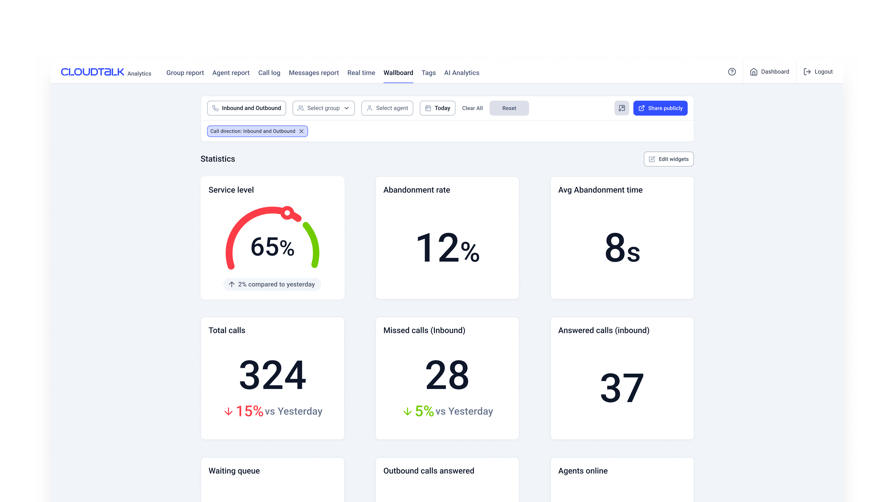
- Live queue view: wallboards (Expert) show calls waiting, SLA and agent status on office screens or through a shared link, and supervisors can listen, whisper or barge.
CloudTalk checked all the boxes. It was easy to set up, integrated seamlessly with our CRM, and offered advanced features like automated call routing, real-time reporting, and analytics. It gave us the flexibility to scale, kept our data secure, and offered great value without unnecessary complexity. It just made sense for our business.
IT Manager, LKN Strategies, Inc.

Which Integrations Does CloudTalk Offer?
From Essential, CloudTalk integrates natively with Zendesk, Freshdesk, Intercom, Help Scout, Front, Kustomer, Gorgias, Zoho Desk, HubSpot and Pipedrive. (100+); Salesforce and Microsoft Teams need Expert.
What Is the Pricing of CloudTalk?
Per user per month, billed annually (checked October 2026):
- Starter: $25 ($34 billed monthly): ring groups, call queues, queue callback and the Call Flow Designer.
- Essential: $29 ($39 monthly): adds IVR, skill-based and condition-based routing, agent and group reporting, and integrations.
- Expert: $49 ($69 monthly), 3-user minimum: adds VIP queues, live monitoring, wallboards, real-time analytics and agent status, with Preview and Power Dialer included.
- Custom: contact sales.
AI Conversation Intelligence ($9/user/month, billed annually) and AI Receptionist first 50 minutes free, then from $99/month for 200 minutes, are paid add-ons on every plan. There's no free plan, and the 14-day free trial needs no credit card. The CloudTalk pricing page lists every feature by plan.
Flexible Pricing Plans to Scale with You
Compare our plans
When Should You Use CloudTalk?
Use CloudTalk when:
- You need skills-based queues now and VIP queues later, on one platform.
- You run Zendesk, Freshdesk or Intercom and want caller context on screen when the phone rings.
- Your team is remote or hybrid, and supervisors need wallboards and live monitoring.
When not to use CloudTalk:
- You need workforce management and email, chat or social channels in the same platform as your phone queues. CloudTalk handles voice, SMS and WhatsApp and connects to third-party WFM tools, while Genesys Cloud CX and Five9 offer both.
- You'd rather keep voice on your Zendesk bill, which Zendesk Talk (Zendesk Voice) does.
What Are the Pros and Cons of CloudTalk?
| Pros | Cons |
|---|---|
| Queues and callback on the entry plan — both included on Starter | IVR and skill-based routing — need Essential |
| Four ring strategies — plus VIP queues and a visual Call Flow Designer | VIP queues, wallboards and live monitoring — need Expert, with a 3-user minimum |
| Native helpdesk integrations — Zendesk, Freshdesk and Intercom from Essential | Salesforce and Microsoft Teams integrations — need Expert |
What Do Customers Say About CloudTalk?
G2 rating: 4.4/5 (1938+ reviews). Read CloudTalk reviews on G2.
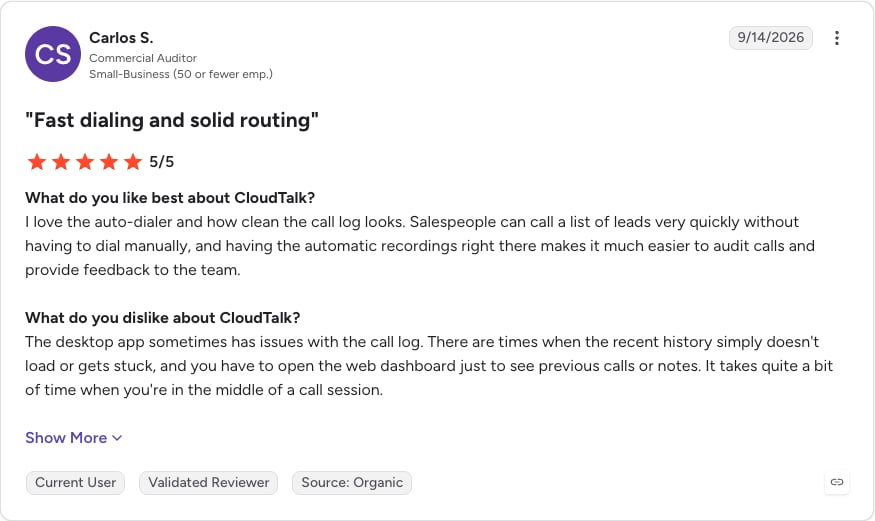
Test CloudTalk's queues and queue callback against your real call volume with a 14-day free trial.
2. Aircall
What Is Aircall?
Aircall is a cloud phone system and call center for small and mid-size teams, known for quick setup and a large app marketplace.
What Are Aircall's Key Queue Features?
- Queuing on every plan: call queuing, IVR, ring groups and distribution rules come with Essentials.
- Callback (Professional): callers can request a call back instead of holding.
- Routing on CRM data (Professional): smart routing picks the agent by account owner, region or another CRM or helpdesk field.
- Live coaching (Professional): monitoring, whisper and barge, plus SLA and time-to-answer analytics.
Which Integrations Does Aircall Offer?
Aircall lists 250+ integrations on all plans, including Zendesk, Intercom, Salesforce and HubSpot.
What Is the Pricing of Aircall?
Per license per month, billed annually (checked October 2026):
- Essentials: $30, with call queuing.
- Professional: $50, which unlocks queue callback, smart routing and live monitoring.
- Enterprise: custom pricing, minimum 25 users.
Essentials and Professional need at least 3 licenses, and annual billing saves 25%. Extra numbers cost $6/month, and AI Assist Pro is a $49/seat/month add-on. Our Aircall pricing guide covers each plan and add-on.
When Should You Use Aircall?
Use Aircall when:
- Your small team wants a simple cloud phone and already uses apps from Aircall's marketplace.
- You'll pay for Professional to get callback and live monitoring.
When not to use Aircall:
- You want queue callback on an entry plan, which CloudTalk Starter includes at $25/user/month.
What Are the Pros and Cons of Aircall?
| Pros | Cons |
|---|---|
| Queuing and IVR on the entry plan — included on Essentials | Callback and live monitoring — need Professional ($50) |
| 250+ integrations — on every plan | 3-license minimum — on Essentials and Professional |
| Smart routing on CRM data — from Professional | Extra numbers — $6/month each |
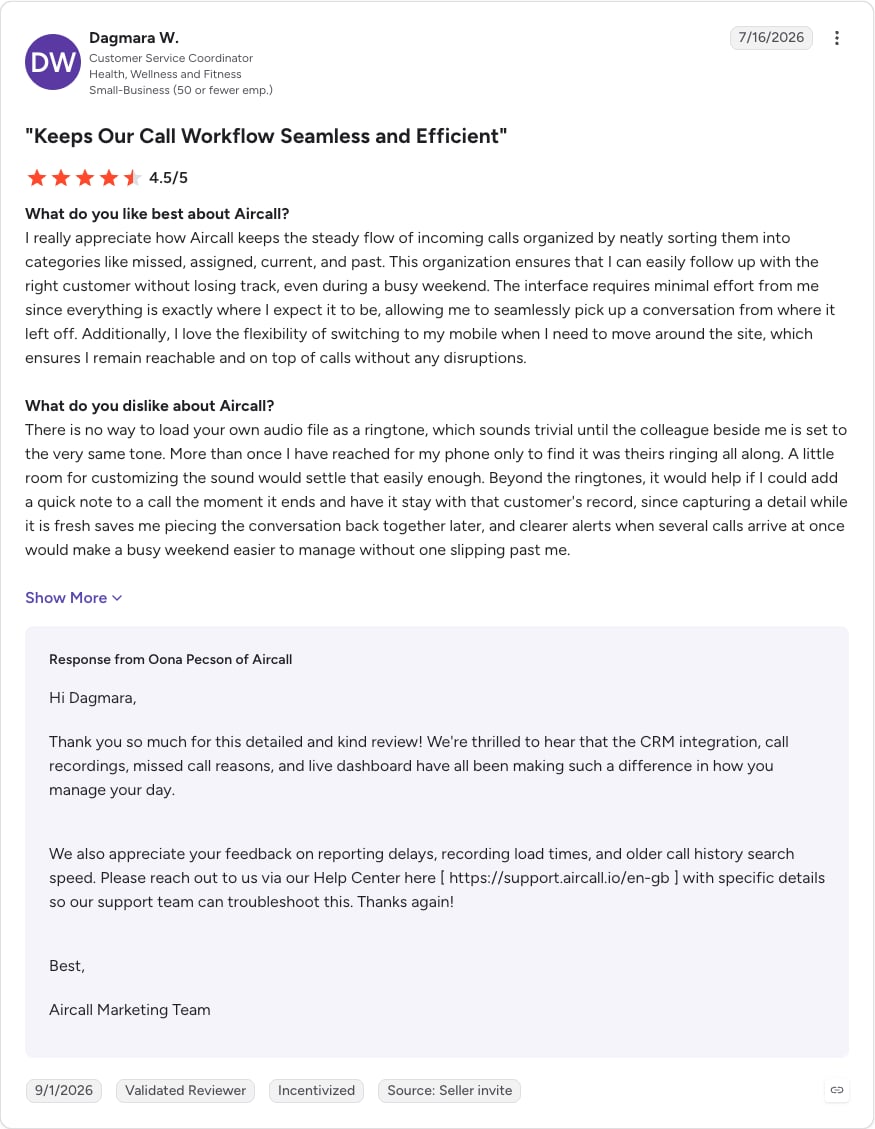
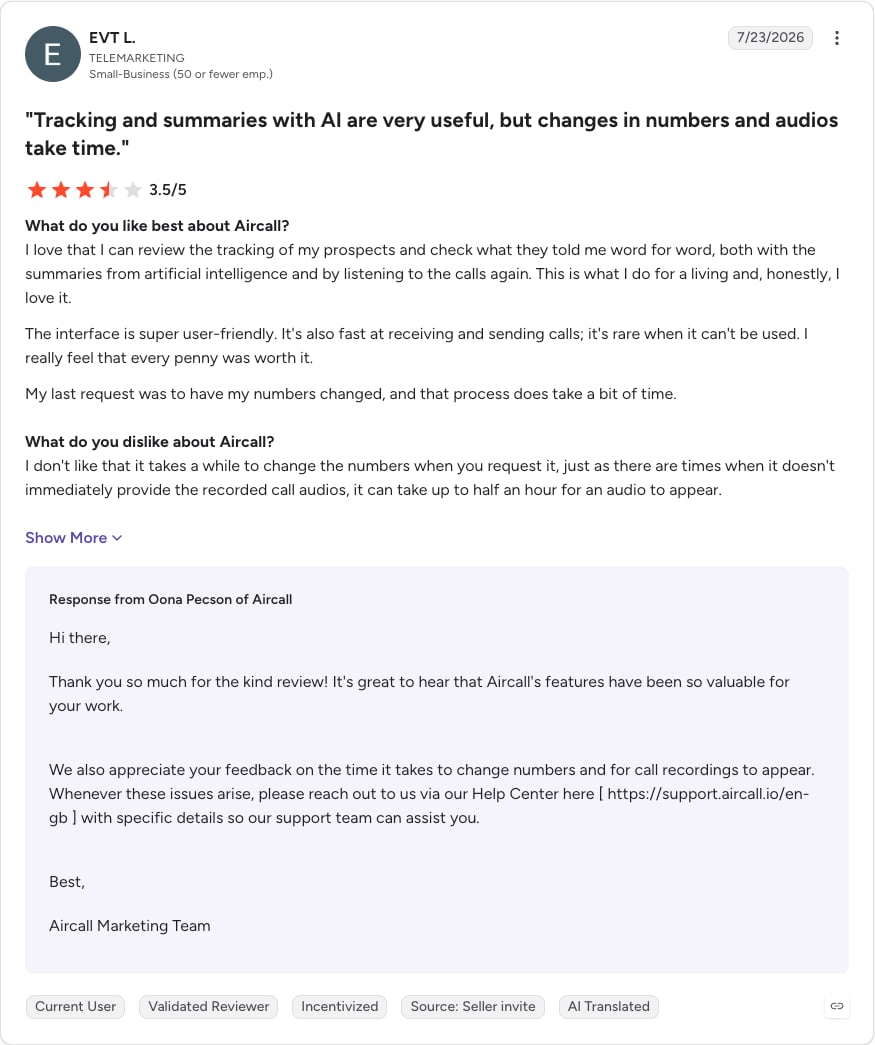
What Do Customers Say About Aircall?
G2 rating: 4.4/5 (1671+ reviews). Read Aircall reviews on G2.
3. Dialpad
What Is Dialpad?
Dialpad is an AI-focused communications platform with a business phone system, Dialpad Connect, and a contact center, Dialpad Support. Support teams that need queues usually choose Dialpad Support.
What Are Dialpad's Key Queue Features?
- Callback on every contact center tier: all Dialpad Support plans include in-queue callback.
- Supervisor tools from the start: silent monitoring, whisper coaching and barge-in come with every Support tier.
- Routing and queueing: Support Essentials routes and queues interactions across the team.
- A lighter option: Dialpad Connect Pro and Enterprise include hold queues, and Connect Standard doesn't.
Which Integrations Does Dialpad Offer?
Dialpad Support connects natively to Zendesk, Intercom, ServiceNow, Salesforce, HubSpot, Microsoft Dynamics 365 and Zoho CRM, and its app marketplace adds Help Scout, Front and Kustomer. Freshdesk isn't on the list.
What Is the Pricing of Dialpad?
Per user per month, annual / monthly billing (checked October 2026):
- Dialpad Support Essentials: $80 / $95, with queues, in-queue callback and live monitoring.
- Dialpad Support Advanced: $115 / $135.
- Dialpad Support Premium: $150 / $170.
- Dialpad Connect Standard: $15 / $27, no hold queues.
- Dialpad Connect Pro: $25 / $35, with hold queues.
- Dialpad Connect Enterprise: contact sales.
Our Dialpad pricing breakdown has plan-by-plan detail.
When Should You Use Dialpad?
Use Dialpad when:
- You want callback and supervisor monitoring on the first contact center tier, with a strong AI focus.
When not to use Dialpad:
- Your budget is tight. Dialpad Support starts at $80/user/month, against $25 for CloudTalk Starter with queues and queue callback.
What Are the Pros and Cons of Dialpad?
| Pros | Cons |
|---|---|
| In-queue callback — on every Support tier | Contact center price — Support plans start at $80/user/month |
| Supervisor tools — silent monitoring, whisper and barge on every Support tier | No hold queues on Connect Standard — the $15 tier |
| Basic hold queues — on Connect Pro ($25) | Support trial length — not stated on the pricing page |
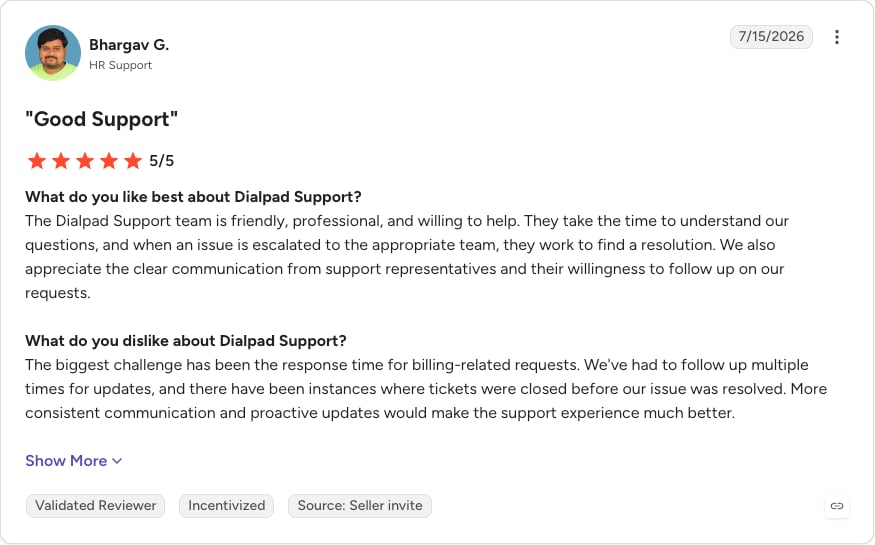
What Do Customers Say About Dialpad?
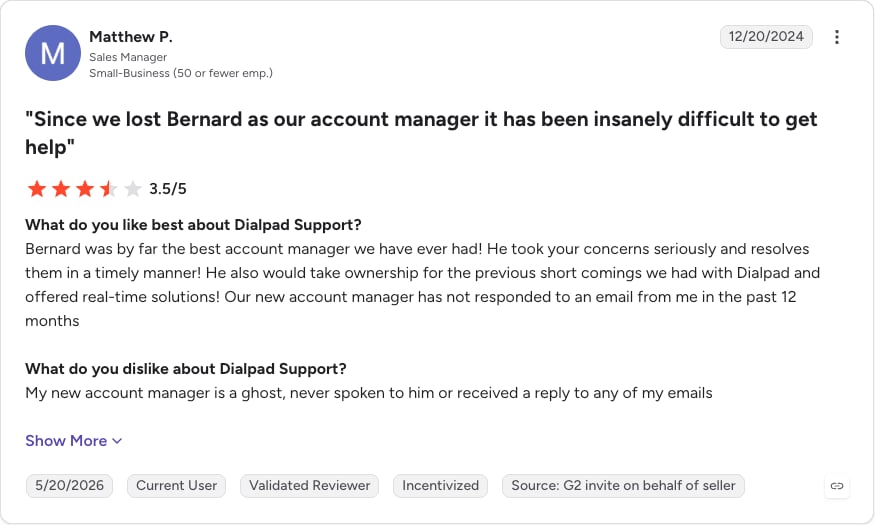
G2 rating: 4.4/5 from 712 reviews for Dialpad Support, read on 5 October 2026. Read Dialpad Support reviews on G2.
4. Nextiva
What Is Nextiva?
Nextiva is a business phone system for small businesses, with a separate Nextiva Contact Center product for teams that outgrow basic call routing.
What Are Nextiva's Key Queue Features?
- Basic routing: call routing comes with every small-business plan.
- A phone queue on Scale only: Nextiva lists "Make & receive calls in one queue" on its top phone plan.
- Callback on every contact center plan: Contact Center Essential and up include web callback and ACD callback.
- Skills-based routing: Contact Center Essential adds it, plus journey orchestration across voice and web chat.
- Supervisor visibility: dashboards and monitoring start on Contact Center Professional.
Which Integrations Does Nextiva Offer?
Nextiva integrates with HubSpot, Salesforce, Zendesk and ServiceNow, among others.
What Is the Pricing of Nextiva?
Per user per month (checked October 2026):
- Core: $15 (annual small-business price).
- Engage: $25 (annual small-business price).
- Scale: $75, which includes the phone queue.
- Contact Center Essential: from $75/agent, with callback.
- Contact Center Professional and Premium: quote-based.
Small-business prices need a 12-month term and apply to companies with 1 to 100 employees. Nextiva offers a demo, not a free trial. Our Nextiva pricing guide covers both product lines.
When Should You Use Nextiva?
Use Nextiva when:
- You're a small business that wants a phone system now and a path to a contact center later.
When not to use Nextiva:
- You want queues and callback below $75/user. CloudTalk Starter covers both at $25/user/month.
What Are the Pros and Cons of Nextiva?
| Pros | Cons |
|---|---|
| Low entry price — for basic call routing | Phone queue — only on the $75 Scale plan |
| Callback — web and ACD callback on every Contact Center plan | Supervisor monitoring — Contact Center tiers with it are quote-only |
| CRM and helpdesk integrations — Zendesk, Salesforce, HubSpot and ServiceNow | Contract terms — discounted pricing needs a 12-month term, and there's no free trial |
What Do Customers Say About Nextiva?
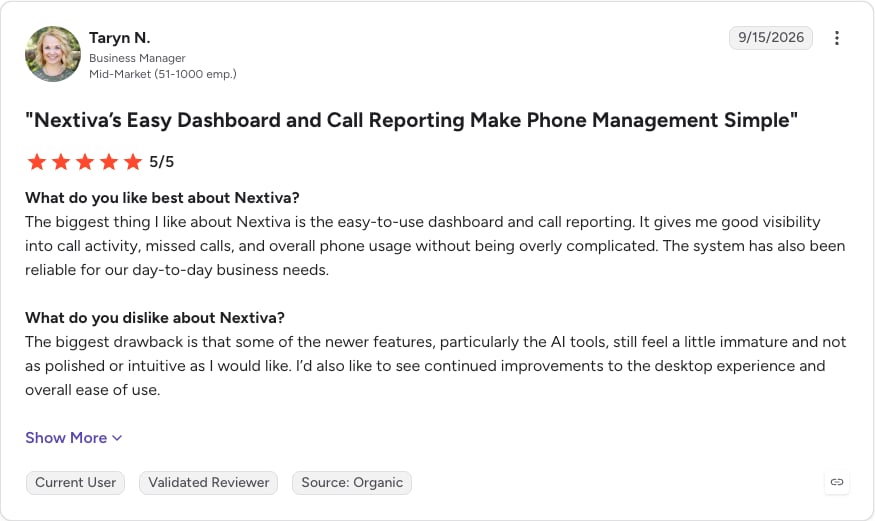
G2 rating: 4.5/5 (3653+ reviews). Read Nextiva reviews on G2.
5. Zendesk Talk (Zendesk Voice)
What Is Zendesk Talk (Zendesk Voice)?
Zendesk Voice, still called Zendesk Talk in Zendesk's help docs, is the voice channel built into the Zendesk Suite. It puts calls and tickets in one agent workspace.
What Are Zendesk Talk's Key Queue Features?
- Callers keep their place: callback from queue (Suite Professional and up) rings callers back when an agent frees up.
- Every call becomes a ticket: agents handle voice and other channels in one view.
- Callback reporting: Talk dashboards track callbacks in queue, total callback calls and average callback wait time.
- Live queue view: a live dashboard shows callbacks in queue (Suite Professional and up with Explore; read-only on Professional).
- A heavier option: Zendesk Contact Center, built on Amazon Connect telephony, is an add-on to any Suite plan.
Which Integrations Does Zendesk Talk Offer?
Zendesk Voice is native to the Zendesk Suite. Teams that want a separate call center can connect one to Zendesk instead.
What Is the Pricing of Zendesk Talk (Zendesk Voice)?
Per agent per month, billed annually (checked October 2026):
- Suite Team: $55, with voice queues.
- Suite Professional: $115, which unlocks callback from queue.
- Suite Enterprise: contact sales.
Voice usage beyond plan limits is billed by consumption, Zendesk Contact Center starts at $83/agent/month on top of a Suite plan, and the 14-day free trial includes Suite Professional features. Our Zendesk Talk pricing guide shows how voice usage adds up.
When Should You Use Zendesk Talk?
Use Zendesk Talk when:
- Your team already works in Zendesk and wants calls and tickets on one bill.
When not to use Zendesk Talk:
- You want wallboards and VIP queues at a lower seat cost. CloudTalk integrates with Zendesk from Essential, so agents keep the ticket context.
What Are the Pros and Cons of Zendesk Talk?
| Pros | Cons |
|---|---|
| One agent workspace — calls and tickets together | Callback — needs Suite Professional ($115/agent) |
| Callback keeps the caller's place — in the queue | Voice usage — billed on top of the seat price |
| Callback reporting — built into the dashboard | Callback timeout — requests expire after 60 minutes, with no automatic redial |
What Do Customers Say About Zendesk Talk?
G2 rating: G2 has no separate listing for Zendesk Voice; it's reviewed as part of Zendesk Suite. See Zendesk Suite reviews on G2.
6. Freshdesk Contact Center
What Is Freshdesk Contact Center?
Freshdesk Contact Center (formerly Freshcaller) is Freshworks' cloud contact center, priced per agent plus per-minute usage and built to pair with the Freshdesk helpdesk.
What Are Freshdesk Contact Center's Key Queue Features?
- Low-cost wait queues: wait queues start on the $15 Growth plan.
- Virtual hold: queue callback is a queue-level setting from Pro.
- Routing automation (Pro): holiday routing, agent statuses and smart escalations.
- Supervisor control (Pro): supervisors can see and reassign waiting callers from the live dashboard.
- Service level tracking (Enterprise): abandoned-call metrics and service level monitoring.
Which Integrations Does Freshdesk Contact Center Offer?
Freshdesk Contact Center links calls and tickets through the Freshdesk helpdesk.
What Is the Pricing of Freshdesk Contact Center?
Per agent per month, billed annually, plus pay per minute (checked October 2026):
- Free: $0, without wait queues or callback.
- Growth: $15, with wait queues and 2,000 incoming minutes/month.
- Pro: $39, with queue callback and 3,000 incoming minutes/month.
- Enterprise: $69, with service level monitoring and 5,000 incoming minutes/month.
Annual billing saves 20%, day passes cost $2, $7 or $12, and Enterprise has a 14-day free trial. Our Freshdesk Contact Center pricing guide covers the per-minute rates.
When Should You Use Freshdesk Contact Center?
Use Freshdesk Contact Center when:
- You use Freshdesk and want the lowest listed per-agent price for a wait queue.
When not to use Freshdesk Contact Center:
- You'd rather pay a flat per-user price than per-minute charges. CloudTalk Starter bundles unlimited US and Canada calling in the Americas and integrates with Freshdesk from Essential.
What Are the Pros and Cons of Freshdesk Contact Center?
| Pros | Cons |
|---|---|
| Free plan and $15 Growth tier — low entry cost | Per-minute charges — on every plan |
| Queue callback — from the $39 Pro plan | Free plan — has no wait queues |
| Live queue control — supervisors can reassign waiting callers | Service level monitoring — needs Enterprise ($69) |
What Do Customers Say About Freshdesk Contact Center?
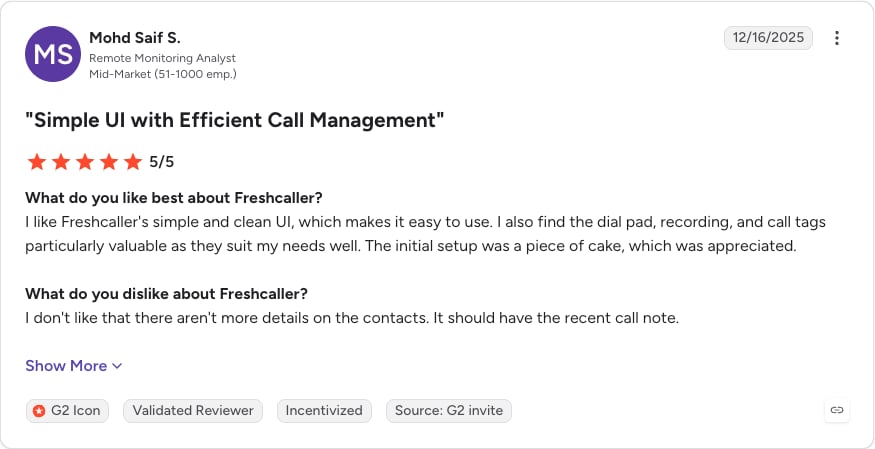
G2 rating: 4.1/5 from 132 reviews (G2 still lists it under its former name, Freshcaller), read on 5 October 2026. Read Freshdesk Contact Center reviews on G2.
7. Talkdesk
What Is Talkdesk?
Talkdesk is an enterprise contact center platform (CCaaS) focused on AI automation, with Industry Experience Clouds for sectors such as financial services, healthcare and retail.
What Are Talkdesk's Key Queue Features?
- Visual routing: Voice Essentials includes Studio and Routing for designing flows and queues.
- Live and historical views: real-time dashboards (Live) sit alongside business intelligence (Explore).
- Workforce tools on the top tier: Elite adds custom reporting, workforce management and performance management.
- Regulated-sector packages: Industry Experience Clouds bundle sector-specific features.
Which Integrations Does Talkdesk Offer?
Talkdesk's AppConnect marketplace has prebuilt integrations for Zendesk, Freshdesk, Intercom, Salesforce, HubSpot, ServiceNow, Microsoft Dynamics 365 and Zoho CRM.
What Is the Pricing of Talkdesk?
Per user per month; the billing term isn't stated on the pricing page (checked October 2026):
- Digital Essentials: $85, digital channels only.
- Voice Essentials: $105, with voice routing and queues.
- Elite: $165.
- Industry Experience Clouds: $225 (Government is custom-priced).
Talkdesk Express, for US and Canadian companies under 50 employees, includes 25 licenses and $100 of free credit with no contract, at an unlisted price. The pricing page doesn't say which tier includes callback. Our Talkdesk pricing guide covers each edition.
When Should You Use Talkdesk?
Use Talkdesk when:
- You're a mid-market or enterprise team that wants a call queue management platform with industry editions and workforce management from one vendor.
When not to use Talkdesk:
- You have fewer than about 50 agents and need queues and callback running fast. CloudTalk covers both on Starter.
What Are the Pros and Cons of Talkdesk?
| Pros | Cons |
|---|---|
| Industry Experience Clouds — for regulated sectors | Voice price — starts at $105/user/month |
| Workforce and performance management — on Elite | Callback tier — not stated on the pricing page |
| Talkdesk Express — for small US and Canadian teams, no contract | Express pricing — not published |
What Do Customers Say About Talkdesk?
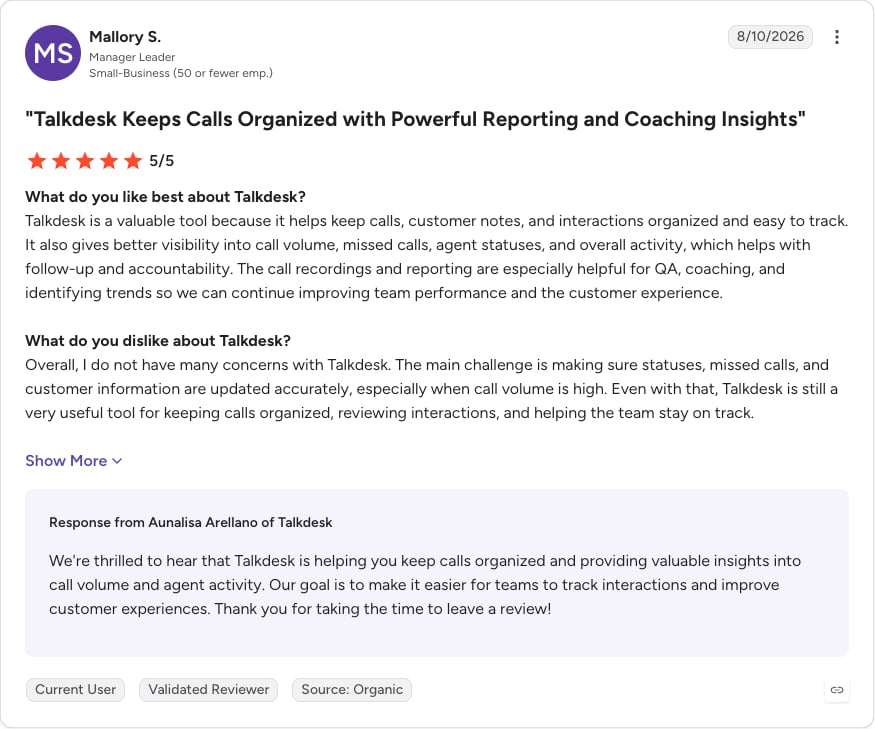
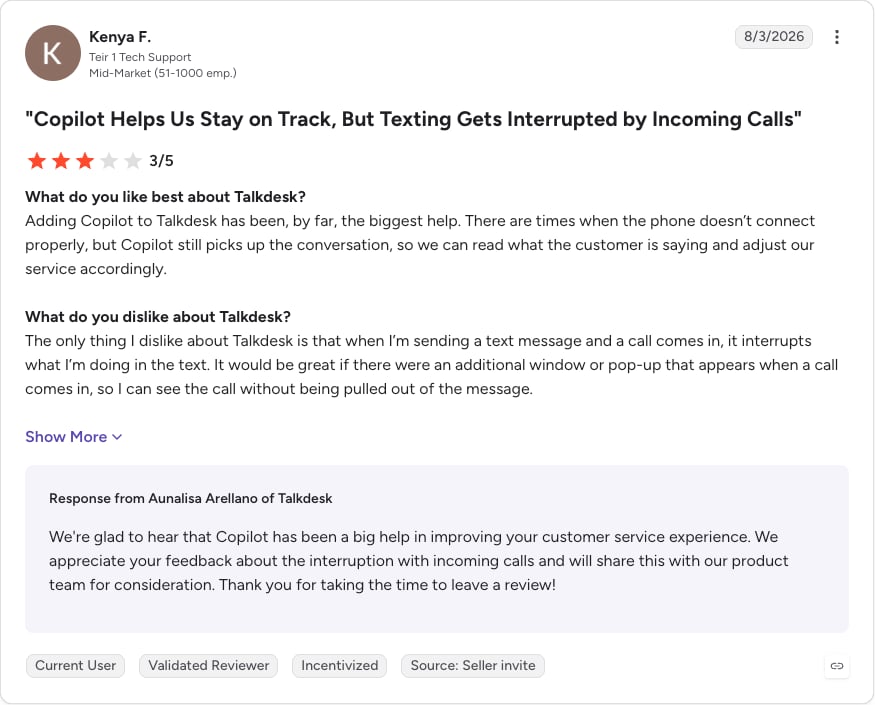
G2 rating: 4.4/5 from 2,601 reviews, read on 5 October 2026. Read Talkdesk reviews on G2.
8. RingCentral Contact Center (RingCX)
What Is RingCentral Contact Center (RingCX)?
RingCX is RingCentral's AI-first contact center, sold alongside its RingEX business phone system. One RingCX license covers voice and 20+ digital channels.
What Are RingCX's Key Queue Features?
- Routing in the core product: ACD, IVR and skills-based routing.
- Callbacks as standard: queue callback is a core capability.
- Reporting: real-time and historical reports come with the core product.
- No usage meter: RingCX includes unlimited minutes, so busy weeks don't add per-minute charges.
Which Integrations Does RingCX Offer?
RingCX integrates natively with RingCentral's RingEX phone system, so phone and contact center come from one vendor.
RingCX also embeds in Zendesk, Freshdesk, Salesforce, HubSpot, ServiceNow, Microsoft Dynamics 365 and Zoho, and RingCentral includes these CRM integrations in the RingCX package at no extra charge.
What Is the Pricing of RingCentral Contact Center (RingCX)?
Per user per month, annual / monthly billing (checked October 2026):
- Standard: $65 / $75.
- Professional: $95 / $110.
- Elite: $145 / $165.
- Enterprise Contact Center: contact sales.
RingCentral says annual billing saves up to 15%. AI add-ons such as Quality Management and Agent Assist start at $25/user/month, AI Workforce Management starts at $20, and no RingCX trial is listed. Our RingCentral pricing guide covers the full lineup.
When Should You Use RingCX?
Use RingCX when:
- You already run RingEX and want your contact center from the same vendor.
When not to use RingCX:
- You're not on RingCentral and want a cheaper queue setup. CloudTalk starts at $25/user/month with queues and queue callback.
What Are the Pros and Cons of RingCX?
| Pros | Cons |
|---|---|
| Callback and skills-based routing — in the core product | Entry price — $65/user/month |
| Unlimited minutes — no per-minute charges | AI quality and analytics — paid add-ons |
| One license — voice and 20+ digital channels | Free trial — none listed for RingCX |
What Do Customers Say About RingCX?
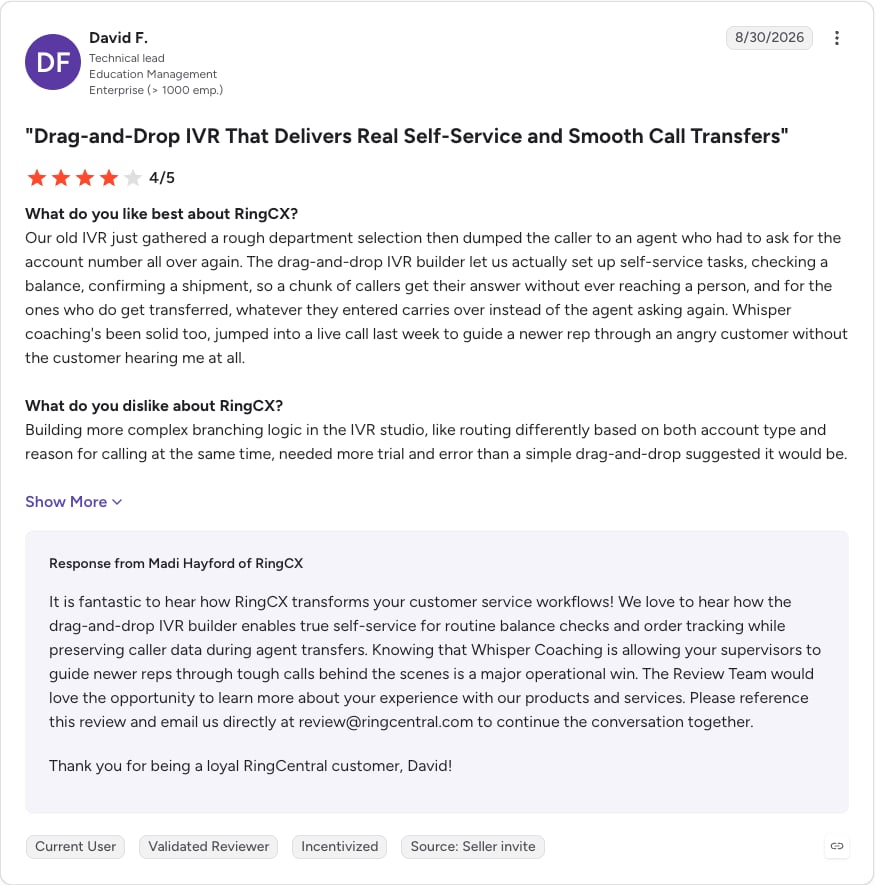
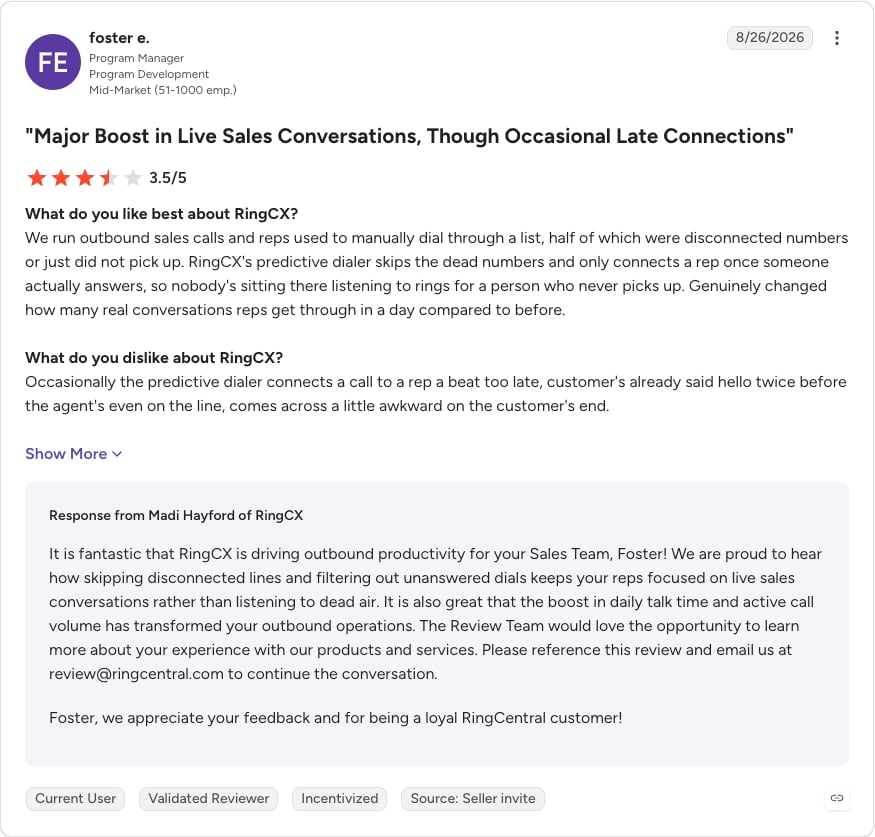
G2 rating: 4.4/5 from 111 reviews for RingCX, read on 5 October 2026. Read RingCX reviews on G2.
9. Genesys Cloud CX
What Is Genesys Cloud CX?
Genesys Cloud CX is an AI-driven enterprise contact center platform for large teams that need omnichannel routing and workforce engagement in one system.
What Are Genesys Cloud CX's Key Queue Features?
- Callbacks on every tier: immediate or scheduled callbacks on all four tiers.
- Live coaching: supervisors can monitor and coach in-progress interactions on every tier.
- Routing: call routing, speech-enabled IVR and predictive routing start on CX 1.
- Workforce engagement: QA and compliance come with CX 2, and full workforce engagement management with CX 3.
- Flexible licensing: named, concurrent or hourly licenses, plus bring-your-own-carrier.
Which Integrations Does Genesys Cloud CX Offer?
Genesys builds its own integrations for Salesforce, Zendesk, ServiceNow and Microsoft Dynamics 365, and its AppFoundry marketplace adds partner-built connectors for Freshdesk, HubSpot and Zoho CRM.
What Is the Pricing of Genesys Cloud CX?
Per user per month, billed annually (checked October 2026):
- Genesys Cloud CX 1: $75, voice, with queues, callback and real-time monitoring.
- Genesys Cloud CX 2: $115.
- Genesys Cloud CX 3: $155.
- Genesys Cloud CX 4: $240.
Genesys sets the final monthly cost with its sales team, fair-use limits apply, and no free trial is listed. Our Genesys pricing guide walks through each tier.
When Should You Use Genesys Cloud CX?
Use Genesys Cloud CX when:
- You run an enterprise contact center call queue across many channels and need predictive routing and workforce engagement.
When not to use Genesys Cloud CX:
- You have fewer than about 50 agents or no dedicated admin team. CloudTalk gets queues and callback running without an implementation project.
What Are the Pros and Cons of Genesys Cloud CX?
| Pros | Cons |
|---|---|
| Callback and real-time monitoring — on every tier | Final pricing — set with sales |
| Predictive routing and speech-enabled IVR — from CX 1 | Full workforce engagement — needs CX 3 ($155) |
| Flexible licensing — named, concurrent or hourly, plus bring-your-own-carrier | Free trial — none, and fair-use limits apply |
What Do Customers Say About Genesys Cloud CX?
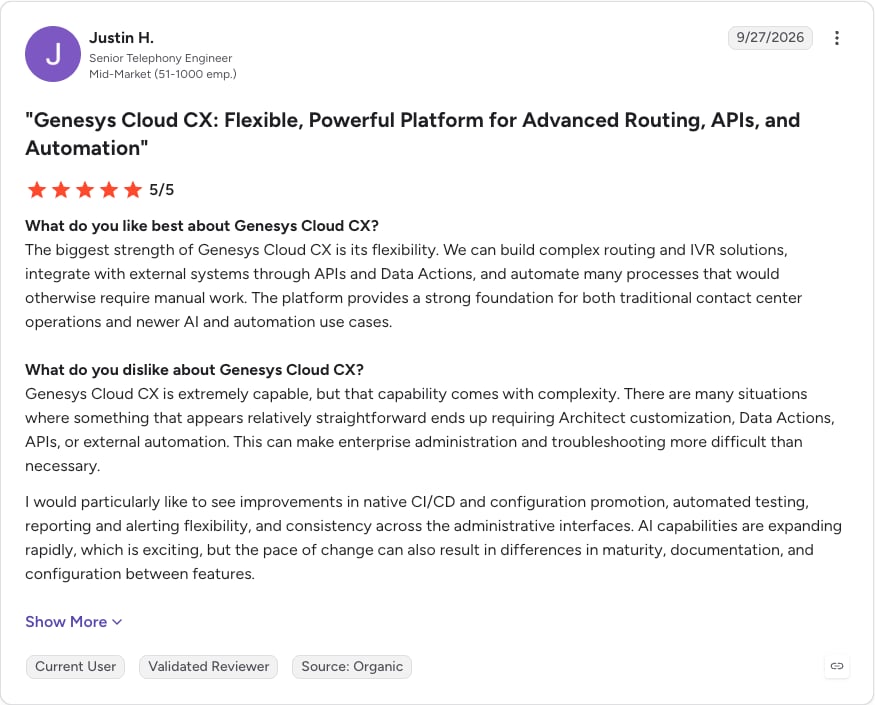
G2 rating: 4.4/5 (1579+ reviews). Read Genesys Cloud CX reviews on G2.
10. Five9
What Is Five9?
Five9 is a contact center as a service (CCaaS) provider for large contact centers. Five9 sells solution bundles per concurrent seat, with a 50-seat minimum.
What Are Five9's Key Queue Features?
- Queue basics in one seat: the voice seat includes ACD, IVR, a dialer, call recording and queue management reporting.
- Blended calling: inbound and outbound in one agent desktop, with geo redundancy.
- Choice of WEM vendor: workforce engagement from Five9, Verint or Calabrio.
- Wallboards as an add-on: the Performance Dashboard add-on brings real-time dashboards and wallboards.
Which Integrations Does Five9 Offer?
Five9 offers CRM adapters for Salesforce, ServiceNow, Microsoft Dynamics, Zendesk and Oracle.
What Is the Pricing of Five9?
Per concurrent seat per month (checked October 2026):
- Digital: $119, digital channels only.
- Core: $159, with the voice seat and queue management.
- Plus, Pro and Enterprise: quote-based.
At the 50-seat minimum, Core costs about $7,950/month or more. Usage-based pricing may apply, the pricing page doesn't say which bundle includes callback, and there's no free trial. Our Five9 pricing guide covers the bundles.
When Should You Use Five9?
Use Five9 when:
- You run a large, regulated contact center with 50+ seats that blends inbound and outbound work.
When not to use Five9:
- You have fewer than 50 agents. CloudTalk, Aircall or Freshdesk Contact Center fit that size without a seat minimum.
What Are the Pros and Cons of Five9?
| Pros | Cons |
|---|---|
| All-in-one voice seat — ACD, IVR, dialer and recording | 50-seat minimum — at least about $7,950/month on Core |
| Choice of vendors — CRM adapters and WEM partners | Wallboards — need the Performance Dashboard add-on |
| Blended inbound and outbound — with geo redundancy | Higher bundles — Plus, Pro and Enterprise are quote-only |
What Do Customers Say About Five9?
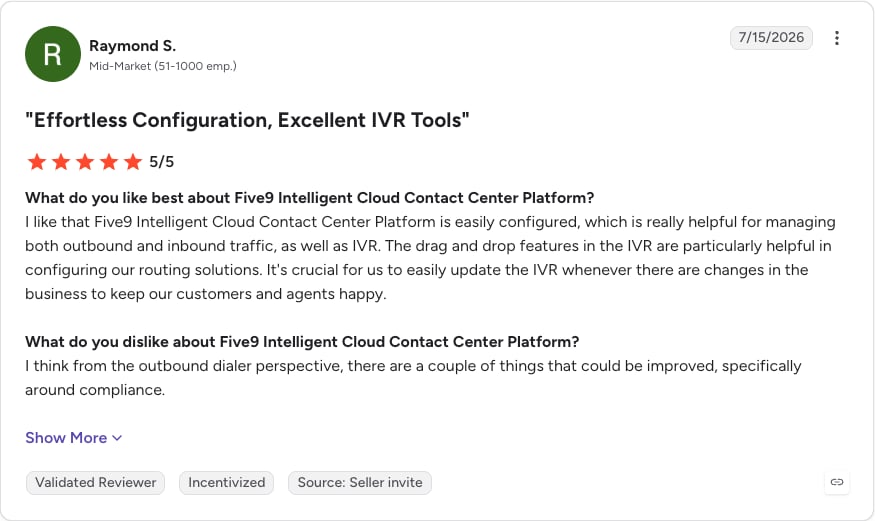
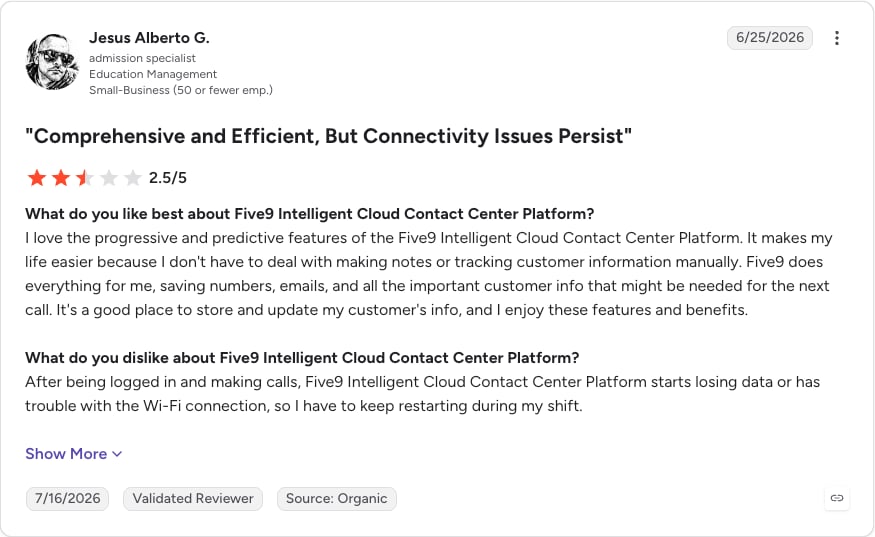
G2 rating: 4.1/5 (625+ reviews). Read Five9 reviews on G2.
Test a call queue with your own callers
How Much Does Call Center Queue Management Software Cost?
Call center queue management software costs $15 to $240 per agent per month at the list prices in this guide, under three call center pricing models:
- Per user per month: CloudTalk, Aircall, Dialpad and Nextiva charge a flat seat fee, with calling bundles that vary by plan and region.
- Per agent on a helpdesk plan: Zendesk and Freshdesk sell voice with or on top of a helpdesk subscription, often plus per-minute usage.
- Custom contracts: Genesys, Five9 and Talkdesk publish list prices, but their sales teams set the final cost from seat count, usage and add-ons.
The table estimates monthly cost on the lowest plan with both call queues and queue callback, at annual list prices checked in October 2026, before usage, numbers and taxes.
| Tool | Queue-ready tier (per agent/month) | 5-agent team | 25-agent team |
|---|---|---|---|
| CloudTalk | Starter, $25 | 5 × $25 | 25 × $25 |
| Aircall | Professional, $50 | $250 | $1,250 |
| Dialpad | Support Essentials, $80 | $400 | $2,000 |
| Nextiva | Contact Center Essential, from $75 | $375 | $1,875 |
| Zendesk | Suite Professional, $115 | $575 | $2,875 |
| Freshdesk Contact Center | Pro, $39 plus per-minute | $195 | $975 |
| Talkdesk | Voice Essentials, $105 (callback tier not published) | $525 | $2,625 |
| RingCentral RingCX | Standard, $65 | $325 | $1,625 |
| Genesys Cloud CX | CX 1, $75 | $375 | $1,875 |
| Five9 | Core, $159 per concurrent seat | Not available (50-seat minimum) | Not available (50-seat minimum) |
Other features split across tiers too. CloudTalk puts skill-based routing on Essential ($29) and live monitoring on Expert ($49), and Aircall puts both callback and monitoring on Professional.
Check these hidden costs before you sign:
- Per-minute rates: Freshdesk Contact Center charges per minute on every plan, and Zendesk bills voice usage beyond plan limits.
- Number fees: Aircall charges $6/month for each extra number.
- Plan minimums: Aircall needs 3 licenses, CloudTalk Expert needs 3 users, and Five9 needs 50 seats.
- AI add-ons: CloudTalk's AI Conversation Intelligence and AI Voice Agents are always add-ons, Aircall's AI Assist Pro is $49/seat/month, and RingCX's AI add-ons start at $20 to $25/user/month.
- Monthly billing premiums: annual billing saves 25% on Aircall, 20% on Freshworks and up to 15% on RingCX, and Nextiva's small-business discount needs a 12-month term.
Is There Free Call Queue Management Software?
No. There are free trials, but the features you need are going to ultimately be behind a paywall.
A free trial unlocks most or all features for a set number of days, then asks you to pay.
| Tool | Free plan? | Free trial? | What's missing or worth knowing |
|---|---|---|---|
| CloudTalk | No | Yes, 14 days, no credit card | n/a |
| Aircall | No | "Get free access" option | Trial length isn't stated on the pricing page |
| Dialpad | No | 14 days on Connect; "Try free" on Support | Support trial length isn't stated |
| Nextiva | No | None listed | Demo only |
| Zendesk | No | 14 days of Suite Professional features | n/a |
| Freshdesk Contact Center | Yes, $0/agent plus per-minute | 14 days of Enterprise | The free plan has no wait queues, no queue callback and no service level monitoring |
| Talkdesk | No | Talkdesk Express, $100 credit | US and Canada only, under 50 employees |
| RingCentral RingCX | No | None listed for RingCX | n/a |
| Genesys Cloud CX | No | None listed | n/a |
| Five9 | No | None | Quote only |
Freshdesk Contact Center's free plan comes closest, but it leaves out the queue itself.
A paid plan earns its keep once you count lost customers. According to Qualtrics XM Institute's 2025 consumer study3, 34% of consumers cut their spending with a company after a negative experience, and 13% stop spending entirely. Once a month of abandoned calls costs you more in lost renewals than a seat does, the paid plan is the cheaper option and a step toward better customer retention.
Work out what your queue setup needs
How to Choose the Right Queue Management Software for Your Support Team
Choose a call queue management system by testing five things against your own support setup: routing, hold experience, monitoring, integrations and total cost.
Routing Logic That Matches Your Support Tiers
Map your support tiers first. If billing, technical and enterprise calls need different people, you need skills-based routing, plus language routing for international callers. VIP routing lets your top accounts skip the line. Then plan for overflow with fail-over rules that send calls to a backup group, voicemail or a callback when a queue is full or every agent is away.
Hold Experience and Callback Options
Check for queue-position and estimated-wait announcements, plus custom greetings and hold music per queue. Callback matters more. A call back queue lets the caller hang up and keep their place, and an agent calls them when it's their turn. Several vendors save callback for a mid or top tier, so check the plan.
Real-Time Queue Monitoring and Reporting
Supervisors need a live wallboard of callers waiting, longest wait and agent status to move people between queues before a backlog builds. Historical call reporting on abandonment rate, service level and average speed of answer lets you staff ahead of demand. Check whether live call monitoring (listen, whisper, barge) is on your plan or needs an upgrade.
I have it right in front of me. I check the monitor and I can see: this agent is online, this one is on a call, this one went offline. I can develop my team's performance because of that.
Customer Service & Administration Manager, Booking Host<br>

Integration With Your Helpdesk and CRM
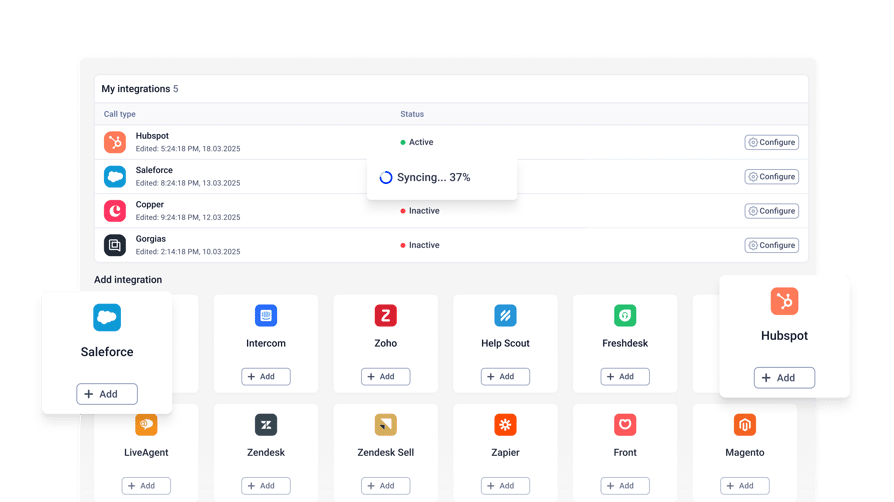
Without a helpdesk link, agents ask "Can I get your email?" on every call. Look for native sync with Zendesk, Freshdesk, Intercom or HubSpot that shows the caller's record before pickup and logs the call to a ticket. If your team works in Microsoft Teams, check which plan includes the Teams integration.
Scale, Setup Time and Total Cost
A cloud-based queue management system should let an admin add agents, numbers and queues without IT. Ask about setup time, contract terms and whether the call queue management tool lets you change call flows without downtime. Then compare total cost rather than seat price, using the cost table above.
Call Queue Metrics Every Support Team Should Track
These metrics turn call queue analytics into targets your team can work toward:
- Service level: the percentage of calls answered within a target time, such as 80% within 20 seconds.
- Abandonment rate: the share of callers who hang up before reaching an agent. SQM Group's call abandonment benchmarking4 puts the industry average at 5%, and most call centers with high customer satisfaction keep it at 3% or less.
- Average waiting time: the average time callers wait before they're answered or hang up. ContactBabel's 2026 US Contact Center Decision-Makers' Guide1 puts the US average speed of answer at 74 seconds.
- Maximum waiting time: the longest any caller waited in the period, which shows the worst experience an average hides.
- Average handle time (AHT): the average time spent on each call, including talk, hold and wrap-up time. Longer calls keep agents busy and grow the queue.
- Unresolved missed calls: missed inbound calls that nobody has followed up yet, which tells you whether callbacks are keeping up.
Show callers waiting, service level and agent status on a live call queue dashboard, and review abandonment, handle time and missed calls in weekly call queue reporting.
In CloudTalk, the Real-Time Report and wallboards (Expert) show the waiting queue, service level, abandonment rate and waiting times as they happen, the Group Report tracks handle time, waiting times and resolved and unresolved missed calls for each queue, and missed calls analytics tracks the trends and reasons behind missed calls. T
The CloudTalk Analytics guide lists every report.
Quick Answers: What People Ask Most About Queue Management Software
What Is the Best Queue Management System?
The best queue management system for phone support includes callback and the routing your team needs at a price that scales. For growing support teams, that's CloudTalk, with queues and callback on Starter, skills-based routing on Essential and VIP queues on Expert. Enterprises with 50+ seats usually shortlist Genesys Cloud CX or Five9.
What Is the Best Free Queue Management App?
Free queue management apps don't really exist. For phone calls, Freshdesk Contact Center has the only free plan on this list, and it excludes wait queues and callback. Most call queue tools, CloudTalk included, offer a free trial instead, so small business call center software with a trial is the safer bet on a budget.
What Is the Best QMS Software?
QMS (queue management system) software comes in two groups. In-person QMS tools manage walk-in visitors with kiosks and SMS waitlists, and call center QMS tools manage phone calls with call center features such as queues, routing and callbacks. Support teams taking inbound calls need the second group, ranked in the comparison table at the top.
How Do You Set Up a Call Queue?
To set up a call queue, group agents by skill or team, create a queue for each group and pick a ring strategy such as round robin. Add a greeting, hold music and a callback option, then decide what happens when the queue is full or the line is closed. In CloudTalk, you build the whole flow in the drag-and-drop Call Flow Designer, included on every plan.
What People Say on Reddit & Quora About Call Center Queue Management Software
Buyers and agents are blunter about call queues and other call center challenges on forums than on vendor sites. Four concerns come up again and again:
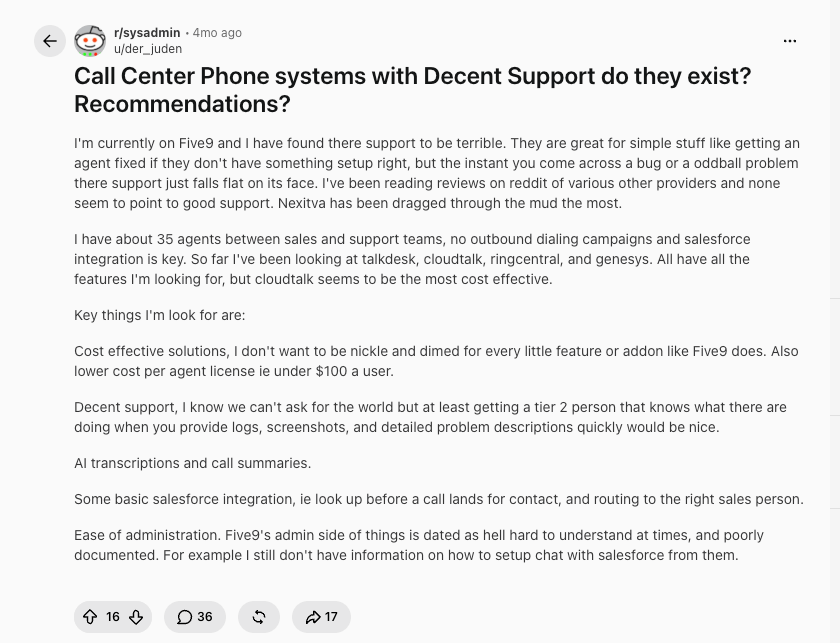
- Support only gets tested when something breaks. In an r/sysadmin thread asking whether any call center phone system has decent support, the most upvoted reply argues that vendors earn their support ratings on easy tickets like password resets. You find out how good support is weeks into an odd, intermittent bug, and that's where most vendors fall short. Another admin added that a contact center with good support won't come in under $100 per agent per month.
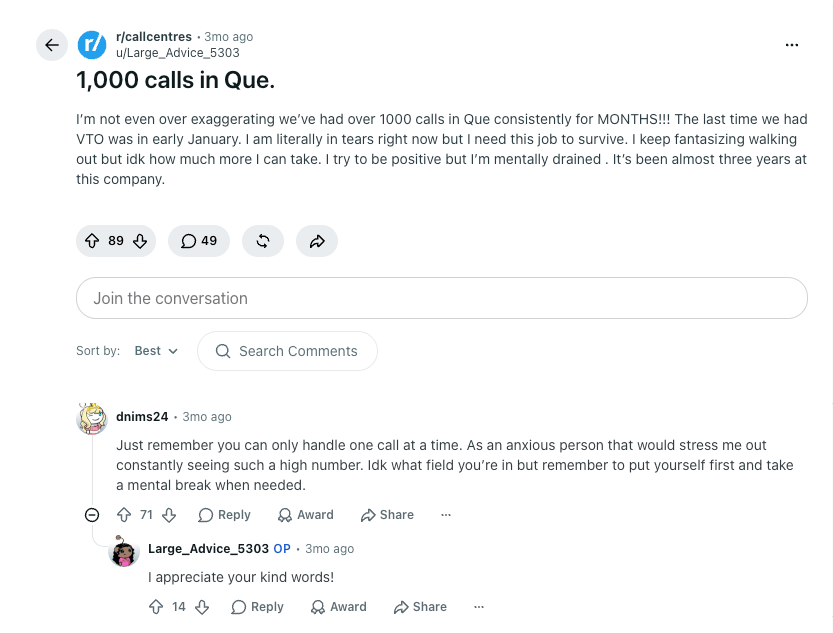
- Queue counts weigh on agents, not just managers. When an agent in r/callcentres posted about 1,000 calls waiting, replies focused on how stressful a huge waiting count is to watch. Lesson? Get the right call queueing software to increase morale.
Conclusion: Which Queue Management Software Fits Your Support Team?
Every tool here holds callers in a queue; the differences are which plan includes callback and live monitoring, and the cost after usage and minimums. Team size narrows it fastest.
Small Support Teams (1 to 10 Agents)
CloudTalk fits best, with queues and callback on Starter at $25/user/month. Aircall suits teams that want a simple cloud phone system and will pay for Professional to get callback. Freshdesk Contact Center is the cheapest option for Freshdesk users, and Nextiva suits small businesses that want a phone system first.
Growing Support Teams (10 to 50 Agents)
At this size, call routing and visibility matter as much as price. CloudTalk adds skills-based routing on Essential and VIP queues, wallboards and live monitoring on Expert. Zendesk Talk (Zendesk Voice) suits teams already in Zendesk, Dialpad suits AI-first teams that want callback and monitoring on every Support tier, and RingCX suits RingCentral customers.
Large Contact Centers (50+ Agents)
CloudTalk still wins, with custom pricing for plans that scale with you, plus 100+ integrations and 160+ numbers for local presence around the world.
Otherwise, Genesys Cloud CX leads on omnichannel and workforce engagement, Five9 fits large blended inbound and outbound operations, and Talkdesk suits teams that want industry editions.
Give every caller a shorter wait
Sources:
- 01ContactBabel
- 02YouGov
- 03Qualtrics XM Institute
- 04SQM Group
Frequently Asked Questions About Call Queue Management Software
Call center queue management software holds inbound callers in a virtual line and hands each one to the right agent. It's a core part of most call center software, next to callback and live queue stats.
An auto attendant answers first and sends callers to the right team with a menu, a lot like an IVR. A call queue then holds them until an agent is free. Most support lines use both.
Queue callback lets a waiting caller hang up and keep their place. When their turn comes, the system connects an agent and dials the caller back. Good callback software logs each request too.
It depends on the vendor and your settings. Most cloud systems let admins cap queue size or wait time and send extra callers to voicemail, a callback or a backup group, which matters when answering high call volume.
Start with average speed of answer, abandonment rate and service level, then add first call resolution and callback completion. They're the call center KPIs callers feel most.
List prices in this guide run from $15 to $240 per agent per month, and enterprise deals are quoted. CloudTalk starts at $25/user/month, but call center software costs include usage too.
Yes. CloudTalk has queues and queue callback on Starter, skills-based routing on Essential, and VIP queues and wallboards on Expert. Its call center integrations connect Zendesk and Freshdesk.