TL;DR Comparison Table: Best Call Routing Software Platforms Compared
| Software | Best For | Key Routing Features | Starting Price | G2 Rating |
|---|---|---|---|---|
| CloudTalk | Growing SMBs and sales/support teams (single platform) | AI Skill-Based Routing, Caller-Based Routing, Visual Call Flow Designer, VIP Queues | $25/user/mo | 4.4/5 |
| Dialpad | Remote-first teams needing AI coaching | AI transcription, Sentiment analysis, Auto attendant, Multi-strategy ACD | $15/user/mo | 4.4/5 |
| CallRail | Marketing agencies tracking PPC/SEO ROI | Dynamic Number Insertion, Campaign-based routing, Lead Center | $45/mo (total) | 4.5/5 |
| Aircall | SMBs with complex CRM tech stacks | Smart Queuing, App Marketplace, Tags & Folders, Simple IVR | $30/user/mo | 4.4/5 |
| Skipcall | High-volume B2B outbound sales teams | AI Parallel Dialing (4 lines), CRM two-way sync, Multi-client workspace | €75/license/mo | 5.0/5 |
| Five9 | Large enterprise contact centers (100+ agents) | Skill-Based Routing, Omnichannel Routing, IVR self-service | $119/seat/mo | 4.1/5 |
| Zendesk | Support teams standardized on Zendesk | Omnichannel Routing, IVR & Group Routing, Business Hours overflow | $55/agent/mo | 4.3/5 |
| Talkdesk | High-volume digital enterprises | Talkdesk Navigator (gen AI), Topic/Language Detection, Talkdesk Studio | $85/user/mo | 4.4/5 |
| CTM | Data-heavy marketing & sales hybrid | Form-to-Call Routing, Geographic Routing, IVR & Queues | $65/mo (total) | 4.5/5 |
| Genesys Cloud CX | Omnichannel enterprise journeys | Predictive Routing, AI-Driven Digital Engagement, Flow-based Architect | $75/user/mo | 4.4/5 |
| Ringover | European SMBs (GDPR focused) | Instant IVR setup, Real-time dashboard, Smart Routing | $21/user/mo | 4.6/5 |
| KrispCall | Early-stage startups & solopreneurs | Multi-level IVR, Shared Numbers, Global Numbers (100+ countries) | $12/user/mo | 4.5/5 |
| JustCall | Sales teams (Pipedrive/HubSpot users) | AI-Driven Routing, Multi-Level IVR, Workflow Automation | $29/user/mo | 4.3/5 |
| Invoca | High-stakes marketing (Auto/Health/Finance) | Dynamic Multi-Factor Routing, Signal Discovery, Conversational personalization | Custom quote | 4.5/5 |
| RingCentral | Large, traditional organizations | Enterprise unified comms, Multi-site routing, RingSense AI | $20/user/mo | 4.2/5 |
| Nextiva | Mid-sized unified communications | All-in-one comms suite, NextOS platform, Visual Call Flow builder | $15/user/mo | 4.5/5 |
Skip the reading. See it live.
According to research published on ResearchGate, response times can drop by more than 60% when calls are routed correctly¹, because agents spend less time clarifying the issue and more time solving it.
Most teams feel the problem before they can quantify it. A caller gets stuck in a three-level IVR, or lands with an agent who has to transfer them again. Based on GPT-trainer's findings, nearly half of customers (47%) say repeating their issue is one of their biggest frustrations².
That gap between a "ring-all" queue and intent-driven, automated call routing is exactly what the 16 call routing platforms below are built to close, so here's a closer look at which ones actually deliver on it, whether you're after phone call routing software for a small team or a call center call routing software platform for a 200-seat contact center.
How We Evaluated the Best Call Routing Tools in 2026
To build this list, we reviewed pricing pages, technical documentation, and thousands of unfiltered user reviews across G2, Capterra, TrustRadius, Trustpilot, and Reddit. Our focus was on SMB-to-mid-market teams: 5 to 500 agents looking for a routing engine that goes beyond simple hunt groups.
We evaluated every platform against five key criteria:
- Real-world routing performanceevery tool was tested across essential daily workflows: inbound support, outbound sales, VIP prioritization, after-hours overflow, and agent skill matching. Tools that only handle hunt groups scored lower.
- Routing depthwe assessed skill-based routing, caller-based routing, IVR sophistication, and AI/intent-based routing. Tools that stop at hunt groups scored lower.
- Pricing transparencywe show verified plan ranges or flag "contact sales" clearly, with no estimated figures presented as confirmed.
- Fit across team sizesthe list covers SMB, mid-market, and enterprise options so readers at different stages find relevant picks.
- Integration breadtha routing engine that can't read your CRM can't make good routing decisions. We evaluated native integration depth for each.
Sentiment matters:
For each call routing solution on our list, we also include a Sentiment Score. It's our honest editorial assessment across five fixed dimensions (Ease of Use, Feature Set, Value for Money, Customer Support, and Integration Depth). Each dimension is scored 1-10 based on recurring themes across G2 reviews. The same five dimensions apply to every tool so scores are directly comparable.
What Is the Best Call Routing Software in 2026?
CloudTalk is our top pick for teams that want a single call routing platform combining cloud calling infrastructure with native AI-driven, automated call routing. Unlike standalone routing layers that require a separate phone system, CloudTalk runs both together, so every incoming call is matched to the right agent using real-time CRM data, skills, and VIP status, without exporting data between systems.
CloudTalk holds a 4.4/5 rating on G2 from verified reviews, one of the strongest satisfaction scores among tools that combine telephony with intelligent call routing in one subscription.
One size doesn't fit all, though. That's why the section below covers all 16 call routing platforms that made our list, so you can compare features, pricing, and ratings side by side.
16 Best Call Routing Software Platforms: Full Breakdown
1. CloudTalk: Best Call Routing Software for Growing SMB and Mid-Market Teams
What Is CloudTalk?
CloudTalk is an AI-powered call center software, and the only tool in this list that ships the phone system, the AI-driven routing layer, and AI Voice Agents that act as a 24/7 virtual receptionist in one ecosystem.
Over 5,500 businesses use it to connect incoming calls with their CRM. For growing SMB and mid-market sales and support teams, that means no second vendor contract, no routing rules living outside your call data, and VIP tags landing directly in the CRM records your reps already work from. Instead of rigid phone menus, CloudTalk routes every call through a visual Call Flow Designer.
What Are CloudTalk's Key Features?
- Automatically sends every caller to the agent with the right expertise, based on language, product knowledge, or certification level. Beats "next available agent" every time.
- Recognizes returning customers and high-value accounts the moment they call. By syncing with your CRM, it routes VIP clients directly to their dedicated agent, skipping the IVR menu.
- Drag-and-drop builder that combines skill-based, caller-based, time-based, and round-robin routing in one flow. Add a holiday message or change queue limits in seconds without a developer.
- Handle inbound queries 24/7, qualify leads, and book meetings on your calendar... in 60+ languages! Complex issues route to a human agent automatically.
- Goes beyond simple call transfers. Automate next steps (SMS after a missed call, ticket prioritization) so issues get resolved faster and nothing slips through the cracks.
What Are CloudTalk's Pros and Cons?
| Pros | Cons |
|---|---|
| Call routing infrastructure and AI Voice Agents and Virtual Receptionists under one roof, no separate vendor required | AI Voice Agents are a paid add-on, not bundled into base plans |
| G2 reviewers consistently cite faster deployment than enterprise contact center alternatives | No native website chatbot (voice-first focus) |
| 100+ native integrations (HubSpot, Salesforce, Pipedrive, Zendesk) sync caller data directly into your CRM | No native video meetings (pair with your existing meeting tool) |
Who Is CloudTalk Best For?
Growing SMB and mid-market sales and support teams that want a cloud phone system with native intelligent routing, without adding a second vendor, will get the most from CloudTalk. It fits SMB and mid-market operations where deployment speed matters. Teams already running a full enterprise contact center suite may prefer a standalone routing specialist.
How Much Does CloudTalk Cost?
CloudTalk pricing starts at $25/user/mo (billed annually), with the following plans:
CloudTalk Pricing Plans
| Plan | Pricing (Annual) | Main Features |
|---|---|---|
| Starter | $25/user/mo | Call routing, call queues, unlimited inbound calling, 500 outbound mins, basic Call Flow Designer, business hours, ring groups |
| Essential | $29/user/mo | Everything in Starter + unlimited outbound, IVR, skill-based routing, call monitoring, SMS/MMS, API & webhooks, workflow automation, 95+ CRM/helpdesk integrations (excl. Salesforce) |
| Expert | $49/user/mo | Everything in Essential + Salesforce integration, Power Dialer, Smart Dialer, VIP queues, real-time analytics, wallboard, unlimited concurrent calls, SSO; 3-seat minimum |
| AI Receptionist | 50 free min/account, then from $99/mo (200 min) | No-code inbound AI voice agent: FAQ handling, call routing, appointment booking. Tiers up to $699/mo (2,500 min) |
| AI Voice Agent (Specialist) | From $349/mo (1,000 min) | Sales-led setup for complex multi-step workflows: lead qualification, outbound campaigns, appointment booking. Scale from $749/mo |
| Conversation Intelligence (add-on) | $9/user/mo | Available on all plans: real-time transcription, call summaries, topic detection, sentiment analysis |
What Are Real Users Saying About CloudTalk?
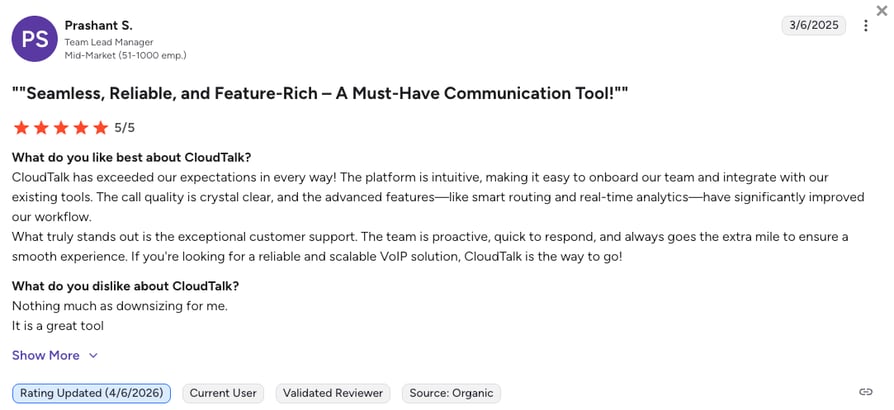
CloudTalk's Call Flow Designer is the reason most G2 reviewers say they switched from rigid IVR trees. The ability to combine skill-based, caller-based, and time-based rules in one visual flow shows up repeatedly in five-star reviews as the specific change that ended their transfer chaos.
Four-star reviews converge on one concern: the AI Voice Agent add-on cost, which surprises buyers who assumed it was part of the base subscription.
What Is CloudTalk's G2 Rating and Review Count?
CloudTalk's current G2 rating is 4.4/5, out of + verified user reviews.
AI Voice Agents Route Complex Calls to Humans Automatically
CloudTalk's AI Voice Agents don't stop at answering. Every call is scored against your criteria, and complex or sensitive issues route to a human agent with full context attached.
How Do We Rate CloudTalk?
CloudTalk Sentiment Score
| Category | Score (1–10) |
|---|---|
| Ease of Use | 9 |
| Feature Set | 9 |
| Value for Money | 9 |
| Customer Support | 8 |
| Integration Depth | 9 |
| Overall | 8.8 |
Ready to Try the Best Call Routing Software...for Free?
2. Dialpad: Best for Remote-First Teams That Prioritize Real-Time AI Coaching
What Is Dialpad?
Dialpad is a mobile-first call routing platform built around its own AI. It transcribes calls in real time, giving supervisors a live look into every conversation. Routing itself is standard ACD with multiple distribution strategies (fixed order, round robin, longest idle, simultaneous ring, skills-based), layered on top of a multi-level IVR with dial-by-name directories.
What Are Dialpad's Key Features?
- AI featuresVoice transcription, AI-generated summaries, sentiment analysis, and automated post-call actions layered on top of every routed call.
- Auto Attendant / IVRMulti-level menus, dial-by-name directories, and custom options to route callers to the right person, team, or self-service option.
- Multi-Strategy ACDFixed order, round robin, longest idle, simultaneous ring, and skills-based routing available on higher tiers.
What Are Dialpad's Pros and Cons?
| Pros | Cons |
|---|---|
| Strong real-time transcription and AI Recaps | Advanced AI coaching sits on higher-priced enterprise plans |
| Mobile-first with reliable iOS/Android experience | Users report occasional dropped calls and app crashes during peak usage |
| Standard plan starts at $15/user/month | Skill-based routing is not on the entry Standard plan |
Who Is Dialpad Best For?
Remote-first teams that prioritize real-time AI coaching and sentiment tracking over deep IVR configuration. Larger sales teams that want live-listen-and-whisper coaching without a separate contact center product.
How Much Does Dialpad Cost?
Dialpad pricing starts at $15/user/mo (billed annually), with the following plans:
Dialpad Pricing Plans
| Plan | Starting Price (Annual) | Main Features |
|---|---|---|
| Standard | $15/user/mo | Unlimited calling, AI transcription, AI summaries, SMS, voicemail |
| Pro | $25/user/mo | Everything in Standard + call recording, CRM integrations (Salesforce, HubSpot), international numbers |
| Enterprise | Custom pricing | Advanced AI coaching, dedicated support, SLA |
What Are Real Users Saying About Dialpad?
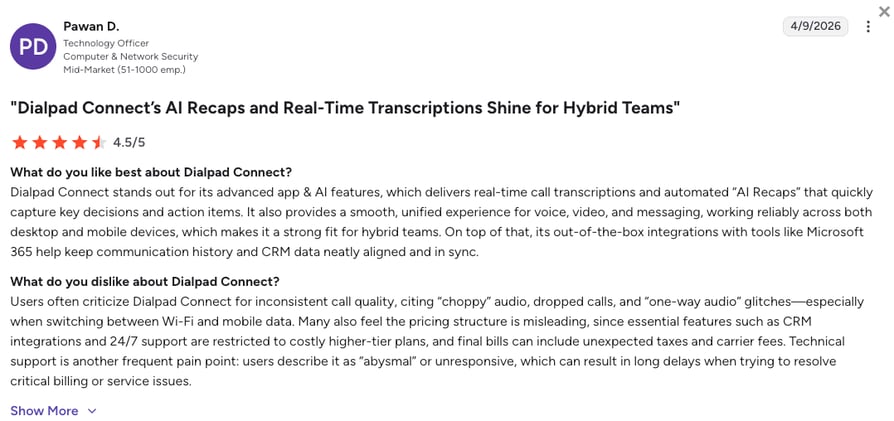
G2 reviewers praise the seamless AI integration, especially real-time transcription and AI Recaps. Negative reviews cluster around desktop app bugs and occasional call quality issues during peak usage or low-bandwidth conditions.
What Is Dialpad's G2 Rating and Review Count?
Dialpad's current G2 rating is 4.4/5, out of 4,100+ verified user reviews.
How Do We Rate Dialpad?
Dialpad Sentiment Score
| Category | Score (1–10) |
|---|---|
| Ease of Use | 8 |
| Feature Set | 8 |
| Value for Money | 7 |
| Customer Support | 7 |
| Integration Depth | 7 |
| Overall | 7.4 |
Dialpad vs. CloudTalk
Dialpad leads on real-time AI transcription and sentiment scoring. CloudTalk leads on routing depth: skills-based routing is on Essential (not gated to Enterprise), and the Call Flow Designer combines skill-based, caller-based, time-based, and round-robin rules in one visual flow.
3. CallRail: Best for Marketing Agencies Tracking Call ROI
What Is CallRail?
CallRail is a specialized phone call routing platform that connects online ads with offline conversations. Using Dynamic Number Insertion (DNI), CallRail tracks each call back to a specific keyword, ad, or campaign, then routes callers based on the campaign that drove them.
What Are CallRail's Key Features?
- Responsive RoutingRoutes calls based on the caller's previous interactions or the specific marketing campaign they clicked on.
- Call Flow BuilderA visual interface to manage IVR call routing and send leads to the right regional office.
- Lead CenterA unified inbox for calls, texts, and chats, useful for small teams juggling several channels.
What Are CallRail's Pros and Cons?
| Pros | Cons |
|---|---|
| Dynamic Number Insertion ties every call to a specific keyword, ad, or campaign | Not a full VoIP system (lacks outbound power dialing and internal collaboration tools) |
| Fast setup for marketing-driven use cases | Primarily focused on the North American market |
| Solid integration with Google Ads and Google Analytics | Advanced call routing lives behind Premium Flow add-ons |
Who Is CallRail Best For?
Marketing agencies and businesses that need to track ROI on high-budget PPC and SEO campaigns. Not a fit for support teams or outbound sales.
How Much Does CallRail Cost?
CallRail pricing starts at $45/month total (not per-user) for Call Tracking. Advanced routing lives in Premium Flow add-ons on higher tiers.
CallRail Pricing Plans
| Plan | Starting Price | Main Features |
|---|---|---|
| Call Tracking | $45/mo (total) | DNI, call recording, keyword-level attribution |
| + Premium Flow | Add-on | Advanced call routing, custom call flows, regional routing |
What Are Real Users Saying About CallRail?
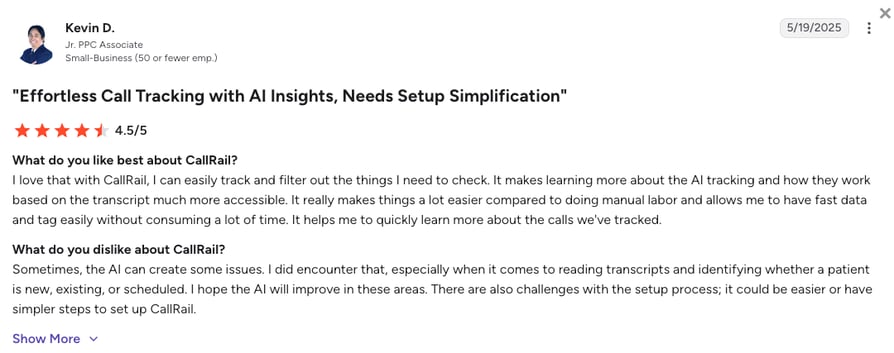
Reviewers praise the flexibility of routing calls to multiple numbers and the visibility DNI gives marketing teams. Recurring complaint: initial setup is tedious, especially getting DNI installed correctly across landing pages.
What Is CallRail's G2 Rating and Review Count?
CallRail's current G2 rating is 4.5/5, out of 1,800+ verified user reviews.
How Do We Rate CallRail?
CallRail Sentiment Score
| Category | Score (1–10) |
|---|---|
| Ease of Use | 8 |
| Feature Set | 7 |
| Value for Money | 8 |
| Customer Support | 7 |
| Integration Depth | 7 |
| Overall | 7.4 |
CallRail vs. CloudTalk
CallRail wins on marketing attribution. CloudTalk wins if you also need outbound calling, IVR beyond campaign routing, and CRM-driven caller-based routing without a separate phone system.
4. Aircall: Best for SMBs with Complex CRM Tech Stacks
What Is Aircall?
Aircall is a cloud-based call routing platform known for its extensive App Marketplace. It is built for teams that live inside their helpdesk or CRM. Its Essential and Professional plans focus on simplicity, making it a solid option for teams that want easy-to-set-up call center routing.
What Are Aircall's Key Features?
- Smart QueuingEfficiently manages traffic peaks by letting callers opt for a callback instead of waiting on hold.
- Tags & FoldersOrganize calls using tags and labels for reporting and workflow management. Connect these to CRM or helpdesk rules to guide routing.
- IVR MenusSimple, multi-level menus that guide customers to the right department without human intervention.
What Are Aircall's Pros and Cons?
| Pros | Cons |
|---|---|
| 200+ integrations in the App Marketplace | Costs climb quickly with add-ons (AI, analytics, extra numbers) |
| Fast setup for CRM-heavy tech stacks | Users report call quality drops during heavy usage |
| Callback queueing available on entry tier | 3-user minimum on all plans |
Who Is Aircall Best For?
SMBs that already have a complex tech stack (Salesforce, HubSpot, Zendesk, Intercom) and want a phone system that plugs into everything without heavy configuration.
How Much Does Aircall Cost?
Aircall pricing starts at $30/user/mo (billed annually, 3-seat minimum), offering the following plans:
Aircall Pricing Plans
| Plan | Starting Price (Annual) | Main Features |
|---|---|---|
| Essentials | $30/user/mo | IVR, click-to-call, call recording, 100+ integrations |
| Professional | $50/user/mo | Everything in Essentials + advanced analytics, mandatory call tagging, Salesforce integration |
| Custom | Quote-based | Custom onboarding, SLA, unlimited concurrent calls |
What Are Real Users Saying About Aircall?
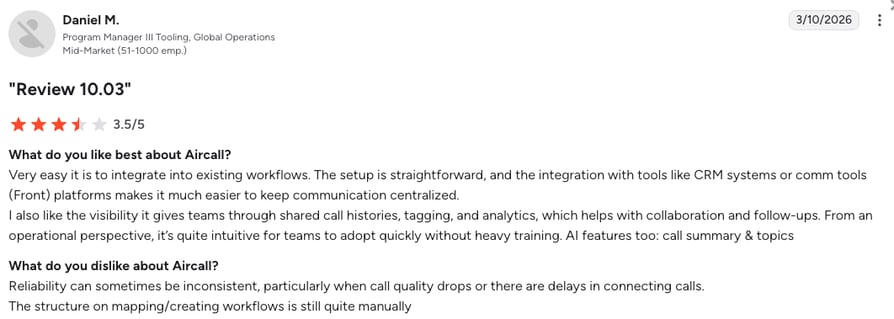
Reviewers like the App Marketplace and the reasonable price point compared to enterprise CCaaS platforms. Recurring complaints: app crashes during peak hours and missed inbound calls that customers still hear ringing on their end.
What Is Aircall's G2 Rating and Review Count?
Aircall's current G2 rating is 4.4/5, out of 1,600+ verified reviews.
How Do We Rate Aircall?
Aircall Sentiment Score
| Category | Score (1–10) |
|---|---|
| Ease of Use | 8 |
| Feature Set | 7 |
| Value for Money | 6 |
| Customer Support | 7 |
| Integration Depth | 8 |
| Overall | 7.2 |
Aircall vs. CloudTalk
Aircall wins on marketplace breadth. CloudTalk wins on routing depth and cost predictability: no 3-user minimum on Starter, no mandatory add-ons for skill-based routing, and Salesforce doesn't require the Professional tier.
5. Skipcall: Best for High-Volume B2B Outbound Sales Teams
What Is Skipcall?
Skipcall approaches routing from the outbound side. Its AI parallel dialer dials up to 4 numbers at once and instantly connects your SDR to the first prospect who picks up, essentially routing live answers to an available rep in real time. Skipcall consistently ranks among the best sales dialer software for high-volume B2B teams.
What Are Skipcall's Key Features?
- AI Parallel DialingDials 4 lines simultaneously and connects the SDR to the first live answer. The AI filters voicemails, switchboards, and bad numbers with 95% accuracy, pushing connect rates from ~2.3% to around 8%.
- Native Two-Way CRM SyncEvery call, note, and outcome logs automatically in HubSpot, Salesforce, or Pipedrive.
- Multi-Client WorkspaceBuilt for agencies and sales teams managing multiple accounts, with contacts, sequences, and call history partitioned per client.
What Are Skipcall's Pros and Cons?
| Pros | Cons |
|---|---|
| Parallel dialer with high connect-rate lift (2.3% to ~8%) | Built for outbound, not IVR routing (no multi-level IVR or omnichannel routing) |
| Two-way CRM sync for HubSpot, Salesforce, Pipedrive | Phone enrichment is a credit-based add-on, not bundled |
| Purpose-built for high-volume outbound | Small G2 review sample (verify current count before publishing) |
Who Is Skipcall Best For?
B2B sales teams and prospecting agencies running high-volume outbound that want a parallel dialer that auto-connects answered calls to the right rep and syncs everything to their CRM.
How Much Does Skipcall Cost?
Skipcal's pricing starts at $75/license/mo, with these tiers (save 10% quarterly or 25% billed annually):
Skipcall Pricing Plans
| Plan | Starting Price | Main Features |
|---|---|---|
| Starter | $75/license/mo | 400 conversations, 1 number, 200 SMS |
| Intermediate | $150/license/mo | 1,000 conversations, 1 number, 500 SMS |
| Expert | $280/license/mo | Unlimited conversations, 2 numbers, 1,000 SMS |
| Enterprise | Custom | Unlimited conversations, AI agents, 4 numbers, unlimited SMS |
What Are Real Users Saying About Skipcall?
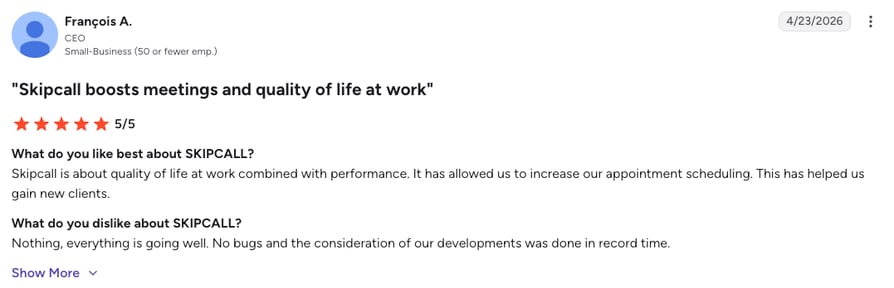
Reviewers describe measurable connect-rate lift within the first week and appreciate the CRM sync depth. The tool is niche: teams looking for inbound routing or full contact center features will not find them here.
What Is Skipcall's G2 Rating and Review Count?
Skipcall's current G2 rating is 5.0/5, but there's just 1 single review available.
How Do We Rate Skipcall?
Skipcall Sentiment Score
| Category | Score (1–10) |
|---|---|
| Ease of Use | 8 |
| Feature Set | 7 |
| Value for Money | 8 |
| Customer Support | 8 |
| Integration Depth | 8 |
| Overall | 7.8 |
Skipcall vs. CloudTalk
Skipcall wins on outbound velocity. CloudTalk wins if you need AI-powered inbound routing, IVR, skill-based distribution, or omnichannel context alongside outbound, plus native Power Dialer and Smart Dialer on the Expert plan.
6. Five9: Best for Large Enterprise Contact Centers (100+ Agents)
What Is Five9?
Five9 is a leading cloud contact center platform, typically used by large teams with 100+ agents. It focuses heavily on AI-powered Intelligent Virtual Agents (IVAs) to handle high volumes of routine inquiries using natural language processing and conversational AI.
What Are Five9's Key Features?
- Advanced engine that directs complex or high-value cases to the right experts.
- Omnichannel RoutingConversations move between email, chat, and voice without losing context.
- IVR Self-ServiceCustomizable voice menus with speech recognition and text-to-speech help callers resolve simple issues before reaching an agent.
What Are Five9's Pros and Cons?
| Pros | Cons |
|---|---|
| Deep enterprise feature set (WFM, omnichannel, IVAs) | 50-seat minimum on all plans (a 25-person team pays for unused licenses) |
| Strong CRM integrations for enterprise deployments | Users describe the admin UI as "dated," some views require Java |
| IVA library reduces load on human agents | Long-term contracts common |
Who Is Five9 Best For?
Five9 is an ideal choice for large enterprises that need a highly customizable omnichannel engine and are prepared to invest in implementation.
How Much Does Five9 Cost?
Five9 pricing starts at $119/user/mo (billed annually), with the following tiers available:
Five9 Pricing Plans
| Plan | Starting Price (Annual) | Main Features |
|---|---|---|
| Digital | $119/seat/mo | Chat and email channels only, no voice |
| Core | $159/seat/mo | Voice + digital channels |
| Plus | Quote-based | Advanced quality management |
| Pro | Quote-based | Advanced WFM and AI |
| Enterprise | Quote-based | Full omnichannel suite with custom SLA |
What Are Real Users Saying About Five9?
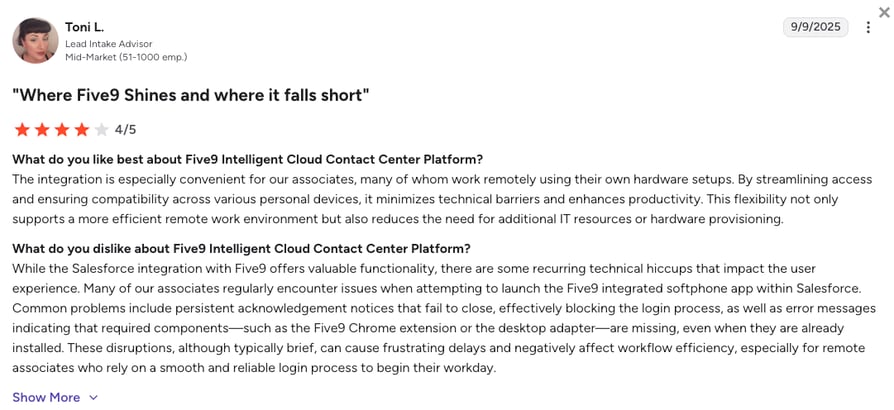
Reviewers praise the routing depth and CRM integrations. Recurring criticism: the admin interface feels dated, some configuration flows still require Java, and the 50-seat minimum makes it painful for mid-market teams.
What Is Five9's G2 Rating and Review Count?
Five9's current G2 rating is 4.1/5, out of 600+ verified reviews.
How Do We Rate Five9?
Five9 Sentiment Score
| Category | Score (1–10) |
|---|---|
| Ease of Use | 6 |
| Feature Set | 9 |
| Value for Money | 6 |
| Customer Support | 7 |
| Integration Depth | 8 |
| Overall | 7.2 |
Five9 vs. CloudTalk
Five9 fits large enterprises with dedicated implementation teams. CloudTalk fits growing SMB and mid-market teams that need intelligent routing without a 50-seat minimum or a Java-era admin UI.
7. Zendesk: Best for Support Teams Standardized on Zendesk
What Is Zendesk?
Zendesk's Talk feature routes calls directly into the support ticket workspace. It's designed for support teams where the ticket is the center of the universe. By embedding phone routing into the agent's workspace, it reduces context switching and lowers burnout risk.
What Are Zendesk's Key Features?
- Omnichannel RoutingUnified routing for calls, emails, and chats. The system tries to assign work to the same agent when possible.
- IVR & Group RoutingComplex IVR call routing based on customer input and group routing to predefined agent groups.
- Overflow & After-HoursConfigure business hours to route calls to voicemail or external partners during off-peak times.
What Are Zendesk's Pros and Cons?
| Pros | Cons |
|---|---|
| Deep ticket-workspace integration for support teams | Voice/routing requires higher-tier Suite plans plus the Talk add-on |
| Omnichannel routing that keeps context between channels | Users describe the UX as outdated and overly complex |
| Strong for large teams already invested in Zendesk | Total cost climbs quickly for smaller teams |
Who Is Zendesk Best For?
Large support teams already using Zendesk that want a unified workspace for calls, emails, and chats without swapping tools.
How Much Does Zendesk Cost?
Zendesk pricing starts at $19/agent/mo (billed annually). However, the voice and routing capabilities only start at the Suite level:
Zendesk Pricing Plans
| Plan | Starting Price | Main Features |
|---|---|---|
| Support Team | $19/agent/mo | Basic ticketing, no voice |
| Suite Team | $55/agent/mo | Voice included, IVR, basic routing |
| Suite Professional | $115/agent/mo | Skill-based routing, business rules, advanced reporting |
| Suite Enterprise | $169/agent/mo | Advanced omnichannel, custom SLA, unlimited routing rules |
What Are Real Users Saying About Zendesk?
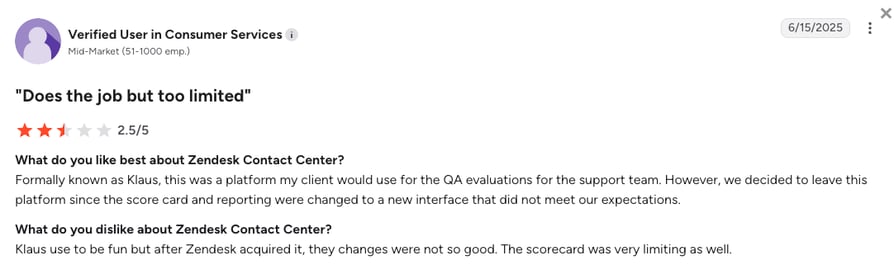
Reviewers value the workflow visibility Zendesk brings and the way calls and tickets share one interface. Recurring complaint: some workflows behave inconsistently, and configuration for anything beyond basic routing feels heavy.
What Is Zendesk's G2 Rating and Review Count?
Zendesk's current G2 rating is 4.3/5, out of nearly 7,000 verified user reviews for it's Customer Service product.
How Do We Rate Zendesk?
Zendesk Sentiment Score
| Category | Score (1–10) |
|---|---|
| Ease of Use | 6 |
| Feature Set | 8 |
| Value for Money | 6 |
| Customer Support | 7 |
| Integration Depth | 8 |
| Overall | 7.0 |
Zendesk vs. CloudTalk
Zendesk fits support teams that live in Zendesk. CloudTalk fits sales-and-support hybrid teams that need CRM-driven routing (HubSpot, Salesforce, Pipedrive) without paying for the Suite Professional tier to unlock skill-based routing.
8. Talkdesk: Best for High-Volume Digital Enterprises
What Is Talkdesk?
Talkdesk is a heavyweight cloud-based call routing platform focused on high-volume contact centers. It uses AI to automate the most repetitive parts of the customer journey, positioning itself as a leader for digital-first enterprises.
What Are Talkdesk's Key Features?
- Talkdesk NavigatorGenerative AI-powered engine that enables natural language conversations, replacing rigid IVR menus by understanding customer requests.
- Topic and Language DetectionAnalyzes messages to identify topics or languages, triggering predefined flows automatically.
- Talkdesk StudioVisual builder for advanced routing flows across multiple channels.
What Are Talkdesk's Pros and Cons?
| Pros | Cons |
|---|---|
| Generative AI routing engine (Navigator) that goes beyond keypad IVR | Longer-term contracts and per-seat pricing make it expensive for small teams |
| Deep omnichannel and speech analytics | Users report call quality drops and unstable CRM integrations |
| Strong for regulated industries (healthcare, insurance) | Learning curve on Studio for admins |
Who Is Talkdesk Best For?
Mid-sized to enterprise businesses with high-volume, complex inbound/outbound needs and dedicated admin resources.
How Much Does Talkdesk Cost?
Talkdesk pricing starts at $85/user/mo (billed annually), and it's tiered by engagement depth:
Talkdesk Pricing Plans
| Plan | Starting Price (Annual) | Main Features |
|---|---|---|
| Digital Essentials | $85/user/mo | Digital channels only |
| Voice Essentials | $105/user/mo | Voice + digital, IVR, basic routing |
| Elite | $165/user/mo | Advanced AI, WFM, full routing suite |
| Experience Clouds | $225/user/mo | Industry-specific compliance workflows |
What Are Real Users Saying About Talkdesk?
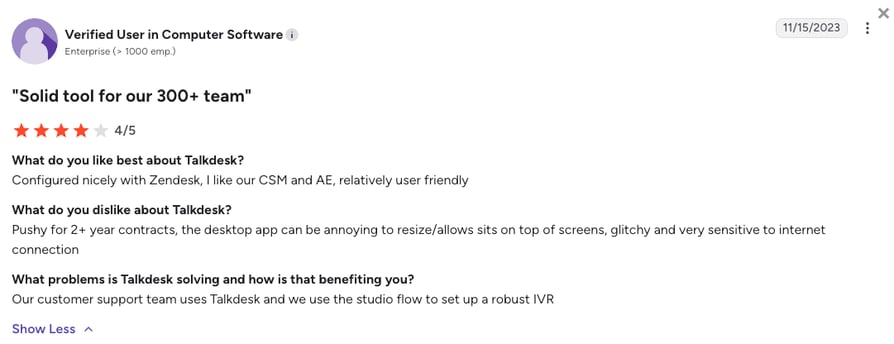
Reviewers praise the user-friendly interface and routing power. Recurring criticism: call quality drops and connectivity issues, plus intermittent CRM integration failures.
What Is Talkdesk's G2 Rating and Review Count?
Talkdesk's current G2 rating is 4.4/5, out of 2,500+ verified reviews.
How Do We Rate Talkdesk?
Talkdesk Sentiment Score
| Category | Score (1–10) |
|---|---|
| Ease of Use | 7 |
| Feature Set | 9 |
| Value for Money | 6 |
| Customer Support | 7 |
| Integration Depth | 8 |
| Overall | 7.4 |
Talkdesk vs. CloudTalk
Talkdesk Navigator's generative AI is impressive at enterprise scale. CloudTalk delivers similar intent-based routing through its conversational IVR and AI Voice Agents at SMB-friendly pricing, without a 12-month contract commitment.
9. CTM: Best for Data-Heavy Marketing and Sales Hybrid Teams
What Is CTM?
CTM (formerly CallTrackingMetrics) is a hybrid: both a marketing attribution tool and a robust call routing app. It's built for teams that route calls based on what a visitor is doing on the website in real time, like sending a caller to a specific team when they're viewing a high-value pricing page.
What Are CTM's Key Features?
- Form-to-Call RoutingTriggers an outbound call to a sales rep the second a lead hits submit on your website.
- Geographic RoutingSends callers to the nearest physical branch based on their area code.
- IVR and QueuesIVR guides callers with voice prompts, while customizable queues distribute calls evenly, by priority, or to multiple agents at once.
What Are CTM's Pros and Cons?
| Pros | Cons |
|---|---|
| Marketing attribution and routing in one platform | Steep learning curve (the interface is data-heavy) and overwhelming for non-technical users |
| Form-to-call automation catches leads at peak intent | Missing basic options (labeling scheduled exports, incomplete mobile app) |
| Geographic routing works well for multi-location businesses | Total cost climbs on enterprise tier |
Who Is CTM Best For?
Businesses that need advanced call tracking connected to their phone system, especially those generating high volumes of leads from digital marketing campaigns.
How Much Does CTM Cost?
CTM's pricing starts at $65/user/mo (annual billing) + usage fees:
CTM Pricing Plans
| Plan | Starting Price | Main Features |
|---|---|---|
| Marketing Lite | $65/mo | Basic tracking, IVR, queues |
| Marketing Pro | $149/mo | Advanced attribution, form-to-call |
| Sales Engage | $274/mo | Sales automation, outbound calling |
| Enterprise | $1,999/mo | Full suite with dedicated support |
What Are Real Users Saying About CTM?
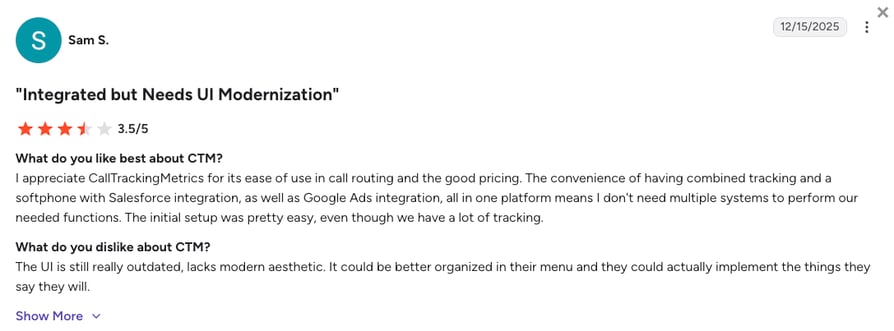
Reviewers appreciate the routing flexibility and depth of attribution data. Recurring criticism: the UI feels outdated, and feature requests seem to accumulate faster than releases.
What Is CTM's G2 Rating and Review Count?
CTM's current G2 rating is 4.5/5, out of 750+ verified user reviews.
How Do We Rate CTM?
CTM Sentiment Score
| Category | Score (1–10) |
|---|---|
| Ease of Use | 6 |
| Feature Set | 8 |
| Value for Money | 7 |
| Customer Support | 7 |
| Integration Depth | 7 |
| Overall | 7.0 |
CTM vs. CloudTalk
CTM wins on marketing attribution depth. CloudTalk wins if you need a voice-first platform with CRM-driven routing, without a data-heavy interface that requires an admin to configure.
10. Genesys Cloud CX: Best for Omnichannel Enterprise Journeys
What Is Genesys Cloud CX?
Genesys is an omnichannel call routing platform that keeps customer context across voice, SMS, and social channels. It lets operations teams design advanced, data-driven customer journeys using its low-code Architect builder.
What Are Genesys Cloud CX's Key Features?
- Predictive RoutingMachine learning matches customers to the best-suited agents based on historical interaction data.
- AI-Driven Digital EngagementManages interaction routing across voice, chat, email, SMS, and social channels through a unified AI engine.
- Flow-Based Routing DesignDrag-and-drop workflow designer (Architect) that lets you model IVR, chat, and routing logic visually.
What Are Genesys Cloud CX's Pros and Cons?
| Pros | Cons |
|---|---|
| Predictive routing with ML-based agent matching | Steep learning curve for admins (advanced routing requires deep technical expertise) |
| Deep omnichannel support (voice, chat, email, SMS, social) | Add-on costs and consumption-based licenses make total cost unpredictable |
| Strong for regulated industries and large deployments | Overkill for teams under 50 agents |
Who Is Genesys Cloud CX Best For?
Medium-to-large businesses and enterprises that need a powerful, omnichannel, AI-driven contact center platform.
How Much Does Genesys Cloud CX Cost?
Genesys' pricing starts at $75/user/mo, and the platform offers four tiers:
Genesys Cloud CX Pricing Plans
| Plan | Starting Price (Annual) | Main Features |
|---|---|---|
| Genesys Cloud CX 1 | $75/user/mo | Voice, basic routing |
| Genesys Cloud CX 2 | $115/user/mo | Adds digital channels |
| Genesys Cloud CX 3 | $155/user/mo | Adds WFM and quality management |
| Genesys Cloud CX 4 | $240/user/mo | Full omnichannel with AI and predictive routing |
What Are Real Users Saying About Genesys Cloud CX?
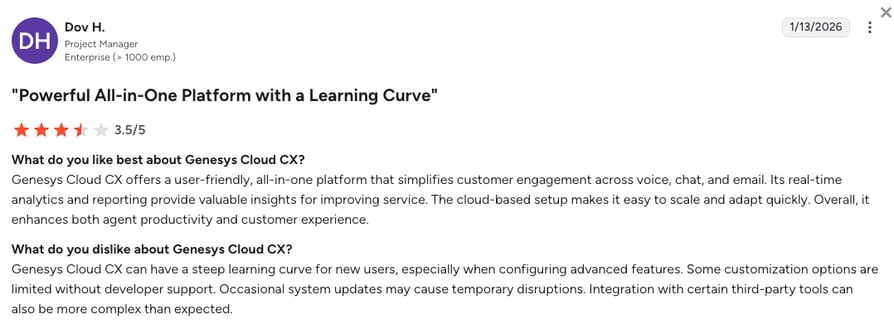
Reviewers praise the routing capabilities and how quickly customers reach the right place. Recurring criticism: the extensive feature set creates a noticeable learning curve, and consumption-based billing adds cost uncertainty.
What Is Genesys Cloud CX's G2 Rating and Review Count?
Genesys Cloud CX's current G2 rating is 4.4/5, out of 1,500+ verified reviews.
How Do We Rate Genesys Cloud CX?
Genesys Cloud CX Sentiment Score
| Category | Score (1–10) |
|---|---|
| Ease of Use | 6 |
| Feature Set | 9 |
| Value for Money | 6 |
| Customer Support | 7 |
| Integration Depth | 8 |
| Overall | 7.2 |
Genesys Cloud CX vs. CloudTalk
Genesys fits large omnichannel deployments with dedicated CCaaS admins. CloudTalk fits SMB and mid-market teams that need CRM-driven routing without consumption-based billing or a multi-week implementation.
11. Ringover: Best for European SMBs Needing GDPR-Friendly Routing
What Is Ringover?
Ringover is designed as plug-and-play call center call routing software. It allows SMBs to build professional IVR menus and skill-based routing flows in minutes using a simple drag-and-drop builder, making it a fast alternative to more complex enterprise systems.
What Are Ringover's Key Features?
- Instant IVR SetupCreate a routing setup with professional greetings in just a few clicks.
- Real-Time DashboardProvides supervisors with a clear view of skill-based routing queues to prevent bottlenecks.
- Smart RoutingUses real-time data from integrated CRMs to dynamically direct calls to the most suitable agents based on skills and customer history.
What Are Ringover's Pros and Cons?
| Pros | Cons |
|---|---|
| Fast setup with drag-and-drop IVR builder | Some users report setup delays and technical bugs stalling launch dates |
| GDPR-friendly for European teams | Add-on fees increase total cost of ownership |
| Strong onboarding for SMBs | Expensive relative to traditional VoIP once add-ons activate |
Who Is Ringover Best For?
Small European teams that need a reliable, GDPR-compliant phone system without enterprise complexity.
How Much Does Ringover Cost?
Ringover's pricing starts at $21/user/mo, and it offers the following tiers:
Ringover Pricing Plans
| Plan | Starting Price (Annual) | Main Features |
|---|---|---|
| Smart | $21/user/mo | Basic calling, IVR, dashboard |
| Business | $44/user/mo | Skill-based routing, real-time analytics |
| Advanced | Quote-based | Enterprise SLA, unlimited integrations |
What Are Real Users Saying About Ringover?
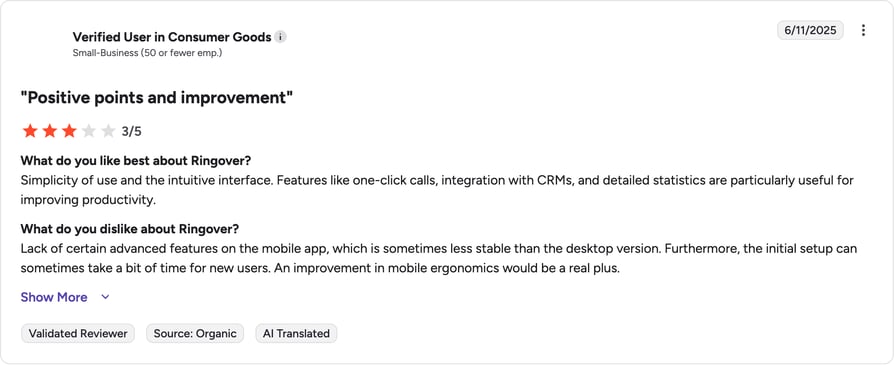
Reviewers describe onboarding as smooth and the platform as intuitive. Recurring criticism: cost climbs once add-ons like Empower AI and Cadence activate.
What Is Ringover's G2 Rating and Review Count?
Ringover's current G2 rating is 4.6/5, out of 450+ verified reviews.
How Do We Rate Ringover?
Ringover Sentiment Score
| Category | Score (1–10) |
|---|---|
| Ease of Use | 8 |
| Feature Set | 7 |
| Value for Money | 6 |
| Customer Support | 8 |
| Integration Depth | 7 |
| Overall | 7.2 |
Ringover vs. CloudTalk
Ringover fits European SMBs prioritizing GDPR and fast setup. CloudTalk offers global number coverage across 100+ countries, similar routing depth, and predictable pricing without stacking AI add-ons.
12. KrispCall: Best for Early-Stage Startups and Solopreneurs
What Is KrispCall?
KrispCall is an AI-powered cloud-based call routing platform that stands out for its Unified Callbox, which merges phone call routing data with SMS and CRM context, allowing agents to see a caller's full history the moment a call is routed to their desk.
What Are KrispCall's Key Features?
- Advanced Routing OptionsMulti-level IVR (phone trees) for intelligent call distribution based on time, caller input, availability, or agent skills.
- Shared NumbersMultiple agents can see and respond to calls from a single business line.
- Global NumbersBuy virtual phone numbers in 100+ countries to establish a local presence.
What Are KrispCall's Pros and Cons?
| Pros | Cons |
|---|---|
| Global number coverage (100+ countries) | Users report unexpected fees (US SMS, brand registration, campaign vetting) |
| Affordable entry price for solo users | Long verification process during onboarding |
| Unified Callbox merges calls, SMS, and CRM context | Some integrations (Salesforce, monday.com) still in beta |
Who Is KrispCall Best For?
KrispCall's call routing software is a great fit for early-stage startups and solopreneurs who need a professional "front door" for their business.
How Much Does KrispCall Cost?
KrispCall's pricing opens at a low $12/user/mo (billed annually), with the following plans available:
KrispCall Pricing Plans
| Plan | Starting Price (Annual) | Main Features |
|---|---|---|
| Essential | $12/user/mo | Capped at 5 agents. Basic calling, IVR, SMS. Per-minute calling and per-segment SMS charged on top. |
| Standard | $32/user/mo | Unlimited users. Adds Power Dialer, call recording, Voice AI Agent. |
| Enterprise | Custom | Custom SLA, priority support, custom integrations |
What Are Real Users Saying About KrispCall?
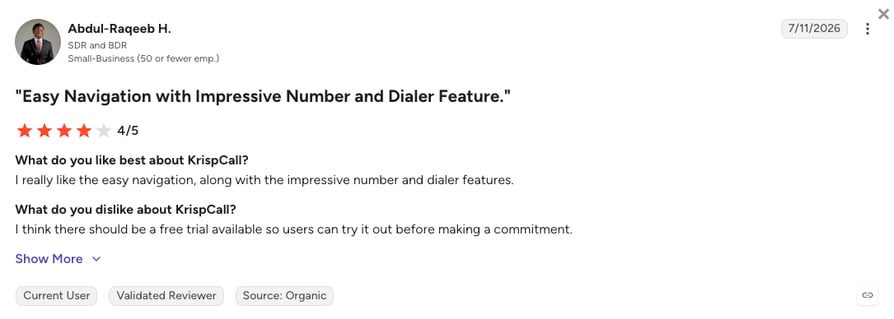
Reviewers like the virtual numbers and simplicity for small teams. Recurring complaint: lags when switching between call tabs during peak hours, plus per-minute calling fees that stack up quickly.
What Is KrispCall's G2 Rating and Review Count?
KrispCall's current G2 rating is 4.5/5, out of 350+ verified reviews.
How Do We Rate KrispCall?
KrispCall Sentiment Score
| Category | Score (1–10) |
|---|---|
| Ease of Use | 8 |
| Feature Set | 7 |
| Value for Money | 6 |
| Customer Support | 6 |
| Integration Depth | 6 |
| Overall | 6.6 |
KrispCall vs. CloudTalk
KrispCall fits solo users testing a business phone number. CloudTalk fits growing teams that need CRM-driven routing, per-seat pricing without per-minute fees, and integrations already in GA (not beta).
13. JustCall: Best for Sales Teams Using Pipedrive or HubSpot
What Is JustCall?
JustCall is a cloud-based VoIP platform for sales and support teams that need automation and strong CRM workflows. Its Smart Route feature directs calls using external data (past interactions, lead status) so teams can skip queues and connect callers with the right agent faster.
What Are JustCall's Key Features?
- AI-Driven RoutingConnects inbound calls to the right CRM contact owner based on external data like past interactions.
- Multi-Level IVREnsures inbound leads are routed correctly while the team focuses on outbound dialing.
- Workflow AutomationSyncs with tools like Slack to notify the team when a routing action fails or a voicemail is left.
What Are JustCall's Pros and Cons?
| Pros | Cons |
|---|---|
| Tight Pipedrive and HubSpot integration | Users report dropped calls and poor audio during peak hours |
| Fast dialer for outbound sales | 24/7 support gated behind high-tier plans |
| Smart Route pulls external CRM data into routing decisions | Some connectivity failures reported even on strong networks |
Who Is JustCall Best For?
JustCall appeals mainly to sales teams that need a tight integration with Pipedrive or HubSpot and a fast dialer.
How Much Does JustCall Cost?
JustCall's pricing starts at $29/user/mo (billed annually), with 2-seat minimums applied to all of the platform's plans:
JustCall Pricing Plans
| Plan | Starting Price (Annual) | Main Features |
|---|---|---|
| Team | $29/user/mo | Basic calling, IVR |
| Pro | $49/user/mo | Smart Route, workflow automation |
| Pro Plus | $89/user/mo | Advanced analytics, priority routing |
| Business | Quote-based | Custom SLA, dedicated support |
What Are Real Users Saying About JustCall?
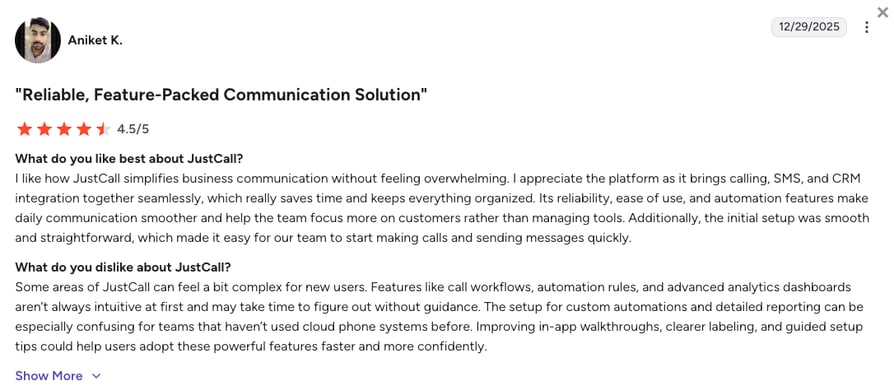
Reviewers use JustCall to communicate with clients across laptops and mobiles and appreciate the Pipedrive/HubSpot depth. Recurring complaint: call quality drops when connecting with clients.
What Is JustCall's G2 Rating and Review Count?
JustCall's current G2 rating is 4.3/5, out of 2,300+ verified reviews.
How Do We Rate JustCall?
JustCall Sentiment Score
| Category | Score (1–10) |
|---|---|
| Ease of Use | 7 |
| Feature Set | 7 |
| Value for Money | 7 |
| Customer Support | 6 |
| Integration Depth | 8 |
| Overall | 7.0 |
JustCall vs. CloudTalk
JustCall fits Pipedrive-heavy sales teams. CloudTalk delivers similar CRM depth with Salesforce (Expert plan) plus Power Dialer, Smart Dialer, and 24/7 support on Expert without gating basic support behind high tiers.
14. Invoca: Best for High-Stakes Marketing (Auto, Healthcare, Finance)
What Is Invoca?
Invoca is more of a routing intelligence layer than a standalone business phone system. It uses AI to listen to calls and route them based on the conversation's intent.
What Are Invoca's Key Features?
- Dynamic Multi-Factor RoutingCombines caller location and pre-call digital signals (webpages visited) to route calls without transfers.
- Signal DiscoveryUses AI to identify buying signals and route the caller to a closer rather than a general agent.
- Conversational PersonalizationTailors the routing experience based on the caller's digital journey before they pick up the phone.
What Are Invoca's Pros and Cons?
| Pros | Cons |
|---|---|
| AI-driven routing based on caller intent | Users describe the platform as "intimidating" at first |
| Deep signal discovery for high-value verticals | Reporting customization and data exports feel limited |
| Strong for auto, healthcare, and finance marketing | Enterprise-only pricing |
Who Is Invoca Best For?
Enterprise marketing teams in high-stakes industries (Auto, Healthcare, Finance) that route thousands of high-intent calls per week.
How Much Does Invoca Cost?
Invoca's pricing is only available upon request as the platform mainly caters to larger enterprises.
Invoca Pricing
| Plan | Starting Price |
|---|---|
| Enterprise | Custom quote |
What Are Real Users Saying About Invoca?
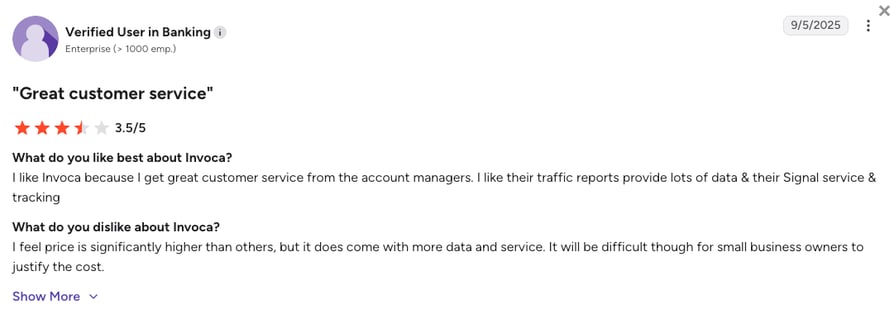
Reviewers describe Invoca as intuitive once learned but intimidating at first. Invoca becomes essential for marketing and sales workflows in high-stakes verticals. The platform offers solid support, however, its pricing is hard to justify for small business owners.
What Is Invoca's G2 Rating and Review Count?
Invoca's current G2 rating is 4.5/5, out of 900+ verified user reviews.
How Do We Rate Invoca?
Invoca Sentiment Score
| Category | Score (1–10) |
|---|---|
| Ease of Use | 6 |
| Feature Set | 8 |
| Value for Money | 6 |
| Customer Support | 7 |
| Integration Depth | 8 |
| Overall | 7.0 |
Invoca vs. CloudTalk
Invoca fits enterprise marketing teams routing high-intent calls across regulated verticals. CloudTalk fits SMB and mid-market teams that need intent-based routing without enterprise-only pricing or a steep configuration curve.
15. RingCentral: Best for Large, Traditional Organizations
What Is RingCentral?
RingCentral is a cloud communications platform with a broad feature set: phone calls, SMS, fax, video meetings, and advanced call routing.
What Are RingCentral's Key Features?
- Enterprise Unified CommunicationsVoice, video, SMS, fax, and team messaging in a single platform.
- Advanced Call HandlingIncludes call forwarding and multi-site routing for large organizations.
- RingSense AICoaching and automated summaries across the entire organization.
What Are RingCentral's Pros and Cons?
| Pros | Cons |
|---|---|
| One platform for voice, video, SMS, fax, and messaging | Many advanced features locked behind higher-tier plans or add-ons |
| Strong for large, traditional organizations | Overbuilt for SMBs looking for a simple AI phone system |
| RingSense AI adds automated summaries and coaching | Interface can feel overwhelming to new users |
Who Is RingCentral Best For?
RingCentral works best for large, traditional organizations that need a one-stop-shop for all internal and external communication.
How Much Does RingCentral Cost?
RingCentral's pricing starts at $20/user/mo (billed annually), with the following tiers available:
RingCentral Pricing Plans
| Plan | Starting Price (Annual) | Main Features |
|---|---|---|
| Core | $20/user/mo | Unlimited calling, video meetings, team messaging, IVR |
| Advanced | $25/user/mo | Adds call recording, 300+ integrations, auto call notes |
| Ultra | $35/user/mo | Adds unlimited storage, advanced analytics, device analytics |
| Customer Engagement Bundle | Quote-based | Full contact center suite |
What Are Real Users Saying About RingCentral?
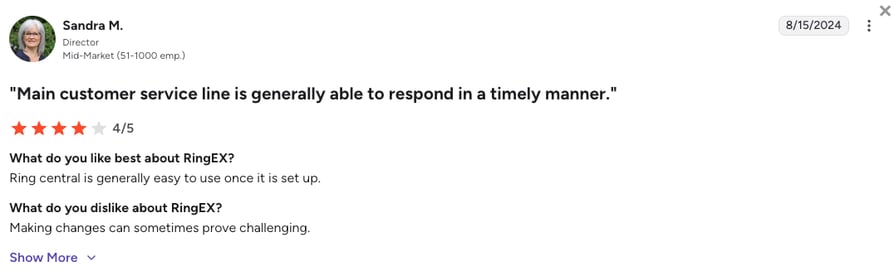
Reviewers praise the call quality and reliability RingCentral offers, and features like call routing and voicemail-to-email. Recurring criticism: the interface feels overwhelming at first, especially with so many features packed in.
What Is RingCentral's G2 Rating and Review Count?
RingCentral's current G2 rating is 4.2/5, out of 1,400+ verified reviews.
How Do We Rate RingCentral?
RingCentral Sentiment Score
| Category | Score (1–10) |
|---|---|
| Ease of Use | 6 |
| Feature Set | 9 |
| Value for Money | 6 |
| Customer Support | 7 |
| Integration Depth | 8 |
| Overall | 7.2 |
RingCentral vs. CloudTalk
RingCentral fits large organizations that want one vendor for every communication surface. CloudTalk fits sales-and-support teams that need routing depth without paying for video, fax, and features they'll never use.
16. Nextiva: Best for Mid-Sized Unified Communications
What Is Nextiva?
Nextiva is a stable, well-regarded call routing platform that balances business phone features with basic CRM capabilities. It's known for its Amazing Service (customer support) and reliability.
What Are Nextiva's Key Features?
- All-in-One Communications SuiteVoice, video, messaging, contact center, and CRM tools in a single platform.
- NextOSUnified platform that brings together automated calling software and customer sentiment tracking.
- Visual Call FlowDecent builder for intuitive setup of routing logic, including IVR menus, queues, and auto-attendants.
What Are Nextiva's Pros and Cons?
| Pros | Cons |
|---|---|
| Reliable service and strong customer support reputation | Advanced AI tools (transcription, analytics) require costly add-ons |
| All-in-one suite (voice, video, messaging, basic CRM) | Initial setup and advanced admin settings feel complex |
| Visual call flow builder for straightforward routing setup | Base plan lacks CRM integrations |
Who Is Nextiva Best For?
Nextiva is a great fit for mid-sized businesses that want a unified call routing system with built-in customer experience tools and collaboration features.
How Much Does Nextiva Cost?
Nextiva's pricing starts at $15/user/mo (billed annually), and you can choose from the following plans:
Nextiva Pricing Plans
| Plan | Starting Price (Annual) | Main Features |
|---|---|---|
| Core | $15/user/mo | Unlimited calling, 100 SMS/user, voicemail transcription |
| Engage | $25/user/mo | Adds call recording, CRM integrations, 500 SMS/user, AI assistant |
| Scale | $75/user/mo | Full omnichannel contact center with AI, WFM, advanced routing |
What Are Real Users Saying About Nextiva?
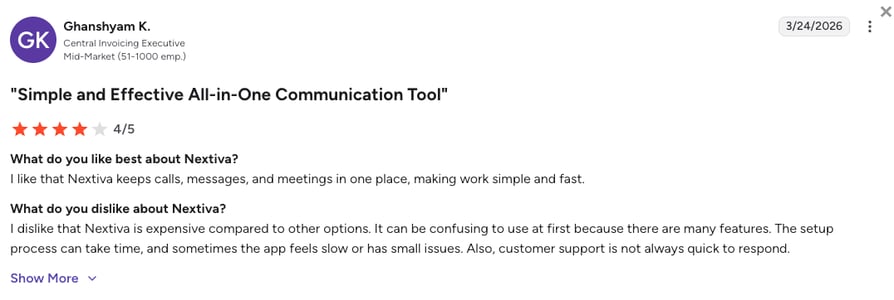
Reviewers praise the internal extensions, multistore capabilities, and reliable voicemail. Recurring criticism: some setup complexity, though users generally overcome it with support.
What Is Nextiva's G2 Rating and Review Count?
Nextiva's current G2 rating is 4.5/5, out of 3,500+ verified reviews.
How Do We Rate Nextiva?
Nextiva Sentiment Score
| Category | Score (1–10) |
|---|---|
| Ease of Use | 7 |
| Feature Set | 8 |
| Value for Money | 7 |
| Customer Support | 9 |
| Integration Depth | 7 |
| Overall | 7.6 |
Nextiva vs. CloudTalk
Nextiva fits mid-sized teams wanting an all-in-one suite with strong support. CloudTalk fits sales-and-support teams that need CRM-driven routing depth (Salesforce on Expert, no Scale-tier jump), plus AI Voice Agents priced per-seat.
Top 5 Call Routing Software by G2 Reviews and Ratings
Based on G2 reviews and ratings, CloudTalk is a leading call routing software for SMB and mid-market teams, backed by one of the largest verified review bases in this comparison and a 4.4/5 rating. Here's how the top five stack up by review volume and score.
Top 5 Call Routing Platforms Ranked by G2 Review Volume
| Platform | G2 Reviews | G2 Rating | See Platform Review | Alternative |
|---|---|---|---|---|
| CloudTalk | 1,800+ | 4.4/5 | CloudTalk review | CloudTalk alternatives |
| Aircall | 1,600+ | 4.4/5 | Aircall review | Aircall alternatives |
| Genesys Cloud CX | 1,500+ | 4.4/5 | Genesys review | Genesys alternatives |
| RingCentral | 1,400+ | 4.2/5 | RingCentral review | RingCentral alternatives |
| Ringover | 450+ | 4.6/5 | Ringover review | Ringover alternatives |
Mind that review volume and score tell different stories: Ringover's 4.6/5 comes from a smaller base, while CloudTalk holds its 4.4/5 rating across one of the largest verified review pools in the call routing category. Weigh both the review count as well as rating before you shortlist.
What Is Call Routing Software and How Does It Work?
Call routing software, sometimes called automated call routing, is a specialized business communication platform that automatically directs incoming calls to the most qualified agent or department based on a set of pre-defined rules and real-time data.
For example, if a high-value customer calls your support line, the system doesn't just put them in a generic queue. It recognizes their phone number, checks your CRM for their "VIP" status, and immediately fast-tracks them to their dedicated account manager. While this happens, the system logs the intent of the call and prepares the agent with the caller's history before they even pick up.
Behind the scenes, the platform acts as an intelligent traffic controller. It uses a combination of Automatic Call Distribution (ACD), Interactive Voice Response (IVR), and CRM data integration to analyze who is calling and why.
The result? Your business eliminates the chaos of "ring-all" queues, your customers reach a resolution faster, and every interaction is optimized to match the right expertise with the right need, turning your phone system into a revenue engine.
Types of Call Routing: How Each Method Works
Not every inbound call should be handled the same way. Most inbound call routing software combines several routing methods depending on the situation, and the five below cover almost every use case.
- Skills-based routing matches a caller to the agent best equipped to help, based on language, product expertise, or certification level. Instead of the next available agent, the system checks who knows the answer and sends the call there. Reach for this method when call topics vary widely and a wrong-fit agent means an extra transfer.
- Time-based routing changes call behavior depending on the clock. Calls during business hours go to live agents; calls after hours route to voicemail, an on-call number, or a recorded message. Time zones complicate this for distributed teams, which is why most platforms let you set separate rules per office or region.
- Caller-based and VIP routing uses data about who's calling, not just what they're calling about. A returning customer, a high-value account, or a lead from a specific campaign can skip the general queue and go straight to a dedicated rep. This method leans on CRM data, so its accuracy depends on how clean that data is.
- Round-robin routing distributes calls evenly across a team in rotation, so no single agent gets overloaded while others sit idle. It's the simplest fairness mechanism available and works well for teams where any agent can handle any call.
- AI and intent-based routing skips the keypad menu. Callers explain what they need in their own words, and natural language processing figures out the right destination from there. It's the newest of the five methods, and the one most likely to replace multi-level IVR trees over the next few years.
Most teams don't rely on just one method. A support line might run skills-based routing during the day, hand off to time-based rules after hours, and layer in VIP treatment for top accounts, all inside the same call flow. CloudTalk's visual Call Flow Designer combines all five, including skills-based and caller-based/VIP routing, in a single drag-and-drop flow, so you're not stuck picking one strategy for the whole business.
Call Routing vs Call Forwarding: What's the Difference?
Call routing makes a real-time decision. The system weighs the caller's identity, their status in the CRM, which agents have the right skills, how deep the current queue is, and what time it is, then picks the best available destination in milliseconds. It's dynamic: the same phone number can send two different callers to two different agents based on what the system knows about each one.
Call forwarding does none of that. It's a simple redirect: calls to number A ring at number B instead, with no logic in between. A solo consultant forwarding their office line to a cell phone is using call forwarding. There's no queue and no skill check, just one number standing in for another.
Most business phone platforms, CloudTalk included, offer both, because they solve different problems. Forwarding is the right tool for a single person or a simple backup plan; routing is what turns a phone line into an actual contact center, the layer that decides who answers and why. If your team is bigger than a couple of people or your calls need to reach different specialists, forwarding alone won't cut it.
Key Benefits of Call Routing Software for Better CX
Smart call routing solutions for companies of any size tend to pay off the same way. Here are the main benefits businesses see after improving their routing strategy:
#1 Reduced Wait Times and Increased Efficiency
According to HelpScout³, nearly 90% of consumers worldwide say fast issue resolution is their top priority. Long wait times, however, often stand in the way.
Automated call routing helps solve this by sending each call to an available agent right away, based on real-time availability and team capacity.
Instead of calls going to voicemail or sitting in long queues, the system distributes them across the team more efficiently. This reduces abandoned calls and helps customers get answers faster.
For growing teams, it also makes it easier to handle higher call volumes without hiring more agents, keeping operations efficient while maintaining a strong customer experience.
#2 Higher First-Call Resolution (FCR) Rates
With Skill-Based Routing, callers are sent directly to the agent best qualified to help them, avoiding the frustration of being transferred between agents.
When the right expert answers from the start, they spend less time understanding the issue and more time solving it. This improves first-call resolution (FCR), builds customer loyalty, and reduces the need for follow-up calls.
#3 Personalized and Seamless Customer Journeys
Modern call routing can connect with your CRM to recognize who is calling before an agent even answers. Instead of treating every caller the same, the system shows their history, past interactions, or account status.
This allows calls to be routed more intelligently, for example, sending a high-value lead directly to a sales closer or routing a returning customer to the agent who helped them before.
The result is a smoother, more personal experience that makes every interaction feel faster, more relevant, and more professional.
#4 Real-Time Data for Better Customer Experience
With cloud-based call routing, every call becomes useful data. A Real-Time Dashboard lets managers track service levels, agent performance, and call trends as they happen.
This makes it easier to spot issues (like longer wait times or lower resolution rates) and adjust call flows quickly. Instead of relying on guesswork, teams can use data to continuously improve their customer experience.
What Is AI Call Routing and How Does It Work?
AI call routing does the same core job a traditional ACD always has, matching a caller to an agent, but hands part of that decision to machine learning instead of a fixed rulebook. A static system checks which agent is free. An AI-powered one also reads the caller's intent, tone, and history before it picks a destination. An AI call routing system doesn't just ask who's free, it asks who's right for this caller, right now.
That difference matters the moment a call doesn't fit the pattern someone configured months ago. A rigid IVR tree can march a frustrated customer through three menus before a human ever answers. An AI layer can catch that frustration in the first few seconds and skip the queue.
In practice, this shows up as four capabilities stacked on top of standard routing: conversational IVR that understands plain language instead of keypad input, voice agents that resolve simple requests without a human on the line, sentiment analysis that flags a tense call as it happens, and post-call summarization that leaves agents with a clean record instead of a blank notes field.
#1 Conversational and Intelligent IVR
Traditional IVR menus like "Press 1 for Sales" are slowly being replaced by Intelligent Virtual IVRs that use natural language processing (NLP). Instead of navigating long phone menus, callers can simply explain what they need in their own words.
A conversational IVR can understand the request and handle simple tasks automatically (like rescheduling an appointment or providing a status update). This reduces the number of calls that need a human agent, allowing your team to focus on more complex or high-value conversations.
#2 AI Voice Agents (The 24/7 Gatekeeper)
AI Voice Agents are transforming the first point of contact in customer service. Instead of simple recordings, these agents use natural language processing (NLP) to hold real conversations, answer routine questions, and even schedule appointments automatically.
They also act as a smart first filter. If the AI detects a complex or sensitive issue, it quickly transfers the call to a human agent. This gives customers instant support 24/7 while allowing your team to focus on more complex or high-value conversations.















#3 AI-Driven Sentiment and Call Analysis
Modern call center analytics now go beyond just "listening": they "evaluate." Leading platforms use AI to analyze call transcripts and summaries to detect sentiment, frustration, or urgency.
By understanding the tone of a conversation, the system can flag calls that may need supervisor attention or follow-up. Managers can also spot patterns (like repeated complaints about the same issue) and adjust call routing or support workflows to improve customer experience.
#4 Generative AI Post-Call Summarization
The biggest productivity gain comes after the caller hangs up. Generative AI can automatically create clear summaries of each conversation in seconds.
These summaries capture key details, action items, and sentiment, and sync them directly with your CRM. This reduces after-call work (ACW) and removes the need for manual note-taking.
As a result, sales and support teams can move quickly to the next call while keeping accurate records of every interaction.
How Businesses Use AI Call Routing Software for Sales, Support and Operations
AI call routing software helps businesses manage incoming calls more intelligently by using real-time data such as caller intent, history, and agent skills. By combining CRM integrations, natural language processing (NLP), and automation, teams can reduce wait times, improve customer experience, and work more efficiently.
Below are some of the most common ways companies use AI call routing software across sales, support, and operations.
AI Lead Qualification and Sales Routing
Sales teams use AI call routing software for lead qualification to ensure the best opportunities reach the right representatives. AI Voice Agents can ask basic questions (such as company size, budget, or timeline) before routing the call to the most relevant sales rep.
This allows high-intent leads to skip general queues and connect directly with closers or account managers. The result is faster response times and better conversion rates.
Common use cases:
- Qualifying inbound leads before transferring them to sales
- Routing VIP prospects to senior sales reps
- Identifying upsell opportunities during calls
- Prioritizing high-value leads using CRM data
Intent-Based Customer Support Routing
In customer service, the best call routing solutions for customer support route customers to the right specialist based on their needs, not just a spot in a generic queue. Instead of navigating long phone menus, callers can simply explain their issue in natural language.
The system analyzes the request and routes the call to the most qualified agent. At the same time, the agent receives helpful context (such as previous interactions or unresolved tickets) before answering.
Common use cases:
- Routing technical issues to specialized support agents
- Automatically resolving simple requests with conversational IVR
- Reducing transfers and repeated explanations
- Personalizing support with CRM history
24/7 Virtual Agents and Self-Service Support
Many companies use AI Voice Agents as virtual receptionists that operate around the clock. CloudTalk's AI Voice Agent, for example, answers common questions, provides order updates, and captures new requests without needing a human agent, then routes anything complex to the right rep automatically.
By handling routine queries automatically, businesses reduce call volume and allow support teams to focus on more complex issues.
Common use cases:
- Providing after-hours customer support
- Answering frequently asked questions automatically
- Capturing support requests or service tickets
- Checking order or delivery status
Operational Efficiency and Automated Call Workflows
Operations teams benefit from AI-driven call routing automation that simplifies everyday processes. The system can automatically log call summaries, tag interactions, and sync customer data with CRM platforms.
Managers also gain visibility through analytics dashboards, allowing them to monitor queues, track agent performance, and adjust routing rules when needed.
Common use cases:
- Automatic call summaries and CRM updates
- Real-time dashboards for queue management
- Call recordings for training and quality monitoring
- Workflow automation to reduce manual admin work
Turn Every Inbound Call Into an Instant Response.
How to Choose the Right Call Routing Software for Your Business
Choosing the right call routing software is a bit like architecting your business's front door: you want it to be welcoming for customers, impossible for leads to miss, and intelligent enough to direct guests to the right room without a second of hesitation.
Here is a 6-step checklist to help you evaluate the best call routing software for your specific needs:
1. Assess Your Call Volume and Business Size
Choosing the right tool starts with understanding your current call volume and growth plans. A team of five has very different needs than a large contact center handling thousands of calls. Before comparing technical features, first define your needs based on your company's size and scale, and if you want a data-backed starting point, our online staffing calculator for call centers can translate your call volume into a precise agent headcount in seconds:
- Small teams (<5): You might only need a basic phone routing software with simple forwarding.
- Growing/remote teams: Look for cloud-based call routing that offers flexibility for distributed workers and easy scalability as you add new seats.
- High-volume centers: Prioritize advanced intelligent routing algorithms (like skills-based or time-based) to prevent bottlenecks and reduce "agent roulette."
What Is the Best Call Routing Software for Small Businesses and Startups?
Small teams need routing that works out of the box, no consultant required. Look for a visual call flow builder, straightforward setup, and pricing that doesn't force you to buy seats you don't need yet.
CloudTalk's Starter plan ($25/user/month) covers core call routing, call queues, ring groups, and the visual Call Flow Designer with no seat minimum, which fits a 5-to-30 person sales or support team getting off ring-all lines. The Essential plan ($29/user/month) unlocks multi-level IVR, skill-based routing, and 95+ CRM and helpdesk integrations once you outgrow the basics.
Ringover and KrispCall are also worth a look for lean or EU-based teams that prioritize fast setup over depth.
What Is the Best Call Routing Software for Enterprise and Multi-Location Teams?
Enterprise and multi-location teams need routing that spans time zones, languages, and hundreds of agents without falling over. Look for omnichannel routing, predictive or AI-driven agent matching, and reporting that rolls up across locations into one view.
CloudTalk's Expert plan ($49/user/month) fits mid-market and upper-mid-market deployments: skill-based and preferred-agent routing, native Salesforce integration, real-time analytics, SSO, and coverage across 100+ countries on one platform.
For truly large deployments (1,000+ agents, deep omnichannel across chat, email, and social, or industry-specific compliance workflows), Five9, Genesys Cloud CX, and Talkdesk carry more depth in exchange for higher per-seat pricing and multi-week implementations.
2. Prioritize CRM and Tech Stack Integration
Your call routing system shouldn't live on an island. It must speak fluently with your existing tools.
Whether you use Salesforce, HubSpot, or Pipedrive, look for native CRM integration that automatically syncs call logs, recordings, and notes. A true phone answering system will use this data to identify VIP callers and fast-track them to their dedicated account manager before the first ring.
The single biggest predictor of whether a call routing platform delivers on its promise is how well it reads your CRM at the moment a call comes in. A tool that sees only a phone number can only route by phone number. A tool that sees VIP status, deal stage, last interaction date, and account owner routes very differently. If your routing decisions depend on CRM signals (VIP treatment, account-owner routing, deal-stage prioritization), lean toward tools with native two-way CRM sync: CloudTalk, JustCall, Aircall, or CTM. If routing is more about time-of-day and hunt groups, simpler platforms like Ringover or Nextiva are enough.
How CloudTalk Reads Your CRM in Real Time
CloudTalk connects to Salesforce, HubSpot, Pipedrive, and 95+ other tools. Every inbound call is enriched with CRM data before it rings the agent's phone, so routing rules can act on VIP tags, deal stage, or account owner without a separate integration layer.
3. Look for Intelligent Skills-Based Routing
Not all agents have the same strengths: some are better at closing deals, while others are experts at solving technical issues.
That's why it's important to use Skills-Based Routing. This feature analyzes what the caller needs (through IVR selections or past interactions) and sends the call to the agent most likely to help.
When calls reach the right person the first time, problems get solved faster, customers are happier, and agents spend less time handling each call.
4. Demand a Visual, Drag-and-Drop Interface
The best phone call routing software shouldn't require a computer science degree to configure.
Look for platforms with a visual Call Flow Designer. With a simple drag-and-drop interface, your operations team can quickly adjust routing (like adding a holiday message or changing queue limits) without needing a developer or waiting for support.
5. Understand Scalability and Pricing Models
The call routing software cost can be misleading. Some providers charge per user, while others charge based on usage or lock key AI features behind higher plans.
Before choosing a platform, ask a few key questions:
- Are AI Transcription and conversation insights included, or paid add-ons?
- Is there a minimum number of seats that forces you to pay for more users than you need?
- How easy is it to add international numbers as your business grows?
Your software should scale with your team, not force you to switch platforms every year.
6. Verify Security, Uptime, and Support
If your phones go down, your business stops, so it's better to look for cloud call routing providers that offer 99.999% uptime and strong data encryption.
It's also important to check their support options. Many platforms only offer 24/7 live support on higher-tier plans, so make sure the level of support matches your team's needs and technical expertise.
Why CloudTalk Is the Best AI Call Routing Solution for Growing Teams
Growing sales and support teams outgrow basic hunt groups fast. Once call volume climbs, calls landing with the wrong agent cost you deals and CSAT points.
CloudTalk pairs intelligent call routing with AI Voice Agents so every inbound call reaches the right person, or gets handled without one.
Here's what that combination unlocks:
- AI Voice Agents and AI Receptionist = Never Miss a Call, 24/7They answer inbound calls day and night, qualify leads, book meetings, and hand complex cases to a human with full context attached. Your team stops fielding basic questions and gets to focus on revenue.
- Caller-Based and VIP Routing = Fewer Transfers, Faster ResolutionsHigh-value customers skip the queue and land with their dedicated rep the moment they call. Your reps stop wasting calls re-asking "what's this about?"
- Visual Call Flow Designer = Change Routing in Minutes, Not SprintsOps teams add a holiday flow, re-route a queue during a spike, or spin up a campaign line without waiting on a developer or a support ticket.
- Skill-Based and Preferred-Agent Matching = Higher First-Call ResolutionEvery caller lands with the agent best equipped to help: right language, right expertise, or the rep who's already handled them. Fewer follow-ups, higher CSAT.
- Every call is enriched with Salesforce, HubSpot, or Pipedrive data before it rings, tracked in real-time dashboards, and covered across 100+ countries.
Customer Story: DiscoverCars
DiscoverCars uses CloudTalk to route callers to agents who speak their language and prioritize them based on where they are in the booking process. Result: 80% reduction in customer waiting times and 15% increase in customer satisfaction.
Route Every Call to the Right Agent, Automatically.
Route Every Call Right the First Time
Like we've already said, nearly half of customers (47%) say repeating their issue is one of their biggest frustrations.
If your current phone system still relies on basic "ring-all" queues or rigid, outdated menus, you're leaking revenue. Every second a high-intent lead spends in the wrong queue is a second they spend Googling your competitor.
The 16 tools above cover every routing use case worth considering in 2026, from marketing attribution (CallRail, CTM, Invoca) to outbound velocity (Skipcall, JustCall) to enterprise omnichannel (Five9, Genesys, Talkdesk). The right pick depends on where your team sits between those poles and how much CRM depth your routing logic needs.
If your team is growing past manual call assignment and hunt groups, and your routing decisions depend on real CRM signals rather than just time-of-day, CloudTalk is built for that gap: it equips globally scaling teams with skill-based routing, intuitive visual call flow builder, plus AI Voice Agents that turn your phone system into a growth engine.
So if your current system still relies on manual transfers and guesswork, it's time to upgrade, and start routing every call where it truly belongs.
See CloudTalk's Routing Logic Live.
Sources:
- ResearchGate
- GPT-trainer
- HelpScout
Frequently Asked Questions About Call Routing Software
Common questions about how call routing works, what it costs, and how to choose the right tool.
Call routing software pricing varies more by feature depth than by vendor size. Entry-level plans built for smaller teams start lower: CloudTalk from $25/user/month, Dialpad from $15/user/month. Mid-market tools that bundle CRM tracking or app marketplaces sit a bit higher, like Aircall from $30/user/month.
Enterprise-grade contact center platforms cost more because they bundle in omnichannel routing, AI agents, and dedicated support: Talkdesk and Genesys run $75 to $155/month depending on the tier, and Five9 starts from $119/month. Whatever you're comparing, check what's bundled versus sold as an add-on before you compare sticker prices.
AI call routing typically runs $25 to $50 or more per user per month, depending on the plan and how much AI sits on top of the base routing engine. Most providers bundle core routing (IVR, skill-based distribution, call flow logic) into an entry-level tier, then charge separately for AI extras like conversation intelligence or voice agents. CloudTalk's plans start at $25/user/month for Starter, with AI Conversation Intelligence and AI Voice Agents available as paid add-ons on any plan.
No extra hardware is required. Modern call routing software runs entirely in the cloud, so all you need is a stable internet connection and a device (laptop, desktop, or smartphone all work). Most platforms, CloudTalk included, offer a softphone app you install in minutes instead of a physical desk phone. Some teams still pair cloud routing with existing desk phones or headsets for comfort, but that's a preference, not a requirement.
You need call routing software once manual call handling starts costing you time or customers, usually when call volume outgrows what one or two people can juggle, or when calls keep landing with the wrong agent. Warning signs include long hold times, frequent transfers, and agents fielding questions outside their expertise. If your team is still working off a single ring-all line or forwarding calls by hand, routing software tends to pay for itself in the first week.
Call auto routing is the automated process of sending an incoming call to the right agent or department without a human dispatcher making that decision. The system checks signals like caller ID, IVR selections, agent skills, or CRM data, then picks a destination in real time (no receptionist required). It's the mechanism behind features like skill-based routing and VIP queues, and it's what separates a modern phone system from a basic switchboard that rings every line at once.
Call routing makes a real-time decision using multiple signals (caller identity, CRM status, agent skills, time of day) before sending a call to its best destination. Call forwarding is simpler: it redirects every call from one number to another with no logic involved. Routing is what lets a contact center send a VIP caller to their account manager while a support request goes to a specialist; forwarding just moves calls without deciding who should handle them.
Routing an incoming call starts with a rule set: decide how you want calls sorted (IVR menu selection, caller data, agent skill, or availability), then let the system apply those rules automatically. Most platforms use a visual builder, like CloudTalk's Call Flow Designer, so you can drag in conditions like business hours, VIP tags, or department without touching code. Once the flow is live, every call gets evaluated against those conditions in milliseconds.
The best call routing software depends on your team's size and call volume, but CloudTalk stands out for growing sales and support teams thanks to its visual Call Flow Designer, skill-based and caller-based routing, and native CRM integrations with Salesforce, HubSpot, and Pipedrive. It connects each caller to the right agent using real-time data instead of rigid menus. Larger enterprises with complex omnichannel needs may lean toward Genesys or Five9, while marketing-heavy teams might prefer CallRail for attribution tracking.
CloudTalk, Five9, and Talkdesk are among the platforms built around conversational AI, and most also handle call summarization once the conversation ends. CloudTalk offers AI Voice Agents and AI call summary tools as add-ons that answer inbound calls, qualify leads, route complex issues to a human 24/7, and leave agents a clean summary instead of a blank notes field. Five9 leans on Intelligent Virtual Agents, and Talkdesk's Navigator uses generative AI for natural-language requests. Treat both as paid add-ons on any of these platforms, not default features.
Platforms built around conversational AI (CloudTalk, Five9, Talkdesk) can flag caller intent within the first few seconds of speech and route the call before a human answers. Natural language processing parses what the caller says, checks it against CRM context, then sends the call to the best-suited agent or AI voice agent. CloudTalk builds this into its conversational IVR, though accuracy still depends on call clarity.
Look for an AI voice agent built into your phone system, not a separate booking tool bolted on top. CloudTalk's AI Voice Agents for appointment scheduling answer common questions, check availability, and book a slot directly in your calendar, then route anything complex to a human. The interaction logs to your CRM automatically, so nothing gets lost between the AI handoff and the next call.