Tabla comparativa resumen: Las mejores plataformas de software de enrutamiento de llamadas
| Software | Ideal para | Funciones clave de enrutamiento | Precio de salida | Valoración en G2 |
|---|---|---|---|---|
| CloudTalk | Pymes en crecimiento y equipos de ventas/soporte (plataforma única) | Enrutamiento basado en habilidades con IA, Enrutamiento basado en el llamante, Diseñador de flujo de llamadas visual, Colas VIP | €25/usuario/mes | 4.4/5 |
| Dialpad | Equipos principalmente remotos que necesitan coaching con IA | Transcripción de llamadas con IA, Análisis de sentimiento, Operadora automática, ACD multiestrategia | €15/usuario/mes | 4.4/5 |
| CallRail | Agencias de marketing que rastrean el ROI de PPC/SEO | Inserción dinámica de números, Enrutamiento basado en campañas, Lead Center | €45/mes (total) | 4.5/5 |
| Aircall | Pymes con ecosistemas tecnológicos de CRM complejos | Cola inteligente, App Marketplace, Etiquetas y carpetas, IVR sencillo | €30/usuario/mes | 4.4/5 |
| Skipcall | Equipos de ventas salientes B2B de alto volumen | Marcador paralelo de IA (4 líneas), Sincronización bidireccional con CRM, Espacio de trabajo multicliente | €75/licencia/mes | 5.0/5 |
| Five9 | Grandes centros de contacto de empresas (más de 100 agentes) | Enrutamiento basado en habilidades, Enrutamiento omnicanal, Autoservicio IVR | €119/puesto/mes | 4.1/5 |
| Zendesk | Equipos de soporte estandarizados en Zendesk | Enrutamiento omnicanal, IVR y enrutamiento de grupo, Desvío por fuera del horario comercial | €55/agente/mes | 4.3/5 |
| Talkdesk | Empresas digitales con un alto volumen de llamadas | Talkdesk Navigator (IA generativa), Detección de tema/idioma, Talkdesk Studio | €85/usuario/mes | 4.4/5 |
| CTM | Híbrido de marketing y ventas con gran volumen de datos | Enrutamiento de formulario a llamada, Enrutamiento geográfico, IVR y colas | €65/mes (total) | 4.5/5 |
| Genesys Cloud CX | Recorridos omnicanal para grandes empresas | Enrutamiento predictivo, Interacción digital impulsada por IA, Arquitecto de flujos | €75/usuario/mes | 4.4/5 |
| Ringover | Pymes europeas (enfocadas en el RGPD) | Configuración instantánea de IVR, Panel de control en tiempo real, Enrutamiento inteligente | €21/usuario/mes | 4.6/5 |
| KrispCall | Startups en etapas iniciales y profesionales independientes | IVR multinivel, Números compartidos, Números internacionales (más de 100 países) | €12/usuario/mes | 4.5/5 |
| JustCall | Equipos de ventas (usuarios de Pipedrive/HubSpot) | Enrutamiento impulsado por IA, IVR multinivel, Automatización de flujos de trabajo | €29/usuario/mes | 4.3/5 |
| Invoca | Marketing de alto valor (automoción, salud, finanzas) | Enrutamiento multifactor dinámico, Descubrimiento de señales, Personalización conversacional | Presupuesto personalizado | 4.5/5 |
| RingCentral | Organizaciones grandes y tradicionales | Comunicaciones unificadas empresariales, Enrutamiento multisitio, RingSense AI | €20/usuario/mes | 4.2/5 |
| Nextiva | Comunicaciones unificadas para medianas empresas | Suite de comunicaciones todo en uno, plataforma NextOS, Diseñador de flujo de llamadas visual | €15/usuario/mes | 4.5/5 |
Ahórrate la lectura. Vívelo en directo.
Según una investigación publicada en ResearchGate, los tiempos de respuesta pueden disminuir en más de un 60 % cuando las llamadas se enrutan correctamente¹, ya que los agentes dedican menos tiempo a aclarar el problema y más a resolverlo.
La mayoría de los equipos sienten el problema antes de poder cuantificarlo. Quien llama se queda atrapado en un IVR de tres niveles, o acaba hablando con un agente que tiene que transferir la llamada de nuevo. Según las conclusiones de GPT-trainer, casi la mitad de los clientes (47 %) afirma que tener que repetir su problema es una de sus mayores frustraciones².
Esa brecha entre una cola en la que "suenan todos los teléfonos" y un enrutamiento de llamadas automatizado e impulsado por la intención de compra es precisamente lo que las 16 plataformas de enrutamiento de llamadas de abajo están diseñadas para cerrar, por lo que aquí analizamos con más detalle cuáles lo cumplen de verdad, tanto si buscas un software de enrutamiento de llamadas telefónicas para un equipo pequeño como una plataforma de software de enrutamiento de llamadas para un centro de contacto de 200 puestos.
Cómo evaluamos las mejores herramientas de enrutamiento de llamadas en 2026
Para elaborar esta lista, analizamos las páginas de precios, la documentación técnica y miles de opiniones de usuarios reales sin filtros en G2, Capterra, TrustRadius, Trustpilot y Reddit. Nos centramos en equipos de pymes y medianas empresas: de 5 a 500 agentes que buscan un motor de enrutamiento que vaya más allá de los grupos de búsqueda sencillos.
Evaluamos cada plataforma en función de cinco criterios clave:
- Rendimiento de enrutamiento en el mundo realprobamos cada herramienta en flujos de trabajo diarios esenciales: soporte entrante, ventas salientes, priorización de VIP, desbordamiento fuera de horario y asignación por habilidades de los agentes. Las herramientas que solo gestionan grupos de salto obtuvieron una puntuación más baja.
- Profundidad de enrutamientoevaluamos el enrutamiento basado en habilidades, el enrutamiento basado en el llamante, la sofisticación de la IVR y el enrutamiento basado en IA/intención. Las herramientas que se quedan en grupos de salto obtuvieron una puntuación más baja.
- Transparencia de preciosmostramos rangos de planes verificados o indicamos claramente „contactar con ventas“, sin presentar cifras estimadas como confirmadas.
- Adaptación a distintos tamaños de equipola lista cubre opciones para pymes, mercado medio y grandes empresas para que los lectores en diferentes etapas encuentren opciones relevantes.
- Amplitud de integraciónun motor de enrutamiento que no puede leer tu CRM no puede tomar buenas decisiones de enrutamiento. Evaluamos la profundidad de la integración nativa de cada uno.
El sentimiento importa:
Para cada solución de enrutamiento de llamadas de nuestra lista, también incluimos una puntuación de sentimiento. Es nuestra valoración editorial sincera en cinco dimensiones fijas (facilidad de uso, conjunto de funciones, relación calidad-precio, atención al cliente y profundidad de integración). Cada dimensión se puntúa de 1 a 10 en función de los temas recurrentes en las reseñas de G2. Las mismas cinco dimensiones se aplican a todas las herramientas para que las puntuaciones sean directamente comparables.
¿Cuál es el mejor software de enrutamiento de llamadas en 2026?
CloudTalk es nuestra opción preferida para los equipos que quieren una única plataforma de enrutamiento de llamadas que combine una infraestructura de llamadas en la nube con un enrutamiento de llamadas automatizado y guiado por IA nativo. A diferencia de las capas de enrutamiento independientes que requieren un sistema telefónico independiente, CloudTalk ejecuta ambos a la vez, de modo que cada llamada entrante se asigna al agente adecuado utilizando datos de CRM en tiempo real, habilidades y estado VIP, sin necesidad de exportar datos entre sistemas.
CloudTalk tiene una valoración de 4.4/5 en G2 basada en opiniones verificadas, una de las puntuaciones de satisfacción más altas entre las herramientas que combinan telefonía con enrutamiento inteligente de llamadas en una sola suscripción.
Sin embargo, no hay una solución única para todos. Por eso la sección siguiente cubre las 16 plataformas de enrutamiento de llamadas de nuestra lista, para que puedas comparar funciones, precios y valoraciones cara a cara.
Las 16 mejores plataformas de software de enrutamiento de llamadas: desglose completo
1. CloudTalk: el mejor software de enrutamiento de llamadas para equipos de pymes y mercado medio en crecimiento
¿Qué es CloudTalk?
CloudTalk es un software de centro de llamadas impulsado por IA, y la única herramienta de esta lista que ofrece el sistema telefónico, la capa de enrutamiento impulsada por IA y agentes de voz IA que actúan como una recepcionista virtual 24/7 en un solo ecosistema.
Más de 5,500 empresas lo utilizan para conectar las llamadas entrantes con su CRM. Para los equipos de ventas y soporte en crecimiento de pymes y mercado medio, esto significa que no hay un segundo contrato con otro proveedor, no hay reglas de enrutamiento fuera de tus datos de llamadas y las etiquetas VIP llegan directamente a los registros de CRM con los que ya trabajan tus agentes. En lugar de menús telefónicos rígidos, CloudTalk enruta cada llamada a través de un Diseñador de flujo de llamadas visual.
¿Cuáles son las funciones clave de CloudTalk?
- Envía automáticamente a cada persona que llama al agente con la experiencia adecuada, según el idioma, el conocimiento del producto o el nivel de certificación. Supera al „siguiente agente disponible“ en todo momento.
- Reconoce a los clientes recurrentes y a las cuentas de gran valor en el momento en que llaman. Al sincronizarse con tu CRM, enruta a los clientes VIP directamente a su agente dedicado, saltándose el menú IVR.
- Creador de arrastrar y soltar que combina el enrutamiento basado en habilidades, basado en el llamante, basado en el tiempo y de distribución equitativa en un solo flujo. Añade un mensaje de vacaciones o cambia los límites de la cola en segundos sin necesidad de un desarrollador.
- Gestiona las consultas entrantes las 24 horas del día, los 7 días de la semana, cualifica a los clientes potenciales y reserva reuniones en tu calendario... ¡en más de 60 idiomas! Los problemas complejos se enrutan a un agente humano de forma automática.
- Va más allá de las simples transferencias de llamadas. Automatiza los siguientes pasos (SMS tras una llamada perdida, priorización de tickets) para que los problemas se resuelvan más rápido y nada se quede en el tintero.
¿Cuáles son los pros y los contras de CloudTalk?
| Pros | Contras |
|---|---|
| Infraestructura de enrutamiento de llamadas, agentes de voz de IA y recepcionistas virtuales bajo un mismo techo, sin necesidad de un proveedor independiente | Los agentes de voz de IA son un complemento de pago, no están incluidos en los planes básicos |
| Los usuarios de G2 mencionan constantemente una implantación más rápida que las alternativas de centros de contacto para grandes empresas | No dispone de chatbot nativo para sitios web (enfoque centrado en la voz) |
| Más de 100 integraciones nativas (HubSpot, Salesforce, Pipedrive, Zendesk) sincronizan los datos de las llamadas directamente en tu CRM | Sin reuniones de vídeo nativas (combínalo con tu herramienta de reuniones habitual) |
¿Para quién es mejor CloudTalk?
Los equipos de ventas y soporte en crecimiento de pymes y mercado medio que desean un sistema de telefonía en la nube con enrutamiento inteligente nativo, sin tener que añadir un segundo proveedor, serán los que más se beneficien de CloudTalk. Se adapta a las operaciones de pymes y mercado medio donde la velocidad de despliegue es fundamental. Los equipos que ya utilizan una suite completa de centro de contacto para grandes empresas pueden preferir un especialista en enrutamiento independiente.
¿Cuánto cuesta CloudTalk?
Los precios de CloudTalk comienzan en €25/usuario/mes (facturado anualmente), con los siguientes planes:
Planes de precios de CloudTalk
| Plan | Precio (Anual) | Funciones principales |
|---|---|---|
| Starter | €25/usuario/mes | Enrutamiento de llamadas, colas de llamadas, llamadas entrantes ilimitadas, 500 minutos salientes, Diseñador de flujo de llamadas básico, horario comercial, grupos de timbrado |
| Essential | €29/usuario/mes | Todo lo de Starter + llamadas salientes ilimitadas, IVR, enrutamiento basado en habilidades, monitorización de llamadas, SMS/MMS, API y webhooks, automatización de flujos de trabajo, más de 95 integraciones de CRM/helpdesk (excl. Salesforce) |
| Expert | €49/usuario/mes | Todo lo de Essential + integración con Salesforce, Marcador automático, Marcador inteligente, colas VIP, análisis en tiempo real, panel de control, llamadas simultáneas ilimitadas, SSO; mínimo de 3 usuarios |
| AI Receptionist | 50 min gratis/cuenta, luego desde €99/mes (200 min) | Agente de voz de IA entrante sin código: gestión de preguntas frecuentes, enrutamiento de llamadas, reserva de citas. Niveles de hasta €699/mes (2500 min) |
| AI Voice Agent (Specialist) | Desde €349/mes (1000 min) | Configuración guiada por ventas para flujos de trabajo complejos de varios pasos: cualificación de clientes potenciales, campañas salientes, reserva de citas. Escala desde €749/mes |
| Conversation Intelligence (complemento) | €9/usuario/mes | Disponible en todos los planes: transcripción en tiempo real, resúmenes de llamadas, detección de temas, análisis de sentimiento |
¿Qué dicen los usuarios reales sobre CloudTalk?
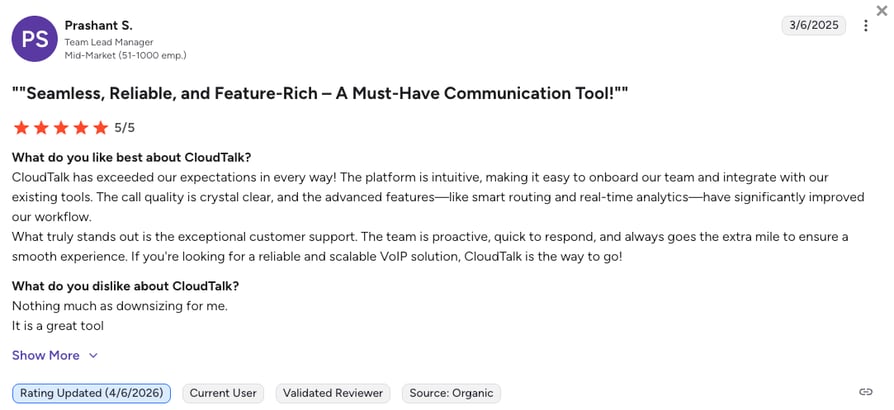
El Diseñador de flujo de llamadas de CloudTalk es el motivo por el que la mayoría de los usuarios de G2 dicen haberse cambiado desde los rígidos árboles de IVR. La capacidad de combinar reglas basadas en habilidades, en el llamante y en el tiempo en un solo flujo visual aparece repetidamente en las reseñas de cinco estrellas como el cambio específico que acabó con el caos de sus transferencias.
Las opiniones de cuatro estrellas coinciden en una preocupación: el coste del complemento de agente de voz de IA, que sorprende a los compradores que asumían que formaba parte de la suscripción básica.
¿Cuál es la puntuación G2 y el número de reseñas de CloudTalk?
La valoración actual en G2 de CloudTalk es de 4.4/5, basada en más de opiniones de usuarios verificados.
Los agentes de voz de IA enrutan llamadas complejas a humanos automáticamente
Los agentes de voz de IA de CloudTalk no se limitan a responder. Cada llamada se valora en función de tus criterios, y los problemas complejos o delicados se enrutan a un agente humano con todo el contexto necesario.
¿Cómo valoramos a CloudTalk?
Puntuación de sentimiento de CloudTalk
| Categoría | Puntuación (1–10) |
|---|---|
| Facilidad de uso | 9 |
| Conjunto de funciones | 9 |
| Relación calidad-precio | 9 |
| Soporte al cliente | 8 |
| Nivel de integración | 9 |
| Total | 8.8 |
¿Quieres probar el mejor software de enrutamiento de llamadas... gratis?
2. Dialpad: el mejor para equipos remotos que priorizan la formación con IA en tiempo real
¿Qué es Dialpad?
Dialpad es una plataforma de enrutamiento de llamadas diseñada principalmente para dispositivos móviles y estructurada en torno a su propia IA. Transcribe llamadas en tiempo real, lo que permite a los supervisores ver las conversaciones en directo. El enrutamiento en sí es un ACD estándar con múltiples estrategias de distribución (orden fijo, sistema de rotación, mayor tiempo de inactividad, timbrado simultáneo, enrutamiento basado en habilidades), estructurado sobre una Respuesta de voz interactiva de varios niveles con directorios de marcación por nombre.
¿Cuáles son las funciones clave de Dialpad?
- Funciones de IATranscripción de llamadas, resúmenes generados por IA, análisis de sentimiento y acciones automáticas posteriores a la llamada aplicadas a cada llamada enrutada.
- Operadora automática / IVRMenús multinivel, directorios de marcación por nombre y opciones personalizadas para dirigir a los usuarios a la persona, equipo u opción de autoservicio adecuados.
- ACD multiestrategiaOrden fijo, sistema de rotación, mayor tiempo de inactividad, timbrado simultáneo y enrutamiento basado en habilidades disponibles en los planes superiores.
¿Cuáles son los pros y los contras de Dialpad?
| Pros | Contras |
|---|---|
| Excelente transcripción en tiempo real y resúmenes de IA | La formación avanzada con IA solo está disponible en los planes Enterprise más caros |
| Optimizado para móviles con una experiencia muy fiable en iOS y Android | Algunos usuarios informan de caídas ocasionales de llamadas y fallos de la aplicación en horas punta |
| El plan Standard empieza en €15/usuario/mes | El enrutamiento basado en habilidades no está en el plan básico Standard |
¿Para quién está recomendado Dialpad?
Equipos que trabajan principalmente en remoto y priorizan la formación con IA en tiempo real y el seguimiento del sentimiento sobre la configuración compleja de la IVR. También para grandes equipos de ventas que buscan funciones de escucha e intervención en directo sin necesidad de adquirir un producto de contact center independiente.
¿Cuánto cuesta Dialpad?
El precio de Dialpad empieza en €15/usuario/mes (con facturación anual), con los siguientes planes disponibles:
Planes de precios de Dialpad
| Plan | Precio inicial (anual) | Funciones principales |
|---|---|---|
| Standard | €15/usuario/mes | Llamadas ilimitadas, transcripción de llamadas, resúmenes con IA, SMS, buzón de voz |
| Pro | €25/usuario/mes | Todo lo del plan Standard más grabación de llamadas, integraciones con CRM (Salesforce, HubSpot) y números internacionales |
| Enterprise | Precios personalizados | Formación avanzada con IA, soporte dedicado, SLA |
¿Qué opinan los usuarios reales sobre Dialpad?
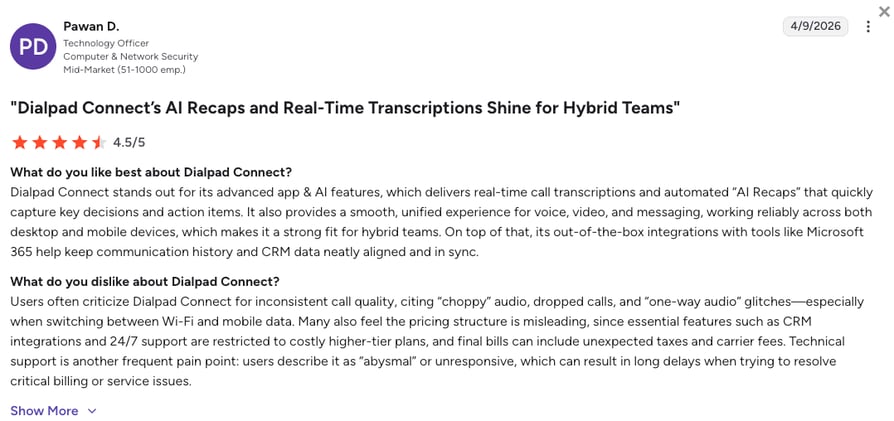
Los usuarios de G2 destacan positivamente la integración fluida de la IA, especialmente la transcripción de llamadas y los resúmenes con IA. Por el contrario, las opiniones negativas se centran en errores de la aplicación de escritorio y problemas ocasionales en la calidad de las llamadas durante picos de uso o con conexiones lentas.
¿Cuál es la puntuación y el número de reseñas de Dialpad en G2?
La puntuación en G2 actual de Dialpad es de 4.4/5, basada en más de 4.100 reseñas de usuarios verificados.
¿Cómo puntuamos a Dialpad?
Puntuación de opinión de Dialpad
| Categoría | Puntuación (1–10) |
|---|---|
| Facilidad de uso | 8 |
| Conjunto de funciones | 8 |
| Relación calidad-precio | 7 |
| Soporte al cliente | 7 |
| Nivel de integración | 7 |
| Total | 7.4 |
Dialpad frente a CloudTalk
Dialpad destaca en transcripción con IA en tiempo real y análisis de sentimiento. CloudTalk sobresale por la solidez de su enrutamiento: el enrutamiento basado en habilidades está incluido en el plan Essential (sin limitarse al plan Enterprise), y el Diseñador de flujo de llamadas te permite coordinar reglas basadas en habilidades, en el llamante, temporales y de rotación en un único flujo visual.
3. CallRail: el mejor para agencias de marketing que miden el ROI de las llamadas
¿Qué es CallRail?
CallRail es una plataforma especializada en enrutamiento de llamadas telefónicas que asocia los anuncios en línea con las conversaciones fuera de línea. Mediante la inserción dinámica de números (DNI), CallRail vincula cada llamada con una palabra clave, anuncio o campaña específica, y luego enruta a los usuarios según la campaña que originó la llamada.
¿Cuáles son las funciones clave de CallRail?
- Enrutamiento receptivoEnruta las llamadas basándose en las interacciones anteriores del usuario o en la campaña de marketing específica en la que ha hecho clic.
- Creador de flujos de llamadasUna interfaz visual para gestionar el enrutamiento de llamadas IVR y enviar clientes potenciales a la oficina regional correspondiente.
- Lead CenterUna bandeja de entrada unificada para llamadas, mensajes de texto y chats, muy práctica para equipos pequeños que gestionan varios canales simultáneamente.
¿Cuáles son los pros y los contras de CallRail?
| Pros | Contras |
|---|---|
| La inserción dinámica de números asocia cada llamada a una palabra clave, anuncio o campaña específica | No es un sistema VoIP completo (carece de marcador automático de salida y herramientas de colaboración interna) |
| Configuración rápida para casos de uso centrados en marketing | Enfocado principalmente en el mercado de América del Norte |
| Sólida integración con Google Ads y Google Analytics | El enrutamiento de llamadas avanzado requiere complementos Premium Flow |
¿Para quién es mejor CallRail?
Para agencias de marketing y empresas que necesitan realizar un seguimiento del ROI en campañas de PPC y SEO de alto presupuesto. No es una buena opción para equipos de soporte o ventas salientes.
¿Cuánto cuesta CallRail?
El precio de CallRail comienza en €45/mes en total (no por usuario) para la función de Call Tracking. El enrutamiento avanzado está disponible a través de los complementos Premium Flow en los planes superiores.
Planes de precios de CallRail
| Plan | Precio de salida | Funciones principales |
|---|---|---|
| Call Tracking | €45/mes (total) | DNI, grabación de llamadas, atribución a nivel de palabra clave |
| + Premium Flow | Complemento | Enrutamiento de llamadas avanzado, flujos de llamadas personalizados, enrutamiento regional |
¿Qué dicen los usuarios reales sobre CallRail?
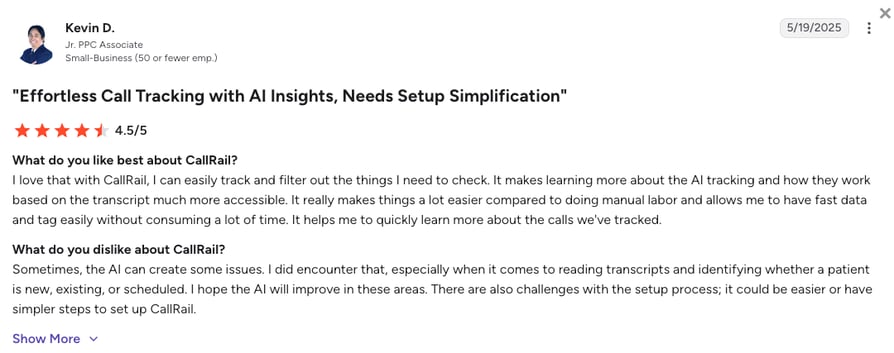
Los usuarios elogian la flexibilidad para desviar llamadas a múltiples números y la visibilidad que el DNI ofrece a los equipos de marketing. La queja recurrente: la configuración inicial es tediosa, especialmente instalar el DNI correctamente en las páginas de destino.
¿Cuál es la puntuación y el número de reseñas de CallRail en G2?
La puntuación de CallRail en G2 actual es de 4.5/5, basada en más de 1.800 opiniones de usuarios verificados.
¿Cómo puntuamos a CallRail?
Puntuación de opinión de CallRail
| Categoría | Puntuación (1–10) |
|---|---|
| Facilidad de uso | 8 |
| Conjunto de funciones | 7 |
| Relación calidad-precio | 8 |
| Atención al cliente | 7 |
| Profundidad de integración | 7 |
| General | 7.4 |
CallRail frente a CloudTalk
CallRail destaca en atribución de marketing. CloudTalk es la mejor opción si también necesitas llamadas salientes, un IVR que vaya más allá del enrutamiento de campañas y enrutamiento basado en el llamante impulsado por CRM sin necesidad de un sistema telefónico independiente.
4. Aircall: el mejor para pymes con infraestructuras tecnológicas de CRM complejas
¿Qué es Aircall?
Aircall es una plataforma de enrutamiento de llamadas basada en la nube conocida por su amplio App Marketplace. Está diseñada para equipos que trabajan integrados en su helpdesk o CRM. Sus planes Essentials y Professional se centran en la simplicidad, lo que la convierte en una opción sólida para los equipos que buscan un enrutamiento de centro de llamadas fácil de configurar.
¿Cuáles son las funciones clave de Aircall?
- Cola de llamadas inteligenteGestiona eficazmente los picos de tráfico permitiendo a los llamantes solicitar una devolución de llamada en lugar de esperar en espera.
- Etiquetas y carpetasOrganiza las llamadas mediante etiquetas y clasificaciones para la gestión de informes y flujos de trabajo. Conéctalas a reglas de CRM o de helpdesk para guiar el enrutamiento.
- Menús IVRMenús sencillos y multinivel que guían a los clientes al departamento adecuado sin intervención humana.
¿Cuáles son los pros y los contras de Aircall?
| Pros | Contras |
|---|---|
| Más de 200 integraciones en su App Marketplace | Los costes aumentan rápidamente con los complementos (IA, analíticas, números adicionales) |
| Configuración rápida para infraestructuras tecnológicas centradas en CRM | Los usuarios reportan caídas en la calidad de las llamadas durante las horas pico de uso |
| Cola de devolución de llamada disponible en el plan inicial | Mínimo de 3 usuarios en todos los planes |
¿Para quién es mejor Aircall?
Pymes que ya cuentan con un entorno tecnológico complejo (Salesforce, HubSpot, Zendesk, Intercom) y desean un sistema telefónico que se conecte a todo sin necesidad de configuraciones complicadas.
¿Cuánto cuesta Aircall?
El precio de Aircall comienza en €30/usuario/mes (facturado anualmente, mínimo de 3 usuarios), ofreciendo los siguientes planes:
Planes de precios de Aircall
| Plan | Precio inicial (anual) | Funciones principales |
|---|---|---|
| Essentials | €30/usuario/mes | IVR, haz clic para llamar, grabación de llamadas, más de 100 integraciones |
| Professional | €50/usuario/mes | Todo lo incluido en Essentials + análisis avanzados, etiquetado de llamadas obligatorio, integración con Salesforce |
| Personalizado | Bajo presupuesto | Implementación personalizada, SLA, llamadas simultáneas ilimitadas |
¿Qué dicen los usuarios reales sobre Aircall?
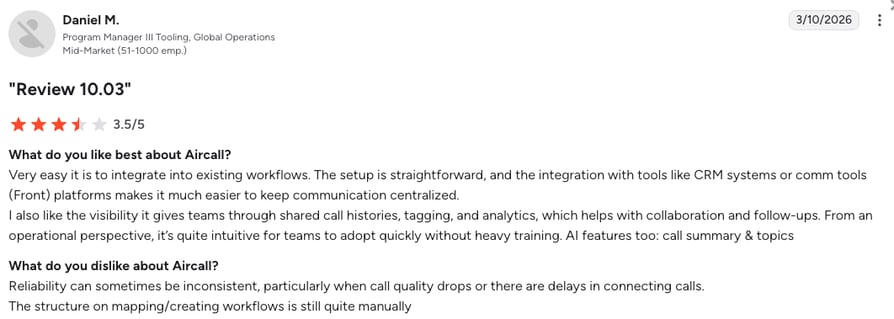
A los usuarios les gusta el App Marketplace y su precio razonable en comparación con las plataformas CCaaS para grandes empresas. Quejas recurrentes: caídas de la aplicación en horas pico y llamadas entrantes perdidas que los clientes siguen oyendo sonar por su lado.
¿Cuál es la puntuación y el número de reseñas de Aircall en G2?
La puntuación de Aircall en G2 actual es de 4.4/5, basada en más de 1.600 opiniones verificadas.
¿Cómo puntuamos a Aircall?
Puntuación de opinión de Aircall
| Categoría | Puntuación (1–10) |
|---|---|
| Facilidad de uso | 8 |
| Funcionalidades | 7 |
| Relación calidad-precio | 6 |
| Atención al cliente | 7 |
| Nivel de integración | 8 |
| General | 7.2 |
Aircall vs. CloudTalk
Aircall destaca por la variedad de su catálogo de integraciones. CloudTalk gana en profundidad de enrutamiento y previsibilidad de costes: sin mínimo de 3 usuarios en el plan Starter, sin complementos obligatorios para el enrutamiento basado en habilidades, y sin necesidad de adquirir el plan Professional para usar Salesforce.
5. Skipcall: ideal para equipos de ventas salientes B2B de gran volumen
¿Qué es Skipcall?
Skipcall aborda el enrutamiento desde la perspectiva de las llamadas salientes. Su Marcador paralelo con IA marca hasta 4 números a la vez y conecta al instante a tu SDR con el primer cliente potencial que responda, distribuyendo básicamente las respuestas en tiempo real a un agente disponible. Skipcall se posiciona habitualmente como uno de los mejores softwares de marcación para ventas en equipos B2B con un gran volumen de llamadas.
¿Cuáles son las características principales de Skipcall?
- Marcación en paralelo con IAMarca 4 líneas de forma simultánea y conecta al SDR con la primera respuesta en directo. La IA filtra buzones de voz, centralitas y números incorrectos con una precisión del 95 %, aumentando la tasa de conexión de un ~2.3 % a aproximadamente un 8 %.
- Sincronización bidireccional nativa con CRMCada llamada, nota y resultado se registra de forma automática en HubSpot, Salesforce o Pipedrive.
- Espacio de trabajo para varios clientesDiseñado para agencias y equipos de ventas que gestionan varias cuentas, con contactos, secuencias e historial de llamadas segmentados por cliente.
¿Cuáles son los pros y los contras de Skipcall?
| Pros | Contras |
|---|---|
| Marcador paralelo con un gran incremento de la tasa de conexión (del 2.3 % a ~8 %) | Diseñado para llamadas salientes, no para enrutamiento IVR (sin IVR multinivel ni enrutamiento omnicanal) |
| Sincronización bidireccional con CRM para HubSpot, Salesforce y Pipedrive | La optimización de datos de teléfonos es un complemento de pago mediante créditos, no viene incluido |
| Diseñado específicamente para llamadas salientes de gran volumen | Muestra de reseñas de G2 reducida (verifica el recuento actual antes de publicar) |
¿Para quién es ideal Skipcall?
Equipos de ventas B2B y agencias de prospección con un gran volumen de llamadas salientes que buscan un marcador paralelo que conecte automáticamente las llamadas respondidas con el agente adecuado y sincronice toda la información con su CRM.
¿Cuánto cuesta Skipcall?
El precio de Skipcall empieza en €75/licencia/mes, con los siguientes niveles de precios (con un ahorro del 10 % en facturación trimestral o del 25 % en facturación anual):
Planes de precios de Skipcall
| Plan | Precio de salida | Funcionalidades principales |
|---|---|---|
| Starter | €75/licencia/mes | 400 conversaciones, 1 número, 200 SMS |
| Intermediate | €150/licencia/mes | 1.000 conversaciones, 1 número, 500 SMS |
| Expert | €280/licencia/mes | Conversaciones ilimitadas, 2 números, 1.000 SMS |
| Enterprise | A medida | Conversaciones ilimitadas, agentes de IA, 4 números, SMS ilimitados |
¿Qué dicen los usuarios reales sobre Skipcall?
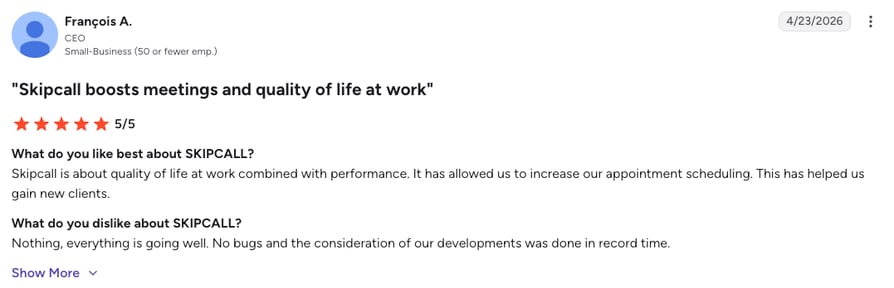
Las opiniones destacan un aumento medible en la tasa de conexión desde la primera semana y valoran la profundidad de la sincronización con el CRM. Es una herramienta de nicho: los equipos que busquen un enrutamiento de llamadas entrantes o funciones completas de centro de contacto no las encontrarán aquí.
¿Cuál es la puntuación y el número de reseñas de Skipcall en G2?
La puntuación actual de Skipcall en G2 es de 5.0/5, pero solo cuenta con 1 única reseña disponible.
¿Cómo puntuamos a Skipcall?
Puntuación de satisfacción de Skipcall
| Categoría | Puntuación (1–10) |
|---|---|
| Facilidad de uso | 8 |
| Funcionalidades | 7 |
| Relación calidad-precio | 8 |
| Atención al cliente | 8 |
| Nivel de integración | 8 |
| General | 7.8 |
Skipcall vs. CloudTalk
Skipcall destaca por la velocidad en las llamadas salientes. CloudTalk es la mejor opción si necesitas enrutamiento de llamadas entrantes con IA, IVR, enrutamiento basado en habilidades o contexto omnicanal además de las llamadas salientes, junto con Marcador automático y Marcador inteligente nativos en el plan Expert.
6. Five9: ideal para centros de contacto de grandes empresas (más de 100 agentes)
¿Qué es Five9?
Five9 es una plataforma de centro de contacto en la nube líder, muy utilizada por equipos grandes de más de 100 agentes. Se centra en gran medida en agentes virtuales inteligentes (IVA) impulsados por IA para gestionar grandes volúmenes de consultas rutinarias utilizando procesamiento del lenguaje natural e IA conversacional.
¿Cuáles son las características principales de Five9?
- Motor avanzado que dirige los casos complejos o de gran valor a los expertos adecuados.
- Enrutamiento omnicanalLas conversaciones pasan de correo electrónico, chat y voz sin perder el hilo de la interacción.
- Autoservicio IVRLos menús de voz personalizables con reconocimiento de voz y conversión de texto a voz ayudan a los usuarios a resolver problemas sencillos antes de hablar con un agente.
¿Cuáles son los pros y los contras de Five9?
| Pros | Contras |
|---|---|
| Completo conjunto de funciones para empresas (WFM, omnicanalidad, agentes virtuales inteligentes) | Mínimo de 50 puestos en todos los planes (un equipo de 25 personas paga por licencias no utilizadas) |
| Sólidas integraciones de CRM para despliegues empresariales | Los usuarios definen la interfaz de administración como «anticuada» y algunas vistas requieren Java |
| La biblioteca de agentes virtuales inteligentes reduce la carga de trabajo de los agentes humanos | Contratos a largo plazo habituales |
¿Para quién es mejor Five9?
Five9 es una opción ideal para grandes empresas que necesitan un motor omnicanal muy personalizable y están dispuestas a invertir en su implementación.
¿Cuánto cuesta Five9?
El precio de Five9 comienza en €119/usuario/mes (facturado anualmente), con los siguientes planes disponibles:
Planes de precios de Five9
| Plan | Precio inicial (anual) | Funciones principales |
|---|---|---|
| Digital | €119/licencia/mes | Solo canales de chat y correo electrónico, sin voz |
| Core | €159/licencia/mes | Canales de voz y digitales |
| Plus | Bajo presupuesto | Gestión de calidad avanzada |
| Pro | Bajo presupuesto | WFM avanzado e IA |
| Enterprise | Bajo presupuesto | Suite omnicanal completa con SLA personalizado |
¿Qué dicen los usuarios reales sobre Five9?
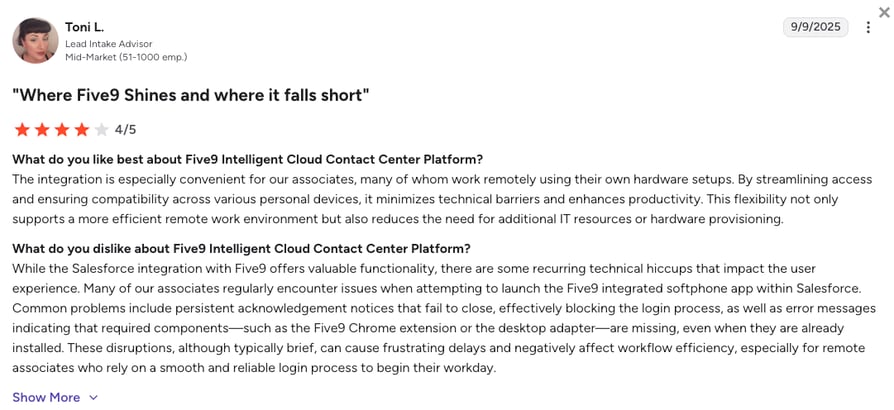
Quienes opinan elogian la profundidad del enrutamiento y las integraciones con CRM. Una crítica recurrente: la interfaz de administración se siente anticuada, algunos flujos de configuración aún requieren Java y el mínimo de 50 licencias resulta problemático para los equipos del mercado medio.
¿Cuál es la calificación y el número de reseñas de Five9 en G2?
La calificación actual de Five9 en G2 es de 4.1/5, basada en más de 600 reseñas verificadas.
¿Cómo puntuamos a Five9?
Puntuación de opinión sobre Five9
| Categoría | Puntuación (1–10) |
|---|---|
| Facilidad de uso | 6 |
| Conjunto de funciones | 9 |
| Relación calidad-precio | 6 |
| Atención al cliente | 7 |
| Profundidad de integración | 8 |
| General | 7.2 |
Five9 frente a CloudTalk
Five9 se adapta a grandes empresas con equipos de implementación dedicados. CloudTalk es ideal para pymes en crecimiento y equipos medianos que necesitan un enrutamiento inteligente sin un mínimo de 50 licencias ni una interfaz de administración de la era Java.
7. Zendesk: la mejor opción para equipos de soporte estandarizados en Zendesk
¿Qué es Zendesk?
La función Talk de Zendesk dirige las llamadas directamente al espacio de trabajo de los tickets de soporte. Está pensada para equipos de soporte donde el ticket es el centro de todo. Al integrar la transferencia de llamadas en el espacio de trabajo del agente, reduce el cambio de contexto y disminuye el riesgo de agotamiento.
¿Cuáles son las funciones clave de Zendesk?
- Enrutamiento omnicanalEnrutamiento unificado para llamadas, correos electrónicos y chats. El sistema intenta asignar el trabajo al mismo agente cuando es posible.
- IVR y enrutamiento de gruposEnrutamiento complejo de llamadas por IVR basado en las respuestas del cliente y enrutamiento a grupos de agentes predefinidos.
- Desvío y fuera de horarioConfigura el horario comercial para dirigir las llamadas al buzón de voz o a colaboradores externos durante las horas de menor actividad.
¿Cuáles son los pros y contras de Zendesk?
| Pros | Contras |
|---|---|
| Integración profunda del espacio de trabajo de tickets para equipos de soporte | La voz y el enrutamiento requieren planes Suite de nivel superior más el complemento Talk |
| Enrutamiento omnicanal que mantiene el contexto entre canales | Los usuarios describen la interfaz de usuario como anticuada y excesivamente compleja |
| Ideal para equipos grandes que ya utilizan Zendesk | El coste total se dispara rápidamente para equipos más pequeños |
¿Para quién es mejor Zendesk?
Grandes equipos de soporte que ya utilizan Zendesk y desean un espacio de trabajo unificado para llamadas, correos electrónicos y chats sin tener que cambiar de herramienta.
¿Cuánto cuesta Zendesk?
El precio de Zendesk comienza en €19/agente/mes (facturado anualmente). Sin embargo, las capacidades de voz y enrutamiento solo están disponibles a partir del nivel Suite:
Planes de precios de Zendesk
| Plan | Precio inicial | Funciones principales |
|---|---|---|
| Support Team | €19/agente/mes | Gestión de tickets básica, sin voz |
| Suite Team | €55/agente/mes | Voz incluida, IVR, enrutamiento básico |
| Suite Professional | €115/agente/mes | Enrutamiento basado en habilidades, reglas de negocio, informes avanzados |
| Suite Enterprise | €169/agente/mes | Omnicanal avanzado, SLA personalizado, reglas de enrutamiento ilimitadas |
¿Qué dicen los usuarios reales sobre Zendesk?
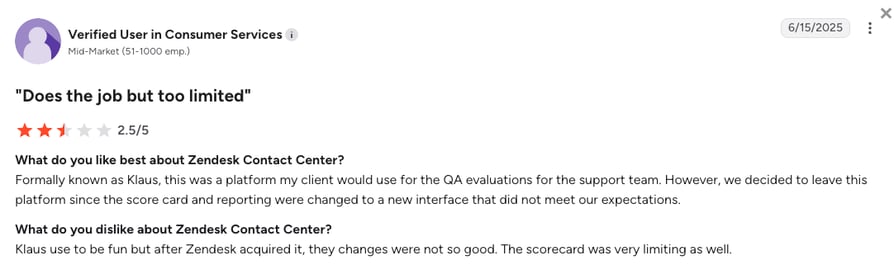
Los usuarios valoran la visibilidad de los flujos de trabajo que aporta Zendesk y el hecho de que las llamadas y los tiques compartan una misma interfaz. Queja recurrente: algunos flujos de trabajo se comportan de forma inconsistente y la configuración de cualquier aspecto que vaya más allá del enrutamiento básico resulta pesada.
¿Cuál es la puntuación de G2 de Zendesk y su número de reseñas?
La puntuación actual en G2 de Zendesk es de 4.3/5, basada en casi 7.000 reseñas de usuarios verificadas para su producto de atención al cliente.
¿Cómo puntuamos a Zendesk?
Puntuación de opinión de Zendesk
| Categoría | Puntuación (1–10) |
|---|---|
| Facilidad de uso | 6 |
| Conjunto de funciones | 8 |
| Relación calidad-precio | 6 |
| Atención al cliente | 7 |
| Profundidad de integración | 8 |
| General | 7.0 |
Zendesk frente a CloudTalk
Zendesk es ideal para equipos de soporte que trabajan de lleno en Zendesk. CloudTalk se adapta a equipos híbridos de ventas y soporte que necesitan un enrutamiento basado en CRM (HubSpot, Salesforce, Pipedrive) sin tener que pagar por el nivel Suite Professional para desbloquear el enrutamiento basado en habilidades.
8. Talkdesk: el mejor para grandes empresas digitales
¿Qué es Talkdesk?
Talkdesk es una potente plataforma de enrutamiento de llamadas basada en la nube y enfocada en centros de contacto de gran volumen. Utiliza IA para automatizar las partes más repetitivas del recorrido del cliente, posicionándose como líder para empresas con enfoque principalmente digital.
¿Cuáles son las características clave de Talkdesk?
- Talkdesk NavigatorMotor impulsado por IA generativa que permite mantener conversaciones en lenguaje natural, sustituyendo los rígidos menús de IVR mediante la comprensión de las solicitudes de los clientes.
- Detección de temas e idiomaAnaliza los mensajes para identificar temas o idiomas, activando flujos predefinidos de forma automática.
- Talkdesk StudioCreador visual para flujos de enrutamiento avanzados a través de múltiples canales.
¿Cuáles son las ventajas y desventajas de Talkdesk?
| Ventajas | Desventajas |
|---|---|
| Motor de enrutamiento con IA generativa (Navigator) que va más allá del teclado IVR | Los contratos a más largo plazo y el precio por usuario hacen que sea costoso para equipos pequeños |
| Análisis de voz y omnicanalidad profunda | Los usuarios reportan caídas en la calidad de las llamadas e integraciones CRM inestables |
| Sólido para industrias reguladas (salud, seguros) | Curva de aprendizaje en Studio para los administradores |
¿Para quién es mejor Talkdesk?
Empresas medianas y grandes con necesidades complejas de llamadas entrantes y salientes de gran volumen, y que disponen de recursos de administración dedicados.
¿Cuánto cuesta Talkdesk?
Los precios de Talkdesk comienzan en €85/usuario/mes (facturado anualmente) y se estructuran según el nivel de interacción:
Planes de precios de Talkdesk
| Plan | Precio inicial (Anual) | Características principales |
|---|---|---|
| Digital Essentials | €85/usuario/mes | Solo canales digitales |
| Voice Essentials | €105/usuario/mes | Voz + digital, IVR, enrutamiento básico |
| Elite | €165/usuario/mes | IA avanzada, WFM, suite completa de enrutamiento |
| Experience Clouds | €225/usuario/mes | Flujos de trabajo de cumplimiento específicos del sector |
¿Qué dicen los usuarios reales sobre Talkdesk?
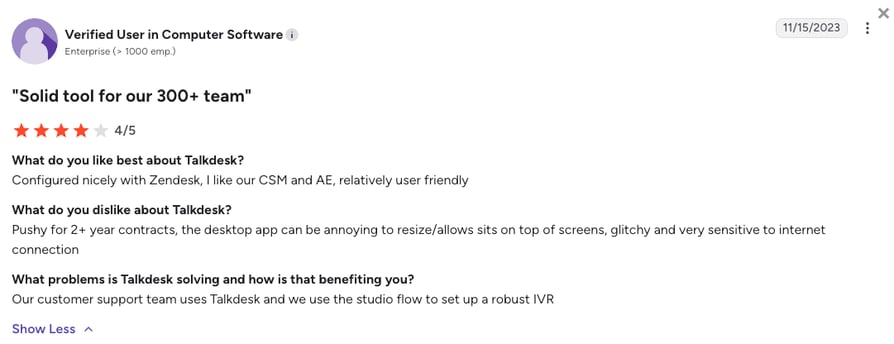
Los usuarios elogian la interfaz intuitiva y la potencia de enrutamiento. Crítica recurrente: caídas en la calidad de las llamadas y problemas de conectividad, además de fallos intermitentes en la integración con el CRM.
¿Cuál es la puntuación de G2 de Talkdesk y su número de reseñas?
La puntuación actual en G2 de Talkdesk es de 4.4/5, basada en más de 2.500 reseñas verificadas.
¿Cómo puntuamos a Talkdesk?
Puntuación de opinión de Talkdesk
| Categoría | Puntuación (1–10) |
|---|---|
| Facilidad de uso | 7 |
| Conjunto de funciones | 9 |
| Relación calidad-precio | 6 |
| Atención al cliente | 7 |
| Profundidad de integración | 8 |
| General | 7.4 |
Talkdesk frente a CloudTalk
La IA generativa de Talkdesk Navigator es impresionante a escala empresarial. CloudTalk ofrece un enrutamiento basado en la intención similar a través de su IVR conversacional y agentes de voz con IA a precios adaptados a pymes, sin la obligación de firmar un contrato de 12 meses.
9. CTM: El mejor para equipos híbridos de marketing y ventas centrados en datos
¿Qué es CTM?
CTM (anteriormente CallTrackingMetrics) es una solución híbrida: una herramienta de atribución de marketing y una robusta aplicación de enrutamiento de llamadas. Está diseñada para equipos que distribuyen llamadas según el comportamiento del visitante en el sitio web en tiempo real, como enviar a un usuario a un equipo específico cuando está viendo una página de precios de gran valor.
¿Cuáles son las funciones clave de CTM?
- Enrutamiento de formulario a llamadaActiva una llamada saliente a un representante de ventas en el mismo instante en que un cliente potencial envía un formulario en tu sitio web.
- Enrutamiento geográficoEnvía a los usuarios a la sucursal física más cercana según su prefijo de área.
- IVR y colasLa Respuesta de voz interactiva guía a los usuarios mediante indicaciones de voz, mientras que las colas de llamadas personalizables distribuyen las llamadas de forma equitativa, por prioridad o a varios agentes a la vez.
¿Cuáles son las ventajas y desventajas de CTM?
| Ventajas | Desventajas |
|---|---|
| Atribución de marketing y enrutamiento en una sola plataforma | Curva de aprendizaje pronunciada (la interfaz está muy cargada de datos) y abrumadora para usuarios no técnicos |
| La automatización de formulario a llamada capta clientes potenciales en el momento de mayor interés | Faltan opciones básicas (etiquetado de exportaciones programadas, aplicación móvil incompleta) |
| El enrutamiento geográfico funciona muy bien para empresas con varias ubicaciones | El coste total se dispara en el plan Enterprise |
¿Para quién es mejor CTM?
Empresas que necesitan un seguimiento de llamadas avanzado conectado a su sistema telefónico, especialmente aquellas que generan un gran volumen de clientes potenciales a partir de campañas de marketing digital.
¿Cuánto cuesta CTM?
El precio de CTM empieza en €65/usuario/mes (facturación anual) + tarifas de consumo:
Planes de precios de CTM
| Plan | Precio inicial | Funciones principales |
|---|---|---|
| Marketing Lite | €65/mes | Seguimiento básico, IVR, colas |
| Marketing Pro | €149/mes | Atribución avanzada, formulario a llamada |
| Sales Engage | €274/mes | Automatización de ventas, llamadas salientes |
| Enterprise | €1,999/mes | Paquete completo con soporte dedicado |
¿Qué dicen los usuarios reales sobre CTM?
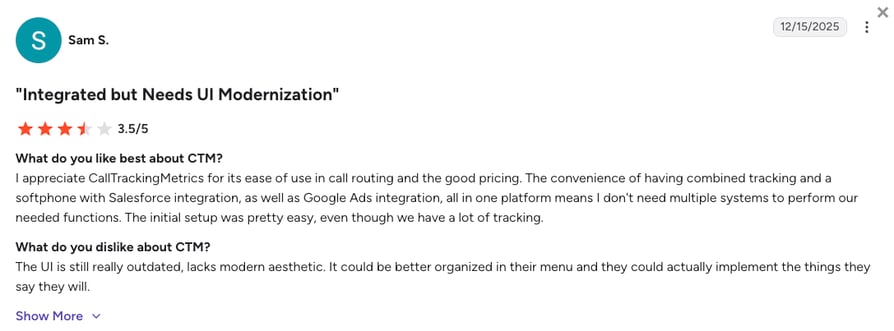
Los usuarios valoran positivamente la flexibilidad del enrutamiento y la profundidad de los datos de atribución. Crítica recurrente: la interfaz de usuario se siente anticuada y las peticiones de nuevas funciones parecen acumularse más rápido que los lanzamientos.
¿Cuál es la puntuación y el número de reseñas de CTM en G2?
La valoración actual en G2 de CTM es de 4.5/5, basada en más de 750 opiniones de usuarios verificados.
¿Cómo valoramos a CTM?
Puntuación de opinión de CTM
| Categoría | Puntuación (1–10) |
|---|---|
| Facilidad de uso | 6 |
| Conjunto de funciones | 8 |
| Relación calidad-precio | 7 |
| Atención al cliente | 7 |
| Profundidad de integración | 7 |
| Total | 7.0 |
CTM vs. CloudTalk
CTM gana en cuanto a profundidad de atribución de marketing. CloudTalk es la mejor opción si necesitas una plataforma centrada en la voz con enrutamiento impulsado por CRM, sin una interfaz saturada de datos que requiera un administrador para su configuración.
10. Genesys Cloud CX: El mejor para el recorrido omnicanal en grandes empresas
¿Qué es Genesys Cloud CX?
Genesys es una plataforma de enrutamiento de llamadas omnicanal que conserva el contexto del cliente a través de canales de voz, SMS y redes sociales. Permite a los equipos de operaciones diseñar recorridos de cliente avanzados y basados en datos utilizando su creador Architect sin código.
¿Cuáles son las funciones clave de Genesys Cloud CX?
- Enrutamiento predictivoEl aprendizaje automático conecta a los clientes con los agentes más adecuados según el historial de interacciones.
- Interacción digital impulsada por IAGestiona el enrutamiento de interacciones a través de voz, chat, correo electrónico, SMS y canales sociales mediante un motor de IA unificado.
- Diseño de enrutamiento basado en flujosDiseñador de flujos de trabajo de arrastrar y soltar (Architect) que permite modelar visualmente el IVR, el chat y la lógica de enrutamiento.
¿Cuáles son las ventajas y desventajas de Genesys Cloud CX?
| Ventajas | Desventajas |
|---|---|
| Enrutamiento predictivo con emparejamiento de agentes basado en aprendizaje automático | Curva de aprendizaje pronunciada para administradores (el enrutamiento avanzado requiere altos conocimientos técnicos) |
| Soporte omnicanal profundo (voz, chat, correo electrónico, SMS, redes sociales) | Los costes de los complementos y las licencias basadas en el consumo hacen que el coste total sea impredecible |
| Sólido para industrias reguladas y despliegues de gran envergadura | Excesivo para equipos de menos de 50 agentes |
¿Para quién es mejor Genesys Cloud CX?
Medianas y grandes empresas que necesitan una potente plataforma de centro de contacto omnicanal impulsada por IA.
¿Cuánto cuesta Genesys Cloud CX?
El precio de Genesys comienza en €75/usuario/mes, y la plataforma ofrece cuatro niveles:
Planes de precios de Genesys Cloud CX
| Plan | Precio inicial (Anual) | Funciones principales |
|---|---|---|
| Genesys Cloud CX 1 | €75/usuario/mes | Voz, enrutamiento básico |
| Genesys Cloud CX 2 | €115/usuario/mes | Añade canales digitales |
| Genesys Cloud CX 3 | €155/usuario/mes | Añade WFM y gestión de calidad |
| Genesys Cloud CX 4 | €240/usuario/mes | Omnicanalidad completa con IA y enrutamiento predictivo |
¿Qué dicen los usuarios reales sobre Genesys Cloud CX?
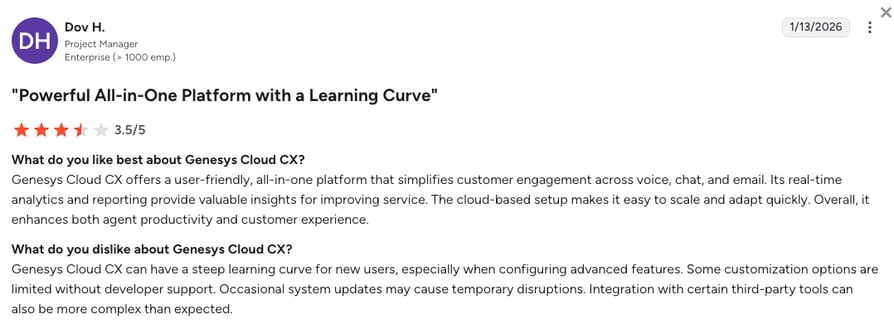
Los usuarios destacan la capacidad de enrutamiento y la rapidez con la que los clientes llegan al lugar adecuado. Como crítica recurrente: su amplio conjunto de funciones requiere una curva de aprendizaje notable, y la facturación basada en el consumo genera incertidumbre en los costes.
¿Cuál es la puntuación de Genesys Cloud CX en G2 y cuántas reseñas tiene?
La valoración actual de Genesys Cloud CX en G2 es de 4.4/5, basada en más de 1.500 reseñas verificadas.
¿Cómo valoramos a Genesys Cloud CX?
Puntuación de satisfacción de Genesys Cloud CX
| Categoría | Puntuación (1–10) |
|---|---|
| Facilidad de uso | 6 |
| Conjunto de funciones | 9 |
| Relación calidad-precio | 6 |
| Atención al cliente | 7 |
| Nivel de integración | 8 |
| General | 7.2 |
Genesys Cloud CX frente a CloudTalk
Genesys es ideal para grandes despliegues omnicanal con administradores de CCaaS dedicados. CloudTalk se adapta a pymes y empresas de mercado medio que necesitan un enrutamiento basado en CRM sin facturación por consumo ni implementaciones que duren semanas.
11. Ringover: ideal para pymes europeas que necesitan un enrutamiento conforme al RGPD
¿Qué es Ringover?
Ringover está diseñado como un software de enrutamiento de llamadas para centros de llamadas listo para usar. Permite a las pymes crear menús de IVR profesionales y flujos de enrutamiento basados en habilidades en cuestión de minutos gracias a un sencillo editor visual de arrastrar y soltar, lo que lo convierte en una alternativa rápida a sistemas empresariales más complejos.
¿Cuáles son las funciones clave de Ringover?
- Configuración instantánea del IVRCrea una estructura de enrutamiento con mensajes de bienvenida profesionales con solo unos clics.
- Panel de control en tiempo realOfrece a los supervisores una visión clara de las colas de enrutamiento basado en habilidades para evitar cuellos de botella.
- Enrutamiento inteligenteUtiliza datos en tiempo real de los CRM integrados para dirigir las llamadas de forma dinámica a los agentes más adecuados en función de sus habilidades y del historial del cliente.
¿Cuáles son los pros y los contras de Ringover?
| Pros | Contras |
|---|---|
| Configuración rápida con creador de IVR de arrastrar y soltar | Algunos usuarios reportan retrasos en la configuración y fallos técnicos que retrasan el lanzamiento |
| Conforme al RGPD para equipos europeos | Los costes adicionales por complementos aumentan el coste total de propiedad |
| Excelente proceso de incorporación para pymes | Caro en comparación con la telefonía VoIP tradicional una vez que se activan los complementos |
¿Para quién es ideal Ringover?
Equipos europeos pequeños que necesitan un sistema telefónico fiable y que cumpla con el RGPD, sin la complejidad de las soluciones para grandes empresas.
¿Cuánto cuesta Ringover?
El precio de Ringover comienza en €21/usuario/mes y ofrece los siguientes planes:
Planes de precios de Ringover
| Plan | Precio inicial (anual) | Funciones principales |
|---|---|---|
| Smart | €21/usuario/mes | Llamadas básicas, IVR, panel de control |
| Business | €44/usuario/mes | Enrutamiento basado en habilidades, análisis en tiempo real |
| Advanced | Bajo presupuesto | SLA para empresas, integraciones ilimitadas |
¿Qué dicen los usuarios reales sobre Ringover?
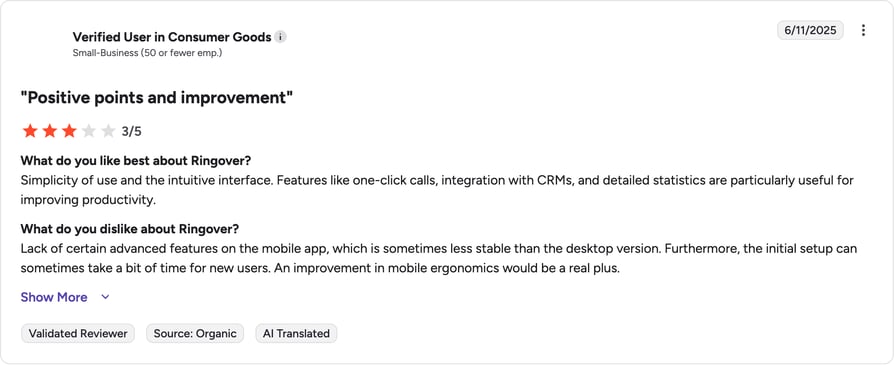
Los usuarios describen el proceso de incorporación como sencillo y la plataforma como intuitiva. Como crítica recurrente: el coste aumenta rápidamente una vez que se activan complementos como Empower AI y Cadence.
¿Cuál es la puntuación de Ringover en G2 y cuántas reseñas tiene?
La valoración actual de Ringover en G2 es de 4.6/5, basada en más de 450 reseñas verificadas.
¿Cómo valoramos a Ringover?
Puntuación de satisfacción de Ringover
| Categoría | Puntuación (1–10) |
|---|---|
| Facilidad de uso | 8 |
| Conjunto de funciones | 7 |
| Relación calidad-precio | 6 |
| Atención al cliente | 8 |
| Nivel de integración | 7 |
| General | 7.2 |
Ringover vs. CloudTalk
Ringover se adapta a las pymes europeas que priorizan el RGPD y una configuración rápida. CloudTalk ofrece cobertura de números global en más de 100 países, la misma profundidad de enrutamiento y tarifas predecibles sin necesidad de acumular complementos de IA.
12. KrispCall: el mejor para empresas emergentes en fase inicial y autónomos
¿Qué es KrispCall?
KrispCall es una plataforma de enrutamiento de llamadas basada en la nube y optimizada con IA que destaca por su Unified Callbox. Esta función fusiona los datos de enrutamiento de las llamadas telefónicas con el contexto de los SMS y del CRM, lo que permite a los agentes ver el historial completo del cliente en el mismo momento en que se les desvía la llamada.
¿Cuáles son las funciones clave de KrispCall?
- Opciones avanzadas de enrutamientoRespuesta de voz interactiva (IVR) multinivel para una distribución inteligente de llamadas basada en la hora, las respuestas del usuario, la disponibilidad o las habilidades de los agentes.
- Números compartidosVarios agentes pueden ver y responder llamadas desde una única línea comercial.
- Números globalesCompra números de teléfono virtuales en más de 100 países para establecer una presencia local.
¿Cuáles son las ventajas y desventajas de KrispCall?
| Pros | Contras |
|---|---|
| Cobertura de números global (más de 100 países) | Los usuarios informan de cargos inesperados (SMS en EE. UU., registro de marca, verificación de campañas) |
| Precio de entrada asequible para usuarios individuales | Proceso de verificación largo durante la incorporación |
| Unified Callbox fusiona llamadas, SMS y el contexto del CRM | Algunas integraciones (Salesforce, monday.com) aún están en fase beta |
¿Para quién es mejor KrispCall?
El software de enrutamiento de llamadas de KrispCall es una excelente opción para empresas emergentes en fase inicial y autónomos que necesitan una carta de presentación profesional para su negocio.
¿Cuánto cuesta KrispCall?
Los precios de KrispCall comienzan desde tan solo €12/usuario/mes (facturado anualmente), con los siguientes planes disponibles:
Planes de precios de KrispCall
| Plan | Precio inicial (Anual) | Funciones principales |
|---|---|---|
| Essential | €12/usuario/mes | Limitado a 5 agentes. Llamadas básicas, IVR, SMS. Las llamadas por minuto y los SMS por segmento se cobran aparte. |
| Standard | €32/usuario/mes | Usuarios ilimitados. Añade marcador automático, grabación de llamadas y agente de voz IA. |
| Enterprise | A medida | SLA personalizado, soporte prioritario e integraciones a medida |
¿Qué opinan los usuarios reales sobre KrispCall?
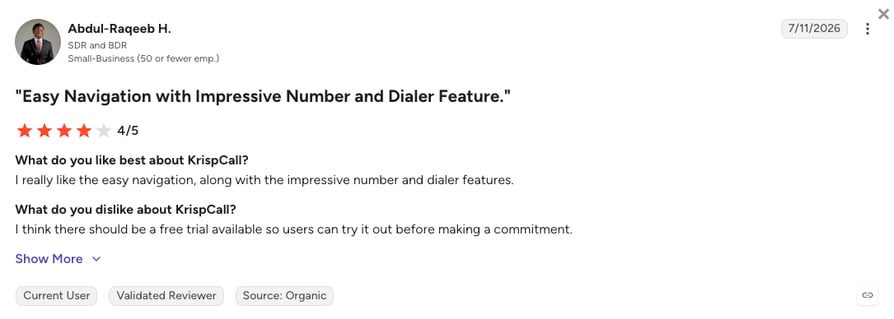
A los usuarios les gustan los números virtuales y la sencillez para equipos pequeños. Una queja recurrente: lentitud al cambiar entre pestañas de llamadas durante las horas pico, además de tarifas por minuto que se acumulan rápidamente.
¿Cuál es la calificación de G2 de KrispCall y su número de reseñas?
La calificación actual en G2 de KrispCall es de 4.5/5, basada en más de 350 opiniones verificadas.
¿Cómo calificamos a KrispCall?
Puntuación de opinión sobre KrispCall
| Categoría | Puntuación (1–10) |
|---|---|
| Facilidad de uso | 8 |
| Conjunto de funciones | 7 |
| Relación calidad-precio | 6 |
| Soporte al cliente | 6 |
| Nivel de integración | 6 |
| General | 6.6 |
KrispCall vs. CloudTalk
KrispCall se adapta a los usuarios individuales que prueban un número de teléfono comercial. CloudTalk se adapta a los equipos en crecimiento que necesitan un enrutamiento impulsado por CRM, precios por usuario sin tarifas por minuto e integraciones que ya están disponibles de forma general (no en beta).
13. JustCall: el mejor para equipos de ventas que usan Pipedrive o HubSpot
¿Qué es JustCall?
JustCall es una plataforma VoIP basada en la nube para equipos de ventas y soporte que necesitan automatización y flujos de trabajo sólidos en el CRM. Su función Smart Route dirige las llamadas utilizando datos externos (interacciones pasadas, estado del lead) para que los equipos puedan omitir las colas y conectar a los usuarios con el agente adecuado más rápido.
¿Cuáles son las funciones clave de JustCall?
- Enrutamiento impulsado por IAConecta las llamadas entrantes con el propietario de contacto correcto del CRM en función de datos externos, como interacciones anteriores.
- Respuesta de voz interactiva (IVR) multinivelGarantiza que los leads entrantes se enruten correctamente mientras el equipo se concentra en la marcación saliente.
- Automatización de flujos de trabajoSe sincroniza con herramientas como Slack para notificar al equipo cuando falla una acción de enrutamiento o se deja un buzón de voz.
¿Cuáles son las ventajas y desventajas de JustCall?
| Pros | Contras |
|---|---|
| Integración estrecha con Pipedrive y HubSpot | Los usuarios reportan llamadas caídas y audio de baja calidad durante las horas pico |
| Marcador rápido para ventas salientes | Soporte 24/7 exclusivo para los planes de nivel superior |
| Smart Route utiliza datos externos del CRM en las decisiones de enrutamiento | Se han reportado algunos fallos de conectividad incluso en redes potentes |
¿Para quién es mejor JustCall?
JustCall resulta atractivo principalmente para equipos de ventas que necesitan una integración profunda con Pipedrive o HubSpot y un marcador rápido.
¿Cuánto cuesta JustCall?
El precio de JustCall empieza en €29/usuario/mes (facturado anualmente), con un mínimo de 2 usuarios para todos los planes de la plataforma:
Planes de precios de JustCall
| Plan | Precio inicial (Anual) | Características principales |
|---|---|---|
| Team | €29/usuario/mes | Llamadas básicas, Respuesta de voz interactiva |
| Pro | €49/usuario/mes | Ruta inteligente, Automatización de flujos de trabajo |
| Pro Plus | €89/usuario/mes | Análisis avanzado, enrutamiento prioritario |
| Business | Bajo presupuesto | SLA personalizado, soporte dedicado |
¿Qué dicen los usuarios reales sobre JustCall?
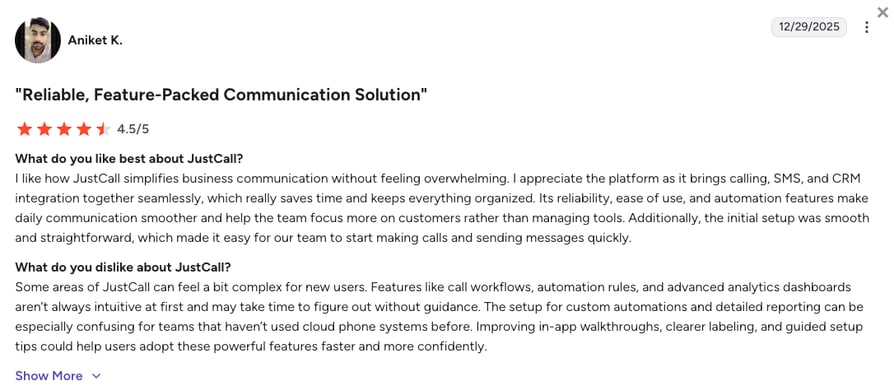
Quienes opinan utilizan JustCall para comunicarse con clientes tanto desde ordenadores como desde móviles y valoran positivamente la integración profunda con Pipedrive y HubSpot. Una queja recurrente: la calidad de las llamadas disminuye al conectar con los clientes.
¿Cuál es la puntuación y el número de opiniones de JustCall en G2?
La puntuación actual de JustCall en G2 es de 4.3/5, basada en más de 2.300 opiniones verificadas.
¿Cómo puntuamos JustCall?
Puntuación de satisfacción de JustCall
| Categoría | Puntuación (1–10) |
|---|---|
| Facilidad de uso | 7 |
| Conjunto de características | 7 |
| Relación calidad-precio | 7 |
| Atención al cliente | 6 |
| Profundidad de integración | 8 |
| General | 7.0 |
JustCall vs. CloudTalk
JustCall se adapta bien a equipos de ventas que dependen mucho de Pipedrive. CloudTalk ofrece una profundidad de CRM similar con Salesforce (plan Expert) además de Marcador automático, Marcador inteligente y soporte 24/7 en Expert, sin restringir el soporte básico a los planes más caros.
14. Invoca: ideal para marketing de alta exigencia (automoción, salud, finanzas)
¿Qué es Invoca?
Invoca es más una capa de inteligencia de enrutamiento que un sistema telefónico empresarial independiente. Utiliza IA para escuchar las llamadas y enrutarlas en función de la intención de la conversación.
¿Cuáles son las características principales de Invoca?
- Enrutamiento dinámico multifactorCombina la ubicación del llamante y las señales digitales previas a la llamada (páginas web visitadas) para enrutar llamadas sin necesidad de transferencias.
- Descubrimiento de señalesUtiliza IA para identificar señales de compra y enrutar al cliente hacia un agente de cierre en lugar de un agente general.
- Personalización conversacionalPersonaliza la experiencia de enrutamiento basándose en el recorrido digital del usuario antes de que realice la llamada.
¿Cuáles son los pros y los contras de Invoca?
| Pros | Contras |
|---|---|
| Enrutamiento basado en IA según la intención del llamante | Los usuarios describen la plataforma como «intimidante» al principio |
| Descubrimiento profundo de señales para sectores de alto valor | La personalización de informes y la exportación de datos resultan limitadas |
| Sólido para marketing en automoción, salud y finanzas | Precios exclusivos para empresas (Enterprise) |
¿Para quién es ideal Invoca?
Equipos de marketing corporativo en sectores de alta exigencia (automoción, salud, finanzas) que gestionan miles de llamadas de alta intención a la semana.
¿Cuánto cuesta Invoca?
Los precios de Invoca solo están disponibles bajo petición, ya que la plataforma se dirige principalmente a grandes empresas.
Precios de Invoca
| Plan | Precio inicial |
|---|---|
| Enterprise | Presupuesto personalizado |
¿Qué dicen los usuarios reales sobre Invoca?
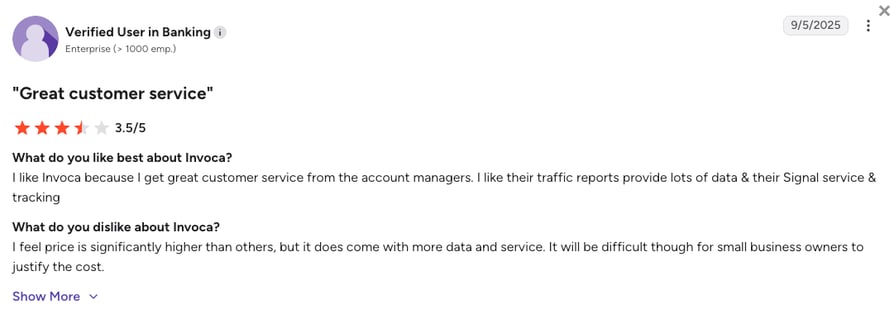
Quienes opinan describen Invoca como una herramienta intuitiva una vez que se aprende a usar, pero intimidante al principio. Se vuelve indispensable para los flujos de trabajo de marketing y ventas en sectores con mucho en juego. La plataforma ofrece un soporte sólido, sin embargo, su precio es difícil de justificar para pequeñas empresas.
¿Cuál es la puntuación y el número de opiniones de Invoca en G2?
La puntuación actual de Invoca en G2 es de 4.5/5, basada en más de 900 opiniones de usuarios verificadas.
¿Cómo puntuamos Invoca?
Puntuación de satisfacción de Invoca
| Categoría | Puntuación (1–10) |
|---|---|
| Facilidad de uso | 6 |
| Conjunto de características | 8 |
| Relación calidad-precio | 6 |
| Atención al cliente | 7 |
| Nivel de integración | 8 |
| Global | 7.0 |
Invoca vs. CloudTalk
Invoca se adapta a los equipos de marketing de grandes empresas que dirigen llamadas de alta intención en sectores regulados. CloudTalk es ideal para pymes y empresas de mercado medio que necesitan un enrutamiento basado en la intención sin precios exclusivos para grandes corporaciones ni una curva de configuración compleja.
15. RingCentral: El mejor para organizaciones grandes y tradicionales
¿Qué es RingCentral?
RingCentral es una plataforma de comunicaciones en la nube con un amplio conjunto de funciones: llamadas telefónicas, SMS, fax, videoconferencias y enrutamiento avanzado de llamadas.
¿Cuáles son las funciones clave de RingCentral?
- Comunicaciones unificadas para empresasVoz, vídeo, SMS, fax y mensajería de equipo en una sola plataforma.
- Gestión avanzada de llamadasIncluye desvío de llamadas y enrutamiento multisitio para grandes organizaciones.
- RingSense AIFormación y resúmenes automáticos en toda la organización.
¿Cuáles son los pros y los contras de RingCentral?
| Pros | Contras |
|---|---|
| Una única plataforma para voz, vídeo, SMS, fax y mensajería | Muchas funciones avanzadas están limitadas a los planes de nivel superior o requieren complementos de pago |
| Excelente para organizaciones grandes y tradicionales | Demasiado complejo para pymes que buscan un sistema telefónico con IA sencillo |
| RingSense AI añade resúmenes automáticos y formación | La interfaz puede resultar abrumadora para los nuevos usuarios |
¿Para quién es mejor RingCentral?
RingCentral funciona mejor para organizaciones grandes y de corte tradicional que necesitan una solución única para todas sus comunicaciones internas y externas.
¿Cuánto cuesta RingCentral?
El precio de RingCentral comienza en €20/usuario/mes (con facturación anual), y cuenta con los siguientes planes:
Planes de precios de RingCentral
| Plan | Precio inicial (anual) | Funciones principales |
|---|---|---|
| Core | €20/usuario/mes | Llamadas ilimitadas, videoconferencias, mensajería de equipo, IVR |
| Advanced | €25/usuario/mes | Añade grabación de llamadas, más de 300 integraciones y notas de llamada automáticas |
| Ultra | €35/usuario/mes | Añade almacenamiento ilimitado, analíticas avanzadas y análisis de dispositivos |
| Customer Engagement Bundle | Bajo presupuesto | Suite completa de centro de contacto |
¿Qué dicen los usuarios reales sobre RingCentral?
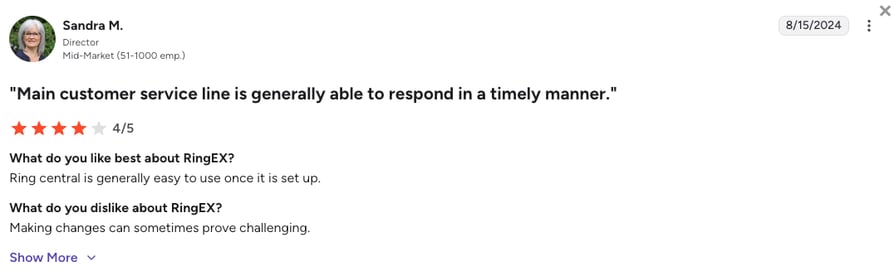
Los usuarios elogian la calidad de las llamadas y la fiabilidad que ofrece RingCentral, así como funciones como el enrutamiento de llamadas y el buzón de voz al correo electrónico. Crítica recurrente: la interfaz resulta abrumadora al principio, especialmente con tantas funciones integradas.
¿Cuál es la puntuación y el número de reseñas de RingCentral en G2?
La puntuación actual en G2 de RingCentral es de 4.2/5, basada en más de 1.400 opiniones verificadas.
¿Cómo puntuamos a RingCentral?
Puntuación de opinión sobre RingCentral
| Categoría | Puntuación (1–10) |
|---|---|
| Facilidad de uso | 6 |
| Conjunto de funciones | 9 |
| Relación calidad-precio | 6 |
| Atención al cliente | 7 |
| Nivel de integración | 8 |
| Global | 7.2 |
RingCentral vs. CloudTalk
RingCentral es adecuado para grandes organizaciones que desean un único proveedor para todas sus vías de comunicación. CloudTalk se adapta a los equipos de ventas y soporte que necesitan un enrutamiento avanzado sin pagar por vídeo, fax y funciones que nunca utilizarán.
16. Nextiva: El mejor para comunicaciones unificadas en medianas empresas
¿Qué es Nextiva?
Nextiva es una plataforma de enrutamiento de llamadas estable y de gran reputación que equilibra las funciones de telefonía empresarial con capacidades básicas de CRM. Es conocida por su excelente servicio (atención al cliente) y su fiabilidad.
¿Cuáles son las funciones clave de Nextiva?
- Suite de comunicaciones todo en unoHerramientas de voz, vídeo, mensajería, centro de contacto y CRM en una sola plataforma.
- NextOSPlataforma unificada que reúne software de llamadas automatizadas y seguimiento de la opinión de los clientes.
- Flujo de llamadas visualUn creador intuitivo para configurar la lógica de enrutamiento, incluidos menús IVR, colas y asistentes automáticos.
¿Cuáles son los pros y los contras de Nextiva?
| Pros | Contras |
|---|---|
| Servicio fiable y excelente reputación de atención al cliente | Las herramientas avanzadas de IA (transcripción, análisis) requieren costosos complementos |
| Suite todo en uno (voz, vídeo, mensajería, CRM básico) | La configuración inicial y los ajustes de administración avanzada resultan complejos |
| Diseñador de flujo de llamadas visual para configurar el enrutamiento fácilmente | El plan básico carece de integraciones con CRM |
¿Para quién es mejor Nextiva?
Nextiva es una excelente opción para empresas medianas que buscan un sistema unificado de enrutamiento de llamadas con herramientas integradas de experiencia del cliente y funciones de colaboración.
¿Cuánto cuesta Nextiva?
El precio de Nextiva comienza en €15/usuario/mes (facturado anualmente), y puedes elegir entre los siguientes planes:
Planes de precios de Nextiva
| Plan | Precio inicial (anual) | Funciones principales |
|---|---|---|
| Core | €15/usuario/mes | Llamadas ilimitadas, 100 SMS por usuario, transcripción de buzón de voz |
| Engage | €25/usuario/mes | Añade grabación de llamadas, integraciones con CRM, 500 SMS por usuario y asistente de IA |
| Scale | €75/usuario/mes | Centro de contacto omnicanal completo con IA, WFM y enrutamiento avanzado |
¿Qué dicen los usuarios reales sobre Nextiva?
Los usuarios destacan las extensiones internas, las funciones de tienda múltiple y la fiabilidad del buzón de voz. Como crítica recurrente: cierta complejidad en la configuración, aunque los usuarios generalmente la solucionan con la ayuda del soporte técnico.
¿Cuál es la puntuación de Nextiva en G2 y cuántas opiniones tiene?
La puntuación actual en G2 de Nextiva es de 4,5/5, con más de 3.500 opiniones verificadas.
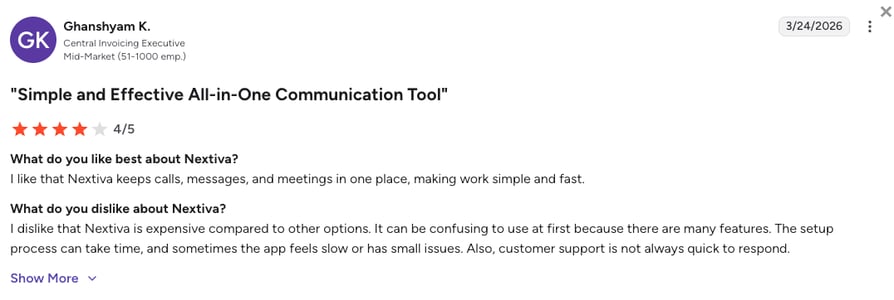
¿Cómo valoramos a Nextiva?
Nivel de satisfacción de Nextiva
| Categoría | Puntuación (1–10) |
|---|---|
| Facilidad de uso | 7 |
| Conjunto de funciones | 8 |
| Relación calidad-precio | 7 |
| Atención al cliente | 9 |
| Profundidad de integración | 7 |
| General | 7,6 |
Nextiva frente a CloudTalk
Nextiva es ideal para equipos medianos que buscan una suite todo en uno con un sólido servicio de soporte. CloudTalk es ideal para equipos de ventas y soporte que necesitan un enrutamiento avanzado basado en CRM (Salesforce en el plan Expert, sin necesidad de dar el salto al nivel Scale), además de agentes de voz IA con precio por licencia.
¿Qué es un software de enrutamiento de llamadas y cómo funciona?
El software de enrutamiento de llamadas, a veces denominado enrutamiento de llamadas automatizado, es una plataforma de comunicación empresarial especializada que dirige de forma automática las llamadas entrantes al agente o departamento más capacitado según una serie de reglas predefinidas y datos en tiempo real.
Por ejemplo, si un cliente de gran valor llama a tu línea de soporte, el sistema no se limita a ponerlo en una cola genérica. Identifica su número de teléfono, consulta tu CRM para verificar su estado «VIP» y lo dirige de inmediato a su gestor de cuentas dedicado. Mientras esto sucede, el sistema registra el motivo de la llamada y prepara al agente con el historial del usuario antes de que descuelgue.
Detrás de escena, la plataforma actúa como un controlador de tráfico inteligente. Utiliza una combinación de Distribución Automática de Llamadas (ACD), respuesta de voz interactiva (IVR) e integración de datos con el CRM para analizar quién llama y por qué.
¿El resultado? Tu empresa elimina el caos de las colas en las que suenan todos los teléfonos a la vez, tus clientes obtienen una solución más rápida y cada interacción se optimiza para conectar la necesidad exacta con el especialista adecuado, convirtiendo tu sistema telefónico en un motor de ingresos.
Tipos de enrutamiento de llamadas: cómo funciona cada método
No todas las llamadas entrantes deben gestionarse de la misma manera. La mayoría de los software de enrutamiento de llamadas entrantes combinan varios métodos de enrutamiento según la situación, y los cinco siguientes cubren casi todos los casos de uso.
- Enrutamiento basado en habilidades conecta a la persona que llama con el agente mejor preparado para ayudarla, según el idioma, el conocimiento del producto o el nivel de certificación. En lugar de pasar la llamada al siguiente agente disponible, el sistema comprueba quién tiene la respuesta y la envía allí. Utiliza este método cuando los temas de las llamadas varíen mucho y pasarla al agente equivocado suponga una transferencia adicional.
- Enrutamiento basado en el horario cambia el comportamiento de las llamadas según la hora. Las llamadas recibidas durante el horario comercial se dirigen a agentes en directo; las llamadas fuera de horario se desvían al buzón de voz, a un número de guardia o a un mensaje grabado. Las zonas horarias complican esto en el caso de equipos distribuidos, por lo que la mayoría de las plataformas permiten configurar reglas independientes por oficina o región.
- Enrutamiento basado en el llamante y colas VIP utiliza información sobre quién llama, no solo sobre el motivo de la llamada. Un cliente habitual, una cuenta de gran valor o un cliente potencial de una campaña específica pueden saltarse la cola general e ir directamente a un agente dedicado. Este método se basa en los datos del CRM, por lo que su precisión depende de lo actualizados que estén esos datos.
- Enrutamiento round-robin distribuye las llamadas de manera uniforme entre un equipo de forma rotativa, de modo que ningún agente se sature mientras otros están inactivos. Es el mecanismo de reparto equitativo más sencillo que existe y funciona muy bien en equipos donde cualquier agente puede atender cualquier llamada.
- Enrutamiento con IA y basado en la intención prescinde del menú de teclado. Los usuarios explican lo que necesitan con sus propias palabras y el procesamiento del lenguaje natural se encarga de determinar el destino adecuado a partir de ahí. Es el más nuevo de los cinco métodos y el que tiene más probabilidades de sustituir a los árboles IVR multinivel en los próximos años.
La mayoría de los equipos no dependen de un solo método. Una línea de soporte puede utilizar el enrutamiento basado en habilidades durante el día, pasar a reglas basadas en el horario fuera de la jornada laboral e incorporar un trato VIP para las cuentas principales, todo dentro del mismo flujo de llamadas. El Diseñador de flujo de llamadas visual de CloudTalk combina los cinco, incluidos el enrutamiento basado en habilidades y el enrutamiento basado en el llamante (VIP), en un único flujo de arrastrar y soltar, para que no tengas que limitarte a elegir una única estrategia para toda tu empresa.
Enrutamiento de llamadas frente a desvío de llamadas: ¿cuál es la diferencia?
El enrutamiento de llamadas toma una decisión en tiempo real. El sistema evalúa la identidad de la persona que llama, su estado en el CRM, qué agentes tienen las habilidades adecuadas, la longitud de la cola actual y la hora que es, y luego elige el mejor destino disponible en milisegundos. Es dinámico: el mismo número de teléfono puede dirigir a dos clientes diferentes a dos agentes distintos según lo que el sistema sepa de cada uno.
El desvío de llamadas no hace nada de eso. Es una simple redirección: las llamadas al número A suenan en el número B, sin ningún tipo de lógica intermedia. Un consultor independiente que desvía la línea de su oficina a un teléfono móvil está utilizando el desvío de llamadas. No hay colas ni comprobación de habilidades, solo un número que sustituye a otro.
La mayoría de las plataformas de telefonía empresarial, incluida CloudTalk, ofrecen ambas opciones porque resuelven problemas diferentes. El desvío es la herramienta adecuada para una sola persona o para un plan de respaldo sencillo; el enrutamiento es lo que convierte una línea telefónica en un verdadero centro de contacto, la capa que decide quién responde y por qué. Si tu equipo es de más de dos personas o tus llamadas deben llegar a diferentes especialistas, el desvío por sí solo no será suficiente.
Beneficios clave del software de enrutamiento de llamadas para una mejor experiencia de cliente
Las soluciones de enrutamiento de llamadas inteligente para empresas de cualquier tamaño suelen ofrecer los mismos resultados. Estos son los principales beneficios que experimentan las empresas tras mejorar su estrategia de enrutamiento:
#1 Reducción de los tiempos de espera y mayor eficiencia
Según HelpScout³, casi el 90 % de los consumidores de todo el mundo afirma que resolver los problemas con rapidez es su máxima prioridad. Sin embargo, los largos tiempos de espera suelen ser un obstáculo.
El enrutamiento de llamadas automatizado ayuda a solucionar esto al enviar cada llamada a un agente disponible de inmediato, según la disponibilidad en tiempo real y la capacidad del equipo.
En lugar de que las llamadas acaben en el buzón de voz o se queden en largas colas de espera, el sistema las distribuye entre el equipo de forma más eficiente. Esto reduce las llamadas abandonadas y ayuda a los clientes a obtener respuestas más rápido.
Para los equipos en crecimiento, también facilita la gestión de un mayor volumen de llamadas sin necesidad de contratar más agentes, manteniendo la eficiencia operativa al tiempo que se ofrece una experiencia de cliente sólida.
#2 Mayores tasas de resolución en la primera llamada (FCR)
Con el enrutamiento basado en habilidades, las llamadas se dirigen directamente al agente más capacitado para ayudarlos, evitando la frustración de ser transferidos de un agente a otro.
Cuando el especialista adecuado responde desde el primer momento, dedica menos tiempo a comprender el problema y más a resolverlo. Esto mejora la resolución en la primera llamada (FCR), fomenta la fidelidad del cliente y reduce la necesidad de llamadas de seguimiento.
#3 Recorridos de cliente personalizados y fluidos
El enrutamiento de llamadas moderno puede conectarse con tu CRM para identificar quién llama incluso antes de que un agente responda. En lugar de tratar a todos los usuarios por igual, el sistema muestra su historial, interacciones anteriores o el estado de su cuenta.
Esto permite enrutar las llamadas de forma más inteligente, por ejemplo, enviando un cliente potencial de gran valor directamente a un agente de ventas de cierre o dirigiendo a un cliente recurrente al agente que le ayudó anteriormente.
El resultado es una experiencia más fluida y personal que hace que cada interacción se sienta más rápida, relevante y profesional.
#4 Datos en tiempo real para una mejor experiencia de cliente
Con el enrutamiento de llamadas basado en la nube, cada llamada se convierte en datos valiosos. Un panel de control en tiempo real permite a los supervisores realizar un seguimiento de los niveles de servicio, el rendimiento de los agentes y las tendencias de las llamadas a medida que ocurren.
Esto facilita la detección de problemas (como tiempos de espera más largos o tasas de resolución más bajas) y permite ajustar los flujos de llamadas rápidamente. En lugar de basarse en suposiciones, los equipos pueden utilizar los datos para mejorar continuamente la experiencia de sus clientes.
¿Qué es el enrutamiento de llamadas con IA y cómo funciona?
El enrutamiento de llamadas con IA realiza la misma función principal que un ACD tradicional, conectar a un usuario con un agente, pero delega parte de esa decisión al aprendizaje automático en lugar de a un conjunto de reglas fijas. Un sistema estático comprueba qué agente está libre. Uno basado en IA también analiza la intención del usuario, su tono y su historial antes de elegir un destino. Un sistema de enrutamiento de llamadas con IA no solo pregunta quién está libre, sino quién es el adecuado para este usuario en este preciso momento.
Esa diferencia se vuelve fundamental en el momento en que una llamada no se ajusta al patrón que alguien configuró meses atrás. Un árbol IVR rígido puede hacer pasar a un cliente frustrado por tres menús antes de que le atienda una persona. Una capa de IA puede detectar esa frustración en los primeros segundos y saltarse la cola de espera.
En la práctica, esto se traduce en cuatro capacidades integradas sobre el enrutamiento estándar: IVR conversacional que comprende el lenguaje natural en lugar de las pulsaciones del teclado, agentes de voz que resuelven solicitudes sencillas sin necesidad de un agente humano, análisis de sentimiento que detecta llamadas tensas en tiempo real y resúmenes de llamadas automáticos que proporcionan a los agentes un registro claro en lugar de un campo de notas en blanco.
#1 IVR conversacional e inteligente
Los menús IVR tradicionales como «Pulse 1 para Ventas» están siendo sustituidos poco a poco por IVR virtuales inteligentes que utilizan el procesamiento del lenguaje natural (PLN). En lugar de navegar por largos menús telefónicos, los usuarios pueden simplemente explicar lo que necesitan con sus propias palabras.
Un IVR conversacional puede comprender la solicitud y gestionar tareas sencillas de forma automática (como reprogramar una cita o proporcionar información sobre el estado de un pedido). Esto reduce el número de llamadas que requieren un agente humano, lo que permite a tu equipo centrarse en conversaciones más complejas o de mayor valor.
#2 Agentes de voz IA (atención continua 24/7)
Los agentes de voz IA están transformando el primer punto de contacto en la atención al cliente. En lugar de simples grabaciones, estos agentes utilizan el procesamiento del lenguaje natural (PLN) para mantener conversaciones reales, responder a preguntas frecuentes e incluso programar citas de forma automática.
También actúan como un primer filtro inteligente. Si la IA detecta un problema complejo o delicado, transfiere rápidamente la llamada a un agente humano. Esto proporciona a los clientes un soporte instantáneo las 24 horas del día, los 7 días de la semana, al tiempo que permite a tu equipo centrarse en conversaciones más complejas o de mayor valor.















#3 Análisis de llamadas y sentimiento basado en IA
Los análisis modernos de los centros de llamadas van ahora más allá de la simple «escucha»: también «evalúan». Las plataformas líderes utilizan la IA para analizar las transcripciones de llamadas y los resúmenes para detectar el sentimiento, la frustración o la urgencia del cliente.
Al comprender el tono de una conversación, el sistema puede marcar las llamadas que puedan requerir la atención de un supervisor o un seguimiento. Los responsables también pueden detectar patrones (como quejas repetidas sobre el mismo tema) y ajustar el enrutamiento de llamadas o los flujos de trabajo de soporte para mejorar la experiencia del cliente.
#4 Resúmenes de llamadas generados por IA
El mayor aumento de productividad se produce después de que el usuario cuelga. La IA generativa puede crear automáticamente resúmenes claros de cada conversación en cuestión de segundos.
Estos resúmenes capturan los detalles clave, las tareas pendientes y el sentimiento de la llamada, y los sincronizan directamente con tu CRM. Esto reduce el trabajo posterior a la llamada (ACW) y elimina la necesidad de tomar notas de forma manual.
Como resultado, los equipos de ventas y soporte pueden pasar rápidamente a la siguiente llamada mientras mantienen un registro preciso de cada interacción.
Cómo utilizan las empresas el software de enrutamiento de llamadas con IA para ventas, soporte y operaciones
El software de enrutamiento de llamadas con IA ayuda a las empresas a gestionar las llamadas entrantes de forma más inteligente mediante el uso de datos en tiempo real, como la intención del llamante, el historial y las habilidades del agente. Al combinar integraciones de CRM, procesamiento del lenguaje natural (PLN) y automatización, los equipos pueden reducir los tiempos de espera, mejorar la experiencia del cliente y trabajar de manera más eficiente.
A continuación se detallan algunas de las formas más comunes en que las empresas utilizan el software de enrutamiento de llamadas con IA en ventas, soporte y operaciones.
Calificación de leads y enrutamiento de ventas con IA
Los equipos de ventas utilizan el software de enrutamiento de llamadas con IA para la calificación de leads para garantizar que las mejores oportunidades lleguen a los representantes adecuados. Los Agentes de voz IA pueden hacer preguntas básicas (como el tamaño de la empresa, el presupuesto o el plazo) antes de desviar la llamada al representante de ventas más adecuado.
Esto permite que los clientes potenciales con alta intención de compra se salten las colas generales y conecten directamente con los cerradores de ventas o gestores de cuentas. El resultado son tiempos de respuesta más rápidos y mejores tasas de conversión.
Casos de uso comunes:
- Calificar leads entrantes antes de transferirlos a ventas
- Enrutar clientes potenciales VIP a representantes de ventas sénior
- Identificar oportunidades de venta adicional durante las llamadas
- Priorizar leads de alto valor utilizando datos del CRM
Enrutamiento de soporte al cliente basado en la intención
En el servicio de atención al cliente, las mejores soluciones de enrutamiento dirigen a los usuarios al especialista adecuado en función de sus necesidades, no solo según su lugar en una cola genérica. En lugar de navegar por menús telefónicos interminables, los llamantes pueden simplemente explicar su problema en lenguaje natural.
El sistema analiza la solicitud y enruta la llamada al agente más cualificado. Al mismo tiempo, el agente recibe un contexto útil (como interacciones anteriores o tickets sin resolver) antes de responder.
Casos de uso comunes:
- Enrutar problemas técnicos a agentes de soporte especializados
- Resolver automáticamente solicitudes sencillas con IVR conversacional
- Reducir las transferencias y tener que repetir explicaciones
- Personalizar el soporte con el historial del CRM
Agentes virtuales 24/7 y soporte de autoservicio
Muchas empresas utilizan los Agentes de voz IA como recepcionistas virtuales que funcionan las 24 horas del día. El Agente de voz IA de CloudTalk, por ejemplo, responde preguntas frecuentes, proporciona actualizaciones sobre pedidos y captura nuevas solicitudes sin necesidad de un agente humano, para luego desviar cualquier caso complejo al representante adecuado de forma automática.
Al gestionar las consultas rutinarias de forma automática, las empresas reducen el volumen de llamadas y permiten que los equipos de soporte se concentren en problemas más complejos.
Casos de uso comunes:
- Ofrecer soporte al cliente fuera del horario comercial
- Responder preguntas frecuentes de forma automática
- Capturar solicitudes de soporte o tickets de servicio
- Consultar el estado de pedidos o entregas
Eficiencia operativa y flujos de trabajo de llamadas automatizados
Los equipos de operaciones se benefician de la automatización de flujos de trabajo de llamadas impulsada por IA, que simplifica los procesos cotidianos. El sistema puede registrar automáticamente resúmenes de llamadas, etiquetar interacciones y sincronizar los datos de los clientes con las plataformas CRM.
Los supervisores también obtienen visibilidad a través de paneles de control analíticos, lo que les permite monitorizar las colas, realizar un seguimiento del rendimiento de los agentes y ajustar las reglas de enrutamiento cuando sea necesario.
Casos de uso comunes:
- Resúmenes de llamadas automáticos y actualizaciones en el CRM
- Paneles de control en tiempo real para la gestión de colas
- Grabaciones de llamadas para formación y control de calidad
- Automatización de flujos de trabajo para reducir las tareas administrativas manuales
Convierte cada llamada entrante en una respuesta instantánea.
Cómo elegir el software de enrutamiento de llamadas adecuado para tu empresa
Elegir el software de enrutamiento de llamadas adecuado es similar a diseñar la puerta de entrada de tu empresa: quieres que sea acogedora para los clientes, imposible de pasar por alto para los leads y lo suficientemente inteligente como para dirigir a las visitas a la sala correcta sin un segundo de duda.
Aquí tienes una lista de verificación de 6 pasos para ayudarte a evaluar el mejor software de enrutamiento de llamadas para tus necesidades específicas:
1. Evalúa tu volumen de llamadas y el tamaño de tu empresa
Elegir la herramienta adecuada empieza por comprender tu volumen actual de llamadas y tus planes de crecimiento. Un equipo de cinco personas tiene necesidades muy diferentes a las de un gran contact center que gestiona miles de llamadas. Antes de comparar características técnicas, define primero tus necesidades en función del tamaño y la escala de tu empresa. Si quieres un punto de partida respaldado por datos, nuestra calculadora de personal en línea para contact centers puede traducir tu volumen de llamadas en un número preciso de agentes en segundos:
- Equipos pequeños (<5): Es posible que solo necesites un software básico con desvíos de llamadas sencillos.
- Equipos en crecimiento o remotos: Busca un enrutamiento de llamadas basado en la nube que ofrezca flexibilidad para trabajadores distribuidos y una escalabilidad sencilla a medida que añadas más usuarios.
- Centros de gran volumen: Prioriza algoritmos avanzados de enrutamiento inteligente (como el basado en habilidades o en el tiempo) para evitar cuellos de botella y reducir la aleatoriedad en la asignación de agentes.
¿Cuál es el mejor software de enrutamiento de llamadas para pequeñas empresas y startups?
Los equipos pequeños necesitan un enrutamiento que funcione de inmediato, sin requerir consultores. Busca un diseñador de flujo de llamadas visual, una configuración sencilla y precios que no te obliguen a comprar más licencias de las que necesitas.
El plan Starter de CloudTalk (€25/usuario/mes) cubre el enrutamiento de llamadas esencial, las colas de llamadas, los grupos de timbrado y el Diseñador de flujo de llamadas visual sin mínimo de licencias, lo que se adapta perfectamente a un equipo de ventas o soporte de 5 a 30 personas que quiere dejar atrás las líneas donde suena el teléfono de todos a la vez. El plan Essential (€29/usuario/mes) desbloquea el IVR multinivel, el enrutamiento basado en habilidades y más de 95 integraciones con CRM y helpdesk una vez que superes las necesidades básicas.
Ringover y KrispCall también merecen una oportunidad para equipos ágiles o con sede en la UE que prioricen una configuración rápida antes que funciones avanzadas.
¿Cuál es el mejor software de enrutamiento de llamadas para empresas corporativas y equipos multilocalización?
Las grandes corporaciones y los equipos ubicados en múltiples sedes necesitan un enrutamiento que abarque diferentes zonas horarias, idiomas y cientos de agentes sin fallos. Busca enrutamiento omnicanal, emparejamiento predictivo o basado en IA para agentes, e informes consolidados de todas las ubicaciones en una sola vista.
El plan Expert de CloudTalk (€49/usuario/mes) se adapta a implementaciones de mercado medio y medio-alto: ofrece enrutamiento basado en habilidades y agente preferido, integración nativa con Salesforce, análisis en tiempo real, SSO y cobertura en más de 100 países en una sola plataforma.
Para implementaciones verdaderamente grandes (más de 1.000 agentes, omnicanalidad profunda en chat, correo electrónico y redes sociales, o flujos de trabajo de cumplimiento normativo específicos del sector), opciones como Five9, Genesys Cloud CX y Talkdesk ofrecen más profundidad a cambio de precios por licencia más elevados y procesos de implementación de varias semanas.
2. Prioriza la integración con tu CRM y conjunto de herramientas tecnológicas
Tu sistema de enrutamiento de llamadas no debería funcionar de forma aislada. Debe comunicarse con total fluidez con tus herramientas actuales.
Ya utilices Salesforce, HubSpot o Pipedrive, busca una integración nativa de CRM que sincronice automáticamente los registros de llamadas, las grabaciones y las notas. Un verdadero sistema de respuesta telefónica utilizará estos datos para identificar a los llamantes VIP y dirigirlos por la vía rápida a su gestor de cuentas dedicado antes del primer tono.
El factor que mejor predice si una plataforma de enrutamiento cumplirá su promesa es lo bien que lee los datos de tu CRM en el momento en que entra una llamada. Una herramienta que solo ve un número de teléfono únicamente puede enrutar por número de teléfono. Una herramienta que detecta el estado VIP, la etapa de la oportunidad, la fecha de la última interacción y el propietario de la cuenta enruta de manera muy diferente. Si tus decisiones de enrutamiento dependen de señales del CRM (tratamiento VIP, enrutamiento por propietario de cuenta, prioridad según etapa del trato), opta por herramientas con sincronización bidireccional nativa: CloudTalk, JustCall, Aircall o CTM. Si tu enrutamiento se basa más en la hora del día y los grupos de búsqueda, plataformas más sencillas como Ringover o Nextiva serán suficientes.
Cómo lee CloudTalk tu CRM en tiempo real
CloudTalk se conecta con Salesforce, HubSpot, Pipedrive y más de 95 herramientas. Cada llamada entrante se enriquece con datos del CRM antes de sonar en el teléfono del agente, por lo que las reglas de enrutamiento pueden actuar según etiquetas VIP, la etapa del trato o el propietario de la cuenta sin capas de integración adicionales.
3. Apuesta por el enrutamiento inteligente basado en habilidades
No todos los agentes tienen los mismos puntos fuertes: algunos son mejores cerrando tratos, mientras que otros son expertos en resolver problemas técnicos.
Por eso es importante utilizar el enrutamiento basado en habilidades. Esta función analiza lo que necesita el llamante (a través de opciones de IVR o interacciones previas) y envía la llamada al agente con más probabilidad de ayudar.
Cuando las llamadas llegan a la persona adecuada a la primera, los problemas se resuelven más rápido, los clientes quedan más satisfechos y los agentes dedican menos tiempo a cada llamada.
4. Exige una interfaz visual e intuitiva
El mejor software de enrutamiento de llamadas no debería requerir un título en ingeniería informática para configurarse.
Busca plataformas que cuenten con un Diseñador de flujo de llamadas visual. Con una interfaz sencilla de arrastrar y soltar, tu equipo de operaciones puede ajustar rápidamente el enrutamiento (como añadir un mensaje festivo o cambiar los límites de la cola) sin necesidad de recurrir a desarrolladores ni esperar a soporte técnico.
5. Comprende la escalabilidad y los modelos de precios
El coste del software de enrutamiento de llamadas puede ser engañoso. Algunos proveedores cobran por usuario, mientras que otros cobran según el uso o reservan las funciones clave de IA para sus planes más caros.
Antes de elegir una plataforma, hazte algunas preguntas clave:
- ¿Están incluidas la transcripción de llamadas con IA y el análisis de conversaciones o son complementos de pago?
- ¿Existe un número mínimo de licencias que te obligue a pagar por más usuarios de los que necesitas?
- ¿Qué tan fácil es añadir números internacionales a medida que tu negocio crece?
Tu software debe crecer al mismo ritmo que tu equipo, no obligarte a cambiar de plataforma cada año.
6. Verifica la seguridad, el tiempo de actividad y el soporte
Si tus teléfonos dejan de funcionar, tu negocio se detiene; por eso es fundamental buscar proveedores de enrutamiento de llamadas en la nube que ofrezcan un 99.999% de tiempo de actividad y un cifrado de datos robusto.
También es vital revisar sus opciones de soporte. Muchas plataformas solo ofrecen soporte en vivo las 24 horas en sus planes superiores, así que asegúrate de que el nivel de soporte se alinea con las necesidades de tu equipo y su experiencia técnica.
Por qué CloudTalk es la mejor solución de enrutamiento de llamadas con IA para equipos en crecimiento
Los equipos de ventas y soporte en crecimiento superan rápidamente las limitaciones de los grupos de búsqueda básicos. Cuando el volumen de llamadas aumenta, que una llamada llegue al agente equivocado te cuesta ventas y puntos en la satisfacción del cliente (CSAT).
CloudTalk combina el enrutamiento inteligente con Agentes de voz IA para que cada llamada entrante llegue a la persona adecuada o se gestione de forma automática si no es necesaria la intervención de un agente.
Esto es lo que permite conseguir esta combinación:
- Agentes de voz IA y recepcionista con IA = No pierdas ninguna llamada, 24/7Responden llamadas entrantes de día y de noche, califican clientes potenciales, reservan reuniones y entregan casos complejos a un agente con todo el contexto necesario. Tu equipo dejará de responder preguntas básicas y podrá centrarse en generar ingresos.
- Enrutamiento basado en el llamante y VIP = Menos transferencias, soluciones más rápidasLos clientes de alto valor se saltan la cola y conectan con su representante dedicado en el momento en que llaman. Tus agentes dejarán de perder tiempo preguntando «¿de qué se trata?» en cada llamada.
- Diseñador de flujo de llamadas visual = Modifica el enrutamiento en minutos, sin procesos complejosLos equipos de operaciones pueden añadir un flujo para días festivos, redirigir una cola durante un pico de tráfico o crear una línea de campaña sin tener que esperar a un desarrollador o abrir un ticket de soporte.
- Enrutamiento basado en habilidades y Agente preferido = Mayor resolución en la primera llamadaCada llamada llega al agente mejor preparado para ayudarle: el idioma correcto, la especialidad adecuada o el agente que ya le ha atendido antes. Menos seguimiento y mayor satisfacción del cliente.
- Sincronización con CRM (integraciones), Análisis y Números internacionales = Escala sin reestructurarCada llamada se enriquece con datos de Salesforce, HubSpot o Pipedrive antes de que suene, se monitoriza en paneles de control en tiempo real y ofrece cobertura en más de 100 países.
Caso de éxito: DiscoverCars
DiscoverCars utiliza CloudTalk para dirigir a los clientes hacia agentes que hablan su idioma y darles prioridad según el punto del proceso de reserva en el que se encuentren. Resultado: una reducción del 80% en los tiempos de espera y un aumento del 15% en la satisfacción del cliente.
Dirige cada llamada al agente adecuado de forma automática.
Dirige cada llamada correctamente a la primera
Como ya hemos mencionado, casi la mitad de los clientes (47%) afirma que tener que repetir su problema es una de sus mayores frustraciones.
Si tu sistema telefónico actual todavía depende de colas básicas en las que suenan todos los teléfonos a la vez o de menús rígidos y obsoletos, estás perdiendo ingresos. Cada segundo que un lead con alta intención de compra pasa en la cola equivocada es un segundo que pasa buscando a tu competidor en Google.
Las 16 herramientas anteriores cubren todos los casos de uso de enrutamiento que vale la pena considerar en 2026, desde la atribución de marketing (CallRail, CTM, Invoca) hasta la velocidad saliente (Skipcall, JustCall) o el omnicanal para empresas (Five9, Genesys, Talkdesk). La elección correcta depende de dónde se sitúe tu equipo entre esos extremos y de cuánta profundidad de CRM necesite tu lógica de enrutamiento.
Si tu equipo ya ha superado la asignación manual de llamadas y los grupos de búsqueda, y tus decisiones de enrutamiento dependen de señales reales del CRM en lugar de la hora del día, CloudTalk se ha diseñado para cubrir esa necesidad: equipa a los equipos en fase de crecimiento global con enrutamiento basado en habilidades, un Diseñador de flujo de llamadas visual e intuitivo, además de Agentes de voz IA que convierten tu sistema telefónico en un motor de crecimiento.
Por lo tanto, si tu sistema actual todavía depende de transferencias manuales y conjeturas, es hora de actualizarlo y empezar a dirigir cada llamada al lugar que realmente le corresponde.
Mira la lógica de enrutamiento de CloudTalk en directo.
Fuentes:
- ResearchGate
- GPT-trainer
- HelpScout
Preguntas frecuentes sobre el software de enrutamiento de llamadas
Preguntas habituales sobre cómo funciona el enrutamiento de llamadas, cuánto cuesta y cómo elegir la herramienta adecuada.
El precio del software de enrutamiento de llamadas varía más por la profundidad de las funciones que por el tamaño del proveedor. Los planes básicos para equipos pequeños son más económicos: CloudTalk desde €25/usuario/mes, Dialpad desde €15/usuario/mes. Las herramientas para empresas medianas que incluyen seguimiento de CRM o mercados de aplicaciones tienen un precio algo superior, como Aircall desde €30/usuario/mes.
Las plataformas de contact center para grandes empresas tienen un coste mayor porque integran enrutamiento omnicanal, agentes de IA y soporte dedicado: Talkdesk y Genesys oscilan entre €75 y €155/mes según el nivel, y Five9 parte de €119/mes. Al comparar opciones, comprueba qué funciones están incluidas y cuáles se venden como complementos antes de guiarte solo por el precio de salida.
El enrutamiento de llamadas con IA suele costar entre €25 y €50 o más por usuario al mes, según el plan y el nivel de IA que se sume al motor de enrutamiento básico. La mayoría de los proveedores incluyen el enrutamiento esencial (IVR, distribución basada en habilidades, lógica de flujo de llamadas) en su tarifa básica y cobran por separado los extras de IA, como la inteligencia conversacional o los agentes de voz. Los planes de CloudTalk comienzan en €25/usuario/mes para el plan Starter, con análisis de conversaciones con IA y agentes de voz IA disponibles como complementos de pago en cualquier plan.
No se necesita ningún hardware adicional. El software moderno de enrutamiento de llamadas funciona completamente en la nube, por lo que solo necesitas una conexión a internet estable y un dispositivo (ordenador portátil, de sobremesa o móvil). La mayoría de las plataformas, incluida CloudTalk, ofrecen una aplicación de softphone que se instala en minutos en lugar de un teléfono físico de escritorio. Algunos equipos prefieren combinar el enrutamiento en la nube con teléfonos de escritorio o auriculares por comodidad, pero es una elección personal, no un requisito.
Necesitas un software de enrutamiento de llamadas en cuanto la gestión manual te haga perder tiempo o clientes. Esto suele ocurrir cuando el volumen de llamadas supera lo que pueden gestionar una o dos personas, o cuando las llamadas no paran de llegar al agente equivocado. Las señales de alarma incluyen tiempos de espera prolongados, transferencias frecuentes y agentes respondiendo a preguntas ajenas a su especialidad. Si tu equipo aún trabaja con una sola línea en la que suenan todos los teléfonos o desvía las llamadas a mano, el software de enrutamiento suele amortizarse en la primera semana.
El enrutamiento automático de llamadas es el proceso automatizado de enviar una llamada entrante al agente o departamento adecuado sin necesidad de que un operador humano tome la decisión. El sistema analiza señales como el identificador de llamadas, las selecciones de IVR, las habilidades del agente o los datos del CRM, y elige un destino en tiempo real (sin necesidad de recepcionista). Es el mecanismo detrás de funciones como el enrutamiento basado en habilidades y las colas VIP, y es lo que diferencia a un sistema telefónico moderno de una centralita básica en la que suenan todas las líneas a la vez.
El enrutamiento de llamadas toma una decisión en tiempo real utilizando múltiples señales (identidad de la persona que llama, estado del CRM, habilidades del agente, hora del día) antes de enviar una llamada a su destino idóneo. El desvío de llamadas es más simple: redirige cada llamada de un número a otro sin aplicar ninguna lógica. El enrutamiento es lo que permite a un contact center enviar a un cliente VIP a su gestor de cuentas mientras que una consulta de soporte va a un especialista; el desvío de llamadas solo las mueve sin decidir quién debe atenderlas.
Dirigir una llamada entrante comienza con un conjunto de reglas: decide cómo quieres clasificar las llamadas (selección del menú IVR, datos del llamante, habilidad o disponibilidad del agente) y deja que el sistema aplique esas reglas automáticamente. La mayoría de las plataformas utilizan un creador visual, como el Diseñador de flujo de llamadas de CloudTalk, para que puedas arrastrar condiciones como el horario comercial, las etiquetas VIP o el departamento sin tocar código. Una vez que el flujo está activo, cada llamada se evalúa según esas condiciones en milisegundos.
El mejor software de enrutamiento de llamadas depende del tamaño de tu equipo y del volumen de llamadas, pero CloudTalk destaca para los equipos de ventas y soporte en crecimiento gracias a su Diseñador de flujo de llamadas visual, el enrutamiento basado en habilidades y en el llamante, y sus integraciones nativas con CRM como Salesforce, HubSpot y Pipedrive. Conecta a cada persona que llama con el agente adecuado utilizando datos en tiempo real en lugar de menús rígidos. Las empresas más grandes con necesidades omnicanal complejas pueden inclinarse por Genesys o Five9, mientras que los equipos muy enfocados al marketing podrían preferir CallRail para el seguimiento de la atribución.
CloudTalk, Five9 y Talkdesk son algunas de las plataformas creadas en torno a la IA conversacional, y la mayoría también se encargan de resumir las llamadas una vez finalizadas. CloudTalk ofrece Agentes de voz IA y herramientas de resumen de llamadas con IA como complementos que responden a llamadas entrantes, cualifican leads, dirigen problemas complejos a un humano las 24 horas del día, los 7 días de la semana, y dejan a los agentes un resumen claro en lugar de un campo de notas vacío. Five9 se apoya en agentes virtuales inteligentes y Navigator de Talkdesk utiliza IA generativa para solicitudes en lenguaje natural. Considera ambos casos como complementos de pago en cualquiera de estas plataformas, no como funciones predeterminadas.
Las plataformas creadas en torno a la IA conversacional (CloudTalk, Five9, Talkdesk) pueden detectar la intención del llamante en los primeros segundos de conversación y dirigir la llamada antes de que responda un humano. El procesamiento del lenguaje natural analiza lo que dice la persona que llama, lo contrasta con el contexto del CRM y envía la llamada al agente o al agente de voz de IA más adecuado. CloudTalk integra esto en su IVR conversacional, aunque la precisión sigue dependiendo de la claridad del audio.
Busca un agente de voz con IA integrado directamente en tu sistema telefónico, no una herramienta de reserva independiente acoplada de forma externa. Los Agentes de voz IA de CloudTalk para la programación de citas responden preguntas frecuentes, comprueban la disponibilidad y reservan un hueco directamente en tu calendario, y luego dirigen cualquier cuestión compleja a un humano. La interacción se registra automáticamente en tu CRM para que no se pierda nada entre el traspaso de la IA y la siguiente llamada.