TL;DR: CloudTalk is the best parallel dialer software for growing sales and outreach teams that need a full phone system behind the dialer. And I'm not just saying that because I review tools for CloudTalk. I'm saying that because with CloudTalk's Parallel Dialer you get Power and Parallel dialing (2 to 5 lines) on one AI Sales Dialer, plus local numbers in 160+ countries (that's a lot!) with automatic local caller ID and number rotation.
But of course, there are plenty of fish in the sea, and if you aren't ready to swipe right on CloudTalk, we've got 7 other options that are worth checking out.
The 8 best parallel dialers for 2026:
- 01CloudTalk: best parallel dialer inside a full phone system, for small to medium businesses and an all-star sales/outreach team.
- 02Nooks: best for a collaborative virtual sales floor
- 03Orum: best for maximizing live conversations at scale
- 04Apollo: best for combining prospecting data and parallel dialing
- 05Koncert: best for multi-mode AI dialing across a sales floor
- 06Klenty: best for multichannel outreach with a built-in dialer
- 07Salesfinity: best for anti-spam and contact enrichment
- 08Kixie: best for multi-line dialing with built-in business SMS
Parallel Dialer vs AI Sales Dialer
Throughout this article, we will talk about AI Sales Dialers and Parallel Dialers. That's because with CloudTalk, Parallel is a mode that you can toggle on within the overall AI Sales Dialer.
According to Salesforce's 2026 State of Sales report1, 48% of sales professionals don't have time for cold outreach, even though prospecting already takes close to a full day of their week.
Outbound teams describe the same squeeze when they talk to our sales team. In most conversations where dialing comes up, the ask is simple: make more calls, faster. Hand dialing permits max 40 to 50 dials a day, voicemails eat the shift (what does shift even taste like?), and every outcome gets retyped into the CRM.
Teams that buy a dialer also need to be careful about Spam labelling. A number gets flagged as spam halfway through the trial, and the whole test looks like a product failure.
Which is why the best parallel dialer for cold calling has voicemail drop and CRM sync, and can be used alonside spam protection. (ehhem...CloudTalk for example).
This guide compares 8 tools on those points so you can get more live conversations, keep your caller ID clean and know the true cost per rep before you sign.

Best Parallel Dialer Software: Comparison Table
| Tool | Best for | Max lines per agent | Entry price with parallel dialing | Voicemail detection | G2 rating |
|---|---|---|---|---|---|
| CloudTalk | Outbound and SDR teams running high-volume lists across countries, calling from the CRM, with AI voice agents and CI as add-ons | Up to 5 (more on request) | $25 Starter seat + $39 Parallel add-on per user/month, billed annually | Automatic or agent-decides, with automatic voicemail drop (Parallel add-on, 2+ lines) | 4.4/5 |
| Nooks | Collaborative virtual sales floors | Not published | Quote-based | AI answer detection, automated voicemail drops | 4.8/5 (1,715 reviews) |
| Orum | High-volume floors of 9+ seats | 5 (Launch) or 10 (Ascend) | Quote-based, 9-seat minimum | AI Detection, including Apple and Google call screeners; voicemail drop | 4.6/5 |
| Apollo | Prospecting data plus dialing in one tool | Not published | $49 Basic seat + $119 per team/month Advanced Dialer add-on (annual) | Voicemail drop; detection specifics not published | 4.7/5 (9,848 reviews) |
| Koncert | Several dialing modes from one vendor | 4 (Symphony) or 5 (Symphony+) | Quote-based | Voicemail drop and voicemail sequencing | 4.6/5 (420 reviews) |
| Klenty | Calls inside a multichannel cadence | 5 | $80 per user/month, Sales Dialer Pro (annual) | AI voicemail and IVR detection, 1-click voicemail drop | 4.6/5 (391 reviews) |
| Salesfinity | Adding a dialer and data to an existing stack | 5 | $249 per license/month, Gold (annual) | Skips voicemail and busy lines | 4.8/5 (124 reviews) |
| Kixie | Calling and texting from the CRM | 4 (Multi-Line PowerDialer plan) | Quote-based | AI Human Voice Detection (premium add-on); voicemail drop | 4.8/5 |
What Is a Parallel Dialer?
A Parallel Dialer is outbound calling software that rings several numbers at once for each agent and connects the agent to the first person who answers, dropping the other calls, and adding them back to the queue. Your rep talks to people and skips the ring-outs, voicemail greetings and busy tones.
Parallel dialing is one of several auto-dialing modes covered in our guide to dialer systems, and the differences matter when you pick a tool. The three sections below cover the mechanics, the comparison with power and predictive dialing, and what "AI" adds.
More of a visual learner? We've got you covered with our super YouTube Parallel Dialer video explainer.
How Does a Parallel Dialer Work?
Three things happen on every parallel dial, fast enough that the rep experiences one stream of conversations:
- 01The dialer places several calls at once. It takes the next contacts in the queue and dials them together for one agent, usually 2 to 5 numbers depending on the tool and your settings. That's why the category is also sold as multi-line dialer or simultaneous dialing software.
- 02Answer detection screens what picked up. The software checks each ringing line for a voicemail greeting, an IVR menu, a busy signal or a disconnected number, and keeps those away from the rep.
- 03The first live answer reaches the rep. The other ringing lines drop, and those contacts go back into the queue under the normal retry rules. If two people answer at the same moment, the first connects and the second call is ended and re-queued.
Step 3 is where tools differ most. Ask every vendor how dropped and doubled-up calls get logged, because that decides whether your CRM shows the real activity.
Parallel vs. Power vs. Predictive Dialer vs. Preview: What's the Difference?
A Preview Dialer shows the rep the contact’s details and call history, and the rep decides when to place the call. A Power Dialer calls one number at a time for one rep, and starts the next call as soon as the rep logs the outcome of the last one. A Parallel Dialer calls several numbers at once for one rep and connects the rep to the first person who answers. A predictive dialer calls several numbers at once for a whole team, and decides how many based on how many agents are free.
Parallel Dialer Comparison
| Parallel dialer | Preview dialer | Power dialer | Predictive dialer | |
|---|---|---|---|---|
| Lines per agent | Several at once (usually 2 to 5) | One | One | Varies, paced by an algorithm across the team |
| Who waits | The dialer waits; the rep only hears live answers | The dialer waits for the rep to place each call; the rep hears every ring, voicemail and busy tone | The rep hears every ring, voicemail and busy tone | The prospect may wait if no agent is free |
| Best for | Cold lists with low pickup rates | Warm or high-value lists where the rep reads the contact's details and call history before each call | Warm lists and follow-ups, with no manual dialing between calls | Large teams with steady staffing and call volume |
| Main risk | Dropped calls and numbers flagged as spam when running too many lines for the list's pickup rate | Fewest calls per hour, because the rep reviews and dials each contact | Reps lose time to ring-outs | Abandoned calls when the algorithm over-dials |
We knew you were! That's why we have super long and pedantic (I mean thorough and comprehensive, of course) comparison articles, like parallel dialer vs power dialer, or parallel dialer vs predictive dialer.
What Makes the AI Parallel Dialer 'AI'?
In CloudTalk’s AI Sales Dialer, AI does two jobs. It filters out answering machines before the rep is connected, and it summarizes past calls so the rep knows what was said last time. It doesn’t decide how many numbers to dial or when. The admin sets that per campaign.
- Answering machine detection. In parallel mode with two or more lines, the dialer checks every call in real time. If a voicemail, phone menu or call screener picks up, the dialer drops the call and leaves a pre-recorded voicemail if one is set up (voicemail drop).
- Call summaries. With Conversation Intelligence turned on, each past call in a contact’s history shows the topics discussed, a short summary and the overall sentiment. These appear after the call ends, not during it. When the rep calls the same contact again, on a retry or a callback, they can see what happened last time without listening to the recording.
- What the AI doesn’t do. The number of lines is fixed per campaign: 2 to 5, or up to 10 on request. The dialer doesn’t change its pace based on answer rates. Predictive dialers do that.
Salesforce's 2026 State of Sales research1 found that 55% of sales professionals already use AI sales dialers for prospecting and another 38% plan to. Basically, everything is AI now, so instead of focusing on that, look at the software behind the AI, the tools and integrations, the quality of the call.
8 Best Parallel Dialer Software Tools in 2026
Every parallel dialing software tool below is reviewed on the same points: lines per agent, voicemail handling, caller ID tooling, the true price with add-ons and CRM fit. Where a vendor doesn't publish a number, we say so.
1. CloudTalk: Best Parallel Dialer Inside a Full Phone System
What Is CloudTalk?
CloudTalk is a business phone system with the Parallel Dialer available as an add-on to any plan for $39/user/month (billed annually). The Parallel Dialer is a mode that you can use within the AI Sales Dialer. Parallel mode is for 2 to 5 lines (10 available upon request), and it runs on the same numbers, routing, analytics and CRM sync as your inbound calls, with local numbers in 160+ countries. AI Voice Agents (for overflow calls or lead qualification) and Conversation Intelligence (for coaching and QA) also run on the same system.
What Are the Key Parallel Dialer Features of CloudTalk?
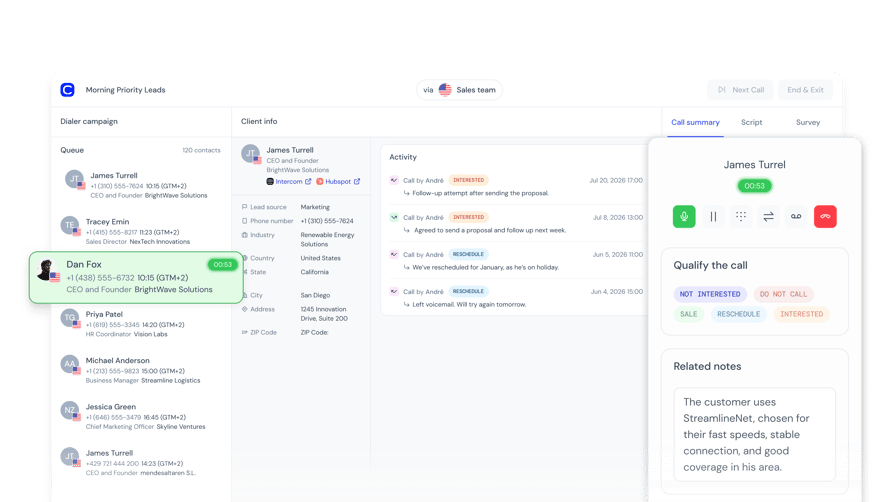
- Parallel mode with 2 to 5 lines: the CloudTalk parallel dialer sets the line count per campaign, so a warm list and a cold list can run at different counts on the same day.
- Voicemail handling: automatic detection or agent-decides on every line, with automatic voicemail drop. This needs the Parallel add-on with at least 2 lines. If detection has no verdict in time, the call connects rather than risk dropping a person.
- Campaign engine: a prioritized queue (favorites, callbacks, retries, fresh contacts), multi-number rotation, retries with a cooldown, scheduled callbacks and a required disposition on every call.
- Caller ID: an automatic local number by area code, smart rotation or a fixed number. CloudTalk is STIR/SHAKEN compliant; spam remediation (US numbers) and branded calling are paid and quote-based.
- CRM lists and write-back: campaigns pull audiences from HubSpot, Salesforce, Pipedrive and Zoho lists and stay in sync, and dispositions map to HubSpot activity outcomes.
- Scripts, surveys and transfers: one script and survey per campaign, plus cold, warm and safe transfers. Conversation Intelligence summaries show inside the dialer (paid add-on: CI Basic $9 or CI Plus $19 per user per month).
What Is CloudTalk Missing?
- No predictive dialer. Teams that want true predictive pacing can check out our list of top predictive dialers.
- More than 5 lines out of the box. Higher counts are granted only on request, while Orum's Ascend plan runs up to 10.
- Parallel costs extra on every plan. It's a paid add-on, and Parallel Calling seats are assigned by CloudTalk (your account manager or support) rather than switched on yourself.
- Coverage gaps on lists and spam tools. Spam remediation is US-only and paid, and lists from CRMs outside HubSpot, Salesforce, Pipedrive and Zoho come in by CSV.
What Is CloudTalk Best For?
- High-volume outbound: Parallel mode on cold lists and Power mode on warm ones, from the same dialer.
- Multi-country calling: local numbers in 160+ countries, with automatic local caller ID by area code.
- CRM-native calling: campaigns built from HubSpot, Salesforce, Pipedrive and Zoho lists, with a required disposition on every call.
- AI voice agents for overflow or qualification: an add-on that answers calls your team can't take or runs qualifying calls on new leads.
- Coaching with Conversation Intelligence: an add-on that summarizes and transcribes calls so managers can review them without listening end to end.
How Much Does CloudTalk Cost?
CloudTalk pricing starts at $25 per user per month billed annually, and the Parallel add-on costs $39 per user per month billed annually on any plan. So a Starter seat with parallel dialing comes to $64 per user per month, Essential to $68 and Expert to $88.
CloudTalk Parallel Dialer Pricing Plans
| Plan | Annual (per user/month) | Monthly (per user/month) | Parallel included? |
|---|---|---|---|
| Starter | $25 | $34 | No, paid add-on, would cost $64 total |
| Essential | $29 | $39 | No, paid add-on, would cost $68 total |
| Expert | $49 | $69 | No, paid add-on (Power Dialer is included), would cost $88 total |
| Custom | Contact Sales | Contact Sales | Quoted with the plan |
The other add-ons: the Power Dialer is $15 per user per month on Starter and Essential (included in Expert), AI Conversation Intelligence is an add-on with two plans, CI Basic at $9 and CI Plus at $19 per user per month, and spam remediation and branded calling are quote-based.
The Expert plan has a 3-user minimum. Parallel includes a fair-use allowance of 10,000 minutes per user per month in the US and Canada and 5,000 elsewhere, and you can test the dialer on a 14-day free trial.
Flexible Pricing Plans to Scale with You
Compare our plans
What Do Customers Say About CloudTalk on G2?
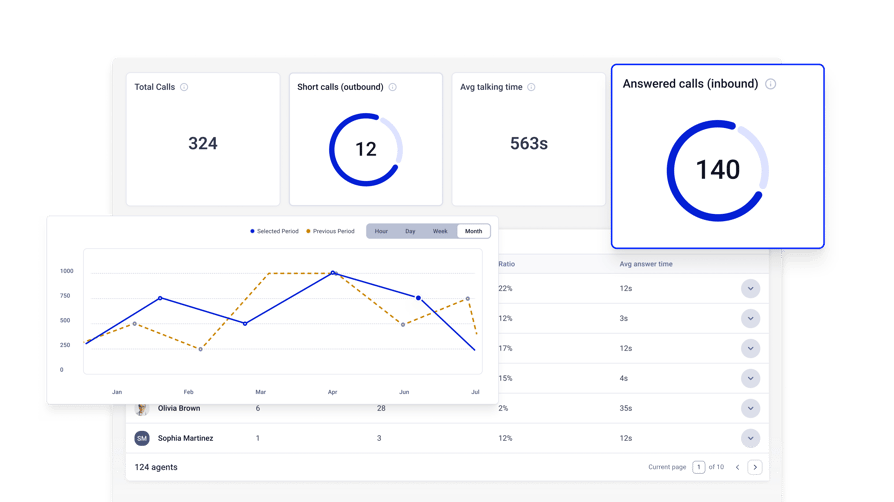
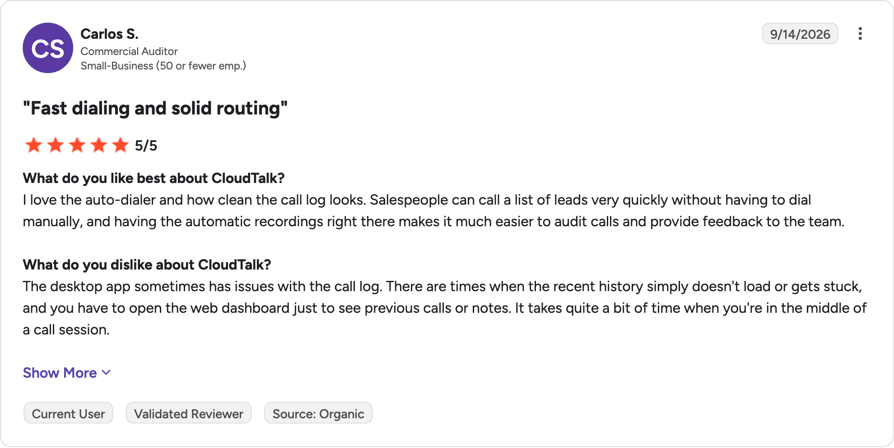
CloudTalk is currently rated 4.4/5 on G2 based on 1941+ reviews.
What are Real Customers Saying About CloudTalk Dialers?
“Especially with outbound, we need full visibility—both into the numbers and the conversation quality. CloudTalk’s AI transcripts and analytics make it easier to track talk ratios, discovery depth, and regional performance—all without requiring formal training to get started.“
SDR Team Lead, Pipedrive

Pros and Cons of CloudTalk Based on G2 Reviews
| Pros | Cons |
|---|---|
| Reps work through lead lists fast, with no manual dialing | Desktop app's recent call history sometimes fails to load |
| Reliable call quality, including international calls | Importing large contact lists takes manual work |
| Number rotation keeps cold-calling numbers from being flagged | Integration setup screens could be more intuitive |

Run Parallel on your cold list and Power on your warm one
2. Nooks: Best for a Collaborative Virtual Sales Floor
What Is Nooks?
Nooks is an AI dialer and sales workspace that combines parallel dialing with a virtual sales floor, sequencing and coaching. Among AI cold calling software, it suits SDR teams that want the whole floor dialing together in one tool, with managers listening in live.
What Are the Key Parallel Dialer Features of Nooks?
- Parallel, multi-line and power dialing: all part of the AI Dialer, though Nooks doesn't publish a maximum line count.
- AI answer detection and voicemail drops: Nooks says it detects a pickup in milliseconds; test that claim on your own list.
- Spam protection: automated number rotation, reputation monitoring and carrier registration.
- CRM and sequencer sync: two-way sync with Salesforce and HubSpot, integrations with Salesloft, Outreach and Apollo, and automatic logging of calls, notes and dispositions.
- Virtual Salesfloor: a digital bullpen with live listen-in and whisper coaching.
Nooks doesn't publish which package includes parallel dialing; that comes with the quote.
What Is Nooks Missing?
- No public pricing. Every evaluation starts with a sales conversation.
- No published line ceiling. Ask for the maximum lines per rep in writing.
- Call quality and roadmap questions. Buyers comparing Nooks with other tools asked about call quality and what's coming next, so cover both on the demo.
What Is Nooks Best For?
Nooks fits SDR teams of roughly 10 reps or more who dial cold lists together in blocks and want coaching built into the dialing tool. It's a weaker fit if you need a published price before the first call.
How Much Does Nooks Cost?
Nooks pricing is quote-based. The pricing page is a contact form with no plan names, no published rates and no advertised free plan or seat minimum.
What Do Customers Say About Nooks on G2?
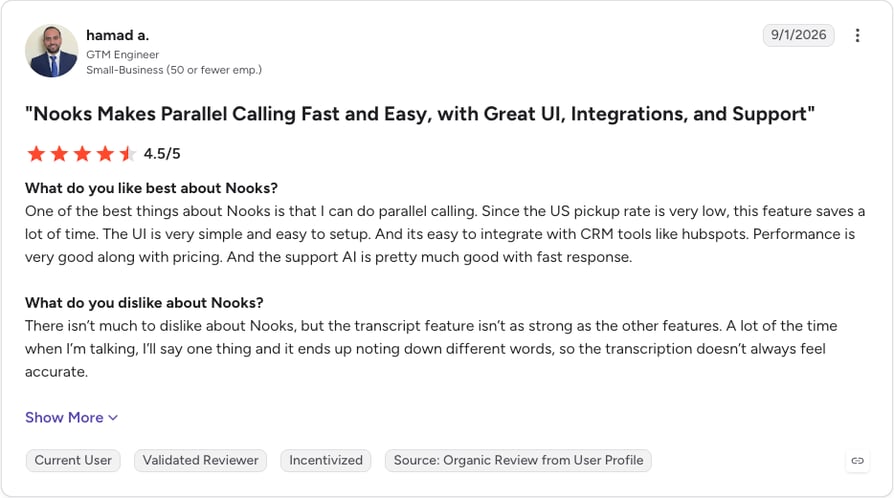
Nooks is currently rated 4.8/5 on G2 based on 1,715 reviews.
Pros and Cons of Nooks Based on G2 Reviews
| Pros | Cons |
|---|---|
| Parallel dialing and a virtual salesfloor cut idle time | Can lag during high-volume parallel dialing |
| AI transcripts, summaries and buying signals | Pricey unless the team dials at real volume |
| Easy Salesforce and HubSpot setup | Transcripts and follow-up reminders aren't always reliable |
3. Orum: Best for Maximizing Live Conversations at Scale
What Is Orum?
Orum is an AI dialing platform for established outbound teams, with parallel dialing, power dialing and a shared virtual sales floor. Both of its plans require at least nine seats, so it's built for larger SDR floors.
What Are the Key Parallel Dialer Features of Orum?
- Parallel dialing on both plans: up to 5 lines on Launch and up to 10 lines on Ascend, plus power dialing, click-to-call and one-off dialing.
- AI Detection: screens voicemail, phone trees, busy signals and Apple and Google call screeners.
- Voicemail Drop and Voicemail Sequencer: both included.
- Caller ID tools: up to 10 caller IDs per user per month and number temperature tracking (hot and cold numbers).
- Coaching: a shared Salesfloor with live listening; AI Coaching (roleplay and scorecards) is a paid add-on.
What Is Orum Missing?
- A nine-seat minimum. Both plans require it, which rules out small teams.
- A capped trial. The free trial stops at 500 dials, which a busy rep can use up in days.
- No published prices. Both plans are quote-based, and 10 lines are only on Ascend.
What Is Orum Best For?
Orum fits outbound teams of nine or more reps working high-volume cold lists all day, where the extra lines on Ascend pay off. Below nine seats, it isn't an option.
How Much Does Orum Cost?
Orum pricing is quote-based, with a minimum of nine seats on both plans. Parallel dialing is included in each plan rather than sold as an add-on, and paid plans carry no dial limits.
| Plan | Annual | Monthly | Parallel included? |
|---|---|---|---|
| Launch | Quote-based (9-seat minimum) | Quote-based | Yes, up to 5 lines |
| Ascend | Quote-based (9-seat minimum) | Quote-based | Yes, up to 10 lines |
Add-ons include Ascend Limited (for occasional dialers on Ascend), AI Coaching and Webhooks.
What Do Customers Say About Orum on G2?
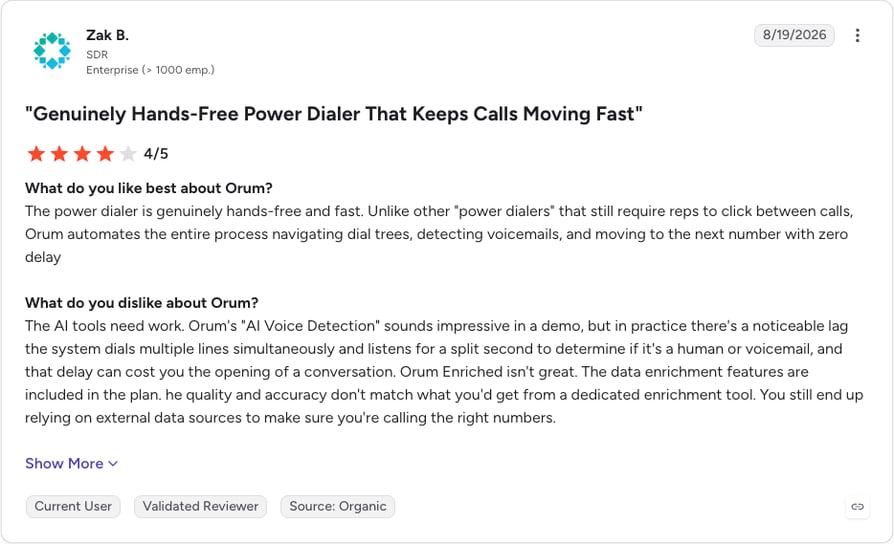
Orum is currently rated 4.6/5 on G2 based on 1099+ reviews.
Pros and Cons of Orum Based on G2 Reviews
| Pros | Cons |
|---|---|
| Hands-free dialing that navigates phone trees and skips voicemail | Voice detection lag can clip the prospect's greeting |
| More conversations per rep per day | Occasional dropped calls and session timeouts |
| Tight Salesforce and Outreach integration | Enriched phone numbers are often wrong |
4. Apollo: Best for Combining Prospecting Data and Parallel Dialing
What Is Apollo?
Apollo.io is a sales intelligence and engagement platform that puts a contact database, email sequencing and a dialer in one product. It suits teams whose problem is list quality as much as dial volume, and who want to build a list and call it without exporting anything.
What Are the Key Parallel Dialer Features of Apollo?
- Parallel dialer inside the prospecting platform: sold through the Advanced Dialer add-on, which is billed per team. Apollo doesn't publish a line count.
- Power and international dialing: included in the same add-on.
- Voicemail drop: Apollo lets the call fully ring on the recipient's side before the rep leaves a message; answer detection specifics aren't published.
- Call queues and CRM sync: prioritized call queues, notes and CRM sync.
- Data and sequencing: contact data, enrichment and email sequences in the same tool (credit-based).
What Is Apollo Missing?
- Parallel isn't in any plan. It needs the team-billed Advanced Dialer add-on on top of paid seats.
- No published line ceiling and no detail on how answer detection works.
- The dialer is one module in a broad platform, so it gets less depth than a specialist dialer.
What Is Apollo Best For?
Apollo fits small and mid-size teams that already prospect in Apollo and want to call those lists without another tool. If you don't use its data, a standalone dialer is the simpler buy.
How Much Does Apollo Cost?
Apollo pricing starts with a credit-limited Free plan. Its pricing page lists Basic at $49, Professional at $79 and Organization at $119 per seat per month billed annually ($65, $99 and $149 billed monthly), and Organization needs at least 3 seats (checked October 2026). Parallel dialing comes with the Advanced Dialer add-on at $119 per team per month billed annually, or $149 billed monthly, and add-ons are for paid plans only.
| Plan | Annual (per seat/month) | Monthly (per seat/month) | Parallel included? |
|---|---|---|---|
| Free | $0 | $0 | No |
| Basic | $49 | $65 | No, Advanced Dialer add-on ($119 per team/month annual, $149 monthly) |
| Professional | $79 | $99 | No, same add-on |
| Organization | $119 (min 3 seats) | $149 (min 3 seats) | No, same add-on |
All seats on one account must be on the same plan.
What Do Customers Say About Apollo on G2?
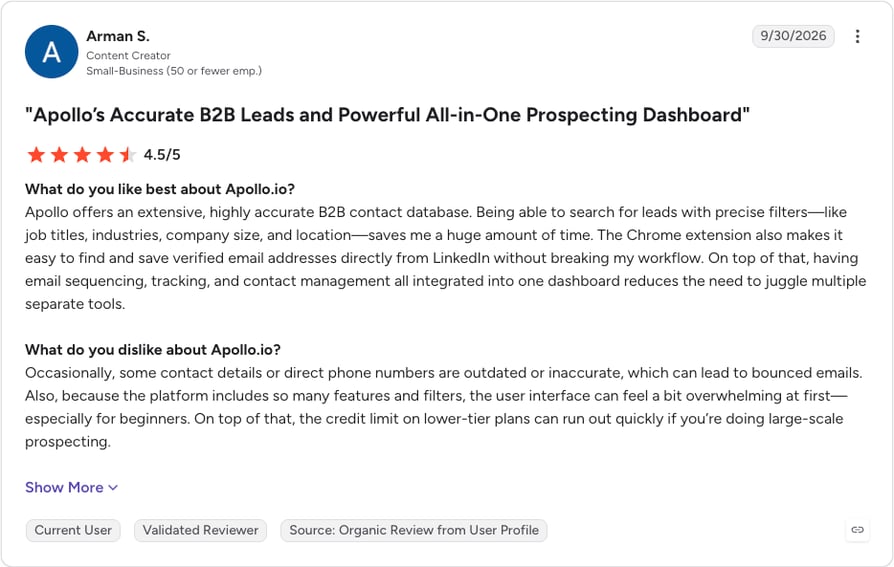
Apollo is currently rated 4.7/5 on G2 based on 9,848 reviews.
Pros and Cons of Apollo Based on G2 Reviews
| Pros | Cons |
|---|---|
| Huge B2B contact database with precise filters | Phone numbers and contact data can be outdated |
| Prospecting, data and outreach in one tool | Credit-based pricing gets confusing |
| Fewer tools to switch between | Crowded interface with a learning curve |
5. Koncert: Best for Multi-Mode AI Dialing Across a Sales Floor
What Is Koncert?
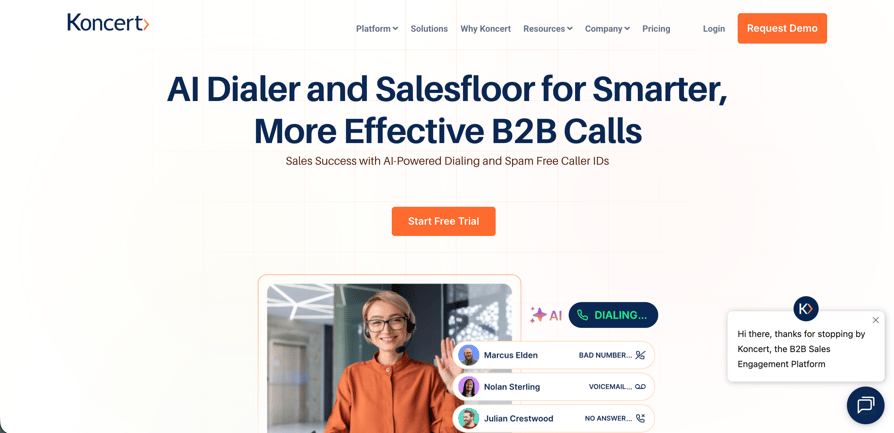
Koncert is a sales dialing platform that offers several dialing modes, from an AI parallel dialer to an agent-assisted dialer, plus a remote sales floor. It suits teams whose call lists vary enough that a single mode won't cover them.
What Are the Key Parallel Dialer Features of Koncert?
- Two parallel tiers: Symphony runs 1 to 4 lines and Symphony+ runs 1 to 5 lines; Symphony+ adds AI objection detection, AI summary notes and transcription.
- Other modes from one vendor: a single-line AI Flow Dialer, an agent-assisted dialer and click-to-call.
- Voicemail handling: voicemail drop and voicemail sequencing; on the agent-assisted dialer, human agents work through phone trees, gatekeepers and voicemail.
- Caller ID management: automated local presence, area-mapped caller IDs and a heat map of caller ID usage.
- Remote Salesfloor: live call listening, whisper and coaching notes.
What Is Koncert Missing?
- No public pricing. Every tier is quote-based.
- A low line ceiling. Four to five lines is at the lower end of this list.
- Data costs extra. Waterfall Data Enrichment is an add-on, as are the AI Voice Agent and Koncert Cadence.
What Is Koncert Best For?
Koncert fits mid-size and larger sales floors that run different list types (cold, warm, account-based) and want every mode from one vendor. Teams that only need parallel dialing may find it more than they need and can compare Koncert alternatives.
How Much Does Koncert Cost?
Koncert pricing is quote-based: every tier shows a "Get Pricing" button and no rates. Parallel dialing lives in the Symphony and Symphony+ tiers.
| Plan | Annual | Monthly | Parallel included? |
|---|---|---|---|
| Melody / Melody+ | Quote-based | Quote-based | No (single-line AI Flow Dialer) |
| Symphony | Quote-based | Quote-based | Yes, 1 to 4 lines |
| Symphony+ | Quote-based | Quote-based | Yes, 1 to 5 lines |
What Do Customers Say About Koncert on G2?
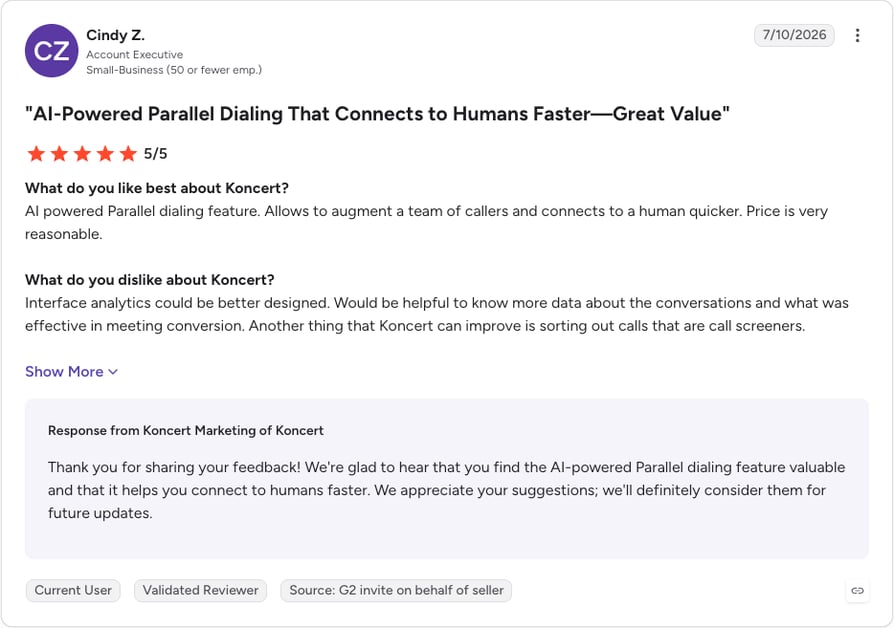
Koncert is currently rated 4.6/5 on G2 based on 420 reviews (checked October 2026).
Pros and Cons of Koncert Based on G2 Reviews
| Pros | Cons |
|---|---|
| Switch between 2 and 5 lines as needed | Occasional audio lag when a call connects |
| Clean caller ID lifts connect rates | Conversation analytics could go deeper |
| Fast, responsive support | Uploaded lists can't be deleted |
6. Klenty: Best for Multichannel Outreach With a Built-In Dialer
What Is Klenty?
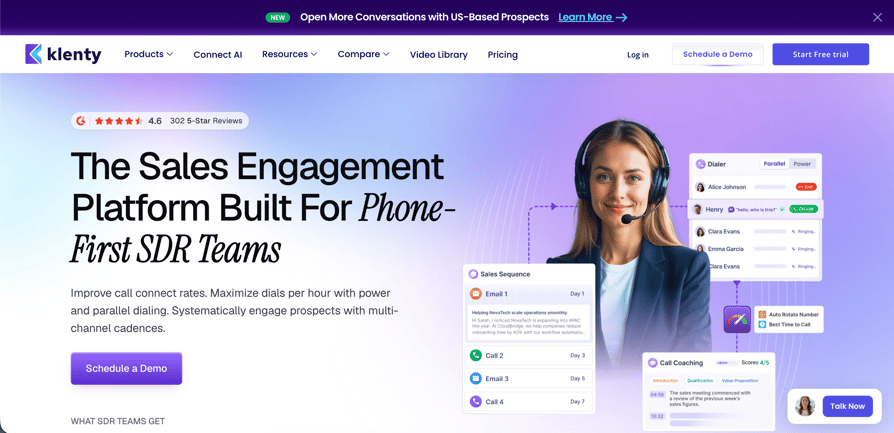
Klenty is a sales engagement platform that runs email, calls and other follow-up steps from one cadence, and it also sells a standalone sales dialer. It suits teams whose calls are one channel among several, and SDR teams that want a dialer with published prices.
What Are the Key Parallel Dialer Features of Klenty?
- Parallel dialer with up to 5 lines: included in the Sales Dialer Pro and Scale plans, or added to the engagement platform for $45 per user per month.
- AI voicemail and IVR detection: skips voicemails and phone menus, with 1-click voicemail drop.
- Number reputation: branded numbers registered in your company name, STIR/SHAKEN attestation, number remediation and auto-rotation (Pro).
- Local presence: US and Canada area codes, plus country code matching.
- CRM sync: CRM list import and export with two-way field mapping on the engagement platform; a Call Intelligence add-on ($25 per user per month) adds AI notes and scorecards.
What Is Klenty Missing?
- A 5-line ceiling. That's below Orum's Ascend plan.
- Minute caps below the top plan. Pro includes 2,000 minutes; only Scale has unlimited US calling.
- Two overlapping product lines. The dialer and the engagement platform are priced differently, so check which one your quote covers.
What Is Klenty Best For?
Klenty fits small and mid-size teams that run calls inside email-led cadences, or SDR teams that want a parallel dialer with a published price ladder.
How Much Does Klenty Cost?
Klenty pricing for the Sales Dialer starts at $40 per user per month billed annually, but parallel dialing starts on Pro at $80. On the engagement platform, Growth costs $70 per user per month plus the $45 Parallel and Power Dialer add-on, so $115 in total. Klenty bills annually or quarterly and offers a 14-day free trial.
| Plan | Annual (per user/month) | Monthly | Parallel included? |
|---|---|---|---|
| Sales Dialer Basic | $40 (500 minutes) | Not published | No |
| Sales Dialer Pro | $80 (2,000 minutes) | Not published | Yes, up to 5 lines |
| Sales Dialer Scale | $140 (unlimited US calling) | Not published | Yes |
| Engagement Growth | $70 (200 minutes) | Not published | No, $45 add-on |
| Engagement Plus | $99 (1,000 minutes) | Not published | No, $45 add-on |
What Do Customers Say About Klenty on G2?
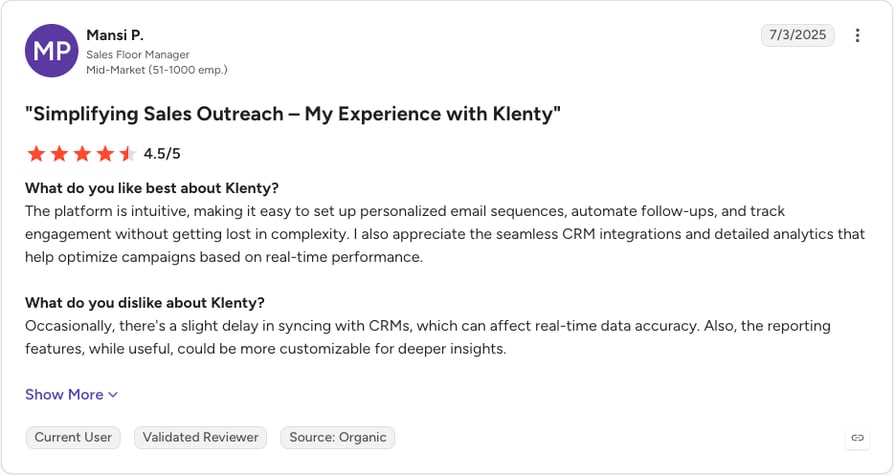
Klenty is currently rated 4.6/5 on G2 based on 391 reviews (checked October 2026).
Pros and Cons of Klenty Based on G2 Reviews
| Pros | Cons |
|---|---|
| Flexible cadences across email, LinkedIn and calls | Interface feels dated and slows on big campaigns |
| Easy to set up and run | CRM sync delays; reporting isn't very customizable |
| Solid CRM integrations | Built-in contact database is small |
7. Salesfinity: Best for Anti-Spam and Contact Enrichment
What Is Salesfinity?
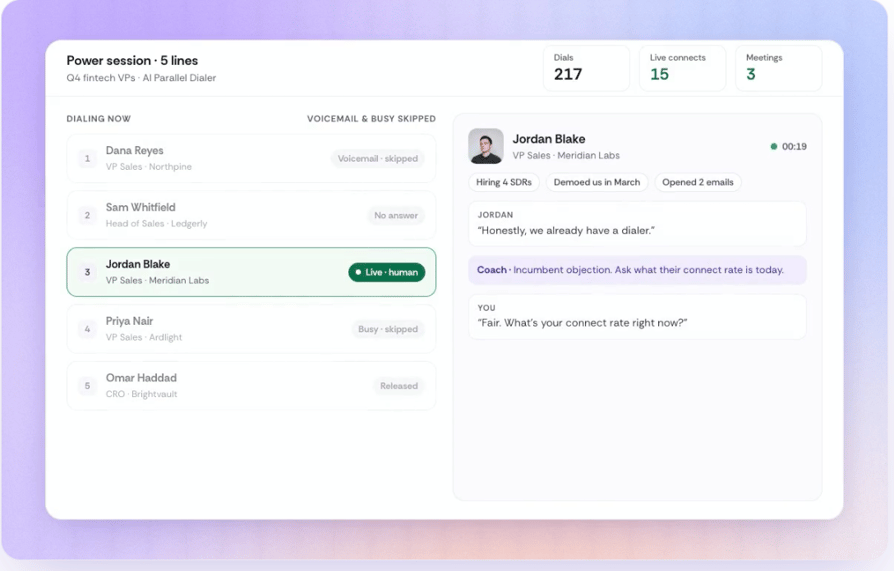
Salesfinity is an AI parallel dialer built to sit on top of the CRM and sequencer you already use. It pairs the dialer with rotating local caller IDs and phone enrichment, so it suits teams that like their stack and want the calling and data layer fixed.
What Are the Key Parallel Dialer Features of Salesfinity?
- AI parallel dialer with up to 5 lines: unlimited dials (US and Canada, within fair use) on both licenses.
- Voicemail and busy-line skipping: the rep only hears people; detection specifics aren't published.
- Local caller IDs that rotate: Salesfinity says it keeps them healthy as part of the license.
- Phone enrichment: waterfall phone and email enrichment across 7+ data providers; Enterprise adds 200 mobile numbers per license per month and AI list building.
- Virtual salesfloor and coaching: call scoring and practice calls on both licenses.
What Is Salesfinity Missing?
- A higher entry price. At $249 per license per month on annual billing, it's the most expensive published price here.
- A 5-line ceiling. Fewer lines than Orum's top plan.
- Extra cost for international calling. Calling 120+ other countries adds $50 per license per month, and Enterprise needs a 12-month plan.
What Is Salesfinity Best For?
Salesfinity fits SDR teams that already run a CRM and sequencer they like, call mostly in the US and Canada, and want better phone data bundled with the dialer. Teams that would rather have calling built into the CRM itself should look at a CRM with a dialer instead.
How Much Does Salesfinity Cost?
Salesfinity pricing starts at $249 per license per month billed annually for Gold, or $299 month to month with 30 days' notice. Parallel dialing is included in both licenses. You can buy up to 5 licenses online by card, with volume pricing from 6 licenses on annual plans.
| Plan | Annual (per license/month) | Monthly | Parallel included? |
|---|---|---|---|
| Gold | $249 | $299 | Yes, up to 5 lines |
| Enterprise | $299 (12-month plan) | Not offered | Yes, up to 5 lines |
The AI Sequencer costs $60 per license extra on Gold.
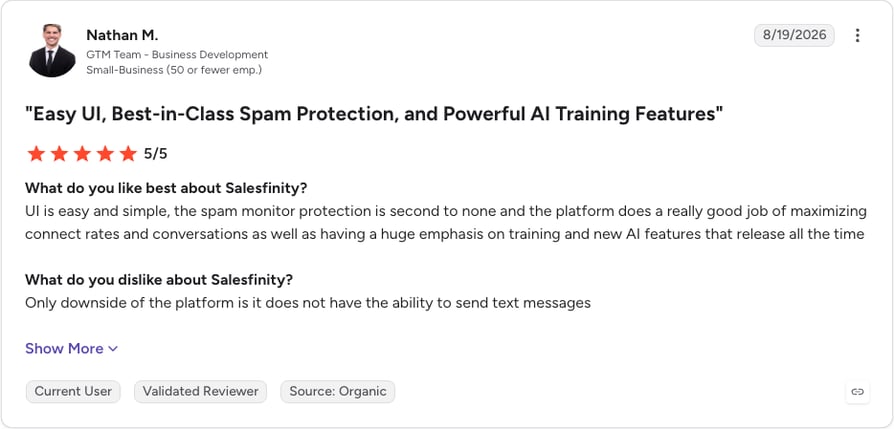
What Do Customers Say About Salesfinity on G2?
Salesfinity is currently rated 4.8/5 on G2 based on 124 reviews.
Read Salesfinity reviews on G2
Pros and Cons of Salesfinity Based on G2 Reviews
| Pros | Cons |
|---|---|
| Dials several numbers per prospect and fills in missing ones | No SMS |
| Spam monitoring keeps connect rates up | Occasional glitches, like getting dropped from listening rooms |
| Live listening makes onboarding and coaching easy | Contacts can't be removed from a list mid-session |
8. Kixie: Best for Multi-Line Dialing With Built-In Business SMS
What Is Kixie?
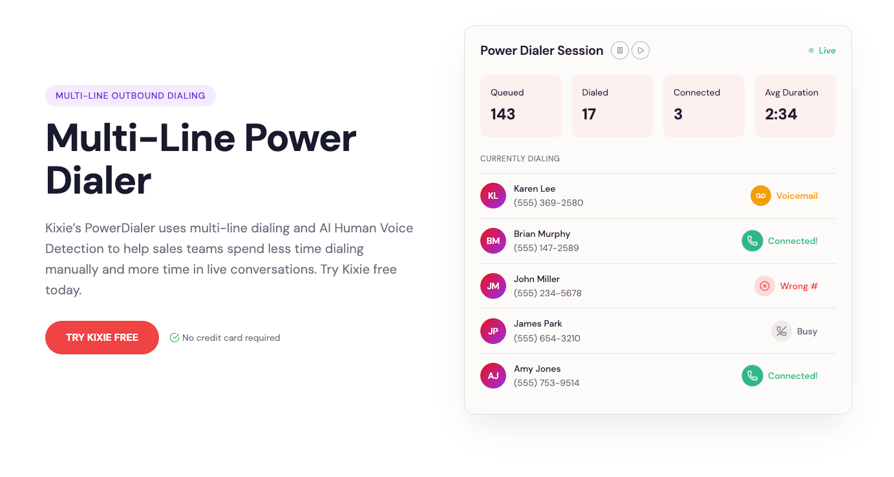
Kixie is a calling and texting platform for sales teams, also known by its app name, Kixie PowerCall. Its PowerDialer runs in single-line or multi-line mode, so it suits small and mid-size teams that want calls, texts and CRM logging in one place.
What Are the Key Parallel Dialer Features of Kixie?
- Multi-line dialing with up to 4 lines: only on the Multi-Line PowerDialer plan; the Single-Line PowerDialer plan dials one number at a time.
- AI Human Voice Detection: tells a live person from a recording and connects the rep to the person. It's a premium add-on, even on the Multi-Line plan.
- Voicemail drop: included on every plan.
- ConnectionBoost (premium add-on): local presence, number monitoring and progressive caller ID, with support for remediation when a "Spam Risk" or "Scam Likely" label appears.
- CRM and compliance: two-way integrations with HubSpot, Salesforce, Zoho, Pipedrive and others log calls, texts, outcomes and recordings; DNC checks are a separate compliance add-on.
What Is Kixie Missing?
- The lowest line ceiling here. Four lines is the maximum, and only on the top plan.
- Key AI pieces cost extra. Human voice detection and ConnectionBoost are premium add-ons.
- No published prices. Kixie lists its plans but quotes per-seat prices per team.
What Is Kixie Best For?
Kixie fits small and mid-size sales teams that call and text from their CRM and want a dialer that also handles inbound calls (IVR, ring groups and queues are on every plan). Teams that need 5 or more lines per rep should look higher on this list.
How Much Does Kixie Cost?
Kixie pricing is quote-based: the plans are listed, but Kixie doesn't publish per-seat prices and quotes them per team. Parallel dialing needs the Multi-Line PowerDialer plan. All plans include unlimited US and Canada minutes, your first US or Canada number is free, and extra local numbers cost $5 per month. Kixie offers a 7-day free trial with no credit card.
| Plan | Annual | Monthly | Parallel included? |
|---|---|---|---|
| Professional | Quote-based | Quote-based | No dialer |
| Single-Line PowerDialer | Quote-based | Quote-based | No, 1 line |
| Multi-Line PowerDialer | Quote-based | Quote-based | Yes, up to 4 lines |
What Do Customers Say About Kixie on G2?
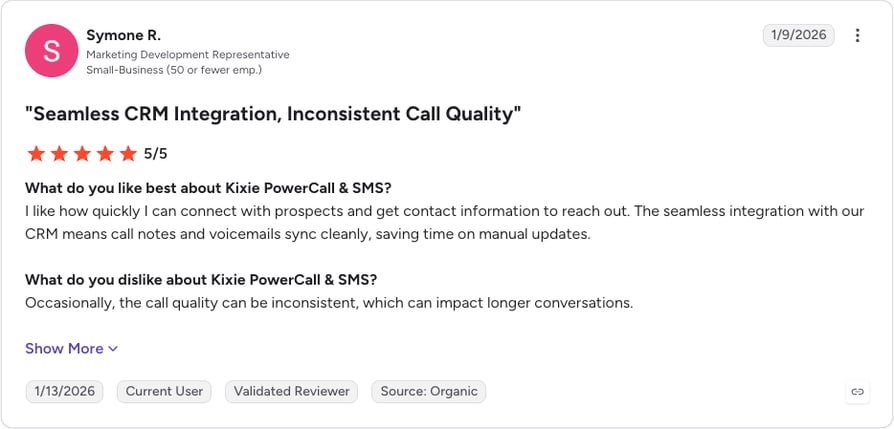
Kixie is currently rated 4.8/5 on G2 based on 866+ reviews (G2 lists it as Kixie PowerCall & SMS).
Pros and Cons of Kixie Based on G2 Reviews
| Pros | Cons |
|---|---|
| Calls and texts in one platform | Support is mostly email and can be slow |
| Local presence and AI human detection | Call quality can be inconsistent |
| Works well with HubSpot and Zoho, with voicemail drop | Interface needs refreshing during long sessions |
How We Chose the Best Parallel Dialer Software
We analyzed 8 parallel dialer tools using vendor documentation, live pricing pages and G2 reviews, plus what outbound teams told our sales team about dialing. Each tool was scored on six criteria:
- The published line ceiling per agent
- How voicemail, IVR menus and busy signals are handled
- Caller ID reputation and spam tooling
- True cost per rep, including add-ons and seat minimums
- CRM write-back of dispositions and outcomes
- Compliance controls
CloudTalk is our product. We ranked it first for outbound teams that call across countries, work from a CRM and want inbound, AI voice agents and coaching on the same system, and we've listed what it lacks in its entry. Where a vendor won't publish a number, we say so instead of guessing.
We apply the same criteria across our dialer coverage, including power dialer providers and predictive dialers. Read more about our content integrity and our software review methodology.
Why Do Teams Switch to a Parallel Dialer?
Teams usually come to us with a capacity problem or a bad experience with their last tool.
- Hand-dialing caps output. Reps dialing by hand from a spreadsheet manage 40 to 50 dials a day, then retype every outcome into the CRM. Salesforce's 2026 State of Sales research1 puts the cost at roughly two hours a week lost to manual data entry for Gen Z reps. Teams want hundreds of dials a day without adding headcount.
- Ring-outs and voicemails eat the shift. On a cold list, most dials end in a ring-out or a greeting. The rep spends the afternoon listening to voicemail instead of buyers.
- A cold list is bigger than the team. Small teams often carry thousands of contacts. Without parallel dialing, most of that list never gets a single call.
- The old dialer let them down. We hear about clunky interfaces, products being shut down, and predictive dialers that felt too aggressive for the audience.
- Spam labels hurt pickup. When numbers get flagged as spam, RevOps ends up swapping them by hand, and pickup rates fall for everyone sharing them.
- Price and commitments. Add-on costs, seat minimums and annual terms come up in almost every evaluation, and many teams would rather pay month to month.
Each of these maps to something you can check before you buy, which is what the How to Choose section covers.
How Many Lines Should a Parallel Dialer Run?
Keep in mind that more lines aren't necessarily better; in fact, you could catch yourself a spam label if you put too much focus on quantity.
- CloudTalk: 2 to 5 lines per campaign (10 on request)
- Orum: up to 5 lines on Launch, up to 10 on Ascend
- Klenty: up to 5
- Salesfinity: up to 5
- Koncert: 1 to 4 on Symphony, 1 to 5 on Symphony+
- Kixie: up to 4, on the Multi-Line PowerDialer plan
- Nooks and Apollo: not published, so ask for the figure in writing
The ceiling isn't the setting you should run, though. A practical method used across the category: start at 3 lines and aim for a connect every 90 to 120 seconds. If your connect rate sits around 5%, 4 to 5 lines usually make sense. If it's closer to 15%, run fewer. Constant back-to-back connects mean too many lines; long silent gaps mean you can add one.
Maxing out the line count backfires for three reasons:
- 01Double pickups. More lines raise the odds that two people answer at once. One of them gets a rep; the other hears silence and hangs up.
- 02Carrier attention. At 5 or more lines per rep, burst traffic from one caller ID increasingly looks like spam to carriers.
- 03Abandoned-call rules. In the US, the Federal Communications Commission (FCC) caps abandoned telemarketing calls at 3% of live-answered calls per campaign over 30 days (more in the risks section below).
Run more lines on cold lists where pickup is under 5% and you're trying to cover a big list. Stick to 1 to 3 lines for warm lists, mid-market and enterprise buyers, and teams new to parallel dialing. In CloudTalk you set the count per campaign, so a cold list can run at 4 or 5 lines while a warm list stays on Power mode.
What Are the Risks of Parallel Dialing?
Vendors rarely publish this part: parallel dialing multiplies whatever you point it at, mistakes included.
Dead Air: Why Prospects Hang Up Before the Rep Says Hello
The gap between a prospect saying "hello" and a rep being connected is where parallel dialing loses deals. If answer detection is slow, the person on the other end hears a second or two of silence. To them, that silence sounds like a robocall, and they hang up before your rep speaks.
Buyers comparing parallel dialers with predictive ones ask about this more than anything else. Detection quality matters more than the line count, and no vendor's speed claim is worth much until you've heard it on your own list. Run a trial, play back the outbound call recordings for the first seconds of connected calls and count how many prospects were gone before the rep said a word.
How Parallel Dialing Puts Your Numbers on Carrier Spam Lists
Dial several numbers at once from one caller ID, all day, and carriers see a pattern that looks like the traffic they're paid to block. Once a number gets a spam label, pickup rates fall for every rep using it, and the damage follows the number rather than the campaign.
Four things protect you, and they're separate products, not one feature:
- Rotation: spreading calls across a pool of local numbers
- Carrier registration: telling the carrier analytics engines who owns the number
- Remediation: a path to clean a number that's already flagged
- Branded calling: showing your company name on the prospect's screen
Coverage differs by country. In CloudTalk, automatic local caller ID by area code and smart rotation are part of the dialer, Hiya's anti-spam carrier registration is free, and CloudTalk is STIR/SHAKEN compliant. Spam remediation is a paid add-on for US numbers only, and branded calling is quote-based and available only in some countries (spam protection has the detail).
The number type matters too. Integrity360, a cybersecurity firm with SDR teams across Europe and Africa, tripled its SDR pickup rates within weeks of moving to CloudTalk. The team credits real in-region mobile numbers and calling from inside Salesforce, not parallel dialing, a reminder that the numbers you call from can matter as much as the dialer.
Can More Dials Fix a Bad Contact List?
No. A parallel dialer pointed at stale data burns through that data faster and produces the same nothing, only sooner. Wrong-number rates climb with list age, and each dead record still costs a dial and a little of your number's reputation.
Enrichment and number validation are the counterweight. Salesfinity runs waterfall phone enrichment across 7+ providers, Koncert sells Waterfall Data Enrichment as an add-on, and Apollo keeps the dialer next to its own contact database, so lists get rebuilt rather than recycled. If your dialer has no data layer, pair it with dedicated sales prospecting tools and refresh numbers before each campaign.
What Do TCPA, DNC and Abandoned-Call Rules Require?
Automating the dialing doesn't automate the compliance. According to the Federal Trade Commission's National Do Not Call Registry Data Book for Fiscal Year 20252, the registry held about 258.5 million active registrations as of 30 September 2025. That's the list your dialer has to respect on every attempt.
Two FCC rules in 47 CFR 64.1200, the regulation that implements the Telephone Consumer Protection Act (TCPA), matter for any parallel dialer used for telemarketing calls in the US:
- The 3% abandoned-call limit (64.1200(a)(7)): no more than 3% of telemarketing calls answered live by a person may be abandoned, measured over 30 days for a single campaign. A call counts as abandoned if it isn't connected to a live sales rep within 2 seconds of the person's completed greeting.
- The 15-second or 4-ring minimum (64.1200(a)(6)): an unanswered telemarketing call can't be disconnected before it has rung for at least 15 seconds or four rings.
The second rule is easy to miss, because a parallel dialer drops the other ringing lines when someone answers. Ask every vendor how it handles ring time on those lines, how it counts abandoned calls and whether it reports the rate per campaign.
Beyond the FCC rules, your tool needs DNC scrubbing, consent tracking, GDPR handling for EU contacts and call-recording consent. Rules vary by country and by call type, so check with your legal team. Our guide to autodialer laws covers what applies where.
How to Choose the Best Parallel Dialer Software
Price is the easiest thing to compare and the least useful. These six questions separate the tools that will still fit in a year from the ones that won't.
Which Dialing Mode Fits Your List?
Start with your list. Parallel dialing suits cold lists with low pickup rates, where waiting is the bottleneck. A power dialer suits warm lists, relationship-led sales and senior audiences, where a rep needs a moment to prepare and a dropped call costs more than a slow one. Predictive dialing only makes sense for large floors where volume is steady and the abandonment rules leave room. CloudTalk's AI Sales Dialer has Power and Parallel modes, so one team can run its warm list one line at a time and its cold list on 3 to 5 lines without a second tool.
Some teams need both. One survey team we spoke with was better off on a power dialer, while a lending team wanted parallel lines for collections. My Mortgage Finder, for example, went from 15 to 100+ calls per agent per day with CloudTalk's Power Dialer, working mortgage inquiries one line at a time.
Which Parallel Dialer Scales Best for High-Volume Outbound?
For floors of nine or more reps running cold lists all day, Orum and Nooks are built for it: shared sales floors, live listening and, on Orum's Ascend plan, up to 10 lines. Orum's nine-seat minimum is a non-issue at that size and a hard blocker below it. Contact centers that want predictive pacing across a whole floor should look at dedicated call center dialers instead.
Teams that also take inbound calls or call across borders scale better on CloudTalk. The dialer shares numbers in 160+ countries, routing and analytics with the rest of the phone system, there's no seat minimum outside the Expert plan, and the AI Voice Agents add-on can pick up overflow calls or run qualifying calls when the floor is busy. Smaller teams that want a published price can start with Klenty's Sales Dialer Pro or Salesfinity's Gold license, which you can buy online for up to 5 licenses.
Do You Need a Standalone Dialer or a Full Phone System?
If your team only makes outbound cold calls and someone else owns the phone system, a specialist dialer is the cleaner buy. If that same team also takes inbound calls and needs IVR and routing, a standalone dialer leaves you managing two telephony contracts and two sets of numbers. One contract and one pool of numbers also makes caller ID problems easier to trace. CloudTalk is built for the second case: the AI dialer, inbound routing and IVR, local numbers and 100+ integrations (from the Essential plan) sit on one account, with AI Voice Agents and Conversation Intelligence available as add-ons.
How Does It Protect Your Caller ID Reputation?
Ask what happens after a number gets flagged, not only how the tool avoids it. Rotation, carrier registration, STIR/SHAKEN signing and a remediation path are four separate things, and few dialers ship all four in every country.
A local presence dialer on its own gives you no route back from a number that's already flagged. Make each vendor say which of the four they own, which countries each one covers, who fixes a flagged number and what that costs. CloudTalk's answer: automatic local caller ID and smart rotation in the dialer, free Hiya carrier registration and STIR/SHAKEN compliance, with spam remediation as a paid add-on for US numbers.
What Will It Actually Cost per Rep per Month?
Run the add-on math before you compare anything. Annual list prices, checked in October 2026:
| Tool | Cheapest route to parallel dialing | Per rep per month |
|---|---|---|
| CloudTalk | Starter ($25) + Parallel add-on ($39) | $64 |
| CloudTalk | Essential ($29) + Parallel add-on ($39) | $68 |
| CloudTalk | Expert ($49) + Parallel add-on ($39), 3-user minimum | $88 |
| Klenty | Sales Dialer Pro (parallel included) | $80 |
| Klenty | Engagement Growth ($70) + Parallel and Power add-on ($45) | $115 |
| Apollo | Basic seat ($49) + Advanced Dialer ($119 per team) | $49 per seat plus $119 per team |
| Salesfinity | Gold license | $249 ($299 month to month) |
| Orum, Nooks, Koncert, Kixie | Quote-based (Orum: 9-seat minimum) | Not published |
Then add the extras: numbers, transcription, spam remediation and international minutes. On CloudTalk, Conversation Intelligence is a separate add-on at $9 (CI Basic) or $19 (CI Plus) per user per month. Ask whether month-to-month billing is available, because many teams told us annual terms were the real sticking point. Our call dialer software pricing breakdown walks through the same math for other dialer types.
Which CRM and Sales-Stack Integrations Do You Need?
The dialer has to write back to wherever your pipeline lives, or your reps keep logging calls by hand. A logo on an integrations page proves little, so check four things:
- Two-way sync of dispositions, recordings and outcomes, including the attempts the dialer cancelled
- List sync cadence: how often new CRM contacts reach the dialer
- Which CRMs can drive campaigns directly, and which need a CSV import
- Sequencer fit with Outreach, Salesloft or Apollo if your cadences live there
In CloudTalk, campaigns draw from HubSpot, Salesforce, Pipedrive and Zoho lists; HubSpot adds new contacts every 10 minutes and reconciles every 24 hours. If HubSpot is your system of record, our guide to running a parallel dialer with HubSpot covers what a real two-way sync needs.
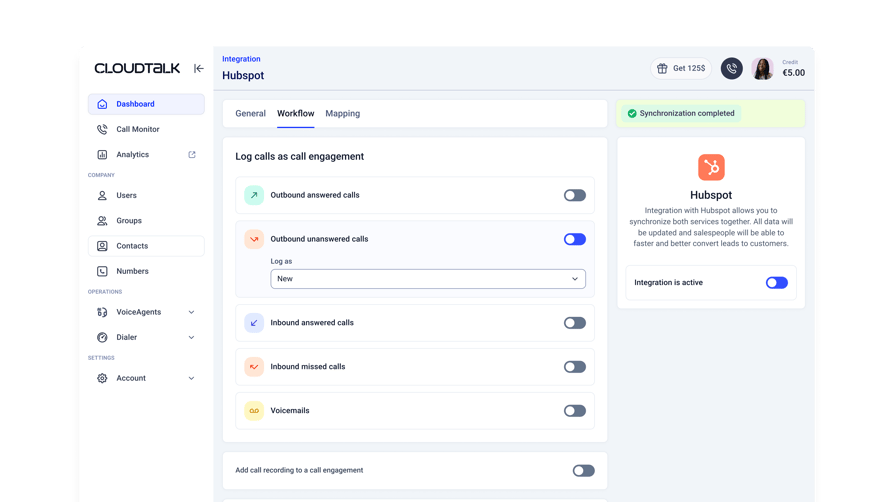
Key Features of Parallel Dialer Software
Parallel dialing on its own is a dialing mode. These are the features of parallel dialing software that decide whether it produces conversations or noise:
- Answer detection: how accurately the tool separates a human "hello" from a voicemail greeting, an IVR menu or a call screener. Judge it from your own trial recordings, not the spec sheet.
- Local presence and caller ID management: rotating local numbers, carrier registration and a documented path for numbers that get flagged.
- CRM disposition sync: two-way write-back of dispositions, recordings and outcomes, including cancelled attempts.
- Call recording: recordings of every connected call for coaching and dispute checks.
- Campaign structure: a queue with retries, callbacks and scripts, so reps follow the same process on every list. CloudTalk calls these campaigns.
- Analytics that count humans, not dials: connect rate, talk time and abandoned calls per campaign, so you can tune the line count.
Transcription, topic extraction and sentiment analysis help coaching after the call, but they won't change how many people you reach.
The Final Word
Parallel Dialers make calls simultaneously, connecting an agent to the first person who answers, and detecting voicemail in 1.5s. CloudTalk has the best Parallel Dialer for sales and outreach teams of SMBs who need 2-5 lines (10 on request) with a litany of features to improve their calling (Analytics, CI, Transcription, Call Recording, Integrations, and numbers in 160+ countries).
See parallel dialing on your own list
Sources:
- 01Salesforce
- 02Federal Trade Commission
Parallel Dialer FAQs
CloudTalk is the best parallel dialer for growing sales and outreach teams that need a full phone system behind the dialer: 2 to 5 lines per rep, local numbers in 160+ countries and campaigns built from HubSpot, Salesforce, Pipedrive and Zoho lists. Orum and Nooks fit SDR floors of nine or more reps that only need a sales dialer.
A parallel dialer is outbound calling software that rings several numbers at once for each agent and connects the agent to the first person who answers. The other calls drop, so the rep skips ring-outs, voicemail greetings and busy tones. It's one of several dialer types, built for cold lists with low pickup rates.
An AI parallel dialer uses a model to tell a live "hello" from a voicemail greeting, an IVR menu or a call screener, then drops voicemails and passes humans to the rep. Some add enrichment and call summaries. Test it on your own list before you buy, the same way you'd vet any AI cold calling tool.
Start at 3 lines and aim for a connect every 90 to 120 seconds. Run 4 to 5 on cold lists with pickup under 5%, and 1 to 3 on warm lists or senior buyers. Set the count per outbound call campaign, and remember the US caps abandoned calls at 3% of live answers.
A parallel dialer rings several numbers per rep and connects the first answer. A power dialer calls one number at a time, which suits warm lists. A predictive dialer paces calls across a whole team by algorithm, which suits large floors. For the last two, see our power vs. predictive dialer comparison.
Yes, parallel dialing is legal when you follow the calling rules. In the US, that means DNC scrubbing, consent where the TCPA requires it, the FCC's 3% abandoned-call limit and a 15-second or four-ring minimum. Rules vary by country, so check GDPR, call-recording consent and local law with your legal team.
No. Aircall's "Parallel calls" feature lets a rep hold one call and start a second, up to two at once; it doesn't dial several prospects for the same rep. Its Power Dialer calls numbers in sequence (checked October 2026). If you're weighing Aircall pricing against true parallel dialing, the eight tools above all offer it.
CloudTalk, Nooks and Kixie all sync with HubSpot and Salesforce, and Apollo, Klenty and Salesfinity work alongside your CRM too. Check two-way write-back of dispositions and list sync speed, not just a logo. CloudTalk builds campaigns from HubSpot, Salesforce, Pipedrive and Zoho lists. Our guide to dialers for Salesforce goes deeper.
Published parallel dialer prices run from $39 per user per month for CloudTalk's Parallel add-on, on top of a plan from $25, to $249 for Salesfinity. Orum, Nooks, Koncert and Kixie quote per team. No parallel dialer is free; the closest options are trials. Our auto dialer pricing guide covers the wider cost factors.
Run fewer lines, rotate a pool of local numbers, register them with carrier analytics engines and have a remediation path for flagged numbers. Clean your list, so dead records don't burn reputation, and add branded calling where it's available. Coverage differs by country, and our guide to VoIP spam traps covers the warning signs.
Yes, both do. Kixie's Multi-Line PowerDialer plan dials up to 4 lines at once, while JustCall's SalesPro plan lists multi-line dialing with up to 10 lines, which JustCall labels a predictive dialer. Both are quote-based, so check JustCall pricing and Kixie's plan terms before you compare them with the tools above.