10 Best Auto Dialers for Insurance Agents in 2026
SUMMARY:
We chose the 10 best auto dialers for insurance agents in 2026, based on dialing modes, CRM and policy-system integrations, compliance controls (TCPA, DNC, recording), and how well each platform scales with growing agencies.
10 best auto dialers for insurance agents by use case:
- 01CloudTalk: best overall for insurance agents scaling outbound with AI-powered dialing, deep CRM integration, and compliant call workflows
- 02Aircall : best for small to mid-sized brokerages wanting a simple, CRM-friendly cloud phone
- 03Ringover: best for multi-country insurance teams needing local presence
- 04JustCall : best for omnichannel agents combining voice, SMS, and WhatsApp outreach
- 05Kixie: best for sales-driven agencies leaning on power dialing and automated SMS follow-ups
- 06PhoneBurner : best for high-volume outbound teams chasing leads at scale
- 07RingCentral: best for agencies that want unified comms (voice, video, messaging) in one tool
- 08Five9 : best for enterprise insurance contact centers with complex campaigns
- 09Dialpad : best for AI-first agencies using real-time voice intelligence and coaching
- 10NICE CXone: best for compliance-heavy enterprise insurance operations
Manual dialing eats away at an insurance agent’s most valuable asset: time.
The best insurance dialer for most agencies is the one that matches your calling volume to a compliant dialing mode. High-volume life and health teams need parallel or predictive dialing with automatic DNC scrubbing. Agencies selling complex P&C policies convert better with preview dialing, where the agent sees policy history before the call connects. Price per seat matters less than which mode you can legally run at your volume.
The right auto dialer can change the game: powering 300% more calls, instant lead follow-up, fewer errors, and smarter workflows through CRM automation and real-time analytics. It’s the shift from chasing leads to running a predictable, scalable sales machine.
In this guide, we’ll cover the best auto dialing modes, must-have features for compliance and efficiency, and the best auto dialer providers that provide a mix of speed, personalization, and ROI, so you can close more policies with less effort.
Connect with our experts and learn how we'll help you ramp up your dialing game.
What is a Dialer for Insurance Agents?
An auto-dialer software streamlines outbound calling while integrating with policy management and CRM systems.
Instead of manually punching in numbers, agents move seamlessly from one live conversation to the next, boosting call volume by up to 300%.
Beyond speed, it equips agents with real-time client data such as policy details, renewal dates, and past interactions.
This ensures every call is compliant, personalized, and focused on moving the client toward a quote, renewal, or upsell, whether you’re handling new leads or servicing existing policyholders.
Why Do Insurance Agents Need an Auto Dialer?
Insurance agents juggle constant follow-ups, renewals, and new lead calls, often at the cost of valuable selling time. An AI dialer automates repetitive tasks like dialing, call logging, and scheduling follow-ups, allowing agents to focus on building client relationships and closing more policies.
Key benefits for insurance agents:
- 01Maximize productivity: Move seamlessly between calls without manual dialing.
- 02Simplify renewals: Automate reminders and follow-ups to keep policies active.
- 03Close more deals: Prioritize and connect with high-value leads faster.
- 04Personalize calls: Access policy details and history before every conversation.
- 05Cut admin time: Auto-log calls and notes directly into your CRM.
- 06Stay compliant: Built-in tools handle DNC checks, call recording, and time restrictions.
Test drive the best Auto Dialer on the market. The first 14 days are on us!
What Types of Auto Dialers Can Insurance Agents Use?
Insurance agents can choose from several auto dialing modes, each designed to meet specific needs and goals. While all of these can fall under the broader category of power dialers, their unique features make them suited for different strategies:
1. Preview Dialer
- A Preview Dialer gives agents valuable prep time by displaying contact details before each call. This makes preview dialers ideal for high-value, medium-volume campaigns where personalization is key.
2. Power Dialer
- The Power Dialer automatically dials the next number as soon as one call ends.
- This dialing mode helps maintain high connection rates while ensuring quality conversations. Power dialers are best for medium-volume sales teams and help agents connect with prospects faster, but they don’t allow time between calls.
3. Progressive Dialer
- The Progressive Dialer works very similarly to the power dialing mode. It also dials a list of contacts in sequence, but only moves to the next number on the list when reps are ready, giving them a bit more breathing room than power dialers.
- Progressive dialing is best for insurance teams focusing on quality lead interactions rather than pure call volume.
4. Parallel Dialer
- The Parallel Dialer dials up to 10 numbers at once, detects answering machines, and connects the agent to the first person who answers, automatically ending other call attempts.
- This mode is ideal for insurance teams seeking to maximize outreach efficiency while maintaining full control over their calling campaigns.
- It replaces Predictive Dialers that also speed up the outbound, but often result in dropped calls and compliance issues.
Our Methodology: How We Chose the Best Auto Dialers for Insurance Agents
We started from 30+ outbound calling platforms and kept the ten that an insurance agency could actually run. Four criteria did the filtering, in this order.
Dialing mode against call volume. A dialer is only useful if its mode matches your book. Preview dialing suits complex P&C quoting; parallel and predictive suit high-volume life and health lists. Platforms offering only click-to-dial were cut.
Compliance controls. TCPA consent handling, DNC scrubbing, recording controls and per-state calling windows. An insurance dialer without these is a liability, not a tool.
CRM and policy-system integration. Whether call outcomes, recordings and notes land back against the policy record without manual entry.
Published, verifiable pricing. We read every price from the vendor's own page and dated it. Where a vendor publishes nothing, we say so rather than quoting a number we cannot stand behind.
Why Trust Our Software Reviews?
CloudTalk builds a dialer, so we are not a neutral party and we are not going to pretend otherwise. What we can do is be checkable. Every competitor price here links to the vendor's own pricing page and carries the date we read it. Every G2 rating carries its review count, so you can see how much evidence sits behind the score. Where a vendor is quote-gated, we say that instead of inventing a figure.
We also say when to skip CloudTalk. Each entry below ends with the case for that tool and the case against it, including ours. If you are a solo broker making twenty calls a day, most of this list is overbuilt for you, and that is worth knowing before a demo call.
Quick Comparison Table of the Best Auto Dialers for Insurance Agents
Before diving into detailed reviews, here’s a quick comparison of the top auto dialer solutions for insurance teams:
| Feature | Description | Dialers | Dialer Pricing |
|---|---|---|---|
| 1. CloudTalk | VoIP-based insurance call center software with IVR, call analytics, and seamless CRM integrations. | Power, Parallel, Sales & Preview Dialer | Smart, Preview, Power Dialer: $49/user/month Parallel Dialer available as an add-on for $39/user/month Power Dialer can also be purchased as a separate add-on for $15/user/month |
| 2. Aircall | User-friendly call center with CRM integrations and call monitoring. | Power Dialer | $50/user/month (3-user min) |
| 3. Ringover | Advanced calling features, analytics, CRM integrations. | Power Dialer | $47/user/month |
| 4. JustCall | Cloud contact center with SMS, CRM integrations, AI assistance. | Power & Predictive Dialer | $49/user/month Parallel Dialing for $49/user/mo |
| 5. Kixie | Sales engagement platform with CRM-integrated Power Dialer and messaging. | Power Dialer | Quote-based |
| 6. PhoneBurner | Power dialer for high efficiency with voicemail drop and CRM integration. | Power Dialer | $140/user/month |
| 7. RingCentral | Unified communications with AI transcription and omnichannel. | Power, Predictive, Progressive & Preview Dialer | RingEX from $20/user/month; RingCX from $65 |
| 8. Five9 | Enterprise-grade contact center with advanced dialing and workforce tools. | Power, Predictive, Progressive & Preview Dialer | From $119/user/month (50-seat min) |
| 9. Dialpad | AI-powered unified communications platform with voice intelligence. | Power & Progressive Dialer | ~$15 to $25/user/month |
| 10. NICE CXone | Compliance-focused omnichannel platform with predictive dialing. | Predictive Dialer | From $71/agent/month |
Top 10 Auto Dialer Options for Insurance Agents
There are various options for you to choose from. Here is our top 10 list of platforms that can help insurance agents elevate their work.
1. CloudTalk: Best Dialer for Insurance Agencies Scaling Outbound
What Is CloudTalk?
- CloudTalk is a cloud-based call center software built to make life easier for sales and support teams. It automates repetitive tasks and streamlines communication, so you can spend less time on busy work and more time building client relationships and closing deals.
- CloudTalk stands out with its crystal-clear call quality, seamless integrations with tools like HubSpot and Zendesk, and a user-friendly interface. It keeps you organized, helps you personalize every interaction, and cuts down on time-consuming admin tasks.
- Whether you’re managing policies, processing claims, or keeping up with renewals, CloudTalk takes the hassle out of your daily operations. Its intuitive tools and effortless workflows free you up to focus on delivering the exceptional service your clients deserve.
- Insurance agents benefit from CloudTalk's Dialers that automate, streamline, and enhance outbound calling, boosting efficiency and effectiveness.
"If you are looking for a robust outbound call system, as well as all the key sales metrics that accompany it, then look no further. I found CloudTalk to be incredibly robust, intuitive and reliable."
VP Sales Europe at Valutico

What Are CloudTalk's Key Features?
- Skill-Based Routing routes calls automatically to the right agent or department for reduced client wait times.
- 3-Way Calling lets you listen in on calls or invite other agents to help out with complex issues.
- Interactive Voice Response leads clients where they need to be to cut down on wait times.
How Much Does CloudTalk Cost?
Flexible Pricing Plans to Scale with You
Compare our plans
CloudTalk offers four pricing plans, depending on the features you need:
- 01Starter (25/user/month): Ideal for small teams needing essential call management tools like unlimited inbound calls, call recording, and ACD.
- 02Essential (29/user/month): Best for growing businesses with SMS/MMS, IVR, skill-based routing, and CRM integrations for streamlined workflows.
- 03Expert (49/user/month): Designed for high-volume teams, offering advanced dialing, live call monitoring, and unlimited outbound calls.
- 04Custom (Contact for pricing): Tailored for enterprises requiring global scalability, custom reporting, and dedicated support.
What Are CloudTalk's Pros and Cons?
| Pros: | Cons: |
|---|---|
| With 35+ integrations, including HubSpot, Salesforce, and Zendesk, CloudTalk allows insurance agents to seamlessly manage client data and deliver personalized service. | As a cloud-based system, it relies on a stable internet connection, which may be a challenge in areas with poor connectivity. |
| Automatically directs calls to the most qualified agent, reducing client wait times and enhancing customer satisfaction. | No actual hardware, CloudTalk is fully cloud-based |
| Easy to set up and navigate, making it simple for insurance agents to quickly adapt and manage their workflows efficiently. | Features like call recording access or data syncing are unavailable without an active internet connection. |
What Do Customers Say About CloudTalk?
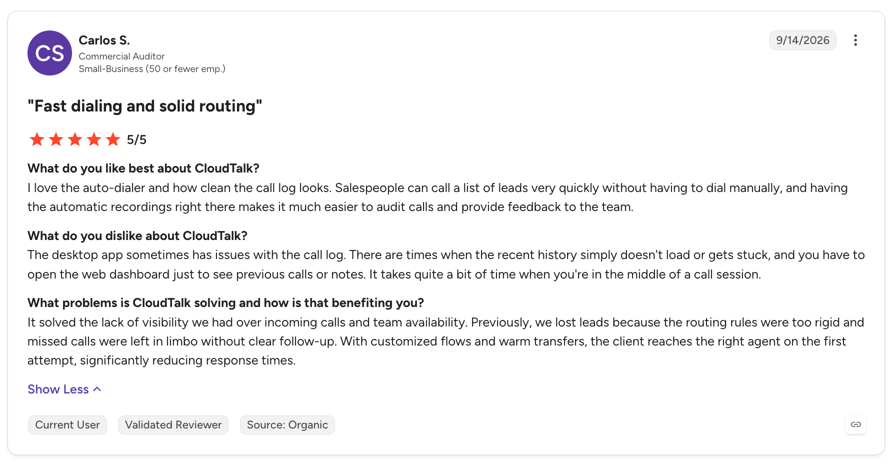
CloudTalk holds 4.4/5 on G2 from 1941+ reviews. Insurance and financial-services reviewers most often cite call quality across international numbers and how quickly a new agent is productive.
Who Is CloudTalk Best For, and When Should You Skip It?
| Features | CloudTalk |
|---|---|
| Best For | Agencies running real outbound volume that want preview, power, parallel, and predictive dialing in one place, with CRM sync and compliance controls included rather than bolted on |
| Skip If | You are a solo broker making a handful of calls a day; a single number and a mobile app will do. |
A Quick CloudTalk Tour To See What You Can Get
Ninety seconds, no sign-up and no sales call. Walk through the dialer, call flows and CRM sync the way an agent would use them on a live list.
2. Aircall: Best for Small Brokerages Wanting a Simple Cloud Phone
- Aircall is designed to enhance team communication and streamline customer interactions. While it provides many valuable tools for businesses, insurance agents may find some limitations when compared to other companies.
What Are Aircall's Key Features?
- CRM integrations, including HubSpot, Salesforce, and Zoho, give access to client details during calls.
- Call tagging helps organize workflows better.
- Click-to-dial saves time by directly dialing from CRMs
- Call monitoring lets managers provide real-time coaching for agents.
How Much Does Aircall Cost?
Aircall's pricing offers three tiers:
- Essentials ($30/user/month): Includes basic features like unlimited inbound calls, click-to-dial, call tagging, and integrations.
- Professional ($50/user/month): Adds advanced analytics, Salesforce integration, call monitoring and the Power Dialer.
- Custom (Contact for pricing): Tailored for enterprises with specific needs, offering priority support and custom features.
What Are Aircall's Pros and Cons?
| Pros: | Cons: |
|---|---|
| Easy-to-use interface suitable for small to medium-sized teams. | Higher starting price compared to other providers. |
| Reliable CRM integrations streamline client communication. | Fewer advanced features for routing and automation compared to CloudTalk’s Expert and Custom plans. |
| Live call monitoring supports team training and quality assurance. | Limited scalability for growing insurance agencies with high-volume call needs. |
What Do Customers Say About Aircall?
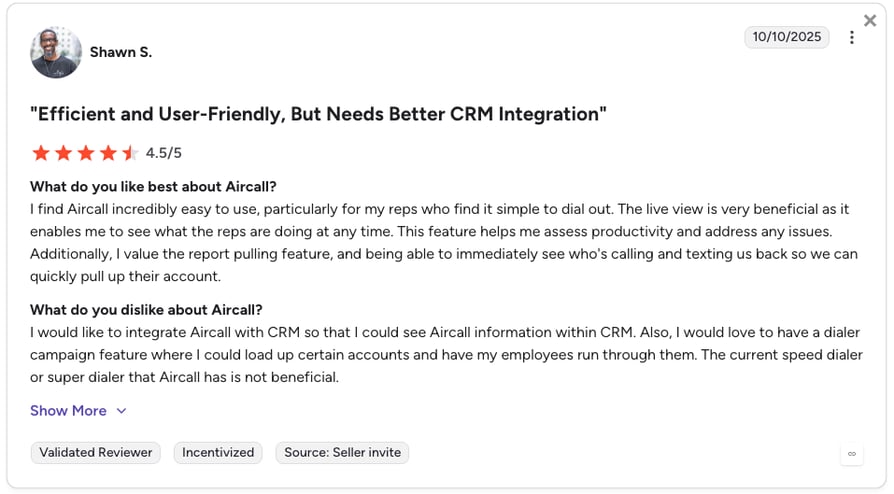
Aircall holds 4.4 on G2 from 1,532 reviews, with 54.3% coming from small business. Reviewers praise setup speed and integration depth; the recurring criticism is cost at scale relative to the feature set.
Who Is Aircall Best For, and When Should You Skip It?
| Features | Aircall |
|---|---|
| Best For | Small brokerages that want a clean, CRM-friendly cloud phone and only light outbound dialing |
| Skip If | You dial at volume: the Power Dialer sits on Professional, there is a three-licence minimum, and there is no predictive or parallel mode at all. |
Recommended Reads
3. Ringover: Best for Multi-Country Insurance Teams
- Ringover enhances team collaboration and streamlines client communications. Its user-friendly interface and robust feature set make it a viable option for insurance agents seeking to improve their customer interactions.
What Are Ringover's Key Features?
- CRM Integrations let you connect with platforms like Salesforce and HubSpot, allowing agents to access client information during calls.
- Advanced Call Analytics provides detailed insights into call performance, enabling data-driven decisions to optimize client interactions.
- Call Monitoring and Recording lets Managers monitor live calls and access recordings for training and quality assurance purposes.
How Much Does Ringover Cost?
Ringover's pricing offers three plans:
- Talk ($15/user/month)
- Business ($47/user/month)
- Advanced (Quote-based)
What Are Ringover's Pros and Cons?
| Pros: | Cons: |
|---|---|
| Offers over 100 integrations, allowing insurance agents to connect with various CRM and helpdesk platforms for streamlined client management. | Some users have reported occasional bugs in the app. |
| The platform is user-friendly, enabling agents to adapt quickly and efficiently manage communication. | SMS functionality has limitations, such as character restrictions and manual inbox refreshing, which can hinder workflows. |
| Provides access to local phone numbers in over 70 countries, helping agents establish a local presence and build trust with clients. | Entry-level plans lack advanced features, so richer functionality means upgrading to a higher tier |
What Do Customers Say About Ringover?
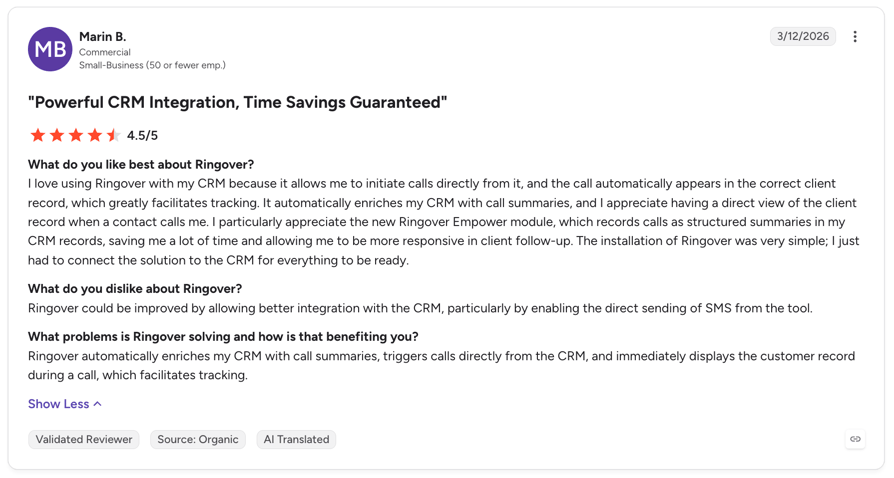
Ringover holds 4.6 on G2 from 462 reviews, the second-highest score in this comparison. Capterra data puts insurance as its single largest reviewer industry at 10%, with 93% of reviewers from small businesses.
Who Is Ringover Best For, and When Should You Skip It?
| Features | Ringover |
|---|---|
| Best For | Agencies selling across several countries that need local numbers and straightforward calling |
| Skip If | The dialer is the point: the power dialer and sales cadence tools sit outside the Business plan as paid add-ons. |
Recommended Reads
4. JustCall: Best for Omnichannel Insurance Outreach
- JustCall is an all-in-one cloud-based phone system designed to automate tedious tasks and enhance productivity for insurance agents. Advanced automation tools and conversational intelligence features allow agents to focus on customer care.
What Are JustCall's Key Features?
- Extensive integrations with CRMs and business tools for seamless client management.
- Open API for custom workflows and integrations.
- Sales automation tools, including AI-powered call scoring and automated note summarization.
- Omnichannel connectivity with calls, SMS, and WhatsApp, ensuring agents can reach clients on their preferred platform.
- JustCall AI features like real-time live assistance, on-screen scripts, and dynamic dialers for insurance agents that prioritize warm leads.
- International calling and localization tools for global outreach.
- Reporting and analytics to optimize performance and track campaign success.
How Much Does JustCall Cost?
JustCall's pricing offer four plans:
- Team: $29 per user/month
- Pro: $49 per user/month
- Pro Plus: $89 per user/month
- Business: Request a quote
What Are JustCall's Pros and Cons?
| Pros: | Cons: |
|---|---|
| Offers a wide range of integrations, including open API, making it adaptable for custom workflows. | Call quality may vary depending on internet connectivity. |
| Omnichannel capabilities with calls, SMS, and WhatsApp enhance client engagement. | Advanced analytics and AI features sit on higher-tier plans. |
| AI-driven features like real-time assistance and automated note-taking increase productivity and reduce manual tasks. | Pricing for AI-enabled plans can be steep for smaller agencies. |
What Do Customers Say About JustCall?
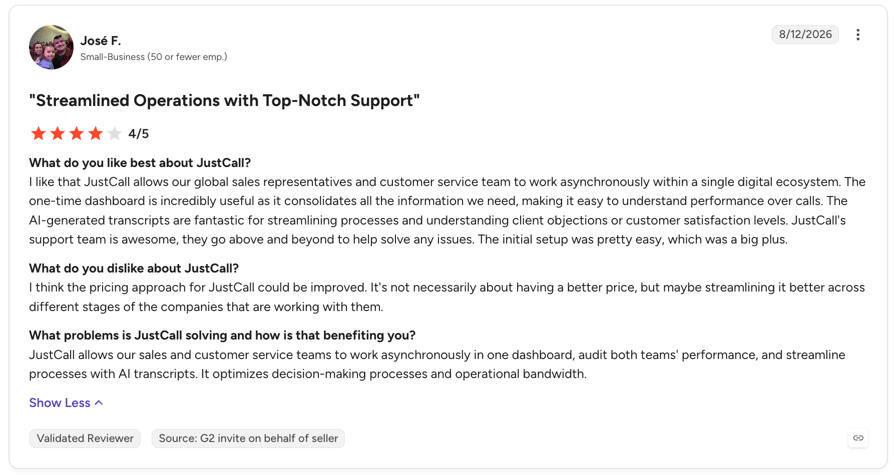
JustCall holds 4.3 on G2 from 2,370 reviews, the second-largest review base here. Reviewers consistently rate the interface as easy to learn; support responsiveness is the most common complaint.
Who Is JustCall Best For, and When Should You Skip It?
| Features | JustCall |
|---|---|
| Best For | Agencies whose follow-up runs across voice, SMS and WhatsApp, and who want all three in one thread per policyholder |
| Skip If | You need parallel dialing as standard rather than as a separately priced line item. |
Recommended Reads
5. Kixie: Best for Sales-Driven Insurance Agencies
- Kixie is a sales engagement platform that enhances outbound calling and texting efforts for sales teams. Its robust features, including a Power Dialer and CRM integrations, aim to streamline communication processes and boost productivity for insurance agents.
What Are Kixie's Key Features?
- Power Dialer enables agents to call multiple leads simultaneously, increasing outreach efficiency.
- CRM Integrations with platforms like HubSpot, Salesforce, and Zoho allow for seamless synchronization of client data and call activities.
- Call Recording and Monitoring provide tools for quality assurance and training, ensuring consistent client interactions.
- Automated SMS lets agents send personalized text messages, enhancing follow-up capabilities.
How Much Does Kixie Cost?
Kixie's pricing is quote-based.
What Are Kixie's Pros and Cons?
| Pros: | Cons: |
|---|---|
| Offers a robust Power Dialer that enhances outbound calling efficiency. | Pricing may be higher compared to some competitors, which could be a consideration for smaller agencies. |
| Seamless integration with major CRM platforms facilitates streamlined client management. | Some users report a learning curve associated with setting up and customizing the platform. |
| Automated SMS features improve follow-up processes and client engagement. | Limited communication channels, focusing primarily on voice and SMS, may not meet all client interaction needs. |
What Do Customers Say About Kixie?
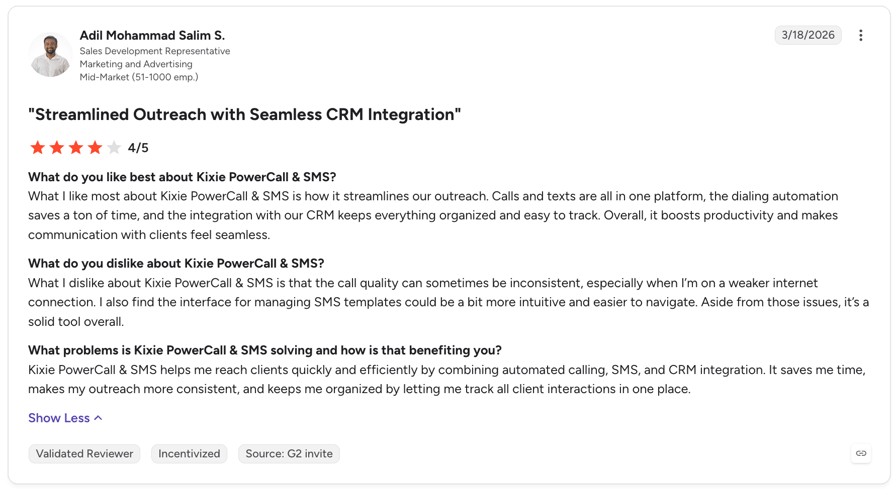
Kixie holds 4.8 on G2 from 862 reviews, the highest score in this comparison, with 83.6% of reviewers from small business. Ease of setup and CRM integration are the most-cited strengths.
Who Is Kixie Best For, and When Should You Skip It?
| Features | Kixie |
|---|---|
| Best For | Sales-led agencies that live inside a CRM and want multi-line dialing with SMS follow-up attached |
| Skip If | You need a published price before you talk to sales, because every Kixie tier is quote-gated. |
Recommended Reads
6. PhoneBurner: Best for High-Volume Outbound Teams
- PhoneBurner is a cloud-based power dialer designed to enhance productivity for outbound sales teams, including insurance agents. By streamlining the calling process and automating follow-ups, it enables agents to focus more on building client relationships and closing deals.
What Are PhoneBurner's Key Features?
- Power Dialer allows agents to reach up to 80 contacts per hour, increasing outreach efficiency.
- Voicemail Drop enables leaving pre-recorded messages, saving time during outreach.
- CRM Integration with platforms like Salesforce and HubSpot ensures seamless data management.
- Call Recording facilitates quality assurance and training by recording and analyzing conversations.
How Much Does PhoneBurner Cost?
PhoneBurner's pricing offers several plans:
- Standard ($140/user/month): unlimited power dialing, CRM and workflow automation, 30-day recording storage.
- Professional ($165/user/month): adds live call monitoring, softphone dialing and 90-day recording storage.
- Premium ($183/user/month): adds inbound routing, outbound SMS and unlimited recording storage.
What Are PhoneBurner's Pros and Cons?
| Pros: | Cons: |
|---|---|
| Boosts call efficiency dramatically, allowing agents to connect with more leads in less time. | Pricing can be steep for smaller teams or individual agents. |
| Integrates with popular CRMs like Salesforce, facilitating seamless data management. | Limited international calling options may restrict global outreach efforts. |
| User-friendly interface enables quick onboarding and ease of use. | No native SMS capabilities, which could limit communication channels. |
What Do Customers Say About PhoneBurner?
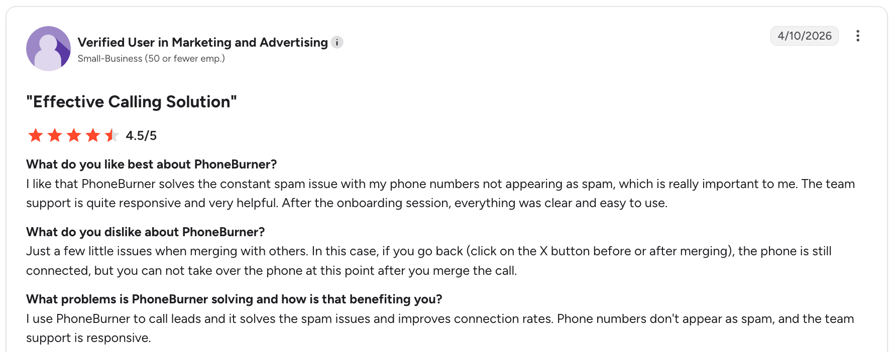
PhoneBurner holds 4.7 on G2 from 279 reviews, with 79.8% from small business. Reviewers praise the delay-free connect and one-click follow-up; the seat price is the recurring friction point.
Who Is PhoneBurner Best For, and When Should You Skip It?
| Features | PhoneBurner |
|---|---|
| Best For | Agencies whose whole motion is sequential outbound calling to a list, where unlimited US dialing justifies a high seat price |
| Skip If | You need inbound routing or SMS, which are gated to the top tier, or if you call outside the US and Canada. |
Recommended Reads
7. RingCentral: Best for Unified Communications
- RingCentral offers a comprehensive suite of tools including voice, video, messaging, and collaboration capabilities, making it a versatile solution for insurance agents aiming to improve client interactions and streamline workflows.
What Are RingCentral's Key Features?
- Unified Communications: Integrates phone, video meetings, and team messaging into a single platform, facilitating seamless communication.
- Advanced Call Management: Offers features like call forwarding, voicemail-to-email, and auto-attendant to efficiently manage inbound and outbound calls.
- CRM Integrations: Seamlessly connects with popular CRM systems, enabling agents to access client information during calls.
- Analytics and Reporting: Provides detailed insights into communication metrics, assisting in performance evaluation and decision-making.
How Much Does RingCentral Cost?
RingCentral's pricing offers several plans to accommodate different business needs:
- RingEX Core ($20/user/month): unlimited US and Canada calling, auto-attendant, basic call queues.
- RingEX Advanced ($25/user/month): adds CRM integrations, automatic call recording and advanced call management.
- RingEX Ultra ($35/user/month): adds unlimited storage and higher toll-free and SMS allowances.
- RingCX (from $65/user/month): the separate contact center product, and the only RingCentral tier with an outbound dialer.
What Are RingCentral's Pros and Cons?
| Pros: | Cons: |
|---|---|
| Comprehensive communication solution integrating voice, video, and messaging. | Higher-tier features may be unnecessary for smaller teams. |
| User-friendly interface with easy setup and management. | Some advanced features are only available in higher-priced plans. |
| Scalable plans, suitable for businesses of various sizes. | Potential learning curve for users new to unified communication platforms. |
What Do Customers Say About RingCentral?
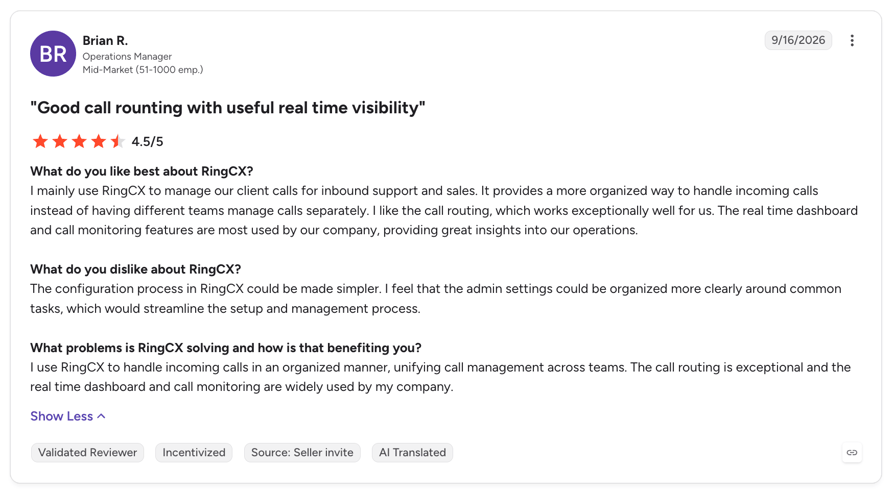
RingEX, RingCentral's business phone product, holds 4.1 on G2 from 1,304 reviews. Reviewers value the breadth of the platform; support quality is the most common criticism.
Who Is RingCentral Best For, and When Should You Skip It?
| Features | RingCentral |
|---|---|
| Best For | Larger agencies that want phone, video and messaging on one contract and treat dialing as secondary |
| Skip If | Outbound is your priority: RingEX has no outbound dialer, so you need RingCX, which is a separate product at a separate price. |
Recommended Reads
8. Five9: Best for Enterprise Insurance Contact Centers
- Five9 provides a mature contact center solution with sophisticated dialing capabilities, ideal for larger insurance operations requiring advanced campaign management.
What Are Five9's Key Features?
- AI-driven call routing and distribution
- Comprehensive workforce optimization
- Dynamic scripting capabilities
- Advanced compliance tools
How Much Does Five9 Cost?
- Five9's pricing starts at $119/user/month for Digital and $159/user/month for Core, with a 50-seat minimum on every plan
- Additional costs for advanced features
- Five9 Full Pricing Guide
What Are Five9's Pros and Cons?
| Pros: | Cons: |
|---|---|
| Enterprise-grade functionality | Significant cost barrier for smaller teams |
| Strong omnichannel routing | Complex implementation process |
| Advanced AI capabilities | Limited flexibility in customization |
What Do Customers Say About Five9?
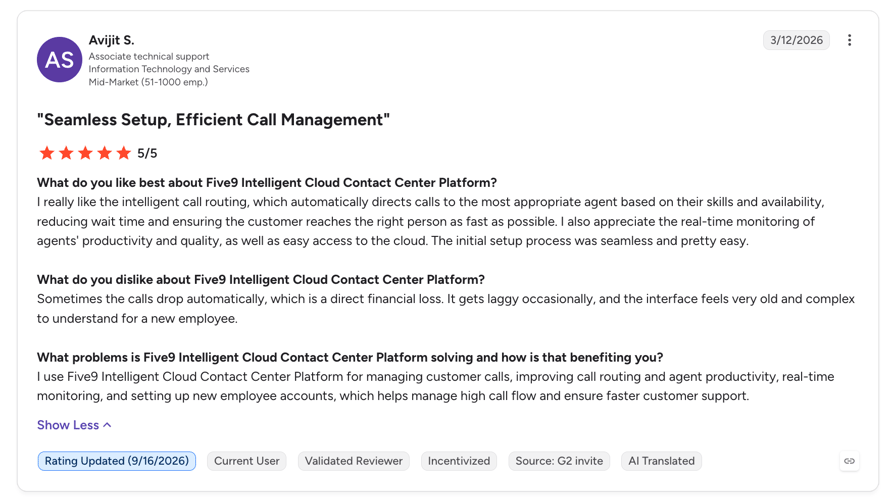
Five9's Intelligent Cloud Contact Center Platform holds 4.1 on G2 from 588 reviews, 56.8% of them mid-market. Reviewers rate the dialer and blended campaigns highly; cost and contract rigidity are the repeated complaints.
Who Is Five9 Best For, and When Should You Skip It?
| Features | Five9 |
|---|---|
| Best For | Carrier-scale insurance contact centres with 50+ agents and a compliance team to match |
| Skip If | You are an agency rather than a carrier: the 50-seat minimum and 36-month term on the entry plan rule out most brokerages before features enter the conversation. |
9. Dialpad: Best for AI-First Insurance Agencies
- Dialpad combines AI-powered communication tools with cloud flexibility, offering insurance agencies a modern approach to client outreach.
What Are Dialpad's Key Features?
- Real-time AI insights and coaching
- Voice intelligence technology
- Native video and messaging integration
- Automatic call recording and transcription
How Much Does Dialpad Cost?
Dialpad's pricing offer three plans:
- Standard: $15/user/month
- Pro: $25/user/month
- Enterprise: Custom pricing
What Are Dialpad's Pros and Cons?
| Pros: | Cons: |
|---|---|
| Sophisticated AI capabilities | Limited international coverage |
| User-friendly interface | AI features restricted to specific regions |
| Unified communications platform | Basic call routing options |
What Do Customers Say About Dialpad?
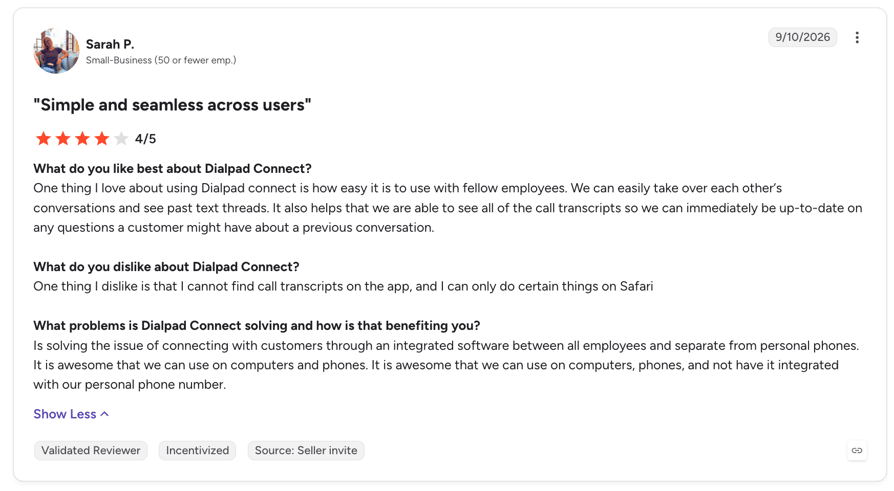
Dialpad holds 4.4 on G2 from more than 4,100 reviews. Reviewers single out transcription accuracy and live coaching prompts; dialing depth is where it trails the specialists here.
Who Is Dialpad Best For, and When Should You Skip It?
| Features | Dialpad |
|---|---|
| Best For | Agencies that want AI transcription and coaching included in the base seat rather than as an add-on |
| Skip If | High-volume outbound is the job: Dialpad offers power and progressive dialing but no parallel or predictive mode. |
10. NICE CXone: Best for Compliance-Heavy Insurance Enterprises
- NICE CXone brings a robust enterprise contact center solution with specialized features for insurance operations, particularly suited for agencies requiring advanced compliance and quality management.
What Are NICE CXone's Key Features?
- Patented predictive dialing technology
- Omnichannel campaign management
- AI-powered schedule forecasting
- Advanced compliance controls
How Much Does NICE CXone Cost?
NICE CXone's pricing include several plans:
- CXone Mpower Digital Agent (from $71/agent/month): digital channels only, no voice.
- CXone Mpower Essential: voice agent seat, quote-based.
- CXone Mpower Core: adds omnichannel routing and quality management, quote-based.
- CXone Mpower Complete: adds workforce management and analytics, quote-based.
- CXone Mpower Ultimate: full suite with advanced AI, quote-based.
What Are NICE CXone's Pros and Cons?
| Pros: | Cons: |
|---|---|
| Advanced workforce management | Significant cost barrier for smaller agencies |
| Strong regulatory compliance tools | Complex implementation process |
| Comprehensive analytics suite | Steep learning curve for new users |
What Do Customers Say About NICE CXone?
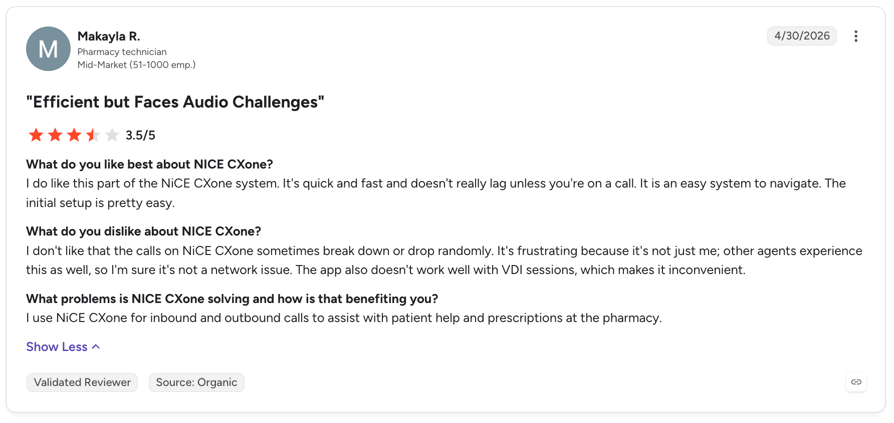
NiCE CXone Mpower holds 4.3 on G2 from 1,728 reviews, 52.7% mid-market. Reviewers rate workforce management and compliance tooling highly, and ease of setup lowest.
Who Is NICE CXone Best For, and When Should You Skip It?
| Features | NICE CXone |
|---|---|
| Best For | Compliance-heavy insurance enterprises that need workforce management and quality monitoring in the same platform as the dialer |
| Skip If | You want to be live this quarter: reviewers score CXone lowest on ease of setup among the platforms here. |
Recommended Reads
Auto Dialers for Insurance Agents: Use-Case Comparison Table
The same ten tools, sorted by the job rather than by rank. Find your line of business first, then read that vendor's section above.
| Use case | Best pick | Why it fits |
|---|---|---|
| High-volume life insurance outbound | CloudTalk | Parallel and predictive modes with DNC scrubbing, so a long lead list gets worked without idle time between connects. |
| Health insurance and Medicare enrolment | CloudTalk | Calling windows and recording controls matter more than raw speed during enrolment periods, and both are configurable per campaign. |
| P&C quoting and renewals | CloudTalk or Aircall | Preview dialing shows policy history before the call connects, which is what complex quoting needs. |
| Multi-country brokerage | Ringover | Local numbers across 90+ destinations, though the power dialer costs extra. |
| Solo broker or two-person agency | Aircall | Simple cloud phone with CRM sync; note the three-licence minimum. |
| Sequential list calling, US and Canada only | PhoneBurner | Unlimited dialing on every tier and a delay-free connect, at a high seat price. |
| CRM-first agency | Kixie or JustCall | Both are built around the CRM record rather than the phone, with SMS follow-up in the same thread. |
| Enterprise carrier contact centre | Five9 or NICE CXone | Workforce management and blended campaigns at carrier scale. Five9 requires 50 seats minimum. |
| AI transcription and coaching on a budget | Dialpad | Transcription and summaries are in the base seat rather than a paid add-on. |
| Unified comms first, dialing second | RingCentral | Phone, video and messaging on one contract; the dialer needs the separate RingCX product. |
Key Features Every Insurance Auto Dialer Should Have
As an insurance agent, managing your time and maintaining consistent communication with clients is critical. That’s where a modern insurance agency dialer steps in to automate calls, streamline workflows, and ensure every lead gets the attention it deserves.
Below, we’ll explore the key features that make a dialer essential for insurance agents, helping you stay on top of your game while closing more deals.
- 01CRM IntegrationSeamless synchronization and integration with customer databases for instant access to policyholder information. When a prospect calls, their history, policy details, and interaction records automatically display for your agents.
- 02Call Recording and AnalyticsCapture conversations for quality assurance and performance optimization. Turn every call into a learning opportunity, using real interactions to refine your team’s approach and track improvement over time.
- 03Voicemail DropAutomatically leave pre-recorded messages when calls go unanswered, saving agent time. Instead of repeating the same voicemail dozens of times daily, your agents can focus on connecting with live prospects.
- 04Local Presence DialingDisplay local area codes to increase answer rates. Transform cold calls into warm conversations by presenting familiar area codes that build instant trust with potential clients.
- 05Customizable Call ScriptsProvide agents with adaptable scripts for various insurance scenarios. Guide conversations naturally while ensuring key policy details and compliance requirements are consistently covered.
- 06Compliance ControlsEnsure adherence to industry regulations. Stay protected with automatic flagging of restricted numbers and built-in calling hour limitations.
- 07Multi-Channel CommunicationIntegrate SMS and email capabilities for follow-ups and appointment scheduling. Meet your clients where they are, creating seamless communication flows that boost engagement rates.
How to Pick the Best Auto Dialer for Insurance Agents
Enhance client engagement, close more deals, and build long-term brand loyalty by choosing a dialer that aligns with the unique workflows and regulatory needs of insurance agencies. Here are the key decision factors, refined and reinforced with industry-best practices and research.
1. The Right Dialing Strategy for Your Workflow
Different dialing modes support different outreach objectives:
- Preview Dialers: display key prospect information before connecting: excellent for selling complex or high-value insurance products.
- Parallel Dialers: Dial multiple leads at once, skip voicemails, and connect the first person who answers, minimizing agent idle time and boosting connect rates..
Select the mode that supports the balance between productivity and personalization your agency needs.
2. Seamless Integration with Insurance Workflows
Your dialer should:
- Sync effortlessly with your CRM tools and policy admin systems for automatic call logging and context-aware do-not-call (DNC) checks.
- Provide streamlined agent navigation without platform switching, a proven way to maintain personalized outreach at scale.
- CloudTalk’s insurance call center offers real-time integration, conflict-free routing, and auto-logging, dramatically reducing agent admin time, and delivers up to 2.5x outbound success rates and 81.7% higher call volume for insurance clients.
3. Built-in Compliance So You Stay Audit-Ready
Insurance dialing must meet strict regulatory standards:
- Look for automatic DNC list filtering, time-of-day restrictions, call recording, and secure access controls.
- Ensure you can generate audit logs and compliance reports on demand for TCPA, GDPR, or industry-specific regulations.
- At scale, CloudTalk highlights end-to-end encryption, audit trails, and AI Voice Agents that maintain compliance even during high-volume periods.
4. Scalability Aligned with Agency Growth
Your auto-dialer should support strategic expansion:
- Quick onboarding for new users, flexible auto dialer pricing plans, and 24/7 support help keep pace with agent growth.
- Look for options like CloudTalk’s custom enterprise tiers and AI assistance tools to handle call surges, especially during renewal cycles or claim crises.
5. Maximize Total Value, Not the Lowest Price
When evaluating auto-dialer solutions, don’t get distracted by sticker price alone. Instead, zero in on key ROI metrics that directly tie into performance and growth for insurance agencies:
- Lead response velocity: Faster callbacks dramatically increase your chances of closing deals, especially in a market where timing is everything.
- Efficiency enhancements: Features like voicemail drops, SMS follow-ups, and call disposition workflows reduce busywork, enabling agents to focus on selling.
- Conversion potential: Small boosts in productivity often yield large revenue gains, especially when follow-up is prompt and smooth.
Need a real-world proof? One Florida-based life insurance agency adopted a dialer solution and, in just 60 days, saw 42% more leads contacted within 10 minutes, a 30% uplift in policy conversions, and a 20% reduction in call handling time2.
6. Look for These Value-Adding Features
Beyond dialing, the best auto-dialers for insurers include:
- Omnichannel communication: calls, SMS, and email follow-up in one place.
- Customizable scripts and lead workflows: help agents adapt pitch based on policy type or campaign.
- Local presence dialing: by using familiar area codes, you increase answer rates and build trust.
- Call analytics & agent coaching: real-time dashboards and recordings for performance improvements.
- AI Voice Agents and 24/7 handling: ideal for managing claim intake surges or renewal campaigns.
Test drive an insurance auto dialer offering all features above.
Quick Answers: What People Ask Most About Insurance Dialers
What Is the Best CRM With a Dialer for Insurance Agents?
- There is no single answer, because most agencies keep their CRM and add a dialer that syncs to it. Salesforce, HubSpot and Pipedrive all pair with a dedicated dialer that logs calls, recordings and outcomes against the policy record automatically.
What Is the Best Dialer for Life Insurance Agents?
- Life insurance runs on long lead lists and low contact rates, so parallel or predictive dialing does the most work. Look for automatic voicemail detection, DNC scrubbing and a mode that keeps agents talking rather than waiting through rings.
What Is the Best Dialer for Health Insurance and Medicare Agents?
- Enrolment periods concentrate months of calling into weeks, so throughput matters, but recording and consent controls matter more. Medicare outreach carries stricter recording-retention expectations than general insurance sales, so confirm retention length before you buy.
Is Auto-Dialing Insurance Leads TCPA Compliant?
- It can be. Compliance depends on consent, calling windows and DNC scrubbing rather than on the dialer itself. Read our guide to auto dialer laws before running any outbound campaign, and confirm your provider supports per-state calling windows.
How Much Does an Insurance Dialer Cost?
- Published rates in this comparison run from $15 to $183 per user per month, with enterprise platforms quote-only above that. Most vendors advertise annual rates; monthly billing typically adds 25% to 33%. See our auto dialer pricing breakdown for the full picture.
Top Auto Dialers for Insurance Agents by G2 Reviews and Ratings
Ratings and review counts read from G2 in September 2026, ordered by review volume. The pattern worth noticing: the highest scores sit on the smallest samples. Kixie's 4.8 rests on 862 reviews and PhoneBurner's 4.7 on 279, while the platforms carrying thousands of reviews cluster between 4.1 and 4.4.
| Platform | G2 Reviews | G2 Rating | Full review link |
|---|---|---|---|
| CloudTalk | 1941+ | 4.4/5 | CloudTalk on G2 |
| Dialpad | 4,100+ | 4.4 | Dialpad on G2 |
| JustCall | 2,370 | 4.3 | JustCall on G2 |
| NiCE CXone Mpower | 1,728 | 4.3 | NICE CXone on G2 |
| Aircall | 1,532 | 4.4 | Aircall on G2 |
| RingEX (RingCentral) | 1,304 | 4.1 | RingEX on G2 |
| Kixie PowerCall & SMS | 862 | 4.8 | Kixie on G2 |
| Five9 | 588 | 4.1 | Five9 on G2 |
| Ringover | 462 | 4.6 | Ringover on G2 |
| PhoneBurner | 279 | 4.7 | PhoneBurner on G2 |
Drive Your Agency Forward with Smart Dialer Choice
Your agency's growth depends on connection: not just making more calls, but making each one count. By choosing the right dialer, you can elevate every step of your outreach:
- Dial smarter, not harder: Select modes like Preview for personal touch, or Power and Parallel when speed is key.
- Integrate seamlessly: A dialer that works with your CRM and policy platforms removes friction and saves time.
- Stay compliant by design: Built-in DNC filters, call recording, and time restrictions shield you from regulatory risk.
- Scale on your terms: Whether adding agents or running campaigns, your dialer should expand with your pace.
- Turn every call into opportunity: Faster responses, better client engagement, and smoother renewals drive real business results.
Ready to evolve from manual dialing into strategic outreach? Start with CloudTalk Dialer: it delivers powerful automation while preserving the personal touch that helps turn prospects into loyal clients.
Dial our experts who'll show you how to dial like one too.
Frequently asked questions
In insurance, a dialer is software that calls through a lead or renewal list automatically and connects agents only to live answers. It logs each attempt to the policy record. Modes vary, from preview to predictive.
Agents stop dialing, waiting and logging by hand. The dialer works the list, skips voicemails and connects only live answers, so talk time rises without more hours. A power dialer is the usual starting point.
Pros: more conversations per hour, automatic call logging, and analytics you can coach from. Cons: consent and calling-window rules to manage, and dropped calls if pacing is too aggressive. Match the mode to your dialer setup.
Yes, when consent, Do-Not-Call scrubbing and state calling windows are respected. The dialer is not the risk; how you use it is. Read the detail in our guide to auto dialer laws.
Preview shows the record first.
Power dials one at a time.
Progressive dials as an agent frees up.
Predictive dials ahead of availability. Parallel dials several lines at once.
See all five in one dialer.
Slow the pacing to cut abandoned calls, scrub against DNC lists before every campaign, and set per-state calling windows. Keep recordings and consent evidence retrievable with call recording.
Yes. A dialer syncs both ways with CRMs like Salesforce, HubSpot and Pipedrive, so calls, recordings and outcomes land on the policy record automatically. Browse the integrations available.